


litegraph
Lightweight graph database with relational and vector support built using Sqlite, designed to power knowledge and artificial intelligence persistence and retrieval.
Stars: 66
LiteGraph is a property graph database designed for knowledge and artificial intelligence applications. It supports graph relationships, tags, labels, metadata, data, and vectors. LiteGraph can be used in-process with LiteGraphClient or as a standalone RESTful server with LiteGraph.Server. The latest version includes major internal refactor, batch APIs, enumeration APIs, statistics APIs, database caching, vector search enhancements, and bug fixes. LiteGraph allows for simple embedding into applications without user configuration. Users can create tenants, graphs, nodes, edges, and perform operations like finding routes and exporting to GEXF file. It also provides features for working with object labels, tags, data, and vectors, enabling filtering and searching based on various criteria. LiteGraph offers REST API deployment with LiteGraph.Server and Docker support with a Docker image available on Docker Hub.
README:



LiteGraph is a property graph database with support for graph relationships, tags, labels, metadata, data, and vectors. LiteGraph is intended to be a unified database for providing persistence and retrieval for knowledge and artificial intelligence applications.
LiteGraph can be run in-process (using LiteGraphClient) or as a standalone RESTful server (using LiteGraph.Server).
- Major internal refactor for both the graph repository base and the client class
- Separation of responsibilities; graph repository base owns primitives, client class owns validation and cross-cutting
- Consistency in interface API names and behaviors
- Consistency in passing of query parameters such as skip to implementations and primitives
- Consolidation of create, update, and delete actions within a single transaction
- Batch APIs for creation and deletion of labels, tags, vectors, edges, and nodes
- Enumeration APIs
- Statistics APIs
- Simple database caching to offload existence validation for tenants, graphs, nodes, and edges
- In-memory operation with controlled flushing to disk
- Additional vector search parameters including topK, minimum score, maximum distance, and minimum inner product
- Dependency updates and bug fixes
- Minor Postman fixes
- Inclusion of an optional graph-wide HNSW index for graph, node, and edge vectors
Please feel free to start an issue or a discussion!
Embedding LiteGraph into your application is simple and requires no configuration of users or credentials. Refer to the Test project for a full example.
using LiteGraph;

LiteGraphClient graph = new LiteGraphClient(new SqliteRepository("litegraph.db"));
graph.InitializeRepository();

// Create a tenant
TenantMetadata tenant = graph.CreateTenant(new TenantMetadata { Name = "My tenant" });

// Create a graph
Graph graph = graph.CreateGraph(new Graph { TenantGUID = tenant.GUID, Name = "This is my graph!" });

// Create nodes
Node node1 = graph.CreateNode(new Node { TenantGUID = tenant.GUID, GraphGUID = graph.GUID, Name = "node1" });
Node node2 = graph.CreateNode(new Node { TenantGUID = tenant.GUID, GraphGUID = graph.GUID, Name = "node2" });
Node node3 = graph.CreateNode(new Node { TenantGUID = tenant.GUID, GraphGUID = graph.GUID, Name = "node3" });

// Create edges
Edge edge1 = graph.CreateEdge(new Edge { TenantGUID = tenant.GUID, GraphGUID = graph.GUID, From = node1.GUID, To = node2.GUID, Name = "Node 1 to node 2" });
Edge edge2 = graph.CreateEdge(new Edge { TenantGUID = tenant.GUID, GraphGUID = graph.GUID, From = node2.GUID, To = node3.GUID, Name = "Node 2 to node 3" });

// Find routes
foreach (RouteDetail route in graph.GetRoutes(
  SearchTypeEnum.DepthFirstSearch,
  tenant.GUID,
  graph.GUID,
  node1.GUID,
  node2.GUID))
{
  Console.WriteLine(...);
}

// Export to GEXF file
graph.ExportGraphToGexfFile(tenant.GUID, graph.GUID, "mygraph.gexf");LiteGraph can be configured to run in-memory, with a specified database filename. If the database exists, it will be fully loaded into memory, and then must later be Flush()ed out to disk when done. If the database does not exist, it will be created.
using LiteGraph;

LiteGraphClient graph = new LiteGraphClient(new SqliteRepository("litegraph.db", true)); // true to run in-memory
graph.InitializeRepository();

// Create a tenant
TenantMetadata tenant = graph.CreateTenant(new TenantMetadata { Name = "My tenant" });

// Create a graph
Graph graph = graph.CreateGraph(new Graph { TenantGUID = tenant.GUID, Name = "This is my graph!" });

// Create nodes
Node node1 = graph.CreateNode(new Node { TenantGUID = tenant.GUID, GraphGUID = graph.GUID, Name = "node1" });
Node node2 = graph.CreateNode(new Node { TenantGUID = tenant.GUID, GraphGUID = graph.GUID, Name = "node2" });
Node node3 = graph.CreateNode(new Node { TenantGUID = tenant.GUID, GraphGUID = graph.GUID, Name = "node3" });

// Create edges
Edge edge1 = graph.CreateEdge(new Edge { TenantGUID = tenant.GUID, GraphGUID = graph.GUID, From = node1.GUID, To = node2.GUID, Name = "Node 1 to node 2" });
Edge edge2 = graph.CreateEdge(new Edge { TenantGUID = tenant.GUID, GraphGUID = graph.GUID, From = node2.GUID, To = node3.GUID, Name = "Node 2 to node 3" });

// Flush to disk
graph.Flush();The Labels property is a List<string> allowing you to attach labels to any Graph, Node, or Edge, i.e. [ "mylabel" ].
The Tags property is a NameValueCollection allowing you to attach key-value pairs to any Graph, Node, or Edge, i.e. { "foo": "bar" }.
The Data property is an object and can be attached to any Graph, Node, or Edge. Data supports any object serializable to JSON. This value is retrieved when reading or searching objects, and filters can be created to retrieve only objects that have matches based on elements in the object stored in Data. Refer to ExpressionTree for information on how to craft expressions.
The Vectors property can be attached to any Graph, Node, or Edge object, and is a List<VectorMetadata>. The embeddings within can be used for a variety of different vector searches (such as CosineSimilarity).
All of these properties can be used in conjunction with one another when filtering for retrieval.
List<string> labels = new List<string>
{
  "test",
  "label1"
};

graph.CreateNode(new Node { TenantGUID = tenant.GUID, Name = "Joel", Labels = labels });

foreach (Node node in graph.ReadNodes(tenant.GUID, graph.GUID, labels))
{
  Console.WriteLine(...);
}NameValueCollection nvc = new NameValueCollection();
nvc.Add("key", "value");
graph.CreateNode(new Node { TenantGUID = tenant.GUID, Name = "Joel", Tags = nvc });
foreach (Node node in graph.ReadNodes(tenant.GUID, graph.GUID, null, nvc))
{
Console.WriteLine(...);
}using ExpressionTree;
class Person
{
public string Name { get; set; } = null;
public int Age { get; set; } = 0;
public string City { get; set; } = "San Jose";
}
Person person1 = new Person { Name = "Joel", Age = 47, City = "San Jose" };
graph.CreateNode(new Node { TenantGUID = tenant.GUID, GraphGUID = graph.GUID, Name = "Joel", Data = person1 });
Expr expr = new Expr
{
"Left": "City",
"Operator": "Equals",
"Right": "San Jose"
};
foreach (Node node in graph.ReadNodes(tenant.GUID, graph.GUID, null, expr))
{
Console.WriteLine(...);
}It is important to note that vectors have a dimensionality (number of array elements) and vector searches are only performed against graphs, nodes, and edges where the attached vector objects have a dimensionality consistent with the input.
Further, it is strongly recommended that you make extensive use of labels, tags, and expressions (data filters) when performing a vector search to reduce the number of records against which score, distance, or inner product calculations are performed.
VectorSearchResult objects have three properties used to weigh the similarity or distance of the result to the supplied query:
-
Score- a higher score indicates a greater degree of similarity to the query -
Distance- a lower distance indicates a greater proximity to the query -
InnerProduct- a higher inner product indicates a greater degree of similarity to the query
When searching vectors, you can supply one of three requirements thresholds that must be met:
-
MinimumScore- only return results with this score or higher -
MaximumDistance- only return results with distance less than the supplied value -
MinimumInnerProduct- only return results with this inner product or higher
Your requirements threshold should match with the VectorSearchTypeEnum you supply to the search.
using ExpressionTree;

class Person
{
  public string Name { get; set; } = null;
  public int Age { get; set; } = 0;
  public string City { get; set; } = "San Jose";
}

Person person1 = new Person { Name = "Joel", Age = 47, City = "San Jose" };

VectorMetadata vectors = new VectorMetadata
{
  Model = "testmodel",
  Dimensionality = 3,
  Content = "testcontent",
  Vectors = new List<float> { 0.1f, 0.2f, 0.3f }
};

graph.CreateNode(new Node { Name = "Joel", Data = person1, Vectors = new List<VectorMetadata> { vectors } });

foreach (VectorSearchResult result in graph.SearchVectors(
  VectorSearchDomainEnum.Node,
  VectorSearchTypeEnum.CosineSimilarity,
  new List<float> { 0.1f, 0.2f, 0.3f },
  tenant.GUID,
  graph.GUID,
  null,  // labels
  null,  // tags
  null,  // filter
  10,    // topK
  0.1,   // minimum score
  100,   // maximum distance
  0.1    // minimum inner product
))
{
  Console.WriteLine("Node " + result.Node.GUID + " score " + result.Score);
}A variety of EnumerationOrderEnum options are available when enumerating objects.
-
CreatedAscending- sort results in ascending order by creation timestamp -
CreatedDescending- sort results in descending order by creation timestamp -
NameAscending- sort results in ascending order by name -
NameDescending- sort results in descending order by name -
GuidAscending- sort results in ascending order by GUID -
GuidDescending- sort results in descending order by GUID -
CostAscending- for edges only, sort results in ascending order by cost -
CostDescending- for edges only, sort results in descending order by cost -
MostConnected- for nodes only, sort results in descending order by total edge count -
LeastConnected- for nodes only, sort results in ascending order by total edge count
To enumerate, use the enumeration API for the resource you wish.
EnumerationQuery query = new EnumerationQuery
{
  Ordering = EnumerationOrderEnum.CreatedDescending,
  IncludeData = true,
  IncludeSubordinates = true,
  MaxResults = 5,
  ContinuationToken = null,         // set to the continuation token from the last results to paginate
  Labels = new List<string>,        // labels on which to match
  Tags = new NameValueCollection(), // tags on which to match
  Expr = null,                      // expression on which to match from data property
};

EnumerationResult result = graph.Node.Enumerate(query);
// returns
{
    "Success": true,
    "Timestamp": {
        "Start": "2025-06-22T01:17:42.984885Z",
        "End": "2025-06-22T01:17:43.066948Z",
        "TotalMs": 82.06,
        "Messages": {}
    },
    "MaxResults": 5,
    "ContinuationToken": "ca10f6ca-f4c2-4040-adfe-9de3a81b9f55",
    "EndOfResults": false,    // whether or not the end of the results has been reached
    "TotalRecords": 17,       // total number of matching records
    "RecordsRemaining": 12,   // records remaining should you enumerate again
    "Objects": [
        {
            "TenantGUID": "00000000-0000-0000-0000-000000000000",
            "GUID": "ebefc55b-6f74-4997-8c87-e95e40cb83d3",
            "GraphGUID": "00000000-0000-0000-0000-000000000000",
            "Name": "Active Directory",
            "CreatedUtc": "2025-06-21T05:23:14.100128Z",
            "LastUpdateUtc": "2025-06-21T05:23:14.100128Z",
            "Labels": [],
            "Tags": {},
            "Data": {
                "Name": "Active Directory"
            },
            "Vectors": []
        }, ...
    ]
}Statistics are available both at the tenant level and at the graph level.
Dictionary<Guid, TenantStatistics> allTenantsStats = graph.Tenant.GetStatistics();
TenantStatistics tenantStatistics = graph.Tenant.GetStatistics(myTenantGuid);

Dictionary<Guid, GraphStatistics> allGraphStatistics = graph.Graph.GetStatistics(myTenantGuid);
GraphStatistics graphStatistics = graph.Graph.GetStatistics(myTenantGuid, myGraphGuid);LiteGraph includes a project called LiteGraph.Server which allows you to deploy a RESTful front-end for LiteGraph. Refer to REST_API.md and also the Postman collection in the root of this repository for details. By default, LiteGraph.Server listens on http://localhost:8701 and is only accessible to localhost. Modify the litegraph.json file to change settings including hostname and port.
Listening on a specific hostname should not require elevated privileges. However, listening on any hostname (i.e. using * or 0.0.0.0 will require elevated privileges).
$ cd LiteGraph.Server/bin/Debug/net8.0
$ dotnet LiteGraph.Server.dll

  _ _ _                          _
 | (_) |_ ___ __ _ _ _ __ _ _ __| |_
 | | |  _/ -_) _` | '_/ _` | '_ \ ' \
 |_|_|\__\___\__, |_| \__,_| .__/_||_|
             |___/         |_|

 LiteGraph Server
 (c)2025 Joel Christner

Using settings file './litegraph.json'
Settings file './litegraph.json' does not exist, creating
Initializing logging
| syslog://127.0.0.1:514
2025-01-27 22:09:08 joel-laptop Debug [LiteGraphServer] logging initialized
Creating default records in database litegraph.db
| Created tenant     : 00000000-0000-0000-0000-000000000000
| Created user       : 00000000-0000-0000-0000-000000000000 email: default@user.com pass: password
| Created credential : 00000000-0000-0000-0000-000000000000 bearer token: default
| Created graph      : 00000000-0000-0000-0000-000000000000 Default graph
Finished creating default records
2025-01-27 22:09:09 joel-laptop Debug [ServiceHandler] initialized service handler
2025-01-27 22:09:09 joel-laptop Info [RestServiceHandler] starting REST server on http://localhost:8701/
2025-01-27 22:09:09 joel-laptop Alert [RestServiceHandler]

NOTICE
------
LiteGraph is configured to listen on localhost and will not be externally accessible.
Modify ./litegraph.json to change the REST listener hostname to make externally accessible.

2025-01-27 22:09:09 joel-laptop Info [LiteGraphServer] started at 01/27/2025 10:09:09 PM using process ID 56556A Docker image is available in Docker Hub under jchristn/litegraph. Use the Docker Compose start (compose-up.sh and compose-up.bat) and stop (compose-down.sh and compose-down.bat) scripts in the Docker directory if you wish to run within Docker Compose. Ensure that you have a valid database file (e.g. litegraph.db) and configuration file (e.g. litegraph.json) exposed into your container.
Please refer to CHANGELOG.md for version history.
For Tasks:
Click tags to check more tools for each tasksFor Jobs:
Alternative AI tools for litegraph
Similar Open Source Tools
litegraph
LiteGraph is a property graph database designed for knowledge and artificial intelligence applications. It supports graph relationships, tags, labels, metadata, data, and vectors. LiteGraph can be used in-process with LiteGraphClient or as a standalone RESTful server with LiteGraph.Server. The latest version includes major internal refactor, batch APIs, enumeration APIs, statistics APIs, database caching, vector search enhancements, and bug fixes. LiteGraph allows for simple embedding into applications without user configuration. Users can create tenants, graphs, nodes, edges, and perform operations like finding routes and exporting to GEXF file. It also provides features for working with object labels, tags, data, and vectors, enabling filtering and searching based on various criteria. LiteGraph offers REST API deployment with LiteGraph.Server and Docker support with a Docker image available on Docker Hub.
minuet-ai.nvim
Minuet AI is a Neovim plugin that integrates with nvim-cmp to provide AI-powered code completion using multiple AI providers such as OpenAI, Claude, Gemini, Codestral, and Huggingface. It offers customizable configuration options and streaming support for completion delivery. Users can manually invoke completion or use cost-effective models for auto-completion. The plugin requires API keys for supported AI providers and allows customization of system prompts. Minuet AI also supports changing providers, toggling auto-completion, and provides solutions for input delay issues. Integration with lazyvim is possible, and future plans include implementing RAG on the codebase and virtual text UI support.
deepgram-js-sdk
Deepgram JavaScript SDK. Power your apps with world-class speech and Language AI models.
parrot.nvim
Parrot.nvim is a Neovim plugin that prioritizes a seamless out-of-the-box experience for text generation. It simplifies functionality and focuses solely on text generation, excluding integration of DALLE and Whisper. It supports persistent conversations as markdown files, custom hooks for inline text editing, multiple providers like Anthropic API, perplexity.ai API, OpenAI API, Mistral API, and local/offline serving via ollama. It allows custom agent definitions, flexible API credential support, and repository-specific instructions with a `.parrot.md` file. It does not have autocompletion or hidden requests in the background to analyze files.
lmstudio.js
lmstudio.js is a pre-release alpha client SDK for LM Studio, allowing users to use local LLMs in JS/TS/Node. It is currently undergoing rapid development with breaking changes expected. Users can follow LM Studio's announcements on Twitter and Discord. The SDK provides API usage for loading models, predicting text, setting up the local LLM server, and more. It supports features like custom loading progress tracking, model unloading, structured output prediction, and cancellation of predictions. Users can interact with LM Studio through the CLI tool 'lms' and perform tasks like text completion, conversation, and getting prediction statistics.
bellman
Bellman is a unified interface to interact with language and embedding models, supporting various vendors like VertexAI/Gemini, OpenAI, Anthropic, VoyageAI, and Ollama. It consists of a library for direct interaction with models and a service 'bellmand' for proxying requests with one API key. Bellman simplifies switching between models, vendors, and common tasks like chat, structured data, tools, and binary input. It addresses the lack of official SDKs for major players and differences in APIs, providing a single proxy for handling different models. The library offers clients for different vendors implementing common interfaces for generating and embedding text, enabling easy interchangeability between models.
LightRAG
LightRAG is a PyTorch library designed for building and optimizing Retriever-Agent-Generator (RAG) pipelines. It follows principles of simplicity, quality, and optimization, offering developers maximum customizability with minimal abstraction. The library includes components for model interaction, output parsing, and structured data generation. LightRAG facilitates tasks like providing explanations and examples for concepts through a question-answering pipeline.
azure-functions-openai-extension
Azure Functions OpenAI Extension is a project that adds support for OpenAI LLM (GPT-3.5-turbo, GPT-4) bindings in Azure Functions. It provides NuGet packages for various functionalities like text completions, chat completions, assistants, embeddings generators, and semantic search. The project requires .NET 6 SDK or greater, Azure Functions Core Tools v4.x, and specific settings in Azure Function or local settings for development. It offers features like text completions, chat completion, assistants with custom skills, embeddings generators for text relatedness, and semantic search using vector databases. The project also includes examples in C# and Python for different functionalities.
OpenAI-DotNet
OpenAI-DotNet is a simple C# .NET client library for OpenAI to use through their RESTful API. It is independently developed and not an official library affiliated with OpenAI. Users need an OpenAI API account to utilize this library. The library targets .NET 6.0 and above, working across various platforms like console apps, winforms, wpf, asp.net, etc., and on Windows, Linux, and Mac. It provides functionalities for authentication, interacting with models, assistants, threads, chat, audio, images, files, fine-tuning, embeddings, and moderations.
js-genai
The Google Gen AI JavaScript SDK is an experimental SDK for TypeScript and JavaScript developers to build applications powered by Gemini. It supports both the Gemini Developer API and Vertex AI. The SDK is designed to work with Gemini 2.0 features. Users can access API features through the GoogleGenAI classes, which provide submodules for querying models, managing caches, creating chats, uploading files, and starting live sessions. The SDK also allows for function calling to interact with external systems. Users can find more samples in the GitHub samples directory.
UniChat
UniChat is a pipeline tool for creating online and offline chat-bots in Unity. It leverages Unity.Sentis and text vector embedding technology to enable offline mode text content search based on vector databases. The tool includes a chain toolkit for embedding LLM and Agent in games, along with middleware components for Text to Speech, Speech to Text, and Sub-classifier functionalities. UniChat also offers a tool for invoking tools based on ReActAgent workflow, allowing users to create personalized chat scenarios and character cards. The tool provides a comprehensive solution for designing flexible conversations in games while maintaining developer's ideas.
com.openai.unity
com.openai.unity is an OpenAI package for Unity that allows users to interact with OpenAI's API through RESTful requests. It is independently developed and not an official library affiliated with OpenAI. Users can fine-tune models, create assistants, chat completions, and more. The package requires Unity 2021.3 LTS or higher and can be installed via Unity Package Manager or Git URL. Various features like authentication, Azure OpenAI integration, model management, thread creation, chat completions, audio processing, image generation, file management, fine-tuning, batch processing, embeddings, and content moderation are available.
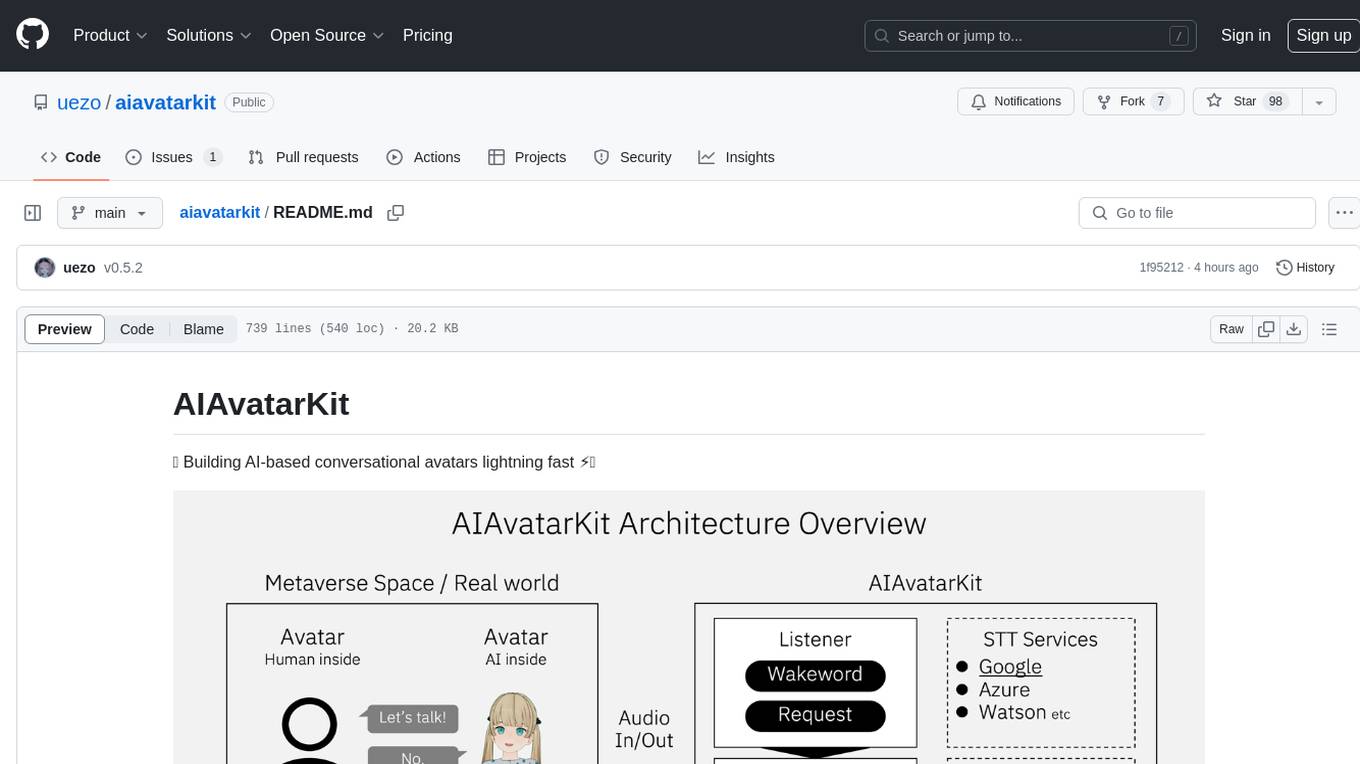
aiavatarkit
AIAvatarKit is a tool for building AI-based conversational avatars quickly. It supports various platforms like VRChat and cluster, along with real-world devices. The tool is extensible, allowing unlimited capabilities based on user needs. It requires VOICEVOX API, Google or Azure Speech Services API keys, and Python 3.10. Users can start conversations out of the box and enjoy seamless interactions with the avatars.
instructor-go
Instructor Go is a library that simplifies working with structured outputs from large language models (LLMs). Built on top of `invopop/jsonschema` and utilizing `jsonschema` Go struct tags, it provides a user-friendly API for managing validation, retries, and streaming responses without changing code logic. The library supports LLM provider APIs such as OpenAI, Anthropic, Cohere, and Google, capturing and returning usage data in responses. Users can easily add metadata to struct fields using `jsonschema` tags to enhance model awareness and streamline workflows.
llm-client
LLMClient is a JavaScript/TypeScript library that simplifies working with large language models (LLMs) by providing an easy-to-use interface for building and composing efficient prompts using prompt signatures. These signatures enable the automatic generation of typed prompts, allowing developers to leverage advanced capabilities like reasoning, function calling, RAG, ReAcT, and Chain of Thought. The library supports various LLMs and vector databases, making it a versatile tool for a wide range of applications.

generative-ai
The 'Generative AI' repository provides a C# library for interacting with Google's Generative AI models, specifically the Gemini models. It allows users to access and integrate the Gemini API into .NET applications, supporting functionalities such as listing available models, generating content, creating tuned models, working with large files, starting chat sessions, and more. The repository also includes helper classes and enums for Gemini API aspects. Authentication methods include API key, OAuth, and various authentication modes for Google AI and Vertex AI. The package offers features for both Google AI Studio and Google Cloud Vertex AI, with detailed instructions on installation, usage, and troubleshooting.
For similar tasks
llm-graph-builder
Knowledge Graph Builder App is a tool designed to convert PDF documents into a structured knowledge graph stored in Neo4j. It utilizes OpenAI's GPT/Diffbot LLM to extract nodes, relationships, and properties from PDF text content. Users can upload files from local machine or S3 bucket, choose LLM model, and create a knowledge graph. The app integrates with Neo4j for easy visualization and querying of extracted information.
exospherehost
Exosphere is an open source infrastructure designed to run AI agents at scale for large data and long running flows. It allows developers to define plug and playable nodes that can be run on a reliable backbone in the form of a workflow, with features like dynamic state creation at runtime, infinite parallel agents, persistent state management, and failure handling. This enables the deployment of production agents that can scale beautifully to build robust autonomous AI workflows.
litegraph
LiteGraph is a property graph database designed for knowledge and artificial intelligence applications. It supports graph relationships, tags, labels, metadata, data, and vectors. LiteGraph can be used in-process with LiteGraphClient or as a standalone RESTful server with LiteGraph.Server. The latest version includes major internal refactor, batch APIs, enumeration APIs, statistics APIs, database caching, vector search enhancements, and bug fixes. LiteGraph allows for simple embedding into applications without user configuration. Users can create tenants, graphs, nodes, edges, and perform operations like finding routes and exporting to GEXF file. It also provides features for working with object labels, tags, data, and vectors, enabling filtering and searching based on various criteria. LiteGraph offers REST API deployment with LiteGraph.Server and Docker support with a Docker image available on Docker Hub.
mage-ai
Mage is an open-source data pipeline tool for transforming and integrating data. It offers an easy developer experience, engineering best practices built-in, and data as a first-class citizen. Mage makes it easy to build, preview, and launch data pipelines, and provides observability and scaling capabilities. It supports data integrations, streaming pipelines, and dbt integration.
nucliadb
NucliaDB is a robust database that allows storing and searching on unstructured data. It is an out of the box hybrid search database, utilizing vector, full text and graph indexes. NucliaDB is written in Rust and Python. We designed it to index large datasets and provide multi-teanant support. When utilizing NucliaDB with Nuclia cloud, you are able to the power of an NLP database without the hassle of data extraction, enrichment and inference. We do all the hard work for you.
LLMstudio
LLMstudio by TensorOps is a platform that offers prompt engineering tools for accessing models from providers like OpenAI, VertexAI, and Bedrock. It provides features such as Python Client Gateway, Prompt Editing UI, History Management, and Context Limit Adaptability. Users can track past runs, log costs and latency, and export history to CSV. The tool also supports automatic switching to larger-context models when needed. Coming soon features include side-by-side comparison of LLMs, automated testing, API key administration, project organization, and resilience against rate limits. LLMstudio aims to streamline prompt engineering, provide execution history tracking, and enable effortless data export, offering an evolving environment for teams to experiment with advanced language models.
CyberScraper-2077
CyberScraper 2077 is an advanced web scraping tool powered by AI, designed to extract data from websites with precision and style. It offers a user-friendly interface, supports multiple data export formats, operates in stealth mode to avoid detection, and promises lightning-fast scraping. The tool respects ethical scraping practices, including robots.txt and site policies. With upcoming features like proxy support and page navigation, CyberScraper 2077 is a futuristic solution for data extraction in the digital realm.
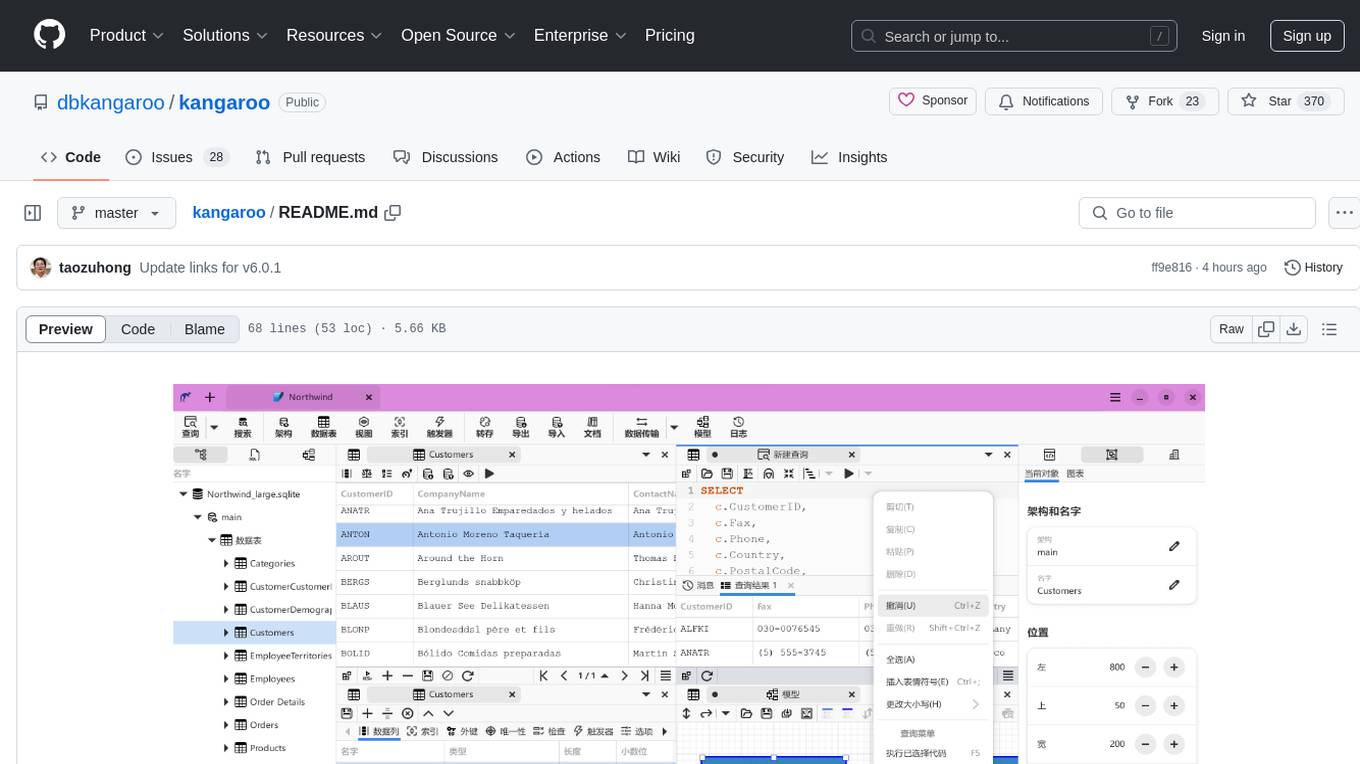
kangaroo
Kangaroo is an AI-powered SQL client and admin tool for popular databases like SQLite, MySQL, PostgreSQL, etc. It supports various functionalities such as table design, query, model, sync, export/import, and more. The tool is designed to be comfortable, fun, and developer-friendly, with features like code intellisense and autocomplete. Kangaroo aims to provide a seamless experience for database management across different operating systems.
For similar jobs

sweep
Sweep is an AI junior developer that turns bugs and feature requests into code changes. It automatically handles developer experience improvements like adding type hints and improving test coverage.

teams-ai
The Teams AI Library is a software development kit (SDK) that helps developers create bots that can interact with Teams and Microsoft 365 applications. It is built on top of the Bot Framework SDK and simplifies the process of developing bots that interact with Teams' artificial intelligence capabilities. The SDK is available for JavaScript/TypeScript, .NET, and Python.

ai-guide
This guide is dedicated to Large Language Models (LLMs) that you can run on your home computer. It assumes your PC is a lower-end, non-gaming setup.

classifai
Supercharge WordPress Content Workflows and Engagement with Artificial Intelligence. Tap into leading cloud-based services like OpenAI, Microsoft Azure AI, Google Gemini and IBM Watson to augment your WordPress-powered websites. Publish content faster while improving SEO performance and increasing audience engagement. ClassifAI integrates Artificial Intelligence and Machine Learning technologies to lighten your workload and eliminate tedious tasks, giving you more time to create original content that matters.

chatbot-ui
Chatbot UI is an open-source AI chat app that allows users to create and deploy their own AI chatbots. It is easy to use and can be customized to fit any need. Chatbot UI is perfect for businesses, developers, and anyone who wants to create a chatbot.

BricksLLM
BricksLLM is a cloud native AI gateway written in Go. Currently, it provides native support for OpenAI, Anthropic, Azure OpenAI and vLLM. BricksLLM aims to provide enterprise level infrastructure that can power any LLM production use cases. Here are some use cases for BricksLLM: * Set LLM usage limits for users on different pricing tiers * Track LLM usage on a per user and per organization basis * Block or redact requests containing PIIs * Improve LLM reliability with failovers, retries and caching * Distribute API keys with rate limits and cost limits for internal development/production use cases * Distribute API keys with rate limits and cost limits for students

uAgents
uAgents is a Python library developed by Fetch.ai that allows for the creation of autonomous AI agents. These agents can perform various tasks on a schedule or take action on various events. uAgents are easy to create and manage, and they are connected to a fast-growing network of other uAgents. They are also secure, with cryptographically secured messages and wallets.

griptape
Griptape is a modular Python framework for building AI-powered applications that securely connect to your enterprise data and APIs. It offers developers the ability to maintain control and flexibility at every step. Griptape's core components include Structures (Agents, Pipelines, and Workflows), Tasks, Tools, Memory (Conversation Memory, Task Memory, and Meta Memory), Drivers (Prompt and Embedding Drivers, Vector Store Drivers, Image Generation Drivers, Image Query Drivers, SQL Drivers, Web Scraper Drivers, and Conversation Memory Drivers), Engines (Query Engines, Extraction Engines, Summary Engines, Image Generation Engines, and Image Query Engines), and additional components (Rulesets, Loaders, Artifacts, Chunkers, and Tokenizers). Griptape enables developers to create AI-powered applications with ease and efficiency.