


context-lens
See what your AI sees. Framework-agnostic LLM context window visualizer.
Stars: 94
Context Lens is a local proxy tool that captures LLM API calls from coding tools to provide a breakdown of context composition, including system prompts, tool definitions, conversation history, tool results, and thinking blocks. It helps developers understand why coding sessions may be resource-intensive without requiring any code changes. The tool works with various coding tools like Claude Code, Codex, Gemini CLI, Aider, and Pi, interacting with OpenAI, Anthropic, and Google APIs. Context Lens offers a visual treemap breakdown, cost tracking, conversation threading, agent breakdown, timeline visualization, context diff analysis, findings flags, auto-detection of coding tools, LHAR export, state persistence, and streaming support, all running locally for privacy and control.
README:


See what's actually filling your context window. Context Lens is a local proxy that captures LLM API calls from your coding tools and shows you a composition breakdown: what percentage is system prompts, tool definitions, conversation history, tool results, thinking blocks. It answers the question every developer asks: "why is this session so expensive?"
Works with Claude Code, Codex, Gemini CLI, Aider, Pi, and anything else that talks to OpenAI/Anthropic/Google APIs. No code changes needed.

npm install -g context-lens
# or: pnpm add -g context-lens
# or: npx context-lens ...context-lens claude
context-lens codex
context-lens gemini
context-lens aider --model claude-sonnet-4
context-lens pi
context-lens -- python my_agent.pyThis starts the proxy (port 4040), opens the web UI (http://localhost:4041), sets the right env vars, and runs your command. Multiple tools can share one proxy; just open more terminals.
context-lens --privacy=minimal claude   # minimal|standard|full
context-lens --no-open codex            # don't auto-open the UI
context-lens --no-ui -- claude          # proxy only, no UI
context-lens doctor                     # check ports, certs, background state
context-lens background start           # start detached proxy + UI
context-lens background status
context-lens background stop
Aliases: cc → claude, cx → codex, cpi → pi, gm → gemini.
A pre-built image is published to GitHub Container Registry on every release:
docker run -d \
  -p 4040:4040 \
  -p 4041:4041 \
  -e CONTEXT_LENS_BIND_HOST=0.0.0.0 \
  -v ~/.context-lens:/root/.context-lens \
  ghcr.io/larsderidder/context-lens:latest
Or with Docker Compose (uses ~/.context-lens on the host, so data is shared with any local install):
docker compose up -dThen open http://localhost:4041 and point your tools at the proxy:
ANTHROPIC_BASE_URL=http://localhost:4040/claude claude
OPENAI_BASE_URL=http://localhost:4040 codex| Variable | Default | Description |
|---|---|---|
CONTEXT_LENS_BIND_HOST |
127.0.0.1 |
Set to 0.0.0.0 to accept connections from outside the container |
CONTEXT_LENS_INGEST_URL |
(file-based) | POST captures to a remote URL instead of writing to disk |
CONTEXT_LENS_PRIVACY |
standard |
Privacy level: minimal, standard, or full
|
CONTEXT_LENS_NO_UPDATE_CHECK |
0 |
Set to 1 to skip the npm update check |
If you want to run the proxy and the analysis server as separate containers (no shared filesystem needed), set CONTEXT_LENS_INGEST_URL so the proxy POSTs captures directly to the analysis server over the Docker network:
services:
  proxy:
    image: ghcr.io/larsderidder/context-lens:latest
    command: ["node", "dist/proxy/server.js"]
    ports:
      - "4040:4040"
    environment:
      CONTEXT_LENS_BIND_HOST: "0.0.0.0"
      CONTEXT_LENS_INGEST_URL: "http://analysis:4041/api/ingest"

  analysis:
    image: ghcr.io/larsderidder/context-lens:latest
    command: ["node", "dist/analysis/server.js"]
    ports:
      - "4041:4041"
    environment:
      CONTEXT_LENS_BIND_HOST: "0.0.0.0"
    volumes:
- ~/.context-lens:/root/.context-lens| Provider | Method | Status | Environment Variable |
|---|---|---|---|
| Anthropic | Reverse Proxy | ✅ Stable | ANTHROPIC_BASE_URL |
| OpenAI | Reverse Proxy | ✅ Stable | OPENAI_BASE_URL |
| Google Gemini | Reverse Proxy | 🧪 Experimental | GOOGLE_GEMINI_BASE_URL |
| ChatGPT (Subscription) | MITM Proxy | ✅ Stable | https_proxy |
| Pi Coding Agent | Reverse Proxy (temporary per-run config) | ✅ Stable |
PI_CODING_AGENT_DIR (set by wrapper) |
| OpenAI-Compatible | Reverse Proxy | ✅ Stable |
UPSTREAM_OPENAI_URL + OPENAI_BASE_URL
|
| Aider / Generic | Reverse Proxy | ✅ Stable | Detects standard patterns |
- Composition treemap: visual breakdown of what's filling your context (system prompts, tool definitions, tool results, messages, thinking, images)
- Cost tracking: per-turn and per-session cost estimates across models
- Conversation threading: groups API calls by session, shows main agent vs subagent turns
- Agent breakdown: token usage and cost per agent within a session
- Timeline: bar chart of context size over time, filterable by main/all/cost
- Context diff: turn-to-turn delta showing what grew, shrank, or appeared
- Findings: flags large tool results, unused tool definitions, context overflow risk, compaction events
- Auto-detection: recognizes Claude Code, Codex, aider, Pi, and others by source tag or system prompt
- LHAR export: download session data as LHAR (LLM HTTP Archive) format (doc)
- State persistence: data survives restarts; delete individual sessions or reset all from the UI
- Streaming support: passes through SSE chunks in real-time
Sessions list

Messages view with drill-down details

Timeline view

Findings panel

Add a path prefix to tag requests by tool in the UI:
ANTHROPIC_BASE_URL=http://localhost:4040/claude claude
OPENAI_BASE_URL=http://localhost:4040/aider aidercontext-lens pi creates a temporary Pi config directory, symlinks your ~/.pi/agent/ files into it, and injects proxy URLs into a temporary models.json. Your real config is never modified and the temp directory is removed on exit.
If you prefer to configure it manually, set baseUrl in ~/.pi/agent/models.json:
{
  "providers": {
    "anthropic": { "baseUrl": "http://localhost:4040/pi" },
    "openai": { "baseUrl": "http://localhost:4040/pi" },
    "google-gemini-cli": { "baseUrl": "http://localhost:4040/pi" }
  }
}Many providers expose OpenAI-compatible APIs (OpenRouter, Together, Groq, Fireworks, Ollama, vLLM, OpenCode Zen, etc.). Override the upstream URL to point at your provider:
UPSTREAM_OPENAI_URL=https://opencode.ai/zen/v1 context-lens -- opencode "prompt"UPSTREAM_OPENAI_URL is global: all OpenAI-format requests go to that upstream. Use separate proxy instances if you need to hit multiple endpoints simultaneously.
Codex with a ChatGPT subscription needs mitmproxy for HTTPS interception (Cloudflare blocks reverse proxies). The CLI handles this automatically. Just make sure mitmdump is installed:
pipx install mitmproxy
context-lens codex
If Codex fails with certificate trust errors, install/trust the mitmproxy CA certificate (~/.mitmproxy/mitmproxy-ca-cert.pem) for your environment.
Context Lens sits between your coding tool and the LLM API, capturing requests in transit. It has two parts: a proxy and an analysis server.
Tool  ─HTTP─▶  Proxy (:4040)  ─HTTPS─▶  api.anthropic.com / api.openai.com
                    │
              capture files
                    │
            Analysis Server (:4041)  →  Web UI
The proxy forwards requests to the LLM API and writes each request/response pair to disk. It has zero external dependencies (only Node.js built-ins), so you can read the entire proxy source and verify it does nothing unexpected with your API keys.
The analysis server picks up those captures, parses request bodies, estimates tokens, groups requests into conversations, computes composition breakdowns, calculates costs, and scores context health. It serves the web UI and API.
The CLI sets env vars like ANTHROPIC_BASE_URL=http://localhost:4040 so the tool sends requests to the proxy instead of the real API. The tool never knows it's being proxied.
Tools like Langfuse and Braintrust are great for observability when you control the code: you add their SDK, instrument your calls, and get traces in a dashboard. Context Lens solves a different problem.
You can't instrument tools you don't own. Claude Code, Codex, Gemini CLI, and Aider are closed-source binaries. You can't add an SDK to them. Context Lens works as a transparent proxy, so it captures everything without touching the tool's code.
Context composition, not just token counts. Most observability tools show you input/output token totals. Context Lens breaks down what's inside the context window: how much is system prompts vs. tool definitions vs. conversation history vs. tool results vs. thinking blocks. That's what you need to understand why sessions get expensive.
Local and private. Everything runs on your machine. No accounts, no cloud, no data leaving your network. Start it, use it, stop it.
| Context Lens | Langfuse / Braintrust | |
|---|---|---|
| Setup | context-lens claude |
Add SDK, configure API keys |
| Works with closed-source tools | Yes (proxy) | No (needs instrumentation) |
| Context composition breakdown | Yes (treemap, per-category) | Token totals only |
| Runs locally | Yes, entirely | Cloud or self-hosted server |
| Prompt management & evals | No | Yes |
| Team/production use | No (single-user, local) | Yes |
Context Lens is for developers who want to understand and optimize their coding agent sessions. If you need production monitoring, prompt versioning, or team dashboards, use Langfuse.
Captured requests are kept in memory (last 200 sessions) and persisted to ~/.context-lens/data/state.jsonl across restarts. Each session is also logged as a separate .lhar file in ~/.context-lens/data/. Use the Reset button in the UI to clear everything.
MIT
For Tasks:
Click tags to check more tools for each tasksFor Jobs:
Alternative AI tools for context-lens
Similar Open Source Tools
context-lens
Context Lens is a local proxy tool that captures LLM API calls from coding tools to provide a breakdown of context composition, including system prompts, tool definitions, conversation history, tool results, and thinking blocks. It helps developers understand why coding sessions may be resource-intensive without requiring any code changes. The tool works with various coding tools like Claude Code, Codex, Gemini CLI, Aider, and Pi, interacting with OpenAI, Anthropic, and Google APIs. Context Lens offers a visual treemap breakdown, cost tracking, conversation threading, agent breakdown, timeline visualization, context diff analysis, findings flags, auto-detection of coding tools, LHAR export, state persistence, and streaming support, all running locally for privacy and control.
logicstamp-context
LogicStamp Context is a static analyzer that extracts deterministic component contracts from TypeScript codebases, providing structured architectural context for AI coding assistants. It helps AI assistants understand architecture by extracting props, hooks, and dependencies without implementation noise. The tool works with React, Next.js, Vue, Express, and NestJS, and is compatible with various AI assistants like Claude, Cursor, and MCP agents. It offers features like watch mode for real-time updates, breaking change detection, and dependency graph creation. LogicStamp Context is a security-first tool that protects sensitive data, runs locally, and is non-opinionated about architectural decisions.
agentsys
AgentSys is a modular runtime and orchestration system for AI agents, with 13 plugins, 42 agents, and 28 skills that compose into structured pipelines for software development. It handles task selection, branch management, code review, artifact cleanup, CI, PR comments, and deployment. The system runs on Claude Code, OpenCode, and Codex CLI, providing a functional software suite and runtime for AI agent orchestration.
HuixiangDou
HuixiangDou is a **group chat** assistant based on LLM (Large Language Model). Advantages: 1. Design a two-stage pipeline of rejection and response to cope with group chat scenario, answer user questions without message flooding, see arxiv2401.08772 2. Low cost, requiring only 1.5GB memory and no need for training 3. Offers a complete suite of Web, Android, and pipeline source code, which is industrial-grade and commercially viable Check out the scenes in which HuixiangDou are running and join WeChat Group to try AI assistant inside. If this helps you, please give it a star ⭐
airunner
AI Runner is a multi-modal AI interface that allows users to run open-source large language models and AI image generators on their own hardware. The tool provides features such as voice-based chatbot conversations, text-to-speech, speech-to-text, vision-to-text, text generation with large language models, image generation capabilities, image manipulation tools, utility functions, and more. It aims to provide a stable and user-friendly experience with security updates, a new UI, and a streamlined installation process. The application is designed to run offline on users' hardware without relying on a web server, offering a smooth and responsive user experience.
ai
A TypeScript toolkit for building AI-driven video workflows on the server, powered by Mux! @mux/ai provides purpose-driven workflow functions and primitive functions that integrate with popular AI/LLM providers like OpenAI, Anthropic, and Google. It offers pre-built workflows for tasks like generating summaries and tags, content moderation, chapter generation, and more. The toolkit is cost-effective, supports multi-modal analysis, tone control, and configurable thresholds, and provides full TypeScript support. Users can easily configure credentials for Mux and AI providers, as well as cloud infrastructure like AWS S3 for certain workflows. @mux/ai is production-ready, offers composable building blocks, and supports universal language detection.
factorio-learning-environment
Factorio Learning Environment is an open source framework designed for developing and evaluating LLM agents in the game of Factorio. It provides two settings: Lab-play with structured tasks and Open-play for building large factories. Results show limitations in spatial reasoning and automation strategies. Agents interact with the environment through code synthesis, observation, action, and feedback. Tools are provided for game actions and state representation. Agents operate in episodes with observation, planning, and action execution. Tasks specify agent goals and are implemented in JSON files. The project structure includes directories for agents, environment, cluster, data, docs, eval, and more. A database is used for checkpointing agent steps. Benchmarks show performance metrics for different configurations.
pocketpaw
PocketPaw is a lightweight and user-friendly tool designed for managing and organizing your digital assets. It provides a simple interface for users to easily categorize, tag, and search for files across different platforms. With PocketPaw, you can efficiently organize your photos, documents, and other files in a centralized location, making it easier to access and share them. Whether you are a student looking to organize your study materials, a professional managing project files, or a casual user wanting to declutter your digital space, PocketPaw is the perfect solution for all your file management needs.
skilld
Skilld is a tool that generates AI agent skills from NPM dependencies, allowing users to enhance their agent's knowledge with the latest best practices and avoid deprecated patterns. It provides version-aware, local-first, and optimized skills for your codebase by extracting information from existing docs, changelogs, issues, and discussions. Skilld aims to bridge the gap between agent training data and the latest conventions, offering a semantic search feature, LLM-enhanced sections, and prompt injection sanitization. It operates locally without the need for external servers, providing a curated set of skills tied to your actual package versions.
paperless-gpt
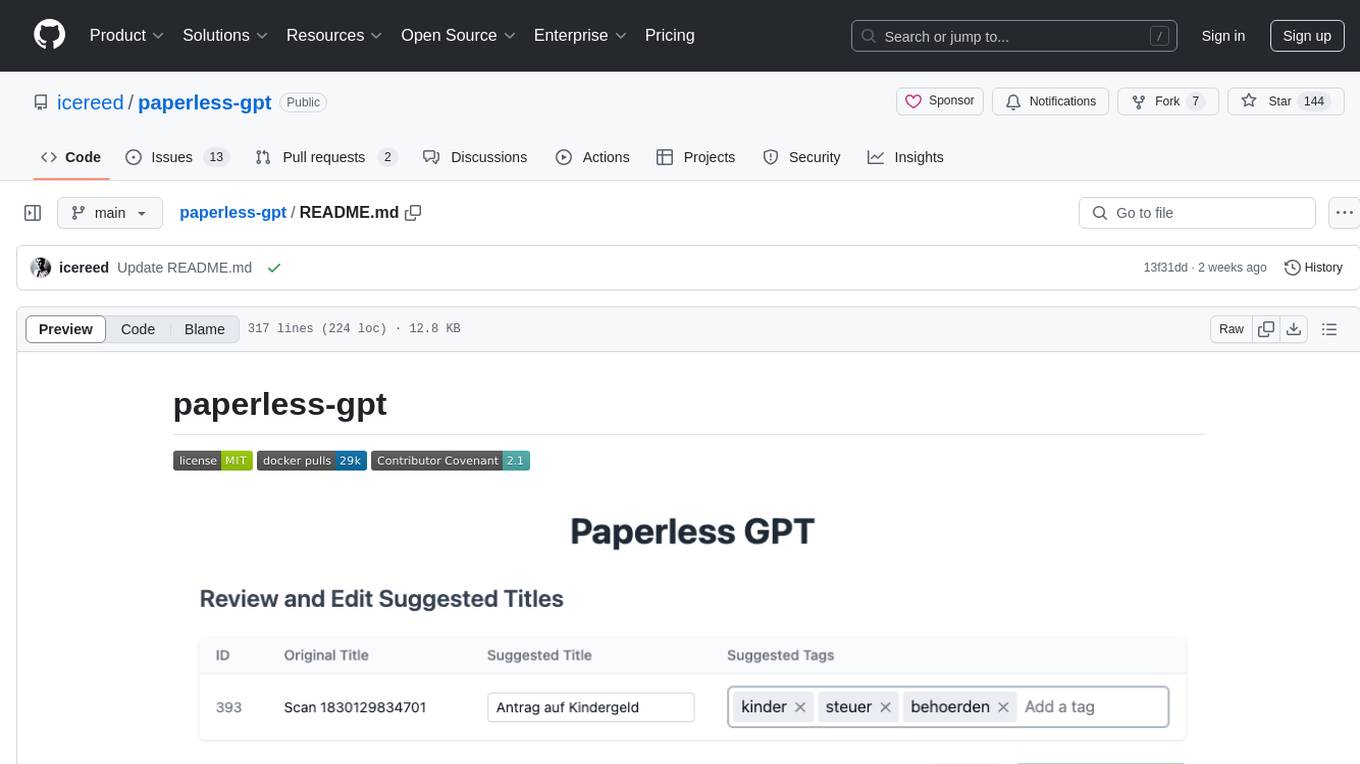
paperless-gpt is a tool designed to generate accurate and meaningful document titles and tags for paperless-ngx using Large Language Models (LLMs). It supports multiple LLM providers, including OpenAI and Ollama. With paperless-gpt, you can streamline your document management by automatically suggesting appropriate titles and tags based on the content of your scanned documents. The tool offers features like multiple LLM support, customizable prompts, easy integration with paperless-ngx, user-friendly interface for reviewing and applying suggestions, dockerized deployment, automatic document processing, and an experimental OCR feature.
evalchemy
Evalchemy is a unified and easy-to-use toolkit for evaluating language models, focusing on post-trained models. It integrates multiple existing benchmarks such as RepoBench, AlpacaEval, and ZeroEval. Key features include unified installation, parallel evaluation, simplified usage, and results management. Users can run various benchmarks with a consistent command-line interface and track results locally or integrate with a database for systematic tracking and leaderboard submission.
k8s-operator
OpenClaw Kubernetes Operator is a platform for self-hosting AI agents on Kubernetes with production-grade security, observability, and lifecycle management. It allows users to run OpenClaw AI agents on their own infrastructure, managing inboxes, calendars, smart homes, and more through various integrations. The operator encodes network isolation, secret management, persistent storage, health monitoring, optional browser automation, and config rollouts into a single custom resource 'OpenClawInstance'. It manages a stack of Kubernetes resources ensuring security, monitoring, and self-healing. Features include declarative configuration, security hardening, built-in metrics, provider-agnostic config, config modes, skill installation, auto-update, backup/restore, workspace seeding, gateway auth, Tailscale integration, self-configuration, extensibility, cloud-native features, and more.
mcp-rubber-duck
MCP Rubber Duck is a Model Context Protocol server that acts as a bridge to query multiple LLMs, including OpenAI-compatible HTTP APIs and CLI coding agents. Users can explain their problems to various AI 'ducks' to get different perspectives. The tool offers features like universal OpenAI compatibility, CLI agent support, conversation management, multi-duck querying, consensus voting, LLM-as-Judge evaluation, structured debates, health monitoring, usage tracking, and more. It supports various HTTP providers like OpenAI, Google Gemini, Anthropic, Groq, Together AI, Perplexity, and CLI providers like Claude Code, Codex, Gemini CLI, Grok, Aider, and custom agents. Users can install the tool globally, configure it using environment variables, and access interactive UIs for comparing ducks, voting, debating, and usage statistics. The tool provides multiple tools for asking questions, chatting, clearing conversations, listing ducks, comparing responses, voting, judging, iterating, debating, and more. It also offers prompt templates for different analysis purposes and extensive documentation for setup, configuration, tools, prompts, CLI providers, MCP Bridge, guardrails, Docker deployment, troubleshooting, contributing, license, acknowledgments, changelog, registry & directory, and support.
xFasterTransformer
xFasterTransformer is an optimized solution for Large Language Models (LLMs) on the X86 platform, providing high performance and scalability for inference on mainstream LLM models. It offers C++ and Python APIs for easy integration, along with example codes and benchmark scripts. Users can prepare models in a different format, convert them, and use the APIs for tasks like encoding input prompts, generating token ids, and serving inference requests. The tool supports various data types and models, and can run in single or multi-rank modes using MPI. A web demo based on Gradio is available for popular LLM models like ChatGLM and Llama2. Benchmark scripts help evaluate model inference performance quickly, and MLServer enables serving with REST and gRPC interfaces.
empirica
Empirica is an epistemic self-awareness framework for AI agents to understand their knowledge boundaries. It introduces epistemic vectors to measure knowledge state and uncertainty, enabling honest communication. The tool emerged from 600+ real working sessions across various AI systems, providing cognitive infrastructure for distinguishing between confident knowledge and guessing. Empirica's 13 foundational vectors cover engagement, domain knowledge depth, execution capability, information access, understanding clarity, coherence, signal-to-noise ratio, information richness, working state, progress rate, task completion level, work significance, and explicit doubt tracking. It is applicable across industries like software development, research, healthcare, legal, education, and finance, aiding in tasks such as code review, hypothesis testing, diagnostic confidence, case analysis, learning assessment, and risk assessment.
RepairAgent
RepairAgent is an autonomous LLM-based agent for automated program repair targeting the Defects4J benchmark. It uses an LLM-driven loop to localize, analyze, and fix Java bugs. The tool requires Docker, VS Code with Dev Containers extension, OpenAI API key, disk space of ~40 GB, and internet access. Users can get started with RepairAgent using either VS Code Dev Container or Docker Image. Running RepairAgent involves checking out the buggy project version, autonomous bug analysis, fix candidate generation, and testing against the project's test suite. Users can configure hyperparameters for budget control, repetition handling, commands limit, and external fix strategy. The tool provides output structure, experiment overview, individual analysis scripts, and data on fixed bugs from the Defects4J dataset.
For similar tasks
context-lens
Context Lens is a local proxy tool that captures LLM API calls from coding tools to provide a breakdown of context composition, including system prompts, tool definitions, conversation history, tool results, and thinking blocks. It helps developers understand why coding sessions may be resource-intensive without requiring any code changes. The tool works with various coding tools like Claude Code, Codex, Gemini CLI, Aider, and Pi, interacting with OpenAI, Anthropic, and Google APIs. Context Lens offers a visual treemap breakdown, cost tracking, conversation threading, agent breakdown, timeline visualization, context diff analysis, findings flags, auto-detection of coding tools, LHAR export, state persistence, and streaming support, all running locally for privacy and control.
For similar jobs

sweep
Sweep is an AI junior developer that turns bugs and feature requests into code changes. It automatically handles developer experience improvements like adding type hints and improving test coverage.

teams-ai
The Teams AI Library is a software development kit (SDK) that helps developers create bots that can interact with Teams and Microsoft 365 applications. It is built on top of the Bot Framework SDK and simplifies the process of developing bots that interact with Teams' artificial intelligence capabilities. The SDK is available for JavaScript/TypeScript, .NET, and Python.

ai-guide
This guide is dedicated to Large Language Models (LLMs) that you can run on your home computer. It assumes your PC is a lower-end, non-gaming setup.

classifai
Supercharge WordPress Content Workflows and Engagement with Artificial Intelligence. Tap into leading cloud-based services like OpenAI, Microsoft Azure AI, Google Gemini and IBM Watson to augment your WordPress-powered websites. Publish content faster while improving SEO performance and increasing audience engagement. ClassifAI integrates Artificial Intelligence and Machine Learning technologies to lighten your workload and eliminate tedious tasks, giving you more time to create original content that matters.

chatbot-ui
Chatbot UI is an open-source AI chat app that allows users to create and deploy their own AI chatbots. It is easy to use and can be customized to fit any need. Chatbot UI is perfect for businesses, developers, and anyone who wants to create a chatbot.

BricksLLM
BricksLLM is a cloud native AI gateway written in Go. Currently, it provides native support for OpenAI, Anthropic, Azure OpenAI and vLLM. BricksLLM aims to provide enterprise level infrastructure that can power any LLM production use cases. Here are some use cases for BricksLLM: * Set LLM usage limits for users on different pricing tiers * Track LLM usage on a per user and per organization basis * Block or redact requests containing PIIs * Improve LLM reliability with failovers, retries and caching * Distribute API keys with rate limits and cost limits for internal development/production use cases * Distribute API keys with rate limits and cost limits for students

uAgents
uAgents is a Python library developed by Fetch.ai that allows for the creation of autonomous AI agents. These agents can perform various tasks on a schedule or take action on various events. uAgents are easy to create and manage, and they are connected to a fast-growing network of other uAgents. They are also secure, with cryptographically secured messages and wallets.

griptape
Griptape is a modular Python framework for building AI-powered applications that securely connect to your enterprise data and APIs. It offers developers the ability to maintain control and flexibility at every step. Griptape's core components include Structures (Agents, Pipelines, and Workflows), Tasks, Tools, Memory (Conversation Memory, Task Memory, and Meta Memory), Drivers (Prompt and Embedding Drivers, Vector Store Drivers, Image Generation Drivers, Image Query Drivers, SQL Drivers, Web Scraper Drivers, and Conversation Memory Drivers), Engines (Query Engines, Extraction Engines, Summary Engines, Image Generation Engines, and Image Query Engines), and additional components (Rulesets, Loaders, Artifacts, Chunkers, and Tokenizers). Griptape enables developers to create AI-powered applications with ease and efficiency.