


omlx
LLM inference server with continuous batching & SSD caching for Apple Silicon — managed from the macOS menu bar
Stars: 54
oMLX is a macOS application optimized for running Large Language Models (LLMs) efficiently on Apple Silicon devices. It offers features like continuous batching, SSD caching, multi-model serving, admin dashboard, and API compatibility. Users can manage LLMs directly from the menu bar, download models from HuggingFace, and utilize Claude Code optimization. The tool supports various model families and structured output formats, making it convenient for real coding work and model management.
README:

LLM inference, optimized for your Mac
Continuous batching and infinite SSD caching, managed directly from your menu bar.




Install · Quickstart · GitHub

Every LLM server I tried made me choose between convenience and control. I wanted to pin everyday models in memory, auto-swap heavier ones on demand, set context limits - and manage it all from a menu bar.
oMLX persists KV cache to SSD - even when context changes mid-conversation, all past context stays cached and reusable across requests, making local LLMs practical for real coding work with tools like Claude Code. That's why I built it.
Download the .dmg from Releases, drag to Applications, done.
git clone https://github.com/jundot/omlx.git
cd omlx
pip install -e .
Requires Python 3.10+ and Apple Silicon (M1/M2/M3/M4).
Launch oMLX from your Applications folder. The Welcome screen guides you through three steps - model directory, server start, and first model download. That's it.


omlx serve --model-dir ~/modelsThe server discovers models from subdirectories automatically. Any OpenAI-compatible client can connect to http://localhost:8000/v1. A built-in chat UI is also available at http://localhost:8000/admin/chat.
oMLX is built on top of vllm-mlx, extending it with paged SSD caching, multi-model serving, an admin dashboard, Claude Code optimization, and Anthropic API support. Currently supports text-based LLMs - VLM and OCR model support is planned for upcoming milestones.
macOS menubar app - Native menubar app to start, stop, and monitor the server without opening a terminal.
Admin dashboard - Web UI at /admin for model management, chat, real-time monitoring, and per-model settings.
Built-in model downloader - Search and download MLX models from HuggingFace directly in the admin dashboard. No CLI or git clone needed.

Claude Code optimization - Context scaling support for running smaller context models with Claude Code. Scales reported token counts so that auto-compact triggers at the right timing, and SSE keep-alive prevents read timeouts during long prefill.
Paged KV cache with SSD tiering - Block-based cache management inspired by vLLM, with prefix sharing and Copy-on-Write. When GPU memory fills up, blocks are offloaded to SSD. On the next request with a matching prefix, they're restored from disk instead of recomputed from scratch - even after a server restart.
Continuous batching - Handles concurrent requests through mlx-lm's BatchGenerator. Prefill and completion batch sizes are configurable.
Multi-model serving - Load LLMs, embedding models, and rerankers within the same server. Least-recently-used models are evicted automatically when memory runs low. Pin frequently used models to keep them loaded.
API compatibility - Drop-in replacement for OpenAI and Anthropic APIs.
| Endpoint | Description |
|---|---|
POST /v1/chat/completions |
Chat completions (streaming) |
POST /v1/completions |
Text completions (streaming) |
POST /v1/messages |
Anthropic Messages API |
POST /v1/embeddings |
Text embeddings |
POST /v1/rerank |
Document reranking |
GET /v1/models |
List available models |
Tool calling & structured output - Supports all function calling formats available in mlx-lm, JSON schema validation, and MCP tool integration. Tool calling requires the model's chat template to support the tools parameter. The following model families are auto-detected via mlx-lm's built-in tool parsers:
| Model Family | Format |
|---|---|
| Llama, Qwen, DeepSeek, etc. | JSON <tool_call>
|
| Qwen3 Coder | XML <function=...>
|
| Gemma | <start_function_call> |
| GLM (4.7, 5) |
<arg_key>/<arg_value> XML |
| MiniMax | Namespaced <minimax:tool_call>
|
| Mistral | [TOOL_CALLS] |
| Kimi K2 | <|tool_calls_section_begin|> |
| Longcat | <longcat_tool_call> |
Models not listed above may still work if their chat template accepts tools and their output uses a recognized <tool_call> XML format. Streaming requests with tool calls buffer all content and emit results at completion.
Point --model-dir at a directory containing MLX-format model subdirectories:
~/models/
├── Step-3.5-Flash-8bit/
├── Qwen3-Coder-Next-8bit/
├── gpt-oss-120b-MXFP4-Q8/
└── bge-m3/
Models are auto-detected by type. You can also download models directly from the admin dashboard.
| Type | Models |
|---|---|
| LLM | Any model supported by mlx-lm |
| Embedding | BERT, BGE-M3, ModernBERT |
| Reranker | ModernBERT, XLM-RoBERTa |
# Memory limit for loaded models
omlx serve --model-dir ~/models --max-model-memory 32GB

# Enable SSD cache for KV blocks
omlx serve --model-dir ~/models --paged-ssd-cache-dir ~/.omlx/cache

# Adjust batch sizes
omlx serve --model-dir ~/models --prefill-batch-size 8 --completion-batch-size 32

# With MCP tools
omlx serve --model-dir ~/models --mcp-config mcp.json

# API key authentication
omlx serve --model-dir ~/models --api-key your-secret-key
All settings can also be configured from the web admin panel at /admin. Settings are persisted to ~/.omlx/settings.json, and CLI flags take precedence.
Architecture
FastAPI Server (OpenAI / Anthropic API)
    │
    ├── EnginePool (multi-model, LRU eviction)
    │   ├── BatchedEngine (LLMs, continuous batching)
    │   ├── EmbeddingEngine
    │   └── RerankerEngine
    │
    ├── Scheduler (FCFS, configurable batch sizes)
    │   └── mlx-lm BatchGenerator
    │
    └── Cache Stack
        ├── PagedCacheManager (GPU, block-based, CoW, prefix sharing)
        └── PagedSSDCacheManager (SSD tier, safetensors format)
git clone https://github.com/jundot/omlx.git
cd omlx
pip install -e ".[dev]"
pytest -m "not slow"Requires Python 3.11+ and venvstacks (pip install venvstacks).
cd packaging

# Full build (venvstacks + app bundle + DMG)
python build.py

# Skip venvstacks (code changes only)
python build.py --skip-venv

# DMG only
python build.py --dmg-only
See packaging/README.md for details on the app bundle structure and layer configuration.
We welcome contributions! See Contributing Guide for details.
- Bug fixes and improvements
- Performance optimizations
- Documentation improvements
- MLX and mlx-lm by Apple
- vllm-mlx - oMLX originated as a fork of vllm-mlx v0.1.0, since re-architected with multi-model serving, paged SSD caching, an admin panel, and a standalone macOS menu bar app
- venvstacks - Portable Python environment layering for the macOS app bundle
- mlx-embeddings - Embedding model support for Apple Silicon
For Tasks:
Click tags to check more tools for each tasksFor Jobs:
Alternative AI tools for omlx
Similar Open Source Tools
omlx
oMLX is a macOS application optimized for running Large Language Models (LLMs) efficiently on Apple Silicon devices. It offers features like continuous batching, SSD caching, multi-model serving, admin dashboard, and API compatibility. Users can manage LLMs directly from the menu bar, download models from HuggingFace, and utilize Claude Code optimization. The tool supports various model families and structured output formats, making it convenient for real coding work and model management.
seline
Seline is a local-first AI desktop application that integrates conversational AI, visual generation tools, vector search, and multi-channel connectivity. It allows users to connect WhatsApp, Telegram, or Slack to create always-on bots with full context and background task delivery. The application supports multi-channel connectivity, deep research mode, local web browsing with Puppeteer, local knowledge and privacy features, visual and creative tools, automation and agents, developer experience enhancements, and more. Seline is actively developed with a focus on improving user experience and functionality.
OpenAlice
Open Alice is an AI trading agent that provides users with their own research desk, quant team, trading floor, and risk management, all running on their laptop 24/7. It is file-driven, reasoning-driven, and OS-native, allowing interactions with the operating system. Features include dual AI providers, crypto trading, securities trading, market analysis, cognitive state, event log, cron scheduling, evolution mode, and a web UI. The architecture includes providers, core components, extensions, tasks, and interfaces. Users can quickly start by setting up prerequisites, AI providers, crypto trading, securities trading, environment variables, and running the tool. Configuration files, project structure, and license information are also provided.
dora
Dataflow-oriented robotic application (dora-rs) is a framework that makes creation of robotic applications fast and simple. Building a robotic application can be summed up as bringing together hardwares, algorithms, and AI models, and make them communicate with each others. At dora-rs, we try to: make integration of hardware and software easy by supporting Python, C, C++, and also ROS2. make communication low latency by using zero-copy Arrow messages. dora-rs is still experimental and you might experience bugs, but we're working very hard to make it stable as possible.
sim
Sim is a platform that allows users to build and deploy AI agent workflows quickly and easily. It provides cloud-hosted and self-hosted options, along with support for local AI models. Users can set up the application using Docker Compose, Dev Containers, or manual setup with PostgreSQL and pgvector extension. The platform utilizes technologies like Next.js, Bun, PostgreSQL with Drizzle ORM, Better Auth for authentication, Shadcn and Tailwind CSS for UI, Zustand for state management, ReactFlow for flow editor, Fumadocs for documentation, Turborepo for monorepo management, Socket.io for real-time communication, and Trigger.dev for background jobs.

ClaudeBar
ClaudeBar is a macOS menu bar application that monitors AI coding assistant usage quotas. It allows users to keep track of their usage of Claude, Codex, Gemini, GitHub Copilot, Antigravity, and Z.ai at a glance. The application offers multi-provider support, real-time quota tracking, multiple themes, visual status indicators, system notifications, auto-refresh feature, and keyboard shortcuts for quick access. Users can customize monitoring by toggling individual providers on/off and receive alerts when quota status changes. The tool requires macOS 15+, Swift 6.2+, and CLI tools installed for the providers to be monitored.
zcf
ZCF (Zero-Config Claude-Code Flow) is a tool that provides zero-configuration, one-click setup for Claude Code with bilingual support, intelligent agent system, and personalized AI assistant. It offers an interactive menu for easy operations and direct commands for quick execution. The tool supports bilingual operation with automatic language switching and customizable AI output styles. ZCF also includes features like BMad Workflow for enterprise-grade workflow system, Spec Workflow for structured feature development, CCR (Claude Code Router) support for proxy routing, and CCometixLine for real-time usage tracking. It provides smart installation, complete configuration management, and core features like professional agents, command system, and smart configuration. ZCF is cross-platform compatible, supports Windows and Termux environments, and includes security features like dangerous operation confirmation mechanism.
cortex.cpp
Cortex.cpp is an open-source platform designed as the brain for robots, offering functionalities such as vision, speech, language, tabular data processing, and action. It provides an AI platform for running AI models with multi-engine support, hardware optimization with automatic GPU detection, and an OpenAI-compatible API. Users can download models from the Hugging Face model hub, run models, manage resources, and access advanced features like multiple quantizations and engine management. The tool is under active development, promising rapid improvements for users.
pocketpaw
PocketPaw is a lightweight and user-friendly tool designed for managing and organizing your digital assets. It provides a simple interface for users to easily categorize, tag, and search for files across different platforms. With PocketPaw, you can efficiently organize your photos, documents, and other files in a centralized location, making it easier to access and share them. Whether you are a student looking to organize your study materials, a professional managing project files, or a casual user wanting to declutter your digital space, PocketPaw is the perfect solution for all your file management needs.
OSA
OSA (Open-Source-Advisor) is a tool designed to improve the quality of scientific open source projects by automating the generation of README files, documentation, CI/CD scripts, and providing advice and recommendations for repositories. It supports various LLMs accessible via API, local servers, or osa_bot hosted on ITMO servers. OSA is currently under development with features like README file generation, documentation generation, automatic implementation of changes, LLM integration, and GitHub Action Workflow generation. It requires Python 3.10 or higher and tokens for GitHub/GitLab/Gitverse and LLM API key. Users can install OSA using PyPi or build from source, and run it using CLI commands or Docker containers.
qwen-code
Qwen Code is an open-source AI agent optimized for Qwen3-Coder, designed to help users understand large codebases, automate tedious work, and expedite the shipping process. It offers an agentic workflow with rich built-in tools, a terminal-first approach with optional IDE integration, and supports both OpenAI-compatible API and Qwen OAuth authentication methods. Users can interact with Qwen Code in interactive mode, headless mode, IDE integration, and through a TypeScript SDK. The tool can be configured via settings.json, environment variables, and CLI flags, and offers benchmark results for performance evaluation. Qwen Code is part of an ecosystem that includes AionUi and Gemini CLI Desktop for graphical interfaces, and troubleshooting guides are available for issue resolution.
Edit-Banana
Edit Banana is a universal content re-editor that allows users to transform fixed content into fully manipulatable assets. Powered by SAM 3 and multimodal large models, it enables high-fidelity reconstruction while preserving original diagram details and logical relationships. The platform offers advanced segmentation, fixed multi-round VLM scanning, high-quality OCR, user system with credits, multi-user concurrency, and a web interface. Users can upload images or PDFs to get editable DrawIO (XML) or PPTX files in seconds. The project structure includes components for segmentation, text extraction, frontend, models, and scripts, with detailed installation and setup instructions provided. The tool is open-source under the Apache License 2.0, allowing commercial use and secondary development.
zeptoclaw
ZeptoClaw is an ultra-lightweight personal AI assistant that offers a compact Rust binary with 29 tools, 8 channels, 9 providers, and container isolation. It focuses on integrations, security, and size discipline without compromising on performance. With features like container isolation, prompt injection detection, secret leak scanner, policy engine, input validator, and more, ZeptoClaw ensures secure AI agent execution. It supports migration from OpenClaw, deployment on various platforms, and configuration of LLM providers. ZeptoClaw is designed for efficient AI assistance with minimal resource consumption and maximum security.
conduit
Conduit is an open-source, cross-platform mobile application for Open-WebUI, providing a native mobile experience for interacting with your self-hosted AI infrastructure. It supports real-time chat, model selection, conversation management, markdown rendering, theme support, voice input, file uploads, multi-modal support, secure storage, folder management, and tools invocation. Conduit offers multiple authentication flows and follows a clean architecture pattern with Riverpod for state management, Dio for HTTP networking, WebSocket for real-time streaming, and Flutter Secure Storage for credential management.
HuixiangDou
HuixiangDou is a **group chat** assistant based on LLM (Large Language Model). Advantages: 1. Design a two-stage pipeline of rejection and response to cope with group chat scenario, answer user questions without message flooding, see arxiv2401.08772 2. Low cost, requiring only 1.5GB memory and no need for training 3. Offers a complete suite of Web, Android, and pipeline source code, which is industrial-grade and commercially viable Check out the scenes in which HuixiangDou are running and join WeChat Group to try AI assistant inside. If this helps you, please give it a star ⭐
context-lens
Context Lens is a local proxy tool that captures LLM API calls from coding tools to provide a breakdown of context composition, including system prompts, tool definitions, conversation history, tool results, and thinking blocks. It helps developers understand why coding sessions may be resource-intensive without requiring any code changes. The tool works with various coding tools like Claude Code, Codex, Gemini CLI, Aider, and Pi, interacting with OpenAI, Anthropic, and Google APIs. Context Lens offers a visual treemap breakdown, cost tracking, conversation threading, agent breakdown, timeline visualization, context diff analysis, findings flags, auto-detection of coding tools, LHAR export, state persistence, and streaming support, all running locally for privacy and control.
For similar tasks
omlx
oMLX is a macOS application optimized for running Large Language Models (LLMs) efficiently on Apple Silicon devices. It offers features like continuous batching, SSD caching, multi-model serving, admin dashboard, and API compatibility. Users can manage LLMs directly from the menu bar, download models from HuggingFace, and utilize Claude Code optimization. The tool supports various model families and structured output formats, making it convenient for real coding work and model management.
mlflow
MLflow is a platform to streamline machine learning development, including tracking experiments, packaging code into reproducible runs, and sharing and deploying models. MLflow offers a set of lightweight APIs that can be used with any existing machine learning application or library (TensorFlow, PyTorch, XGBoost, etc), wherever you currently run ML code (e.g. in notebooks, standalone applications or the cloud). MLflow's current components are:
* `MLflow Tracking
model_server
OpenVINO™ Model Server (OVMS) is a high-performance system for serving models. Implemented in C++ for scalability and optimized for deployment on Intel architectures, the model server uses the same architecture and API as TensorFlow Serving and KServe while applying OpenVINO for inference execution. Inference service is provided via gRPC or REST API, making deploying new algorithms and AI experiments easy.
kitops
KitOps is a packaging and versioning system for AI/ML projects that uses open standards so it works with the AI/ML, development, and DevOps tools you are already using. KitOps simplifies the handoffs between data scientists, application developers, and SREs working with LLMs and other AI/ML models. KitOps' ModelKits are a standards-based package for models, their dependencies, configurations, and codebases. ModelKits are portable, reproducible, and work with the tools you already use.
CSGHub
CSGHub is an open source, trustworthy large model asset management platform that can assist users in governing the assets involved in the lifecycle of LLM and LLM applications (datasets, model files, codes, etc). With CSGHub, users can perform operations on LLM assets, including uploading, downloading, storing, verifying, and distributing, through Web interface, Git command line, or natural language Chatbot. Meanwhile, the platform provides microservice submodules and standardized OpenAPIs, which could be easily integrated with users' own systems. CSGHub is committed to bringing users an asset management platform that is natively designed for large models and can be deployed On-Premise for fully offline operation. CSGHub offers functionalities similar to a privatized Huggingface(on-premise Huggingface), managing LLM assets in a manner akin to how OpenStack Glance manages virtual machine images, Harbor manages container images, and Sonatype Nexus manages artifacts.
AI-Horde
The AI Horde is an enterprise-level ML-Ops crowdsourced distributed inference cluster for AI Models. This middleware can support both Image and Text generation. It is infinitely scalable and supports seamless drop-in/drop-out of compute resources. The Public version allows people without a powerful GPU to use Stable Diffusion or Large Language Models like Pygmalion/Llama by relying on spare/idle resources provided by the community and also allows non-python clients, such as games and apps, to use AI-provided generations.
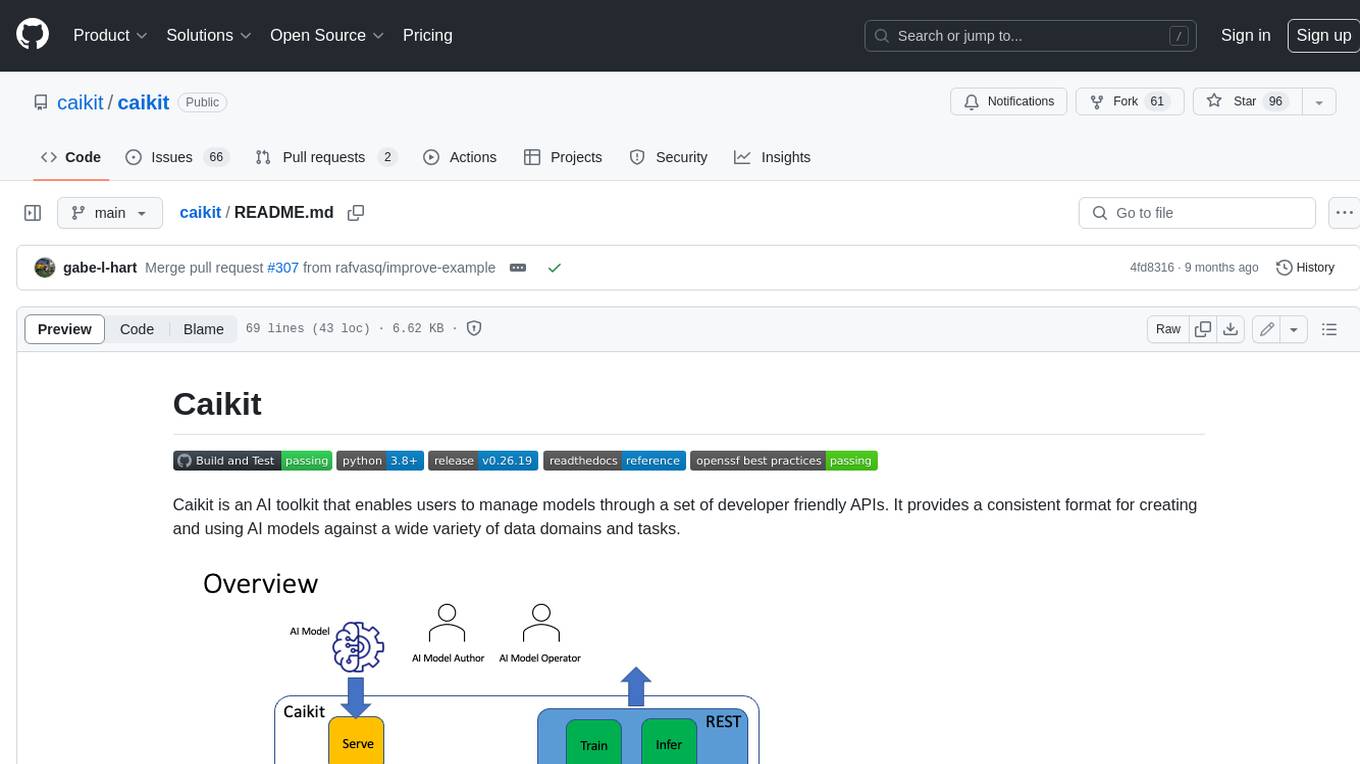
caikit
Caikit is an AI toolkit that enables users to manage models through a set of developer friendly APIs. It provides a consistent format for creating and using AI models against a wide variety of data domains and tasks.
vertex-ai-mlops
Vertex AI is a platform for end-to-end model development. It consist of core components that make the processes of MLOps possible for design patterns of all types.
For similar jobs

weave
Weave is a toolkit for developing Generative AI applications, built by Weights & Biases. With Weave, you can log and debug language model inputs, outputs, and traces; build rigorous, apples-to-apples evaluations for language model use cases; and organize all the information generated across the LLM workflow, from experimentation to evaluations to production. Weave aims to bring rigor, best-practices, and composability to the inherently experimental process of developing Generative AI software, without introducing cognitive overhead.

LLMStack
LLMStack is a no-code platform for building generative AI agents, workflows, and chatbots. It allows users to connect their own data, internal tools, and GPT-powered models without any coding experience. LLMStack can be deployed to the cloud or on-premise and can be accessed via HTTP API or triggered from Slack or Discord.

VisionCraft
The VisionCraft API is a free API for using over 100 different AI models. From images to sound.

kaito
Kaito is an operator that automates the AI/ML inference model deployment in a Kubernetes cluster. It manages large model files using container images, avoids tuning deployment parameters to fit GPU hardware by providing preset configurations, auto-provisions GPU nodes based on model requirements, and hosts large model images in the public Microsoft Container Registry (MCR) if the license allows. Using Kaito, the workflow of onboarding large AI inference models in Kubernetes is largely simplified.

PyRIT
PyRIT is an open access automation framework designed to empower security professionals and ML engineers to red team foundation models and their applications. It automates AI Red Teaming tasks to allow operators to focus on more complicated and time-consuming tasks and can also identify security harms such as misuse (e.g., malware generation, jailbreaking), and privacy harms (e.g., identity theft). The goal is to allow researchers to have a baseline of how well their model and entire inference pipeline is doing against different harm categories and to be able to compare that baseline to future iterations of their model. This allows them to have empirical data on how well their model is doing today, and detect any degradation of performance based on future improvements.

tabby
Tabby is a self-hosted AI coding assistant, offering an open-source and on-premises alternative to GitHub Copilot. It boasts several key features: * Self-contained, with no need for a DBMS or cloud service. * OpenAPI interface, easy to integrate with existing infrastructure (e.g Cloud IDE). * Supports consumer-grade GPUs.

spear
SPEAR (Simulator for Photorealistic Embodied AI Research) is a powerful tool for training embodied agents. It features 300 unique virtual indoor environments with 2,566 unique rooms and 17,234 unique objects that can be manipulated individually. Each environment is designed by a professional artist and features detailed geometry, photorealistic materials, and a unique floor plan and object layout. SPEAR is implemented as Unreal Engine assets and provides an OpenAI Gym interface for interacting with the environments via Python.

Magick
Magick is a groundbreaking visual AIDE (Artificial Intelligence Development Environment) for no-code data pipelines and multimodal agents. Magick can connect to other services and comes with nodes and templates well-suited for intelligent agents, chatbots, complex reasoning systems and realistic characters.