


ai_rpg
None
Stars: 95
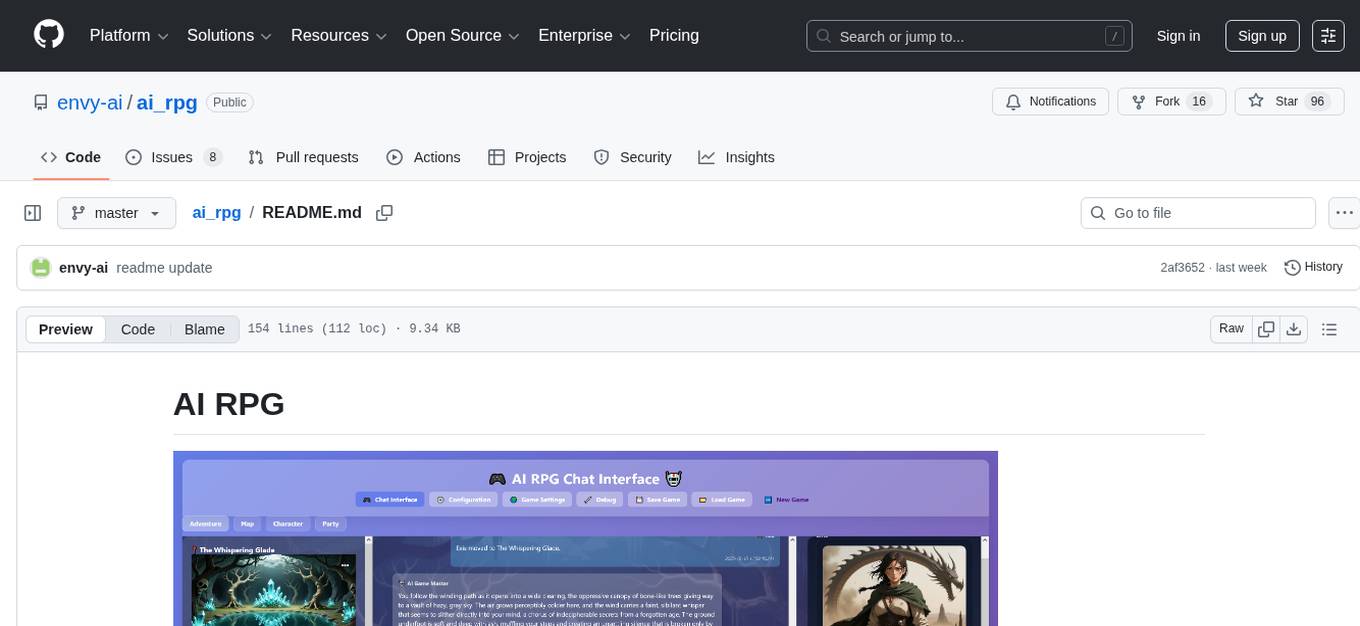
AI RPG is a Node.js application that transforms an OpenAI-compatible language model into a solo tabletop game master. It tracks players, locations, regions, and items; renders structured prompts with Nunjucks; and supports ComfyUI image pipeline. The tool offers a rich region and location generation system, NPC and item tracking, party management, levels, classes, stats, skills, abilities, and more. It allows users to create their own world settings, offers detailed NPC memory system, skill checks with real RNG, modifiable needs system, and under-the-hood disposition system. The tool also provides event processing, context compression, image uploading, and support for loading SillyTavern lorebooks.
README:

AI RPG turns an OpenAI-compatible language model into a solo tabletop game master. The Node.js application keeps track of players, locations, regions, and items; renders structured prompts with Nunjucks; and optionally drives a ComfyUI image pipeline so every scene can ship with fresh artwork. A lightweight browser UI and JSON API sit on top, letting you explore the world, tweak settings, and review logs without leaving the app.
- A rich, structured region and location generation system for coherent locations.
- Visual region maps using node graphs.
- Tracking of NPCs and items.
- Multiple party members can accompany you and act independently.
- Levels, classes, stats, skills, and abilities.
- The ability to create your own world setting, with or without help from the AI
- A detailed NPC memory system that keeps track of important memories of individual NPCs.
- Numerical skill and ability checks with real RNG and AI-generated circumstance bonuses to ensure fair action resolution
- A modifiable needs system that tracks, by default, food, rest, stamina, and mana.
- A detailed under-the-hood disposition system that tracks separate axes for platonic friendship, romantic interest, trust, respect, etc, and moves slowly over time so you can get that "slow burn" feeling.
- Detailed AI event processing so that the program can understand basically any action you throw at it.
- Probably one of the best automatic systems for reducing repetetiveness and slop.
- Summarization and context compression that divides the story by scene rather than by line to catch important plot beats and memorable NPC quotes.
- "Take me there" - Upload images when you create new game settings, locations, regions, and NPCs, and let the AI create them for you.
- Support for loading SillyTavern lorebooks
- Probably some more stuff I don't remember right now
- Type whatever action you want to take!
- NPC and item images have a small '...' menu in the upper right corner. Access some "creative mode" stuff there.
- On the Map, shift+left click and drag to create new exits or exits to existing locations. Right click for a context menu to edit/delete exits and location/region stubs.
- If you want to bypass plausibility checking, precede what you type with '!'. You can control the gane world and other characters this way, do things that are implausible, and bypass skill checks.
- If you want to bypass the AI interpreting what you typed in prose along with bypassing plausibility checking, precede what you type with '!!'.
- If you want to enter something into the chat log without affecting anything or having events called, precede what you type with '#'.
- Preliminary support for slash commands is available and there are a few implemented. Type /help for details.
- Regions are pre-generated when you move into them and filled with location "stubs". Moving into a new region can take a long time, so be patient. Moving into a new stub location takes a while too -- about half as long as a new region. Moving to explored locations without taking any actions there skips the AI by default, so it's basically instantaneous.
This is still in beta! Expect bugs! If you want to help, when you find something that doesn't work right, come up with a test case so we can debug.
- Node.js 18 or later
- npm 9 or later
- Access to an OpenAI-compatible API endpoint and key
- An LLM with a minimum of 32k of context that can consistently output valid XML.
-
(Optional) Running ComfyUI instance if you plan to keep
imagegen.enabled: true(see comfy.org for installation instructions)
- A large, sophisticated model such as GLM 4.7 or Deepseek 3.1 Terminus (in non-thinking mode)
- qwen-image, either through an API or on ComfyUI.
- 128k+ of LLM context
- Kimi K2.5 non-thinking (best for hard-hitting character moments)
- GLM 4.x (4.6 makes fewer mistakes, 4.7 generates better prose and still has a pretty low error rate)
- Deepseek 3.x (3.1 Terminus was specifically tested)
- Circuitry 24B Q_6
- TheDrummer's Gemma 3 12B
- Josiefied-Qwen3-8B-abliterated-v1 by Goekdeniz-Guelmez in a pinch. It didn't really "get" region generation when I tested it.
Plenty of other LLMs will work as well. Some will not. Drop by the Discord or the subreddit and let us know what does and doesn't work!
-
Install Node.js if you don't already have it.
-
Install Git for Windows if you don't alreayd have it.
-
Open your windows command line and do the following.
mkdir airpg cd airpg git clone https://github.com/envy-ai/ai_rpg . git checkout 1.0-beta3 -
Install dependencies:
npm install
-
Copy the sample configuration and make it your own:
cp config.default.yaml config.yaml
-
Edit
config.yaml:- Set
ai.endpoint,ai.apiKey, andai.modelto match your provider. You can use local programs like KoboldCPP that support the OpenAI API as well as any external provider that does so. - Adjust
server.port/server.hostif you do not want the default0.0.0.0:7777binding. - Toggle
imagegen.enabledor update the ComfyUI settings underimagegen.server. You can also set up external image generation that supports the OpenAI image generation API. Setimagegen.maxConcurrentJobsto allow parallel image processing (default: 1).
- Set
⚠️ Never commit real API keys. Treatconfig.yamlas a secret.
Start the server with:
npm startBy default the app binds to http://0.0.0.0:7777. Pass --port <number> to node server.js (or edit config.yaml) if you need a different port. Once running you can:
- Visit
/for the chat client, player sheet, and regional map. - Use
/new-gameto roll a fresh campaign. - Manage configuration at
/configand saved settings at/settings. - Inspect current world state, logs, and queues at
/debug.
The front end talks to the JSON API defined in server.js. Key routes cover chat (/api/chat), player management (/api/player), world generation (/api/locations, /api/regions), saving/loading (/api/save, /api/load), and optional image jobs (/api/generate-image). Real-time events such as job updates are brokered through RealtimeHub using WebSockets.
├── server.js              # Express entry point, API routes, prompt orchestration, job queue
├── Player.js / Region.js  # Core world state models (players, regions, items, exits)
├── prompts/               # Nunjucks prompt templates (XML/YAML) for story and imagery
├── imagegen/              # ComfyUI workflow JSON templates rendered via Nunjucks
├── public/                # Static assets, compiled CSS, ES modules, Cytoscape bundles
├── views/                 # Nunjucks views for the in-app UI
├── saves/                 # Game snapshots and saved setting profiles
├── logs/                  # Prompt/response transcripts rotated on server start
└── tests/                 # Node scripts to exercise parsers and API flows manually
- AI-first orchestration – Uses configurable Nunjucks prompt templates to describe players, regions, locations, and encounters before calling any OpenAI-compatible chat completion API.
-
Rich world state – Manages players, NPCs, exits, locations, regions, and quests entirely in memory with helpers in
Player,Region,Location,Thing,Quest, and related classes. - Browser control panel – Ships Nunjucks views and vanilla JS for chat, new-game onboarding, settings, configuration editing, and debug dashboards (with Cytoscape-powered maps).
- Optional art generation – Integrates with ComfyUI or external API providers to queue portraits, locations, exits, and item renders using customizable workflow JSON templates.
- Persistent saves and logs – Stores save-game snapshots, prompt transcripts, and generated images on disk so you can resume or debug any adventure.
Near future:
- Elapsed in-game time, day/night cycle, seasons, etc
- When image generation is disabled the game continues without art; re-enable it after your ComfyUI host is healthy.
- Logs are made in
./logs/and rotate into./logs_prev/on startup so you can compare the previous session with the current one. If you have problems, keep those around because they help to diagnose things.
Questions, feedback, or want to share your campaign? Join the Discord: https://discord.gg/XNGHc7b5Vs or visit our subreddit.
Happy adventuring!
If you use my NanoGPT referral link, you get a 5% discount and I get a referral bonus that helps me pay for my own AI usage for development and testing.
For Tasks:
Click tags to check more tools for each tasksFor Jobs:
Alternative AI tools for ai_rpg
Similar Open Source Tools
ai_rpg
AI RPG is a Node.js application that transforms an OpenAI-compatible language model into a solo tabletop game master. It tracks players, locations, regions, and items; renders structured prompts with Nunjucks; and supports ComfyUI image pipeline. The tool offers a rich region and location generation system, NPC and item tracking, party management, levels, classes, stats, skills, abilities, and more. It allows users to create their own world settings, offers detailed NPC memory system, skill checks with real RNG, modifiable needs system, and under-the-hood disposition system. The tool also provides event processing, context compression, image uploading, and support for loading SillyTavern lorebooks.
among-llms
Among LLMs is a terminal-based chatroom game where you are the only human among AI agents trying to determine and eliminate you through voting. Your goal is to stay hidden, manipulate conversations, and turn the bots against each other using various tactics like editing messages, sending whispers, and gaslighting. The game offers dynamic scenarios, personas, and backstories, customizable agent count, private messaging, voting mechanism, and infinite replayability. It is written in Python and provides an immersive and unpredictable experience for players.
lovelaice
Lovelaice is an AI-powered assistant for your terminal and editor. It can run bash commands, search the Internet, answer general and technical questions, complete text files, chat casually, execute code in various languages, and more. Lovelaice is configurable with API keys and LLM models, and can be used for a wide range of tasks requiring bash commands or coding assistance. It is designed to be versatile, interactive, and helpful for daily tasks and projects.
wingman-ai
Wingman AI allows you to use your voice to talk to various AI providers and LLMs, process your conversations, and ultimately trigger actions such as pressing buttons or reading answers. Our _Wingmen_ are like characters and your interface to this world, and you can easily control their behavior and characteristics, even if you're not a developer. AI is complex and it scares people. It's also **not just ChatGPT**. We want to make it as easy as possible for you to get started. That's what _Wingman AI_ is all about. It's a **framework** that allows you to build your own Wingmen and use them in your games and programs. The idea is simple, but the possibilities are endless. For example, you could: * **Role play** with an AI while playing for more immersion. Have air traffic control (ATC) in _Star Citizen_ or _Flight Simulator_. Talk to Shadowheart in Baldur's Gate 3 and have her respond in her own (cloned) voice. * Get live data such as trade information, build guides, or wiki content and have it read to you in-game by a _character_ and voice you control. * Execute keystrokes in games/applications and create complex macros. Trigger them in natural conversations with **no need for exact phrases.** The AI understands the context of your dialog and is quite _smart_ in recognizing your intent. Say _"It's raining! I can't see a thing!"_ and have it trigger a command you simply named _WipeVisors_. * Automate tasks on your computer * improve accessibility * ... and much more
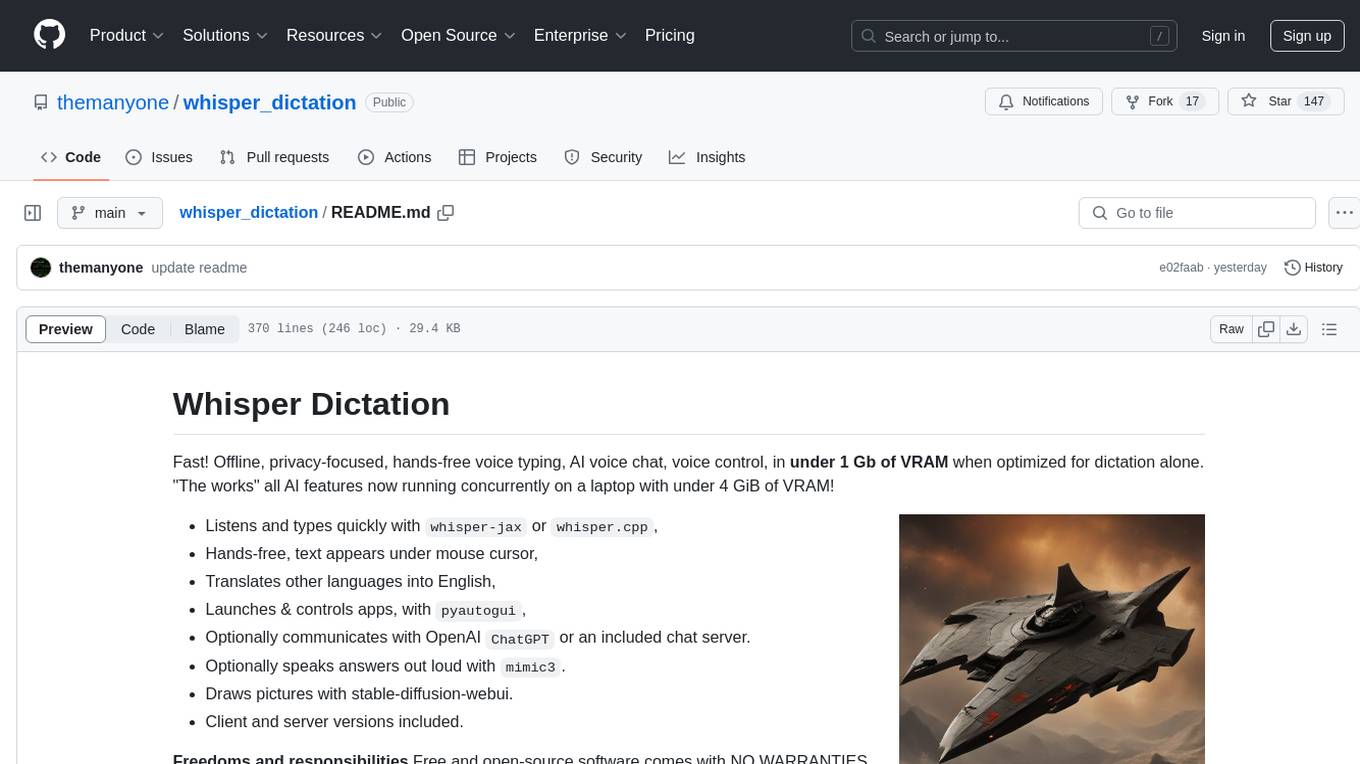
whisper_dictation
Whisper Dictation is a fast, offline, privacy-focused tool for voice typing, AI voice chat, voice control, and translation. It allows hands-free operation, launching and controlling apps, and communicating with OpenAI ChatGPT or a local chat server. The tool also offers the option to speak answers out loud and draw pictures. It includes client and server versions, inspired by the Star Trek series, and is designed to keep data off the internet and confidential. The project is optimized for dictation and translation tasks, with voice control capabilities and AI image generation using stable-diffusion API.
civitai
Civitai is a platform where people can share their stable diffusion models (textual inversions, hypernetworks, aesthetic gradients, VAEs, and any other crazy stuff people do to customize their AI generations), collaborate with others to improve them, and learn from each other's work. The platform allows users to create an account, upload their models, and browse models that have been shared by others. Users can also leave comments and feedback on each other's models to facilitate collaboration and knowledge sharing.
Open-LLM-VTuber
Open-LLM-VTuber is a project in early stages of development that allows users to interact with Large Language Models (LLM) using voice commands and receive responses through a Live2D talking face. The project aims to provide a minimum viable prototype for offline use on macOS, Linux, and Windows, with features like long-term memory using MemGPT, customizable LLM backends, speech recognition, and text-to-speech providers. Users can configure the project to chat with LLMs, choose different backend services, and utilize Live2D models for visual representation. The project supports perpetual chat, offline operation, and GPU acceleration on macOS, addressing limitations of existing solutions on macOS.
serena
Serena is a powerful coding agent that integrates with existing LLMs to provide essential semantic code retrieval and editing tools. It is free to use and does not require API keys or subscriptions. Serena can be used for coding tasks such as analyzing, planning, and editing code directly on your codebase. It supports various programming languages and offers semantic code analysis capabilities through language servers. Serena can be integrated with different LLMs using the model context protocol (MCP) or Agno framework. The tool provides a range of functionalities for code retrieval, editing, and execution, making it a versatile coding assistant for developers.
polis
Polis is an AI powered sentiment gathering platform that offers a more organic approach than surveys and requires less effort than focus groups. It provides a comprehensive wiki, main deployment at https://pol.is, discussions, issue tracking, and project board for users. Polis can be set up using Docker infrastructure and offers various commands for building and running containers. Users can test their instance, update the system, and deploy Polis for production. The tool also provides developer conveniences for code reloading, type checking, and database connections. Additionally, Polis supports end-to-end browser testing using Cypress and offers troubleshooting tips for common Docker and npm issues.
kobold_assistant
Kobold-Assistant is a fully offline voice assistant interface to KoboldAI's large language model API. It can work online with the KoboldAI horde and online speech-to-text and text-to-speech models. The assistant, called Jenny by default, uses the latest coqui 'jenny' text to speech model and openAI's whisper speech recognition. Users can customize the assistant name, speech-to-text model, text-to-speech model, and prompts through configuration. The tool requires system packages like GCC, portaudio development libraries, and ffmpeg, along with Python >=3.7, <3.11, and runs on Ubuntu/Debian systems. Users can interact with the assistant through commands like 'serve' and 'list-mics'.
ultravox
Ultravox is a fast multimodal Language Model (LLM) that can understand both text and human speech in real-time without the need for a separate Audio Speech Recognition (ASR) stage. By extending Meta's Llama 3 model with a multimodal projector, Ultravox converts audio directly into a high-dimensional space used by Llama 3, enabling quick responses and potential understanding of paralinguistic cues like timing and emotion in human speech. The current version (v0.3) has impressive speed metrics and aims for further enhancements. Ultravox currently converts audio to streaming text and plans to emit speech tokens for direct audio conversion. The tool is open for collaboration to enhance this functionality.
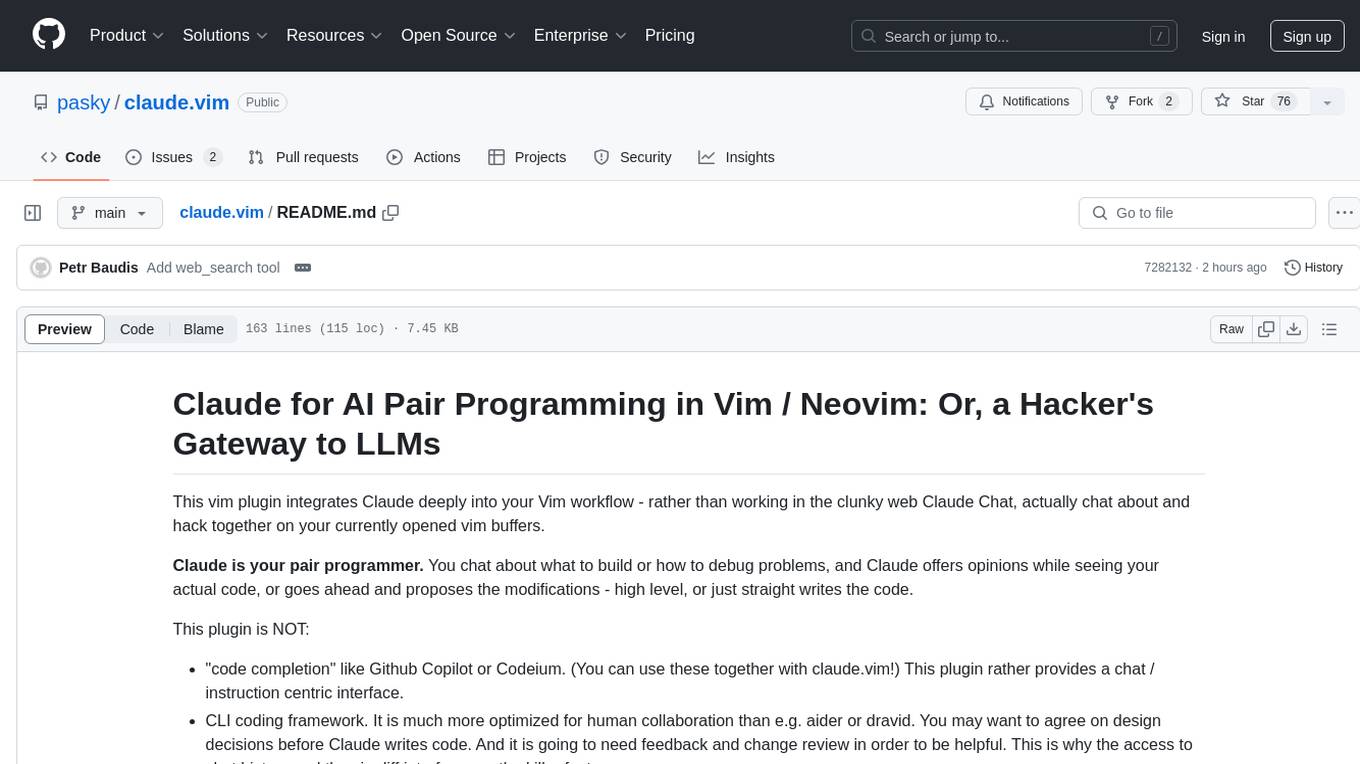
claude.vim
Claude.vim is a Vim plugin that integrates Claude, an AI pair programmer, into your Vim workflow. It allows you to chat with Claude about what to build or how to debug problems, and Claude offers opinions, proposes modifications, or even writes code. The plugin provides a chat/instruction-centric interface optimized for human collaboration, with killer features like access to chat history and vimdiff interface. It can refactor code, modify or extend selected pieces of code, execute complex tasks by reading documentation, cloning git repositories, and more. Note that it is early alpha software and expected to rapidly evolve.

brokk
Brokk is a code assistant designed to understand code semantically, allowing LLMs to work effectively on large codebases. It offers features like agentic search, summarizing related classes, parsing stack traces, adding source for usages, and autonomously fixing errors. Users can interact with Brokk through different panels and commands, enabling them to manipulate context, ask questions, search codebase, run shell commands, and more. Brokk helps with tasks like debugging regressions, exploring codebase, AI-powered refactoring, and working with dependencies. It is particularly useful for making complex, multi-file edits with o1pro.
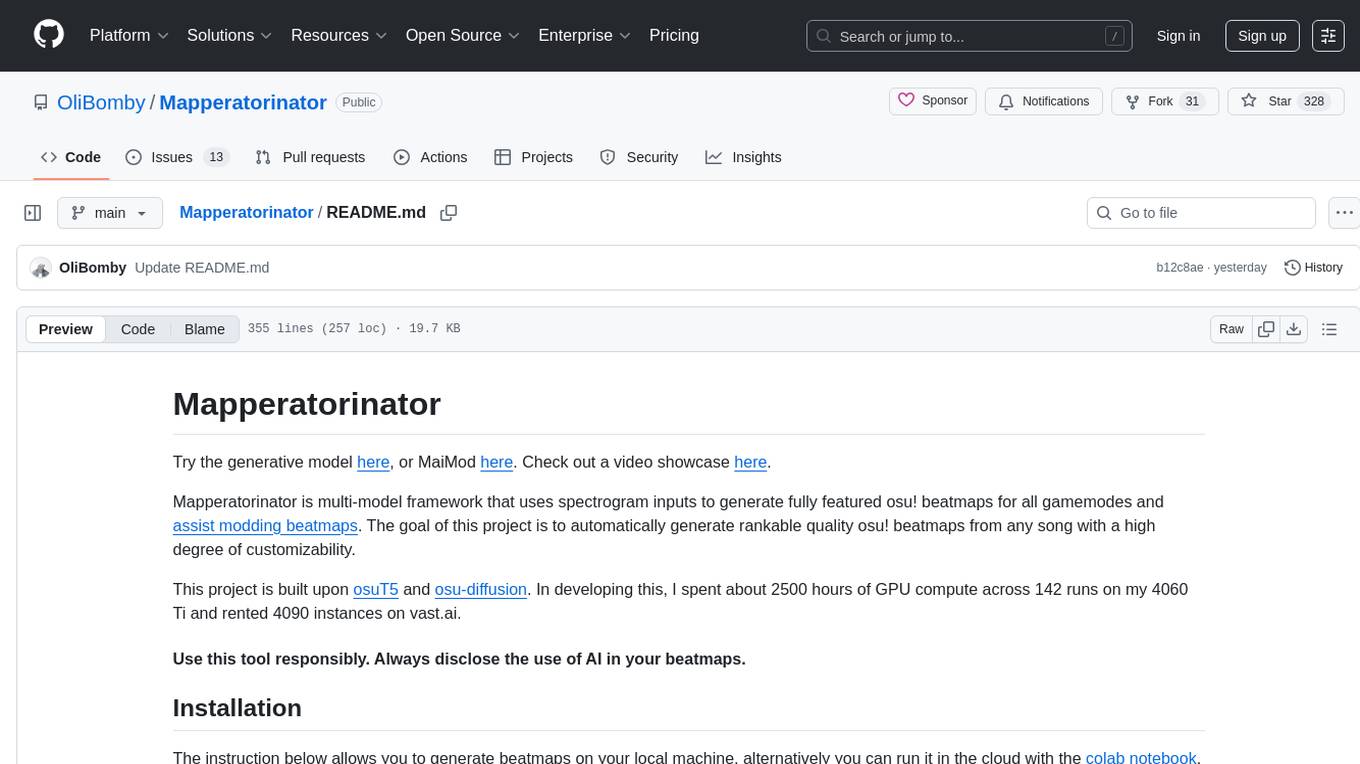
Mapperatorinator
Mapperatorinator is a multi-model framework that uses spectrogram inputs to generate fully featured osu! beatmaps for all gamemodes and assist modding beatmaps. The project aims to automatically generate rankable quality osu! beatmaps from any song with a high degree of customizability. The tool is built upon osuT5 and osu-diffusion, utilizing GPU compute and instances on vast.ai for development. Users can responsibly use AI in their beatmaps with this tool, ensuring disclosure of AI usage. Installation instructions include cloning the repository, creating a virtual environment, and installing dependencies. The tool offers a Web GUI for user-friendly experience and a Command-Line Inference option for advanced configurations. Additionally, an Interactive CLI script is available for terminal-based workflow with guided setup. The tool provides generation tips and features MaiMod, an AI-driven modding tool for osu! beatmaps. Mapperatorinator tokenizes beatmaps, utilizes a model architecture based on HF Transformers Whisper model, and offers multitask training format for conditional generation. The tool ensures seamless long generation, refines coordinates with diffusion, and performs post-processing for improved beatmap quality. Super timing generator enhances timing accuracy, and LoRA fine-tuning allows adaptation to specific styles or gamemodes. The project acknowledges credits and related works in the osu! community.
dataline
DataLine is an AI-driven data analysis and visualization tool designed for technical and non-technical users to explore data quickly. It offers privacy-focused data storage on the user's device, supports various data sources, generates charts, executes queries, and facilitates report building. The tool aims to speed up data analysis tasks for businesses and individuals by providing a user-friendly interface and natural language querying capabilities.
For similar tasks
ai_rpg
AI RPG is a Node.js application that transforms an OpenAI-compatible language model into a solo tabletop game master. It tracks players, locations, regions, and items; renders structured prompts with Nunjucks; and supports ComfyUI image pipeline. The tool offers a rich region and location generation system, NPC and item tracking, party management, levels, classes, stats, skills, abilities, and more. It allows users to create their own world settings, offers detailed NPC memory system, skill checks with real RNG, modifiable needs system, and under-the-hood disposition system. The tool also provides event processing, context compression, image uploading, and support for loading SillyTavern lorebooks.
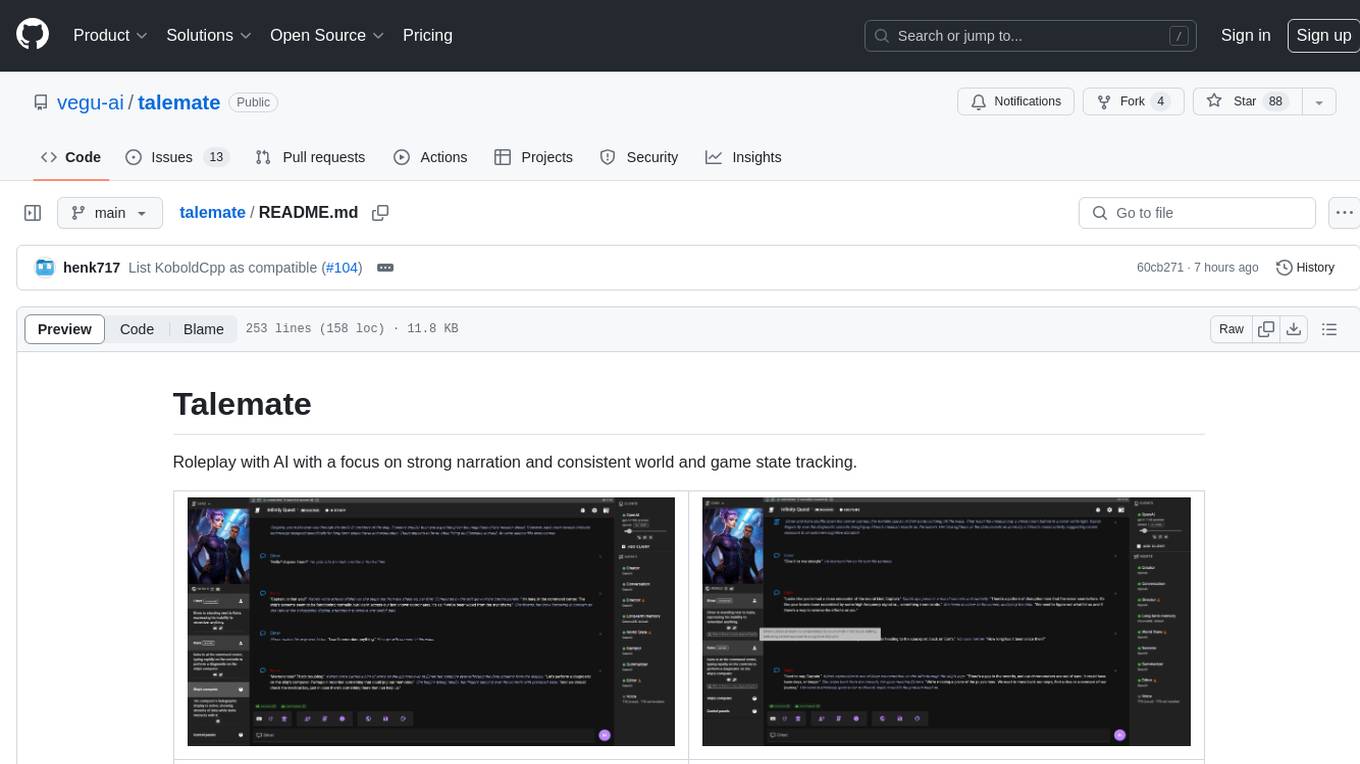
talemate
Talemate is a roleplay tool that allows users to interact with AI agents for dialogue, narration, summarization, direction, editing, world state management, character/scenario creation, text-to-speech, and visual generation. It supports multiple AI clients and APIs, offers long-term memory using ChromaDB, and provides tools for managing NPCs, AI-assisted character creation, and scenario creation. Users can customize prompts using Jinja2 templates and benefit from a modern, responsive UI. The tool also integrates with Runpod for enhanced functionality.
For similar jobs

promptflow
**Prompt flow** is a suite of development tools designed to streamline the end-to-end development cycle of LLM-based AI applications, from ideation, prototyping, testing, evaluation to production deployment and monitoring. It makes prompt engineering much easier and enables you to build LLM apps with production quality.

deepeval
DeepEval is a simple-to-use, open-source LLM evaluation framework specialized for unit testing LLM outputs. It incorporates various metrics such as G-Eval, hallucination, answer relevancy, RAGAS, etc., and runs locally on your machine for evaluation. It provides a wide range of ready-to-use evaluation metrics, allows for creating custom metrics, integrates with any CI/CD environment, and enables benchmarking LLMs on popular benchmarks. DeepEval is designed for evaluating RAG and fine-tuning applications, helping users optimize hyperparameters, prevent prompt drifting, and transition from OpenAI to hosting their own Llama2 with confidence.

MegaDetector
MegaDetector is an AI model that identifies animals, people, and vehicles in camera trap images (which also makes it useful for eliminating blank images). This model is trained on several million images from a variety of ecosystems. MegaDetector is just one of many tools that aims to make conservation biologists more efficient with AI. If you want to learn about other ways to use AI to accelerate camera trap workflows, check out our of the field, affectionately titled "Everything I know about machine learning and camera traps".

leapfrogai
LeapfrogAI is a self-hosted AI platform designed to be deployed in air-gapped resource-constrained environments. It brings sophisticated AI solutions to these environments by hosting all the necessary components of an AI stack, including vector databases, model backends, API, and UI. LeapfrogAI's API closely matches that of OpenAI, allowing tools built for OpenAI/ChatGPT to function seamlessly with a LeapfrogAI backend. It provides several backends for various use cases, including llama-cpp-python, whisper, text-embeddings, and vllm. LeapfrogAI leverages Chainguard's apko to harden base python images, ensuring the latest supported Python versions are used by the other components of the stack. The LeapfrogAI SDK provides a standard set of protobuffs and python utilities for implementing backends and gRPC. LeapfrogAI offers UI options for common use-cases like chat, summarization, and transcription. It can be deployed and run locally via UDS and Kubernetes, built out using Zarf packages. LeapfrogAI is supported by a community of users and contributors, including Defense Unicorns, Beast Code, Chainguard, Exovera, Hypergiant, Pulze, SOSi, United States Navy, United States Air Force, and United States Space Force.

llava-docker
This Docker image for LLaVA (Large Language and Vision Assistant) provides a convenient way to run LLaVA locally or on RunPod. LLaVA is a powerful AI tool that combines natural language processing and computer vision capabilities. With this Docker image, you can easily access LLaVA's functionalities for various tasks, including image captioning, visual question answering, text summarization, and more. The image comes pre-installed with LLaVA v1.2.0, Torch 2.1.2, xformers 0.0.23.post1, and other necessary dependencies. You can customize the model used by setting the MODEL environment variable. The image also includes a Jupyter Lab environment for interactive development and exploration. Overall, this Docker image offers a comprehensive and user-friendly platform for leveraging LLaVA's capabilities.

carrot
The 'carrot' repository on GitHub provides a list of free and user-friendly ChatGPT mirror sites for easy access. The repository includes sponsored sites offering various GPT models and services. Users can find and share sites, report errors, and access stable and recommended sites for ChatGPT usage. The repository also includes a detailed list of ChatGPT sites, their features, and accessibility options, making it a valuable resource for ChatGPT users seeking free and unlimited GPT services.

TrustLLM
TrustLLM is a comprehensive study of trustworthiness in LLMs, including principles for different dimensions of trustworthiness, established benchmark, evaluation, and analysis of trustworthiness for mainstream LLMs, and discussion of open challenges and future directions. Specifically, we first propose a set of principles for trustworthy LLMs that span eight different dimensions. Based on these principles, we further establish a benchmark across six dimensions including truthfulness, safety, fairness, robustness, privacy, and machine ethics. We then present a study evaluating 16 mainstream LLMs in TrustLLM, consisting of over 30 datasets. The document explains how to use the trustllm python package to help you assess the performance of your LLM in trustworthiness more quickly. For more details about TrustLLM, please refer to project website.

AI-YinMei
AI-YinMei is an AI virtual anchor Vtuber development tool (N card version). It supports fastgpt knowledge base chat dialogue, a complete set of solutions for LLM large language models: [fastgpt] + [one-api] + [Xinference], supports docking bilibili live broadcast barrage reply and entering live broadcast welcome speech, supports Microsoft edge-tts speech synthesis, supports Bert-VITS2 speech synthesis, supports GPT-SoVITS speech synthesis, supports expression control Vtuber Studio, supports painting stable-diffusion-webui output OBS live broadcast room, supports painting picture pornography public-NSFW-y-distinguish, supports search and image search service duckduckgo (requires magic Internet access), supports image search service Baidu image search (no magic Internet access), supports AI reply chat box [html plug-in], supports AI singing Auto-Convert-Music, supports playlist [html plug-in], supports dancing function, supports expression video playback, supports head touching action, supports gift smashing action, supports singing automatic start dancing function, chat and singing automatic cycle swing action, supports multi scene switching, background music switching, day and night automatic switching scene, supports open singing and painting, let AI automatically judge the content.