


mLLMCelltype
Cell type annotation for single-cell RNA-seq using multi-LLM consensus
Stars: 631
mLLMCelltype is a multi-LLM consensus framework for automated cell type annotation in single-cell RNA sequencing (scRNA-seq) data. The tool integrates multiple large language models to improve annotation accuracy through consensus-based predictions. It offers advantages over single-model approaches by combining predictions from models like OpenAI GPT-5.2, Anthropic Claude-4.6/4.5, Google Gemini-3, and others. Researchers can incorporate mLLMCelltype into existing workflows without the need for reference datasets.
README:







mLLMCelltype is a multi-LLM consensus framework for automated cell type annotation in single-cell RNA sequencing (scRNA-seq) data. The framework integrates multiple large language models including OpenAI GPT-5.2, Anthropic Claude-4.6/4.5, Google Gemini-3, X.AI Grok-4, DeepSeek-V3, Alibaba Qwen3, Zhipu GLM-4, MiniMax, Stepfun, and OpenRouter to improve annotation accuracy through consensus-based predictions.
mLLMCelltype is an open-source tool for single-cell transcriptomics analysis that uses multiple large language models to identify cell types from gene expression data. The software implements a consensus approach where multiple models analyze the same data and their predictions are combined, which helps reduce errors and provides uncertainty metrics. This methodology offers advantages over single-model approaches through integration of multiple model predictions. mLLMCelltype integrates with single-cell analysis platforms such as Scanpy and Seurat, allowing researchers to incorporate it into existing workflows. The method does not require reference datasets for annotation.
In our benchmarks (Yang et al., 2025), the consensus approach achieved up to 95% accuracy on tested datasets.
Web Application: A browser-based interface is available at mllmcelltype.com (no installation required).
See also: FlashDeconv — cell type deconvolution for spatial transcriptomics (Visium, Visium HD, Stereo-seq).
- Multi-LLM Consensus: Integrates predictions from multiple LLMs to reduce single-model limitations and biases
- Model Support: Compatible with 10+ LLM providers including OpenAI, Anthropic, Google, and others
- Iterative Discussion: LLMs evaluate evidence and refine annotations through multiple rounds of discussion
- Uncertainty Quantification: Provides Consensus Proportion and Shannon Entropy metrics to identify uncertain annotations
- Cross-Model Validation: Reduces incorrect predictions through multi-model comparison
- Noise Tolerance: Maintains accuracy with imperfect marker gene lists
- Hierarchical Annotation: Supports multi-resolution analysis with consistency checks
- Reference-Free: Performs annotation without pre-training or reference datasets
- Documentation: Records complete reasoning process for transparency
- Integration: Compatible with Scanpy/Seurat workflows and marker gene outputs
- Extensibility: Supports addition of new LLMs as they become available
For changelog and updates, see NEWS.md.
# Install from CRAN (recommended)
install.packages("mLLMCelltype")

# Or install development version from GitHub
devtools::install_github("cafferychen777/mLLMCelltype", subdir = "R")
Quick Start: Try mLLMCelltype in Google Colab without any installation. Click the badge above to open an interactive notebook with examples and step-by-step guidance.
# Install from PyPI
pip install mllmcelltype

# Or install from GitHub (note the subdirectory parameter)
pip install git+https://github.com/cafferychen777/mLLMCelltype.git#subdirectory=pythonmLLMCelltype uses a modular design where different LLM provider libraries are optional dependencies. Depending on which models you plan to use, you'll need to install the corresponding packages:
# For using OpenAI models (GPT-5, etc.)
pip install "mllmcelltype[openai]"

# For using Anthropic models (Claude)
pip install "mllmcelltype[anthropic]"

# For using Google models (Gemini)
pip install "mllmcelltype[gemini]"

# To install all optional dependencies at once
pip install "mllmcelltype[all]"
If you encounter errors like ImportError: cannot import name 'genai' from 'google', it means you need to install the corresponding provider package. For example:
# For Google Gemini models
pip install google-genai- OpenAI: GPT-5.2/GPT-5/GPT-4.1 (API Key)
- Anthropic: Claude-4.6-Opus/Claude-4.5-Sonnet/Claude-4.5-Haiku (API Key)
- Google: Gemini-3-Pro/Gemini-3-Flash (API Key)
- Alibaba: Qwen3-Max (API Key)
- DeepSeek: DeepSeek-V3/DeepSeek-R1 (API Key)
- Minimax: MiniMax-M2.1 (API Key)
- Stepfun: Step-3 (API Key)
- Zhipu: GLM-4.7/GLM-4-Plus (API Key)
- X.AI: Grok-4/Grok-3 (API Key)
-
OpenRouter: Access to multiple models through a single API (API Key)
- Supports models from OpenAI, Anthropic, Meta, Google, Mistral, and more
- Format: 'provider/model-name' (e.g., 'openai/gpt-5.2', 'anthropic/claude-opus-4.5')
- Free models available with
:freesuffix (e.g., 'deepseek/deepseek-r1:free', 'meta-llama/llama-4-maverick:free') - Note: Free tier limits: 50 requests/day (1000/day with $10+ credits), 20 requests/minute. Some models may be unavailable.
# Example of using mLLMCelltype for single-cell RNA-seq cell type annotation with Scanpy
import scanpy as sc
import pandas as pd
from mllmcelltype import annotate_clusters, interactive_consensus_annotation
import os

# Note: Logging is automatically configured when importing mllmcelltype
# You can customize logging if needed using the logging module

# Load your single-cell RNA-seq dataset in AnnData format
adata = sc.read_h5ad('your_data.h5ad')  # Replace with your scRNA-seq dataset path

# Perform Leiden clustering for cell population identification if not already done
if 'leiden' not in adata.obs.columns:
    print("Computing leiden clustering for cell population identification...")
    # Preprocess single-cell data: normalize counts and log-transform for gene expression analysis
    if 'log1p' not in adata.uns:
        sc.pp.normalize_total(adata, target_sum=1e4)  # Normalize to 10,000 counts per cell
        sc.pp.log1p(adata)  # Log-transform normalized counts

    # Dimensionality reduction: calculate PCA for scRNA-seq data
    if 'X_pca' not in adata.obsm:
        sc.pp.highly_variable_genes(adata, min_mean=0.0125, max_mean=3, min_disp=0.5)  # Select informative genes
        sc.pp.pca(adata, use_highly_variable=True)  # Compute principal components

    # Cell clustering: compute neighborhood graph and perform Leiden community detection
    sc.pp.neighbors(adata, n_neighbors=10, n_pcs=30)  # Build KNN graph for clustering
    sc.tl.leiden(adata, resolution=0.8)  # Identify cell populations using Leiden algorithm
    print(f"Leiden clustering completed, identified {len(adata.obs['leiden'].cat.categories)} distinct cell populations")

# Identify marker genes for each cell cluster using differential expression analysis
sc.tl.rank_genes_groups(adata, 'leiden', method='wilcoxon')  # Wilcoxon rank-sum test for marker detection

# Extract top marker genes for each cell cluster to use in cell type annotation
marker_genes = {}
for i in range(len(adata.obs['leiden'].cat.categories)):
    # Select top 10 differentially expressed genes as markers for each cluster
    genes = [adata.uns['rank_genes_groups']['names'][str(i)][j] for j in range(10)]
    marker_genes[str(i)] = genes

# IMPORTANT: mLLMCelltype requires gene symbols (e.g., KCNJ8, PDGFRA) not Ensembl IDs (e.g., ENSG00000176771)
# If your AnnData object uses Ensembl IDs, convert them to gene symbols for accurate annotation:
# Example conversion code:
# if 'Gene' in adata.var.columns:  # Check if gene symbols are available in the metadata
#     gene_name_dict = dict(zip(adata.var_names, adata.var['Gene']))
#     marker_genes = {cluster: [gene_name_dict.get(gene_id, gene_id) for gene_id in genes]
#                    for cluster, genes in marker_genes.items()}

# IMPORTANT: mLLMCelltype requires numeric cluster IDs
# The 'cluster' column must contain numeric values or values that can be converted to numeric.
# Non-numeric cluster IDs (e.g., "cluster_1", "T_cells", "7_0") may cause errors or unexpected behavior.
# If your data contains non-numeric cluster IDs, create a mapping between original IDs and numeric IDs:
# Example standardization code:
# original_ids = list(marker_genes.keys())
# id_mapping = {original: idx for idx, original in enumerate(original_ids)}
# marker_genes = {str(id_mapping[cluster]): genes for cluster, genes in marker_genes.items()}

# Configure API keys for the large language models used in consensus annotation
# At least one API key is required for multi-LLM consensus annotation
os.environ["OPENAI_API_KEY"] = "your-openai-api-key"      # For GPT-5.2/5/4.1 models
os.environ["ANTHROPIC_API_KEY"] = "your-anthropic-api-key"  # For Claude-4.6/4.5 models
os.environ["GEMINI_API_KEY"] = "your-gemini-api-key"      # For Google Gemini-3 models
os.environ["QWEN_API_KEY"] = "your-qwen-api-key"        # For Alibaba Qwen3 models
# Additional optional LLM providers for enhanced consensus diversity:
# os.environ["DEEPSEEK_API_KEY"] = "your-deepseek-api-key"   # For DeepSeek-V3 models
# os.environ["ZHIPU_API_KEY"] = "your-zhipu-api-key"       # For Zhipu GLM-4 models
# os.environ["STEPFUN_API_KEY"] = "your-stepfun-api-key"    # For Stepfun models
# os.environ["MINIMAX_API_KEY"] = "your-minimax-api-key"    # For MiniMax models
# os.environ["OPENROUTER_API_KEY"] = "your-openrouter-api-key"  # For accessing multiple models via OpenRouter

# Execute multi-LLM consensus cell type annotation with iterative deliberation
consensus_results = interactive_consensus_annotation(
    marker_genes=marker_genes,  # Dictionary of marker genes for each cluster
    species="human",            # Specify organism for appropriate cell type annotation
    tissue="blood",            # Specify tissue context for more accurate annotation
    models=["gpt-5.2", "claude-sonnet-4-5-20250929", "gemini-3-pro", "qwen3-max"],  # Multiple LLMs for consensus
    consensus_threshold=1,     # Minimum proportion required for consensus agreement
    max_discussion_rounds=3    # Number of deliberation rounds between models for refinement
)

# Alternatively, use OpenRouter for accessing multiple models through a single API
# This is especially useful for accessing free models with the :free suffix
os.environ["OPENROUTER_API_KEY"] = "your-openrouter-api-key"

# Example using free OpenRouter models (no credits required)
free_models_results = interactive_consensus_annotation(
    marker_genes=marker_genes,
    species="human",
    tissue="blood",
    models=[
        {"provider": "openrouter", "model": "meta-llama/llama-4-maverick:free"},      # Meta Llama 4 Maverick (free)
        {"provider": "openrouter", "model": "venice/uncensored:free"},                # Venice Uncensored (free)
        {"provider": "openrouter", "model": "deepseek/deepseek-r1:free"},             # DeepSeek R1 (free, advanced reasoning)
        {"provider": "openrouter", "model": "meta-llama/llama-3.3-70b-instruct:free"} # Meta Llama 3.3 70B (free)
    ],
    consensus_threshold=0.7,
    max_discussion_rounds=2
)

# Retrieve final consensus cell type annotations from the multi-LLM deliberation
final_annotations = consensus_results["consensus"]

# Integrate consensus cell type annotations into the original AnnData object
adata.obs['consensus_cell_type'] = adata.obs['leiden'].astype(str).map(final_annotations)

# Add uncertainty quantification metrics to evaluate annotation confidence
adata.obs['consensus_proportion'] = adata.obs['leiden'].astype(str).map(consensus_results["consensus_proportion"])  # Agreement level
adata.obs['entropy'] = adata.obs['leiden'].astype(str).map(consensus_results["entropy"])  # Annotation uncertainty

# Prepare for visualization: compute UMAP embeddings if not already available
# UMAP provides a 2D representation of cell populations for visualization
if 'X_umap' not in adata.obsm:
    print("Computing UMAP coordinates...")
    # Make sure neighbors are computed first
    if 'neighbors' not in adata.uns:
        sc.pp.neighbors(adata, n_neighbors=10, n_pcs=30)
    sc.tl.umap(adata)
    print("UMAP coordinates computed")

# Visualize results with enhanced aesthetics
# Basic visualization
sc.pl.umap(adata, color='consensus_cell_type', legend_loc='right', frameon=True, title='mLLMCelltype Consensus Annotations')

# More customized visualization
import matplotlib.pyplot as plt

# Set figure size and style
plt.rcParams['figure.figsize'] = (10, 8)
plt.rcParams['font.size'] = 12

# Create a more publication-ready UMAP
fig, ax = plt.subplots(1, 1, figsize=(12, 10))
sc.pl.umap(adata, color='consensus_cell_type', legend_loc='on data',
         frameon=True, title='mLLMCelltype Consensus Annotations',
         palette='tab20', size=50, legend_fontsize=12,
         legend_fontoutline=2, ax=ax)

# Visualize uncertainty metrics
fig, (ax1, ax2) = plt.subplots(1, 2, figsize=(16, 7))
sc.pl.umap(adata, color='consensus_proportion', ax=ax1, title='Consensus Proportion',
         cmap='viridis', vmin=0, vmax=1, size=30)
sc.pl.umap(adata, color='entropy', ax=ax2, title='Annotation Uncertainty (Shannon Entropy)',
         cmap='magma', vmin=0, size=30)
plt.tight_layout()For users who prefer a simpler approach with just one model, the DeepSeek R1 free model via OpenRouter can be used without API credits:
import os
from mllmcelltype import annotate_clusters

# Note: Logging is automatically configured

# Set your OpenRouter API key
os.environ["OPENROUTER_API_KEY"] = "your-openrouter-api-key"

# Define marker genes for each cluster
marker_genes = {
    "0": ["CD3D", "CD3E", "CD3G", "CD2", "IL7R", "TCF7"],           # T cells
    "1": ["CD19", "MS4A1", "CD79A", "CD79B", "HLA-DRA", "CD74"],   # B cells
    "2": ["CD14", "LYZ", "CSF1R", "ITGAM", "CD68", "FCGR3A"]      # Monocytes
}

# Annotate using DeepSeek R1 free model
annotations = annotate_clusters(
    marker_genes=marker_genes,
    species='human',
    tissue='peripheral blood',
    provider='openrouter',
    model='deepseek/deepseek-r1:free'  # Free model with advanced reasoning
)

# Print annotations
for cluster, annotation in annotations.items():
    print(f"Cluster {cluster}: {annotation}")
This approach uses a free model and does not require API credits.
If you're using Scanpy with AnnData objects, you can easily extract marker genes directly from the rank_genes_groups results:
import os
import scanpy as sc
from mllmcelltype import annotate_clusters

# Note: Logging is automatically configured

# Set your OpenRouter API key
os.environ["OPENROUTER_API_KEY"] = "your-openrouter-api-key"

# Load and preprocess your data
adata = sc.read_h5ad('your_data.h5ad')

# Perform preprocessing and clustering if not already done
# sc.pp.normalize_total(adata, target_sum=1e4)
# sc.pp.log1p(adata)
# sc.pp.highly_variable_genes(adata)
# sc.pp.pca(adata)
# sc.pp.neighbors(adata)
# sc.tl.leiden(adata)

# Find marker genes for each cluster
sc.tl.rank_genes_groups(adata, 'leiden', method='wilcoxon')

# Extract top marker genes for each cluster
marker_genes = {
    cluster: adata.uns['rank_genes_groups']['names'][cluster][:10].tolist()
    for cluster in adata.obs['leiden'].cat.categories
}

# Annotate using DeepSeek R1 free model
annotations = annotate_clusters(
    marker_genes=marker_genes,
    species='human',
    tissue='peripheral blood',  # adjust based on your tissue type
    provider='openrouter',
    model='deepseek/deepseek-r1:free'  # Free model
)

# Add annotations to AnnData object
adata.obs['cell_type'] = adata.obs['leiden'].astype(str).map(annotations)

# Visualize results
sc.pl.umap(adata, color='cell_type', legend_loc='on data',
           frameon=True, title='Cell Types Annotated by DeepSeek R1')
This method automatically extracts the top differentially expressed genes for each cluster from the rank_genes_groups results, making it easy to integrate mLLMCelltype into your Scanpy workflow.
Note: For more detailed R tutorials and documentation, please visit the mLLMCelltype documentation website.
# Load required packages
library(mLLMCelltype)
library(Seurat)
library(dplyr)
library(ggplot2)
library(cowplot) # Added for plot_grid

# Load your preprocessed Seurat object
pbmc <- readRDS("your_seurat_object.rds")

# If starting with raw data, perform preprocessing steps
# pbmc <- NormalizeData(pbmc)
# pbmc <- FindVariableFeatures(pbmc, selection.method = "vst", nfeatures = 2000)
# pbmc <- ScaleData(pbmc)
# pbmc <- RunPCA(pbmc)
# pbmc <- FindNeighbors(pbmc, dims = 1:10)
# pbmc <- FindClusters(pbmc, resolution = 0.5)
# pbmc <- RunUMAP(pbmc, dims = 1:10)

# Find marker genes for each cluster
pbmc_markers <- FindAllMarkers(pbmc,
                            only.pos = TRUE,
                            min.pct = 0.25,
                            logfc.threshold = 0.25)

# Set up cache directory to speed up processing
cache_dir <- "./mllmcelltype_cache"
dir.create(cache_dir, showWarnings = FALSE, recursive = TRUE)

# Choose a model from any supported provider
# Supported models include:
# - OpenAI: 'gpt-5.2', 'gpt-5', 'gpt-4.1', 'o3-pro', 'o3', 'o4-mini', 'o1', 'o1-pro'
# - Anthropic: 'claude-opus-4-6-20260205', 'claude-sonnet-4-5-20250929', 'claude-haiku-4-5-20251001'
# - DeepSeek: 'deepseek-chat', 'deepseek-reasoner'
# - Google: 'gemini-3-pro', 'gemini-3-flash', 'gemini-2.5-pro', 'gemini-2.0-flash'
# - Qwen: 'qwen3-max', 'qwen-max-2025-01-25'
# - Stepfun: 'step-3', 'step-2-16k', 'step-2-mini'
# - Zhipu: 'glm-4.7', 'glm-4-plus'
# - MiniMax: 'minimax-m2.1', 'minimax-m2'
# - Grok: 'grok-4', 'grok-4.1', 'grok-4-heavy', 'grok-3', 'grok-3-fast', 'grok-3-mini'
# - OpenRouter: Access to models from multiple providers through a single API. Format: 'provider/model-name'
#   - OpenAI models: 'openai/gpt-5.2', 'openai/gpt-5', 'openai/o3-pro', 'openai/o4-mini'
#   - Anthropic models: 'anthropic/claude-opus-4.5', 'anthropic/claude-sonnet-4.5', 'anthropic/claude-haiku-4.5'
#   - Meta models: 'meta-llama/llama-4-maverick', 'meta-llama/llama-4-scout', 'meta-llama/llama-3.3-70b-instruct'
#   - Google models: 'google/gemini-3-pro', 'google/gemini-3-flash', 'google/gemini-2.5-pro'
#   - Mistral models: 'mistralai/mistral-large', 'mistralai/magistral-medium-2506'
#   - Other models: 'deepseek/deepseek-r1', 'deepseek/deepseek-chat-v3.1', 'microsoft/mai-ds-r1'

# Run LLMCelltype annotation with multiple LLM models
consensus_results <- interactive_consensus_annotation(
  input = pbmc_markers,
  tissue_name = "human PBMC",  # provide tissue context
  models = c(
    "claude-sonnet-4-5-20250929",    # Anthropic
    "gpt-5.2",                  # OpenAI
    "gemini-3-pro",           # Google
    "qwen3-max"               # Alibaba
  ),
  api_keys = list(
    anthropic = "your-anthropic-key",
    openai = "your-openai-key",
    gemini = "your-google-key",
    qwen = "your-qwen-key"
  ),
  top_gene_count = 10,
  controversy_threshold = 1.0,
  entropy_threshold = 1.0,
  cache_dir = cache_dir
)

# Print structure of results to understand the data
print("Available fields in consensus_results:")
print(names(consensus_results))

# Add annotations to Seurat object
# Get cell type annotations from consensus_results$final_annotations
cluster_to_celltype_map <- consensus_results$final_annotations

# Create new cell type identifier column
cell_types <- as.character(Idents(pbmc))
for (cluster_id in names(cluster_to_celltype_map)) {
  cell_types[cell_types == cluster_id] <- cluster_to_celltype_map[[cluster_id]]
}

# Add cell type annotations to Seurat object
pbmc$cell_type <- cell_types

# Add uncertainty metrics
# Extract detailed consensus results containing metrics
consensus_details <- consensus_results$initial_results$consensus_results

# Create a data frame with metrics for each cluster
uncertainty_metrics <- data.frame(
  cluster_id = names(consensus_details),
  consensus_proportion = sapply(consensus_details, function(res) res$consensus_proportion),
  entropy = sapply(consensus_details, function(res) res$entropy)
)

# Add uncertainty metrics for each cell
# Note: seurat_clusters is a metadata column automatically created by FindClusters() function
# It contains the cluster ID assigned to each cell during clustering
# Here we use it to map cluster-level metrics (consensus_proportion and entropy) to individual cells

# If you don't have seurat_clusters column (e.g., if you used a different clustering method),
# you can use the active identity (Idents) or any other cluster assignment in your metadata:
# Option 1: Use active identity
# current_clusters <- as.character(Idents(pbmc))
# Option 2: Use another metadata column that contains cluster IDs
# current_clusters <- pbmc$your_cluster_column

# For this example, we use the standard seurat_clusters column:
current_clusters <- pbmc$seurat_clusters  # Get cluster ID for each cell

# Match each cell's cluster ID with the corresponding metrics in uncertainty_metrics
pbmc$consensus_proportion <- uncertainty_metrics$consensus_proportion[match(current_clusters, uncertainty_metrics$cluster_id)]
pbmc$entropy <- uncertainty_metrics$entropy[match(current_clusters, uncertainty_metrics$cluster_id)]

# Save results for future use
saveRDS(consensus_results, "pbmc_mLLMCelltype_results.rds")
saveRDS(pbmc, "pbmc_annotated.rds")

# Visualize results with SCpubr for publication-ready plots
if (!requireNamespace("SCpubr", quietly = TRUE)) {
  remotes::install_github("enblacar/SCpubr")
}
library(SCpubr)
library(viridis)  # For color palettes

# Basic UMAP visualization with default settings
pdf("pbmc_basic_annotations.pdf", width=8, height=6)
SCpubr::do_DimPlot(sample = pbmc,
                  group.by = "cell_type",
                  label = TRUE,
                  legend.position = "right") +
  ggtitle("mLLMCelltype Consensus Annotations")
dev.off()

# More customized visualization with enhanced styling
pdf("pbmc_custom_annotations.pdf", width=8, height=6)
SCpubr::do_DimPlot(sample = pbmc,
                  group.by = "cell_type",
                  label = TRUE,
                  label.box = TRUE,
                  legend.position = "right",
                  pt.size = 1.0,
                  border.size = 1,
                  font.size = 12) +
  ggtitle("mLLMCelltype Consensus Annotations") +
  theme(plot.title = element_text(hjust = 0.5))
dev.off()

# Visualize uncertainty metrics with enhanced SCpubr plots
# Get cell types and create a named color palette
cell_types <- unique(pbmc$cell_type)
color_palette <- viridis::viridis(length(cell_types))
names(color_palette) <- cell_types

# Cell type annotations with SCpubr
p1 <- SCpubr::do_DimPlot(sample = pbmc,
                  group.by = "cell_type",
                  label = TRUE,
                  legend.position = "bottom",  # Place legend at the bottom
                  pt.size = 1.0,
                  label.size = 4,  # Smaller label font size
                  label.box = TRUE,  # Add background box to labels for better readability
                  repel = TRUE,  # Make labels repel each other to avoid overlap
                  colors.use = color_palette,
                  plot.title = "Cell Type") +
      theme(plot.title = element_text(hjust = 0.5, margin = margin(b = 15, t = 10)),
            legend.text = element_text(size = 8),
            legend.key.size = unit(0.3, "cm"),
            plot.margin = unit(c(0.8, 0.8, 0.8, 0.8), "cm"))

# Consensus proportion feature plot with SCpubr
p2 <- SCpubr::do_FeaturePlot(sample = pbmc,
                       features = "consensus_proportion",
                       order = TRUE,
                       pt.size = 1.0,
                       enforce_symmetry = FALSE,
                       legend.title = "Consensus",
                       plot.title = "Consensus Proportion",
                       sequential.palette = "YlGnBu",  # Yellow-Green-Blue gradient, following Nature Methods standards
                       sequential.direction = 1,  # Light to dark direction
                       min.cutoff = min(pbmc$consensus_proportion),  # Set minimum value
                       max.cutoff = max(pbmc$consensus_proportion),  # Set maximum value
                       na.value = "lightgrey") +  # Color for missing values
      theme(plot.title = element_text(hjust = 0.5, margin = margin(b = 15, t = 10)),
            plot.margin = unit(c(0.8, 0.8, 0.8, 0.8), "cm"))

# Shannon entropy feature plot with SCpubr
p3 <- SCpubr::do_FeaturePlot(sample = pbmc,
                       features = "entropy",
                       order = TRUE,
                       pt.size = 1.0,
                       enforce_symmetry = FALSE,
                       legend.title = "Entropy",
                       plot.title = "Shannon Entropy",
                       sequential.palette = "OrRd",  # Orange-Red gradient, following Nature Methods standards
                       sequential.direction = -1,  # Dark to light direction (reversed)
                       min.cutoff = min(pbmc$entropy),  # Set minimum value
                       max.cutoff = max(pbmc$entropy),  # Set maximum value
                       na.value = "lightgrey") +  # Color for missing values
      theme(plot.title = element_text(hjust = 0.5, margin = margin(b = 15, t = 10)),
            plot.margin = unit(c(0.8, 0.8, 0.8, 0.8), "cm"))

# Combine plots with equal widths
pdf("pbmc_uncertainty_metrics.pdf", width=18, height=7)
combined_plot <- cowplot::plot_grid(p1, p2, p3, ncol = 3, rel_widths = c(1.2, 1.2, 1.2))
print(combined_plot)
dev.off()You can also use mLLMCelltype with CSV files directly without Seurat, which is useful for cases where you already have marker genes available in CSV format:
# Install the latest version of mLLMCelltype
devtools::install_github("cafferychen777/mLLMCelltype", subdir = "R", force = TRUE)

# Load necessary packages
library(mLLMCelltype)

# Configure unified logging (optional - uses defaults if not specified)
configure_logger(level = "INFO", console_output = TRUE, json_format = TRUE)

# Create cache directory
cache_dir <- "path/to/your/cache"
dir.create(cache_dir, showWarnings = FALSE, recursive = TRUE)

# Read CSV file content
markers_file <- "path/to/your/markers.csv"
file_content <- readLines(markers_file)

# Skip header row
data_lines <- file_content[-1]

# Convert data to list format, using numeric indices as keys
marker_genes_list <- list()
cluster_names <- c()

# First collect all cluster names
for(line in data_lines) {
  parts <- strsplit(line, ",", fixed = TRUE)[[1]]
  cluster_names <- c(cluster_names, parts[1])
}

# Then create marker_genes_list with numeric indices
for(i in 1:length(data_lines)) {
  line <- data_lines[i]
  parts <- strsplit(line, ",", fixed = TRUE)[[1]]

  # First part is the cluster name
  cluster_name <- parts[1]

  # Use the original cluster ID as key (preserve input IDs as-is)
  cluster_id <- as.character(cluster_name)

  # Remaining parts are genes
  genes <- parts[-1]

  # Filter out NA and empty strings
  genes <- genes[!is.na(genes) & genes != ""]

  # Add to marker_genes_list
  marker_genes_list[[cluster_id]] <- list(genes = genes)
}

# Set API keys
api_keys <- list(
  gemini = "YOUR_GEMINI_API_KEY",
  qwen = "YOUR_QWEN_API_KEY",
  grok = "YOUR_GROK_API_KEY",
  openai = "YOUR_OPENAI_API_KEY",
  anthropic = "YOUR_ANTHROPIC_API_KEY"
)

# Run consensus annotation with paid models
consensus_results <-
  interactive_consensus_annotation(
    input = marker_genes_list,
    tissue_name = "your tissue type", # e.g., "human heart"
    models = c("gemini-3-pro",
              "gemini-3-flash",
              "qwen3-max",
              "grok-4",
              "claude-sonnet-4-5-20250929",
              "gpt-5.2"),
    api_keys = api_keys,
    controversy_threshold = 0.6,
    entropy_threshold = 1.0,
    max_discussion_rounds = 3,
    cache_dir = cache_dir
  )

# Alternatively, use free OpenRouter models (no credits required)
# Add OpenRouter API key to the api_keys list
api_keys$openrouter <- "your-openrouter-api-key"

# Run consensus annotation with free models
free_consensus_results <-
  interactive_consensus_annotation(
    input = marker_genes_list,
    tissue_name = "your tissue type", # e.g., "human heart"
    models = c(
      "meta-llama/llama-4-maverick:free",      # Meta Llama 4 Maverick (free)
      "venice/uncensored:free",                # Venice Uncensored (free)
      "deepseek/deepseek-r1:free",             # DeepSeek R1 (free, advanced reasoning)
      "meta-llama/llama-3.3-70b-instruct:free" # Meta Llama 3.3 70B (free)
    ),
    api_keys = api_keys,
    consensus_check_model = "deepseek/deepseek-r1:free",  # Free model for consensus checking
    controversy_threshold = 0.6,
    entropy_threshold = 1.0,
    max_discussion_rounds = 2,
    cache_dir = cache_dir
  )

# Save results
saveRDS(consensus_results, "your_results.rds")

# Print results summary
cat("\nResults summary:\n")
cat("Available fields:", paste(names(consensus_results), collapse=", "), "\n\n")

# Print final annotations
cat("Final cell type annotations:\n")
for(cluster in names(consensus_results$final_annotations)) {
  cat(sprintf("%s: %s\n", cluster, consensus_results$final_annotations[[cluster]]))
}
Notes on CSV format:
- The CSV file should have values in the first column that will be used as indices (these can be cluster names, numbers like 0,1,2,3 or 1,2,3,4, etc.)
- The values in the first column are only used for reference and are not passed to the LLMs
- Subsequent columns should contain marker genes for each cluster
- An example CSV file for cat heart tissue is included in the package at
inst/extdata/Cat_Heart_markers.csv
Example CSV structure:
cluster,gene
0,Negr1,Cask,Tshz2,Ston2,Fstl1,Dse,Celf2,Hmcn2,Setbp1,Cblb
1,Palld,Grb14,Mybpc3,Ensfcag00000044939,Dcun1d2,Acacb,Slco1c1,Ppp1r3c,Sema3c,Ppp1r14c
2,Adgrf5,Tbx1,Slco2b1,Pi15,Adam23,Bmx,Pde8b,Pkhd1l1,Dtx1,Ensfcag00000051556
3,Clec2d,Trat1,Rasgrp1,Card11,Cytip,Sytl3,Tmem156,Bcl11b,Lcp1,Lcp2
You can access the example data in your R script using:
system.file("extdata", "Cat_Heart_markers.csv", package = "mLLMCelltype")If you only want to use a single LLM model instead of the consensus approach, use the annotate_cell_types() function. This is useful when you have access to only one API key or prefer a specific model:
# Load required packages
library(mLLMCelltype)
library(Seurat)

# Load your preprocessed Seurat object
pbmc <- readRDS("your_seurat_object.rds")

# Find marker genes for each cluster
pbmc_markers <- FindAllMarkers(pbmc,
                            only.pos = TRUE,
                            min.pct = 0.25,
                            logfc.threshold = 0.25)

# Choose a model from any supported provider
# Supported models include:
# - OpenAI: 'gpt-5.2', 'gpt-5', 'gpt-4.1', 'o3-pro', 'o3', 'o4-mini', 'o1', 'o1-pro'
# - Anthropic: 'claude-opus-4-6-20260205', 'claude-sonnet-4-5-20250929', 'claude-haiku-4-5-20251001'
# - DeepSeek: 'deepseek-chat', 'deepseek-reasoner'
# - Google: 'gemini-3-pro', 'gemini-3-flash', 'gemini-2.5-pro', 'gemini-2.0-flash'
# - Qwen: 'qwen3-max', 'qwen-max-2025-01-25'
# - Stepfun: 'step-3', 'step-2-16k', 'step-2-mini'
# - Zhipu: 'glm-4.7', 'glm-4-plus'
# - MiniMax: 'minimax-m2.1', 'minimax-m2'
# - Grok: 'grok-4', 'grok-4.1', 'grok-4-heavy', 'grok-3', 'grok-3-fast', 'grok-3-mini'
# - OpenRouter: Access to models from multiple providers through a single API. Format: 'provider/model-name'
#   - OpenAI models: 'openai/gpt-5.2', 'openai/gpt-5', 'openai/o3-pro', 'openai/o4-mini'
#   - Anthropic models: 'anthropic/claude-opus-4.5', 'anthropic/claude-sonnet-4.5', 'anthropic/claude-haiku-4.5'
#   - Meta models: 'meta-llama/llama-4-maverick', 'meta-llama/llama-4-scout', 'meta-llama/llama-3.3-70b-instruct'
#   - Google models: 'google/gemini-3-pro', 'google/gemini-3-flash', 'google/gemini-2.5-pro'
#   - Mistral models: 'mistralai/mistral-large', 'mistralai/magistral-medium-2506'
#   - Other models: 'deepseek/deepseek-r1', 'deepseek/deepseek-chat-v3.1', 'microsoft/mai-ds-r1'

# Run cell type annotation with a single LLM model
single_model_results <- annotate_cell_types(
  input = pbmc_markers,
  tissue_name = "human PBMC",  # provide tissue context
  model = "claude-sonnet-4-5-20250929",  # specify a single model (Claude 4 Opus)
  api_key = "your-anthropic-key",  # provide the API key directly
  top_gene_count = 10
)

# Using a free OpenRouter model
free_model_results <- annotate_cell_types(
  input = pbmc_markers,
  tissue_name = "human PBMC",
  model = "meta-llama/llama-4-maverick:free",  # free model with :free suffix
  api_key = "your-openrouter-key",
  top_gene_count = 10
)

# Print the results
print(single_model_results)

# Add annotations to Seurat object
# single_model_results is a character vector with one annotation per cluster
pbmc$cell_type <- plyr::mapvalues(
  x = as.character(Idents(pbmc)),
  from = names(single_model_results),
  to = single_model_results
)

# Visualize results
DimPlot(pbmc, group.by = "cell_type", label = TRUE) +
ggtitle("Cell Types Annotated by Single LLM Model")You can also compare annotations from different models by running annotate_cell_types() multiple times with different models:
# Define models to test
models_to_test <- c(
  "claude-sonnet-4-5-20250929",     # Anthropic
  "gpt-5.2",                    # OpenAI
  "gemini-3-pro",              # Google
  "qwen3-max"                  # Alibaba
)

# API keys for different providers
api_keys <- list(
  anthropic = "your-anthropic-key",
  openai = "your-openai-key",
  gemini = "your-gemini-key",
  qwen = "your-qwen-key"
)

# Test each model and store results
results <- list()
for (model in models_to_test) {
  provider <- get_provider(model)
  api_key <- api_keys[[provider]]

  # Run annotation
  results[[model]] <- annotate_cell_types(
    input = pbmc_markers,
    tissue_name = "human PBMC",
    model = model,
    api_key = api_key,
    top_gene_count = 10
  )

  # Add to Seurat object
  column_name <- paste0("cell_type_", gsub("[^a-zA-Z0-9]", "_", model))
  pbmc[[column_name]] <- plyr::mapvalues(
    x = as.character(Idents(pbmc)),
    from = names(results[[model]]),
    to = results[[model]]
  )
}The consensus_check_model parameter (R) / consensus_model parameter (Python) allows you to specify which LLM model to use for consensus checking and discussion moderation. This parameter is important for the accuracy of consensus annotation because the consensus check model:
- Evaluates semantic similarity between different cell type annotations
- Calculates consensus metrics (proportion and entropy)
- Moderates and synthesizes discussions between models for controversial clusters
- Makes final decisions when models disagree
We recommend using a capable model for consensus checking, as this directly impacts annotation quality.
-
Anthropic:
claude-opus-4-6-20260205,claude-sonnet-4-5-20250929 -
OpenAI:
o1,o1-pro,gpt-5.2,gpt-4.1 -
Google:
gemini-3-pro,gemini-3-flash -
Other:
deepseek-r1/deepseek-reasoner,qwen3-max,grok-4
# Example 1: Specifying a consensus check model
consensus_results <- interactive_consensus_annotation(
  input = marker_genes_list,
  tissue_name = "human brain",
  models = c("gpt-5.2", "claude-sonnet-4-5-20250929", "gemini-3-pro", "qwen3-max"),
  api_keys = api_keys,
  consensus_check_model = "claude-sonnet-4-5-20250929",
  controversy_threshold = 0.7,
  entropy_threshold = 1.0
)

# Example 2: Using an alternative consensus check model
consensus_results <- interactive_consensus_annotation(
  input = marker_genes_list,
  tissue_name = "mouse liver",
  models = c("gpt-5.2", "gemini-3-pro", "qwen3-max"),
  api_keys = api_keys,
  consensus_check_model = "claude-sonnet-4-5-20250929",
  controversy_threshold = 0.7,
  entropy_threshold = 1.0
)

# Example 3: Using OpenAI's reasoning model
consensus_results <- interactive_consensus_annotation(
  input = marker_genes_list,
  tissue_name = "human immune cells",
  models = c("gpt-5.2", "claude-sonnet-4-5-20250929", "gemini-3-pro"),
  api_keys = api_keys,
  consensus_check_model = "o1",
  controversy_threshold = 0.7,
  entropy_threshold = 1.0
)# Example 1: Specifying a consensus model
consensus_results = interactive_consensus_annotation(
marker_genes=marker_genes,
species="human",
tissue="brain",
models=["gpt-5.2", "claude-sonnet-4-5-20250929", "gemini-3-pro", "qwen3-max"],
consensus_model="claude-sonnet-4-5-20250929",
consensus_threshold=0.7,
entropy_threshold=1.0
)
# Example 2: Using dictionary format
consensus_results = interactive_consensus_annotation(
marker_genes=marker_genes,
species="mouse",
tissue="liver",
models=["gpt-5.2", "gemini-3-pro", "qwen3-max"],
consensus_model={"provider": "anthropic", "model": "claude-sonnet-4-5-20250929"},
consensus_threshold=0.7,
entropy_threshold=1.0
)
# Example 3: Using Google's model for consensus
consensus_results = interactive_consensus_annotation(
marker_genes=marker_genes,
species="human",
tissue="heart",
models=["gpt-5.2", "claude-sonnet-4-5-20250929", "qwen3-max"],
consensus_model={"provider": "google", "model": "gemini-3-pro"},
consensus_threshold=0.7,
entropy_threshold=1.0
)
# Example 4: Default behavior (uses Qwen with fallback)
consensus_results = interactive_consensus_annotation(
marker_genes=marker_genes,
species="human",
tissue="blood",
models=["gpt-5.2", "claude-sonnet-4-5-20250929", "gemini-3-pro"],
# If not specified, defaults to qwen3-max with claude-sonnet-4-5-20250929 as fallback
consensus_threshold=0.7,
entropy_threshold=1.0
)-
Model Availability: Ensure you have API access to your chosen consensus model. The system will use fallback models if the primary choice is unavailable.
-
Consistency: Use the same model for all consensus checks within a project to ensure consistent evaluation criteria.
-
Default Behavior:
- R: Uses the first model in the
modelslist if not specified - Python: Defaults to
qwen3-maxwithclaude-sonnet-4-5-20250929as fallback
- R: Uses the first model in the
The consensus check model must accurately assess semantic similarity between different cell type names (e.g., recognizing that "T lymphocyte" and "T cell" refer to the same cell type), understand biological context, and synthesize discussions from multiple models.
mLLMCelltype v1.3.1 introduces two parameters that give you fine-grained control over the annotation process:
This parameter allows you to specify exactly which clusters to analyze without manually filtering your input data:
# Example: Focus on specific clusters for T cell subtyping
consensus_results <- interactive_consensus_annotation(
  input = pbmc_markers,
  tissue_name = "human PBMC - T cell subtypes",
  models = c("gpt-5.2", "claude-sonnet-4-5-20250929"),
  api_keys = api_keys,
  clusters_to_analyze = c(0, 1, 7),  # Only analyze T cell clusters
  controversy_threshold = 0.7
)

# Example: Re-analyze controversial clusters with different context
consensus_results <- interactive_consensus_annotation(
  input = pbmc_markers,
  tissue_name = "activated immune cells",
  models = c("gpt-5.2", "claude-sonnet-4-5-20250929", "gemini-3-pro"),
  api_keys = api_keys,
  clusters_to_analyze = c("3", "5"),  # Focus on specific clusters
  cache_dir = "consensus_cache"
)
Benefits:
- No need to subset your data manually
- Maintains original cluster numbering
- Reduces API calls and costs by only analyzing relevant clusters
- Useful for iterative refinement of specific cell populations
This parameter forces re-analysis of controversial clusters, bypassing cached results:
# Example: Initial broad analysis
initial_results <- interactive_consensus_annotation(
  input = markers,
  tissue_name = "human brain",
  models = c("gpt-5.2", "claude-sonnet-4-5-20250929"),
  api_keys = api_keys,
  use_cache = TRUE
)

# Example: Re-analyze with specific subtype context
subtype_results <- interactive_consensus_annotation(
  input = markers,
  tissue_name = "human brain - neuronal subtypes",
  models = c("gpt-5.2", "claude-sonnet-4-5-20250929"),
  api_keys = api_keys,
  clusters_to_analyze = c(2, 3, 5),  # Neuronal clusters
  force_rerun = TRUE,  # Force fresh analysis despite cache
  use_cache = TRUE     # Still benefit from cache for non-controversial clusters
)
Important Notes:
-
force_rerunonly affects controversial clusters requiring LLM discussion - Non-controversial clusters still use cache for performance
- Useful when changing tissue context or focusing on subtypes
- Combines well with
clusters_to_analyzefor targeted re-analysis
- Iterative Subtyping Workflow:
# Step 1: General cell type annotation
general_types <- interactive_consensus_annotation(
  input = data,
  tissue_name = "human PBMC",
  models = models,
  api_keys = api_keys
)

# Step 2: Focus on T cells with subtype context
t_cell_subtypes <- interactive_consensus_annotation(
  input = data,
  tissue_name = "human T lymphocytes",
  models = models,
  api_keys = api_keys,
  clusters_to_analyze = c(0, 1, 4, 7),  # T cell clusters from step 1
  force_rerun = TRUE  # Fresh analysis with T cell context
)

# Step 3: Further refine CD8+ T cells
cd8_subtypes <- interactive_consensus_annotation(
  input = data,
  tissue_name = "human CD8+ T cells - activation states",
  models = models,
  api_keys = api_keys,
  clusters_to_analyze = c(1, 4),  # CD8+ clusters
  force_rerun = TRUE
)- Cost-Effective Re-analysis:
# Only re-analyze clusters that were controversial
controversial <- initial_results$controversial_clusters

refined_results <- interactive_consensus_annotation(
  input = data,
  tissue_name = "human PBMC - refined",
  models = c("gpt-5.2", "claude-sonnet-4-5-20250929", "gemini-3-pro"),
  api_keys = api_keys,
  clusters_to_analyze = controversial,  # Only controversial ones
  force_rerun = TRUE,
  consensus_check_model = "claude-sonnet-4-5-20250929"
)Below is an example of publication-ready visualization created with mLLMCelltype and SCpubr, showing cell type annotations alongside uncertainty metrics (Consensus Proportion and Shannon Entropy):

Figure: Left panel shows cell type annotations on UMAP projection. Middle panel displays the consensus proportion using a yellow-green-blue gradient (deeper blue indicates stronger agreement among LLMs). Right panel shows Shannon entropy using an orange-red gradient (deeper red indicates lower uncertainty, lighter orange indicates higher uncertainty).
mLLMCelltype includes marker gene visualization functions that integrate with the consensus annotation workflow:
# Load required libraries
library(mLLMCelltype)
library(Seurat)
library(ggplot2)

# After running consensus annotation
consensus_results <- interactive_consensus_annotation(
  input = markers_df,
  tissue_name = "human PBMC",
  models = c("anthropic/claude-sonnet-4.5", "openai/gpt-5.2"),
  api_keys = list(openrouter = "your_api_key")
)

# Create marker gene visualizations using Seurat
# Add consensus annotations to Seurat object
cluster_ids <- as.character(Idents(pbmc_data))
cell_type_annotations <- consensus_results$final_annotations[cluster_ids]

# Handle any missing annotations
if (any(is.na(cell_type_annotations))) {
  na_mask <- is.na(cell_type_annotations)
  cell_type_annotations[na_mask] <- paste("Cluster", cluster_ids[na_mask])
}

# Add to Seurat object
pbmc_data@meta.data$cell_type_consensus <- cell_type_annotations

# Create a dotplot of marker genes
DotPlot(pbmc_data,
        features = top_markers,
        group.by = "cell_type_consensus") +
  RotatedAxis()

# Create a heatmap of marker genes
DoHeatmap(pbmc_data,
          features = top_markers,
          group.by = "cell_type_consensus")
Marker Gene Visualization Features:
- DotPlot: Shows both percentage of cells expressing each gene (dot size) and average expression level (color intensity)
- Heatmap: Displays scaled expression values with clustering of genes and cell types
- Integration: Works directly with consensus annotation results added to Seurat objects
- Standard Seurat Functions: Uses familiar Seurat visualization functions for consistency
For detailed instructions and advanced customization options, see the Visualization Guide.
If you use mLLMCelltype in your research, please cite:
@article{Yang2025.04.10.647852,
  author = {Yang, Chen and Zhang, Xianyang and Chen, Jun},
  title = {Large Language Model Consensus Substantially Improves the Cell Type Annotation Accuracy for scRNA-seq Data},
  elocation-id = {2025.04.10.647852},
  year = {2025},
  doi = {10.1101/2025.04.10.647852},
  publisher = {Cold Spring Harbor Laboratory},
  URL = {https://www.biorxiv.org/content/early/2025/04/17/2025.04.10.647852},
  journal = {bioRxiv}
}
You can also cite this in plain text format:
Yang, C., Zhang, X., & Chen, J. (2025). Large Language Model Consensus Substantially Improves the Cell Type Annotation Accuracy for scRNA-seq Data. bioRxiv. Read our full research paper on bioRxiv
We welcome contributions from the community. There are many ways you can contribute to mLLMCelltype:
If you encounter any bugs, have feature requests, or have questions about using mLLMCelltype, please open an issue on our GitHub repository. When reporting bugs, please include:
- A clear description of the problem
- Steps to reproduce the issue
- Expected vs. actual behavior
- Your operating system and package version information
- Any relevant code snippets or error messages
We encourage you to contribute code improvements or new features through pull requests:
- Fork the repository
- Create a new branch for your feature (
git checkout -b feature/amazing-feature) - Commit your changes (
git commit -m 'Add some amazing feature') - Push to the branch (
git push origin feature/amazing-feature) - Open a Pull Request
Here are some areas where contributions would be particularly valuable:
- Adding support for new LLM models
- Improving documentation and examples
- Optimizing performance
- Adding new visualization options
- Extending functionality for specialized cell types or tissues
- Translations of documentation into different languages
Please follow the existing code style in the repository. For R code, we generally follow the tidyverse style guide. For Python code, we follow PEP 8.
Join our Discord community for discussion and questions about mLLMCelltype and single-cell RNA-seq analysis.
Thank you for helping improve mLLMCelltype!
For Tasks:
Click tags to check more tools for each tasksFor Jobs:
Alternative AI tools for mLLMCelltype
Similar Open Source Tools
mLLMCelltype
mLLMCelltype is a multi-LLM consensus framework for automated cell type annotation in single-cell RNA sequencing (scRNA-seq) data. The tool integrates multiple large language models to improve annotation accuracy through consensus-based predictions. It offers advantages over single-model approaches by combining predictions from models like OpenAI GPT-5.2, Anthropic Claude-4.6/4.5, Google Gemini-3, and others. Researchers can incorporate mLLMCelltype into existing workflows without the need for reference datasets.
Janus
Janus is a series of unified multimodal understanding and generation models, including Janus-Pro, Janus, and JanusFlow. Janus-Pro is an advanced version that improves both multimodal understanding and visual generation significantly. Janus decouples visual encoding for unified multimodal understanding and generation, surpassing previous models. JanusFlow harmonizes autoregression and rectified flow for unified multimodal understanding and generation, achieving comparable or superior performance to specialized models. The models are available for download and usage, supporting a broad range of research in academic and commercial communities.
instructor
Instructor is a tool that provides structured outputs from Large Language Models (LLMs) in a reliable manner. It simplifies the process of extracting structured data by utilizing Pydantic for validation, type safety, and IDE support. With Instructor, users can define models and easily obtain structured data without the need for complex JSON parsing, error handling, or retries. The tool supports automatic retries, streaming support, and extraction of nested objects, making it production-ready for various AI applications. Trusted by a large community of developers and companies, Instructor is used by teams at OpenAI, Google, Microsoft, AWS, and YC startups.
CodeTF
CodeTF is a Python transformer-based library for code large language models (Code LLMs) and code intelligence. It provides an interface for training and inferencing on tasks like code summarization, translation, and generation. The library offers utilities for code manipulation across various languages, including easy extraction of code attributes. Using tree-sitter as its core AST parser, CodeTF enables parsing of function names, comments, and variable names. It supports fast model serving, fine-tuning of LLMs, various code intelligence tasks, preprocessed datasets, model evaluation, pretrained and fine-tuned models, and utilities to manipulate source code. CodeTF aims to facilitate the integration of state-of-the-art Code LLMs into real-world applications, ensuring a user-friendly environment for code intelligence tasks.
acte
Acte is a framework designed to build GUI-like tools for AI Agents. It aims to address the issues of cognitive load and freedom degrees when interacting with multiple APIs in complex scenarios. By providing a graphical user interface (GUI) for Agents, Acte helps reduce cognitive load and constraints interaction, similar to how humans interact with computers through GUIs. The tool offers APIs for starting new sessions, executing actions, and displaying screens, accessible via HTTP requests or the SessionManager class.
modelfusion
ModelFusion is an abstraction layer for integrating AI models into JavaScript and TypeScript applications, unifying the API for common operations such as text streaming, object generation, and tool usage. It provides features to support production environments, including observability hooks, logging, and automatic retries. You can use ModelFusion to build AI applications, chatbots, and agents. ModelFusion is a non-commercial open source project that is community-driven. You can use it with any supported provider. ModelFusion supports a wide range of models including text generation, image generation, vision, text-to-speech, speech-to-text, and embedding models. ModelFusion infers TypeScript types wherever possible and validates model responses. ModelFusion provides an observer framework and logging support. ModelFusion ensures seamless operation through automatic retries, throttling, and error handling mechanisms. ModelFusion is fully tree-shakeable, can be used in serverless environments, and only uses a minimal set of dependencies.
llm-sandbox
LLM Sandbox is a lightweight and portable sandbox environment designed to securely execute large language model (LLM) generated code in a safe and isolated manner using Docker containers. It provides an easy-to-use interface for setting up, managing, and executing code in a controlled Docker environment, simplifying the process of running code generated by LLMs. The tool supports multiple programming languages, offers flexibility with predefined Docker images or custom Dockerfiles, and allows scalability with support for Kubernetes and remote Docker hosts.

pocketgroq
PocketGroq is a tool that provides advanced functionalities for text generation, web scraping, web search, and AI response evaluation. It includes features like an Autonomous Agent for answering questions, web crawling and scraping capabilities, enhanced web search functionality, and flexible integration with Ollama server. Users can customize the agent's behavior, evaluate responses using AI, and utilize various methods for text generation, conversation management, and Chain of Thought reasoning. The tool offers comprehensive methods for different tasks, such as initializing RAG, error handling, and tool management. PocketGroq is designed to enhance development processes and enable the creation of AI-powered applications with ease.
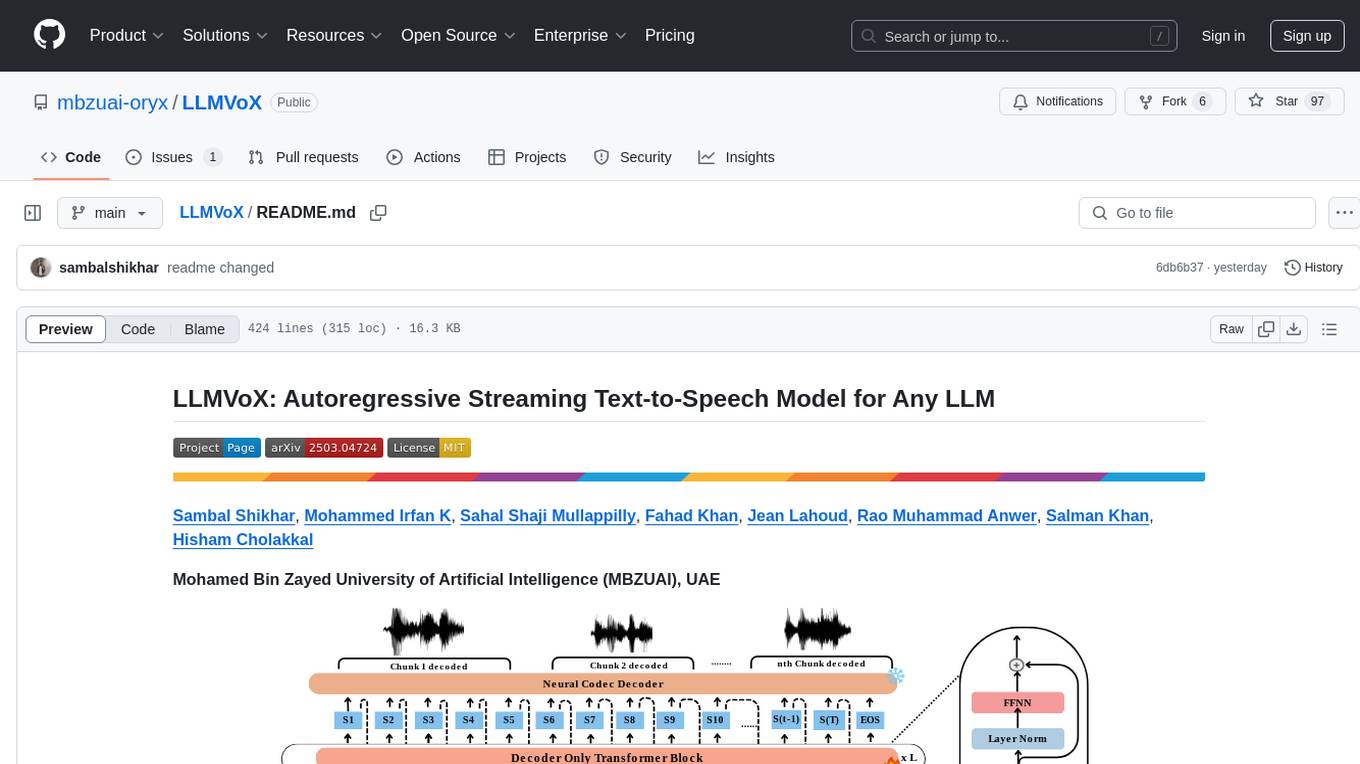
LLMVoX
LLMVoX is a lightweight 30M-parameter, LLM-agnostic, autoregressive streaming Text-to-Speech (TTS) system designed to convert text outputs from Large Language Models into high-fidelity streaming speech with low latency. It achieves significantly lower Word Error Rate compared to speech-enabled LLMs while operating at comparable latency and speech quality. Key features include being lightweight & fast with only 30M parameters, LLM-agnostic for easy integration with existing models, multi-queue streaming for continuous speech generation, and multilingual support for easy adaptation to new languages.
pixeltable
Pixeltable is a Python library designed for ML Engineers and Data Scientists to focus on exploration, modeling, and app development without the need to handle data plumbing. It provides a declarative interface for working with text, images, embeddings, and video, enabling users to store, transform, index, and iterate on data within a single table interface. Pixeltable is persistent, acting as a database unlike in-memory Python libraries such as Pandas. It offers features like data storage and versioning, combined data and model lineage, indexing, orchestration of multimodal workloads, incremental updates, and automatic production-ready code generation. The tool emphasizes transparency, reproducibility, cost-saving through incremental data changes, and seamless integration with existing Python code and libraries.
cellseg_models.pytorch
cellseg-models.pytorch is a Python library built upon PyTorch for 2D cell/nuclei instance segmentation models. It provides multi-task encoder-decoder architectures and post-processing methods for segmenting cell/nuclei instances. The library offers high-level API to define segmentation models, open-source datasets for training, flexibility to modify model components, sliding window inference, multi-GPU inference, benchmarking utilities, regularization techniques, and example notebooks for training and finetuning models with different backbones.
hezar
Hezar is an all-in-one AI library designed specifically for the Persian community. It brings together various AI models and tools, making it easy to use AI with just a few lines of code. The library seamlessly integrates with Hugging Face Hub, offering a developer-friendly interface and task-based model interface. In addition to models, Hezar provides tools like word embeddings, tokenizers, feature extractors, and more. It also includes supplementary ML tools for deployment, benchmarking, and optimization.
openvino.genai
The GenAI repository contains pipelines that implement image and text generation tasks. The implementation uses OpenVINO capabilities to optimize the pipelines. Each sample covers a family of models and suggests certain modifications to adapt the code to specific needs. It includes the following pipelines: 1. Benchmarking script for large language models 2. Text generation C++ samples that support most popular models like LLaMA 2 3. Stable Diffuison (with LoRA) C++ image generation pipeline 4. Latent Consistency Model (with LoRA) C++ image generation pipeline
Scrapegraph-ai
ScrapeGraphAI is a Python library that uses Large Language Models (LLMs) and direct graph logic to create web scraping pipelines for websites, documents, and XML files. It allows users to extract specific information from web pages by providing a prompt describing the desired data. ScrapeGraphAI supports various LLMs, including Ollama, OpenAI, Gemini, and Docker, enabling users to choose the most suitable model for their needs. The library provides a user-friendly interface through its `SmartScraper` class, which simplifies the process of building and executing scraping pipelines. ScrapeGraphAI is open-source and available on GitHub, with extensive documentation and examples to guide users. It is particularly useful for researchers and data scientists who need to extract structured data from web pages for analysis and exploration.
pycm
PyCM is a Python library for multi-class confusion matrices, providing support for input data vectors and direct matrices. It is a comprehensive tool for post-classification model evaluation, offering a wide range of metrics for predictive models and accurate evaluation of various classifiers. PyCM is designed for data scientists who require diverse metrics for their models.
candle-vllm
Candle-vllm is an efficient and easy-to-use platform designed for inference and serving local LLMs, featuring an OpenAI compatible API server. It offers a highly extensible trait-based system for rapid implementation of new module pipelines, streaming support in generation, efficient management of key-value cache with PagedAttention, and continuous batching. The tool supports chat serving for various models and provides a seamless experience for users to interact with LLMs through different interfaces.
For similar tasks
mLLMCelltype
mLLMCelltype is a multi-LLM consensus framework for automated cell type annotation in single-cell RNA sequencing (scRNA-seq) data. The tool integrates multiple large language models to improve annotation accuracy through consensus-based predictions. It offers advantages over single-model approaches by combining predictions from models like OpenAI GPT-5.2, Anthropic Claude-4.6/4.5, Google Gemini-3, and others. Researchers can incorporate mLLMCelltype into existing workflows without the need for reference datasets.
For similar jobs
NoLabs
NoLabs is an open-source biolab that provides easy access to state-of-the-art models for bio research. It supports various tasks, including drug discovery, protein analysis, and small molecule design. NoLabs aims to accelerate bio research by making inference models accessible to everyone.
OpenCRISPR
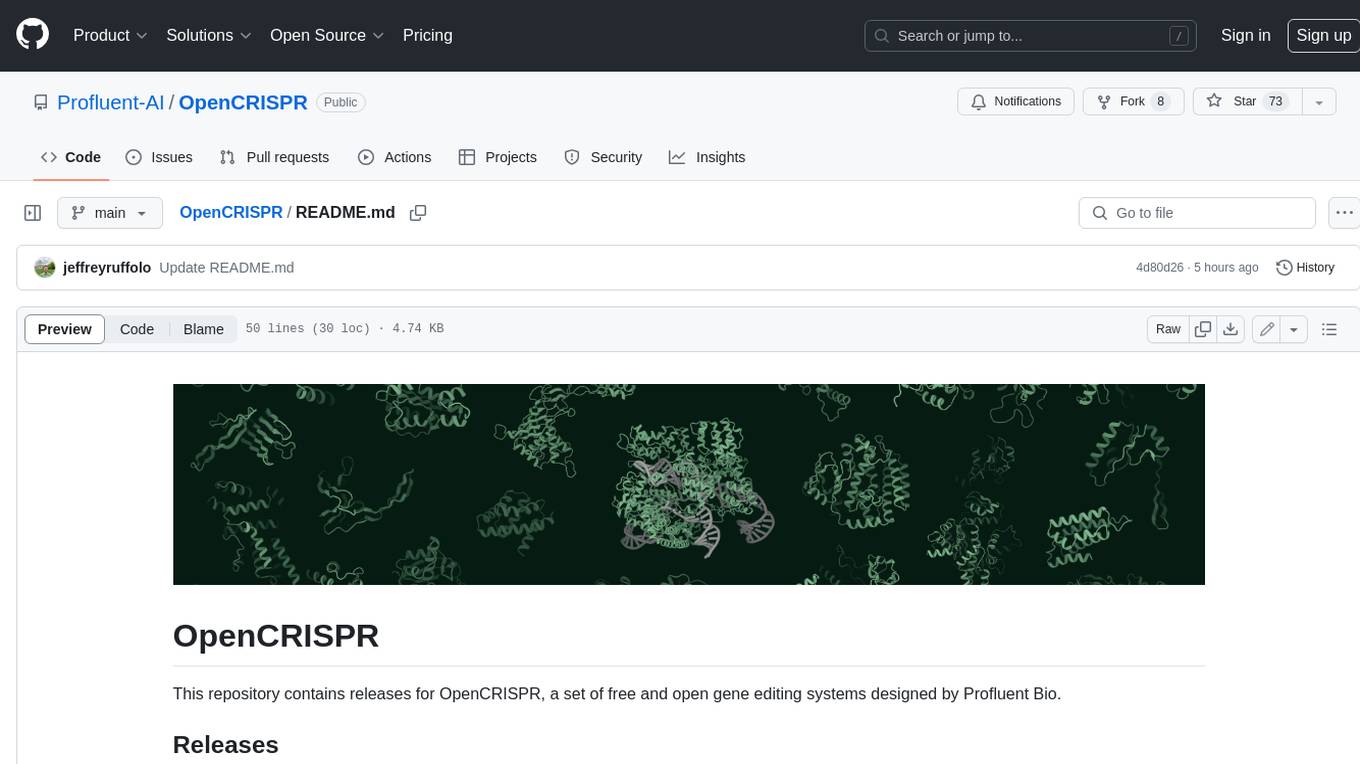
OpenCRISPR is a set of free and open gene editing systems designed by Profluent Bio. The OpenCRISPR-1 protein maintains the prototypical architecture of a Type II Cas9 nuclease but is hundreds of mutations away from SpCas9 or any other known natural CRISPR-associated protein. You can view OpenCRISPR-1 as a drop-in replacement for many protocols that need a cas9-like protein with an NGG PAM and you can even use it with canonical SpCas9 gRNAs. OpenCRISPR-1 can be fused in a deactivated or nickase format for next generation gene editing techniques like base, prime, or epigenome editing.
ersilia
The Ersilia Model Hub is a unified platform of pre-trained AI/ML models dedicated to infectious and neglected disease research. It offers an open-source, low-code solution that provides seamless access to AI/ML models for drug discovery. Models housed in the hub come from two sources: published models from literature (with due third-party acknowledgment) and custom models developed by the Ersilia team or contributors.
ontogpt
OntoGPT is a Python package for extracting structured information from text using large language models, instruction prompts, and ontology-based grounding. It provides a command line interface and a minimal web app for easy usage. The tool has been evaluated on test data and is used in related projects like TALISMAN for gene set analysis. OntoGPT enables users to extract information from text by specifying relevant terms and provides the extracted objects as output.
bia-bob
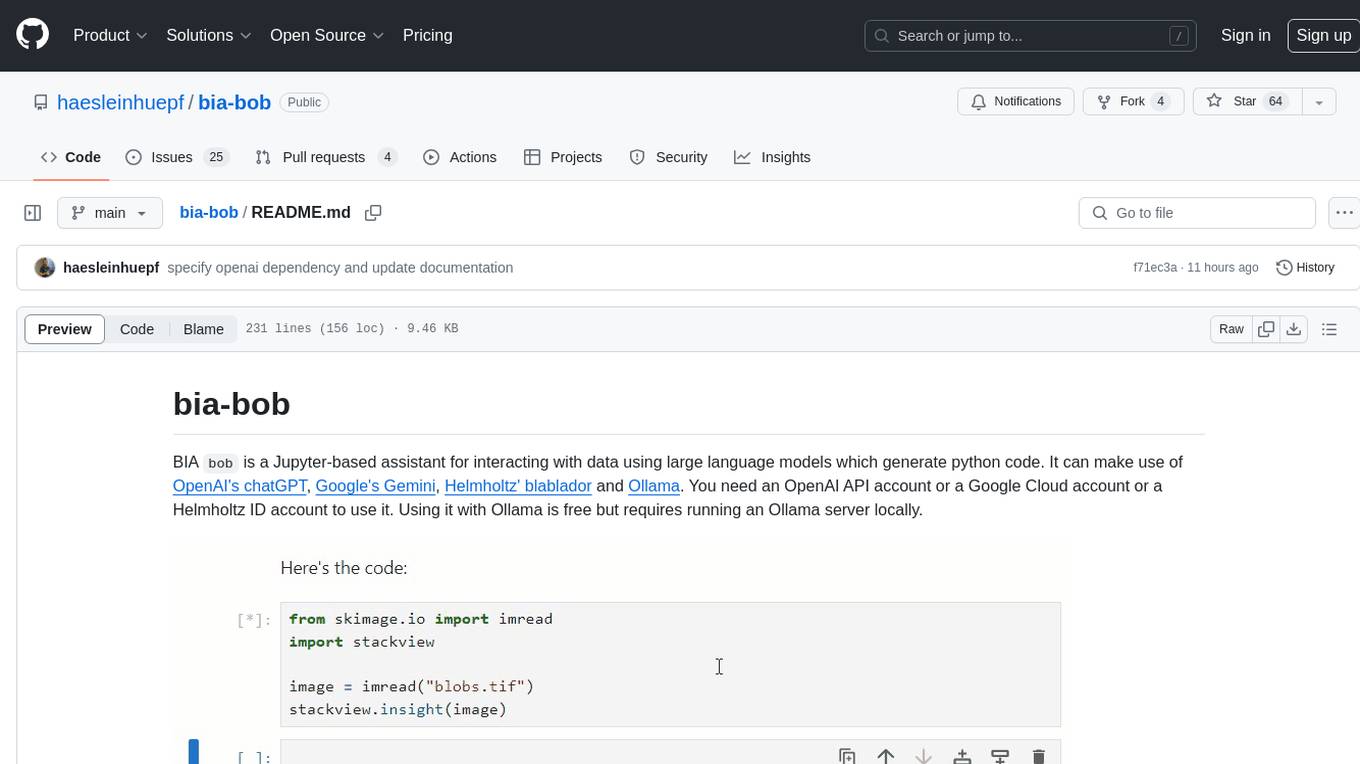
BIA `bob` is a Jupyter-based assistant for interacting with data using large language models to generate Python code. It can utilize OpenAI's chatGPT, Google's Gemini, Helmholtz' blablador, and Ollama. Users need respective accounts to access these services. Bob can assist in code generation, bug fixing, code documentation, GPU-acceleration, and offers a no-code custom Jupyter Kernel. It provides example notebooks for various tasks like bio-image analysis, model selection, and bug fixing. Installation is recommended via conda/mamba environment. Custom endpoints like blablador and ollama can be used. Google Cloud AI API integration is also supported. The tool is extensible for Python libraries to enhance Bob's functionality.
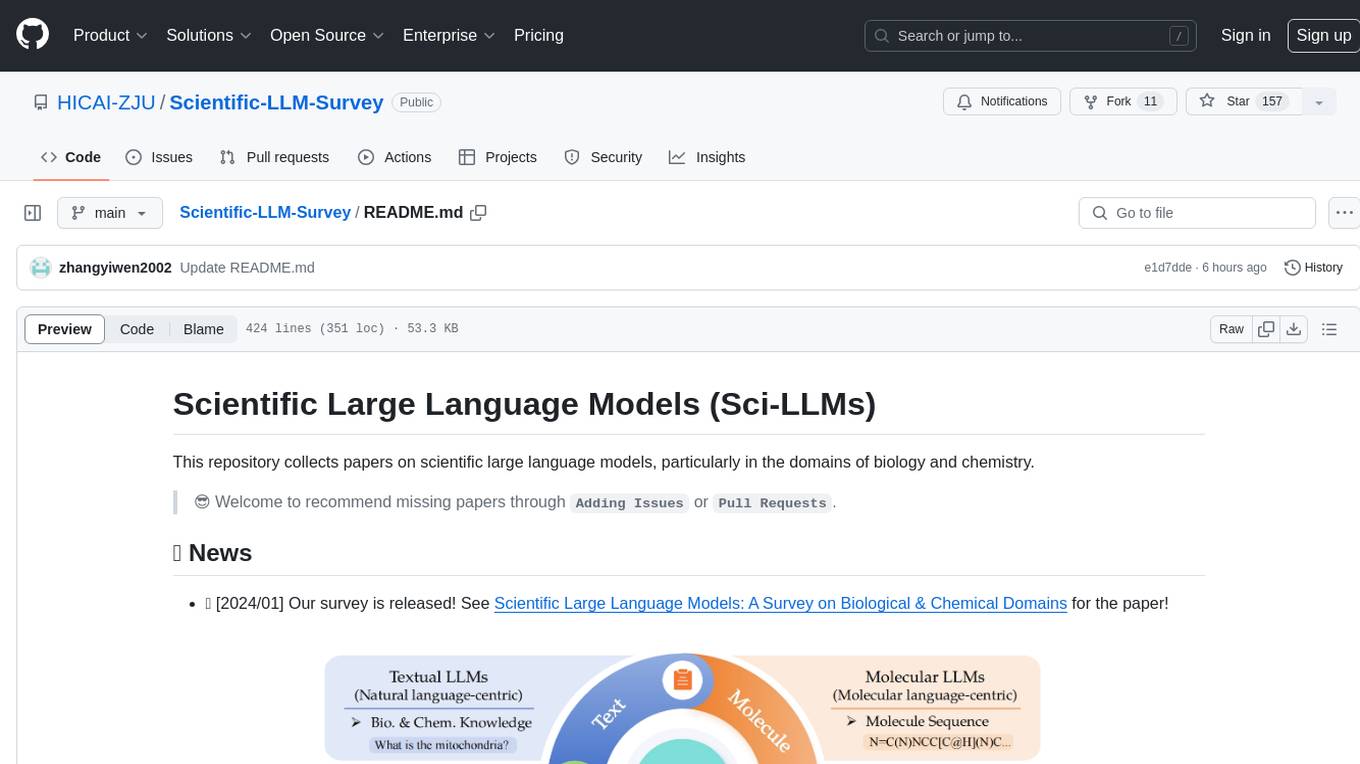
Scientific-LLM-Survey
Scientific Large Language Models (Sci-LLMs) is a repository that collects papers on scientific large language models, focusing on biology and chemistry domains. It includes textual, molecular, protein, and genomic languages, as well as multimodal language. The repository covers various large language models for tasks such as molecule property prediction, interaction prediction, protein sequence representation, protein sequence generation/design, DNA-protein interaction prediction, and RNA prediction. It also provides datasets and benchmarks for evaluating these models. The repository aims to facilitate research and development in the field of scientific language modeling.
polaris
Polaris establishes a novel, industry‑certified standard to foster the development of impactful methods in AI-based drug discovery. This library is a Python client to interact with the Polaris Hub. It allows you to download Polaris datasets and benchmarks, evaluate a custom method against a Polaris benchmark, and create and upload new datasets and benchmarks.
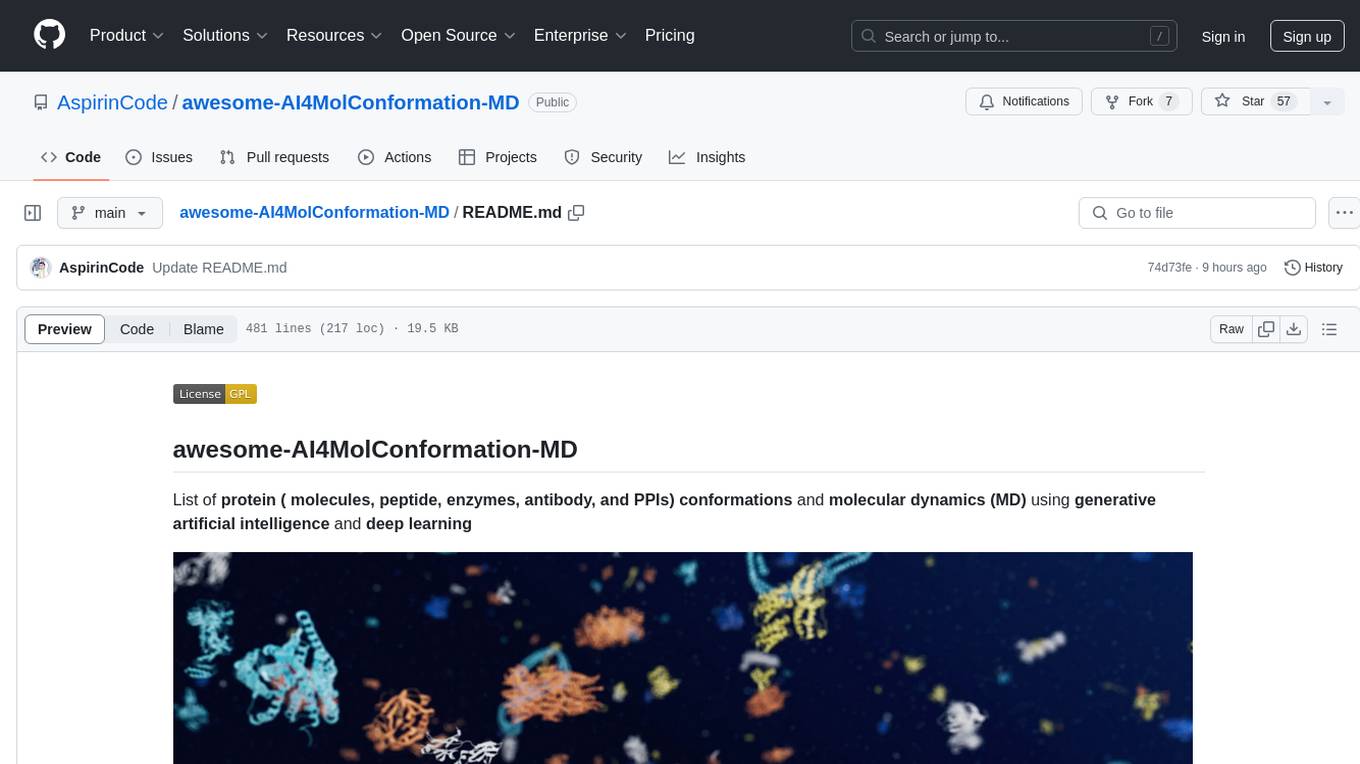
awesome-AI4MolConformation-MD
The 'awesome-AI4MolConformation-MD' repository focuses on protein conformations and molecular dynamics using generative artificial intelligence and deep learning. It provides resources, reviews, datasets, packages, and tools related to AI-driven molecular dynamics simulations. The repository covers a wide range of topics such as neural networks potentials, force fields, AI engines/frameworks, trajectory analysis, visualization tools, and various AI-based models for protein conformational sampling. It serves as a comprehensive guide for researchers and practitioners interested in leveraging AI for studying molecular structures and dynamics.