


agent-deck
Terminal session manager for AI coding agents. One TUI for Claude, Gemini, OpenCode, Codex, and more.
Stars: 1023
Agent Deck is a mission control tool for managing multiple AI coding agents in one terminal. It provides complete visibility of running, waiting, or idle agents, allows quick switching between sessions, and offers features like forking sessions, MCP manager for server attachment, skills manager for Claude skills, MCP socket pooling, search functionality, notification bar, git worktrees for multiple agents working on the same repo, and conductors for monitoring and orchestrating sessions. It supports various AI tools like Claude Code, Gemini CLI, OpenCode, Codex, Cursor, and custom tools. Agent Deck is designed to enhance AI session management beyond what tmux offers, with smart status detection, session forking, MCP management, global search, and organized groups.
README:








Ask AI about Agent Deck
Option 1: Claude Code Skill (recommended for Claude Code users)
/plugin marketplace add asheshgoplani/agent-deck
/plugin install agent-deck@agent-deck-help
Then ask: "How do I set up MCP pooling?"
Option 2: OpenCode (has built-in Claude skill compatibility)
# Create skill directory
mkdir -p ~/.claude/skills/agent-deck/references

# Download skill and references
curl -sL https://raw.githubusercontent.com/asheshgoplani/agent-deck/main/skills/agent-deck/SKILL.md \
  > ~/.claude/skills/agent-deck/SKILL.md
for f in cli-reference config-reference tui-reference troubleshooting; do
  curl -sL "https://raw.githubusercontent.com/asheshgoplani/agent-deck/main/skills/agent-deck/references/${f}.md" \
    > ~/.claude/skills/agent-deck/references/${f}.md
done
OpenCode will auto-discover the skill from ~/.claude/skills/.
Option 3: Any LLM (ChatGPT, Claude, Gemini, etc.)
Read https://raw.githubusercontent.com/asheshgoplani/agent-deck/main/llms-full.txt
and answer: How do I fork a session?
https://github.com/user-attachments/assets/e4f55917-435c-45ba-92cc-89737d0d1401
Running Claude Code on 10 projects? OpenCode on 5 more? Another agent somewhere in the background?
Managing multiple AI sessions gets messy fast. Too many terminal tabs. Hard to track what's running, what's waiting, what's done. Switching between projects means hunting through windows.
Agent Deck is mission control for your AI coding agents.
One terminal. All your agents. Complete visibility.
- See everything at a glance — running, waiting, or idle status for every agent instantly
- Switch in milliseconds — jump between any session with a single keystroke
- Stay organized — groups, search, notifications, and git worktrees keep everything manageable
Try different approaches without losing context. Fork any Claude conversation instantly. Each fork inherits the full conversation history.
- Press
ffor quick fork,Fto customize name/group - Fork your forks to explore as many branches as you need
Attach MCP servers without touching config files. Need web search? Browser automation? Toggle them on per project or globally. Agent Deck handles the restart automatically.
- Press
mto open,Spaceto toggle,Tabto cycle scope (LOCAL/GLOBAL), type to jump - Define your MCPs once in
~/.agent-deck/config.toml, then toggle per session — see Configuration Reference
Attach/detach Claude skills per project with a managed pool workflow.
- Press
sto open Skills Manager for a Claude session - Available list is pool-only (
~/.agent-deck/skills/pool) to keep attach/detach deterministic - Apply writes project state to
.agent-deck/skills.tomland materializes into.claude/skills - Type-to-jump is supported in the dialog (same pattern as MCP Manager)
Running many sessions? Socket pooling shares MCP processes across all sessions via Unix sockets, reducing MCP memory usage by 85-90%. Connections auto-recover from MCP crashes in ~3 seconds via a reconnecting proxy. Enable with pool_all = true in config.toml.
Press / to fuzzy-search across all sessions. Filter by status with ! (running), @ (waiting), # (idle), $ (error). Press G for global search across all Claude conversations.
Smart polling detects what every agent is doing right now:
| Status | Symbol | What It Means |
|---|---|---|
| Running |
● green |
Agent is actively working |
| Waiting |
◐ yellow |
Needs your input |
| Idle |
○ gray |
Ready for commands |
| Error |
✕ red |
Something went wrong |
Waiting sessions appear right in your tmux status bar. Press Ctrl+b, release, then press 1–6 to jump directly to them.
⚡ [1] frontend [2] api [3] backend
Multiple agents can work on the same repo without conflicts. Each worktree is an isolated working directory with its own branch.
-
agent-deck add . -c claude --worktree feature/a --new-branchcreates a session in a new worktree -
agent-deck add . --worktree feature/b -b --location subdirectoryplaces the worktree under.worktrees/inside the repo -
agent-deck worktree finish "My Session"merges the branch, removes the worktree, and deletes the session -
agent-deck worktree cleanupfinds and removes orphaned worktrees
Configure the default worktree location in ~/.agent-deck/config.toml:
[worktree]
default_location = "subdirectory"  # "sibling" (default), "subdirectory", or a custom path
sibling creates worktrees next to the repo (repo-branch). subdirectory creates them inside it (repo/.worktrees/branch). A custom path like ~/worktrees or /tmp/worktrees creates repo-namespaced worktrees at <path>/<repo_name>/<branch>. The --location flag overrides the config per session.
Conductors are persistent Claude Code sessions that monitor and orchestrate all your other sessions. They watch for sessions that need help, auto-respond when confident, and escalate to you when they can't. Optionally connect Telegram and/or Slack for remote control.
Create as many conductors as you need per profile:
# First-time setup (asks about Telegram/Slack, then creates the conductor)
agent-deck -p work conductor setup ops --description "Ops monitor"

# Add more conductors to the same profile (no prompts)
agent-deck -p work conductor setup infra --description "Infra watcher"
agent-deck conductor setup personal --description "Personal project monitor"
Each conductor gets its own directory, identity, and settings:
~/.agent-deck/conductor/
├── CLAUDE.md           # Shared knowledge (CLI ref, protocols, rules)
├── bridge.py           # Bridge daemon (Telegram/Slack, if configured)
├── ops/
│   ├── CLAUDE.md       # Identity: "You are ops, a conductor for the work profile"
│   ├── meta.json       # Config: name, profile, description
│   ├── state.json      # Runtime state
│   └── task-log.md     # Action log
└── infra/
    ├── CLAUDE.md
    └── meta.json
CLI commands:
agent-deck conductor list                    # List all conductors
agent-deck conductor list --profile work     # Filter by profile
agent-deck conductor status                  # Health check (all)
agent-deck conductor status ops              # Health check (specific)
agent-deck conductor teardown ops            # Stop a conductor
agent-deck conductor teardown --all --remove # Remove everything
Telegram bridge (optional): Connect a Telegram bot for mobile monitoring. The bridge routes messages to specific conductors using a name: message prefix:
ops: check the frontend session      → routes to conductor-ops
infra: restart all error sessions    → routes to conductor-infra
/status                              → aggregated status across all profiles
Slack bridge (optional): Connect a Slack bot for channel-based monitoring via Socket Mode. The bot listens in a dedicated channel and replies in threads to keep the channel clean. Uses the same name: message routing, plus slash commands:
ops: check the frontend session      → routes to conductor-ops (reply in thread)
/ad-status                           → aggregated status across all profiles
/ad-sessions                         → list all sessions
/ad-restart [name]                   → restart a conductor
/ad-help                             → list available commands
Slack setup
- Create a Slack app at api.slack.com/apps
- Enable Socket Mode → generate an app-level token (
xapp-...) - Under OAuth & Permissions, add bot scopes:
chat:write,channels:history,channels:read,app_mentions:read - Under Event Subscriptions, subscribe to bot events:
message.channels,app_mention - If using slash commands, create:
/ad-status,/ad-sessions,/ad-restart,/ad-help - Install the app to your workspace
- Invite the bot to your channel (
/invite @botname) - Run
agent-deck conductor setup <name>and enter your bot token (xoxb-...), app token (xapp-...), and channel ID (C01234...)
Both Telegram and Slack can run simultaneously — the bridge daemon handles both concurrently and relays responses on-demand, plus periodic heartbeat alerts to configured platforms.
Heartbeat-driven monitoring: Conductors are nudged every configured interval (default 15 minutes). If a conductor response includes NEED:, the bridge forwards that alert to Telegram and/or Slack.
Agent Deck works with any terminal-based AI tool:
| Tool | Integration Level |
|---|---|
| Claude Code | Full (status, MCP, fork, resume) |
| Gemini CLI | Full (status, MCP, resume) |
| OpenCode | Status detection, organization |
| Codex | Status detection, organization |
| Cursor (terminal) | Status detection, organization |
| Custom tools | Configurable via [tools.*] in config.toml |
Works on: macOS, Linux, Windows (WSL)
curl -fsSL https://raw.githubusercontent.com/asheshgoplani/agent-deck/main/install.sh | bashThen run: agent-deck
Other install methods
Homebrew
brew install asheshgoplani/tap/agent-deckGo
go install github.com/asheshgoplani/agent-deck/cmd/agent-deck@latestFrom Source
git clone https://github.com/asheshgoplani/agent-deck.git && cd agent-deck && make installInstall the agent-deck skill for AI-assisted session management:
/plugin marketplace add asheshgoplani/agent-deck
/plugin install agent-deck@agent-deck
Uninstalling
agent-deck uninstall              # Interactive uninstall
agent-deck uninstall --keep-data  # Remove binary only, keep sessions
See Troubleshooting for full details.
agent-deck                        # Launch TUI
agent-deck add . -c claude        # Add current dir with Claude
agent-deck session fork my-proj   # Fork a Claude session
agent-deck mcp attach my-proj exa # Attach MCP to session
agent-deck skill attach my-proj docs --source pool --restart # Attach skill + restart
agent-deck web # Start web UI on http://127.0.0.1:8420Open the left menu + browser terminal UI:
agent-deck webRead-only browser mode (output only):
agent-deck web --read-onlyChange the listen address (default: 127.0.0.1:8420):
agent-deck web --listen 127.0.0.1:9000Protect API + WebSocket access with a bearer token:
agent-deck web --token my-secret
# then open: http://127.0.0.1:8420/?token=my-secret| Key | Action |
|---|---|
Enter |
Attach to session |
n |
New session |
f / F
|
Fork (quick / dialog) |
m |
MCP Manager |
s |
Skills Manager (Claude) |
M |
Move session to group |
S |
Settings |
/ / G
|
Search / Global search |
r |
Restart session |
d |
Delete |
? |
Full help |
See TUI Reference for all shortcuts and CLI Reference for all commands.
| Guide | What's Inside |
|---|---|
| CLI Reference | Commands, flags, scripting examples |
| Configuration | config.toml, MCP setup, custom tools, socket pool, skills registry paths |
| TUI Reference | Keyboard shortcuts, status indicators, navigation |
| Troubleshooting | Common issues, debugging, recovery, uninstalling |
Additional resources:
- CONTRIBUTING.md — how to contribute
- CHANGELOG.md — release history
- llms-full.txt — full context for LLMs
Agent Deck checks for updates automatically. Run agent-deck update to install, or set auto_update = true in config.toml for automatic updates.
How is this different from just using tmux?
Agent Deck adds AI-specific intelligence on top of tmux: smart status detection (knows when Claude is thinking vs. waiting), session forking with context inheritance, MCP management, global search across conversations, and organized groups. Think of it as tmux plus AI awareness.
Can I use it on Windows?
Yes, via WSL (Windows Subsystem for Linux). Install WSL, then run the installer inside WSL. WSL2 is recommended for full feature support including MCP socket pooling.
Can I use different Claude accounts/configs per profile?
Yes. Set a global Claude config dir, then add optional per-profile overrides in ~/.agent-deck/config.toml:
[claude]
config_dir = "~/.claude"             # Global default

[profiles.work.claude]
config_dir = "~/.claude-work"        # Work account
Run with the target profile:
agent-deck -p workYou can verify which Claude config path is active with:
agent-deck hooks status
agent-deck hooks status -p work
See Configuration Reference for full details.
Will it interfere with my existing tmux setup?
No. Agent Deck creates its own tmux sessions with the prefix agentdeck_*. Your existing sessions are untouched. The installer backs up your ~/.tmux.conf before adding optional config, and you can skip it with --skip-tmux-config.
make build    # Build
make test     # Test
make lint     # Lint
See CONTRIBUTING.md for details.
If Agent Deck saves you time, give us a star! It helps others discover the project.
MIT License — see LICENSE
Built with Bubble Tea and tmux
Docs . Discord . Issues . Discussions
For Tasks:
Click tags to check more tools for each tasksFor Jobs:
Alternative AI tools for agent-deck
Similar Open Source Tools
agent-deck
Agent Deck is a mission control tool for managing multiple AI coding agents in one terminal. It provides complete visibility of running, waiting, or idle agents, allows quick switching between sessions, and offers features like forking sessions, MCP manager for server attachment, skills manager for Claude skills, MCP socket pooling, search functionality, notification bar, git worktrees for multiple agents working on the same repo, and conductors for monitoring and orchestrating sessions. It supports various AI tools like Claude Code, Gemini CLI, OpenCode, Codex, Cursor, and custom tools. Agent Deck is designed to enhance AI session management beyond what tmux offers, with smart status detection, session forking, MCP management, global search, and organized groups.
nosia
Nosia is a self-hosted AI RAG + MCP platform that allows users to run AI models on their own data with complete privacy and control. It integrates the Model Context Protocol (MCP) to connect AI models with external tools, services, and data sources. The platform is designed to be easy to install and use, providing OpenAI-compatible APIs that work seamlessly with existing AI applications. Users can augment AI responses with their documents, perform real-time streaming, support multi-format data, enable semantic search, and achieve easy deployment with Docker Compose. Nosia also offers multi-tenancy for secure data separation.
openclaw-android
OpenClaw on Android is a project that enables running an OpenClaw server on Android devices, providing a lightweight, low-power, and secure solution for hosting a server. The project eliminates the need for a Linux installation by patching compatibility issues directly, allowing OpenClaw to run in pure Termux. It offers a step-by-step setup guide, including enabling developer options, installing Termux, setting up OpenClaw, and accessing the dashboard from a PC. Additionally, the project includes compatibility patches for popular AI CLI tools like Claude Code, Gemini CLI, and Codex CLI, enabling users to install and run these tools on their Android devices. The project also provides an update mechanism and an uninstall script for easy removal.
Unity-MCP
Unity-MCP is an AI helper designed for game developers using Unity. It facilitates a wide range of tasks in Unity Editor and running games on any platform by connecting to AI via TCP connection. The tool allows users to chat with AI like with a human, supports local and remote usage, and offers various default AI tools. Users can provide detailed information for classes, fields, properties, and methods using the 'Description' attribute in C# code. Unity-MCP enables instant C# code compilation and execution, provides access to assets and C# scripts, and offers tools for proper issue understanding and project data manipulation. It also allows users to find and call methods in the codebase, work with Unity API, and access human-readable descriptions of code elements.

LEANN
LEANN is an innovative vector database that democratizes personal AI, transforming your laptop into a powerful RAG system that can index and search through millions of documents using 97% less storage than traditional solutions without accuracy loss. It achieves this through graph-based selective recomputation and high-degree preserving pruning, computing embeddings on-demand instead of storing them all. LEANN allows semantic search of file system, emails, browser history, chat history, codebase, or external knowledge bases on your laptop with zero cloud costs and complete privacy. It is a drop-in semantic search MCP service fully compatible with Claude Code, enabling intelligent retrieval without changing your workflow.
uLoopMCP
uLoopMCP is a Unity integration tool designed to let AI drive your Unity project forward with minimal human intervention. It provides a 'self-hosted development loop' where an AI can compile, run tests, inspect logs, and fix issues using tools like compile, run-tests, get-logs, and clear-console. It also allows AI to operate the Unity Editor itself—creating objects, calling menu items, inspecting scenes, and refining UI layouts from screenshots via tools like execute-dynamic-code, execute-menu-item, and capture-window. The tool enables AI-driven development loops to run autonomously inside existing Unity projects.
RepairAgent
RepairAgent is an autonomous LLM-based agent for automated program repair targeting the Defects4J benchmark. It uses an LLM-driven loop to localize, analyze, and fix Java bugs. The tool requires Docker, VS Code with Dev Containers extension, OpenAI API key, disk space of ~40 GB, and internet access. Users can get started with RepairAgent using either VS Code Dev Container or Docker Image. Running RepairAgent involves checking out the buggy project version, autonomous bug analysis, fix candidate generation, and testing against the project's test suite. Users can configure hyperparameters for budget control, repetition handling, commands limit, and external fix strategy. The tool provides output structure, experiment overview, individual analysis scripts, and data on fixed bugs from the Defects4J dataset.
open-mercato
Open Mercato is a modern, AI-supportive platform designed for shipping enterprise-grade CRMs, ERPs, and commerce backends. It offers modular architecture, custom entities, multi-tenancy, RBAC, data indexing, event workflows, and more. The tool is built with a modern stack including Next.js, TypeScript, zod, Awilix DI, MikroORM, and bcryptjs. It also features an AI Assistant for schema discovery, API execution, and hybrid search. Open Mercato provides data encryption, migration guides, Docker setups, standalone app creation, and follows a spec-driven development approach. The Enterprise Edition offers additional support, SLA options, and advanced features beyond the open-source Core version.
airunner
AI Runner is a multi-modal AI interface that allows users to run open-source large language models and AI image generators on their own hardware. The tool provides features such as voice-based chatbot conversations, text-to-speech, speech-to-text, vision-to-text, text generation with large language models, image generation capabilities, image manipulation tools, utility functions, and more. It aims to provide a stable and user-friendly experience with security updates, a new UI, and a streamlined installation process. The application is designed to run offline on users' hardware without relying on a web server, offering a smooth and responsive user experience.
cli
Entire CLI is a tool that integrates into your git workflow to capture AI agent sessions on every push. It indexes sessions alongside commits, creating a searchable record of code changes in your repository. It helps you understand why code changed, recover instantly, keep Git history clean, onboard faster, and maintain traceability. Entire offers features like enabling in your project, working with your AI agent, rewinding to a previous checkpoint, resuming a previous session, and disabling Entire. It also explains key concepts like sessions and checkpoints, how it works, strategies, Git worktrees, and concurrent sessions. The tool provides commands for cleaning up data, enabling/disabling hooks, fixing stuck sessions, explaining sessions/commits, resetting state, and showing status/version. Entire uses configuration files for project and local settings, with options for enabling/disabling Entire, setting log levels, strategy, telemetry, and auto-summarization. It supports Gemini CLI in preview alongside Claude Code.
nanocoder
Nanocoder is a versatile code editor designed for beginners and experienced programmers alike. It provides a user-friendly interface with features such as syntax highlighting, code completion, and error checking. With Nanocoder, you can easily write and debug code in various programming languages, making it an ideal tool for learning, practicing, and developing software projects. Whether you are a student, hobbyist, or professional developer, Nanocoder offers a seamless coding experience to boost your productivity and creativity.
aim
Aim is a command-line tool for downloading and uploading files with resume support. It supports various protocols including HTTP, FTP, SFTP, SSH, and S3. Aim features an interactive mode for easy navigation and selection of files, as well as the ability to share folders over HTTP for easy access from other devices. Additionally, it offers customizable progress indicators and output formats, and can be integrated with other commands through piping. Aim can be installed via pre-built binaries or by compiling from source, and is also available as a Docker image for platform-independent usage.
unity-mcp
MCP for Unity is a tool that acts as a bridge, enabling AI assistants to interact with the Unity Editor via a local MCP Client. Users can instruct their LLM to manage assets, scenes, scripts, and automate tasks within Unity. The tool offers natural language control, powerful tools for asset management, scene manipulation, and automation of workflows. It is extensible and designed to work with various MCP Clients, providing a range of functions for precise text edits, script management, GameObject operations, and more.
ragflow
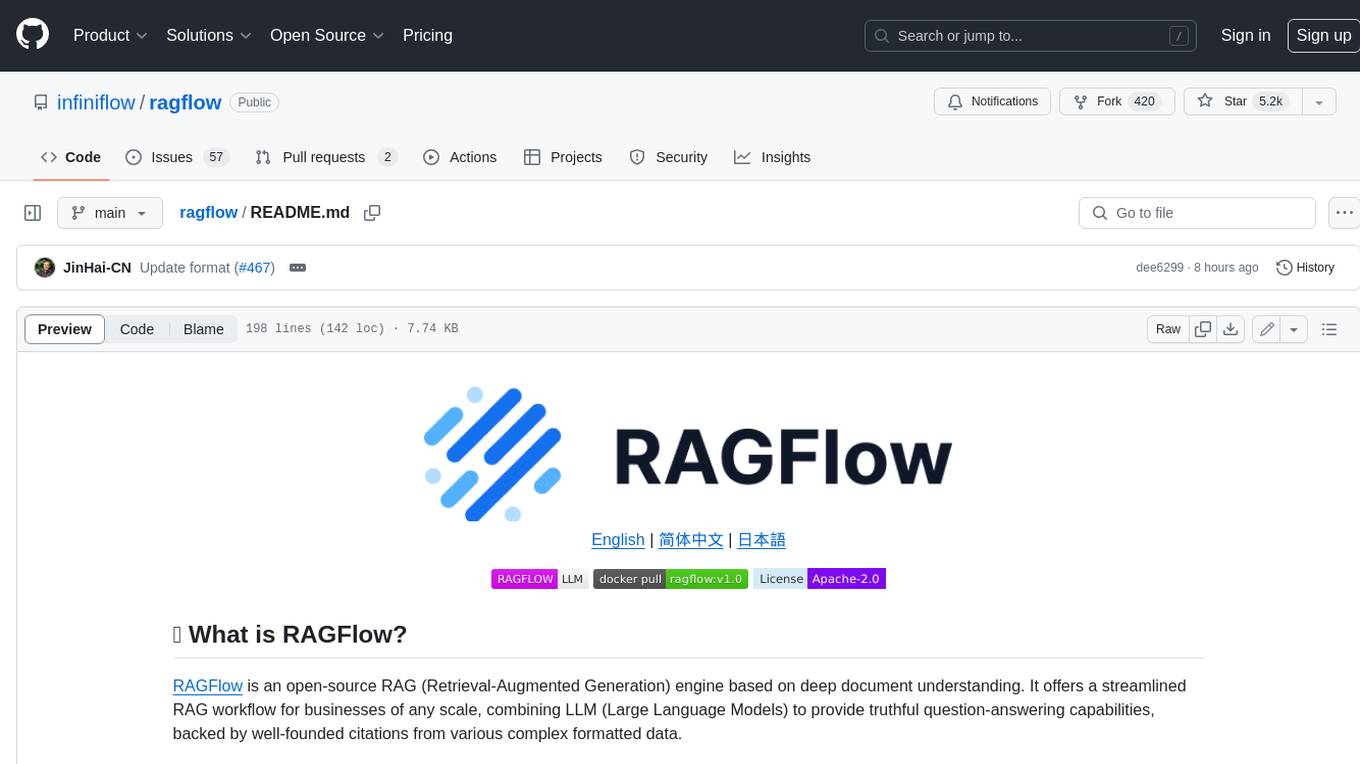
RAGFlow is an open-source Retrieval-Augmented Generation (RAG) engine that combines deep document understanding with Large Language Models (LLMs) to provide accurate question-answering capabilities. It offers a streamlined RAG workflow for businesses of all sizes, enabling them to extract knowledge from unstructured data in various formats, including Word documents, slides, Excel files, images, and more. RAGFlow's key features include deep document understanding, template-based chunking, grounded citations with reduced hallucinations, compatibility with heterogeneous data sources, and an automated and effortless RAG workflow. It supports multiple recall paired with fused re-ranking, configurable LLMs and embedding models, and intuitive APIs for seamless integration with business applications.
recommendarr
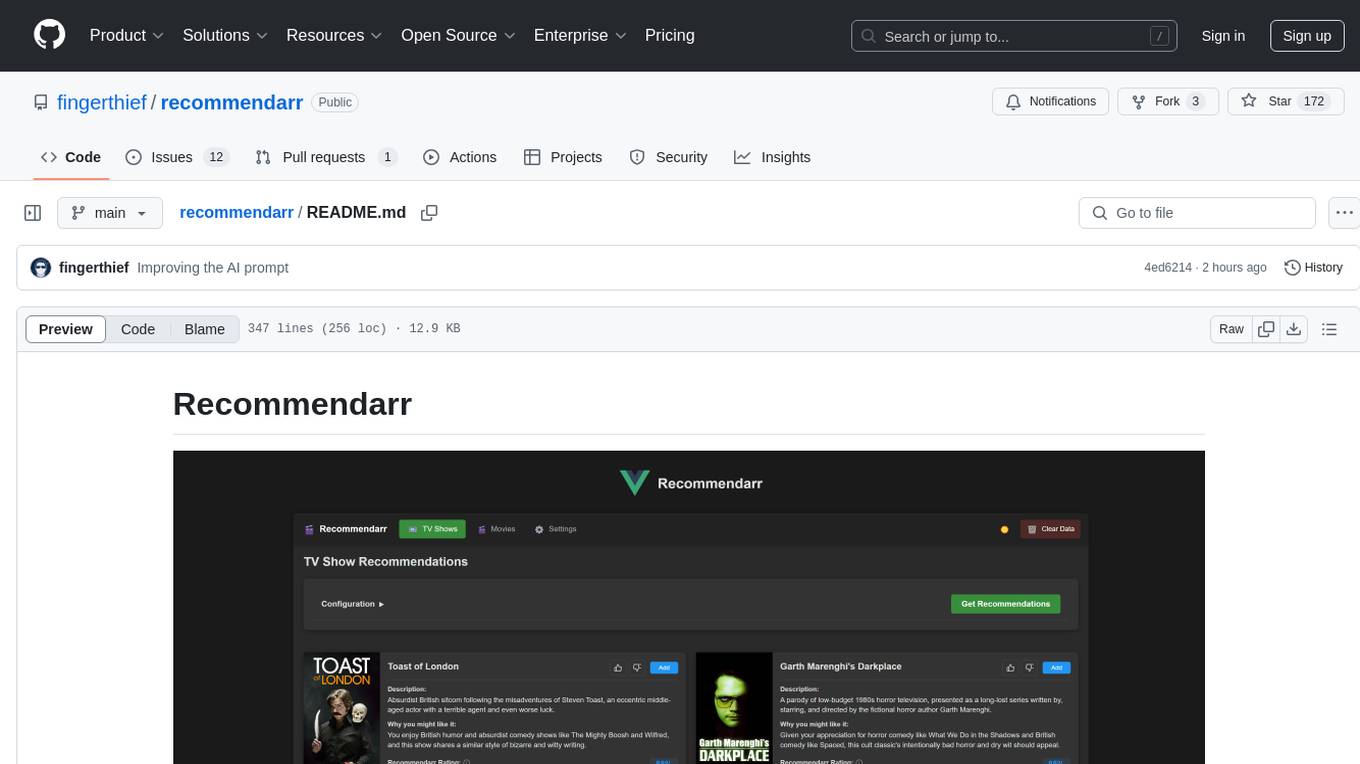
Recommendarr is a tool that generates personalized TV show and movie recommendations based on your Sonarr, Radarr, Plex, and Jellyfin libraries using AI. It offers AI-powered recommendations, media server integration, flexible AI support, watch history analysis, customization options, and dark/light mode toggle. Users can connect their media libraries and watch history services, configure AI service settings, and get personalized recommendations based on genre, language, and mood/vibe preferences. The tool works with any OpenAI-compatible API and offers various recommended models for different cost options and performance levels. It provides personalized suggestions, detailed information, filter options, watch history analysis, and one-click adding of recommended content to Sonarr/Radarr.
openai-edge-tts
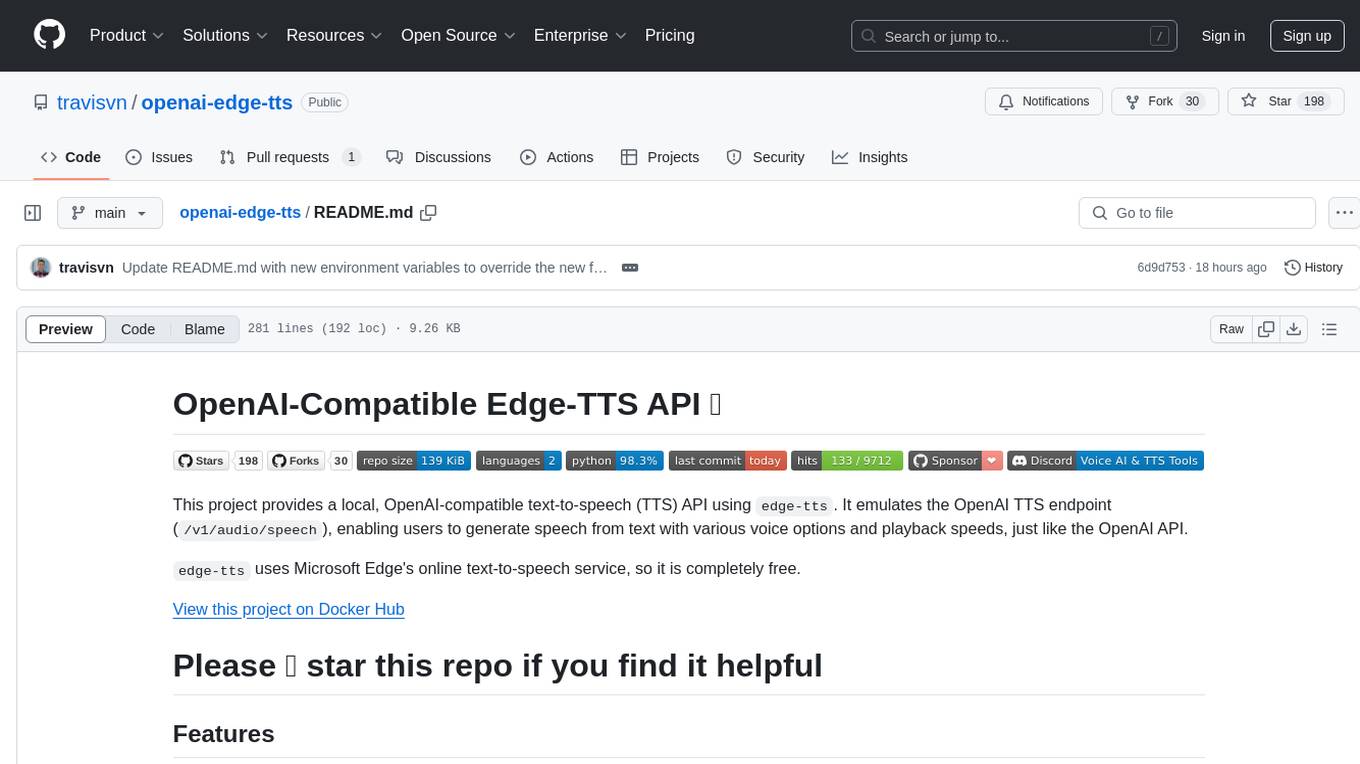
This project provides a local, OpenAI-compatible text-to-speech (TTS) API using `edge-tts`. It emulates the OpenAI TTS endpoint (`/v1/audio/speech`), enabling users to generate speech from text with various voice options and playback speeds, just like the OpenAI API. `edge-tts` uses Microsoft Edge's online text-to-speech service, making it completely free. The project supports multiple audio formats, adjustable playback speed, and voice selection options, providing a flexible and customizable TTS solution for users.
For similar tasks
agent-deck
Agent Deck is a mission control tool for managing multiple AI coding agents in one terminal. It provides complete visibility of running, waiting, or idle agents, allows quick switching between sessions, and offers features like forking sessions, MCP manager for server attachment, skills manager for Claude skills, MCP socket pooling, search functionality, notification bar, git worktrees for multiple agents working on the same repo, and conductors for monitoring and orchestrating sessions. It supports various AI tools like Claude Code, Gemini CLI, OpenCode, Codex, Cursor, and custom tools. Agent Deck is designed to enhance AI session management beyond what tmux offers, with smart status detection, session forking, MCP management, global search, and organized groups.
For similar jobs

sweep
Sweep is an AI junior developer that turns bugs and feature requests into code changes. It automatically handles developer experience improvements like adding type hints and improving test coverage.

teams-ai
The Teams AI Library is a software development kit (SDK) that helps developers create bots that can interact with Teams and Microsoft 365 applications. It is built on top of the Bot Framework SDK and simplifies the process of developing bots that interact with Teams' artificial intelligence capabilities. The SDK is available for JavaScript/TypeScript, .NET, and Python.

ai-guide
This guide is dedicated to Large Language Models (LLMs) that you can run on your home computer. It assumes your PC is a lower-end, non-gaming setup.

classifai
Supercharge WordPress Content Workflows and Engagement with Artificial Intelligence. Tap into leading cloud-based services like OpenAI, Microsoft Azure AI, Google Gemini and IBM Watson to augment your WordPress-powered websites. Publish content faster while improving SEO performance and increasing audience engagement. ClassifAI integrates Artificial Intelligence and Machine Learning technologies to lighten your workload and eliminate tedious tasks, giving you more time to create original content that matters.

chatbot-ui
Chatbot UI is an open-source AI chat app that allows users to create and deploy their own AI chatbots. It is easy to use and can be customized to fit any need. Chatbot UI is perfect for businesses, developers, and anyone who wants to create a chatbot.

BricksLLM
BricksLLM is a cloud native AI gateway written in Go. Currently, it provides native support for OpenAI, Anthropic, Azure OpenAI and vLLM. BricksLLM aims to provide enterprise level infrastructure that can power any LLM production use cases. Here are some use cases for BricksLLM: * Set LLM usage limits for users on different pricing tiers * Track LLM usage on a per user and per organization basis * Block or redact requests containing PIIs * Improve LLM reliability with failovers, retries and caching * Distribute API keys with rate limits and cost limits for internal development/production use cases * Distribute API keys with rate limits and cost limits for students

uAgents
uAgents is a Python library developed by Fetch.ai that allows for the creation of autonomous AI agents. These agents can perform various tasks on a schedule or take action on various events. uAgents are easy to create and manage, and they are connected to a fast-growing network of other uAgents. They are also secure, with cryptographically secured messages and wallets.

griptape
Griptape is a modular Python framework for building AI-powered applications that securely connect to your enterprise data and APIs. It offers developers the ability to maintain control and flexibility at every step. Griptape's core components include Structures (Agents, Pipelines, and Workflows), Tasks, Tools, Memory (Conversation Memory, Task Memory, and Meta Memory), Drivers (Prompt and Embedding Drivers, Vector Store Drivers, Image Generation Drivers, Image Query Drivers, SQL Drivers, Web Scraper Drivers, and Conversation Memory Drivers), Engines (Query Engines, Extraction Engines, Summary Engines, Image Generation Engines, and Image Query Engines), and additional components (Rulesets, Loaders, Artifacts, Chunkers, and Tokenizers). Griptape enables developers to create AI-powered applications with ease and efficiency.