


apify-mcp-server
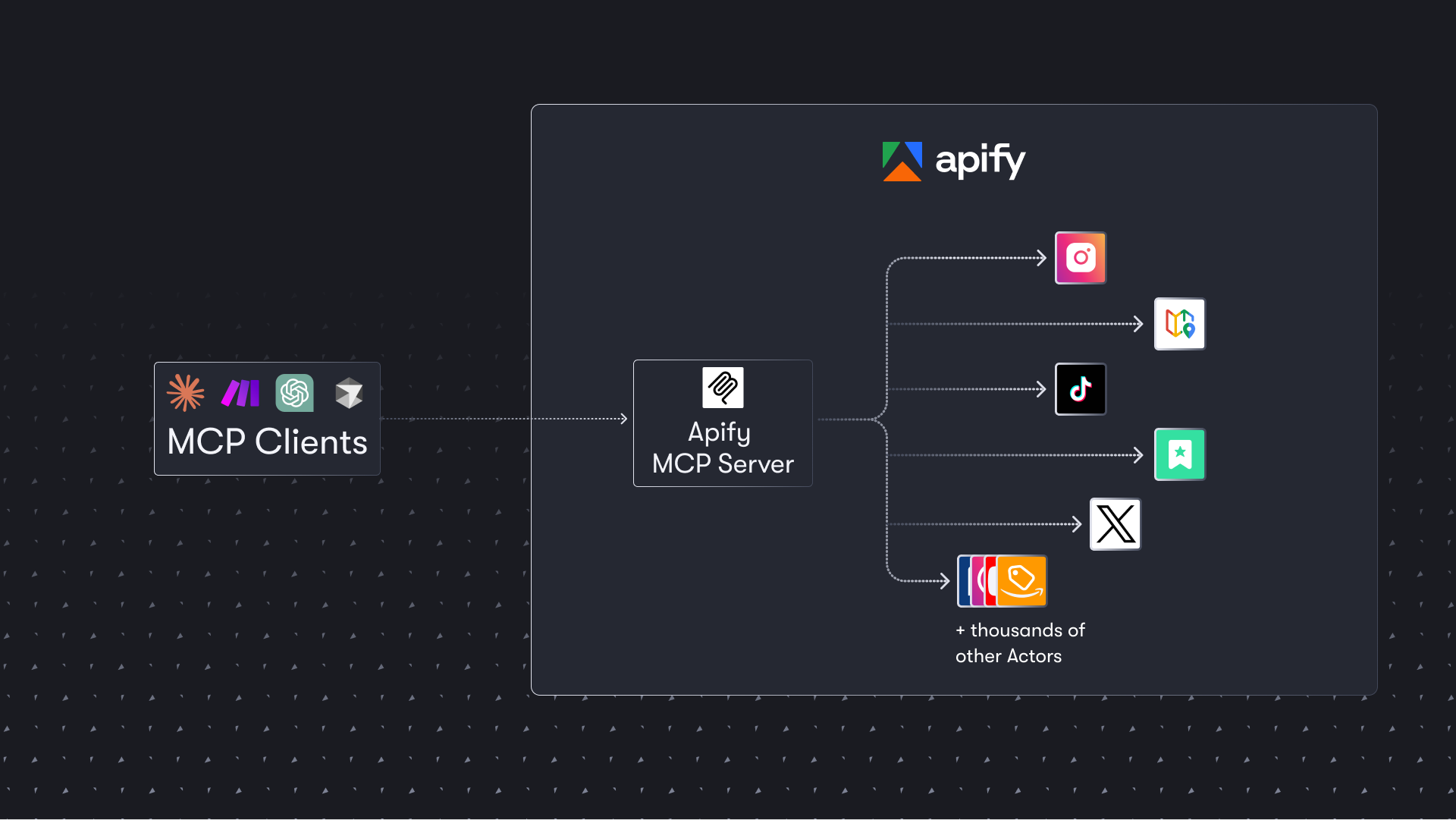
The Apify MCP server enables your AI agents to extract data from social media, search engines, maps, e-commerce sites, or any other website using thousands of ready-made scrapers, crawlers, and automation tools available on the Apify Store.
Stars: 777
The Apify MCP Server enables AI agents to extract data from various websites using ready-made scrapers and automation tools. It supports OAuth for easy connection from clients like Claude.ai or Visual Studio Code. The server also supports Skyfire agentic payments for AI agents to pay for Actor runs without an API token. Compatible with various clients adhering to the Model Context Protocol, it allows dynamic tool discovery and interaction with Apify Actors. The server provides tools for interacting with Apify Actors, dynamic tool discovery, and telemetry data collection. It offers a set of example prompts and resources for users to explore and interact with Apify through MCP.
README:



The Apify Model Context Protocol (MCP) server at mcp.apify.com enables your AI agents to extract data from social media, search engines, maps, e-commerce sites, and any other website using thousands of ready-made scrapers, crawlers, and automation tools from the Apify Store. It supports OAuth, allowing you to connect from clients like Claude.ai or Visual Studio Code using just the URL.
🚀 Use the hosted Apify MCP Server!
For the best experience, connect your AI assistant to our hosted server at
https://mcp.apify.com. The hosted server supports the latest features - including output schema inference for structured Actor results - that are not available when running locally via stdio.
💰 The server also supports Skyfire agentic payments, allowing AI agents to pay for Actor runs without an API token.
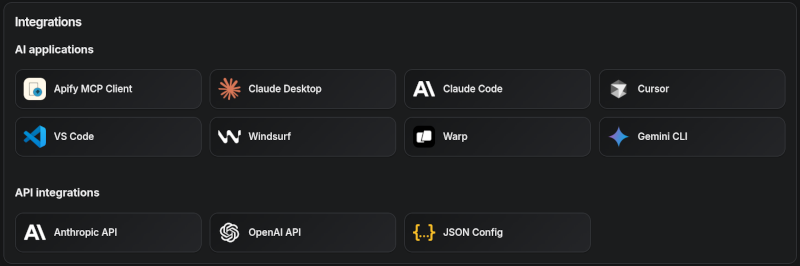
Apify MCP Server is compatible with Claude Code, Claude.ai, Cursor, VS Code and any client that adheres to the Model Context Protocol.
Check out the MCP clients section for more details or visit the MCP configuration page.
- 🌐 Introducing the Apify MCP server
- 🚀 Quickstart
⚠️ SSE transport deprecation- 🤖 MCP clients
- 🪄 Try Apify MCP instantly
- 💰 Skyfire agentic payments
- 🛠️ Tools, resources, and prompts
- 📊 Telemetry
- 🐛 Troubleshooting (local MCP server)
- ⚙️ Development
- 🤝 Contributing
- 📚 Learn more
The Apify MCP Server allows an AI assistant to use any Apify Actor as a tool to perform a specific task. For example, it can:
- Use Facebook Posts Scraper to extract data from Facebook posts from multiple pages/profiles.
- Use Google Maps Email Extractor to extract contact details from Google Maps.
- Use Google Search Results Scraper to scrape Google Search Engine Results Pages (SERPs).
- Use Instagram Scraper to scrape Instagram posts, profiles, places, photos, and comments.
- Use RAG Web Browser to search the web, scrape the top N URLs, and return their content.
Video tutorial: Integrate 8,000+ Apify Actors and Agents with Claude

You can use the Apify MCP Server in two ways:
HTTPS Endpoint (mcp.apify.com): Connect from your MCP client via OAuth or by including the Authorization: Bearer <APIFY_TOKEN> header in your requests. This is the recommended method for most use cases. Because it supports OAuth, you can connect from clients like Claude.ai or Visual Studio Code using just the URL: https://mcp.apify.com.
-
https://mcp.apify.comstreamable transport
Standard Input/Output (stdio): Ideal for local integrations and command-line tools like the Claude for Desktop client.
- Set the MCP client server command to
npx @apify/actors-mcp-serverand theAPIFY_TOKENenvironment variable to your Apify API token. - See
npx @apify/actors-mcp-server --helpfor more options.
You can find detailed instructions for setting up the MCP server in the Apify documentation.
Update your MCP client config before April 1, 2026. The Apify MCP server is dropping Server-Sent Events (SSE) transport in favor of Streamable HTTP, in line with the official MCP spec.
Go to mcp.apify.com to update the installation for your client of choice, with a valid endpoint.
Apify MCP Server is compatible with any MCP client that adheres to the Model Context Protocol, but the level of support for dynamic tool discovery and other features may vary between clients.
To interact with the Apify MCP server, you can use clients such as: Claude Desktop, Visual Studio Code, or Apify Tester MCP Client.
Visit mcp.apify.com to configure the server for your preferred client.
The following table outlines the tested MCP clients and their level of support for key features.
| Client | Dynamic Tool Discovery | Notes |
|---|---|---|
| Claude.ai (web) | 🟡 Partial | Tools mey need to be reloaded manually in the client |
| Claude Desktop | 🟡 Partial | Tools may need to be reloaded manually in the client |
| VS Code (Genie) | ✅ Full | |
| Cursor | ✅ Full | |
| Apify Tester MCP Client | ✅ Full | Designed for testing Apify MCP servers |
| OpenCode | ✅ Full |
Smart tool selection based on client capabilities:
When the actors tool category is requested, the server intelligently selects the most appropriate Actor-related tools based on the client's capabilities:
-
Clients with dynamic tool support (e.g., Claude.ai web, VS Code Genie): The server provides the
add-actortool instead ofcall-actor. This allows for a better user experience where users can dynamically discover and add new Actors as tools during their conversation. -
Clients with limited dynamic tool support (e.g., Claude Desktop): The server provides the standard
call-actortool along with other Actor category tools, ensuring compatibility while maintaining functionality.
Want to try Apify MCP without any setup?
Check out Apify Tester MCP Client
This interactive, chat-like interface provides an easy way to explore the capabilities of Apify MCP without any local setup. Just sign in with your Apify account and start experimenting with web scraping, data extraction, and automation tools!
Or use the MCP bundle file (formerly known as Anthropic Desktop extension file, or DXT) for one-click installation: Apify MCP server MCPB file
The Apify MCP Server integrates with Skyfire to enable agentic payments - AI agents can autonomously pay for Actor runs without requiring an Apify API token. Instead of authenticating with APIFY_TOKEN, the agent uses Skyfire PAY tokens to cover billing for each tool call.
Prerequisites:
- A Skyfire account with a funded wallet
- An MCP client that supports multiple servers (e.g., Claude Desktop, OpenCode, VS Code)
Setup:
Configure both the Skyfire MCP server and the Apify MCP server in your MCP client. Enable payment mode by adding the payment=skyfire query parameter to the Apify server URL:
{
  "mcpServers": {
    "skyfire": {
      "url": "https://api.skyfire.xyz/mcp/sse",
      "headers": {
        "skyfire-api-key": "<YOUR_SKYFIRE_API_KEY>"
      }
    },
    "apify": {
      "url": "https://mcp.apify.com?payment=skyfire"
    }
  }
}
How it works:
When Skyfire mode is enabled, the agent handles the full payment flow autonomously:
- The agent discovers relevant Actors via
search-actorsorfetch-actor-details(these remain free). - Before executing an Actor, the agent creates a PAY token using the
create-pay-tokentool from the Skyfire MCP server (minimum $5.00 USD). - The agent passes the PAY token in the
skyfire-pay-idinput property when calling the Actor tool. - Results are returned as usual. Unused funds on the token remain available for future runs or are returned upon expiration.
To learn more, see the Skyfire integration documentation and the Agentic Payments with Skyfire blog post.
The MCP server provides a set of tools for interacting with Apify Actors. Since the Apify Store is large and growing rapidly, the MCP server provides a way to dynamically discover and use new Actors.
Any Apify Actor can be used as a tool.
By default, the server is pre-configured with one Actor, apify/rag-web-browser, and several helper tools.
The MCP server loads an Actor's input schema and creates a corresponding MCP tool.
This allows the AI agent to know exactly what arguments to pass to the Actor and what to expect in return.
For example, for the apify/rag-web-browser Actor, the input parameters are:
{
  "query": "restaurants in San Francisco",
  "maxResults": 3
}
You don't need to manually specify which Actor to call or its input parameters; the LLM handles this automatically. When a tool is called, the arguments are automatically passed to the Actor by the LLM. You can refer to the specific Actor's documentation for a list of available arguments.
One of the most powerful features of using MCP with Apify is dynamic tool discovery. It allows an AI agent to find new tools (Actors) as needed and incorporate them. Here are some special MCP operations and how the Apify MCP Server supports them:
- Apify Actors: Search for Actors, view their details, and use them as tools for the AI.
- Apify documentation: Search the Apify documentation and fetch specific documents to provide context to the AI.
- Actor runs: Get lists of your Actor runs, inspect their details, and retrieve logs.
- Apify storage: Access data from your datasets and key-value stores.
Here is an overview list of all the tools provided by the Apify MCP Server.
| Tool name | Category | Description | Enabled by default |
|---|---|---|---|
search-actors |
actors | Search for Actors in the Apify Store. | ✅ |
fetch-actor-details |
actors | Retrieve detailed information about a specific Actor, including its input schema, README, pricing, and Actor output schema. | ✅ |
call-actor* |
actors | Call an Actor and get its run results. Use fetch-actor-details first to get the Actor's input schema. | ❔ |
get-actor-run |
runs | Get detailed information about a specific Actor run. | |
get-actor-output* |
- | Retrieve the output from an Actor call which is not included in the output preview of the Actor tool. | ✅ |
search-apify-docs |
docs | Search the Apify documentation for relevant pages. | ✅ |
fetch-apify-docs |
docs | Fetch the full content of an Apify documentation page by its URL. | ✅ |
apify-slash-rag-web-browser |
Actor (see tool configuration) | An Actor tool to browse the web. | ✅ |
get-actor-run-list |
runs | Get a list of an Actor's runs, filterable by status. | |
get-actor-log |
runs | Retrieve the logs for a specific Actor run. | |
get-dataset |
storage | Get metadata about a specific dataset. | |
get-dataset-items |
storage | Retrieve items from a dataset with support for filtering and pagination. | |
get-dataset-schema |
storage | Generate a JSON schema from dataset items. | |
get-key-value-store |
storage | Get metadata about a specific key-value store. | |
get-key-value-store-keys |
storage | List the keys within a specific key-value store. | |
get-key-value-store-record |
storage | Get the value associated with a specific key in a key-value store. | |
get-dataset-list |
storage | List all available datasets for the user. | |
get-key-value-store-list |
storage | List all available key-value stores for the user. | |
add-actor* |
experimental | Add an Actor as a new tool for the user to call. | ❔ |
Note:
When using the
actorstool category, clients that support dynamic tool discovery (like Claude.ai web and VS Code) automatically receive theadd-actortool instead ofcall-actorfor enhanced Actor discovery capabilities.The
get-actor-outputtool is automatically included with any Actor-related tool, such ascall-actor,add-actor, or any specific Actor tool likeapify-slash-rag-web-browser. When you call an Actor - either through thecall-actortool or directly via an Actor tool (e.g.,apify-slash-rag-web-browser) - you receive a preview of the output. The preview depends on the Actor's output format and length; for some Actors and runs, it may include the entire output, while for others, only a limited version is returned to avoid overwhelming the LLM. To retrieve the full output of an Actor run, use theget-actor-outputtool (supports limit, offset, and field filtering) with thedatasetIdprovided by the Actor call.
All tools include metadata annotations to help MCP clients and LLMs understand tool behavior:
-
title: Short display name for the tool (e.g., "Search Actors", "Call Actor", "apify/rag-web-browser") -
readOnlyHint:truefor tools that only read data without modifying state (e.g.,get-dataset,fetch-actor-details) -
openWorldHint:truefor tools that access external resources outside the Apify platform (e.g.,call-actorexecutes external Actors,get-html-skeletonscrapes external websites). Tools that interact only with the Apify platform (likesearch-actorsorfetch-apify-docs) do not have this hint.
The tools configuration parameter is used to specify loaded tools - either categories or specific tools directly, and Apify Actors. For example, tools=storage,runs loads two categories; tools=add-actor loads just one tool.
When no query parameters are provided, the MCP server loads the following tools by default:
actorsdocsapify/rag-web-browser
If the tools parameter is specified, only the listed tools or categories will be enabled - no default tools will be included.
Easy configuration:
Use the UI configurator to configure your server, then copy the configuration to your client.
Configuring the hosted server:
The hosted server can be configured using query parameters in the URL. For example, to load the default tools, use:
https://mcp.apify.com?tools=actors,docs,apify/rag-web-browser
For minimal configuration, if you want to use only a single Actor tool - without any discovery or generic calling tools, the server can be configured as follows:
https://mcp.apify.com?tools=apify/my-actor
This setup exposes only the specified Actor (apify/my-actor) as a tool. No other tools will be available.
Configuring the CLI:
The CLI can be configured using command-line flags. For example, to load the same tools as in the hosted server configuration, use:
npx @apify/actors-mcp-server --tools actors,docs,apify/rag-web-browserThe minimal configuration is similar to the hosted server configuration:
npx @apify/actors-mcp-server --tools apify/my-actorAs above, this exposes only the specified Actor (apify/my-actor) as a tool. No other tools will be available.
⚠️ Important recommendationThe default tools configuration may change in future versions. When no
toolsparameter is specified, the server currently loads default tools, but this behavior is subject to change.For production use and stable interfaces, always explicitly specify the
toolsparameter to ensure your configuration remains consistent across updates.
The uiMode parameter enables OpenAI-specific widget rendering in tool responses. When enabled, tools like search-actors return interactive widget responses optimized for OpenAI clients.
Configuring the hosted server:
Enable UI mode using the ui query parameter:
https://mcp.apify.com?ui=openai
You can combine it with other parameters:
https://mcp.apify.com?tools=actors,docs&ui=openai
Configuring the CLI:
The CLI can be configured using command-line flags. For example, to enable UI mode:
npx @apify/actors-mcp-server --ui openaiYou can also set it via the UI_MODE environment variable:
export UI_MODE=openai
npx @apify/actors-mcp-serverThe v2 configuration preserves backward compatibility with v1 usage. Notes:
-
actorsparam (URL) and--actorsflag (CLI) are still supported.- Internally they are merged into
toolsselectors. - Examples:
?actors=apify/rag-web-browser≡?tools=apify/rag-web-browser;--actors apify/rag-web-browser≡--tools apify/rag-web-browser.
- Internally they are merged into
-
enable-adding-actors(CLI) andenableAddingActors(URL) are supported but deprecated.- Prefer
tools=experimentalor including the specific tooltools=add-actor. - Behavior remains: when enabled with no
toolsspecified, the server exposes onlyadd-actor; when categories/tools are selected,add-actoris also included.
- Prefer
-
enableActorAutoLoadingremains as a legacy alias forenableAddingActorsand is mapped automatically. - Defaults remain compatible: when no
toolsare specified, the server loadsactors,docs, andapify/rag-web-browser.- If any
toolsare specified, the defaults are not added (same as v1 intent for explicit selection).
- If any
-
call-actoris now included by default via theactorscategory (additive change). To exclude it, specify an explicittoolslist withoutactors. -
previewcategory is deprecated and removed. Use specific tool names instead.
Existing URLs and commands using ?actors=... or --actors continue to work unchanged.
The server provides a set of predefined example prompts to help you get started interacting with Apify through MCP. For example, there is a GetLatestNewsOnTopic prompt that allows you to easily retrieve the latest news on a specific topic using the RAG Web Browser Actor.
The server does not yet provide any resources.
The Apify MCP Server collects telemetry data about tool calls to help Apify understand usage patterns and improve the service. By default, telemetry is enabled for all tool calls.
The stdio transport also uses Sentry for error tracking, which helps us identify and fix issues faster. Sentry is automatically disabled when telemetry is opted out.
You can opt out of telemetry (including Sentry error tracking) by setting the --telemetry-enabled CLI flag to false or the TELEMETRY_ENABLED environment variable to false.
CLI flags take precedence over environment variables.
For the remote server (mcp.apify.com):
# Disable via URL parameter
https://mcp.apify.com?telemetry-enabled=false
For the local stdio server:
# Disable via CLI flag
npx @apify/actors-mcp-server --telemetry-enabled=false

# Or set environment variable
export TELEMETRY_ENABLED=false
npx @apify/actors-mcp-serverPlease see the CONTRIBUTING.md guide for contribution guidelines and commit message conventions.
For detailed development setup, project structure, and local testing instructions, see the DEVELOPMENT.md guide.
- Node.js (v18 or higher)
Create an environment file, .env, with the following content:
APIFY_TOKEN="your-apify-token"
Build the actor-mcp-server package:
npm run buildRun using Apify CLI:
export APIFY_TOKEN="your-apify-token"
export APIFY_META_ORIGIN=STANDBY
apify run -p
Once the server is running, you can use the MCP Inspector to debug the server exposed at http://localhost:3001.
You can launch the MCP Inspector with this command:
export APIFY_TOKEN="your-apify-token"
npx @modelcontextprotocol/inspector node ./dist/stdio.js
Upon launching, the Inspector will display a URL that you can open in your browser to begin debugging.
When the tools query parameter includes only tools explicitly enabled for unauthenticated use, the hosted server allows access without an API token.
Currently allowed tools: search-actors, search-apify-docs, fetch-apify-docs.
Example: https://mcp.apify.com?tools=search-actors.
Apify MCP is split across two repositories: this one for core MCP logic and the private apify-mcp-server-internal for the hosted server.
Changes must be synchronized between both.
To create a canary release, add the beta tag to your PR branch.
This publishes the package to pkg.pr.new for staging and testing before merging.
See the workflow file for details.
The Apify MCP Server is also available on Docker Hub, registered via the mcp-registry repository. The entry in servers/apify-mcp-server/server.yaml should be deployed automatically by the Docker Hub MCP registry (deployment frequency is unknown). Before making major changes to the stdio server version, be sure to test it locally to ensure the Docker build passes. To test, change the source.branch to your PR branch and run task build -- apify-mcp-server. For more details, see CONTRIBUTING.md.
- Make sure you have
nodeinstalled by runningnode -v. - Make sure the
APIFY_TOKENenvironment variable is set. - Always use the latest version of the MCP server by using
@apify/actors-mcp-server@latest.
To debug the server, use the MCP Inspector tool:
export APIFY_TOKEN="your-apify-token"
npx @modelcontextprotocol/inspector npx -y @apify/actors-mcp-serverThe Actor input schema is processed to be compatible with most MCP clients while adhering to JSON Schema standards. The processing includes:
-
Descriptions are truncated to 500 characters (as defined in
MAX_DESCRIPTION_LENGTH). -
Enum fields are truncated to a maximum combined length of 2000 characters for all elements (as defined in
ACTOR_ENUM_MAX_LENGTH). -
Required fields are explicitly marked with a
REQUIREDprefix in their descriptions for compatibility with frameworks that may not handle the JSON schema properly. - Nested properties are built for special cases like proxy configuration and request list sources to ensure the correct input structure.
- Array item types are inferred when not explicitly defined in the schema, using a priority order: explicit type in items > prefill type > default value type > editor type.
- Enum values and examples are added to property descriptions to ensure visibility, even if the client doesn't fully support the JSON schema.
- Rental Actors are only available for use with the hosted MCP server at https://mcp.apify.com. When running the server locally via stdio, you can only access Actors that are already added to your local toolset. To dynamically search for and use any Actor from the Apify Store—including rental Actors—connect to the hosted endpoint.
We welcome contributions to improve the Apify MCP Server! Here's how you can help:
- 🐛 Report issues: Find a bug or have a feature request? Open an issue.
- 🔧 Submit pull requests: Fork the repo and submit pull requests with enhancements or fixes.
- 📚 Documentation: Improvements to docs and examples are always welcome.
- 💡 Share use cases: Contribute examples to help other users.
For major changes, please open an issue first to discuss your proposal and ensure it aligns with the project's goals.
For Tasks:
Click tags to check more tools for each tasksFor Jobs:
Alternative AI tools for apify-mcp-server
Similar Open Source Tools
apify-mcp-server
The Apify MCP Server enables AI agents to extract data from various websites using ready-made scrapers and automation tools. It supports OAuth for easy connection from clients like Claude.ai or Visual Studio Code. The server also supports Skyfire agentic payments for AI agents to pay for Actor runs without an API token. Compatible with various clients adhering to the Model Context Protocol, it allows dynamic tool discovery and interaction with Apify Actors. The server provides tools for interacting with Apify Actors, dynamic tool discovery, and telemetry data collection. It offers a set of example prompts and resources for users to explore and interact with Apify through MCP.

DevDocs
DevDocs is a platform designed to simplify the process of digesting technical documentation for software engineers and developers. It automates the extraction and conversion of web content into markdown format, making it easier for users to access and understand the information. By crawling through child pages of a given URL, DevDocs provides a streamlined approach to gathering relevant data and integrating it into various tools for software development. The tool aims to save time and effort by eliminating the need for manual research and content extraction, ultimately enhancing productivity and efficiency in the development process.
RainbowGPT
RainbowGPT is a versatile tool that offers a range of functionalities, including Stock Analysis for financial decision-making, MySQL Management for database navigation, and integration of AI technologies like GPT-4 and ChatGlm3. It provides a user-friendly interface suitable for all skill levels, ensuring seamless information flow and continuous expansion of emerging technologies. The tool enhances adaptability, creativity, and insight, making it a valuable asset for various projects and tasks.
agent-service-toolkit
The AI Agent Service Toolkit is a comprehensive toolkit designed for running an AI agent service using LangGraph, FastAPI, and Streamlit. It includes a LangGraph agent, a FastAPI service, a client for interacting with the service, and a Streamlit app for providing a chat interface. The project offers a template for building and running agents with the LangGraph framework, showcasing a complete setup from agent definition to user interface. Key features include LangGraph Agent with latest features, FastAPI Service, Advanced Streaming support, Streamlit Interface, Multiple Agent Support, Asynchronous Design, Content Moderation, RAG Agent implementation, Feedback Mechanism, Docker Support, and Testing. The repository structure includes directories for defining agents, protocol schema, core modules, service, client, Streamlit app, and tests.
helix-db
HelixDB is a database designed specifically for AI applications, providing a single platform to manage all components needed for AI applications. It supports graph + vector data model and also KV, documents, and relational data. Key features include built-in tools for MCP, embeddings, knowledge graphs, RAG, security, logical isolation, and ultra-low latency. Users can interact with HelixDB using the Helix CLI tool and SDKs in TypeScript and Python. The roadmap includes features like organizational auth, server code improvements, 3rd party integrations, educational content, and binary quantisation for better performance. Long term projects involve developing in-house tools for knowledge graph ingestion, graph-vector storage engine, and network protocol & serdes libraries.
iffy
Iffy is a tool for intelligent content moderation at scale, allowing users to keep unwanted content off their platform without the need to manage a team of moderators. It provides features such as a Moderation Dashboard to view and manage all moderation activity, User Lifecycle to automatically suspend users with flagged content, Appeals Management for efficient handling of user appeals, and Powerful Rules & Presets to create custom moderation rules. Users can choose between the managed Iffy Cloud or the free self-hosted Iffy Community version, each offering different features and setup requirements.
RA.Aid
RA.Aid is an AI software development agent powered by `aider` and advanced reasoning models like `o1`. It combines `aider`'s code editing capabilities with LangChain's agent-based task execution framework to provide an intelligent assistant for research, planning, and implementation of multi-step development tasks. It handles complex programming tasks by breaking them down into manageable steps, running shell commands automatically, and leveraging expert reasoning models like OpenAI's o1. RA.Aid is designed for everyday software development, offering features such as multi-step task planning, automated command execution, and the ability to handle complex programming tasks beyond single-shot code edits.
honcho
Honcho is a platform for creating personalized AI agents and LLM powered applications for end users. The repository is a monorepo containing the server/API for managing database interactions and storing application state, along with a Python SDK. It utilizes FastAPI for user context management and Poetry for dependency management. The API can be run using Docker or manually by setting environment variables. The client SDK can be installed using pip or Poetry. The project is open source and welcomes contributions, following a fork and PR workflow. Honcho is licensed under the AGPL-3.0 License.
torchchat
torchchat is a codebase showcasing the ability to run large language models (LLMs) seamlessly. It allows running LLMs using Python in various environments such as desktop, server, iOS, and Android. The tool supports running models via PyTorch, chatting, generating text, running chat in the browser, and running models on desktop/server without Python. It also provides features like AOT Inductor for faster execution, running in C++ using the runner, and deploying and running on iOS and Android. The tool supports popular hardware and OS including Linux, Mac OS, Android, and iOS, with various data types and execution modes available.
langmanus
LangManus is a community-driven AI automation framework that combines language models with specialized tools for tasks like web search, crawling, and Python code execution. It implements a hierarchical multi-agent system with agents like Coordinator, Planner, Supervisor, Researcher, Coder, Browser, and Reporter. The framework supports LLM integration, search and retrieval tools, Python integration, workflow management, and visualization. LangManus aims to give back to the open-source community and welcomes contributions in various forms.
director
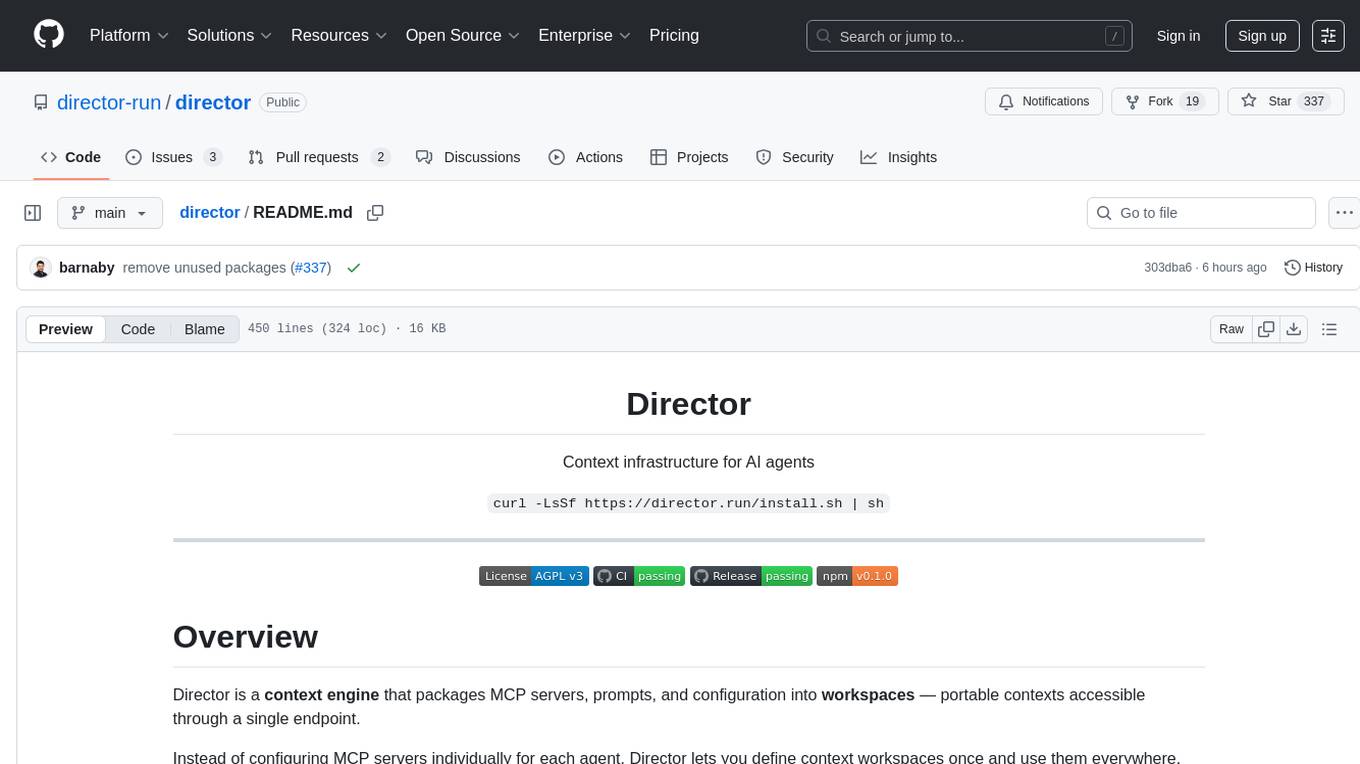
Director is a context infrastructure tool for AI agents that simplifies managing MCP servers, prompts, and configurations by packaging them into portable workspaces accessible through a single endpoint. It allows users to define context workspaces once and share them across different AI clients, enabling seamless collaboration, instant context switching, and secure isolation of untrusted servers without cloud dependencies or API keys. Director offers features like workspaces, universal portability, local-first architecture, sandboxing, smart filtering, unified OAuth, observability, multiple interfaces, and compatibility with all MCP clients and servers.
llm-memorization
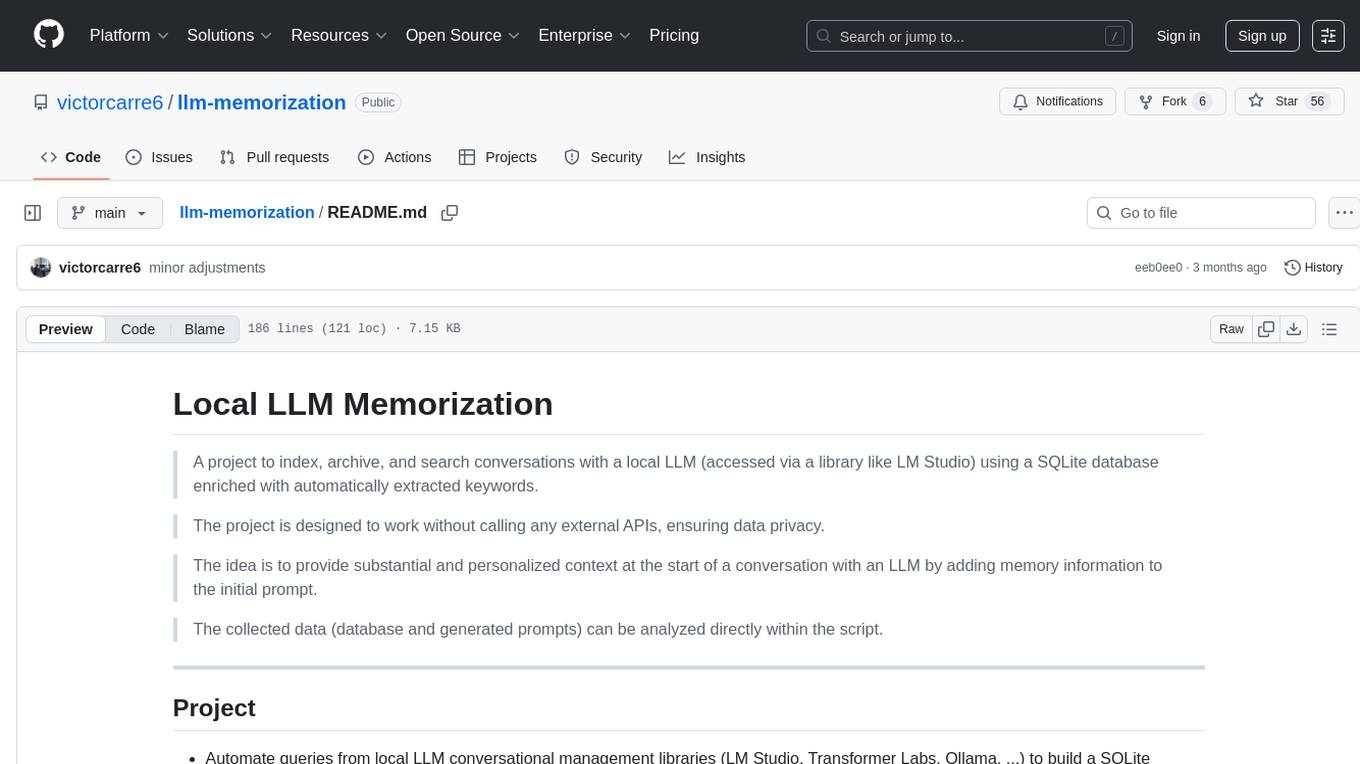
The 'llm-memorization' project is a tool designed to index, archive, and search conversations with a local LLM using a SQLite database enriched with automatically extracted keywords. It aims to provide personalized context at the start of a conversation by adding memory information to the initial prompt. The tool automates queries from local LLM conversational management libraries, offers a hybrid search function, enhances prompts based on posed questions, and provides an all-in-one graphical user interface for data visualization. It supports both French and English conversations and prompts for bilingual use.
run-gemini-cli
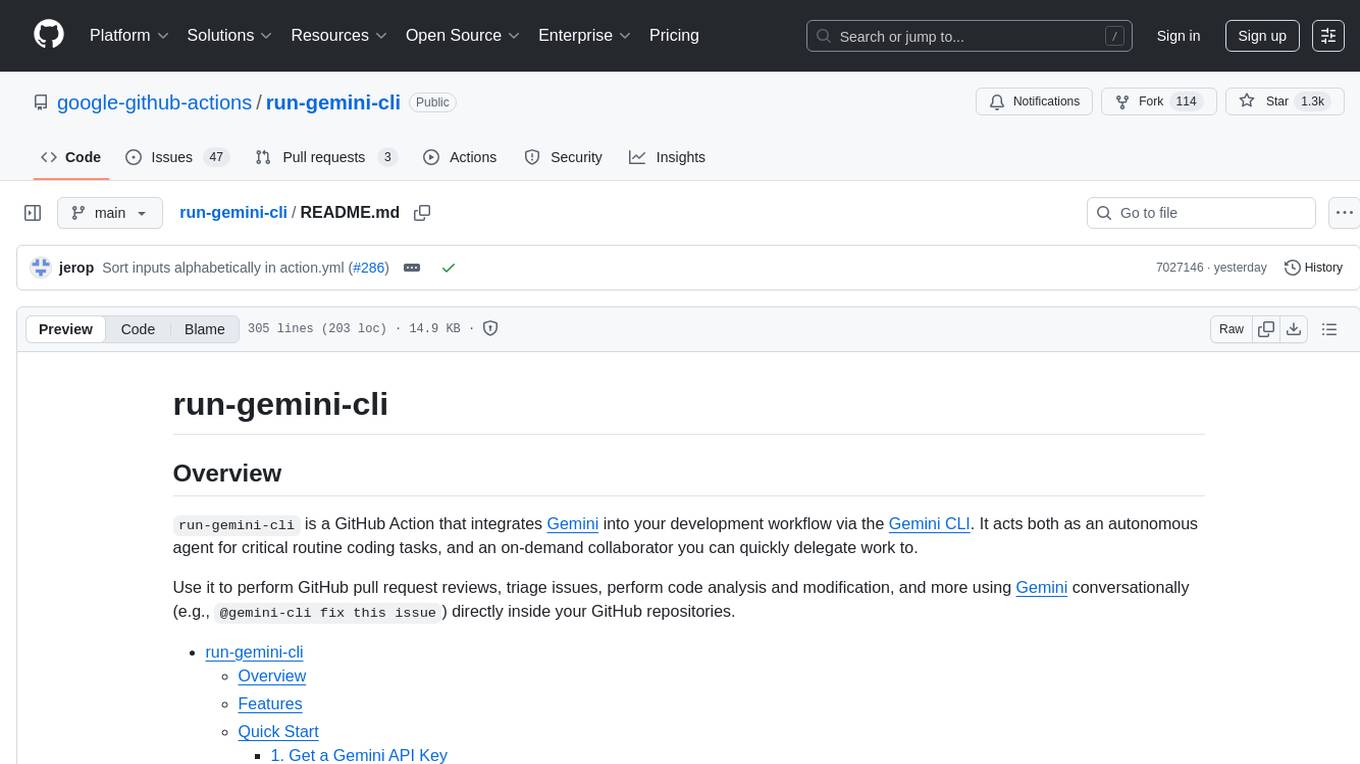
run-gemini-cli is a GitHub Action that integrates Gemini into your development workflow via the Gemini CLI. It acts as an autonomous agent for routine coding tasks and an on-demand collaborator. Use it for GitHub pull request reviews, triaging issues, code analysis, and more. It provides automation, on-demand collaboration, extensibility with tools, and customization options.
iffy
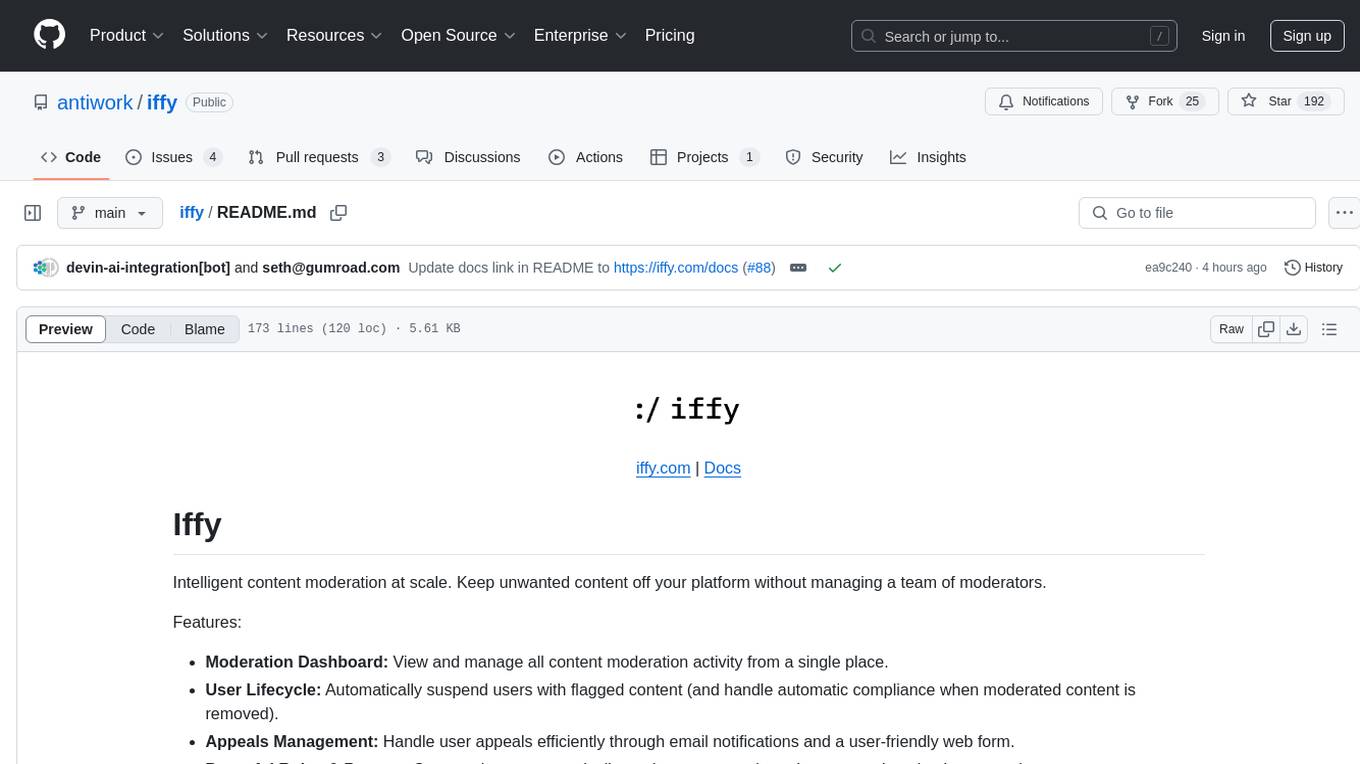
Iffy is a tool for intelligent content moderation at scale, allowing users to keep unwanted content off their platform without the need to manage a team of moderators. It features a Moderation Dashboard to view and manage all moderation activities, User Lifecycle for automatically suspending users with flagged content, Appeals Management for efficient handling of user appeals, and Powerful Rules & Presets to create custom moderation rules based on unique business needs. Users can choose between the managed Iffy Cloud or the free self-hosted Iffy Community version, each offering different features and setups.
deep-research
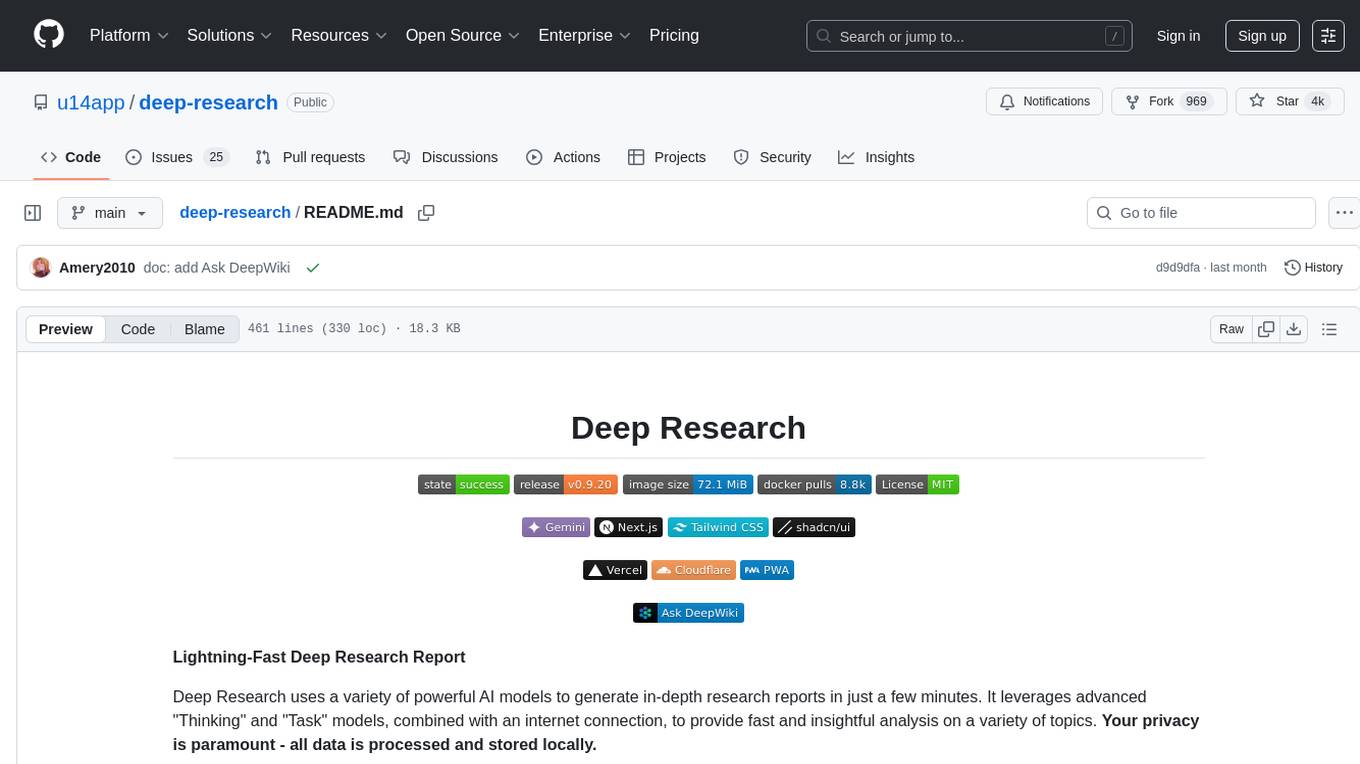
Deep Research is a lightning-fast tool that uses powerful AI models to generate comprehensive research reports in just a few minutes. It leverages advanced 'Thinking' and 'Task' models, combined with an internet connection, to provide fast and insightful analysis on various topics. The tool ensures privacy by processing and storing all data locally. It supports multi-platform deployment, offers support for various large language models, web search functionality, knowledge graph generation, research history preservation, local and server API support, PWA technology, multi-key payload support, multi-language support, and is built with modern technologies like Next.js and Shadcn UI. Deep Research is open-source under the MIT License.
OpenLLM
OpenLLM is a platform that helps developers run any open-source Large Language Models (LLMs) as OpenAI-compatible API endpoints, locally and in the cloud. It supports a wide range of LLMs, provides state-of-the-art serving and inference performance, and simplifies cloud deployment via BentoML. Users can fine-tune, serve, deploy, and monitor any LLMs with ease using OpenLLM. The platform also supports various quantization techniques, serving fine-tuning layers, and multiple runtime implementations. OpenLLM seamlessly integrates with other tools like OpenAI Compatible Endpoints, LlamaIndex, LangChain, and Transformers Agents. It offers deployment options through Docker containers, BentoCloud, and provides a community for collaboration and contributions.
For similar tasks
crawlee
Crawlee is a web scraping and browser automation library that helps you build reliable scrapers quickly. Your crawlers will appear human-like and fly under the radar of modern bot protections even with the default configuration. Crawlee gives you the tools to crawl the web for links, scrape data, and store it to disk or cloud while staying configurable to suit your project's needs.
rpaframework
RPA Framework is an open-source collection of libraries and tools for Robotic Process Automation (RPA), designed to be used with Robot Framework and Python. It offers well-documented core libraries for Software Robot Developers, optimized for Robocorp Control Room and Developer Tools, and accepts external contributions. The project includes various libraries for tasks like archiving, browser automation, date/time manipulations, cloud services integration, encryption operations, database interactions, desktop automation, document processing, email operations, Excel manipulation, file system operations, FTP interactions, web API interactions, image manipulation, AI services, and more. The development of the repository is Python-based and requires Python version 3.8+, with tooling based on poetry and invoke for compiling, building, and running the package. The project is licensed under the Apache License 2.0.
apify-mcp-server
The Apify MCP Server enables AI agents to extract data from various websites using ready-made scrapers and automation tools. It supports OAuth for easy connection from clients like Claude.ai or Visual Studio Code. The server also supports Skyfire agentic payments for AI agents to pay for Actor runs without an API token. Compatible with various clients adhering to the Model Context Protocol, it allows dynamic tool discovery and interaction with Apify Actors. The server provides tools for interacting with Apify Actors, dynamic tool discovery, and telemetry data collection. It offers a set of example prompts and resources for users to explore and interact with Apify through MCP.
open-computer-use
Open Computer Use is an open-source platform that enables AI agents to control computers through browser automation, terminal access, and desktop interaction. It is designed for developers to create autonomous AI workflows. The platform allows agents to browse the web, run terminal commands, control desktop applications, orchestrate multi-agents, stream execution, and is 100% open-source and self-hostable. It provides capabilities similar to Anthropic's Claude Computer Use but is fully open-source and extensible.
For similar jobs

sweep
Sweep is an AI junior developer that turns bugs and feature requests into code changes. It automatically handles developer experience improvements like adding type hints and improving test coverage.

teams-ai
The Teams AI Library is a software development kit (SDK) that helps developers create bots that can interact with Teams and Microsoft 365 applications. It is built on top of the Bot Framework SDK and simplifies the process of developing bots that interact with Teams' artificial intelligence capabilities. The SDK is available for JavaScript/TypeScript, .NET, and Python.

ai-guide
This guide is dedicated to Large Language Models (LLMs) that you can run on your home computer. It assumes your PC is a lower-end, non-gaming setup.

classifai
Supercharge WordPress Content Workflows and Engagement with Artificial Intelligence. Tap into leading cloud-based services like OpenAI, Microsoft Azure AI, Google Gemini and IBM Watson to augment your WordPress-powered websites. Publish content faster while improving SEO performance and increasing audience engagement. ClassifAI integrates Artificial Intelligence and Machine Learning technologies to lighten your workload and eliminate tedious tasks, giving you more time to create original content that matters.

chatbot-ui
Chatbot UI is an open-source AI chat app that allows users to create and deploy their own AI chatbots. It is easy to use and can be customized to fit any need. Chatbot UI is perfect for businesses, developers, and anyone who wants to create a chatbot.

BricksLLM
BricksLLM is a cloud native AI gateway written in Go. Currently, it provides native support for OpenAI, Anthropic, Azure OpenAI and vLLM. BricksLLM aims to provide enterprise level infrastructure that can power any LLM production use cases. Here are some use cases for BricksLLM: * Set LLM usage limits for users on different pricing tiers * Track LLM usage on a per user and per organization basis * Block or redact requests containing PIIs * Improve LLM reliability with failovers, retries and caching * Distribute API keys with rate limits and cost limits for internal development/production use cases * Distribute API keys with rate limits and cost limits for students

uAgents
uAgents is a Python library developed by Fetch.ai that allows for the creation of autonomous AI agents. These agents can perform various tasks on a schedule or take action on various events. uAgents are easy to create and manage, and they are connected to a fast-growing network of other uAgents. They are also secure, with cryptographically secured messages and wallets.

griptape
Griptape is a modular Python framework for building AI-powered applications that securely connect to your enterprise data and APIs. It offers developers the ability to maintain control and flexibility at every step. Griptape's core components include Structures (Agents, Pipelines, and Workflows), Tasks, Tools, Memory (Conversation Memory, Task Memory, and Meta Memory), Drivers (Prompt and Embedding Drivers, Vector Store Drivers, Image Generation Drivers, Image Query Drivers, SQL Drivers, Web Scraper Drivers, and Conversation Memory Drivers), Engines (Query Engines, Extraction Engines, Summary Engines, Image Generation Engines, and Image Query Engines), and additional components (Rulesets, Loaders, Artifacts, Chunkers, and Tokenizers). Griptape enables developers to create AI-powered applications with ease and efficiency.