


Revornix
Built-in MCP client–powered document/news management tool with daily auto summaries, document interaction, user-defined notifications (email, apns, etc.), and customizable model support.内置 MCP 客户端的文档/资讯管理工具,支持每日自动总结、文档交互、自定义通知(邮箱、APNS等)以及模型自定义。
Stars: 173
Revornix is an information management tool designed for the AI era. It allows users to conveniently integrate all visible information and generates comprehensive reports at specific times. The tool offers cross-platform availability, all-in-one content aggregation, document transformation & vectorized storage, native multi-tenancy, localization & open-source features, smart assistant & built-in MCP, seamless LLM integration, and multilingual & responsive experience for users.
README:








🖥️ Official site: https://revornix.com
🚀 Development plan: RoadMap
❤️ Join the community: Discord | WeChat | QQ
One-sentence description: Revornix is a highly customizable information and document management tool for the AI era. It helps you easily consolidate any information source, generate rich reports with images and podcast audio, and then notify you.
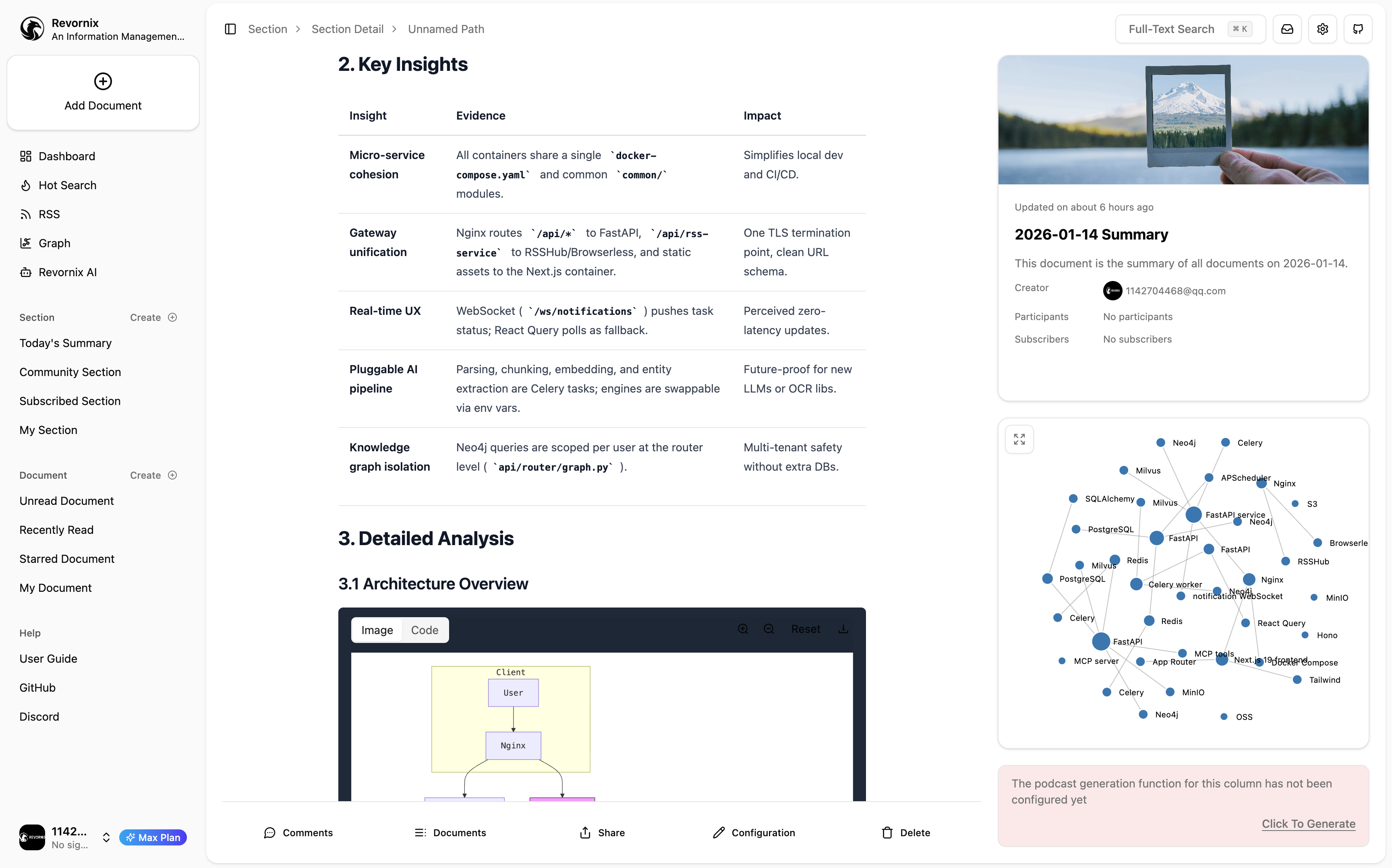
Some UI
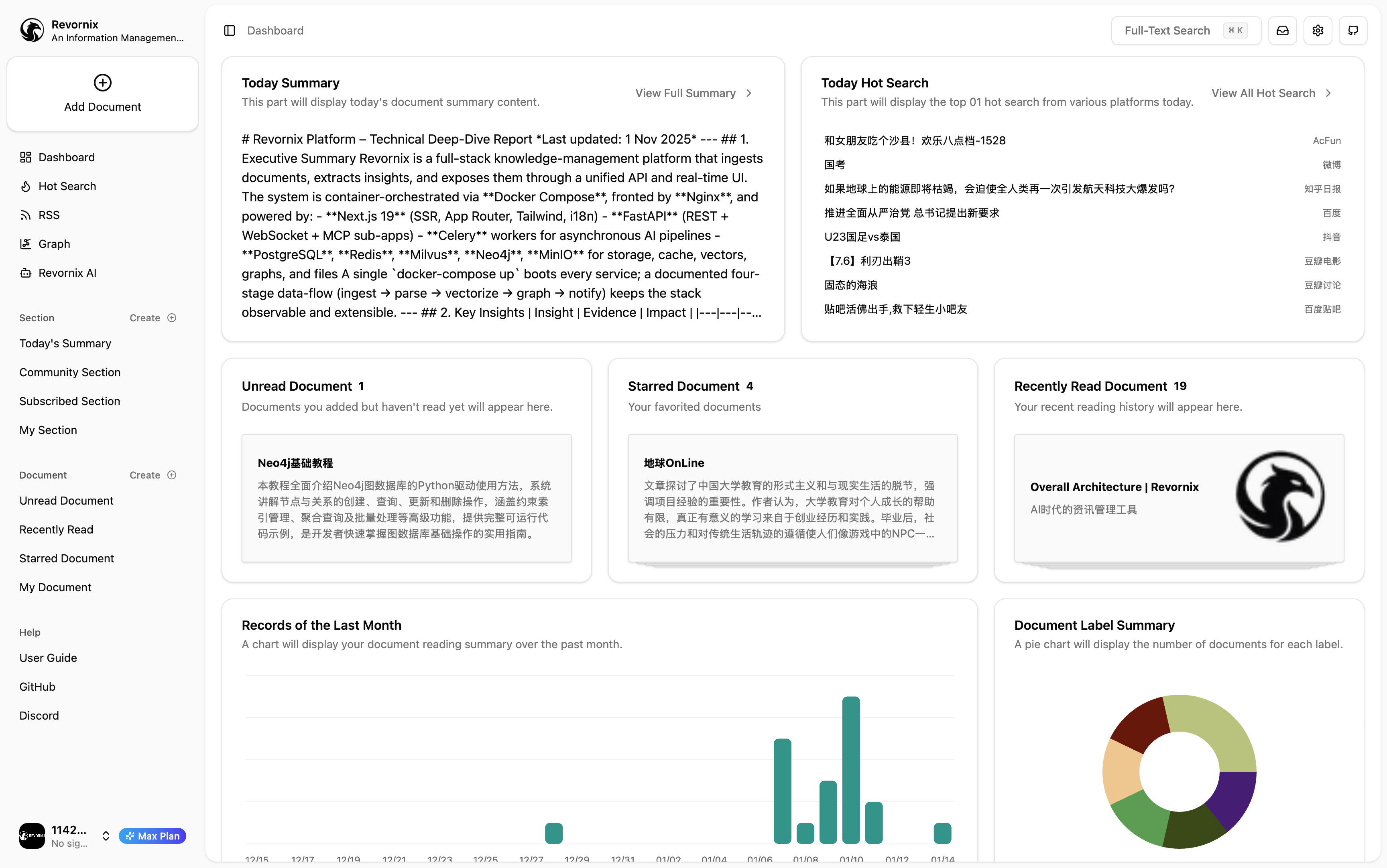

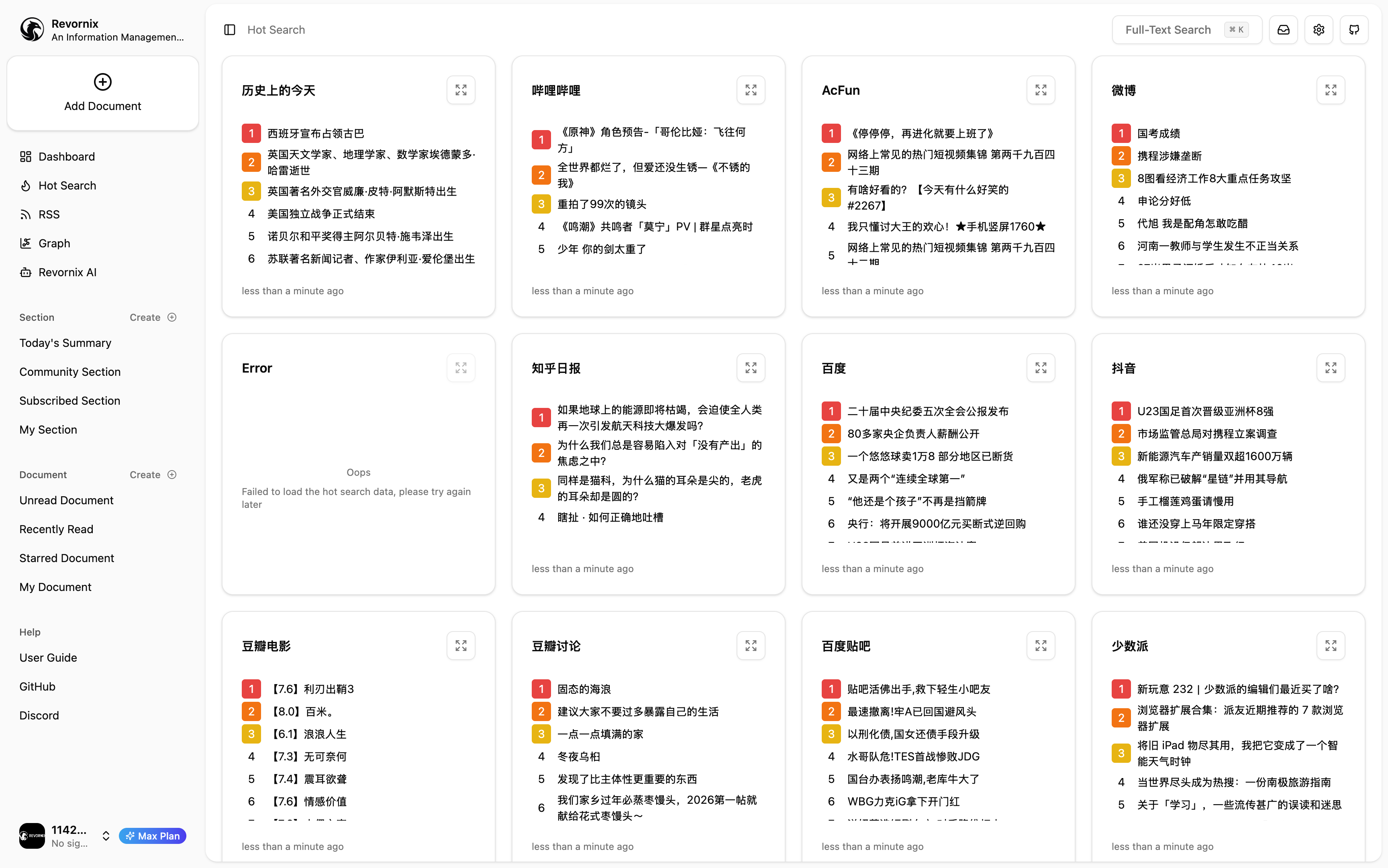
Note: The trending headlines feature comes from the DailyHotApi project
- Input sources stay flexible: Depending on different parsing engines, we currently support web pages, PDF, Word, Excel, PPT, manually entered text, APIs, PIP libraries, Node.js libraries, and more. Additional third-party platforms will be integrated in the future.
- Advanced text conversion: Powered by cutting-edge text transformation technologies such as MinerU and Jina, delivering industry-leading conversion quality with support for custom conversion engines.
- Vectorized storage: Revornix breaks all input content into chunks, converts them into vectors, and stores them in a vector database to make retrieval easy and to provide richer context to AI models.
- Knowledge graphs: Based on personalized GraphRag, Revornix analyzes information sources and generates knowledge graphs, greatly improving context accuracy while giving you a satisfying big-picture view.
- Integrated sharing: Built-in sharing lets users share specific knowledge bases for co-creation, push their knowledge bases to the public for search engine indexing, or use other public knowledge bases. Knowledge sharing is a core focus for Revornix.
- Local-first & open source: The code is open source, and with local deployment all data is stored locally, so you don’t need to worry about data leakage.
- Intelligent assistant & built-in MCP: Revornix includes both an MCP client and server, letting you provide MCP services to third parties or let the AI assistant call local or external MCP services.
- Seamless model integration: Models are not fixed. Any model compatible with the OpenAI API can be used, and different features can use independent models.
- Multilingual & responsive: Whether you use Chinese or English, on mobile or desktop, you’ll get a great experience.
- Automatic podcasts: Enable automatic podcast generation/updates for documents/columns. Revornix will automatically generate podcast audio files, offering a more convenient way to consume information.
- Trending integration: Revornix embeds the DailyHotApi service so you can view trending lists from major platforms in one place.
- Illustration generation: Leveraging powerful image-generation models such as Banana Pro, Revornix can generate high-quality images and embed them into documents/columns.
[!NOTE] We strongly recommend using conda to create different Python virtual environments for each service because Python dependencies may conflict across services. If you prefer another virtual environment manager, feel free to use it.
git clone [email protected]:Qingyon-AI/Revornix.git
cd Revornix[!NOTE] If you haven’t installed postgres, redis, neo4j, minio, milvus, rsshub, or browserless, you need to install them manually and configure environment variables based on your needs. Refer to each service’s requirements and the Revornix environment variables.
To avoid that busywork, we provide
docker-compose-local.yamland.env.local.example. You can usedocker-compose-local.yamlto pull these services and.env.local.exampleas the environment configuration.
[!WARNING] If some of these services are already installed locally, disable the corresponding services in
docker-compose-local.yamlaccording to your setup to prevent unexpected issues.
Copy the example file provided, then adjust fields as needed with the Revornix environment variables. If you have no special requirements, you typically only need to change the OAUTH_SECRET_KEY field.
cp .env.local.example .env.localStart postgres, redis, neo4j, minio, milvus, rsshub, and browserless.
docker compose -f ./docker-compose-local.yaml --env-file .env.local up -dcp ./web/.env.example ./web/.env
cp ./api/.env.example ./api/.env
cp ./celery-worker/.env.example ./celery-worker/.envConfigure the corresponding environment variable files. See the Revornix environment variables for details.
[!WARNING] If you use manual deployment, the
SECRET_KEYmust stay consistent across services; otherwise, user authentication won’t work across services.
cd api
python -m data.milvus.create
python -m data.sql.createcd api
conda create -n api python=3.11 -y
pip install -r ./requirements.txt
fastapi run --port 8001cd hot-news
pnpm build
pnpm startcd celery-worker
conda create -n celery-worker python=3.11 -y
pip install -r ./requirements.txt
celery -A common.celery.app worker --pool=threads --concurrency=10 --loglevel=info -Ecd web
pnpm build
pnpm startAfter all services are running, visit http://localhost:3000 to view the frontend.
For Tasks:
Click tags to check more tools for each tasksFor Jobs:
Alternative AI tools for Revornix
Similar Open Source Tools
Revornix
Revornix is an information management tool designed for the AI era. It allows users to conveniently integrate all visible information and generates comprehensive reports at specific times. The tool offers cross-platform availability, all-in-one content aggregation, document transformation & vectorized storage, native multi-tenancy, localization & open-source features, smart assistant & built-in MCP, seamless LLM integration, and multilingual & responsive experience for users.
buildel
Buildel is an AI automation platform that empowers users to create versatile workflows without writing code. It supports multiple providers and interfaces, offers pre-built use cases, and allows users to bring their own API keys. Ideal for AI-powered document retrieval, conversational interfaces, and data integration. Users can get started at app.buildel.ai or run Buildel locally with Node.js, Elixir/Erlang, Docker, Git, and JQ installed. Join the community on Discord for support and discussions.
superduper
superduper.io is a Python framework that integrates AI models, APIs, and vector search engines directly with existing databases. It allows hosting of models, streaming inference, and scalable model training/fine-tuning. Key features include integration of AI with data infrastructure, inference via change-data-capture, scalable model training, model chaining, simple Python interface, Python-first approach, working with difficult data types, feature storing, and vector search capabilities. The tool enables users to turn their existing databases into centralized repositories for managing AI model inputs and outputs, as well as conducting vector searches without the need for specialized databases.

tracecat
Tracecat is an open-source automation platform for security teams. It's designed to be simple but powerful, with a focus on AI features and a practitioner-obsessed UI/UX. Tracecat can be used to automate a variety of tasks, including phishing email investigation, evidence collection, and remediation plan generation.
embedchain
Embedchain is an Open Source Framework for personalizing LLM responses. It simplifies the creation and deployment of personalized AI applications by efficiently managing unstructured data, generating relevant embeddings, and storing them in a vector database. With diverse APIs, users can extract contextual information, find precise answers, and engage in interactive chat conversations tailored to their data. The framework follows the design principle of being 'Conventional but Configurable' to cater to both software engineers and machine learning engineers.
nexent
Nexent is a powerful tool for analyzing and visualizing network traffic data. It provides comprehensive insights into network behavior, helping users to identify patterns, anomalies, and potential security threats. With its user-friendly interface and advanced features, Nexent is suitable for network administrators, cybersecurity professionals, and anyone looking to gain a deeper understanding of their network infrastructure.
super-agent-party
A 3D AI desktop companion with endless possibilities! This repository provides a platform for enhancing the LLM API without code modification, supporting seamless integration of various functionalities such as knowledge bases, real-time networking, multimodal capabilities, automation, and deep thinking control. It offers one-click deployment to multiple terminals, ecological tool interconnection, standardized interface opening, and compatibility across all platforms. Users can deploy the tool on Windows, macOS, Linux, or Docker, and access features like intelligent agent deployment, VRM desktop pets, Tavern character cards, QQ bot deployment, and developer-friendly interfaces. The tool supports multi-service providers, extensive tool integration, and ComfyUI workflows. Hardware requirements are minimal, making it suitable for various deployment scenarios.
llm-app
Pathway's LLM (Large Language Model) Apps provide a platform to quickly deploy AI applications using the latest knowledge from data sources. The Python application examples in this repository are Docker-ready, exposing an HTTP API to the frontend. These apps utilize the Pathway framework for data synchronization, API serving, and low-latency data processing without the need for additional infrastructure dependencies. They connect to document data sources like S3, Google Drive, and Sharepoint, offering features like real-time data syncing, easy alert setup, scalability, monitoring, security, and unification of application logic.
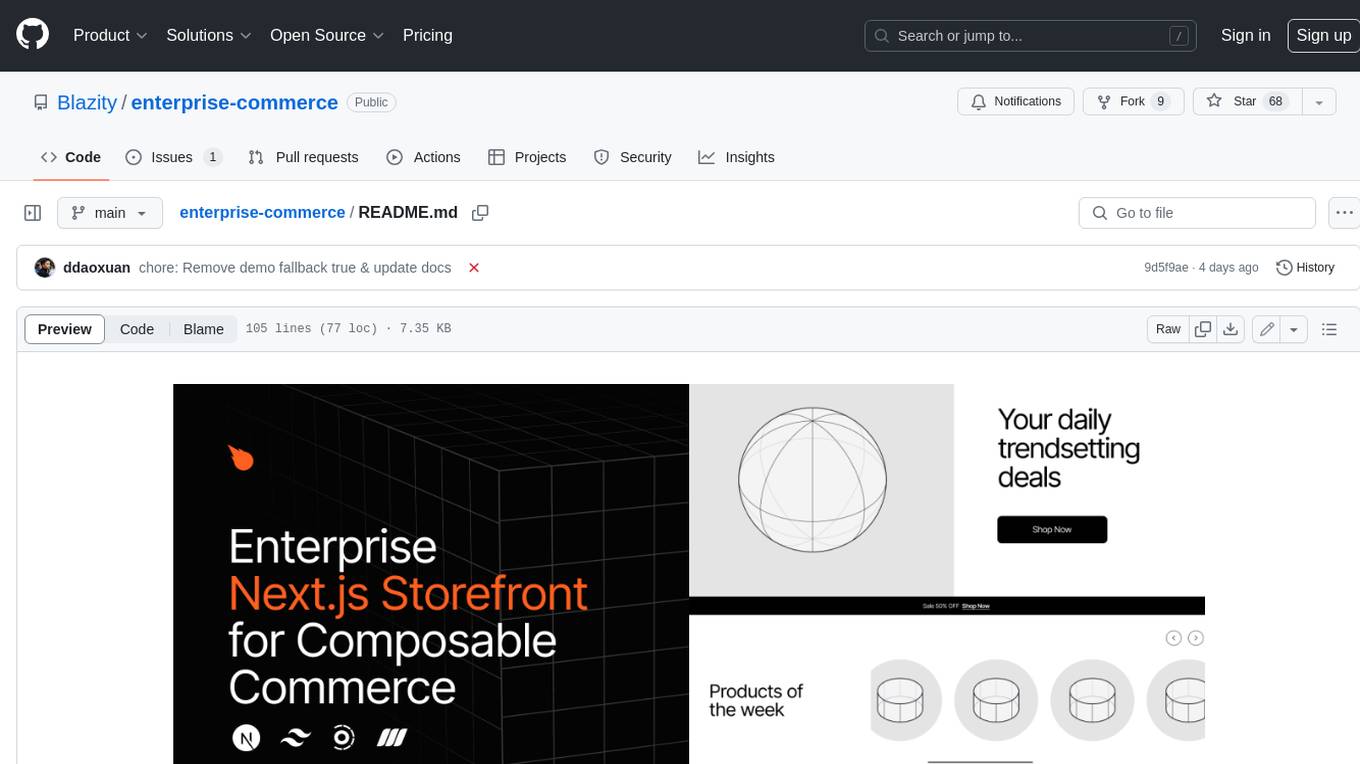
enterprise-commerce
Enterprise Commerce is a Next.js commerce starter that helps you launch your high-performance Shopify storefront in minutes, not weeks. It leverages the power of Vector Search and AI to deliver a superior online shopping experience without the development headaches.
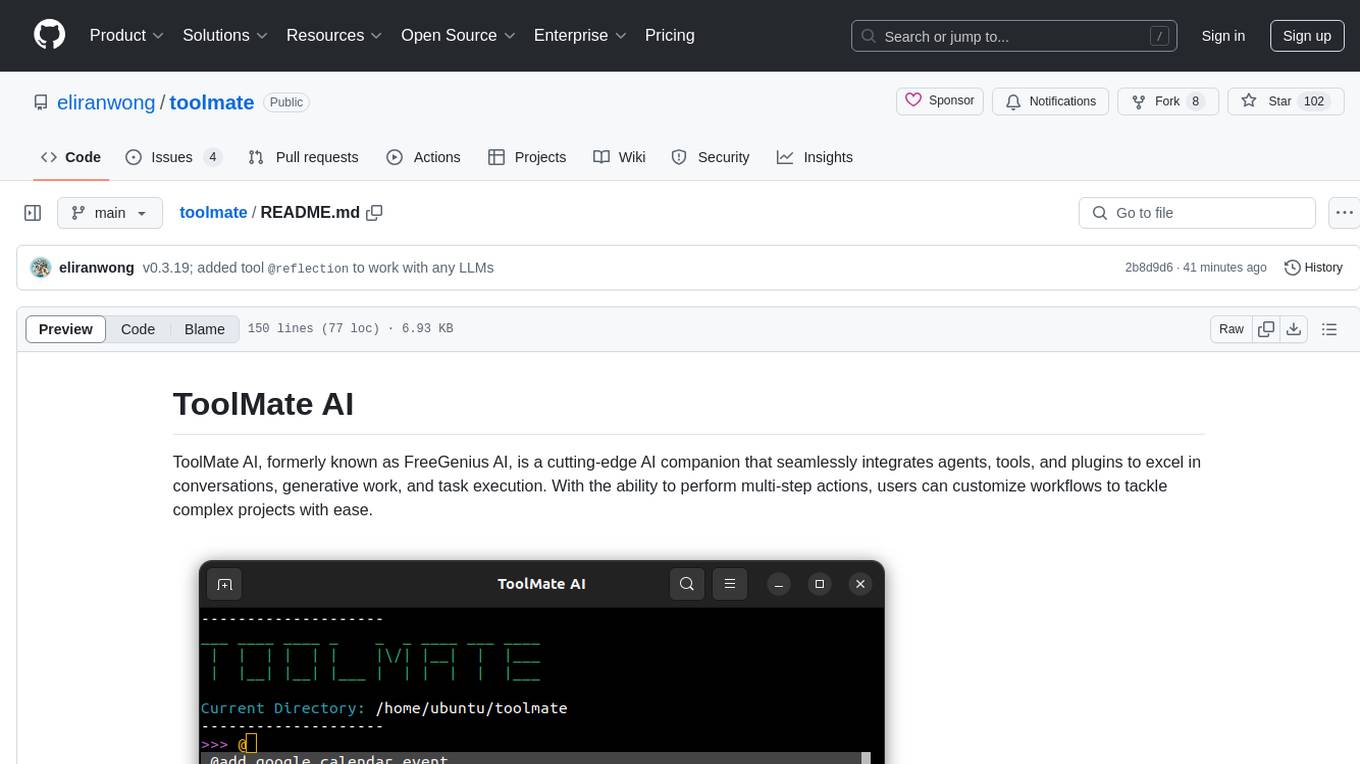
toolmate
ToolMate AI is an advanced AI companion that integrates agents, tools, and plugins to excel in conversations, generative work, and task execution. It supports multi-step actions, allowing users to customize workflows for tackling complex projects with ease. The tool offers a wide range of AI backends and models, including Ollama, Llama.cpp, Groq Cloud API, OpenAI API, and Google Gemini via Vertex AI. Users can easily switch between backends and leverage AI models like wizardlm2 and mixtral. ToolMate AI stands out for its distinctive features such as tool calling for any LLMs, running multiple tools in one go, highly customizable plugins, and integration with popular AI tools. It also supports quick tool calling using '@' notation and enables the execution of computing tasks on demand. With features like multiple tools in one go, customizable plugins, system command and fabric integration, GPU offloading support, real-time data access, and device information retrieval, ToolMate AI offers a comprehensive solution for various tasks and content creation.
slidev-ai
Slidev AI is a web app that leverages LLM (Large Language Model) technology to make creating Slidev-based online presentations elegant and effortless. It is designed to help engineers and academics quickly produce content-focused, minimalist PPTs that are easily shareable online. This project serves as a reference implementation for OpenMCP agent development, a production-ready presentation generation solution, and a template for creating domain-specific AI agents.
Stellar-Chat
Stellar Chat is a multi-modal chat application that enables users to create custom agents and integrate with local language models and OpenAI models. It provides capabilities for generating images, visual recognition, text-to-speech, and speech-to-text functionalities. Users can engage in multimodal conversations, create custom agents, search messages and conversations, and integrate with various applications for enhanced productivity. The project is part of the '100 Commits' competition, challenging participants to make meaningful commits daily for 100 consecutive days.
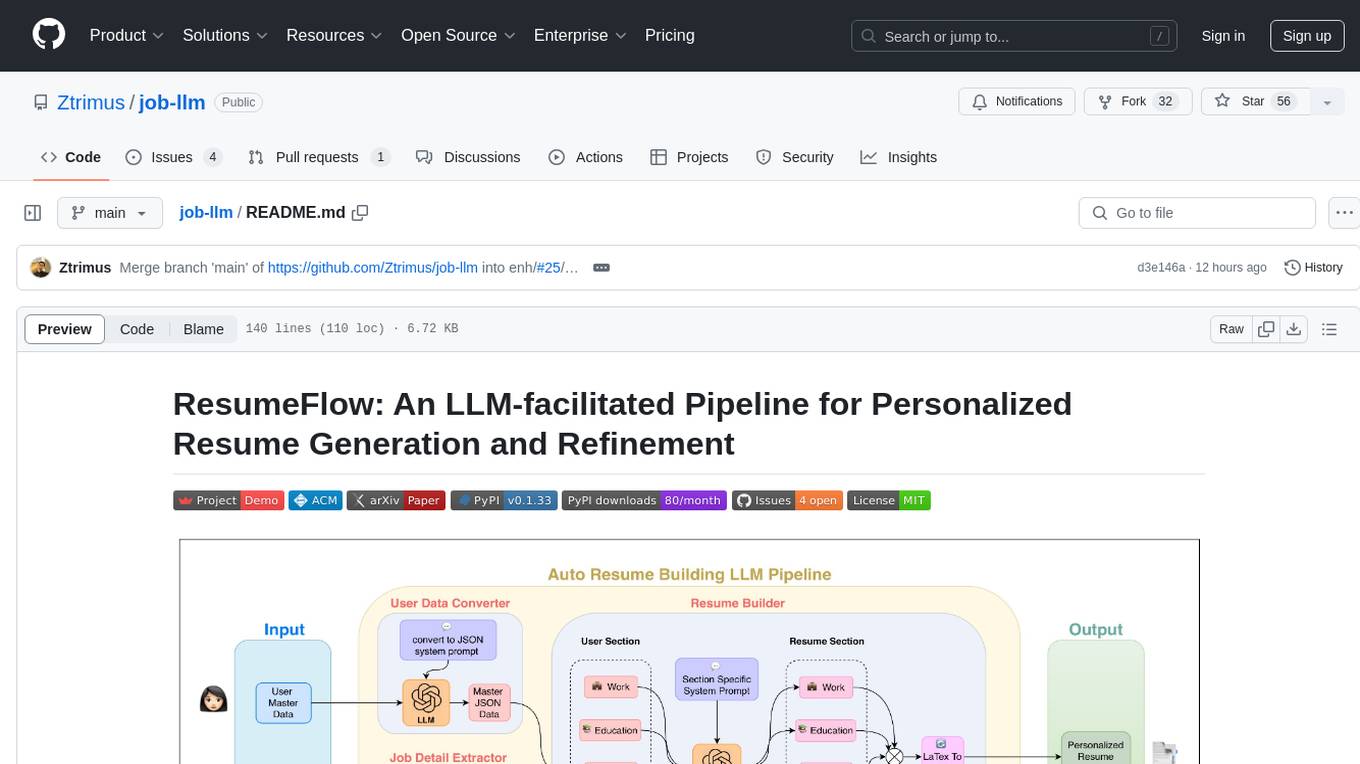
job-llm
ResumeFlow is an automated system utilizing Large Language Models (LLMs) to streamline the job application process. It aims to reduce human effort in various steps of job hunting by integrating LLM technology. Users can access ResumeFlow as a web tool, install it as a Python package, or download the source code. The project focuses on leveraging LLMs to automate tasks such as resume generation and refinement, making job applications smoother and more efficient.
chainlit
Chainlit is an open-source async Python framework which allows developers to build scalable Conversational AI or agentic applications. It enables users to create ChatGPT-like applications, embedded chatbots, custom frontends, and API endpoints. The framework provides features such as multi-modal chats, chain of thought visualization, data persistence, human feedback, and an in-context prompt playground. Chainlit is compatible with various Python programs and libraries, including LangChain, Llama Index, Autogen, OpenAI Assistant, and Haystack. It offers a range of examples and a cookbook to showcase its capabilities and inspire users. Chainlit welcomes contributions and is licensed under the Apache 2.0 license.
ChatDev
ChatDev is a virtual software company powered by intelligent agents like CEO, CPO, CTO, programmer, reviewer, tester, and art designer. These agents collaborate to revolutionize the digital world through programming. The platform offers an easy-to-use, highly customizable, and extendable framework based on large language models, ideal for studying collective intelligence. ChatDev introduces innovative methods like Iterative Experience Refinement and Experiential Co-Learning to enhance software development efficiency. It supports features like incremental development, Docker integration, Git mode, and Human-Agent-Interaction mode. Users can customize ChatChain, Phase, and Role settings, and share their software creations easily. The project is open-source under the Apache 2.0 License and utilizes data licensed under CC BY-NC 4.0.
doku
OpenLIT is an OpenTelemetry-native GenAI and LLM Application Observability tool. It's designed to make the integration process of observability into GenAI projects as easy as pie – literally, with just a single line of code. Whether you're working with popular LLM Libraries such as OpenAI and HuggingFace or leveraging vector databases like ChromaDB, OpenLIT ensures your applications are monitored seamlessly, providing critical insights to improve performance and reliability.
For similar tasks
Revornix
Revornix is an information management tool designed for the AI era. It allows users to conveniently integrate all visible information and generates comprehensive reports at specific times. The tool offers cross-platform availability, all-in-one content aggregation, document transformation & vectorized storage, native multi-tenancy, localization & open-source features, smart assistant & built-in MCP, seamless LLM integration, and multilingual & responsive experience for users.
crssnt
crssnt is a tool that converts RSS/Atom feeds into LLM-friendly Markdown or JSON, simplifying integration of feed content into AI workflows. It supports LLM-optimized conversion, multiple output formats, feed aggregation, and Google Sheet support. Users can access various endpoints for feed conversion and Google Sheet processing, with query parameters for customization. The tool processes user-provided URLs transiently without storing feed data, and can be self-hosted as Firebase Cloud Functions. Contributions are welcome under the MIT License.
Website-Crawler
Website-Crawler is a tool designed to extract data from websites in an automated manner. It allows users to scrape information such as text, images, links, and more from web pages. The tool provides functionalities to navigate through websites, handle different types of content, and store extracted data for further analysis. Website-Crawler is useful for tasks like web scraping, data collection, content aggregation, and competitive analysis. It can be customized to extract specific data elements based on user requirements, making it a versatile tool for various web data extraction needs.
ciso-assistant-community
CISO Assistant is a tool that helps organizations manage their cybersecurity posture and compliance. It provides a centralized platform for managing security controls, threats, and risks. CISO Assistant also includes a library of pre-built frameworks and tools to help organizations quickly and easily implement best practices.
supersonic
SuperSonic is a next-generation BI platform that integrates Chat BI (powered by LLM) and Headless BI (powered by semantic layer) paradigms. This integration ensures that Chat BI has access to the same curated and governed semantic data models as traditional BI. Furthermore, the implementation of both paradigms benefits from the integration: * Chat BI's Text2SQL gets augmented with context-retrieval from semantic models. * Headless BI's query interface gets extended with natural language API. SuperSonic provides a Chat BI interface that empowers users to query data using natural language and visualize the results with suitable charts. To enable such experience, the only thing necessary is to build logical semantic models (definition of metric/dimension/tag, along with their meaning and relationships) through a Headless BI interface. Meanwhile, SuperSonic is designed to be extensible and composable, allowing custom implementations to be added and configured with Java SPI. The integration of Chat BI and Headless BI has the potential to enhance the Text2SQL generation in two dimensions: 1. Incorporate data semantics (such as business terms, column values, etc.) into the prompt, enabling LLM to better understand the semantics and reduce hallucination. 2. Offload the generation of advanced SQL syntax (such as join, formula, etc.) from LLM to the semantic layer to reduce complexity. With these ideas in mind, we develop SuperSonic as a practical reference implementation and use it to power our real-world products. Additionally, to facilitate further development we decide to open source SuperSonic as an extensible framework.
DB-GPT
DB-GPT is an open source AI native data app development framework with AWEL(Agentic Workflow Expression Language) and agents. It aims to build infrastructure in the field of large models, through the development of multiple technical capabilities such as multi-model management (SMMF), Text2SQL effect optimization, RAG framework and optimization, Multi-Agents framework collaboration, AWEL (agent workflow orchestration), etc. Which makes large model applications with data simpler and more convenient.
Chat2DB
Chat2DB is an AI-driven data development and analysis platform that enables users to communicate with databases using natural language. It supports a wide range of databases, including MySQL, PostgreSQL, Oracle, SQLServer, SQLite, MariaDB, ClickHouse, DM, Presto, DB2, OceanBase, Hive, KingBase, MongoDB, Redis, and Snowflake. Chat2DB provides a user-friendly interface that allows users to query databases, generate reports, and explore data using natural language commands. It also offers a variety of features to help users improve their productivity, such as auto-completion, syntax highlighting, and error checking.
aide
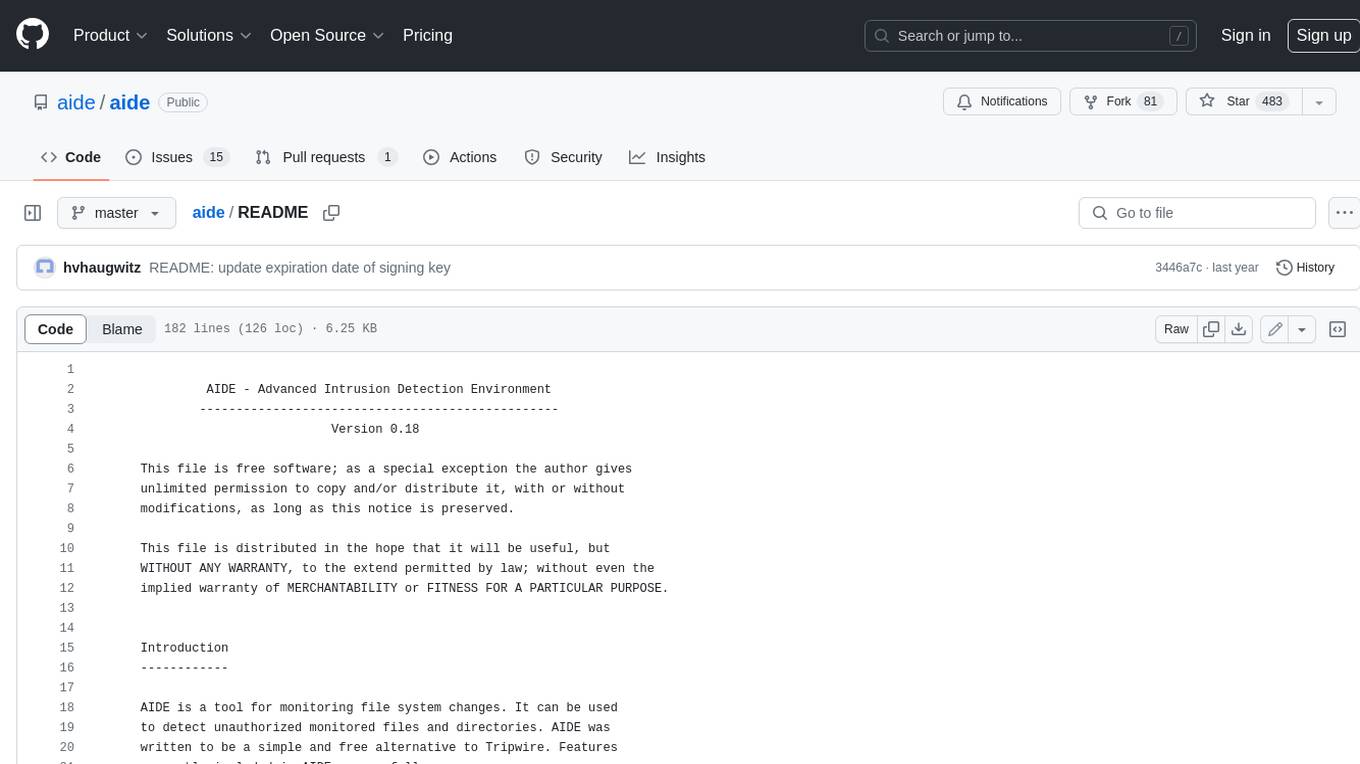
AIDE (Advanced Intrusion Detection Environment) is a tool for monitoring file system changes. It can be used to detect unauthorized changes to monitored files and directories. AIDE was written to be a simple and free alternative to Tripwire. Features currently included in AIDE are as follows: o File attributes monitored: permissions, inode, user, group file size, mtime, atime, ctime, links and growing size. o Checksums and hashes supported: SHA1, MD5, RMD160, and TIGER. CRC32, HAVAL and GOST if Mhash support is compiled in. o Plain text configuration files and database for simplicity. o Rules, variables and macros that can be customized to local site or system policies. o Powerful regular expression support to selectively include or exclude files and directories to be monitored. o gzip database compression if zlib support is compiled in. o Free software licensed under the GNU General Public License v2.
For similar jobs

sweep
Sweep is an AI junior developer that turns bugs and feature requests into code changes. It automatically handles developer experience improvements like adding type hints and improving test coverage.

teams-ai
The Teams AI Library is a software development kit (SDK) that helps developers create bots that can interact with Teams and Microsoft 365 applications. It is built on top of the Bot Framework SDK and simplifies the process of developing bots that interact with Teams' artificial intelligence capabilities. The SDK is available for JavaScript/TypeScript, .NET, and Python.

ai-guide
This guide is dedicated to Large Language Models (LLMs) that you can run on your home computer. It assumes your PC is a lower-end, non-gaming setup.

classifai
Supercharge WordPress Content Workflows and Engagement with Artificial Intelligence. Tap into leading cloud-based services like OpenAI, Microsoft Azure AI, Google Gemini and IBM Watson to augment your WordPress-powered websites. Publish content faster while improving SEO performance and increasing audience engagement. ClassifAI integrates Artificial Intelligence and Machine Learning technologies to lighten your workload and eliminate tedious tasks, giving you more time to create original content that matters.

chatbot-ui
Chatbot UI is an open-source AI chat app that allows users to create and deploy their own AI chatbots. It is easy to use and can be customized to fit any need. Chatbot UI is perfect for businesses, developers, and anyone who wants to create a chatbot.

BricksLLM
BricksLLM is a cloud native AI gateway written in Go. Currently, it provides native support for OpenAI, Anthropic, Azure OpenAI and vLLM. BricksLLM aims to provide enterprise level infrastructure that can power any LLM production use cases. Here are some use cases for BricksLLM: * Set LLM usage limits for users on different pricing tiers * Track LLM usage on a per user and per organization basis * Block or redact requests containing PIIs * Improve LLM reliability with failovers, retries and caching * Distribute API keys with rate limits and cost limits for internal development/production use cases * Distribute API keys with rate limits and cost limits for students

uAgents
uAgents is a Python library developed by Fetch.ai that allows for the creation of autonomous AI agents. These agents can perform various tasks on a schedule or take action on various events. uAgents are easy to create and manage, and they are connected to a fast-growing network of other uAgents. They are also secure, with cryptographically secured messages and wallets.

griptape
Griptape is a modular Python framework for building AI-powered applications that securely connect to your enterprise data and APIs. It offers developers the ability to maintain control and flexibility at every step. Griptape's core components include Structures (Agents, Pipelines, and Workflows), Tasks, Tools, Memory (Conversation Memory, Task Memory, and Meta Memory), Drivers (Prompt and Embedding Drivers, Vector Store Drivers, Image Generation Drivers, Image Query Drivers, SQL Drivers, Web Scraper Drivers, and Conversation Memory Drivers), Engines (Query Engines, Extraction Engines, Summary Engines, Image Generation Engines, and Image Query Engines), and additional components (Rulesets, Loaders, Artifacts, Chunkers, and Tokenizers). Griptape enables developers to create AI-powered applications with ease and efficiency.