


MegatronApp
Toolchain built around the Megatron-LM for Distributed Training
Stars: 67
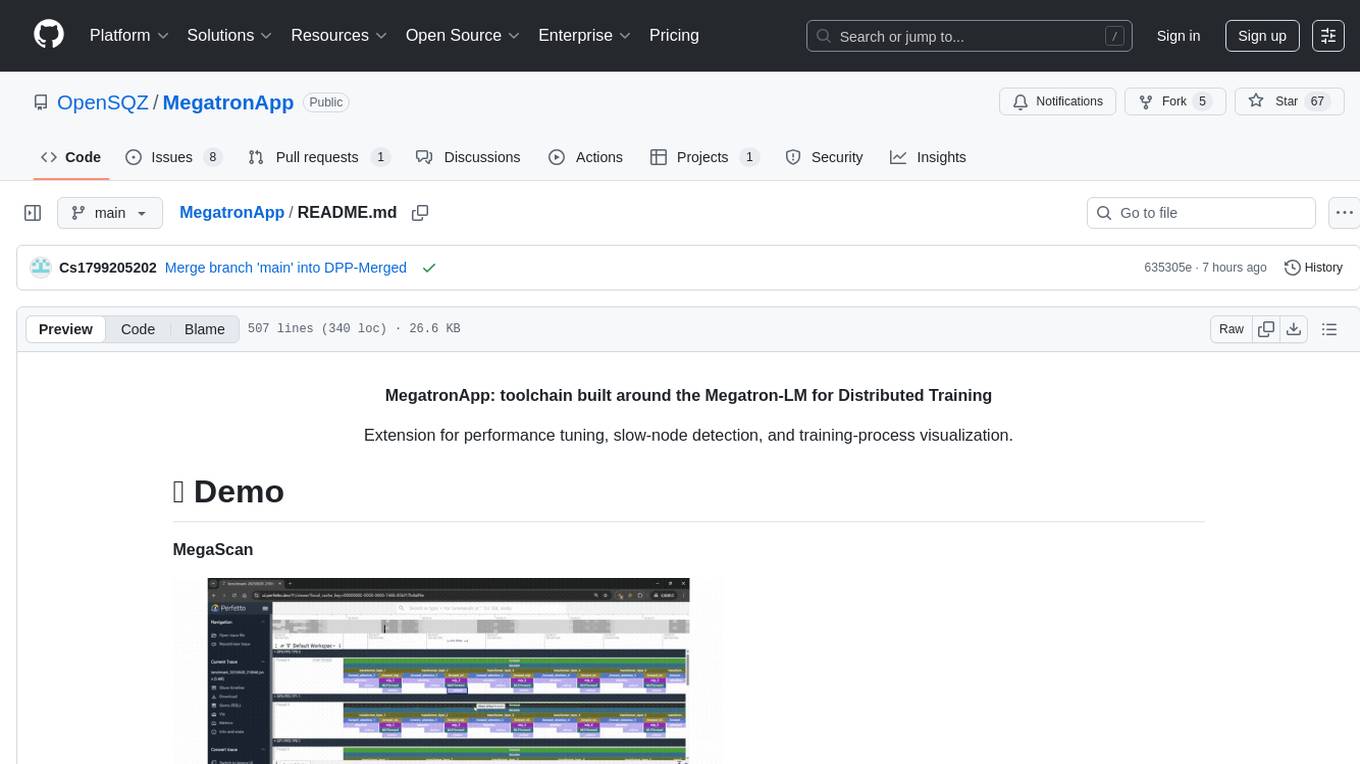
MegatronApp is a toolchain built around the Megatron-LM training framework, offering performance tuning, slow-node detection, and training-process visualization. It includes modules like MegaScan for anomaly detection, MegaFBD for forward-backward decoupling, MegaDPP for dynamic pipeline planning, and MegaScope for visualization. The tool aims to enhance large-scale distributed training by providing valuable capabilities and insights.
README:
MegatronApp: toolchain built around the Megatron-LM for Distributed Training
Extension for performance tuning, slow-node detection, and training-process visualization.
MegaScan
MegaScope
MegatronApp is a toolchain built around the Megatron-LM training framework, designed to give practitioners a suite of value-added capabilities such as performance tuning, slow-node detection, and training-process visualization.
The project currently offers four core modules:
- MegaScan is a low-overhead tracing and anomaly detection system designed on Megatron-LM for large-scale distributed training. Detecting and locating hardware performance anomalies, such as GPU downclocking, is extremely challenging in large distributed environments. A single slow GPU can cause a cascading delay, degrading the performance of the entire cluster and making it difficult to pinpoint the source. This module aims to solve this problem by capturing and analyzing runtime trace data. By providing a global, high-precision view of all operations across all GPUs, MegaScan can identify specific patterns caused by hardware anomalies, allowing for accurate detection and root cause localization.
- MegaFBD (Forward-Backward Decoupling) – Automatically splits the forward and backward phases onto different devices to resolve imbalances in compute, communication, and memory usage between the two stages, optimizing resource allocation and boosting overall utilization.
- MegaDPP (Dynamic Pipeline Planning) – Dynamically optimizes pipeline-parallel scheduling during training, allowing each device to adjust its schedule in real time according to progress, deferring selected compute or transfer steps to alleviate network pressure.
- MegaScope – Dynamically captures, processes, and caches intermediate results during training according to user-defined metrics, then displays them through an interactive visualization interface. MegaScope aims to make the "black box" of Large Language Models transparent. With this tool, user can observe and analyze things that happen inside a model as it processes text, such as how attention scores and output probabilities are distributed, how the vector representations change among different tokens and prompts.
The four modules are fully isolated and integrated into the Megatron-LM codebase as plugins; users can flexibly enable or disable any of them at launch via control flags.
The technical report of MegatronApp can be seen here.
📊 Low-Overhead Tracing: Utilizes CUDA Events for high-precision, asynchronous timing of operations with minimal impact on training performance (approx. 10% overhead in tests).
🛠️ Automated Data Pipeline: Automatically aggregates trace files from all distributed ranks, reconstructs communication dependencies, and aligns scattered timelines into a single, globally consistent view.
🧠 Heuristic Detection Algorithm: Implements a multi-stage heuristic algorithm to detect and locate faults like GPU downclocking by comparing peer operations across parallel dimensions and analyzing communication behavior.
🖥️ Rich Visualization: Generates trace files in the Chrome Tracing Format, allowing for intuitive, interactive visualization and analysis of complex distributed training runs using standard tools like chrome://tracing and Perfetto UI.
📊Real-time generation and visualization: Input any prompt and watch the model generate text token by token, with its internal states displayed in sync.
🛠️Intermediate result visualization:
- Display key intermediate variables like QKV vectors and MLP layer outputs as heatmaps.
- Attention matrix analysis: Freely select any layer and attention head to view its dynamic attention weight distribution.
- Output probability visualization: At each generate-next-token step, show the sampled token and its probability, along with other top-k candidates, revealing the model's decisions.
🧠 Interactive analysis:
- A rich set of interactive controls allows users to easily switch between different visualization dimensions.
- PCA dimensionality reduction: Project high-dimensional vector representations onto a 2D space to analyze the similarities and differences between tokens and prompts.
🖥️ Model perturbation injection: To facilitate in-depth research on model robustness, we provide several model perturbation features.
- Storage perturbation: Inject noise into critical model parameters to simulate the error in storage devices.
- Calculation perturbation: Inject noise during the model's forward pass (e.g. at the output of MLP layer).
- System perturbation: Simulate a constant error between each transformer layer. Through UI, users can precisely control the location, activation, type and extent of the perturbations.
📊 A dynamic pipeline-parallel scheduling algorithm: selects the next microbatch to compute via a customized greedy rule based on user requirements:
- Depth first computation: give priority to computing the same data on different model chunks for lower GPU memory usage
- Breadth first computation: give priority to computing different data on the same model chunks for lower communication contention
🛠️ An efficient shared-memory based communication library:
- Concurrent asynchronous send/recv operations
- Dynamically track the completion status of operations
For more details see README_Megatron.md
📊 Instance-Level Decoupled Scheduling: The forward and backward phases are split into two logical processes, each assigned a different rank and bound to separate resources to reduce coupling;
🛠️ Heterogeneous Resource Mapping Optimization: The forward phase can be deployed on lightly loaded devices or CPUs, alleviating GPU pressure;
🧠 Differentiated Parallelism Configuration: Considering factors like activation reuse and communication volume, the forward phase is assigned a lower degree of parallelism to reduce communication overhead;
🖥️ Thread-Level Coordination Mechanism: A communication coordinator ensures necessary data synchronization between forward and backward phases, avoiding deadlocks and redundant communication.
MegatronApp uses a decoupled frontend-backend architecture with WebSockets to enable low-latency, real-time data communication between the model backend and the visualization frontend.
- Frontend: Based on Vite+Vue+TypeScript, rendering all interactive charts and controls.
- Backend: Based on Megatron, responsible for hosting the LLM. It uses flags to control the extraction of intermediate results during a forward pass, which maintains low time overhead when visualization function is not enabled.
- Communication: The frontend and backend are connected via a WebSocket.
We strongly recommend using the release of PyTorch NGC Container for installation. This container comes with all dependencies pre-installed with compatible versions and optimized configurations for NVIDIA GPUs.
```bash
# Run container with mounted directories
docker run --runtime --nvidia --gpus all -it --rm \
  -v /path/to/megatron:/workspace/megatron \
  -v /path/to/dataset:/workspace/dataset \
  -v /path/to/checkpoints:/workspace/checkpoints \
  nvcr.io/nvidia/pytorch:25.04-py3
```
To install additional required packages, run
pip install -r requirements.txtWe provide a basic repro for you to quickly get started with MegaScan.
- Data preparation:
Please refer to README_Megatron.md section "Dataset Preparation" and Nvidia's Megatron-LM for more details.
- Run Megatron-LM training with MegaScan enabled by adding the following command line arguments:
--trace
--trace-dir trace_output
--trace-interval 5 # optional, default is 5 iterations
--continuous-trace-iterations 2 # optional, default is 2 iterations
--trace-granularity full # optional, default is full
--transformer-impl local # currently only support local transformer implementation
examples/gpt3/train_gpt3_345m_distributed.sh is an example script. You can modify the script to suit your needs.
If you want to train on multiple nodes, change the GPU_PER_NODE, NUM_NODES, MASTER_ADDR, MASTER_PORT, NODE_RANK, WORLD_SIZE in the script accordingly.
Alternatively you can use elastic training. See torchrun for more details.
- After training, you will find separated trace files in the current directory. The trace files are named as
benchmark-data-{}-pipeline-{}-tensor-{}.json, where{}is the rank number. Now we should aggregate the trace files into a single trace file:
python scripts/aggregate.py --b trace_output --output benchmark.json- You can visualize the trace file using Chrome Tracing (or Perfetto UI). Open the trace file in Chrome Tracing by navigating to
chrome://tracingin your browser (or https://ui.perfetto.dev/). Now you can explore the trace data, zoom in on specific events, and analyze the performance characteristics of your distributed training run.


-
To illustrate the detection algorithm, we can manually inject a fault into the training process. We provide a script
scripts/gpu_control.shto simulate a GPU downclocking.- Run the script to inject a fault into the training process:
# Inject a fault into GPU 0, downclocking it to 900MHz bash scripts/gpu_control.sh limit 0 900- Run the training script. Then aggregate the trace files as described above, but with an additional command line argument to enable the detection algorithm:
python scripts/aggregate.py \
    -b . \ # Equivalent to --bench-dir
    -d # Enable the detection algorithm, Equivalent to --detect
We can see some output that indicated that the GPU 0 may be abnormal:

First, start the backend and frontend servers.
Backend (Megatron): For inference mode, run the text generation server script, pointing it to your model and tokenizer paths, and make sure to turn on the switch --enable-ws-server in the argument.
bash examples/inference/a_text_generation_server_bash_script.sh /path/to/model /path/to/tokenizerFor example
bash examples/inference/llama_mistral/run_text_generation_llama3.sh /gfshome/llama3-ckpts/Meta-Llama-3-8B-Instruct-megatron-core-v0.12.0-TP1PP1 /root/llama3-ckpts/Meta-Llama-3-8B-InstructFor training mode, run the training script, and add --training-ws-port XXX (e.g. --training-ws-port 5000) to the argument. The typical command is
bash a_pretrain_script.sh $RANKFor example
bash pretrain_gpt.sh 0Frontend (Vue): Navigate to the frontend directory and start the development server.
cd transformer-visualize
npm run dev
After launching both, open your browser to the specified address (usually http://localhost:5173). You will see the main interface.
In the input prompts area, enter one or more prompts. Each text box represents a separate batch, allowing for parallel processing and comparison.

In the control panel, set the desired number of tokens to generate. Also enable or disable the real-time display of specific internal states, such as QKV vectors and MLP outputs. This helps manage performance and focus on relevant data. The filter expressions of vectors can be customized by the input box below.

After starting generation, the visualization results will update token-by-token. In the first tab, the intermediate vector heatmaps are displayed and the output probabilities are shown in the expandable sections.

The second tab contains attention matrices. Use the dropdown menus to select the layer and attention head you wish to inspect.

The third tab is the PCA dimensionality reduction feature where you can visually inspect the clustering of tokens and understand how the model groups similar concepts. The displayed layer can also be selected.

The expandable perturbation control panel can introduce controlled noise into the model's forward pass. Each kind of perturbation has an independent switch, controlling the noise type and intensity.
The currently supported noise types include:
- Additive Gaussian Noise (noise1): output = input + N(0, coef²), where N is a random value from a Gaussian (normal) distribution with mean 0.
- Multiplicative Uniform Noise (noise2): output = input * U(1 - val, 1 + val), where U is a random value from a uniform distribution.

The similar support for visualization during training process are provided as well. The overall control is the same, and the training process will be controlled on the frontend page. Critical intermediate results and perturbations are supported in training.

- The following is the pod configuration.
ContainerImage: ngc.nju.edu.cn/nvidia/pytorch:25.03-py3
GPU: RTX4090

NVMEStorage: 50G
Limits:
  CPU: 28
  memory: 100Gi
  GPU: 4
UseShm: true
ShmSize: 16Gi

UseIB: true- The python environment in the image automatically includes almost all of the required packages, to install additional required packages, run
pip install -r requirements.txt- Install infiniband prerequisites
bash prerequisite.sh- Build the
shm_tensor_new_rdma(for multinode) andshm_tensor_new_rdma_pre_allocmodule.
cd megatron/shm_tensor_new_rdma
pip install -e .
cd megatron/shm_tensor_new_rdma_pre_alloc
pip install -e .The dataset preparation step follows largely from the Megatron framework.
First, prepare your dataset in the following .json format with one sample per line
{"src": "bloomberg", "text": "BRIEF-Coach Inc launches tender offer to acquire Kate Spade & Co for $18.50 per share in cash. May 26 (Reuters) - Coach Inc: * Coach Inc launches tender offer to acquire Kate Spade & Company for $18.50 per share in cash * Coach Inc launches tender offer to acquire kate spade & company for $18.50 per share in cash * Coach Inc - tender offer will expire at 11:59 P.M. Edt on June 23, 2017, unless extended * Coach Inc - Chelsea Merger Sub Inc, has commenced a tender offer for all of outstanding shares of common stock, par value $1.00 per share, of Kate Spade & Company Source text for Eikon: Further company coverage: May 26 (Reuters) - Coach Inc: * Coach Inc launches tender offer to acquire Kate Spade & Company for $18.50 per share in cash * Coach Inc launches tender offer to acquire kate spade & company for $18.50 per share in cash * Coach Inc - tender offer will expire at 11:59 P.M. Edt on June 23, 2017, unless extended * Coach Inc - Chelsea Merger Sub Inc, has commenced a tender offer for all of outstanding shares of common stock, par value $1.00 per share, of Kate Spade & Company Source text for Eikon: Further company coverage:", "type": "Eng", "id": "0", "title": "BRIEF-Coach Inc launches tender offer to acquire Kate Spade & Co for $18.50 per share in cash. "}
{"src": "bloomberg", "text": "Var Energi agrees to buy Exxonmobil's Norway assets for $4.5 bln. MILAN, Sept 26 (Reuters) - Var Energi AS, the Norwegian oil and gas group 69.6% owned by Italian major Eni, has agreed to buy the Norwegian upstream assets of ExxonMobil for $4.5 billion. The deal is expected to be completed in the final quarter of this year, Var Energi said on Thursday. Reporting by Stephen Jewkes; editing by Francesca Landini MILAN, Sept 26 (Reuters) - Var Energi AS, the Norwegian oil and gas group 69.6% owned by Italian major Eni, has agreed to buy the Norwegian upstream assets of ExxonMobil for $4.5 billion. The deal is expected to be completed in the final quarter of this year, Var Energi said on Thursday. Reporting by Stephen Jewkes; editing by Francesca Landini", "type": "Eng", "id": "1", "title": "Var Energi agrees to buy Exxonmobil's Norway assets for $4.5 bln. "}
{"src": "bloomberg", "text": "Trump says 'incorrect' he is willing to meet Iran with 'no conditions'. WASHINGTON (Reuters) - U.S. President Donald Trump on Sunday appeared to play down the chances that he might be willing to meet with Iranian officials, saying reports that he would do so without conditions were not accurate. \u201cThe Fake News is saying that I am willing to meet with Iran, \u2018No Conditions.\u2019 That is an incorrect statement (as usual!),\u201d Trump said on Twitter. In fact, as recently as on Sept. 10, U.S. Secretary of State Mike Pompeo said \u201cHe (Trump) is prepared to meet with no preconditions.\u201d Reporting By Arshad Mohammed; Editing by Shri Navaratnam WASHINGTON (Reuters) - U.S. President Donald Trump on Sunday appeared to play down the chances that he might be willing to meet with Iranian officials, saying reports that he would do so without conditions were not accurate. \u201cThe Fake News is saying that I am willing to meet with Iran, \u2018No Conditions.\u2019 That is an incorrect statement (as usual!),\u201d Trump said on Twitter. In fact, as recently as on Sept. 10, U.S. Secretary of State Mike Pompeo said \u201cHe (Trump) is prepared to meet with no preconditions.\u201d Reporting By Arshad Mohammed; Editing by Shri Navaratnam", "type": "Eng", "id": "2", "title": "Trump says 'incorrect' he is willing to meet Iran with 'no conditions'. "}
note that we have provided a sample dataset under datasets_gpt/ and datasets_bert/.
Then, prepare the vocab file (gpt and bert) and the merges file (gpt-only). We have provided it in the respective directories.
For bert, run the following
cd datasets
python ../tools/preprocess_data.py \
       --input ../datasets_bert/dataset.json \
       --output-prefix bert \
       --vocab-file ../datasets_bert/vocab.txt \
       --tokenizer-type BertWordPieceLowerCase \
       --split-sentences \
       --workers $(nproc)
where the paths can be changed according to the location of your files and the place where you want the generated files to be.
For GPT, run the following
cd datasets
python ../tools/preprocess_data.py \
       --input ../datasets_gpt/dataset.json \
       --output-prefix gpt \
       --vocab-file ../datasets_gpt/vocab.json \
       --tokenizer-type GPT2BPETokenizer \
       --merge-file ../datasets_gpt/merges.txt \
       --append-eod \
       --workers $(nproc)
For other models, please refer to nvidia/megatron for the corresponding datasets.
To run distributed training on a single node, go to the project root directory and run
bash run_single_gpt.shfor GPT and
bash run_single_bert.shfor bert.
The run_single_<model>.sh files have the following structure:
- Parameters include
pipeline_parallel,model_chunksandtensor_parallel - The
virtual_stage_layerparameter sets how many layers are there in a single virtual pipeline stage. It is calculated as $$ \frac{\text{total layer of model}}{\text{pipeline parallel}\times\text{model chunks}} $$ where total layer is set underexamples/under the corresponding model. - It gets the IP address of the pod and writes it to the shell script.
- Finally it runs the shell script under the corresponding model under
examples/
There are also several critical parameters in examples/gpt3/train_gpt3_175b_distributed.sh (bert model under the corresponding bert/ directory)
-
--use-dppswitches to DPP algorithm -
--workloadspecifies the workload of each single thread, and hence determines the number of threads used in P2P communication -
--num-gpusspecify the number of GPUs on the current node (single node training) - Other critical parameters include the number of layers of the model (note that currently the value is 16 and is static in
run_single_<model>.sh, needs to simultaneously modifyrun_single_<model>.shif adjusting the layers), the global batch size and the sequence length
For the remaining models, you can either directly run
bash examples/<model>/<train_file>.shor write a file similar to run_{single,master,worker}_<model>.sh that sets up configurations and runs the shell under examples/
To run distributed training on multiple nodes, go to the root directory. First run
bash run_master_<model>.shand then start another pod and run
bash run_worker_<model>.shThe run_master_<model>.sh has the following parameters
- Similar to
run_single_<model>.sh, we havepipeline_parallel,model_chunksandtensor_parallel - It writes the master pod IP to
examples/gpt3/train_gpt3_175b_distributed_master.shand totrain_gpt3_175b_distributed_worker.sh(bert in the corresponding directory) - Set the number of nodes to be 2 and master node has rank 0
- Starts the shell under
examples
and run_worker_<model>.sh does the following
- Set the number of nodes to be 2 and the worker node has rank 1
- Starts the shell under
examples
The examples/gpt3/train_gpt3_175b_distributed_master.sh and examples/gpt3/train_gpt3_175b_distributed_worker.sh is similar to the single node version, except that the --node-ips is mandatory, which is the infiniband IPs of the pods in the order of their GPU ranks. And also the --multi-node flag should be turned on.
Each run will generate a trace dir in benchmark. Go to the profiling directory and run
python aggregate.py --benchmark_dir benchmark/your-benchmark-dirin the root dir to produce an aggregated trace file.
- Install infiniband prerequisites
bash prerequisite.sh- Build the
shm_tensor_new_rdmamodule.
cd megatron
python setup.py install$\quad$ To run distributed training on a single node, go to the project root directory and run
bash pretrain_gpt.sh $RANKHere pretrain_gpt.sh is an example bash script of pretrain.
There are two extra options: --forward-backward-disaggregating and --ignore-forward-tensor-parallel in TRAINING_ARGS.
-
--forward-backward-disaggregatingSplits each rank into two: one for forward pass and one for backward pass. After doing this, your DP will be halved. Make sure your DP is even before adding this option.
-
--ignore-forward-tensor-parallelEnables merging forward ranks within the same TP group. After doing this, your number of ranks will be multiplied by $\frac{TP+1}{2TP}$. Be sure you are using the correct number of ranks.
Currently Context Parallel and Expert parallel are not supported. --tranformer-impl should be local.
If you find a security issue with our project, report the vulnerability privately to OpenSQZ. It is critical to avoid public disclosure.
An overview of the vulnerability handling process is:
-
The reporter reports the vulnerability privately to OpenSQZ.
-
The appropriate project's security team works privately with the reporter to resolve the vulnerability.
-
The project creates a new release of the package the vulnerability affects to deliver its fix.
-
The project publicly announces the vulnerability and describes how to apply the fix.
Contributions and collaborations are welcome and highly appreciated. Check out the contributor guide and get involved.
This project is licensed under the Apache 2.0 License, see the LICENSE file for details.
Use WeChat to scan blow QR code.

For Tasks:
Click tags to check more tools for each tasksFor Jobs:
Alternative AI tools for MegatronApp
Similar Open Source Tools
MegatronApp
MegatronApp is a toolchain built around the Megatron-LM training framework, offering performance tuning, slow-node detection, and training-process visualization. It includes modules like MegaScan for anomaly detection, MegaFBD for forward-backward decoupling, MegaDPP for dynamic pipeline planning, and MegaScope for visualization. The tool aims to enhance large-scale distributed training by providing valuable capabilities and insights.
Mapperatorinator
Mapperatorinator is a multi-model framework that uses spectrogram inputs to generate fully featured osu! beatmaps for all gamemodes and assist modding beatmaps. The project aims to automatically generate rankable quality osu! beatmaps from any song with a high degree of customizability. The tool is built upon osuT5 and osu-diffusion, utilizing GPU compute and instances on vast.ai for development. Users can responsibly use AI in their beatmaps with this tool, ensuring disclosure of AI usage. Installation instructions include cloning the repository, creating a virtual environment, and installing dependencies. The tool offers a Web GUI for user-friendly experience and a Command-Line Inference option for advanced configurations. Additionally, an Interactive CLI script is available for terminal-based workflow with guided setup. The tool provides generation tips and features MaiMod, an AI-driven modding tool for osu! beatmaps. Mapperatorinator tokenizes beatmaps, utilizes a model architecture based on HF Transformers Whisper model, and offers multitask training format for conditional generation. The tool ensures seamless long generation, refines coordinates with diffusion, and performs post-processing for improved beatmap quality. Super timing generator enhances timing accuracy, and LoRA fine-tuning allows adaptation to specific styles or gamemodes. The project acknowledges credits and related works in the osu! community.

aici
The Artificial Intelligence Controller Interface (AICI) lets you build Controllers that constrain and direct output of a Large Language Model (LLM) in real time. Controllers are flexible programs capable of implementing constrained decoding, dynamic editing of prompts and generated text, and coordinating execution across multiple, parallel generations. Controllers incorporate custom logic during the token-by-token decoding and maintain state during an LLM request. This allows diverse Controller strategies, from programmatic or query-based decoding to multi-agent conversations to execute efficiently in tight integration with the LLM itself.
0chain
Züs is a high-performance cloud on a fast blockchain offering privacy and configurable uptime. It uses erasure code to distribute data between data and parity servers, allowing flexibility for IT managers to design for security and uptime. Users can easily share encrypted data with business partners through a proxy key sharing protocol. The ecosystem includes apps like Blimp for cloud migration, Vult for personal cloud storage, and Chalk for NFT artists. Other apps include Bolt for secure wallet and staking, Atlus for blockchain explorer, and Chimney for network participation. The QoS protocol challenges providers based on response time, while the privacy protocol enables secure data sharing. Züs supports hybrid and multi-cloud architectures, allowing users to improve regulatory compliance and security requirements.
knowledge-graph-of-thoughts
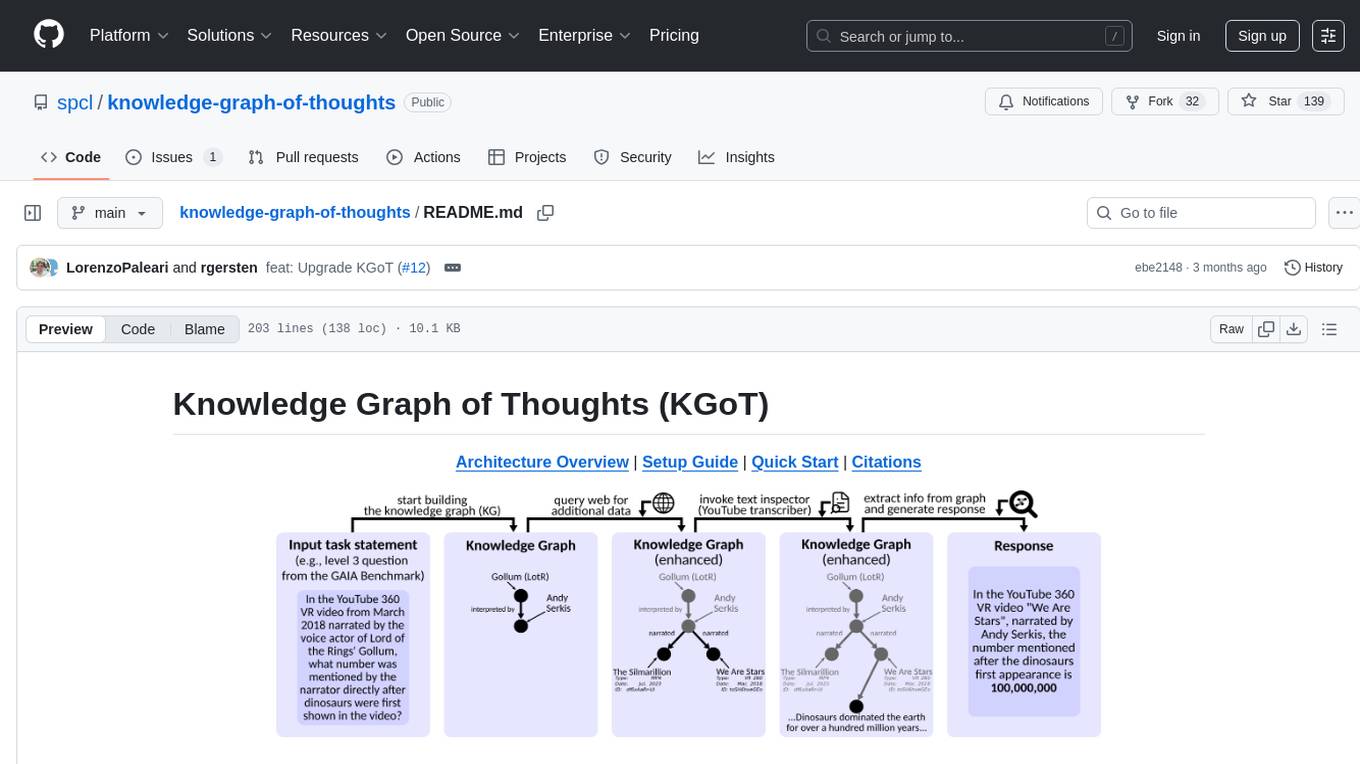
Knowledge Graph of Thoughts (KGoT) is an innovative AI assistant architecture that integrates LLM reasoning with dynamically constructed knowledge graphs (KGs). KGoT extracts and structures task-relevant knowledge into a dynamic KG representation, iteratively enhanced through external tools such as math solvers, web crawlers, and Python scripts. Such structured representation of task-relevant knowledge enables low-cost models to solve complex tasks effectively. The KGoT system consists of three main components: the Controller, the Graph Store, and the Integrated Tools, each playing a critical role in the task-solving process.

rag-experiment-accelerator
The RAG Experiment Accelerator is a versatile tool that helps you conduct experiments and evaluations using Azure AI Search and RAG pattern. It offers a rich set of features, including experiment setup, integration with Azure AI Search, Azure Machine Learning, MLFlow, and Azure OpenAI, multiple document chunking strategies, query generation, multiple search types, sub-querying, re-ranking, metrics and evaluation, report generation, and multi-lingual support. The tool is designed to make it easier and faster to run experiments and evaluations of search queries and quality of response from OpenAI, and is useful for researchers, data scientists, and developers who want to test the performance of different search and OpenAI related hyperparameters, compare the effectiveness of various search strategies, fine-tune and optimize parameters, find the best combination of hyperparameters, and generate detailed reports and visualizations from experiment results.
monitors4codegen
This repository hosts the official code and data artifact for the paper 'Monitor-Guided Decoding of Code LMs with Static Analysis of Repository Context'. It introduces Monitor-Guided Decoding (MGD) for code generation using Language Models, where a monitor uses static analysis to guide the decoding. The repository contains datasets, evaluation scripts, inference results, a language server client 'multilspy' for static analyses, and implementation of various monitors monitoring for different properties in 3 programming languages. The monitors guide Language Models to adhere to properties like valid identifier dereferences, correct number of arguments to method calls, typestate validity of method call sequences, and more.
ezkl
EZKL is a library and command-line tool for doing inference for deep learning models and other computational graphs in a zk-snark (ZKML). It enables the following workflow: 1. Define a computational graph, for instance a neural network (but really any arbitrary set of operations), as you would normally in pytorch or tensorflow. 2. Export the final graph of operations as an .onnx file and some sample inputs to a .json file. 3. Point ezkl to the .onnx and .json files to generate a ZK-SNARK circuit with which you can prove statements such as: > "I ran this publicly available neural network on some private data and it produced this output" > "I ran my private neural network on some public data and it produced this output" > "I correctly ran this publicly available neural network on some public data and it produced this output" In the backend we use the collaboratively-developed Halo2 as a proof system. The generated proofs can then be verified with much less computational resources, including on-chain (with the Ethereum Virtual Machine), in a browser, or on a device.

chronon
Chronon is a platform that simplifies and improves ML workflows by providing a central place to define features, ensuring point-in-time correctness for backfills, simplifying orchestration for batch and streaming pipelines, offering easy endpoints for feature fetching, and guaranteeing and measuring consistency. It offers benefits over other approaches by enabling the use of a broad set of data for training, handling large aggregations and other computationally intensive transformations, and abstracting away the infrastructure complexity of data plumbing.
pgai
pgai simplifies the process of building search and Retrieval Augmented Generation (RAG) AI applications with PostgreSQL. It brings embedding and generation AI models closer to the database, allowing users to create embeddings, retrieve LLM chat completions, reason over data for classification, summarization, and data enrichment directly from within PostgreSQL in a SQL query. The tool requires an OpenAI API key and a PostgreSQL client to enable AI functionality in the database. Users can install pgai from source, run it in a pre-built Docker container, or enable it in a Timescale Cloud service. The tool provides functions to handle API keys using psql or Python, and offers various AI functionalities like tokenizing, detokenizing, embedding, chat completion, and content moderation.
dlio_benchmark
DLIO is an I/O benchmark tool designed for Deep Learning applications. It emulates modern deep learning applications using Benchmark Runner, Data Generator, Format Handler, and I/O Profiler modules. Users can configure various I/O patterns, data loaders, data formats, datasets, and parameters. The tool is aimed at emulating the I/O behavior of deep learning applications and provides a modular design for flexibility and customization.
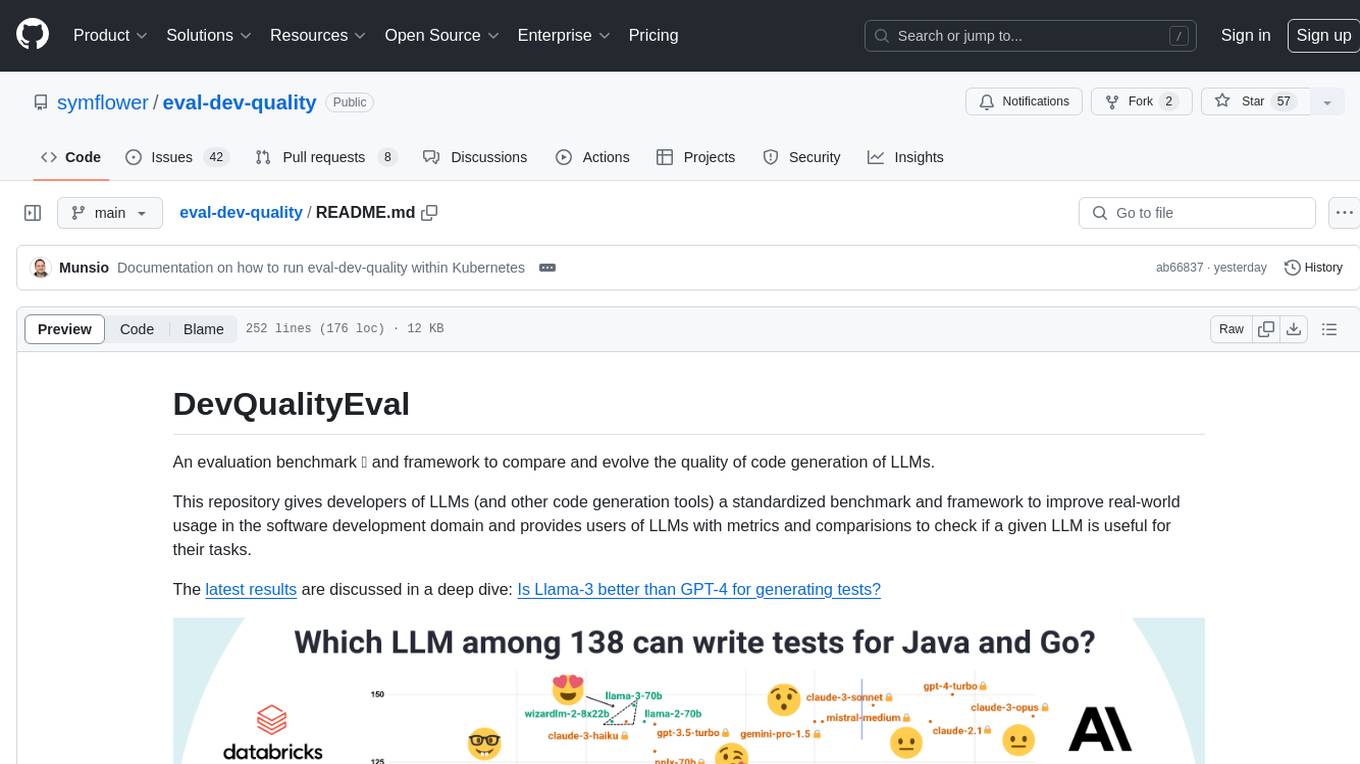
eval-dev-quality
DevQualityEval is an evaluation benchmark and framework designed to compare and improve the quality of code generation of Language Model Models (LLMs). It provides developers with a standardized benchmark to enhance real-world usage in software development and offers users metrics and comparisons to assess the usefulness of LLMs for their tasks. The tool evaluates LLMs' performance in solving software development tasks and measures the quality of their results through a point-based system. Users can run specific tasks, such as test generation, across different programming languages to evaluate LLMs' language understanding and code generation capabilities.

physical-AI-interpretability
Physical AI Interpretability is a toolkit for transformer-based Physical AI and robotics models, providing tools for attention mapping, feature extraction, and out-of-distribution detection. It includes methods for post-hoc attention analysis, applying Dictionary Learning into robotics, and training sparse autoencoders. The toolkit aims to enhance interpretability and understanding of AI models in physical environments.
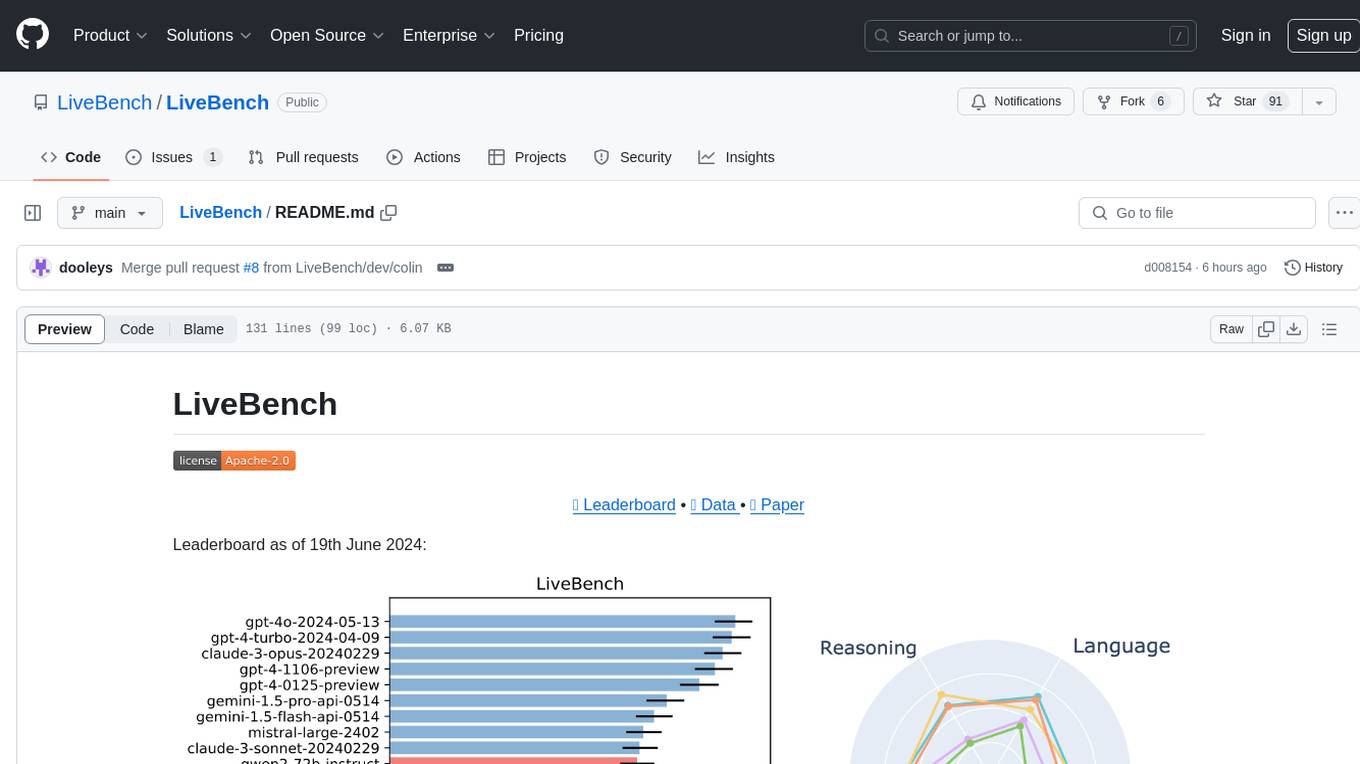
LiveBench
LiveBench is a benchmark tool designed for Language Model Models (LLMs) with a focus on limiting contamination through monthly new questions based on recent datasets, arXiv papers, news articles, and IMDb movie synopses. It provides verifiable, objective ground-truth answers for accurate scoring without an LLM judge. The tool offers 18 diverse tasks across 6 categories and promises to release more challenging tasks over time. LiveBench is built on FastChat's llm_judge module and incorporates code from LiveCodeBench and IFEval.
warc-gpt
WARC-GPT is an experimental retrieval augmented generation pipeline for web archive collections. It allows users to interact with WARC files, extract text, generate text embeddings, visualize embeddings, and interact with a web UI and API. The tool is highly customizable, supporting various LLMs, providers, and embedding models. Users can configure the application using environment variables, ingest WARC files, start the server, and interact with the web UI and API to search for content and generate text completions. WARC-GPT is designed for exploration and experimentation in exploring web archives using AI.
BTGenBot
BTGenBot is a tool that generates behavior trees for robots using lightweight large language models (LLMs) with a maximum of 7 billion parameters. It fine-tunes on a specific dataset, compares multiple LLMs, and evaluates generated behavior trees using various methods. The tool demonstrates the potential of LLMs with a limited number of parameters in creating effective and efficient robot behaviors.
For similar tasks
MegatronApp
MegatronApp is a toolchain built around the Megatron-LM training framework, offering performance tuning, slow-node detection, and training-process visualization. It includes modules like MegaScan for anomaly detection, MegaFBD for forward-backward decoupling, MegaDPP for dynamic pipeline planning, and MegaScope for visualization. The tool aims to enhance large-scale distributed training by providing valuable capabilities and insights.
openssa
OpenSSA is an open-source framework for creating efficient, domain-specific AI agents. It enables the development of Small Specialist Agents (SSAs) that solve complex problems in specific domains. SSAs tackle multi-step problems that require planning and reasoning beyond traditional language models. They apply OODA for deliberative reasoning (OODAR) and iterative, hierarchical task planning (HTP). This "System-2 Intelligence" breaks down complex tasks into manageable steps. SSAs make informed decisions based on domain-specific knowledge. With OpenSSA, users can create agents that process, generate, and reason about information, making them more effective and efficient in solving real-world challenges.
pytorch-forecasting
PyTorch Forecasting is a PyTorch-based package designed for state-of-the-art timeseries forecasting using deep learning architectures. It offers a high-level API and leverages PyTorch Lightning for efficient training on GPU or CPU with automatic logging. The package aims to simplify timeseries forecasting tasks by providing a flexible API for professionals and user-friendly defaults for beginners. It includes features such as a timeseries dataset class for handling data transformations, missing values, and subsampling, various neural network architectures optimized for real-world deployment, multi-horizon timeseries metrics, and hyperparameter tuning with optuna. Built on pytorch-lightning, it supports training on CPUs, single GPUs, and multiple GPUs out-of-the-box.
For similar jobs

weave
Weave is a toolkit for developing Generative AI applications, built by Weights & Biases. With Weave, you can log and debug language model inputs, outputs, and traces; build rigorous, apples-to-apples evaluations for language model use cases; and organize all the information generated across the LLM workflow, from experimentation to evaluations to production. Weave aims to bring rigor, best-practices, and composability to the inherently experimental process of developing Generative AI software, without introducing cognitive overhead.

LLMStack
LLMStack is a no-code platform for building generative AI agents, workflows, and chatbots. It allows users to connect their own data, internal tools, and GPT-powered models without any coding experience. LLMStack can be deployed to the cloud or on-premise and can be accessed via HTTP API or triggered from Slack or Discord.

VisionCraft
The VisionCraft API is a free API for using over 100 different AI models. From images to sound.

kaito
Kaito is an operator that automates the AI/ML inference model deployment in a Kubernetes cluster. It manages large model files using container images, avoids tuning deployment parameters to fit GPU hardware by providing preset configurations, auto-provisions GPU nodes based on model requirements, and hosts large model images in the public Microsoft Container Registry (MCR) if the license allows. Using Kaito, the workflow of onboarding large AI inference models in Kubernetes is largely simplified.

PyRIT
PyRIT is an open access automation framework designed to empower security professionals and ML engineers to red team foundation models and their applications. It automates AI Red Teaming tasks to allow operators to focus on more complicated and time-consuming tasks and can also identify security harms such as misuse (e.g., malware generation, jailbreaking), and privacy harms (e.g., identity theft). The goal is to allow researchers to have a baseline of how well their model and entire inference pipeline is doing against different harm categories and to be able to compare that baseline to future iterations of their model. This allows them to have empirical data on how well their model is doing today, and detect any degradation of performance based on future improvements.

tabby
Tabby is a self-hosted AI coding assistant, offering an open-source and on-premises alternative to GitHub Copilot. It boasts several key features: * Self-contained, with no need for a DBMS or cloud service. * OpenAPI interface, easy to integrate with existing infrastructure (e.g Cloud IDE). * Supports consumer-grade GPUs.

spear
SPEAR (Simulator for Photorealistic Embodied AI Research) is a powerful tool for training embodied agents. It features 300 unique virtual indoor environments with 2,566 unique rooms and 17,234 unique objects that can be manipulated individually. Each environment is designed by a professional artist and features detailed geometry, photorealistic materials, and a unique floor plan and object layout. SPEAR is implemented as Unreal Engine assets and provides an OpenAI Gym interface for interacting with the environments via Python.

Magick
Magick is a groundbreaking visual AIDE (Artificial Intelligence Development Environment) for no-code data pipelines and multimodal agents. Magick can connect to other services and comes with nodes and templates well-suited for intelligent agents, chatbots, complex reasoning systems and realistic characters.