


agent-skills
The secure, validated skill registry for professional AI coding agents. Extend Antigravity, Claude Code, Cursor, Copilot and more with absolute confidence.
Stars: 1429
Agent Skills is a secure, validated skill registry for professional AI coding agents. It provides a library of verified, tested, and safe capabilities to extend various AI agents with confidence. The tool addresses security concerns in marketplace skills by offering 100% open-source code, static analysis for credential theft prevention, immutable integrity to prevent supply chain attacks, and human curation to ensure safety boundaries. Users can install skills through an interactive wizard, choose from a variety of supported AI coding agents, and benefit from a growing catalog of featured skills for development, cloud, automation, design, and security tasks.
README:












The secure, validated skill registry for professional AI coding agents
In an ecosystem where over 13% of marketplace skills contain critical vulnerabilities, Agent Skills stands apart as a hardened library of verified, tested, and safe capabilities. Extend Antigravity, Claude Code, Cursor, and more with absolute confidence.
https://tech-leads-club.github.io/agent-skills/
- ✨ What are Skills?
- 🛡️ Security & Trust
- 🤖 Supported Agents
- 🌟 Featured Skills
- 🚀 Quick Start
- ⚡ How It Works
- 🛠 For Contributors
- 📁 Project Structure
- 📝 Skill Structure
- 🔒 Security Scan
- 🔄 Release Process
- 🤝 Contributing
- 📄 License
Skills are packaged instructions and resources that extend AI agent capabilities. Think of them as plugins for your AI assistant — they teach your agent new workflows, patterns, and specialized knowledge.
packages/skills-catalog/skills/
  (category-name)/
    skill/
      SKILL.md          ← Main instructions
      templates/        ← File templates
      references/       ← On-demand documentation
Your environment's safety is our top priority. Unlike open marketplaces where 13.4% of skills contain critical issues, agent-skills is a managed, hardened library.
We directly address the threats identified in the Snyk 2026 Agent Threat Report:
| Threat | Public Marketplaces | Agent Skills Guarantee |
|---|---|---|
| Malicious Payloads | Obfuscated code, binaries, or "black box" instructions | 100% Open Source: No binaries, fully readable text/code. Every line is auditable. |
| Credential Theft | Skills silently exfiltrating env vars to remote servers | Static Analysis: CI/CD pipeline blocks skills with suspicious network calls or secret access. |
| Supply Chain Attacks | Authors pushing malicious updates to existing skills | Immutable Integrity: Lockfiles and content-hashing ensure code never changes without your explicit upgrade. |
| Prompt Injection | Hidden instructions to hijack agent behavior ("jailbreaks") | Human Curation: Every prompt is manually code-reviewed by maintainers for safety boundaries. |
The installer itself implements strict technical controls:
- Filesystem Isolation: Recursive path traversal protection preventing access outside target directories.
- Input Sanitization: Strict validation of skill names and paths to neutralize injection vectors.
- Symlink Guard: Safe handling of symbolic links to prevent aliasing attacks.
- Integrity Verification: Lockfile-based validation ensuring reproducible and authorized skill management.
- Automated Auditing: All skills undergo continuous security scanning with mcp-scan.
Install skills to any of these AI coding agents:
| Tier 1 (Popular) | Tier 2 (Rising) | Tier 3 (Enterprise) |
|---|---|---|
| Claude Code | Aider | Amazon Q |
| Cline | Antigravity | Augment |
| Cursor | Gemini CLI | Droid (Factory.ai) |
| GitHub Copilot | Kilo Code | OpenCode |
| Windsurf | Kiro | Sourcegraph Cody |
| OpenAI Codex | Tabnine | |
| Roo Code | ||
| TRAE |
Missing your favorite agent? Open an issue and we'll add support!
A glimpse of what's available in our growing catalog:
| Skill | Category | Description |
|---|---|---|
| tlc-spec-driven | Development | Project and feature planning with 4 phases: Specify → Design → Tasks → Implement. Creates atomic tasks with verification criteria and maintains persistent memory across sessions. |
| aws-advisor | Cloud | Expert AWS Cloud Advisor for architecture design, security review, and implementation guidance. Leverages AWS MCP tools for documentation-backed answers. |
| playwright-skill | Automation | Complete browser automation with Playwright. Test pages, fill forms, take screenshots, validate UX, and automate any browser task. |
| figma | Design | Fetch design context from Figma and translate nodes into production code. Design-to-code implementation with MCP integration. |
| security-best-practices | Security | Language and framework-specific security reviews. Detect vulnerabilities, generate reports, and suggest secure-by-default fixes. |
npx @tech-leads-club/agent-skillsThis launches an interactive wizard:
- Choose Action — "Install skills" or "Update installed skills"
- Browse & Select — Filter by category or search
- Choose agents — Pick target agents (Cursor, Claude Code, etc.)
- Installation method — Copy (recommended) or Symlink
- Scope — Global (user home) or Local (project only)
Each step shows a ← Back option to return and revise your choices.
Note: You can use either
npx @tech-leads-club/agent-skillsor install globally and useagent-skillsdirectly.
# Interactive mode (default)
npx @tech-leads-club/agent-skills
# or: agent-skills (if installed globally)

# List available skills
agent-skills list
agent-skills ls        # Alias

# Install one skill
agent-skills install -s tlc-spec-driven

# Install multiple skills at once
agent-skills install -s aws-advisor coding-guidelines docs-writer

# Install to specific agents
agent-skills install -s my-skill -a cursor claude-code

# Install multiple skills to multiple agents
agent-skills install -s aws-advisor nx-workspace -a cursor windsurf cline

# Install globally (to ~/.gemini, ~/.claude, etc.)
agent-skills install -s my-skill -g

# Use symlink instead of copy
agent-skills install -s my-skill --symlink

# Force re-download (bypass cache)
agent-skills install -s my-skill --force

# Update a specific skill
agent-skills update -s my-skill

# Update all installed skills
agent-skills update

# Remove one skill
agent-skills remove -s my-skill

# Remove multiple skills at once
agent-skills remove -s skill1 skill2 skill3
agent-skills rm -s my-skill    # Alias

# Remove from specific agents
agent-skills remove -s my-skill -a cursor windsurf

# Force removal (bypass lockfile check)
agent-skills remove -s my-skill --force

# Manage cache
agent-skills cache --clear           # Clear all cache
agent-skills cache --clear-registry  # Clear only registry
agent-skills cache --path            # Show cache location

# View audit log
agent-skills audit                   # Show recent operations
agent-skills audit -n 20             # Show last 20 entries
agent-skills audit --path            # Show audit log location

# Show contributors and credits
agent-skills credits

# Show help
agent-skills --helpnpm install -g @tech-leads-club/agent-skills
agent-skills # Use 'agent-skills' instead of 'npx @tech-leads-club/agent-skills'The CLI fetches skills on-demand from our CDN:
- Browse — The CLI fetches the skills catalog (~45KB)
- Select — You choose the skills you need
- Download — Selected skills are downloaded and cached locally
- Install — Skills are installed to your agent's configuration
Downloaded skills are cached in ~/.cache/agent-skills/ for offline use.
# Clear the cache
rm -rf ~/.cache/agent-skills- Node.js ≥ 22
- npm (comes with Node.js)
git clone https://github.com/tech-leads-club/agent-skills.git
cd agent-skills
npm ci
npm run build| Command | Description |
|---|---|
npm run start:dev |
Run CLI locally (interactive mode) |
npm run g <name> |
Generate a new skill |
npm run build |
Build all packages |
npm run test |
Run all tests |
npm run lint |
Lint codebase |
npm run format |
Format code with Prettier |
npm run scan |
Run incremental security scan |
# With category (recommended)
nx g @tech-leads-club/skill-plugin:skill my-skill --category=development

# Full options
nx g @tech-leads-club/skill-plugin:skill my-skill \
  --description="What my skill does" \
  --category=development \
  --author="github.com/username" \
  --skillVersion="1.0.0"
The generator creates:
packages/skills-catalog/skills/(development)/my-skill/SKILL.md
agent-skills/
├── packages/
│   ├── cli/                      # @tech-leads-club/agent-skills CLI
│   └── skills-catalog/           # Skills collection
│       └── skills/               # All skill definitions
│           ├── (category-name)/  # Categorized skills
│           └── _category.json    # Category metadata
├── tools/
│   └── skill-plugin/             # Nx skill generator
├── skills-registry.json          # Auto-generated catalog
├── .github/
│   └── workflows/                # CI/CD pipelines
└── nx.json                       # Nx configuration
packages/skills-catalog/skills/
├── (category-name)/              # Category folder
│   └── my-skill/                 # Skill folder
│       ├── SKILL.md              # Required: main instructions
│       ├── scripts/              # Optional: executable scripts
│       ├── templates/            # Optional: file templates
│       └── references/           # Optional: on-demand docs
└── _category.json                # Category metadata
---
name: my-skill
description: What this skill does. Use when user says "trigger phrase".
metadata:
  version: 1.0.0
  author: github.com/username
---

# My Skill

Brief description.

## Process

1. Step one
2. Step two_category.json:
{
  "(development)": {
    "name": "Development",
    "description": "Skills for software development",
    "priority": 1
  }
}-
Keep SKILL.md under 500 lines — use
references/for detailed docs - Write specific descriptions — include trigger phrases
- Assume the agent is smart — only add what it doesn't already know
- Prefer scripts over inline code — reduces context window usage
Every skill is scanned with mcp-scan before publishing. The scan is incremental — only skills whose content changed since the last run are re-scanned.
npm run scan              # Incremental (default)
npm run scan -- --force # Force full re-scanEach skill has a SHA-256 content hash (computed from all its files). Results are cached in .security-scan-cache.json (gitignored). On the next run, skills whose hash hasn't changed skip re-scanning and load results from cache.
Content hash unchanged → load from cache (fast)
Content hash changed   → re-scan with mcp-scan
If mcp-scan flags a finding that is intentional (e.g. a first-party MCP server integration), add it to the allowlist:
packages/skills-catalog/security-scan-allowlist.yaml
version: '1.0.0'

entries:
  - skill: my-skill
    code: W011
    reason: >
      Fetches from trusted first-party API — expected behavior.
    allowedBy: github.com/username
    allowedAt: '2026-01-01'
expiresAt: '2027-01-01' # Optional but recommended- Match is by
skill + code— no re-scan needed after adding an entry -
expiresAtis optional but recommended — forces periodic review - Expired entries re-activate the finding automatically
- Use YAML for better readability, comments, and cleaner diffs
The allowlist is committed to the repo and reviewable in PRs.
This project uses Conventional Commits for automated versioning:
| Commit Prefix | Version Bump | Example |
|---|---|---|
feat: |
Minor (0.X.0) | feat: add new skill |
fix: |
Patch (0.0.X) | fix: correct symlink path |
feat!: |
Major (X.0.0) | feat!: breaking API change |
docs: |
No bump | docs: update README |
chore: |
No bump | chore: update deps |
Releases are automated via GitHub Actions when merging to main.
- Fork the repository
-
Create a feature branch (
git checkout -b feat/amazing-skill) -
Commit with conventional commits (
git commit -m "feat: add amazing skill") -
Push to your fork (
git push origin feat/amazing-skill) - Open a Pull Request
This repository is a collection of curated skills intended to benefit the community. We deeply respect the intellectual property and wishes of all creators.
If you are the author of any content included here and would like it removed or updated, please open an issue or contact the maintainers.
MIT © Tech Leads Club
Built with ❤️ by the Tech Leads Club community
For Tasks:
Click tags to check more tools for each tasksFor Jobs:
Alternative AI tools for agent-skills
Similar Open Source Tools
agent-skills
Agent Skills is a secure, validated skill registry for professional AI coding agents. It provides a library of verified, tested, and safe capabilities to extend various AI agents with confidence. The tool addresses security concerns in marketplace skills by offering 100% open-source code, static analysis for credential theft prevention, immutable integrity to prevent supply chain attacks, and human curation to ensure safety boundaries. Users can install skills through an interactive wizard, choose from a variety of supported AI coding agents, and benefit from a growing catalog of featured skills for development, cloud, automation, design, and security tasks.
orchestkit
OrchestKit is a powerful and flexible orchestration tool designed to streamline and automate complex workflows. It provides a user-friendly interface for defining and managing orchestration tasks, allowing users to easily create, schedule, and monitor workflows. With support for various integrations and plugins, OrchestKit enables seamless automation of tasks across different systems and applications. Whether you are a developer looking to automate deployment processes or a system administrator managing complex IT operations, OrchestKit offers a comprehensive solution to simplify and optimize your workflow management.
claude-code-ultimate-guide
The Claude Code Ultimate Guide is an exhaustive documentation resource that takes users from beginner to power user in using Claude Code. It includes production-ready templates, workflow guides, a quiz, and a cheatsheet for daily use. The guide covers educational depth, methodologies, and practical examples to help users understand concepts and workflows. It also provides interactive onboarding, a repository structure overview, and learning paths for different user levels. The guide is regularly updated and offers a unique 257-question quiz for comprehensive assessment. Users can also find information on agent teams coverage, methodologies, annotated templates, resource evaluations, and learning paths for different roles like junior developer, senior developer, power user, and product manager/devops/designer.
openakita
OpenAkita is a self-evolving AI Agent framework that autonomously learns new skills, performs daily self-checks and repairs, accumulates experience from task execution, and persists until the task is done. It auto-generates skills, installs dependencies, learns from mistakes, and remembers preferences. The framework is standards-based, multi-platform, and provides a Setup Center GUI for intuitive installation and configuration. It features self-learning and evolution mechanisms, a Ralph Wiggum Mode for persistent execution, multi-LLM endpoints, multi-platform IM support, desktop automation, multi-agent architecture, scheduled tasks, identity and memory management, a tool system, and a guided wizard for setup.
PAI
PAI is an open-source personal AI infrastructure designed to orchestrate personal and professional lives. It provides a scaffolding framework with real-world examples for life management, professional tasks, and personal goals. The core mission is to augment humans with AI capabilities to thrive in a world full of AI. PAI features UFC Context Architecture for persistent memory, specialized digital assistants for various tasks, an integrated tool ecosystem with MCP Servers, voice system, browser automation, and API integrations. The philosophy of PAI focuses on augmenting human capability rather than replacing it. The tool is MIT licensed and encourages contributions from the open-source community.
aegra
Aegra is a self-hosted AI agent backend platform that provides LangGraph power without vendor lock-in. Built with FastAPI + PostgreSQL, it offers complete control over agent orchestration for teams looking to escape vendor lock-in, meet data sovereignty requirements, enable custom deployments, and optimize costs. Aegra is Agent Protocol compliant and perfect for teams seeking a free, self-hosted alternative to LangGraph Platform with zero lock-in, full control, and compatibility with existing LangGraph Client SDK.
claude-code-plugins-plus-skills
Claude Code Skills & Plugins Hub is a comprehensive marketplace for agent skills and plugins, offering 1537 production-ready agent skills and 270 total plugins. It provides a learning lab with guides, diagrams, and examples for building production agent workflows. The package manager CLI allows users to discover, install, and manage plugins from their terminal, with features like searching, listing, installing, updating, and validating plugins. The marketplace is not on GitHub Marketplace and does not support built-in monetization. It is community-driven, actively maintained, and focuses on quality over quantity, aiming to be the definitive resource for Claude Code plugins.
agentfield
AgentField is an open-source control plane designed for autonomous AI agents, providing infrastructure for agents to make decisions beyond chatbots. It offers features like scaling infrastructure, routing & discovery, async execution, durable state, observability, trust infrastructure with cryptographic identity, verifiable credentials, and policy enforcement. Users can write agents in Python, Go, TypeScript, or interact via REST APIs. The tool enables the creation of AI backends that reason autonomously within defined boundaries, offering predictability and flexibility. AgentField aims to bridge the gap between AI frameworks and production-ready infrastructure for AI agents.
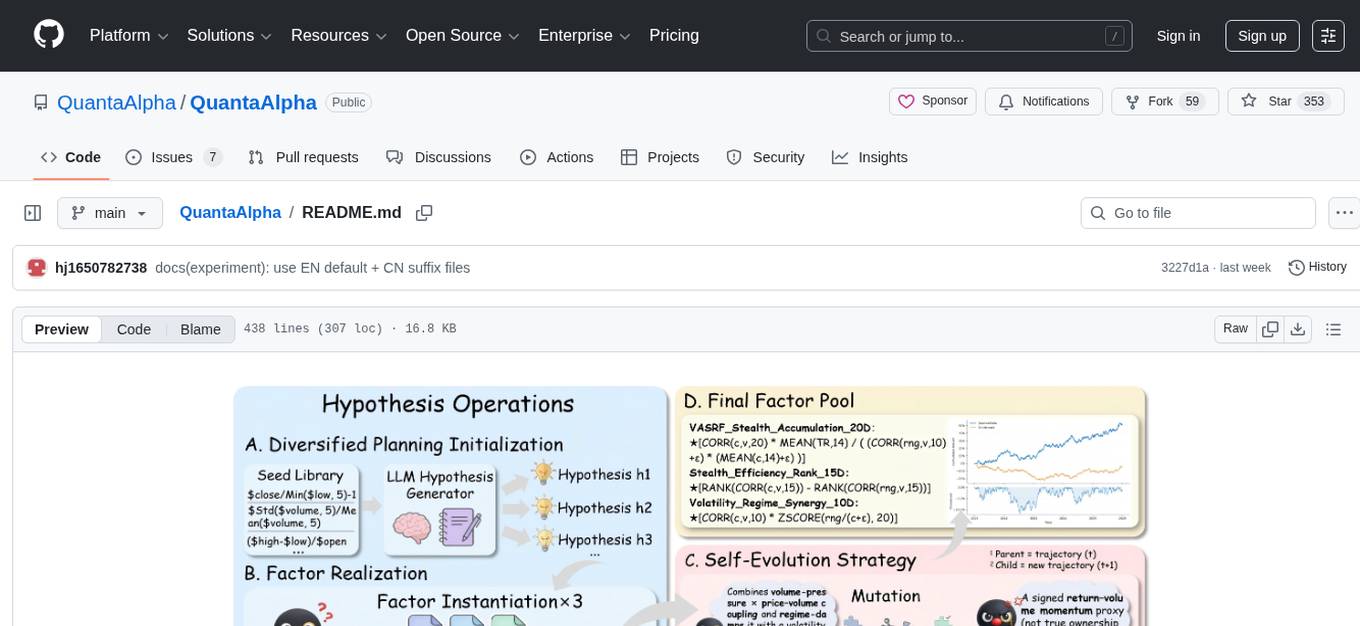
QuantaAlpha
QuantaAlpha is a framework designed for factor mining in quantitative alpha research. It combines LLM intelligence with evolutionary strategies to automatically mine, evolve, and validate alpha factors through self-evolving trajectories. The framework provides a trajectory-based approach with diversified planning initialization and structured hypothesis-code constraint. Users can describe their research direction and observe the automatic factor mining process. QuantaAlpha aims to transform how quantitative alpha factors are discovered by leveraging advanced technologies and self-evolving methodologies.
ring
Ring is a comprehensive skills library and workflow system for AI agents that transforms how AI assistants approach software development. It provides battle-tested patterns, mandatory workflows, and systematic approaches across the entire software delivery value chain. With 74 specialized skills and 33 specialized agents, Ring enforces proven workflows, automates skill discovery, and prevents common failures. The repository includes multiple plugins for different team specializations, each offering a set of skills, agents, and commands to streamline various aspects of software development.

dexto
Dexto is a lightweight runtime for creating and running AI agents that turn natural language into real-world actions. It serves as the missing intelligence layer for building AI applications, standalone chatbots, or as the reasoning engine inside larger products. Dexto features a powerful CLI and Web UI for running AI agents, supports multiple interfaces, allows hot-swapping of LLMs from various providers, connects to remote tool servers via the Model Context Protocol, is config-driven with version-controlled YAML, offers production-ready core features, extensibility for custom services, and enables multi-agent collaboration via MCP and A2A.
handit.ai
Handit.ai is an autonomous engineer tool designed to fix AI failures 24/7. It catches failures, writes fixes, tests them, and ships PRs automatically. It monitors AI applications, detects issues, generates fixes, tests them against real data, and ships them as pull requests—all automatically. Users can write JavaScript, TypeScript, Python, and more, and the tool automates what used to require manual debugging and firefighting.
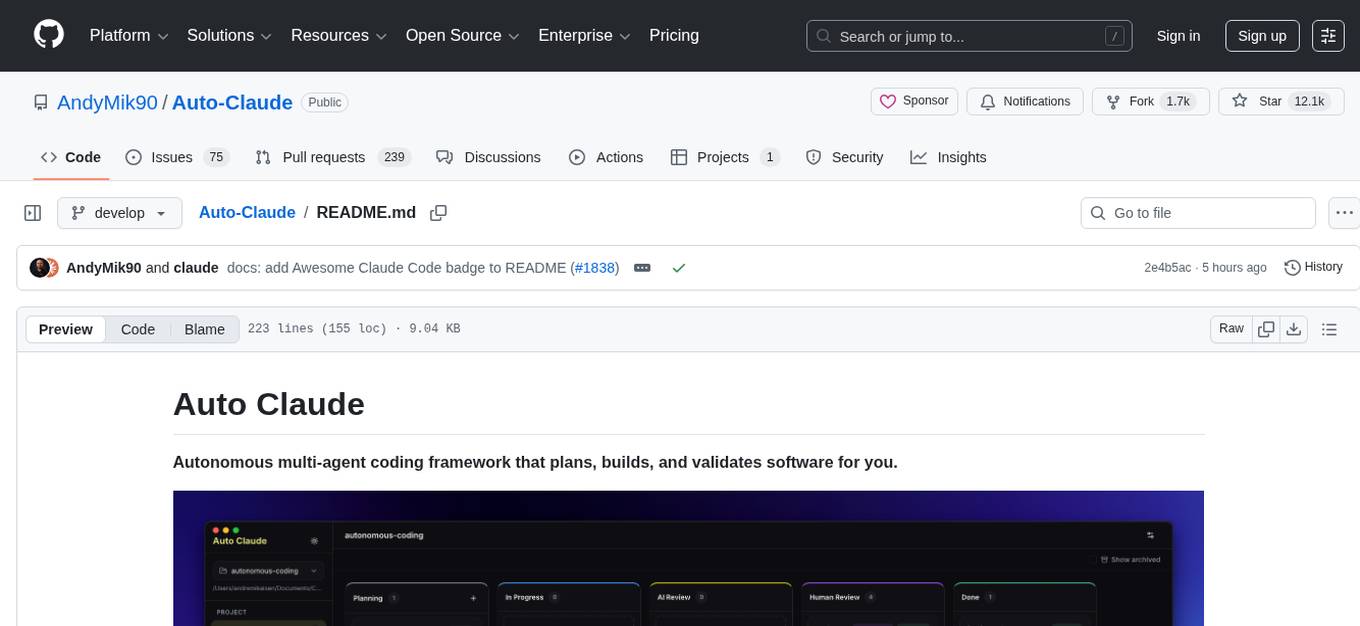
Auto-Claude
Auto Claude is an autonomous multi-agent coding framework that plans, builds, and validates software for users. It provides features such as autonomous tasks handling planning, implementation, and validation, parallel execution with multiple agent terminals, isolated workspaces for safe changes, self-validating quality assurance, AI-powered merge for conflict resolution, memory layer for smarter builds, GitHub/GitLab integration, cross-platform native desktop apps, auto-updates, and more. The tool offers a visual Kanban board for task management, AI-powered terminals for parallel work, AI-assisted feature planning, insights chat interface, ideation for code improvements, performance issues, and vulnerabilities discovery, and changelog generation from completed tasks. It follows a three-layer security model with OS sandbox, filesystem restrictions, and dynamic command allowlist, ensuring security through VirusTotal scans, SHA256 checksums, and code-signing for macOS releases.
specs.md
AI-native development framework with pluggable flows for every use case. Choose from Simple for quick specs, FIRE for adaptive execution, or AI-DLC for full methodology with DDD. Features include flow switcher, active run tracking, intent visualization, and click-to-open spec files. Three flows optimized for different scenarios: Simple for spec generation, prototypes; FIRE for adaptive execution, brownfield, monorepos; AI-DLC for full traceability, DDD, regulated environments. Installable as a VS Code extension for progress tracking. Supported by various AI coding tools like Claude Code, Cursor, GitHub Copilot, and Google Antigravity. Tool agnostic with portable markdown files for agents and specs.
prism-insight
PRISM-INSIGHT is a comprehensive stock analysis and trading simulation system based on AI agents. It automatically captures daily surging stocks via Telegram channel, generates expert-level analyst reports, and performs trading simulations. The system utilizes OpenAI GPT-4.1 for in-depth stock analysis and GPT-5 for investment strategy simulation. It also interacts with users via Anthropic Claude for Telegram conversations. The system architecture includes AI analysis agents, stock tracking, PDF conversion, and Telegram bot functionalities. Users can customize criteria for identifying surging stocks, modify AI prompts, and adjust chart styles. The project is open-source under the MIT license, and all investment decisions based on the analysis are the responsibility of the user.
OpenOutreach
OpenOutreach is a self-hosted, open-source LinkedIn automation tool designed for B2B lead generation. It automates the entire outreach process in a stealthy, human-like way by discovering and enriching target profiles, ranking profiles using ML for smart prioritization, sending personalized connection requests, following up with custom messages after acceptance, and tracking everything in a built-in CRM with web UI. It offers features like undetectable behavior, fully customizable Python-based campaigns, local execution with CRM, easy deployment with Docker, and AI-ready templating for hyper-personalized messages.
For similar tasks
agent-skills
Agent Skills is a secure, validated skill registry for professional AI coding agents. It provides a library of verified, tested, and safe capabilities to extend various AI agents with confidence. The tool addresses security concerns in marketplace skills by offering 100% open-source code, static analysis for credential theft prevention, immutable integrity to prevent supply chain attacks, and human curation to ensure safety boundaries. Users can install skills through an interactive wizard, choose from a variety of supported AI coding agents, and benefit from a growing catalog of featured skills for development, cloud, automation, design, and security tasks.
skillshare
One source of truth for AI CLI skills. Sync everywhere with one command — from personal to organization-wide. Stop managing skills tool-by-tool. `skillshare` gives you one shared skill source and pushes it everywhere your AI agents work. Safe by default with non-destructive merge mode. True bidirectional flow with `collect`. Cross-machine ready with Git-native `push`/`pull`. Team + project friendly with global skills for personal workflows and repo-scoped collaboration. Visual control panel with `skillshare ui` for browsing, install, target management, and sync status in one place.
ai-factory
AI Factory is a CLI tool and skill system that streamlines AI-powered development by handling context setup, skill installation, and workflow configuration. It supports multiple AI coding agents, offers spec-driven development, and integrates with popular tech stacks like Next.js, Laravel, Django, and Express. The tool ensures zero configuration, best practices adherence, community skills utilization, and multi-agent support. Users can create plans, tasks, and commits for structured feature development, bug fixes, and self-improvement. Security is a priority with mandatory two-level scans for external skills. The tool's learning loop generates patches from bug fixes to enhance future implementations.
camp-1
AI Native Camp - 1기 is a 7-day intensive camp designed for non-developers to learn Claude Code skills. The curriculum includes hands-on learning experiences with Claude guiding, teaching, and practicing skills daily. Participants can install the entire curriculum or specific skills for each day using simple commands. The camp focuses on creating skills by learning how to make skills, and it aims to change participants' work methods permanently. Upon completion, participants become part of the Claude Code community, equipped with new skills and knowledge.
k8s-operator
OpenClaw Kubernetes Operator is a platform for self-hosting AI agents on Kubernetes with production-grade security, observability, and lifecycle management. It allows users to run OpenClaw AI agents on their own infrastructure, managing inboxes, calendars, smart homes, and more through various integrations. The operator encodes network isolation, secret management, persistent storage, health monitoring, optional browser automation, and config rollouts into a single custom resource 'OpenClawInstance'. It manages a stack of Kubernetes resources ensuring security, monitoring, and self-healing. Features include declarative configuration, security hardening, built-in metrics, provider-agnostic config, config modes, skill installation, auto-update, backup/restore, workspace seeding, gateway auth, Tailscale integration, self-configuration, extensibility, cloud-native features, and more.
For similar jobs

promptflow
**Prompt flow** is a suite of development tools designed to streamline the end-to-end development cycle of LLM-based AI applications, from ideation, prototyping, testing, evaluation to production deployment and monitoring. It makes prompt engineering much easier and enables you to build LLM apps with production quality.

deepeval
DeepEval is a simple-to-use, open-source LLM evaluation framework specialized for unit testing LLM outputs. It incorporates various metrics such as G-Eval, hallucination, answer relevancy, RAGAS, etc., and runs locally on your machine for evaluation. It provides a wide range of ready-to-use evaluation metrics, allows for creating custom metrics, integrates with any CI/CD environment, and enables benchmarking LLMs on popular benchmarks. DeepEval is designed for evaluating RAG and fine-tuning applications, helping users optimize hyperparameters, prevent prompt drifting, and transition from OpenAI to hosting their own Llama2 with confidence.

MegaDetector
MegaDetector is an AI model that identifies animals, people, and vehicles in camera trap images (which also makes it useful for eliminating blank images). This model is trained on several million images from a variety of ecosystems. MegaDetector is just one of many tools that aims to make conservation biologists more efficient with AI. If you want to learn about other ways to use AI to accelerate camera trap workflows, check out our of the field, affectionately titled "Everything I know about machine learning and camera traps".

leapfrogai
LeapfrogAI is a self-hosted AI platform designed to be deployed in air-gapped resource-constrained environments. It brings sophisticated AI solutions to these environments by hosting all the necessary components of an AI stack, including vector databases, model backends, API, and UI. LeapfrogAI's API closely matches that of OpenAI, allowing tools built for OpenAI/ChatGPT to function seamlessly with a LeapfrogAI backend. It provides several backends for various use cases, including llama-cpp-python, whisper, text-embeddings, and vllm. LeapfrogAI leverages Chainguard's apko to harden base python images, ensuring the latest supported Python versions are used by the other components of the stack. The LeapfrogAI SDK provides a standard set of protobuffs and python utilities for implementing backends and gRPC. LeapfrogAI offers UI options for common use-cases like chat, summarization, and transcription. It can be deployed and run locally via UDS and Kubernetes, built out using Zarf packages. LeapfrogAI is supported by a community of users and contributors, including Defense Unicorns, Beast Code, Chainguard, Exovera, Hypergiant, Pulze, SOSi, United States Navy, United States Air Force, and United States Space Force.

llava-docker
This Docker image for LLaVA (Large Language and Vision Assistant) provides a convenient way to run LLaVA locally or on RunPod. LLaVA is a powerful AI tool that combines natural language processing and computer vision capabilities. With this Docker image, you can easily access LLaVA's functionalities for various tasks, including image captioning, visual question answering, text summarization, and more. The image comes pre-installed with LLaVA v1.2.0, Torch 2.1.2, xformers 0.0.23.post1, and other necessary dependencies. You can customize the model used by setting the MODEL environment variable. The image also includes a Jupyter Lab environment for interactive development and exploration. Overall, this Docker image offers a comprehensive and user-friendly platform for leveraging LLaVA's capabilities.

carrot
The 'carrot' repository on GitHub provides a list of free and user-friendly ChatGPT mirror sites for easy access. The repository includes sponsored sites offering various GPT models and services. Users can find and share sites, report errors, and access stable and recommended sites for ChatGPT usage. The repository also includes a detailed list of ChatGPT sites, their features, and accessibility options, making it a valuable resource for ChatGPT users seeking free and unlimited GPT services.

TrustLLM
TrustLLM is a comprehensive study of trustworthiness in LLMs, including principles for different dimensions of trustworthiness, established benchmark, evaluation, and analysis of trustworthiness for mainstream LLMs, and discussion of open challenges and future directions. Specifically, we first propose a set of principles for trustworthy LLMs that span eight different dimensions. Based on these principles, we further establish a benchmark across six dimensions including truthfulness, safety, fairness, robustness, privacy, and machine ethics. We then present a study evaluating 16 mainstream LLMs in TrustLLM, consisting of over 30 datasets. The document explains how to use the trustllm python package to help you assess the performance of your LLM in trustworthiness more quickly. For more details about TrustLLM, please refer to project website.

AI-YinMei
AI-YinMei is an AI virtual anchor Vtuber development tool (N card version). It supports fastgpt knowledge base chat dialogue, a complete set of solutions for LLM large language models: [fastgpt] + [one-api] + [Xinference], supports docking bilibili live broadcast barrage reply and entering live broadcast welcome speech, supports Microsoft edge-tts speech synthesis, supports Bert-VITS2 speech synthesis, supports GPT-SoVITS speech synthesis, supports expression control Vtuber Studio, supports painting stable-diffusion-webui output OBS live broadcast room, supports painting picture pornography public-NSFW-y-distinguish, supports search and image search service duckduckgo (requires magic Internet access), supports image search service Baidu image search (no magic Internet access), supports AI reply chat box [html plug-in], supports AI singing Auto-Convert-Music, supports playlist [html plug-in], supports dancing function, supports expression video playback, supports head touching action, supports gift smashing action, supports singing automatic start dancing function, chat and singing automatic cycle swing action, supports multi scene switching, background music switching, day and night automatic switching scene, supports open singing and painting, let AI automatically judge the content.