


vscode-unify-chat-provider
Integrate multiple LLM API providers into VS Code's GitHub Copilot Chat using the Language Model API. Aggregates the latest free mainstream models, configurable in just a few steps! One-click use of your Claude Code, Gemini CLI, Antigravity, Github Copilot, Qwen Code, OpenAI CodeX (ChatGPT Plus/Pro), iFlow CLI account quotas.
Stars: 119
The 'vscode-unify-chat-provider' repository is a tool that integrates multiple LLM API providers into VS Code's GitHub Copilot Chat using the Language Model API. It offers free tier access to mainstream models, perfect compatibility with major LLM API formats, deep adaptation to API features, best performance with built-in parameters, out-of-the-box configuration, import/export support, great UX, and one-click use of various models. The tool simplifies model setup, migration, and configuration for users, providing a seamless experience within VS Code for utilizing different language models.
README:

Integrate multiple LLM API providers into VS Code's GitHub Copilot Chat using the Language Model API.
English | 简体中文
- 🐑 Free Tier Access: Aggregates the latest free mainstream models, configurable in just a few steps!
- 🔌 Perfect Compatibility: Supports all major LLM API formats (OpenAI Chat Completions, OpenAI Responses, Anthropic Messages, Ollama Chat, Gemini).
- 🎯 Deep Adaptation: Adapts to special API features and best practices of 45+ mainstream providers.
- 🚀 Best Performance: Built-in recommended parameters for 200+ mainstream models, allowing you to maximize model potential without tuning.
- 📦 Out of the Box: One-click configuration, or one-click migration from mainstream applications and extensions, with automatic syncing of official model lists, no tedious operations required.
- 💾 Import and Export: Complete import/export support; import existing configs via Base64, JSON, URL, or URI.
- 💎 Great UX: Visual interface configuration, fully open model parameters, supports unlimited provider and model configurations, and supports coexistence of multiple configuration variants for the same provider and model.
- ✨ One More Thing: One-click use of your Claude Code, Gemini CLI, Antigravity, Github Copilot, Qwen Code, OpenAI Codex (ChatGPT Plus/Pro), iFlow CLI account quotas.
- Search for Unify Chat Provider in the VS Code Extension Marketplace and install it.
- Download the latest
.vsixfile from GitHub Releases, then install it in VS Code viaInstall from VSIX...or by dragging it into the Extensions view.
Check out the Cookbook, you can start using it in minutes:
- Free Claude 4.5 & Gemini 3 Series Models:
- Partially Free Claude, GPT, Gemini, Grok Series Models:
- Free Kimi K2.5, GLM 4.7, MiniMax M2.1 Series Models:
- Free Kimi K2.5, GLM 4.7, MiniMax M2.1, Qwen3, DeepSeek Series Models:
- More Recipes:
You can also check the Provider Support Table:
- Browse all providers with long-term free quotas.
- One-Click Configuration to start.
When you have added multiple providers or models:
- Use the Manage Providers interface for unified management.
- Use Import and Export to backup or share configurations with others.
Currently, you might also be looking for:
- One-Click Migration: Migrate from other apps or extensions.
- Manual Configuration: Add any provider and model completely from scratch.
If the above content still doesn't help you, please continue reading the rest of this document, or create an Issue for help.
⚠️ Warning: This may violate Google's Terms of Service, please be aware of the risk of account banning!
- You need to prepare a Google account.
- Open the VS Code Command Palette and search for
Unify Chat Provider: Add Provider From Well-Known Provider List. - Select
Google Antigravityin the list, leaveProject IDblank and press Enter. - Allow the extension to open the browser for authorized login, and log in to your account in the browser.
- After logging in, return to VS Code and click the
Savebutton at the bottom of the configuration interface to complete. - Optional: Repeat the above steps to add the
Google Gemini CLIprovider.
The quotas for Antigravity and Gemini CLI for the same account are independent, so it is recommended to add both to get more free quotas.
Gemini CLI Permission Error Solution:
When using Gemini CLI models, you may see:
- Permission 'cloudaicompanion.companions.generateChat' denied on resource '//cloudaicompanion.googleapis.com/projects/...'
- 'No project ID found for Gemini CLI.'
That means you need to have your own Project ID.
- Go to Google Cloud Console
- Create or select a project
- Enable the Gemini for Google Cloud API (
cloudaicompanion.googleapis.com) - When authorizing, explicitly fill in the
Project IDinstead of leaving it blank.
VS Code's Copilot Chat itself supports logging into a GitHub Copilot account, so this is generally used to quickly switch between multiple accounts.
- You need to prepare a Github account.
- Open the VS Code Command Palette and search for
Unify Chat Provider: Add Provider From Well-Known Provider List. - Select
Github Copilotin the list, and chooseGithub.comorGithub Enterprisedepending on whether your account is an enterprise subscription. - Allow the extension to open the browser for authorized login, and log in to your account in the browser.
- After logging in, return to VS Code and click the
Savebutton at the bottom of the configuration interface to complete.
- You need to prepare an Nvidia account.
- Open the VS Code Command Palette and search for
Unify Chat Provider: Add Provider From Well-Known Provider List. - Select
Nvidiain the list, fill in the API Key generated in the user panel and press Enter. - Click the
Savebutton at the bottom of the configuration interface to complete.
If you need to use the Kimi K2.5 model, please add it from the built-in model list, as the official API may not have returned this model information yet.
- You need to prepare an iFlow account.
- Open the VS Code Command Palette and search for
Unify Chat Provider: Add Provider From Well-Known Provider List. - Select
iFlowin the list, and choose from two verification methods:-
API Key: Fill in the API Key generated in the iFlow console. -
iFlow CLI: Allow the extension to open the browser for authorized login, and log in to your account in the browser.
-
- After verification is completed, return to VS Code and click the
Savebutton at the bottom of the configuration interface to complete.
⚠️ Warning: This may violate the provider's Terms of Service, please be aware of the risk of account banning!
When do you need to use this?
- Some Coding Plan subscriptions or relay sites require you to strictly use their API Key in Claude Code.
- You need to use Claude Code's account quota in Github Copilot.
Steps:
- You need to prepare a Claude Code account or API Key (whether official Key or not).
- Open the VS Code Command Palette and search for
Unify Chat Provider: Add Provider From Well-Known Provider List. - Select
Claude Codein the list, and choose from two verification methods:-
API Key: Fill in the API Key used in Claude Code. -
Claude Code: Allow the extension to open the browser for authorized login, and log in to your account in the browser.
-
- If your
Base URLis not the officialhttps://api.anthropic.com:- In the pop-up configuration interface, click
Provider Settings...->API Base URLand fill in the URL you want to use. - Return to the previous interface.
- In the pop-up configuration interface, click
- Click the
Savebutton at the bottom of the configuration interface to complete.
The UI is integrated into the VS Code Command Palette for a more native experience. Here’s the basic workflow:
- Open the Command Palette:
- From the menu:
View->Command Palette... - Or with the shortcut:
Ctrl+Shift+P(Windows/Linux) orCmd+Shift+P(Mac)
- From the menu:
- Search commands:
- Type
Unify Chat Provider:orucp:to find all commands.
- Type
- Run a command:
- Select a command with mouse or arrow keys, then press Enter.

See the Application Migration Support Table to learn which apps and extensions are supported.
If your app/extension is not in the list, you can configure it via One-Click Configuration or Manual Configuration.
Steps:
-
Open the VS Code Command Palette and search for
Unify Chat Provider: Import Config From Other Applications.- The UI lists all supported apps/extensions and the detected config file paths. - Use the button group on the far right of each item for additional actions: 1. `Custom Path`: Import from a custom config file path. 2. `Import From Config Content`: Paste the config content directly.
-
Choose the app/extension you want to import, then you’ll be taken to the config import screen.
- This screen lets you review and edit the config that will be imported.
- For details, see the Provider Settings section.
-
Click
Saveto complete the import and start using the imported models in Copilot Chat.
See the Provider Support Table for providers supported by one-click configuration.
If your provider is not in the list, you can add it via Manual Configuration.
Steps:
-
Open the VS Code Command Palette and search for
Unify Chat Provider: Add Provider From Well-Known Provider List.
-
Select the provider you want to add.
-
Follow the prompts to configure authentication (usually an API key, or it may require logging in via the browser), then you’ll be taken to the config import screen.
- This screen lets you review and edit the config that will be imported.
- For details, see the Provider Settings section.
-
Click
Saveto complete the import and start using the models in Copilot Chat.
This section uses DeepSeek as an example, adding the provider and two models.
DeepSeek supports One-Click Configuration. This section shows the manual setup for demonstration purposes.
-
Preparation: get the API information from the provider docs, at least the following:
-
API Format: The API format (e.g., OpenAI Chat Completions, Anthropic Messages). -
API Base URL: The base URL of the API. -
Authentication: Usually an API key; obtained from the user center or console after registration.
-
-
Open the VS Code Command Palette and search for
Unify Chat Provider: Add Provider.- This screen is similar to the [Provider Settings](#provider-settings) screen, and includes in-place documentation for each field.
-
Fill in the provider name:
Name.- The name must be unique and is shown in the model list. Here we use
DeepSeek. - You can create multiple configs for the same provider with different names, e.g.,
DeepSeek-Person,DeepSeek-Team.
- The name must be unique and is shown in the model list. Here we use
-
Choose the API format:
API Format.- DeepSeek uses the
OpenAI Chat Completionformat, so select that. - To see all supported formats, refer to the API Format Support Table.
- DeepSeek uses the
-
Set the base URL:
API Base URL.- DeepSeek’s base URL is
https://api.deepseek.com.
- DeepSeek’s base URL is
-
Configure authentication:
Authentication.- DeepSeek uses API Key for authentication, so select
API Key. - Enter the API key generated from the DeepSeek console.
- DeepSeek uses API Key for authentication, so select
-
Click
Modelsto go to the model management screen.
-
Enable
Auto-Fetch Official Models.- This example uses auto-fetch to reduce configuration steps; see Auto-Fetch Official Models for details.
- For model fields and other ways to add models, see Manage Models.
-
Click
Saveto finish. You can now use the models in Copilot Chat.
- You can create unlimited provider configurations, and multiple configs can coexist for the same provider.
- Provider names must be unique.
Open the VS Code Command Palette and search for Unify Chat Provider: Manage Providers.

-
Add Provider: Add a new provider via Manual Configuration. -
Add From Well-Known Provider List: Add a new provider via One-Click Configuration. -
Import From Config: Import an existing provider config (or an array of provider configs). See Import and Export. -
Import From Other Applications: Import configs from other apps/extensions via One-Click Migration. -
Export All Providers: Export all provider configs. See Import and Export.
The UI also shows all existing providers. Click a provider item to enter the Model List screen.
The button group on the right of each provider item provides additional actions:
-
Export: Export this provider config. See Import and Export. -
Duplicate: Clone this provider config to create a new one. -
Delete: Delete this provider config.

-
Models: This button only appears while adding or importing a config; click it to enter the Model List screen.
This screen shows all configuration fields for the provider. For field details, see Provider Parameters.
- Each provider can have unlimited model configurations.
- The same model ID can exist under different providers.
- Within a single provider config, you cannot have multiple identical model IDs directly, but you can create multiple configs by adding a
#xxxsuffix. - For example, you can add both
glm4.7andglm4.7#thinkingto quickly switch thinking on/off. - The
#xxxsuffix is automatically removed when sending requests. - Model names can be duplicated, but using distinct names is recommended to avoid confusion.

-
Add Model: Go to Add Model Manually. -
Add From Well-Known Model List: Go to One-Click Add Models. -
Add From Official Model List: Fetch the latest official model list via API. See One-Click Add Models. -
Import From Config: Import an existing model config (or an array of model configs). See Import and Export. -
Auto-Fetch Official Models: Enable or disable Auto-Fetch Official Models. -
Provider Settings: Go to Provider Settings. -
Export: Export this provider config or the model array config. See Import and Export. -
Duplicate: Clone this provider config to create a new one. -
Delete: Delete this provider config.
This screen is similar to the Model Settings screen; you can read the in-place documentation to understand each field.

This screen lists all models that can be added with one click. You can import multiple selected models at once.
See the Model Support Table for the full list of supported models.
This feature periodically fetches the latest official model list from the provider’s API and automatically configures recommended parameters, greatly simplifying model setup.
Tip
A provider’s API may not return recommended parameters. In that case, recommended parameters are looked up from an internal database by model ID. See the Model Support Table for models that have built-in recommendations.
- Auto-fetched models show an
interneticon before the model name. - If an auto-fetched model ID conflicts with a manually configured one, only the manually configured model is shown.
- Auto-fetched models are refreshed periodically; you can also click
(click to fetch)to refresh manually. - Run the VS Code command
Unify Chat Provider: Refresh All Provider's Official Modelsto trigger refresh for all providers.

-
Export: Export this model config. See Import and Export. -
Duplicate: Clone this model config to create a new one. -
Delete: Delete this model config.
This screen shows all configuration fields for the model. For field details, see Model Parameters.
| Name | ID | Description |
|---|---|---|
| Global Network Settings | networkSettings |
Network timeout/retry settings, which only affect chat requests. |
| Store API Key in Settings | storeApiKeyInSettings |
Please see Cloud Sync Compatibility for details. |
| Enable Detailed Logging | verbose |
Enables more detailed logging for troubleshooting errors. |
The following fields correspond to ProviderConfig (field names used in import/export JSON).
| Name | ID | Description |
|---|---|---|
| API Format | type |
Provider type (determines the API format and compatibility logic). |
| Provider Name | name |
Unique name for this provider config (used for list display and references). |
| API Base URL | baseUrl |
API base URL, e.g. https://api.anthropic.com. |
| Authentication | auth |
Authentication config object (none / api-key / oauth2). |
| Models | models |
Array of model configurations (ModelConfig[]). |
| Extra Headers | extraHeaders |
HTTP headers appended to every request (Record<string, string>). |
| Extra Body Fields | extraBody |
Extra fields appended to request body (Record<string, unknown>), for provider-specific parameters. |
| Timeout | timeout |
Timeout settings for HTTP requests and SSE streaming (milliseconds). |
| Connection Timeout | timeout.connection |
Maximum time to wait for establishing a TCP connection; default 60000 (60 seconds). |
| Response Interval Timeout | timeout.response |
Maximum time to wait between SSE chunks; default 300000 (5 minutes). |
| Retry | retry |
Retry settings for transient errors (chat requests only). |
| Max Retries | retry.maxRetries |
Maximum number of retry attempts; default 10. |
| Initial Delay | retry.initialDelayMs |
Initial delay before the first retry (milliseconds); default 1000. |
| Max Delay | retry.maxDelayMs |
Maximum delay cap for retries (milliseconds); default 60000. |
| Backoff Multiplier | retry.backoffMultiplier |
Exponential backoff multiplier; default 2. |
| Jitter Factor | retry.jitterFactor |
Jitter factor (0-1) to randomize delay; default 0.1. |
| Auto-Fetch Official Models | autoFetchOfficialModels |
Whether to periodically fetch and auto-update the official model list from the provider API. |
The following fields correspond to ModelConfig (field names used in import/export JSON).
| Name | ID | Description |
|---|---|---|
| Model ID | id |
Model identifier (you can use a #xxx suffix to create multiple configs for the same model; the suffix is removed when sending requests). |
| Display Name | name |
Name shown in the UI (usually falls back to id if empty). |
| Model Family | family |
A grouping identifier for grouping/matching models (e.g., gpt-4, claude-3). |
| Max Input Tokens | maxInputTokens |
Maximum input/context tokens (some providers interpret this as total context for “input + output”). |
| Max Output Tokens | maxOutputTokens |
Maximum generated tokens (required by some providers, e.g., Anthropic’s max_tokens). |
| Capabilities | capabilities |
Capability declaration (for UI and routing logic; may also affect request construction). |
| Tool Calling | capabilities.toolCalling |
Whether tool/function calling is supported; if a number, it represents the maximum tool count. |
| Image Input | capabilities.imageInput |
Whether image input is supported. |
| Streaming | stream |
Whether streaming responses are enabled (if unset, default behavior is used). |
| Temperature | temperature |
Sampling temperature (randomness). |
| Top-K | topK |
Top-k sampling. |
| Top-P | topP |
Top-p (nucleus) sampling. |
| Frequency Penalty | frequencyPenalty |
Frequency penalty. |
| Presence Penalty | presencePenalty |
Presence penalty. |
| Parallel Tool Calling | parallelToolCalling |
Whether to allow parallel tool calling (true enable, false disable, undefined use default). |
| Verbosity | verbosity |
Constrain verbosity: low / medium / high (not supported by all providers). |
| Thinking | thinking |
Thinking/reasoning related config (support varies by provider). |
| Thinking Mode | thinking.type |
enabled / disabled / auto
|
| Thinking Budget Tokens | thinking.budgetTokens |
Token budget for thinking. |
| Thinking Effort | thinking.effort |
none / minimal / low / medium / high / xhigh
|
| Extra Headers | extraHeaders |
HTTP headers appended to this model request (Record<string, string>). |
| Extra Body Fields | extraBody |
Extra fields appended to this model request body (Record<string, unknown>). |
Supported import/export payloads:
- Single provider configuration
- Single model configuration
- Multiple provider configurations (array)
- Multiple model configurations (array)
Supported import/export formats:
- Base64-url encoded JSON config string (export uses this format only)
- Plain JSON config string
- A URL pointing to a Base64-url encoded or plain JSON config string
Supports importing provider configs via VS Code URI.
Example:
vscode://SmallMain.vscode-unify-chat-provider/import-config?config=<input>
<input> supports the same formats as in Import and Export.
You can add query parameters to override certain fields in the imported config.
Example:
vscode://SmallMain.vscode-unify-chat-provider/import-config?config=<input>&auth={"method":"api-key","apiKey":"my-api-key"}
The import will override the auth field before importing.
If you are a developer for an LLM provider, you can add a link like the following on your website so users can add your model to this extension with one click:
<a href="vscode://SmallMain.vscode-unify-chat-provider/import-config?config=eyJ0eXBlIjoi...">Add to Unify Chat Provider</a>
Extension configs are stored in settings.json, so they work with VS Code Settings Sync.
However, sensitive information is stored in VS Code Secret Storage by default, which currently does not sync.
So after syncing to another device, you may be prompted to re-enter keys or re-authorize.
If you want to sync sync-safe sensitive data (e.g., API keys), enable storeApiKeyInSettings.
OAuth credentials are always kept in Secret Storage to avoid multi-device token refresh conflicts.
This can increase the risk of user data leakage, so evaluate the risk before enabling.
| API | ID | Typical Endpoint | Notes |
|---|---|---|---|
| OpenAI Chat Completion API | openai-chat-completion |
/v1/chat/completions |
If the base URL doesn’t end with a version suffix, /v1 is appended automatically. |
| OpenAI Responses API | openai-responses |
/v1/responses |
If the base URL doesn’t end with a version suffix, /v1 is appended automatically. |
| Google AI Studio (Gemini API) | google-ai-studio |
/v1beta/models:generateContent |
Automatically detect the version number suffix. |
| Google Vertex AI | google-vertex-ai |
/v1beta/models:generateContent |
Provide different base URL based on authentication. |
| Anthropic Messages API | anthropic |
/v1/messages |
Automatically removes duplicated /v1 suffix. |
| Ollama Chat API | ollama |
/api/chat |
Automatically removes duplicated /api suffix. |
The providers listed below support One-Click Configuration. Implementations follow the best practices from official docs to help you get the best performance.
Tip
Even if a provider is not listed, you can still use it via Manual Configuration.
| Provider | Supported Features | Free Quota |
|---|---|---|
| Open AI | ||
| Google AI Studio | ||
| Google Vertex AI | ||
| Anthropic |
|
|
| xAI | ||
| Hugging Face (Inference Providers) | ||
| OpenRouter |
|
Details |
| Cerebras |
|
Details |
| OpenCode Zen (OpenAI Chat Completions) | Details | |
| OpenCode Zen (OpenAI Responses) | Details | |
| OpenCode Zen (Anthropic Messages) |
|
Details |
| OpenCode Zen (Gemini) | Details | |
| Nvidia | Details | |
| Alibaba Cloud Model Studio (China) |
|
|
| Alibaba Cloud Model Studio (Coding Plan) |
|
|
| Alibaba Cloud Model Studio (International) |
|
|
| Model Scope (API-Inference) |
|
Details |
| Volcano Engine |
|
Details |
| Volcano Engine (Coding Plan) |
|
|
| Byte Plus |
|
|
| Tencent Cloud (China) | ||
| DeepSeek |
|
|
| Gitee AI | ||
| Xiaomi MiMo |
|
|
| Ollama Local | ||
| Ollama Cloud | ||
| StepFun (China) | ||
| StepFun (International) | ||
| ZhiPu AI |
|
Details |
| ZhiPu AI (Coding Plan) |
|
|
| Z.AI |
|
Details |
| Z.AI (Coding Plan) |
|
|
| MiniMax (China) | ||
| MiniMax (International) | ||
| LongCat | Details | |
| Moonshot AI (China) | ||
| Moonshot AI (International) | ||
| Moonshot AI (Coding Plan) | ||
| StreamLake Vanchin (China) | Details | |
| StreamLake Vanchin (China, Coding Plan) | ||
| StreamLake Vanchin (International) | Details | |
| StreamLake Vanchin (International, Coding Plan) | ||
| iFlow |
|
Details |
| SiliconFlow (China) |
|
Details |
| SiliconFlow (International) |
|
Details |
Experimental Supported Providers:
⚠️ Warning: Adding the following providers may violate their Terms of Service!
- Your account may be suspended or permanently banned.
- You need to accept the risks yourself; all risks are borne by you.
| Provider | Free Quota |
|---|---|
| OpenAI Codex (ChatGPT Plus/Pro) | |
| Qwen Code | Details |
| GitHub Copilot | Details |
| Google Antigravity | Details |
| Google Gemini CLI | Details |
| Claude Code | |
| iFlow CLI | Details |
Long-Term Free Quotas:
- Completely free.
- Supported models:
- qwen3-coder-plus
- qwen3-coder-flash
- qwen3-vl-plus
- Some models have free quotas, others require Copilot subscription. After subscription, it is completely free with monthly refreshing quotas.
- Supported models: Claude, GPT, Grok, Gemini and other mainstream models.
- Each model has a certain free quota, refreshing over time.
- Supported models: Claude 4.5 Series, Gemini 3 Series.
- Each model has a certain free quota, refreshing over time.
- Supported models: Gemini 3 Series, Gemini 2.5 Series.
- Completely free.
- Supported models: GLM, Kimi, Qwen, DeepSeek and other mainstream models.
- Some models have free quotas, refreshing over time.
- Supported models:
- GLM 4.7
- GPT-OSS-120B
- Qwen 3 235B Instruct
- ...
- Completely free, but with rate limits.
- Supports almost all open-source weight models.
- Each model has a certain free quota, refreshing over time.
- Supported models: Doubao, Kimi, DeepSeek and other mainstream models.
- Each model has a certain free quota, refreshing over time.
- Supported models: GLM, Kimi, Qwen, DeepSeek and other mainstream models.
- Some models are completely free.
- Supported models: GLM Flash series models.
- Some models are completely free.
- Supported models: Mostly open-source weight models under 32B.
- Completely free, but with rate limits.
- Supported models:
- KAT-Coder-Pro V1
- KAT-Coder-Air
- Has a certain free quota, refreshing over time.
- Supported models:
- LongCat-Flash-Chat
- LongCat-Flash-Thinking
- LongCat-Flash-Thinking-2601
- Some models have certain free quotas, refreshing over time.
- Supported models: Frequently changing, models with 'free' in the name.
- Some models are completely free.
- Supported models: Frequently changing, models with 'free' in the name.
- Each model has a certain free quota, refreshing over time.
- Supports almost all open-source weight models.
The models listed below support One-Click Add Models, and have built-in recommended parameters to help you get the best performance.
Tip
Even if a model is not listed, you can still use it via Add Model Manually and tune the parameters yourself.
| Vendor | Series | Supported Models |
|---|---|---|
| OpenAI | GPT-5 Series | GPT-5, GPT-5.1, GPT-5.2, GPT-5.2 pro, GPT-5 mini, GPT-5 nano, GPT-5 pro, GPT-5-Codex, GPT-5.1-Codex, GPT-5.2-Codex, GPT-5.1-Codex-Max, GPT-5.1-Codex-mini, GPT-5.2 Chat, GPT-5.1 Chat, GPT-5 Chat |
| GPT-4 Series | GPT-4o, GPT-4o mini, GPT-4o Search Preview, GPT-4o mini Search Preview, GPT-4.1, GPT-4.1 mini, GPT-4.1 nano, GPT-4.5 Preview, GPT-4 Turbo, GPT-4 Turbo Preview, GPT-4 | |
| GPT-3 Series | GPT-3.5 Turbo, GPT-3.5 Turbo Instruct | |
| o Series | o1, o1 pro, o1 mini, o1 preview, o3, o3 mini, o3 pro, o4 mini | |
| oss Series | gpt-oss-120b, gpt-oss-20b | |
| Deep Research Series | o3 Deep Research, o4 mini Deep Research | |
| Other Models | babbage-002, davinci-002, Codex mini, Computer Use Preview | |
| Gemini 3 Series | gemini-3-pro-preview, gemini-3-flash-preview | |
| Gemini 2.5 Series | gemini-2.5-pro, gemini-2.5-flash, gemini-2.5-flash-lite | |
| Gemini 2.0 Series | gemini-2.0-flash, gemini-2.0-flash-lite | |
| Anthropic | Claude 4 Series | Claude Sonnet 4.5, Claude Haiku 4.5, Claude Opus 4.5, Claude Sonnet 4, Claude Opus 4.1, Claude Opus 4 |
| Claude 3 Series | Claude Sonnet 3.7, Claude Sonnet 3.5, Claude Haiku 3.5, Claude Haiku 3, Claude Opus 3 | |
| xAI | Grok 4 Series | Grok 4.1 Fast (Reasoning), Grok 4.1 Fast (Non-Reasoning), Grok 4, Grok 4 Fast (Reasoning), Grok 4 Fast (Non-Reasoning) |
| Grok Code Series | Grok Code Fast 1 | |
| Grok 3 Series | Grok 3, Grok 3 Mini | |
| Grok 2 Series | Grok 2 Vision | |
| DeepSeek | DeepSeek V3 Series | DeepSeek Chat, DeepSeek Reasoner, DeepSeek V3.2, DeepSeek V3.2 Exp, DeepSeek V3.2 Speciale, DeepSeek V3.1, DeepSeek V3.1 Terminus, DeepSeek V3, DeepSeek V3 (0324) |
| DeepSeek R1 Series | DeepSeek R1, DeepSeek R1 (0528) | |
| DeepSeek V2.5 Series | DeepSeek V2.5 | |
| DeepSeek V2 Series | DeepSeek V2 | |
| DeepSeek VL Series | DeepSeek VL, DeepSeek VL2 | |
| DeepSeek Coder Series | DeepSeek Coder, DeepSeek Coder V2 | |
| DeepSeek Math Series | DeepSeek Math V2 | |
| ByteDance | Doubao 1.8 Series | Doubao Seed 1.8 |
| Doubao 1.6 Series | Doubao Seed 1.6, Doubao Seed 1.6 Lite, Doubao Seed 1.6 Flash, Doubao Seed 1.6 Vision | |
| Doubao 1.5 Series | Doubao 1.5 Pro 32k, Doubao 1.5 Pro 32k Character, Doubao 1.5 Lite 32k | |
| Doubao Code Series | Doubao Seed Code Preview | |
| Other Models | Doubao Lite 32k Character | |
| MiniMax | MiniMax M2 Series | MiniMax-M2.1, MiniMax-M2.1-Lightning, MiniMax-M2 |
| LongCat | LongCat Flash Series | LongCat Flash Chat, LongCat Flash Thinking, LongCat Flash Thinking 2601 |
| StreamLake | KAT-Coder Series | KAT-Coder-Pro V1, KAT-Coder-Exp-72B-1010, KAT-Coder-Air V1 |
| Moonshot AI | Kimi K2.5 Series | Kimi K2.5 |
| Kimi K2 Series | Kimi K2 Thinking, Kimi K2 Thinking Turbo, Kimi K2 0905 Preview, Kimi K2 0711 Preview, Kimi K2 Turbo Preview, Kimi For Coding | |
| Qwen | Qwen 3 Series | Qwen3-Max, Qwen3-Max Preview, Qwen3-Coder-Plus, Qwen3-Coder-Flash, Qwen3-VL-Plus, Qwen3-VL-Flash, Qwen3-VL-32B-Instruct, Qwen3 0.6B, Qwen3 1.7B, Qwen3 4B, Qwen3 8B, Qwen3 14B, Qwen3 32B, Qwen3 30B A3B, Qwen3 235B A22B, Qwen3 30B A3B Thinking 2507, Qwen3 30B A3B Instruct 2507, Qwen3 235B A22B Thinking 2507, Qwen3 235B A22B Instruct 2507, Qwen3 Coder 480B A35B Instruct, Qwen3 Coder 30B A3B Instruct, Qwen3-Omni-Flash, Qwen3-Omni-Flash-Realtime, Qwen3-Omni 30B A3B Captioner, Qwen-Omni-Turbo, Qwen-Omni-Turbo-Realtime, Qwen3-VL 235B A22B Thinking, Qwen3-VL 235B A22B Instruct, Qwen3-VL 32B Thinking, Qwen3-VL 30B A3B Thinking, Qwen3-VL 30B A3B Instruct, Qwen3-VL 8B Thinking, Qwen3-VL 8B Instruct, Qwen3 Next 80B A3B Thinking, Qwen3 Next 80B A3B Instruct, Qwen-Plus, Qwen-Flash, Qwen-Turbo, Qwen-Max, Qwen-Long, Qwen-Doc-Turbo, Qwen Deep Research |
| Qwen 2.5 Series | Qwen2.5 0.5B Instruct, Qwen2.5 1.5B Instruct, Qwen2.5 3B Instruct, Qwen2.5 7B Instruct, Qwen2.5 14B Instruct, Qwen2.5 32B Instruct, Qwen2.5 72B Instruct, Qwen2.5 7B Instruct (1M), Qwen2.5 14B Instruct (1M), Qwen2.5 Coder 0.5B Instruct, Qwen2.5 Coder 1.5B Instruct, Qwen2.5 Coder 3B Instruct, Qwen2.5 Coder 7B Instruct, Qwen2.5 Coder 14B Instruct, Qwen2.5 Coder 32B Instruct, Qwen2.5 Math 1.5B Instruct, Qwen2.5 Math 7B Instruct, Qwen2.5 Math 72B Instruct, Qwen2.5-VL 3B Instruct, Qwen2.5-VL 7B Instruct, Qwen2.5-VL 32B Instruct, Qwen2.5-Omni-7B, Qwen2 7B Instruct, Qwen2 72B Instruct, Qwen2 57B A14B Instruct, Qwen2-VL 72B Instruct | |
| Qwen 1.5 Series | Qwen1.5 7B Chat, Qwen1.5 14B Chat, Qwen1.5 32B Chat, Qwen1.5 72B Chat, Qwen1.5 110B Chat | |
| QwQ/QvQ Series | QwQ-Plus, QwQ 32B, QwQ 32B Preview, QVQ-Max, QVQ-Plus, QVQ 72B Preview | |
| Qwen Coder Series | Qwen-Coder-Plus, Qwen-Coder-Turbo | |
| Other Models | Qwen-Math-Plus, Qwen-Math-Turbo, Qwen-VL-OCR, Qwen-VL-Max, Qwen-VL-Plus, Qwen-Plus Character (JA) | |
| Xiaomi MiMo | MiMo V2 Series | MiMo V2 Flash |
| ZhiPu AI | GLM 4 Series | GLM-4.7, GLM-4.7-Flash, GLM-4.7-FlashX, GLM-4.6, GLM-4.5, GLM-4.5-X, GLM-4.5-Air, GLM-4.5-AirX, GLM-4-Plus, GLM-4-Air-250414, GLM-4-Long, GLM-4-AirX, GLM-4-FlashX-250414, GLM-4.5-Flash, GLM-4-Flash-250414, GLM-4.6V, GLM-4.5V, GLM-4.1V-Thinking-FlashX, GLM-4.6V-Flash, GLM-4.1V-Thinking-Flash |
| CodeGeeX Series | CodeGeeX-4 | |
| Tencent HY | HY 2.0 Series | HY 2.0 Think, HY 2.0 Instruct |
| HY 1.5 Series | HY Vision 1.5 Instruct | |
| OpenCode Zen | Zen | Big Pickle |
The applications listed below support One-Click Migration.
| Application | Notes |
|---|---|
| Claude Code | Migration is supported only when using a custom Base URL and API Key. |
| Codex | Migration is supported only when using a custom Base URL and API Key. |
| Gemini CLI | Migration is supported only when using the following auth methods: GEMINI_API_KEY, GOOGLE_API_KEY, GOOGLE_APPLICATION_CREDENTIALS. |
- Feel free to open an issue to report bugs, request features, or ask for support of new providers/models.
- Pull requests are welcome. See the roadmap.
- Build:
npm run compile - Watch:
npm run watch - Interactive release:
npm run release - GitHub Actions release:
Actions → Release (VS Code Extension) → Run workflow
For Tasks:
Click tags to check more tools for each tasksFor Jobs:
Alternative AI tools for vscode-unify-chat-provider
Similar Open Source Tools
vscode-unify-chat-provider
The 'vscode-unify-chat-provider' repository is a tool that integrates multiple LLM API providers into VS Code's GitHub Copilot Chat using the Language Model API. It offers free tier access to mainstream models, perfect compatibility with major LLM API formats, deep adaptation to API features, best performance with built-in parameters, out-of-the-box configuration, import/export support, great UX, and one-click use of various models. The tool simplifies model setup, migration, and configuration for users, providing a seamless experience within VS Code for utilizing different language models.
optillm
optillm is an OpenAI API compatible optimizing inference proxy implementing state-of-the-art techniques to enhance accuracy and performance of LLMs, focusing on reasoning over coding, logical, and mathematical queries. By leveraging additional compute at inference time, it surpasses frontier models across diverse tasks.
TinyLLM
TinyLLM is a project that helps build a small locally hosted language model with a web interface using consumer-grade hardware. It supports multiple language models, builds a local OpenAI API web service, and serves a Chatbot web interface with customizable prompts. The project requires specific hardware and software configurations for optimal performance. Users can run a local language model using inference servers like vLLM, llama-cpp-python, and Ollama. The Chatbot feature allows users to interact with the language model through a web-based interface, supporting features like summarizing websites, displaying news headlines, stock prices, weather conditions, and using vector databases for queries.
gollama
Gollama is a delightful tool that brings Ollama, your offline conversational AI companion, directly into your terminal. It provides a fun and interactive way to generate responses from various models without needing internet connectivity. Whether you're brainstorming ideas, exploring creative writing, or just looking for inspiration, Gollama is here to assist you. The tool offers an interactive interface, customizable prompts, multiple models selection, and visual feedback to enhance user experience. It can be installed via different methods like downloading the latest release, using Go, running with Docker, or building from source. Users can interact with Gollama through various options like specifying a custom base URL, prompt, model, and enabling raw output mode. The tool supports different modes like interactive, piped, CLI with image, and TUI with image. Gollama relies on third-party packages like bubbletea, glamour, huh, and lipgloss. The roadmap includes implementing piped mode, support for extracting codeblocks, copying responses/codeblocks to clipboard, GitHub Actions for automated releases, and downloading models directly from Ollama using the rest API. Contributions are welcome, and the project is licensed under the MIT License.
KwaiAgents
KwaiAgents is a series of Agent-related works open-sourced by the [KwaiKEG](https://github.com/KwaiKEG) from [Kuaishou Technology](https://www.kuaishou.com/en). The open-sourced content includes: 1. **KAgentSys-Lite**: a lite version of the KAgentSys in the paper. While retaining some of the original system's functionality, KAgentSys-Lite has certain differences and limitations when compared to its full-featured counterpart, such as: (1) a more limited set of tools; (2) a lack of memory mechanisms; (3) slightly reduced performance capabilities; and (4) a different codebase, as it evolves from open-source projects like BabyAGI and Auto-GPT. Despite these modifications, KAgentSys-Lite still delivers comparable performance among numerous open-source Agent systems available. 2. **KAgentLMs**: a series of large language models with agent capabilities such as planning, reflection, and tool-use, acquired through the Meta-agent tuning proposed in the paper. 3. **KAgentInstruct**: over 200k Agent-related instructions finetuning data (partially human-edited) proposed in the paper. 4. **KAgentBench**: over 3,000 human-edited, automated evaluation data for testing Agent capabilities, with evaluation dimensions including planning, tool-use, reflection, concluding, and profiling.

floneum
Floneum is a graph editor that makes it easy to develop your own AI workflows. It uses large language models (LLMs) to run AI models locally, without any external dependencies or even a GPU. This makes it easy to use LLMs with your own data, without worrying about privacy. Floneum also has a plugin system that allows you to improve the performance of LLMs and make them work better for your specific use case. Plugins can be used in any language that supports web assembly, and they can control the output of LLMs with a process similar to JSONformer or guidance.
agentscope
AgentScope is a multi-agent platform designed to empower developers to build multi-agent applications with large-scale models. It features three high-level capabilities: Easy-to-Use, High Robustness, and Actor-Based Distribution. AgentScope provides a list of `ModelWrapper` to support both local model services and third-party model APIs, including OpenAI API, DashScope API, Gemini API, and ollama. It also enables developers to rapidly deploy local model services using libraries such as ollama (CPU inference), Flask + Transformers, Flask + ModelScope, FastChat, and vllm. AgentScope supports various services, including Web Search, Data Query, Retrieval, Code Execution, File Operation, and Text Processing. Example applications include Conversation, Game, and Distribution. AgentScope is released under Apache License 2.0 and welcomes contributions.
terminator
Terminator is an AI-powered desktop automation tool that is open source, MIT-licensed, and cross-platform. It works across all apps and browsers, inspired by GitHub Actions & Playwright. It is 100x faster than generic AI agents, with over 95% success rate and no vendor lock-in. Users can create automations that work across any desktop app or browser, achieve high success rates without costly consultant armies, and pre-train workflows as deterministic code.
langchain_dart
LangChain.dart is a Dart port of the popular LangChain Python framework created by Harrison Chase. LangChain provides a set of ready-to-use components for working with language models and a standard interface for chaining them together to formulate more advanced use cases (e.g. chatbots, Q&A with RAG, agents, summarization, extraction, etc.). The components can be grouped into a few core modules: * **Model I/O:** LangChain offers a unified API for interacting with various LLM providers (e.g. OpenAI, Google, Mistral, Ollama, etc.), allowing developers to switch between them with ease. Additionally, it provides tools for managing model inputs (prompt templates and example selectors) and parsing the resulting model outputs (output parsers). * **Retrieval:** assists in loading user data (via document loaders), transforming it (with text splitters), extracting its meaning (using embedding models), storing (in vector stores) and retrieving it (through retrievers) so that it can be used to ground the model's responses (i.e. Retrieval-Augmented Generation or RAG). * **Agents:** "bots" that leverage LLMs to make informed decisions about which available tools (such as web search, calculators, database lookup, etc.) to use to accomplish the designated task. The different components can be composed together using the LangChain Expression Language (LCEL).
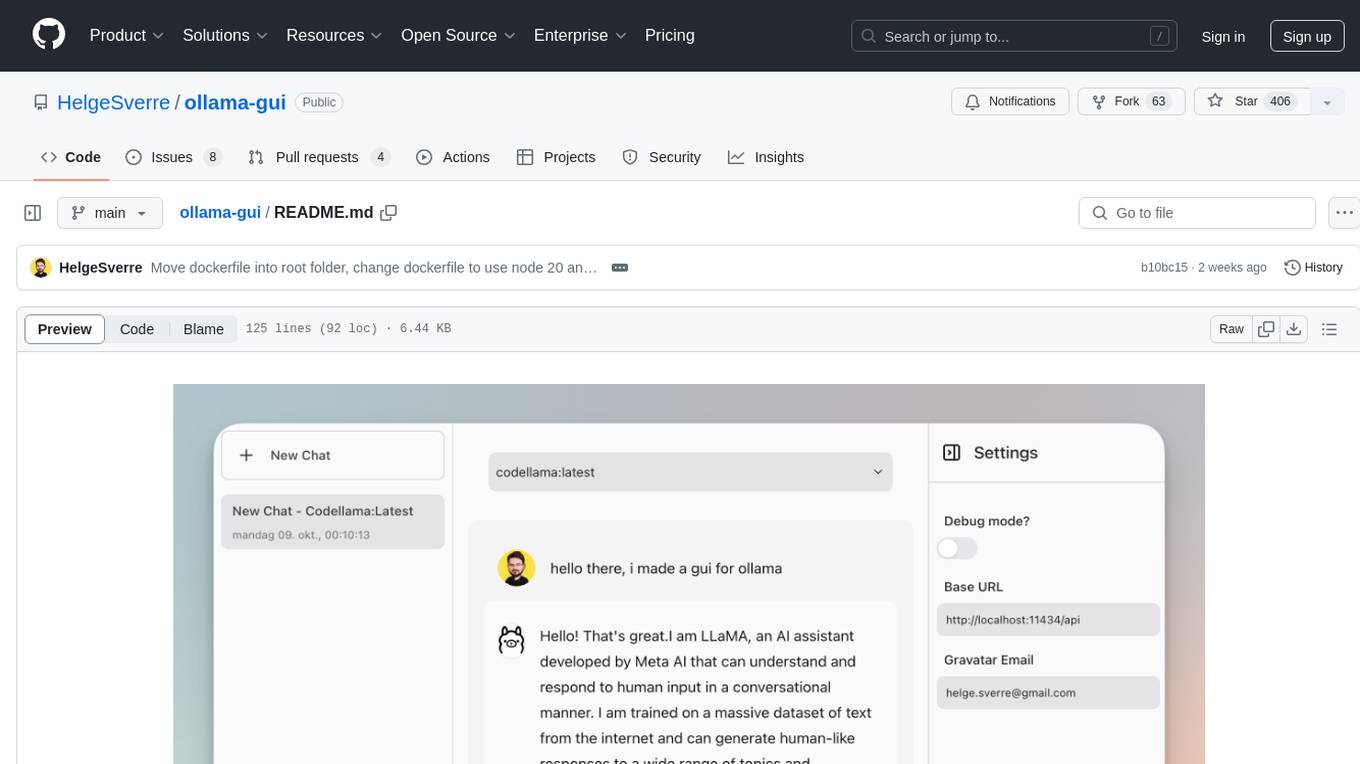
ollama-gui
Ollama GUI is a web interface for ollama.ai, a tool that enables running Large Language Models (LLMs) on your local machine. It provides a user-friendly platform for chatting with LLMs and accessing various models for text generation. Users can easily interact with different models, manage chat history, and explore available models through the web interface. The tool is built with Vue.js, Vite, and Tailwind CSS, offering a modern and responsive design for seamless user experience.

llava-docker
This Docker image for LLaVA (Large Language and Vision Assistant) provides a convenient way to run LLaVA locally or on RunPod. LLaVA is a powerful AI tool that combines natural language processing and computer vision capabilities. With this Docker image, you can easily access LLaVA's functionalities for various tasks, including image captioning, visual question answering, text summarization, and more. The image comes pre-installed with LLaVA v1.2.0, Torch 2.1.2, xformers 0.0.23.post1, and other necessary dependencies. You can customize the model used by setting the MODEL environment variable. The image also includes a Jupyter Lab environment for interactive development and exploration. Overall, this Docker image offers a comprehensive and user-friendly platform for leveraging LLaVA's capabilities.
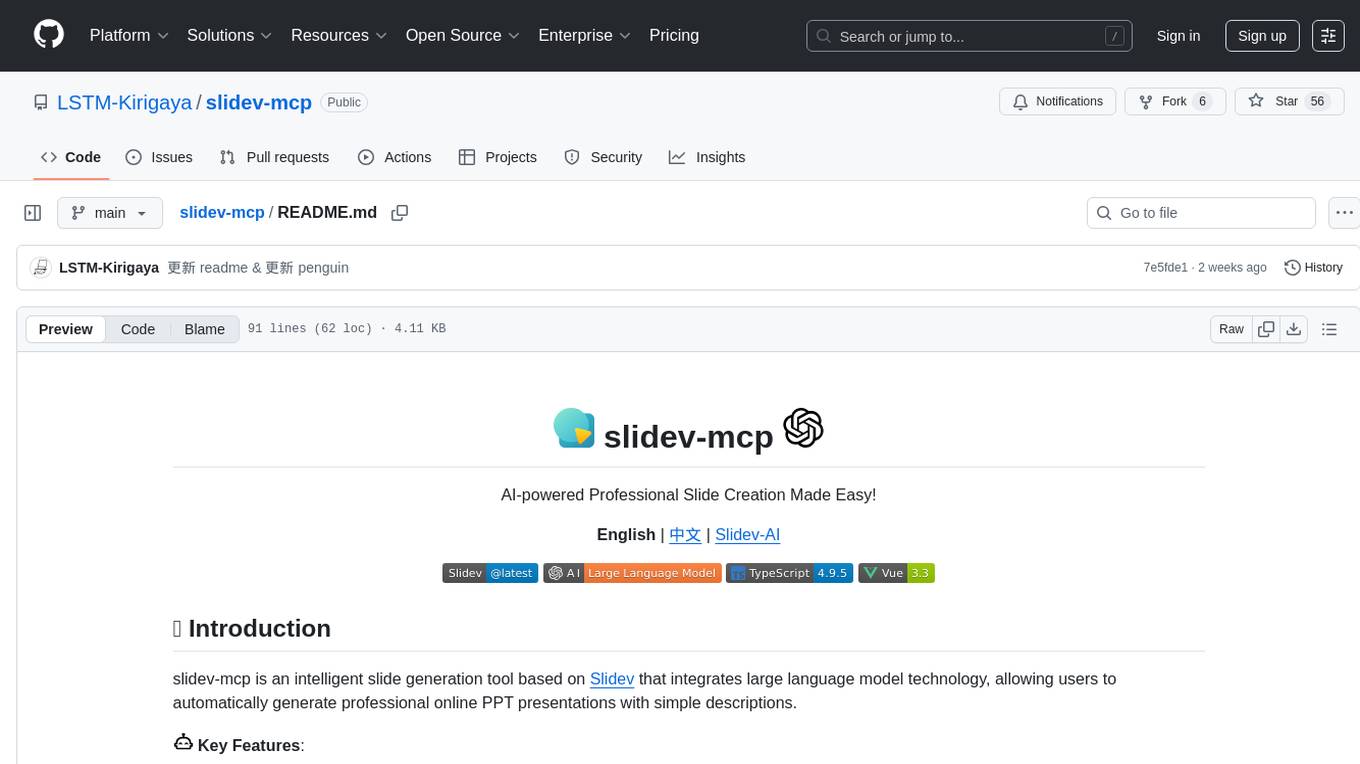
slidev-mcp
slidev-mcp is an intelligent slide generation tool based on Slidev that integrates large language model technology, allowing users to automatically generate professional online PPT presentations with simple descriptions. It dramatically lowers the barrier to using Slidev, provides natural language interactive slide creation, and offers automated generation of professional presentations. The tool also includes various features for environment and project management, slide content management, and utility tools to enhance the slide creation process.
FFAIVideo
FFAIVideo is a lightweight node.js project that utilizes popular AI LLM to intelligently generate short videos. It supports multiple AI LLM models such as OpenAI, Moonshot, Azure, g4f, Google Gemini, etc. Users can input text to automatically synthesize exciting video content with subtitles, background music, and customizable settings. The project integrates Microsoft Edge's online text-to-speech service for voice options and uses Pexels website for video resources. Installation of FFmpeg is essential for smooth operation. Inspired by MoneyPrinterTurbo, MoneyPrinter, and MsEdgeTTS, FFAIVideo is designed for front-end developers with minimal dependencies and simple usage.
llmvision-card
LLM Vision Timeline Card is a custom card designed to display the LLM Vision Timeline on your Home Assistant Dashboard. It requires LLM Vision set up in Home Assistant, Timeline provider set up in LLM Vision, and Blueprint or Automation to add events to the timeline. The card allows users to show events that occurred within a specified number of hours and customize the display based on categories and colors. It supports multiple languages for UI and icon generation.
StableToolBench
StableToolBench is a new benchmark developed to address the instability of Tool Learning benchmarks. It aims to balance stability and reality by introducing features like Virtual API System, Solvable Queries, and Stable Evaluation System. The benchmark ensures consistency through a caching system and API simulators, filters queries based on solvability using LLMs, and evaluates model performance using GPT-4 with metrics like Solvable Pass Rate and Solvable Win Rate.
airunner
AI Runner is a multi-modal AI interface that allows users to run open-source large language models and AI image generators on their own hardware. The tool provides features such as voice-based chatbot conversations, text-to-speech, speech-to-text, vision-to-text, text generation with large language models, image generation capabilities, image manipulation tools, utility functions, and more. It aims to provide a stable and user-friendly experience with security updates, a new UI, and a streamlined installation process. The application is designed to run offline on users' hardware without relying on a web server, offering a smooth and responsive user experience.
For similar tasks
vscode-unify-chat-provider
The 'vscode-unify-chat-provider' repository is a tool that integrates multiple LLM API providers into VS Code's GitHub Copilot Chat using the Language Model API. It offers free tier access to mainstream models, perfect compatibility with major LLM API formats, deep adaptation to API features, best performance with built-in parameters, out-of-the-box configuration, import/export support, great UX, and one-click use of various models. The tool simplifies model setup, migration, and configuration for users, providing a seamless experience within VS Code for utilizing different language models.
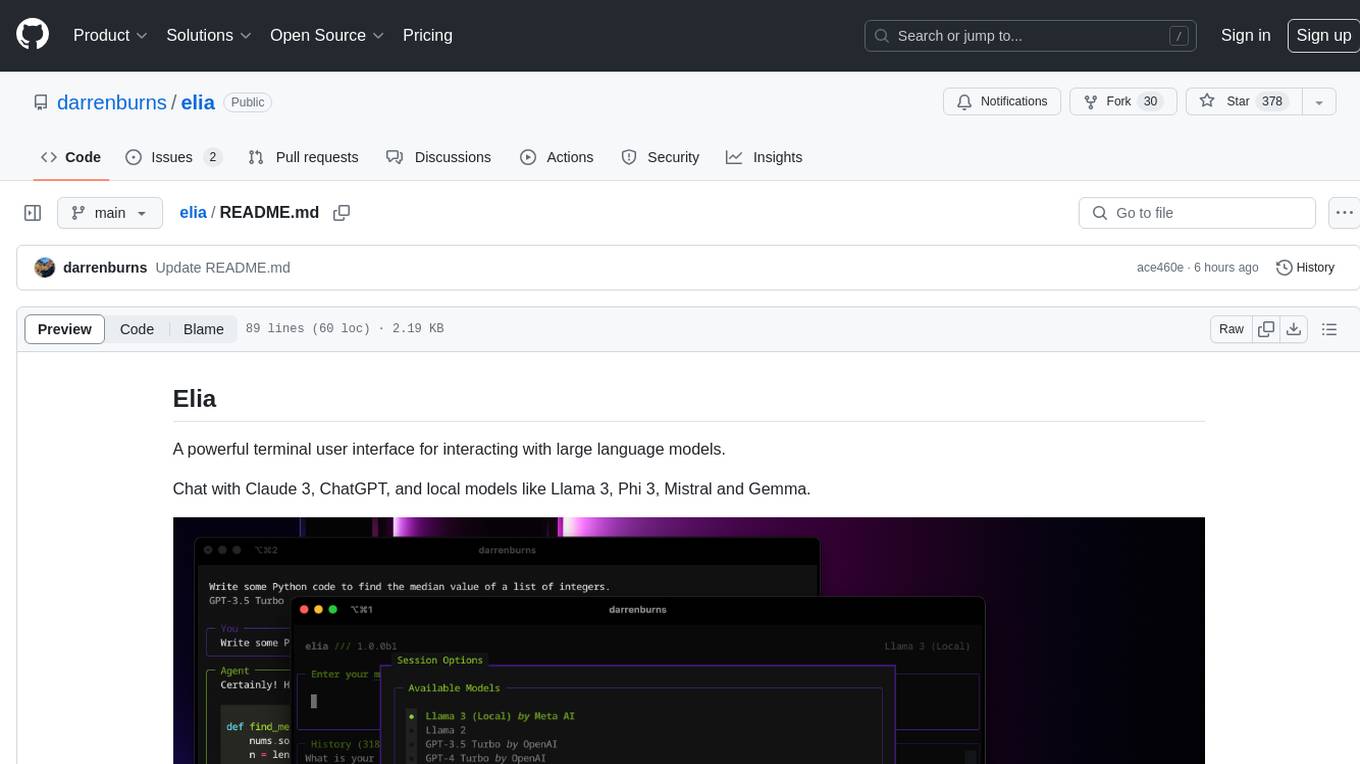
elia
Elia is a powerful terminal user interface designed for interacting with large language models. It allows users to chat with models like Claude 3, ChatGPT, Llama 3, Phi 3, Mistral, and Gemma. Conversations are stored locally in a SQLite database, ensuring privacy. Users can run local models through 'ollama' without data leaving their machine. Elia offers easy installation with pipx and supports various environment variables for different models. It provides a quick start to launch chats and manage local models. Configuration options are available to customize default models, system prompts, and add new models. Users can import conversations from ChatGPT and wipe the database when needed. Elia aims to enhance user experience in interacting with language models through a user-friendly interface.
chatgpt-web-sea
ChatGPT Web Sea is an open-source project based on ChatGPT-web for secondary development. It supports all models that comply with the OpenAI interface standard, allows for model selection, configuration, and extension, and is compatible with OneAPI. The tool includes a Chinese ChatGPT tuning guide, supports file uploads, and provides model configuration options. Users can interact with the tool through a web interface, configure models, and perform tasks such as model selection, API key management, and chat interface setup. The project also offers Docker deployment options and instructions for manual packaging.
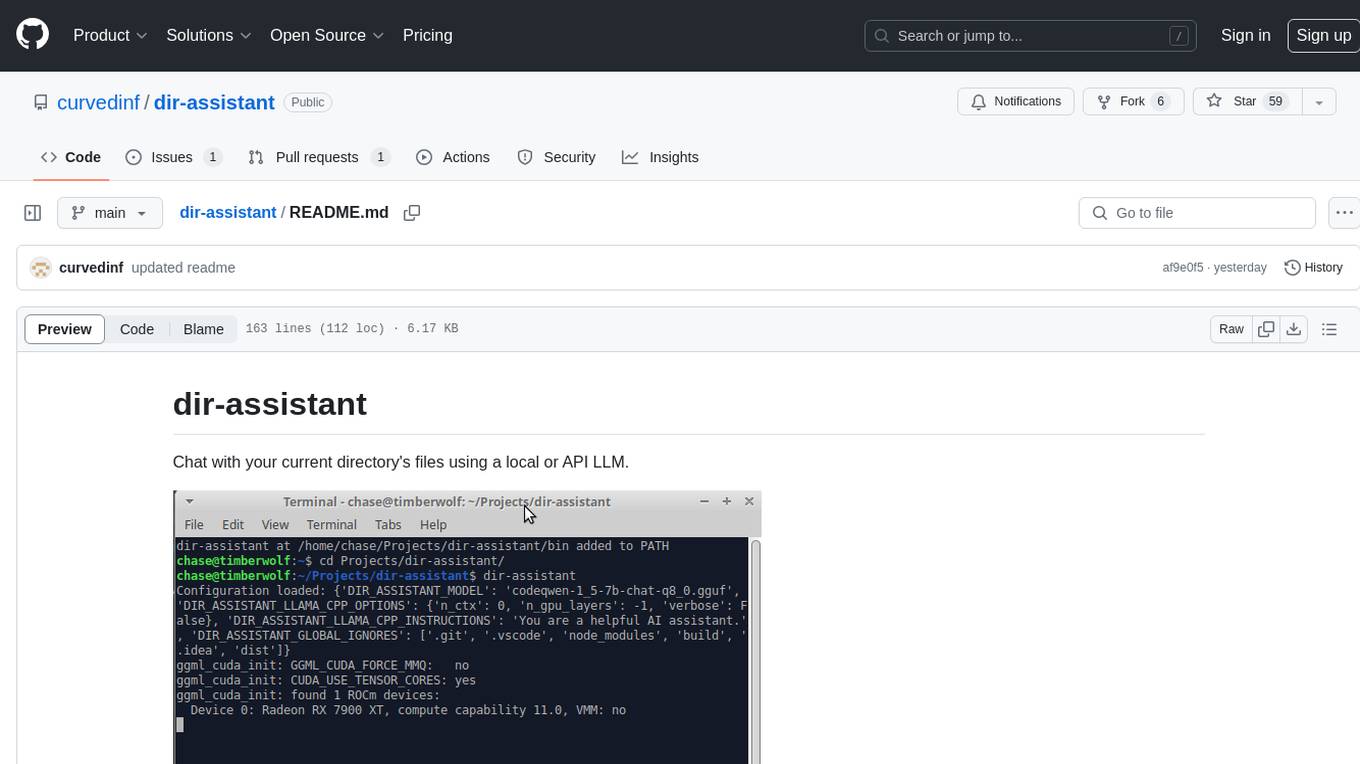
dir-assistant
Dir-assistant is a tool that allows users to interact with their current directory's files using local or API Language Models (LLMs). It supports various platforms and provides API support for major LLM APIs. Users can configure and customize their local LLMs and API LLMs using the tool. Dir-assistant also supports model downloads and configurations for efficient usage. It is designed to enhance file interaction and retrieval using advanced language models.
kubeai
KubeAI is a highly scalable AI platform that runs on Kubernetes, serving as a drop-in replacement for OpenAI with API compatibility. It can operate OSS model servers like vLLM and Ollama, with zero dependencies and additional OSS addons included. Users can configure models via Kubernetes Custom Resources and interact with models through a chat UI. KubeAI supports serving various models like Llama v3.1, Gemma2, and Qwen2, and has plans for model caching, LoRA finetuning, and image generation.
renumics-rag
Renumics RAG is a retrieval-augmented generation assistant demo that utilizes LangChain and Streamlit. It provides a tool for indexing documents and answering questions based on the indexed data. Users can explore and visualize RAG data, configure OpenAI and Hugging Face models, and interactively explore questions and document snippets. The tool supports GPU and CPU setups, offers a command-line interface for retrieving and answering questions, and includes a web application for easy access. It also allows users to customize retrieval settings, embeddings models, and database creation. Renumics RAG is designed to enhance the question-answering process by leveraging indexed documents and providing detailed answers with sources.
llm-term
LLM-Term is a Rust-based CLI tool that generates and executes terminal commands using OpenAI's language models or local Ollama models. It offers configurable model and token limits, works on both PowerShell and Unix-like shells, and provides a seamless user experience for generating commands based on prompts. Users can easily set up the tool, customize configurations, and leverage different models for command generation.
client
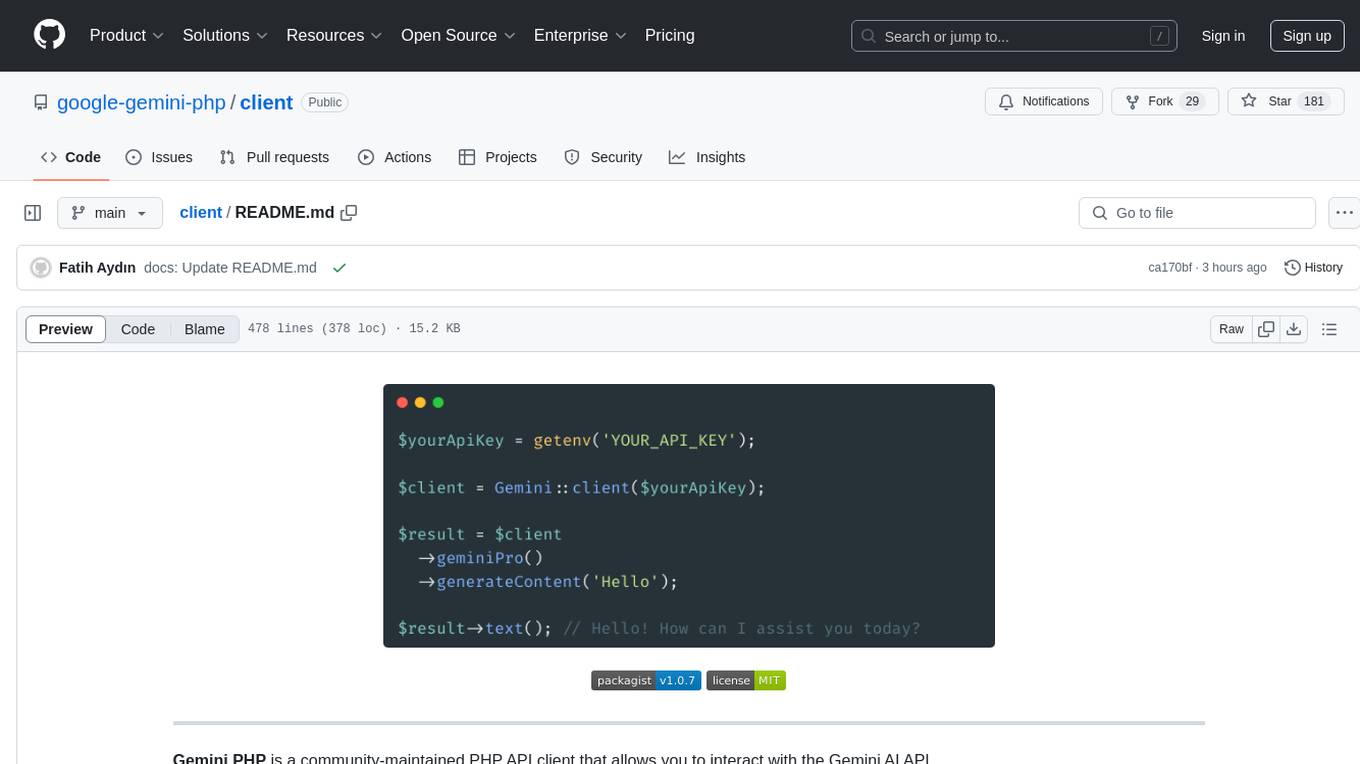
Gemini PHP is a PHP API client for interacting with the Gemini AI API. It allows users to generate content, chat, count tokens, configure models, embed resources, list models, get model information, troubleshoot timeouts, and test API responses. The client supports various features such as text-only input, text-and-image input, multi-turn conversations, streaming content generation, token counting, model configuration, and embedding techniques. Users can interact with Gemini's API to perform tasks related to natural language generation and text analysis.
For similar jobs

sweep
Sweep is an AI junior developer that turns bugs and feature requests into code changes. It automatically handles developer experience improvements like adding type hints and improving test coverage.

teams-ai
The Teams AI Library is a software development kit (SDK) that helps developers create bots that can interact with Teams and Microsoft 365 applications. It is built on top of the Bot Framework SDK and simplifies the process of developing bots that interact with Teams' artificial intelligence capabilities. The SDK is available for JavaScript/TypeScript, .NET, and Python.

ai-guide
This guide is dedicated to Large Language Models (LLMs) that you can run on your home computer. It assumes your PC is a lower-end, non-gaming setup.

classifai
Supercharge WordPress Content Workflows and Engagement with Artificial Intelligence. Tap into leading cloud-based services like OpenAI, Microsoft Azure AI, Google Gemini and IBM Watson to augment your WordPress-powered websites. Publish content faster while improving SEO performance and increasing audience engagement. ClassifAI integrates Artificial Intelligence and Machine Learning technologies to lighten your workload and eliminate tedious tasks, giving you more time to create original content that matters.

chatbot-ui
Chatbot UI is an open-source AI chat app that allows users to create and deploy their own AI chatbots. It is easy to use and can be customized to fit any need. Chatbot UI is perfect for businesses, developers, and anyone who wants to create a chatbot.

BricksLLM
BricksLLM is a cloud native AI gateway written in Go. Currently, it provides native support for OpenAI, Anthropic, Azure OpenAI and vLLM. BricksLLM aims to provide enterprise level infrastructure that can power any LLM production use cases. Here are some use cases for BricksLLM: * Set LLM usage limits for users on different pricing tiers * Track LLM usage on a per user and per organization basis * Block or redact requests containing PIIs * Improve LLM reliability with failovers, retries and caching * Distribute API keys with rate limits and cost limits for internal development/production use cases * Distribute API keys with rate limits and cost limits for students

uAgents
uAgents is a Python library developed by Fetch.ai that allows for the creation of autonomous AI agents. These agents can perform various tasks on a schedule or take action on various events. uAgents are easy to create and manage, and they are connected to a fast-growing network of other uAgents. They are also secure, with cryptographically secured messages and wallets.

griptape
Griptape is a modular Python framework for building AI-powered applications that securely connect to your enterprise data and APIs. It offers developers the ability to maintain control and flexibility at every step. Griptape's core components include Structures (Agents, Pipelines, and Workflows), Tasks, Tools, Memory (Conversation Memory, Task Memory, and Meta Memory), Drivers (Prompt and Embedding Drivers, Vector Store Drivers, Image Generation Drivers, Image Query Drivers, SQL Drivers, Web Scraper Drivers, and Conversation Memory Drivers), Engines (Query Engines, Extraction Engines, Summary Engines, Image Generation Engines, and Image Query Engines), and additional components (Rulesets, Loaders, Artifacts, Chunkers, and Tokenizers). Griptape enables developers to create AI-powered applications with ease and efficiency.