


clawlet
Ultra-Lightweight&Efficient Personal AI Assistant
Stars: 591
Clawlet is an ultra-lightweight and efficient personal AI assistant that comes as a single binary with no CGO, runtime, or dependencies. It features hybrid semantic memory search and is inspired by OpenClaw and nanobot. Users can easily download Clawlet from GitHub Releases and drop it on any machine to enable memory search functionality. The tool supports various LLM providers like OpenAI, OpenRouter, Anthropic, Gemini, and local endpoints. Users can configure Clawlet for memory search setup and chat app integrations for platforms like Telegram, WhatsApp, Discord, and Slack. Clawlet CLI provides commands for initializing workspace, running the agent, managing channels, scheduling jobs, and more.
README:

Single Binary · No CGO · No Runtime · No Dependencies
Clawlet is a lightweight and efficient personal AI agent with built-in hybrid semantic memory search — and it still ships as a single, dependency-free binary. Powered by bundled SQLite + sqlite-vec. No CGO, no runtime, no dependencies. Drop it on any machine and memory search just works.
This project is inspired by OpenClaw and nanobot.
Download from GitHub Releases.
macOS (Apple Silicon):
curl -L https://github.com/mosaxiv/clawlet/releases/latest/download/clawlet_Darwin_arm64.tar.gz | tar xz
mv clawlet ~/.local/bin/# Initialize
clawlet onboard \
--openrouter-api-key "sk-or-..." \
--model "openrouter/anthropic/claude-sonnet-4.5"
# Check effective configuration
clawlet status
# Chat
clawlet agent -m "What is 2+2?"Config file: ~/.clawlet/config.json
clawlet currently supports these LLM providers:
-
OpenAI (
openai/<model>, API key:env.OPENAI_API_KEY) -
OpenRouter (
openrouter/<provider>/<model>, API key:env.OPENROUTER_API_KEY) -
Anthropic (
anthropic/<model>, API key:env.ANTHROPIC_API_KEY) -
Gemini (
gemini/<model>, API key:env.GEMINI_API_KEYorenv.GOOGLE_API_KEY) -
Local (Ollama / vLLM / OpenAI-compatible local endpoint) (
ollama/<model>orlocal/<model>, default base URL:http://localhost:11434/v1, API key optional)
Minimal config (OpenRouter):
{
  "env": { "OPENROUTER_API_KEY": "sk-or-..." },
  "agents": { "defaults": { "model": "openrouter/anthropic/claude-sonnet-4-5" } }
}
Agent generation defaults are configurable:
{
  "agents": {
    "defaults": {
      "model": "openrouter/anthropic/claude-sonnet-4-5",
      "maxTokens": 8192,
      "temperature": 0.7
    }
  }
}
Minimal config (Local via Ollama):
{
  "agents": { "defaults": { "model": "ollama/qwen2.5:14b" } }
}
Minimal config (Local via vLLM using the same ollama/ route):
{
  "agents": { "defaults": { "model": "ollama/meta-llama/Llama-3.1-8B-Instruct" } },
  "llm": { "baseURL": "http://localhost:8000/v1" }
}
clawlet will fill in sensible defaults for missing sections (tools, gateway, cron, heartbeat, channels).
To enable semantic memory search, add memorySearch to the agent defaults:
{
  "env": {
    "OPENAI_API_KEY": "sk-..."
  },
  "agents": {
    "defaults": {
      "memorySearch": {
        "enabled": true,
        "provider": "openai",
        "model": "text-embedding-3-small"
      }
    }
  }
}
When enabled:
- The agent gains
memory_searchandmemory_gettools for retrieving past context. - clawlet indexes
MEMORY.md,memory.md, andmemory/**/*.mdfor retrieval. - The index DB is created at
{workspace}/.memory/index.sqlite.
When disabled (default):
-
memorySearch.enableddefaults tofalse; the search tools are not exposed to the model. - Memory files (
memory/MEMORY.md,memory/YYYY-MM-DD.md) are still injected into context as usual. - Normal chat behavior is otherwise unchanged.
clawlet is conservative by default:
-
tools.restrictToWorkspacedefaults totrue(tools can only access files inside the workspace directory)
Chat app integrations are configured under channels (examples below).
Telegram
Uses Telegram Bot API long polling (getUpdates) so no public webhook endpoint is required.
- Create a bot with
@BotFatherand copy the bot token. - (Optional but recommended) Restrict access with
allowFrom.- Telegram numeric user ID works best.
- Username is also supported (without
@).
Example config (merge into ~/.clawlet/config.json):
{
  "channels": {
    "telegram": {
      "enabled": true,
      "token": "123456:ABCDEF...",
      "allowFrom": ["123456789"]
    }
  }
}
Then run:
clawlet gatewayUses WhatsApp Web Multi-Device. No Meta webhook/public endpoint is required.
- Enable channel and (recommended) set
allowFrom. - Run login once:
clawlet channels login --channel whatsapp- Scan the QR shown in terminal from WhatsApp
Linked devices.
- Start normal runtime with
clawlet gateway.
Example config (merge into ~/.clawlet/config.json):
{
  "channels": {
    "whatsapp": {
      "enabled": true,
      "allowFrom": ["15551234567"]
    }
  }
}
Then run:
# one-time login (required before gateway)
clawlet channels login --channel whatsapp

# normal runtime
clawlet gateway
Notes:
- Send retries are applied for transient/rate-limit errors with exponential backoff.
- Session state is persisted by default at
~/.clawlet/whatsapp-auth/session.db. - You can override store path with
sessionStorePathif needed. -
clawlet gatewaydoes not perform QR login; if not linked, it exits with a login command hint.
Discord
-
Create the bot and copy the token Go to https://discord.com/developers/applications, create an application, then
Bot→Add Bot. Copy the bot token. -
Invite the bot to your server (OAuth2 URL Generator) In
OAuth2→URL Generator, chooseScopes: bot. ForBot Permissions, the minimal set isView Channels,Send Messages,Read Message History. Open the generated URL and add the bot to your server. -
Enable Message Content Intent (required for guild message text) In the Developer Portal bot settings, enable MESSAGE CONTENT INTENT. Without it, the bot won't receive message text in servers.
-
Get your User ID (for allowFrom) Enable Developer Mode in Discord settings, then right-click your profile and select
Copy User ID. -
Configure clawlet
channels.discord.allowFromis the list of user IDs allowed to talk to the agent (empty = allow everyone).
Example config (merge into ~/.clawlet/config.json):
{
  "channels": {
    "discord": {
      "enabled": true,
      "token": "YOUR_BOT_TOKEN",
      "allowFrom": ["YOUR_USER_ID"]
    }
  }
}- Run
clawlet gatewaySlack
Uses Socket Mode (no public URL required). clawlet currently supports Socket Mode only.
- Create a Slack app
- Configure the app:
- Socket Mode: ON, generate an App-Level Token (
xapp-...) withconnections:write - OAuth scopes (bot):
chat:write,reactions:write,app_mentions:read,im:history,channels:history - Event Subscriptions: subscribe to
message.im,message.channels,app_mention
- Socket Mode: ON, generate an App-Level Token (
- Install the app to your workspace and copy the Bot Token (
xoxb-...) - Set
channels.slack.enabled=true, and configurebotToken+appToken.- groupPolicy: "mention" (default — respond only when @mentioned), "open" (respond to all channel messages), or "allowlist" (restrict to specific channels).
- DM policy defaults to open. Set "dm": {"enabled": false} to disable DMs.
Example config (merge into ~/.clawlet/config.json):
{
  "channels": {
    "slack": {
      "enabled": true,
      "botToken": "xoxb-...",
      "appToken": "xapp-...",
      "groupPolicy": "mention",
      "allowFrom": ["U012345"]
    }
  }
}
Then run:
clawlet gateway| Command | Description |
|---|---|
clawlet onboard |
Initialize a workspace and write a minimal config. |
clawlet status |
Print the effective configuration (after defaults and routing). |
clawlet agent |
Run the agent in CLI mode (interactive or single message). |
clawlet gateway |
Run the long-lived gateway (channels + cron + heartbeat). |
clawlet channels status |
Show which chat channels are enabled/configured. |
clawlet cron list |
List scheduled jobs. |
clawlet cron add |
Add a scheduled job. |
clawlet cron remove |
Remove a scheduled job. |
clawlet cron toggle |
Enable/disable a scheduled job. |
clawlet cron run |
Run a job immediately. |
--message is required, and exactly one of --every, --cron, or --at must be set.
# Every N seconds
clawlet cron add --message "summarize my inbox" --every 3600

# Cron expression (5-field)
clawlet cron add --message "daily standup notes" --cron "0 9 * * 1-5"

# Run once at a specific time (RFC3339)
clawlet cron add --message "remind me" --at "2026-02-10T09:00:00Z"

# Deliver to a chat (requires both --channel and --to)
clawlet cron add --message "ping" --every 600 --channel slack --to U012345
For Tasks:
Click tags to check more tools for each tasksFor Jobs:
Alternative AI tools for clawlet
Similar Open Source Tools
clawlet
Clawlet is an ultra-lightweight and efficient personal AI assistant that comes as a single binary with no CGO, runtime, or dependencies. It features hybrid semantic memory search and is inspired by OpenClaw and nanobot. Users can easily download Clawlet from GitHub Releases and drop it on any machine to enable memory search functionality. The tool supports various LLM providers like OpenAI, OpenRouter, Anthropic, Gemini, and local endpoints. Users can configure Clawlet for memory search setup and chat app integrations for platforms like Telegram, WhatsApp, Discord, and Slack. Clawlet CLI provides commands for initializing workspace, running the agent, managing channels, scheduling jobs, and more.
sonarqube-mcp-server
The SonarQube MCP Server is a Model Context Protocol (MCP) server that enables seamless integration with SonarQube Server or Cloud for code quality and security. It supports the analysis of code snippets directly within the agent context. The server provides various tools for analyzing code, managing issues, accessing metrics, and interacting with SonarQube projects. It also supports advanced features like dependency risk analysis, enterprise portfolio management, and system health checks. The server can be configured for different transport modes, proxy settings, and custom certificates. Telemetry data collection can be disabled if needed.
crush
Crush is a versatile tool designed to enhance coding workflows in your terminal. It offers support for multiple LLMs, allows for flexible switching between models, and enables session-based work management. Crush is extensible through MCPs and works across various operating systems. It can be installed using package managers like Homebrew and NPM, or downloaded directly. Crush supports various APIs like Anthropic, OpenAI, Groq, and Google Gemini, and allows for customization through environment variables. The tool can be configured locally or globally, and supports LSPs for additional context. Crush also provides options for ignoring files, allowing tools, and configuring local models. It respects `.gitignore` files and offers logging capabilities for troubleshooting and debugging.
capsule
Capsule is a secure and durable runtime for AI agents, designed to coordinate tasks in isolated environments. It allows for long-running workflows, large-scale processing, autonomous decision-making, and multi-agent systems. Tasks run in WebAssembly sandboxes with isolated execution, resource limits, automatic retries, and lifecycle tracking. It enables safe execution of untrusted code within AI agent systems.
vim-ai
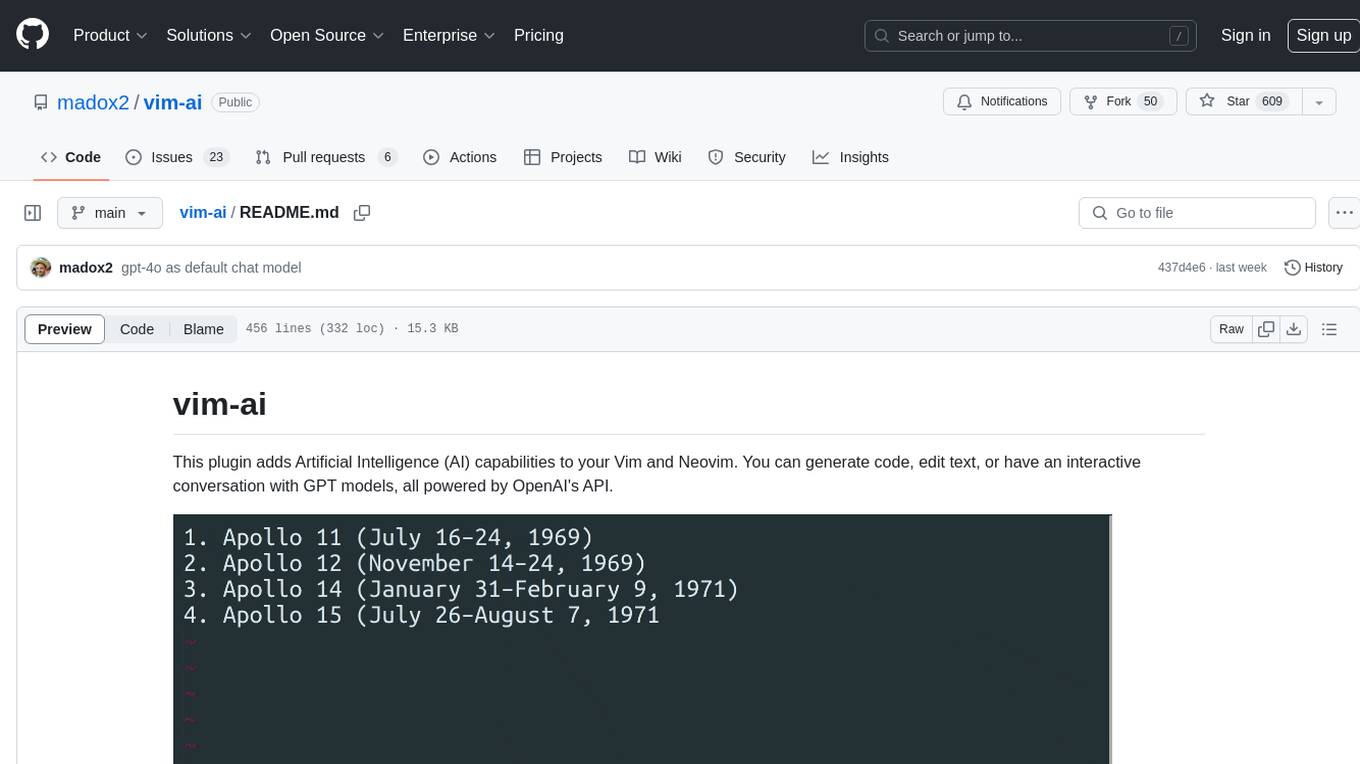
vim-ai is a plugin that adds Artificial Intelligence (AI) capabilities to Vim and Neovim. It allows users to generate code, edit text, and have interactive conversations with GPT models powered by OpenAI's API. The plugin uses OpenAI's API to generate responses, requiring users to set up an account and obtain an API key. It supports various commands for text generation, editing, and chat interactions, providing a seamless integration of AI features into the Vim text editor environment.
Webscout
WebScout is a versatile tool that allows users to search for anything using Google, DuckDuckGo, and phind.com. It contains AI models, can transcribe YouTube videos, generate temporary email and phone numbers, has TTS support, webai (terminal GPT and open interpreter), and offline LLMs. It also supports features like weather forecasting, YT video downloading, temp mail and number generation, text-to-speech, advanced web searches, and more.
llm-metadata
LLM Metadata is a lightweight static API designed for discovering and integrating LLM metadata. It provides a high-throughput friendly, static-by-default interface that serves static JSON via GitHub Pages. The sources for the metadata include models.dev/api.json and contributions from the basellm community. The tool allows for easy rebuilding on change and offers various scripts for compiling TypeScript, building the API, and managing the project. It also supports internationalization for both documentation and API, enabling users to add new languages and localize capability labels and descriptions. The tool follows an auto-update policy based on a configuration file and allows for directory-based overrides for providers and models, facilitating customization and localization of metadata.
Webscout
Webscout is an all-in-one Python toolkit for web search, AI interaction, digital utilities, and more. It provides access to diverse search engines, cutting-edge AI models, temporary communication tools, media utilities, developer helpers, and powerful CLI interfaces through a unified library. With features like comprehensive search leveraging Google and DuckDuckGo, AI powerhouse for accessing various AI models, YouTube toolkit for video and transcript management, GitAPI for GitHub data extraction, Tempmail & Temp Number for privacy, Text-to-Speech conversion, GGUF conversion & quantization, SwiftCLI for CLI interfaces, LitPrinter for styled console output, LitLogger for logging, LitAgent for user agent generation, Text-to-Image generation, Scout for web parsing and crawling, Awesome Prompts for specialized tasks, Weather Toolkit, and AI Search Providers.

LocalAGI
LocalAGI is a powerful, self-hostable AI Agent platform that allows you to design AI automations without writing code. It provides a complete drop-in replacement for OpenAI's Responses APIs with advanced agentic capabilities. With LocalAGI, you can create customizable AI assistants, automations, chat bots, and agents that run 100% locally, without the need for cloud services or API keys. The platform offers features like no-code agents, web-based interface, advanced agent teaming, connectors for various platforms, comprehensive REST API, short & long-term memory capabilities, planning & reasoning, periodic tasks scheduling, memory management, multimodal support, extensible custom actions, fully customizable models, observability, and more.
terraform-provider-castai
Terraform Provider for CAST AI is a tool that allows users to manage their CAST AI resources using Terraform. It provides a seamless integration between Terraform and CAST AI platform, enabling users to define and manage their infrastructure as code. The provider supports various features such as setting up cluster configurations, managing node templates, and configuring autoscaler policies. Users can easily install the provider, pass API keys, and leverage the provider's functionalities to automate the deployment and management of their CAST AI resources.
parrot.nvim
Parrot.nvim is a Neovim plugin that prioritizes a seamless out-of-the-box experience for text generation. It simplifies functionality and focuses solely on text generation, excluding integration of DALLE and Whisper. It supports persistent conversations as markdown files, custom hooks for inline text editing, multiple providers like Anthropic API, perplexity.ai API, OpenAI API, Mistral API, and local/offline serving via ollama. It allows custom agent definitions, flexible API credential support, and repository-specific instructions with a `.parrot.md` file. It does not have autocompletion or hidden requests in the background to analyze files.
aiavatarkit
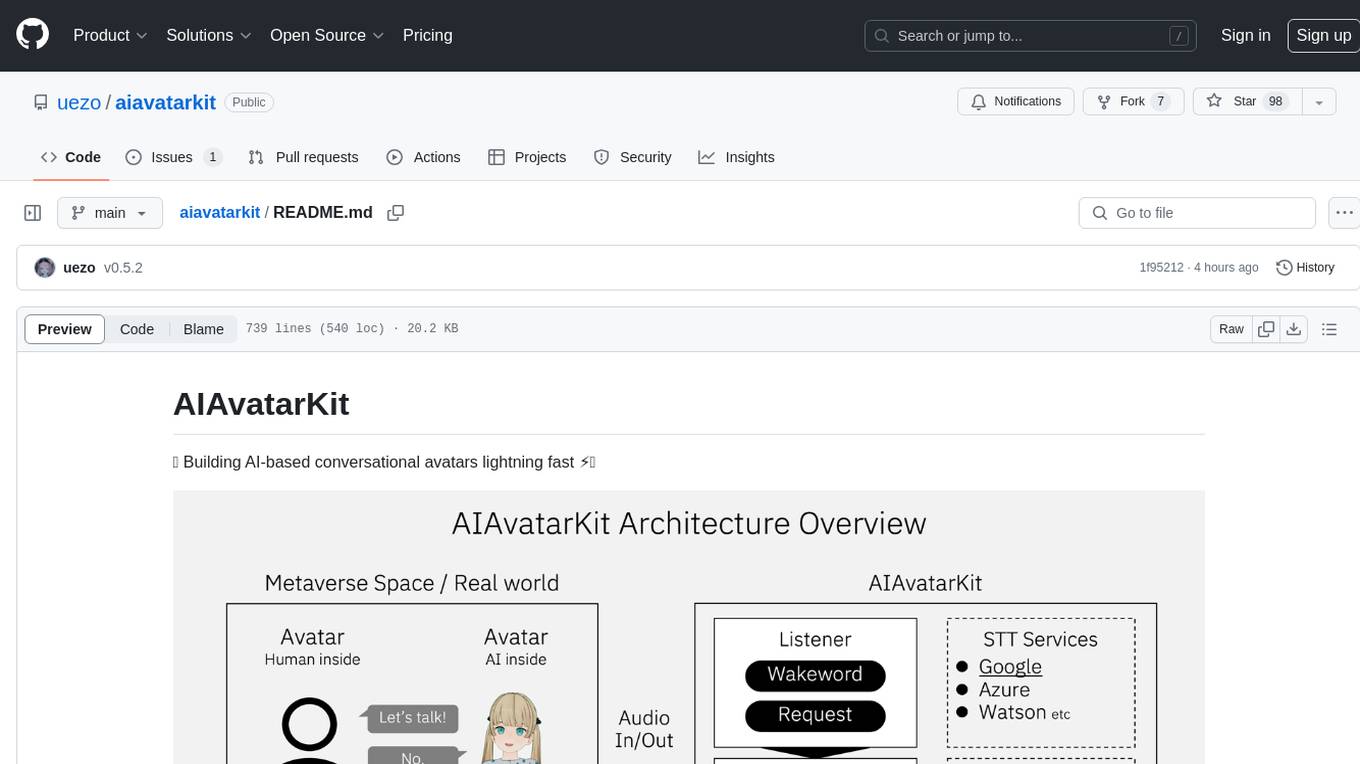
AIAvatarKit is a tool for building AI-based conversational avatars quickly. It supports various platforms like VRChat and cluster, along with real-world devices. The tool is extensible, allowing unlimited capabilities based on user needs. It requires VOICEVOX API, Google or Azure Speech Services API keys, and Python 3.10. Users can start conversations out of the box and enjoy seamless interactions with the avatars.
redcache-ai
RedCache-ai is a memory framework designed for Large Language Models and Agents. It provides a dynamic memory framework for developers to build various applications, from AI-powered dating apps to healthcare diagnostics platforms. Users can store, retrieve, search, update, and delete memories using RedCache-ai. The tool also supports integration with OpenAI for enhancing memories. RedCache-ai aims to expand its functionality by integrating with more LLM providers, adding support for AI Agents, and providing a hosted version.
model.nvim
model.nvim is a tool designed for Neovim users who want to utilize AI models for completions or chat within their text editor. It allows users to build prompts programmatically with Lua, customize prompts, experiment with multiple providers, and use both hosted and local models. The tool supports features like provider agnosticism, programmatic prompts in Lua, async and multistep prompts, streaming completions, and chat functionality in 'mchat' filetype buffer. Users can customize prompts, manage responses, and context, and utilize various providers like OpenAI ChatGPT, Google PaLM, llama.cpp, ollama, and more. The tool also supports treesitter highlights and folds for chat buffers.

generative-ai-python
The Google AI Python SDK is the easiest way for Python developers to build with the Gemini API. The Gemini API gives you access to Gemini models created by Google DeepMind. Gemini models are built from the ground up to be multimodal, so you can reason seamlessly across text, images, and code.
For similar tasks
clawlet
Clawlet is an ultra-lightweight and efficient personal AI assistant that comes as a single binary with no CGO, runtime, or dependencies. It features hybrid semantic memory search and is inspired by OpenClaw and nanobot. Users can easily download Clawlet from GitHub Releases and drop it on any machine to enable memory search functionality. The tool supports various LLM providers like OpenAI, OpenRouter, Anthropic, Gemini, and local endpoints. Users can configure Clawlet for memory search setup and chat app integrations for platforms like Telegram, WhatsApp, Discord, and Slack. Clawlet CLI provides commands for initializing workspace, running the agent, managing channels, scheduling jobs, and more.
For similar jobs

sweep
Sweep is an AI junior developer that turns bugs and feature requests into code changes. It automatically handles developer experience improvements like adding type hints and improving test coverage.

teams-ai
The Teams AI Library is a software development kit (SDK) that helps developers create bots that can interact with Teams and Microsoft 365 applications. It is built on top of the Bot Framework SDK and simplifies the process of developing bots that interact with Teams' artificial intelligence capabilities. The SDK is available for JavaScript/TypeScript, .NET, and Python.

ai-guide
This guide is dedicated to Large Language Models (LLMs) that you can run on your home computer. It assumes your PC is a lower-end, non-gaming setup.

classifai
Supercharge WordPress Content Workflows and Engagement with Artificial Intelligence. Tap into leading cloud-based services like OpenAI, Microsoft Azure AI, Google Gemini and IBM Watson to augment your WordPress-powered websites. Publish content faster while improving SEO performance and increasing audience engagement. ClassifAI integrates Artificial Intelligence and Machine Learning technologies to lighten your workload and eliminate tedious tasks, giving you more time to create original content that matters.

chatbot-ui
Chatbot UI is an open-source AI chat app that allows users to create and deploy their own AI chatbots. It is easy to use and can be customized to fit any need. Chatbot UI is perfect for businesses, developers, and anyone who wants to create a chatbot.

BricksLLM
BricksLLM is a cloud native AI gateway written in Go. Currently, it provides native support for OpenAI, Anthropic, Azure OpenAI and vLLM. BricksLLM aims to provide enterprise level infrastructure that can power any LLM production use cases. Here are some use cases for BricksLLM: * Set LLM usage limits for users on different pricing tiers * Track LLM usage on a per user and per organization basis * Block or redact requests containing PIIs * Improve LLM reliability with failovers, retries and caching * Distribute API keys with rate limits and cost limits for internal development/production use cases * Distribute API keys with rate limits and cost limits for students

uAgents
uAgents is a Python library developed by Fetch.ai that allows for the creation of autonomous AI agents. These agents can perform various tasks on a schedule or take action on various events. uAgents are easy to create and manage, and they are connected to a fast-growing network of other uAgents. They are also secure, with cryptographically secured messages and wallets.

griptape
Griptape is a modular Python framework for building AI-powered applications that securely connect to your enterprise data and APIs. It offers developers the ability to maintain control and flexibility at every step. Griptape's core components include Structures (Agents, Pipelines, and Workflows), Tasks, Tools, Memory (Conversation Memory, Task Memory, and Meta Memory), Drivers (Prompt and Embedding Drivers, Vector Store Drivers, Image Generation Drivers, Image Query Drivers, SQL Drivers, Web Scraper Drivers, and Conversation Memory Drivers), Engines (Query Engines, Extraction Engines, Summary Engines, Image Generation Engines, and Image Query Engines), and additional components (Rulesets, Loaders, Artifacts, Chunkers, and Tokenizers). Griptape enables developers to create AI-powered applications with ease and efficiency.