


forecastbench
A dynamic forecasting benchmark for LLMs
Stars: 51
ForecastBench is a dynamic benchmark tool for evaluating LLM forecasting accuracy with human comparison groups. It provides a contamination-free environment and serves as a proxy for general intelligence. The tool offers leaderboards and datasets updated nightly, along with instructions for submitting models. Users can explore detailed information on the wiki and cite the tool using the provided BibTeX citation. Developers can set up the tool locally, run GCP Cloud Functions, and contribute to the project by following specific guidelines.
README:


A dynamic, contamination-free benchmark of LLM forecasting accuracy with human comparison groups, serving as a valuable proxy for general intelligence. More at www.forecastbench.org.
Leaderboards and datasets are updated nightly and available at github.com/forecastingresearch/forecastbench-datasets.
Instructions for how to submit your model to the benchmark can be found here: How-to-submit-to-ForecastBench.
Dig into the details of ForecastBench on the wiki.
@inproceedings{karger2025forecastbench,
      title={ForecastBench: A Dynamic Benchmark of AI Forecasting Capabilities},
      author={Ezra Karger and Houtan Bastani and Chen Yueh-Han and Zachary Jacobs and Danny Halawi and Fred Zhang and Philip E. Tetlock},
      year={2025},
      booktitle={International Conference on Learning Representations (ICLR)},
      url={https://iclr.cc/virtual/2025/poster/28507}
}git clone --recurse-submodules <repo-url>.gitcd forecastbench-
cp variables.example.mk variables.mkand set the values accordingly - Setup your Python virtual environment
make setup-python-envsource .venv/bin/activate
cd directory/containing/cloud/functioneval $(cat path/to/variables.mk | xargs) python main.py
Before creating a pull request:
- run
make lintand fix any errors and warnings - ensure code has been deployed to Google Cloud Platform and tested (only for our devs, for others, we're happy you're contributing and we'll test this on our end).
- fork the repo
- reference the issue number (if one exists) in the commit message
- push to the fork on a branch other than
main - create a pull request
For Tasks:
Click tags to check more tools for each tasksFor Jobs:
Alternative AI tools for forecastbench
Similar Open Source Tools
forecastbench
ForecastBench is a dynamic benchmark tool for evaluating LLM forecasting accuracy with human comparison groups. It provides a contamination-free environment and serves as a proxy for general intelligence. The tool offers leaderboards and datasets updated nightly, along with instructions for submitting models. Users can explore detailed information on the wiki and cite the tool using the provided BibTeX citation. Developers can set up the tool locally, run GCP Cloud Functions, and contribute to the project by following specific guidelines.
AI-Scientist
The AI Scientist is a comprehensive system for fully automatic scientific discovery, enabling Foundation Models to perform research independently. It aims to tackle the grand challenge of developing agents capable of conducting scientific research and discovering new knowledge. The tool generates papers on various topics using Large Language Models (LLMs) and provides a platform for exploring new research ideas. Users can create their own templates for specific areas of study and run experiments to generate papers. However, caution is advised as the codebase executes LLM-written code, which may pose risks such as the use of potentially dangerous packages and web access.
chem-bench
ChemBench is a project aimed at expanding chemistry benchmark tasks in a BIG-bench compatible way, providing a pipeline to benchmark frontier and open models. It allows users to run benchmarking tasks on models with existing presets, offering predefined parameters and processing steps. The library facilitates benchmarking models on the entire suite, addressing challenges such as prompt structure, parsing, and scoring methods. Users can contribute to the project by following the developer notes.
storm
STORM is a LLM system that writes Wikipedia-like articles from scratch based on Internet search. While the system cannot produce publication-ready articles that often require a significant number of edits, experienced Wikipedia editors have found it helpful in their pre-writing stage. **Try out our [live research preview](https://storm.genie.stanford.edu/) to see how STORM can help your knowledge exploration journey and please provide feedback to help us improve the system 🙏!**
agentdojo
AgentDojo is a dynamic environment designed to evaluate prompt injection attacks and defenses for large language models (LLM) agents. It provides a benchmark script to run different suites and tasks with specified LLM models, defenses, and attacks. The tool is under active development, and users can inspect the results through dedicated documentation pages and the Invariant Benchmark Registry.
DemoGPT
DemoGPT is an all-in-one agent library that provides tools, prompts, frameworks, and LLM models for streamlined agent development. It leverages GPT-3.5-turbo to generate LangChain code, creating interactive Streamlit applications. The tool is designed for creating intelligent, interactive, and inclusive solutions in LLM-based application development. It offers model flexibility, iterative development, and a commitment to user engagement. Future enhancements include integrating Gorilla for autonomous API usage and adding a publicly available database for refining the generation process.
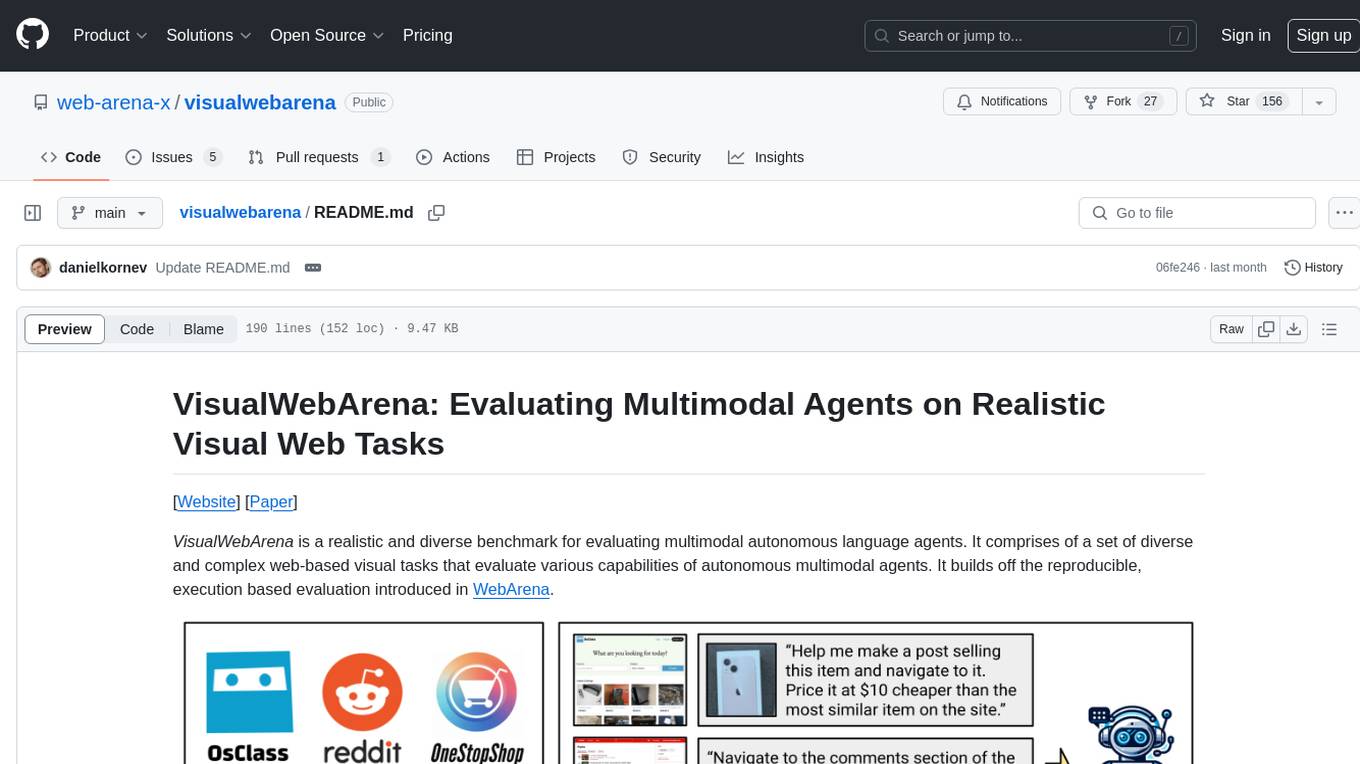
visualwebarena
VisualWebArena is a benchmark for evaluating multimodal autonomous language agents through diverse and complex web-based visual tasks. It builds on the reproducible evaluation introduced in WebArena. The repository provides scripts for end-to-end training, demos to run multimodal agents on webpages, and tools for setting up environments for evaluation. It includes trajectories of the GPT-4V + SoM agent on VWA tasks, along with human evaluations on 233 tasks. The environment supports OpenAI models and Gemini models for evaluation.
verifAI
VerifAI is a document-based question-answering system that addresses hallucinations in generative large language models and search engines. It retrieves relevant documents, generates answers with references, and verifies answers for accuracy. The engine uses generative search technology and a verification model to ensure no misinformation. VerifAI supports various document formats and offers user registration with a React.js interface. It is open-source and designed to be user-friendly, making it accessible for anyone to use.
ontogpt
OntoGPT is a Python package for extracting structured information from text using large language models, instruction prompts, and ontology-based grounding. It provides a command line interface and a minimal web app for easy usage. The tool has been evaluated on test data and is used in related projects like TALISMAN for gene set analysis. OntoGPT enables users to extract information from text by specifying relevant terms and provides the extracted objects as output.
DataHorse
DataHorse is an open-source tool and Python library that simplifies data science for everyone. It allows users to interact with data in plain English without requiring technical skills. Users can create graphs, modify data, and build machine learning models to make predictions. The tool is designed to help businesses and individuals quickly understand their data and make data-driven decisions with ease.
hi-ml
The Microsoft Health Intelligence Machine Learning Toolbox is a repository that provides low-level and high-level building blocks for Machine Learning / AI researchers and practitioners. It simplifies and streamlines work on deep learning models for healthcare and life sciences by offering tested components such as data loaders, pre-processing tools, deep learning models, and cloud integration utilities. The repository includes two Python packages, 'hi-ml-azure' for helper functions in AzureML, 'hi-ml' for ML components, and 'hi-ml-cpath' for models and workflows related to histopathology images.
torchtitan
Torchtitan is a PyTorch native platform designed for rapid experimentation and large-scale training of generative AI models. It provides a flexible foundation for developers to build upon with extension points for creating custom extensions. The tool showcases PyTorch's latest distributed training features and supports pretraining Llama 3.1 LLMs of various sizes. It offers key features like multi-dimensional parallelisms, FSDP2 with per-parameter sharding, Tensor Parallel, Pipeline Parallel, and more. Users can contribute to the tool through the experiments folder and core contributions guidelines. Installation can be done from source, nightly builds, or stable releases. The tool also supports training Llama 3.1 models and provides guidance on starting a training run and multi-node training. Citation information is available for referencing the tool in academic work, and the source code is under a BSD 3 license.
qlib
Qlib is an open-source, AI-oriented quantitative investment platform that supports diverse machine learning modeling paradigms, including supervised learning, market dynamics modeling, and reinforcement learning. It covers the entire chain of quantitative investment, from alpha seeking to order execution. The platform empowers researchers to explore ideas and implement productions using AI technologies in quantitative investment. Qlib collaboratively solves key challenges in quantitative investment by releasing state-of-the-art research works in various paradigms. It provides a full ML pipeline for data processing, model training, and back-testing, enabling users to perform tasks such as forecasting market patterns, adapting to market dynamics, and modeling continuous investment decisions.
guidellm
GuideLLM is a powerful tool for evaluating and optimizing the deployment of large language models (LLMs). By simulating real-world inference workloads, GuideLLM helps users gauge the performance, resource needs, and cost implications of deploying LLMs on various hardware configurations. This approach ensures efficient, scalable, and cost-effective LLM inference serving while maintaining high service quality. Key features include performance evaluation, resource optimization, cost estimation, and scalability testing.
codellm-devkit
Codellm-devkit (CLDK) is a Python library that serves as a multilingual program analysis framework bridging traditional static analysis tools and Large Language Models (LLMs) specialized for code (CodeLLMs). It simplifies the process of analyzing codebases across multiple programming languages, enabling the extraction of meaningful insights and facilitating LLM-based code analysis. The library provides a unified interface for integrating outputs from various analysis tools and preparing them for effective use by CodeLLMs. Codellm-devkit aims to enable the development and experimentation of robust analysis pipelines that combine traditional program analysis tools and CodeLLMs, reducing friction in multi-language code analysis and ensuring compatibility across different tools and LLM platforms. It is designed to seamlessly integrate with popular analysis tools like WALA, Tree-sitter, LLVM, and CodeQL, acting as a crucial intermediary layer for efficient communication between these tools and CodeLLMs. The project is continuously evolving to include new tools and frameworks, maintaining its versatility for code analysis and LLM integration.
linkedin-api
The Linkedin API for Python allows users to programmatically search profiles, send messages, and find jobs using a regular Linkedin user account. It does not require 'official' API access, just a valid Linkedin account. However, it is important to note that this library is not officially supported by LinkedIn and using it may violate LinkedIn's Terms of Service. Users can authenticate using any Linkedin account credentials and access features like getting profiles, profile contact info, and connections. The library also provides commercial alternatives for extracting data, scraping public profiles, and accessing a full LinkedIn API. It is not endorsed or supported by LinkedIn and is intended for educational purposes and personal use only.
For similar tasks
hass-ollama-conversation
The Ollama Conversation integration adds a conversation agent powered by Ollama in Home Assistant. This agent can be used in automations to query information provided by Home Assistant about your house, including areas, devices, and their states. Users can install the integration via HACS and configure settings such as API timeout, model selection, context size, maximum tokens, and other parameters to fine-tune the responses generated by the AI language model. Contributions to the project are welcome, and discussions can be held on the Home Assistant Community platform.

rclip
rclip is a command-line photo search tool powered by the OpenAI's CLIP neural network. It allows users to search for images using text queries, similar image search, and combining multiple queries. The tool extracts features from photos to enable searching and indexing, with options for previewing results in supported terminals or custom viewers. Users can install rclip on Linux, macOS, and Windows using different installation methods. The repository follows the Conventional Commits standard and welcomes contributions from the community.
honcho
Honcho is a platform for creating personalized AI agents and LLM powered applications for end users. The repository is a monorepo containing the server/API for managing database interactions and storing application state, along with a Python SDK. It utilizes FastAPI for user context management and Poetry for dependency management. The API can be run using Docker or manually by setting environment variables. The client SDK can be installed using pip or Poetry. The project is open source and welcomes contributions, following a fork and PR workflow. Honcho is licensed under the AGPL-3.0 License.
core
OpenSumi is a framework designed to help users quickly build AI Native IDE products. It provides a set of tools and templates for creating Cloud IDEs, Desktop IDEs based on Electron, CodeBlitz web IDE Framework, Lite Web IDE on the Browser, and Mini-App liked IDE. The framework also offers documentation for users to refer to and a detailed guide on contributing to the project. OpenSumi encourages contributions from the community and provides a platform for users to report bugs, contribute code, or improve documentation. The project is licensed under the MIT license and contains third-party code under other open source licenses.
yolo-ios-app
The Ultralytics YOLO iOS App GitHub repository offers an advanced object detection tool leveraging YOLOv8 models for iOS devices. Users can transform their devices into intelligent detection tools to explore the world in a new and exciting way. The app provides real-time detection capabilities with multiple AI models to choose from, ranging from 'nano' to 'x-large'. Contributors are welcome to participate in this open-source project, and licensing options include AGPL-3.0 for open-source use and an Enterprise License for commercial integration. Users can easily set up the app by following the provided steps, including cloning the repository, adding YOLOv8 models, and running the app on their iOS devices.
PyAirbyte
PyAirbyte brings the power of Airbyte to every Python developer by providing a set of utilities to use Airbyte connectors in Python. It enables users to easily manage secrets, work with various connectors like GitHub, Shopify, and Postgres, and contribute to the project. PyAirbyte is not a replacement for Airbyte but complements it, supporting data orchestration frameworks like Airflow and Snowpark. Users can develop ETL pipelines and import connectors from local directories. The tool simplifies data integration tasks for Python developers.
md-agent
MD-Agent is a LLM-agent based toolset for Molecular Dynamics. It uses Langchain and a collection of tools to set up and execute molecular dynamics simulations, particularly in OpenMM. The tool assists in environment setup, installation, and usage by providing detailed steps. It also requires API keys for certain functionalities, such as OpenAI and paper-qa for literature searches. Contributions to the project are welcome, with a detailed Contributor's Guide available for interested individuals.
flowgen
FlowGen is a tool built for AutoGen, a great agent framework from Microsoft and a lot of contributors. It provides intuitive visual tools that streamline the construction and oversight of complex agent-based workflows, simplifying the process for creators and developers. Users can create Autoflows, chat with agents, and share flow templates. The tool is fully dockerized and supports deployment on Railway.app. Contributions to the project are welcome, and the platform uses semantic-release for versioning and releases.
For similar jobs
CyberSentinel-AI
CyberSentinel AI is a powerful automated security monitoring and AI analysis system designed to help security researchers and enthusiasts track the latest security vulnerabilities (CVE) and security-related repositories on GitHub in real-time. It utilizes artificial intelligence technology for in-depth analysis and automatically publishes valuable security intelligence to a blogging platform. The system features multiple data sources monitoring, intelligent AI analysis using OpenAI and Gemini engines, fully automated workflow with 24/7 monitoring, daily briefings, and dynamic blacklists, flexible configuration and management with support for multiple tokens, configurable parameters, and detailed logging, and automatic blog publishing with integrated blogging platform and Markdown reports.
forecastbench
ForecastBench is a dynamic benchmark tool for evaluating LLM forecasting accuracy with human comparison groups. It provides a contamination-free environment and serves as a proxy for general intelligence. The tool offers leaderboards and datasets updated nightly, along with instructions for submitting models. Users can explore detailed information on the wiki and cite the tool using the provided BibTeX citation. Developers can set up the tool locally, run GCP Cloud Functions, and contribute to the project by following specific guidelines.

weave
Weave is a toolkit for developing Generative AI applications, built by Weights & Biases. With Weave, you can log and debug language model inputs, outputs, and traces; build rigorous, apples-to-apples evaluations for language model use cases; and organize all the information generated across the LLM workflow, from experimentation to evaluations to production. Weave aims to bring rigor, best-practices, and composability to the inherently experimental process of developing Generative AI software, without introducing cognitive overhead.

agentcloud
AgentCloud is an open-source platform that enables companies to build and deploy private LLM chat apps, empowering teams to securely interact with their data. It comprises three main components: Agent Backend, Webapp, and Vector Proxy. To run this project locally, clone the repository, install Docker, and start the services. The project is licensed under the GNU Affero General Public License, version 3 only. Contributions and feedback are welcome from the community.
oss-fuzz-gen
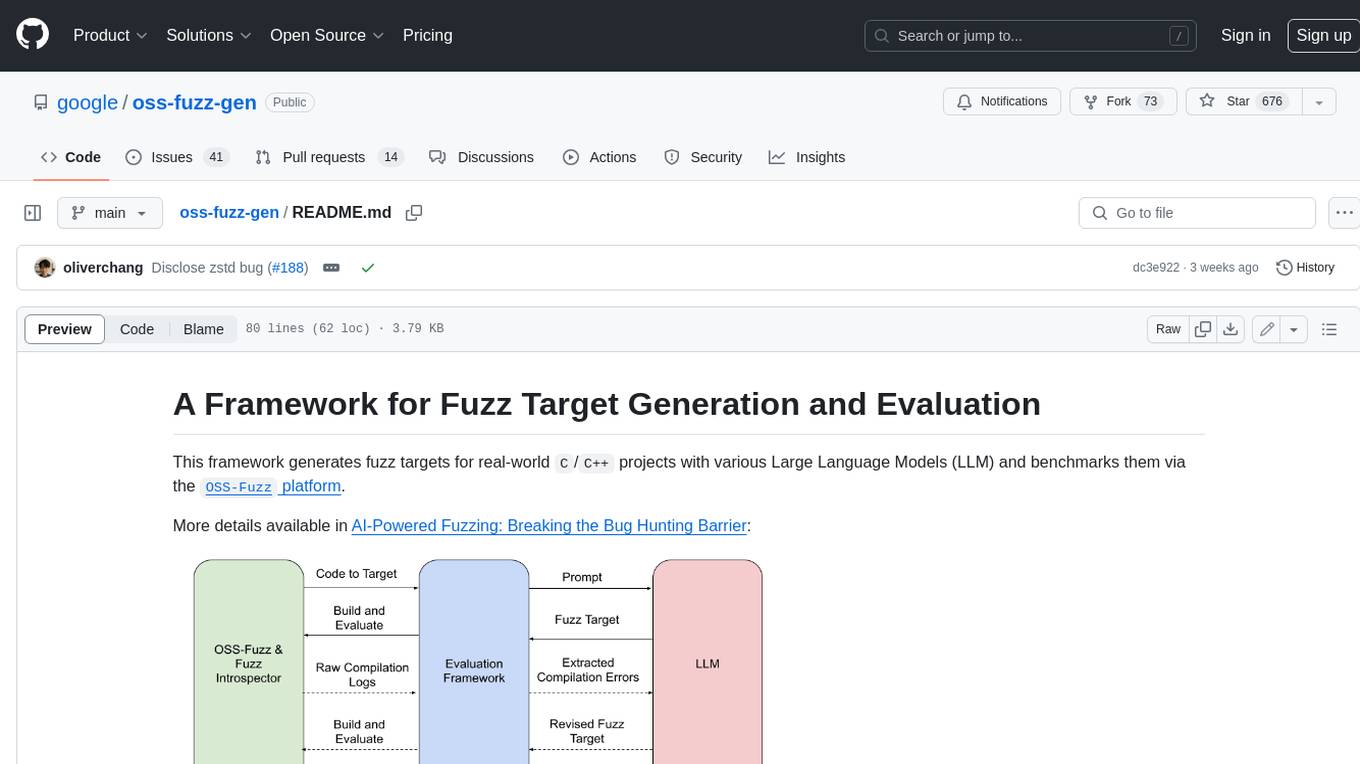
This framework generates fuzz targets for real-world `C`/`C++` projects with various Large Language Models (LLM) and benchmarks them via the `OSS-Fuzz` platform. It manages to successfully leverage LLMs to generate valid fuzz targets (which generate non-zero coverage increase) for 160 C/C++ projects. The maximum line coverage increase is 29% from the existing human-written targets.

LLMStack
LLMStack is a no-code platform for building generative AI agents, workflows, and chatbots. It allows users to connect their own data, internal tools, and GPT-powered models without any coding experience. LLMStack can be deployed to the cloud or on-premise and can be accessed via HTTP API or triggered from Slack or Discord.

VisionCraft
The VisionCraft API is a free API for using over 100 different AI models. From images to sound.

kaito
Kaito is an operator that automates the AI/ML inference model deployment in a Kubernetes cluster. It manages large model files using container images, avoids tuning deployment parameters to fit GPU hardware by providing preset configurations, auto-provisions GPU nodes based on model requirements, and hosts large model images in the public Microsoft Container Registry (MCR) if the license allows. Using Kaito, the workflow of onboarding large AI inference models in Kubernetes is largely simplified.