


vinagent
Vinagent is a comprehensive Agentic AI library that helps integrate tools, memory, workflows, and observability.
Stars: 65
Vinagent is a lightweight and flexible library designed for building smart agent assistants across various industries. It provides a simple yet powerful foundation for creating AI-powered customer service bots, data analysis assistants, or domain-specific automation agents. With its modular tool system, users can easily extend their agent's capabilities by integrating a wide range of tools that are self-contained, well-documented, and can be registered dynamically. Vinagent allows users to scale and adapt their agents to new tasks or environments effortlessly.
README:








vinagent is a lightweight and flexible library designed for building smart agent assistants across various industries. Whether you're creating an AI-powered customer service bot, a data analysis assistant, or a domain-specific automation agent, vinagent provides a simple yet powerful foundation.
With its modular tool system, you can easily extend your agent's capabilities by integrating a wide range of tools. Each tool is self-contained, well-documented, and can be registered dynamically—making it effortless to scale and adapt your agent to new tasks or environments.

To install and use this library please following:
[email protected]:datascienceworld-kan/vinagent.git
cd vinagent
pip install -r requirements.txt
poetry install
Or you can install by pip command
pip install vinagent
To use a list of default tools inside vinagent.tools you should set environment varibles inside .env including TOGETHER_API_KEY to use llm models at togetherai site and TAVILY_API_KEY to use tavily websearch tool at tavily site:
TOGETHER_API_KEY="Your together API key"
TAVILY_API_KEY="Your Tavily API key"
Let's create your acounts first and then create your relevant key for each website.
vinagent is a flexible library for creating intelligent agents. You can configure your agent with tools, each encapsulated in a Python module under vinagent.tools. This provides a workspace of tools that agents can use to interact with and operate in the realistic world. Each tool is a Python file with full documentation and it can be independently ran. For example, the vinagent.tools.websearch_tools module contains code for interacting with a search API.
from langchain_together import ChatTogether
from vinagent.agent.agent import Agent
from dotenv import load_dotenv
load_dotenv()

llm = ChatTogether(
    model="meta-llama/Llama-3.3-70B-Instruct-Turbo-Free"
)

# Step 1: Create Agent with tools
agent = Agent(
    description="You are a Financial Analyst",
    llm = llm,
    skills = [
        "Deeply analyzing financial markets",
        "Searching information about stock price",
        "Visualization about stock price"],
    tools = ['vinagent.tools.websearch_tools',
             'vinagent.tools.yfinance_tools'],
    tools_path = 'templates/tools.json', # Place to save tools. Default is 'templates/tools.json'
    is_reset_tools = True # If True, it will reset tools every time reinitializing an agent. Default is False
)

# Step 2: invoke the agent
message = agent.invoke("Who you are?")
If the answer is a normal message without using any tools, it will be an AIMessage. By contrast, it will have ToolMessage type. For examples:
message
AIMessage(content='I am a Financial Analyst.', additional_kwargs={'refusal': None}, response_metadata={'token_usage': {'completion_tokens': 7, 'prompt_tokens': 308, 'total_tokens': 315, 'completion_tokens_details': None, 'prompt_tokens_details': None, 'cached_tokens': 0}, 'model_name': 'meta-llama/Llama-3.3-70B-Instruct-Turbo-Free', 'system_fingerprint': None, 'finish_reason': 'stop', 'logprobs': None}, id='run-070f7431-7176-42a8-ab47-ed83657c9463-0', usage_metadata={'input_tokens': 308, 'output_tokens': 7, 'total_tokens': 315, 'input_token_details': {}, 'output_token_details': {}})
Access to content property to get the string content.
message.content
I am a Financial Analyst.
The following function need to use yfinancial tool, therefore the return value will be ToolMessage with the a stored pandas.DataFrame in artifact property.
df = agent.invoke("What is the price of Tesla stock in 2024?")
df
ToolMessage(content="Completed executing tool fetch_stock_data({'symbol': 'TSLA', 'start_date': '2024-01-01', 'end_date': '2024-12-31', 'interval': '1d'})", tool_call_id='tool_cde0b895-260a-468f-ac01-7efdde19ccb7', artifact=pandas.DataFrame)
To access pandas.DataFrame value:
df.artifact.head()

Another example, if you visualize a stock price using a tool, the output message is a ToolMessage with the saved artifact is a plotly plot.
# return a ToolMessage which we can access to plot by plot.artifact and content by plot.content.
plot = agent.invoke("Let's visualize Tesla stock in 2024?")

# return a ToolMessage which we can access to plot by plot.artifact and content by plot.content.
plot = agent.invoke("Let's visualize the return of Tesla stock in 2024?")

Vinagent stands out for its flexibility in registering different types of tools, including:
- Function tools: These are integrated directly into your runtime code using the @function_tool decorator, without the need to store them in separate Python module files.
- Module tools: These are added via Python module files placed in the vinagent.tools directory. Once registered, the modules can be imported and used in your runtime environment.
- MCP tools: These are tools registered through an MCP (Model Context Protocol) server, enabling external tool integration.
You can customize any function in your runtime code as a powerful tool by using the @function_tool decorator.
from vinagent.register.tool import function_tool
from typing import List

@agent.function_tool # Note: agent must be initialized first
def sum_of_series(x: List[float]):
    return f"Sum of list is {sum(x)}"
INFO:root:Registered tool: sum_of_series (runtime)
message = agent.invoke("Sum of this list: [1, 2, 3, 4, 5, 6, 7, 8, 9, 10]?")
message
ToolMessage(content="Completed executing tool sum_of_series({'x': [1, 2, 3, 4, 5, 6, 7, 8, 9, 10]})", tool_call_id='tool_56f40902-33dc-45c6-83a7-27a96589d528', artifact='Sum of list is 55')
Many complex tools cannot be implemented within a single function. In such cases, organizing the tool as a python module becomes necessary. To support this, vinagent allows tools to be registered via python module files placed in the vinagent.tools directory. This approach makes it easier to manage and execute more sophisticated tasks. Once registered, these modules can be imported and used directly in the runtime environment.
from langchain_together import ChatTogether
from vinagent.agent.agent import Agent
from dotenv import load_dotenv
load_dotenv()

llm = ChatTogether(
    model="meta-llama/Llama-3.3-70B-Instruct-Turbo-Free"
)

agent = Agent(
    description="You are a Web Search Expert",
    llm = llm,
    skills = [
        "Search the information from internet",
        "Give an in-deepth report",
        "Keep update with the latest news"
    ],
    tools = ['vinagent.tools.websearch_tools'],
    tools_path = 'templates/tools.json' # Place to save tools. The default path is also 'templates/tools.json',
    is_reset_tools = True # If True, will reset tools every time. Default is False
)
MCP (model context protocal) is a new AI protocal offfered by Anthropic that allows any AI model to interact with any tools distributed acrooss different platforms. These tools are provided by platform's MCP Server. There are many MCP servers available out there such as google drive, gmail, slack, notions, spotify, etc., and vinagent can be used to connect to these servers and execute the tools within the agent.
You need to start a MCP server first. For example, start with math MCP Server
cd vinagent/mcp/examples/math
mcp dev main.py
⚙️ Proxy server listening on port 6277
🔍 MCP Inspector is up and running at http://127.0.0.1:6274 🚀
Next, you need to register the MCP server in the agent. You can do this by adding the server's URL to the tools list of the agent's configuration.
from vinagent.mcp.client import DistributedMCPClient
from vinagent.mcp import load_mcp_tools
from vinagent.agent.agent import Agent
from langchain_together import ChatTogether
from dotenv import load_dotenv

load_dotenv()

# Step 1: Initialize LLM
llm = ChatTogether(
    model="meta-llama/Llama-3.3-70B-Instruct-Turbo-Free"
)

# Step 2: Initialize MCP client for Distributed MCP Server
client = DistributedMCPClient(
            {
                "math": {
                    "command": "python",
                    # Make sure to update to the full absolute path to your math_server.py file
                    "args": ["vinagent/mcp/examples/math/main.py"],
                    "transport": "stdio",
                }
             }
        )
server_name = "math"

# Step 3: Initialize Agent
agent = Agent(
    description="You are a Trending News Analyst",
    llm = llm,
    skills = [
        "You are Financial Analyst",
        "Deeply analyzing financial news"],
    tools = ['vinagent.tools.yfinance_tools'],
    tools_path="templates/tools.json",
    is_reset_tools=True,
    mcp_client=client, # MCP Client
    mcp_server_name=server_name, # MCP Server name to resgister. If not set, all tools from all MCP servers available
)

# Step 4: Register mcp_tools to agent
mcp_tools = await agent.connect_mcp_tool()
# Test sum
agent.invoke("What is the sum of 1993 and 709?")
# Test product
agent.invoke("Let's multiply of 1993 and 709?")
Vinagent offers both synchronous (agent.invoke) and asynchronous (agent.ainvoke) invocation methods. While synchronous calls halt the main thread until a response is returned, asynchronous calls enable the main thread to proceed without waiting. In practice, asynchronous invocations can be up to twice as fast as synchronous ones.
# Synchronous invocation
message = agent.invoke("What is the sum of 1993 and 709?")
# Asynchronous invocation
message = await agent.ainvoke("What is the sum of 1993 and 709?")
In addition to synchronous and asynchronous invocation, vinagent also supports streaming invocation. This means that the response is generated in real-time on token-by-token basis, allowing for a more interactive and responsive experience. To use streaming, simply use agent.stream:
for chunk in agent.stream("Where is the capital of the Vietnam?"):
    print(chunk)
With vinagent, you can invent a complex workflow by combining multiple tools into a single agent. This allows you to create a more sophisticated and flexible agent that can adapt to different task. Let's see how an agent can be created to help with financial analysis by using deepsearch tool, which allows you to search for information in a structured manner. This tool is particularly useful for tasks that require a deep understanding of the data and the ability to navigate through complex information.
from langchain_together import ChatTogether
from vinagent.agent import Agent
from dotenv import load_dotenv
load_dotenv()

llm = ChatTogether(
    model="meta-llama/Llama-3.3-70B-Instruct-Turbo-Free"
)

agent = Agent(
    description="You are a Financial Analyst",
    llm = llm,
    skills = [
        "Deeply analyzing financial markets",
        "Searching information about stock price",
        "Visualization about stock price"],
    tools = ['vinagent.tools.deepsearch']
)

message = agent.invoke("Let's analyze Tesla stock in 2025?")
print(message.artifact)
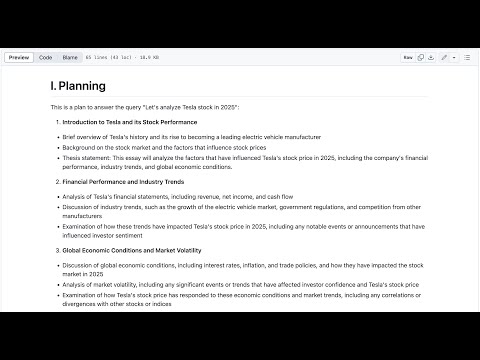
The output is available at vinagent/examples/deepsearch.md
Exceptionally, vinagent also offers a feature to summarize and highlight the top daily news on the internet based on any topic you are looking for, regardless of the language used. This is achieved by using the trending_news tool.
from langchain_together import ChatTogether
from vinagent.agent.agent import Agent
from dotenv import load_dotenv
load_dotenv()

llm = ChatTogether(
    model="meta-llama/Llama-3.3-70B-Instruct-Turbo-Free"
)

agent = Agent(
    description="You are a Trending News Analyst",
    llm = llm,
    skills = [
        "Searching the trending news on realtime from google news",
        "Deeply analyzing top trending news"],
    tools = ['vinagent.tools.trending_news']
)

message = agent.invoke("Tìm 5 tin tức nổi bật về tình hình giá vàng sáng hôm nay")
print(message.artifact)
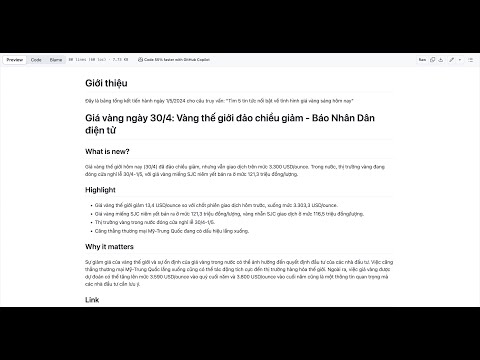
The output is available at vinagent/examples/todaytrend.md
There is a special feature that allows to adhere Memory for each Agent. This is useful when you want to keep track of the user's behavior and conceptualize them as a knowledge graph for the agent. Therefore, it helps agent become more intelligent and capable of understanding personality and responding to user queries with greater accuracy.
The following code to save each conversation into short-memory.
from langchain_together.chat_models import ChatTogether
from dotenv import load_dotenv
from vinagent.memory import Memory

load_dotenv()

llm = ChatTogether(
    model="meta-llama/Llama-3.3-70B-Instruct-Turbo-Free"
)

memory = Memory(
    memory_path="templates/memory.jsonl",
    is_reset_memory=True, # will reset the memory every time the agent is invoked
    is_logging=True
)

text_input = """Hi, my name is Kan. I was born in Thanh Hoa Province, Vietnam, in 1993.
My motto is: "Make the world better with data and models". That’s why I work as an AI Solution Architect at FPT Software and as an AI lecturer at NEU.
I began my journey as a gifted student in Mathematics at the High School for Gifted Students, VNU University, where I developed a deep passion for Math and Science.
Later, I earned an Excellent Bachelor's Degree in Applied Mathematical Economics from NEU University in 2015. During my time there, I became the first student from the Math Department to win a bronze medal at the National Math Olympiad.
I have been working as an AI Solution Architect at FPT Software since 2021.
I have been teaching AI and ML courses at NEU university since 2022.
I have conducted extensive research on Reliable AI, Generative AI, and Knowledge Graphs at FPT AIC.
I was one of the first individuals in Vietnam to win a paper award on the topic of Generative AI and LLMs at the Nvidia GTC Global Conference 2025 in San Jose, USA.
I am the founder of DataScienceWorld.Kan, an AI learning hub offering high-standard AI/ML courses such as Build Generative AI Applications and MLOps – Machine Learning in Production, designed for anyone pursuing a career as an AI/ML engineer.
Since 2024, I have participated in Google GDSC and Google I/O as a guest speaker and AI/ML coach for dedicated AI startups.
"""

memory.save_short_term_memory(llm, text_input)
memory_message = memory.load_memory_by_user('string')
memory_message
Kan -> BORN_IN[in 1993] -> Thanh Hoa Province, Vietnam
Kan -> WORKS_FOR[since 2021] -> FPT Software
Kan -> WORKS_FOR[since 2022] -> NEU
Kan -> STUDIED_AT -> High School for Gifted Students, VNU University
Kan -> STUDIED_AT[graduated in 2015] -> NEU University
Kan -> RESEARCHED_AT -> FPT AIC
Kan -> RECEIVED_AWARD[at Nvidia GTC Global Conference 2025] -> paper award on Generative AI and LLMs
Kan -> FOUNDED -> DataScienceWorld.Kan
Kan -> PARTICIPATED_IN[since 2024] -> Google GDSC
Kan -> PARTICIPATED_IN[since 2024] -> Google I/O
DataScienceWorld.Kan -> OFFERS -> Build Generative AI Applications
DataScienceWorld.Kan -> OFFERS -> MLOps – Machine Learning in Production
Kan -> OWNS -> house
Kan -> OWNS -> garden
Kan -> HAS_MOTTO -> stay hungry and stay foolish
Kan -> RECEIVED_AWARD_AT[in 2025] -> Nvidia GTC Global Conference
To adhere Memmory to each Agent
import os
import sys
from langchain_together import ChatTogether
from vinagent.agent import Agent
from vinagent.memory.memory import Memory
from pathlib import Path
from dotenv import load_dotenv
load_dotenv()

llm = ChatTogether(
    model="meta-llama/Llama-3.3-70B-Instruct-Turbo-Free"
)

# Step 1: Create Agent with tools
agent = Agent(
    llm = llm,
    description="You are my close friend",
    skills=[
        "You can remember all memory related to us",
        "You can remind the memory to answer questions",
        "You can remember the history of our relationship"
    ],
    memory_path='templates/memory.json',
    is_reset_memory=True # Will reset memory each time re-initialize agent. Default is False
)

# Step 2: invoke the agent
message = agent.invoke("Hello how are you?")
message.content
The Vinagent library enables the integration of workflows built upon the nodes and edges of LangGraph. What sets it apart is our major improvement in representing a LangGraph workflow through a more intuitive syntax for connecting nodes using the right shift operator (>>). All agent patterns such as ReAct, chain-of-thought, and reflection can be easily constructed using this simple and readable syntax.
We support two styles of creating a workflow:
-
FlowStateGraph: Create nodes by concrete class nodes inherited from class Node of vinagent. -
FunctionStateGraph: Create a workflow from function, which are decorated with @node to convert this function as a node.
These are steps to create a workflow:
- Define General Nodes Create your workflow nodes by inheriting from the base Node class. Each node typically implements two methods:
-
exec: Executes the task associated with the node and returns a partial update to the shared state. -
branching(optional): For conditional routing. It returns a string key indicating the next node to be executed.
- Connect Nodes with
>>Operator Use the right shift operator (>>) to define transitions between nodes. For branching, use a dictionary to map conditions to next nodes.
from typing import Annotated, TypedDict
from vinagent.graph.operator import FlowStateGraph, END, START
from vinagent.graph.node import Node
from langgraph.checkpoint.memory import MemorySaver
from langgraph.utils.runnable import coerce_to_runnable

# Define a reducer for message history
def append_messages(existing: list, update: dict) -> list:
    return existing + [update]

# Define the state schema
class State(TypedDict):
    messages: Annotated[list[dict], append_messages]
    sentiment: str

# Optional config schema
class ConfigSchema(TypedDict):
    user_id: str

# Define node classes
class AnalyzeSentimentNode(Node):
    def exec(self, state: State) -> dict:
        message = state["messages"][-1]["content"]
        sentiment = "negative" if "angry" in message.lower() else "positive"
        return {"sentiment": sentiment}

    def branching(self, state: State) -> str:
        return "human_escalation" if state["sentiment"] == "negative" else "chatbot_response"

class ChatbotResponseNode(Node):
    def exec(self, state: State) -> dict:
        return {"messages": {"role": "bot", "content": "Got it! How can I assist you further?"}}

class HumanEscalationNode(Node):
    def exec(self, state: State) -> dict:
        return {"messages": {"role": "bot", "content": "I'm escalating this to a human agent."}}

# Define the Agent with graph and flow
class Agent:
    def __init__(self):
        self.checkpoint = MemorySaver()
        self.graph = FlowStateGraph(State, config_schema=ConfigSchema)
        self.analyze_sentiment_node = AnalyzeSentimentNode()
        self.human_escalation_node = HumanEscalationNode()
        self.chatbot_response_node = ChatbotResponseNode()

        self.flow = [
            self.analyze_sentiment_node >> {
                "chatbot_response": self.chatbot_response_node,
                "human_escalation": self.human_escalation_node
            },
            self.human_escalation_node >> END,
            self.chatbot_response_node >> END
        ]

        self.compiled_graph = self.graph.compile(checkpointer=self.checkpoint, flow=self.flow)

    def invoke(self, input_state: dict, config: dict) -> dict:
        return self.compiled_graph.invoke(input_state, config)

# Test the agent
agent = Agent()
input_state = {
    "messages": {"role": "user", "content": "I'm really angry about this!"}
}
config = {"configurable": {"user_id": "123"}, "thread_id": "123"}
result = agent.invoke(input_state, config)
print(result)
Output:
{
  'messages': [
    {'role': 'user', 'content': "I'm really angry about this!"},
    {'role': 'bot', 'content': "I'm escalating this to a human agent."}
  ],
  'sentiment': 'negative'
}
We can visualize the graph workflow on jupyternotebook
agent.compiled_graph

We can simplify the coding style of a graph by converting each function into a node and assigning it a name.
-
Each node will be a function with the same name as the node itself. However, you can override this default by using the
@node(name="your_node_name")decorator. -
If your node is a conditionally branching node, you can use the
@node(branching=fn_branching)decorator, wherefn_branchingis a function that determines the next node(s) based on the return value of current state of node. -
In the Agent class constructor, we define a flow as a list of routes that connect these node functions.
from typing import Annotated, TypedDict
from vinagent.graph.operator import END, START
from vinagent.graph.function_graph import node, FunctionStateGraph
from vinagent.graph.node import Node
from langgraph.checkpoint.memory import MemorySaver
from langgraph.utils.runnable import coerce_to_runnable

# Define a reducer for message history
def append_messages(existing: list, update: dict) -> list:
    return existing + [update]

# Define the state schema
class State(TypedDict):
    messages: Annotated[list[dict], append_messages]
    sentiment: str

# Optional config schema
class ConfigSchema(TypedDict):
    user_id: str

def branching(state: State) -> str:
    return "human_escalation" if state["sentiment"] == "negative" else "chatbot_response"

@node(branching=branching, name='AnalyzeSentiment')
def analyze_sentiment_node(state: State) -> dict:
    message = state["messages"][-1]["content"]
    sentiment = "negative" if "angry" in message.lower() else "positive"
    return {"sentiment": sentiment}

@node(name='ChatbotResponse')
def chatbot_response_node(state: State) -> dict:
    return {"messages": {"role": "bot", "content": "Got it! How can I assist you further?"}}

@node(name='HumanEscalation')
def human_escalation_node(state: State) -> dict:
    return {"messages": {"role": "bot", "content": "I'm escalating this to a human agent."}}

# Define the Agent with graph and flow
class Agent:
    def __init__(self):
        self.checkpoint = MemorySaver()
        self.graph = FunctionStateGraph(State, config_schema=ConfigSchema)

        self.flow = [
            analyze_sentiment_node >> {
                "chatbot_response": chatbot_response_node,
                "human_escalation": human_escalation_node
            },
            human_escalation_node >> END,
            chatbot_response_node >> END
        ]

        self.compiled_graph = self.graph.compile(checkpointer=self.checkpoint, flow=self.flow)

    def invoke(self, input_state: dict, config: dict) -> dict:
        return self.compiled_graph.invoke(input_state, config)

# Test the agent
agent = Agent()
input_state = {
    "messages": {"role": "user", "content": "I'm really angry about this!"}
}
config = {"configurable": {"user_id": "123"}, "thread_id": "123"}
result = agent.invoke(input_state, config)
print(result)
Output:
{'messages': [{'role': 'user', 'content': "I'm really angry about this!"}, {'role': 'bot', 'content': "I'm escalating this to a human agent."}], 'sentiment': 'negative'}
Visualize the workflow:
agent.compiled_graph

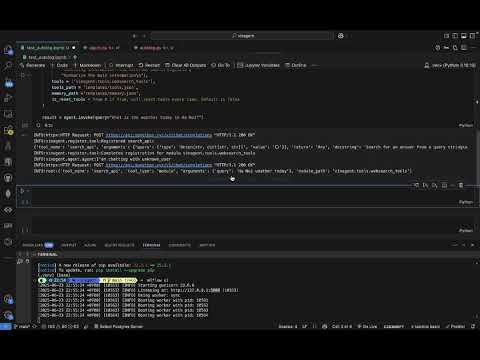
Vinagent provides a local server that can be used to visualize the intermediate messsages of Agent's workflow to debug. Engineer can trace the number of tokens, execution time, type of tool, and status of exection. We leverage mlflow observability to track the agent's progress and performance. To use the local server, run the following command:
- Step 1: Start the local mlflow server.
mlflow ui
This command will deploy a local loging server on port 5000 to your agent connect to.
- Step 2: Initialize an experiment to auto-log messages for agent
import mlflow
from vinagent.mlflow import autolog

# Enable Vinagent autologging
autolog.autolog()

# Optional: Set tracking URI and experiment
mlflow.set_tracking_uri("http://localhost:5000")
mlflow.set_experiment("Vinagent")
After this step, one hooking function will be registered after agent invoking.
- Step 3: Run your agent
from langchain_together import ChatTogether
from vinagent.agent.agent import Agent
from dotenv import load_dotenv
load_dotenv()

llm = ChatTogether(
    model="meta-llama/Llama-3.3-70B-Instruct-Turbo-Free"
)

agent = Agent(
    description="You are an Expert who can answer any general questions.",
    llm = llm,
    skills = [
        "Searching information from external search engine\n",
        "Summarize the main information\n"],
    tools = ['vinagent.tools.websearch_tools'],
    tools_path = 'templates/tools.json',
    memory_path = 'templates/memory.json'
)

result = agent.invoke(query="What is the weather today in Ha Noi?")
An experiment dashboard of Agent will be available on your jupyter notebook for your observability. If you run code in terminal environment, you can access the dashboard at http://localhost:5000/ and view experiment Vinagent at tracing tab. Watch the following video to learn more about Agent observability feature:
vinagent is released under the MIT License. You are free to use, modify, and distribute the code for both commercial and non-commercial purposes.
We welcome contributions from the community. If you would like to contribute, please read our Contributing Guide. If you have any questions or need help, feel free to join Discord Channel.
We acknowledge the contributions of previous open-source library and platform that inspired the development of vinagent:
- LangChain – for offering standardizing base classes.
- Langgraph – for building workflow.
- LlamaIndex – for advanced features like deepsearch, trending search.
- Together.ai – for providing a powerful and free generative AI models.
- Tavily – for providing a powerful web search tool.
For Tasks:
Click tags to check more tools for each tasksFor Jobs:
Alternative AI tools for vinagent
Similar Open Source Tools
vinagent
Vinagent is a lightweight and flexible library designed for building smart agent assistants across various industries. It provides a simple yet powerful foundation for creating AI-powered customer service bots, data analysis assistants, or domain-specific automation agents. With its modular tool system, users can easily extend their agent's capabilities by integrating a wide range of tools that are self-contained, well-documented, and can be registered dynamically. Vinagent allows users to scale and adapt their agents to new tasks or environments effortlessly.
phidata
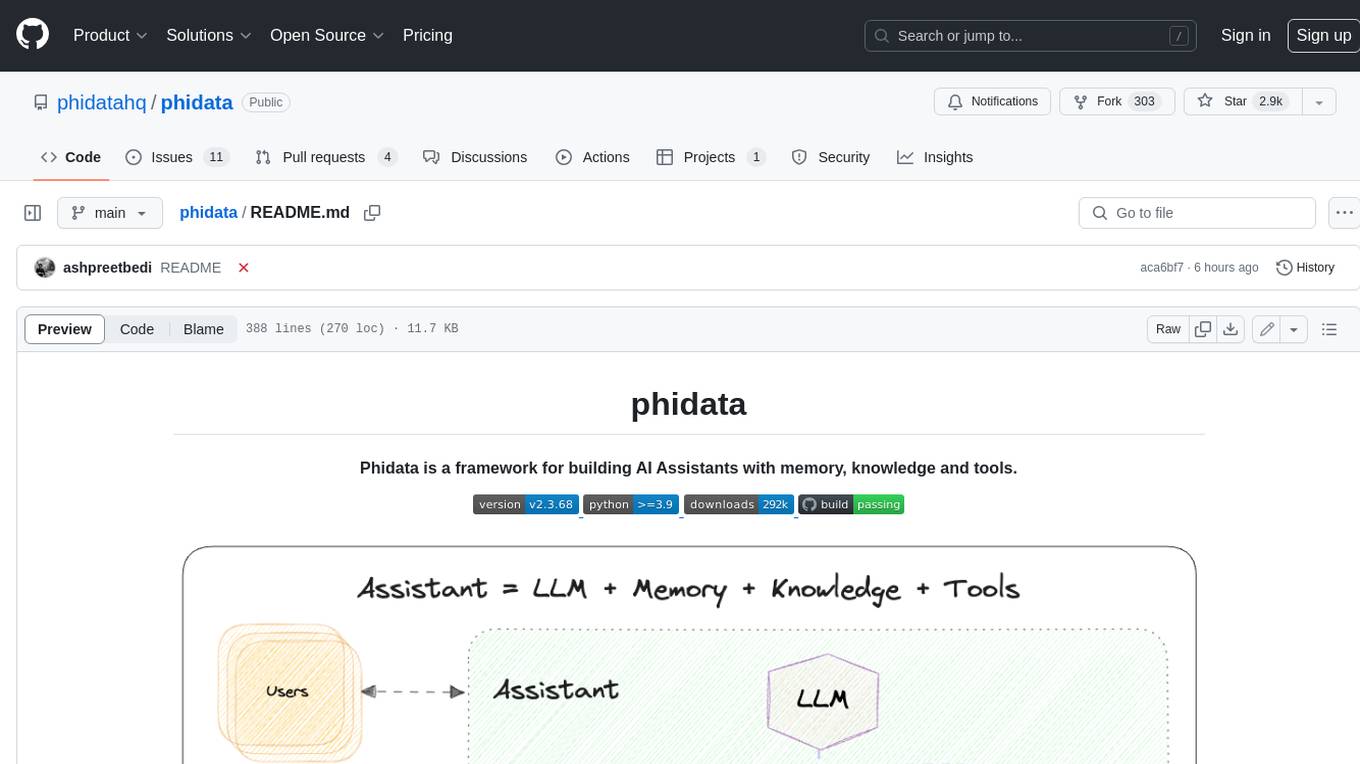
Phidata is a framework for building AI Assistants with memory, knowledge, and tools. It enables LLMs to have long-term conversations by storing chat history in a database, provides them with business context by storing information in a vector database, and enables them to take actions like pulling data from an API, sending emails, or querying a database. Memory and knowledge make LLMs smarter, while tools make them autonomous.
agentlang
AgentLang is an open-source programming language and framework designed for solving complex tasks with the help of AI agents. It allows users to build business applications rapidly from high-level specifications, making it more efficient than traditional programming languages. The language is data-oriented and declarative, with a syntax that is intuitive and closer to natural languages. AgentLang introduces innovative concepts such as first-class AI agents, graph-based hierarchical data model, zero-trust programming, declarative dataflow, resolvers, interceptors, and entity-graph-database mapping.

CEO-Agentic-AI-Framework
CEO-Agentic-AI-Framework is an ultra-lightweight Agentic AI framework based on the ReAct paradigm. It supports mainstream LLMs and is stronger than Swarm. The framework allows users to build their own agents, assign tasks, and interact with them through a set of predefined abilities. Users can customize agent personalities, grant and deprive abilities, and assign queries for specific tasks. CEO also supports multi-agent collaboration scenarios, where different agents with distinct capabilities can work together to achieve complex tasks. The framework provides a quick start guide, examples, and detailed documentation for seamless integration into research projects.
awadb
AwaDB is an AI native database designed for embedding vectors. It simplifies database usage by eliminating the need for schema definition and manual indexing. The system ensures real-time search capabilities with millisecond-level latency. Built on 5 years of production experience with Vearch, AwaDB incorporates best practices from the community to offer stability and efficiency. Users can easily add and search for embedded sentences using the provided client libraries or RESTful API.
swarmzero
SwarmZero SDK is a library that simplifies the creation and execution of AI Agents and Swarms of Agents. It supports various LLM Providers such as OpenAI, Azure OpenAI, Anthropic, MistralAI, Gemini, Nebius, and Ollama. Users can easily install the library using pip or poetry, set up the environment and configuration, create and run Agents, collaborate with Swarms, add tools for complex tasks, and utilize retriever tools for semantic information retrieval. Sample prompts are provided to help users explore the capabilities of the agents and swarms. The SDK also includes detailed examples and documentation for reference.
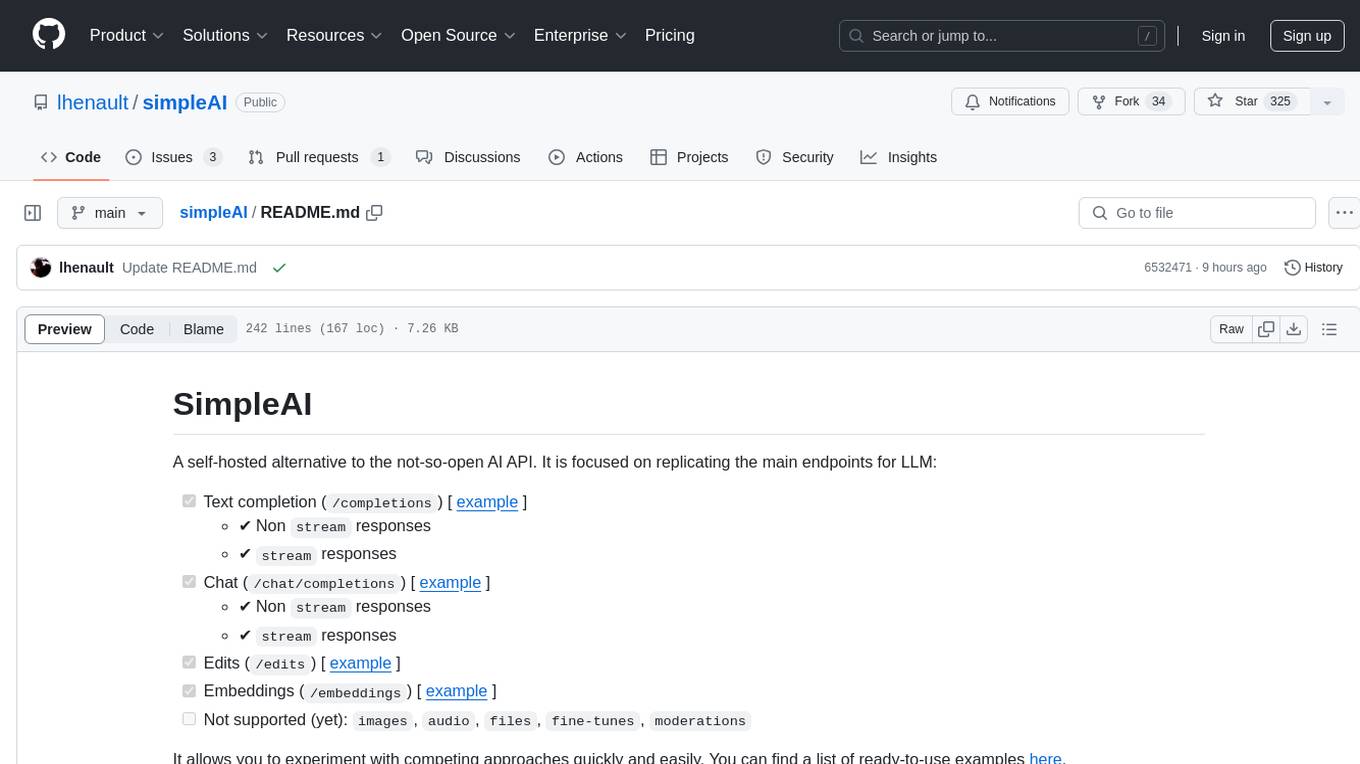
simpleAI
SimpleAI is a self-hosted alternative to the not-so-open AI API, focused on replicating main endpoints for LLM such as text completion, chat, edits, and embeddings. It allows quick experimentation with different models, creating benchmarks, and handling specific use cases without relying on external services. Users can integrate and declare models through gRPC, query endpoints using Swagger UI or API, and resolve common issues like CORS with FastAPI middleware. The project is open for contributions and welcomes PRs, issues, documentation, and more.
memobase
Memobase is a user profile-based memory system designed to enhance Generative AI applications by enabling them to remember, understand, and evolve with users. It provides structured user profiles, scalable profiling, easy integration with existing LLM stacks, batch processing for speed, and is production-ready. Users can manage users, insert data, get memory profiles, and track user preferences and behaviors. Memobase is ideal for applications that require user analysis, tracking, and personalized interactions.
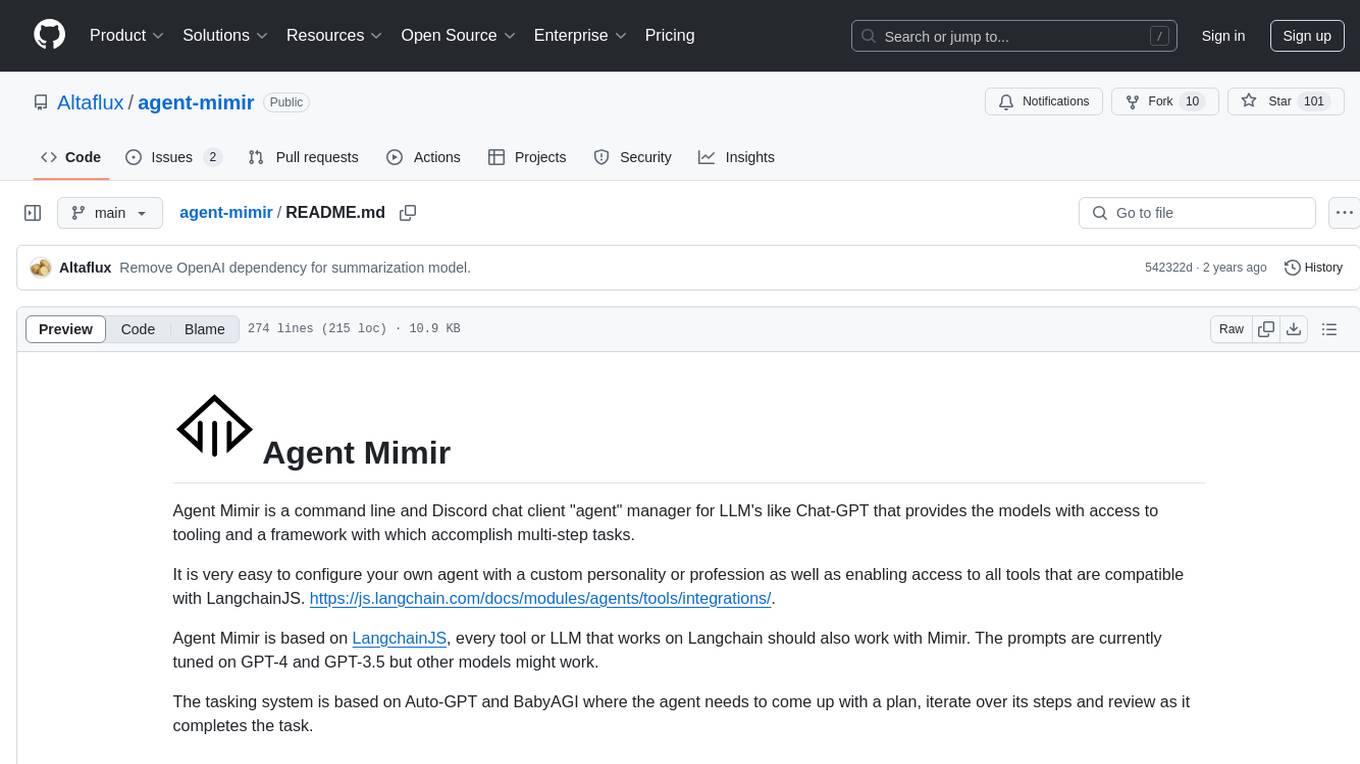
agent-mimir
Agent Mimir is a command line and Discord chat client 'agent' manager for LLM's like Chat-GPT that provides the models with access to tooling and a framework with which accomplish multi-step tasks. It is easy to configure your own agent with a custom personality or profession as well as enabling access to all tools that are compatible with LangchainJS. Agent Mimir is based on LangchainJS, every tool or LLM that works on Langchain should also work with Mimir. The tasking system is based on Auto-GPT and BabyAGI where the agent needs to come up with a plan, iterate over its steps and review as it completes the task.
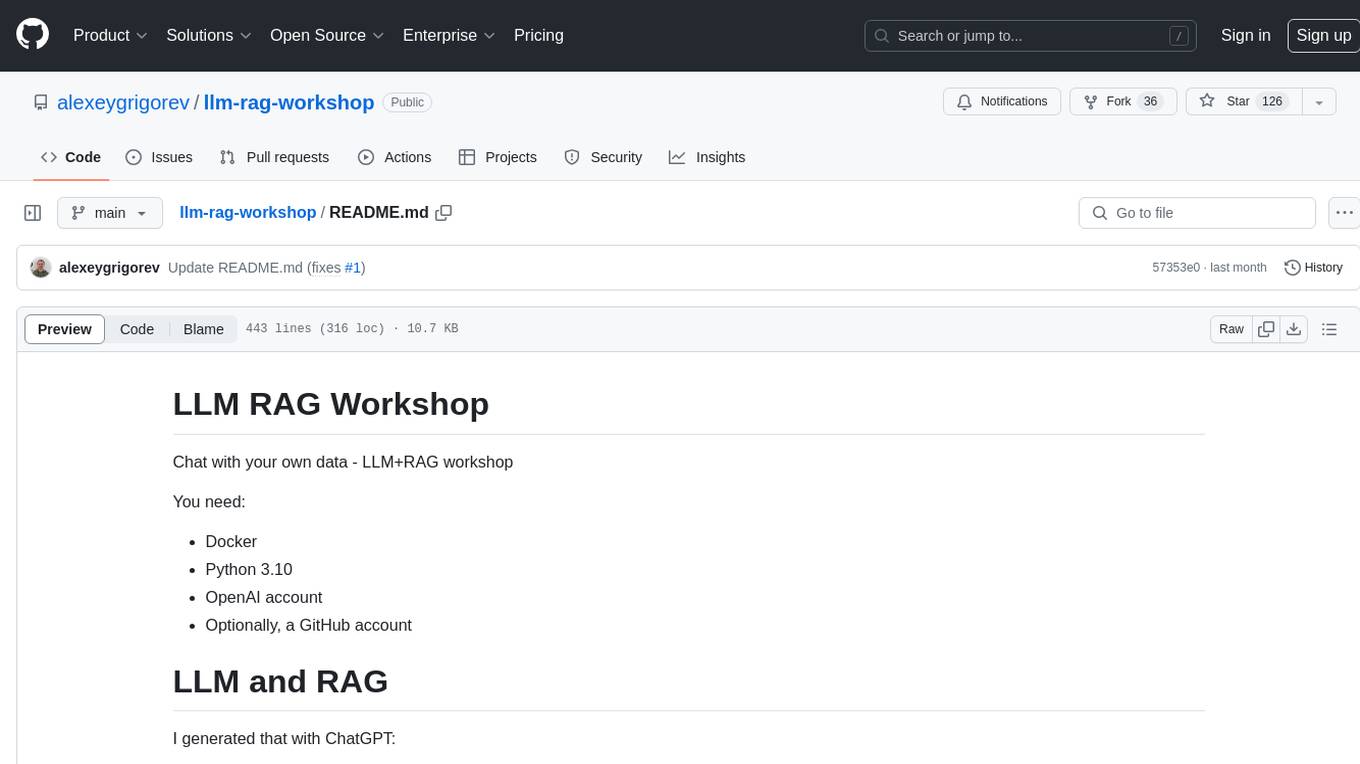
llm-rag-workshop
The LLM RAG Workshop repository provides a workshop on using Large Language Models (LLMs) and Retrieval-Augmented Generation (RAG) to generate and understand text in a human-like manner. It includes instructions on setting up the environment, indexing Zoomcamp FAQ documents, creating a Q&A system, and using OpenAI for generation based on retrieved information. The repository focuses on enhancing language model responses with retrieved information from external sources, such as document databases or search engines, to improve factual accuracy and relevance of generated text.
promptic
Promptic is a tool designed for LLM app development, providing a productive and pythonic way to build LLM applications. It leverages LiteLLM, allowing flexibility to switch LLM providers easily. Promptic focuses on building features by providing type-safe structured outputs, easy-to-build agents, streaming support, automatic prompt caching, and built-in conversation memory.
sparkle
Sparkle is a tool that streamlines the process of building AI-driven features in applications using Large Language Models (LLMs). It guides users through creating and managing agents, defining tools, and interacting with LLM providers like OpenAI. Sparkle allows customization of LLM provider settings, model configurations, and provides a seamless integration with Sparkle Server for exposing agents via an OpenAI-compatible chat API endpoint.
empower-functions
Empower Functions is a family of large language models (LLMs) that provide GPT-4 level capabilities for real-world 'tool using' use cases. These models offer compatibility support to be used as drop-in replacements, enabling interactions with external APIs by recognizing when a function needs to be called and generating JSON containing necessary arguments based on user inputs. This capability is crucial for building conversational agents and applications that convert natural language into API calls, facilitating tasks such as weather inquiries, data extraction, and interactions with knowledge bases. The models can handle multi-turn conversations, choose between tools or standard dialogue, ask for clarification on missing parameters, integrate responses with tool outputs in a streaming fashion, and efficiently execute multiple functions either in parallel or sequentially with dependencies.
ragtacts
Ragtacts is a Clojure library that allows users to easily interact with Large Language Models (LLMs) such as OpenAI's GPT-4. Users can ask questions to LLMs, create question templates, call Clojure functions in natural language, and utilize vector databases for more accurate answers. Ragtacts also supports RAG (Retrieval-Augmented Generation) method for enhancing LLM output by incorporating external data. Users can use Ragtacts as a CLI tool, API server, or through a RAG Playground for interactive querying.
call-center-ai
Call Center AI is an AI-powered call center solution that leverages Azure and OpenAI GPT. It is a proof of concept demonstrating the integration of Azure Communication Services, Azure Cognitive Services, and Azure OpenAI to build an automated call center solution. The project showcases features like accessing claims on a public website, customer conversation history, language change during conversation, bot interaction via phone number, multiple voice tones, lexicon understanding, todo list creation, customizable prompts, content filtering, GPT-4 Turbo for customer requests, specific data schema for claims, documentation database access, SMS report sending, conversation resumption, and more. The system architecture includes components like RAG AI Search, SMS gateway, call gateway, moderation, Cosmos DB, event broker, GPT-4 Turbo, Redis cache, translation service, and more. The tool can be deployed remotely using GitHub Actions and locally with prerequisites like Azure environment setup, configuration file creation, and resource hosting. Advanced usage includes custom training data with AI Search, prompt customization, language customization, moderation level customization, claim data schema customization, OpenAI compatible model usage for the LLM, and Twilio integration for SMS.
langserve
LangServe helps developers deploy `LangChain` runnables and chains as a REST API. This library is integrated with FastAPI and uses pydantic for data validation. In addition, it provides a client that can be used to call into runnables deployed on a server. A JavaScript client is available in LangChain.js.
For similar tasks
vinagent
Vinagent is a lightweight and flexible library designed for building smart agent assistants across various industries. It provides a simple yet powerful foundation for creating AI-powered customer service bots, data analysis assistants, or domain-specific automation agents. With its modular tool system, users can easily extend their agent's capabilities by integrating a wide range of tools that are self-contained, well-documented, and can be registered dynamically. Vinagent allows users to scale and adapt their agents to new tasks or environments effortlessly.
agentic
Agentic is a standard AI functions/tools library optimized for TypeScript and LLM-based apps, compatible with major AI SDKs. It offers a set of thoroughly tested AI functions that can be used with favorite AI SDKs without writing glue code. The library includes various clients for services like Bing web search, calculator, Clearbit data resolution, Dexa podcast questions, and more. It also provides compound tools like SearchAndCrawl and supports multiple AI SDKs such as OpenAI, Vercel AI SDK, LangChain, LlamaIndex, Firebase Genkit, and Dexa Dexter. The goal is to create minimal clients with strongly-typed TypeScript DX, composable AIFunctions via AIFunctionSet, and compatibility with major TS AI SDKs.

databend
Databend is an open-source cloud data warehouse that serves as a cost-effective alternative to Snowflake. With its focus on fast query execution and data ingestion, it's designed for complex analysis of the world's largest datasets.
DeepBI
DeepBI is an AI-native data analysis platform that leverages the power of large language models to explore, query, visualize, and share data from any data source. Users can use DeepBI to gain data insight and make data-driven decisions.
client
DagsHub is a platform for machine learning and data science teams to build, manage, and collaborate on their projects. With DagsHub you can: 1. Version code, data, and models in one place. Use the free provided DagsHub storage or connect it to your cloud storage 2. Track Experiments using Git, DVC or MLflow, to provide a fully reproducible environment 3. Visualize pipelines, data, and notebooks in and interactive, diff-able, and dynamic way 4. Label your data directly on the platform using Label Studio 5. Share your work with your team members 6. Stream and upload your data in an intuitive and easy way, while preserving versioning and structure. DagsHub is built firmly around open, standard formats for your project. In particular: * Git * DVC * MLflow * Label Studio * Standard data formats like YAML, JSON, CSV Therefore, you can work with DagsHub regardless of your chosen programming language or frameworks.
SQLAgent
DataAgent is a multi-agent system for data analysis, capable of understanding data development and data analysis requirements, understanding data, and generating SQL and Python code for tasks such as data query, data visualization, and machine learning.
google-research
This repository contains code released by Google Research. All datasets in this repository are released under the CC BY 4.0 International license, which can be found here: https://creativecommons.org/licenses/by/4.0/legalcode. All source files in this repository are released under the Apache 2.0 license, the text of which can be found in the LICENSE file.
airda
airda(Air Data Agent) is a multi-agent system for data analysis, which can understand data development and data analysis requirements, understand data, and generate SQL and Python code for data query, data visualization, machine learning and other tasks.
For similar jobs
himarket
HiMarket is an out-of-the-box AI open platform solution that can be used to build enterprise-level AI capability markets and developer ecosystem centers. It consists of three core components tailored to different roles within the enterprise: 1. AI open platform management backend (for administrators/operators) for easy packaging of diverse AI capabilities such as model services, MCP Server, Agent, etc., into standardized 'AI products' in API form with comprehensive documentation and examples for one-click publishing to the portal. 2. AI open platform portal (for developers/internal users) as a 'storefront' for developers to complete registration, create consumers, obtain credentials, browse and subscribe to AI products, test online, and monitor their own call status and costs clearly. 3. AI Gateway: As a subproject of the Higress community, the Higress AI Gateway carries out all AI call authentication, security, flow control, protocol conversion, and observability capabilities.
vinagent
Vinagent is a lightweight and flexible library designed for building smart agent assistants across various industries. It provides a simple yet powerful foundation for creating AI-powered customer service bots, data analysis assistants, or domain-specific automation agents. With its modular tool system, users can easily extend their agent's capabilities by integrating a wide range of tools that are self-contained, well-documented, and can be registered dynamically. Vinagent allows users to scale and adapt their agents to new tasks or environments effortlessly.
app-platform
AppPlatform is an advanced large-scale model application engineering aimed at simplifying the development process of AI applications through integrated declarative programming and low-code configuration tools. This project provides a powerful and scalable environment for software engineers and product managers to support the full-cycle development of AI applications from concept to deployment. The backend module is based on the FIT framework, utilizing a plugin-based development approach, including application management and feature extension modules. The frontend module is developed using React framework, focusing on core modules such as application development, application marketplace, intelligent forms, and plugin management. Key features include low-code graphical interface, powerful operators and scheduling platform, and sharing and collaboration capabilities. The project also provides detailed instructions for setting up and running both backend and frontend environments for development and testing.

aiscript
AiScript is a lightweight scripting language that runs on JavaScript. It supports arrays, objects, and functions as first-class citizens, and is easy to write without the need for semicolons or commas. AiScript runs in a secure sandbox environment, preventing infinite loops from freezing the host. It also allows for easy provision of variables and functions from the host.
askui
AskUI is a reliable, automated end-to-end automation tool that only depends on what is shown on your screen instead of the technology or platform you are running on.
bots
The 'bots' repository is a collection of guides, tools, and example bots for programming bots to play video games. It provides resources on running bots live, installing the BotLab client, debugging bots, testing bots in simulated environments, and more. The repository also includes example bots for games like EVE Online, Tribal Wars 2, and Elvenar. Users can learn about developing bots for specific games, syntax of the Elm programming language, and tools for memory reading development. Additionally, there are guides on bot programming, contributing to BotLab, and exploring Elm syntax and core library.
ain
Ain is a terminal HTTP API client designed for scripting input and processing output via pipes. It allows flexible organization of APIs using files and folders, supports shell-scripts and executables for common tasks, handles url-encoding, and enables sharing the resulting curl, wget, or httpie command-line. Users can put things that change in environment variables or .env-files, and pipe the API output for further processing. Ain targets users who work with many APIs using a simple file format and uses curl, wget, or httpie to make the actual calls.
LaVague
LaVague is an open-source Large Action Model framework that uses advanced AI techniques to compile natural language instructions into browser automation code. It leverages Selenium or Playwright for browser actions. Users can interact with LaVague through an interactive Gradio interface to automate web interactions. The tool requires an OpenAI API key for default examples and offers a Playwright integration guide. Contributors can help by working on outlined tasks, submitting PRs, and engaging with the community on Discord. The project roadmap is available to track progress, but users should exercise caution when executing LLM-generated code using 'exec'.