


dashscope-sdk
An unofficial DashScope SDK for .NET maintained by Cnblogs.
Stars: 84
DashScope SDK for .NET is an unofficial SDK maintained by Cnblogs, providing various APIs for text embedding, generation, multimodal generation, image synthesis, and more. Users can interact with the SDK to perform tasks such as text completion, chat generation, function calls, file operations, and more. The project is under active development, and users are advised to check the Release Notes before upgrading.
README:
English | 简体中文



An unofficial DashScope SDK maintained by Cnblogs.
Warning: this project is under active development, Breaking Changes may introduced without notice or major version change. Make sure you read the Release Notes before upgrading.
Install Cnblogs.DashScope.AI Package
var client = new DashScopeClient("your-api-key").AsChatClient("qwen-max");
var completion = await client.CompleteAsync("hello");
Console.WriteLine(completion)Install Cnblogs.DashScope.Sdk package.
var client = new DashScopeClient("your-api-key");
var completion = await client.GetQWenCompletionAsync(QWenLlm.QWenMax, prompt);
// or pass the model name string directly.
// var completion = await client.GetQWenCompletionAsync("qwen-max", prompt);
Console.WriteLine(completion.Output.Text);Install the Cnblogs.DashScope.AspNetCore package.
Program.cs
builder.AddDashScopeClient(builder.Configuration);appsettings.json
{
    "DashScope": {
        "ApiKey": "your-api-key"
    }
}
Usage
public class YourService(IDashScopeClient client)
{
    public async Task<string> CompletePromptAsync(string prompt)
    {
       var completion = await client.GetQWenCompletionAsync(QWenLlm.QWenMax, prompt);
       return completion.Output.Text;
    }
}- Text Embedding API -
dashScopeClient.GetTextEmbeddingsAsync() - Text Generation API(qwen-turbo, qwen-max, etc.) -
dashScopeClient.GetQwenCompletionAsync()anddashScopeClient.GetQWenCompletionStreamAsync() - BaiChuan Models - Use
dashScopeClient.GetBaiChuanTextCompletionAsync() - LLaMa2 Models -
dashScopeClient.GetLlama2TextCompletionAsync() - Multimodal Generation API(qwen-vl-max, etc.) -
dashScopeClient.GetQWenMultimodalCompletionAsync()anddashScopeClient.GetQWenMultimodalCompletionStreamAsync() - Wanx Models(Image generation, background generation, etc)
- Image Synthesis -
CreateWanxImageSynthesisTaskAsync()andGetWanxImageSynthesisTaskAsync() - Image Generation -
CreateWanxImageGenerationTaskAsync()andGetWanxImageGenerationTaskAsync() - Background Image Generation -
CreateWanxBackgroundGenerationTaskAsync()andGetWanxBackgroundGenerationTaskAsync()
- Image Synthesis -
- File API that used by Qwen-Long -
dashScopeClient.UploadFileAsync()anddashScopeClient.DeleteFileAsync - Application call -
GetApplicationResponseAsync()andGetApplicationResponseStreamAsync()
Visit tests for more usage of each api.
var prompt = "hello"
var completion = await client.GetQWenCompletionAsync(QWenLlm.QWenMax, prompt);
Console.WriteLine(completion.Output.Text);var history = new List<ChatMessage>
{
ChatMessage.User("Please remember this number, 42"),
ChatMessage.Assistant("I have remembered this number."),
ChatMessage.User("What was the number I metioned before?")
}
var parameters = new TextGenerationParameters()
{
ResultFormat = ResultFormats.Message
};
var completion = await client.GetQWenChatCompletionAsync(QWenLlm.QWenMax, history, parameters);
Console.WriteLine(completion.Output.Choices[0].Message.Content); // The number is 42Creates a function with parameters
string GetCurrentWeather(GetCurrentWeatherParameters parameters)
{
    // actual implementation should be different.
    return "Sunny, 14" + parameters.Unit switch
    {
        TemperatureUnit.Celsius => "℃",
        TemperatureUnit.Fahrenheit => "℉"
    };
}

public record GetCurrentWeatherParameters(
    [property: Required]
    [property: Description("The city and state, e.g. San Francisco, CA")]
    string Location,
    [property: JsonConverter(typeof(EnumStringConverter<TemperatureUnit>))]
    TemperatureUnit Unit = TemperatureUnit.Celsius);

public enum TemperatureUnit
{
    Celsius,
    Fahrenheit
}
Append tool information to chat messages.
var tools = new List<ToolDefinition>()
{
    new(
        ToolTypes.Function,
        new FunctionDefinition(
            nameof(GetCurrentWeather),
            "Get the weather abount given location",
            new JsonSchemaBuilder().FromType<GetCurrentWeatherParameters>().Build()))
};

var history = new List<ChatMessage>
{
    ChatMessage.User("What is the weather today in C.A?")
};

var parameters = new TextGenerationParamters()
{
    ResultFormat = ResultFormats.Message,
    Tools = tools
};

// send question with available tools.
var completion = await client.GetQWenChatCompletionAsync(QWenLlm.QWenMax, history, parameters);
history.Add(completion.Output.Choice[0].Message);

// model responding with tool calls.
Console.WriteLine(completion.Output.Choice[0].Message.ToolCalls[0].Function.Name); // GetCurrentWeather

// calling tool that model requests and append result into history.
var result = GetCurrentWeather(JsonSerializer.Deserialize<GetCurrentWeatherParameters>(completion.Output.Choice[0].Message.ToolCalls[0].Function.Arguments));
history.Add(ChatMessage.Tool(result, nameof(GetCurrentWeather)));

// get back answers.
completion = await client.GetQWenChatCompletionAsync(QWenLlm.QWenMax, history, parameters);
Console.WriteLine(completion.Output.Choice[0].Message.Content);
Append the tool calling result with tool role, then model will generate answers based on tool calling result.
Upload file first.
var file = new FileInfo("test.txt");
var uploadedFile = await dashScopeClient.UploadFileAsync(file.OpenRead(), file.Name);
Using uploaded file id in messages.
var history = new List<ChatMessage>
{
    ChatMessage.File(uploadedFile.Id),   // use array for multiple files, e.g. [file1.Id, file2.Id]
    ChatMessage.User("Summarize the content of file.")
}
var parameters = new TextGenerationParameters()
{
    ResultFormat = ResultFormats.Message
};
var completion = await client.GetQWenChatCompletionAsync(QWenLlm.QWenLong, history, parameters);
Console.WriteLine(completion.Output.Choices[0].Message.Content);
Delete file if needed
var deletionResult = await dashScopeClient.DeleteFileAsync(uploadedFile.Id);Use GetApplicationResponseAsync to call an application.
Use GetApplicationResponseStreamAsync for streaming output.
var request =
    new ApplicationRequest()
    {
        Input = new ApplicationInput() { Prompt = "Summarize this file." },
        Parameters = new ApplicationParameters()
        {
            TopK = 100,
            TopP = 0.8f,
            Seed = 1234,
            Temperature = 0.85f,
            RagOptions = new ApplicationRagOptions()
            {
                PipelineIds = ["thie5bysoj"],
                FileIds = ["file_d129d632800c45aa9e7421b30561f447_10207234"]
            }
        }
    };
var response = await client.GetApplicationResponseAsync("your-application-id", request);
Console.WriteLine(response.Output.Text);
ApplicationRequest use an Dictionary<string, object?> as BizParams by default.
var request =
    new ApplicationRequest()
    {
        Input = new ApplicationInput()
        {
            Prompt = "Summarize this file.",
            BizParams = new Dictionary<string, object?>()
            {
                { "customKey1", "custom-value" }
            }
        }
    };
var response = await client.GetApplicationResponseAsync("your-application-id", request);
Console.WriteLine(response.Output.Text);
You can use the generic version ApplicationRequest<TBizParams> for strong-typed BizParams. But keep in mind that client use snake_case by default when doing json serialization, you may need to use [JsonPropertyName("camelCase")] for other type of naming policy.
public record TestApplicationBizParam(
    [property: JsonPropertyName("sourceCode")]
    string SourceCode);

var request =
    new ApplicationRequest<TestApplicationBizParam>()
    {
        Input = new ApplicationInput<TestApplicationBizParam>()
        {
            Prompt = "Summarize this file.",
            BizParams = new TestApplicationBizParam("test")
        }
    };
var response = await client.GetApplicationResponseAsync("your-application-id", request);
Console.WriteLine(response.Output.Text);
For Tasks:
Click tags to check more tools for each tasksFor Jobs:
Alternative AI tools for dashscope-sdk
Similar Open Source Tools
dashscope-sdk
DashScope SDK for .NET is an unofficial SDK maintained by Cnblogs, providing various APIs for text embedding, generation, multimodal generation, image synthesis, and more. Users can interact with the SDK to perform tasks such as text completion, chat generation, function calls, file operations, and more. The project is under active development, and users are advised to check the Release Notes before upgrading.
com.openai.unity
com.openai.unity is an OpenAI package for Unity that allows users to interact with OpenAI's API through RESTful requests. It is independently developed and not an official library affiliated with OpenAI. Users can fine-tune models, create assistants, chat completions, and more. The package requires Unity 2021.3 LTS or higher and can be installed via Unity Package Manager or Git URL. Various features like authentication, Azure OpenAI integration, model management, thread creation, chat completions, audio processing, image generation, file management, fine-tuning, batch processing, embeddings, and content moderation are available.
mcp-go
MCP Go is a Go implementation of the Model Context Protocol (MCP), facilitating seamless integration between LLM applications and external data sources and tools. It handles complex protocol details and server management, allowing developers to focus on building tools. The tool is designed to be fast, simple, and complete, aiming to provide a high-level and easy-to-use interface for developing MCP servers. MCP Go is currently under active development, with core features working and advanced capabilities in progress.
openai-scala-client
This is a no-nonsense async Scala client for OpenAI API supporting all the available endpoints and params including streaming, chat completion, vision, and voice routines. It provides a single service called OpenAIService that supports various calls such as Models, Completions, Chat Completions, Edits, Images, Embeddings, Batches, Audio, Files, Fine-tunes, Moderations, Assistants, Threads, Thread Messages, Runs, Run Steps, Vector Stores, Vector Store Files, and Vector Store File Batches. The library aims to be self-contained with minimal dependencies and supports API-compatible providers like Azure OpenAI, Azure AI, Anthropic, Google Vertex AI, Groq, Grok, Fireworks AI, OctoAI, TogetherAI, Cerebras, Mistral, Deepseek, Ollama, FastChat, and more.
openrouter-kit
OpenRouter Kit is a powerful TypeScript/JavaScript library for interacting with the OpenRouter API. It simplifies working with LLMs by providing a high-level API for chats, dialogue history management, tool calls with error handling, security module, and cost tracking. Ideal for building chatbots, AI agents, and integrating LLMs into applications.

generative-ai-python
The Google AI Python SDK is the easiest way for Python developers to build with the Gemini API. The Gemini API gives you access to Gemini models created by Google DeepMind. Gemini models are built from the ground up to be multimodal, so you can reason seamlessly across text, images, and code.
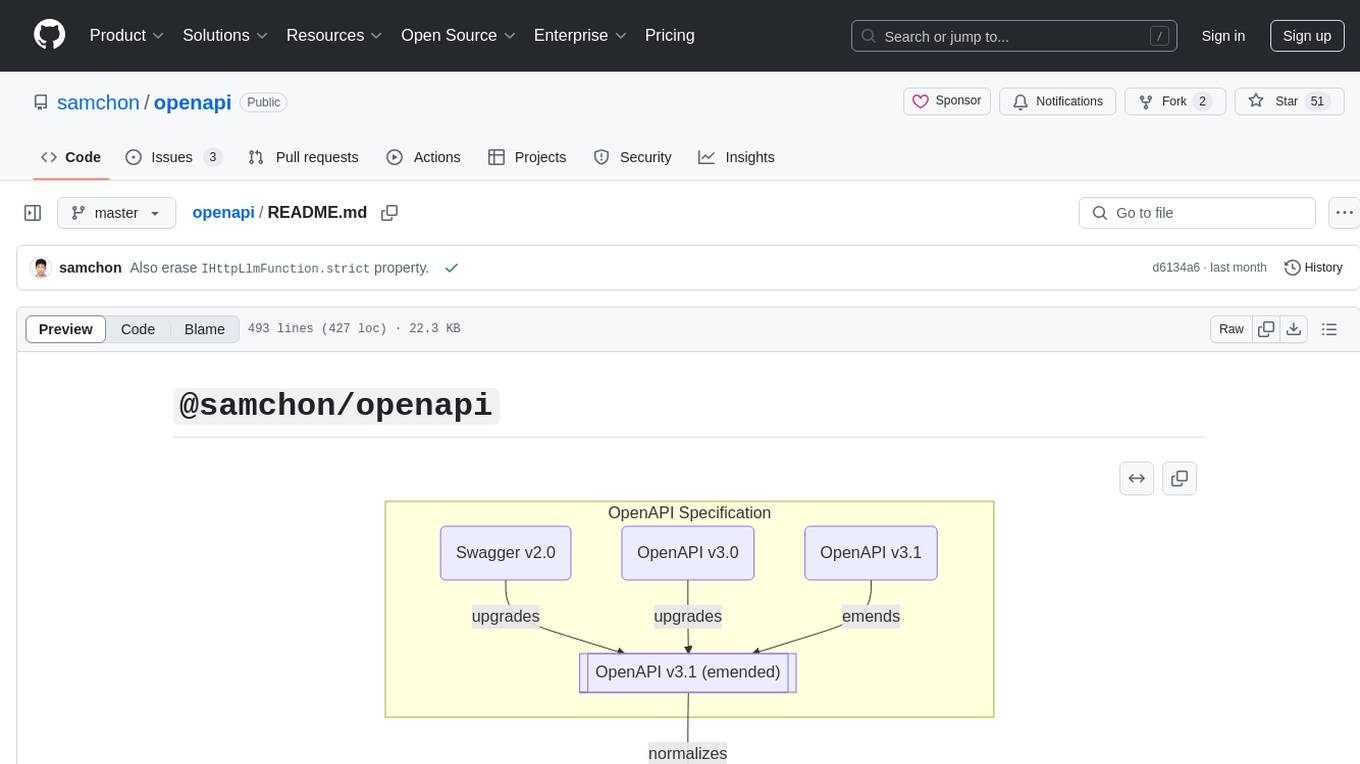
openapi
The `@samchon/openapi` repository is a collection of OpenAPI types and converters for various versions of OpenAPI specifications. It includes an 'emended' OpenAPI v3.1 specification that enhances clarity by removing ambiguous and duplicated expressions. The repository also provides an application composer for LLM (Large Language Model) function calling from OpenAPI documents, allowing users to easily perform LLM function calls based on the Swagger document. Conversions to different versions of OpenAPI documents are also supported, all based on the emended OpenAPI v3.1 specification. Users can validate their OpenAPI documents using the `typia` library with `@samchon/openapi` types, ensuring compliance with standard specifications.
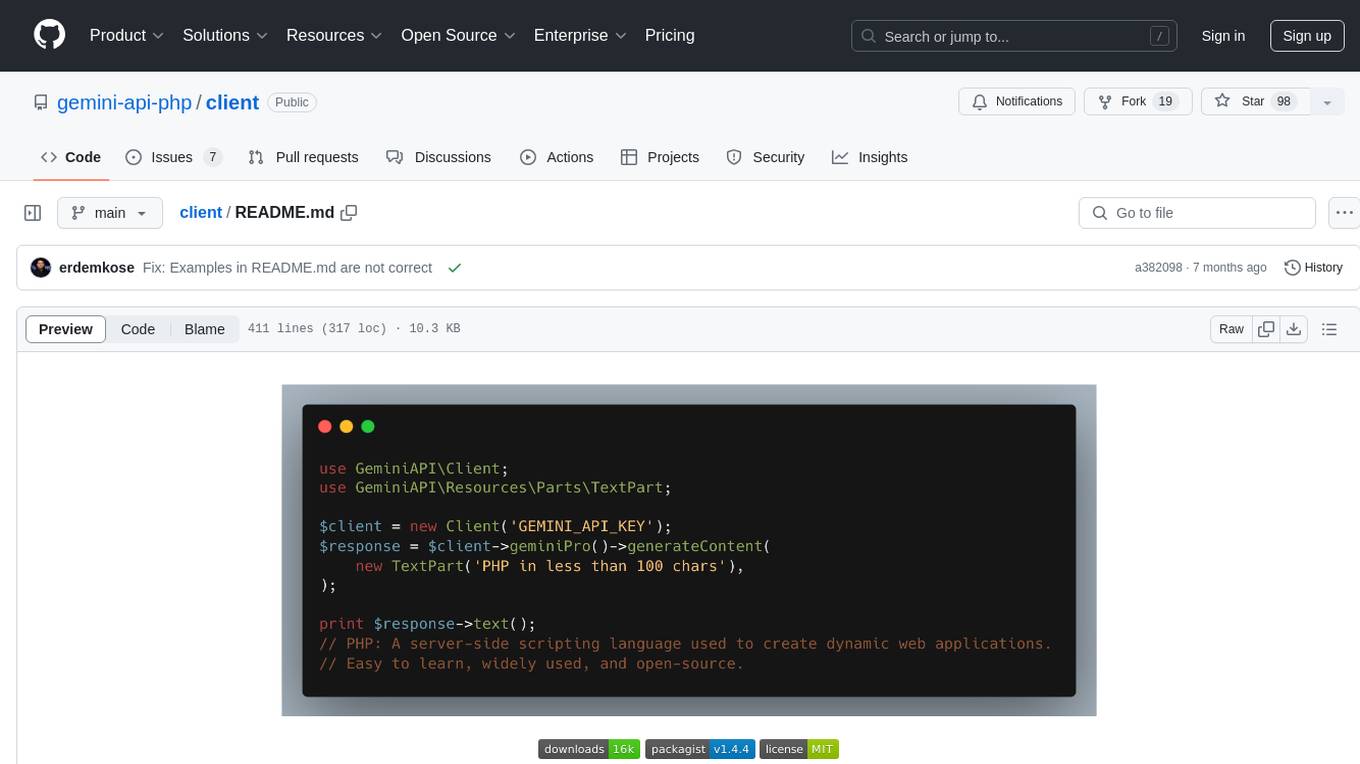
client
Gemini API PHP Client is a library that allows you to interact with Google's generative AI models, such as Gemini Pro and Gemini Pro Vision. It provides functionalities for basic text generation, multimodal input, chat sessions, streaming responses, tokens counting, listing models, and advanced usages like safety settings and custom HTTP client usage. The library requires an API key to access Google's Gemini API and can be installed using Composer. It supports various features like generating content, starting chat sessions, embedding content, counting tokens, and listing available models.
react-native-rag
React Native RAG is a library that enables private, local RAGs to supercharge LLMs with a custom knowledge base. It offers modular and extensible components like `LLM`, `Embeddings`, `VectorStore`, and `TextSplitter`, with multiple integration options. The library supports on-device inference, vector store persistence, and semantic search implementation. Users can easily generate text responses, manage documents, and utilize custom components for advanced use cases.
ai
The Vercel AI SDK is a library for building AI-powered streaming text and chat UIs. It provides React, Svelte, Vue, and Solid helpers for streaming text responses and building chat and completion UIs. The SDK also includes a React Server Components API for streaming Generative UI and first-class support for various AI providers such as OpenAI, Anthropic, Mistral, Perplexity, AWS Bedrock, Azure, Google Gemini, Hugging Face, Fireworks, Cohere, LangChain, Replicate, Ollama, and more. Additionally, it offers Node.js, Serverless, and Edge Runtime support, as well as lifecycle callbacks for saving completed streaming responses to a database in the same request.
orch
orch is a library for building language model powered applications and agents for the Rust programming language. It can be used for tasks such as text generation, streaming text generation, structured data generation, and embedding generation. The library provides functionalities for executing various language model tasks and can be integrated into different applications and contexts. It offers flexibility for developers to create language model-powered features and applications in Rust.
mediapipe-rs
MediaPipe-rs is a Rust library designed for MediaPipe tasks on WasmEdge WASI-NN. It offers easy-to-use low-code APIs similar to mediapipe-python, with low overhead and flexibility for custom media input. The library supports various tasks like object detection, image classification, gesture recognition, and more, including TfLite models, TF Hub models, and custom models. Users can create task instances, run sessions for pre-processing, inference, and post-processing, and speed up processing by reusing sessions. The library also provides support for audio tasks using audio data from symphonia, ffmpeg, or raw audio. Users can choose between CPU, GPU, or TPU devices for processing.
tambo
tambo ai is a React library that simplifies the process of building AI assistants and agents in React by handling thread management, state persistence, streaming responses, AI orchestration, and providing a compatible React UI library. It eliminates React boilerplate for AI features, allowing developers to focus on creating exceptional user experiences with clean React hooks that seamlessly integrate with their codebase.
aiotdlib
aiotdlib is a Python asyncio Telegram client based on TDLib. It provides automatic generation of types and functions from tl schema, validation, good IDE type hinting, and high-level API methods for simpler work with tdlib. The package includes prebuilt TDLib binaries for macOS (arm64) and Debian Bullseye (amd64). Users can use their own binary by passing `library_path` argument to `Client` class constructor. Compatibility with other versions of the library is not guaranteed. The tool requires Python 3.9+ and users need to get their `api_id` and `api_hash` from Telegram docs for installation and usage.
langchain-rust
LangChain Rust is a library for building applications with Large Language Models (LLMs) through composability. It provides a set of tools and components that can be used to create conversational agents, document loaders, and other applications that leverage LLMs. LangChain Rust supports a variety of LLMs, including OpenAI, Azure OpenAI, Ollama, and Anthropic Claude. It also supports a variety of embeddings, vector stores, and document loaders. LangChain Rust is designed to be easy to use and extensible, making it a great choice for developers who want to build applications with LLMs.
For similar tasks
dashscope-sdk
DashScope SDK for .NET is an unofficial SDK maintained by Cnblogs, providing various APIs for text embedding, generation, multimodal generation, image synthesis, and more. Users can interact with the SDK to perform tasks such as text completion, chat generation, function calls, file operations, and more. The project is under active development, and users are advised to check the Release Notes before upgrading.
libmodal
libmodal is a cross-language client SDK for Modal, providing lightweight alternatives to the Modal Python Library. It allows users to start Sandboxes, call Modal Functions, and manage containers. The SDK supports JavaScript and Go languages, with similar features and APIs for each. Users can interact with Modal from any project by authenticating with Modal and adding the SDK to their application. The repository aims to add more features over time while keeping behavior consistent across languages.
Jlama
Jlama is a modern Java inference engine designed for large language models. It supports various model types such as Gemma, Llama, Mistral, GPT-2, BERT, and more. The tool implements features like Flash Attention, Mixture of Experts, and supports different model quantization formats. Built with Java 21 and utilizing the new Vector API for faster inference, Jlama allows users to add LLM inference directly to their Java applications. The tool includes a CLI for running models, a simple UI for chatting with LLMs, and examples for different model types.
ollama-ai
Ollama AI is a Ruby gem designed to interact with Ollama's API, allowing users to run open source AI LLMs (Large Language Models) locally. The gem provides low-level access to Ollama, enabling users to build abstractions on top of it. It offers methods for generating completions, chat interactions, embeddings, creating and managing models, and more. Users can also work with text and image data, utilize Server-Sent Events for streaming capabilities, and handle errors effectively. Ollama AI is not an official Ollama project and is distributed under the MIT License.
For similar jobs

sweep
Sweep is an AI junior developer that turns bugs and feature requests into code changes. It automatically handles developer experience improvements like adding type hints and improving test coverage.

teams-ai
The Teams AI Library is a software development kit (SDK) that helps developers create bots that can interact with Teams and Microsoft 365 applications. It is built on top of the Bot Framework SDK and simplifies the process of developing bots that interact with Teams' artificial intelligence capabilities. The SDK is available for JavaScript/TypeScript, .NET, and Python.

ai-guide
This guide is dedicated to Large Language Models (LLMs) that you can run on your home computer. It assumes your PC is a lower-end, non-gaming setup.

classifai
Supercharge WordPress Content Workflows and Engagement with Artificial Intelligence. Tap into leading cloud-based services like OpenAI, Microsoft Azure AI, Google Gemini and IBM Watson to augment your WordPress-powered websites. Publish content faster while improving SEO performance and increasing audience engagement. ClassifAI integrates Artificial Intelligence and Machine Learning technologies to lighten your workload and eliminate tedious tasks, giving you more time to create original content that matters.

chatbot-ui
Chatbot UI is an open-source AI chat app that allows users to create and deploy their own AI chatbots. It is easy to use and can be customized to fit any need. Chatbot UI is perfect for businesses, developers, and anyone who wants to create a chatbot.

BricksLLM
BricksLLM is a cloud native AI gateway written in Go. Currently, it provides native support for OpenAI, Anthropic, Azure OpenAI and vLLM. BricksLLM aims to provide enterprise level infrastructure that can power any LLM production use cases. Here are some use cases for BricksLLM: * Set LLM usage limits for users on different pricing tiers * Track LLM usage on a per user and per organization basis * Block or redact requests containing PIIs * Improve LLM reliability with failovers, retries and caching * Distribute API keys with rate limits and cost limits for internal development/production use cases * Distribute API keys with rate limits and cost limits for students

uAgents
uAgents is a Python library developed by Fetch.ai that allows for the creation of autonomous AI agents. These agents can perform various tasks on a schedule or take action on various events. uAgents are easy to create and manage, and they are connected to a fast-growing network of other uAgents. They are also secure, with cryptographically secured messages and wallets.

griptape
Griptape is a modular Python framework for building AI-powered applications that securely connect to your enterprise data and APIs. It offers developers the ability to maintain control and flexibility at every step. Griptape's core components include Structures (Agents, Pipelines, and Workflows), Tasks, Tools, Memory (Conversation Memory, Task Memory, and Meta Memory), Drivers (Prompt and Embedding Drivers, Vector Store Drivers, Image Generation Drivers, Image Query Drivers, SQL Drivers, Web Scraper Drivers, and Conversation Memory Drivers), Engines (Query Engines, Extraction Engines, Summary Engines, Image Generation Engines, and Image Query Engines), and additional components (Rulesets, Loaders, Artifacts, Chunkers, and Tokenizers). Griptape enables developers to create AI-powered applications with ease and efficiency.