


opencode-manager
Mobile-first web interface for OpenCode AI agents. Manage, control, and code with multiple OpenCode agents from any device - your phone, tablet, or desktop. Features Git integration, file management, and real-time chat in a responsive PWA. Deploy with Docker for instant setup.
Stars: 247
OpenCode Manager is a mobile-first web interface for managing and coding with OpenCode AI agents. It allows users to control and code from any device, including phones, tablets, and desktops. The tool provides features for repository and Git management, file management, chat and sessions, AI configuration, as well as mobile and PWA support. Users can clone and manage multiple git repos, work on multiple branches simultaneously, view changes, commits, and branches in a unified interface, create pull requests, navigate files with tree view and search, preview code with syntax highlighting, and perform various file operations. Additionally, the tool supports real-time streaming, slash commands, file mentions, plan/build modes, Mermaid diagrams, text-to-speech, speech-to-text, model selection, provider management, OAuth support, custom agents creation, and more. It is optimized for mobile devices, installable as a PWA, and offers push notifications for agent events.
README:

Mobile-first web interface for OpenCode AI agents. Manage, control, and code from any device - your phone, tablet, or desktop.

git clone https://github.com/chriswritescode-dev/opencode-manager.git
cd opencode-manager
docker-compose up -d
# Open http://localhost:5003
On first launch, you'll be prompted to create an admin account. That's it!
| Chat (Mobile) |
| File Browser (Mobile) |
| Inline Diff View |
- Multi-Repository Support - Clone and manage multiple git repos with private repo support via GitHub PAT
- SSH Authentication - SSH key authentication for git repositories
- Git Worktrees - Work on multiple branches simultaneously
- Source Control Panel - View changes, commits, and branches in a unified interface
- Diff Viewer - Unified diffs with line numbers and change counts
- Push PRs - Create and push pull requests directly from the UI
- Directory Browser - Navigate files with tree view and search
- Syntax Highlighting - Code preview with highlighting for all major languages
- File Operations - Create, rename, delete, and drag-and-drop upload
- ZIP Download - Download repos as ZIP (respects .gitignore)
- Real-time Streaming - Live message streaming with SSE
-
Slash Commands - Built-in (
/help,/new,/compact) and custom commands -
File Mentions - Reference files with
@filenameautocomplete - Plan/Build Modes - Toggle between read-only and file-change modes
- Mermaid Diagrams - Visual diagram rendering in chat
- Text-to-Speech - Listen to AI responses with browser or OpenAI-compatible TTS
- Speech-to-Text - Dictate messages using browser speech recognition or OpenAI-compatible STT
- Model Selection - Browse and filter available AI models
- Provider Management - Configure API keys or OAuth for providers
- OAuth Support - Secure OAuth login for Anthropic and GitHub Copilot
- Custom Agents - Create agents with custom system prompts and tool permissions
- MCP Servers - Add local or remote MCP servers with pre-built templates
- Mobile-First Design - Responsive UI optimized for mobile
- PWA Installable - Add to home screen on any device
- iOS Optimized - Proper keyboard handling and swipe navigation
- Push Notifications - Background alerts for agent events when app is closed
git clone https://github.com/chriswritescode-dev/opencode-manager.git
cd opencode-manager
docker-compose up -d
The container automatically installs OpenCode, builds the frontend, and sets up persistent volumes.
Common commands:
docker-compose up -d      # Start
docker-compose down       # Stop
docker-compose logs -f    # View logs
docker-compose restart # RestartFor contributors who want to develop locally:
# Prerequisites: pnpm, Bun, OpenCode TUI (npm i -g @opencode/tui)

git clone https://github.com/chriswritescode-dev/opencode-manager.git
cd opencode-manager
pnpm install
cp .env.example .env
pnpm devOpenCode Manager uses single-user authentication. Create your admin account on first launch, or pre-configure via environment variables:
# Pre-configured admin (optional)
[email protected]
ADMIN_PASSWORD=your-secure-password

# Required for production
AUTH_SECRET=your-secure-random-secret # Generate with: openssl rand -base64 32For HTTP access on local networks:
AUTH_TRUSTED_ORIGINS=http://localhost:5003
AUTH_SECURE_COOKIES=false # Required when not using HTTPS (cookies won't work over plain HTTP otherwise)Enable social login by configuring OAuth credentials:
# GitHub
GITHUB_CLIENT_ID=...
GITHUB_CLIENT_SECRET=...

# Google
GOOGLE_CLIENT_ID=...
GOOGLE_CLIENT_SECRET=...

# Discord
DISCORD_CLIENT_ID=...
DISCORD_CLIENT_SECRET=...For WebAuthn/passkey support:
PASSKEY_RP_ID=yourdomain.com
PASSKEY_RP_NAME=OpenCode Manager
PASSKEY_ORIGIN=https://yourdomain.comEnable push notifications for the PWA (background alerts for agent questions, permission requests, errors, and session completions):
# Generate keys: npx web-push generate-vapid-keys
VAPID_PUBLIC_KEY=your-public-key
VAPID_PRIVATE_KEY=your-private-key
VAPID_SUBJECT=mailto:[email protected]Important: VAPID_SUBJECT MUST use mailto: format for iOS/Safari push notifications to work. Apple's push service rejects https:// subjects.
The Docker container exposes ports 5100-5103 for running dev servers inside repositories:
# Example: Vite
server: { port: 5100, host: '0.0.0.0' }

# Access at http://localhost:5100For detailed guides and configuration reference, see the Documentation Site.
- Getting Started - Installation and first-run setup
- Features - Deep dive on all features
- Configuration - Environment variables and advanced setup
- Troubleshooting - Common issues and solutions
- Development - Contributing and local development
MIT
For Tasks:
Click tags to check more tools for each tasksFor Jobs:
Alternative AI tools for opencode-manager
Similar Open Source Tools
opencode-manager
OpenCode Manager is a mobile-first web interface for managing and coding with OpenCode AI agents. It allows users to control and code from any device, including phones, tablets, and desktops. The tool provides features for repository and Git management, file management, chat and sessions, AI configuration, as well as mobile and PWA support. Users can clone and manage multiple git repos, work on multiple branches simultaneously, view changes, commits, and branches in a unified interface, create pull requests, navigate files with tree view and search, preview code with syntax highlighting, and perform various file operations. Additionally, the tool supports real-time streaming, slash commands, file mentions, plan/build modes, Mermaid diagrams, text-to-speech, speech-to-text, model selection, provider management, OAuth support, custom agents creation, and more. It is optimized for mobile devices, installable as a PWA, and offers push notifications for agent events.
tingly-box
Tingly Box is a tool that helps in deciding which model to call, compressing context, and routing requests efficiently. It offers secure, reliable, and customizable functional extensions. With features like unified API, smart routing, context compression, auto API translation, blazing fast performance, flexible authentication, visual control panel, and client-side usage stats, Tingly Box provides a comprehensive solution for managing AI models and tokens. It supports integration with various IDEs, CLI tools, SDKs, and AI applications, making it versatile and easy to use. The tool also allows seamless integration with OAuth providers like Claude Code, enabling users to utilize existing quotas in OpenAI-compatible tools. Tingly Box aims to simplify AI model management and usage by providing a single endpoint for multiple providers with minimal configuration, promoting seamless integration with SDKs and CLI tools.
gemini-cli
Gemini CLI is an open-source AI agent that provides lightweight access to Gemini, offering powerful capabilities like code understanding, generation, automation, integration, and advanced features. It is designed for developers who prefer working in the command line and offers extensibility through MCP support. The tool integrates directly into GitHub workflows and offers various authentication options for individual developers, enterprise teams, and production workloads. With features like code querying, editing, app generation, debugging, and GitHub integration, Gemini CLI aims to streamline development workflows and enhance productivity.
AionUi
AionUi is a user interface library for building modern and responsive web applications. It provides a set of customizable components and styles to create visually appealing user interfaces. With AionUi, developers can easily design and implement interactive web interfaces that are both functional and aesthetically pleasing. The library is built using the latest web technologies and follows best practices for performance and accessibility. Whether you are working on a personal project or a professional application, AionUi can help you streamline the UI development process and deliver a seamless user experience.

layra
LAYRA is the world's first visual-native AI automation engine that sees documents like a human, preserves layout and graphical elements, and executes arbitrarily complex workflows with full Python control. It empowers users to build next-generation intelligent systems with no limits or compromises. Built for Enterprise-Grade deployment, LAYRA features a modern frontend, high-performance backend, decoupled service architecture, visual-native multimodal document understanding, and a powerful workflow engine.
sandboxed.sh
sandboxed.sh is a self-hosted cloud orchestrator for AI coding agents that provides isolated Linux workspaces with Claude Code, OpenCode & Amp runtimes. It allows users to hand off entire development cycles, run multi-day operations unattended, and keep sensitive data local by analyzing data against scientific literature. The tool features dual runtime support, mission control for remote agent management, isolated workspaces, a git-backed library, MCP registry, and multi-platform support with a web dashboard and iOS app.
conduit
Conduit is an open-source, cross-platform mobile application for Open-WebUI, providing a native mobile experience for interacting with your self-hosted AI infrastructure. It supports real-time chat, model selection, conversation management, markdown rendering, theme support, voice input, file uploads, multi-modal support, secure storage, folder management, and tools invocation. Conduit offers multiple authentication flows and follows a clean architecture pattern with Riverpod for state management, Dio for HTTP networking, WebSocket for real-time streaming, and Flutter Secure Storage for credential management.
figma-console-mcp
Figma Console MCP is a Model Context Protocol server that bridges design and development, giving AI assistants complete access to Figma for extraction, creation, and debugging. It connects AI assistants like Claude to Figma, enabling plugin debugging, visual debugging, design system extraction, design creation, variable management, real-time monitoring, and three installation methods. The server offers 53+ tools for NPX and Local Git setups, while Remote SSE provides read-only access with 16 tools. Users can create and modify designs with AI, contribute to projects, or explore design data. The server supports authentication via personal access tokens and OAuth, and offers tools for navigation, console debugging, visual debugging, design system extraction, design creation, design-code parity, variable management, and AI-assisted design creation.
evi-run
evi-run is a powerful, production-ready multi-agent AI system built on Python using the OpenAI Agents SDK. It offers instant deployment, ultimate flexibility, built-in analytics, Telegram integration, and scalable architecture. The system features memory management, knowledge integration, task scheduling, multi-agent orchestration, custom agent creation, deep research, web intelligence, document processing, image generation, DEX analytics, and Solana token swap. It supports flexible usage modes like private, free, and pay mode, with upcoming features including NSFW mode, task scheduler, and automatic limit orders. The technology stack includes Python 3.11, OpenAI Agents SDK, Telegram Bot API, PostgreSQL, Redis, and Docker & Docker Compose for deployment.
openwhispr
OpenWhispr is an open source desktop dictation application that converts speech to text using OpenAI Whisper. It features both local and cloud processing options for maximum flexibility and privacy. The application supports multiple AI providers, customizable hotkeys, agent naming, and various AI processing models. It offers a modern UI built with React 19, TypeScript, and Tailwind CSS v4, and is optimized for speed using Vite and modern tooling. Users can manage settings, view history, configure API keys, and download/manage local Whisper models. The application is cross-platform, supporting macOS, Windows, and Linux, and offers features like automatic pasting, draggable interface, global hotkeys, and compound hotkeys.
g4f.dev
G4f.dev is the official documentation hub for GPT4Free, a free and convenient AI tool with endpoints that can be integrated directly into apps, scripts, and web browsers. The documentation provides clear overviews, quick examples, and deeper insights into the major features of GPT4Free, including text and image generation. Users can choose between Python and JavaScript for installation and setup, and can access various API endpoints, providers, models, and client options for different tasks.
mcp-pointer
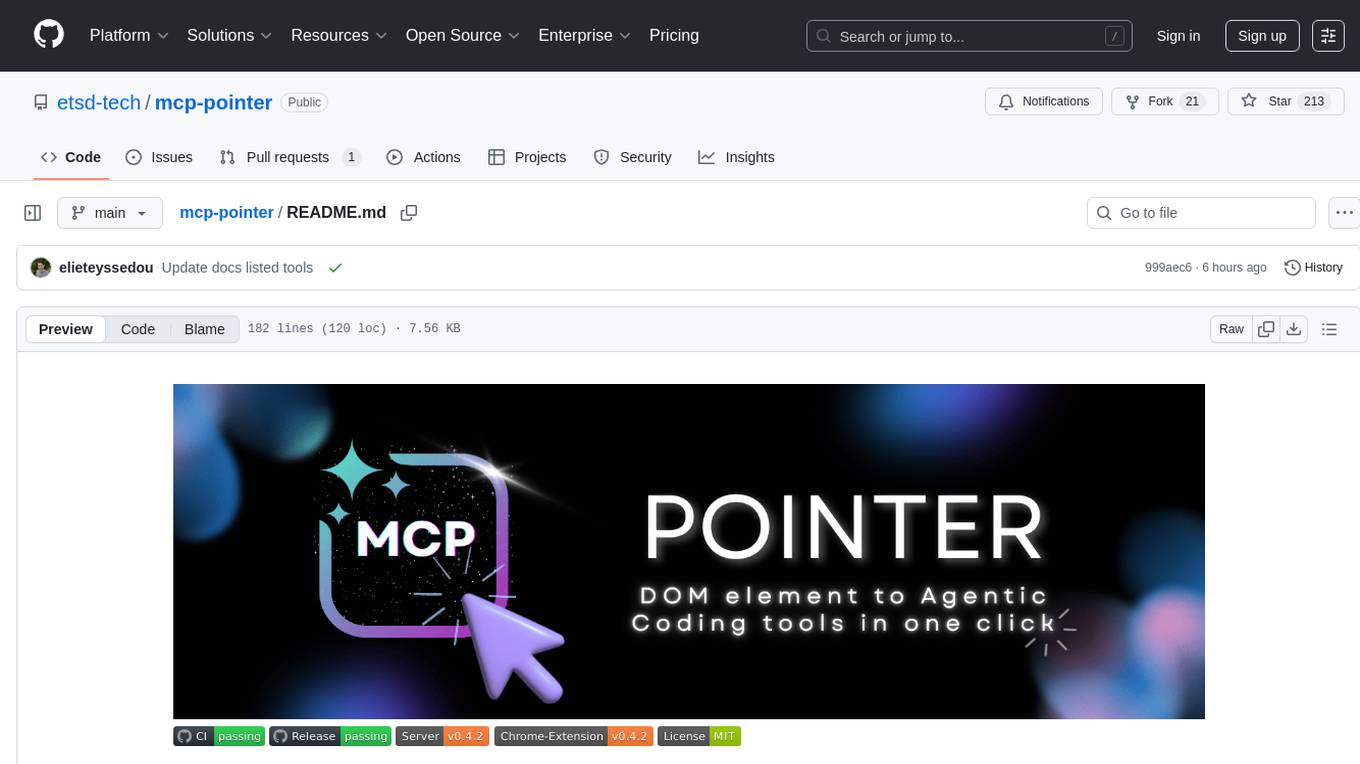
MCP Pointer is a local tool that combines an MCP Server with a Chrome Extension to allow users to visually select DOM elements in the browser and make textual context available to agentic coding tools like Claude Code. It bridges between the browser and AI tools via the Model Context Protocol, enabling real-time communication and compatibility with various AI tools. The tool extracts detailed information about selected elements, including text content, CSS properties, React component detection, and more, making it a valuable asset for developers working with AI-powered web development.
local-cocoa
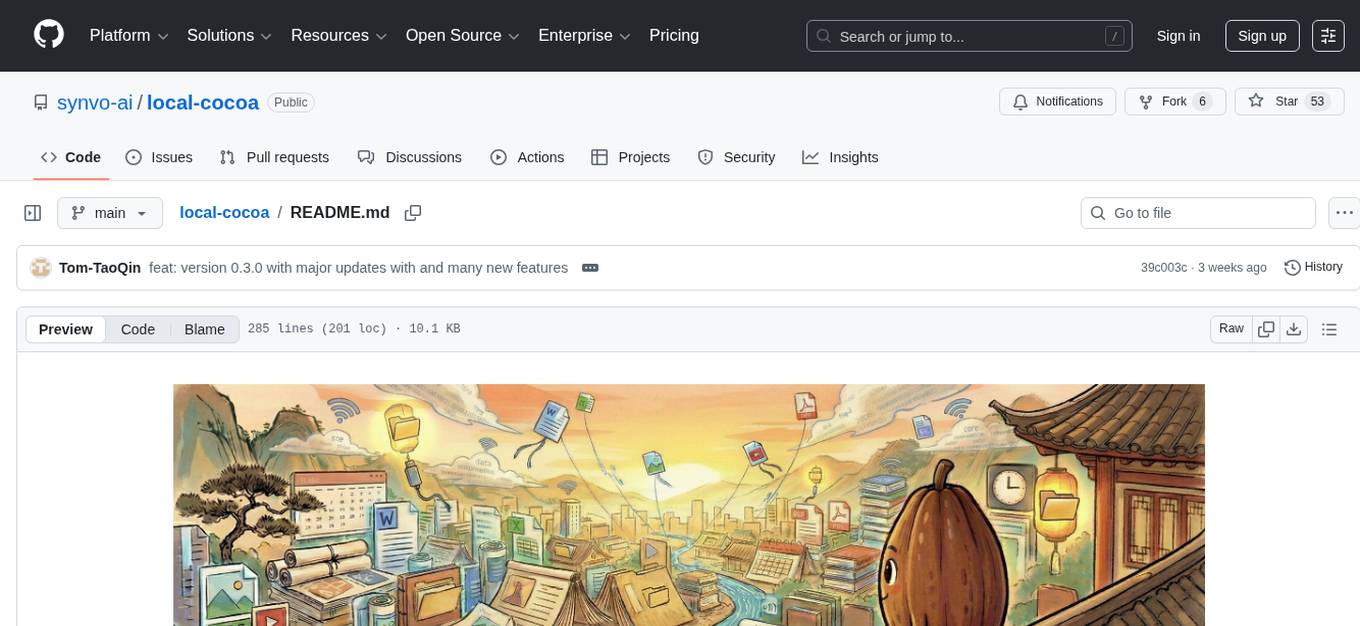
Local Cocoa is a privacy-focused tool that runs entirely on your device, turning files into memory to spark insights and power actions. It offers features like fully local privacy, multimodal memory, vector-powered retrieval, intelligent indexing, vision understanding, hardware acceleration, focused user experience, integrated notes, and auto-sync. The tool combines file ingestion, intelligent chunking, and local retrieval to build a private on-device knowledge system. The ultimate goal includes more connectors like Google Drive integration, voice mode for local speech-to-text interaction, and a plugin ecosystem for community tools and agents. Local Cocoa is built using Electron, React, TypeScript, FastAPI, llama.cpp, and Qdrant.
PageTalk
PageTalk is a browser extension that enhances web browsing by integrating Google's Gemini API. It allows users to select text on any webpage for AI analysis, translation, contextual chat, and customization. The tool supports multi-agent system, image input, rich content rendering, PDF parsing, URL context extraction, personalized settings, chat export, text selection helper, and proxy support. Users can interact with web pages, chat contextually, manage AI agents, and perform various tasks seamlessly.
R2R
R2R (RAG to Riches) is a fast and efficient framework for serving high-quality Retrieval-Augmented Generation (RAG) to end users. The framework is designed with customizable pipelines and a feature-rich FastAPI implementation, enabling developers to quickly deploy and scale RAG-based applications. R2R was conceived to bridge the gap between local LLM experimentation and scalable production solutions. **R2R is to LangChain/LlamaIndex what NextJS is to React**. A JavaScript client for R2R deployments can be found here. ### Key Features * **🚀 Deploy** : Instantly launch production-ready RAG pipelines with streaming capabilities. * **🧩 Customize** : Tailor your pipeline with intuitive configuration files. * **🔌 Extend** : Enhance your pipeline with custom code integrations. * **⚖️ Autoscale** : Scale your pipeline effortlessly in the cloud using SciPhi. * **🤖 OSS** : Benefit from a framework developed by the open-source community, designed to simplify RAG deployment.
chat-ollama
ChatOllama is an open-source chatbot based on LLMs (Large Language Models). It supports a wide range of language models, including Ollama served models, OpenAI, Azure OpenAI, and Anthropic. ChatOllama supports multiple types of chat, including free chat with LLMs and chat with LLMs based on a knowledge base. Key features of ChatOllama include Ollama models management, knowledge bases management, chat, and commercial LLMs API keys management.
For similar tasks
weixin-dyh-ai
WeiXin-Dyh-AI is a backend management system that supports integrating WeChat subscription accounts with AI services. It currently supports integration with Ali AI, Moonshot, and Tencent Hyunyuan. Users can configure different AI models to simulate and interact with AI in multiple modes: text-based knowledge Q&A, text-to-image drawing, image description, text-to-voice conversion, enabling human-AI conversations on WeChat. The system allows hierarchical AI prompt settings at system, subscription account, and WeChat user levels. Users can configure AI model types, providers, and specific instances. The system also supports rules for allocating models and keys at different levels. It addresses limitations of WeChat's messaging system and offers features like text-based commands and voice support for interactions with AI.
opencommit
OpenCommit is a tool that auto-generates meaningful commits using AI, allowing users to quickly create commit messages for their staged changes. It provides a CLI interface for easy usage and supports customization of commit descriptions, emojis, and AI models. Users can configure local and global settings, switch between different AI providers, and set up Git hooks for integration with IDE Source Control. Additionally, OpenCommit can be used as a GitHub Action to automatically improve commit messages on push events, ensuring all commits are meaningful and not generic. Payments for OpenAI API requests are handled by the user, with the tool storing API keys locally.

gcop
GCOP (Git Copilot) is an AI-powered Git assistant that automates commit message generation, enhances Git workflow, and offers 20+ smart commands. It provides intelligent commit crafting, customizable commit templates, smart learning capabilities, and a seamless developer experience. Users can generate AI commit messages, add all changes with AI-generated messages, undo commits while keeping changes staged, and push changes to the current branch. GCOP offers configuration options for AI models and provides detailed documentation, contribution guidelines, and a changelog. The tool is designed to make version control easier and more efficient for developers.
HiveChat
HiveChat is an AI chat application designed for small and medium teams. It supports various models such as DeepSeek, Open AI, Claude, and Gemini. The tool allows easy configuration by one administrator for the entire team to use different AI models. It supports features like email or Feishu login, LaTeX and Markdown rendering, DeepSeek mind map display, image understanding, AI agents, cloud data storage, and integration with multiple large model service providers. Users can engage in conversations by logging in, while administrators can configure AI service providers, manage users, and control account registration. The technology stack includes Next.js, Tailwindcss, Auth.js, PostgreSQL, Drizzle ORM, and Ant Design.
UCAgent
UCAgent is an AI-powered automated UT verification agent for chip design. It automates chip verification workflow, supports functional and code coverage analysis, ensures consistency among documentation, code, and reports, and collaborates with mainstream Code Agents via MCP protocol. It offers three intelligent interaction modes and requires Python 3.11+, Linux/macOS OS, 4GB+ memory, and access to an AI model API. Users can clone the repository, install dependencies, configure qwen, and start verification. UCAgent supports various verification quality improvement options and basic operations through TUI shortcuts and stage color indicators. It also provides documentation build and preview using MkDocs, PDF manual build using Pandoc + XeLaTeX, and resources for further help and contribution.
opencode-manager
OpenCode Manager is a mobile-first web interface for managing and coding with OpenCode AI agents. It allows users to control and code from any device, including phones, tablets, and desktops. The tool provides features for repository and Git management, file management, chat and sessions, AI configuration, as well as mobile and PWA support. Users can clone and manage multiple git repos, work on multiple branches simultaneously, view changes, commits, and branches in a unified interface, create pull requests, navigate files with tree view and search, preview code with syntax highlighting, and perform various file operations. Additionally, the tool supports real-time streaming, slash commands, file mentions, plan/build modes, Mermaid diagrams, text-to-speech, speech-to-text, model selection, provider management, OAuth support, custom agents creation, and more. It is optimized for mobile devices, installable as a PWA, and offers push notifications for agent events.
gpt-translate
Markdown Translation BOT is a GitHub action that translates markdown files into multiple languages using various AI models. It supports markdown, markdown-jsx, and json files only. The action can be executed by individuals with write permissions to the repository, preventing API abuse by non-trusted parties. Users can set up the action by providing their API key and configuring the workflow settings. The tool allows users to create comments with specific commands to trigger translations and automatically generate pull requests or add translated files to existing pull requests. It supports multiple file translations and can interpret any language supported by GPT-4 or GPT-3.5.
generative-ai-design-patterns
A catalog of design patterns for building generative AI applications, capturing current best practices in the field. The repository serves as a living catalog on GitHub to help practitioners navigate through the noise and identify areas for improvement. It is too early for a book due to the evolving nature of generative AI in production and the lack of concrete evidence to support certain claims.
For similar jobs

sweep
Sweep is an AI junior developer that turns bugs and feature requests into code changes. It automatically handles developer experience improvements like adding type hints and improving test coverage.

teams-ai
The Teams AI Library is a software development kit (SDK) that helps developers create bots that can interact with Teams and Microsoft 365 applications. It is built on top of the Bot Framework SDK and simplifies the process of developing bots that interact with Teams' artificial intelligence capabilities. The SDK is available for JavaScript/TypeScript, .NET, and Python.

ai-guide
This guide is dedicated to Large Language Models (LLMs) that you can run on your home computer. It assumes your PC is a lower-end, non-gaming setup.

classifai
Supercharge WordPress Content Workflows and Engagement with Artificial Intelligence. Tap into leading cloud-based services like OpenAI, Microsoft Azure AI, Google Gemini and IBM Watson to augment your WordPress-powered websites. Publish content faster while improving SEO performance and increasing audience engagement. ClassifAI integrates Artificial Intelligence and Machine Learning technologies to lighten your workload and eliminate tedious tasks, giving you more time to create original content that matters.

chatbot-ui
Chatbot UI is an open-source AI chat app that allows users to create and deploy their own AI chatbots. It is easy to use and can be customized to fit any need. Chatbot UI is perfect for businesses, developers, and anyone who wants to create a chatbot.

BricksLLM
BricksLLM is a cloud native AI gateway written in Go. Currently, it provides native support for OpenAI, Anthropic, Azure OpenAI and vLLM. BricksLLM aims to provide enterprise level infrastructure that can power any LLM production use cases. Here are some use cases for BricksLLM: * Set LLM usage limits for users on different pricing tiers * Track LLM usage on a per user and per organization basis * Block or redact requests containing PIIs * Improve LLM reliability with failovers, retries and caching * Distribute API keys with rate limits and cost limits for internal development/production use cases * Distribute API keys with rate limits and cost limits for students

uAgents
uAgents is a Python library developed by Fetch.ai that allows for the creation of autonomous AI agents. These agents can perform various tasks on a schedule or take action on various events. uAgents are easy to create and manage, and they are connected to a fast-growing network of other uAgents. They are also secure, with cryptographically secured messages and wallets.

griptape
Griptape is a modular Python framework for building AI-powered applications that securely connect to your enterprise data and APIs. It offers developers the ability to maintain control and flexibility at every step. Griptape's core components include Structures (Agents, Pipelines, and Workflows), Tasks, Tools, Memory (Conversation Memory, Task Memory, and Meta Memory), Drivers (Prompt and Embedding Drivers, Vector Store Drivers, Image Generation Drivers, Image Query Drivers, SQL Drivers, Web Scraper Drivers, and Conversation Memory Drivers), Engines (Query Engines, Extraction Engines, Summary Engines, Image Generation Engines, and Image Query Engines), and additional components (Rulesets, Loaders, Artifacts, Chunkers, and Tokenizers). Griptape enables developers to create AI-powered applications with ease and efficiency.