


ash_ai
Structured outputs, vectorization and tool calling for your Ash application
Stars: 130
Ash AI is a tool that provides a Model Context Protocol (MCP) server for exposing tool definitions to an MCP client. It allows for the installation of dev and production MCP servers, and supports features like OAuth2 flow with AshAuthentication, tool data access, tool execution callbacks, prompt-backed actions, and vectorization strategies. Users can also generate a chat feature for their Ash & Phoenix application using `ash_oban` and `ash_postgres`, and specify LLM API keys for OpenAI. The tool is designed to help developers experiment with tools and actions, monitor tool execution, and expose actions as tool calls.
README:


You can install AshAi using igniter. For example:
mix igniter.install ash_aiAdd AshAi to your list of dependencies:
def deps do
  [
    {:ash_ai, "~> 0.2"}
  ]
endBoth the dev & production MCP servers can be installed with
mix ash_ai.gen.mcp
To install the dev MCP server, add the AshAi.Mcp.Dev plug to your
endpoint module, in the code_reloading? block. By default the
mcp server will be available under http://localhost:4000/ash_ai/mcp.
  if code_reloading? do
    socket "/phoenix/live_reload/socket", Phoenix.LiveReloader.Socket

    plug AshAi.Mcp.Dev,
      # see the note below on protocol versions below
      protocol_version_statement: "2024-11-05",
      otp_app: :your_app
We are still experimenting to see what tools (if any) are useful while developing with agents.
AshAi provides a pre-built MCP server that can be used to expose your tool definitions to an MCP client (typically some kind of IDE, or Claude Desktop for example).
The protocol version we implement is 2025-03-26. As of this writing, many tools have not yet been updated to support this version. You will generally need to use some kind of proxy until tools have been updated accordingly. We suggest this one, provided by tidewave. https://github.com/tidewave-ai/mcp_proxy_rust#installation
However, as of the writing of this guide, it requires setting a previous protocol version as noted above.
- Implement OAuth2 flow with AshAuthentication (long term)
- Implement support for more than just tools, i.e resources etc.
- Implement sessions, and provide a session id context to tools (this code is just commented out, and can be uncommented, just needs timeout logic for inactive sesions)
We don't currently support the OAuth2 flow out of the box with AshAi, but the goal is to eventually support this with AshAuthentication. You can always implement that yourself, but the quickest way to value is to use the new api_key strategy.
If you haven't installed AshAuthentication yet, install it like so: mix igniter.install ash_authentication --auth-strategy api_key.
If its already been installed, and you haven't set up API keys, use mix ash_authentication.add_strategy api_key.
Then, create a separate pipeline for :mcp, and add the api key plug to it:
pipeline :mcp do
  plug AshAuthentication.Strategy.ApiKey.Plug,
    resource: YourApp.Accounts.User,
    # Use `required?: false` to allow unauthenticated
    # users to connect, for example if some tools
    # are publicly accessible.
    required?: false
endscope "/mcp" do
pipe_through :mcp
forward "/", AshAi.Mcp.Router,
tools: [
:list,
:of,
:tools
],
# For many tools, you will need to set the `protocol_version_statement` to the older version.
protocol_version_statement: "2024-11-05",
otp_app: :my_app
endThis is a new and experimental tool to generate a chat feature for your Ash & Phoenix application. It is backed by ash_oban and ash_postgres, using pub_sub to stream messages to the client. This is primarily a tool to get started with chat features and is by no means intended to handle every case you can come up with.
To get started:
mix ash_ai.gen.chat --live
The --live flag indicates that you wish to generate liveviews in addition to the chat resources.
It requires a user resource to exist. If your user resource is not called <YourApp>.Accounts.User, provide a custom user resource with the --user
flag.
To try it out from scratch:
mix igniter.new my_app \
  --with phx.new \
  --install ash,ash_postgres,ash_phoenix \
  --install ash_authentication_phoenix,ash_oban \
  --install ash_ai@github:ash-project/ash_ai \
  --auth-strategy password
and then run:
mix ash_ai.gen.chat --liveBy default, it uses Open AI as the LLM provider so you need to specify your OpenAI API key as an environment variable (eg OPEN_API_KEY=sk_...).
The Chat UI liveview templates assume you have Tailwind and DaisyUI installed for styling purposes. DaisyUI is included in Phoenix 1.8 and later but if you generated your Phoenix app pre-1.8 then install DaisyUI.
You can then start your server and visit http://localhost:4000/chat to see the chat feature in action. You will be prompted to register first and sign in the first time.
You should then be able to type chat messages, but until you have some tools registered (see below) and set a default system prompt, the LLM won't know anything about your app.
defmodule MyApp.Blog do
  use Ash.Domain, extensions: [AshAi]

  tools do
    tool :read_posts, MyApp.Blog.Post, :read
    tool :create_post, MyApp.Blog.Post, :create
    tool :publish_post, MyApp.Blog.Post, :publish
    tool :read_comments, MyApp.Blog.Comment, :read
  end
end
Expose these actions as tools. When you call AshAi.setup_ash_ai(chain, opts), or AshAi.iex_chat/2
it will add those as tool calls to the agent.
Important: Tools have different access levels for different operations:
-
Filtering/Sorting/Aggregation: Only public attributes (
public?: true) can be used - Arguments: Only public action arguments are exposed
- Response data: Public attributes are returned by default
-
Loading data: Use the
loadoption to include relationships, calculations, or additional attributes (including private ones) in responses
Example:
tools do
  # Returns only public attributes
  tool :read_posts, MyApp.Blog.Post, :read

  # Returns public attributes AND loaded relationships/calculations
  # Note: loaded fields can include private attributes
  tool :read_posts_with_details, MyApp.Blog.Post, :read,
    load: [:author, :comment_count, :internal_notes]
end
Key distinction:
- Private attributes cannot be used for filtering, sorting, or aggregation
- Private attributes CAN be included in responses when using the
loadoption - The
loadoption is primarily for loading relationships and calculations, but also makes any loaded attributes (including private ones) visible
Monitor tool execution in real-time by providing callbacks to AshAi.setup_ash_ai/2:
chain
|> AshAi.setup_ash_ai(
  actor: current_user,
  on_tool_start: fn %AshAi.ToolStartEvent{} = event ->
    # event includes: tool_name, action, resource, arguments, actor, tenant
    IO.puts("Starting #{event.tool_name}...")
  end,
  on_tool_end: fn %AshAi.ToolEndEvent{} = event ->
    # event includes: tool_name, result ({:ok, ...} or {:error, ...})
    IO.puts("Completed #{event.tool_name}")
  end
)
This is useful for showing progress indicators, logging, metrics collection, or debugging tool execution.
This allows defining an action, including input and output types, and delegating the
implementation to an LLM. We use structured outputs to ensure that it always returns
the correct data type. We also derive a default prompt from the action description and
action inputs. See AshAi.Actions.Prompt for more information.
action :analyze_sentiment, :atom do
  constraints one_of: [:positive, :negative]

  description """
  Analyzes the sentiment of a given piece of text to determine if it is overall positive or negative.
  """

  argument :text, :string do
    allow_nil? false
    description "The text for analysis"
  end

  run prompt(
    LangChain.ChatModels.ChatOpenAI.new!(%{ model: "gpt-4o"}),
    # setting `tools: true` allows it to use all exposed tools in your app
    tools: true
    # alternatively you can restrict it to only a set of tools
    # tools: [:list, :of, :tool, :names]
    # provide an optional prompt, which is an EEx template
     # prompt: "Analyze the sentiment of the following text: <%= @input.arguments.description %>",
    # adapter: {Adapter, [some: :opt]}
  )
endThe action's return type provides the JSON schema automatically. For complex structured outputs, you can use any Ash type:
# Example using Ash.TypedStruct
defmodule JobListing do
  use Ash.TypedStruct

  typed_struct do
    field :title, :string, allow_nil?: false
    field :company, :string, allow_nil?: false
    field :location, :string
    field :requirements, {:array, :string}
  end
end

# Use it as the return type for your action
action :parse_job, JobListing do
  argument :raw_content, :string, allow_nil?: false

  run prompt(
    LangChain.ChatModels.ChatOpenAI.new!(%{model: "gpt-4o-mini"}),
    prompt: "Parse this job listing: <%= @input.arguments.raw_content %>",
    tools: false
  )
end
Adapters are used to determine how a given LLM fulfills a prompt-backed action. The adapter is guessed automatically from the model where possible.
See AshAi.Actions.Prompt.Adapter for more information.
For any langchain models you use, you will need to configure them. See https://hexdocs.pm/langchain/ for more information.
For AshAI Specific changes to use different models:
See AshPostgres vector setup for required steps: https://hexdocs.pm/ash_postgres/AshPostgres.Extensions.Vector.html
This extension creates a vector search action, and provides a few different strategies for how to update the embeddings when needed.
# in a resource

vectorize do
  full_text do
    text(fn record ->
      """
      Name: #{record.name}
      Biography: #{record.biography}
      """
    end)

    # When used_attributes are defined, embeddings will only be rebuilt when
    # the listed attributes are changed in an update action.
    used_attributes [:name, :biography]
  end

  strategy :after_action
  attributes(name: :vectorized_name, biography: :vectorized_biography)

  # See the section below on defining an embedding model
  embedding_model MyApp.OpenAiEmbeddingModel
end
If you are using policies, add a bypass to allow us to update the vector embeddings:
bypass action(:ash_ai_update_embeddings) do
  authorize_if AshAi.Checks.ActorIsAshAi
endCurrently there are three strategies to choose from:
-
:after_action(default) - The embeddings will be updated synchronously on after every create & update action. -
:ash_oban- Embeddings will be updated asynchronously through anash_oban-trigger when a record is created and updated. -
:manual- The embeddings will not be automatically updated in any way.
Will add a global change on the resource, that will run a generated action named :ash_ai_update_embeddings
on every update that requires the embeddings to be rebuilt. The :ash_ai_update_embeddings-action will be run in the after_transaction-phase of any create action and update action that requires the embeddings to be rebuilt.
This will make your app incredibly slow, and is not recommended for any real production usage.
Requires the ash_oban-dependency to be installed, and that the resource in question uses it as an extension, like this:
defmodule MyApp.Artist do
  use Ash.Resource, extensions: [AshAi, AshOban]
end
Just like the :after_action-strategy, this strategy creates an :ash_ai_update_embeddings update-action, and adds a global change that will run an ash_oban-trigger (also in the after_transaction-phase) whenever embeddings need to be rebuilt.
You will to define this trigger yourself, and then reference it in the vectorize-section like this:
defmodule MyApp.Artist do
  use Ash.Resource, extensions: [AshAi, AshOban]

  vectorize do
    full_text do
      ...
    end

    strategy :ash_oban
    ash_oban_trigger_name :my_vectorize_trigger (default name is :ash_ai_update_embeddings)
    ...
  end

  oban do
    triggers do
      trigger :my_vectorize_trigger do
        action :ash_ai_update_embeddings
        queue :artist_vectorizer
        worker_read_action :read
        worker_module_name __MODULE__.AshOban.Worker.UpdateEmbeddings
        scheduler_module_name __MODULE__.AshOban.Scheduler.UpdateEmbeddings
        scheduler_cron false # change this to a cron expression if you want to rerun the embedding at specified intervals
        list_tenants MyApp.ListTenants
      end
    end
  end
end
You'll also need to create the queue in the Oban config by changing your config.exs file.
config :my_app, Oban,
  engine: Oban.Engines.Basic,
  notifier: Oban.Notifiers.Postgres,
  queues: [
    default: 10,
    chat_responses: [limit: 10],
    conversations: [limit: 10],
    artist_vectorizer: [limit: 20], #set the limit of concurrent workers
  ],
  repo: MyApp.Repo,
  plugins: [{Oban.Plugins.Cron, []}]
The queue defaults to the resources short name plus the name of the trigger. (if you didn't set it through the queue option on the trigger).
Will not automatically update the embeddings in any way, but will by default generated an update action
named :ash_ai_update_embeddings that can be run on demand. If needed, you can also disable the
generation of this action like this:
vectorize do
  full_text do
    ...
  end

  strategy :manual
  define_update_action_for_manual_strategy? false
  ...
end
Embedding models are modules that are in charge of defining what the dimensions
are of a given vector and how to generate one. This example uses Req to
generate embeddings using OpenAi. To use it, you'd need to install req
(mix igniter.install req).
defmodule Tunez.OpenAIEmbeddingModel do
  use AshAi.EmbeddingModel

  @impl true
  def dimensions(_opts), do: 3072

  @impl true
  def generate(texts, _opts) do
    api_key = System.fetch_env!("OPEN_AI_API_KEY")

    headers = [
      {"Authorization", "Bearer #{api_key}"},
      {"Content-Type", "application/json"}
    ]

    body = %{
      "input" => texts,
      "model" => "text-embedding-3-large"
    }

    response =
      Req.post!("https://api.openai.com/v1/embeddings",
        json: body,
        headers: headers
      )

    case response.status do
      200 ->
        response.body["data"]
        |> Enum.map(fn %{"embedding" => embedding} -> embedding end)
        |> then(&{:ok, &1})

      _status ->
        {:error, response.body}
    end
  end
end
Opts can be used to make embedding models that are dynamic depending on the resource, i.e
embedding_model {MyApp.OpenAiEmbeddingModel, model: "a-specific-model"}Those opts are available in the _opts argument to functions on your embedding model
You can use expressions in filters and sorts like vector_cosine_distance(full_text_vector, ^search_vector). For example:
read :search do
  argument :query, :string, allow_nil?: false

  prepare before_action(fn query, context ->
    case YourEmbeddingModel.generate([query.arguments.query], []) do
      {:ok, [search_vector]} ->
        Ash.Query.filter(
          query,
          vector_cosine_distance(full_text_vector, ^search_vector) < 0.5
        )
        |> Ash.Query.sort(
          {calc(vector_cosine_distance(full_text_vector, ^search_vector),
             type: :float
           ), :asc}
        )
        |> Ash.Query.limit(10)

      {:error, error} ->
        {:error, error}
    end
  end)
endIf your database stores more than ~10,000 vectors, you may see search performance degrade. You can ameliorate this by building an index on the vector column. Vector indices come at the expense of write speeds and higher resource usage.
The below example uses an hnsw index, which trades higher memory usage and vector build times for faster query speeds. An ivfflat index will have different settings, faster build times, lower memory usage, but slower query speeds. Do research and consider the tradeoffs for your use case.
  postgres do
    table "embeddings"
    repo MyApp.Repo

    custom_statements do
      statement :vector_idx do
        up "CREATE INDEX vector_idx ON embeddings USING hnsw (vectorized_body vector_cosine_ops) WITH (m = 16, ef_construction = 64)"
        down "DROP INDEX vector_idx;"
      end
    end
end- more action types, like:
- bulk updates
- bulk destroys
- bulk creates.
- Setup
LangChain - Modify a
LangChainusingAshAi.setup_ash_ai/2or useAshAi.iex_chat(see below) - Run
iex -S mixand then runAshAi.iex_chatto start chatting with your app. - Build your own chat interface. See the implementation of
AshAi.iex_chatto see how its done.
- make sure to run
mix test.create && mix test.migrateto set up locally - ensure that
mix checkpasses
defmodule MyApp.ChatBot do
  alias LangChain.Chains.LLMChain
  alias LangChain.ChatModels.ChatOpenAI

  def iex_chat(actor \\ nil) do
    %{
      llm: ChatOpenAI.new!(%{model: "gpt-4o", stream: true}),
      verbose: true
    }
    |> LLMChain.new!()
    |> AshAi.iex_chat(actor: actor, otp_app: :my_app)
  end
end
For Tasks:
Click tags to check more tools for each tasksFor Jobs:
Alternative AI tools for ash_ai
Similar Open Source Tools
ash_ai
Ash AI is a tool that provides a Model Context Protocol (MCP) server for exposing tool definitions to an MCP client. It allows for the installation of dev and production MCP servers, and supports features like OAuth2 flow with AshAuthentication, tool data access, tool execution callbacks, prompt-backed actions, and vectorization strategies. Users can also generate a chat feature for their Ash & Phoenix application using `ash_oban` and `ash_postgres`, and specify LLM API keys for OpenAI. The tool is designed to help developers experiment with tools and actions, monitor tool execution, and expose actions as tool calls.
simpleAI
SimpleAI is a self-hosted alternative to the not-so-open AI API, focused on replicating main endpoints for LLM such as text completion, chat, edits, and embeddings. It allows quick experimentation with different models, creating benchmarks, and handling specific use cases without relying on external services. Users can integrate and declare models through gRPC, query endpoints using Swagger UI or API, and resolve common issues like CORS with FastAPI middleware. The project is open for contributions and welcomes PRs, issues, documentation, and more.
bedrock-claude-chat
This repository is a sample chatbot using the Anthropic company's LLM Claude, one of the foundational models provided by Amazon Bedrock for generative AI. It allows users to have basic conversations with the chatbot, personalize it with their own instructions and external knowledge, and analyze usage for each user/bot on the administrator dashboard. The chatbot supports various languages, including English, Japanese, Korean, Chinese, French, German, and Spanish. Deployment is straightforward and can be done via the command line or by using AWS CDK. The architecture is built on AWS managed services, eliminating the need for infrastructure management and ensuring scalability, reliability, and security.
allms
allms is a versatile and powerful library designed to streamline the process of querying Large Language Models (LLMs). Developed by Allegro engineers, it simplifies working with LLM applications by providing a user-friendly interface, asynchronous querying, automatic retrying mechanism, error handling, and output parsing. It supports various LLM families hosted on different platforms like OpenAI, Google, Azure, and GCP. The library offers features for configuring endpoint credentials, batch querying with symbolic variables, and forcing structured output format. It also provides documentation, quickstart guides, and instructions for local development, testing, updating documentation, and making new releases.
py-vectara-agentic
The `vectara-agentic` Python library is designed for developing powerful AI assistants using Vectara and Agentic-RAG. It supports various agent types, includes pre-built tools for domains like finance and legal, and enables easy creation of custom AI assistants and agents. The library provides tools for summarizing text, rephrasing text, legal tasks like summarizing legal text and critiquing as a judge, financial tasks like analyzing balance sheets and income statements, and database tools for inspecting and querying databases. It also supports observability via LlamaIndex and Arize Phoenix integration.
paper-qa
PaperQA is a minimal package for question and answering from PDFs or text files, providing very good answers with in-text citations. It uses OpenAI Embeddings to embed and search documents, and includes a process of embedding docs, queries, searching for top passages, creating summaries, using an LLM to re-score and select relevant summaries, putting summaries into prompt, and generating answers. The tool can be used to answer specific questions related to scientific research by leveraging citations and relevant passages from documents.
kwaak
Kwaak is a tool that allows users to run a team of autonomous AI agents locally from their own machine. It enables users to write code, improve test coverage, update documentation, and enhance code quality while focusing on building innovative projects. Kwaak is designed to run multiple agents in parallel, interact with codebases, answer questions about code, find examples, write and execute code, create pull requests, and more. It is free and open-source, allowing users to bring their own API keys or models via Ollama. Kwaak is part of the bosun.ai project, aiming to be a platform for autonomous code improvement.
agent-mimir
Agent Mimir is a command line and Discord chat client 'agent' manager for LLM's like Chat-GPT that provides the models with access to tooling and a framework with which accomplish multi-step tasks. It is easy to configure your own agent with a custom personality or profession as well as enabling access to all tools that are compatible with LangchainJS. Agent Mimir is based on LangchainJS, every tool or LLM that works on Langchain should also work with Mimir. The tasking system is based on Auto-GPT and BabyAGI where the agent needs to come up with a plan, iterate over its steps and review as it completes the task.
npcsh
`npcsh` is a python-based command-line tool designed to integrate Large Language Models (LLMs) and Agents into one's daily workflow by making them available and easily configurable through the command line shell. It leverages the power of LLMs to understand natural language commands and questions, execute tasks, answer queries, and provide relevant information from local files and the web. Users can also build their own tools and call them like macros from the shell. `npcsh` allows users to take advantage of agents (i.e. NPCs) through a managed system, tailoring NPCs to specific tasks and workflows. The tool is extensible with Python, providing useful functions for interacting with LLMs, including explicit coverage for popular providers like ollama, anthropic, openai, gemini, deepseek, and openai-like providers. Users can set up a flask server to expose their NPC team for use as a backend service, run SQL models defined in their project, execute assembly lines, and verify the integrity of their NPC team's interrelations. Users can execute bash commands directly, use favorite command-line tools like VIM, Emacs, ipython, sqlite3, git, pipe the output of these commands to LLMs, or pass LLM results to bash commands.
uni-api
uni-api is a project that unifies the management of large language model APIs, allowing you to call multiple backend services through a single unified API interface, converting them all to OpenAI format, and supporting load balancing. It supports various backend services such as OpenAI, Anthropic, Gemini, Vertex, Azure, xai, Cohere, Groq, Cloudflare, OpenRouter, and more. The project offers features like no front-end, pure configuration file setup, unified management of multiple backend services, support for multiple standard OpenAI format interfaces, rate limiting, automatic retry, channel cooling, fine-grained model timeout settings, and fine-grained permission control.
web-llm
WebLLM is a modular and customizable javascript package that directly brings language model chats directly onto web browsers with hardware acceleration. Everything runs inside the browser with no server support and is accelerated with WebGPU. WebLLM is fully compatible with OpenAI API. That is, you can use the same OpenAI API on any open source models locally, with functionalities including json-mode, function-calling, streaming, etc. We can bring a lot of fun opportunities to build AI assistants for everyone and enable privacy while enjoying GPU acceleration.
garak
Garak is a free tool that checks if a Large Language Model (LLM) can be made to fail in a way that is undesirable. It probes for hallucination, data leakage, prompt injection, misinformation, toxicity generation, jailbreaks, and many other weaknesses. Garak's a free tool. We love developing it and are always interested in adding functionality to support applications.
promptwright
Promptwright is a Python library designed for generating large synthetic datasets using a local LLM and various LLM service providers. It offers flexible interfaces for generating prompt-led synthetic datasets. The library supports multiple providers, configurable instructions and prompts, YAML configuration for tasks, command line interface for running tasks, push to Hugging Face Hub for dataset upload, and system message control. Users can define generation tasks using YAML configuration or Python code. Promptwright integrates with LiteLLM to interface with LLM providers and supports automatic dataset upload to Hugging Face Hub.
OpenAI-sublime-text
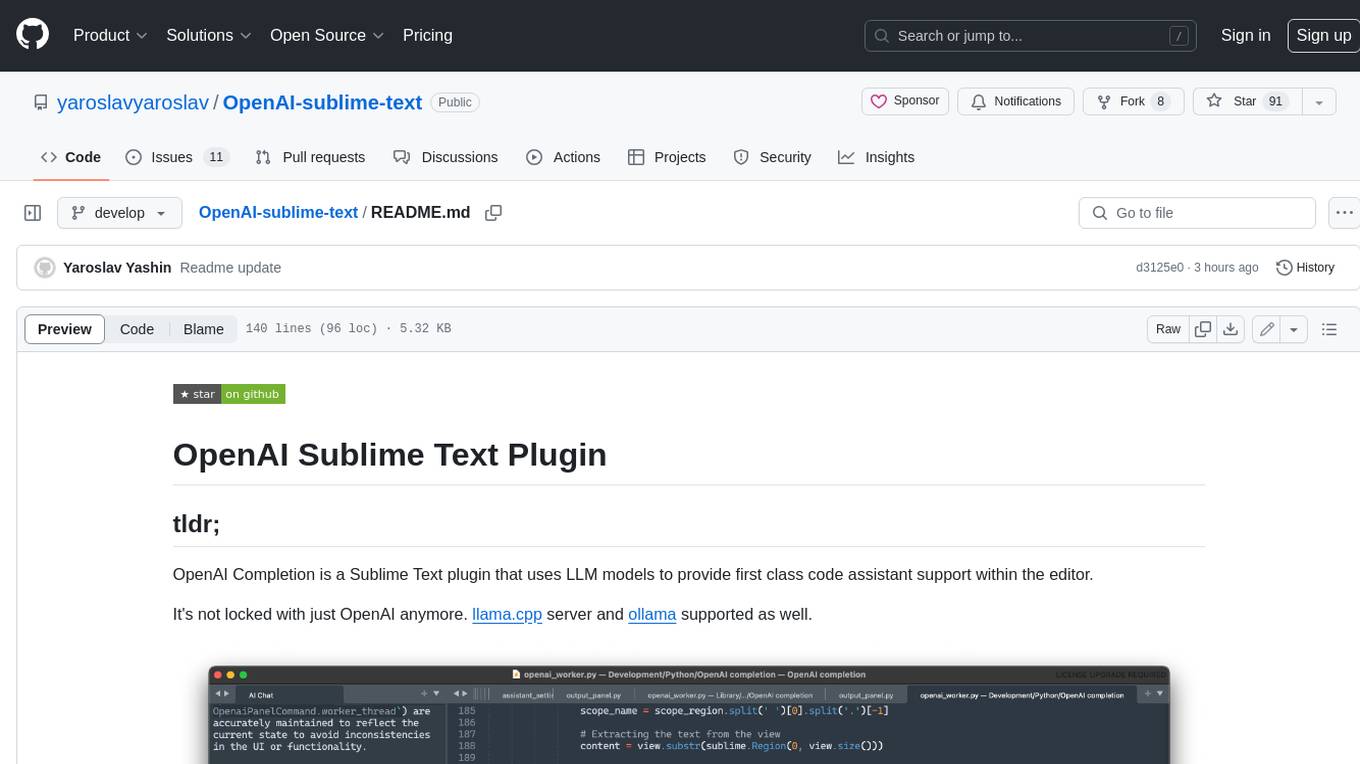
The OpenAI Completion plugin for Sublime Text provides first-class code assistant support within the editor. It utilizes LLM models to manipulate code, engage in chat mode, and perform various tasks. The plugin supports OpenAI, llama.cpp, and ollama models, allowing users to customize their AI assistant experience. It offers separated chat histories and assistant settings for different projects, enabling context-specific interactions. Additionally, the plugin supports Markdown syntax with code language syntax highlighting, server-side streaming for faster response times, and proxy support for secure connections. Users can configure the plugin's settings to set their OpenAI API key, adjust assistant modes, and manage chat history. Overall, the OpenAI Completion plugin enhances the Sublime Text editor with powerful AI capabilities, streamlining coding workflows and fostering collaboration with AI assistants.
promptwright
Promptwright is a Python library designed for generating large synthetic datasets using local LLM and various LLM service providers. It offers flexible interfaces for generating prompt-led synthetic datasets. The library supports multiple providers, configurable instructions and prompts, YAML configuration, command line interface, push to Hugging Face Hub, and system message control. Users can define generation tasks using YAML configuration files or programmatically using Python code. Promptwright integrates with LiteLLM for LLM providers and supports automatic dataset upload to Hugging Face Hub. The library is not responsible for the content generated by models and advises users to review the data before using it in production environments.
Hurley-AI
Hurley AI is a next-gen framework for developing intelligent agents through Retrieval-Augmented Generation. It enables easy creation of custom AI assistants and agents, supports various agent types, and includes pre-built tools for domains like finance and legal. Hurley AI integrates with LLM inference services and provides observability with Arize Phoenix. Users can create Hurley RAG tools with a single line of code and customize agents with specific instructions. The tool also offers various helper functions to connect with Hurley RAG and search tools, along with pre-built tools for tasks like summarizing text, rephrasing text, understanding memecoins, and querying databases.
For similar tasks
ash_ai
Ash AI is a tool that provides a Model Context Protocol (MCP) server for exposing tool definitions to an MCP client. It allows for the installation of dev and production MCP servers, and supports features like OAuth2 flow with AshAuthentication, tool data access, tool execution callbacks, prompt-backed actions, and vectorization strategies. Users can also generate a chat feature for their Ash & Phoenix application using `ash_oban` and `ash_postgres`, and specify LLM API keys for OpenAI. The tool is designed to help developers experiment with tools and actions, monitor tool execution, and expose actions as tool calls.
For similar jobs

weave
Weave is a toolkit for developing Generative AI applications, built by Weights & Biases. With Weave, you can log and debug language model inputs, outputs, and traces; build rigorous, apples-to-apples evaluations for language model use cases; and organize all the information generated across the LLM workflow, from experimentation to evaluations to production. Weave aims to bring rigor, best-practices, and composability to the inherently experimental process of developing Generative AI software, without introducing cognitive overhead.

LLMStack
LLMStack is a no-code platform for building generative AI agents, workflows, and chatbots. It allows users to connect their own data, internal tools, and GPT-powered models without any coding experience. LLMStack can be deployed to the cloud or on-premise and can be accessed via HTTP API or triggered from Slack or Discord.

VisionCraft
The VisionCraft API is a free API for using over 100 different AI models. From images to sound.

kaito
Kaito is an operator that automates the AI/ML inference model deployment in a Kubernetes cluster. It manages large model files using container images, avoids tuning deployment parameters to fit GPU hardware by providing preset configurations, auto-provisions GPU nodes based on model requirements, and hosts large model images in the public Microsoft Container Registry (MCR) if the license allows. Using Kaito, the workflow of onboarding large AI inference models in Kubernetes is largely simplified.

PyRIT
PyRIT is an open access automation framework designed to empower security professionals and ML engineers to red team foundation models and their applications. It automates AI Red Teaming tasks to allow operators to focus on more complicated and time-consuming tasks and can also identify security harms such as misuse (e.g., malware generation, jailbreaking), and privacy harms (e.g., identity theft). The goal is to allow researchers to have a baseline of how well their model and entire inference pipeline is doing against different harm categories and to be able to compare that baseline to future iterations of their model. This allows them to have empirical data on how well their model is doing today, and detect any degradation of performance based on future improvements.

tabby
Tabby is a self-hosted AI coding assistant, offering an open-source and on-premises alternative to GitHub Copilot. It boasts several key features: * Self-contained, with no need for a DBMS or cloud service. * OpenAPI interface, easy to integrate with existing infrastructure (e.g Cloud IDE). * Supports consumer-grade GPUs.

spear
SPEAR (Simulator for Photorealistic Embodied AI Research) is a powerful tool for training embodied agents. It features 300 unique virtual indoor environments with 2,566 unique rooms and 17,234 unique objects that can be manipulated individually. Each environment is designed by a professional artist and features detailed geometry, photorealistic materials, and a unique floor plan and object layout. SPEAR is implemented as Unreal Engine assets and provides an OpenAI Gym interface for interacting with the environments via Python.

Magick
Magick is a groundbreaking visual AIDE (Artificial Intelligence Development Environment) for no-code data pipelines and multimodal agents. Magick can connect to other services and comes with nodes and templates well-suited for intelligent agents, chatbots, complex reasoning systems and realistic characters.