


mcp-client-cli
A simple CLI to run LLM prompt and implement MCP client.
Stars: 113
MCP CLI client is a simple CLI program designed to run LLM prompts and act as an alternative client for Model Context Protocol (MCP). Users can interact with MCP-compatible servers from their terminal, including LLM providers like OpenAI, Groq, or local LLM models via llama. The tool supports various functionalities such as running prompt templates, analyzing image inputs, triggering tools, continuing conversations, utilizing clipboard support, and additional options like listing tools and prompts. Users can configure LLM and MCP servers via a JSON config file and contribute to the project by submitting issues and pull requests for enhancements or bug fixes.
README:
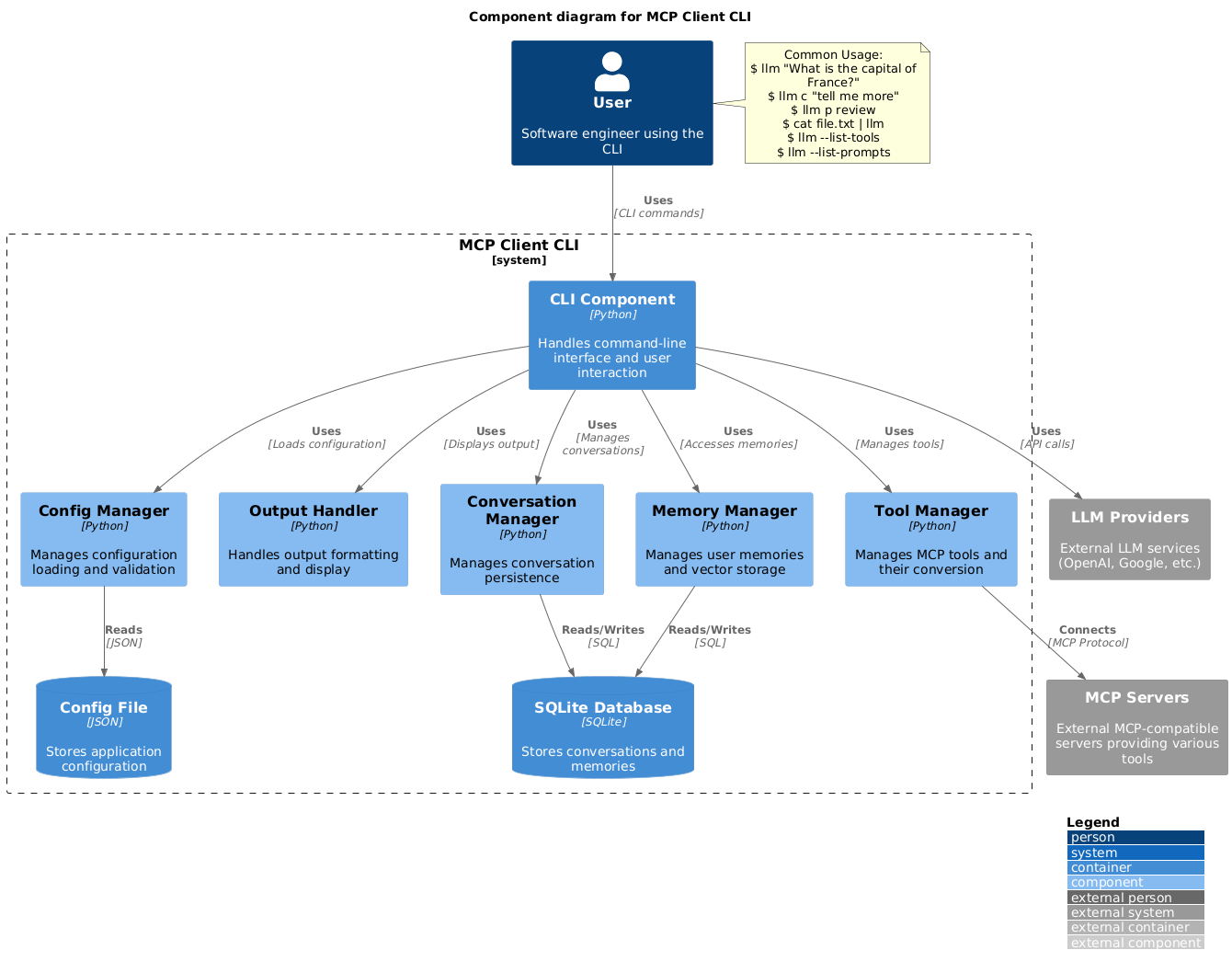
A simple CLI program to run LLM prompt and implement Model Context Protocol (MCP) client.
You can use any MCP-compatible servers from the convenience of your terminal.
This act as alternative client beside Claude Desktop. Additionally you can use any LLM provider like OpenAI, Groq, or local LLM model via llama.
-
Install via pip:
pip install mcp-client-cli
-
Create a
~/.llm/config.jsonfile to configure your LLM and MCP servers:{ "systemPrompt": "You are an AI assistant helping a software engineer...", "llm": { "provider": "openai", "model": "gpt-4", "api_key": "your-openai-api-key", "temperature": 0.7, "base_url": "https://api.openai.com/v1" // Optional, for OpenRouter or other providers }, "mcpServers": { "fetch": { "command": "uvx", "args": ["mcp-server-fetch"], "requires_confirmation": ["fetch"], "enabled": true, // Optional, defaults to true "exclude_tools": [] // Optional, list of tool names to exclude }, "brave-search": { "command": "npx", "args": ["-y", "@modelcontextprotocol/server-brave-search"], "env": { "BRAVE_API_KEY": "your-brave-api-key" }, "requires_confirmation": ["brave_web_search"] }, "youtube": { "command": "uvx", "args": ["--from", "git+https://github.com/adhikasp/mcp-youtube", "mcp-youtube"] } } }Note:
- Use
requires_confirmationto specify which tools need user confirmation before execution - The LLM API key can also be set via environment variables
LLM_API_KEYorOPENAI_API_KEY - The config file can be placed in either
~/.llm/config.jsonor$PWD/.llm/config.json - You can comment the JSON config file with
//if you like to switch around the configuration
- Use
-
Run the CLI:
llm "What is the capital city of North Sumatra?"
$ llm What is the capital city of North Sumatra?
The capital city of North Sumatra is Medan.
You can omit the quotes, but be careful with bash special characters like &, |, ; that might be interpreted by your shell.
You can also pipe input from other commands or files:
$ echo "What is the capital city of North Sumatra?" | llm
The capital city of North Sumatra is Medan.

$ echo "Given a location, tell me its capital city." > instructions.txt
$ cat instruction.txt | llm "West Java"
The capital city of West Java is Bandung.You can pipe image files to analyze them with multimodal LLMs:
$ cat image.jpg | llm "What do you see in this image?"
[LLM will analyze and describe the image]

$ cat screenshot.png | llm "Is there any error in this screenshot?"
[LLM will analyze the screenshot and point out any errors]You can use predefined prompt templates by using the p prefix followed by the template name and its arguments:
# List available prompt templates
$ llm --list-prompts

# Use a template
$ llm p review  # Review git changes
$ llm p commit  # Generate commit message
$ llm p yt url=https://youtube.com/... # Summarize YouTube video$ llm What is the top article on hackernews today?
================================== Ai Message ==================================
Tool Calls:
brave_web_search (call_eXmFQizLUp8TKBgPtgFo71et)
Call ID: call_eXmFQizLUp8TKBgPtgFo71et
Args:
query: site:news.ycombinator.com
count: 1
Brave Search MCP Server running on stdio
# If the tool requires confirmation, you'll be prompted:
Confirm tool call? [y/n]: y
================================== Ai Message ==================================
Tool Calls:
fetch (call_xH32S0QKqMfudgN1ZGV6vH1P)
Call ID: call_xH32S0QKqMfudgN1ZGV6vH1P
Args:
url: https://news.ycombinator.com/
================================= Tool Message =================================
Name: fetch
[TextContent(type='text', text='Contents [REDACTED]]
================================== Ai Message ==================================
The top article on Hacker News today is:
### [Why pipes sometimes get "stuck": buffering](https://jvns.ca)
- **Points:** 31
- **Posted by:** tanelpoder
- **Posted:** 1 hour ago
You can view the full list of articles on [Hacker News](https://news.ycombinator.com/)To bypass tool confirmation requirements, use the --no-confirmations flag:
$ llm --no-confirmations "What is the top article on hackernews today?"To use in bash scripts, add the --no-intermediates, so it doesn't print intermediate messages, only the concluding end message.
$ llm --no-intermediates "What is the time in Tokyo right now?"Add a c prefix to your message to continue the last conversation.
$ llm asldkfjasdfkl
It seems like your message might have been a typo or an error. Could you please clarify or provide more details about what you need help with?
$ llm c what did i say previously?
You previously typed "asldkfjasdfkl," which appears to be a random string of characters. If you meant to ask something specific or if you have a question, please let me know!You can use content from your clipboard using the cb command:
# After copying text to clipboard
$ llm cb
[LLM will process the clipboard text]

$ llm cb "What language is this code written in?"
[LLM will analyze the clipboard text with your question]

# After copying an image to clipboard
$ llm cb "What do you see in this image?"
[LLM will analyze the clipboard image]

# You can combine it with continuation
$ llm cb c "Tell me more about what you see"
[LLM will continue the conversation about the clipboard content]
The clipboard feature works in:
- Native Windows/macOS/Linux environments
- Windows: Uses PowerShell
- macOS: Uses
pbpastefor text,pngpastefor images (optional) - Linux: Uses
xclip(required for clipboard support)
- Windows Subsystem for Linux (WSL)
- Accesses the Windows clipboard through PowerShell
- Works with both text and images
- Make sure you have access to
powershell.exefrom WSL
Required tools for clipboard support:
- Windows: PowerShell (built-in)
- macOS:
-
pbpaste(built-in) for text -
pngpaste(optional) for images:brew install pngpaste
-
- Linux:
-
xclip:sudo apt install xclipor equivalent
-
The CLI automatically detects if the clipboard content is text or image and handles it appropriately.
$ llm --list-tools                # List all available tools
$ llm --list-prompts              # List available prompt templates
$ llm --no-tools                  # Run without any tools
$ llm --force-refresh             # Force refresh tool capabilities cache
$ llm --text-only                 # Output raw text without markdown formatting
$ llm --show-memories             # Show user memories
$ llm --model gpt-4 # Override the model specified in configFeel free to submit issues and pull requests for improvements or bug fixes.
For Tasks:
Click tags to check more tools for each tasksFor Jobs:
Alternative AI tools for mcp-client-cli
Similar Open Source Tools
mcp-client-cli
MCP CLI client is a simple CLI program designed to run LLM prompts and act as an alternative client for Model Context Protocol (MCP). Users can interact with MCP-compatible servers from their terminal, including LLM providers like OpenAI, Groq, or local LLM models via llama. The tool supports various functionalities such as running prompt templates, analyzing image inputs, triggering tools, continuing conversations, utilizing clipboard support, and additional options like listing tools and prompts. Users can configure LLM and MCP servers via a JSON config file and contribute to the project by submitting issues and pull requests for enhancements or bug fixes.
CodeGPT
CodeGPT is a CLI tool written in Go that helps you write git commit messages or do a code review brief using ChatGPT AI (gpt-3.5-turbo, gpt-4 model) and automatically installs a git prepare-commit-msg hook. It supports Azure OpenAI Service or OpenAI API, conventional commits specification, Git prepare-commit-msg Hook, customizing the number of lines of context in diffs, excluding files from the git diff command, translating commit messages into different languages, using socks or custom network HTTP proxies, specifying model lists, and doing brief code reviews.
repopack
Repopack is a powerful tool that packs your entire repository into a single, AI-friendly file. It optimizes your codebase for AI comprehension, is simple to use with customizable options, and respects Gitignore files for security. The tool generates a packed file with clear separators and AI-oriented explanations, making it ideal for use with Generative AI tools like Claude or ChatGPT. Repopack offers command line options, configuration settings, and multiple methods for setting ignore patterns to exclude specific files or directories during the packing process. It includes features like comment removal for supported file types and a security check using Secretlint to detect sensitive information in files.
python-repomix
Repomix is a powerful tool that packs your entire repository into a single, AI-friendly file. It formats your codebase for easy AI comprehension, provides token counts, is simple to use with one command, customizable, git-aware, security-focused, and offers advanced code compression. It supports multiprocessing or threading for faster analysis, automatically handles various file encodings, and includes built-in security checks. Repomix can be used with uvx, pipx, or Docker. It offers various configuration options for output style, security checks, compression modes, ignore patterns, and remote repository processing. The tool can be used for code review, documentation generation, test case generation, code quality assessment, library overview, API documentation review, code architecture analysis, and configuration analysis. Repomix can also run as an MCP server for AI assistants like Claude, providing tools for packaging codebases, reading output files, searching within outputs, reading files from the filesystem, listing directory contents, generating Claude Agent Skills, and more.
cipher
Cipher is a versatile encryption and decryption tool designed to secure sensitive information. It offers a user-friendly interface with various encryption algorithms to choose from, ensuring data confidentiality and integrity. With Cipher, users can easily encrypt text or files using strong encryption methods, making it suitable for protecting personal data, confidential documents, and communication. The tool also supports decryption of encrypted data, providing a seamless experience for users to access their secured information. Cipher is a reliable solution for individuals and organizations looking to enhance their data security measures.
llm.nvim
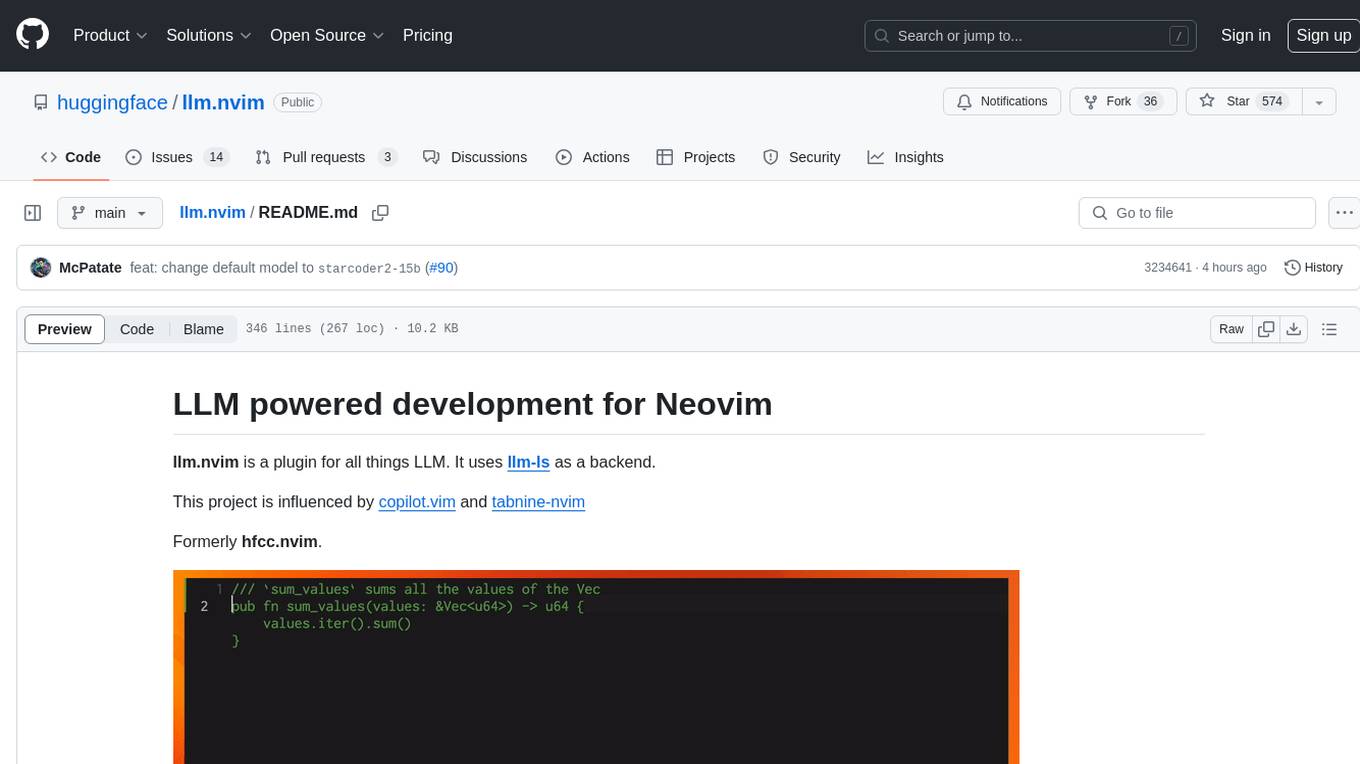
llm.nvim is a plugin for Neovim that enables code completion using LLM models. It supports 'ghost-text' code completion similar to Copilot and allows users to choose their model for code generation via HTTP requests. The plugin interfaces with multiple backends like Hugging Face, Ollama, Open AI, and TGI, providing flexibility in model selection and configuration. Users can customize the behavior of suggestions, tokenization, and model parameters to enhance their coding experience. llm.nvim also includes commands for toggling auto-suggestions and manually requesting suggestions, making it a versatile tool for developers using Neovim.
ogpt.nvim
OGPT.nvim is a Neovim plugin that enables users to interact with various language models (LLMs) such as Ollama, OpenAI, TextGenUI, and more. Users can engage in interactive question-and-answer sessions, have persona-based conversations, and execute customizable actions like grammar correction, translation, keyword generation, docstring creation, test addition, code optimization, summarization, bug fixing, code explanation, and code readability analysis. The plugin allows users to define custom actions using a JSON file or plugin configurations.
avante.nvim
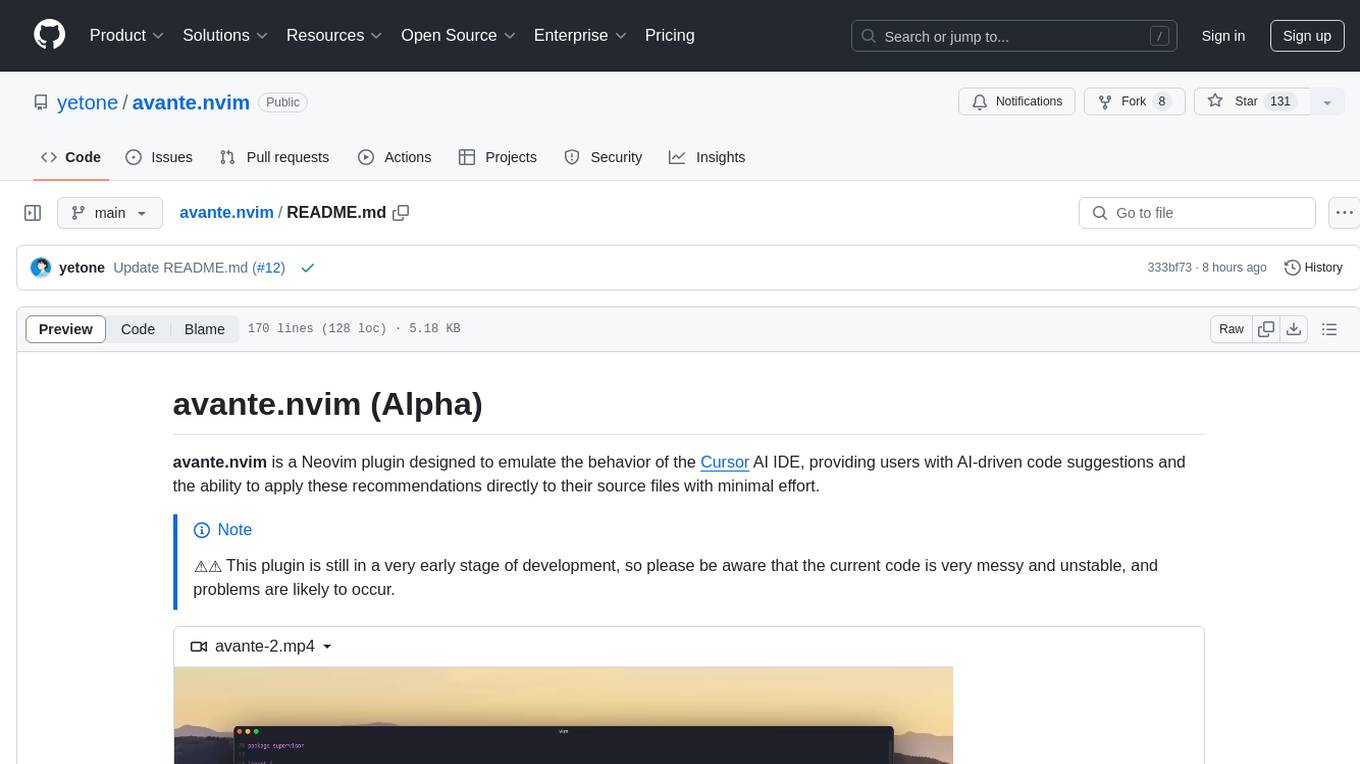
avante.nvim is a Neovim plugin that emulates the behavior of the Cursor AI IDE, providing AI-driven code suggestions and enabling users to apply recommendations to their source files effortlessly. It offers AI-powered code assistance and one-click application of suggested changes, streamlining the editing process and saving time. The plugin is still in early development, with functionalities like setting API keys, querying AI about code, reviewing suggestions, and applying changes. Key bindings are available for various actions, and the roadmap includes enhancing AI interactions, stability improvements, and introducing new features for coding tasks.
nexus
Nexus is a tool that acts as a unified gateway for multiple LLM providers and MCP servers. It allows users to aggregate, govern, and control their AI stack by connecting multiple servers and providers through a single endpoint. Nexus provides features like MCP Server Aggregation, LLM Provider Routing, Context-Aware Tool Search, Protocol Support, Flexible Configuration, Security features, Rate Limiting, and Docker readiness. It supports tool calling, tool discovery, and error handling for STDIO servers. Nexus also integrates with AI assistants, Cursor, Claude Code, and LangChain for seamless usage.
parrot.nvim
Parrot.nvim is a Neovim plugin that prioritizes a seamless out-of-the-box experience for text generation. It simplifies functionality and focuses solely on text generation, excluding integration of DALLE and Whisper. It supports persistent conversations as markdown files, custom hooks for inline text editing, multiple providers like Anthropic API, perplexity.ai API, OpenAI API, Mistral API, and local/offline serving via ollama. It allows custom agent definitions, flexible API credential support, and repository-specific instructions with a `.parrot.md` file. It does not have autocompletion or hidden requests in the background to analyze files.
Webscout
Webscout is an all-in-one Python toolkit for web search, AI interaction, digital utilities, and more. It provides access to diverse search engines, cutting-edge AI models, temporary communication tools, media utilities, developer helpers, and powerful CLI interfaces through a unified library. With features like comprehensive search leveraging Google and DuckDuckGo, AI powerhouse for accessing various AI models, YouTube toolkit for video and transcript management, GitAPI for GitHub data extraction, Tempmail & Temp Number for privacy, Text-to-Speech conversion, GGUF conversion & quantization, SwiftCLI for CLI interfaces, LitPrinter for styled console output, LitLogger for logging, LitAgent for user agent generation, Text-to-Image generation, Scout for web parsing and crawling, Awesome Prompts for specialized tasks, Weather Toolkit, and AI Search Providers.
aiodocker
Aiodocker is a simple Docker HTTP API wrapper written with asyncio and aiohttp. It provides asynchronous bindings for interacting with Docker containers and images. Users can easily manage Docker resources using async functions and methods. The library offers features such as listing images and containers, creating and running containers, and accessing container logs. Aiodocker is designed to work seamlessly with Python's asyncio framework, making it suitable for building asynchronous Docker management applications.
CodeTF
CodeTF is a Python transformer-based library for code large language models (Code LLMs) and code intelligence. It provides an interface for training and inferencing on tasks like code summarization, translation, and generation. The library offers utilities for code manipulation across various languages, including easy extraction of code attributes. Using tree-sitter as its core AST parser, CodeTF enables parsing of function names, comments, and variable names. It supports fast model serving, fine-tuning of LLMs, various code intelligence tasks, preprocessed datasets, model evaluation, pretrained and fine-tuned models, and utilities to manipulate source code. CodeTF aims to facilitate the integration of state-of-the-art Code LLMs into real-world applications, ensuring a user-friendly environment for code intelligence tasks.
Webscout
WebScout is a versatile tool that allows users to search for anything using Google, DuckDuckGo, and phind.com. It contains AI models, can transcribe YouTube videos, generate temporary email and phone numbers, has TTS support, webai (terminal GPT and open interpreter), and offline LLMs. It also supports features like weather forecasting, YT video downloading, temp mail and number generation, text-to-speech, advanced web searches, and more.
terraform-provider-castai
Terraform Provider for CAST AI is a tool that allows users to manage their CAST AI resources using Terraform. It provides a seamless integration between Terraform and CAST AI platform, enabling users to define and manage their infrastructure as code. The provider supports various features such as setting up cluster configurations, managing node templates, and configuring autoscaler policies. Users can easily install the provider, pass API keys, and leverage the provider's functionalities to automate the deployment and management of their CAST AI resources.
For similar tasks

HPT
Hyper-Pretrained Transformers (HPT) is a novel multimodal LLM framework from HyperGAI, trained for vision-language models capable of understanding both textual and visual inputs. The repository contains the open-source implementation of inference code to reproduce the evaluation results of HPT Air on different benchmarks. HPT has achieved competitive results with state-of-the-art models on various multimodal LLM benchmarks. It offers models like HPT 1.5 Air and HPT 1.0 Air, providing efficient solutions for vision-and-language tasks.
learnopencv
LearnOpenCV is a repository containing code for Computer Vision, Deep learning, and AI research articles shared on the blog LearnOpenCV.com. It serves as a resource for individuals looking to enhance their expertise in AI through various courses offered by OpenCV. The repository includes a wide range of topics such as image inpainting, instance segmentation, robotics, deep learning models, and more, providing practical implementations and code examples for readers to explore and learn from.
spark-free-api
Spark AI Free 服务 provides high-speed streaming output, multi-turn dialogue support, AI drawing support, long document interpretation, and image parsing. It offers zero-configuration deployment, multi-token support, and automatic session trace cleaning. It is fully compatible with the ChatGPT interface. The repository includes multiple free-api projects for various AI services. Users can access the API for tasks such as chat completions, AI drawing, document interpretation, image analysis, and ssoSessionId live checking. The project also provides guidelines for deployment using Docker, Docker-compose, Render, Vercel, and native deployment methods. It recommends using custom clients for faster and simpler access to the free-api series projects.
mlx-vlm
MLX-VLM is a package designed for running Vision LLMs on Mac systems using MLX. It provides a convenient way to install and utilize the package for processing large language models related to vision tasks. The tool simplifies the process of running LLMs on Mac computers, offering a seamless experience for users interested in leveraging MLX for vision-related projects.
clarifai-python-grpc
This is the official Clarifai gRPC Python client for interacting with their recognition API. Clarifai offers a platform for data scientists, developers, researchers, and enterprises to utilize artificial intelligence for image, video, and text analysis through computer vision and natural language processing. The client allows users to authenticate, predict concepts in images, and access various functionalities provided by the Clarifai API. It follows a versioning scheme that aligns with the backend API updates and includes specific instructions for installation and troubleshooting. Users can explore the Clarifai demo, sign up for an account, and refer to the documentation for detailed information.
horde-worker-reGen
This repository provides the latest implementation for the AI Horde Worker, allowing users to utilize their graphics card(s) to generate, post-process, or analyze images for others. It offers a platform where users can create images and earn 'kudos' in return, granting priority for their own image generations. The repository includes important details for setup, recommendations for system configurations, instructions for installation on Windows and Linux, basic usage guidelines, and information on updating the AI Horde Worker. Users can also run the worker with multiple GPUs and receive notifications for updates through Discord. Additionally, the repository contains models that are licensed under the CreativeML OpenRAIL License.
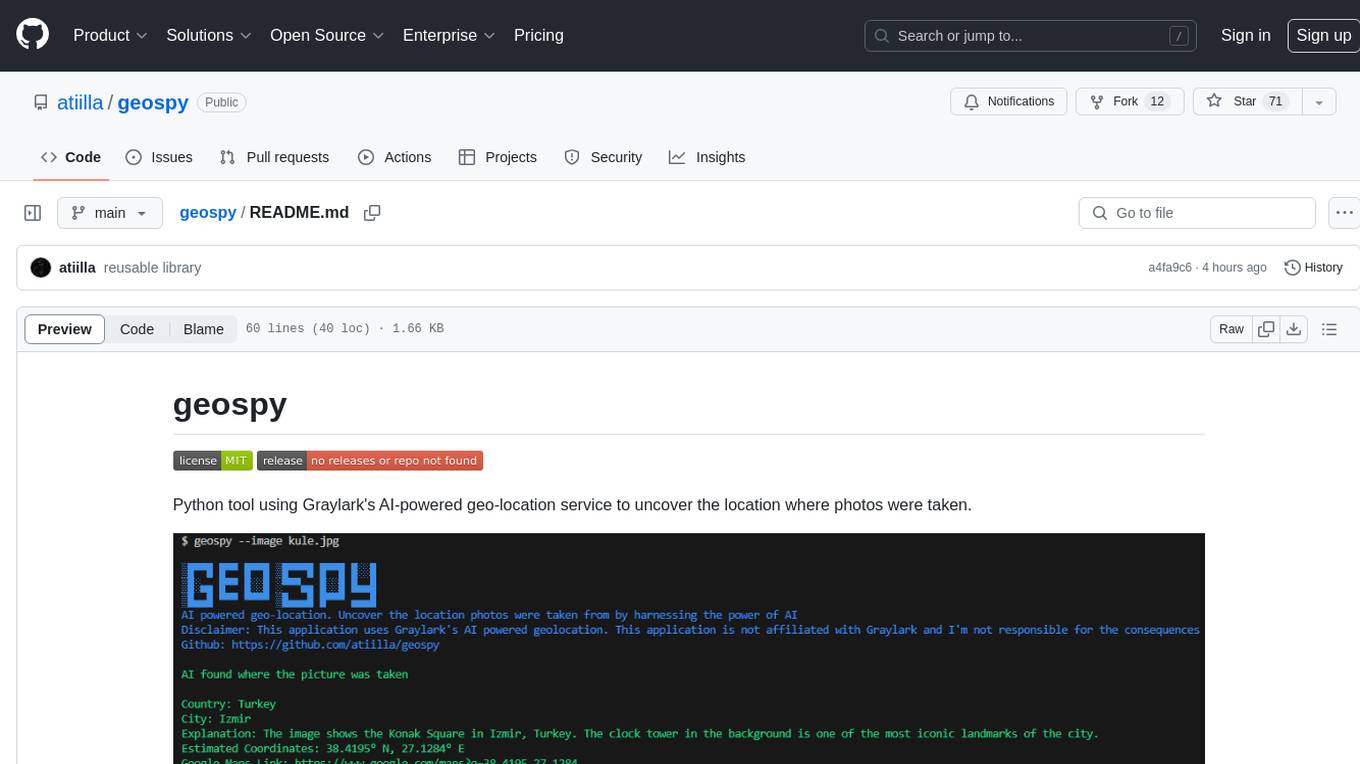
geospy
Geospy is a Python tool that utilizes Graylark's AI-powered geolocation service to determine the location where photos were taken. It allows users to analyze images and retrieve information such as country, city, explanation, coordinates, and Google Maps links. The tool provides a seamless way to integrate geolocation services into various projects and applications.
Awesome-Colorful-LLM
Awesome-Colorful-LLM is a meticulously assembled anthology of vibrant multimodal research focusing on advancements propelled by large language models (LLMs) in domains such as Vision, Audio, Agent, Robotics, and Fundamental Sciences like Mathematics. The repository contains curated collections of works, datasets, benchmarks, projects, and tools related to LLMs and multimodal learning. It serves as a comprehensive resource for researchers and practitioners interested in exploring the intersection of language models and various modalities for tasks like image understanding, video pretraining, 3D modeling, document understanding, audio analysis, agent learning, robotic applications, and mathematical research.
For similar jobs

weave
Weave is a toolkit for developing Generative AI applications, built by Weights & Biases. With Weave, you can log and debug language model inputs, outputs, and traces; build rigorous, apples-to-apples evaluations for language model use cases; and organize all the information generated across the LLM workflow, from experimentation to evaluations to production. Weave aims to bring rigor, best-practices, and composability to the inherently experimental process of developing Generative AI software, without introducing cognitive overhead.

LLMStack
LLMStack is a no-code platform for building generative AI agents, workflows, and chatbots. It allows users to connect their own data, internal tools, and GPT-powered models without any coding experience. LLMStack can be deployed to the cloud or on-premise and can be accessed via HTTP API or triggered from Slack or Discord.

VisionCraft
The VisionCraft API is a free API for using over 100 different AI models. From images to sound.

kaito
Kaito is an operator that automates the AI/ML inference model deployment in a Kubernetes cluster. It manages large model files using container images, avoids tuning deployment parameters to fit GPU hardware by providing preset configurations, auto-provisions GPU nodes based on model requirements, and hosts large model images in the public Microsoft Container Registry (MCR) if the license allows. Using Kaito, the workflow of onboarding large AI inference models in Kubernetes is largely simplified.

PyRIT
PyRIT is an open access automation framework designed to empower security professionals and ML engineers to red team foundation models and their applications. It automates AI Red Teaming tasks to allow operators to focus on more complicated and time-consuming tasks and can also identify security harms such as misuse (e.g., malware generation, jailbreaking), and privacy harms (e.g., identity theft). The goal is to allow researchers to have a baseline of how well their model and entire inference pipeline is doing against different harm categories and to be able to compare that baseline to future iterations of their model. This allows them to have empirical data on how well their model is doing today, and detect any degradation of performance based on future improvements.

tabby
Tabby is a self-hosted AI coding assistant, offering an open-source and on-premises alternative to GitHub Copilot. It boasts several key features: * Self-contained, with no need for a DBMS or cloud service. * OpenAPI interface, easy to integrate with existing infrastructure (e.g Cloud IDE). * Supports consumer-grade GPUs.

spear
SPEAR (Simulator for Photorealistic Embodied AI Research) is a powerful tool for training embodied agents. It features 300 unique virtual indoor environments with 2,566 unique rooms and 17,234 unique objects that can be manipulated individually. Each environment is designed by a professional artist and features detailed geometry, photorealistic materials, and a unique floor plan and object layout. SPEAR is implemented as Unreal Engine assets and provides an OpenAI Gym interface for interacting with the environments via Python.

Magick
Magick is a groundbreaking visual AIDE (Artificial Intelligence Development Environment) for no-code data pipelines and multimodal agents. Magick can connect to other services and comes with nodes and templates well-suited for intelligent agents, chatbots, complex reasoning systems and realistic characters.