


claude-craft
Supercharge Claude Code with Expert Knowledge A comprehensive framework for AI-assisted development. Install standardized rules, agents, and commands for your projects across multiple technology stacks.
Stars: 84
Claude Craft is a comprehensive framework for AI-assisted development with Claude Code, providing standardized rules, agents, and commands across multiple technology stacks. It includes autonomous sprint capabilities, documentation accuracy improvements, CI hardening, and test coverage enhancements. With support for 10 technology stacks, 5 languages, 40 AI agents, 157 slash commands, and various project management features like BMAD v6 framework, Ralph Wiggum loop execution, skills, templates, checklists, and hooks system, Claude Craft offers a robust solution for project development and management. The tool also supports workflow methodology, development tracks, document generation, BMAD v6 project management, quality gates, batch processing, backlog migration, and Claude Code hooks integration.
README:


A comprehensive framework for AI-assisted development with Claude Code. Install standardized rules, agents, and commands for your projects across multiple technology stacks.
Autonomous Sprint Ready: Run entire sprints overnight with /common:ralph-sprint - auto-claim, error recovery, parallel processing.
-
Documentation Accuracy: Fixed COMMANDS.md counts, added
/workflow:and/php:sections - CI Hardening: Vale prose linter added to CI pipeline, coverage thresholds
- Test Coverage: CLI run() and installer error paths now tested
- See CHANGELOG for full details
See CHANGELOG.md for previous versions.
- 10 Technology Stacks: Symfony, Flutter, Python, React, React Native, Angular, C#/.NET, Laravel, Vue.js, PHP
- Infrastructure Stack: Docker agents and commands
- 5 Languages: English, French, Spanish, German, Portuguese
- 40 AI Agents: Specialized reviewers, architects, coaches, UI/UX, Docker experts, Workflow Orchestrator, Ralph Conductor, 10 BMAD agents, and QA Recette
- 157 Slash Commands: Automated workflows, code generation, sprint management, quality gates, batch processing, acceptance testing
- BMAD v6 Framework: Complete project management with status-based routing, quality gates, and batch execution
- Ralph Wiggum: Continuous loop execution with Definition of Done validation
- 249 Skills: Best practices in official Claude Code format (architecture, testing, security)
- 33 Templates: Code generation patterns + BMAD templates
- 21 Checklists: Quality gates for commits, features, releases
- Hooks System: Pre/Post tool execution, quality gates, notifications, BMAD context injection
- MCP Templates: Context7, GitHub, PostgreSQL, Slack integration
- Auto-generated CLAUDE.md: Project configuration file created at installation
- Multi-Account Manager: Manage multiple Claude Code accounts easily
- Custom Status Line: Rich status bar with profile, model, git, context %
Claude-Craft includes a BMAD-inspired workflow system that adapts to your project complexity.
| Track | Setup Time | Phases | Best For |
|---|---|---|---|
| Quick Flow | < 5 min | Implementation only | Bug fixes, hotfixes, small tweaks |
| Standard | < 15 min | Plan → Design → Implement | New features, refactoring |
| Enterprise | < 30 min | Analyze → Plan → Design → Implement | Platforms, migrations, multi-team |
# Initialize workflow - auto-detects complexity
/workflow:init

# Or specify track
/workflow:init --quick      # Bug fix mode
/workflow:init --enterprise # Full methodology

# Check progress
/workflow:status| Command | Phase | Purpose |
|---|---|---|
/workflow:init |
Setup | Analyze project, recommend track |
/workflow:analyze |
Analysis | Research and exploration (Enterprise) |
/workflow:plan |
Planning | Generate PRD, personas, backlog |
/workflow:design |
Design | Tech spec, architecture, ADRs |
/workflow:implement |
Implementation | Sprint development with TDD/BDD |
/workflow:status |
Any | Show current progress |
# Generate Product Requirements Document
/project:generate-prd

# Generate Technical Specification
/project:generate-tech-spec
BMAD v6 (Build, Measure, Analyze, Deliver) extends the workflow system with comprehensive project management.
| Agent | Role | Key Commands |
|---|---|---|
bmad-master |
Orchestrator | /bmad:route |
pm |
Product Manager |
/pm:prd, /pm:vision, /pm:roadmap
|
ba |
Business Analyst |
/ba:analyze, /ba:requirements, /ba:use-cases
|
architect |
System Architect |
/arch:design, /arch:techspec, /arch:adr
|
po |
Product Owner |
/po:prioritize, /po:accept, /po:reject
|
sm |
Scrum Master |
/sm:plan-sprint, /sm:daily, /sm:retro
|
dev |
Developer |
/dev:implement, /dev:tdd, /dev:refactor
|
qa |
QA Engineer |
/qa:validate, /qa:automate, /qa:strategy
|
ux |
UX Designer |
/ux:wireframe, /ux:journey, /ux:accessibility
|
qa-recette |
QA Recette Engineer |
/qa:recette, /qa:recette-fix, /qa:recette-status, /qa:recette-regression
|
Stories automatically transition through a state machine:
backlog → ready-for-dev → in-progress → review → done
   ↓          ↓              ↓           ↓
   └──────────┴──────────────┴───────────┴→ blocked
# View sprint status with routing info
/sprint:bmad-status

# Get next story ready for development
/sprint:next-story --claim

# Transition story status
/sprint:transition US-005 review

# Run automatic routing rules
/sprint:auto-route| Gate | Threshold | When |
|---|---|---|
| PRD Gate | ≥80% | Vision → PRD |
| Tech Spec Gate | ≥90% | PRD → Tech Spec |
| Backlog Gate | INVEST 6/6 | Tech Spec → Backlog |
| Sprint Ready | 100% | Backlog → Sprint |
| Story DoD | 100% | Dev → Done |
# Validate PRD quality
/gate:validate-prd docs/prd.md

# Check INVEST compliance
/gate:validate-backlog

# Verify story meets Definition of Done
/gate:validate-story US-005

# Full gates report
/gate:reportProcess multiple stories automatically:
# Queue all stories from an epic
/project:run-epic EPIC-002

# Process the queue
/project:run-queue --parallel 3

# Execute full sprint
/project:run-sprint --auto

# Check batch status
/project:batch-statusConvert existing backlogs to BMAD v6:
# Analyze current backlog structure
/project:analyze-backlog

# Migrate to BMAD v6 format
/project:migrate-backlog --dry-run
/project:migrate-backlog

# Add missing fields to stories
/project:update-stories

# Sync files with sprint-status.yaml
/project:sync-backlogEnable BMAD hooks in .claude/settings.json:
{
  "hooks": {
    "SessionStart": [{
      "command": ".bmad/hooks/sprint-context.sh",
      "timeout": 5000
    }],
    "PreToolUse": [{
      "command": ".bmad/hooks/story-status.sh",
      "once": true,
      "timeout": 3000
    }],
    "Stop": [{
      "command": ".bmad/hooks/quality-gate.sh",
      "timeout": 10000
    }]
  }
}# Interactive installation wizard
npx @the-bearded-bear/claude-craft
# Or install to specific directory
npx @the-bearded-bear/claude-craft install ~/my-project --tech=symfony --lang=frgit clone https://github.com/TheBeardedBearSAS/claude-craft.git
cd claude-craftThen install rules to your project:
# Install Symfony rules (default: English)
make install-symfony TARGET=~/my-project

# Install with specific language
make install-symfony TARGET=~/my-project RULES_LANG=fr

# Install React rules in German
make install-react TARGET=~/my-project RULES_LANG=de

# Install all technologies
make install-all TARGET=~/my-project RULES_LANG=esOnce installed, use the commands in your project:
/symfony:check-architecture
/react:generate-component Button
/common:pre-commit-check
| Technology | Skills | Commands | Agents | Focus |
|---|---|---|---|---|
| Common | 7 | 21 | 11 | Cross-tech best practices, UI/UX |
| Symfony | 16 | 10 | 1 | Clean Architecture, DDD, API Platform |
| Flutter | 10 | 10 | 1 | BLoC pattern, Material/Cupertino |
| Python | 6 | 10 | 1 | FastAPI, async/await, Type hints |
| React | 8 | 8 | 1 | Hooks, State management, A11y |
| React Native | 11 | 7 | 1 | Navigation, Native modules |
| Angular | 6 | 6 | 1 | Standalone, Signals, OnPush, RxJS |
| C#/.NET | 7 | 6 | 1 | Clean Architecture, CQRS, Entity Framework |
| Laravel | 6 | 6 | 1 | Clean Architecture, Pest PHP, Sanctum |
| Vue.js | 6 | 6 | 1 | Composition API, Pinia, Vitest |
| PHP | 6 | 5 | 1 | Clean Architecture, PSR-12, PHPStan, Pest |
| Docker | - | 4 | 5 | Dockerfile, Compose, CI/CD, Debugging |
claude-craft/
├── Makefile                    # Main orchestration
├── claude-projects.yaml        # YAML configuration (user copy)
├── Dev/
│   ├── i18n/                   # Internationalized content
│   │   ├── en/                 # English
│   │   ├── fr/                 # French
│   │   ├── es/                 # Spanish
│   │   ├── de/                 # German
│   │   └── pt/                 # Portuguese
│   │       ├── Common/         # Shared agents, commands & skills
│   │       ├── Symfony/        # PHP backend
│   │       ├── Flutter/        # Mobile Dart
│   │       ├── Python/         # Backend/API
│   │       ├── React/          # Frontend JS/TS
│   │       ├── ReactNative/    # Mobile JS/TS
│   │       ├── Angular/        # Angular frontend
│   │       ├── CSharp/         # C#/.NET backend
│   │       ├── Laravel/        # PHP/Laravel backend
│   │       ├── VueJS/          # Vue.js frontend
│   │       └── PHP/            # PHP Clean Architecture
│   └── scripts/                # Installation scripts
├── Infra/                      # Infrastructure (Docker)
│   ├── i18n/                   # Translated agents & commands
│   └── install-infra-rules.sh
├── Project/                    # Project management commands
│   ├── i18n/                   # Translated commands
│   └── install-project-commands.sh
├── Tools/                      # Claude Code utilities
│   ├── MultiAccount/           # Multi-account manager
│   ├── StatusLine/             # Custom status line
│   ├── ProjectConfig/          # YAML project manager
│   └── PluginExport/           # Export as Claude Code plugins
├── cli/                        # NPX CLI (npx @the-bearded-bear/claude-craft)
│   ├── index.js                # CLI orchestrator (dispatches to lib/ modules)
│   ├── flattener.js            # Codebase flattener
│   └── lib/                    # Extracted CLI modules
│       ├── banner.js           # ASCII art banner & success messages
│       ├── help.js             # Usage help text
│       ├── installer.js        # Installation wizard & script runner
│       ├── ralph.js            # Ralph Wiggum loop launcher
│       ├── colors.js           # ANSI color definitions
│       ├── constants.js        # Technologies, languages, tracks
│       ├── detect-project.js   # Project detection utilities
│       └── parse-args.js       # CLI argument parser
└── bundles/                    # Web platform bundles
    ├── chatgpt/                # ChatGPT bundle
    ├── claude/                 # Claude Projects bundle
    └── gemini/                 # Gemini Gems bundle
After installation, your project will have the TCL-optimized structure:
your-project/
└── .claude/
    ├── CLAUDE.md           # Minimal config (~200 tokens) - auto-loaded
    ├── INDEX.md            # Quick reference summaries (~1,300 tokens)
    ├── context.yaml        # File-based skill triggers
    ├── settings.json       # Permissions and tool allowlists
    ├── references/         # Full documentation (loaded on-demand via @)
    │   ├── base/           # Universal principles (SOLID, DRY, etc.)
    │   └── {tech}/         # Technology-specific rules
    ├── skills/             # Best practices (official format)
    │   ├── architecture/   # Architecture patterns
    │   ├── testing/        # Testing strategies
    │   └── security/       # Security guidelines
    ├── agents/             # AI specialist definitions
    ├── commands/           # Slash commands
    │   ├── common/
    │   └── {tech}/
    ├── hooks/              # Pre/Post tool execution scripts
    ├── mcp/                # MCP server templates
    ├── checklists/         # Quality gates
    └── templates/          # Code generation templates
The TCL structure reduces context from ~70,000 to ~3,500 tokens (95% reduction):
| Level | Content | Tokens | Loading |
|---|---|---|---|
| Always Loaded | CLAUDE.md + INDEX.md | ~1,500 | Automatic |
| On-Demand | Skills | ~variable | Via /skill-name or triggers |
| Reference | Full rules | ~0 | Via @.claude/references/...
|
Access full documentation with: @.claude/references/{tech}/architecture.md
# Single technology
make install-symfony TARGET=~/my-project

# Common rules only
make install-common TARGET=~/my-project

# Preset combinations
make install-web TARGET=~/my-project      # React
make install-backend TARGET=~/my-project  # Symfony + Python
make install-mobile TARGET=~/my-project   # Flutter + React Native

# Infrastructure (Docker)
make install-infra TARGET=~/my-project

# Install Claude Code tools
make install-tools                        # All tools
make install-statusline                   # Custom status line
make install-multiaccount                 # Multi-account manager
make install-projectconfig                # Project config manager

# Migrate existing projects to v3.0
make migrate TARGET=~/my-project          # Upgrade project
make migrate-dry-run TARGET=~/my-project # Preview changes# claude-projects.yaml
settings:
default_lang: "en" # Default language for all projects
projects:
- name: "my-monorepo"
root: "~/Projects/my-monorepo"
lang: "fr" # Override: French for this project
common: true
modules:
- path: "frontend"
tech: react
- path: "backend"
tech: symfony
- path: "mobile"
tech: fluttermake config-install PROJECT=my-monorepoYou can specify multiple technologies for a single module. This is useful for fullstack folders or projects using multiple frameworks:
projects:
  - name: "fullstack-app"
    root: "~/Projects/fullstack"
    modules:
      # Single technology (legacy syntax)
      - path: "api"
        tech: symfony

      # Multiple technologies - inline array
      - path: "frontend"
        tech: [react, laravel]

      # Multiple technologies - YAML list
      - path: "dashboard"
        tech:
          - vuejs
          - symfony
When multiple technologies are specified:
- The first technology installs common rules (SOLID, TDD, etc.)
- Subsequent technologies skip common rules to avoid duplicates
- All tech-specific rules, commands, and agents are installed
# Default language (English)
./Dev/scripts/install-symfony-rules.sh --install ~/my-project

# With specific language
./Dev/scripts/install-symfony-rules.sh --lang=fr ~/my-project
./Dev/scripts/install-flutter-rules.sh --lang=de ~/my-projectGenerate a context-optimized summary of your codebase for AI assistants:
# Generate flattened context
npx @the-bearded-bear/claude-craft flatten

# With custom output file
npx @the-bearded-bear/claude-craft flatten --output=CONTEXT.md

# For large codebases (automatic sharding)
npx @the-bearded-bear/claude-craft flatten --max-tokens=50000
Features:
- Smart file selection (ignores node_modules, vendor, etc.)
- Automatic document sharding for large projects
- Token estimation
- Priority-based file ordering
- File tree generation
Use Claude-Craft methodology outside of Claude Code:
claude-craft/bundles/
├── chatgpt/claude-craft-bundle.md    # For ChatGPT Custom Instructions
├── claude/claude-craft-bundle.md     # For Claude Projects
└── gemini/claude-craft-bundle.md     # For Gemini Gems
Copy the appropriate bundle into your preferred AI platform's custom instructions.
| Agent | Expertise |
|---|---|
workflow-orchestrator |
Intelligent routing, phase coordination, track selection |
| Agent | Expertise |
|---|---|
api-designer |
REST/GraphQL API design |
database-architect |
Database optimization |
devops-engineer |
CI/CD, Docker, deployment |
performance-auditor |
Performance analysis |
refactoring-specialist |
Safe code refactoring |
research-assistant |
Technical research |
tdd-coach |
Test-Driven Development |
| Agent | Expertise |
|---|---|
uiux-orchestrator |
Coordinates UI, UX, and A11y experts |
ui-designer |
Design systems, tokens, components |
ux-ergonome |
User flows, cognitive ergonomics |
accessibility-expert |
WCAG 2.2 AAA, ARIA, audits |
| Agent | Expertise |
|---|---|
symfony-reviewer |
Symfony code review |
flutter-reviewer |
Flutter code review |
python-reviewer |
Python code review |
react-reviewer |
React code review |
reactnative-reviewer |
React Native code review |
angular-reviewer |
Angular code review |
laravel-reviewer |
Laravel code review |
vuejs-reviewer |
Vue.js code review |
php-reviewer |
PHP code review |
| Agent | Expertise |
|---|---|
docker-dockerfile |
Dockerfile optimization, multi-stage builds |
docker-compose |
Compose orchestration, networks, volumes |
docker-debug |
Container troubleshooting, diagnostics |
docker-cicd |
CI/CD pipelines, security scanning |
docker-architect |
Complete Docker architecture design |
| Agent | Role | Key Responsibilities |
|---|---|---|
bmad-master |
Orchestrator | Agent coordination, workflow routing, metrics |
pm |
Product Manager | PRD, vision, roadmap, feature prioritization |
ba |
Business Analyst | Requirements, use cases, story mapping |
architect |
System Architect | Tech specs, ADRs, API design, security |
po |
Product Owner | Backlog management, sprint planning, acceptance |
sm |
Scrum Master | Ceremonies, velocity, impediments, retrospectives |
dev |
Developer | TDD implementation, code review, refactoring |
qa |
QA Engineer | Test strategy, automation, validation |
ux |
UX Designer | Wireframes, user journeys, accessibility |
qa-recette |
QA Recette Engineer | Chrome automation, acceptance testing, regression detection |
-
/workflow:- Development workflow (init, analyze, plan, design, implement, status) -
/project:- Project management (backlog, PRD, tech-spec, sprints, batch processing, migration) -
/sprint:- BMAD sprint management (status, transitions, routing, TDD) -
/gate:- Quality gate validation (PRD, tech-spec, backlog, story, sprint) -
/pm:- Product Manager commands (prd, vision, roadmap, prioritize) -
/arch:- Architect commands (design, techspec, adr, api, security) -
/common:- Transversal commands (audit, changelog, CI/CD) -
/symfony:- Symfony-specific (CRUD, migrations, Doctrine) -
/flutter:- Flutter-specific (widgets, BLoC, performance) -
/python:- Python-specific (endpoints, async, typing) -
/react:- React-specific (components, hooks, a11y) -
/reactnative:- React Native-specific (screens, native modules) -
/angular:- Angular-specific (components, signals, standalone) -
/csharp:- C#/.NET-specific (features, architecture, CQRS) -
/laravel:- Laravel-specific (controllers, Actions, Pest PHP) -
/vuejs:- Vue.js-specific (components, composables, Pinia) -
/php:- PHP-specific (entities, value objects, use cases, Clean Architecture) -
/docker:- Docker/Infrastructure (compose, debug, pipelines, architecture) -
/qa:- QA Recette (acceptance testing, regression, Chrome automation)
Complete step-by-step tutorials for getting started, developing features, and fixing bugs:
| Guide | 🇬🇧 EN | 🇫🇷 FR | 🇪🇸 ES | 🇩🇪 DE | 🇧🇷 PT |
|---|---|---|---|---|---|
| Getting Started | EN | FR | ES | DE | PT |
| Project Creation | EN | FR | ES | DE | PT |
| Feature Development | EN | FR | ES | DE | PT |
| Bug Fixing | EN | FR | ES | DE | PT |
| Tools Reference | EN | FR | ES | DE | PT |
| Troubleshooting | EN | FR | ES | DE | PT |
| Backlog Management | EN | FR | ES | DE | PT |
- Installation Guide
- Configuration
- Skills Reference - Best practices in official format
- Agents Reference
- Commands Reference
- Technologies Guide
- Migration Guide - Upgrade existing projects to v3.0
- Hooks Guide - Pre/Post tool execution automation
- MCP Guide - Model Context Protocol integration
- bash - For installation scripts
- yq - For YAML configuration parsing (optional)
# Install yq
sudo apt install yq      # Debian/Ubuntu
brew install yq # macOSContributions are welcome! Please read our Contributing Guide.
This project is licensed under the MIT License - see the LICENSE file for details.
- Built for Claude Code by Anthropic
- Inspired by Clean Architecture and Domain-Driven Design principles
For Tasks:
Click tags to check more tools for each tasksFor Jobs:
Alternative AI tools for claude-craft
Similar Open Source Tools
claude-craft
Claude Craft is a comprehensive framework for AI-assisted development with Claude Code, providing standardized rules, agents, and commands across multiple technology stacks. It includes autonomous sprint capabilities, documentation accuracy improvements, CI hardening, and test coverage enhancements. With support for 10 technology stacks, 5 languages, 40 AI agents, 157 slash commands, and various project management features like BMAD v6 framework, Ralph Wiggum loop execution, skills, templates, checklists, and hooks system, Claude Craft offers a robust solution for project development and management. The tool also supports workflow methodology, development tracks, document generation, BMAD v6 project management, quality gates, batch processing, backlog migration, and Claude Code hooks integration.
sf-skills
sf-skills is a collection of reusable skills for Agentic Salesforce Development, enabling AI-powered code generation, validation, testing, debugging, and deployment. It includes skills for development, quality, foundation, integration, AI & automation, DevOps & tooling. The installation process is newbie-friendly and includes an installer script for various CLIs. The skills are compatible with platforms like Claude Code, OpenCode, Codex, Gemini, Amp, Droid, Cursor, and Agentforce Vibes. The repository is community-driven and aims to strengthen the Salesforce ecosystem.
claude-flow
Claude-Flow is a workflow automation tool designed to streamline and optimize business processes. It provides a user-friendly interface for creating and managing workflows, allowing users to automate repetitive tasks and improve efficiency. With features such as drag-and-drop workflow builder, customizable templates, and integration with popular business tools, Claude-Flow empowers users to automate their workflows without the need for extensive coding knowledge. Whether you are a small business owner looking to streamline your operations or a project manager seeking to automate task assignments, Claude-Flow offers a flexible and scalable solution to meet your workflow automation needs.
azure-agentic-infraops
Agentic InfraOps is a multi-agent orchestration system for Azure infrastructure development that transforms how you build Azure infrastructure with AI agents. It provides a structured 7-step workflow that coordinates specialized AI agents through a complete infrastructure development cycle: Requirements → Architecture → Design → Plan → Code → Deploy → Documentation. The system enforces Azure Well-Architected Framework (WAF) alignment and Azure Verified Modules (AVM) at every phase, combining the speed of AI coding with best practices in cloud engineering.
paiml-mcp-agent-toolkit
PAIML MCP Agent Toolkit (PMAT) is a zero-configuration AI context generation system with extreme quality enforcement and Toyota Way standards. It allows users to analyze any codebase instantly through CLI, MCP, or HTTP interfaces. The toolkit provides features such as technical debt analysis, advanced monitoring, metrics aggregation, performance profiling, bottleneck detection, alert system, multi-format export, storage flexibility, and more. It also offers AI-powered intelligence for smart recommendations, polyglot analysis, repository showcase, and integration points. PMAT enforces quality standards like complexity ≤20, zero SATD comments, test coverage >80%, no lint warnings, and synchronized documentation with commits. The toolkit follows Toyota Way development principles for iterative improvement, direct AST traversal, automated quality gates, and zero SATD policy.
lm-engine
LM Engine is a research-grade, production-ready library for training large language models at scale. It provides support for multiple accelerators including NVIDIA GPUs, Google TPUs, and AWS Trainiums. Key features include multi-accelerator support, advanced distributed training, flexible model architectures, HuggingFace integration, training modes like pretraining and finetuning, custom kernels for high performance, experiment tracking, and efficient checkpointing.
new-api
New API is a next-generation large model gateway and AI asset management system that provides a wide range of features, including a new UI interface, multi-language support, online recharge function, key query for usage quota, compatibility with the original One API database, model charging by usage count, channel weighted randomization, data dashboard, token grouping and model restrictions, support for various authorization login methods, support for Rerank models, OpenAI Realtime API, Claude Messages format, reasoning effort setting, content reasoning, user-specific model rate limiting, request format conversion, cache billing support, and various model support such as gpts, Midjourney-Proxy, Suno API, custom channels, Rerank models, Claude Messages format, Dify, and more.

everything-claude-code
The 'Everything Claude Code' repository is a comprehensive collection of production-ready agents, skills, hooks, commands, rules, and MCP configurations developed over 10+ months. It includes guides for setup, foundations, and philosophy, as well as detailed explanations of various topics such as token optimization, memory persistence, continuous learning, verification loops, parallelization, and subagent orchestration. The repository also provides updates on bug fixes, multi-language rules, installation wizard, PM2 support, OpenCode plugin integration, unified commands and skills, and cross-platform support. It offers a quick start guide for installation, ecosystem tools like Skill Creator and Continuous Learning v2, requirements for CLI version compatibility, key concepts like agents, skills, hooks, and rules, running tests, contributing guidelines, OpenCode support, background information, important notes on context window management and customization, star history chart, and relevant links.
cactus
Cactus is an energy-efficient and fast AI inference framework designed for phones, wearables, and resource-constrained arm-based devices. It provides a bottom-up approach with no dependencies, optimizing for budget and mid-range phones. The framework includes Cactus FFI for integration, Cactus Engine for high-level transformer inference, Cactus Graph for unified computation graph, and Cactus Kernels for low-level ARM-specific operations. It is suitable for implementing custom models and scientific computing on mobile devices.
ai-dev-kit
The AI Dev Kit is a comprehensive toolkit designed to enhance AI-driven development on Databricks. It provides trusted sources for AI coding assistants like Claude Code and Cursor to build faster and smarter on Databricks. The kit includes features such as Spark Declarative Pipelines, Databricks Jobs, AI/BI Dashboards, Unity Catalog, Genie Spaces, Knowledge Assistants, MLflow Experiments, Model Serving, Databricks Apps, and more. Users can choose from different adventures like installing the kit, using the visual builder app, teaching AI assistants Databricks patterns, executing Databricks actions, or building custom integrations with the core library. The kit also includes components like databricks-tools-core, databricks-mcp-server, databricks-skills, databricks-builder-app, and ai-dev-project.
agentica
Agentica is a human-centric framework for building large language model agents. It provides functionalities for planning, memory management, tool usage, and supports features like reflection, planning and execution, RAG, multi-agent, multi-role, and workflow. The tool allows users to quickly code and orchestrate agents, customize prompts, and make API calls to various services. It supports API calls to OpenAI, Azure, Deepseek, Moonshot, Claude, Ollama, and Together. Agentica aims to simplify the process of building AI agents by providing a user-friendly interface and a range of functionalities for agent development.
runanywhere-sdks
RunAnywhere is an on-device AI tool for mobile apps that allows users to run LLMs, speech-to-text, text-to-speech, and voice assistant features locally, ensuring privacy, offline functionality, and fast performance. The tool provides a range of AI capabilities without relying on cloud services, reducing latency and ensuring that no data leaves the device. RunAnywhere offers SDKs for Swift (iOS/macOS), Kotlin (Android), React Native, and Flutter, making it easy for developers to integrate AI features into their mobile applications. The tool supports various models for LLM, speech-to-text, and text-to-speech, with detailed documentation and installation instructions available for each platform.
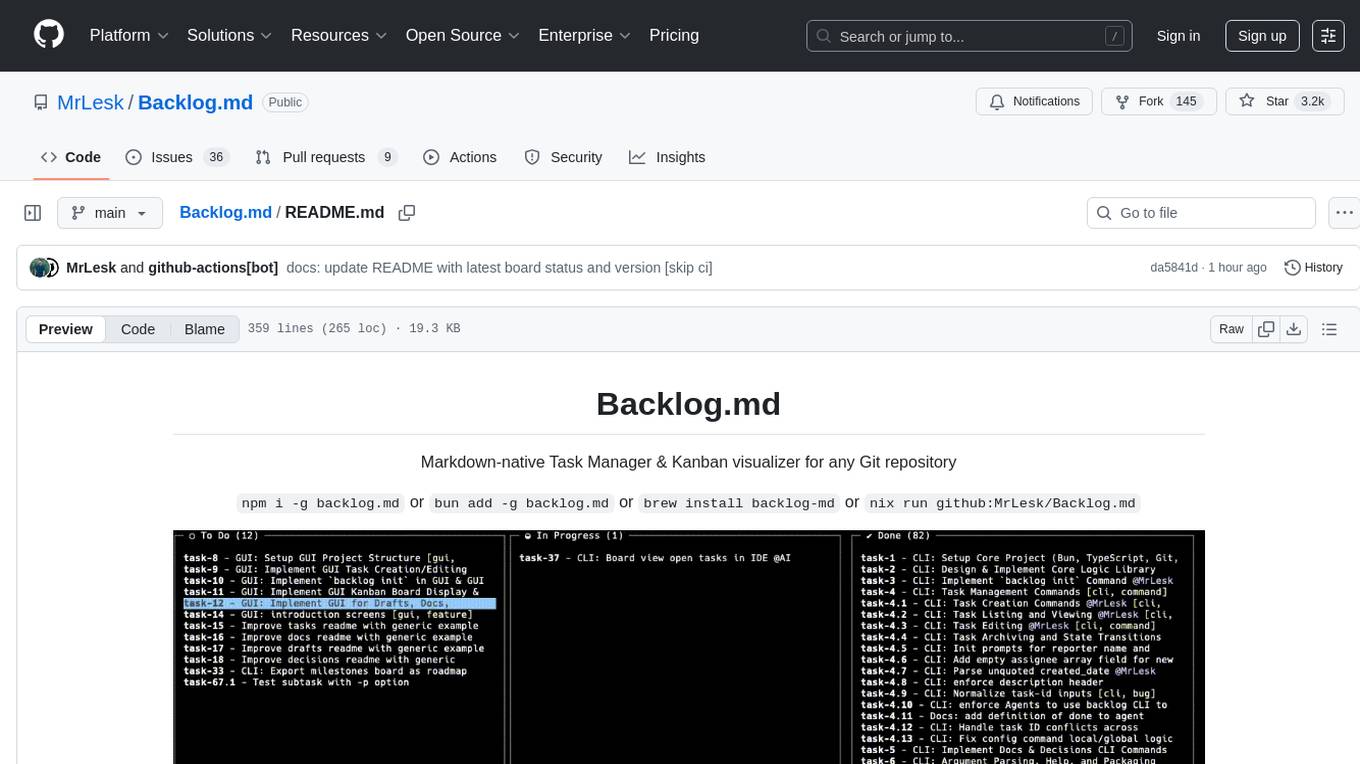
Backlog.md
Backlog.md is a Markdown-native Task Manager & Kanban visualizer for any Git repository. It turns any folder with a Git repo into a self-contained project board powered by plain Markdown files and a zero-config CLI. Features include managing tasks as plain .md files, private & offline usage, instant terminal Kanban visualization, board export, modern web interface, AI-ready CLI, rich query commands, cross-platform support, and MIT-licensed open-source. Users can create tasks, view board, assign tasks to AI, manage documentation, make decisions, and configure settings easily.
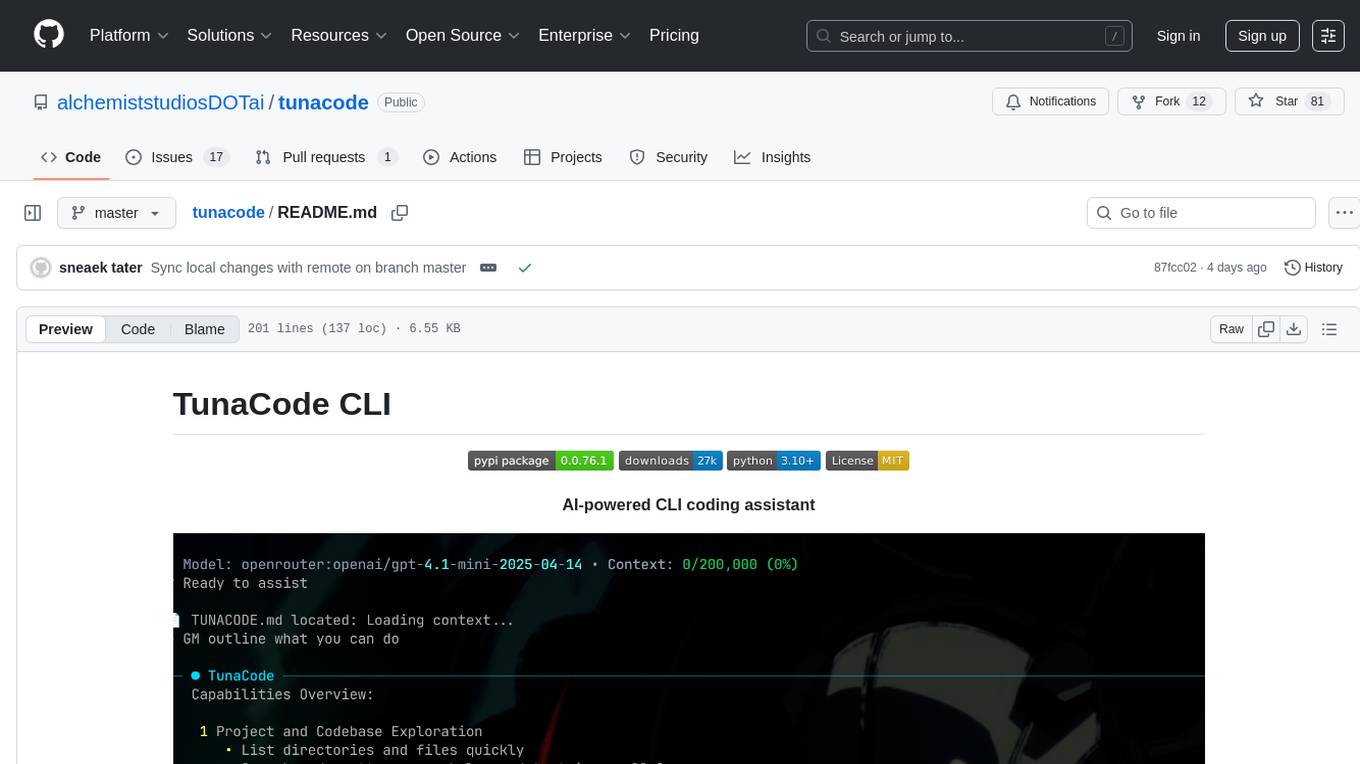
tunacode
TunaCode CLI is an AI-powered coding assistant that provides a command-line interface for developers to enhance their coding experience. It offers features like model selection, parallel execution for faster file operations, and various commands for code management. The tool aims to improve coding efficiency and provide a seamless coding environment for developers.
EVE
EVE is an official PyTorch implementation of Unveiling Encoder-Free Vision-Language Models. The project aims to explore the removal of vision encoders from Vision-Language Models (VLMs) and transfer LLMs to encoder-free VLMs efficiently. It also focuses on bridging the performance gap between encoder-free and encoder-based VLMs. EVE offers a superior capability with arbitrary image aspect ratio, data efficiency by utilizing publicly available data for pre-training, and training efficiency with a transparent and practical strategy for developing a pure decoder-only architecture across modalities.
commands
Production-ready slash commands for Claude Code that accelerate development through intelligent automation and multi-agent orchestration. Contains 52 commands organized into workflows and tools categories. Workflows orchestrate complex tasks with multiple agents, while tools provide focused functionality for specific development tasks. Commands can be used with prefixes for organization or flattened for convenience. Best practices include using workflows for complex tasks and tools for specific scopes, chaining commands strategically, and providing detailed context for effective usage.
For similar tasks
claude-craft
Claude Craft is a comprehensive framework for AI-assisted development with Claude Code, providing standardized rules, agents, and commands across multiple technology stacks. It includes autonomous sprint capabilities, documentation accuracy improvements, CI hardening, and test coverage enhancements. With support for 10 technology stacks, 5 languages, 40 AI agents, 157 slash commands, and various project management features like BMAD v6 framework, Ralph Wiggum loop execution, skills, templates, checklists, and hooks system, Claude Craft offers a robust solution for project development and management. The tool also supports workflow methodology, development tracks, document generation, BMAD v6 project management, quality gates, batch processing, backlog migration, and Claude Code hooks integration.
THE-SANDBOX-AutoClicker
The Sandbox AutoClicker is a bot designed for the crypto game The Sandbox, allowing users to automate various processes within the game. The tool offers features such as auto tuning, multi-account auto clicker, multi-threading, a convenient menu, and free proxies. It provides full optimization through a simple menu and is guaranteed to be safe for Windows systems, supporting versions 7/8/8.1/10/11 (x32/64).
kirara-ai
Kirara AI is a chatbot that supports mainstream large language models and chat platforms. It provides features such as image sending, keyword-triggered replies, multi-account support, personality settings, and support for various chat platforms like QQ, Telegram, Discord, and WeChat. The tool also supports HTTP server for Web API, popular large models like OpenAI and DeepSeek, plugin mechanism, conditional triggers, admin commands, drawing models, voice replies, multi-turn conversations, cross-platform message sending, custom workflows, web management interface, and built-in Frpc intranet penetration.
oba-live-tool
The oba live tool is a small tool for Douyin small shops and Kuaishou Baiying live broadcasts. It features multiple account management, intelligent message assistant, automatic product explanation, AI automatic reply, and AI intelligent assistant. The tool requires Windows 10 or above, Chrome or Edge browser, and a valid account for Douyin small shops or Kuaishou Baiying. Users can download the tool from the Releases page, connect to the control panel, set API keys for AI functions, and configure auto-reply prompts. The tool is licensed under the MIT license.
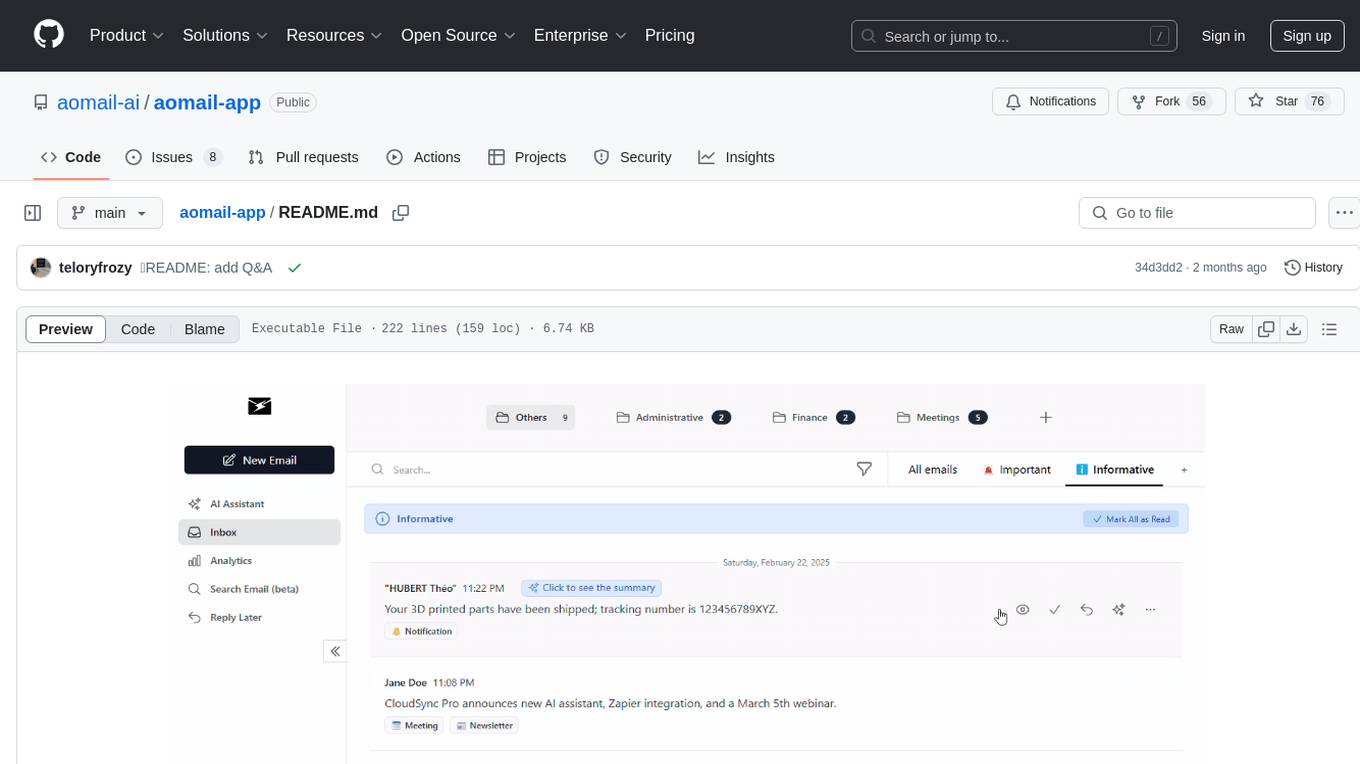
aomail-app
Aomail is an intelligent, open-source email management platform with AI capabilities. It offers email provider integration, AI-powered tools for smart categorization and assistance, analytics and management features. Users can self-host for complete control. Coming soon features include AI custom rules, platform integration with Discord & Slack, and support for various AI providers. The tool is designed to revolutionize email management by providing advanced AI features and analytics.
twitter-automation-ai
Advanced Twitter Automation AI is a modular Python-based framework for automating Twitter at scale. It supports multiple accounts, robust Selenium automation with optional undetected Chrome + stealth, per-account proxies and rotation, structured LLM generation/analysis, community posting, and per-account metrics/logs. The tool allows seamless management and automation of multiple Twitter accounts, content scraping, publishing, LLM integration for generating and analyzing tweet content, engagement automation, configurable automation, browser automation using Selenium, modular design for easy extension, comprehensive logging, community posting, stealth mode for reduced fingerprinting, per-account proxies, LLM structured prompts, and per-account JSON summaries and event logs for observability.
For similar jobs
Pichome
PicHome is a powerful open-source cloud storage program that efficiently manages various types of files and excels in image and media file management. Its highlights include robust file sharing features and advanced AI-assisted management tools, providing users with a convenient and intelligent file management experience. The program offers diverse list modes, customizable file information display, enhanced quick file preview, advanced tagging, custom cover and preview images, multiple preview images, and multi-library management. Additionally, PicHome features strong file sharing capabilities, allowing users to share entire libraries, create personalized showcase web pages, and build complete data sharing websites. The AI-assisted management aspect includes AI file renaming, tagging, description writing, batch annotation, and file Q&A services, all aimed at improving file management efficiency. PicHome supports a wide range of file formats and can be applied in various scenarios such as e-commerce, gaming, design, development, enterprises, schools, labs, media, and entertainment institutions.
machine-learning-research
The 'machine-learning-research' repository is a comprehensive collection of resources related to mathematics, machine learning, deep learning, artificial intelligence, data science, and various scientific fields. It includes materials such as courses, tutorials, books, podcasts, communities, online courses, papers, and dissertations. The repository covers topics ranging from fundamental math skills to advanced machine learning concepts, with a focus on applications in healthcare, genetics, computational biology, precision health, and AI in science. It serves as a valuable resource for individuals interested in learning and researching in the fields of machine learning and related disciplines.
Awesome-TimeSeries-SpatioTemporal-LM-LLM
Awesome-TimeSeries-SpatioTemporal-LM-LLM is a curated list of Large (Language) Models and Foundation Models for Temporal Data, including Time Series, Spatio-temporal, and Event Data. The repository aims to summarize recent advances in Large Models and Foundation Models for Time Series and Spatio-Temporal Data with resources such as papers, code, and data. It covers various applications like General Time Series Analysis, Transportation, Finance, Healthcare, Event Analysis, Climate, Video Data, and more. The repository also includes related resources, surveys, and papers on Large Language Models, Foundation Models, and their applications in AIOps.
moon
Moon is a monitoring and alerting platform suitable for multiple domains, supporting various application scenarios such as cloud-native, Internet of Things (IoT), and Artificial Intelligence (AI). It simplifies operational work of cloud-native monitoring, boasts strong IoT and AI support capabilities, and meets diverse monitoring needs across industries. Capable of real-time data monitoring, intelligent alerts, and fault response for various fields.
DownEdit
DownEdit is a fast and powerful program for downloading and editing videos from platforms like TikTok, Douyin, and Kuaishou. It allows users to effortlessly grab videos, make bulk edits, and utilize advanced AI features for generating videos, images, and sounds in bulk. The tool offers features like video, photo, and sound editing, downloading videos without watermarks, bulk AI generation, and AI editing for content enhancement.
ai-trend-publish
AI TrendPublish is an AI-based trend discovery and content publishing system that supports multi-source data collection, intelligent summarization, and automatic publishing to WeChat official accounts. It features data collection from various sources, AI-powered content processing using DeepseekAI Together, key information extraction, intelligent title generation, automatic article publishing to WeChat official accounts with custom templates and scheduled tasks, notification system integration with Bark for task status updates and error alerts. The tool offers multiple templates for content customization and is built using Node.js + TypeScript with AI services from DeepseekAI Together, data sources including Twitter/X API and FireCrawl, and uses node-cron for scheduling tasks and EJS as the template engine.
llm.hunyuan.T1
Hunyuan-T1 is a cutting-edge large-scale hybrid Mamba reasoning model driven by reinforcement learning. It has been officially released as an upgrade to the Hunyuan Thinker-1-Preview model. The model showcases exceptional performance in deep reasoning tasks, leveraging the TurboS base and Mamba architecture to enhance inference capabilities and align with human preferences. With a focus on reinforcement learning training, the model excels in various reasoning tasks across different domains, showcasing superior abilities in mathematical, logical, scientific, and coding reasoning. Through innovative training strategies and alignment with human preferences, Hunyuan-T1 demonstrates remarkable performance in public benchmarks and internal evaluations, positioning itself as a leading model in the field of reasoning.
DownEdit
DownEdit is a fast and powerful program for downloading and editing videos from top platforms like TikTok, Douyin, and Kuaishou. Effortlessly grab videos from user profiles, make bulk edits throughout the entire directory with just one click. Advanced Chat & AI features let you download, edit, and generate videos, images, and sounds in bulk. Exciting new features are coming soon—stay tuned!