


python-repomix
📦 python-repomix is a powerful tool that packs your entire repository into a single, AI-friendly file. Perfect for when you need to feed your codebase to Large Language Models (LLMs) or other AI tools like Claude, ChatGPT, and Gemini.
Stars: 147
Repomix is a powerful tool that packs your entire repository into a single, AI-friendly file. It formats your codebase for easy AI comprehension, provides token counts, is simple to use with one command, customizable, git-aware, security-focused, and offers advanced code compression. It supports multiprocessing or threading for faster analysis, automatically handles various file encodings, and includes built-in security checks. Repomix can be used with uvx, pipx, or Docker. It offers various configuration options for output style, security checks, compression modes, ignore patterns, and remote repository processing. The tool can be used for code review, documentation generation, test case generation, code quality assessment, library overview, API documentation review, code architecture analysis, and configuration analysis. Repomix can also run as an MCP server for AI assistants like Claude, providing tools for packaging codebases, reading output files, searching within outputs, reading files from the filesystem, listing directory contents, generating Claude Agent Skills, and more.
README:
English | 简体中文
Repomix is a powerful tool that packs your entire repository into a single, AI-friendly file. It's perfect for when you need to feed your codebase to Large Language Models (LLMs) or other AI tools like Claude, ChatGPT, and Gemini.
The original Repomix is written in JavaScript, and this is the ported Python version.
- AI-Optimized: Formats your codebase in a way that's easy for AI to understand and process.
- Token Counting: Provides token counts for each file and the entire repository using tiktoken.
- Simple to Use: Pack your entire repository with just one command.
- Customizable: Easily configure what to include or exclude.
- Git-Aware: Automatically respects your .gitignore files.
-
Security-Focused: Built-in security checks to detect and prevent the inclusion of sensitive information (powered by
detect-secrets). - Code Compression: Advanced code compression with multiple modes to reduce output size while preserving essential information.
- ⚡ Performance: Utilizes multiprocessing or threading for faster analysis on multi-core systems.
- ⚙️ Encoding Aware: Automatically detects and handles various file encodings (using
chardet) beyond UTF-8, increasing robustness.
The easiest way to use Repomix is with uvx - no installation required:
uvx repomixThat's it! This will pack your current directory into an AI-friendly file.
More examples:
# Pack with JSON output
uvx repomix --style json

# Pack a remote repository
uvx repomix --remote https://github.com/username/repo

# Pack with specific patterns
uvx repomix --include "src/**/*.py" --ignore "tests/**"

# Use a specific version
uvx [email protected]
You can also use pipx: pipx run repomix
For frequent usage, you can install Repomix globally:
pip install repomixThen run in any project directory:
repomixYou can also use Repomix with Docker without installing it locally:
# Build the Docker image
docker build -t repomix .

# Run repomix on the current directory
docker run --rm -v "$(pwd)":/app repomix

# Run repomix with specific options
docker run --rm -v "$(pwd)":/app repomix --style markdown --output custom-output.md

# Run repomix on a different directory
docker run --rm -v "/path/to/your/project":/app repomix
Docker Benefits:
- Isolated Environment: Run repomix without installing Python dependencies on your host system
- Consistent Results: Ensures the same environment across different machines
- Easy Distribution: Share the exact repomix version and configuration with your team
- No Installation Required: Use repomix immediately without pip install
That's it! Repomix will generate a repomix-output.md file (by default) in your current directory, containing your entire repository in an AI-friendly format.
To pack your entire repository:
repomixTo pack a specific directory:
repomix path/to/directoryTo pack a remote repository:
repomix --remote https://github.com/username/repoTo pack a specific branch of a remote repository:
repomix --remote https://github.com/username/repo --branch feature-branchTo initialize a new configuration file:
repomix --init
# Use --global to create a global configuration file (see Configuration Options below)
repomix --init --globalCreate a repomix.config.json file in your project root for custom configurations. Repomix also automatically loads a global configuration file if it exists (e.g., ~/.config/repomix/repomix.config.json on Linux), merging it with lower priority than local config and CLI options.
{
  "output": {
    "file_path": "repomix-output.md",
    "style": "markdown",
    "header_text": "",
    "instruction_file_path": "",
    "remove_comments": false,
    "remove_empty_lines": false,
    "top_files_length": 5,
    "show_line_numbers": false,
    "copy_to_clipboard": false,
    "include_empty_directories": false,
    "calculate_tokens": false,
    "show_file_stats": false,
    "show_directory_structure": true,
    "include_full_directory_structure": false,
    "split_output": null,
    "token_count_tree": false,
    "git": {
      "sort_by_changes": true,
      "sort_by_changes_max_commits": 100,
      "include_diffs": false,
      "include_logs": false,
      "include_logs_count": 50
    }
  },
  "security": {
    "enable_security_check": true,
    "exclude_suspicious_files": true
  },
  "ignore": {
    "custom_patterns": [],
    "use_gitignore": true,
    "use_default_ignore": true
  },
  "compression": {
    "enabled": false,
    "keep_signatures": true,
    "keep_docstrings": true,
    "keep_interfaces": true
  },
  "remote": {
    "url": "",
    "branch": ""
  },
  "include": []
}
[!NOTE] Note on
remove_comments: This feature is language-aware, correctly handling comment syntax for various languages like Python, JavaScript, C++, HTML, etc., rather than using a simple generic pattern.*
The remote section allows you to configure remote repository processing:
-
url: The URL of the remote Git repository to process -
branch: The specific branch, tag, or commit hash to process (optional, defaults to repository's default branch)
When a remote URL is specified in the configuration, Repomix will process the remote repository instead of the local directory. This can be overridden by CLI parameters.
Command Line Options
-
repomix [directory]: Target directory (defaults to current directory). -
-v, --version: Show version. -
-o, --output <file>: Specify output file name. -
--style <style>: Specify output style (plain, xml, markdown, json). -
--remote <url>: Process a remote Git repository. -
--branch <name>: Specify branch for remote repository. -
--init: Initialize configuration file (repomix.config.json) in the current directory. -
--global: Use with--initto create/manage the global configuration file (located in a platform-specific user config directory, e.g.,~/.config/repomixon Linux). The global config is automatically loaded if present. -
--no-security-check: Disable security check. -
--include <patterns>: Comma-separated list of include patterns (glob format). -
-i, --ignore <patterns>: Additional comma-separated ignore patterns. -
-c, --config <path>: Path to a custom configuration file. -
--copy: Copy generated output to system clipboard. -
--top-files-len <number>: Max number of largest files to display in summary. -
--output-show-line-numbers: Add line numbers to output code blocks. -
--stdin: Read file paths from standard input (one per line) instead of discovering files automatically. -
--verbose: Enable verbose logging for debugging. -
--parsable-style: By escaping and formatting, ensure the output is parsable as a document of its type. -
--stdout: Output to stdout instead of writing to a file. -
--remove-comments: Remove comments from source code. -
--remove-empty-lines: Remove empty lines from source code. -
--truncate-base64: Enable truncation of base64 data strings. -
--include-empty-directories: Include empty directories in the output. -
--include-diffs: Include git diffs in the output. -
--include-logs: Include git log history in the output. -
--sort-by-changes: Sort files by git change frequency (most changed first).
Repomix includes built-in security checks using the detect-secrets library to detect potentially sensitive information (API keys, credentials, etc.). By default (exclude_suspicious_files: true), detected files are excluded from the output.
Disable checks via configuration or CLI:
repomix --no-security-checkRepomix provides advanced code compression capabilities to reduce output size while preserving essential information. This feature is particularly useful when working with large codebases or when you need to focus on specific aspects of your code.
Interface Mode (keep_interfaces: true)
- Preserves function and class signatures with their complete type annotations
- Keeps all docstrings for comprehensive API documentation
- Removes implementation details, replacing them with
passstatements - Perfect for generating API documentation or understanding code structure
Signature Mode (keep_signatures: true, keep_interfaces: false)
- Preserves function and class definitions
- Optionally keeps docstrings based on
keep_docstringssetting - Maintains full implementation code
- Useful for standard code compression while keeping functionality
Minimal Mode (keep_signatures: false)
- Removes all function and class definitions
- Keeps only global variables, imports, and module-level code
- Maximum compression for focusing on configuration and constants
{
  "compression": {
    "enabled": false,           // Enable/disable compression
    "keep_signatures": true,    // Keep function/class signatures
    "keep_docstrings": true,    // Keep docstrings
    "keep_interfaces": true     // Interface mode (signatures + docstrings only)
  }
}Generate API Documentation:
# Create interface-only output for API documentation
repomix --config-override '{"compression": {"enabled": true, "keep_interfaces": true}}'
Compress Implementation Details:
# Keep signatures but remove implementation for code overview
repomix --config-override '{"compression": {"enabled": true, "keep_interfaces": false, "keep_signatures": true, "keep_docstrings": false}}'
Extract Configuration Only:
# Keep only global variables and constants
repomix --config-override '{"compression": {"enabled": true, "keep_signatures": false}}'Currently, advanced compression features are fully supported for:
- Python: Complete AST-based compression with all modes
- JavaScript/TypeScript: Tree-sitter based compression
- Go: Tree-sitter based compression
- Java: Tree-sitter based compression
- C/C++: Tree-sitter based compression
- C#: Tree-sitter based compression
- Rust: Tree-sitter based compression
- Ruby: Tree-sitter based compression
- PHP: Tree-sitter based compression
- Swift: Tree-sitter based compression
- CSS: Tree-sitter based compression
- Other Languages: Basic compression with warnings (future enhancement planned)
Original Python Code:
def calculate_sum(a: int, b: int) -> int:
    """
    Calculate the sum of two integers.

    Args:
        a: First integer
        b: Second integer

    Returns:
        The sum of a and b
    """
    if not isinstance(a, int) or not isinstance(b, int):
        raise TypeError("Both arguments must be integers")

    result = a + b
    print(f"Calculating {a} + {b} = {result}")
    return result
Interface Mode Output:
def calculate_sum(a: int, b: int) -> int:
    """
    Calculate the sum of two integers.

    Args:
        a: First integer
        b: Second integer

    Returns:
        The sum of a and b
    """
passRepomix provides multiple methods to set ignore patterns for excluding specific files or directories during the packing process:
Ignore patterns are applied in the following priority order (from highest to lowest):
- Custom patterns in configuration file (
ignore.custom_patterns) -
.repomixignorefile -
.gitignorefile (ifignore.use_gitignoreis true) - Default patterns (if
ignore.use_default_ignoreis true)
By default, Repomix uses patterns listed in your project's .gitignore file. This behavior can be controlled with the ignore.use_gitignore option in the configuration file:
{
  "ignore": {
    "use_gitignore": true
  }
}Repomix includes a default list of commonly excluded files and directories (e.g., __pycache__, .git, binary files). This feature can be controlled with the ignore.use_default_ignore option:
{
  "ignore": {
    "use_default_ignore": true
  }
}
The complete list of default ignore patterns can be found in default_ignore.py.
You can create a .repomixignore file in your project root to define Repomix-specific ignore patterns. This file follows the same format as .gitignore.
Additional ignore patterns can be specified using the ignore.custom_patterns option in the configuration file:
{
  "ignore": {
    "custom_patterns": [
      "*.log",
      "*.tmp",
      "tests/**/*.pyc"
    ]
  }
}- Binary files are not included in the packed output by default, but their paths are listed in the "Repository Structure" section of the output file. This provides a complete overview of the repository structure while keeping the packed file efficient and text-based.
- Ignore patterns help optimize the size of the generated pack file by ensuring the exclusion of security-sensitive files and large binary files, while preventing the leakage of confidential information.
- All ignore patterns use glob pattern syntax similar to
.gitignore.
Repomix generates a single file with clear separators between different parts of your codebase. To enhance AI comprehension, the output file begins with an AI-oriented explanation, making it easier for AI models to understand the context and structure of the packed repository.
This file is a merged representation of the entire codebase, combining all repository files into a single document.

================================================================
File Summary
================================================================
(Metadata and usage AI instructions)

================================================================
Repository Structure
================================================================
src/
  cli/
    cliOutput.py
    index.py
  config/
    configLoader.py

(...remaining directories)

================================================================
Repository Files
================================================================

================
File: src/index.py
================
# File contents here

================
File: src/utils.py
================
# File contents here

(...remaining files)

================================================================
Statistics
================================================================
(File statistics and metadata)
To generate output in Markdown format, use the --style markdown option:
python -m repomix --style markdownThe Markdown format structures the content in a readable manner:
# File Summary
(Metadata and usage AI instructions)

# Repository Structure
```
src/
  cli/
    cliOutput.py
    index.py
```

# Repository Files

## File: src/index.py
```python
# File contents here
```

## File: src/utils.py
```python
# File contents here
```

# Statistics
- Total Files: 19
- Total Characters: 37377
- Total Tokens: 11195To generate output in XML format, use the --style xml option:
python -m repomix --style xmlThe XML format structures the content in a hierarchical manner:
<?xml version="1.0" encoding="UTF-8"?>
<repository>
<repository_structure>
(Directory and file structure)
</repository_structure>

<repository_files>
<file>
  <path>src/index.py</path>
  <stats>
    <chars>1234</chars>
    <tokens>567</tokens>
  </stats>
  <content>
    # File contents here
  </content>
</file>
(...remaining files)
</repository_files>

<statistics>
  <total_files>19</total_files>
  <total_chars>37377</total_chars>
  <total_tokens>11195</total_tokens>
</statistics>
</repository>To generate output in JSON format, use the --style json option:
python -m repomix --style jsonThe JSON format provides machine-readable structured output:
{
  "summary": {
    "total_files": 19,
    "total_chars": 37377,
    "total_tokens": 11195,
    "generation_date": "2025-01-28T12:00:00"
  },
  "file_tree": {
    "src": {
      "index.py": "",
      "utils.py": ""
    }
  },
  "files": [
    {
      "path": "src/index.py",
      "content": "# File contents here",
      "chars": 1234,
      "tokens": 567
    }
  ]
}
JSON format is ideal for:
- Integration with other tools and scripts
- Programmatic processing of codebase analysis
- Building custom pipelines and workflows
You can use Repomix as a Python library in your projects. Here's a basic example:
from repomix import RepoProcessor

# Basic usage
processor = RepoProcessor(".")
result = processor.process()

# Process remote repository with specific branch
processor = RepoProcessor(repo_url="https://github.com/username/repo", branch="feature-branch")
result = processor.process()

# Access processing results
print(f"Total files: {result.total_files}")
print(f"Total characters: {result.total_chars}")
print(f"Total tokens: {result.total_tokens}")
print(f"Output saved to: {result.config.output.file_path}")from repomix import RepoProcessor, RepomixConfig
# Create custom configuration
config = RepomixConfig()
# Output settings
config.output.file_path = "custom-output.md"
config.output.style = "markdown" # supports "plain", "markdown", and "xml"
config.output.show_line_numbers = True
# Security settings
config.security.enable_security_check = True
config.security.exclude_suspicious_files = True
# Compression settings
config.compression.enabled = True
config.compression.keep_signatures = True
config.compression.keep_docstrings = True
config.compression.keep_interfaces = True # Interface mode for API documentation
# Include/Ignore patterns
config.include = ["src/**/*", "tests/**/*"]
config.ignore.custom_patterns = ["*.log", "*.tmp"]
config.ignore.use_gitignore = True
# Remote repository configuration
config.remote.url = "https://github.com/username/repo"
config.remote.branch = "feature-branch"
# Process repository with custom config
processor = RepoProcessor(".", config=config)
result = processor.process()from repomix import RepoProcessor, RepomixConfig
# Example 1: Generate API documentation (Interface Mode)
config = RepomixConfig()
config.compression.enabled = True
config.compression.keep_interfaces = True # Keep signatures + docstrings only
config.output.file_path = "api-documentation.md"
processor = RepoProcessor(".", config=config)
result = processor.process()
print(f"API documentation generated: {result.config.output.file_path}")
# Example 2: Code overview without implementation details
config = RepomixConfig()
config.compression.enabled = True
config.compression.keep_signatures = True
config.compression.keep_docstrings = False
config.compression.keep_interfaces = False # Keep full signatures but remove docstrings
config.output.file_path = "code-overview.md"
processor = RepoProcessor(".", config=config)
result = processor.process()
# Example 3: Extract only configuration and constants
config = RepomixConfig()
config.compression.enabled = True
config.compression.keep_signatures = False # Remove all functions/classes
config.output.file_path = "config-only.md"
processor = RepoProcessor(".", config=config)
result = processor.process()For more example code, check out the examples directory:
-
basic_usage.py: Basic usage examples -
custom_config.py: Custom configuration examples -
security_check.py: Security check feature examples -
file_statistics.py: File statistics examples -
remote_repo_usage.py: Remote repository processing examples -
json_output.py: JSON output format examples -
git_integration.py: Git diff, log, and sorting examples -
output_split.py: Output splitting for large codebases -
token_count_tree.py: Token distribution visualization -
full_directory_structure.py: Full directory tree display -
tree_sitter_compression.py: Tree-sitter compression examples
-
REPOMIX_COCURRENCY_STRATEGY: Set tothreadorprocessto manually control the concurrency strategy used for file processing (default isprocess, butthreadmight be used automatically in environments like AWS Lambda or if set explicitly). -
REPOMIX_LOG_LEVEL: Set the logging level. Available values areTRACE,DEBUG,INFO,SUCCESS,WARN, andERROR(default isINFO). This setting controls the verbosity of log output regardless of the--verboseflag.
Once you have generated the packed file with Repomix, you can use it with AI tools like Claude, ChatGPT, and Gemini. Here are some example prompts to get you started:
For a comprehensive code review and refactoring suggestions:
This file contains my entire codebase. Please review the overall structure and suggest any improvements or refactoring opportunities, focusing on maintainability and scalability.
To generate project documentation:
Based on the codebase in this file, please generate a detailed README.md that includes an overview of the project, its main features, setup instructions, and usage examples.
For generating test cases:
Analyze the code in this file and suggest a comprehensive set of unit tests for the main functions and classes. Include edge cases and potential error scenarios.
Evaluate code quality and adherence to best practices:
Review the codebase for adherence to coding best practices and industry standards. Identify areas where the code could be improved in terms of readability, maintainability, and efficiency. Suggest specific changes to align the code with best practices.
Get a high-level understanding of the library
This file contains the entire codebase of library. Please provide a comprehensive overview of the library, including its main purpose, key features, and overall architecture.
For reviewing API interfaces (when using interface mode compression):
This file contains the API interfaces of my codebase with all implementation details removed. Please review the API design, suggest improvements for consistency, and identify any missing documentation or unclear method signatures.
For analyzing code structure (when using signature mode compression):
This file contains the code structure with function signatures but minimal implementation details. Please analyze the overall architecture, identify design patterns used, and suggest improvements for better modularity and separation of concerns.
For analyzing configuration and constants (when using minimal mode compression):
This file contains only the configuration, constants, and global variables from my codebase. Please review these settings, identify potential configuration issues, and suggest best practices for configuration management.
Feel free to modify these prompts based on your specific needs and the capabilities of the AI tool you're using.
Repomix can run as an MCP server, allowing AI assistants like Claude to directly interact with your codebase without manual file preparation.
📦 Installation Required: Before using MCP features, make sure you have installed repomix:
pip install repomix
# Start the MCP server (detailed logs output to stderr)
repomix --mcp
After starting, you'll see logs like:
📦 Repomix v0.3.0

Starting Repomix MCP Server...
🔧 Creating MCP server...
📦 Registering MCP tools...
  ✅ pack_codebase
  ✅ pack_remote_repository
  ✅ read_repomix_output
  ✅ grep_repomix_output
  ✅ file_system_read_file
  ✅ file_system_read_directory
  ✅ generate_skill
🎯 Repomix MCP Server configured with 7 tools
🚀 Starting Repomix MCP Server on stdio transport...
📡 Waiting for MCP client connections...
💡 Use Ctrl+C to stop the server
──────────────────────────────────────────────────
Claude Desktop
Add to claude_desktop_config.json:
{
  "mcpServers": {
    "repomix": {
      "command": "repomix",
      "args": ["--mcp"],
      "cwd": "/path/to/your/project"
    }
  }
}
VS Code / Cline
Add to cline_mcp_settings.json:
{
  "mcpServers": {
    "repomix": {
      "command": "repomix",
      "args": ["--mcp"],
      "cwd": "/path/to/your/project"
    }
  }
}
Claude Code
# From any directory (after installing repomix)
claude mcp add repomix -- repomix --mcpThe cwd (current working directory) parameter in MCP configuration determines where the repomix command runs from. Here are the recommended settings:
-
For general use: Set
cwdto your home directory or any stable location like"/Users/yourusername"(macOS) or"/home/yourusername"(Linux) -
For specific projects: Set
cwdto your main project directory that you frequently analyze - For development: You can use any directory since repomix can process any path you specify in the tool calls
Examples:
// General use - works from anywhere
"cwd": "/Users/yourusername"

// Project-specific - convenient for frequent analysis
"cwd": "/Users/yourusername/projects/my-main-project"

// Development - flexible starting point
"cwd": "/Users/yourusername/dev"
💡 Pro Tip: The MCP tools allow you to specify target directories in the tool parameters, so the
cwdis just the starting location. You can analyze any accessible directory regardless of where the server starts.
-
pack_codebase - Package local codebase into XML format
- Parameters: directory, compress, include_patterns, ignore_patterns, top_files_length
-
read_repomix_output - Read generated output files
- Parameters: output_id, start_line, end_line
-
grep_repomix_output - Search within output files
- Parameters: output_id, pattern, context_lines, ignore_case
-
file_system_read_file - Read files from filesystem
- Parameters: path
-
file_system_read_directory - List directory contents
- Parameters: path
-
pack_remote_repository - Package remote repositories
- Parameters: remote, compress, include_patterns, ignore_patterns
-
generate_skill - Generate Claude Agent Skills from codebase
- Parameters: directory, skill_name, include_patterns, ignore_patterns
When AI assistants call tools, you'll see detailed logs in the server terminal:
🔨 MCP Tool Called: pack_codebase
   📁 Directory: /path/to/project
   🗜️ Compress: false
   📊 Top files: 10
   🏗️ Creating workspace...
   📝 Output will be saved to: /tmp/repomix_mcp_xxx/repomix-output.xml
   🔄 Processing repository...
   ✅ Processing completed!
   📊 Files processed: 45
   📝 Characters: 125,432
   🎯 Tokens: 0
   🎉 MCP response generated successfully
- ✅ Complete MCP protocol support
- ✅ Detailed operation logging
- ✅ Security file checking
- ✅ Multiple output formats
- ✅ File search and reading
- ✅ Temporary file management
- 🔄 Remote repository support (in development)
- 🔄 Code compression features (in development)
- Be Specific: When prompting the AI, be as specific as possible about what you want. The more context you provide, the better the results will be.
- Iterate: Don't be afraid to iterate on your prompts. If you don't get the results you want on the first try, refine your prompt and try again.
- Combine with Manual Review: While AI can be a powerful tool, it's not perfect. Always combine AI-generated output with manual review and editing.
- Security First: Always be mindful of security when working with your codebase. Use Repomix's built-in security checks and avoid sharing sensitive information with AI tools.
This project is licensed under the MIT License.
For more detailed information, please visit the repository.
For Tasks:
Click tags to check more tools for each tasksFor Jobs:
Alternative AI tools for python-repomix
Similar Open Source Tools
python-repomix
Repomix is a powerful tool that packs your entire repository into a single, AI-friendly file. It formats your codebase for easy AI comprehension, provides token counts, is simple to use with one command, customizable, git-aware, security-focused, and offers advanced code compression. It supports multiprocessing or threading for faster analysis, automatically handles various file encodings, and includes built-in security checks. Repomix can be used with uvx, pipx, or Docker. It offers various configuration options for output style, security checks, compression modes, ignore patterns, and remote repository processing. The tool can be used for code review, documentation generation, test case generation, code quality assessment, library overview, API documentation review, code architecture analysis, and configuration analysis. Repomix can also run as an MCP server for AI assistants like Claude, providing tools for packaging codebases, reading output files, searching within outputs, reading files from the filesystem, listing directory contents, generating Claude Agent Skills, and more.
repopack
Repopack is a powerful tool that packs your entire repository into a single, AI-friendly file. It optimizes your codebase for AI comprehension, is simple to use with customizable options, and respects Gitignore files for security. The tool generates a packed file with clear separators and AI-oriented explanations, making it ideal for use with Generative AI tools like Claude or ChatGPT. Repopack offers command line options, configuration settings, and multiple methods for setting ignore patterns to exclude specific files or directories during the packing process. It includes features like comment removal for supported file types and a security check using Secretlint to detect sensitive information in files.
repomix
Repomix is a powerful tool that packs your entire repository into a single, AI-friendly file. It is designed to format your codebase for easy understanding by AI tools like Large Language Models (LLMs), Claude, ChatGPT, and Gemini. Repomix offers features such as AI optimization, token counting, simplicity in usage, customization options, Git awareness, and security-focused checks using Secretlint. It allows users to pack their entire repository or specific directories/files using glob patterns, and even supports processing remote Git repositories. The tool generates output in plain text, XML, or Markdown formats, with options for including/excluding files, removing comments, and performing security checks. Repomix also provides a global configuration option, custom instructions for AI context, and a security check feature to detect sensitive information in files.
CodeGPT
CodeGPT is a CLI tool written in Go that helps you write git commit messages or do a code review brief using ChatGPT AI (gpt-3.5-turbo, gpt-4 model) and automatically installs a git prepare-commit-msg hook. It supports Azure OpenAI Service or OpenAI API, conventional commits specification, Git prepare-commit-msg Hook, customizing the number of lines of context in diffs, excluding files from the git diff command, translating commit messages into different languages, using socks or custom network HTTP proxies, specifying model lists, and doing brief code reviews.
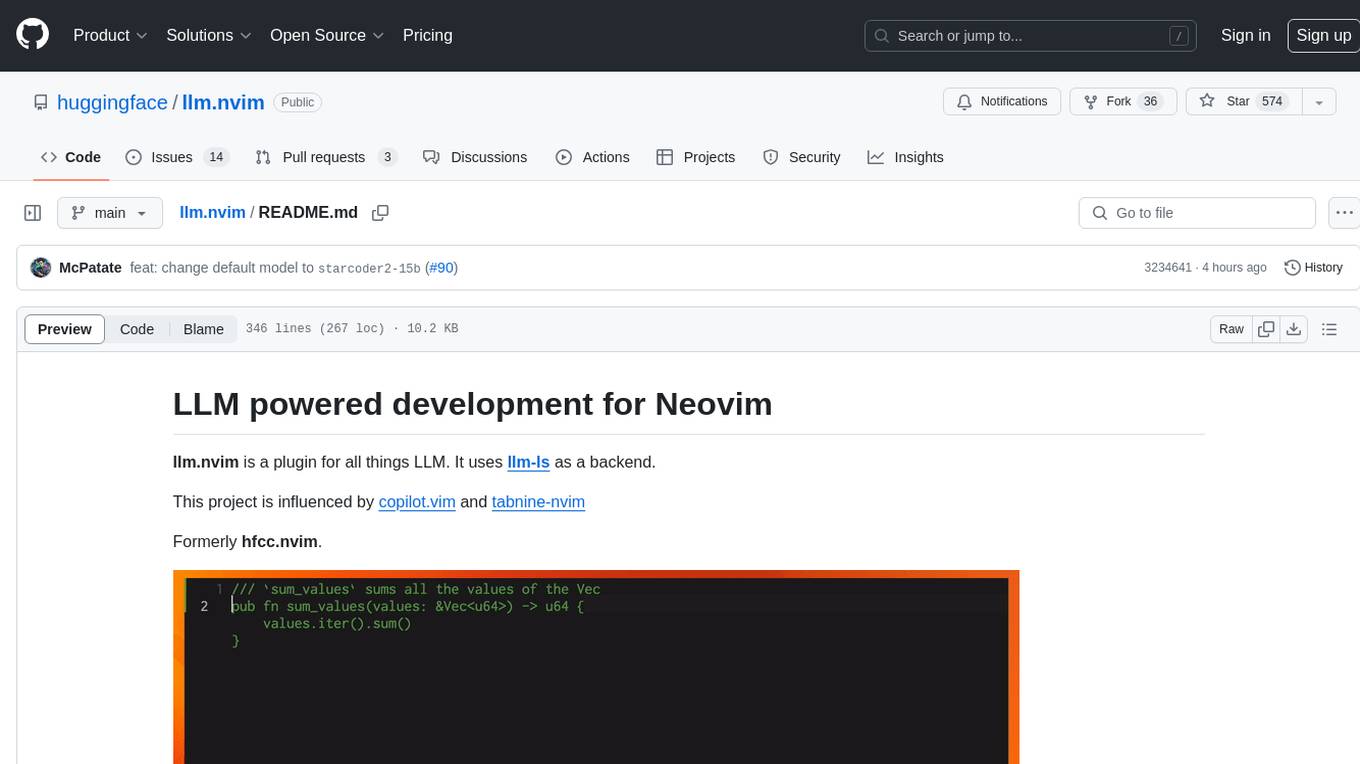
llm.nvim
llm.nvim is a plugin for Neovim that enables code completion using LLM models. It supports 'ghost-text' code completion similar to Copilot and allows users to choose their model for code generation via HTTP requests. The plugin interfaces with multiple backends like Hugging Face, Ollama, Open AI, and TGI, providing flexibility in model selection and configuration. Users can customize the behavior of suggestions, tokenization, and model parameters to enhance their coding experience. llm.nvim also includes commands for toggling auto-suggestions and manually requesting suggestions, making it a versatile tool for developers using Neovim.
cipher
Cipher is a versatile encryption and decryption tool designed to secure sensitive information. It offers a user-friendly interface with various encryption algorithms to choose from, ensuring data confidentiality and integrity. With Cipher, users can easily encrypt text or files using strong encryption methods, making it suitable for protecting personal data, confidential documents, and communication. The tool also supports decryption of encrypted data, providing a seamless experience for users to access their secured information. Cipher is a reliable solution for individuals and organizations looking to enhance their data security measures.
nexus
Nexus is a tool that acts as a unified gateway for multiple LLM providers and MCP servers. It allows users to aggregate, govern, and control their AI stack by connecting multiple servers and providers through a single endpoint. Nexus provides features like MCP Server Aggregation, LLM Provider Routing, Context-Aware Tool Search, Protocol Support, Flexible Configuration, Security features, Rate Limiting, and Docker readiness. It supports tool calling, tool discovery, and error handling for STDIO servers. Nexus also integrates with AI assistants, Cursor, Claude Code, and LangChain for seamless usage.
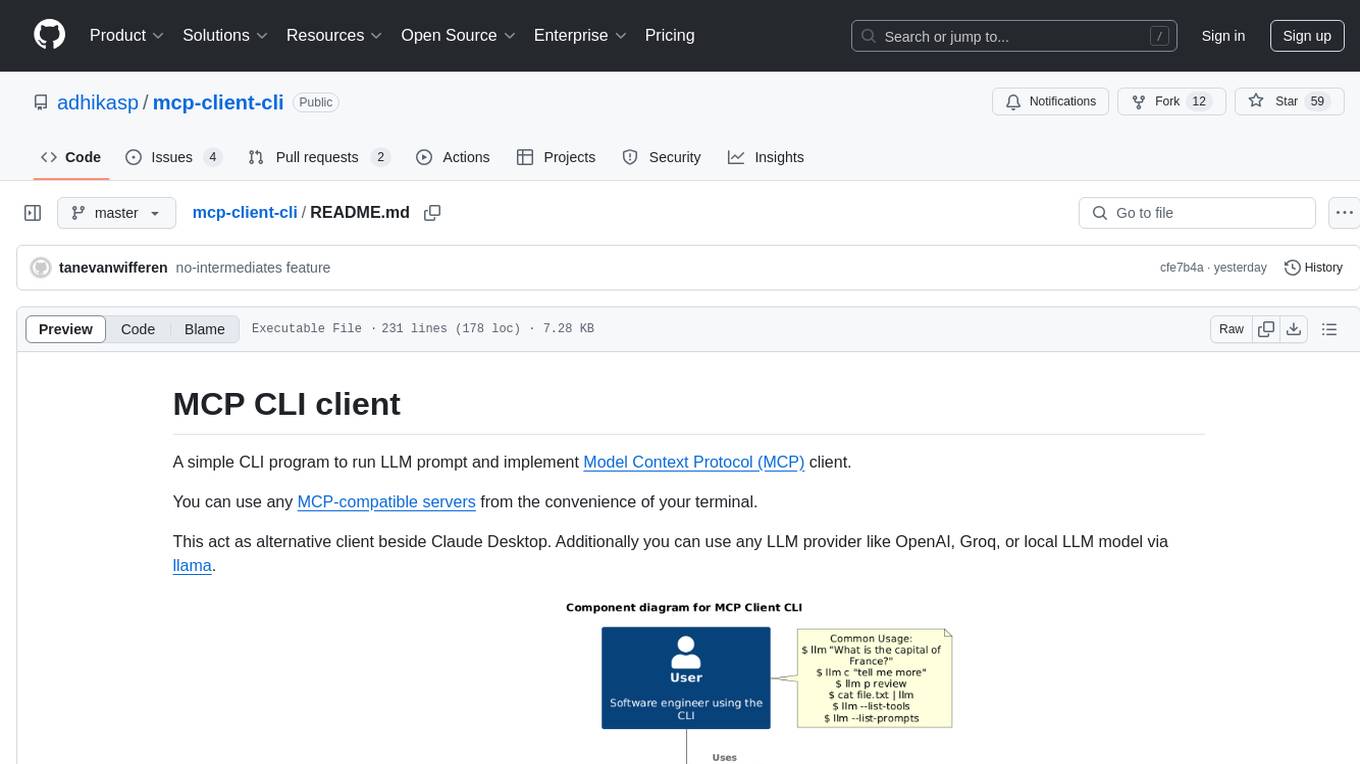
mcp-client-cli
MCP CLI client is a simple CLI program designed to run LLM prompts and act as an alternative client for Model Context Protocol (MCP). Users can interact with MCP-compatible servers from their terminal, including LLM providers like OpenAI, Groq, or local LLM models via llama. The tool supports various functionalities such as running prompt templates, analyzing image inputs, triggering tools, continuing conversations, utilizing clipboard support, and additional options like listing tools and prompts. Users can configure LLM and MCP servers via a JSON config file and contribute to the project by submitting issues and pull requests for enhancements or bug fixes.
capsule
Capsule is a secure and durable runtime for AI agents, designed to coordinate tasks in isolated environments. It allows for long-running workflows, large-scale processing, autonomous decision-making, and multi-agent systems. Tasks run in WebAssembly sandboxes with isolated execution, resource limits, automatic retries, and lifecycle tracking. It enables safe execution of untrusted code within AI agent systems.
mcphub.nvim
MCPHub.nvim is a powerful Neovim plugin that integrates MCP (Model Context Protocol) servers into your workflow. It offers a centralized config file for managing servers and tools, with an intuitive UI for testing resources. Ideal for LLM integration, it provides programmatic API access and interactive testing through the `:MCPHub` command.
model.nvim
model.nvim is a tool designed for Neovim users who want to utilize AI models for completions or chat within their text editor. It allows users to build prompts programmatically with Lua, customize prompts, experiment with multiple providers, and use both hosted and local models. The tool supports features like provider agnosticism, programmatic prompts in Lua, async and multistep prompts, streaming completions, and chat functionality in 'mchat' filetype buffer. Users can customize prompts, manage responses, and context, and utilize various providers like OpenAI ChatGPT, Google PaLM, llama.cpp, ollama, and more. The tool also supports treesitter highlights and folds for chat buffers.
text-extract-api
The text-extract-api is a powerful tool that allows users to convert images, PDFs, or Office documents to Markdown text or JSON structured documents with high accuracy. It is built using FastAPI and utilizes Celery for asynchronous task processing, with Redis for caching OCR results. The tool provides features such as PDF/Office to Markdown and JSON conversion, improving OCR results with LLama, removing Personally Identifiable Information from documents, distributed queue processing, caching using Redis, switchable storage strategies, and a CLI tool for task management. Users can run the tool locally or on cloud services, with support for GPU processing. The tool also offers an online demo for testing purposes.
ai-sdk-cpp
The AI SDK CPP is a modern C++ toolkit that provides a unified, easy-to-use API for building AI-powered applications with popular model providers like OpenAI and Anthropic. It bridges the gap for C++ developers by offering a clean, expressive codebase with minimal dependencies. The toolkit supports text generation, streaming content, multi-turn conversations, error handling, tool calling, async tool execution, and configurable retries. Future updates will include additional providers, text embeddings, and image generation models. The project also includes a patched version of nlohmann/json for improved thread safety and consistent behavior in multi-threaded environments.
flyte-sdk
Flyte 2 SDK is a pure Python tool for type-safe, distributed orchestration of agents, ML pipelines, and more. It allows users to write data pipelines, ML training jobs, and distributed compute in Python without any DSL constraints. With features like async-first parallelism and fine-grained observability, Flyte 2 offers a seamless workflow experience. Users can leverage core concepts like TaskEnvironments for container configuration, pure Python workflows for flexibility, and async parallelism for distributed execution. Advanced features include sub-task observability with tracing and remote task execution. The tool also provides native Jupyter integration for running and monitoring workflows directly from notebooks. Configuration and deployment are made easy with configuration files and commands for deploying and running workflows. Flyte 2 is licensed under the Apache 2.0 License.
dvc
DVC, or Data Version Control, is a command-line tool and VS Code extension that helps you develop reproducible machine learning projects. With DVC, you can version your data and models, iterate fast with lightweight pipelines, track experiments in your local Git repo, compare any data, code, parameters, model, or performance plots, and share experiments and automatically reproduce anyone's experiment.

LightRAG
LightRAG is a repository hosting the code for LightRAG, a system that supports seamless integration of custom knowledge graphs, Oracle Database 23ai, Neo4J for storage, and multiple file types. It includes features like entity deletion, batch insert, incremental insert, and graph visualization. LightRAG provides an API server implementation for RESTful API access to RAG operations, allowing users to interact with it through HTTP requests. The repository also includes evaluation scripts, code for reproducing results, and a comprehensive code structure.
For similar tasks
RepoAgent
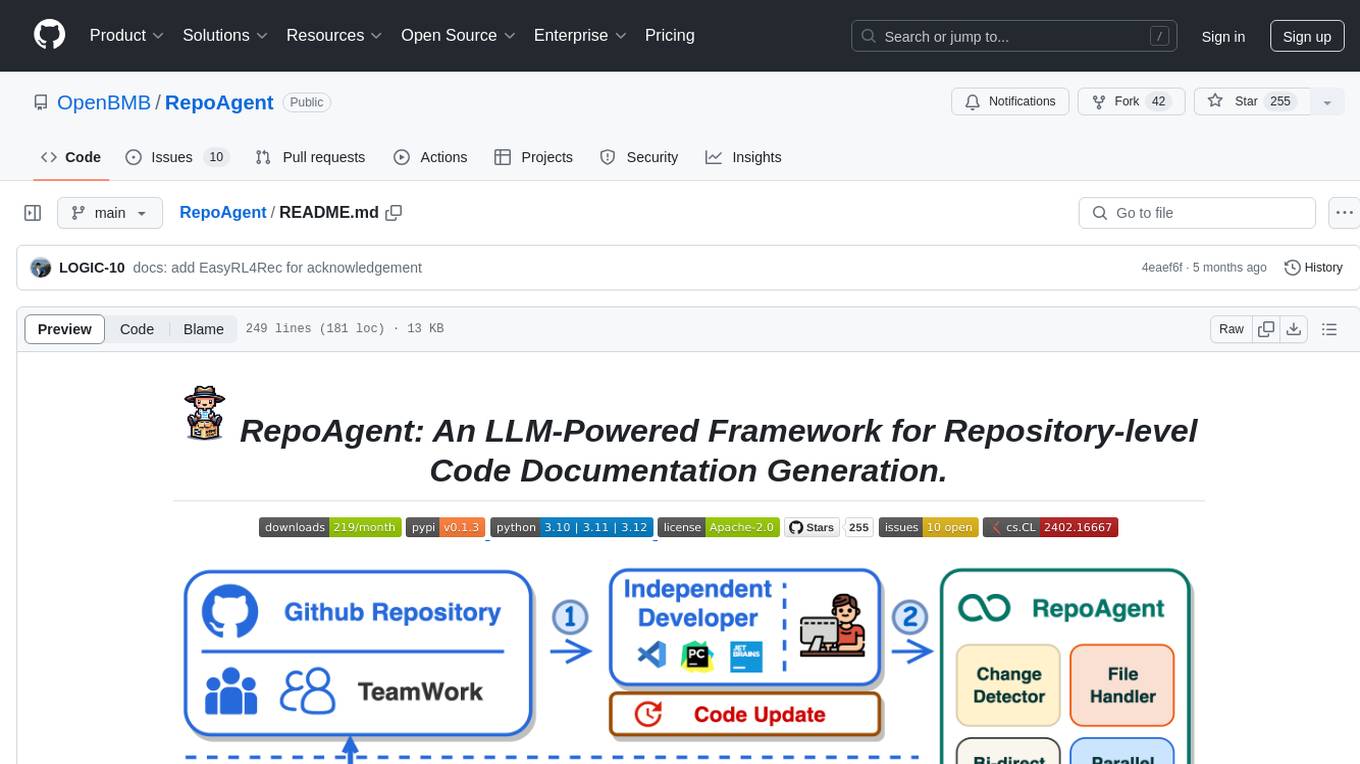
RepoAgent is an LLM-powered framework designed for repository-level code documentation generation. It automates the process of detecting changes in Git repositories, analyzing code structure through AST, identifying inter-object relationships, replacing Markdown content, and executing multi-threaded operations. The tool aims to assist developers in understanding and maintaining codebases by providing comprehensive documentation, ultimately improving efficiency and saving time.
brokk
Brokk is a code assistant tool named after the Norse god of the forge. It is designed to understand code semantically, enabling LLMs to work effectively on large codebases. Users can sign up at Brokk.ai, install jbang, and follow instructions to run Brokk. The tool uses Gradle with Scala support and requires JDK 21 or newer for building. Brokk aims to enhance code comprehension and productivity by providing semantic understanding of code.
python-repomix
Repomix is a powerful tool that packs your entire repository into a single, AI-friendly file. It formats your codebase for easy AI comprehension, provides token counts, is simple to use with one command, customizable, git-aware, security-focused, and offers advanced code compression. It supports multiprocessing or threading for faster analysis, automatically handles various file encodings, and includes built-in security checks. Repomix can be used with uvx, pipx, or Docker. It offers various configuration options for output style, security checks, compression modes, ignore patterns, and remote repository processing. The tool can be used for code review, documentation generation, test case generation, code quality assessment, library overview, API documentation review, code architecture analysis, and configuration analysis. Repomix can also run as an MCP server for AI assistants like Claude, providing tools for packaging codebases, reading output files, searching within outputs, reading files from the filesystem, listing directory contents, generating Claude Agent Skills, and more.
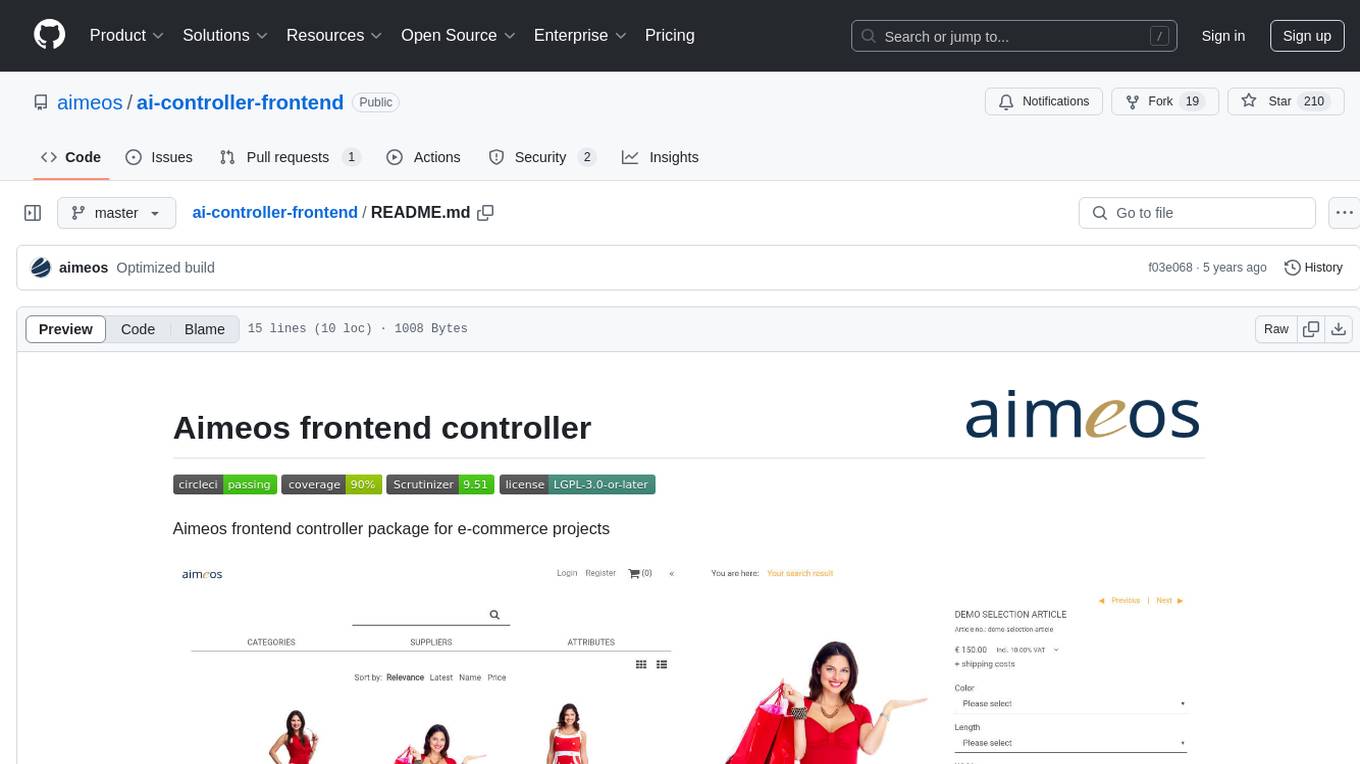
ai-controller-frontend
Aimeos frontend controller is a package designed for e-commerce projects. It provides functionality to control the frontend of the project, allowing for easy management and customization of the user interface. The package includes features such as build status monitoring, coverage status tracking, code quality assessment, and licensing information. With Aimeos frontend controller, users can enhance their e-commerce websites with a modern and efficient frontend design.
CodeAsk
CodeAsk is a code analysis tool designed to tackle complex issues such as code that seems to self-replicate, cryptic comments left by predecessors, messy and unclear code, and long-lasting temporary solutions. It offers intelligent code organization and analysis, security vulnerability detection, code quality assessment, and other interesting prompts to help users understand and work with legacy code more efficiently. The tool aims to translate 'legacy code mountains' into understandable language, creating an illusion of comprehension and facilitating knowledge transfer to new team members.
Nothotdog
NotHotDog is an open-source testing framework for evaluating and validating voice and text-based AI agents. It offers a user-friendly interface for creating, managing, and executing tests against AI models. The framework supports WebSocket and REST API, test case management, automated evaluation of responses, and provides a seamless experience for test creation and execution.
pr-agent
PR-Agent is a tool that helps to efficiently review and handle pull requests by providing AI feedbacks and suggestions. It supports various commands such as generating PR descriptions, providing code suggestions, answering questions about the PR, and updating the CHANGELOG.md file. PR-Agent can be used via CLI, GitHub Action, GitHub App, Docker, and supports multiple git providers and models. It emphasizes real-life practical usage, with each tool having a single GPT-4 call for quick and affordable responses. The PR Compression strategy enables effective handling of both short and long PRs, while the JSON prompting strategy allows for modular and customizable tools. PR-Agent Pro, the hosted version by CodiumAI, provides additional benefits such as full management, improved privacy, priority support, and extra features.
shell_gpt
ShellGPT is a command-line productivity tool powered by AI large language models (LLMs). This command-line tool offers streamlined generation of shell commands, code snippets, documentation, eliminating the need for external resources (like Google search). Supports Linux, macOS, Windows and compatible with all major Shells like PowerShell, CMD, Bash, Zsh, etc.
For similar jobs

weave
Weave is a toolkit for developing Generative AI applications, built by Weights & Biases. With Weave, you can log and debug language model inputs, outputs, and traces; build rigorous, apples-to-apples evaluations for language model use cases; and organize all the information generated across the LLM workflow, from experimentation to evaluations to production. Weave aims to bring rigor, best-practices, and composability to the inherently experimental process of developing Generative AI software, without introducing cognitive overhead.

LLMStack
LLMStack is a no-code platform for building generative AI agents, workflows, and chatbots. It allows users to connect their own data, internal tools, and GPT-powered models without any coding experience. LLMStack can be deployed to the cloud or on-premise and can be accessed via HTTP API or triggered from Slack or Discord.

VisionCraft
The VisionCraft API is a free API for using over 100 different AI models. From images to sound.

kaito
Kaito is an operator that automates the AI/ML inference model deployment in a Kubernetes cluster. It manages large model files using container images, avoids tuning deployment parameters to fit GPU hardware by providing preset configurations, auto-provisions GPU nodes based on model requirements, and hosts large model images in the public Microsoft Container Registry (MCR) if the license allows. Using Kaito, the workflow of onboarding large AI inference models in Kubernetes is largely simplified.

PyRIT
PyRIT is an open access automation framework designed to empower security professionals and ML engineers to red team foundation models and their applications. It automates AI Red Teaming tasks to allow operators to focus on more complicated and time-consuming tasks and can also identify security harms such as misuse (e.g., malware generation, jailbreaking), and privacy harms (e.g., identity theft). The goal is to allow researchers to have a baseline of how well their model and entire inference pipeline is doing against different harm categories and to be able to compare that baseline to future iterations of their model. This allows them to have empirical data on how well their model is doing today, and detect any degradation of performance based on future improvements.

tabby
Tabby is a self-hosted AI coding assistant, offering an open-source and on-premises alternative to GitHub Copilot. It boasts several key features: * Self-contained, with no need for a DBMS or cloud service. * OpenAPI interface, easy to integrate with existing infrastructure (e.g Cloud IDE). * Supports consumer-grade GPUs.

spear
SPEAR (Simulator for Photorealistic Embodied AI Research) is a powerful tool for training embodied agents. It features 300 unique virtual indoor environments with 2,566 unique rooms and 17,234 unique objects that can be manipulated individually. Each environment is designed by a professional artist and features detailed geometry, photorealistic materials, and a unique floor plan and object layout. SPEAR is implemented as Unreal Engine assets and provides an OpenAI Gym interface for interacting with the environments via Python.

Magick
Magick is a groundbreaking visual AIDE (Artificial Intelligence Development Environment) for no-code data pipelines and multimodal agents. Magick can connect to other services and comes with nodes and templates well-suited for intelligent agents, chatbots, complex reasoning systems and realistic characters.