


huge-ai-search
None
Stars: 96
Huge AI Search MCP Server integrates Google AI Mode search into clients like Cursor, Claude Code, and Codex, supporting continuous follow-up questions and source links. It allows AI clients to directly call 'huge-ai-search' for online searches, providing AI summary results and source links. The tool supports text and image searches, with the ability to ask follow-up questions in the same session. It requires Microsoft Edge for installation and supports various IDEs like VS Code. The tool can be used for tasks such as searching for specific information, asking detailed questions, and avoiding common pitfalls in development tasks.
README:

把 Google AI Mode 搜索接入到 Cursor、Claude Code、Codex 等客户端,支持连续追问与来源链接。


- 面向 Cursor / Claude Code / Codex 等支持 MCP 的客户端
- 通过
huge-ai-search工具调用联网搜索 - NPM:
https://www.npmjs.com/package/huge-ai-search
- 扩展名:
hudawang.huge-ai-search(显示名:HUGE) - 可在支持 VS Code 扩展生态的 IDE 中使用(如 VS Code / Cursor / Windsurf 等)
- 可作为 MCP 之外的 IDE 内使用方式,也可结合你的现有工作流一起使用
- 插件文档:
extensions/huge-ai-chat/README.md - VS Code Marketplace:
https://marketplace.visualstudio.com/items?itemName=hudawang.huge-ai-search

- 让 AI 客户端直接调用
huge-ai-search做联网搜索 - 返回 AI 总结结果 + 来源链接
- 支持同一会话连续追问(更深入)
- 支持文本 + 图片搜索(
image_path)
- 安装 Microsoft Edge(必需)
- 首次使用建议先做一次登录验证:
npx -y -p huge-ai-search@latest huge-ai-search-setup- 中国大陆用户请配置代理(推荐设置
HTTP_PROXY/HTTPS_PROXY/ALL_PROXY)
[!NOTE] Windows 默认推荐:先全局安装
npm i -g huge-ai-search,配置里使用cmd /c huge-ai-search。
如需 npx,请写成cmd /c npx ...,不要直接把command写成npx。
Quick Install
免安装运行:
npx huge-ai-search全局安装:
npm install -g huge-ai-searchInstall in Cursor
配置文件:
- macOS / Linux:
~/.cursor/mcp.json - Windows:
%USERPROFILE%\\.cursor\\mcp.json
macOS / Linux:
{
  "mcpServers": {
    "huge-ai-search": {
      "command": "npx",
      "args": ["-y", "huge-ai-search@latest"]
    }
  }
}
Windows:
{
  "mcpServers": {
    "huge-ai-search": {
      "command": "cmd",
      "args": ["/c", "huge-ai-search"]
    }
  }
}
Install in Claude Code
macOS / Linux:
claude mcp add huge-ai-search -- npx -y huge-ai-search@latestWindows (PowerShell):
claude mcp add-json huge-ai-search -s user '{"command":"cmd", "args":["/c", "huge-ai-search"]}'Windows (CMD):
claude mcp add-json huge-ai-search -s user "{\"command\":\"cmd\", \"args\":[\"/c\", \"huge-ai-search\"]}"Install in Codex CLI
配置文件:~/.codex/config.toml
默认写法:
[mcp_servers.huge-ai-search]
command = "npx"
args = ["-y", "huge-ai-search@latest"]
Windows 推荐:
[mcp_servers.huge-ai-search]
type = "stdio"
command = "cmd"
args = ["/c", "huge-ai-search"]
startup_timeout_sec = 120
tool_timeout_sec = 180
Other IDEs and Clients (Use Cursor Template)
以下客户端直接复用 Cursor 的 JSON 模板,仅替换配置文件路径:
- Kiro:
~/.kiro/settings/mcp.json(Windows:%USERPROFILE%\\.kiro\\settings\\mcp.json) - Windsurf:
~/.codeium/windsurf/mcp_config.json(Windows:%APPDATA%\\Codeium\\Windsurf\\mcp_config.json) - Claude Desktop:
macOS~/Library/Application Support/Claude/claude_desktop_config.json
Windows%APPDATA%\\Claude\\claude_desktop_config.json - VS Code (GitHub Copilot): 项目根目录
.vscode/mcp.json - VS Code + Cline:
macOS~/Library/Application Support/Code/User/globalStorage/saoudrizwan.claude-dev/settings/cline_mcp_settings.json
Windows%APPDATA%\\Code\\User\\globalStorage\\saoudrizwan.claude-dev\\settings\\cline_mcp_settings.json
推荐提示词(搜索优先原则 · 深度追问通用版)
# 搜索优先原则(深度追问通用版)

> **先知其不可为,方能有所为**

## 🚨 硬性规则

**采用分级策略:由 AI 先判断任务复杂度,再决定是否深搜。**

- 高风险/不确定任务:必须先搜索并追问 2-3 次。
- 低风险/确定性任务:可直接执行,不强制搜索。
- 若 AI 判断有歧义:默认倾向搜索一次确认。

## 🔥 核心工具:mcp_huge_ai_search_search

这是支持多轮追问的 AI 搜索工具,**必须进行深度追问**!

- 首次搜索返回 `session_id`
- 后续追问设置 `follow_up: true` + `session_id` 继续深入
- AI 会在上下文中持续回答,越问越深

## ⭐ 深度追问流程(必须遵循)

### 第一步:初次搜索
```
mcp_huge_ai_search_search({
  query: "{技术/问题} 是什么?核心概念和常见用法?",
  language: "zh-CN",
  follow_up: false
})
```
→ 获取 `session_id`

### 第二步:场景化追问(必追!)
```
mcp_huge_ai_search_search({
  query: "如果我的场景是 {具体场景},应该怎么做?",
  session_id: "上一步返回的 session_id",
  follow_up: true
})
```

### 第三步:避坑追问(必追!)
```
mcp_huge_ai_search_search({
  query: "有哪些常见的坑和反模式需要避免?",
  session_id: "同一个 session_id",
  follow_up: true
})
```

### 第四步:最佳实践追问(推荐)
```
mcp_huge_ai_search_search({
  query: "有哪些推荐的最佳实践?",
  session_id: "同一个 session_id",
  follow_up: true
})
```

---

## 第一式:辨(明其性)

辨别请求之性质,决定行动路径:

| 请求类型 | 行动 |
|----------|------|
| 代码实现 / 架构设计 / 性能优化 | **必搜其坑 + 深度追问** |
| Bug 修复 | 走「捉虫三步」|
| 简单查询 / 文件操作 / 文档修改 | 可直接执行(AI 自主判断可跳过搜索) |
| 用户言「不搜索」或「直接做」| 从其意 |

---

## 🐛 捉虫三步(Bug 修复通用流程)

**第一步:搜(问道于网)**
使用 `mcp_huge_ai_search_search` 搜索并追问:
- 初次:「{错误信息} 常见原因和解决方案」
- 追问1:「在 {技术栈/框架} 环境下最可能是什么原因?」
- 追问2:「有哪些排查步骤和调试技巧?」

**第二步:查(问道于日志)**
查看日志文件定位问题:
- 关注:ERROR、WARNING、Exception、崩溃堆栈
- 若无相关日志 → 先添加调试日志,复现问题

**第三步:解(对症下药)**
根据搜索结果 + 日志信息,定位问题根因后修复。

---

## 🔧 常规开发流程

**第二式:避(知其不可为)**
使用 `mcp_huge_ai_search_search` 搜索避坑 + 深度追问:
- 初次:「{技术} 常见错误和反模式?」
- 追问1:「在我的场景({具体场景})下要注意什么?」
- 追问2:「有哪些最佳实践?」
- 追问3:「有哪些常见的坑需要避免?」

**第三式:记(铭其戒)**
简要总结需要避免的错误,作为实现的警示。

**第四式:行(顺势而为)**
知其不可为后,方可有所为。

---

## 追问策略模板

| 追问类型 | 示例查询 |
|----------|----------|
| **场景化** | 「如果我的场景是 {具体场景},应该怎么做?」 |
| **细节深入** | 「刚才提到的 {某个点},能详细说说吗?」 |
| **对比选型** | 「{方案A} 和 {方案B} 在我的场景下哪个更好?」 |
| **避坑** | 「这个方案有什么潜在的坑需要注意?」 |
| **最佳实践** | 「有哪些推荐的最佳实践?」 |

---

## 搜索触发条件

### ✅ 必须搜索 + 追问
- 修复 bug
- 添加新功能
- 重构代码
- 遇到错误信息
- 性能优化
- 架构设计决策
- 技术选型
- 涉及外部依赖/第三方 API 的关键改动
- AI 对正确性不确定(有明显踩坑风险)

### ❌ 可跳过
- 纯文档修改(.md 文件)
- 简单配置文件修改
- 用户明确说「不搜索」或「直接做」
- 简单的文件操作(重命名、移动等)
- 小型确定性代码改动(如常量调整、文案修改、明显机械性改名)

---

## 金句

> 「搜而不追,等于白搜」

> 「宁可多追一次,不可少追一次」

> 「追问成本很低,踩坑代价很高」

> 「先知其不可为,方能有所为」直接让你的 AI 助手调用搜索工具,例如:
- “搜索一下 React 19 有什么新特性”
- “用英文搜索 TypeScript 5.0 new features”
先问概况,再追问细节/场景/避坑,效果最好:
- 第一次:问整体方案
- 第二次:结合你的场景问怎么选
- 第三次:问常见坑和最佳实践
工具支持传 image_path(本地图片绝对路径)进行图文联合搜索。
| 参数 | 必需 | 默认值 | 说明 |
|---|---|---|---|
query |
✅ | - | 搜索问题(自然语言) |
language |
❌ | zh-CN |
结果语言(zh-CN/en-US/ja-JP/ko-KR/de-DE/fr-FR) |
follow_up |
❌ | false |
是否在当前会话中追问 |
session_id |
❌ | 自动生成 | 会话 ID(用于多窗口独立追问) |
image_path |
❌ | - | 本地图片绝对路径(单图) |
请先安装 Microsoft Edge。本工具仅支持 Edge 驱动流程。
改用:
command = "cmd"args = ["/c", "huge-ai-search"]
或 npx 兼容写法:
command = "cmd"args = ["/c", "npx", "-y", "huge-ai-search@latest"]
执行:
npx -y -p huge-ai-search@latest huge-ai-search-setup按提示在浏览器完成登录/验证后关闭窗口即可。
- Windows:
C:\\Users\\<用户名>\\.huge-ai-search\\logs\\ - macOS:
/Users/<用户名>/.huge-ai-search/logs/ - Linux:
/home/<用户名>/.huge-ai-search/logs/
在支持 VS Code 扩展生态的 IDE 中,可直接安装并在侧边栏使用:


- 支持 VS Code 扩展生态的 IDE(如 VS Code / Cursor / Windsurf 等)
- 可作为 MCP 之外的 IDE 内使用方式,也可与你现有工作流结合使用
- 安装 Node.js 18+(建议 LTS)
- 确认终端命令可用:
node -v、npm -v、npx -v - 确认 Microsoft Edge 可正常打开(登录与浏览器流程会用到)
- 在扩展市场安装 HUGE(扩展 ID:
hudawang.huge-ai-search) - 打开聊天入口(见下方“如何打开聊天入口”)
- 首次按提示登录;也可点击右上角
浏览器查看在浏览器完成登录 - 发送一条测试消息,能收到回复即安装成功
Marketplace:
https://marketplace.visualstudio.com/items?itemName=hudawang.huge-ai-search
- 打开 IDE 的扩展市场,搜索并安装
hudawang.huge-ai-search - 安装后建议重启 IDE
- 打开命令面板,执行
HUGE: Open Chat - 首次使用按提示完成登录
- 如登录流程未拉起,执行
HUGE: Run Login Setup - 在聊天框发送测试问题(如
hello),确认可正常返回答案
- 按
Ctrl+Shift+P(macOS:Cmd+Shift+P) - 输入
HUGE - 点击
HUGE: Open Chat
- 看 VS Code 左侧活动栏
- 点击 HUGE 图标(插件安装后会出现)
- 打开后即可进入聊天面板
- 打开任意代码文件
- 在编辑器右上角工具区找到 HUGE 图标/入口
- 点击进入聊天
- 命令不可用/服务启动失败
先检查node -v、npm -v、npx -v是否可用;Windows 可执行npm i -g huge-ai-search后重试。 - 登录流程打不开
先点浏览器查看,不行再执行HUGE: Run Login Setup。 - 网络错误或超时
检查代理环境变量:HTTP_PROXY/HTTPS_PROXY/ALL_PROXY,必要时换网络后重试。
HUGE: Open ChatHUGE: New ThreadHUGE: Run Login SetupHUGE: Clear History发送到 Huge
extensions/huge-ai-chat/README.md
MIT
For Tasks:
Click tags to check more tools for each tasksFor Jobs:
Alternative AI tools for huge-ai-search
Similar Open Source Tools
huge-ai-search
Huge AI Search MCP Server integrates Google AI Mode search into clients like Cursor, Claude Code, and Codex, supporting continuous follow-up questions and source links. It allows AI clients to directly call 'huge-ai-search' for online searches, providing AI summary results and source links. The tool supports text and image searches, with the ability to ask follow-up questions in the same session. It requires Microsoft Edge for installation and supports various IDEs like VS Code. The tool can be used for tasks such as searching for specific information, asking detailed questions, and avoiding common pitfalls in development tasks.
Streamer-Sales
Streamer-Sales is a large model for live streamers that can explain products based on their characteristics and inspire users to make purchases. It is designed to enhance sales efficiency and user experience, whether for online live sales or offline store promotions. The model can deeply understand product features and create tailored explanations in vivid and precise language, sparking user's desire to purchase. It aims to revolutionize the shopping experience by providing detailed and unique product descriptions to engage users effectively.
LangChain-SearXNG
LangChain-SearXNG is an open-source AI search engine built on LangChain and SearXNG. It supports faster and more accurate search and question-answering functionalities. Users can deploy SearXNG and set up Python environment to run LangChain-SearXNG. The tool integrates AI models like OpenAI and ZhipuAI for search queries. It offers two search modes: Searxng and ZhipuWebSearch, allowing users to control the search workflow based on input parameters. LangChain-SearXNG v2 version enhances response speed and content quality compared to the previous version, providing a detailed configuration guide and showcasing the effectiveness of different search modes through comparisons.
chatgpt-web
ChatGPT Web is a web application that provides access to the ChatGPT API. It offers two non-official methods to interact with ChatGPT: through the ChatGPTAPI (using the `gpt-3.5-turbo-0301` model) or through the ChatGPTUnofficialProxyAPI (using a web access token). The ChatGPTAPI method is more reliable but requires an OpenAI API key, while the ChatGPTUnofficialProxyAPI method is free but less reliable. The application includes features such as user registration and login, synchronization of conversation history, customization of API keys and sensitive words, and management of users and keys. It also provides a user interface for interacting with ChatGPT and supports multiple languages and themes.
Chat-Style-Bot
Chat-Style-Bot is an intelligent chatbot designed to mimic the chatting style of a specified individual. By analyzing and learning from WeChat chat records, Chat-Style-Bot can imitate your unique chatting style and become your personal chat assistant. Whether it's communicating with friends or handling daily conversations, Chat-Style-Bot can provide a natural, personalized interactive experience.
astrbot_plugin_qq_group_daily_analysis
AstrBot Plugin QQ Group Daily Analysis is an intelligent chat analysis plugin based on AstrBot. It provides comprehensive statistics on group chat activity and participation, extracts hot topics and discussion points, analyzes user behavior to assign personalized titles, and identifies notable messages in the chat. The plugin generates visually appealing daily chat analysis reports in various formats including images and PDFs. Users can customize analysis parameters, manage specific groups, and schedule automatic daily analysis. The plugin requires configuration of an LLM provider for intelligent analysis and adaptation to the QQ platform adapter.
app-platform
AppPlatform is an advanced large-scale model application engineering aimed at simplifying the development process of AI applications through integrated declarative programming and low-code configuration tools. This project provides a powerful and scalable environment for software engineers and product managers to support the full-cycle development of AI applications from concept to deployment. The backend module is based on the FIT framework, utilizing a plugin-based development approach, including application management and feature extension modules. The frontend module is developed using React framework, focusing on core modules such as application development, application marketplace, intelligent forms, and plugin management. Key features include low-code graphical interface, powerful operators and scheduling platform, and sharing and collaboration capabilities. The project also provides detailed instructions for setting up and running both backend and frontend environments for development and testing.
moonpalace
MoonPalace is a debugging tool for API provided by Moonshot AI. It supports all platforms (Mac, Windows, Linux) and is simple to use by replacing 'base_url' with 'http://localhost:9988'. It captures complete requests, including 'accident scenes' during network errors, and allows quick retrieval and viewing of request information using 'request_id' and 'chatcmpl_id'. It also enables one-click export of BadCase structured reporting data to help improve Kimi model capabilities. MoonPalace is recommended for use as an API 'supplier' during code writing and debugging stages to quickly identify and locate various issues related to API calls and code writing processes, and to export request details for submission to Moonshot AI to improve Kimi model.
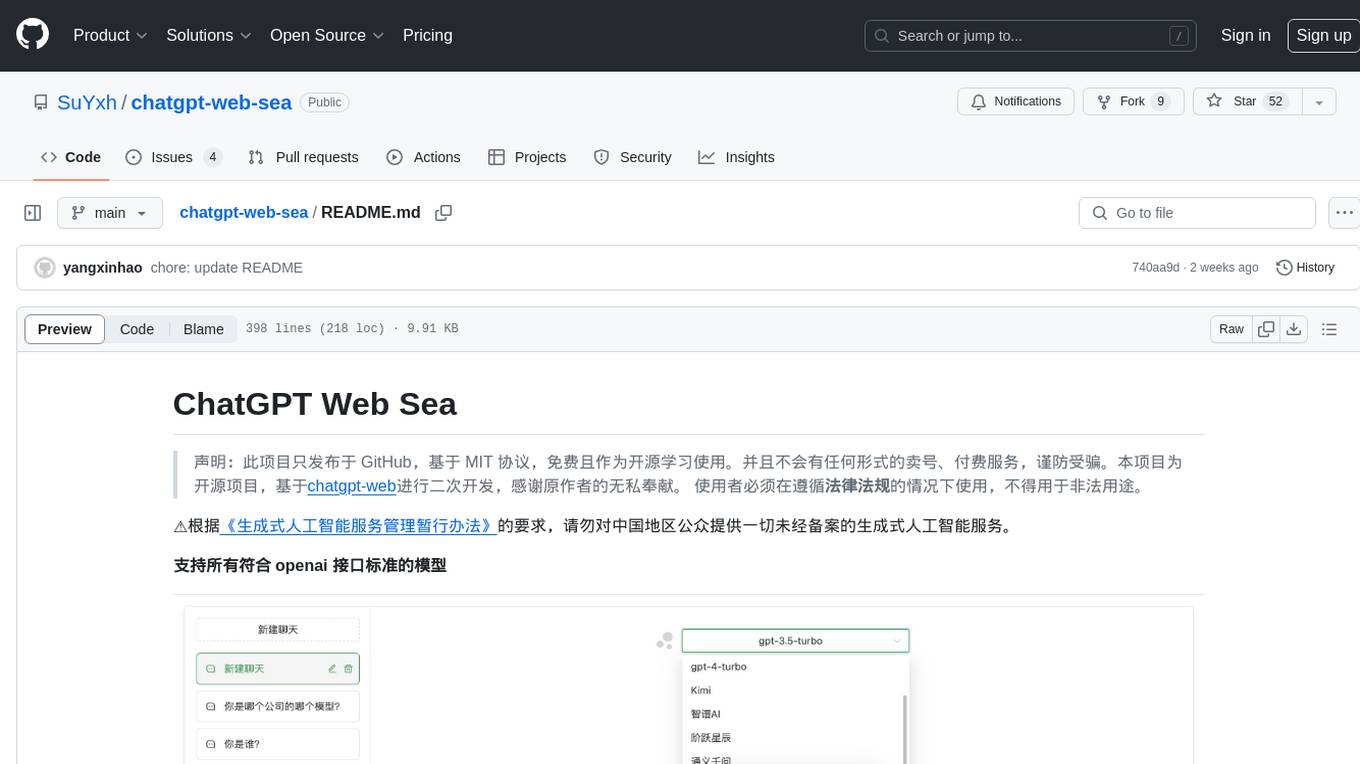
chatgpt-web-sea
ChatGPT Web Sea is an open-source project based on ChatGPT-web for secondary development. It supports all models that comply with the OpenAI interface standard, allows for model selection, configuration, and extension, and is compatible with OneAPI. The tool includes a Chinese ChatGPT tuning guide, supports file uploads, and provides model configuration options. Users can interact with the tool through a web interface, configure models, and perform tasks such as model selection, API key management, and chat interface setup. The project also offers Docker deployment options and instructions for manual packaging.
AMchat
AMchat is a large language model that integrates advanced math concepts, exercises, and solutions. The model is based on the InternLM2-Math-7B model and is specifically designed to answer advanced math problems. It provides a comprehensive dataset that combines Math and advanced math exercises and solutions. Users can download the model from ModelScope or OpenXLab, deploy it locally or using Docker, and even retrain it using XTuner for fine-tuning. The tool also supports LMDeploy for quantization, OpenCompass for evaluation, and various other features for model deployment and evaluation. The project contributors have provided detailed documentation and guides for users to utilize the tool effectively.
OpenClawChineseTranslation
OpenClaw Chinese Translation is a localization project that provides a fully Chinese interface for the OpenClaw open-source personal AI assistant platform. It allows users to interact with their AI assistant through chat applications like WhatsApp, Telegram, and Discord to manage daily tasks such as emails, calendars, and files. The project includes both CLI command-line and dashboard web interface fully translated into Chinese.
HiveChat
HiveChat is an AI chat application designed for small and medium teams. It supports various models such as DeepSeek, Open AI, Claude, and Gemini. The tool allows easy configuration by one administrator for the entire team to use different AI models. It supports features like email or Feishu login, LaTeX and Markdown rendering, DeepSeek mind map display, image understanding, AI agents, cloud data storage, and integration with multiple large model service providers. Users can engage in conversations by logging in, while administrators can configure AI service providers, manage users, and control account registration. The technology stack includes Next.js, Tailwindcss, Auth.js, PostgreSQL, Drizzle ORM, and Ant Design.
ailab
The 'ailab' project is an experimental ground for code generation combining AI (especially coding agents) and Deno. It aims to manage configuration files defining coding rules and modes in Deno projects, enhancing the quality and efficiency of code generation by AI. The project focuses on defining clear rules and modes for AI coding agents, establishing best practices in Deno projects, providing mechanisms for type-safe code generation and validation, applying test-driven development (TDD) workflow to AI coding, and offering implementation examples utilizing design patterns like adapter pattern.
langchain4j-aideepin-web
The langchain4j-aideepin-web repository is the frontend project of langchain4j-aideepin, an open-source, offline deployable retrieval enhancement generation (RAG) project based on large language models such as ChatGPT and application frameworks such as Langchain4j. It includes features like registration & login, multi-sessions (multi-roles), image generation (text-to-image, image editing, image-to-image), suggestions, quota control, knowledge base (RAG) based on large models, model switching, and search engine switching.
Senparc.AI
Senparc.AI is an AI extension package for the Senparc ecosystem, focusing on LLM (Large Language Models) interaction. It provides modules for standard interfaces and basic functionalities, as well as interfaces using SemanticKernel for plug-and-play capabilities. The package also includes a library for supporting the 'PromptRange' ecosystem, compatible with various systems and frameworks. Users can configure different AI platforms and models, define AI interface parameters, and run AI functions easily. The package offers examples and commands for dialogue, embedding, and DallE drawing operations.
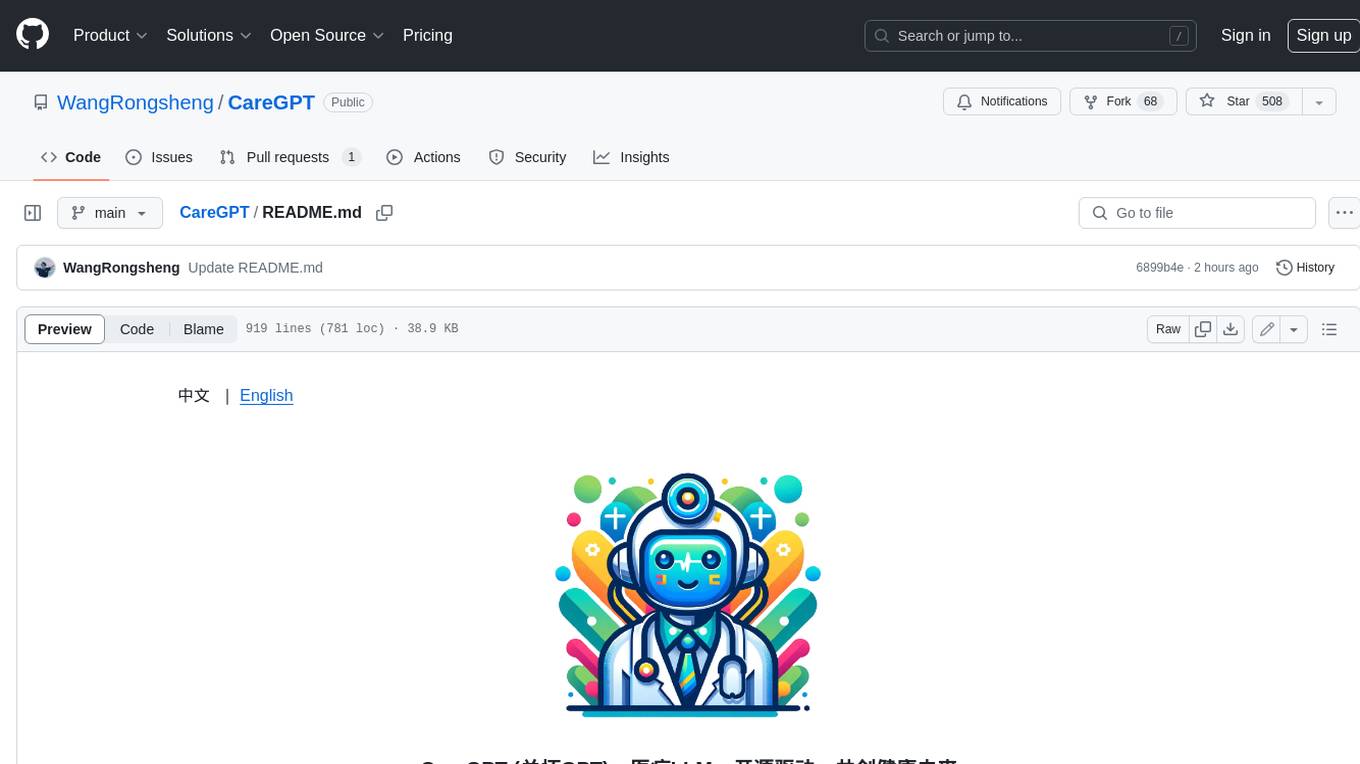
CareGPT
CareGPT is a medical large language model (LLM) that explores medical data, training, and deployment related research work. It integrates resources, open-source models, rich data, and efficient deployment methods. It supports various medical tasks, including patient diagnosis, medical dialogue, and medical knowledge integration. The model has been fine-tuned on diverse medical datasets to enhance its performance in the healthcare domain.
For similar tasks
huge-ai-search
Huge AI Search MCP Server integrates Google AI Mode search into clients like Cursor, Claude Code, and Codex, supporting continuous follow-up questions and source links. It allows AI clients to directly call 'huge-ai-search' for online searches, providing AI summary results and source links. The tool supports text and image searches, with the ability to ask follow-up questions in the same session. It requires Microsoft Edge for installation and supports various IDEs like VS Code. The tool can be used for tasks such as searching for specific information, asking detailed questions, and avoiding common pitfalls in development tasks.
opencommit
OpenCommit is a tool that auto-generates meaningful commits using AI, allowing users to quickly create commit messages for their staged changes. It provides a CLI interface for easy usage and supports customization of commit descriptions, emojis, and AI models. Users can configure local and global settings, switch between different AI providers, and set up Git hooks for integration with IDE Source Control. Additionally, OpenCommit can be used as a GitHub Action to automatically improve commit messages on push events, ensuring all commits are meaningful and not generic. Payments for OpenAI API requests are handled by the user, with the tool storing API keys locally.
For similar jobs

promptflow
**Prompt flow** is a suite of development tools designed to streamline the end-to-end development cycle of LLM-based AI applications, from ideation, prototyping, testing, evaluation to production deployment and monitoring. It makes prompt engineering much easier and enables you to build LLM apps with production quality.

deepeval
DeepEval is a simple-to-use, open-source LLM evaluation framework specialized for unit testing LLM outputs. It incorporates various metrics such as G-Eval, hallucination, answer relevancy, RAGAS, etc., and runs locally on your machine for evaluation. It provides a wide range of ready-to-use evaluation metrics, allows for creating custom metrics, integrates with any CI/CD environment, and enables benchmarking LLMs on popular benchmarks. DeepEval is designed for evaluating RAG and fine-tuning applications, helping users optimize hyperparameters, prevent prompt drifting, and transition from OpenAI to hosting their own Llama2 with confidence.

MegaDetector
MegaDetector is an AI model that identifies animals, people, and vehicles in camera trap images (which also makes it useful for eliminating blank images). This model is trained on several million images from a variety of ecosystems. MegaDetector is just one of many tools that aims to make conservation biologists more efficient with AI. If you want to learn about other ways to use AI to accelerate camera trap workflows, check out our of the field, affectionately titled "Everything I know about machine learning and camera traps".

leapfrogai
LeapfrogAI is a self-hosted AI platform designed to be deployed in air-gapped resource-constrained environments. It brings sophisticated AI solutions to these environments by hosting all the necessary components of an AI stack, including vector databases, model backends, API, and UI. LeapfrogAI's API closely matches that of OpenAI, allowing tools built for OpenAI/ChatGPT to function seamlessly with a LeapfrogAI backend. It provides several backends for various use cases, including llama-cpp-python, whisper, text-embeddings, and vllm. LeapfrogAI leverages Chainguard's apko to harden base python images, ensuring the latest supported Python versions are used by the other components of the stack. The LeapfrogAI SDK provides a standard set of protobuffs and python utilities for implementing backends and gRPC. LeapfrogAI offers UI options for common use-cases like chat, summarization, and transcription. It can be deployed and run locally via UDS and Kubernetes, built out using Zarf packages. LeapfrogAI is supported by a community of users and contributors, including Defense Unicorns, Beast Code, Chainguard, Exovera, Hypergiant, Pulze, SOSi, United States Navy, United States Air Force, and United States Space Force.

llava-docker
This Docker image for LLaVA (Large Language and Vision Assistant) provides a convenient way to run LLaVA locally or on RunPod. LLaVA is a powerful AI tool that combines natural language processing and computer vision capabilities. With this Docker image, you can easily access LLaVA's functionalities for various tasks, including image captioning, visual question answering, text summarization, and more. The image comes pre-installed with LLaVA v1.2.0, Torch 2.1.2, xformers 0.0.23.post1, and other necessary dependencies. You can customize the model used by setting the MODEL environment variable. The image also includes a Jupyter Lab environment for interactive development and exploration. Overall, this Docker image offers a comprehensive and user-friendly platform for leveraging LLaVA's capabilities.

carrot
The 'carrot' repository on GitHub provides a list of free and user-friendly ChatGPT mirror sites for easy access. The repository includes sponsored sites offering various GPT models and services. Users can find and share sites, report errors, and access stable and recommended sites for ChatGPT usage. The repository also includes a detailed list of ChatGPT sites, their features, and accessibility options, making it a valuable resource for ChatGPT users seeking free and unlimited GPT services.

TrustLLM
TrustLLM is a comprehensive study of trustworthiness in LLMs, including principles for different dimensions of trustworthiness, established benchmark, evaluation, and analysis of trustworthiness for mainstream LLMs, and discussion of open challenges and future directions. Specifically, we first propose a set of principles for trustworthy LLMs that span eight different dimensions. Based on these principles, we further establish a benchmark across six dimensions including truthfulness, safety, fairness, robustness, privacy, and machine ethics. We then present a study evaluating 16 mainstream LLMs in TrustLLM, consisting of over 30 datasets. The document explains how to use the trustllm python package to help you assess the performance of your LLM in trustworthiness more quickly. For more details about TrustLLM, please refer to project website.

AI-YinMei
AI-YinMei is an AI virtual anchor Vtuber development tool (N card version). It supports fastgpt knowledge base chat dialogue, a complete set of solutions for LLM large language models: [fastgpt] + [one-api] + [Xinference], supports docking bilibili live broadcast barrage reply and entering live broadcast welcome speech, supports Microsoft edge-tts speech synthesis, supports Bert-VITS2 speech synthesis, supports GPT-SoVITS speech synthesis, supports expression control Vtuber Studio, supports painting stable-diffusion-webui output OBS live broadcast room, supports painting picture pornography public-NSFW-y-distinguish, supports search and image search service duckduckgo (requires magic Internet access), supports image search service Baidu image search (no magic Internet access), supports AI reply chat box [html plug-in], supports AI singing Auto-Convert-Music, supports playlist [html plug-in], supports dancing function, supports expression video playback, supports head touching action, supports gift smashing action, supports singing automatic start dancing function, chat and singing automatic cycle swing action, supports multi scene switching, background music switching, day and night automatic switching scene, supports open singing and painting, let AI automatically judge the content.