


ai-elements
AI Elements is a component library and custom registry built on top of shadcn/ui to help you build AI-native applications faster.
Stars: 559
AI Elements is a component library built on top of shadcn/ui to help build AI-native applications faster. It provides pre-built, customizable React components specifically designed for AI applications, including conversations, messages, code blocks, reasoning displays, and more. The CLI makes it easy to add these components to your Next.js project.
README:
AI Elements is a component library built on top of shadcn/ui to help you build AI-native applications faster.
AI Elements provides pre-built, customizable React components specifically designed for AI applications, including conversations, messages, code blocks, reasoning displays, and more. The CLI makes it easy to add these components to your Next.js project.
You can use the AI Elements CLI directly with npx, or install it globally:
# Use directly (recommended)
npx ai-elements@latest

# Or using shadcn cli
npx shadcn@latest add https://registry.ai-sdk.dev/registry.jsonBefore using AI Elements, ensure your project meets these requirements:
- Node.js 18 or later
- Next.js project with AI SDK installed
-
shadcn/ui initialized in your project (
npx shadcn@latest init) - Tailwind CSS configured (AI Elements supports CSS Variables mode only)
Install all available AI Elements components at once:
npx ai-elements@latestThis command will:
- Set up shadcn/ui if not already configured
- Install all AI Elements components to your configured components directory
- Add necessary dependencies to your project
Install individual components using the add command:
npx ai-elements@latest add <component-name>Examples:
# Install the message component
npx ai-elements@latest add message

# Install the conversation component
npx ai-elements@latest add conversation

# Install the code-block component
npx ai-elements@latest add code-blockYou can also install components using the standard shadcn/ui CLI:
# Install all components
npx shadcn@latest add https://registry.ai-sdk.dev/registry.json

# Install a specific component
npx shadcn@latest add https://registry.ai-sdk.dev/message.jsonAI Elements includes the following components:
| Component | Description |
|---|---|
actions |
Interactive action buttons for AI responses |
artifact |
Display a code or document |
branch |
Branch visualization for conversation flows |
chain-of-thought |
Display AI reasoning and thought processes |
code-block |
Syntax-highlighted code display with copy functionality |
context |
Display Context consumption |
conversation |
Container for chat conversations |
image |
AI-generated image display component |
inline-citation |
Inline source citations |
loader |
Loading states for AI operations |
message |
Individual chat messages with avatars |
open-in-chat |
Open in chat button for a message |
prompt-input |
Advanced input component with model selection |
reasoning |
Display AI reasoning and thought processes |
response |
Formatted AI response display |
sources |
Source attribution component |
suggestion |
Quick action suggestions |
task |
Task completion tracking |
tool |
Tool usage visualization |
web-preview |
Embedded web page previews |
After installing components, you can use them in your React application:
'use client';

import { useChat } from '@ai-sdk/react';
import {
  Conversation,
  ConversationContent,
} from '@/components/ai-elements/conversation';
import {
  Message,
  MessageContent,
} from '@/components/ai-elements/message';
import { Response } from '@/components/ai-elements/response';

export default function Chat() {
  const { messages } = useChat();

  return (
    <Conversation>
      <ConversationContent>
        {messages.map((message, index) => (
          <Message key={index} from={message.role}>
            <MessageContent>
              <Response>{message.content}</Response>
            </MessageContent>
          </Message>
        ))}
      </ConversationContent>
    </Conversation>
  );
}The AI Elements CLI:
- Detects your package manager (npm, pnpm, yarn, or bun) automatically
-
Fetches component registry from
https://registry.ai-sdk.dev/registry.json - Installs components using the shadcn/ui CLI under the hood
- Adds dependencies and integrates with your existing shadcn/ui setup
Components are installed to your configured shadcn/ui components directory (typically @/components/ai-elements/) and become part of your codebase, allowing for full customization.
AI Elements uses your existing shadcn/ui configuration. Components will be installed to the directory specified in your components.json file.
For the best experience, we recommend:
-
AI Gateway: Set up Vercel AI Gateway and add
AI_GATEWAY_API_KEYto your.env.local - CSS Variables: Use shadcn/ui's CSS Variables mode for theming
- TypeScript: Enable TypeScript for better development experience
If you'd like to contribute to AI Elements, please follow these steps:
- Fork the repository
- Create a new branch
- Make your changes to the components in
packages/elements. - Open a PR to the
mainbranch.
Made with ❤️ by Vercel
For Tasks:
Click tags to check more tools for each tasksFor Jobs:
Alternative AI tools for ai-elements
Similar Open Source Tools
ai-elements
AI Elements is a component library built on top of shadcn/ui to help build AI-native applications faster. It provides pre-built, customizable React components specifically designed for AI applications, including conversations, messages, code blocks, reasoning displays, and more. The CLI makes it easy to add these components to your Next.js project.
nosia
Nosia is a self-hosted AI RAG + MCP platform that allows users to run AI models on their own data with complete privacy and control. It integrates the Model Context Protocol (MCP) to connect AI models with external tools, services, and data sources. The platform is designed to be easy to install and use, providing OpenAI-compatible APIs that work seamlessly with existing AI applications. Users can augment AI responses with their documents, perform real-time streaming, support multi-format data, enable semantic search, and achieve easy deployment with Docker Compose. Nosia also offers multi-tenancy for secure data separation.
UCAgent
UCAgent is an AI-powered automated UT verification agent for chip design. It automates chip verification workflow, supports functional and code coverage analysis, ensures consistency among documentation, code, and reports, and collaborates with mainstream Code Agents via MCP protocol. It offers three intelligent interaction modes and requires Python 3.11+, Linux/macOS OS, 4GB+ memory, and access to an AI model API. Users can clone the repository, install dependencies, configure qwen, and start verification. UCAgent supports various verification quality improvement options and basic operations through TUI shortcuts and stage color indicators. It also provides documentation build and preview using MkDocs, PDF manual build using Pandoc + XeLaTeX, and resources for further help and contribution.
uLoopMCP
uLoopMCP is a Unity integration tool designed to let AI drive your Unity project forward with minimal human intervention. It provides a 'self-hosted development loop' where an AI can compile, run tests, inspect logs, and fix issues using tools like compile, run-tests, get-logs, and clear-console. It also allows AI to operate the Unity Editor itself—creating objects, calling menu items, inspecting scenes, and refining UI layouts from screenshots via tools like execute-dynamic-code, execute-menu-item, and capture-window. The tool enables AI-driven development loops to run autonomously inside existing Unity projects.
stable-diffusion-webui
Stable Diffusion WebUI Docker Image allows users to run Automatic1111 WebUI in a docker container locally or in the cloud. The images do not bundle models or third-party configurations, requiring users to use a provisioning script for container configuration. It supports NVIDIA CUDA, AMD ROCm, and CPU platforms, with additional environment variables for customization and pre-configured templates for Vast.ai and Runpod.io. The service is password protected by default, with options for version pinning, startup flags, and service management using supervisorctl.
Unity-MCP
Unity-MCP is an AI helper designed for game developers using Unity. It facilitates a wide range of tasks in Unity Editor and running games on any platform by connecting to AI via TCP connection. The tool allows users to chat with AI like with a human, supports local and remote usage, and offers various default AI tools. Users can provide detailed information for classes, fields, properties, and methods using the 'Description' attribute in C# code. Unity-MCP enables instant C# code compilation and execution, provides access to assets and C# scripts, and offers tools for proper issue understanding and project data manipulation. It also allows users to find and call methods in the codebase, work with Unity API, and access human-readable descriptions of code elements.

LEANN
LEANN is an innovative vector database that democratizes personal AI, transforming your laptop into a powerful RAG system that can index and search through millions of documents using 97% less storage than traditional solutions without accuracy loss. It achieves this through graph-based selective recomputation and high-degree preserving pruning, computing embeddings on-demand instead of storing them all. LEANN allows semantic search of file system, emails, browser history, chat history, codebase, or external knowledge bases on your laptop with zero cloud costs and complete privacy. It is a drop-in semantic search MCP service fully compatible with Claude Code, enabling intelligent retrieval without changing your workflow.
airunner
AI Runner is a multi-modal AI interface that allows users to run open-source large language models and AI image generators on their own hardware. The tool provides features such as voice-based chatbot conversations, text-to-speech, speech-to-text, vision-to-text, text generation with large language models, image generation capabilities, image manipulation tools, utility functions, and more. It aims to provide a stable and user-friendly experience with security updates, a new UI, and a streamlined installation process. The application is designed to run offline on users' hardware without relying on a web server, offering a smooth and responsive user experience.
RepairAgent
RepairAgent is an autonomous LLM-based agent for automated program repair targeting the Defects4J benchmark. It uses an LLM-driven loop to localize, analyze, and fix Java bugs. The tool requires Docker, VS Code with Dev Containers extension, OpenAI API key, disk space of ~40 GB, and internet access. Users can get started with RepairAgent using either VS Code Dev Container or Docker Image. Running RepairAgent involves checking out the buggy project version, autonomous bug analysis, fix candidate generation, and testing against the project's test suite. Users can configure hyperparameters for budget control, repetition handling, commands limit, and external fix strategy. The tool provides output structure, experiment overview, individual analysis scripts, and data on fixed bugs from the Defects4J dataset.
k8s-operator
OpenClaw Kubernetes Operator is a platform for self-hosting AI agents on Kubernetes with production-grade security, observability, and lifecycle management. It allows users to run OpenClaw AI agents on their own infrastructure, managing inboxes, calendars, smart homes, and more through various integrations. The operator encodes network isolation, secret management, persistent storage, health monitoring, optional browser automation, and config rollouts into a single custom resource 'OpenClawInstance'. It manages a stack of Kubernetes resources ensuring security, monitoring, and self-healing. Features include declarative configuration, security hardening, built-in metrics, provider-agnostic config, config modes, skill installation, auto-update, backup/restore, workspace seeding, gateway auth, Tailscale integration, self-configuration, extensibility, cloud-native features, and more.
open-mercato
Open Mercato is a modern, AI-supportive platform designed for shipping enterprise-grade CRMs, ERPs, and commerce backends. It offers modular architecture, custom entities, multi-tenancy, RBAC, data indexing, event workflows, and more. The tool is built with a modern stack including Next.js, TypeScript, zod, Awilix DI, MikroORM, and bcryptjs. It also features an AI Assistant for schema discovery, API execution, and hybrid search. Open Mercato provides data encryption, migration guides, Docker setups, standalone app creation, and follows a spec-driven development approach. The Enterprise Edition offers additional support, SLA options, and advanced features beyond the open-source Core version.
oxylabs-mcp
The Oxylabs MCP Server acts as a bridge between AI models and the web, providing clean, structured data from any site. It enables scraping of URLs, rendering JavaScript-heavy pages, content extraction for AI use, bypassing anti-scraping measures, and accessing geo-restricted web data from 195+ countries. The implementation utilizes the Model Context Protocol (MCP) to facilitate secure interactions between AI assistants and web content. Key features include scraping content from any site, automatic data cleaning and conversion, bypassing blocks and geo-restrictions, flexible setup with cross-platform support, and built-in error handling and request management.
openclaw-android
OpenClaw on Android is a project that enables running an OpenClaw server on Android devices, providing a lightweight, low-power, and secure solution for hosting a server. The project eliminates the need for a Linux installation by patching compatibility issues directly, allowing OpenClaw to run in pure Termux. It offers a step-by-step setup guide, including enabling developer options, installing Termux, setting up OpenClaw, and accessing the dashboard from a PC. Additionally, the project includes compatibility patches for popular AI CLI tools like Claude Code, Gemini CLI, and Codex CLI, enabling users to install and run these tools on their Android devices. The project also provides an update mechanism and an uninstall script for easy removal.
evalchemy
Evalchemy is a unified and easy-to-use toolkit for evaluating language models, focusing on post-trained models. It integrates multiple existing benchmarks such as RepoBench, AlpacaEval, and ZeroEval. Key features include unified installation, parallel evaluation, simplified usage, and results management. Users can run various benchmarks with a consistent command-line interface and track results locally or integrate with a database for systematic tracking and leaderboard submission.
ragflow
RAGFlow is an open-source Retrieval-Augmented Generation (RAG) engine that combines deep document understanding with Large Language Models (LLMs) to provide accurate question-answering capabilities. It offers a streamlined RAG workflow for businesses of all sizes, enabling them to extract knowledge from unstructured data in various formats, including Word documents, slides, Excel files, images, and more. RAGFlow's key features include deep document understanding, template-based chunking, grounded citations with reduced hallucinations, compatibility with heterogeneous data sources, and an automated and effortless RAG workflow. It supports multiple recall paired with fused re-ranking, configurable LLMs and embedding models, and intuitive APIs for seamless integration with business applications.
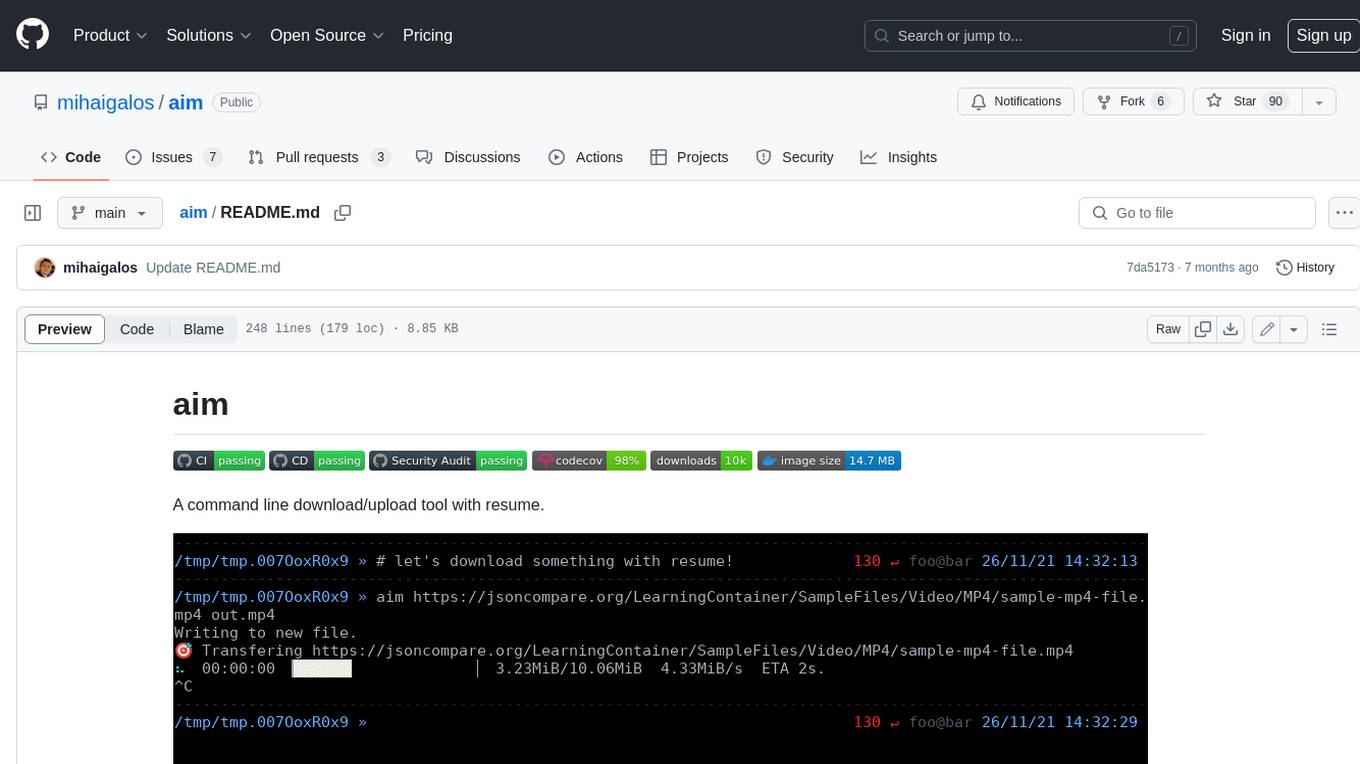
aim
Aim is a command-line tool for downloading and uploading files with resume support. It supports various protocols including HTTP, FTP, SFTP, SSH, and S3. Aim features an interactive mode for easy navigation and selection of files, as well as the ability to share folders over HTTP for easy access from other devices. Additionally, it offers customizable progress indicators and output formats, and can be integrated with other commands through piping. Aim can be installed via pre-built binaries or by compiling from source, and is also available as a Docker image for platform-independent usage.
For similar tasks
ai-elements
AI Elements is a component library built on top of shadcn/ui to help build AI-native applications faster. It provides pre-built, customizable React components specifically designed for AI applications, including conversations, messages, code blocks, reasoning displays, and more. The CLI makes it easy to add these components to your Next.js project.
For similar jobs

sweep
Sweep is an AI junior developer that turns bugs and feature requests into code changes. It automatically handles developer experience improvements like adding type hints and improving test coverage.

teams-ai
The Teams AI Library is a software development kit (SDK) that helps developers create bots that can interact with Teams and Microsoft 365 applications. It is built on top of the Bot Framework SDK and simplifies the process of developing bots that interact with Teams' artificial intelligence capabilities. The SDK is available for JavaScript/TypeScript, .NET, and Python.

ai-guide
This guide is dedicated to Large Language Models (LLMs) that you can run on your home computer. It assumes your PC is a lower-end, non-gaming setup.

classifai
Supercharge WordPress Content Workflows and Engagement with Artificial Intelligence. Tap into leading cloud-based services like OpenAI, Microsoft Azure AI, Google Gemini and IBM Watson to augment your WordPress-powered websites. Publish content faster while improving SEO performance and increasing audience engagement. ClassifAI integrates Artificial Intelligence and Machine Learning technologies to lighten your workload and eliminate tedious tasks, giving you more time to create original content that matters.

chatbot-ui
Chatbot UI is an open-source AI chat app that allows users to create and deploy their own AI chatbots. It is easy to use and can be customized to fit any need. Chatbot UI is perfect for businesses, developers, and anyone who wants to create a chatbot.

BricksLLM
BricksLLM is a cloud native AI gateway written in Go. Currently, it provides native support for OpenAI, Anthropic, Azure OpenAI and vLLM. BricksLLM aims to provide enterprise level infrastructure that can power any LLM production use cases. Here are some use cases for BricksLLM: * Set LLM usage limits for users on different pricing tiers * Track LLM usage on a per user and per organization basis * Block or redact requests containing PIIs * Improve LLM reliability with failovers, retries and caching * Distribute API keys with rate limits and cost limits for internal development/production use cases * Distribute API keys with rate limits and cost limits for students

uAgents
uAgents is a Python library developed by Fetch.ai that allows for the creation of autonomous AI agents. These agents can perform various tasks on a schedule or take action on various events. uAgents are easy to create and manage, and they are connected to a fast-growing network of other uAgents. They are also secure, with cryptographically secured messages and wallets.

griptape
Griptape is a modular Python framework for building AI-powered applications that securely connect to your enterprise data and APIs. It offers developers the ability to maintain control and flexibility at every step. Griptape's core components include Structures (Agents, Pipelines, and Workflows), Tasks, Tools, Memory (Conversation Memory, Task Memory, and Meta Memory), Drivers (Prompt and Embedding Drivers, Vector Store Drivers, Image Generation Drivers, Image Query Drivers, SQL Drivers, Web Scraper Drivers, and Conversation Memory Drivers), Engines (Query Engines, Extraction Engines, Summary Engines, Image Generation Engines, and Image Query Engines), and additional components (Rulesets, Loaders, Artifacts, Chunkers, and Tokenizers). Griptape enables developers to create AI-powered applications with ease and efficiency.