


upgini
Data search & enrichment library for Machine Learning → Easily find and add relevant features to your ML & AI pipeline from hundreds of public and premium external data sources, including open & commercial LLMs
Stars: 338

Upgini is an intelligent data search engine with a Python library that helps users find and add relevant features to their ML pipeline from various public, community, and premium external data sources. It automates the optimization of connected data sources by generating an optimal set of machine learning features using large language models, GraphNNs, and recurrent neural networks. The tool aims to simplify feature search and enrichment for external data to make it a standard approach in machine learning pipelines. It democratizes access to data sources for the data science community.
README:
Easily find and add relevant features to your ML & AI pipeline from hundreds of public, community, and premium external data sources, including open & commercial LLMs
Quick Start in Colab » |
Register / Sign In |
Slack Community |
Propose a new data source





Upgini is an intelligent data search engine with a Python library that helps you find and add relevant features to your ML pipeline from hundreds of public, community, and premium external data sources. Under the hood, Upgini automatically optimizes all connected data sources by generating an optimal set of ML features using large language models (LLMs), GNNs (graph neural networks), and recurrent neural networks (RNNs).
Motivation: for most supervised ML models external data & features boost accuracy significantly better than any hyperparameters tuning. But lack of automated and time-efficient enrichment tools for external data blocks massive adoption of external features in ML pipelines. We want to radically simplify feature search and enrichment to make external data a standard approach. Like hyperparameter tuning in machine learning today.
Mission: Democratize access to data sources for data science community.
⭐️ Automatically find only relevant features that improve your model’s accuracy. Not just correlated with the target variable, which in 9 out of 10 cases yields zero accuracy improvement
⭐️ Automated feature generation from the sources: feature generation with LLM‑based data augmentation, RNNs, and GraphNNs; ensembling across multiple data sources
⭐️ Automatic search key augmentation from all connected sources. If you do not have all search keys in your search request, such as postal/ZIP code, Upgini will try to add those keys based on the provided set of search keys. This will broaden the search across all available data sources
⭐️ Calculate accuracy metrics and uplift after enriching an existing ML model with external features
⭐️ Check the stability of accuracy gain from external data on out-of-time intervals and verification datasets. Mitigate the risks of unstable external data dependencies in the ML pipeline
⭐️ Easy to use - a single request to enrich the training dataset with all of the keys at once:
| date / datetime | phone number |
| postal / ZIP code | hashed email / HEM |
| country | IP-address |
⭐️ Scikit-learn-compatible interface for quick data integration with existing ML pipelines
⭐️ Support for most common supervised ML tasks on tabular data:
| ☑️ binary classification | ☑️ multiclass classification |
| ☑️ regression | ☑️ time-series prediction |
⭐️ Simple Drag & Drop Search UI:
- Public data: public sector, academic institutions, other sources through open data portals. Curated and updated by the Upgini team
- Community‑shared data: royalty- or license-free datasets or features from the data science community (our users). This includes both public and scraped data
- Premium data providers: commercial data sources verified by the Upgini team in real-world use cases
👉 Details on datasets and features
| Data sources | Countries | History (years) | # sources for ensembling | Update frequency | Search keys | API Key required |
|---|---|---|---|---|---|---|
| Historical weather & Climate normals | 68 | 22 | - | Monthly | date, country, postal/ZIP code | No |
| Location/Places/POI/Area/Proximity information from OpenStreetMap | 221 | 2 | - | Monthly | date, country, postal/ZIP code | No |
| International holidays & events, Workweek calendar | 232 | 22 | - | Monthly | date, country | No |
| Consumer Confidence index | 44 | 22 | - | Monthly | date, country | No |
| World economic indicators | 191 | 41 | - | Monthly | date, country | No |
| Markets data | - | 17 | - | Monthly | date, datetime | No |
| World mobile & fixed-broadband network coverage and performance | 167 | - | 3 | Monthly | country, postal/ZIP code | No |
| World demographic data | 90 | - | 2 | Annual | country, postal/ZIP code | No |
| World house prices | 44 | - | 3 | Annual | country, postal/ZIP code | No |
| Public social media profile data | 104 | - | - | Monthly | date, email/HEM, phone | Yes |
| Car ownership data and Parking statistics | 3 | - | - | Annual | country, postal/ZIP code, email/HEM, phone | Yes |
| Geolocation profile for phone & IPv4 & email | 239 | - | 6 | Monthly | date, email/HEM, phone, IPv4 | Yes |
| 🔜 Email/WWW domain profile | - | - | - | - |
❓Know other useful data sources for machine learning? Give us a hint and we'll add it for free.
Search of relevant external features & Automated feature generation for Salary prediction task (use as a template)
- The goal is to predict salary for a data science job posting based on information about the employer and job description.
- Following this guide, you'll learn how to search and auto‑generate new relevant features with the Upgini library
- The evaluation metric is Mean Absolute Error (MAE).
Run Feature search & generation notebook inside your browser:

- The goal is to predict future sales of different goods in stores based on a 5-year history of sales.
- Kaggle Competition Store Item Demand Forecasting Challenge is a product sales forecasting competition. The evaluation metric is SMAPE.
Run Simple sales prediction for retail stores inside your browser:
- The goal is to improve a Top‑1 winning Kaggle solution by adding new relevant external features and data.
- Kaggle Competition is a product sales forecasting competition; the evaluation metric is SMAPE.
- Save time on feature search and engineering. Use ready-to-use external features and data sources to maximize overall AutoML accuracy, right out of the box.
- Kaggle Competition is a product sales forecasting, evaluation metric is SMAPE.
- Low-code AutoML frameworks: Upgini and PyCaret
- The goal is to improve the accuracy of multivariate time‑series forecasting using new relevant external features and data. The main challenge is the data and feature enrichment strategy, in which a component of a multivariate time series depends not only on its past values but also on other components.
- Kaggle Competition is a product sales forecasting, evaluation metric is RMSLE.
- Save time on external data wrangling and feature calculation code for hypothesis tests. The key challenge is the time‑dependent representation of information in the training dataset, which is uncommon for credit default prediction tasks. As a result, special data enrichment strategy is used.
- Kaggle Competition is a credit default prediction, evaluation metric is normalized Gini coefficient.
%pip install upgini🐳 Docker-way
Clone $ git clone https://github.com/upgini/upgini or download upgini git repo locally and follow steps below to build docker container 👇 1. Build docker image from cloned git repo: cd upgini docker build -t upgini . ...or directly from GitHub: DOCKER_BUILDKIT=0 docker build -t upgini [email protected]:upgini/upgini.git#main 2. Run docker image: docker run -p 8888:8888 upgini 3. Open http://localhost:8888?token=<your_token_from_console_output> in your browserYou can use your labeled training datasets "as is" to initiate the search. Under the hood, we'll search for relevant data using:
- search keys from the training dataset to match records from potential data sources with new features
- labels from the training dataset to estimate the relevance of features or datasets for your ML task and calculate feature importance metrics
- your features from the training dataset to find external datasets and features that improve accuracy of your existing data and estimate accuracy uplift (optional)
Load the training dataset into a Pandas DataFrame and separate feature columns from the label column in a Scikit-learn way:
import pandas as pd
# labeled training dataset - customer_churn_prediction_train.csv
train_df = pd.read_csv("customer_churn_prediction_train.csv")
X = train_df.drop(columns="churn_flag")
y = train_df["churn_flag"]|
We perform dataset verification and cleaning under the hood, but still there are some requirements to follow: 1. pandas.DataFrame, pandas.Series or numpy.ndarray representation; 2. correct label column types: boolean/integers/strings for binary and multiclass labels, floats for regression; 3. at least one column selected as a search key; 4. min size after deduplication by search-key columns and removal of NaNs: 100 records |
Search keys columns will be used to match records from all potential external data sources/features.
Define one or more columns as search keys when initializing the FeaturesEnricher class.
from upgini.features_enricher import FeaturesEnricher
from upgini.metadata import SearchKey

enricher = FeaturesEnricher(
	search_keys={
		"subscription_activation_date": SearchKey.DATE,
		"country": SearchKey.COUNTRY,
		"zip_code": SearchKey.POSTAL_CODE,
		"hashed_email": SearchKey.HEM,
		"last_visit_ip_address": SearchKey.IP,
		"registered_with_phone": SearchKey.PHONE
})| Search Key Meaning Type |
Description | Allowed pandas dtypes (Python types) | Example |
|---|---|---|---|
| SearchKey.EMAIL | object(str) string |
[email protected] | |
| SearchKey.HEM | sha256(lowercase(email)) | object(str) string |
0e2dfefcddc929933dcec9a5c7db7b172482814e63c80b8460b36a791384e955 |
| SearchKey.IP | IPv4 or IPv6 address | object(str, ipaddress.IPv4Address, ipaddress.IPv6Address) string int64 |
192.168.0.1 |
| SearchKey.PHONE | phone number (E.164 standard) | object(str) string int64 float64 |
443451925138 |
| SearchKey.DATE | date |
object(str) string datetime64[ns] period[D] |
2020-02-12 (ISO-8601 standard)
12.02.2020 (non‑standard notation) |
| SearchKey.DATETIME | datetime |
object(str) string datetime64[ns] period[D] |
2020-02-12 12:46:18 12:46:18 12.02.2020 |
| SearchKey.COUNTRY | Country ISO-3166 code, Country name | object(str) string |
GB US IN |
| SearchKey.POSTAL_CODE | Postal code a.k.a. ZIP code. Can only be used with SearchKey.COUNTRY | object(str) string |
21174 061107 SE-999-99 |
For the search key types SearchKey.DATE/SearchKey.DATETIME with dtypes object or string you have to specify the date/datetime format by passing date_format parameter to FeaturesEnricher. For example:
from upgini.features_enricher import FeaturesEnricher
from upgini.metadata import SearchKey

enricher = FeaturesEnricher(
	search_keys={
		"subscription_activation_date": SearchKey.DATE,
		"country": SearchKey.COUNTRY,
		"zip_code": SearchKey.POSTAL_CODE,
		"hashed_email": SearchKey.HEM,
		"last_visit_ip_address": SearchKey.IP,
		"registered_with_phone": SearchKey.PHONE
	},
	date_format = "%Y-%d-%m"
)
To use a non-UTC timezone for datetime, you can cast datetime column explicitly to your timezone (example for Warsaw):
df["date"] = df.date.astype("datetime64").dt.tz_localize("Europe/Warsaw")A single country for the whole training dataset can be passed via country_code parameter:
from upgini.features_enricher import FeaturesEnricher
from upgini.metadata import SearchKey

enricher = FeaturesEnricher(
	search_keys={
		"subscription_activation_date": SearchKey.DATE,
		"zip_code": SearchKey.POSTAL_CODE,
	},
	country_code = "US",
	date_format = "%Y-%d-%m"
)The main abstraction you interact with is FeaturesEnricher, a Scikit-learn-compatible estimator. You can easily add it to your existing ML pipelines.
Create an instance of the FeaturesEnricher class and call:
-
fitto search relevant datasets & features - then
transformto enrich your dataset with features from the search result
Let's try it out!
import pandas as pd
from upgini.features_enricher import FeaturesEnricher
from upgini.metadata import SearchKey

# load labeled training dataset to initiate search
train_df = pd.read_csv("customer_churn_prediction_train.csv")
X = train_df.drop(columns="churn_flag")
y = train_df["churn_flag"]

# now we're going to create an instance of the `FeaturesEnricher` class
enricher = FeaturesEnricher(
	search_keys={
		"subscription_activation_date": SearchKey.DATE,
		"country": SearchKey.COUNTRY,
		"zip_code": SearchKey.POSTAL_CODE
	})

# Everything is ready to fit! For 100k records, fitting should take around 10 minutes
# We'll send an email notification; just register on profile.upgini.com
enricher.fit(X, y)
That's it! The FeaturesEnricher is now fitted.
FeaturesEnricher class has two properties for feature importances, that are populated after fit - feature_names_ and feature_importances_:
-
feature_names_- feature names from the search result, and if parameterkeep_input=Truewas used, initial columns from search dataset as well -
feature_importances_- SHAP values for features from the search result, same order as infeature_names_
Method get_features_info() returns pandas dataframe with features and full statistics after fit, including SHAP values and match rates:
enricher.get_features_info()Get more details about FeaturesEnricher at runtime using docstrings via help(FeaturesEnricher) or help(FeaturesEnricher.fit).
FeaturesEnricher is a Scikit-learn-compatible estimator, so any pandas dataframe can be enriched with external features from a search result (after fit).
Use the transform method of FeaturesEnricher, and let the magic do the rest 🪄
# load dataset for enrichment
test_x = pd.read_csv("test.csv")
# enrich it!
enriched_test_features = enricher.transform(test_x)FeaturesEnricher can be initialized with search_id from a completed search (after a fit call).
Just use enricher.get_search_id() or copy search id string from the fit() output.
Search keys and features in X must be the same as for fit()
enricher = FeaturesEnricher(
  # same set of search keys as for the fit step
  search_keys={"date": SearchKey.DATE},
  api_key="<YOUR API_KEY>",  # if you fitted the enricher with an api_key, then you should use it here
  search_id = "abcdef00-0000-0000-0000-999999999999"
)
enriched_prod_dataframe = enricher.transform(input_dataframe)In most ML cases, the training step requires a labeled dataset with historical observations. For production, you'll need updated, current data sources and features to generate predictions.
FeaturesEnricher, when initialized with a set of search keys that includes SearchKey.DATE, will match records from all potential external data sources exactly on the specified date/datetime based on SearchKey.DATE, to avoid enrichment with features "from the future" during the fit step.
And then, for transform in a production ML pipeline, you'll get enrichment with relevant features, current as of the present date.
SearchKey.DATE in the set of search keys to get current features for production and avoid features from the future during training:
enricher = FeaturesEnricher(
	search_keys={
		"subscription_activation_date": SearchKey.DATE,
		"country": SearchKey.COUNTRY,
		"zip_code": SearchKey.POSTAL_CODE,
	},
) We validate and clean the search‑initialization dataset under the hood:
- check your search keys columns' formats;
- check zero variance for label column;
- check dataset for full row duplicates. If we find any, we remove them and report their share;
- check inconsistent labels - rows with the same features and keys but different labels, we remove them and report their share;
- remove columns with zero variance - we treat any non search key column in the search dataset as a feature, so columns with zero variance will be removed
We detect ML task under the hood based on label column values. Currently we support:
- ModelTaskType.BINARY
- ModelTaskType.MULTICLASS
- ModelTaskType.REGRESSION
But for certain search datasets you can pass parameter to FeaturesEnricher with correct ML task type:
from upgini.features_enricher import FeaturesEnricher
from upgini.metadata import SearchKey, ModelTaskType

enricher = FeaturesEnricher(
	search_keys={"subscription_activation_date": SearchKey.DATE},
	model_task_type=ModelTaskType.REGRESSION
)Time-series prediction is supported as ModelTaskType.REGRESSION or ModelTaskType.BINARY tasks with time-series‑specific cross-validation splits:
-
Scikit-learn time-series cross-validation -
CVType.time_seriesparameter -
Blocked time-series cross-validation -
CVType.blocked_time_seriesparameter
To initiate feature search, you can pass the cross-validation type parameter to FeaturesEnricher with a time-series‑specific CV type:
from upgini.features_enricher import FeaturesEnricher
from upgini.metadata import SearchKey, CVType

enricher = FeaturesEnricher(
	search_keys={"sales_date": SearchKey.DATE},
	cv=CVType.time_series
)
If you're working with multivariate time series, you should specify id columns of individual univariate series in FeaturesEnricher. For example, if you have a dataset predicting sales for different stores and products, you should specify store and product id columns as follows:
enricher = FeaturesEnricher(
		search_keys={
				"sales_date": SearchKey.DATE,
    },
    id_columns=["store_id", "product_id"],
    cv=CVType.time_series
)
sort rows in dataset according to observation order, in most cases - ascending order by date/datetime.
FeaturesEnricher automatically calculates model metrics and uplift from new relevant features either using calculate_metrics() method or calculate_metrics=True parameter in fit or fit_transform methods (example below).
You can use any model estimator with scikit-learn-compatible interface, some examples are:
👈 Evaluation metric should be passed to calculate_metrics() by the scoring parameter,
out-of-the-box Upgini supports
| Metric | Description |
|---|---|
| explained_variance | Explained variance regression score function |
| r2 | R2 (coefficient of determination) regression score function |
| max_error | Calculates the maximum residual error (negative - greater is better) |
| median_absolute_error | Median absolute error regression loss |
| mean_absolute_error | Mean absolute error regression loss |
| mean_absolute_percentage_error | Mean absolute percentage error regression loss |
| mean_squared_error | Mean squared error regression loss |
| mean_squared_log_error (or aliases: msle, MSLE) | Mean squared logarithmic error regression loss |
| root_mean_squared_log_error (or aliases: rmsle, RMSLE) | Root mean squared logarithmic error regression loss |
| root_mean_squared_error | Root mean squared error regression loss |
| mean_poisson_deviance | Mean Poisson deviance regression loss |
| mean_gamma_deviance | Mean Gamma deviance regression loss |
| accuracy | Accuracy classification score |
| top_k_accuracy | Top-k Accuracy classification score |
| roc_auc | Area Under the Receiver Operating Characteristic Curve (ROC AUC) from prediction scores |
| roc_auc_ovr | Area Under the Receiver Operating Characteristic Curve (ROC AUC) from prediction scores (multi_class="ovr") |
| roc_auc_ovo | Area Under the Receiver Operating Characteristic Curve (ROC AUC) from prediction scores (multi_class="ovo") |
| roc_auc_ovr_weighted | Area Under the Receiver Operating Characteristic Curve (ROC AUC) from prediction scores (multi_class="ovr", average="weighted") |
| roc_auc_ovo_weighted | Area Under the Receiver Operating Characteristic Curve (ROC AUC) from prediction scores (multi_class="ovo", average="weighted") |
| balanced_accuracy | Compute the balanced accuracy |
| average_precision | Compute average precision (AP) from prediction scores |
| log_loss | Log loss, aka logistic loss or cross-entropy loss |
| brier_score | Compute the Brier score loss |
In addition to that list, you can define a custom evaluation metric function using scikit-learn make_scorer, for example SMAPE.
By default, the calculate_metrics() method calculates the evaluation metric with the same cross-validation split as selected for FeaturesEnricher.fit() by the parameter cv = CVType.<cross-validation-split>.
But you can easily define a new split by passing a subclass of BaseCrossValidator to the cv parameter in calculate_metrics().
Example with more tips-and-tricks:
from upgini.features_enricher import FeaturesEnricher
from upgini.metadata import SearchKey

enricher = FeaturesEnricher(search_keys={"registration_date": SearchKey.DATE})

# Fit with default setup for metrics calculation
# CatBoost will be used
enricher.fit(X, y, eval_set=eval_set, calculate_metrics=True)

# LightGBM estimator for metrics
custom_estimator = LGBMRegressor()
enricher.calculate_metrics(estimator=custom_estimator)

# Custom metric function to scoring param (callable or name)
custom_scoring = "RMSLE"
enricher.calculate_metrics(scoring=custom_scoring)

# Custom cross validator
custom_cv = TimeSeriesSplit(n_splits=5)
enricher.calculate_metrics(cv=custom_cv)

# All of these custom parameters can be combined in both methods: fit, fit_transform and calculate_metrics:
enricher.fit(X, y, eval_set, calculate_metrics=True, estimator=custom_estimator, scoring=custom_scoring, cv=custom_cv)If a training dataset has a text column, you can generate additional embeddings from it using instruction‑guided embedding generation with LLMs and data augmentation from external sources, just like Upgini does for all records from connected data sources.
In most cases, this gives better results than direct embeddings generation from a text field. Currently, Upgini has two LLMs connected to the search engine - GPT-3.5 from OpenAI and GPT-J.
To use this feature, pass the column names as arguments to the generate_features parameter. You can use up to 2 columns.
Here's an example for generating features from the "description" and "summary" columns:
enricher = FeaturesEnricher(
    search_keys={"date": SearchKey.DATE},
    generate_features=["description", "summary"]
)
With this code, Upgini will generate LLM embeddings from text columns and then check them for predictive power for your ML task.
Finally, Upgini will return a dataset enriched with only the relevant components of LLM embeddings.
If you already have features or other external data sources, you can specifically search for new datasets and features that only provide accuracy gains "on top" of them.
Just leave all these existing features in the labeled training dataset and the Upgini library automatically uses them during the feature search process and as a baseline ML model to calculate accuracy metric uplift. Only features that improve accuracy will be returned.
You can validate the robustness of external features on an out-of-time dataset using the eval_set parameter:
# load train dataset
train_df = pd.read_csv("train.csv")
train_ids_and_features = train_df.drop(columns="label")
train_label = train_df["label"]

# load out-of-time validation dataset
eval_df = pd.read_csv("validation.csv")
eval_ids_and_features = eval_df.drop(columns="label")
eval_label = eval_df["label"]
# create FeaturesEnricher
enricher = FeaturesEnricher(search_keys={"registration_date": SearchKey.DATE})

# now we fit WITH eval_set parameter to calculate accuracy metrics on Out-of-time dataset.
# the output will contain quality metrics for both the training data set and
# the eval set (validation OOT data set)
enricher.fit(
  train_ids_and_features,
  train_label,
  eval_set = [(eval_ids_and_features, eval_label)]
)- Same data schema as for search initialization X dataset
- Pandas dataframe representation
The out-of-time dataset can be without labels. There are 3 options to pass out-of-time without labels:
enricher.fit(
  train_ids_and_features,
  train_label,
  eval_set = [
    (eval_ids_and_features_1,),  # A tuple with 1 element
    (eval_ids_and_features_2, None),  # None as labels
    (eval_ids_and_features_3, [np.nan] * len(eval_ids_and_features_3)),  # List or Series of the same size as eval X
  ]
)FeaturesEnricher supports Population Stability Index (PSI) calculation on eval_set to evaluate feature stability over time. You can control this behavior using stability parameters in fit and fit_transform methods:
enricher = FeaturesEnricher(
    search_keys={"registration_date": SearchKey.DATE}
)

# Control feature stability during fit
enricher.fit(
    X, y,
    stability_threshold=0.2,  # PSI threshold: features with PSI above this value will be dropped
    stability_agg_func="max"  # Aggregation function for stability values: "max", "min", "mean"
)

# Same parameters work for fit_transform
enriched_df = enricher.fit_transform(
    X, y,
    stability_threshold=0.1,   # Stricter threshold for more stable features
    stability_agg_func="mean"  # Use mean aggregation instead of max
)
Stability parameters:
-
stability_threshold(float, default=0.2): PSI threshold value. Features with PSI above this threshold will be excluded from the final feature set. Lower values mean stricter stability requirements. -
stability_agg_func(str, default="max"): Function to aggregate PSI values across time intervals. Options: "max" (most conservative), "min" (least conservative), "mean" (balanced approach).
PSI (Population Stability Index) measures how much feature distribution changes over time. Lower PSI values indicate more stable features, which are generally more reliable for production ML models. PSI is calculated on the eval_set, which should contain the most recent dates relative to the training dataset.
FeaturesEnricher can be initialized with additional string parameter loss.
Depending on the ML task, you can use the following loss functions:
-
regression: regression, regression_l1, huber, poisson, quantile, mape, gamma, tweedie; -
binary: binary; -
multiclass: multiclass, multiclassova.
For instance, if your target variable has a Poisson distribution (count of events, number of customers in the shop and so on), you should try to use loss="poisson" to improve quality of feature selection and get better evaluation metrics.
Usage example:
enricher = FeaturesEnricher(
	search_keys={"date": SearchKey.DATE},
	loss="poisson",
    	model_task_type=ModelTaskType.REGRESSION
)
enriched_dataframe.fit(X, y)fit, fit_transform, transform and calculate_metrics methods of FeaturesEnricher can be used with the exclude_features_sources parameter to exclude Trial or Paid features from Premium data sources:
enricher = FeaturesEnricher(
  search_keys={"subscription_activation_date": SearchKey.DATE}
)
enricher.fit(X, y, calculate_metrics=False)
trial_features = enricher.get_features_info()[enricher.get_features_info()["Feature type"] == "Trial"]["Feature name"].values.tolist()
paid_features = enricher.get_features_info()[enricher.get_features_info()["Feature type"] == "Paid"]["Feature name"].values.tolist()
enricher.calculate_metrics(exclude_features_sources=(trial_features + paid_features))
enricher.transform(X, exclude_features_sources=(trial_features + paid_features))Upgini has autodetection of search keys enabled by default.
To turn off use autodetect_search_keys=False:
enricher = FeaturesEnricher(
   search_keys={"date": SearchKey.DATE},
   autodetect_search_keys=False,
)

enricher.fit(X, y)Upgini detects rows with target outliers for regression tasks. By default such rows are dropped during metrics calculation. To turn off the removal of target‑outlier rows, use the remove_outliers_calc_metrics=False parameter in the fit, fit_transform, or calculate_metrics methods:
enricher = FeaturesEnricher(
   search_keys={"date": SearchKey.DATE},
)

enricher.fit(X, y, remove_outliers_calc_metrics=False)Upgini attempts to generate features for email, date and datetime search keys. By default this generation is enabled. To disable it use the generate_search_key_features parameter of the FeaturesEnricher constructor:
enricher = FeaturesEnricher(
  search_keys={"date": SearchKey.DATE},
  generate_search_key_features=False,
)Register and get a free API key for exclusive data sources and features: 600M+ phone numbers, 350M+ emails, 2^32 IP addresses
| Benefit | No Sign-up | Registered user |
|---|---|---|
| Enrichment with date/datetime, postal/ZIP code and country keys | Yes | Yes |
| Enrichment with phone number, hashed email/HEM and IP address keys | No | Yes |
| Email notification on search task completion | No | Yes |
| Automated feature generation with LLMs from columns in a search dataset | Yes, till 12/05/23 | Yes |
| Email notification on new data source activation 🔜 | No | Yes |
You may publish ANY data which you consider as royalty‑ or license‑free (Open Data) and potentially valuable for ML applications for community usage:
- Please Sign Up here
- Copy Upgini API key from your profile and upload your data from the Upgini Python library with this key:
import pandas as pd
from upgini.metadata import SearchKey
from upgini.ads import upload_user_ads
import os
os.environ["UPGINI_API_KEY"] = "your_long_string_api_key_goes_here"
#you can define a custom search key that might not yet be supported; just use SearchKey.CUSTOM_KEY type
sample_df = pd.read_csv("path_to_data_sample_file")
upload_user_ads("test", sample_df, {
    "city": SearchKey.CUSTOM_KEY,
    "stats_date": SearchKey.DATE
})- After data verification, search results on community data will be available in the usual way.
Please note that we are still in beta.
Requests and support, in preferred order


❗Please try to create bug reports that are:
- reproducible - include steps to reproduce the problem.
- specific - include as much detail as possible: which Python version, what environment, etc.
- unique - do not duplicate existing opened issues.
- scoped to a Single Bug - one bug per report.
We are not a large team, so we probably won't be able to:
- implement smooth integration with the most common low-code ML libraries and platforms (PyCaret, H2O AutoML, etc.)
- implement all possible data verification and normalization capabilities for different types of search keys And we need some help from the community!
So, we'll be happy about every pull request you open and every issue you report to make this library even better. Please note that it might sometimes take us a while to get back to you. For major changes, please open an issue first to discuss what you would like to change.
Some convenient ways to start contributing are:
⚙️ Open in Visual Studio Code You can remotely open this repo in VS Code without cloning or automatically clone and open it inside a docker container.
⚙️ Gitpod 
- Simple sales prediction template notebook
- Full list of Kaggle Guides & Examples
- Project on PyPI
- More perks for registered users
😔 Found typo or a bug in code snippet? Our bad! Please report it here
For Tasks:
Click tags to check more tools for each tasksFor Jobs:
Alternative AI tools for upgini
Similar Open Source Tools
upgini
Upgini is an intelligent data search engine with a Python library that helps users find and add relevant features to their ML pipeline from various public, community, and premium external data sources. It automates the optimization of connected data sources by generating an optimal set of machine learning features using large language models, GraphNNs, and recurrent neural networks. The tool aims to simplify feature search and enrichment for external data to make it a standard approach in machine learning pipelines. It democratizes access to data sources for the data science community.
NadirClaw
NadirClaw is a powerful open-source tool designed for web scraping and data extraction. It provides a user-friendly interface for extracting data from websites with ease. With NadirClaw, users can easily scrape text, images, and other content from web pages for various purposes such as data analysis, research, and automation. The tool offers flexibility and customization options to cater to different scraping needs, making it a versatile solution for extracting data from the web. Whether you are a data scientist, researcher, or developer, NadirClaw can streamline your data extraction process and help you gather valuable insights from online sources.
data-juicer
Data-Juicer is a one-stop data processing system to make data higher-quality, juicier, and more digestible for LLMs. It is a systematic & reusable library of 80+ core OPs, 20+ reusable config recipes, and 20+ feature-rich dedicated toolkits, designed to function independently of specific LLM datasets and processing pipelines. Data-Juicer allows detailed data analyses with an automated report generation feature for a deeper understanding of your dataset. Coupled with multi-dimension automatic evaluation capabilities, it supports a timely feedback loop at multiple stages in the LLM development process. Data-Juicer offers tens of pre-built data processing recipes for pre-training, fine-tuning, en, zh, and more scenarios. It provides a speedy data processing pipeline requiring less memory and CPU usage, optimized for maximum productivity. Data-Juicer is flexible & extensible, accommodating most types of data formats and allowing flexible combinations of OPs. It is designed for simplicity, with comprehensive documentation, easy start guides and demo configs, and intuitive configuration with simple adding/removing OPs from existing configs.
datatune
Datatune is a data analysis tool designed to help users explore and analyze datasets efficiently. It provides a user-friendly interface for importing, cleaning, visualizing, and modeling data. With Datatune, users can easily perform tasks such as data preprocessing, feature engineering, model selection, and evaluation. The tool offers a variety of statistical and machine learning algorithms to support data analysis tasks. Whether you are a data scientist, analyst, or researcher, Datatune can streamline your data analysis workflow and help you derive valuable insights from your data.
lemonai
LemonAI is a versatile machine learning library designed to simplify the process of building and deploying AI models. It provides a wide range of tools and algorithms for data preprocessing, model training, and evaluation. With LemonAI, users can easily experiment with different machine learning techniques and optimize their models for various tasks. The library is well-documented and beginner-friendly, making it suitable for both novice and experienced data scientists. LemonAI aims to streamline the development of AI applications and empower users to create innovative solutions using state-of-the-art machine learning methods.
Automodel
Automodel is a Python library for automating the process of building and evaluating machine learning models. It provides a set of tools and utilities to streamline the model development workflow, from data preprocessing to model selection and evaluation. With Automodel, users can easily experiment with different algorithms, hyperparameters, and feature engineering techniques to find the best model for their dataset. The library is designed to be user-friendly and customizable, allowing users to define their own pipelines and workflows. Automodel is suitable for data scientists, machine learning engineers, and anyone looking to quickly build and test machine learning models without the need for manual intervention.
arconia
Arconia is a powerful open-source tool for managing and visualizing data in a user-friendly way. It provides a seamless experience for data analysts and scientists to explore, clean, and analyze datasets efficiently. With its intuitive interface and robust features, Arconia simplifies the process of data manipulation and visualization, making it an essential tool for anyone working with data.
AI_Spectrum
AI_Spectrum is a versatile machine learning library that provides a wide range of tools and algorithms for building and deploying AI models. It offers a user-friendly interface for data preprocessing, model training, and evaluation. With AI_Spectrum, users can easily experiment with different machine learning techniques and optimize their models for various tasks. The library is designed to be flexible and scalable, making it suitable for both beginners and experienced data scientists.
ROGRAG
ROGRAG is a powerful open-source tool designed for data analysis and visualization. It provides a user-friendly interface for exploring and manipulating datasets, making it ideal for researchers, data scientists, and analysts. With ROGRAG, users can easily import, clean, analyze, and visualize data to gain valuable insights and make informed decisions. The tool supports a wide range of data formats and offers a variety of statistical and visualization tools to help users uncover patterns, trends, and relationships in their data. Whether you are working on exploratory data analysis, statistical modeling, or data visualization, ROGRAG is a versatile tool that can streamline your workflow and enhance your data analysis capabilities.
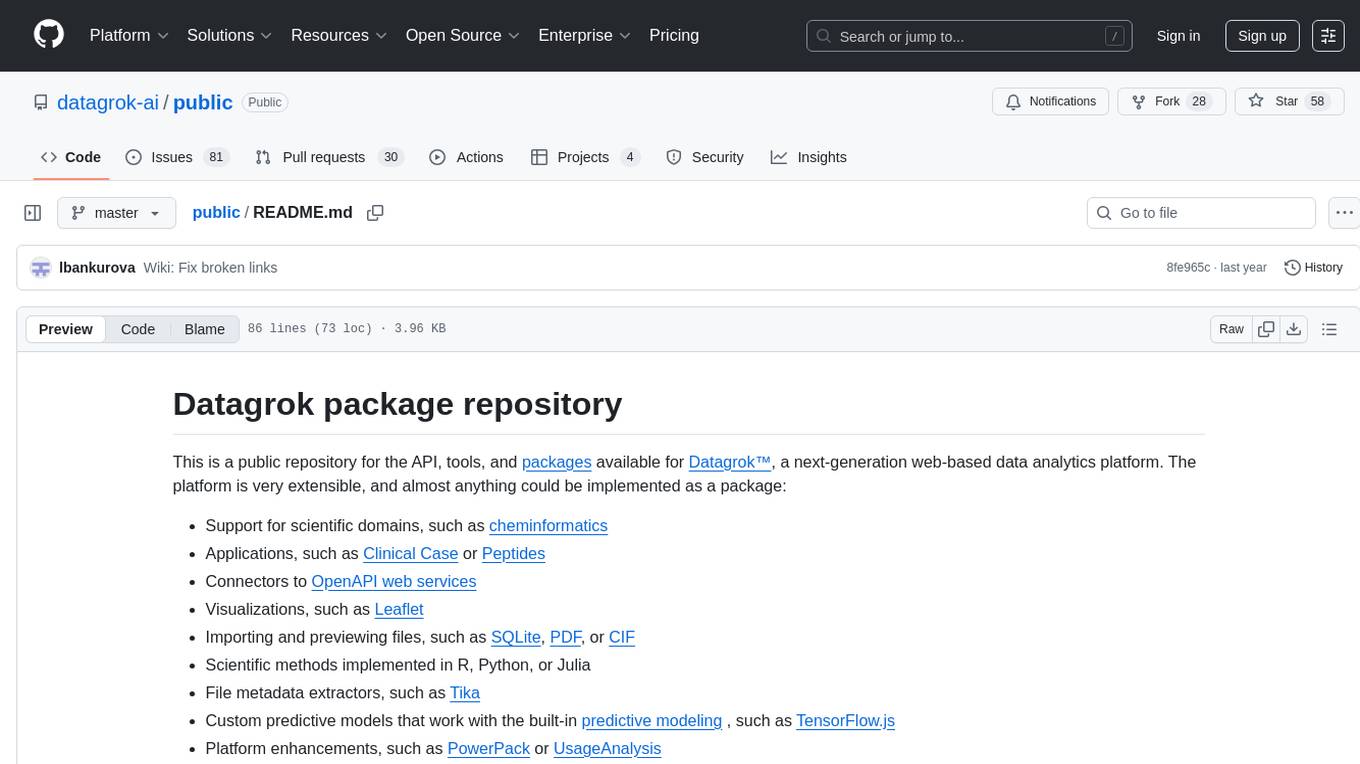
public
This public repository contains API, tools, and packages for Datagrok, a web-based data analytics platform. It offers support for scientific domains, applications, connectors to web services, visualizations, file importing, scientific methods in R, Python, or Julia, file metadata extractors, custom predictive models, platform enhancements, and more. The open-source packages are free to use, with restrictions on server computational capacities for the public environment. Academic institutions can use Datagrok for research and education, benefiting from reproducible and scalable computations and data augmentation capabilities. Developers can contribute by creating visualizations, scientific methods, file editors, connectors to web services, and more.
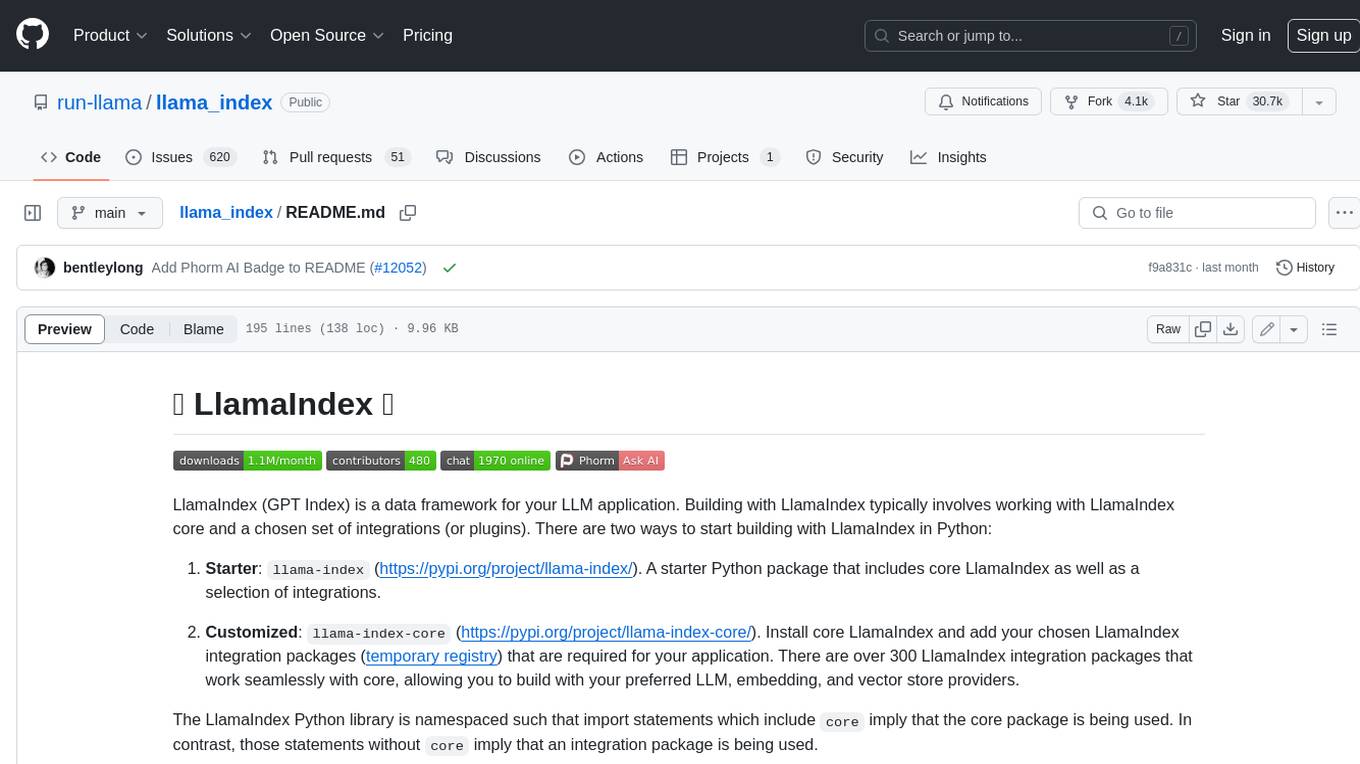
llama_index
LlamaIndex is a data framework for building LLM applications. It provides tools for ingesting, structuring, and querying data, as well as integrating with LLMs and other tools. LlamaIndex is designed to be easy to use for both beginner and advanced users, and it provides a comprehensive set of features for building LLM applications.
LLM-Project
LLM-Project is a machine learning model for sentiment analysis. It is designed to analyze text data and classify it into positive, negative, or neutral sentiments. The model uses natural language processing techniques to extract features from the text and train a classifier to make predictions. LLM-Project is suitable for researchers, developers, and data scientists who are working on sentiment analysis tasks. It provides a pre-trained model that can be easily integrated into existing projects or used for experimentation and research purposes. The codebase is well-documented and easy to understand, making it accessible to users with varying levels of expertise in machine learning and natural language processing.
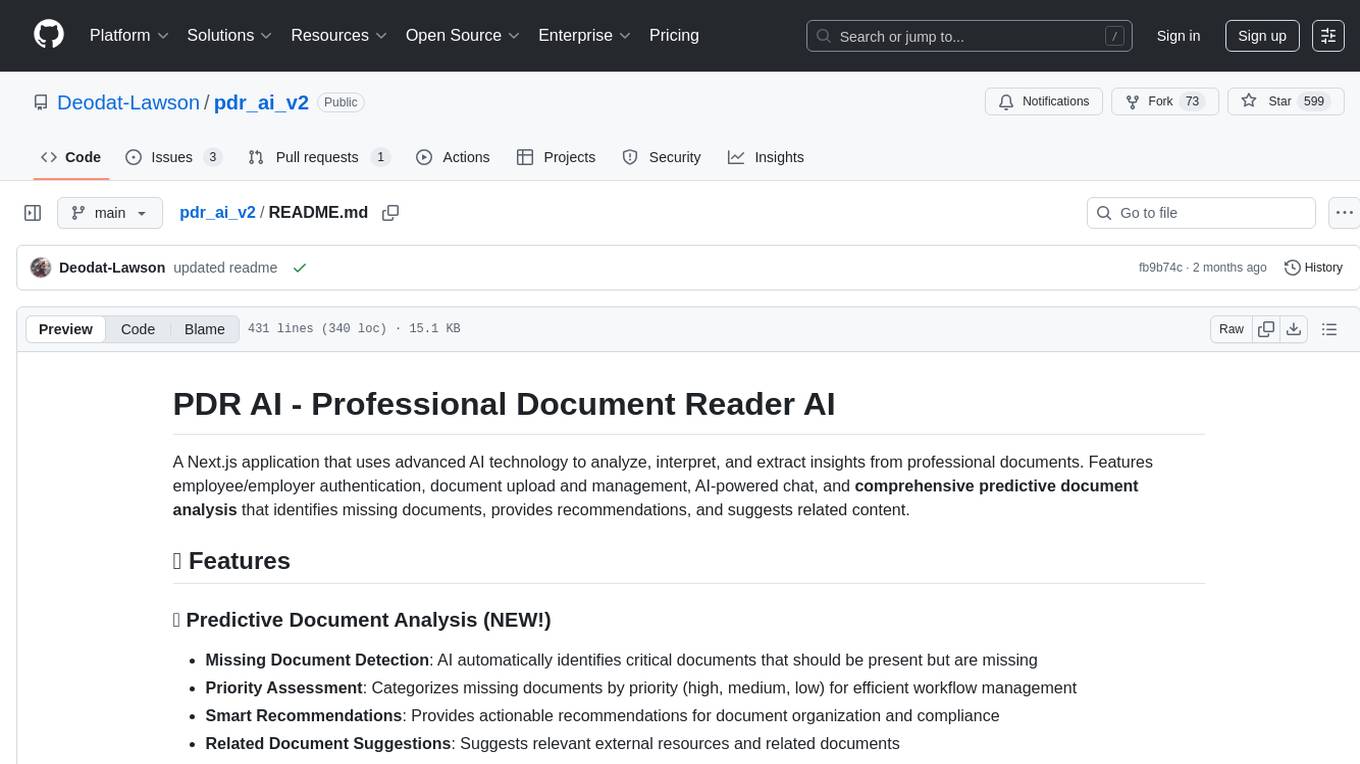
pdr_ai_v2
pdr_ai_v2 is a Python library for implementing machine learning algorithms and models. It provides a wide range of tools and functionalities for data preprocessing, model training, evaluation, and deployment. The library is designed to be user-friendly and efficient, making it suitable for both beginners and experienced data scientists. With pdr_ai_v2, users can easily build and deploy machine learning models for various applications, such as classification, regression, clustering, and more.
atlas
Atlas is a powerful data visualization tool that allows users to create interactive charts and graphs from their datasets. It provides a user-friendly interface for exploring and analyzing data, making it ideal for both beginners and experienced data analysts. With Atlas, users can easily customize the appearance of their visualizations, add filters and drill-down capabilities, and share their insights with others. The tool supports a wide range of data formats and offers various chart types to suit different data visualization needs. Whether you are looking to create simple bar charts or complex interactive dashboards, Atlas has you covered.
turftopic
Turftopic is a Python library that provides tools for sentiment analysis and topic modeling of text data. It allows users to analyze large volumes of text data to extract insights on sentiment and topics. The library includes functions for preprocessing text data, performing sentiment analysis using machine learning models, and conducting topic modeling using algorithms such as Latent Dirichlet Allocation (LDA). Turftopic is designed to be user-friendly and efficient, making it suitable for both beginners and experienced data analysts.
ai
This repository contains a collection of AI algorithms and models for various machine learning tasks. It provides implementations of popular algorithms such as neural networks, decision trees, and support vector machines. The code is well-documented and easy to understand, making it suitable for both beginners and experienced developers. The repository also includes example datasets and tutorials to help users get started with building and training AI models. Whether you are a student learning about AI or a professional working on machine learning projects, this repository can be a valuable resource for your development journey.
For similar tasks
upgini
Upgini is an intelligent data search engine with a Python library that helps users find and add relevant features to their ML pipeline from various public, community, and premium external data sources. It automates the optimization of connected data sources by generating an optimal set of machine learning features using large language models, GraphNNs, and recurrent neural networks. The tool aims to simplify feature search and enrichment for external data to make it a standard approach in machine learning pipelines. It democratizes access to data sources for the data science community.
For similar jobs

weave
Weave is a toolkit for developing Generative AI applications, built by Weights & Biases. With Weave, you can log and debug language model inputs, outputs, and traces; build rigorous, apples-to-apples evaluations for language model use cases; and organize all the information generated across the LLM workflow, from experimentation to evaluations to production. Weave aims to bring rigor, best-practices, and composability to the inherently experimental process of developing Generative AI software, without introducing cognitive overhead.

LLMStack
LLMStack is a no-code platform for building generative AI agents, workflows, and chatbots. It allows users to connect their own data, internal tools, and GPT-powered models without any coding experience. LLMStack can be deployed to the cloud or on-premise and can be accessed via HTTP API or triggered from Slack or Discord.

VisionCraft
The VisionCraft API is a free API for using over 100 different AI models. From images to sound.

kaito
Kaito is an operator that automates the AI/ML inference model deployment in a Kubernetes cluster. It manages large model files using container images, avoids tuning deployment parameters to fit GPU hardware by providing preset configurations, auto-provisions GPU nodes based on model requirements, and hosts large model images in the public Microsoft Container Registry (MCR) if the license allows. Using Kaito, the workflow of onboarding large AI inference models in Kubernetes is largely simplified.

PyRIT
PyRIT is an open access automation framework designed to empower security professionals and ML engineers to red team foundation models and their applications. It automates AI Red Teaming tasks to allow operators to focus on more complicated and time-consuming tasks and can also identify security harms such as misuse (e.g., malware generation, jailbreaking), and privacy harms (e.g., identity theft). The goal is to allow researchers to have a baseline of how well their model and entire inference pipeline is doing against different harm categories and to be able to compare that baseline to future iterations of their model. This allows them to have empirical data on how well their model is doing today, and detect any degradation of performance based on future improvements.

tabby
Tabby is a self-hosted AI coding assistant, offering an open-source and on-premises alternative to GitHub Copilot. It boasts several key features: * Self-contained, with no need for a DBMS or cloud service. * OpenAPI interface, easy to integrate with existing infrastructure (e.g Cloud IDE). * Supports consumer-grade GPUs.

spear
SPEAR (Simulator for Photorealistic Embodied AI Research) is a powerful tool for training embodied agents. It features 300 unique virtual indoor environments with 2,566 unique rooms and 17,234 unique objects that can be manipulated individually. Each environment is designed by a professional artist and features detailed geometry, photorealistic materials, and a unique floor plan and object layout. SPEAR is implemented as Unreal Engine assets and provides an OpenAI Gym interface for interacting with the environments via Python.

Magick
Magick is a groundbreaking visual AIDE (Artificial Intelligence Development Environment) for no-code data pipelines and multimodal agents. Magick can connect to other services and comes with nodes and templates well-suited for intelligent agents, chatbots, complex reasoning systems and realistic characters.