


sbnb
Linux distro for AI computers. Go from bare-metal GPUs to running AI workloads - like vLLM, SGLang, RAG, and Agents - in minutes, fully automated with AI Linux (Sbnb Linux).
Stars: 334
Sbnb Linux is a minimalist Linux distribution designed for bare-metal servers, offering fast tunnels for remote connections. It supports confidential computing and is ideal for environments from home labs to distributed data centers. The OS runs in memory, is immutable, and features a predictable update cadence. Users can deploy popular AI tools on bare metal using Sbnb Linux in an automated way. The system is resilient to power outages and supports flexible environments with Docker containers. Sbnb Linux is built with Buildroot, ensuring easy maintenance and updates.
README:
🚀 Stay ahead - subscribe to our newsletter!
🆕 NEW! Deploy OpenClaw personal AI assistant on bare metal in minutes – no OS installation required! Get Started →
Sbnb Linux is a revolutionary minimalist Linux distribution designed to boot bare-metal servers and enable remote connections through fast tunnels. It is ideal for environments ranging from home labs to distributed data centers. Sbnb Linux is simplified, automated, and resilient to power outages, supporting confidential computing to ensure secure operations in untrusted locations.
- Bare Metal Server: Any x86 machine should suffice.
- A USB flash drive (if using local boot), or an iPXE server (for network boot).
- [Optional] If you plan to launch Confidential Computing (CC) Virtual Machines (VMs) on Sbnb Linux, ensure that your CPU supports AMD SEV-SNP technology (available from AMD EPYC Gen 3 CPUs onward). Additionally, enable this feature in the BIOS. For more details, refer to README-CC.md.
The diagram below shows how Sbnb Linux boots a bare metal server (host), starts a guest virtual machine, and attaches an Nvidia GPU to the guest using the low-overhead vfio-pci mechanism. Read more at this README-NVIDIA.md.

In summary, the bare metal server boots into a minimal Linux environment consisting of a Linux kernel with Tailscale, Docker container engine, and QEMU KVM hypervisor.
Quickly set up a Bare Metal server with GPU monitoring using Sbnb Linux and Infrastructure as Code (IaC), all visualized through Grafana.
The graphs below shows GPU load during a vLLM benchmark test for a few minutes, leading to a GPU load spike to 100%. Memory allocation is at 90% per vLLM config.


Please refer to the separate document on how to run Sbnb Linux as a VMware guest: README-VMWARE.md.
However, VMware is not a hard requirement. Any VM hypervisor, such as QEMU, can also be used.
Explore step-by-step guides to deploy popular AI tools on bare metal using Sbnb Linux in Automated Way:
- 🤖 Deploy OpenClaw Personal AI Assistant – README-OPENCLAW.md – Run your own AI assistant gateway on bare metal in minutes, no OS installation required!
- 🚀 vLLM Setup Guide – README-VLLM.md
- 💬 SGLang Setup Guide – README-SGLANG.md
- 🧠 Run Qwen2.5-VL in vLLM and SGLang – README-QWEN2.5-VL.md
- ⚡ Deploy LightRAG in Minutes – README-LightRAG.md
- 📚 Deploy RAGFlow in Minutes – README-RAG.md
- 🕵️♂️ Launch Browser Use AI Agent – README-AI-AGENT.md
- Minimalist OS – Bare metal servers boot into sbnb Linux, a lightweight OS combining a Linux kernel with Docker. The package list is minimal to reduce image size and limit attack vectors from vulnerabilities.
- Runs in Memory – sbnb Linux doesn’t install on system disks but runs in memory, similar to liveCDs. A simple power cycle restores the server to its original state, enhancing resilience.
- Configuration on Boot – sbnb Linux reads config file from a USB dongle during boot to customize the environment.
- Immutable Design – Sbnb Linux is an immutable, read-only Unified Kernel Image (UKI), enabling straightforward image signing and attestation. This design makes the system resistant to corruption or tampering ("unbreakable").
- Remote Access – A Tailscale tunnel is established during boot, allowing remote access. The Tailscale key is specified in a config file.
- Confidential Computing – The sbnb Linux kernel supports Confidential Computing (CC) with the latest CPU and Secure Processor microcode updates applied at boot. Currently, only AMD SEV-SNP is supported.
- Flexible Environment – sbnb Linux includes scripts to start Docker containers, allowing users to switch from the minimal environment to distributions like Debian, Ubuntu, CentOS, Alpine, and more.
-
Developer Mode – Activate developer mode by running the
sbnb-dev-env.shscript, which launches anDebian/Ubuntu container with various developer tools pre-installed. - Reliable A/B Updates – If a new version fails, a hardware watchdog automatically reboots the server into the previous working version. This is crucial for remote locations with limited or no physical access.
- Regular Update Cadence – Sbnb Linux follows a predictable update schedule. Updates are treated as routine operations rather than disruptive events, ensuring the system stays protected against newly discovered vulnerabilities.
- Firmware Updates – Sbnb Linux applies the latest CPU and Security Processor microcode updates at every boot. BIOS updates can also be applied during the update process, keeping the entire system up to date.
- Built with Buildroot – sbnb Linux is created using Buildroot with the br2-external mechanism, keeping sbnb customizations separate for easier maintenance and rolling updates.
This method is ideal for home labs and small server fleets. It allows you to quickly boot bare metal servers within minutes. Detailed steps for this option are provided below.
Best suited for large, automated server fleets such as data centers. This method enables you to automatically boot a large number of bare metal servers over the network.
Below is a brief guide. For a more detailed installation guide, refer to README-INSTALL.md.
Attach a USB flash drive to your computer and run the appropriate command below in the terminal:
-
For Windows (execute in PowerShell as Administrator):
iex ((New-Object System.Net.WebClient).DownloadString('https://raw.githubusercontent.com/sbnb-io/sbnb/refs/heads/main/scripts/install-win.ps1'))
-
For Mac:
bash <(curl -s https://raw.githubusercontent.com/sbnb-io/sbnb/refs/heads/main/scripts/install-mac.sh) -
For Linux:
sh <(curl -s https://raw.githubusercontent.com/sbnb-io/sbnb/refs/heads/main/scripts/install-linux.sh)
The script will:
- Download the latest Sbnb Linux image.
- Flash it onto the selected USB drive.
- Prompt you to enter your Tailscale key.
- Allow you to specify custom commands to execute during the Sbnb Linux instance boot.
- Attach the prepared USB dongle to the server you want to boot into Sbnb Linux.
- Power on the server.
- [Optional] Ensure the USB flash drive is selected as the first boot device in your BIOS/UEFI settings. This may be necessary if another operating system is installed or if network boot is enabled.
- The boot process may take 5 to 10 minutes, depending on your server's BIOS configuration.
After booting, verify that the server appears in your Tailscale machine list.
You can now SSH into the server using Tailscale SSO methods, such as Google Auth.
For development and testing, run the following command after SSH-ing into the server:
sbnb-dev-env.shThis will transition your environment from the minimalist setup to a full Docker container running Debian/Ubuntu, preloaded with useful development tools.
After connecting to Sbnb Linux via SSH, you can easily run an Ubuntu container that prints "Hello, World!" by executing the following command:
docker run ubuntu echo "Hello, World!"
You can replace ubuntu with centos, alpine, or any other distribution of your choice.
If successful, you should see output similar to the image below:

Congratulations! Your Sbnb Linux environment is now up and running. We're excited to see what you'll create next!
The sbnb-cmds.sh file introduces a powerful way to customize Sbnb Linux instances during boot. By placing a custom shell script named sbnb-cmds.sh on a USB flash drive or another supported configuration source, you can define commands and behaviors to be executed under the BusyBox shell during the boot process.
This feature is ideal for low-level system configurations like devices, networking, etc.
For more details, refer to README-CUSTOMIZATION.md.
To start workloads, it's recommended to use an Infrastructure as Code (IaC) approach using Ansible.
Please refer to this tutorial where we will start a Docker container on a bare-metal server booted into Sbnb Linux using the Ansible automation tool: README-ANSIBLE.md.
Additionally, check out this detailed tutorial on how disks and networking are configured in Sbnb Linux README-CONFIGURE_SYSTEM.md. Disks are combined into an LVM volume, and the network is attached to a br0 bridge for fast and simple VM plumbing.
Days when system administrators manually installed Linux OS and configured services are gone.
Sbnb includes an end-to-end integration test suite that validates the entire stack — from bare metal boot through VM lifecycle to service deployment. Tests run against a real bare metal host running Sbnb Linux.
./collections/ansible_collections/sbnb/compute/tests/integration/run-tests.sh \
  --host=bare-metal-host \
  --tskey=tskey-auth-xxx
The suite runs 5 phases sequentially:
| Phase | What's Tested |
|---|---|
| Phase 0: Bare Metal | Sbnb Linux booted correctly — LVM storage, bridge networking, QEMU image |
| Phase 1: CPU VM | VM create/destroy lifecycle, SSH via Tailscale |
| Phase 2: GPU VM | GPU passthrough verified inside VM via lspci
|
| Phase 3: GPU Services | gpu_fryer, vLLM, SGLang, Frigate, Ollama, LightRAG — each in its own isolated VM |
| Phase 4: Non-GPU Services | OpenClaw — in its own isolated VM |
Every service test creates a fresh VM from scratch, deploys the service, runs health checks (including LLM inference tests), and destroys the VM. A failure in one service does not affect others.
See README-TESTING.md for full details on architecture, options, and troubleshooting.
Sbnb Linux provides several options for starting customer jobs, depending on the environment and security requirements.
| Option | Description | Recommended Use | Example Link |
|---|---|---|---|
| Run Directly on Minimalist Environment | Execute jobs directly on the lightweight Sbnb Linux environment. Suitable for system services like observability or monitoring. | Not recommended for regular jobs. Use for system services. | Example: Tailscale Tunnel Startup |
| Docker Container | Launch Docker containers (Ubuntu, Fedora, Alpine, etc.) on top of the minimalist environment. This approach powers the sbnb-dev-env.sh script to create a full development environment. |
Recommended for trusted environments (e.g., home labs). | Example: Development Environment |
| Run Regular Virtual Machine (VM) | Start a standard VM to run full-featured OS like Windows or other Linux distributions. | Recommended for trusted environments (e.g., home labs). | Detailed Documentation |
| Confidential Computing Virtual Machine (CC VM) | Start a CC VM to run production workloads securely. Encrypts memory and CPU states, enabling remote attestation to ensure code integrity. | Recommended for production environments. | Detailed Documentation |
To build the Sbnb Linux image, it is recommended to use Ubuntu 24.04 as the development environment.
- Clone this repository.
git clone https://github.com/sbnb-io/sbnb.git
cd sbnb
git submodule init
git submodule update
- Start the build process.
cd buildroot
make BR2_EXTERNAL=.. sbnb_defconfig
make -j $(nproc)
- After a successful build, the following files will be generated:
-
output/images/sbnb.efi– A UEFI bootable Sbnb image in Unified Kernel Image (UKI) format. This file integrates the Linux kernel, kernel arguments (cmdline), and initramfs into a single image. -
output/images/sbnb.raw– A disk image ready to be written directly to a USB flash drive for server booting. It features a GPT partition table and a bootable VFAT partition containing the UEFI bootable image (sbnb.efi).
-
Happy developing! Contributions are encouraged and appreciated!

This is our actual AI computer ("GPUter") build - and yes, it runs almost silently!
All components listed below are brand new and available in the U.S. market as of 2025. This is our go-to configuration for affordable ($1,040) yet powerful local AI compute. Hardware configurations may vary; the sky is the limit.
| Component | Price (USD) | Link |
|---|---|---|
| NVIDIA RTX 5060 Ti 16GB Blackwell (759 AI TOPS) | 429 | Newegg |
| MotherBoard (B550M) | 99 | Amazon |
| AMD Ryzen 5 5500 CPU | 60 | Amazon |
| 32GB DDR4 RAM (2x16GB) | 52 | Amazon |
| M.2 SSD 4TB | 249 | Amazon |
| Case (JONSBO/JONSPLUS Z20 mATX) | 109 | Amazon |
| PSU 600W | 42 | Amazon |
| Total | 1040 |
To see what this configuration can achieve, check out this submission to Google’s Gemma 3n Hackathon, which processes live feeds from 16 security cameras and provides video understanding.
Sbnb Linux is built from source using the Buildroot project. It leverages the Buildroot br2-external mechanism to keep Sbnb-specific customizations separate, simplifying maintenance and enabling smooth rolling updates.
The Linux kernel is compiled and packaged with the command line and initramfs into a single binary called the Unified Kernel Image (UKI). The UKI is a PE/COFF binary, allowing it to be booted by any UEFI BIOS. This makes Sbnb Linux compatible with any modern machine. The total size of the image is approximately 200MB.
- BusyBox: Provides a shell and other essential tools.
- Systemd: Serves as the init system.
- Tailscale: Pre-installed to establish secure tunnels.
- Docker Engine: Installed to enable running any container.
This minimal setup is sufficient to boot the system and make the bare metal accessible remotely. From there, users can deploy more advanced software stacks using Docker containers or Virtual Machines, including Confidential Computing VMs.
See the diagram below for the internal structure of sbnb Linux.

During the boot process, Sbnb Linux reads the MAC address of the first physical network interface and assigns the hostname as sbnb-${MAC} (e.g. sbnb-345a6078df18). If no physical interface is found, random bytes are used as fallback.
Once the machine boots and connects to Tailscale (tailnet), it will be identified using the assigned hostname.

Read more at README-SERIAL-NUMBER.md
The diagram below illustrates the concept of Sbnb Linux, where servers connect to the public Internet through ISP links and NAT. These servers create an overlay network across the public Internet using secure tunnels, powered by Tailscale, resulting in a flat, addressable space.

The next diagram illustrates how a Virtual Machine (VM) owner can verify and establish trust in a VM running on an Sbnb server located in an untrusted physical environment. This is achieved by leveraging AMD SEV-SNP’s remote attestation mechanism. This approach enables the creation of distributed data centers with servers deployed in diverse, untrusted locations such as residences, warehouses, mining farms, shipping containers, colocation facilities, or remote sites near renewable energy sources.

If you're interested in exploring the fascinating world of immutable, container-optimized Linux distributions, here are some notable projects worth checking out:
- Fedora CoreOS
- Bottlerocket OS
- Flatcar Container Linux (acquired by Microsoft)
- RancherOS
- Talos Linux
While it's true that almost any distribution can be minimized, configured to run in-memory, and integrated with Cloud-init or Kickstart, this approach focuses on building a system from the ground up. This avoids the need to strip down a larger, more complex system, eliminating compromises and workarounds typically required in such cases.
Yes, power cycling will restore the system to a known good baseline state. Sbnb Linux is designed this way to ensure reliability and stability. After a power cycle, automation tools can be used to pull and run the containers again on the node. This design makes Sbnb Linux highly resilient and virtually unbreakable.
🚀 Stay ahead - subscribe to our newsletter!
For Tasks:
Click tags to check more tools for each tasksFor Jobs:
Alternative AI tools for sbnb
Similar Open Source Tools
sbnb
Sbnb Linux is a minimalist Linux distribution designed for bare-metal servers, offering fast tunnels for remote connections. It supports confidential computing and is ideal for environments from home labs to distributed data centers. The OS runs in memory, is immutable, and features a predictable update cadence. Users can deploy popular AI tools on bare metal using Sbnb Linux in an automated way. The system is resilient to power outages and supports flexible environments with Docker containers. Sbnb Linux is built with Buildroot, ensuring easy maintenance and updates.
LLMOCR
LLMOCR is a tool that utilizes a local Large Language Model (LLM) to extract text from images. It offers a user-friendly GUI and supports GPU acceleration for faster inference. The tool is cross-platform, compatible with Windows, macOS ARM, and Linux. Users can prompt the LLM to process images in a customized way. The processing is done locally on the user's machine, ensuring data privacy and security. LLMOCR requires Python 3.8 or higher and KoboldCPP for installation and operation.
piccolo
Piccolo AI is an open-source software development toolkit for constructing sensor-based AI inference models optimized to run on low-power microcontrollers and IoT edge platforms. It includes SensiML's ML Engine, Embedded ML SDK, Analytic Studio UI, and SensiML Python Client. The tool is intended for individual developers, researchers, and AI enthusiasts, offering support for time-series sensor data classification and various applications such as acoustic event detection, activity recognition, gesture detection, anomaly detection, keyword spotting, and vibration classification.
HAMi
HAMi is a Heterogeneous AI Computing Virtualization Middleware designed to manage Heterogeneous AI Computing Devices in a Kubernetes cluster. It allows for device sharing, device memory control, device type specification, and device UUID specification. The tool is easy to use and does not require modifying task YAML files. It includes features like hard limits on device memory, partial device allocation, streaming multiprocessor limits, and core usage specification. HAMi consists of components like a mutating webhook, scheduler extender, device plugins, and in-container virtualization techniques. It is suitable for scenarios requiring device sharing, specific device memory allocation, GPU balancing, low utilization optimization, and scenarios needing multiple small GPUs. The tool requires prerequisites like NVIDIA drivers, CUDA version, nvidia-docker, Kubernetes version, glibc version, and helm. Users can install, upgrade, and uninstall HAMi, submit tasks, and monitor cluster information. The tool's roadmap includes supporting additional AI computing devices, video codec processing, and Multi-Instance GPUs (MIG).
vision-agent
AskUI Vision Agent is a powerful automation framework that enables you and AI agents to control your desktop, mobile, and HMI devices and automate tasks. It supports multiple AI models, multi-platform compatibility, and enterprise-ready features. The tool provides support for Windows, Linux, MacOS, Android, and iOS device automation, single-step UI automation commands, in-background automation on Windows machines, flexible model use, and secure deployment of agents in enterprise environments.
open-computer-use
Open Computer Use is a secure cloud Linux computer powered by E2B Desktop Sandbox and controlled by open-source LLMs. It allows users to operate the computer via keyboard, mouse, and shell commands, live stream the display of the sandbox on the client computer, and pause or prompt the agent at any time. The tool is designed to work with any operating system and supports integration with various LLMs and providers following the OpenAI API specification.
ComfyUIMini
ComfyUI Mini is a lightweight and mobile-friendly frontend designed to run ComfyUI workflows. It allows users to save workflows locally on their device or PC, easily import workflows, and view generation progress information. The tool requires ComfyUI to be installed on the PC and a modern browser with WebSocket support on the mobile device. Users can access the WebUI by running the app and connecting to the local address of the PC. ComfyUI Mini provides a simple and efficient way to manage workflows on mobile devices.
super-agent-party
A 3D AI desktop companion with endless possibilities! This repository provides a platform for enhancing the LLM API without code modification, supporting seamless integration of various functionalities such as knowledge bases, real-time networking, multimodal capabilities, automation, and deep thinking control. It offers one-click deployment to multiple terminals, ecological tool interconnection, standardized interface opening, and compatibility across all platforms. Users can deploy the tool on Windows, macOS, Linux, or Docker, and access features like intelligent agent deployment, VRM desktop pets, Tavern character cards, QQ bot deployment, and developer-friendly interfaces. The tool supports multi-service providers, extensive tool integration, and ComfyUI workflows. Hardware requirements are minimal, making it suitable for various deployment scenarios.
coral-cloud
Coral Cloud Resorts is a sample hospitality application that showcases Data Cloud, Agents, and Prompts. It provides highly personalized guest experiences through smart automation, content generation, and summarization. The app requires licenses for Data Cloud, Agents, Prompt Builder, and Einstein for Sales. Users can activate features, deploy metadata, assign permission sets, import sample data, and troubleshoot common issues. Additionally, the repository offers integration with modern web development tools like Prettier, ESLint, and pre-commit hooks for code formatting and linting.
burpference
Burpference is an open-source extension designed to capture in-scope HTTP requests and responses from Burp's proxy history and send them to a remote LLM API in JSON format. It automates response capture, integrates with APIs, optimizes resource usage, provides color-coded findings visualization, offers comprehensive logging, supports native Burp reporting, and allows flexible configuration. Users can customize system prompts, API keys, and remote hosts, and host models locally to prevent high inference costs. The tool is ideal for offensive web application engagements to surface findings and vulnerabilities.
LafTools
LafTools is a privacy-first, self-hosted, fully open source toolbox designed for programmers. It offers a wide range of tools, including code generation, translation, encryption, compression, data analysis, and more. LafTools is highly integrated with a productive UI and supports full GPT-alike functionality. It is available as Docker images and portable edition, with desktop edition support planned for the future.
air-script
Air Script is a versatile tool designed for Wi-Fi penetration testing, offering automated and user-friendly features to streamline the hacking process. It allows users to easily capture handshakes from nearby networks, automate attacks, and even send email notifications upon completion. The tool is ideal for individuals looking to efficiently pwn Wi-Fi networks without extensive manual input. With additional tools and options available, Air Script caters to a wide range of users, including script kiddies, hackers, pentesters, and security researchers. Whether on the go or using a Raspberry Pi, Air Script provides a convenient solution for network penetration testing and password cracking.
LLavaImageTagger
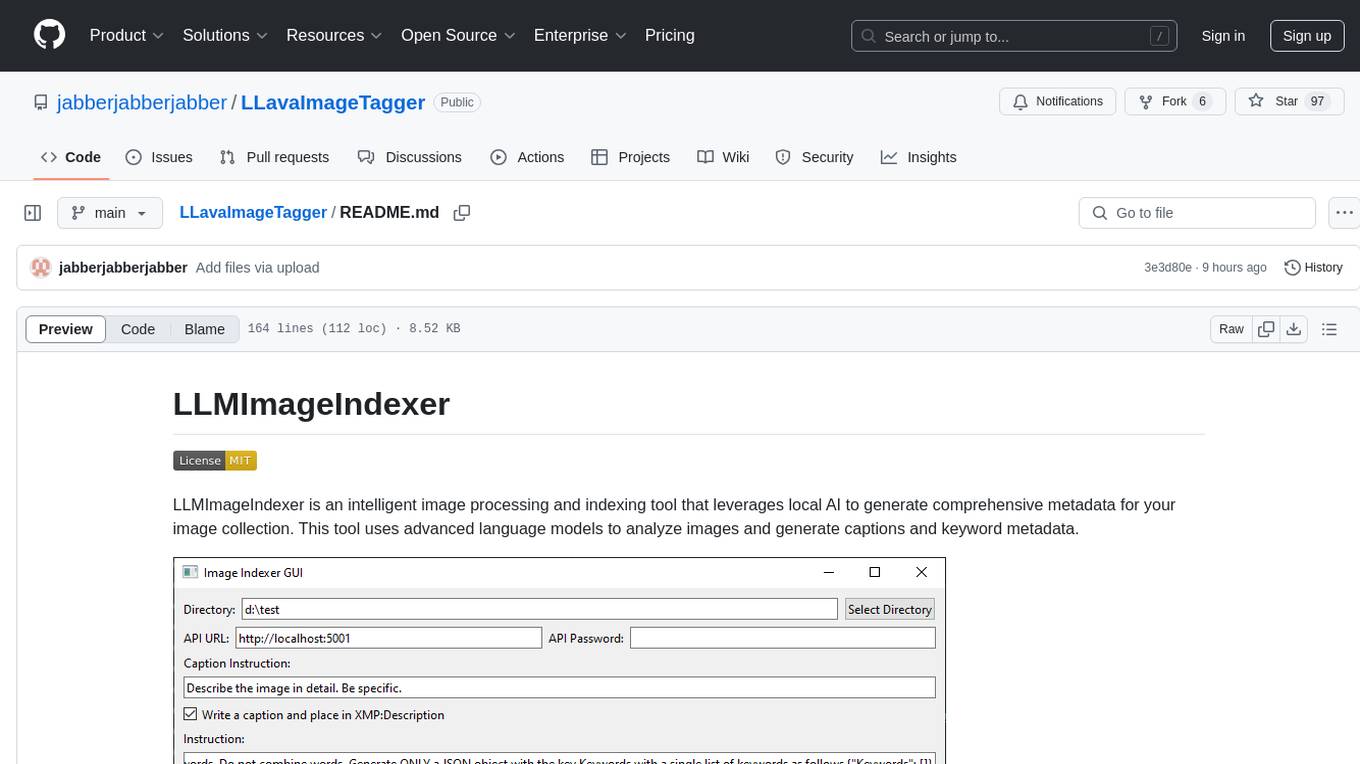
LLMImageIndexer is an intelligent image processing and indexing tool that leverages local AI to generate comprehensive metadata for your image collection. It uses advanced language models to analyze images and generate captions and keyword metadata. The tool offers features like intelligent image analysis, metadata enhancement, local processing, multi-format support, user-friendly GUI, GPU acceleration, cross-platform support, stop and start capability, and keyword post-processing. It operates directly on image file metadata, allowing users to manage files, add new files, and run the tool multiple times without reprocessing previously keyworded files. Installation instructions are provided for Windows, macOS, and Linux platforms, along with usage guidelines and configuration options.
qdrant
Qdrant is a vector similarity search engine and vector database. It is written in Rust, which makes it fast and reliable even under high load. Qdrant can be used for a variety of applications, including: * Semantic search * Image search * Product recommendations * Chatbots * Anomaly detection Qdrant offers a variety of features, including: * Payload storage and filtering * Hybrid search with sparse vectors * Vector quantization and on-disk storage * Distributed deployment * Highlighted features such as query planning, payload indexes, SIMD hardware acceleration, async I/O, and write-ahead logging Qdrant is available as a fully managed cloud service or as an open-source software that can be deployed on-premises.
AI-Playground
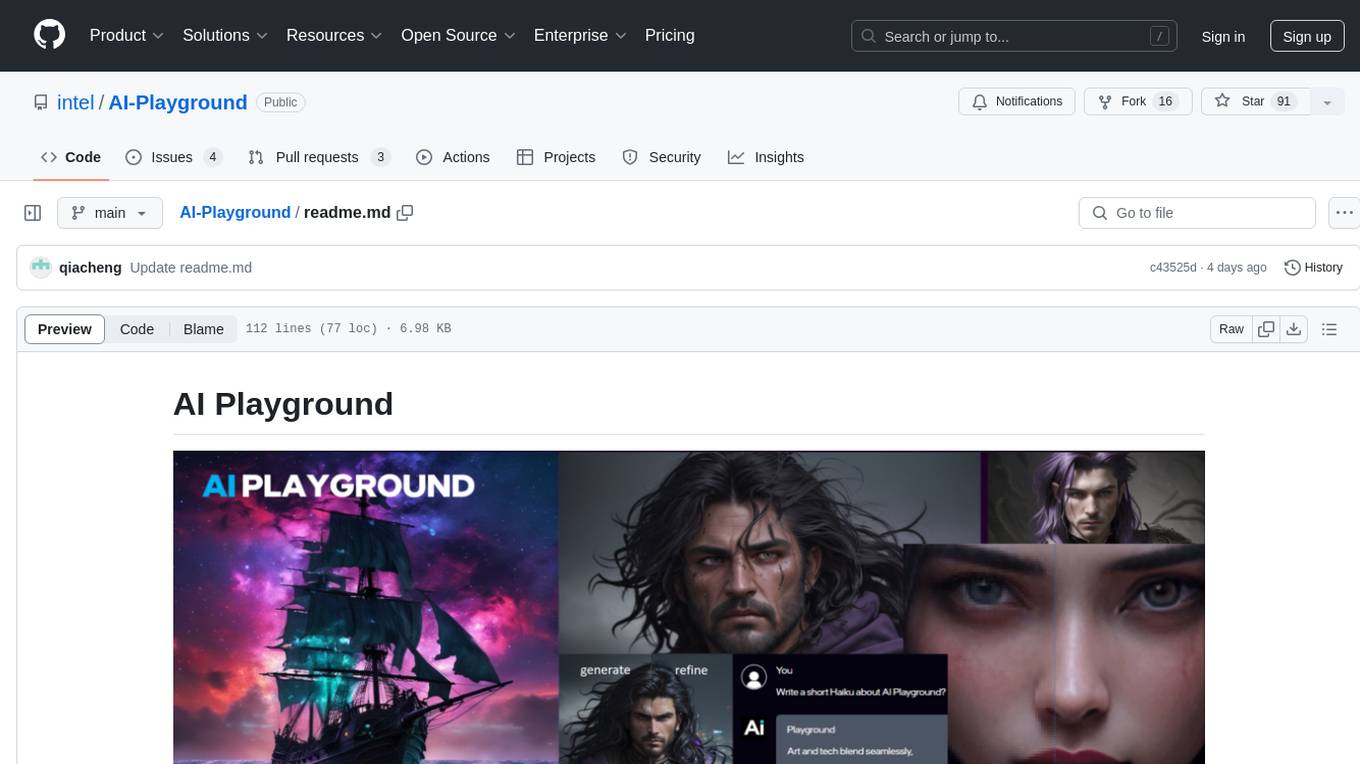
AI Playground is an open-source project and AI PC starter app designed for AI image creation, image stylizing, and chatbot functionalities on a PC powered by an Intel Arc GPU. It leverages libraries from GitHub and Huggingface, providing users with the ability to create AI-generated content and interact with chatbots. The tool requires specific hardware specifications and offers packaged installers for ease of setup. Users can also develop the project environment, link it to the development environment, and utilize alternative models for different AI tasks.
bionic-gpt
BionicGPT is an on-premise replacement for ChatGPT, offering the advantages of Generative AI while maintaining strict data confidentiality. BionicGPT can run on your laptop or scale into the data center.
For similar tasks
sbnb
Sbnb Linux is a minimalist Linux distribution designed for bare-metal servers, offering fast tunnels for remote connections. It supports confidential computing and is ideal for environments from home labs to distributed data centers. The OS runs in memory, is immutable, and features a predictable update cadence. Users can deploy popular AI tools on bare metal using Sbnb Linux in an automated way. The system is resilient to power outages and supports flexible environments with Docker containers. Sbnb Linux is built with Buildroot, ensuring easy maintenance and updates.

genai-os
Kuwa GenAI OS is an open, free, secure, and privacy-focused Generative-AI Operating System. It provides a multi-lingual turnkey solution for GenAI development and deployment on Linux and Windows. Users can enjoy features such as concurrent multi-chat, quoting, full prompt-list import/export/share, and flexible orchestration of prompts, RAGs, bots, models, and hardware/GPUs. The system supports various environments from virtual hosts to cloud, and it is open source, allowing developers to contribute and customize according to their needs.
promptpanel
Prompt Panel is a tool designed to accelerate the adoption of AI agents by providing a platform where users can run large language models across any inference provider, create custom agent plugins, and use their own data safely. The tool allows users to break free from walled-gardens and have full control over their models, conversations, and logic. With Prompt Panel, users can pair their data with any language model, online or offline, and customize the system to meet their unique business needs without any restrictions.
For similar jobs

sweep
Sweep is an AI junior developer that turns bugs and feature requests into code changes. It automatically handles developer experience improvements like adding type hints and improving test coverage.

teams-ai
The Teams AI Library is a software development kit (SDK) that helps developers create bots that can interact with Teams and Microsoft 365 applications. It is built on top of the Bot Framework SDK and simplifies the process of developing bots that interact with Teams' artificial intelligence capabilities. The SDK is available for JavaScript/TypeScript, .NET, and Python.

ai-guide
This guide is dedicated to Large Language Models (LLMs) that you can run on your home computer. It assumes your PC is a lower-end, non-gaming setup.

classifai
Supercharge WordPress Content Workflows and Engagement with Artificial Intelligence. Tap into leading cloud-based services like OpenAI, Microsoft Azure AI, Google Gemini and IBM Watson to augment your WordPress-powered websites. Publish content faster while improving SEO performance and increasing audience engagement. ClassifAI integrates Artificial Intelligence and Machine Learning technologies to lighten your workload and eliminate tedious tasks, giving you more time to create original content that matters.

chatbot-ui
Chatbot UI is an open-source AI chat app that allows users to create and deploy their own AI chatbots. It is easy to use and can be customized to fit any need. Chatbot UI is perfect for businesses, developers, and anyone who wants to create a chatbot.

BricksLLM
BricksLLM is a cloud native AI gateway written in Go. Currently, it provides native support for OpenAI, Anthropic, Azure OpenAI and vLLM. BricksLLM aims to provide enterprise level infrastructure that can power any LLM production use cases. Here are some use cases for BricksLLM: * Set LLM usage limits for users on different pricing tiers * Track LLM usage on a per user and per organization basis * Block or redact requests containing PIIs * Improve LLM reliability with failovers, retries and caching * Distribute API keys with rate limits and cost limits for internal development/production use cases * Distribute API keys with rate limits and cost limits for students

uAgents
uAgents is a Python library developed by Fetch.ai that allows for the creation of autonomous AI agents. These agents can perform various tasks on a schedule or take action on various events. uAgents are easy to create and manage, and they are connected to a fast-growing network of other uAgents. They are also secure, with cryptographically secured messages and wallets.

griptape
Griptape is a modular Python framework for building AI-powered applications that securely connect to your enterprise data and APIs. It offers developers the ability to maintain control and flexibility at every step. Griptape's core components include Structures (Agents, Pipelines, and Workflows), Tasks, Tools, Memory (Conversation Memory, Task Memory, and Meta Memory), Drivers (Prompt and Embedding Drivers, Vector Store Drivers, Image Generation Drivers, Image Query Drivers, SQL Drivers, Web Scraper Drivers, and Conversation Memory Drivers), Engines (Query Engines, Extraction Engines, Summary Engines, Image Generation Engines, and Image Query Engines), and additional components (Rulesets, Loaders, Artifacts, Chunkers, and Tokenizers). Griptape enables developers to create AI-powered applications with ease and efficiency.