


KiCAD-MCP-Server
KiCAD MCP is a Model Context Protocol (MCP) implementation that enables Large Language Models (LLMs) like Claude to directly interact with KiCAD for printed circuit board design.
Stars: 365
KiCAD MCP Server is a Model Context Protocol (MCP) server that facilitates interaction between AI assistants like Claude and KiCAD for PCB design automation. It adheres to the MCP 2025-06-18 specification, offering tool schemas and real-time project state access for efficient PCB design workflows. Key features include 64 documented tools with JSON Schema validation, smart tool discovery, dynamic resources for project state, JLCPCB parts integration, full MCP 2025-06-18 compliance, cross-platform support, real-time KiCAD UI integration, and comprehensive error handling. The server enables natural language control of PCB design operations and reduces AI context consumption by up to 70%.
README:
A Model Context Protocol (MCP) server that enables AI assistants like Claude to interact with KiCAD for PCB design automation. Built on the MCP 2025-06-18 specification, this server provides comprehensive tool schemas and real-time project state access for intelligent PCB design workflows.
The Model Context Protocol is an open standard from Anthropic that allows AI assistants to securely connect to external tools and data sources. This implementation provides a standardized bridge between AI assistants and KiCAD, enabling natural language control of PCB design operations.
Key Capabilities:
- 64 fully-documented tools with JSON Schema validation
- Smart tool discovery with router pattern (reduces AI context by 70%)
- 8 dynamic resources exposing project state
- JLCPCB parts integration with 2.5M+ component catalog and local library search
- Full MCP 2025-06-18 protocol compliance
- Cross-platform support (Linux, Windows, macOS)
- Real-time KiCAD UI integration via IPC API (experimental)
- Comprehensive error handling and logging
The schematic workflow was completely broken in previous versions - this is now fixed AND dramatically enhanced!
What was broken:
-
create_projectonly created PCB files, no schematics -
add_schematic_componentcalled non-existent API methods - Schematics couldn't be created or edited at all
- Only 13 component types available (severe limitation)
- No working wire/connection functionality
Complete Implementation (3 Phases):
Phase 1: Component Placement Foundation
-
create_projectnow creates both .kicad_pcb and .kicad_sch files - Added pre-configured template schematics with 13 common component types
- Rewrote component placement to use proper
clone()API
Phase 2: Dynamic Symbol Loading (BREAKTHROUGH!)
- Access to ALL ~10,000 KiCad symbols from standard libraries
- Automatic detection and dynamic loading from
.kicad_symlibrary files - Zero configuration required - just specify library and symbol name
- Seamless integration with existing MCP tools
- Full S-expression parsing and injection system
Phase 3: Intelligent Wiring System (NEW in v2.1.0)
- Automatic pin location discovery with rotation support (0°, 90°, 180°, 270°)
- Smart wire routing (direct, orthogonal horizontal-first, orthogonal vertical-first)
- Power symbol support (VCC, GND, +3V3, +5V, etc.)
- Wire graph analysis - geometric tracing for net connectivity
- Net label management (local, global, hierarchical labels)
- Netlist generation with accurate component/pin connections
Technical Architecture: The kicad-skip library cannot create symbols or wires from scratch. We implemented a comprehensive solution:
- Static Templates: 13 pre-configured symbols (R, C, L, LED, etc.) for instant use
-
Dynamic Loading: On-demand injection of ANY symbol from KiCad libraries:
- Parse
.kicad_symlibrary files using S-expression parser - Inject symbol definition into schematic's
lib_symbolssection - Create offscreen template instance
- Reload schematic so kicad-skip sees new template
- Clone template to create actual component
- Parse
- Wire Creation: S-expression-based wire injection (bypasses kicad-skip API limitations)
- Pin Discovery: Parse symbol definitions, apply rotation transformations, calculate absolute positions
- Connectivity Analysis: Geometric wire tracing to build net connection graphs
Example - Complete Circuit Creation:
# Load power symbols dynamically
loader.load_symbol_dynamically(sch_path, "power", "VCC")

# Place components with auto-rotation
ComponentManager.add_component(sch, {
    "type": "STM32F103C8Tx",
    "library": "MCU_ST_STM32F1",
    "reference": "U1",
    "x": 100, "y": 100, "rotation": 0
})

# Connect with intelligent routing
ConnectionManager.add_connection(sch_path, "U1", "1", "R1", "2", routing="orthogonal_h")

# Connect to power nets
ConnectionManager.connect_to_net(sch_path, "U1", "VDD", "VCC")

# Analyze connectivity
connections = ConnectionManager.get_net_connections(sch, "VCC", sch_path)
# Returns: [{"component": "U1", "pin": "VDD"}, {"component": "R1", "pin": "1"}]
Test Results:
- Component placement: 100% passing
- Dynamic symbol loading: 10,000+ symbols accessible
- Wire creation: 100% passing (8/8 connections in test circuit)
- Pin discovery: Rotation-aware, sub-millimeter accuracy
- Net connectivity: 100% accurate (VCC: 2 connections, GND: 4 connections)
- Netlist generation: Working with accurate pin-level connections
See Dynamic Loading Status and Wiring Implementation Plan for technical details.
We are currently implementing and testing the KiCAD 9.0 IPC API for real-time UI synchronization:
- Changes made via MCP tools appear immediately in the KiCAD UI
- No manual reload required when IPC is active
- Hybrid backend: uses IPC when available, falls back to SWIG API
- 20+ commands now support IPC including routing, component placement, and zone operations
Note: IPC features are under active development and testing. Enable IPC in KiCAD via Preferences > Plugins > Enable IPC API Server.
We've implemented an intelligent tool router to keep AI context efficient while maintaining full functionality:
- 12 direct tools always visible for high-frequency operations
- 47 routed tools organized into 7 categories (board, component, export, drc, schematic, library, routing)
-
4 router tools for discovery and execution:
-
list_tool_categories- Browse all available categories -
get_category_tools- View tools in a specific category -
search_tools- Find tools by keyword -
execute_tool- Run any tool with parameters
-
Why this matters: By organizing tools into discoverable categories, Claude can intelligently find and use the right tool for your task without loading all 64 tool schemas into every conversation. This reduces context consumption by up to 70% while maintaining full access to all functionality.
Usage is seamless: Just ask naturally - "export gerber files" or "add mounting holes" - and Claude will discover and execute the appropriate tools automatically.
Complete integration with JLCPCB's parts catalog, providing two complementary approaches for component selection:
Dual-Mode Architecture:
- Local Symbol Libraries - Search JLCPCB libraries installed via KiCAD Plugin and Content Manager (contributed by @l3wi)
- JLCPCB API Integration - Access the complete 2.5M+ parts catalog with real-time pricing and stock data
Key Features:
- Real-time pricing with quantity breaks (1+, 10+, 100+, 1000+)
- Stock availability checking
- Basic vs Extended library type identification (Basic = free assembly)
- Intelligent cost optimization with alternative part suggestions
- Package-to-footprint mapping for KiCAD compatibility
- Parametric search by category, package, manufacturer
- Local SQLite database for fast offline searching
- No API credentials required for local library search
Why this matters: JLCPCB offers PCB assembly services where Basic parts have no assembly fee, while Extended parts charge $3 per unique component. This integration helps you find the cheapest components with the best availability, potentially saving hundreds of dollars on assembly costs for production runs.
See JLCPCB Usage Guide for detailed setup and usage instructions.
Every tool now includes complete JSON Schema definitions with:
- Detailed parameter descriptions and constraints
- Input validation with type checking
- Required vs. optional parameter specifications
- Enumerated values for categorical inputs
- Clear documentation of what each tool does
Access project state without executing tools:
-
kicad://project/current/info- Project metadata -
kicad://project/current/board- Board properties -
kicad://project/current/components- Component list (JSON) -
kicad://project/current/nets- Electrical nets -
kicad://project/current/layers- Layer stack configuration -
kicad://project/current/design-rules- Current DRC settings -
kicad://project/current/drc-report- Design rule violations -
kicad://board/preview.png- Board visualization (PNG)
- Updated to MCP SDK 1.21.0 (latest)
- Full JSON-RPC 2.0 support
- Proper capability negotiation
- Standards-compliant error codes
The server provides 64 tools organized into functional categories. With the new router pattern, tools are automatically discovered as needed - just ask Claude what you want to accomplish!
-
create_project- Initialize new KiCAD projects -
open_project- Load existing project files -
save_project- Save current project state -
get_project_info- Retrieve project metadata
-
set_board_size- Configure PCB dimensions -
add_board_outline- Create board edge (rectangle, circle, polygon) -
add_layer- Add custom layers to stack -
set_active_layer- Switch working layer -
get_layer_list- List all board layers -
get_board_info- Retrieve board properties -
get_board_2d_view- Generate board preview image -
add_mounting_hole- Place mounting holes -
add_board_text- Add text annotations
-
place_component- Place single component with footprint -
move_component- Reposition existing component -
rotate_component- Rotate component by angle -
delete_component- Remove component from board -
edit_component- Modify component properties -
get_component_properties- Query component details -
get_component_list- List all placed components -
place_component_array- Create component grids/patterns -
align_components- Align multiple components -
duplicate_component- Copy existing component
-
add_net- Create electrical net -
route_trace- Route copper traces -
add_via- Place vias for layer transitions -
delete_trace- Remove traces -
get_nets_list- List all nets -
create_netclass- Define net class with rules -
add_copper_pour- Create copper zones/pours -
route_differential_pair- Route differential signals
-
list_libraries- List available footprint libraries -
search_footprints- Search for footprints -
list_library_footprints- List footprints in library -
get_footprint_info- Get footprint details
-
download_jlcpcb_database- Download complete JLCPCB parts catalog (one-time setup) -
search_jlcpcb_parts- Search 100k+ parts with parametric filters -
get_jlcpcb_part- Get detailed part info with pricing and footprints -
get_jlcpcb_database_stats- View database statistics and coverage -
suggest_jlcpcb_alternatives- Find cheaper or more available alternatives
-
set_design_rules- Configure DRC parameters -
get_design_rules- Retrieve current rules -
run_drc- Execute design rule check -
get_drc_violations- Get DRC error report
-
export_gerber- Generate Gerber fabrication files -
export_pdf- Export PDF documentation -
export_svg- Create SVG vector graphics -
export_3d- Generate 3D models (STEP/VRML) -
export_bom- Produce bill of materials
Now fully functional with DYNAMIC SYMBOL LOADING + INTELLIGENT WIRING! (Fixed in v2.1.0 - see Issue #26)
Component Placement:
-
create_schematic- Initialize new schematic from template -
load_schematic- Open existing schematic -
add_schematic_component- Place symbols with automatic dynamic loading from KiCad libraries -
list_schematic_libraries- List symbol libraries -
export_schematic_pdf- Export schematic PDF
Wiring & Connections: NEW in v2.1.0
-
add_schematic_wire- Create wires between points with customizable stroke -
add_schematic_connection- Auto-connect pins with intelligent routing (direct, orthogonal) -
add_schematic_net_label- Add net labels (VCC, GND, signals) with orientation control -
connect_to_net- Connect component pins to named nets
Major Enhancements:
-
Dynamic Symbol Loading - Access to ALL ~10,000 KiCad symbols! Specify any
libraryandtype(e.g.,"library": "MCU_ST_STM32F1", "type": "STM32F103C8Tx") and the system automatically:- Searches KiCad symbol libraries
- Injects symbol definition into your schematic
- Creates cloneable template instance
- Places component seamlessly
- Fallback to 13 static templates (R, C, L, LED, etc.) when needed
-
Intelligent Wiring System - Professional schematic wiring with automation:
- Automatic pin discovery - rotation-aware (0°, 90°, 180°, 270°)
- Smart routing - direct lines or orthogonal (right-angle) paths
- Power symbol support - VCC, GND, +3V3, +5V, etc.
- Wire graph analysis - geometric tracing for accurate net connectivity
- Net label management - local, global, and hierarchical labels
- Netlist generation - accurate component/pin connection tracking
- S-expression precision - guaranteed KiCad format compliance
-
check_kicad_ui- Check if KiCAD is running -
launch_kicad_ui- Launch KiCAD application
KiCAD 9.0 or Higher
- Download from kicad.org/download
- Must include Python module (pcbnew)
- Verify installation:
python3 -c "import pcbnew; print(pcbnew.GetBuildVersion())"
Node.js 18 or Higher
- Download from nodejs.org
- Verify:
node --versionandnpm --version
Python 3.10 or Higher
- Usually included with KiCAD
- Required packages (auto-installed):
- kicad-python (kipy) >= 0.5.0 (IPC API support, optional but recommended)
- kicad-skip >= 0.1.0 (schematic support)
- Pillow >= 9.0.0 (image processing)
- cairosvg >= 2.7.0 (SVG rendering)
- colorlog >= 6.7.0 (logging)
- pydantic >= 2.5.0 (validation)
- requests >= 2.32.5 (HTTP client)
- python-dotenv >= 1.0.0 (environment)
MCP Client Choose one:
- Claude Desktop - Official Anthropic desktop app
- Claude Code - Official CLI tool
- Cline - VSCode extension
- Linux (Ubuntu 22.04+, Fedora, Arch) - Primary platform, fully tested
- Windows 10/11 - Fully supported with automated setup
- macOS - Experimental support
# Install KiCAD 9.0
sudo add-apt-repository --yes ppa:kicad/kicad-9.0-releases
sudo apt-get update
sudo apt-get install -y kicad kicad-libraries

# Install Node.js
curl -fsSL https://deb.nodesource.com/setup_20.x | sudo -E bash -
sudo apt-get install -y nodejs

# Clone and build
git clone https://github.com/mixelpixx/KiCAD-MCP-Server.git
cd KiCAD-MCP-Server
npm install
pip3 install -r requirements.txt
npm run build

# Verify
python3 -c "import pcbnew; print(pcbnew.GetBuildVersion())"
Automated Setup (Recommended):
git clone https://github.com/mixelpixx/KiCAD-MCP-Server.git
cd KiCAD-MCP-Server
.\setup-windows.ps1
The script will:
- Detect KiCAD installation
- Verify prerequisites
- Install dependencies
- Build project
- Generate configuration
- Run diagnostics
Manual Setup: See Windows Installation Guide for detailed instructions.
# Install KiCAD 9.0 from kicad.org/download/macos

# Install Node.js
brew install node@20

# Clone and build
git clone https://github.com/mixelpixx/KiCAD-MCP-Server.git
cd KiCAD-MCP-Server
npm install
pip3 install -r requirements.txt
npm run build
Edit configuration file:
-
Linux/macOS:
~/.config/Claude/claude_desktop_config.json -
Windows:
%APPDATA%\Claude\claude_desktop_config.json
Configuration:
{
  "mcpServers": {
    "kicad": {
      "command": "node",
      "args": ["/path/to/KiCAD-MCP-Server/dist/index.js"],
      "env": {
        "PYTHONPATH": "/path/to/kicad/python",
        "LOG_LEVEL": "info"
      }
    }
  }
}
Platform-specific PYTHONPATH:
-
Linux:
/usr/lib/kicad/lib/python3/dist-packages -
Windows:
C:\Program Files\KiCad\9.0\lib\python3\dist-packages -
macOS:
/Applications/KiCad/KiCad.app/Contents/Frameworks/Python.framework/Versions/3.11/lib/python3.11/site-packages
The server automatically detects Python on Linux in this priority order:
-
Virtual environment -
venv/bin/pythonor.venv/bin/python(highest priority) - KICAD_PYTHON env var - User override for non-standard installations
-
KiCad bundled Python -
/usr/lib/kicad/bin/python3,/usr/local/lib/kicad/bin/python3,/opt/kicad/bin/python3 -
System Python via which - Resolves
which python3to absolute path (e.g.,/usr/bin/python3) -
Common system paths -
/usr/bin/python3,/bin/python3
For most standard Linux installations (Ubuntu, Debian, Fedora, Arch), no KICAD_PYTHON configuration is needed - the server will automatically find your Python installation.
Troubleshooting:
If you see "Python executable not found: python3", you can manually specify the Python path:
{
  "mcpServers": {
    "kicad": {
      "command": "node",
      "args": ["/path/to/KiCAD-MCP-Server/dist/index.js"],
      "env": {
        "KICAD_PYTHON": "/usr/bin/python3",
        "PYTHONPATH": "/usr/lib/kicad/lib/python3/dist-packages"
      }
    }
  }
}
To find your Python path:
which python3  # Example output: /usr/bin/python3
python3 -c "import pcbnew; print(pcbnew.GetBuildVersion())"  # Verify pcbnew access
Edit: ~/.config/Code/User/globalStorage/saoudrizwan.claude-dev/settings/cline_mcp_settings.json
Use the same configuration format as Claude Desktop above.
Claude Code automatically detects MCP servers in the current directory. No additional configuration needed.
The JLCPCB integration provides two modes that can be used independently or together:
Mode 1: JLCSearch Public API (Recommended - No Setup Required)
The easiest way to access JLCPCB's parts catalog:
- No API credentials needed
- No JLCPCB account required
- Access to 2.5M+ parts with pricing and stock data
- Download time: 40-60 minutes for full catalog (100-part batches due to API limit)
To download the database:
Ask Claude: "Download the JLCPCB parts database"
This creates a local SQLite database at data/jlcpcb_parts.db (~1-2 GB for full catalog).
Mode 2: Local Symbol Libraries (No Setup Required)
Install JLCPCB libraries via KiCAD's Plugin and Content Manager:
- Open KiCAD
- Go to Tools > Plugin and Content Manager
- Search for "JLCPCB" or "JLC"
- Install libraries like
JLCPCB-KiCAD-LibraryorEDA_MCP - Use
search_symbolsto find components with pre-configured footprints and LCSC IDs
Mode 3: Official JLCPCB API (Advanced - Requires Enterprise Account)
For users with JLCPCB enterprise accounts and order history:
-
Get API Credentials
- Log in to JLCPCB
- Navigate to Account > API Management (requires enterprise approval)
- Create API Key and save your
appKeyandappSecret - Note: This requires prior order history and enterprise account approval
-
Configure Environment Variables
Add to your shell profile (
~/.bashrc,~/.zshrc, or~/.profile):export JLCPCB_API_KEY="your_app_key_here" export JLCPCB_API_SECRET="your_app_secret_here"Or create a
.envfile in the project root:JLCPCB_API_KEY=your_app_key_here JLCPCB_API_SECRET=your_app_secret_here
See JLCPCB Usage Guide for detailed documentation.
Create a new KiCAD project named 'LEDBoard' in my Documents folder.
Set the board size to 50mm x 50mm and add a rectangular outline.
Place a mounting hole at each corner, 3mm from the edges, with 3mm diameter.
Add text 'LED Controller v1.0' on the front silkscreen at position x=25mm, y=45mm.
Place an LED at x=10mm, y=10mm using footprint LED_SMD:LED_0805_2012Metric.
Create a grid of 4 resistors (R1-R4) starting at x=20mm, y=20mm with 5mm spacing.
Align all resistors horizontally and distribute them evenly.
Create a net named 'LED1' and route a 0.3mm trace from R1 pad 2 to LED1 anode.
Add a copper pour for GND on the bottom layer covering the entire board.
Create a differential pair for USB_P and USB_N with 0.2mm width and 0.15mm gap.
Set design rules with 0.15mm clearance and 0.2mm minimum track width.
Run a design rule check and show me any violations.
Export Gerber files to the 'fabrication' folder.
Resources provide read-only access to project state:
Show me the current component list.
What are the current design rules?
Display the board preview.
List all electrical nets.
Finding Components with Local Libraries:
Search for ESP32 modules in JLCPCB libraries.
Find a 10k resistor in 0603 package from installed libraries.
Show me details for LCSC part C2934196.
Optimizing Costs with JLCPCB API:
Search for 10k ohm resistors in 0603 package, only Basic parts.
Find the cheapest capacitor 10uF 25V in 0805 package with good stock.
Show me pricing and stock for JLCPCB part C25804.
Suggest cheaper alternatives to C25804.
Complete Design Workflow:
I'm designing a board with an ESP32 and need to select components for JLCPCB assembly.
Search JLCPCB for ESP32-C3 modules.
Find Basic parts for: 10k resistor 0603, 100nF capacitor 0603, LED 0805.
For each component, show me the cheapest option with good stock availability.
Place these components on my board using the suggested footprints.
Database Management:
Download the JLCPCB parts database (first time setup).
Show me JLCPCB database statistics.
How many Basic parts are available?
- JSON-RPC 2.0 Transport: Bi-directional communication via STDIO
- Protocol Version: MCP 2025-06-18
- Capabilities: Tools (59), Resources (8)
- Tool Router: Intelligent discovery system with 7 categories
- Error Handling: Standard JSON-RPC error codes
- Implements MCP protocol specification
- Manages Python subprocess lifecycle
- Handles message routing and validation
- Provides logging and error recovery
-
Router System:
-
src/tools/registry.ts- Tool categorization and lookup -
src/tools/router.ts- Discovery and execution tools - Reduces AI context usage by 70% while maintaining full functionality
-
- kicad_interface.py: Main entry point, MCP message handler, command routing
-
kicad_api/: Backend implementations
-
base.py- Abstract base classes for backends -
ipc_backend.py- KiCAD 9.0 IPC API backend (real-time UI sync) -
swig_backend.py- pcbnew SWIG API backend (file-based operations) -
factory.py- Backend auto-detection and instantiation
-
- schemas/tool_schemas.py: JSON Schema definitions for all tools
- resources/resource_definitions.py: Resource handlers and URIs
-
commands/: Modular command implementations
-
project.py- Project operations -
board.py- Board manipulation -
component.py- Component placement -
routing.py- Trace routing and nets -
design_rules.py- DRC operations -
export.py- File generation -
schematic.py- Schematic design -
library.py- Footprint libraries -
library_symbol.py- Symbol library search (local JLCPCB libraries) -
jlcpcb.py- JLCPCB API client -
jlcpcb_parts.py- JLCPCB parts database manager
-
- pcbnew API (SWIG): Direct Python bindings to KiCAD for file operations
- IPC API (kipy): Real-time communication with running KiCAD instance (experimental)
- Hybrid Backend: Automatically uses IPC when available, falls back to SWIG
- kicad-skip: Schematic file manipulation
- Platform Detection: Cross-platform path handling
- UI Management: Automatic KiCAD UI launch/detection
# Install dependencies
npm install
pip3 install -r requirements.txt

# Build TypeScript
npm run build

# Watch mode for development
npm run dev
# TypeScript tests
npm run test:ts

# Python tests
npm run test:py

# All tests with coverage
npm run test:coverage
# Lint TypeScript and Python
npm run lint

# Format code
npm run format
Symptoms: MCP server doesn't show up in Claude Desktop or Cline
Solutions:
- Verify build completed:
ls dist/index.js - Check configuration paths are absolute
- Restart MCP client completely
- Check client logs for error messages
Symptoms: ModuleNotFoundError: No module named 'pcbnew'
Solutions:
- Verify KiCAD installation:
python3 -c "import pcbnew" - Check PYTHONPATH in configuration matches your KiCAD installation
- Ensure KiCAD was installed with Python support
Symptoms: Tools fail with unclear errors
Solutions:
- Check server logs:
~/.kicad-mcp/logs/kicad_interface.log - Verify a project is loaded before running board operations
- Ensure file paths are absolute, not relative
- Check tool parameter types match schema requirements
Symptoms: Server fails to start on Windows
Solutions:
- Run automated diagnostics:
.\setup-windows.ps1 - Verify Python path uses double backslashes:
C:\\Program Files\\KiCad\\9.0 - Check Windows Event Viewer for Node.js errors
- See Windows Troubleshooting Guide
- Check the GitHub Issues
- Review server logs:
~/.kicad-mcp/logs/kicad_interface.log - Open a new issue with:
- Operating system and version
- KiCAD version (
python3 -c "import pcbnew; print(pcbnew.GetBuildVersion())") - Node.js version (
node --version) - Full error message and stack trace
- Relevant log excerpts
Current Version: 2.1.0-alpha
Working Features:
- Project creation and management (PCB + Schematic)
- Board outline and sizing
- Layer management
- Component placement with footprint library loading
- Mounting holes and text annotations
- Design rule checking
- Export to Gerber, PDF, SVG, 3D
- Schematic creation and editing (Issue #26 RESOLVED - fully functional!)
- DYNAMIC SYMBOL LOADING - Access to ALL ~10,000 KiCad symbols! 🚀
- Template-based schematic workflow with automatic dynamic injection
- Symbol cloning from static templates (13 types) and dynamic libraries
- UI auto-launch
- Full MCP protocol compliance
- JLCPCB parts integration (local libraries + JLCSearch API)
- Cost optimization and component selection with 100k+ parts catalog
Under Active Development (IPC Backend):
- Real-time UI synchronization via KiCAD 9.0 IPC API
- IPC-enabled commands: route_trace, add_via, place_component, move_component, delete_component, add_copper_pour, refill_zones, add_board_outline, add_mounting_hole, and more
- Hybrid footprint loading (SWIG for library access, IPC for placement)
- Zone/copper pour support via IPC
Note: IPC features are experimental and under testing. Some commands may not work as expected in all scenarios.
Planned:
- Digikey API integration
- Mouser API integration
- Advanced routing algorithms
- Smart BOM management with real-time pricing
- AI-assisted component selection and optimization
- Design pattern library (Arduino shields, RPi HATs)
- Panelization support
See ROADMAP.md for detailed development timeline.
We're actively developing new features and tools for the KiCAD MCP Server. Your input matters!
We'd love to hear from you:
- What PCB design workflows could be automated?
- Which component suppliers should we integrate next (Digikey, Mouser, Arrow, etc.)?
- What export formats or manufacturing outputs do you need?
- Are there specific routing algorithms or design patterns you want?
- What pain points in your KiCAD workflow could AI help solve?
- How can we improve the JLCPCB integration?
Share your ideas:
- 💡 Open a feature request
- 💬 Join the discussion
- ⭐ Star the repo if you find it useful!
Your feedback directly shapes our development priorities. Whether it's a small quality-of-life improvement or a major new capability, we want to hear about it.
Contributions are welcome! Please follow these guidelines:
- Report Bugs: Open an issue with reproduction steps
- Suggest Features: Describe use case and expected behavior
-
Submit Pull Requests:
- Fork the repository
- Create a feature branch
- Follow existing code style
- Add tests for new functionality
- Update documentation
- Submit PR with clear description
See CONTRIBUTING.md for detailed guidelines.
This project is licensed under the MIT License. See LICENSE for details.
- Built on the Model Context Protocol by Anthropic
- Powered by KiCAD open-source PCB design software
- Uses kicad-skip for schematic manipulation
- JLCPCB local library search contributed by @l3wi - PR #25
- JLCSearch API by @tscircuit - Public JLCPCB parts API
- JLCParts Database by @yaqwsx - JLCPCB parts data
If you use this project in your research or publication, please cite:
@software{kicad_mcp_server,
  title = {KiCAD MCP Server: AI-Assisted PCB Design},
  author = {mixelpixx},
  year = {2025},
  url = {https://github.com/mixelpixx/KiCAD-MCP-Server},
  version = {2.1.0-alpha}
}
For Tasks:
Click tags to check more tools for each tasksFor Jobs:
Alternative AI tools for KiCAD-MCP-Server
Similar Open Source Tools
KiCAD-MCP-Server
KiCAD MCP Server is a Model Context Protocol (MCP) server that facilitates interaction between AI assistants like Claude and KiCAD for PCB design automation. It adheres to the MCP 2025-06-18 specification, offering tool schemas and real-time project state access for efficient PCB design workflows. Key features include 64 documented tools with JSON Schema validation, smart tool discovery, dynamic resources for project state, JLCPCB parts integration, full MCP 2025-06-18 compliance, cross-platform support, real-time KiCAD UI integration, and comprehensive error handling. The server enables natural language control of PCB design operations and reduces AI context consumption by up to 70%.
backend.ai
Backend.AI is a streamlined, container-based computing cluster platform that hosts popular computing/ML frameworks and diverse programming languages, with pluggable heterogeneous accelerator support including CUDA GPU, ROCm GPU, TPU, IPU and other NPUs. It allocates and isolates the underlying computing resources for multi-tenant computation sessions on-demand or in batches with customizable job schedulers with its own orchestrator. All its functions are exposed as REST/GraphQL/WebSocket APIs.
UCAgent
UCAgent is an AI-powered automated UT verification agent for chip design. It automates chip verification workflow, supports functional and code coverage analysis, ensures consistency among documentation, code, and reports, and collaborates with mainstream Code Agents via MCP protocol. It offers three intelligent interaction modes and requires Python 3.11+, Linux/macOS OS, 4GB+ memory, and access to an AI model API. Users can clone the repository, install dependencies, configure qwen, and start verification. UCAgent supports various verification quality improvement options and basic operations through TUI shortcuts and stage color indicators. It also provides documentation build and preview using MkDocs, PDF manual build using Pandoc + XeLaTeX, and resources for further help and contribution.
graphiti
Graphiti is a framework for building and querying temporally-aware knowledge graphs, tailored for AI agents in dynamic environments. It continuously integrates user interactions, structured and unstructured data, and external information into a coherent, queryable graph. The framework supports incremental data updates, efficient retrieval, and precise historical queries without complete graph recomputation, making it suitable for developing interactive, context-aware AI applications.
open-webui-tools
Open WebUI Tools Collection is a set of tools for structured planning, arXiv paper search, Hugging Face text-to-image generation, prompt enhancement, and multi-model conversations. It enhances LLM interactions with academic research, image generation, and conversation management. Tools include arXiv Search Tool and Hugging Face Image Generator. Function Pipes like Planner Agent offer autonomous plan generation and execution. Filters like Prompt Enhancer improve prompt quality. Installation and configuration instructions are provided for each tool and pipe.
inference-gateway
The Inference Gateway is an open-source proxy server designed to simplify access to various language model APIs. It allows users to interact with different language models through a unified interface, stream tokens in real-time, process images alongside text, and use Docker or Kubernetes for deployment. The gateway supports Model Context Protocol integration, provides metrics and observability features, and is production-ready with minimal resource consumption. It offers middleware control and bypass mechanisms, enabling users to manage capabilities like MCP and vision support. The CLI tool provides status monitoring, interactive chat, configuration management, project initialization, and tool execution functionalities. The project aims to provide a flexible solution for AI Agents, supporting self-hosted LLMs and avoiding vendor lock-in.

Groqqle
Groqqle 2.1 is a revolutionary, free AI web search and API that instantly returns ORIGINAL content derived from source articles, websites, videos, and even foreign language sources, for ANY target market of ANY reading comprehension level! It combines the power of large language models with advanced web and news search capabilities, offering a user-friendly web interface, a robust API, and now a powerful Groqqle_web_tool for seamless integration into your projects. Developers can instantly incorporate Groqqle into their applications, providing a powerful tool for content generation, research, and analysis across various domains and languages.
CodeRAG
CodeRAG is an AI-powered code retrieval and assistance tool that combines Retrieval-Augmented Generation (RAG) with AI to provide intelligent coding assistance. It indexes your entire codebase for contextual suggestions based on your complete project, offering real-time indexing, semantic code search, and contextual AI responses. The tool monitors your code directory, generates embeddings for Python files, stores them in a FAISS vector database, matches user queries against the code database, and sends retrieved code context to GPT models for intelligent responses. CodeRAG also features a Streamlit web interface with a chat-like experience for easy usage.
TranslateBookWithLLM
TranslateBookWithLLM is a Python application designed for large-scale text translation, such as entire books (.EPUB), subtitle files (.SRT), and plain text. It leverages local LLMs via the Ollama API or Gemini API. The tool offers both a web interface for ease of use and a command-line interface for advanced users. It supports multiple format translations, provides a user-friendly browser-based interface, CLI support for automation, multiple LLM providers including local Ollama models and Google Gemini API, and Docker support for easy deployment.
probe
Probe is an AI-friendly, fully local, semantic code search tool designed to power the next generation of AI coding assistants. It combines the speed of ripgrep with the code-aware parsing of tree-sitter to deliver precise results with complete code blocks, making it perfect for large codebases and AI-driven development workflows. Probe is fully local, keeping code on the user's machine without relying on external APIs. It supports multiple languages, offers various search options, and can be used in CLI mode, MCP server mode, AI chat mode, and web interface. The tool is designed to be flexible, fast, and accurate, providing developers and AI models with full context and relevant code blocks for efficient code exploration and understanding.
OpenGradient-SDK
OpenGradient Python SDK is a tool for decentralized model management and inference services on the OpenGradient platform. It provides programmatic access to distributed AI infrastructure with cryptographic verification capabilities. The SDK supports verifiable LLM inference, multi-provider support, TEE execution, model hub integration, consensus-based verification, and command-line interface. Users can leverage this SDK to build AI applications with execution guarantees through Trusted Execution Environments and blockchain-based settlement, ensuring auditability and tamper-proof AI execution.
roast
Roast is a convention-oriented framework for creating structured AI workflows maintained by the Augmented Engineering team at Shopify. It provides a structured, declarative approach to building AI workflows with convention over configuration, built-in tools for file operations, search, and AI interactions, Ruby integration for custom steps, shared context between steps, step customization with AI models and parameters, session replay, parallel execution, function caching, and extensive instrumentation for monitoring workflow execution, AI calls, and tool usage.
Shellsage
Shell Sage is an intelligent terminal companion and AI-powered terminal assistant that enhances the terminal experience with features like local and cloud AI support, context-aware error diagnosis, natural language to command translation, and safe command execution workflows. It offers interactive workflows, supports various API providers, and allows for custom model selection. Users can configure the tool for local or API mode, select specific models, and switch between modes easily. Currently in alpha development, Shell Sage has known limitations like limited Windows support and occasional false positives in error detection. The roadmap includes improvements like better context awareness, Windows PowerShell integration, Tmux integration, and CI/CD error pattern database.
figma-console-mcp
Figma Console MCP is a Model Context Protocol server that bridges design and development, giving AI assistants complete access to Figma for extraction, creation, and debugging. It connects AI assistants like Claude to Figma, enabling plugin debugging, visual debugging, design system extraction, design creation, variable management, real-time monitoring, and three installation methods. The server offers 53+ tools for NPX and Local Git setups, while Remote SSE provides read-only access with 16 tools. Users can create and modify designs with AI, contribute to projects, or explore design data. The server supports authentication via personal access tokens and OAuth, and offers tools for navigation, console debugging, visual debugging, design system extraction, design creation, design-code parity, variable management, and AI-assisted design creation.
Visionatrix
Visionatrix is a project aimed at providing easy use of ComfyUI workflows. It offers simplified setup and update processes, a minimalistic UI for daily workflow use, stable workflows with versioning and update support, scalability for multiple instances and task workers, multiple user support with integration of different user backends, LLM power for integration with Ollama/Gemini, and seamless integration as a service with backend endpoints and webhook support. The project is approaching version 1.0 release and welcomes new ideas for further implementation.
mcp-pointer
MCP Pointer is a local tool that combines an MCP Server with a Chrome Extension to allow users to visually select DOM elements in the browser and make textual context available to agentic coding tools like Claude Code. It bridges between the browser and AI tools via the Model Context Protocol, enabling real-time communication and compatibility with various AI tools. The tool extracts detailed information about selected elements, including text content, CSS properties, React component detection, and more, making it a valuable asset for developers working with AI-powered web development.
For similar tasks
KiCAD-MCP-Server
KiCAD MCP Server is a Model Context Protocol (MCP) server that facilitates interaction between AI assistants like Claude and KiCAD for PCB design automation. It adheres to the MCP 2025-06-18 specification, offering tool schemas and real-time project state access for efficient PCB design workflows. Key features include 64 documented tools with JSON Schema validation, smart tool discovery, dynamic resources for project state, JLCPCB parts integration, full MCP 2025-06-18 compliance, cross-platform support, real-time KiCAD UI integration, and comprehensive error handling. The server enables natural language control of PCB design operations and reduces AI context consumption by up to 70%.
For similar jobs
llms-txt-hub
The llms.txt hub is a centralized repository for llms.txt implementations and resources, facilitating interactions between LLM-powered tools and services with documentation and codebases. It standardizes documentation access, enhances AI model interpretation, improves AI response accuracy, and sets boundaries for AI content interaction across various projects and platforms.
KiCAD-MCP-Server
KiCAD MCP Server is a Model Context Protocol (MCP) server that facilitates interaction between AI assistants like Claude and KiCAD for PCB design automation. It adheres to the MCP 2025-06-18 specification, offering tool schemas and real-time project state access for efficient PCB design workflows. Key features include 64 documented tools with JSON Schema validation, smart tool discovery, dynamic resources for project state, JLCPCB parts integration, full MCP 2025-06-18 compliance, cross-platform support, real-time KiCAD UI integration, and comprehensive error handling. The server enables natural language control of PCB design operations and reduces AI context consumption by up to 70%.
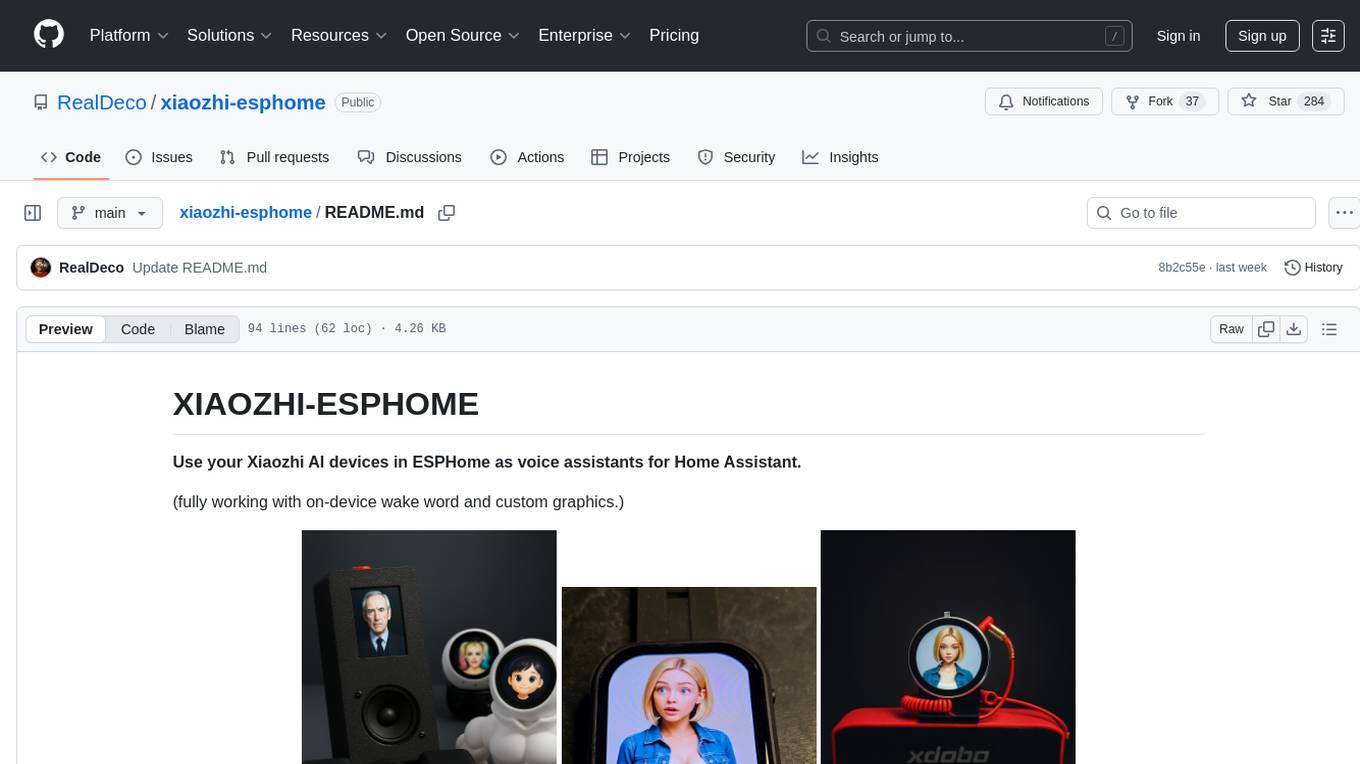
xiaozhi-esphome
This GitHub project provides a simple way to use Xiaozhi-based devices with ESPHome, allowing them to serve as voice assistants integrated with Home Assistant. Users can follow a step-by-step installation guide to connect their devices, edit configurations, and set up the voice assistant. The project supports various devices such as Spotpear Ball, Muma Box, Puck, Guition Taichi pi, Xingzhi Cube, and more. Additionally, it offers links to purchase supported devices and accessories, including 3D files for holders and wireless chargers.
aisler-support
AISLER Support repository contains files useful for support. Design rules provided here limit manufacturing capabilities. Boards may not be functional with autorouter. Explore more in Community. AISLER Support files are Copyright © 2023 by AISLER B.V. Free software under specified license terms. Visit AISLER for industry quality and affordable PCBs.
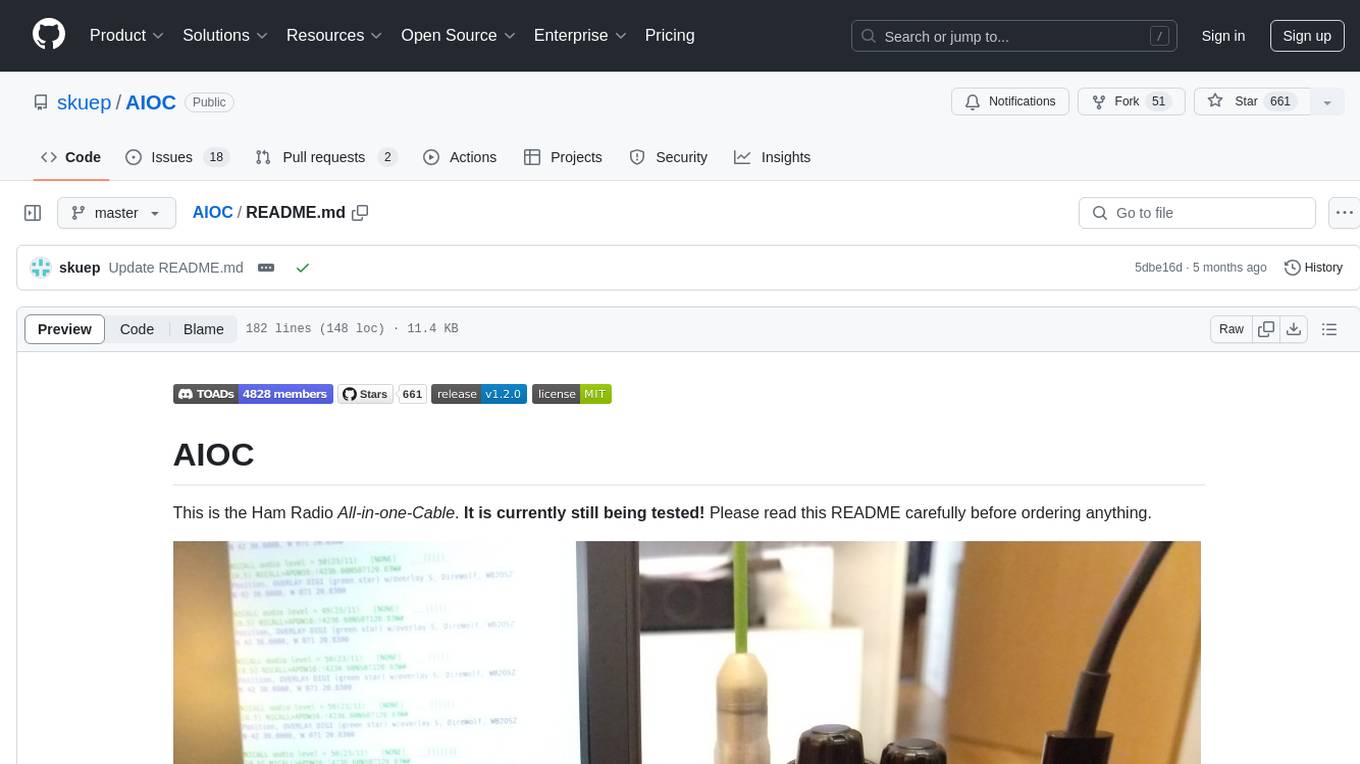
AIOC
AIOC is an All-in-one-Cable for Ham Radio enthusiasts, providing a cheap and hackable digital mode USB interface with features like sound-card, virtual tty, and CM108 compatible HID endpoint. It supports various software and tested radios for functions like programming, APRS, and Dual-PTT HTs. Users can fabricate and assemble the AIOC using specific instructions, and program it using STM32CubeIDE. The tool can be used for tasks like programming radios, asserting PTT, and accessing audio data channels. Future work includes configurable AIOC settings, virtual-PTT, and virtual-COS features.
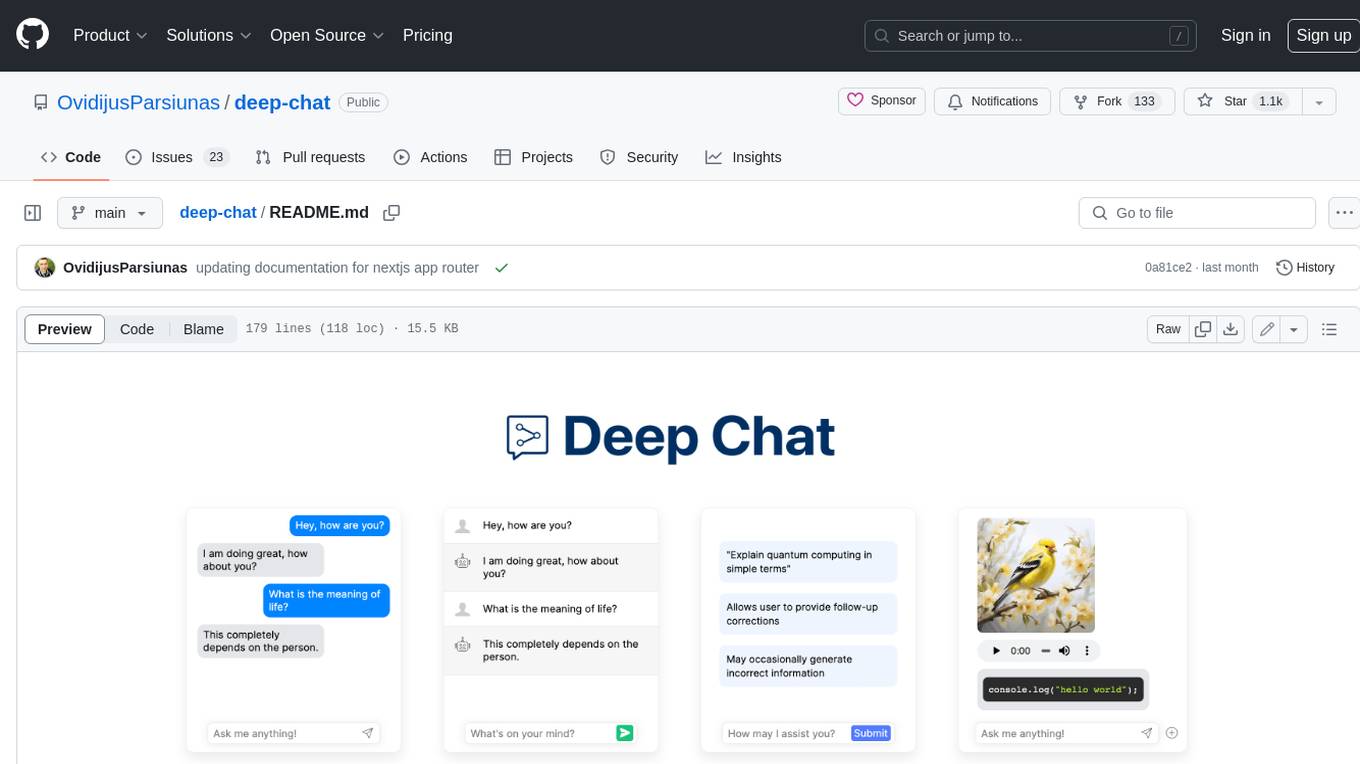
deep-chat
Deep Chat is a fully customizable AI chat component that can be injected into your website with minimal to no effort. Whether you want to create a chatbot that leverages popular APIs such as ChatGPT or connect to your own custom service, this component can do it all! Explore deepchat.dev to view all of the available features, how to use them, examples and more!
tiledesk-server
Tiledesk-server is the server engine of Tiledesk. Tiledesk is an Open Source Live Chat platform with integrated Chatbots written in NodeJs and Express. Build your own customer support with a multi-channel platform for Web, Android and iOS. Designed to be open source since the beginning, we actively worked on it to create a totally new, first class customer service platform based on instant messaging. What is Tiledesk today? It became the open source “conversational app development” platform that everyone needs 😌 You can use Tiledesk to increase sales for your website or for post-sales customer service. Every conversation can be automated using our first class native chatbot technology. You can also connect your own applications using our APIs or Webhooks. Moreover you can deploy entire visual applications inside a conversation. And your applications can converse with your chatbots or your end-users! We know this is cool 😎 Tiledesk is multichannel in a totally new way. You can write your chatbot scripts with images, buttons and other cool elements that your channels support. But you will configureyour chatbot replies only once. They will run on every channel, auto-adapting the responses to the target channel whatever it is, Whatsapp, Facebook Messenger, Telegram etc. More info on Tiledesk website: https://www.tiledesk.com. You can find technical documentation here: https://developer.tiledesk.com
claim-ai-phone-bot
AI-powered call center solution with Azure and OpenAI GPT. The bot can answer calls, understand the customer's request, and provide relevant information or assistance. It can also create a todo list of tasks to complete the claim, and send a report after the call. The bot is customizable, and can be used in multiple languages.