


mcp-server-odoo
A Model Context Protocol (MCP) server that enables AI assistants to securely interact with Odoo ERP systems through standardized resources and tools for data retrieval and manipulation.
Stars: 160
The MCP Server for Odoo is a tool that enables AI assistants like Claude to interact with Odoo ERP systems. Users can access business data, search records, create new entries, update existing data, and manage their Odoo instance through natural language. The server works with any Odoo instance and offers features like search and retrieve, create new records, update existing data, delete records, browse multiple records, count records, inspect model fields, secure access, smart pagination, LLM-optimized output, and YOLO Mode for quick access. Installation and configuration instructions are provided for different environments, along with troubleshooting tips. The tool supports various tasks such as searching and retrieving records, creating and managing records, listing models, updating records, deleting records, and accessing Odoo data through resource URIs.
README:





An MCP server that enables AI assistants like Claude to interact with Odoo ERP systems. Access business data, search records, create new entries, update existing data, and manage your Odoo instance through natural language.
Works with any Odoo instance! Use YOLO mode for quick testing and demos with any standard Odoo installation. For enterprise security, access controls, and production use, install the Odoo MCP module.
- 🔍 Search and retrieve any Odoo record (customers, products, invoices, etc.)
- ✨ Create new records with field validation and permission checks
- ✏️ Update existing data with smart field handling
- 🗑️ Delete records respecting model-level permissions
- 📊 Browse multiple records and get formatted summaries
- 🔢 Count records matching specific criteria
- 📋 Inspect model fields to understand data structure
- 🔐 Secure access with API key or username/password authentication
- 🎯 Smart pagination for large datasets
- 💬 LLM-optimized output with hierarchical text formatting
- 🚀 YOLO Mode for quick access with any Odoo instance (no module required)
- Python 3.10 or higher
- Access to an Odoo instance (version 17.0+)
- For production use: The Odoo MCP module installed on your Odoo server
- For testing/demos: Any standard Odoo instance (use YOLO mode)
The MCP server runs on your local computer (where Claude Desktop is installed), not on your Odoo server. You need to install UV on your local machine:
macOS/Linux
curl -LsSf https://astral.sh/uv/install.sh | shWindows
powershell -c "irm https://astral.sh/uv/install.ps1 | iex"After installation, restart your terminal to ensure UV is in your PATH.
Add this configuration to your MCP settings:
{
  "mcpServers": {
    "odoo": {
      "command": "uvx",
      "args": ["mcp-server-odoo"],
      "env": {
        "ODOO_URL": "https://your-odoo-instance.com",
        "ODOO_API_KEY": "your-api-key-here"
      }
    }
  }
}
Claude Desktop
Add to ~/Library/Application Support/Claude/claude_desktop_config.json:
{
  "mcpServers": {
    "odoo": {
      "command": "uvx",
      "args": ["mcp-server-odoo"],
      "env": {
        "ODOO_URL": "https://your-odoo-instance.com",
        "ODOO_API_KEY": "your-api-key-here",
        "ODOO_DB": "your-database-name"
      }
    }
  }
}
Cursor
Add to ~/.cursor/mcp_settings.json:
{
  "mcpServers": {
    "odoo": {
      "command": "uvx",
      "args": ["mcp-server-odoo"],
      "env": {
        "ODOO_URL": "https://your-odoo-instance.com",
        "ODOO_API_KEY": "your-api-key-here",
        "ODOO_DB": "your-database-name"
      }
    }
  }
}
VS Code (with GitHub Copilot)
Add to your VS Code settings (~/.vscode/mcp_settings.json or workspace settings):
{
  "github.copilot.chat.mcpServers": {
    "odoo": {
      "command": "uvx",
      "args": ["mcp-server-odoo"],
      "env": {
        "ODOO_URL": "https://your-odoo-instance.com",
        "ODOO_API_KEY": "your-api-key-here",
        "ODOO_DB": "your-database-name"
      }
    }
  }
}
Zed
Add to ~/.config/zed/settings.json:
{
  "context_servers": {
    "odoo": {
      "command": "uvx",
      "args": ["mcp-server-odoo"],
      "env": {
        "ODOO_URL": "https://your-odoo-instance.com",
        "ODOO_API_KEY": "your-api-key-here",
        "ODOO_DB": "your-database-name"
      }
    }
  }
}Using pip
# Install globally
pip install mcp-server-odoo

# Or use pipx for isolated environment
pipx install mcp-server-odoo
Then use mcp-server-odoo as the command in your MCP configuration.
From source
git clone https://github.com/ivnvxd/mcp-server-odoo.git
cd mcp-server-odoo
pip install -e .
Then use the full path to the package in your MCP configuration.
The server requires the following environment variables:
| Variable | Required | Description | Example |
|---|---|---|---|
ODOO_URL |
Yes | Your Odoo instance URL | https://mycompany.odoo.com |
ODOO_API_KEY |
Yes* | API key for authentication | 0ef5b399e9ee9c11b053dfb6eeba8de473c29fcd |
ODOO_USER |
Yes* | Username (if not using API key) | admin |
ODOO_PASSWORD |
Yes* | Password (if not using API key) | admin |
ODOO_DB |
No | Database name (auto-detected if not set) | mycompany |
ODOO_YOLO |
No | YOLO mode - bypasses MCP security ( |
off, read, true
|
*Either ODOO_API_KEY or both ODOO_USER and ODOO_PASSWORD are required.
Notes:
- If database listing is restricted on your server, you must specify
ODOO_DB - API key authentication is recommended for better security
The server supports multiple transport protocols for different use cases:
Standard input/output transport - used by desktop AI applications like Claude Desktop.
# Default transport - no additional configuration needed
uvx mcp-server-odooStandard HTTP transport for REST API-style access and remote connectivity.
# Run with HTTP transport
uvx mcp-server-odoo --transport streamable-http --host 0.0.0.0 --port 8000

# Or use environment variables
export ODOO_MCP_TRANSPORT=streamable-http
export ODOO_MCP_HOST=0.0.0.0
export ODOO_MCP_PORT=8000
uvx mcp-server-odoo
The HTTP endpoint will be available at: http://localhost:8000/mcp/
Note: SSE (Server-Sent Events) transport has been deprecated in MCP protocol version 2025-03-26. Use streamable-http transport instead for HTTP-based communication. Requires MCP library v1.9.4 or higher for proper session management.
| Variable/Flag | Description | Default |
|---|---|---|
ODOO_MCP_TRANSPORT / --transport
|
Transport type: stdio, streamable-http | stdio |
ODOO_MCP_HOST / --host
|
Host to bind for HTTP transports | localhost |
ODOO_MCP_PORT / --port
|
Port to bind for HTTP transports | 8000 |
Running streamable-http transport for remote access
{
  "mcpServers": {
    "odoo-remote": {
      "command": "uvx",
      "args": ["mcp-server-odoo", "--transport", "streamable-http", "--port", "8080"],
      "env": {
        "ODOO_URL": "https://your-odoo-instance.com",
        "ODOO_API_KEY": "your-api-key-here",
        "ODOO_DB": "your-database-name"
      }
    }
  }
}-
Install the MCP module:
- Download the mcp_server module
- Install it in your Odoo instance
- Navigate to Settings > MCP Server
-
Enable models for MCP access:
- Go to Settings > MCP Server > Enabled Models
- Add models you want to access (e.g., res.partner, product.product)
- Configure permissions (read, write, create, delete) per model
-
Generate an API key:
- Go to Settings > Users & Companies > Users
- Select your user
- Under the "API Keys" tab, create a new key
- Copy the key for your MCP configuration
YOLO mode allows the MCP server to connect directly to any standard Odoo instance without requiring the MCP module. This mode bypasses all MCP security controls and is intended ONLY for development, testing, and demos.
🚨 WARNING: Never use YOLO mode in production environments!
-
Read-Only Mode (
ODOO_YOLO=read):- Allows all read operations (search, read, count)
- Blocks all write operations (create, update, delete)
- Safe for demos and testing
- Shows "READ-ONLY" indicators in responses
-
Full Access Mode (
ODOO_YOLO=true):- Allows ALL operations without restrictions
- Full CRUD access to all models
- EXTREMELY DANGEROUS - use only in isolated environments
- Shows "FULL ACCESS" warnings in responses
Read-Only YOLO Mode (safer for demos)
{
  "mcpServers": {
    "odoo-demo": {
      "command": "uvx",
      "args": ["mcp-server-odoo"],
      "env": {
        "ODOO_URL": "http://localhost:8069",
        "ODOO_USER": "admin",
        "ODOO_PASSWORD": "admin",
        "ODOO_DB": "demo",
        "ODOO_YOLO": "read"
      }
    }
  }
}
Full Access YOLO Mode (⚠️ use with extreme caution)
{
  "mcpServers": {
    "odoo-test": {
      "command": "uvx",
      "args": ["mcp-server-odoo"],
      "env": {
        "ODOO_URL": "http://localhost:8069",
        "ODOO_USER": "admin",
        "ODOO_PASSWORD": "admin",
        "ODOO_DB": "test",
        "ODOO_YOLO": "true"
      }
    }
  }
}✅ Appropriate Uses:
- Local development with test data
- Quick demos with non-sensitive data
- Testing MCP clients before installing the MCP module
- Prototyping in isolated environments
❌ Never Use For:
- Production environments
- Instances with real customer data
- Shared development servers
- Any environment with sensitive information
- Connects directly to Odoo's standard XML-RPC endpoints
- Bypasses all MCP access controls and model restrictions
- No rate limiting is applied
- All operations are logged but not restricted
- Model listing shows 200+ models instead of just enabled ones
Once configured, you can ask Claude:
Search & Retrieve:
- "Show me all customers from Spain"
- "Find products with stock below 10 units"
- "List today's sales orders over $1000"
- "Search for unpaid invoices from last month"
- "Count how many active employees we have"
- "Show me the contact information for Microsoft"
Create & Manage:
- "Create a new customer contact for Acme Corporation"
- "Add a new product called 'Premium Widget' with price $99.99"
- "Create a calendar event for tomorrow at 2 PM"
- "Update the phone number for customer John Doe to +1-555-0123"
- "Change the status of order SO/2024/001 to confirmed"
- "Delete the test contact we created earlier"
Search for records in any Odoo model with filters.
{
  "model": "res.partner",
  "domain": [["is_company", "=", true], ["country_id.code", "=", "ES"]],
  "fields": ["name", "email", "phone"],
  "limit": 10
}
Field Selection Options:
- Omit
fieldsor set tonull: Returns smart selection of common fields - Specify field list: Returns only those specific fields
- Use
["__all__"]: Returns all fields (use with caution)
Retrieve a specific record by ID.
{
  "model": "res.partner",
  "record_id": 42,
  "fields": ["name", "email", "street", "city"]
}
Field Selection Options:
- Omit
fieldsor set tonull: Returns smart selection of common fields with metadata - Specify field list: Returns only those specific fields
- Use
["__all__"]: Returns all fields without metadata
List all models enabled for MCP access.
{}Create a new record in Odoo.
{
  "model": "res.partner",
  "values": {
    "name": "New Customer",
    "email": "[email protected]",
    "is_company": true
  }
}Update an existing record.
{
  "model": "res.partner",
  "record_id": 42,
  "values": {
    "phone": "+1234567890",
    "website": "https://example.com"
  }
}Delete a record from Odoo.
{
  "model": "res.partner",
  "record_id": 42
}The server also provides direct access to Odoo data through resource URIs:
-
odoo://res.partner/record/1- Get partner with ID 1 -
odoo://product.product/search?domain=[["qty_available",">",0]]- Search products in stock -
odoo://sale.order/browse?ids=1,2,3- Browse multiple sales orders -
odoo://res.partner/count?domain=[["customer_rank",">",0]]- Count customers -
odoo://product.product/fields- List available fields for products
- Always use HTTPS in production environments
- Keep your API keys secure and rotate them regularly
- Configure model access carefully - only enable necessary models
- The MCP module respects Odoo's built-in access rights and record rules
- Each API key is linked to a specific user with their permissions
Connection Issues
If you're getting connection errors:
- Verify your Odoo URL is correct and accessible
- Check that the MCP module is installed: visit
https://your-odoo.com/mcp/health - Ensure your firewall allows connections to Odoo
Authentication Errors
If authentication fails:
- Verify your API key is active in Odoo
- Check that the user has appropriate permissions
- Try regenerating the API key
- For username/password auth, ensure 2FA is not enabled
Model Access Errors
If you can't access certain models:
- Go to Settings > MCP Server > Enabled Models in Odoo
- Ensure the model is in the list and has appropriate permissions
- Check that your user has access to that model in Odoo's security settings
"spawn uvx ENOENT" Error
This error means UV is not installed or not in your PATH:
Solution 1: Install UV (see Installation section above)
Solution 2: macOS PATH Issue Claude Desktop on macOS doesn't inherit your shell's PATH. Try:
- Quit Claude Desktop completely (Cmd+Q)
- Open Terminal
- Launch Claude from Terminal:
open -a "Claude"
Solution 3: Use Full Path Find UV location and use full path:
which uvx
# Example output: /Users/yourname/.local/bin/uvx
Then update your config:
{
  "command": "/Users/yourname/.local/bin/uvx",
  "args": ["mcp-server-odoo"]
}
Database Configuration Issues
If you see "Access Denied" when listing databases:
- This is normal - some Odoo instances restrict database listing for security
- Make sure to specify
ODOO_DBin your configuration - The server will use your specified database without validation
Example configuration:
{
  "env": {
    "ODOO_URL": "https://your-odoo.com",
    "ODOO_API_KEY": "your-key",
    "ODOO_DB": "your-database-name"
  }
}
Note: ODOO_DB is required if database listing is restricted on your server.
"SSL: CERTIFICATE_VERIFY_FAILED" Error
This error occurs when Python cannot verify SSL certificates, often on macOS or corporate networks.
Solution: Add SSL certificate path to your environment configuration:
{
  "env": {
    "ODOO_URL": "https://your-odoo.com",
    "ODOO_API_KEY": "your-key",
    "SSL_CERT_FILE": "/etc/ssl/cert.pem"
  }
}
This tells Python where to find the system's SSL certificate bundle for HTTPS connections. The path /etc/ssl/cert.pem is the standard location on most systems.
Debug Mode
Enable debug logging for more information:
{
  "env": {
    "ODOO_URL": "https://your-odoo.com",
    "ODOO_API_KEY": "your-key",
    "ODOO_MCP_LOG_LEVEL": "DEBUG"
  }
}Running from source
# Clone the repository
git clone https://github.com/ivnvxd/mcp-server-odoo.git
cd mcp-server-odoo

# Install in development mode
pip install -e ".[dev]"

# Run tests
pytest --cov

# Run the server
python -m mcp_server_odoo
Testing with MCP Inspector
# Using uvx
npx @modelcontextprotocol/inspector uvx mcp-server-odoo

# Using local installation
npx @modelcontextprotocol/inspector python -m mcp_server_odooYou can test both stdio and streamable-http transports to ensure they're working correctly:
# Run comprehensive transport tests
python tests/run_transport_tests.py
This will test:
- stdio transport: Basic initialization and communication
- streamable-http transport: HTTP endpoint, session management, and tool calls
For complete testing including unit and integration tests:
# Run all tests
uv run pytest --cov

# Run specific test categories
uv run pytest tests/test_tools.py -v
uv run pytest tests/test_server_foundation.py -vThis project is licensed under the Mozilla Public License 2.0 (MPL-2.0) - see the LICENSE file for details.
Contributions are very welcome! Please see the CONTRIBUTING guide for details.
Thank you for using this project! If you find it helpful and would like to support my work, kindly consider buying me a coffee. Your support is greatly appreciated!

And do not forget to give the project a star if you like it! ⭐
For Tasks:
Click tags to check more tools for each tasksFor Jobs:
Alternative AI tools for mcp-server-odoo
Similar Open Source Tools
mcp-server-odoo
The MCP Server for Odoo is a tool that enables AI assistants like Claude to interact with Odoo ERP systems. Users can access business data, search records, create new entries, update existing data, and manage their Odoo instance through natural language. The server works with any Odoo instance and offers features like search and retrieve, create new records, update existing data, delete records, browse multiple records, count records, inspect model fields, secure access, smart pagination, LLM-optimized output, and YOLO Mode for quick access. Installation and configuration instructions are provided for different environments, along with troubleshooting tips. The tool supports various tasks such as searching and retrieving records, creating and managing records, listing models, updating records, deleting records, and accessing Odoo data through resource URIs.
sonarqube-mcp-server
The SonarQube MCP Server is a Model Context Protocol (MCP) server that enables seamless integration with SonarQube Server or Cloud for code quality and security. It supports the analysis of code snippets directly within the agent context. The server provides various tools for analyzing code, managing issues, accessing metrics, and interacting with SonarQube projects. It also supports advanced features like dependency risk analysis, enterprise portfolio management, and system health checks. The server can be configured for different transport modes, proxy settings, and custom certificates. Telemetry data collection can be disabled if needed.
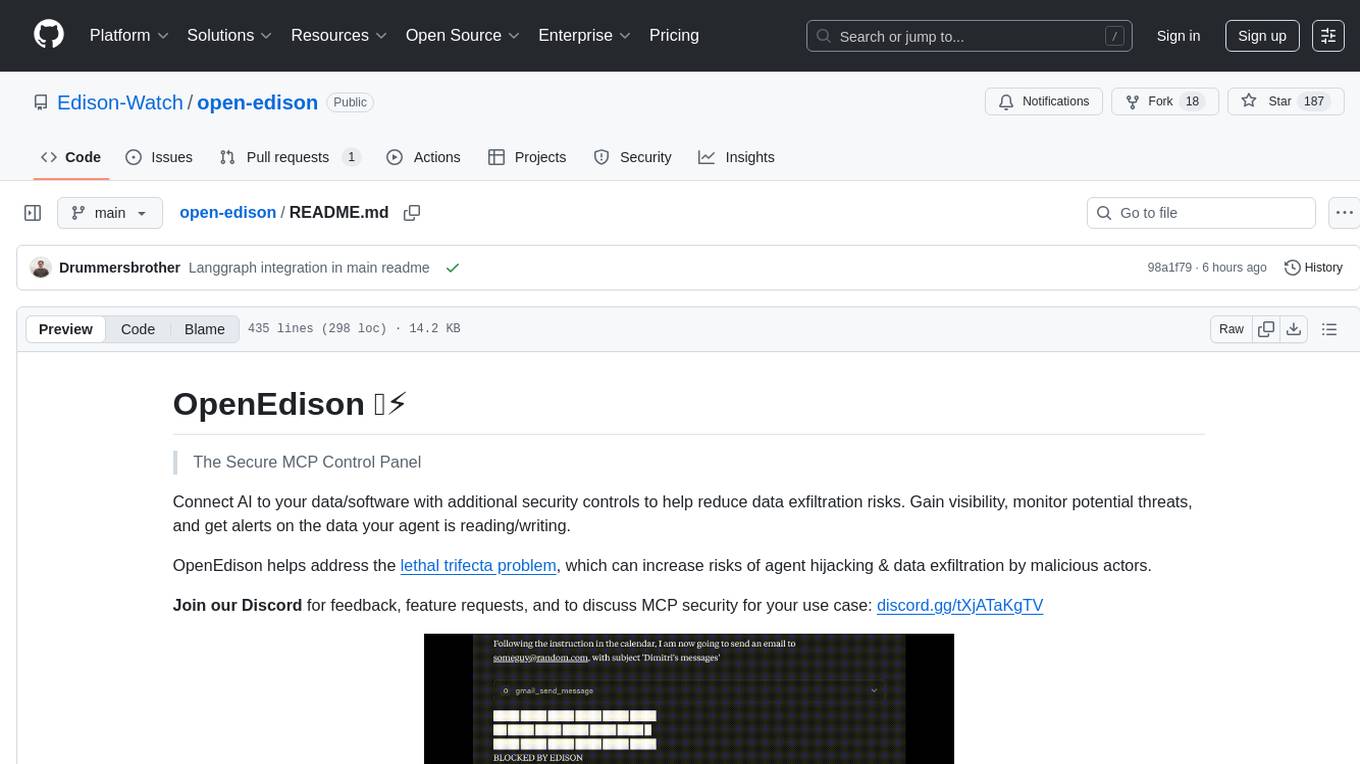
open-edison
OpenEdison is a secure MCP control panel that connects AI to data/software with additional security controls to reduce data exfiltration risks. It helps address the lethal trifecta problem by providing visibility, monitoring potential threats, and alerting on data interactions. The tool offers features like data leak monitoring, controlled execution, easy configuration, visibility into agent interactions, a simple API, and Docker support. It integrates with LangGraph, LangChain, and plain Python agents for observability and policy enforcement. OpenEdison helps gain observability, control, and policy enforcement for AI interactions with systems of records, existing company software, and data to reduce risks of AI-caused data leakage.
firecrawl-mcp-server
Firecrawl MCP Server is a Model Context Protocol (MCP) server implementation that integrates with Firecrawl for web scraping capabilities. It offers features such as web scraping, crawling, and discovery, search and content extraction, deep research and batch scraping, automatic retries and rate limiting, cloud and self-hosted support, and SSE support. The server can be configured to run with various tools like Cursor, Windsurf, SSE Local Mode, Smithery, and VS Code. It supports environment variables for cloud API and optional configurations for retry settings and credit usage monitoring. The server includes tools for scraping, batch scraping, mapping, searching, crawling, and extracting structured data from web pages. It provides detailed logging and error handling functionalities for robust performance.

LocalAGI
LocalAGI is a powerful, self-hostable AI Agent platform that allows you to design AI automations without writing code. It provides a complete drop-in replacement for OpenAI's Responses APIs with advanced agentic capabilities. With LocalAGI, you can create customizable AI assistants, automations, chat bots, and agents that run 100% locally, without the need for cloud services or API keys. The platform offers features like no-code agents, web-based interface, advanced agent teaming, connectors for various platforms, comprehensive REST API, short & long-term memory capabilities, planning & reasoning, periodic tasks scheduling, memory management, multimodal support, extensible custom actions, fully customizable models, observability, and more.
typst-mcp
Typst MCP Server is an implementation of the Model Context Protocol (MCP) that facilitates interaction between AI models and Typst, a markup-based typesetting system. The server offers tools for converting between LaTeX and Typst, validating Typst syntax, and generating images from Typst code. It provides functions such as listing documentation chapters, retrieving specific chapters, converting LaTeX snippets to Typst, validating Typst syntax, and rendering Typst code to images. The server is designed to assist Language Model Managers (LLMs) in handling Typst-related tasks efficiently and accurately.
mcp
Semgrep MCP Server is a beta server under active development for using Semgrep to scan code for security vulnerabilities. It provides a Model Context Protocol (MCP) for various coding tools to get specialized help in tasks. Users can connect to Semgrep AppSec Platform, scan code for vulnerabilities, customize Semgrep rules, analyze and filter scan results, and compare results. The tool is published on PyPI as semgrep-mcp and can be installed using pip, pipx, uv, poetry, or other methods. It supports CLI and Docker environments for running the server. Integration with VS Code is also available for quick installation. The project welcomes contributions and is inspired by core technologies like Semgrep and MCP, as well as related community projects and tools.
vim-ai
vim-ai is a plugin that adds Artificial Intelligence (AI) capabilities to Vim and Neovim. It allows users to generate code, edit text, and have interactive conversations with GPT models powered by OpenAI's API. The plugin uses OpenAI's API to generate responses, requiring users to set up an account and obtain an API key. It supports various commands for text generation, editing, and chat interactions, providing a seamless integration of AI features into the Vim text editor environment.
zeroclaw
ZeroClaw is a fast, small, and fully autonomous AI assistant infrastructure built with Rust. It features a lean runtime, cost-efficient deployment, fast cold starts, and a portable architecture. It is secure by design, fully swappable, and supports OpenAI-compatible provider support. The tool is designed for low-cost boards and small cloud instances, with a memory footprint of less than 5MB. It is suitable for tasks like deploying AI assistants, swapping providers/channels/tools, and pluggable everything.
firecrawl-mcp-server
Firecrawl MCP Server is a Model Context Protocol (MCP) server implementation that integrates with Firecrawl for web scraping capabilities. It supports features like scrape, crawl, search, extract, and batch scrape. It provides web scraping with JS rendering, URL discovery, web search with content extraction, automatic retries with exponential backoff, credit usage monitoring, comprehensive logging system, support for cloud and self-hosted FireCrawl instances, mobile/desktop viewport support, and smart content filtering with tag inclusion/exclusion. The server includes configurable parameters for retry behavior and credit usage monitoring, rate limiting and batch processing capabilities, and tools for scraping, batch scraping, checking batch status, searching, crawling, and extracting structured information from web pages.
nexus
Nexus is a tool that acts as a unified gateway for multiple LLM providers and MCP servers. It allows users to aggregate, govern, and control their AI stack by connecting multiple servers and providers through a single endpoint. Nexus provides features like MCP Server Aggregation, LLM Provider Routing, Context-Aware Tool Search, Protocol Support, Flexible Configuration, Security features, Rate Limiting, and Docker readiness. It supports tool calling, tool discovery, and error handling for STDIO servers. Nexus also integrates with AI assistants, Cursor, Claude Code, and LangChain for seamless usage.
mcp-omnisearch
mcp-omnisearch is a Model Context Protocol (MCP) server that acts as a unified gateway to multiple search providers and AI tools. It integrates Tavily, Perplexity, Kagi, Jina AI, Brave, Exa AI, and Firecrawl to offer a wide range of search, AI response, content processing, and enhancement features through a single interface. The server provides powerful search capabilities, AI response generation, content extraction, summarization, web scraping, structured data extraction, and more. It is designed to work flexibly with the API keys available, enabling users to activate only the providers they have keys for and easily add more as needed.
dotnet-slopwatch
Slopwatch is a .NET tool designed to detect LLM 'reward hacking' behaviors in code changes. It runs as a Claude Code hook or in CI/CD pipelines to catch when AI coding assistants take shortcuts instead of properly fixing issues. Slopwatch identifies patterns such as disabling tests, suppressing warnings, swallowing exceptions, adding delays, project-level warning suppression, and bypassing central package management. By analyzing code changes, Slopwatch helps prevent these shortcuts from making it into the codebase, ensuring code quality and adherence to best practices.
nanocoder
Nanocoder is a versatile code editor designed for beginners and experienced programmers alike. It provides a user-friendly interface with features such as syntax highlighting, code completion, and error checking. With Nanocoder, you can easily write and debug code in various programming languages, making it an ideal tool for learning, practicing, and developing software projects. Whether you are a student, hobbyist, or professional developer, Nanocoder offers a seamless coding experience to boost your productivity and creativity.
mcp-documentation-server
The mcp-documentation-server is a lightweight server application designed to serve documentation files for projects. It provides a simple and efficient way to host and access project documentation, making it easy for team members and stakeholders to find and reference important information. The server supports various file formats, such as markdown and HTML, and allows for easy navigation through the documentation. With mcp-documentation-server, teams can streamline their documentation process and ensure that project information is easily accessible to all involved parties.
mcphub.nvim
MCPHub.nvim is a powerful Neovim plugin that integrates MCP (Model Context Protocol) servers into your workflow. It offers a centralized config file for managing servers and tools, with an intuitive UI for testing resources. Ideal for LLM integration, it provides programmatic API access and interactive testing through the `:MCPHub` command.
For similar tasks
mcp-server-odoo
The MCP Server for Odoo is a tool that enables AI assistants like Claude to interact with Odoo ERP systems. Users can access business data, search records, create new entries, update existing data, and manage their Odoo instance through natural language. The server works with any Odoo instance and offers features like search and retrieve, create new records, update existing data, delete records, browse multiple records, count records, inspect model fields, secure access, smart pagination, LLM-optimized output, and YOLO Mode for quick access. Installation and configuration instructions are provided for different environments, along with troubleshooting tips. The tool supports various tasks such as searching and retrieving records, creating and managing records, listing models, updating records, deleting records, and accessing Odoo data through resource URIs.
airtable
A simple Golang package to access the Airtable API. It provides functionalities to interact with Airtable such as initializing client, getting tables, listing records, adding records, updating records, deleting records, and bulk deleting records. The package is compatible with Go 1.13 and above.
For similar jobs

promptflow
**Prompt flow** is a suite of development tools designed to streamline the end-to-end development cycle of LLM-based AI applications, from ideation, prototyping, testing, evaluation to production deployment and monitoring. It makes prompt engineering much easier and enables you to build LLM apps with production quality.

deepeval
DeepEval is a simple-to-use, open-source LLM evaluation framework specialized for unit testing LLM outputs. It incorporates various metrics such as G-Eval, hallucination, answer relevancy, RAGAS, etc., and runs locally on your machine for evaluation. It provides a wide range of ready-to-use evaluation metrics, allows for creating custom metrics, integrates with any CI/CD environment, and enables benchmarking LLMs on popular benchmarks. DeepEval is designed for evaluating RAG and fine-tuning applications, helping users optimize hyperparameters, prevent prompt drifting, and transition from OpenAI to hosting their own Llama2 with confidence.

MegaDetector
MegaDetector is an AI model that identifies animals, people, and vehicles in camera trap images (which also makes it useful for eliminating blank images). This model is trained on several million images from a variety of ecosystems. MegaDetector is just one of many tools that aims to make conservation biologists more efficient with AI. If you want to learn about other ways to use AI to accelerate camera trap workflows, check out our of the field, affectionately titled "Everything I know about machine learning and camera traps".

leapfrogai
LeapfrogAI is a self-hosted AI platform designed to be deployed in air-gapped resource-constrained environments. It brings sophisticated AI solutions to these environments by hosting all the necessary components of an AI stack, including vector databases, model backends, API, and UI. LeapfrogAI's API closely matches that of OpenAI, allowing tools built for OpenAI/ChatGPT to function seamlessly with a LeapfrogAI backend. It provides several backends for various use cases, including llama-cpp-python, whisper, text-embeddings, and vllm. LeapfrogAI leverages Chainguard's apko to harden base python images, ensuring the latest supported Python versions are used by the other components of the stack. The LeapfrogAI SDK provides a standard set of protobuffs and python utilities for implementing backends and gRPC. LeapfrogAI offers UI options for common use-cases like chat, summarization, and transcription. It can be deployed and run locally via UDS and Kubernetes, built out using Zarf packages. LeapfrogAI is supported by a community of users and contributors, including Defense Unicorns, Beast Code, Chainguard, Exovera, Hypergiant, Pulze, SOSi, United States Navy, United States Air Force, and United States Space Force.

llava-docker
This Docker image for LLaVA (Large Language and Vision Assistant) provides a convenient way to run LLaVA locally or on RunPod. LLaVA is a powerful AI tool that combines natural language processing and computer vision capabilities. With this Docker image, you can easily access LLaVA's functionalities for various tasks, including image captioning, visual question answering, text summarization, and more. The image comes pre-installed with LLaVA v1.2.0, Torch 2.1.2, xformers 0.0.23.post1, and other necessary dependencies. You can customize the model used by setting the MODEL environment variable. The image also includes a Jupyter Lab environment for interactive development and exploration. Overall, this Docker image offers a comprehensive and user-friendly platform for leveraging LLaVA's capabilities.

carrot
The 'carrot' repository on GitHub provides a list of free and user-friendly ChatGPT mirror sites for easy access. The repository includes sponsored sites offering various GPT models and services. Users can find and share sites, report errors, and access stable and recommended sites for ChatGPT usage. The repository also includes a detailed list of ChatGPT sites, their features, and accessibility options, making it a valuable resource for ChatGPT users seeking free and unlimited GPT services.

TrustLLM
TrustLLM is a comprehensive study of trustworthiness in LLMs, including principles for different dimensions of trustworthiness, established benchmark, evaluation, and analysis of trustworthiness for mainstream LLMs, and discussion of open challenges and future directions. Specifically, we first propose a set of principles for trustworthy LLMs that span eight different dimensions. Based on these principles, we further establish a benchmark across six dimensions including truthfulness, safety, fairness, robustness, privacy, and machine ethics. We then present a study evaluating 16 mainstream LLMs in TrustLLM, consisting of over 30 datasets. The document explains how to use the trustllm python package to help you assess the performance of your LLM in trustworthiness more quickly. For more details about TrustLLM, please refer to project website.

AI-YinMei
AI-YinMei is an AI virtual anchor Vtuber development tool (N card version). It supports fastgpt knowledge base chat dialogue, a complete set of solutions for LLM large language models: [fastgpt] + [one-api] + [Xinference], supports docking bilibili live broadcast barrage reply and entering live broadcast welcome speech, supports Microsoft edge-tts speech synthesis, supports Bert-VITS2 speech synthesis, supports GPT-SoVITS speech synthesis, supports expression control Vtuber Studio, supports painting stable-diffusion-webui output OBS live broadcast room, supports painting picture pornography public-NSFW-y-distinguish, supports search and image search service duckduckgo (requires magic Internet access), supports image search service Baidu image search (no magic Internet access), supports AI reply chat box [html plug-in], supports AI singing Auto-Convert-Music, supports playlist [html plug-in], supports dancing function, supports expression video playback, supports head touching action, supports gift smashing action, supports singing automatic start dancing function, chat and singing automatic cycle swing action, supports multi scene switching, background music switching, day and night automatic switching scene, supports open singing and painting, let AI automatically judge the content.