


tsk-tsk
Keeping your agents out of trouble with sandboxed coding agent automation
Stars: 140
Delegate development tasks to YOLO mode AI agents running in sandbox containers. tsk auto-detects your toolchain and builds container images for you, so most projects require very little setup. Agents work asynchronously and in parallel so you can review their work on your own schedule, respecting your time and attention. Each agent gets what it needs and nothing more, including agent configuration, a copy of your repo excluding gitignored files, an isolated filesystem, and a configurable domain allowlist. Supports Claude Code and Codex coding agents. Docker and Podman container runtimes.
README:
Delegate development tsk tasks to YOLO mode AI agents running in sandbox containers. tsk auto-detects your toolchain and builds container images for you, so most projects require very little setup. Agents work asynchronously and in parallel so you can review their work on your own schedule, respecting your time and attention.
- Assign tasks using templates that automate prompt boilerplate
-
tskcopies your repo and builds containers with your toolchain automatically - Agents work in YOLO mode in parallel filesystem and network isolated containers
-
tskfetches branches back to your repo for review - Review and merge on your own schedule
Each agent gets what it needs and nothing more:
- Agent configuration (e.g.
~/.claudeor~/.codex) - A copy of your repo excluding gitignored files (no accidental API key sharing)
- An isolated filesystem (no accidental
rm -rf .git) - A configurable domain allowlist (Agents can't share your code on MoltBook)
Each agent runs in an isolated network where all traffic routes through a proxy sidecar, enforcing the domain allowlist. Beyond network restrictions, agents have full control within their container.
Supports Claude Code and Codex coding agents. Docker and Podman container runtimes.

- Rust - Rust toolchain and Cargo
- Docker or Podman - Container runtime
- Git - Version control system
- One of the supported coding agents:
- Claude Code
- Codex
- Help us support more!
# Install using cargo
cargo install tsk-ai
# Or build from source!
gh repo clone dtormoen/tsk-tsk
cd tsk-tsk
cargo install --path .
Claude Code users: Install tsk skills to teach Claude how to use tsk commands directly in your conversations and help you configure your projects for use with tsk:
/plugin marketplace add dtormoen/tsk-tsk
/plugin install tsk-help@dtormoen/tsk-tsk
/plugin install tsk-config@dtormoen/tsk-tsk
/plugin install tsk-add@dtormoen/tsk-tsk
See Claude Code Skills Marketplace for more details.
tsk can be used in multiple ways. Here are some of the main workflows to get started. Try testing these in the tsk repository!
Start up sandbox with an interactive shell so you can work interactively with a coding agent. This is similar to a git worktrees workflow, but provides stronger isolation. claude is the default coding agent, but you can also specify --agent codex to use codex.
tsk shellThe tsk shell command will:
- Make a copy of your repo
- Create a new git branch for you to work on
- Start a proxy to limit internet access
- Build and start a container with your stack (go, python, rust, etc.) and agent (default: claude) installed
- Drop you into an interactive shell
After you exit the interactive shell (ctrl-d or exit), tsk will save any work you've done as a new branch in your original repo.
This workflow is really powerful when used with terminal multiplexers like tmux or zellij. It allows you to start multiple agents that are working on completely isolated copies of your repository with no opportunity to interfere with each other or access resources outside of the container.
tsk has flags that help you avoid repetitive instructions like "make sure unit tests pass", "update documentation", or "write a descriptive commit message". Consider this command which immediately kicks off an autonomous agent in a sandbox to implement a new feature:
tsk run --type feat --name greeting --prompt "Add a greeting to all tsk commands."Some important parts of the command:
-
--typespecifies the type of task the agent is working on. Usingtskbuilt-in tasks or writing your own can save a lot of boilerplate. Check out feat.md for thefeattype and templates for all task types. -
--namewill be used in the final git branch to help you remember what task the branch contains. -
--promptis used to fill in the{{PROMPT}}placeholder in feat.md.
Similar to tsk shell, the agent will run in a sandbox so it will not interfere with any ongoing work and will create a new branch in your repository in the background once it is done working.
After you try this command out, try out these next steps:
- Add the
--editflag to edit the full prompt that is sent to the agent. - Add a custom task type. Use
tsk template listto see existing task templates and where you can add your own custom tasks.- See the custom templates used by
tskfor inspiration.
- See the custom templates used by
The tsk server allows you to have a single process that manages parallel task execution so you can easily background agents working. First, we start the server set up to handle up to 4 tasks in parallel:
tsk server start --workers 4Now, in another terminal window, we can quickly queue up multiple tasks:
# Add a task. Notice the similarity to the `tsk run` command
tsk add --type doc --name tsk-architecture --prompt "Tell me how tsk works"

# Look at the task queue. Your task `tsk-architecture` should be present in the list
tsk list

# Add another task. Notice the short flag names
tsk add -t feat -n greeting -p "Add a silly robot greeting to every tsk command"

# Now there should be two running tasks
tsk list

# Wait for the tasks to finish. After they complete, look at the two new branches
git branch --format="%(refname:short) - %(subject) (%(committerdate:relative))"
After you try this command out, try these next steps:
- Add tasks from multiple repositories in parallel
- Start up multiple agents at once
- Adding
--agent codexwill usecodexto perform the task - Adding
--agent codex,claudewill havecodexandclaudedo the task in parallel with the same environment and instructions so you can compare agent performance - Adding
--agent claude,claudewill haveclaudedo the task twice. This can be useful for exploratory changes to get ideas quickly
- Adding
Chain tasks together with --parent so a child task starts from where its parent left off:
# First task: set up the foundation
tsk add -t feat -n add-api -p "Add a REST API endpoint for users"

# Check the task list to get the task ID
tsk list

# Second task: chain it to the first (replace <taskid> with the parent's ID)
tsk add -t feat -n add-tests -p "Add integration tests for the users API" --parent <taskid>
Child tasks wait for their parent to complete, then start from the parent's final commit. tsk list shows these tasks as WAITING. If a parent fails, its children are automatically marked as FAILED; if a parent is cancelled, its children are marked as CANCELLED. Chains of any length (A → B → C) are supported.
Let's create a very basic way to automate working on GitHub issues:
# First create the tsk template configuration directory
mkdir -p ~/.config/tsk/templates

# Create a very simple template. Notice the use of the "{{PROMPT}}" placeholder
cat > ~/.config/tsk/templates/issue-bot.md << 'EOF'
Solve the GitHub issue below. Make sure it is tested and write a descriptive commit
message describing the changes after you are done.

{{PROMPT}}
EOF

# Make sure tsk sees the new `issue-bot` task template
tsk template list

# Pipe in some input to start the task
# Piped input automatically replaces the {{PROMPT}} placeholder
gh issue view <issue-number> | tsk add -t issue-bot -n fix-my-issue
Now it's easy to solve GitHub issues with a simple task template. Try this with code reviews as well to easily respond to feedback.
Create, manage, and monitor tasks assigned to AI agents.
-
tsk run- Execute a task immediately (Ctrl+C marks task as CANCELLED) -
tsk shell- Start a sandbox container with an interactive shell -
tsk add- Queue a task (supports--parent <taskid>for task chaining) -
tsk list- View task status and branches -
tsk cancel <task-id>...- Cancel one or more running or queued tasks -
tsk clean- Clean up completed tasks -
tsk delete <task-id>...- Delete one or more tasks -
tsk retry <task-id>...- Retry one or more tasks
Manage the tsk server daemon for parallel task execution. The server automatically cleans up completed, failed, and cancelled tasks older than 7 days.
-
tsk server start- Start thetskserver daemon -
tsk server stop- Stop the runningtskserver
Graceful shutdown (via q, Ctrl+C, or tsk server stop) marks any in-progress tasks as CANCELLED.
When running in an interactive terminal, tsk server start shows a TUI dashboard with a split-pane view: task list on the left, log viewer on the right. In the task list, active tasks (Running, Queued, Waiting) appear above completed or failed tasks. The log viewer starts at the bottom of the selected task's output and auto-follows new content. Scrolling up pauses follow mode; scrolling back to the bottom resumes it. When stdout is piped or non-interactive (e.g. tsk server start | cat), plain text output is used instead.
TUI Controls:
-
Left/h: Focus the task list panel -
Right/l: Focus the log viewer panel -
Up/k,Down/j: Navigate tasks or scroll logs (depends on focused panel) -
Page Up/Page Down: Jump scroll in log viewer - Click: Select a task or focus a panel
- Mouse scroll: scroll tasks or logs
- Scrollbar click/drag: Jump or scrub through the task list
-
Shift+click/Shift+drag: Select text (bypasses mouse capture for clipboard use) -
c: Cancel the selected task (when task panel is focused, only RUNNING/QUEUED tasks) -
d: Delete the selected task (when task panel is focused, only terminal-state tasks) -
q: Quit the server (graceful shutdown)
Build container images and manage task templates.
-
tsk docker build- Build required container images -
tsk template list- View available task type templates and where they are installed -
tsk template show <template>- Display the contents of a template -
tsk template edit <template>- Open a template in your editor for customization
Run tsk help or tsk help <command> for detailed options.
tsk has 3 levels of configuration in priority order:
- Project level in the
.tskfolder local to your project - User level in
~/.config/tsk - Built-in configurations
Each configuration directory can contain:
-
templates: A folder of task template markdown files which can be used via the-t/--typeflag
tsk can be configured at two levels:
-
User-level:
~/.config/tsk/tsk.toml— global settings, defaults, and per-project overrides -
Project-level:
.tsk/tsk.tomlin your project root — shared project defaults (checked into version control)
Both levels use the same shared config shape. The project-level config only contains shared settings (no container_engine, [server], or [project.<name>] sections).
User-level config (~/.config/tsk/tsk.toml):
# Container engine (top-level setting, user-only)
container_engine = "docker"  # "docker" (default) or "podman"

# Server daemon configuration (user-only)
[server]
auto_clean_enabled = true   # Automatically clean old tasks (default: true)
auto_clean_age_days = 7.0   # Minimum age in days before cleanup (default: 7.0)

# Default settings for all projects (showing built-in defaults)
[defaults]
agent = "claude"             # AI agent: "claude" or "codex"
stack = "default"            # Tech stack (auto-detected from project files)
memory_gb = 12.0             # Container memory limit in GB
cpu = 8                      # Number of CPUs
dind = false                 # Enable Docker-in-Docker support
git_town = false             # Enable git-town parent branch tracking

# Project-specific overrides (matches directory name)
[project.my-go-service]
stack = "go"
memory_gb = 24.0
cpu = 16
setup = '''
USER root
RUN apt-get update && apt-get install -y libssl-dev pkg-config
USER agent
'''
host_ports = [5432, 6379]    # Forward host ports to containers
volumes = [
    # Bind mount: share host directories with containers (supports ~ expansion)
    { host = "~/.cache/go-mod", container = "/go/pkg/mod" },
    # Named volume: container-managed persistent storage (prefixed with tsk-)
    { name = "go-build-cache", container = "/home/agent/.cache/go-build" },
    # Read-only mount: provide artifacts without modification risk
    { host = "~/debug-logs", container = "/debug-logs", readonly = true }
]
env = [
    { name = "DB_PORT", value = "5432" },
    { name = "REDIS_PORT", value = "6379" },
]
Project-level config (.tsk/tsk.toml in project root):
# Project defaults shared via version control
stack = "rust"
memory_gb = 16.0
host_ports = [5432]
setup = '''
USER root
RUN apt-get update && apt-get install -y cmake
USER agent
'''

[stack_config.rust]
setup = '''
RUN cargo install cargo-nextest
'''
The setup field injects Dockerfile commands at the project layer position in the Docker image build. Use it for project-specific build dependencies. stack_config.<name>.setup and agent_config.<name>.setup similarly inject content at the stack and agent layer positions, and can define entirely new stacks or agents (e.g., stack_config.scala.setup lets you use stack = "scala"). Config-defined layers take priority over embedded Docker layers. Setup commands run as the agent user by default — use USER root for operations that require elevated privileges (e.g., apt-get install) and always switch back to USER agent afterwards.
Volume mounts are particularly useful for:
-
Build caches: Share Go module cache (
/go/pkg/mod) or Rust target directories to speed up builds - Persistent state: Use named volumes for build caches that persist across tasks
- Read-only artifacts: Mount debugging artifacts, config files, or other resources without risk of modification
Environment variables (env) let you pass configuration to task containers, such as database URLs or API keys. To connect to host services forwarded through the proxy, use the TSK_PROXY_HOST environment variable (set automatically by tsk) as the hostname.
The container engine can also be set per-command with the --container-engine flag (available on run, shell, retry, cancel, server start, and docker build).
Host ports (host_ports) expose host services to task containers. Agents connect to $TSK_PROXY_HOST:<port> to reach services running on your host machine (e.g., local databases or dev servers). The TSK_PROXY_HOST environment variable is automatically set by tsk to the correct proxy container hostname.
When git_town is enabled, tsk integrates with git-town by setting the parent branch metadata on task branches, allowing git-town commands like git town sync to work correctly with tsk-created branches.
Configuration priority: CLI flags > user [project.<name>] > project .tsk/tsk.toml > user [defaults] > auto-detection > built-in defaults
Settings in [defaults], [project.<name>], and .tsk/tsk.toml share the same shape. Scalars use first-set in priority order. Lists (volumes, env, host_ports) combine across layers, with higher-priority winning on conflicts (same container path, same env var name, same port). stack_config/agent_config maps combine all names; for the same name, higher-priority replaces the entire config.
Each tsk sandbox container image has 4 main parts:
- A base dockerfile that includes the OS and a set of basic development tools e.g.
git - A
stacksnippet that defines language specific build steps. See: - An
agentsnippet that installs an agent, e.g.claudeorcodex. - A
projectsnippet that defines project specific build steps (applied last for project-specific customizations). This does nothing by default, but can be used to add extra build steps for your project.
It is very difficult to make these images general purpose enough to cover all repositories. You may need some special customization. If you use Claude Code, the tsk-config skill can walk you through configuring tsk's Docker layers for your project (see Claude Code Skills Marketplace for installation). Otherwise, the recommended approach is to use setup, stack_config, and agent_config fields in your tsk.toml to inject custom Dockerfile commands (see Configuration File above).
See dockerfiles for the built-in dockerfiles.
You can run tsk docker build --dry-run to see the dockerfile that tsk will dynamically generate for your repository.
See the Docker Builds Guide for a more in-depth walk through, and the Network Isolation Guide for details on how tsk secures agent network access.
I'm working on improving this part of tsk to be as seamless and easy to set up as possible, but it's still a work in progress. I welcome all feedback on how to make this easier and more intuitive!
Templates are simply markdown files that get passed to agents. tsk additionally adds a convenience {{PROMPT}} placeholder that will get replaced by anything you pipe into tsk or pass in via the -p/--prompt flag, or by using --prompt-file <path> to read from a file. The legacy {{DESCRIPTION}} placeholder is still supported but deprecated.
To inspect an existing template, run tsk template show <template>. To customize a built-in template, run tsk template edit <template> — tsk will copy it to ~/.config/tsk/templates/ and open it in your $EDITOR.
To create good templates, I would recommend thinking about repetitive tasks that you need agents to do within your codebase like "make sure the unit tests pass", "write a commit message", etc. and encode those in a template file. There are many great prompting guides out there so I'll spare the details here.
tsk uses Squid as a forward proxy to control network access from task containers. You can customize the proxy configuration to allow access to specific services or URLs needed by your project.
Inline configuration in tsk.toml (recommended):
[defaults]
squid_conf = '''
http_port 3128
acl allowed_domains dstdomain .example.com .myapi.dev
http_access allow allowed_domains
http_access deny all
'''
File-based configuration (path reference):
[defaults]
squid_conf_path = "~/.config/tsk/squid.conf"

# Or in project-level .tsk/tsk.toml (path relative to project root):
# squid_conf_path = ".tsk/squid.conf"
Inline squid_conf takes priority over squid_conf_path. See the default tsk squid.conf as a starting point.
Per-configuration proxy instances: Tasks with different proxy configurations (different host_ports or squid_conf) automatically get separate proxy containers. Tasks with identical proxy config share the same proxy. Proxy containers are named tsk-proxy-{fingerprint} where the fingerprint is derived from the proxy configuration.
tsk uses the following directories for storing data while running tasks:
- ~/.local/share/tsk/tasks.db: SQLite database for task queue and task definitions
-
~/.local/share/tsk/tasks/: Task directories that get mounted into sandboxes when the agent runs. They contain:
- /repo: The repo copy that the agent operates on
-
/output: Directory containing
agent.logwith structured JSON-lines output including infrastructure phases (image build, agent launch, saving changes, branch result) and processed agent output - /instructions.md: The instructions that were passed to an agent
These default paths follow XDG conventions. You can override them with tsk-specific environment variables without affecting other XDG-aware software. Like XDG variables, these specify the base directory; tsk appends /tsk automatically:
-
TSK_DATA_HOME- overridesXDG_DATA_HOMEfortsk(default:~/.local/share) -
TSK_RUNTIME_DIR- overridesXDG_RUNTIME_DIRfortsk(default:/tmp) -
TSK_CONFIG_HOME- overridesXDG_CONFIG_HOMEfortsk(default:~/.config)
This repository includes a Claude Code skills marketplace with tsk-specific skills that teach Claude how to use tsk commands. To install:
# Add the marketplace in Claude Code
/plugin marketplace add dtormoen/tsk-tsk

# Install a skill (e.g. tsk-help, tsk-config, tsk-add)
/plugin install tsk-help@dtormoen/tsk-tsk
Skills follow the Agent Skills open standard. See the Skills Marketplace Guide for details on available skills, manual installation, and contributing new skills.
This project uses:
-
cargo testfor running tests -
just precommitfor full CI checks -
just integration-testfor stack layer integration tests (requires Docker/Podman) - See CLAUDE.md for development guidelines
MIT License - see LICENSE file for details.
For Tasks:
Click tags to check more tools for each tasksFor Jobs:
Alternative AI tools for tsk-tsk
Similar Open Source Tools
tsk-tsk
Delegate development tasks to YOLO mode AI agents running in sandbox containers. tsk auto-detects your toolchain and builds container images for you, so most projects require very little setup. Agents work asynchronously and in parallel so you can review their work on your own schedule, respecting your time and attention. Each agent gets what it needs and nothing more, including agent configuration, a copy of your repo excluding gitignored files, an isolated filesystem, and a configurable domain allowlist. Supports Claude Code and Codex coding agents. Docker and Podman container runtimes.
hash
HASH is a self-building, open-source database which grows, structures and checks itself. With it, we're creating a platform for decision-making, which helps you integrate, understand and use data in a variety of different ways.
fish-ai
fish-ai is a tool that adds AI functionality to Fish shell. It can be integrated with various AI providers like OpenAI, Azure OpenAI, Google, Hugging Face, Mistral, or a self-hosted LLM. Users can transform comments into commands, autocomplete commands, and suggest fixes. The tool allows customization through configuration files and supports switching between contexts. Data privacy is maintained by redacting sensitive information before submission to the AI models. Development features include debug logging, testing, and creating releases.
slack-bot
The Slack Bot is a tool designed to enhance the workflow of development teams by integrating with Jenkins, GitHub, GitLab, and Jira. It allows for custom commands, macros, crons, and project-specific commands to be implemented easily. Users can interact with the bot through Slack messages, execute commands, and monitor job progress. The bot supports features like starting and monitoring Jenkins jobs, tracking pull requests, querying Jira information, creating buttons for interactions, generating images with DALL-E, playing quiz games, checking weather, defining custom commands, and more. Configuration is managed via YAML files, allowing users to set up credentials for external services, define custom commands, schedule cron jobs, and configure VCS systems like Bitbucket for automated branch lookup in Jenkins triggers.
loz
Loz is a command-line tool that integrates AI capabilities with Unix tools, enabling users to execute system commands and utilize Unix pipes. It supports multiple LLM services like OpenAI API, Microsoft Copilot, and Ollama. Users can run Linux commands based on natural language prompts, enhance Git commit formatting, and interact with the tool in safe mode. Loz can process input from other command-line tools through Unix pipes and automatically generate Git commit messages. It provides features like chat history access, configurable LLM settings, and contribution opportunities.
opencommit
OpenCommit is a tool that auto-generates meaningful commits using AI, allowing users to quickly create commit messages for their staged changes. It provides a CLI interface for easy usage and supports customization of commit descriptions, emojis, and AI models. Users can configure local and global settings, switch between different AI providers, and set up Git hooks for integration with IDE Source Control. Additionally, OpenCommit can be used as a GitHub Action to automatically improve commit messages on push events, ensuring all commits are meaningful and not generic. Payments for OpenAI API requests are handled by the user, with the tool storing API keys locally.
chat-ui
A chat interface using open source models, eg OpenAssistant or Llama. It is a SvelteKit app and it powers the HuggingChat app on hf.co/chat.
gpt-cli
gpt-cli is a command-line interface tool for interacting with various chat language models like ChatGPT, Claude, and others. It supports model customization, usage tracking, keyboard shortcuts, multi-line input, markdown support, predefined messages, and multiple assistants. Users can easily switch between different assistants, define custom assistants, and configure model parameters and API keys in a YAML file for easy customization and management.
mods
AI for the command line, built for pipelines. LLM based AI is really good at interpreting the output of commands and returning the results in CLI friendly text formats like Markdown. Mods is a simple tool that makes it super easy to use AI on the command line and in your pipelines. Mods works with OpenAI, Groq, Azure OpenAI, and LocalAI To get started, install Mods and check out some of the examples below. Since Mods has built-in Markdown formatting, you may also want to grab Glow to give the output some _pizzazz_.
termax
Termax is an LLM agent in your terminal that converts natural language to commands. It is featured by: - Personalized Experience: Optimize the command generation with RAG. - Various LLMs Support: OpenAI GPT, Anthropic Claude, Google Gemini, Mistral AI, and more. - Shell Extensions: Plugin with popular shells like `zsh`, `bash` and `fish`. - Cross Platform: Able to run on Windows, macOS, and Linux.
ML-Bench
ML-Bench is a tool designed to evaluate large language models and agents for machine learning tasks on repository-level code. It provides functionalities for data preparation, environment setup, usage, API calling, open source model fine-tuning, and inference. Users can clone the repository, load datasets, run ML-LLM-Bench, prepare data, fine-tune models, and perform inference tasks. The tool aims to facilitate the evaluation of language models and agents in the context of machine learning tasks on code repositories.
Backlog.md
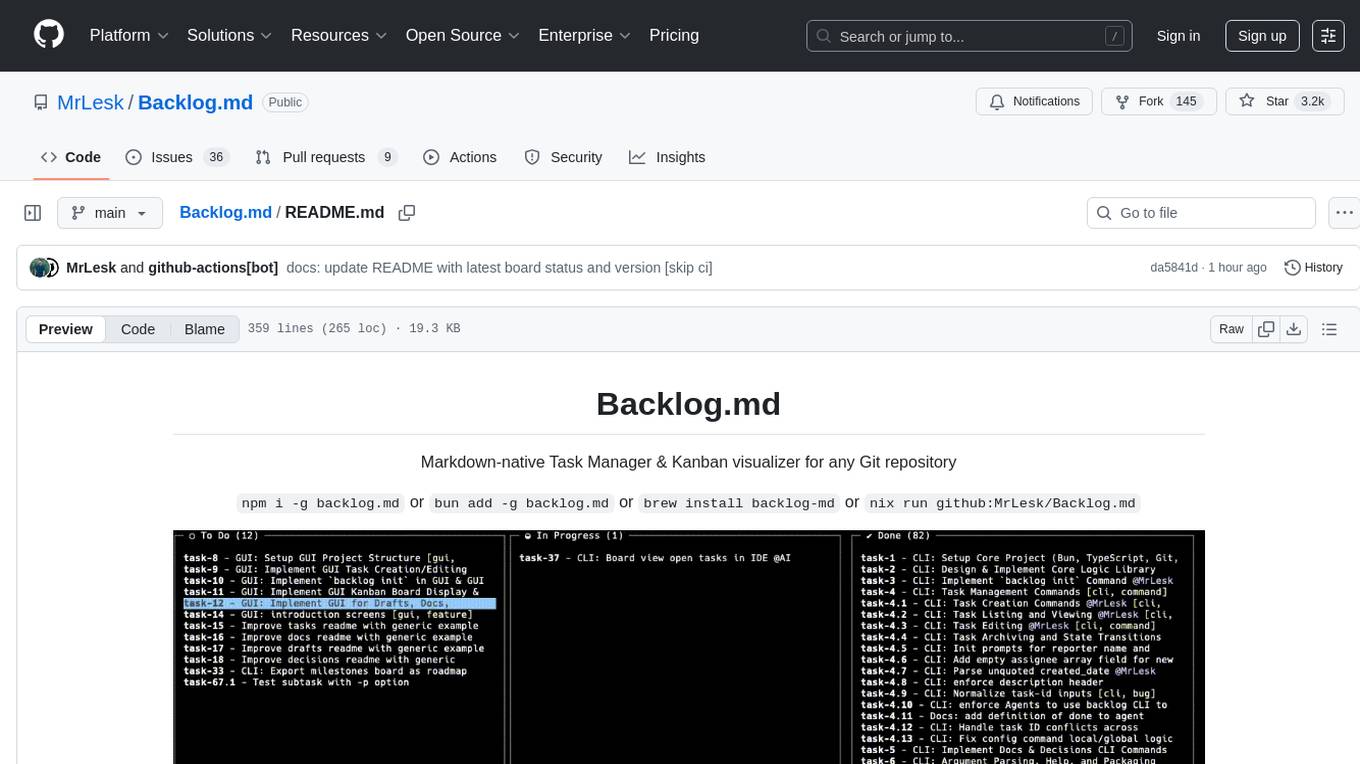
Backlog.md is a Markdown-native Task Manager & Kanban visualizer for any Git repository. It turns any folder with a Git repo into a self-contained project board powered by plain Markdown files and a zero-config CLI. Features include managing tasks as plain .md files, private & offline usage, instant terminal Kanban visualization, board export, modern web interface, AI-ready CLI, rich query commands, cross-platform support, and MIT-licensed open-source. Users can create tasks, view board, assign tasks to AI, manage documentation, make decisions, and configure settings easily.
codespin
CodeSpin.AI is a set of open-source code generation tools that leverage large language models (LLMs) to automate coding tasks. With CodeSpin, you can generate code in various programming languages, including Python, JavaScript, Java, and C++, by providing natural language prompts. CodeSpin offers a range of features to enhance code generation, such as custom templates, inline prompting, and the ability to use ChatGPT as an alternative to API keys. Additionally, CodeSpin provides options for regenerating code, executing code in prompt files, and piping data into the LLM for processing. By utilizing CodeSpin, developers can save time and effort in coding tasks, improve code quality, and explore new possibilities in code generation.
chat-ai
A Seamless Slurm-Native Solution for HPC-Based Services. This repository contains the stand-alone web interface of Chat AI, which can be set up independently to act as a wrapper for an OpenAI-compatible API endpoint. It consists of two Docker containers, 'front' and 'back', providing a ReactJS app served by ViteJS and a wrapper for message requests to prevent CORS errors. Configuration files allow setting port numbers, backend paths, models, user data, default conversation settings, and more. The 'back' service interacts with an OpenAI-compatible API endpoint using configurable attributes in 'back.json'. Customization options include creating a path for available models and setting the 'modelsPath' in 'front.json'. Acknowledgements to contributors and the Chat AI community are included.
hordelib
horde-engine is a wrapper around ComfyUI designed to run inference pipelines visually designed in the ComfyUI GUI. It enables users to design inference pipelines in ComfyUI and then call them programmatically, maintaining compatibility with the existing horde implementation. The library provides features for processing Horde payloads, initializing the library, downloading and validating models, and generating images based on input data. It also includes custom nodes for preprocessing and tasks such as face restoration and QR code generation. The project depends on various open source projects and bundles some dependencies within the library itself. Users can design ComfyUI pipelines, convert them to the backend format, and run them using the run_image_pipeline() method in hordelib.comfy.Comfy(). The project is actively developed and tested using git, tox, and a specific model directory structure.
magic-cli
Magic CLI is a command line utility that leverages Large Language Models (LLMs) to enhance command line efficiency. It is inspired by projects like Amazon Q and GitHub Copilot for CLI. The tool allows users to suggest commands, search across command history, and generate commands for specific tasks using local or remote LLM providers. Magic CLI also provides configuration options for LLM selection and response generation. The project is still in early development, so users should expect breaking changes and bugs.
For similar tasks
AgentBench
AgentBench is a benchmark designed to evaluate Large Language Models (LLMs) as autonomous agents in various environments. It includes 8 distinct environments such as Operating System, Database, Knowledge Graph, Digital Card Game, and Lateral Thinking Puzzles. The tool provides a comprehensive evaluation of LLMs' ability to operate as agents by offering Dev and Test sets for each environment. Users can quickly start using the tool by following the provided steps, configuring the agent, starting task servers, and assigning tasks. AgentBench aims to bridge the gap between LLMs' proficiency as agents and their practical usability.
fabrice-ai
A lightweight, functional, and composable framework for building AI agents that work together to solve complex tasks. Built with TypeScript and designed to be serverless-ready. Fabrice embraces functional programming principles, remains stateless, and stays focused on composability. It provides core concepts like easy teamwork creation, infrastructure-agnosticism, statelessness, and includes all tools and features needed to build AI teams. Agents are specialized workers with specific roles and capabilities, able to call tools and complete tasks. Workflows define how agents collaborate to achieve a goal, with workflow states representing the current state of the workflow. Providers handle requests to the LLM and responses. Tools extend agent capabilities by providing concrete actions they can perform. Execution involves running the workflow to completion, with options for custom execution and BDD testing.
flowdeer-dist
FlowDeer Tree is an AI tool designed for managing complex workflows and facilitating deep thoughts. It provides features such as displaying thinking chains, assigning tasks to AI members, utilizing task conclusions as context, copying and importing AI members in JSON format, adjusting node sequences, calling external APIs as plugins, and customizing default task splitting, execution, summarization, and output rewriting prompts. The tool aims to streamline workflow processes and enhance productivity by leveraging artificial intelligence capabilities.

EpicStaff
EpicStaff is a powerful project management tool designed to streamline team collaboration and task management. It provides a user-friendly interface for creating and assigning tasks, tracking progress, and communicating with team members in real-time. With features such as task prioritization, deadline reminders, and file sharing capabilities, EpicStaff helps teams stay organized and productive. Whether you're working on a small project or managing a large team, EpicStaff is the perfect solution to keep everyone on the same page and ensure project success.
forge-orchestrator
Forge Orchestrator is a Rust CLI tool designed to coordinate and manage multiple AI tools seamlessly. It acts as a senior tech lead, preventing conflicts, capturing knowledge, and ensuring work aligns with specifications. With features like file locking, knowledge capture, and unified state management, Forge enhances collaboration and efficiency among AI tools. The tool offers a pluggable brain for intelligent decision-making and includes a Model Context Protocol server for real-time integration with AI tools. Forge is not a replacement for AI tools but a facilitator for making them work together effectively.
tsk-tsk
Delegate development tasks to YOLO mode AI agents running in sandbox containers. tsk auto-detects your toolchain and builds container images for you, so most projects require very little setup. Agents work asynchronously and in parallel so you can review their work on your own schedule, respecting your time and attention. Each agent gets what it needs and nothing more, including agent configuration, a copy of your repo excluding gitignored files, an isolated filesystem, and a configurable domain allowlist. Supports Claude Code and Codex coding agents. Docker and Podman container runtimes.

opencrew
OpenCrew is a user-friendly multi-agent operating system suitable for everyone, transforming your OpenClaw into a manageable AI team. Domain experts handle their respective areas, experiences automatically accumulate, and Slack serves as your command center. The system addresses common issues faced when using OpenClaw, such as agent becoming slow, lack of task overview, need for autonomous actions, scattered experience, and agent drifting off course. OpenCrew provides a solution by organizing multiple agents to manage different domains independently, preventing contamination, visualizing tasks in Slack channels, and implementing deep intent alignment and autonomous level mechanisms.
For similar jobs

sweep
Sweep is an AI junior developer that turns bugs and feature requests into code changes. It automatically handles developer experience improvements like adding type hints and improving test coverage.

teams-ai
The Teams AI Library is a software development kit (SDK) that helps developers create bots that can interact with Teams and Microsoft 365 applications. It is built on top of the Bot Framework SDK and simplifies the process of developing bots that interact with Teams' artificial intelligence capabilities. The SDK is available for JavaScript/TypeScript, .NET, and Python.

ai-guide
This guide is dedicated to Large Language Models (LLMs) that you can run on your home computer. It assumes your PC is a lower-end, non-gaming setup.

classifai
Supercharge WordPress Content Workflows and Engagement with Artificial Intelligence. Tap into leading cloud-based services like OpenAI, Microsoft Azure AI, Google Gemini and IBM Watson to augment your WordPress-powered websites. Publish content faster while improving SEO performance and increasing audience engagement. ClassifAI integrates Artificial Intelligence and Machine Learning technologies to lighten your workload and eliminate tedious tasks, giving you more time to create original content that matters.

chatbot-ui
Chatbot UI is an open-source AI chat app that allows users to create and deploy their own AI chatbots. It is easy to use and can be customized to fit any need. Chatbot UI is perfect for businesses, developers, and anyone who wants to create a chatbot.

BricksLLM
BricksLLM is a cloud native AI gateway written in Go. Currently, it provides native support for OpenAI, Anthropic, Azure OpenAI and vLLM. BricksLLM aims to provide enterprise level infrastructure that can power any LLM production use cases. Here are some use cases for BricksLLM: * Set LLM usage limits for users on different pricing tiers * Track LLM usage on a per user and per organization basis * Block or redact requests containing PIIs * Improve LLM reliability with failovers, retries and caching * Distribute API keys with rate limits and cost limits for internal development/production use cases * Distribute API keys with rate limits and cost limits for students

uAgents
uAgents is a Python library developed by Fetch.ai that allows for the creation of autonomous AI agents. These agents can perform various tasks on a schedule or take action on various events. uAgents are easy to create and manage, and they are connected to a fast-growing network of other uAgents. They are also secure, with cryptographically secured messages and wallets.

griptape
Griptape is a modular Python framework for building AI-powered applications that securely connect to your enterprise data and APIs. It offers developers the ability to maintain control and flexibility at every step. Griptape's core components include Structures (Agents, Pipelines, and Workflows), Tasks, Tools, Memory (Conversation Memory, Task Memory, and Meta Memory), Drivers (Prompt and Embedding Drivers, Vector Store Drivers, Image Generation Drivers, Image Query Drivers, SQL Drivers, Web Scraper Drivers, and Conversation Memory Drivers), Engines (Query Engines, Extraction Engines, Summary Engines, Image Generation Engines, and Image Query Engines), and additional components (Rulesets, Loaders, Artifacts, Chunkers, and Tokenizers). Griptape enables developers to create AI-powered applications with ease and efficiency.