


pyomop
Python package for managing OHDSI clinical data models. Includes support for LLM based plain text queries, MCP server and FHIR import.
Stars: 57
pyomop is a versatile tool designed as an OMOP Swiss Army Knife for working with OHDSI OMOP Common Data Model (CDM) v5.4 or v6 compliant databases using SQLAlchemy as the ORM. It supports converting query results to pandas DataFrames for machine learning pipelines and provides utilities for working with OMOP vocabularies. The tool is lightweight, easy-to-use, and can be used both as a command-line tool and as an imported library in code. It supports SQLite, PostgreSQL, and MySQL databases, LLM-based natural language queries, FHIR to OMOP conversion utilities, and executing QueryLibrary.
README:






pyomop is your OMOP Swiss Army Knife 🔧 for working with OHDSI OMOP Common Data Model (CDM) v5.4 or v6 compliant databases using SQLAlchemy as the ORM. It supports converting query results to pandas DataFrames for machine learning pipelines and provides utilities for working with OMOP vocabularies. Table definitions are based on the omop-cdm library. Pyomop is designed to be a lightweight, easy-to-use library for researchers and developers experimenting and testing with OMOP CDM databases. It can be used both as a commandline tool and as an imported library in your code.
- Supports SQLite, PostgreSQL, and MySQL. CDM and Vocab tables are created in the same schema. (See usage below for more details)
- LLM-based natural language queries via langchain. Usage.
- 🔥 FHIR to OMOP conversion utilities. (See usage below for more details)
- Execute QueryLibrary. (See usage below for more details)
Please ⭐️ If you find this project useful!
Stable release:
pip install pyomop
Development version:
git clone https://github.com/dermatologist/pyomop.git
cd pyomop
pip install -e .
LLM support:
pip install pyomop[llm]
✨ See this notebook or script for examples. 👇 MCP SERVER is recommended for advanced usage.
- A docker-compose is provided to quickly set up an environment with postgrs, webapi, atlas and a sql script to create a source in webapi. The script can be run using the
psqlcommand line tool or via the webapi UI. Please refresh after running the script by sending a request to /WebAPI/source/refresh.
import asyncio
import datetime

from sqlalchemy import select

from pyomop import CdmEngineFactory, CdmVector, CdmVocabulary
# cdm6 and cdm54 are supported
from pyomop.cdm54 import Base, Cohort, Person, Vocabulary

async def main():
    cdm = CdmEngineFactory() # Creates SQLite database by default for fast testing
    # cdm = CdmEngineFactory(db='pgsql', host='', port=5432,
    #                       user='', pw='',
    #                       name='', schema='')
    # cdm = CdmEngineFactory(db='mysql', host='', port=3306,
    #                       user='', pw='',
    #                       name='')
    engine = cdm.engine
    # Comment the following line if using an existing database. Both cdm6 and cdm54 are supported, see the import statements above
    await cdm.init_models(Base.metadata) # Initializes the database with the OMOP CDM tables
    vocab = CdmVocabulary(cdm, version='cdm54') # or 'cdm6' for v6
    # Uncomment the following line to create a new vocabulary from CSV files
    # vocab.create_vocab('/path/to/csv/files')

    async with cdm.session() as session:  # type: ignore
        # Add Persons
        async with session.begin():
            session.add(
                Person(
                    person_id=100,
                    gender_concept_id=8532,
                    gender_source_concept_id=8512,
                    year_of_birth=1980,
                    month_of_birth=1,
                    day_of_birth=1,
                    birth_datetime=datetime.datetime(1980, 1, 1),
                    race_concept_id=8552,
                    race_source_concept_id=8552,
                    ethnicity_concept_id=38003564,
                    ethnicity_source_concept_id=38003564,
                )
            )
            session.add(
                Person(
                    person_id=101,
                    gender_concept_id=8532,
                    gender_source_concept_id=8512,
                    year_of_birth=1980,
                    month_of_birth=1,
                    day_of_birth=1,
                    birth_datetime=datetime.datetime(1980, 1, 1),
                    race_concept_id=8552,
                    race_source_concept_id=8552,
                    ethnicity_concept_id=38003564,
                    ethnicity_source_concept_id=38003564,
                )
            )

        # Query the Person
        stmt = select(Person).where(Person.person_id == 100)
        result = await session.execute(stmt)
        for row in result.scalars():
            print(row)
            assert row.person_id == 100

        # Query the person pattern 2
        person = await session.get(Person, 100)
        print(person)
        assert person is not None
        assert person.person_id == 100

    # Convert result to a pandas dataframe
    vec = CdmVector()

    # https://github.com/OHDSI/QueryLibrary/blob/master/inst/shinyApps/QueryLibrary/queries/person/PE02.md
    result = await vec.query_library(cdm, resource='person', query_name='PE02')
    df = vec.result_to_df(result)
    print("DataFrame from result:")
    print(df.head())

    result = await vec.execute(cdm, query='SELECT * from person;')
    print("Executing custom query:")
    df = vec.result_to_df(result)
    print("DataFrame from result:")
    print(df.head())

    # Close engine
    await engine.dispose() # type: ignore

# Run the main function
asyncio.run(main())pyomop can load FHIR Bulk Export (NDJSON) files into an OMOP CDM database.
- Sample datasets: https://github.com/smart-on-fhir/sample-bulk-fhir-datasets
- Remove any non-FHIR files (for example,
log.ndjson) from the input folder. - Download OMOP vocabulary CSV files (for example from OHDSI Athena) and place them in a folder.
Run:
pyomop --create --vocab ~/Downloads/omop-vocab/ --input ~/Downloads/fhir/This will create an OMOP CDM in SQLite, load the vocabulary files, and import the FHIR data from the input folder and reconcile vocabulary, mapping source_value to concept_id. The mapping is defined in the mapping.example.json file. The default mapping is here. Mapping happens in 5 steps as implemented here.
- Example using postgres (Docker)
pyomop --dbtype pgsql --host localhost --user postgres --pw mypass --create --vocab ~/Downloads/omop-vocab/ --input ~/Downloads/fhir/- FHIR to data frame mapping is done with FHIRy
- Most of the code for this functionality was written by an LLM agent. The prompts used are here
  -c, --create                Create CDM tables (see --version).
  -t, --dbtype TEXT           Database Type for creating CDM (sqlite, mysql or
                              pgsql)
  -h, --host TEXT             Database host
  -p, --port TEXT             Database port
  -u, --user TEXT             Database user
  -w, --pw TEXT               Database password
  -v, --version TEXT          CDM version (cdm54 (default) or cdm6)
  -n, --name TEXT             Database name
  -s, --schema TEXT           Database schema (for pgsql)
  -i, --vocab TEXT            Folder with vocabulary files (csv) to import
  -f, --input DIRECTORY       Input folder with FHIR bundles or ndjson files.
  -e, --eunomia-dataset TEXT  Download and load Eunomia dataset (e.g.,
                              'GiBleed', 'Synthea')
  --eunomia-path TEXT         Path to store/find Eunomia datasets (uses
                              EUNOMIA_DATA_FOLDER env var if not specified)
  --connection-info           Display connection information for the database (For R package compatibility)
  --mcp-server                Start MCP server for stdio interaction
  --pyhealth-path TEXT        Path to export PyHealth compatible CSV files
  --help                      Show this message and exit.
pyomop includes an MCP (Model Context Protocol) server that exposes tools for interacting with OMOP CDM databases. This allows MCP clients to create databases, load data, and execute SQL statements.

The MCP server can be used with any MCP-compatible client such as Claude desktop. Example configuration for VSCODE as below is already provided in the repository. So if you are viewing this in VSCODE, you can start server and enable tools directly in Copilot.
{
  "servers": {
      "pyomop": {
      "command": "uv",
      "args": ["run", "pyomop", "--mcp-server"]
    }
  }
}- If the vocabulary is not installed locally or advanced vocabulary support is required from Athena, it is recommended to combine omop_mcp with PyOMOP.
- create_cdm: Create an empty CDM database
- create_eunomia: Add Eunomia sample dataset
- get_table_columns: Get column names for a specific table
- get_single_table_info: Get detailed table information, including foreign keys
- get_usable_table_names: Get a list of all available table names
- run_sql: Execute SQL statements with error handling
- example_query: Get example queries for specific OMOP CDM tables from OHDSI QueryLibrary
- check_sql: Validate SQL query syntax before execution
- create_cdm and create_eunomia support only local sqlite databases to avoid inadvertent data loss in production databases.
The MCP server now supports both stdio (default) and HTTP transports:
Stdio transport (default):
pyomop --mcp-server
# or
pyomop-mcp-server
HTTP transport:
pyomop-mcp-server-http
# or with custom host/port
pyomop-mcp-server-http --host 0.0.0.0 --port 8000
# or via Python module
python -m pyomop.mcp.server --http --host 0.0.0.0 --port 8000
To use HTTP transport, install additional dependencies:
pip install pyomop[http]
# or for both LLM and HTTP features
pip install pyomop[llm,http]- query_execution_steps: Provides step-by-step guidance for executing database queries based on free text instructions
pyomop -e Synthea27Nj -v 5.4 --connection-info
pyomop -e GiBleed -v 5.3 --connection-info
pyomop supports exporting OMOP CDM data (to --pyhealth-path) in a format compatible with PyHealth, a machine learning library for healthcare data analysis (See Notebook and usage below). Additionally, you can export the connection information for use with the various R packages such as PatientLevelPrediction using the --connection-info option.
pyomop -e GiBleed -v 5.3 --connection-info --pyhealth-path ~/pyhealth- PostgreSQL
- MySQL
- SQLite
You can configure database connection parameters using environment variables. These will be used as defaults by pyomop and the MCP server:
-
PYOMOP_DB: Database type (sqlite,mysql,pgsql) -
PYOMOP_HOST: Database host -
PYOMOP_PORT: Database port -
PYOMOP_USER: Database user -
PYOMOP_PW: Database password -
PYOMOP_SCHEMA: Database schema (for PostgreSQL)
Example usage:
export PYOMOP_DB=pgsql
export PYOMOP_HOST=localhost
export PYOMOP_PORT=5432
export PYOMOP_USER=postgres
export PYOMOP_PW=mypass
export PYOMOP_SCHEMA=omop
These environment variables will be checked before assigning default values for database connection in pyomop and MCP server tools.
Use --migrate to run the generic loader from the command line. Provide
source-database connection details with --src-* options; target-database
details use the standard --dbtype / --host / … options.
# SQLite source → SQLite OMOP target
pyomop-migrate --migrate \
  --src-dbtype sqlite --src-name source.sqlite \
  --dbtype sqlite --name omop.sqlite \
  --mapping mapping.json

# PostgreSQL source → PostgreSQL OMOP target
pyomop-migrate --migrate \
  --src-dbtype pgsql --src-host srchost --src-user reader --src-pw secret --src-name ehr \
  --dbtype pgsql --host omophost --user writer --pw secret --name omop \
  --mapping ehr_to_omop.json --batch-size 500
Source connection credentials can also be provided via environment variables
(SRC_DB_HOST, SRC_DB_PORT, SRC_DB_USER, SRC_DB_PASSWORD, SRC_DB_NAME)
to avoid exposing passwords in the shell history.
Use --extract-schema to generate a Markdown document describing the source
database schema (tables, columns, types, PK/FK relationships). This is
especially useful for feeding to an AI agent to generate the mapping JSON.
pyomop-migrate --extract-schema \
  --src-dbtype sqlite --src-name source.sqlite \
  --schema-output schema.md
The same SRC_DB_* environment variables are supported for credentials.
- Use the extracted schema to generate a mapping JSON using an appropriate agentic skill.
See the bundled example mapping and the full documentation for all supported options.
Pull requests are welcome! See CONTRIBUTING.md.

For Tasks:
Click tags to check more tools for each tasksFor Jobs:
Alternative AI tools for pyomop
Similar Open Source Tools
pyomop
pyomop is a versatile tool designed as an OMOP Swiss Army Knife for working with OHDSI OMOP Common Data Model (CDM) v5.4 or v6 compliant databases using SQLAlchemy as the ORM. It supports converting query results to pandas DataFrames for machine learning pipelines and provides utilities for working with OMOP vocabularies. The tool is lightweight, easy-to-use, and can be used both as a command-line tool and as an imported library in code. It supports SQLite, PostgreSQL, and MySQL databases, LLM-based natural language queries, FHIR to OMOP conversion utilities, and executing QueryLibrary.
graphiti
Graphiti is a framework for building and querying temporally-aware knowledge graphs, tailored for AI agents in dynamic environments. It continuously integrates user interactions, structured and unstructured data, and external information into a coherent, queryable graph. The framework supports incremental data updates, efficient retrieval, and precise historical queries without complete graph recomputation, making it suitable for developing interactive, context-aware AI applications.
AutoDocs
AutoDocs by Sita is a tool designed to automate documentation for any repository. It parses the repository using tree-sitter and SCIP, constructs a code dependency graph, and generates repository-wide, dependency-aware documentation and summaries. It provides a FastAPI backend for ingestion/search and a Next.js web UI for chat and exploration. Additionally, it includes an MCP server for deep search capabilities. The tool aims to simplify the process of generating accurate and high-signal documentation for codebases.
easy-dataset
Easy Dataset is a specialized application designed to streamline the creation of fine-tuning datasets for Large Language Models (LLMs). It offers an intuitive interface for uploading domain-specific files, intelligently splitting content, generating questions, and producing high-quality training data for model fine-tuning. With Easy Dataset, users can transform domain knowledge into structured datasets compatible with all OpenAI-format compatible LLM APIs, making the fine-tuning process accessible and efficient.
MCPSharp
MCPSharp is a .NET library that helps build Model Context Protocol (MCP) servers and clients for AI assistants and models. It allows creating MCP-compliant tools, connecting to existing MCP servers, exposing .NET methods as MCP endpoints, and handling MCP protocol details seamlessly. With features like attribute-based API, JSON-RPC support, parameter validation, and type conversion, MCPSharp simplifies the development of AI capabilities in applications through standardized interfaces.
pentagi
PentAGI is an innovative tool for automated security testing that leverages cutting-edge artificial intelligence technologies. It is designed for information security professionals, researchers, and enthusiasts who need a powerful and flexible solution for conducting penetration tests. The tool provides secure and isolated operations in a sandboxed Docker environment, fully autonomous AI-powered agent for penetration testing steps, a suite of 20+ professional security tools, smart memory system for storing research results, web intelligence for gathering information, integration with external search systems, team delegation system, comprehensive monitoring and reporting, modern interface, API integration, persistent storage, scalable architecture, self-hosted solution, flexible authentication, and quick deployment through Docker Compose.
databao-context-engine
Databao Context Engine is a Python library that automatically generates governed semantic context from databases, BI tools, documents, and spreadsheets. It provides accurate, context-aware answers without the need for manual schema copying or documentation writing. The tool can be integrated as a standard Python dependency or via the Databao CLI. It supports various data sources like Athena, BigQuery, MySQL, PDF files, and more, and works with LLMs such as Ollama. Users can create domains, configure data sources, build context, and utilize the built contexts for search queries. The tool is governed, versioned, and supports dynamic or static serving of context via MCP server or export as an artifact. Contributions are welcome, and the tool is licensed under Apache 2.0.
chunkr
Chunkr is an open-source document intelligence API that provides a production-ready service for document layout analysis, OCR, and semantic chunking. It allows users to convert PDFs, PPTs, Word docs, and images into RAG/LLM-ready chunks. The API offers features such as layout analysis, OCR with bounding boxes, structured HTML and markdown output, and VLM processing controls. Users can interact with Chunkr through a Python SDK, enabling them to upload documents, process them, and export results in various formats. The tool also supports self-hosted deployment options using Docker Compose or Kubernetes, with configurations for different AI models like OpenAI, Google AI Studio, and OpenRouter. Chunkr is dual-licensed under the GNU Affero General Public License v3.0 (AGPL-3.0) and a commercial license, providing flexibility for different usage scenarios.
metis
Metis is an open-source, AI-driven tool for deep security code review, created by Arm's Product Security Team. It helps engineers detect subtle vulnerabilities, improve secure coding practices, and reduce review fatigue. Metis uses LLMs for semantic understanding and reasoning, RAG for context-aware reviews, and supports multiple languages and vector store backends. It provides a plugin-friendly and extensible architecture, named after the Greek goddess of wisdom, Metis. The tool is designed for large, complex, or legacy codebases where traditional tooling falls short.
openai-kotlin
OpenAI Kotlin API client is a Kotlin client for OpenAI's API with multiplatform and coroutines capabilities. It allows users to interact with OpenAI's API using Kotlin programming language. The client supports various features such as models, chat, images, embeddings, files, fine-tuning, moderations, audio, assistants, threads, messages, and runs. It also provides guides on getting started, chat & function call, file source guide, and assistants. Sample apps are available for reference, and troubleshooting guides are provided for common issues. The project is open-source and licensed under the MIT license, allowing contributions from the community.
FileScopeMCP
FileScopeMCP is a TypeScript-based tool for ranking files in a codebase by importance, tracking dependencies, and providing summaries. It analyzes code structure, generates importance scores, maps bidirectional dependencies, visualizes file relationships, and allows adding custom summaries. The tool supports multiple languages, persistent storage, and offers tools for file tree management, file analysis, file summaries, diagram generation, and file watching. It is built with TypeScript/Node.js, implements the Model Context Protocol, uses Mermaid.js for diagram generation, and stores data in JSON format. FileScopeMCP aims to enhance code understanding and visualization for developers.

LEANN
LEANN is an innovative vector database that democratizes personal AI, transforming your laptop into a powerful RAG system that can index and search through millions of documents using 97% less storage than traditional solutions without accuracy loss. It achieves this through graph-based selective recomputation and high-degree preserving pruning, computing embeddings on-demand instead of storing them all. LEANN allows semantic search of file system, emails, browser history, chat history, codebase, or external knowledge bases on your laptop with zero cloud costs and complete privacy. It is a drop-in semantic search MCP service fully compatible with Claude Code, enabling intelligent retrieval without changing your workflow.
golf
Golf is a simple command-line tool for calculating the distance between two geographic coordinates. It uses the Haversine formula to accurately determine the distance between two points on the Earth's surface. This tool is useful for developers working on location-based applications or projects that require distance calculations. With Golf, users can easily input latitude and longitude coordinates and get the precise distance in kilometers or miles. The tool is lightweight, easy to use, and can be integrated into various programming workflows.
mmore
MMORE is an open-source, end-to-end pipeline for ingesting, processing, indexing, and retrieving knowledge from various file types such as PDFs, Office docs, images, audio, video, and web pages. It standardizes content into a unified multimodal format, supports distributed CPU/GPU processing, and offers hybrid dense+sparse retrieval with an integrated RAG service through CLI and APIs.

Zero
Zero is an open-source AI email solution that allows users to self-host their email app while integrating external services like Gmail. It aims to modernize and enhance emails through AI agents, offering features like open-source transparency, AI-driven enhancements, data privacy, self-hosting freedom, unified inbox, customizable UI, and developer-friendly extensibility. Built with modern technologies, Zero provides a reliable tech stack including Next.js, React, TypeScript, TailwindCSS, Node.js, Drizzle ORM, and PostgreSQL. Users can set up Zero using standard setup or Dev Container setup for VS Code users, with detailed environment setup instructions for Better Auth, Google OAuth, and optional GitHub OAuth. Database setup involves starting a local PostgreSQL instance, setting up database connection, and executing database commands for dependencies, tables, migrations, and content viewing.
py-llm-core
PyLLMCore is a light-weighted interface with Large Language Models with native support for llama.cpp, OpenAI API, and Azure deployments. It offers a Pythonic API that is simple to use, with structures provided by the standard library dataclasses module. The high-level API includes the assistants module for easy swapping between models. PyLLMCore supports various models including those compatible with llama.cpp, OpenAI, and Azure APIs. It covers use cases such as parsing, summarizing, question answering, hallucinations reduction, context size management, and tokenizing. The tool allows users to interact with language models for tasks like parsing text, summarizing content, answering questions, reducing hallucinations, managing context size, and tokenizing text.
For similar tasks

Open-Medical-Reasoning-Tasks
Open Life Science AI: Medical Reasoning Tasks is a collaborative hub for developing cutting-edge reasoning tasks for Large Language Models (LLMs) in the medical, healthcare, and clinical domains. The repository aims to advance AI capabilities in healthcare by fostering accurate diagnoses, personalized treatments, and improved patient outcomes. It offers a diverse range of medical reasoning challenges such as Diagnostic Reasoning, Treatment Planning, Medical Image Analysis, Clinical Data Interpretation, Patient History Analysis, Ethical Decision Making, Medical Literature Comprehension, and Drug Interaction Assessment. Contributors can join the community of healthcare professionals, AI researchers, and enthusiasts to contribute to the repository by creating new tasks or improvements following the provided guidelines. The repository also provides resources including a task list, evaluation metrics, medical AI papers, and healthcare datasets for training and evaluation.
pyomop
pyomop is a versatile tool designed as an OMOP Swiss Army Knife for working with OHDSI OMOP Common Data Model (CDM) v5.4 or v6 compliant databases using SQLAlchemy as the ORM. It supports converting query results to pandas DataFrames for machine learning pipelines and provides utilities for working with OMOP vocabularies. The tool is lightweight, easy-to-use, and can be used both as a command-line tool and as an imported library in code. It supports SQLite, PostgreSQL, and MySQL databases, LLM-based natural language queries, FHIR to OMOP conversion utilities, and executing QueryLibrary.
For similar jobs
pyomop
pyomop is a versatile tool designed as an OMOP Swiss Army Knife for working with OHDSI OMOP Common Data Model (CDM) v5.4 or v6 compliant databases using SQLAlchemy as the ORM. It supports converting query results to pandas DataFrames for machine learning pipelines and provides utilities for working with OMOP vocabularies. The tool is lightweight, easy-to-use, and can be used both as a command-line tool and as an imported library in code. It supports SQLite, PostgreSQL, and MySQL databases, LLM-based natural language queries, FHIR to OMOP conversion utilities, and executing QueryLibrary.
seismometer
Seismometer is a suite of tools designed to evaluate AI model performance in healthcare settings. It helps healthcare organizations assess the accuracy of AI models and ensure equitable care for diverse patient populations. The tool allows users to validate model performance using standardized evaluation criteria based on local data and workflows. It includes templates for analyzing statistical performance, fairness across different cohorts, and the impact of interventions on outcomes. Seismometer is continuously evolving to incorporate new validation and analysis techniques.
ctakes
Apache cTAKES is a clinical Text Analysis and Knowledge Extraction System that focuses on extracting knowledge from clinical text through Natural Language Processing (NLP) techniques. It is modular and employs rule-based and machine learning methods to extract concepts such as symptoms, procedures, diagnoses, medications, and anatomy with attributes and standard codes. cTAKES can identify temporal events, dates, and times, placing events in a patient timeline. It supports various biomedical text processing tasks and can handle different types of clinical and health-related narratives using multiple data standards. cTAKES is widely used in research initiatives and encourages contributions from professionals, researchers, doctors, and students from diverse backgrounds.

weave
Weave is a toolkit for developing Generative AI applications, built by Weights & Biases. With Weave, you can log and debug language model inputs, outputs, and traces; build rigorous, apples-to-apples evaluations for language model use cases; and organize all the information generated across the LLM workflow, from experimentation to evaluations to production. Weave aims to bring rigor, best-practices, and composability to the inherently experimental process of developing Generative AI software, without introducing cognitive overhead.

agentcloud
AgentCloud is an open-source platform that enables companies to build and deploy private LLM chat apps, empowering teams to securely interact with their data. It comprises three main components: Agent Backend, Webapp, and Vector Proxy. To run this project locally, clone the repository, install Docker, and start the services. The project is licensed under the GNU Affero General Public License, version 3 only. Contributions and feedback are welcome from the community.
oss-fuzz-gen
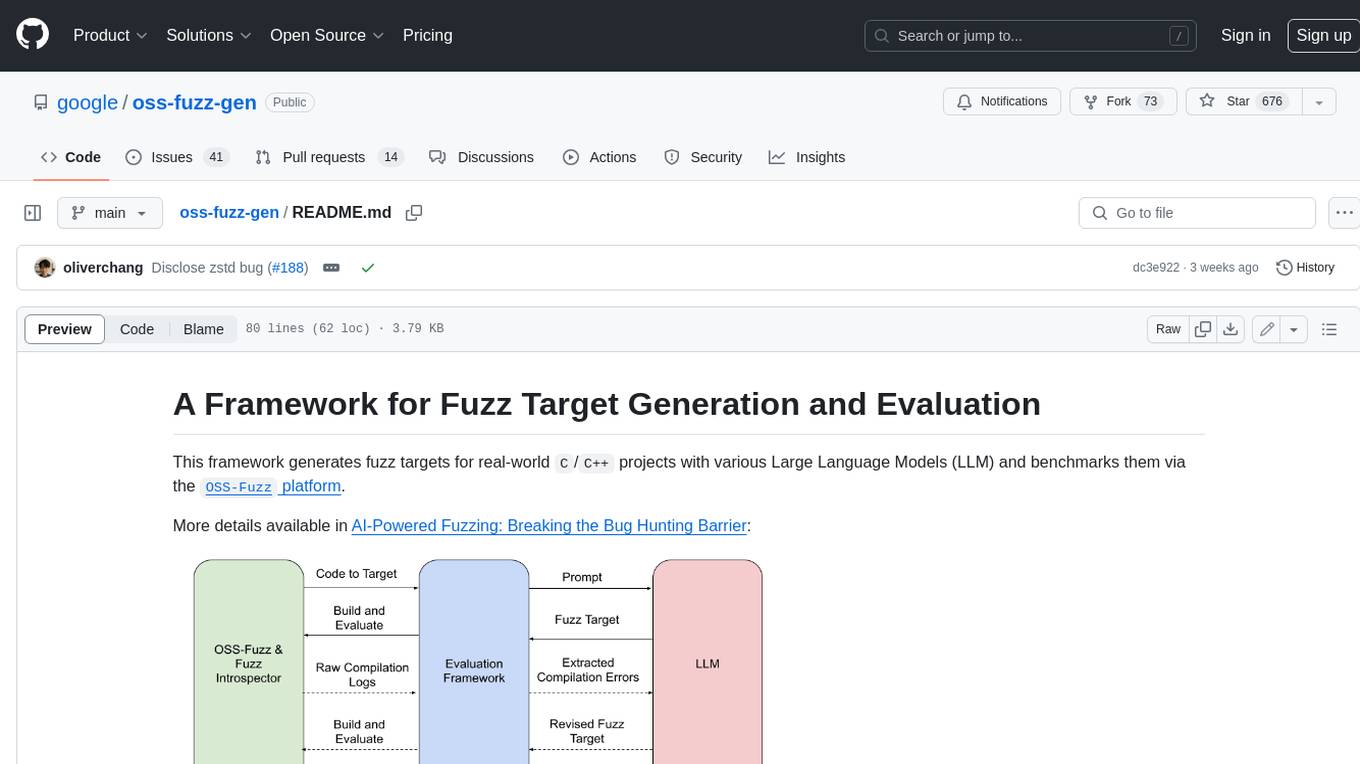
This framework generates fuzz targets for real-world `C`/`C++` projects with various Large Language Models (LLM) and benchmarks them via the `OSS-Fuzz` platform. It manages to successfully leverage LLMs to generate valid fuzz targets (which generate non-zero coverage increase) for 160 C/C++ projects. The maximum line coverage increase is 29% from the existing human-written targets.

LLMStack
LLMStack is a no-code platform for building generative AI agents, workflows, and chatbots. It allows users to connect their own data, internal tools, and GPT-powered models without any coding experience. LLMStack can be deployed to the cloud or on-premise and can be accessed via HTTP API or triggered from Slack or Discord.

VisionCraft
The VisionCraft API is a free API for using over 100 different AI models. From images to sound.