


earl
AI-safe CLI for AI agents
Stars: 65
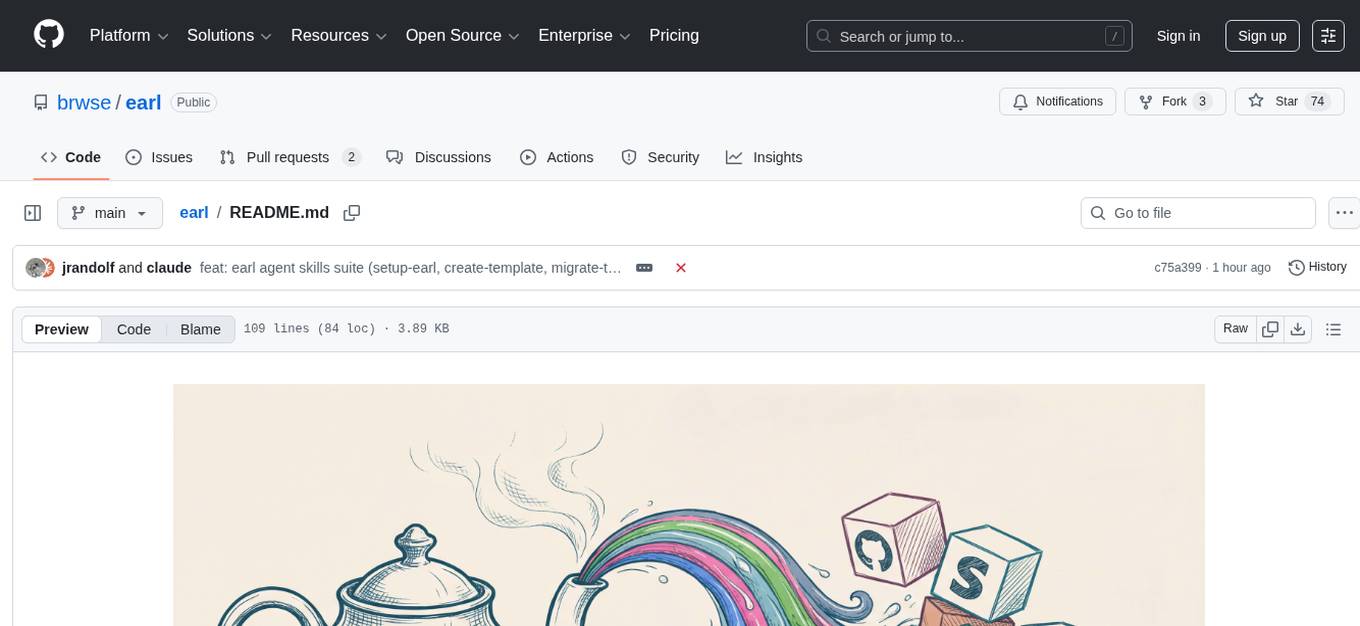
AI-safe CLI for AI agents. Earl sits between your agent and external services, ensuring secrets stay in the OS keychain, requests follow reviewed templates, and outbound traffic obeys egress rules.
README:





AI-safe CLI for AI agents. Earl sits between your agent and external services, ensuring secrets stay in the OS keychain, requests follow reviewed templates, and outbound traffic obeys egress rules.
AI agents with shell or network access can read secrets in plaintext and make arbitrary API calls. Earl eliminates that risk:
- Agents run
earl call provider.command --param valueinstead of rawcurl - Secrets are stored in the OS keychain and injected at request time
- Every request is defined by an HCL template that can be reviewed ahead of time
- Outbound traffic is restricted via
[[network.allow]]egress rules - Private IPs are blocked to prevent SSRF
- Bash and SQL execution runs in a sandbox
Prompt your coding agent:
Fetch https://raw.githubusercontent.com/brwse/earl/main/skills/getting-started-with-earl/SKILL.md
and any files it references under
https://raw.githubusercontent.com/brwse/earl/main/skills/getting-started-with-earl/references/
then follow the skill to help me get started with Earl.
Your agent will install Earl, walk you through setup, and build your first template — all from a single prompt.
Or do it manually:
# Install
curl -fsSL https://raw.githubusercontent.com/brwse/earl/main/scripts/install.sh | bash
# Or: cargo install earl

# Import a pre-built template (25 providers available: stripe, slack, github, notion, openai, ...)
earl templates import https://raw.githubusercontent.com/brwse/earl/main/examples/stripe.hcl
earl secrets set stripe.api_key
earl call stripe.list_customers

# Or start with the no-auth system example
earl templates import ./examples/bash/system.hcl
earl call system.disk_usage --path /tmp
Templates are HCL files that define commands, parameters, and protocol operations:
version = 1
provider = "system"

command "disk_usage" {
  title       = "Check disk usage"
  summary     = "Reports disk usage for a given path"
  description = "Runs du -sh in a sandboxed bash environment."

  param "path" {
    type     = "string"
    required = true
  }

  operation {
    protocol = "bash"

    bash {
      script = "du -sh {{ args.path }}"
      sandbox {
        network = false
      }
    }
  }
}
Full docs at brwse.github.io/earl/docs:
Quick Start · Security Model · Templates · Configuration · MCP Integration · CLI Reference
For Tasks:
Click tags to check more tools for each tasksFor Jobs:
Alternative AI tools for earl
Similar Open Source Tools
earl
AI-safe CLI for AI agents. Earl sits between your agent and external services, ensuring secrets stay in the OS keychain, requests follow reviewed templates, and outbound traffic obeys egress rules.
context7
Context7 is a powerful tool for analyzing and visualizing data in various formats. It provides a user-friendly interface for exploring datasets, generating insights, and creating interactive visualizations. With advanced features such as data filtering, aggregation, and customization, Context7 is suitable for both beginners and experienced data analysts. The tool supports a wide range of data sources and formats, making it versatile for different use cases. Whether you are working on exploratory data analysis, data visualization, or data storytelling, Context7 can help you uncover valuable insights and communicate your findings effectively.
localgpt
LocalGPT is a local device focused AI assistant built in Rust, providing persistent memory and autonomous tasks. It runs entirely on your machine, ensuring your memory data stays private. The tool offers a markdown-based knowledge store with full-text and semantic search capabilities, hybrid web search, and multiple interfaces including CLI, web UI, desktop GUI, and Telegram bot. It supports multiple LLM providers, is OpenClaw compatible, and offers defense-in-depth security features such as signed policy files, kernel-enforced sandbox, and prompt injection defenses. Users can configure web search providers, use OAuth subscription plans, and access the tool from Telegram for chat, tool use, and memory support.
mcphub.nvim
MCPHub.nvim is a powerful Neovim plugin that integrates MCP (Model Context Protocol) servers into your workflow. It offers a centralized config file for managing servers and tools, with an intuitive UI for testing resources. Ideal for LLM integration, it provides programmatic API access and interactive testing through the `:MCPHub` command.
client-python
The Mistral Python Client is a tool inspired by cohere-python that allows users to interact with the Mistral AI API. It provides functionalities to access and utilize the AI capabilities offered by Mistral. Users can easily install the client using pip and manage dependencies using poetry. The client includes examples demonstrating how to use the API for various tasks, such as chat interactions. To get started, users need to obtain a Mistral API Key and set it as an environment variable. Overall, the Mistral Python Client simplifies the integration of Mistral AI services into Python applications.
obsei
Obsei is an open-source, low-code, AI powered automation tool that consists of an Observer to collect unstructured data from various sources, an Analyzer to analyze the collected data with various AI tasks, and an Informer to send analyzed data to various destinations. The tool is suitable for scheduled jobs or serverless applications as all Observers can store their state in databases. Obsei is still in alpha stage, so caution is advised when using it in production. The tool can be used for social listening, alerting/notification, automatic customer issue creation, extraction of deeper insights from feedbacks, market research, dataset creation for various AI tasks, and more based on creativity.
catai
CatAI is a tool that allows users to run GGUF models on their computer with a chat UI. It serves as a local AI assistant inspired by Node-Llama-Cpp and Llama.cpp. The tool provides features such as auto-detecting programming language, showing original messages by clicking on user icons, real-time text streaming, and fast model downloads. Users can interact with the tool through a CLI that supports commands for installing, listing, setting, serving, updating, and removing models. CatAI is cross-platform and supports Windows, Linux, and Mac. It utilizes node-llama-cpp and offers a simple API for asking model questions. Additionally, developers can integrate the tool with node-llama-cpp@beta for model management and chatting. The configuration can be edited via the web UI, and contributions to the project are welcome. The tool is licensed under Llama.cpp's license.
matchlock
Matchlock is a CLI tool designed for running AI agents in isolated and disposable microVMs with network allowlisting and secret injection capabilities. It ensures that your secrets never enter the VM, providing a secure environment for AI agents to execute code without risking access to your machine. The tool offers features such as sealing the network to only allow traffic to specified hosts, injecting real credentials in-flight by the host, and providing a full Linux environment for the agent's operations while maintaining isolation from the host machine. Matchlock supports quick booting of Linux environments, sandbox lifecycle management, image building, and SDKs for Go and Python for embedding sandboxes in applications.
mLoRA
mLoRA (Multi-LoRA Fine-Tune) is an open-source framework for efficient fine-tuning of multiple Large Language Models (LLMs) using LoRA and its variants. It allows concurrent fine-tuning of multiple LoRA adapters with a shared base model, efficient pipeline parallelism algorithm, support for various LoRA variant algorithms, and reinforcement learning preference alignment algorithms. mLoRA helps save computational and memory resources when training multiple adapters simultaneously, achieving high performance on consumer hardware.
shortest
Shortest is an AI-powered natural language end-to-end testing framework built on Playwright. It provides a seamless testing experience by allowing users to write tests in natural language and execute them using Anthropic Claude API. The framework also offers GitHub integration with 2FA support, making it suitable for testing web applications with complex authentication flows. Shortest simplifies the testing process by enabling users to run tests locally or in CI/CD pipelines, ensuring the reliability and efficiency of web applications.
aimeos-headless
Aimeos headless distribution is an ultra-fast, cloud-native, and API-first headless ecommerce solution for Laravel. It offers a full-featured e-commerce package with features like JSON REST API, GraphQL API, multi-vendor support, subscriptions, block/tier pricing, admin backend, and more. The distribution is highly customizable, extensible, and suitable for multi-tenant e-commerce SaaS solutions. It supports multiple languages, AI-based text translation, and provides secure and high-quality source code. Aimeos is designed for AWS, Google, Azure, and Kubernetes based clouds, and can handle a wide range of products efficiently.
oxylabs-mcp
The Oxylabs MCP Server acts as a bridge between AI models and the web, providing clean, structured data from any site. It enables scraping of URLs, rendering JavaScript-heavy pages, content extraction for AI use, bypassing anti-scraping measures, and accessing geo-restricted web data from 195+ countries. The implementation utilizes the Model Context Protocol (MCP) to facilitate secure interactions between AI assistants and web content. Key features include scraping content from any site, automatic data cleaning and conversion, bypassing blocks and geo-restrictions, flexible setup with cross-platform support, and built-in error handling and request management.
open-edison
OpenEdison is a secure MCP control panel that connects AI to data/software with additional security controls to reduce data exfiltration risks. It helps address the lethal trifecta problem by providing visibility, monitoring potential threats, and alerting on data interactions. The tool offers features like data leak monitoring, controlled execution, easy configuration, visibility into agent interactions, a simple API, and Docker support. It integrates with LangGraph, LangChain, and plain Python agents for observability and policy enforcement. OpenEdison helps gain observability, control, and policy enforcement for AI interactions with systems of records, existing company software, and data to reduce risks of AI-caused data leakage.
react-grab
React Grab is a tool that allows users to select context for coding agents directly from a website by pointing at any element and copying the file name, React component, and HTML source code. It enhances the performance of tools like Cursor, Claude Code, and Copilot by making them run up to 3 times faster and more accurately. Users can install React Grab, connect it to coding agents, and easily copy element contexts for pasting into their coding environment. The tool can be manually installed in various React frameworks and build tools, and it also provides an API for extending functionality with plugins, hooks, actions, themes, and custom agents.
openai-edge-tts
This project provides a local, OpenAI-compatible text-to-speech (TTS) API using `edge-tts`. It emulates the OpenAI TTS endpoint (`/v1/audio/speech`), enabling users to generate speech from text with various voice options and playback speeds, just like the OpenAI API. `edge-tts` uses Microsoft Edge's online text-to-speech service, making it completely free. The project supports multiple audio formats, adjustable playback speed, and voice selection options, providing a flexible and customizable TTS solution for users.
node-llama-cpp
node-llama-cpp is a tool that allows users to run AI models locally on their machines. It provides pre-built bindings with the option to build from source using cmake. Users can interact with text generation models, chat with models using a chat wrapper, and force models to generate output in a parseable format like JSON. The tool supports Metal and CUDA, offers CLI functionality for chatting with models without coding, and ensures up-to-date compatibility with the latest version of llama.cpp. Installation includes pre-built binaries for macOS, Linux, and Windows, with the option to build from source if binaries are not available for the platform.
For similar tasks
earl
AI-safe CLI for AI agents. Earl sits between your agent and external services, ensuring secrets stay in the OS keychain, requests follow reviewed templates, and outbound traffic obeys egress rules.
hub
Hub is an open-source, high-performance LLM gateway written in Rust. It serves as a smart proxy for LLM applications, centralizing control and tracing of all LLM calls and traces. Built for efficiency, it provides a single API to connect to any LLM provider. The tool is designed to be fast, efficient, and completely open-source under the Apache 2.0 license.
For similar jobs

sweep
Sweep is an AI junior developer that turns bugs and feature requests into code changes. It automatically handles developer experience improvements like adding type hints and improving test coverage.

teams-ai
The Teams AI Library is a software development kit (SDK) that helps developers create bots that can interact with Teams and Microsoft 365 applications. It is built on top of the Bot Framework SDK and simplifies the process of developing bots that interact with Teams' artificial intelligence capabilities. The SDK is available for JavaScript/TypeScript, .NET, and Python.

ai-guide
This guide is dedicated to Large Language Models (LLMs) that you can run on your home computer. It assumes your PC is a lower-end, non-gaming setup.

classifai
Supercharge WordPress Content Workflows and Engagement with Artificial Intelligence. Tap into leading cloud-based services like OpenAI, Microsoft Azure AI, Google Gemini and IBM Watson to augment your WordPress-powered websites. Publish content faster while improving SEO performance and increasing audience engagement. ClassifAI integrates Artificial Intelligence and Machine Learning technologies to lighten your workload and eliminate tedious tasks, giving you more time to create original content that matters.

chatbot-ui
Chatbot UI is an open-source AI chat app that allows users to create and deploy their own AI chatbots. It is easy to use and can be customized to fit any need. Chatbot UI is perfect for businesses, developers, and anyone who wants to create a chatbot.

BricksLLM
BricksLLM is a cloud native AI gateway written in Go. Currently, it provides native support for OpenAI, Anthropic, Azure OpenAI and vLLM. BricksLLM aims to provide enterprise level infrastructure that can power any LLM production use cases. Here are some use cases for BricksLLM: * Set LLM usage limits for users on different pricing tiers * Track LLM usage on a per user and per organization basis * Block or redact requests containing PIIs * Improve LLM reliability with failovers, retries and caching * Distribute API keys with rate limits and cost limits for internal development/production use cases * Distribute API keys with rate limits and cost limits for students

uAgents
uAgents is a Python library developed by Fetch.ai that allows for the creation of autonomous AI agents. These agents can perform various tasks on a schedule or take action on various events. uAgents are easy to create and manage, and they are connected to a fast-growing network of other uAgents. They are also secure, with cryptographically secured messages and wallets.

griptape
Griptape is a modular Python framework for building AI-powered applications that securely connect to your enterprise data and APIs. It offers developers the ability to maintain control and flexibility at every step. Griptape's core components include Structures (Agents, Pipelines, and Workflows), Tasks, Tools, Memory (Conversation Memory, Task Memory, and Meta Memory), Drivers (Prompt and Embedding Drivers, Vector Store Drivers, Image Generation Drivers, Image Query Drivers, SQL Drivers, Web Scraper Drivers, and Conversation Memory Drivers), Engines (Query Engines, Extraction Engines, Summary Engines, Image Generation Engines, and Image Query Engines), and additional components (Rulesets, Loaders, Artifacts, Chunkers, and Tokenizers). Griptape enables developers to create AI-powered applications with ease and efficiency.