


claude_code_bridge
Real-time multi-AI collaboration: Claude, Codex & Gemini with persistent context, minimal token overhead
Stars: 1211
Claude Code Bridge (ccb) is a new multi-model collaboration tool that enables effective collaboration among multiple AI models in a split-pane CLI environment. It offers features like visual and controllable interface, persistent context maintenance, token savings, and native workflow integration. The tool allows users to unleash the full power of CLI by avoiding model bias, cognitive blind spots, and context limitations. It provides a new WYSIWYG solution for multi-model collaboration, making it easier to control and visualize multiple AI models simultaneously.
README:
New Multi-Model Collaboration Tool via Split-Pane Terminal Claude & Codex & Gemini & OpenCode & Droid Ultra-low token real-time communication, unleashing full CLI power





English | Chinese

Demo animations


Introduction: Multi-model collaboration effectively avoids model bias, cognitive blind spots, and context limitations. However, MCP, Skills and other direct API approaches have many limitations. This project offers a new WYSIWYG solution.
| Feature | Benefit |
|---|---|
| 🖥️ Visual & Controllable | Multiple AI models in split-pane CLI. See everything, control everything. |
| 🧠 Persistent Context | Each AI maintains its own memory. Close and resume anytime (-r flag). |
| 📉 Token Savings | Sends lightweight prompts instead of full file history. |
| 🪟 Native Workflow | Integrates directly into WezTerm (recommended) or tmux. No complex servers required. |
v5.2.5 - Async Guardrail Hardening
🔧 Async Turn-Stop Fix:
-
Global Guardrail: Added mandatory
Async Guardrailrule toclaude-md-ccb.md— covers both/askskill and directBash(ask ...)calls -
Marker Consistency:
bin/asknow emits[CCB_ASYNC_SUBMITTED provider=xxx]matching all other provider scripts - DRY Skills: Ask skill rules reference global guardrail with local fallback, single source of truth
This fix prevents Claude from polling/sleeping after submitting async tasks.
v5.2.3 - Project-Local History & Legacy Compatibility
📂 Project-Local History:
-
Local Storage: Auto context exports now save to
./.ccb/history/per project - Safe Scope: Auto transfer runs only for the current working directory
-
Claude /continue: New skill to attach the latest history file via
@
🧩 Legacy Compatibility:
-
Auto Migration:
.ccb_configis detected and upgraded to.ccbwhen possible - Fallback Lookup: Legacy sessions still resolve cleanly during transition
These changes keep handoff artifacts scoped to the project and make upgrades smoother.
v5.2.2 - Session Switch Capture & Context Transfer
🔁 Session Switch Tracking:
-
Old Session Fields:
.claude-sessionnow recordsold_claude_session_id/old_claude_session_pathwithold_updated_at -
Auto Context Export: Previous Claude session is automatically extracted to
./.ccb/history/claude-<timestamp>-<old_id>.md - Cleaner Transfers: Noise filtering removes protocol markers and guardrails while keeping tool-only actions
These updates make session handoff more reliable and easier to audit.
v5.2.1 - Enhanced Ask Command Stability
🔧 Stability Improvements:
- Watchdog File Monitoring: Real-time session updates with efficient file watching
- Mandatory Caller Field: Improved request tracking and routing reliability
- Unified Execution Model: Simplified ask skill execution across all platforms
- Auto-Dependency Installation: Watchdog library installed automatically during setup
- Session Registry: Enhanced Claude adapter with automatic session monitoring
These improvements significantly enhance the reliability of cross-AI communication and reduce session binding failures.
v5.2.0 - Email Integration for Remote AI Access
📧 New Feature: Mail Service
- Email-to-AI Gateway: Send emails to interact with AI providers remotely
- Multi-Provider Support: Gmail, Outlook, QQ, 163 mail presets
-
Provider Routing: Use body prefix to target specific AI (e.g.,
CLAUDE: your question) - Real-time Polling: IMAP IDLE support for instant email detection
- Secure Credentials: System keyring integration for password storage
-
Mail Daemon: Background service (
maild) for continuous email monitoring
See Mail System Configuration for setup instructions.
v5.1.3 - Tmux Claude Ask Stability
🔧 Fixes & Improvements:
- tmux Claude ask: read replies from pane output with automatic pipe-pane logging for more reliable completion
See CHANGELOG.md for full details.
v5.1.2 - Daemon & Hooks Reliability
🔧 Fixes & Improvements:
- Claude Completion Hook: Unified askd now triggers completion hook for Claude
- askd Lifecycle: askd is bound to CCB lifecycle to avoid stale daemons
-
Mounted Detection:
ccb-mounteduses ping-based detection across all platforms -
State File Lookup:
askd_clientfalls back toCCB_RUN_DIRfor daemon state files
See CHANGELOG.md for full details.
v5.1.1 - Unified Daemon + Bug Fixes
🔧 Bug Fixes & Improvements:
- Unified Daemon: All providers now use unified askd daemon architecture
- Install/Uninstall: Fixed installation and uninstallation bugs
- Process Management: Fixed kill/termination issues
See CHANGELOG.md for full details.
v5.1.0 - Unified Command System + Windows WezTerm Support
🚀 Unified Commands - Replace provider-specific commands with unified interface:
| Old Commands | New Unified Command |
|---|---|
cask, gask, oask, dask, lask
|
ask <provider> <message> |
cping, gping, oping, dping, lping
|
ccb-ping <provider> |
cpend, gpend, opend, dpend, lpend
|
pend <provider> [N] |
Supported providers: gemini, codex, opencode, droid, claude
🪟 Windows WezTerm + PowerShell Support:
- Full native Windows support with WezTerm terminal
- Background execution using PowerShell +
DETACHED_PROCESS - WezTerm CLI integration with stdin for large payloads
- UTF-8 BOM handling for PowerShell compatibility
📦 New Skills:
-
/ask <provider> <message>- Request to AI provider (background by default) -
/cping <provider>- Test provider connectivity -
/pend <provider> [N]- View latest provider reply
See CHANGELOG.md for full details.
v5.0.6 - Zombie session cleanup + mounted skill optimization
-
Zombie Cleanup:
ccb kill -fnow cleans up orphaned tmux sessions globally (sessions whose parent process has exited) -
Mounted Skill: Optimized to use
pgrepfor daemon detection (~4x faster), extracted to standaloneccb-mountedscript -
Droid Skills: Added full skill set (cask/gask/lask/oask + ping/pend variants) to
droid_skills/ -
Install: Added
install_droid_skills()to install Droid skills to~/.droid/skills/
v5.0.5 - Droid delegation tools + setup
-
Droid: Adds delegation tools (
ccb_ask_*pluscask/gask/lask/oaskaliases). -
Setup: New
ccb droid setup-delegationcommand for MCP registration. -
Installer: Auto-registers Droid delegation when
droidis detected (opt-out via env).
Details & usage
Usage:
/all-plan <requirement>
Example:
/all-plan Design a caching layer for the API with Redis
Highlights:
- Socratic Ladder + Superpowers Lenses + Anti-pattern analysis.
- Availability-gated dispatch (use only mounted CLIs).
- Two-round reviewer refinement with merged design.
v5.0.0 - Any AI as primary driver
- Claude Independence: No need to start Claude first; Codex can act as the primary CLI.
- Unified Control: Single entry point controls Claude/OpenCode/Gemini.
-
Simplified Launch: Dropped
ccb up; useccb ...or the defaultccb.config. - Flexible Mounting: More flexible pane mounting and session binding.
-
Default Config: Auto-create
ccb.configwhen missing. -
Daemon Autostart:
caskd/laskdauto-start in WezTerm/tmux when needed. - Session Robustness: PID liveness checks prevent stale sessions.
v4.0 - tmux-first refactor
- Full Refactor: Cleaner structure, better stability, and easier extension.
-
Terminal Backend Abstraction: Unified terminal layer (
TmuxBackend/WeztermBackend) with auto-detection and WSL path handling. - Perfect tmux Experience: Stable layouts + pane titles/borders + session-scoped theming.
- Works in Any Terminal: If your terminal can run tmux, CCB can provide the full multi-model split experience (except native Windows; WezTerm recommended; otherwise just use tmux).
v3.0 - Smart daemons
- True Parallelism: Submit multiple tasks to Codex, Gemini, or OpenCode simultaneously.
- Cross-AI Orchestration: Claude and Codex can now drive OpenCode agents together.
- Bulletproof Stability: Daemons auto-start on first request and stop after idle.
- Chained Execution: Codex can delegate to OpenCode for multi-step workflows.
- Smart Interruption: Gemini tasks handle interruption safely.
Details



-
🔄 True Parallelism: Submit multiple tasks to Codex, Gemini, or OpenCode simultaneously. The new daemons (
caskd,gaskd,oaskd) automatically queue and execute them serially, ensuring no context pollution. - 🤝 Cross-AI Orchestration: Claude and Codex can now simultaneously drive OpenCode agents. All requests are arbitrated by the unified daemon layer.
- 🛡️ Bulletproof Stability: Daemons are self-managing—they start automatically on the first request and shut down after 60s of idleness to save resources.
-
⚡ Chained Execution: Advanced workflows supported! Codex can autonomously call
oaskto delegate sub-tasks to OpenCode models. - 🛑 Smart Interruption: Gemini tasks now support intelligent interruption detection, automatically handling stops and ensuring workflow continuity.
| Feature |
caskd (Codex) |
gaskd (Gemini) |
oaskd (OpenCode) |
|---|---|---|---|
| Parallel Queue | ✅ | ✅ | ✅ |
| Interruption Awareness | ✅ | ✅ | - |
| Response Isolation | ✅ | ✅ | ✅ |
📊 View Real-world Stress Test Results
Scenario 1: Claude & Codex Concurrent Access to OpenCode Both agents firing requests simultaneously, perfectly coordinated by the daemon.
| Source | Task | Result | Status |
|---|---|---|---|
| 🤖 Claude | CLAUDE-A |
CLAUDE-A | 🟢 |
| 🤖 Claude | CLAUDE-B |
CLAUDE-B | 🟢 |
| 💻 Codex | CODEX-A |
CODEX-A | 🟢 |
| 💻 Codex | CODEX-B |
CODEX-B | 🟢 |
Scenario 2: Recursive/Chained Calls Codex autonomously driving OpenCode for a 5-step workflow.
| Request | Exit Code | Response |
|---|---|---|
| ONE | 0 |
CODEX-ONE |
| TWO | 0 |
CODEX-TWO |
| THREE | 0 |
CODEX-THREE |
| FOUR | 0 |
CODEX-FOUR |
| FIVE | 0 |
CODEX-FIVE |
Step 1: Install WezTerm (native .exe for Windows)
Step 2: Choose installer based on your environment:
Linux
git clone https://github.com/bfly123/claude_code_bridge.git
cd claude_code_bridge
./install.sh install
macOS
git clone https://github.com/bfly123/claude_code_bridge.git
cd claude_code_bridge
./install.sh install
Note: If commands not found after install, see macOS Troubleshooting.
WSL (Windows Subsystem for Linux)
Use this if your Claude/Codex/Gemini runs in WSL.
⚠️ WARNING: Do NOT install or run ccb as root/administrator. Switch to a normal user first (su - usernameor create one withadduser).
# Run inside WSL terminal (as normal user, NOT root)
git clone https://github.com/bfly123/claude_code_bridge.git
cd claude_code_bridge
./install.sh install
Windows Native
Use this if your Claude/Codex/Gemini runs natively on Windows.
git clone https://github.com/bfly123/claude_code_bridge.git
cd claude_code_bridge
powershell -ExecutionPolicy Bypass -File .\install.ps1 install- The installer prefers
pwsh.exe(PowerShell 7+) when available, otherwisepowershell.exe. - If a WezTerm config exists, the installer will try to set
config.default_progto PowerShell (adds a-- CCB_WEZTERM_*block and will prompt before overriding an existingdefault_prog).
ccb                    # Start providers from ccb.config (default: all four)
ccb codex gemini       # Start both
ccb codex gemini opencode claude  # Start all four (spaces)
ccb codex,gemini,opencode,claude  # Start all four (commas)
ccb -r codex gemini     # Resume last session for Codex + Gemini
ccb -a codex gemini opencode  # Auto-approval mode with multiple providers
ccb -a -r codex gemini opencode claude  # Auto + resume for all providers

tmux tip: CCB's tmux status/pane theming is enabled only while CCB is running.

Layout rule: the last provider runs in the current pane. Extras are ordered as `[cmd?, reversed providers]`; the first extra goes to the top-right, then the left column fills top-to-bottom, then the right column fills top-to-bottom. Examples: 4 panes = left2/right2, 5 panes = left2/right3.
Note: `ccb up` is removed; use `ccb ...` or configure `ccb.config`.| Flag | Description | Example |
|---|---|---|
-r |
Resume previous session context | ccb -r |
-a |
Auto-mode, skip permission prompts | ccb -a |
-h |
Show help information | ccb -h |
-v |
Show version and check for updates | ccb -v |
Default lookup order:
-
.ccb/ccb.config(project) -
~/.ccb/ccb.config(global)
Simple format (recommended):
codex,gemini,opencode,claude
Enable cmd pane (default title/command):
codex,gemini,opencode,claude,cmd
Advanced JSON (optional, for flags or custom cmd pane):
{
  "providers": ["codex", "gemini", "opencode", "claude"],
  "cmd": { "enabled": true, "title": "CCB-Cmd", "start_cmd": "bash" },
  "flags": { "auto": false, "resume": false }
}
Cmd pane participates in the layout as the first extra pane and does not change which AI runs in the current pane.
ccb update              # Update ccb to the latest version
ccb update 4            # Update to the highest v4.x.x version
ccb update 4.1          # Update to the highest v4.1.x version
ccb update 4.1.2        # Update to specific version v4.1.2
ccb uninstall           # Uninstall ccb and clean configs
ccb reinstall           # Clean then reinstall ccb
🪟 Windows Installation Guide (WSL vs Native)
Key Point:
ccb/cask/cping/cpendmust run in the same environment ascodex/gemini. The most common issue is environment mismatch causingcpingto fail.
Note: The installers also install OS-specific SKILL.md variants for Claude/Codex skills:
- Linux/macOS/WSL: bash heredoc templates (
SKILL.md.bash) - Native Windows: PowerShell here-string templates (
SKILL.md.powershell)
- Install Windows native WezTerm (
.exefrom official site or via winget), not the Linux version inside WSL. - Reason:
ccbin WezTerm mode relies onwezterm clito manage panes.
Determine based on how you installed/run Claude Code/Codex:
-
WSL Environment
- You installed/run via WSL terminal (Ubuntu/Debian) using
bash(e.g.,curl ... | bash,apt,pip,npm) - Paths look like:
/home/<user>/...and you may see/mnt/c/... - Verify:
cat /proc/version | grep -i microsofthas output, orecho $WSL_DISTRO_NAMEis non-empty
- You installed/run via WSL terminal (Ubuntu/Debian) using
-
Native Windows Environment
- You installed/run via Windows Terminal / WezTerm / PowerShell / CMD (e.g.,
winget, PowerShell scripts) - Paths look like:
C:\Users\<user>\...
- You installed/run via Windows Terminal / WezTerm / PowerShell / CMD (e.g.,
Edit WezTerm config (%USERPROFILE%\.wezterm.lua):
local wezterm = require 'wezterm'
return {
  default_domain = 'WSL:Ubuntu', -- Replace with your distro name
}
Check distro name with wsl -l -v in PowerShell.
- Most common: Environment mismatch (ccb in WSL but codex in native Windows, or vice versa)
-
Codex session not running: Run
ccb codex(or add codex to ccb.config) first -
WezTerm CLI not found: Ensure
weztermis in PATH - Terminal not refreshed: Restart WezTerm after installation
-
Text sent but not submitted (no Enter) on Windows WezTerm: Set
CCB_WEZTERM_ENTER_METHOD=keyand ensure your WezTerm supportswezterm cli send-key
🍎 macOS Installation Guide
If ccb, cask, cping commands are not found after running ./install.sh install:
Cause: The install directory (~/.local/bin) is not in your PATH.
Solution:
# 1. Check if install directory exists
ls -la ~/.local/bin/

# 2. Check if PATH includes the directory
echo $PATH | tr ':' '\n' | grep local

# 3. Check shell config (macOS defaults to zsh)
cat ~/.zshrc | grep local

# 4. If not configured, add manually
echo 'export PATH="$HOME/.local/bin:$PATH"' >> ~/.zshrc

# 5. Reload config
source ~/.zshrcIf WezTerm cannot find ccb commands but regular Terminal can:
- WezTerm may use a different shell config
- Add PATH to
~/.zprofileas well:
echo 'export PATH="$HOME/.local/bin:$PATH"' >> ~/.zprofileThen restart WezTerm completely (Cmd+Q, reopen).
Once started, collaborate naturally. Claude will detect when to delegate tasks.
Common Scenarios:
-
Code Review: "Have Codex review the changes in
main.py." - Second Opinion: "Ask Gemini for alternative implementation approaches."
- Pair Programming: "Codex writes the backend logic, I'll handle the frontend."
- Architecture: "Let Codex design the module structure first."
- Info Exchange: "Fetch 3 rounds of Codex conversation and summarize."
"Let Claude, Codex and Gemini play Dou Di Zhu! You deal the cards, everyone plays open hand!"
🃏 Claude (Landlord) vs 🎯 Codex + 💎 Gemini (Farmers)
Note: Manual commands (like
cask,cping) are usually invoked by Claude automatically. See Command Reference for details.
-
cask/gask/oask/dask/lask- Independent ask commands per provider -
cping/gping/oping/dping/lping- Independent ping commands -
cpend/gpend/opend/dpend/lpend- Independent pend commands
-
ask <provider> <message>- Unified request (background by default)- Supports:
gemini,codex,opencode,droid,claude - Defaults to background; managed Codex sessions prefer foreground to avoid cleanup
- Override with
--foreground/--backgroundorCCB_ASK_FOREGROUND=1/CCB_ASK_BACKGROUND=1 - Foreground uses sync send and disables completion hook unless
CCB_COMPLETION_HOOK_ENABLEDis set - Supports
--notifyfor short synchronous notifications - Supports
CCB_CALLER(default:codexin Codex sessions, otherwiseclaude)
- Supports:
-
ccb-ping <provider>- Unified connectivity test- Checks if the specified provider's daemon is online
-
pend <provider> [N]- Unified reply fetch- Fetches latest N replies from the provider
- Optional N specifies number of recent messages
-
/ask <provider> <message>- Request skill (background by default; foreground in managed Codex sessions) -
/cping <provider>- Connectivity test skill -
/pend <provider>- Reply fetch skill
-
Linux/macOS/WSL: Uses
tmuxas terminal backend - Windows WezTerm: Uses PowerShell as terminal backend
-
Windows PowerShell: Native support via
DETACHED_PROCESSbackground execution
- Notifies caller upon task completion
- Supports
CCB_CALLERtargeting (claude/codex/droid) - Compatible with both tmux and WezTerm backends
- Foreground ask suppresses the hook unless
CCB_COMPLETION_HOOK_ENABLEDis set
- /all-plan: Collaborative multi-AI design with Superpowers brainstorming.
/all-plan details & usage
Usage:
/all-plan <requirement>
Example:
/all-plan Design a caching layer for the API with Redis
How it works:
- Requirement Refinement - Socratic questioning to uncover hidden needs
- Parallel Independent Design - Each AI designs independently (no groupthink)
- Comparative Analysis - Merge insights, detect anti-patterns
- Iterative Refinement - Cross-AI review and critique
- Final Output - Actionable implementation plan
Key features:
- Socratic Ladder: 7 structured questions for deep requirement mining
- Superpowers Lenses: Systematic alternative exploration (10x scale, remove dependency, invert flow)
- Anti-pattern Detection: Proactive risk identification across all designs
When to use:
- Complex features requiring diverse perspectives
- Architectural decisions with multiple valid approaches
- High-stakes implementations needing thorough validation
The mail system allows you to interact with AI providers via email, enabling remote access when you're away from your terminal.
- Send an email to your CCB service mailbox
-
Specify the AI provider using a prefix in the email body (e.g.,
CLAUDE: your question) - CCB routes the request to the specified AI provider via the ASK system
- Receive the response via email reply
Step 1: Run the configuration wizard
maild setupStep 2: Choose your email provider
- Gmail
- Outlook
- QQ Mail
- 163 Mail
- Custom IMAP/SMTP
Step 3: Enter credentials
- Service email address (CCB's mailbox)
- App password (not your regular password - see provider-specific instructions below)
- Target email (where to send replies)
Step 4: Start the mail daemon
maild startConfiguration is stored in ~/.ccb/mail/config.json:
{
  "version": 3,
  "enabled": true,
  "service_account": {
    "provider": "gmail",
    "email": "[email protected]",
    "imap": {"host": "imap.gmail.com", "port": 993, "ssl": true},
    "smtp": {"host": "smtp.gmail.com", "port": 587, "starttls": true}
  },
  "target_email": "[email protected]",
  "default_provider": "claude",
  "polling": {
    "use_idle": true,
    "idle_timeout": 300
  }
}Gmail
- Enable 2-Step Verification in your Google Account
- Go to App Passwords
- Generate a new app password for "Mail"
- Use this 16-character password (not your Google password)
Outlook / Office 365
- Enable 2-Step Verification in your Microsoft Account
- Go to Security > App Passwords
- Generate a new app password
- Use this password for CCB mail configuration
QQ Mail
- Log in to QQ Mail web interface
- Go to Settings > Account
- Enable IMAP/SMTP service
- Generate an authorization code (授权码)
- Use this authorization code as the password
163 Mail
- Log in to 163 Mail web interface
- Go to Settings > POP3/SMTP/IMAP
- Enable IMAP service
- Set an authorization password (客户端授权密码)
- Use this authorization password for CCB
Basic format:
Subject: Any subject (ignored)
Body:
CLAUDE: What is the weather like today?
Supported provider prefixes:
-
CLAUDE:orclaude:- Route to Claude -
CODEX:orcodex:- Route to Codex -
GEMINI:orgemini:- Route to Gemini -
OPENCODE:oropencode:- Route to OpenCode -
DROID:ordroid:- Route to Droid
If no prefix is specified, the request goes to the default_provider (default: claude).
maild start          # Start the mail daemon
maild stop           # Stop the mail daemon
maild status         # Check daemon status
maild config         # Show current configuration
maild setup          # Run configuration wizard
maild test           # Test email connectivity
Combine with editors like Neovim for seamless code editing and multi-model review workflow. Edit in your favorite editor while AI assistants review and suggest improvements in real-time.
- Python 3.10+
- Terminal: WezTerm (Highly Recommended) or tmux
ccb uninstall
ccb reinstall

# Fallback:
./install.sh uninstall
Windows fully supported (WSL + Native via WezTerm)
Join our community
📧 Email: [email protected] 💬 WeChat: seemseam-com

Version History
-
Zombie Cleanup:
ccb kill -fcleans up orphaned tmux sessions globally -
Mounted Skill: Optimized with
pgrep, extracted toccb-mountedscript -
Droid Skills: Full skill set added to
droid_skills/
-
Droid: Add delegation tools (
ccb_ask_*andcask/gask/lask/oask) plusccb droid setup-delegationfor MCP install
-
OpenCode: 修复
-r恢复在多项目切换后失效的问题
- Daemons: 全新的稳定守护进程设计
-
Skills: New
/all-planwith Superpowers brainstorming + availability gating; Codexlping/lpendadded;gaskkeeps brief summaries withCCB_DONE. -
Status Bar: Role label now reads role name from
.autoflow/roles.json(supports_meta.name) and caches per path. -
Installer: Copy skill subdirectories (e.g.,
references/) for Claude/Codex installs. -
CLI: Added
ccb uninstall/ccb reinstallwith Claude config cleanup. -
Routing: Tighter project/session resolution (prefer
.ccbanchor; avoid cross-project Claude session mismatches).
- Claude Independence: No need to start Claude first; Codex (or any agent) can be the primary CLI
- Unified Control: Single entry point controls Claude/OpenCode/Gemini equally
-
Simplified Launch: Removed
ccb up; defaultccb.configis auto-created when missing - Flexible Mounting: More flexible pane mounting and session binding
-
Daemon Autostart:
caskd/laskdauto-start in WezTerm/tmux when needed - Session Robustness: PID liveness checks prevent stale sessions
-
Codex Config: Automatically migrate deprecated
sandbox_mode = "full-auto"to"danger-full-access"to fix Codex startup -
Stability: Fixed race conditions where fast-exiting commands could close panes before
remain-on-exitwas set -
Tmux: More robust pane detection (prefer stable
$TMUX_PANEenv var) and better fallback when split targets disappear
- Performance: Added caching for tmux status bar (git branch & ccb status) to reduce system load
-
Strict Tmux: Explicitly require
tmuxfor auto-launch; removed error-prone auto-attach logic -
CLI: Added
--print-versionflag for fast version checks
-
CLI Fix: Improved flag preservation (e.g.,
-a) when relaunchingccbin tmux - UX: Better error messages when running in non-interactive sessions
- Install: Force update skills to ensure latest versions are applied
-
Async Guardrail:
cask/gask/oaskprints a post-submit guardrail reminder for Claude -
Sync Mode: add
--syncto suppress guardrail prompts for Codex callers -
Codex Skills: update
oask/gaskskills to wait silently with--sync
-
Project_ID Simplification:
ccb_project_iduses current-directory.ccb/anchor (no ancestor traversal, no git dependency) -
Codex Skills Stability: Codex
oask/gaskskills default to waiting (--timeout -1) to avoid sending the next task too early
-
Daemon Log Binding Refresh:
caskddaemon now periodically refreshes.codex-sessionlog paths by parsingstart_cmdand scanning latest logs -
Tmux Clipboard Enhancement: Added
xselsupport andupdate-environmentfor better clipboard integration across GUI/remote sessions
- Tmux Status Bar Redesign: Dual-line status bar with modern dot indicators (●/○), git branch, and CCB version display
- Session Freshness: Always scan logs for latest session instead of using cached session file
-
Simplified Auto Mode:
ccb -anow purely uses--dangerously-skip-permissions
-
Session Overrides:
cping/gping/oping/cpend/opendsupport--session-file/CCB_SESSION_FILEto bypass wrongcwd
- Gemini Reliability: Retry reading Gemini session JSON to avoid transient partial-write failures
-
Claude Code Reliability:
gpendsupports--session-file/CCB_SESSION_FILEto bypass wrongcwd
-
Fix: Auto-repair duplicate
[projects.\"...\"]entries in~/.codex/config.tomlbefore starting Codex
-
Project Cleanliness: Store session files under
.ccb/(fallback to legacy root dotfiles) -
Claude Code Reliability:
cask/gask/oasksupport--session-file/CCB_SESSION_FILEto bypass wrongcwd - Codex Config Safety: Write auto-approval settings into a CCB-marked block to avoid config conflicts
- Clipboard Paste: Cross-platform support (xclip/wl-paste/pbpaste) in tmux config
- Install UX: Auto-reload tmux config after installation
- Stability: Default TMUX_ENTER_DELAY set to 0.5s for better reliability
- Tokyo Night Theme: Switch tmux status bar and pane borders to Tokyo Night color palette
- Full Refactor: Rebuilt from the ground up with a cleaner architecture
- Perfect tmux Support: First-class splits, pane labels, borders and statusline
- Works in Any Terminal: Recommended to run everything in tmux (except native Windows)
-
Smart Daemons:
caskd/gaskd/oaskdwith 60s idle timeout & parallel queue support - Cross-AI Collaboration: Support multiple agents (Claude/Codex) calling one agent (OpenCode) simultaneously
- Interruption Detection: Gemini now supports intelligent interruption handling
-
Chained Execution: Codex can call
oaskto drive OpenCode - Stability: Robust queue management and lock files
- Fix oask session tracking bug - follow new session when OpenCode creates one
- Plan mode enabled for autoflow projects regardless of
-aflag
- Per-directory lock: different working directories can run cask/gask/oask independently
- Add non-blocking lock for cask/gask/oask to prevent concurrent requests
- Unify oask with cask/gask logic (use _wait_for_complete_reply)
- Fix plan mode conflict with auto mode (--dangerously-skip-permissions)
- Fix oask returning stale reply when OpenCode still processing
- Auto-enable plan mode when autoflow is installed
- Simplify cping.md to match oping/gping style (~65% token reduction)
- Optimize skill files: extract common patterns to docs/async-ask-pattern.md (~60% token reduction)
- Fix race condition in gask/cask: pre-check for existing messages before wait loop
For Tasks:
Click tags to check more tools for each tasksFor Jobs:
Alternative AI tools for claude_code_bridge
Similar Open Source Tools
claude_code_bridge
Claude Code Bridge (ccb) is a new multi-model collaboration tool that enables effective collaboration among multiple AI models in a split-pane CLI environment. It offers features like visual and controllable interface, persistent context maintenance, token savings, and native workflow integration. The tool allows users to unleash the full power of CLI by avoiding model bias, cognitive blind spots, and context limitations. It provides a new WYSIWYG solution for multi-model collaboration, making it easier to control and visualize multiple AI models simultaneously.
oh-my-pi
oh-my-pi is an AI coding agent for the terminal, providing tools for interactive coding, AI-powered git commits, Python code execution, LSP integration, time-traveling streamed rules, interactive code review, task management, interactive questioning, custom TypeScript slash commands, universal config discovery, MCP & plugin system, web search & fetch, SSH tool, Cursor provider integration, multi-credential support, image generation, TUI overhaul, edit fuzzy matching, and more. It offers a modern terminal interface with smart session management, supports multiple AI providers, and includes various tools for coding, task management, code review, and interactive questioning.
ai-real-estate-assistant
AI Real Estate Assistant is a modern platform that uses AI to assist real estate agencies in helping buyers and renters find their ideal properties. It features multiple AI model providers, intelligent query processing, advanced search and retrieval capabilities, and enhanced user experience. The tool is built with a FastAPI backend and Next.js frontend, offering semantic search, hybrid agent routing, and real-time analytics.
PAI
PAI is an open-source personal AI infrastructure designed to orchestrate personal and professional lives. It provides a scaffolding framework with real-world examples for life management, professional tasks, and personal goals. The core mission is to augment humans with AI capabilities to thrive in a world full of AI. PAI features UFC Context Architecture for persistent memory, specialized digital assistants for various tasks, an integrated tool ecosystem with MCP Servers, voice system, browser automation, and API integrations. The philosophy of PAI focuses on augmenting human capability rather than replacing it. The tool is MIT licensed and encourages contributions from the open-source community.

tokscale
Tokscale is a high-performance CLI tool and visualization dashboard for tracking token usage and costs across multiple AI coding agents. It helps monitor and analyze token consumption from various AI coding tools, providing real-time pricing calculations using LiteLLM's pricing data. Inspired by the Kardashev scale, Tokscale measures token consumption as users scale the ranks of AI-augmented development. It offers interactive TUI mode, multi-platform support, real-time pricing, detailed breakdowns, web visualization, flexible filtering, and social platform features.
mcp-context-forge
MCP Context Forge is a powerful tool for generating context-aware data for machine learning models. It provides functionalities to create diverse datasets with contextual information, enhancing the performance of AI algorithms. The tool supports various data formats and allows users to customize the context generation process easily. With MCP Context Forge, users can efficiently prepare training data for tasks requiring contextual understanding, such as sentiment analysis, recommendation systems, and natural language processing.

dexto
Dexto is a lightweight runtime for creating and running AI agents that turn natural language into real-world actions. It serves as the missing intelligence layer for building AI applications, standalone chatbots, or as the reasoning engine inside larger products. Dexto features a powerful CLI and Web UI for running AI agents, supports multiple interfaces, allows hot-swapping of LLMs from various providers, connects to remote tool servers via the Model Context Protocol, is config-driven with version-controlled YAML, offers production-ready core features, extensibility for custom services, and enables multi-agent collaboration via MCP and A2A.
shimmy
Shimmy is a 5.1MB single-binary local inference server providing OpenAI-compatible endpoints for GGUF models. It offers fast, reliable AI inference with sub-second responses, zero configuration, and automatic port management. Perfect for developers seeking privacy, cost-effectiveness, speed, and easy integration with popular tools like VSCode and Cursor. Shimmy is designed to be invisible infrastructure that simplifies local AI development and deployment.
botserver
General Bots is a self-hosted AI automation platform and LLM conversational platform focused on convention over configuration and code-less approaches. It serves as the core API server handling LLM orchestration, business logic, database operations, and multi-channel communication. The platform offers features like multi-vendor LLM API, MCP + LLM Tools Generation, Semantic Caching, Web Automation Engine, Enterprise Data Connectors, and Git-like Version Control. It enforces a ZERO TOLERANCE POLICY for code quality and security, with strict guidelines for error handling, performance optimization, and code patterns. The project structure includes modules for core functionalities like Rhai BASIC interpreter, security, shared types, tasks, auto task system, file operations, learning system, and LLM assistance.
asktube
AskTube is an AI-powered YouTube video summarizer and QA assistant that utilizes Retrieval Augmented Generation (RAG) technology. It offers a comprehensive solution with Q&A functionality and aims to provide a user-friendly experience for local machine usage. The project integrates various technologies including Python, JS, Sanic, Peewee, Pytubefix, Sentence Transformers, Sqlite, Chroma, and NuxtJs/DaisyUI. AskTube supports multiple providers for analysis, AI services, and speech-to-text conversion. The tool is designed to extract data from YouTube URLs, store embedding chapter subtitles, and facilitate interactive Q&A sessions with enriched questions. It is not intended for production use but rather for end-users on their local machines.
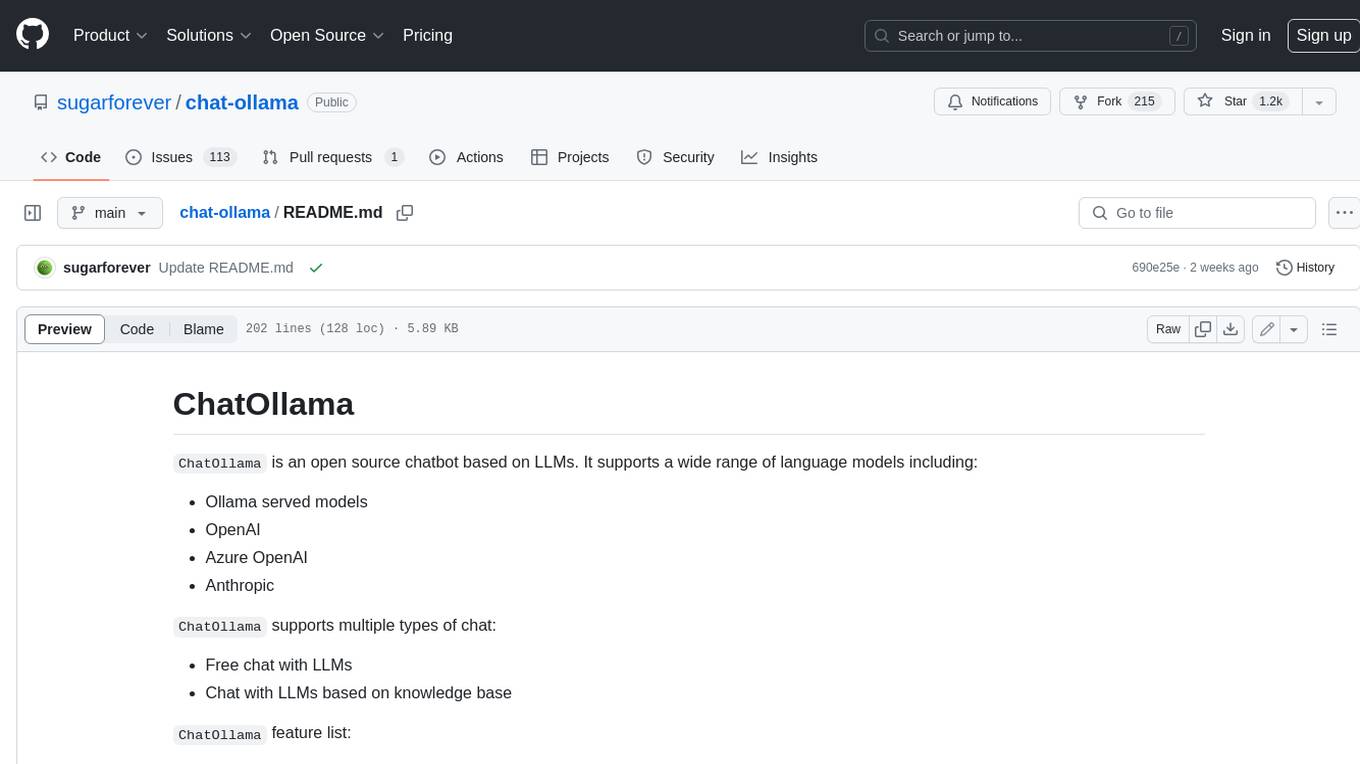
chat-ollama
ChatOllama is an open-source chatbot based on LLMs (Large Language Models). It supports a wide range of language models, including Ollama served models, OpenAI, Azure OpenAI, and Anthropic. ChatOllama supports multiple types of chat, including free chat with LLMs and chat with LLMs based on a knowledge base. Key features of ChatOllama include Ollama models management, knowledge bases management, chat, and commercial LLMs API keys management.
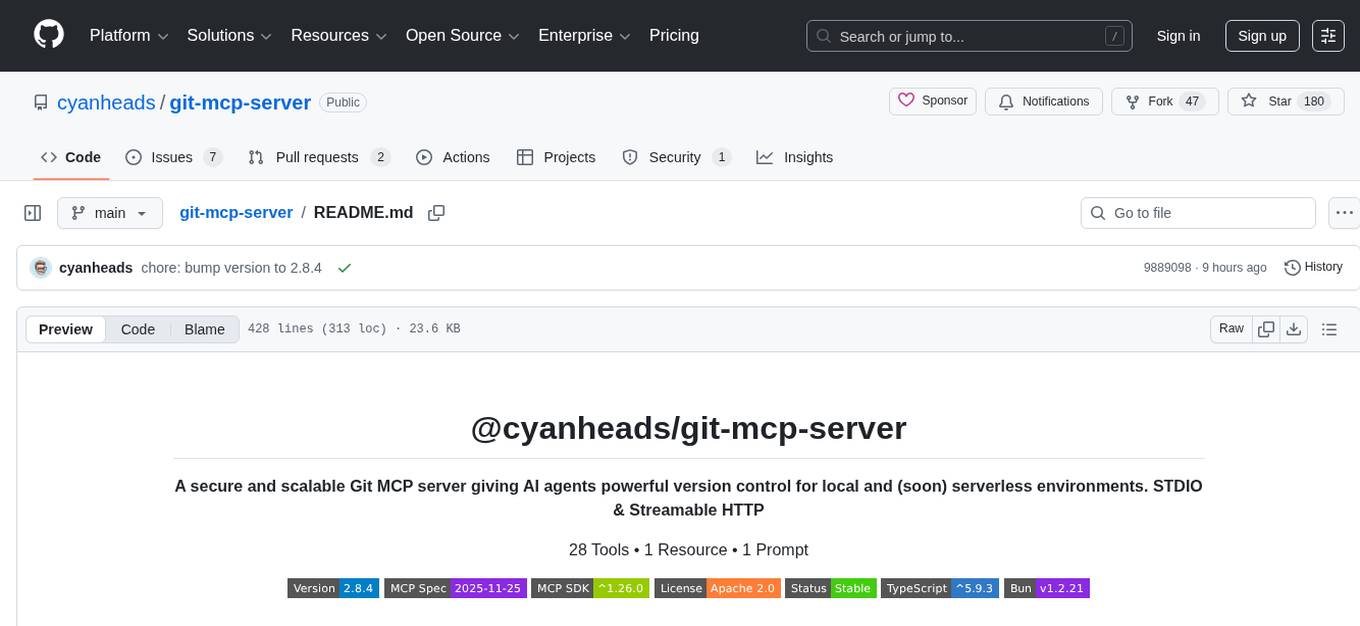
git-mcp-server
A secure and scalable Git MCP server providing AI agents with powerful version control capabilities for local and serverless environments. It offers 28 comprehensive Git operations organized into seven functional categories, resources for contextual information about the Git environment, and structured prompt templates for guiding AI agents through complex workflows. The server features declarative tools, robust error handling, pluggable authentication, abstracted storage, full-stack observability, dependency injection, and edge-ready architecture. It also includes specialized features for Git integration such as cross-runtime compatibility, provider-based architecture, optimized Git execution, working directory management, configurable Git identity, safety features, and commit signing.
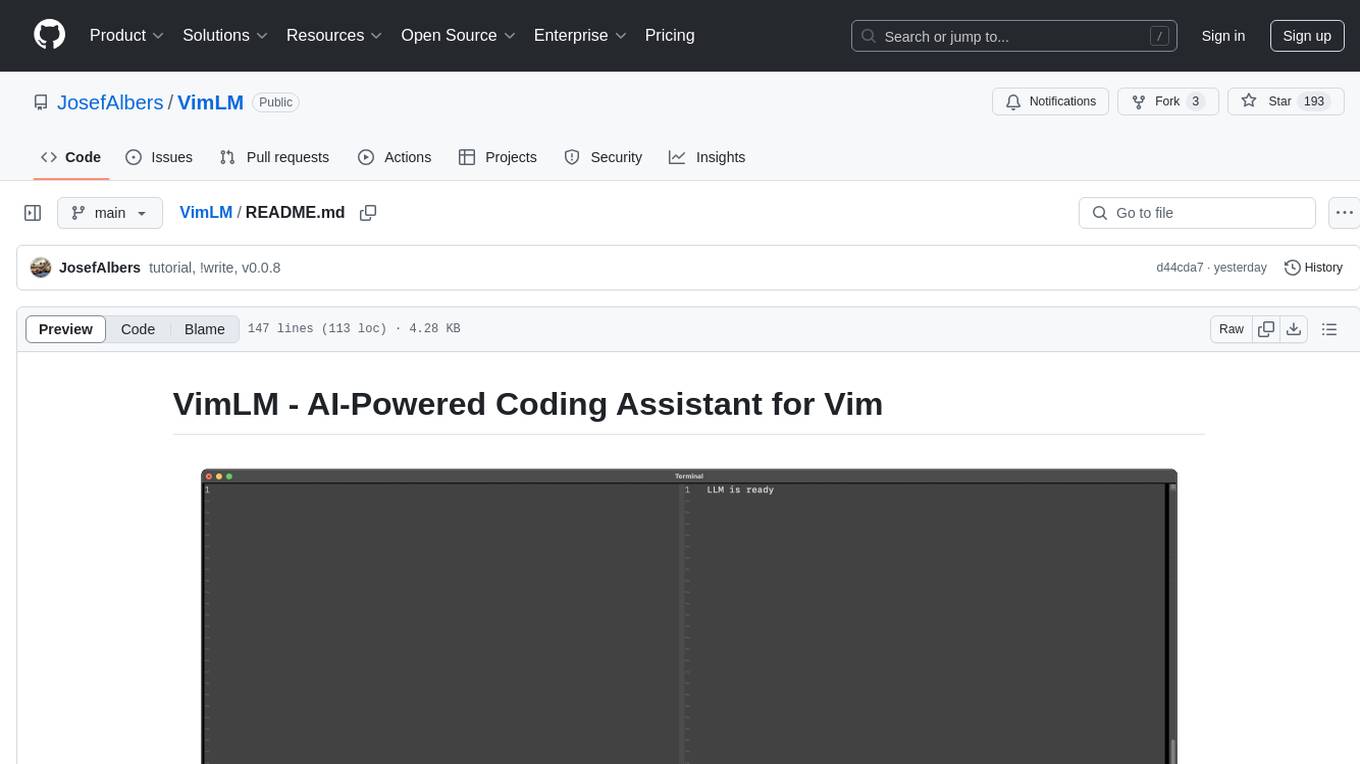
VimLM
VimLM is an AI-powered coding assistant for Vim that integrates AI for code generation, refactoring, and documentation directly into your Vim workflow. It offers native Vim integration with split-window responses and intuitive keybindings, offline first execution with MLX-compatible models, contextual awareness with seamless integration with codebase and external resources, conversational workflow for iterating on responses, project scaffolding for generating and deploying code blocks, and extensibility for creating custom LLM workflows with command chains.
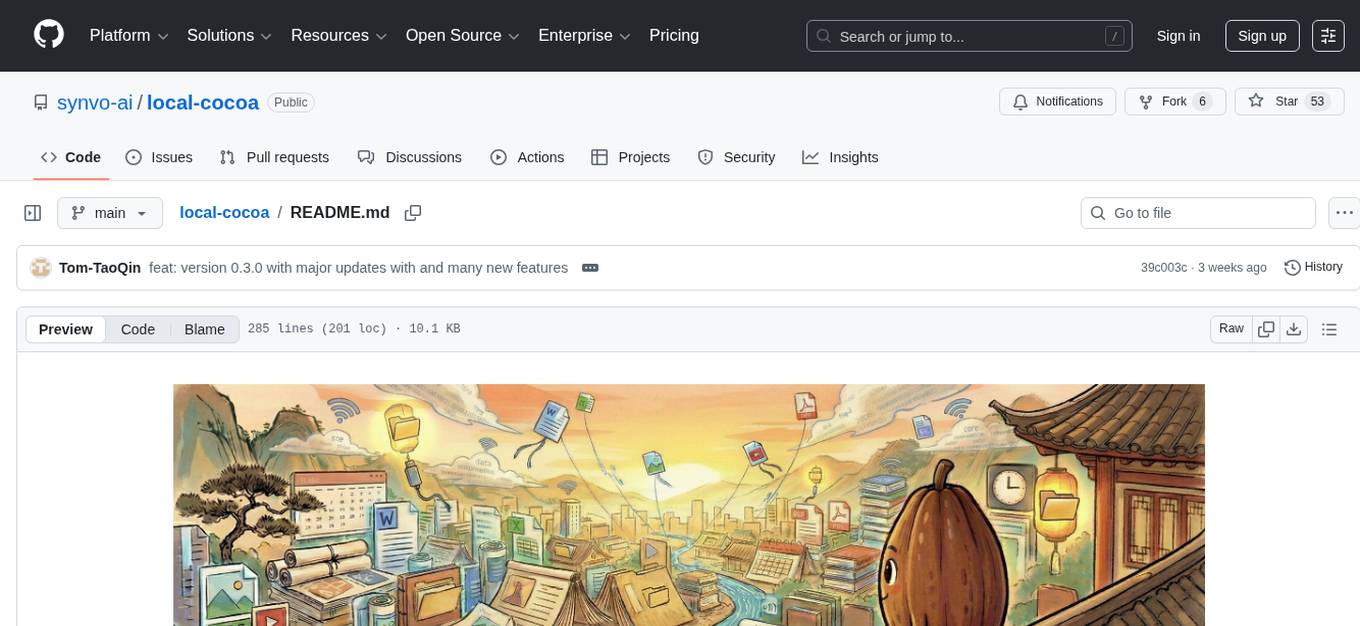
local-cocoa
Local Cocoa is a privacy-focused tool that runs entirely on your device, turning files into memory to spark insights and power actions. It offers features like fully local privacy, multimodal memory, vector-powered retrieval, intelligent indexing, vision understanding, hardware acceleration, focused user experience, integrated notes, and auto-sync. The tool combines file ingestion, intelligent chunking, and local retrieval to build a private on-device knowledge system. The ultimate goal includes more connectors like Google Drive integration, voice mode for local speech-to-text interaction, and a plugin ecosystem for community tools and agents. Local Cocoa is built using Electron, React, TypeScript, FastAPI, llama.cpp, and Qdrant.
agentfield
AgentField is an open-source control plane designed for autonomous AI agents, providing infrastructure for agents to make decisions beyond chatbots. It offers features like scaling infrastructure, routing & discovery, async execution, durable state, observability, trust infrastructure with cryptographic identity, verifiable credentials, and policy enforcement. Users can write agents in Python, Go, TypeScript, or interact via REST APIs. The tool enables the creation of AI backends that reason autonomously within defined boundaries, offering predictability and flexibility. AgentField aims to bridge the gap between AI frameworks and production-ready infrastructure for AI agents.
ruler
Ruler is a tool designed to centralize AI coding assistant instructions, providing a single source of truth for managing instructions across multiple AI coding tools. It helps in avoiding inconsistent guidance, duplicated effort, context drift, onboarding friction, and complex project structures by automatically distributing instructions to the right configuration files. With support for nested rule loading, Ruler can handle complex project structures with context-specific instructions for different components. It offers features like centralised rule management, nested rule loading, automatic distribution, targeted agent configuration, MCP server propagation, .gitignore automation, and a simple CLI for easy configuration management.
For similar tasks
claude_code_bridge
Claude Code Bridge (ccb) is a new multi-model collaboration tool that enables effective collaboration among multiple AI models in a split-pane CLI environment. It offers features like visual and controllable interface, persistent context maintenance, token savings, and native workflow integration. The tool allows users to unleash the full power of CLI by avoiding model bias, cognitive blind spots, and context limitations. It provides a new WYSIWYG solution for multi-model collaboration, making it easier to control and visualize multiple AI models simultaneously.
Trellis
Trellis is an all-in-one AI framework and toolkit designed for Claude Code, Cursor, and iFlow. It offers features such as auto-injection of required specs and workflows, auto-updated spec library, parallel sessions for running multiple agents simultaneously, team sync for sharing specs, and session persistence. Trellis helps users educate their AI, work on multiple features in parallel, define custom workflows, and provides a structured project environment with workflow guides, spec library, personal journal, task management, and utilities. The tool aims to enhance code review, introduce skill packs, integrate with broader tools, improve session continuity, and visualize progress for each agent.
codemie-code
Unified AI Coding Assistant CLI for managing multiple AI agents like Claude Code, Google Gemini, OpenCode, and custom AI agents. Supports OpenAI, Azure OpenAI, AWS Bedrock, LiteLLM, Ollama, and Enterprise SSO. Features built-in LangGraph agent with file operations, command execution, and planning tools. Cross-platform support for Windows, Linux, and macOS. Ideal for developers seeking a powerful alternative to GitHub Copilot or Cursor.
oh-my-pi
oh-my-pi is an AI coding agent for the terminal, providing tools for interactive coding, AI-powered git commits, Python code execution, LSP integration, time-traveling streamed rules, interactive code review, task management, interactive questioning, custom TypeScript slash commands, universal config discovery, MCP & plugin system, web search & fetch, SSH tool, Cursor provider integration, multi-credential support, image generation, TUI overhaul, edit fuzzy matching, and more. It offers a modern terminal interface with smart session management, supports multiple AI providers, and includes various tools for coding, task management, code review, and interactive questioning.
Project-AI-MemoryCore
AI MemoryCore is a universal AI memory architecture that helps create AI companions maintaining memory across conversations. It offers persistent memory, personal learning, time intelligence, simple setup, markdown database, session continuity, and self-maintaining features. The system uses markdown files as a database and includes core components like Master Memory, Identity Core, Relationship Memory, Current Session, Daily Diary, and Save Protocol. Users can set up, configure, activate, and use the AI for learning and growth through conversation. The tool supports basic commands, custom protocols, effective AI training, memory management, and customization tips. Common use cases include professional, educational, creative, personal, and technical tasks. Advanced features include auto-archive, session RAM, protocol system, self-update, and modular design. Available feature extensions cover time-based aware system, LRU project management system, memory consolidation system, and skill plugin system.
KEITH-MD
KEITH-MD is a versatile bot updated and working for all downloaders fixed and are working. Overall performance improvements. Fork the repository to get the latest updates. Get your session code for pair programming. Deploy on Heroku with a single tap. Host on Discord. Download files and deploy on Scalingo. Join the WhatsApp group for support. Enjoy the diverse features of KEITH-MD to enhance your WhatsApp experience.
For similar jobs

sweep
Sweep is an AI junior developer that turns bugs and feature requests into code changes. It automatically handles developer experience improvements like adding type hints and improving test coverage.

teams-ai
The Teams AI Library is a software development kit (SDK) that helps developers create bots that can interact with Teams and Microsoft 365 applications. It is built on top of the Bot Framework SDK and simplifies the process of developing bots that interact with Teams' artificial intelligence capabilities. The SDK is available for JavaScript/TypeScript, .NET, and Python.

ai-guide
This guide is dedicated to Large Language Models (LLMs) that you can run on your home computer. It assumes your PC is a lower-end, non-gaming setup.

classifai
Supercharge WordPress Content Workflows and Engagement with Artificial Intelligence. Tap into leading cloud-based services like OpenAI, Microsoft Azure AI, Google Gemini and IBM Watson to augment your WordPress-powered websites. Publish content faster while improving SEO performance and increasing audience engagement. ClassifAI integrates Artificial Intelligence and Machine Learning technologies to lighten your workload and eliminate tedious tasks, giving you more time to create original content that matters.

chatbot-ui
Chatbot UI is an open-source AI chat app that allows users to create and deploy their own AI chatbots. It is easy to use and can be customized to fit any need. Chatbot UI is perfect for businesses, developers, and anyone who wants to create a chatbot.

BricksLLM
BricksLLM is a cloud native AI gateway written in Go. Currently, it provides native support for OpenAI, Anthropic, Azure OpenAI and vLLM. BricksLLM aims to provide enterprise level infrastructure that can power any LLM production use cases. Here are some use cases for BricksLLM: * Set LLM usage limits for users on different pricing tiers * Track LLM usage on a per user and per organization basis * Block or redact requests containing PIIs * Improve LLM reliability with failovers, retries and caching * Distribute API keys with rate limits and cost limits for internal development/production use cases * Distribute API keys with rate limits and cost limits for students

uAgents
uAgents is a Python library developed by Fetch.ai that allows for the creation of autonomous AI agents. These agents can perform various tasks on a schedule or take action on various events. uAgents are easy to create and manage, and they are connected to a fast-growing network of other uAgents. They are also secure, with cryptographically secured messages and wallets.

griptape
Griptape is a modular Python framework for building AI-powered applications that securely connect to your enterprise data and APIs. It offers developers the ability to maintain control and flexibility at every step. Griptape's core components include Structures (Agents, Pipelines, and Workflows), Tasks, Tools, Memory (Conversation Memory, Task Memory, and Meta Memory), Drivers (Prompt and Embedding Drivers, Vector Store Drivers, Image Generation Drivers, Image Query Drivers, SQL Drivers, Web Scraper Drivers, and Conversation Memory Drivers), Engines (Query Engines, Extraction Engines, Summary Engines, Image Generation Engines, and Image Query Engines), and additional components (Rulesets, Loaders, Artifacts, Chunkers, and Tokenizers). Griptape enables developers to create AI-powered applications with ease and efficiency.