


context-portal
Context Portal (ConPort): A memory bank MCP server building a project-specific knowledge graph to supercharge AI assistants. Enables powerful Retrieval Augmented Generation (RAG) for context-aware development in your IDE.
Stars: 619
Context-portal is a versatile tool for managing and visualizing data in a collaborative environment. It provides a user-friendly interface for organizing and sharing information, making it easy for teams to work together on projects. With features such as customizable dashboards, real-time updates, and seamless integration with popular data sources, Context-portal streamlines the data management process and enhances productivity. Whether you are a data analyst, project manager, or team leader, Context-portal offers a comprehensive solution for optimizing workflows and driving better decision-making.
README:


A database-backed Model Context Protocol (MCP) server for managing structured project context, designed to be used by AI assistants and developer tools within IDEs and other interfaces.
Context Portal (ConPort) is your project's memory bank. It's a tool that helps AI assistants understand your specific software project better by storing important information like decisions, tasks, and architectural patterns in a structured way. Think of it as building a project-specific knowledge base that the AI can easily access and use to give you more accurate and helpful responses.
What it does:
- Keeps track of project decisions, progress, and system designs.
- Stores custom project data (like glossaries or specs).
- Helps AI find relevant project information quickly (like a smart search).
- Enables AI to use project context for better responses (RAG).
- More efficient for managing, searching, and updating context compared to simple text file-based memory banks.
ConPort provides a robust and structured way for AI assistants to store, retrieve, and manage various types of project context. It effectively builds a project-specific knowledge graph, capturing entities like decisions, progress, and architecture, along with their relationships. This structured knowledge base, enhanced by vector embeddings for semantic search, then serves as a powerful backend for Retrieval Augmented Generation (RAG), enabling AI assistants to access precise, up-to-date information for more context-aware and accurate responses.
It replaces older file-based context management systems by offering a more reliable and queryable database backend (SQLite per workspace). ConPort is designed to be a generic context backend, compatible with various IDEs and client interfaces that support MCP.
Key features include:
- Structured context storage using SQLite (one DB per workspace, automatically created).
- MCP server (
context_portal_mcp) built with Python/FastAPI. - A comprehensive suite of defined MCP tools for interaction (see "Available ConPort Tools" below).
- Multi-workspace support via
workspace_id. - Primary deployment mode: STDIO for tight IDE integration.
- Enables building a dynamic project knowledge graph with explicit relationships between context items.
- Includes vector data storage and semantic search capabilities to power advanced RAG.
- Serves as an ideal backend for Retrieval Augmented Generation (RAG), providing AI with precise, queryable project memory.
- Provides structured context that AI assistants can leverage for prompt caching with compatible LLM providers.
- Manages database schema evolution using Alembic migrations, ensuring seamless updates and data integrity.
Before you begin, ensure you have the following installed:
-
Python: Version 3.8 or higher is recommended.
- Download Python
- Ensure Python is added to your system's PATH during installation (especially on Windows).
-
uv: (Highly Recommended) A fast Python environment and package manager. Using
uvsignificantly simplifies virtual environment creation and dependency installation.
The recommended way to install and run ConPort is by using uvx to execute the package directly from PyPI. This method avoids the need to manually create and manage virtual environments.
In your MCP client settings (e.g., mcp_settings.json), use the following configuration:
{
  "mcpServers": {
    "conport": {
      "command": "uvx",
      "args": [
        "--from",
        "context-portal-mcp",
        "conport-mcp",
        "--mode",
        "stdio",
        "--workspace_id",
        "${workspaceFolder}",
        "--log-file",
        "./logs/conport.log",
        "--log-level",
        "INFO"
      ]
    }
  }
}-
command:uvxhandles the environment for you. -
args: Contains the arguments to run the ConPort server. -
${workspaceFolder}: This IDE variable is used to automatically provide the absolute path of the current project workspace. -
--log-file: Optional: Path to a file where server logs will be written. If not provided, logs are directed tostderr(console). Useful for persistent logging and debugging server behavior. -
--log-level: Optional: Sets the minimum logging level for the server. Valid choices areDEBUG,INFO,WARNING,ERROR,CRITICAL. Defaults toINFO. Set toDEBUGfor verbose output during development or troubleshooting.
Important: Many IDEs do not expand
${workspaceFolder}when launching MCP servers. Use one of these safe options:
- Provide an absolute path for
--workspace_id.- Omit
--workspace_idat launch and rely on per-callworkspace_id(recommended if your client provides it on every call).
Alternative configuration (no --workspace_id at launch):
{
  "mcpServers": {
    "conport": {
      "command": "uvx",
      "args": [
        "--from",
        "context-portal-mcp",
        "conport-mcp",
        "--mode",
        "stdio",
        "--log-file",
        "./logs/conport.log",
        "--log-level",
        "INFO"
      ]
    }
  }
}
If you omit --workspace_id, the server will skip pre-initialization and initialize the database on the first tool call using the workspace_id provided in that call.
The most appropriate way to develop and test ConPort is to run it in your IDE as an MCP server using the configuration above. This exercises STDIO mode and real client behavior.
If you need to run against a local checkout and virtualenv, you can configure your MCP client to launch the dev server via uv run and your .venv/bin/python:
{
  "mcpServers": {
    "conport": {
      "command": "uv",
      "args": [
        "run",
        "--python",
        ".venv/bin/python",
        "--directory",
        "<path to context-portal repo> ",
        "conport-mcp",
        "--mode",
        "stdio",
        "--log-file",
        "./logs/conport-dev.log",
        "--log-level",
        "DEBUG"
      ],
      "disabled": false
    }
  }
}
Notes:
- Set
--directoryto your repo path; this uses your local checkout and venv interpreter. - Logs go to
./logs/conport-dev.logwithDEBUGverbosity.
Set up for development or contribution via the Git repo.
-
Clone the repository
git clone https://github.com/GreatScottyMac/context-portal.git cd context-portal -
Create a virtual environment
uv venv
Activate it using your shell’s standard activation (e.g.,
source .venv/bin/activateon macOS/Linux). -
Install dependencies
uv pip install -r requirements.txt
-
Run in your IDE (recommended) Configure your IDE’s MCP settings using the "uvx Configuration" or the dev
uv runconfiguration shown above. This is the most representative test of ConPort in STDIO mode. -
Optional: CLI help
uv run python src/context_portal_mcp/main.py --help
Notes:
- For
--workspace_idbehavior and IDE path handling, see the guidance under the "uvx Configuration" section above. Many IDEs do not expand${workspaceFolder}.
For pre-upgrade cleanup, including clearing Python bytecode cache, please refer to the v0.2.4_UPDATE_GUIDE.md.
ConPort's effectiveness with LLM agents is significantly enhanced by providing specific custom instructions or system prompts to the LLM. This repository includes tailored strategy files for different environments:
-
For Roo Code:
-
roo_code_conport_strategy: Contains detailed instructions for LLMs operating within the Roo Code VS Code extension, guiding them on how to use ConPort tools for context management.
-
-
For CLine:
-
cline_conport_strategy: Contains detailed instructions for LLMs operating within the Cline VS Code extension, guiding them on how to use ConPort tools for context management.
-
-
For Windsurf Cascade:
-
cascade_conport_strategy: Specific guidance for LLMs integrated with the Windsurf Cascade environment. Important: When initiating a session in Cascade, it is necessary to explicity tell the LLM:
Initialize according to custom instructions -
-
For General/Platform-Agnostic Use:
-
generic_conport_strategy: Provides a platform-agnostic set of instructions for any MCP-capable LLM. It emphasizes using ConPort'sget_conport_schemaoperation to dynamically discover the exact ConPort tool names and their parameters, guiding the LLM on when and why to perform conceptual interactions (like logging a decision or updating product context) rather than hardcoding specific tool invocation details.
-
How to Use These Strategy Files:
- Identify the strategy file relevant to your LLM agent's environment.
- Copy the entire content of that file.
- Paste it into your LLM's custom instructions or system prompt area. The method varies by LLM platform (IDE extension settings, web UI, API configuration).
These instructions equip the LLM with the knowledge to:
- Initialize and load context from ConPort.
- Update ConPort with new information (decisions, progress, etc.).
- Manage custom data and relationships.
- Understand the importance of
workspace_id. Important Tip for Starting Sessions: To ensure the LLM agent correctly initializes and loads context, especially in interfaces that might not always strictly adhere to custom instructions on the first message, it's a good practice to start your interaction with a clear directive like:Initialize according to custom instructions.This can help prompt the agent to perform its ConPort initialization sequence as defined in its strategy file.
The repository includes a new strategy/documentation set focused on sprint planning and operational flows:
-
conport-custom-instructions/mem4sprint.md— concise guidance and patterns for using flat categories and valid FTS prefixes. -
conport-custom-instructions/mem4sprint.schema_and_templates.md— meta schema, compact starters, FTS query rules, and minimal operational call recipes.
Key highlights:
- Flat category model (e.g.,
artifacts,rfc_doc,retrospective,ProjectGlossary,critical_settings). - Valid FTS5 prefixes only:
category:,key:,value_text:for custom data;summary:,rationale:,implementation_details:,tags:for decisions. - Handler-layer query normalization; database layer remains unchanged.
Release note summary:
- Added mem4sprint strategy/docs with flattened categories and explicit FTS rules.
- Simplified examples and included minimal operational call recipes.
- Documentation clarifies IDE workspace path handling for MCP.
When you first start using ConPort in a new or existing project workspace, the ConPort database (context_portal/context.db) will be automatically created by the server if it doesn't exist. To help bootstrap the initial project context, especially the Product Context, consider the following:
-
Create
projectBrief.md: In the root directory of your project workspace, create a file namedprojectBrief.md. -
Add Content: Populate this file with a high-level overview of your project. This could include:
- The main goal or purpose of the project.
- Key features or components.
- Target audience or users.
- Overall architectural style or key technologies (if known).
- Any other foundational information that defines the project.
-
Automatic Prompt for Import: When an LLM agent using one of the provided ConPort custom instruction sets (e.g.,
roo_code_conport_strategy) initializes in the workspace, it is designed to:- Check for the existence of
projectBrief.md. - If found, it will read the file and ask you if you'd like to import its content into the ConPort Product Context.
- If you agree, the content will be added to ConPort, providing an immediate baseline for the project's Product Context.
- Check for the existence of
If projectBrief.md is not found, or if you choose not to import it:
- The LLM agent (guided by its custom instructions) will typically inform you that the ConPort Product Context appears uninitialized.
- It may offer to help you define the Product Context manually, potentially by listing other files in your workspace to gather relevant information.
By providing initial context, either through projectBrief.md or manual entry, you enable ConPort and the connected LLM agent to have a better foundational understanding of your project from the start.
ConPort can automatically determine the correct workspace_id so you do not need to hardcode an absolute path in your MCP client configuration. This is especially useful for IDEs that fail to expand ${workspaceFolder} when launching MCP servers.
Detection is enabled by default and can be controlled via CLI flags:
Flags:
-
--auto-detect-workspace(default: enabled) Turns on automatic detection. -
--no-auto-detectDisables detection (explicit--workspace_idor per-toolworkspace_idmust then be provided). -
--workspace-search-start <path>Optional starting directory for upward search (defaults to current working directory).
How it works (multi‑strategy):
- Strong Indicators (fast path): Looks for high-confidence project roots containing any of:
package.json,.git,pyproject.toml,Cargo.toml,go.mod,pom.xml. - Multiple General Indicators: If ≥2 general indicators (README, license, build files, etc.) exist in a directory, it is treated as a root.
- Existing ConPort Workspace: Presence of a
context_portal/directory indicates a valid workspace. - MCP Environment Context: Honors environment variables like
VSCODE_WORKSPACE_FOLDERorCONPORT_WORKSPACEwhen set and valid. - Fallback: If no indicators are found, uses the starting directory verbosely (with a warning).
Tooling:
-
get_workspace_detection_info(MCP tool) exposes a diagnostic dictionary showing:- start_path
- detected_workspace
- detection_method (strong_indicators | multiple_indicators | existing_context_portal | fallback)
- indicators_found
- relevant environment variables
Best Practices:
- Keep detection enabled unless you operate multi-root scenarios where explicit isolation per call is required.
- If an IDE passes the literal string
${workspaceFolder}, ConPort will ignore it and auto-detect safely (logged at WARNING). - For debugging ambiguous roots (e.g., nested repos), run the detection info tool to confirm which directory was selected.
Example MCP launch (relying fully on auto-detect):
{
  "mcpServers": {
    "conport": {
      "command": "uvx",
      "args": [
        "--from", "context-portal-mcp",
        "conport-mcp",
        "--mode", "stdio",
        "--log-level", "INFO"
      ]
    }
  }
}
To disable detection explicitly (forcing provided IDs only):
{
  "mcpServers": {
    "conport": {
      "command": "uvx",
      "args": [
        "--from", "context-portal-mcp",
        "conport-mcp",
        "--mode", "stdio",
        "--no-auto-detect",
        "--workspace_id", "/absolute/path/to/project"
      ]
    }
  }
}
If you have a launcher that starts inside a deep subdirectory, provide a higher start path:
conport-mcp --mode stdio --workspace-search-start ../../See UNIVERSAL_WORKSPACE_DETECTION.md for full rationale, edge cases, and troubleshooting.
The ConPort server exposes the following tools via MCP, allowing interaction with the underlying project knowledge graph. This includes tools for semantic search powered by vector data storage. These tools facilitate the Retrieval aspect crucial for Augmented Generation (RAG) by AI agents. All tools require a workspace_id argument (string, required) to specify the target project workspace.
-
Product Context Management:
-
get_product_context: Retrieves the overall project goals, features, and architecture. -
update_product_context: Updates the product context. Accepts fullcontent(object) orpatch_content(object) for partial updates (use__DELETE__as a value in patch to remove a key).
-
-
Active Context Management:
-
get_active_context: Retrieves the current working focus, recent changes, and open issues. -
update_active_context: Updates the active context. Accepts fullcontent(object) orpatch_content(object) for partial updates (use__DELETE__as a value in patch to remove a key).
-
-
Decision Logging:
-
log_decision: Logs an architectural or implementation decision.- Args:
summary(str, req),rationale(str, opt),implementation_details(str, opt),tags(list[str], opt).
- Args:
-
get_decisions: Retrieves logged decisions.- Args:
limit(int, opt),tags_filter_include_all(list[str], opt),tags_filter_include_any(list[str], opt).
- Args:
-
search_decisions_fts: Full-text search across decision fields (summary, rationale, details, tags).- Args:
query_term(str, req),limit(int, opt).
- Args:
-
delete_decision_by_id: Deletes a decision by its ID.- Args:
decision_id(int, req).
- Args:
-
-
Progress Tracking:
-
log_progress: Logs a progress entry or task status.- Args:
status(str, req),description(str, req),parent_id(int, opt),linked_item_type(str, opt),linked_item_id(str, opt).
- Args:
-
get_progress: Retrieves progress entries.- Args:
status_filter(str, opt),parent_id_filter(int, opt),limit(int, opt).
- Args:
-
update_progress: Updates an existing progress entry.- Args:
progress_id(int, req),status(str, opt),description(str, opt),parent_id(int, opt).
- Args:
-
delete_progress_by_id: Deletes a progress entry by its ID.- Args:
progress_id(int, req).
- Args:
-
-
System Pattern Management:
-
log_system_pattern: Logs or updates a system/coding pattern.- Args:
name(str, req),description(str, opt),tags(list[str], opt).
- Args:
-
get_system_patterns: Retrieves system patterns.- Args:
tags_filter_include_all(list[str], opt),tags_filter_include_any(list[str], opt).
- Args:
-
delete_system_pattern_by_id: Deletes a system pattern by its ID.- Args:
pattern_id(int, req).
- Args:
-
-
Custom Data Management:
-
log_custom_data: Stores/updates a custom key-value entry under a category. Value is JSON-serializable.- Args:
category(str, req),key(str, req),value(any, req).
- Args:
-
get_custom_data: Retrieves custom data.- Args:
category(str, opt),key(str, opt).
- Args:
-
delete_custom_data: Deletes a specific custom data entry.- Args:
category(str, req),key(str, req).
- Args:
-
search_project_glossary_fts: Full-text search within the 'ProjectGlossary' custom data category.- Args:
query_term(str, req),limit(int, opt).
- Args:
-
search_custom_data_value_fts: Full-text search across all custom data values, categories, and keys.- Args:
query_term(str, req),category_filter(str, opt),limit(int, opt).
- Args:
-
-
Context Linking:
-
link_conport_items: Creates a relationship link between two ConPort items, explicitly building out the project knowledge graph.- Args:
source_item_type(str, req),source_item_id(str, req),target_item_type(str, req),target_item_id(str, req),relationship_type(str, req),description(str, opt).
- Args:
-
get_linked_items: Retrieves items linked to a specific item.- Args:
item_type(str, req),item_id(str, req),relationship_type_filter(str, opt),linked_item_type_filter(str, opt),limit(int, opt).
- Args:
-
-
History & Meta Tools:
-
get_item_history: Retrieves version history for Product or Active Context.- Args:
item_type("product_context" | "active_context", req),version(int, opt),before_timestamp(datetime, opt),after_timestamp(datetime, opt),limit(int, opt).
- Args:
-
get_recent_activity_summary: Provides a summary of recent ConPort activity.- Args:
hours_ago(int, opt),since_timestamp(datetime, opt),limit_per_type(int, opt, default: 5).
- Args:
-
get_conport_schema: Retrieves the schema of available ConPort tools and their arguments.
-
-
Import/Export:
-
export_conport_to_markdown: Exports ConPort data to markdown files.- Args:
output_path(str, opt, default: "./conport_export/").
- Args:
-
import_markdown_to_conport: Imports data from markdown files into ConPort.- Args:
input_path(str, opt, default: "./conport_export/").
- Args:
-
-
Batch Operations:
-
batch_log_items: Logs multiple items of the same type (e.g., decisions, progress entries) in a single call.- Args:
item_type(str, req - e.g., "decision", "progress_entry"),items(list[dict], req - list of Pydantic model dicts for the item type).
- Args:
-
For a more in-depth understanding of ConPort's design, architecture, and advanced usage patterns, please refer to:
Please see our CONTRIBUTING.md guide for details on how to contribute to the ConPort project.
This project is licensed under the Apache-2.0 license.
For detailed instructions on how to manage your context.db file, especially when updating ConPort across versions that include database schema changes, please refer to the dedicated v0.2.4_UPDATE_GUIDE.md. This guide provides steps for manual data migration (export/import) if needed, and troubleshooting tips.
For Tasks:
Click tags to check more tools for each tasksFor Jobs:
Alternative AI tools for context-portal
Similar Open Source Tools
context-portal
Context-portal is a versatile tool for managing and visualizing data in a collaborative environment. It provides a user-friendly interface for organizing and sharing information, making it easy for teams to work together on projects. With features such as customizable dashboards, real-time updates, and seamless integration with popular data sources, Context-portal streamlines the data management process and enhances productivity. Whether you are a data analyst, project manager, or team leader, Context-portal offers a comprehensive solution for optimizing workflows and driving better decision-making.
deer-flow
DeerFlow is a community-driven Deep Research framework that combines language models with specialized tools for tasks like web search, crawling, and Python code execution. It supports FaaS deployment and one-click deployment based on Volcengine. The framework includes core capabilities like LLM integration, search and retrieval, RAG integration, MCP seamless integration, human collaboration, report post-editing, and content creation. The architecture is based on a modular multi-agent system with components like Coordinator, Planner, Research Team, and Text-to-Speech integration. DeerFlow also supports interactive mode, human-in-the-loop mechanism, and command-line arguments for customization.
arconia
Arconia is a powerful open-source tool for managing and visualizing data in a user-friendly way. It provides a seamless experience for data analysts and scientists to explore, clean, and analyze datasets efficiently. With its intuitive interface and robust features, Arconia simplifies the process of data manipulation and visualization, making it an essential tool for anyone working with data.
budibase
Budibase is an open-source low-code platform that allows users to build web applications visually without writing code. It provides a drag-and-drop interface for designing user interfaces and workflows, as well as a visual editor for defining data models and business logic. With Budibase, users can quickly create custom web applications for various purposes, such as data management, project tracking, and internal tools. The platform supports integrations with popular services and databases, making it easy to extend the functionality of applications. Budibase is suitable for both experienced developers looking to speed up their workflow and non-technical users who want to create web applications without coding.
n8n-docs
n8n is an extendable workflow automation tool that enables you to connect anything to everything. It is open-source and can be self-hosted or used as a service. n8n provides a visual interface for creating workflows, which can be used to automate tasks such as data integration, data transformation, and data analysis. n8n also includes a library of pre-built nodes that can be used to connect to a variety of applications and services. This makes it easy to create complex workflows without having to write any code.
spec-workflow-mcp
Spec Workflow MCP is a Model Context Protocol (MCP) server that offers structured spec-driven development workflow tools for AI-assisted software development. It includes a real-time web dashboard and a VSCode extension for monitoring and managing project progress directly in the development environment. The tool supports sequential spec creation, real-time monitoring of specs and tasks, document management, archive system, task progress tracking, approval workflow, bug reporting, template system, and works on Windows, macOS, and Linux.
Companion
Companion is a software tool designed to provide support and enhance development. It offers various features and functionalities to assist users in their projects and tasks. The tool aims to be user-friendly and efficient, helping individuals and teams to streamline their workflow and improve productivity.
ClickHouse
ClickHouse is an open-source column-oriented database management system that allows generating analytical data reports in real-time. It offers quick high-level overview, tutorials, documentation, video content, real-time chat support, and various events for users. The tool is designed for real-time analytics and data reporting tasks, providing a scalable and efficient solution for managing analytical data.
opensrc
Opensrc is a versatile open-source tool designed for collaborative software development. It provides a platform for developers to work together on projects, share code, and manage contributions effectively. With features like version control, issue tracking, and code review, Opensrc streamlines the development process and fosters a collaborative environment. Whether you are working on a small project with a few contributors or a large-scale open-source initiative, Opensrc offers the tools you need to organize and coordinate your development efforts.
agent-pod
Agent POD is a project focused on capturing and storing personal digital data in a user-controlled environment, with the goal of enabling agents to interact with the data. It explores questions related to structuring information, creating an efficient data capture system, integrating with protocols like SOLID, and enabling data storage for groups. The project aims to transition from traditional data-storing apps to a system where personal data is owned and controlled by the user, facilitating the creation of 'solid-first' apps.
Acontext
Acontext is a context data platform designed for production AI agents, offering unified storage, built-in context management, and observability features. It helps agents scale from local demos to production without the need to rebuild context infrastructure. The platform provides solutions for challenges like scattered context data, long-running agents requiring context management, and tracking states from multi-modal agents. Acontext offers core features such as context storage, session management, disk storage, agent skills management, and sandbox for code execution and analysis. Users can connect to Acontext, install SDKs, initialize clients, store and retrieve messages, perform context engineering, and utilize agent storage tools. The platform also supports building agents using end-to-end scripts in Python and Typescript, with various templates available. Acontext's architecture includes client layer, backend with API and core components, infrastructure with PostgreSQL, S3, Redis, and RabbitMQ, and a web dashboard. Join the Acontext community on Discord and follow updates on GitHub.
OpenViking
OpenViking is an open-source Context Database designed specifically for AI Agents. It aims to solve challenges in agent development by unifying memories, resources, and skills in a filesystem management paradigm. The tool offers tiered context loading, directory recursive retrieval, visualized retrieval trajectory, and automatic session management. Developers can interact with OpenViking like managing local files, enabling precise context manipulation and intuitive traceable operations. The tool supports various model services like OpenAI and Volcengine, enhancing semantic retrieval and context understanding for AI Agents.
spacebot
Spacebot is an AI agent designed for teams, communities, and multi-user environments. It splits the monolith into specialized processes that delegate tasks, allowing it to handle concurrent conversations, execute tasks, and respond to multiple users simultaneously. Built for Discord, Slack, and Telegram, Spacebot can run coding sessions, manage files, automate web browsing, and search the web. Its memory system is structured and graph-connected, enabling productive knowledge synthesis. With capabilities for task execution, messaging, memory management, scheduling, model routing, and extensible skills, Spacebot offers a comprehensive solution for collaborative work environments.
agent-o-rama
Agent-O-Rama is a powerful open-source tool designed for automating repetitive tasks in the field of software development. It provides a user-friendly interface to create and manage automated agents that can perform various tasks such as code deployment, testing, and monitoring. With Agent-O-Rama, developers can save time and effort by automating routine processes and focusing on more critical aspects of their projects. The tool is highly customizable and extensible, allowing users to tailor it to their specific needs and integrate it with other tools and services. Agent-O-Rama is suitable for both individual developers and teams working on projects of any size, providing a scalable solution for improving productivity and efficiency in software development.
ome
Ome is a versatile tool designed for managing and organizing tasks and projects efficiently. It provides a user-friendly interface for creating, tracking, and prioritizing tasks, as well as collaborating with team members. With Ome, users can easily set deadlines, assign tasks, and monitor progress to ensure timely completion of projects. The tool offers customizable features such as tags, labels, and filters to streamline task management and improve productivity. Ome is suitable for individuals, teams, and organizations looking to enhance their task management process and achieve better results.
verl-tool
The verl-tool is a versatile command-line utility designed to streamline various tasks related to version control and code management. It provides a simple yet powerful interface for managing branches, merging changes, resolving conflicts, and more. With verl-tool, users can easily track changes, collaborate with team members, and ensure code quality throughout the development process. Whether you are a beginner or an experienced developer, verl-tool offers a seamless experience for version control operations.
For similar tasks

Azure-Analytics-and-AI-Engagement
The Azure-Analytics-and-AI-Engagement repository provides packaged Industry Scenario DREAM Demos with ARM templates (Containing a demo web application, Power BI reports, Synapse resources, AML Notebooks etc.) that can be deployed in a customer’s subscription using the CAPE tool within a matter of few hours. Partners can also deploy DREAM Demos in their own subscriptions using DPoC.
sorrentum
Sorrentum is an open-source project that aims to combine open-source development, startups, and brilliant students to build machine learning, AI, and Web3 / DeFi protocols geared towards finance and economics. The project provides opportunities for internships, research assistantships, and development grants, as well as the chance to work on cutting-edge problems, learn about startups, write academic papers, and get internships and full-time positions at companies working on Sorrentum applications.

tidb
TiDB is an open-source distributed SQL database that supports Hybrid Transactional and Analytical Processing (HTAP) workloads. It is MySQL compatible and features horizontal scalability, strong consistency, and high availability.

zep-python
Zep is an open-source platform for building and deploying large language model (LLM) applications. It provides a suite of tools and services that make it easy to integrate LLMs into your applications, including chat history memory, embedding, vector search, and data enrichment. Zep is designed to be scalable, reliable, and easy to use, making it a great choice for developers who want to build LLM-powered applications quickly and easily.
telemetry-airflow
This repository codifies the Airflow cluster that is deployed at workflow.telemetry.mozilla.org (behind SSO) and commonly referred to as "WTMO" or simply "Airflow". Some links relevant to users and developers of WTMO: * The `dags` directory in this repository contains some custom DAG definitions * Many of the DAGs registered with WTMO don't live in this repository, but are instead generated from ETL task definitions in bigquery-etl * The Data SRE team maintains a WTMO Developer Guide (behind SSO)
mojo
Mojo is a new programming language that bridges the gap between research and production by combining Python syntax and ecosystem with systems programming and metaprogramming features. Mojo is still young, but it is designed to become a superset of Python over time.

pandas-ai
PandasAI is a Python library that makes it easy to ask questions to your data in natural language. It helps you to explore, clean, and analyze your data using generative AI.

databend
Databend is an open-source cloud data warehouse that serves as a cost-effective alternative to Snowflake. With its focus on fast query execution and data ingestion, it's designed for complex analysis of the world's largest datasets.
For similar jobs
Azure-Analytics-and-AI-Engagement
The Azure-Analytics-and-AI-Engagement repository provides packaged Industry Scenario DREAM Demos with ARM templates (Containing a demo web application, Power BI reports, Synapse resources, AML Notebooks etc.) that can be deployed in a customer’s subscription using the CAPE tool within a matter of few hours. Partners can also deploy DREAM Demos in their own subscriptions using DPoC.
skyvern
Skyvern automates browser-based workflows using LLMs and computer vision. It provides a simple API endpoint to fully automate manual workflows, replacing brittle or unreliable automation solutions. Traditional approaches to browser automations required writing custom scripts for websites, often relying on DOM parsing and XPath-based interactions which would break whenever the website layouts changed. Instead of only relying on code-defined XPath interactions, Skyvern adds computer vision and LLMs to the mix to parse items in the viewport in real-time, create a plan for interaction and interact with them. This approach gives us a few advantages: 1. Skyvern can operate on websites it’s never seen before, as it’s able to map visual elements to actions necessary to complete a workflow, without any customized code 2. Skyvern is resistant to website layout changes, as there are no pre-determined XPaths or other selectors our system is looking for while trying to navigate 3. Skyvern leverages LLMs to reason through interactions to ensure we can cover complex situations. Examples include: 1. If you wanted to get an auto insurance quote from Geico, the answer to a common question “Were you eligible to drive at 18?” could be inferred from the driver receiving their license at age 16 2. If you were doing competitor analysis, it’s understanding that an Arnold Palmer 22 oz can at 7/11 is almost definitely the same product as a 23 oz can at Gopuff (even though the sizes are slightly different, which could be a rounding error!) Want to see examples of Skyvern in action? Jump to #real-world-examples-of- skyvern
pandas-ai
PandasAI is a Python library that makes it easy to ask questions to your data in natural language. It helps you to explore, clean, and analyze your data using generative AI.
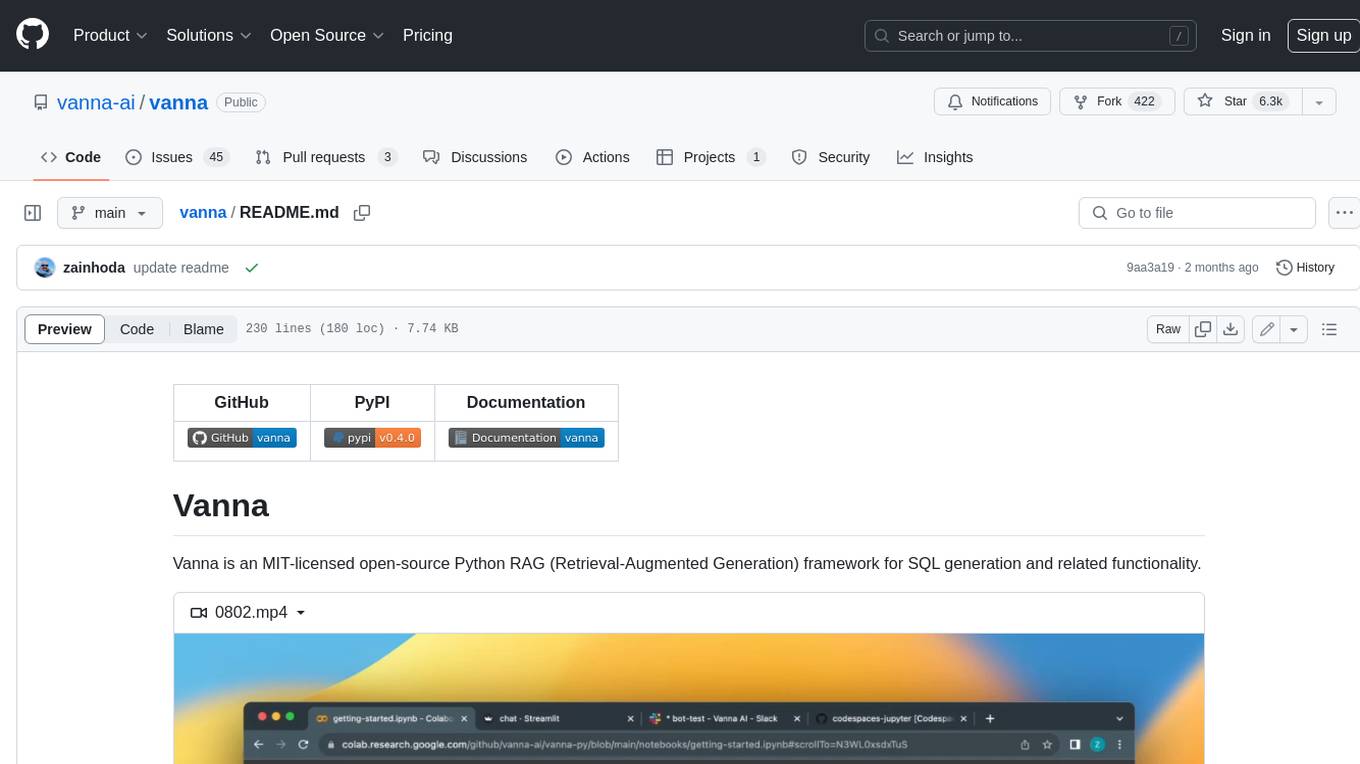
vanna
Vanna is an open-source Python framework for SQL generation and related functionality. It uses Retrieval-Augmented Generation (RAG) to train a model on your data, which can then be used to ask questions and get back SQL queries. Vanna is designed to be portable across different LLMs and vector databases, and it supports any SQL database. It is also secure and private, as your database contents are never sent to the LLM or the vector database.
databend
Databend is an open-source cloud data warehouse that serves as a cost-effective alternative to Snowflake. With its focus on fast query execution and data ingestion, it's designed for complex analysis of the world's largest datasets.
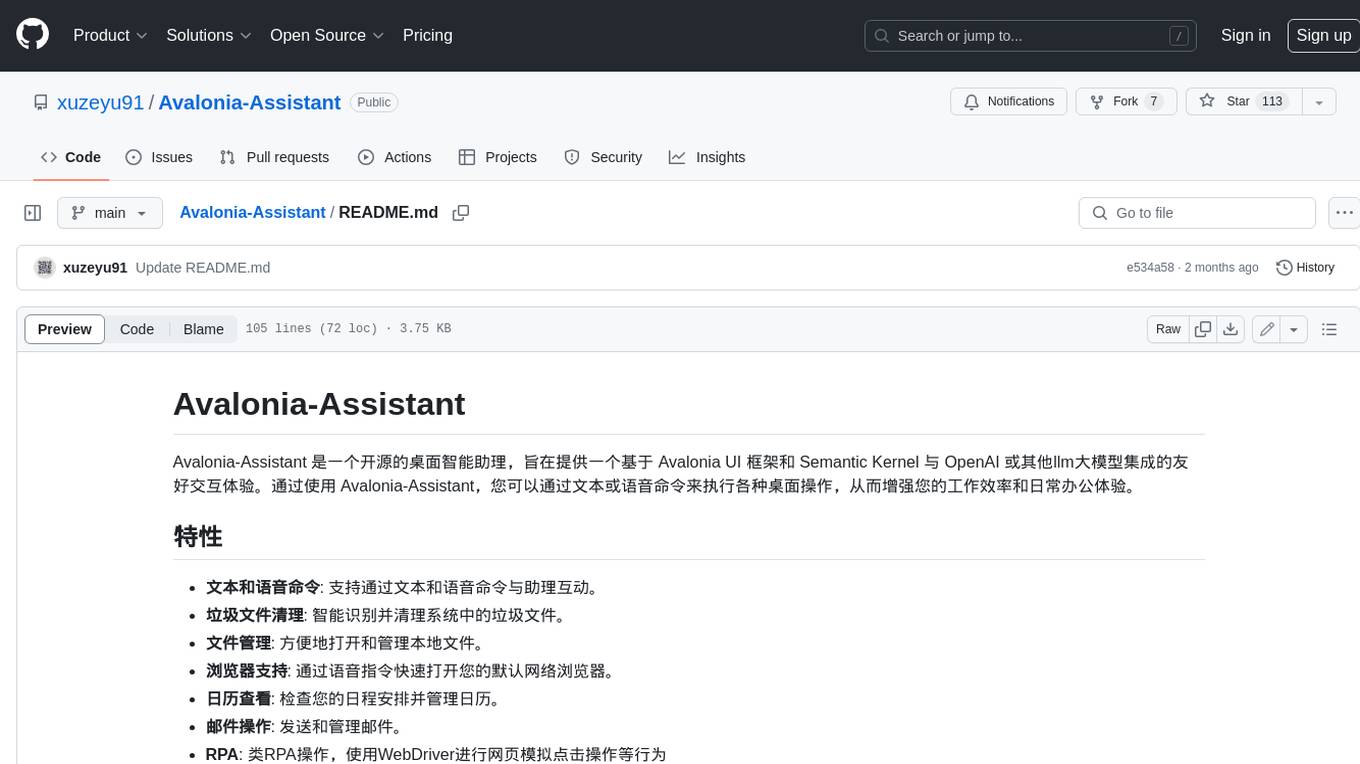
Avalonia-Assistant
Avalonia-Assistant is an open-source desktop intelligent assistant that aims to provide a user-friendly interactive experience based on the Avalonia UI framework and the integration of Semantic Kernel with OpenAI or other large LLM models. By utilizing Avalonia-Assistant, you can perform various desktop operations through text or voice commands, enhancing your productivity and daily office experience.
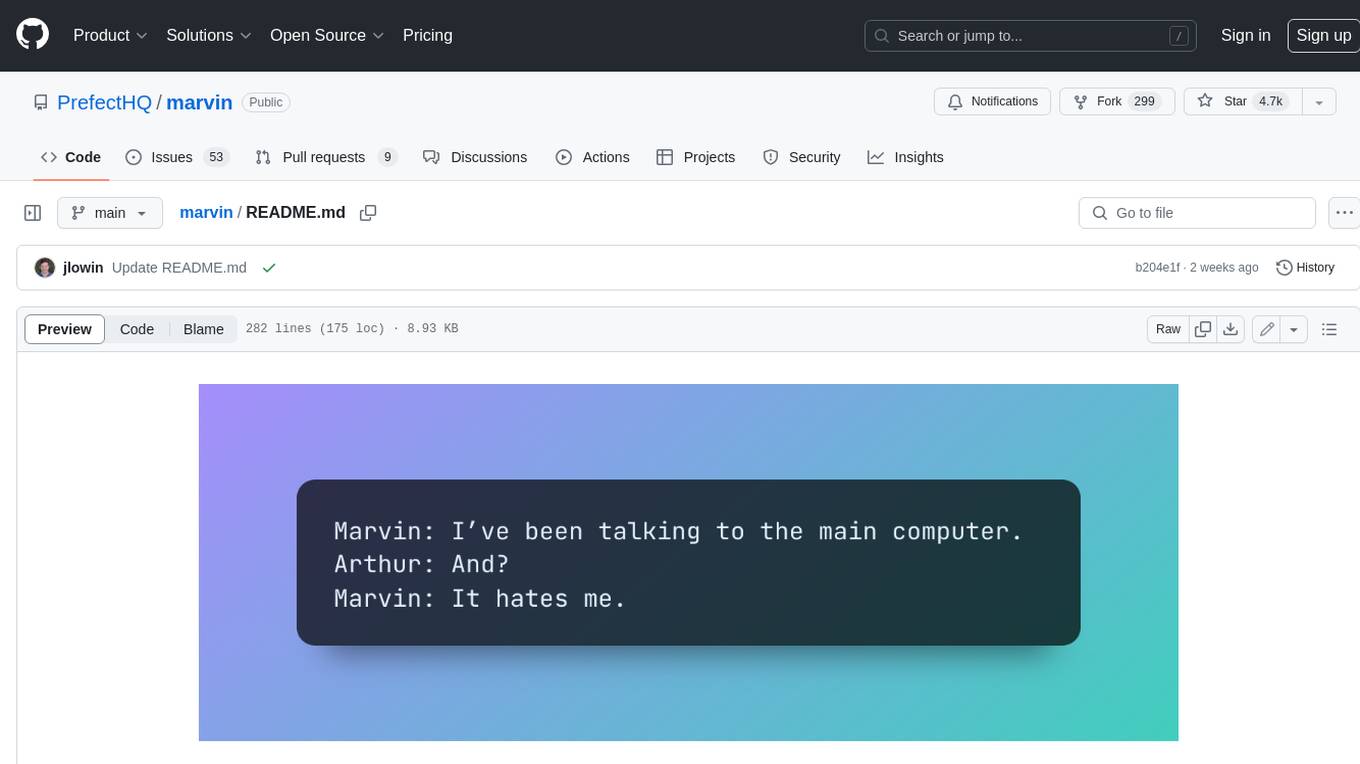
marvin
Marvin is a lightweight AI toolkit for building natural language interfaces that are reliable, scalable, and easy to trust. Each of Marvin's tools is simple and self-documenting, using AI to solve common but complex challenges like entity extraction, classification, and generating synthetic data. Each tool is independent and incrementally adoptable, so you can use them on their own or in combination with any other library. Marvin is also multi-modal, supporting both image and audio generation as well using images as inputs for extraction and classification. Marvin is for developers who care more about _using_ AI than _building_ AI, and we are focused on creating an exceptional developer experience. Marvin users should feel empowered to bring tightly-scoped "AI magic" into any traditional software project with just a few extra lines of code. Marvin aims to merge the best practices for building dependable, observable software with the best practices for building with generative AI into a single, easy-to-use library. It's a serious tool, but we hope you have fun with it. Marvin is open-source, free to use, and made with 💙 by the team at Prefect.

activepieces
Activepieces is an open source replacement for Zapier, designed to be extensible through a type-safe pieces framework written in Typescript. It features a user-friendly Workflow Builder with support for Branches, Loops, and Drag and Drop. Activepieces integrates with Google Sheets, OpenAI, Discord, and RSS, along with 80+ other integrations. The list of supported integrations continues to grow rapidly, thanks to valuable contributions from the community. Activepieces is an open ecosystem; all piece source code is available in the repository, and they are versioned and published directly to npmjs.com upon contributions. If you cannot find a specific piece on the pieces roadmap, please submit a request by visiting the following link: Request Piece Alternatively, if you are a developer, you can quickly build your own piece using our TypeScript framework. For guidance, please refer to the following guide: Contributor's Guide