


hyper-mcp
📦️ A fast, secure MCP server that extends its capabilities through WebAssembly plugins.
Stars: 858
hyper-mcp is a fast and secure MCP server that extends its capabilities through WebAssembly plugins. It makes it easy to add AI capabilities to applications by allowing users to write plugins in any language that compiles to WebAssembly, distribute them via standard OCI registries, and run them anywhere from cloud to edge. The tool is built with a security-first mindset, offering sandboxed plugins, memory-safe execution, secure plugin distribution, and fine-grained access control for host functions. Users can deploy hyper-mcp anywhere, benefit from cross-platform compatibility, and prevent tool name collisions with the support tool name prefix feature.
README:





A fast, secure MCP server that extends its capabilities through WebAssembly plugins.
hyper-mcp makes it easy to add AI capabilities to your applications. It works with Claude Desktop, Cursor IDE, and other MCP-compatible apps. Write plugins in your favorite language, distribute them through container registries, and run them anywhere - from cloud to edge.
- Write plugins in any language that compiles to WebAssembly
- Distribute plugins via standard OCI registries (like Docker Hub)
- Built on Extism for rock-solid plugin support
- Sanboxing with WASM: ability to limit network, filesystem, memory access
- Lightweight enough for resource-constrained environments
- Support
stdiotransport protocol - Deploy anywhere: serverless, edge, mobile, IoT devices
- Cross-platform compatibility out of the box
- Support tool name prefix to prevent tool names collision
Built with security-first mindset:
- Sandboxed plugins that can't access your system without permission
- Memory-safe execution with resource limits
- Secure plugin distribution through container registries
- Fine-grained access control for host functions
- OCI plugin images are signed at publish time and verified at load time with sigstore.
- Create your config file:
- Linux:
$HOME/.config/hyper-mcp/config.json - Windows:
{FOLDERID_RoamingAppData}\hyper-mcp\config.json. Eg:C:\Users\Alice\AppData\Roaming\hyper-mcp\config.json - macOS:
$HOME/Library/Application Support/hyper-mcp/config.json
- Linux:
{
  "plugins": {
    "time": {
      "url": "oci://ghcr.io/hyper-mcp-rs/time-plugin:latest"
    },
    "qr_code": {
      "url": "oci://ghcr.io/hyper-mcp-rs/qrcode-plugin:latest"
    },
    "hash": {
      "url": "oci://ghcr.io/hyper-mcp-rs/hash-plugin:latest"
    },
    "myip": {
      "url": "oci://ghcr.io/hyper-mcp-rs/myip-plugin:latest",
      "runtime_config": {
        "allowed_hosts": ["1.1.1.1"]
      }
    },
    "fetch": {
      "url": "oci://ghcr.io/hyper-mcp-rs/fetch-plugin:latest",
      "runtime_config": {
        "allowed_hosts": ["*"],
        "memory_limit": "100 MB",
      }
    }
  }
}
📖 For detailed configuration options including authentication setup, runtime configuration, and advanced features, see RUNTIME_CONFIG.md
Supported URL schemes:
-
oci://- for OCI-compliant registries (like Docker Hub, GitHub Container Registry, etc.) REQUIRES COSIGN -
file://- for local files -
http://orhttps://- for remote files -
s3://- for Amazon S3 objects (requires that you have your AWS credentials set up in the environment)
- Start the server:
$ hyper-mcp- Uses
stdiotransport protocol. - If you want to debug, use
RUST_LOG=debug. - If you're loading unsigned OCI plugin, you need to set
insecure_skip_signatureflag or env varHYPER_MCP_INSECURE_SKIP_SIGNATUREtotrue
hyper-mcp automatically logs all output to daily rolling log files for debugging and monitoring purposes.
Log Location:
- Linux:
$HOME/.config/hyper-mcp/logs/mcp-server.log - Windows:
{FOLDERID_RoamingAppData}\hyper-mcp\logs\mcp-server.log - macOS:
$HOME/Library/Application Support/hyper-mcp/logs/mcp-server.log
Custom Log Path:
You can override the default log directory by setting the HYPER_MCP_LOG_PATH environment variable:
export HYPER_MCP_LOG_PATH=/path/to/your/logs
hyper-mcp
Log Levels:
Control the verbosity of logs using the RUST_LOG environment variable:
# Info level (default)
RUST_LOG=info hyper-mcp

# Debug level (verbose, useful for troubleshooting)
RUST_LOG=debug hyper-mcp

# Warn level (only warnings and errors)
RUST_LOG=warn hyper-mcp
Features:
- Daily log rotation (new file created each day)
- Non-blocking writes to prevent performance impact
- Includes timestamps, line numbers, and target information
- Safe for use with stdio transport (logs don't interfere with MCP communication)
You can configure hyper-mcp either globally for all projects or specifically for individual projects.
- For project-scope configuration, create
.cursor/mcp.jsonin your project root:
{
  "mcpServers": {
    "hyper-mcp": {
      "command": "/path/to/hyper-mcp"
    }
  }
}-
Set up hyper-mcp in Cursor's settings:

-
Start using tools through chat:

We maintain several example plugins to get you started:
These plugins use the v1 plugin interface. While still supported, new plugins should use the v2 interface.
- time: Get current time and do time calculations (Rust)
- qr_code: Generate QR codes (Rust)
- hash: Generate various types of hashes (Rust)
- myip: Get your current IP (Rust)
- fetch: Basic webpage fetching (Rust)
- crypto_price: Get cryptocurrency prices (Go)
- fs: File system operations (Rust)
- github: GitHub plugin (Go)
- eval_py: Evaluate Python code with RustPython (Rust)
- arxiv: Search & download arXiv papers (Rust)
- memory: Let you store & retrieve memory, powered by SQLite (Rust)
- sqlite: Interact with SQLite (Rust)
- crates-io: Get crate general information, check crate latest version (Rust)
- gomodule: Get Go modules info, version (Rust)
- qdrant: keeping & retrieving memories to Qdrant vector search engine (Rust)
- gitlab: GitLab plugin (Rust)
- meme_generator: Meme generator (Rust)
- context7: Lookup library documentation (Rust)
- think: Think tool(Rust)
- maven: Maven plugin (Rust)
- serper: Serper web search plugin (Rust)
These plugins use the v2 plugin interface. New plugins should use this interface.
- rstime: Get current time and do time calculations (Rust)
- hackernews: This plugin connects to the Hacker News API to fetch the current top stories and display them with their titles, scores, authors, and URLs.
- release-monitor-id: This plugin retrieves project ID from release-monitoring.org, which helps track versions of released software.
- yahoo-finance: This plugin connects to the Yahoo Finance API to provide stock prices (OHLCV) based on a company name or ticker symbol.
- rand16: This plugen generates random 16 bytes buffer and provides it in base64uri format - very usable for symmetric cryptography online.
-
Runtime Configuration Guide - Comprehensive guide to configuration options including:
- Authentication setup (Basic, Token, and Keyring)
- Plugin runtime configuration
- Security considerations and best practices
- Platform-specific keyring setup for macOS, Linux, and Windows
- Troubleshooting authentication issues
-
Skip Tools Pattern Guide - Comprehensive guide to filtering tools using regex patterns:
- Pattern syntax and examples
- Common use cases and best practices
- Environment-specific filtering strategies
- Advanced regex techniques
- Migration and troubleshooting
For comprehensive instructions on creating plugins, see CREATING_PLUGINS.md.
For ready-to-use plugin templates in Rust and Go, see TEMPLATES.md.
For Tasks:
Click tags to check more tools for each tasksFor Jobs:
Alternative AI tools for hyper-mcp
Similar Open Source Tools
hyper-mcp
hyper-mcp is a fast and secure MCP server that extends its capabilities through WebAssembly plugins. It makes it easy to add AI capabilities to applications by allowing users to write plugins in any language that compiles to WebAssembly, distribute them via standard OCI registries, and run them anywhere from cloud to edge. The tool is built with a security-first mindset, offering sandboxed plugins, memory-safe execution, secure plugin distribution, and fine-grained access control for host functions. Users can deploy hyper-mcp anywhere, benefit from cross-platform compatibility, and prevent tool name collisions with the support tool name prefix feature.
docs-mcp-server
The docs-mcp-server repository contains the server-side code for the documentation management system. It provides functionalities for managing, storing, and retrieving documentation files. Users can upload, update, and delete documents through the server. The server also supports user authentication and authorization to ensure secure access to the documentation system. Additionally, the server includes APIs for integrating with other systems and tools, making it a versatile solution for managing documentation in various projects and organizations.
hayhooks
Hayhooks is a tool that simplifies the deployment and serving of Haystack pipelines as REST APIs. It allows users to wrap their pipelines with custom logic and expose them via HTTP endpoints, including OpenAI-compatible chat completion endpoints. With Hayhooks, users can easily convert their Haystack pipelines into API services with minimal boilerplate code.
crawl4ai
Crawl4AI is a powerful and free web crawling service that extracts valuable data from websites and provides LLM-friendly output formats. It supports crawling multiple URLs simultaneously, replaces media tags with ALT, and is completely free to use and open-source. Users can integrate Crawl4AI into Python projects as a library or run it as a standalone local server. The tool allows users to crawl and extract data from specified URLs using different providers and models, with options to include raw HTML content, force fresh crawls, and extract meaningful text blocks. Configuration settings can be adjusted in the `crawler/config.py` file to customize providers, API keys, chunk processing, and word thresholds. Contributions to Crawl4AI are welcome from the open-source community to enhance its value for AI enthusiasts and developers.
Free-GPT4-WEB-API
FreeGPT4-WEB-API is a Python server that allows you to have a self-hosted GPT-4 Unlimited and Free WEB API, via the latest Bing's AI. It uses Flask and GPT4Free libraries. GPT4Free provides an interface to the Bing's GPT-4. The server can be configured by editing the `FreeGPT4_Server.py` file. You can change the server's port, host, and other settings. The only cookie needed for the Bing model is `_U`.
oxylabs-mcp
The Oxylabs MCP Server acts as a bridge between AI models and the web, providing clean, structured data from any site. It enables scraping of URLs, rendering JavaScript-heavy pages, content extraction for AI use, bypassing anti-scraping measures, and accessing geo-restricted web data from 195+ countries. The implementation utilizes the Model Context Protocol (MCP) to facilitate secure interactions between AI assistants and web content. Key features include scraping content from any site, automatic data cleaning and conversion, bypassing blocks and geo-restrictions, flexible setup with cross-platform support, and built-in error handling and request management.

LEANN
LEANN is an innovative vector database that democratizes personal AI, transforming your laptop into a powerful RAG system that can index and search through millions of documents using 97% less storage than traditional solutions without accuracy loss. It achieves this through graph-based selective recomputation and high-degree preserving pruning, computing embeddings on-demand instead of storing them all. LEANN allows semantic search of file system, emails, browser history, chat history, codebase, or external knowledge bases on your laptop with zero cloud costs and complete privacy. It is a drop-in semantic search MCP service fully compatible with Claude Code, enabling intelligent retrieval without changing your workflow.
CyberStrikeAI
CyberStrikeAI is an AI-native security testing platform built in Go that integrates 100+ security tools, an intelligent orchestration engine, role-based testing with predefined security roles, a skills system with specialized testing skills, and comprehensive lifecycle management capabilities. It enables end-to-end automation from conversational commands to vulnerability discovery, attack-chain analysis, knowledge retrieval, and result visualization, delivering an auditable, traceable, and collaborative testing environment for security teams. The platform features an AI decision engine with OpenAI-compatible models, native MCP implementation with various transports, prebuilt tool recipes, large-result pagination, attack-chain graph, password-protected web UI, knowledge base with vector search, vulnerability management, batch task management, role-based testing, and skills system.
fast-mcp
Fast MCP is a Ruby gem that simplifies the integration of AI models with your Ruby applications. It provides a clean implementation of the Model Context Protocol, eliminating complex communication protocols, integration challenges, and compatibility issues. With Fast MCP, you can easily connect AI models to your servers, share data resources, choose from multiple transports, integrate with frameworks like Rails and Sinatra, and secure your AI-powered endpoints. The gem also offers real-time updates and authentication support, making AI integration a seamless experience for developers.
uLoopMCP
uLoopMCP is a Unity integration tool designed to let AI drive your Unity project forward with minimal human intervention. It provides a 'self-hosted development loop' where an AI can compile, run tests, inspect logs, and fix issues using tools like compile, run-tests, get-logs, and clear-console. It also allows AI to operate the Unity Editor itself—creating objects, calling menu items, inspecting scenes, and refining UI layouts from screenshots via tools like execute-dynamic-code, execute-menu-item, and capture-window. The tool enables AI-driven development loops to run autonomously inside existing Unity projects.
DesktopCommanderMCP
Desktop Commander MCP is a server that allows the Claude desktop app to execute long-running terminal commands on your computer and manage processes through Model Context Protocol (MCP). It is built on top of MCP Filesystem Server to provide additional search and replace file editing capabilities. The tool enables users to execute terminal commands with output streaming, manage processes, perform full filesystem operations, and edit code with surgical text replacements or full file rewrites. It also supports vscode-ripgrep based recursive code or text search in folders.
exo
Run your own AI cluster at home with everyday devices. Exo is experimental software that unifies existing devices into a powerful GPU, supporting wide model compatibility, dynamic model partitioning, automatic device discovery, ChatGPT-compatible API, and device equality. It does not use a master-worker architecture, allowing devices to connect peer-to-peer. Exo supports different partitioning strategies like ring memory weighted partitioning. Installation is recommended from source. Documentation includes example usage on multiple MacOS devices and information on inference engines and networking modules. Known issues include the iOS implementation lagging behind Python.
zotero-mcp
Zotero MCP seamlessly connects your Zotero research library with AI assistants like ChatGPT and Claude via the Model Context Protocol. It offers AI-powered semantic search, access to library content, PDF annotation extraction, and easy updates. Users can search their library, analyze citations, and get summaries, making it ideal for research tasks. The tool supports multiple embedding models, intelligent search results, and flexible access methods for both local and remote collaboration. With advanced features like semantic search and PDF annotation extraction, Zotero MCP enhances research efficiency and organization.
llamactl
llamactl is a tool for unified management and routing of llama.cpp, MLX, and vLLM models with a web dashboard. It offers easy model management with built-in model downloader, dynamic multi-model instances, smart resource management, and a modern React UI dashboard. It provides flexible integration with API compatibility for OpenAI chat completions and resources endpoints, multi-backend support, and Docker readiness. The tool supports distributed deployment with remote instances and central management. Users can quickly start by installing a backend, downloading llamactl, creating an instance, and starting inferencing.

Zero
Zero is an open-source AI email solution that allows users to self-host their email app while integrating external services like Gmail. It aims to modernize and enhance emails through AI agents, offering features like open-source transparency, AI-driven enhancements, data privacy, self-hosting freedom, unified inbox, customizable UI, and developer-friendly extensibility. Built with modern technologies, Zero provides a reliable tech stack including Next.js, React, TypeScript, TailwindCSS, Node.js, Drizzle ORM, and PostgreSQL. Users can set up Zero using standard setup or Dev Container setup for VS Code users, with detailed environment setup instructions for Better Auth, Google OAuth, and optional GitHub OAuth. Database setup involves starting a local PostgreSQL instance, setting up database connection, and executing database commands for dependencies, tables, migrations, and content viewing.
mcp-pointer
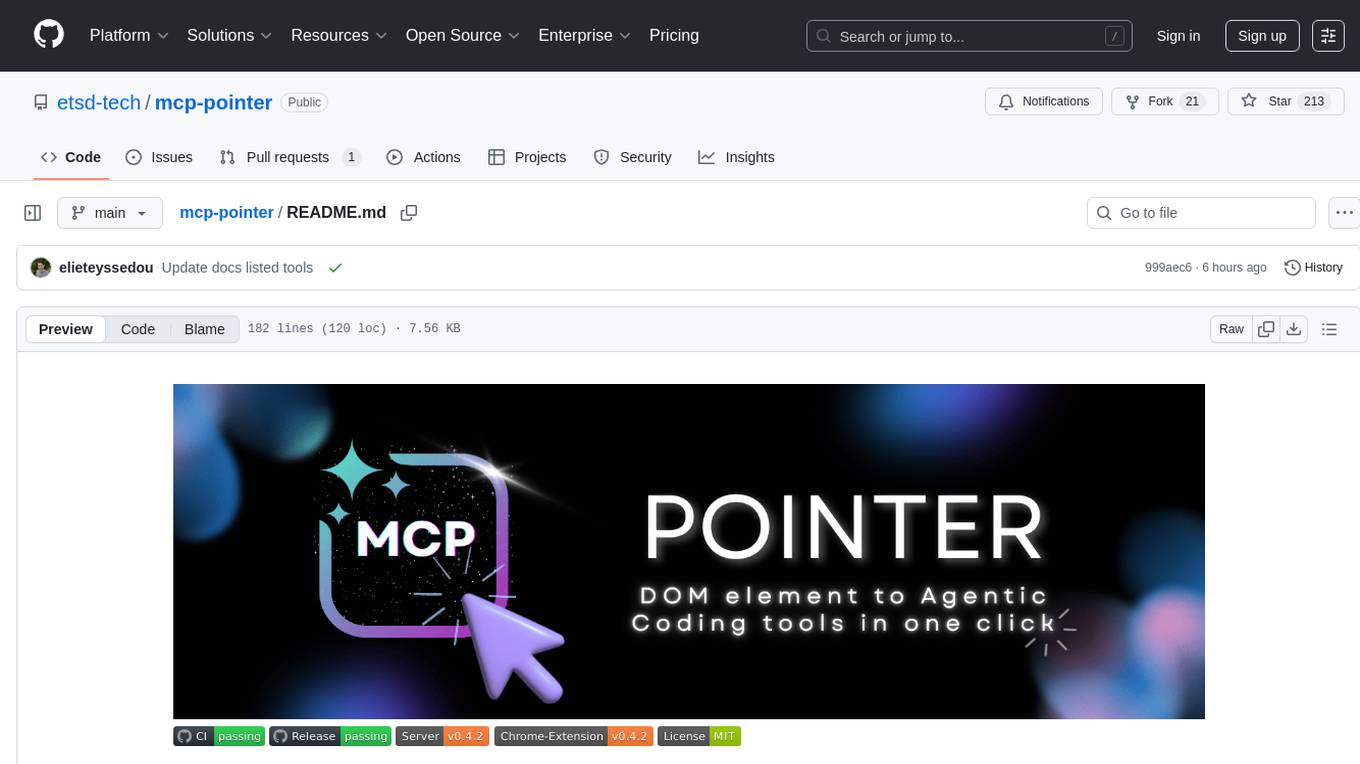
MCP Pointer is a local tool that combines an MCP Server with a Chrome Extension to allow users to visually select DOM elements in the browser and make textual context available to agentic coding tools like Claude Code. It bridges between the browser and AI tools via the Model Context Protocol, enabling real-time communication and compatibility with various AI tools. The tool extracts detailed information about selected elements, including text content, CSS properties, React component detection, and more, making it a valuable asset for developers working with AI-powered web development.
For similar tasks
hyper-mcp
hyper-mcp is a fast and secure MCP server that enables adding AI capabilities to applications through WebAssembly plugins. It supports writing plugins in various languages, distributing them via standard OCI registries, and running them in resource-constrained environments. The tool offers sandboxing with WASM for limiting access, cross-platform compatibility, and deployment flexibility. Security features include sandboxed plugins, memory-safe execution, secure plugin distribution, and fine-grained access control. Users can configure the tool for global or project-specific use, start the server with different transport options, and utilize available plugins for tasks like time calculations, QR code generation, hash generation, IP retrieval, and webpage fetching.
hyper-mcp
hyper-mcp is a fast and secure MCP server that extends its capabilities through WebAssembly plugins. It makes it easy to add AI capabilities to applications by allowing users to write plugins in any language that compiles to WebAssembly, distribute them via standard OCI registries, and run them anywhere from cloud to edge. The tool is built with a security-first mindset, offering sandboxed plugins, memory-safe execution, secure plugin distribution, and fine-grained access control for host functions. Users can deploy hyper-mcp anywhere, benefit from cross-platform compatibility, and prevent tool name collisions with the support tool name prefix feature.
mesh
MCP Mesh is an open-source control plane for MCP traffic that provides a unified layer for authentication, routing, and observability. It replaces multiple integrations with a single production endpoint, simplifying configuration management. Built for multi-tenant organizations, it offers workspace/project scoping for policies, credentials, and logs. With core capabilities like MeshContext, AccessControl, and OpenTelemetry, it ensures fine-grained RBAC, full tracing, and metrics for tools and workflows. Users can define tools with input/output validation, access control checks, audit logging, and OpenTelemetry traces. The project structure includes apps for full-stack MCP Mesh, encryption, observability, and more, with deployment options ranging from Docker to Kubernetes. The tech stack includes Bun/Node runtime, TypeScript, Hono API, React, Kysely ORM, and Better Auth for OAuth and API keys.
For similar jobs

sweep
Sweep is an AI junior developer that turns bugs and feature requests into code changes. It automatically handles developer experience improvements like adding type hints and improving test coverage.

teams-ai
The Teams AI Library is a software development kit (SDK) that helps developers create bots that can interact with Teams and Microsoft 365 applications. It is built on top of the Bot Framework SDK and simplifies the process of developing bots that interact with Teams' artificial intelligence capabilities. The SDK is available for JavaScript/TypeScript, .NET, and Python.

ai-guide
This guide is dedicated to Large Language Models (LLMs) that you can run on your home computer. It assumes your PC is a lower-end, non-gaming setup.

classifai
Supercharge WordPress Content Workflows and Engagement with Artificial Intelligence. Tap into leading cloud-based services like OpenAI, Microsoft Azure AI, Google Gemini and IBM Watson to augment your WordPress-powered websites. Publish content faster while improving SEO performance and increasing audience engagement. ClassifAI integrates Artificial Intelligence and Machine Learning technologies to lighten your workload and eliminate tedious tasks, giving you more time to create original content that matters.

chatbot-ui
Chatbot UI is an open-source AI chat app that allows users to create and deploy their own AI chatbots. It is easy to use and can be customized to fit any need. Chatbot UI is perfect for businesses, developers, and anyone who wants to create a chatbot.

BricksLLM
BricksLLM is a cloud native AI gateway written in Go. Currently, it provides native support for OpenAI, Anthropic, Azure OpenAI and vLLM. BricksLLM aims to provide enterprise level infrastructure that can power any LLM production use cases. Here are some use cases for BricksLLM: * Set LLM usage limits for users on different pricing tiers * Track LLM usage on a per user and per organization basis * Block or redact requests containing PIIs * Improve LLM reliability with failovers, retries and caching * Distribute API keys with rate limits and cost limits for internal development/production use cases * Distribute API keys with rate limits and cost limits for students

uAgents
uAgents is a Python library developed by Fetch.ai that allows for the creation of autonomous AI agents. These agents can perform various tasks on a schedule or take action on various events. uAgents are easy to create and manage, and they are connected to a fast-growing network of other uAgents. They are also secure, with cryptographically secured messages and wallets.

griptape
Griptape is a modular Python framework for building AI-powered applications that securely connect to your enterprise data and APIs. It offers developers the ability to maintain control and flexibility at every step. Griptape's core components include Structures (Agents, Pipelines, and Workflows), Tasks, Tools, Memory (Conversation Memory, Task Memory, and Meta Memory), Drivers (Prompt and Embedding Drivers, Vector Store Drivers, Image Generation Drivers, Image Query Drivers, SQL Drivers, Web Scraper Drivers, and Conversation Memory Drivers), Engines (Query Engines, Extraction Engines, Summary Engines, Image Generation Engines, and Image Query Engines), and additional components (Rulesets, Loaders, Artifacts, Chunkers, and Tokenizers). Griptape enables developers to create AI-powered applications with ease and efficiency.