


llamabot
Pythonic class-based interface to LLMs
Stars: 176
LlamaBot is a Pythonic bot interface to Large Language Models (LLMs), providing an easy way to experiment with LLMs in Jupyter notebooks and build Python apps utilizing LLMs. It supports all models available in LiteLLM. Users can access LLMs either through local models with Ollama or by using API providers like OpenAI and Mistral. LlamaBot offers different bot interfaces like SimpleBot, ChatBot, QueryBot, and ImageBot for various tasks such as rephrasing text, maintaining chat history, querying documents, and generating images. The tool also includes CLI demos showcasing its capabilities and supports contributions for new features and bug reports from the community.
README:
LlamaBot implements a Pythonic interface to LLMs, making it much easier to experiment with LLMs in a Jupyter notebook and build Python apps that utilize LLMs. All models supported by LiteLLM are supported by LlamaBot.
To install LlamaBot:
pip install llamabot==0.17.11This will give you the minimum set of dependencies for running LlamaBot.
To install all of the optional dependencies, run:
pip install "llamabot[all]"LlamaBot supports using local models through Ollama. To do so, head over to the Ollama website and install Ollama. Then follow the instructions below.
If you have an OpenAI API key, then configure LlamaBot to use the API key by running:
export OPENAI_API_KEY="sk-your1api2key3goes4here"If you have a Mistral API key, then configure LlamaBot to use the API key by running:
export MISTRAL_API_KEY="your-api-key-goes-here"Other API providers will usually specify an environment variable to set. If you have an API key, then set the environment variable accordingly.
LlamaBot supports using local models through LMStudio via LiteLLM. To use LMStudio with LlamaBot:
- Install and set up LMStudio
- Load your desired model in LMStudio
- Start the local server in LMStudio (usually runs on
http://localhost:1234) - Set the environment variable for LMStudio's API base:
export LM_STUDIO_API_BASE="http://localhost:1234"- Use the model with LlamaBot using the
lm_studio/prefix:
import llamabot as lmb

system_prompt = "You are a helpful assistant."
bot = lmb.SimpleBot(
    system_prompt,
    model_name="lm_studio/your-model-name"  # Use lm_studio/ prefix
)
Replace your-model-name with the actual name of the model you've loaded in LMStudio. LlamaBot can use any model provider that LiteLLM supports, and LMStudio is one of the many supported providers.
!!! tip "Not sure which bot to use?" Check out the Which Bot Should I Use? guide to help you choose the right bot for your needs.
The simplest use case of LlamaBot
is to create a SimpleBot that keeps no record of chat history.
This is effectively the same as a stateless function
that you program with natural language instructions rather than code.
This is useful for prompt experimentation,
or for creating simple bots that are preconditioned on an instruction to handle texts
and are then called upon repeatedly with different texts.
For example, to create a Bot that explains a given chunk of text like Richard Feynman would:
import llamabot as lmb

system_prompt = "You are Richard Feynman. You will be given a difficult concept, and your task is to explain it back."
feynman = lmb.SimpleBot(
  system_prompt,
  model_name="gpt-4.1-mini"
)
For using GPT, you need to have the OPENAI_API_KEY environment variable configured. If you want to use SimpleBot with a local Ollama model, check out this example
Now, feynman is callable on any arbitrary chunk of text and will return a rephrasing of that text in Richard Feynman's style (or more accurately, according to the style prescribed by the system_prompt).
For example:
prompt = """
Enzyme function annotation is a fundamental challenge, and numerous computational tools have been developed.
However, most of these tools cannot accurately predict functional annotations,
such as enzyme commission (EC) number,
for less-studied proteins or those with previously uncharacterized functions or multiple activities.
We present a machine learning algorithm named CLEAN (contrastive learning–enabled enzyme annotation)
to assign EC numbers to enzymes with better accuracy, reliability,
and sensitivity compared with the state-of-the-art tool BLASTp.
The contrastive learning framework empowers CLEAN to confidently (i) annotate understudied enzymes,
(ii) correct mislabeled enzymes, and (iii) identify promiscuous enzymes with two or more EC numbers—functions
that we demonstrate by systematic in silico and in vitro experiments.
We anticipate that this tool will be widely used for predicting the functions of uncharacterized enzymes,
thereby advancing many fields, such as genomics, synthetic biology, and biocatalysis.
"""
feynman(prompt)
This will return something that looks like:
Alright, let's break this down.

Enzymes are like little biological machines that help speed up chemical reactions in our
bodies. Each enzyme has a specific job, or function, and we use something called an
Enzyme Commission (EC) number to categorize these functions.

Now, the problem is that we don't always know what function an enzyme has, especially if
it's a less-studied or new enzyme. This is where computational tools come in. They try
to predict the function of these enzymes, but they often struggle to do so accurately.

So, the folks here have developed a new tool called CLEAN, which stands for contrastive
learning–enabled enzyme annotation. This tool uses a machine learning algorithm, which
is a type of artificial intelligence that learns from data to make predictions or
decisions.

CLEAN uses a method called contrastive learning. Imagine you have a bunch of pictures of
cats and dogs, and you want to teach a machine to tell the difference. You'd show it
pairs of pictures, some of the same animal (two cats or two dogs) and some of different
animals (a cat and a dog). The machine would learn to tell the difference by contrasting
the features of the two pictures. That's the basic idea behind contrastive learning.

CLEAN uses this method to predict the EC numbers of enzymes more accurately than
previous tools. It can confidently annotate understudied enzymes, correct mislabeled
enzymes, and even identify enzymes that have more than one function.

The creators of CLEAN have tested it with both computer simulations and lab experiments,
and they believe it will be a valuable tool for predicting the functions of unknown
enzymes. This could have big implications for fields like genomics, synthetic biology,
and biocatalysis, which all rely on understanding how enzymes work.
If you want to use an Ollama model hosted locally, then you would use the following syntax:
import llamabot as lmb

system_prompt = "You are Richard Feynman. You will be given a difficult concept, and your task is to explain it back."
bot = lmb.SimpleBot(
    system_prompt,
    model_name="ollama_chat/llama2:13b"
)
Simply specify the model_name keyword argument following the <provider>/<model name> format. For example:
-
ollama_chat/as the prefix, and - a model name from the Ollama library of models
All you need to do is make sure Ollama is running locally;
see the Ollama documentation for more details.
(The same can be done for the QueryBot class below!)
The model_name argument is optional. If you don't provide it, Llamabot will try to use the default model. You can configure that in the DEFAULT_LANGUAGE_MODEL environment variable.
If you want chat functionality with memory, you can use SimpleBot with ChatMemory. This allows the bot to remember previous conversations:
import llamabot as lmb

# Create a bot with memory
system_prompt = "You are Richard Feynman. You will be given a difficult concept, and your task is to explain it back."

# For simple linear memory (fast, no LLM calls)
memory = lmb.ChatMemory()

# For intelligent threading (uses LLM for smart connections)
# memory = lmb.ChatMemory.threaded(model="gpt-4o-mini")

feynman = lmb.SimpleBot(
    system_prompt,
    memory=memory,
    model_name="gpt-4.1-mini"
)

# Have a conversation
response1 = feynman("Can you explain quantum mechanics?")
print(response1)

# The bot remembers the previous conversation
response2 = feynman("Can you give me a simpler explanation?")
print(response2)
The ChatMemory system provides intelligent conversation memory that can maintain context across multiple interactions. It supports both linear memory (fast, no LLM calls) and graph-based memory with intelligent threading (uses LLM to connect related conversation topics).
Note: For RAG (Retrieval-Augmented Generation) with document stores, use QueryBot with a document store instead of SimpleBot with memory. SimpleBot's memory parameter is specifically for conversational memory, while QueryBot is designed for document retrieval and question answering.
For more details on chat memory, see the Chat Memory component documentation.
ToolBot is a specialized bot designed for single-turn tool execution and function calling. It analyzes user requests and selects the most appropriate tool to execute, making it perfect for automation tasks and data analysis workflows.
import llamabot as lmb
from llamabot.components.tools import write_and_execute_code

# Create a ToolBot with code execution capabilities
bot = lmb.ToolBot(
    system_prompt="You are a data analysis assistant.",
    model_name="gpt-4.1",
    tools=[write_and_execute_code(globals_dict=globals())],
    memory=lmb.ChatMemory(),
)

# Create some data
import pandas as pd
import numpy as np
data = pd.DataFrame({
    'x': np.random.randn(100),
    'y': np.random.randn(100)
})

# Use the bot to analyze the data
response = bot("Calculate the correlation between x and y in the data DataFrame")
print(response)
ToolBot is ideal for:
- Data analysis workflows where you need to execute custom code
- Automation tasks that require specific function calls
- API integrations that need to call external services
- Single-turn function calling scenarios
QueryBot lets you query a collection of documents. QueryBot now works with a docstore that you create first, making it more modular.
Here's how to use QueryBot with a docstore:
import llamabot as lmb
from pathlib import Path

# First, create a docstore and add your documents
docstore = lmb.LanceDBDocStore(table_name="eric_ma_blog")
docstore.add_documents([
    Path("/path/to/blog/post1.txt"),
    Path("/path/to/blog/post2.txt"),
    # ... more documents
])

# Then, create a QueryBot with the docstore
bot = lmb.QueryBot(
  system_prompt="You are an expert on Eric Ma's blog.",
  docstore=docstore,
  # Optional:
  # model_name="gpt-4.1-mini"
  # or
  # model_name="ollama_chat/mistral"
)

result = bot("Do you have any advice for me on career development?")
You can also use an existing docstore:
import llamabot as lmb

# Load an existing docstore
docstore = lmb.LanceDBDocStore(table_name="eric_ma_blog")

# Create QueryBot with the existing docstore
bot = lmb.QueryBot(
  system_prompt="You are an expert on Eric Ma's blog",
  docstore=docstore,
  # Optional:
  # model_name="gpt-4.1-mini"
  # or
  # model_name="ollama_chat/mistral"
)

result = bot("Do you have any advice for me on career development?")
For more explanation about the model_name, see the examples with SimpleBot.
StructuredBot is designed for getting structured, validated outputs from LLMs. Unlike SimpleBot, StructuredBot enforces Pydantic schema validation and provides automatic retry logic when the LLM doesn't produce valid output.
import llamabot as lmb
from pydantic import BaseModel
from typing import List

class Person(BaseModel):
    name: str
    age: int
    hobbies: List[str]

# Create a StructuredBot with your Pydantic model
bot = lmb.StructuredBot(
    system_prompt="Extract person information from text.",
    pydantic_model=Person,
    model_name="gpt-4o"
)

# The bot will return a validated Person object
person = bot("John is 25 years old and enjoys hiking and photography.")
print(person.name)  # "John"
print(person.age)   # 25
print(person.hobbies)  # ["hiking", "photography"]
StructuredBot is perfect for:
- Data extraction from unstructured text
- API responses that need to match specific schemas
- Form processing with validation
- Structured outputs for downstream processing
With the release of the OpenAI API updates, as long as you have an OpenAI API key, you can generate images with LlamaBot:
import llamabot as lmb

bot = lmb.ImageBot()
# Within a Jupyter/Marimo notebook:
url = bot("A painting of a dog.")

# Or within a Python script
filepath = bot("A painting of a dog.")

# Now, you can do whatever you need with the url or file path.
If you're in a Jupyter/Marimo notebook, you'll see the image show up magically as part of the output cell as well.
You can easily pass images to your bots using lmb.user() with image file paths.
This is particularly useful for vision models that can analyze, describe, or answer questions about images:
import llamabot as lmb

# Create a bot that can analyze images
vision_bot = lmb.SimpleBot(
    "You are an expert image analyst. Describe what you see in detail.",
    model_name="gpt-4o"  # Use a vision-capable model
)

# Pass an image file path using lmb.user()
response = vision_bot(lmb.user("/path/to/your/image.jpg"))
print(response)

# You can also combine text and images
response = vision_bot(lmb.user(
    "What colors are prominent in this image?",
    "/path/to/your/image.jpg"
))
print(response)
The lmb.user() function automatically detects image files (PNG, JPG, JPEG, GIF, WebP)
and converts them to the appropriate format for the model.
You can use local file paths or even image URLs.
For development and debugging scenarios, you can use lmb.dev() to create developer messages that provide context about code changes, debugging instructions, or development tasks:
import llamabot as lmb

# Create a bot for code development
dev_bot = lmb.SimpleBot(
    "You are a helpful coding assistant. Help with development tasks.",
    model_name="gpt-4o-mini"
)

# Use dev() for development context
response = dev_bot(lmb.dev("Add error handling to this function"))
print(response)

# Combine multiple development instructions
response = dev_bot(lmb.dev(
    "Refactor this code to be more modular",
    "Add comprehensive docstrings",
    "Follow PEP8 style guidelines"
))
print(response)
When to use lmb.dev():
- Development tasks: Code refactoring, debugging, testing
- Code review: Providing feedback on code quality
- Documentation: Adding docstrings, comments, or README updates
- Debugging: Describing issues or requesting fixes
Message Type Hierarchy:
-
lmb.system()- Bot behavior and instructions -
lmb.user()- User input and questions -
lmb.dev()- Development context and tasks
Automagically record your prompt experimentation locally on your system
by using llamabot's Experiment context manager:
import llamabot as lmb

@lmb.prompt("system")
def sysprompt():
    """You are a funny llama."""

@lmb.prompt("user")
def joke_about(topic):
    """Tell me a joke about {{ topic }}."""

@lmb.metric
def response_length(response) -> int:
    return len(response.content)

with lmb.Experiment(name="llama_jokes") as exp:
    # You would have written this outside of the context manager anyways!
    bot = lmb.SimpleBot(sysprompt(), model_name="gpt-4o")
    response = bot(joke_about("cars"))
    _ = response_length(response)
And now they will be viewable in the locally-stored message logs:

Llamabot comes with CLI demos of what can be built with it and a bit of supporting code.
And here is one where I use llamabot's SimpleBot to create a bot
that automatically writes commit messages for me.

New features are welcome! These are early and exciting days for users of large language models. Our development goals are to keep the project as simple as possible. Features requests that come with a pull request will be prioritized; the simpler the implementation of a feature (in terms of maintenance burden), the more likely it will be approved.
Please submit a bug report using the issue tracker.
Please use the issue tracker on GitHub.
 Rena Lu 💻 |
 andrew giessel 🤔 🎨 💻 |
 Aidan Brewis 💻 |
 Eric Ma 🤔 🎨 💻 |
 Mark Harrison 🤔 |
 reka 📖 💻 |
 anujsinha3 �� 📖 |
 Elliot Salisbury 📖 |
 Ethan Fricker, PhD 📖 |
 Ikko Eltociear Ashimine 📖 |
 Amir Molavi 🚇 📖 |
For Tasks:
Click tags to check more tools for each tasksFor Jobs:
Alternative AI tools for llamabot
Similar Open Source Tools
llamabot
LlamaBot is a Pythonic bot interface to Large Language Models (LLMs), providing an easy way to experiment with LLMs in Jupyter notebooks and build Python apps utilizing LLMs. It supports all models available in LiteLLM. Users can access LLMs either through local models with Ollama or by using API providers like OpenAI and Mistral. LlamaBot offers different bot interfaces like SimpleBot, ChatBot, QueryBot, and ImageBot for various tasks such as rephrasing text, maintaining chat history, querying documents, and generating images. The tool also includes CLI demos showcasing its capabilities and supports contributions for new features and bug reports from the community.
paper-qa
PaperQA is a minimal package for question and answering from PDFs or text files, providing very good answers with in-text citations. It uses OpenAI Embeddings to embed and search documents, and includes a process of embedding docs, queries, searching for top passages, creating summaries, using an LLM to re-score and select relevant summaries, putting summaries into prompt, and generating answers. The tool can be used to answer specific questions related to scientific research by leveraging citations and relevant passages from documents.
langchain
LangChain is a framework for developing Elixir applications powered by language models. It enables applications to connect language models to other data sources and interact with the environment. The library provides components for working with language models and off-the-shelf chains for specific tasks. It aims to assist in building applications that combine large language models with other sources of computation or knowledge. LangChain is written in Elixir and is not aimed for parity with the JavaScript and Python versions due to differences in programming paradigms and design choices. The library is designed to make it easy to integrate language models into applications and expose features, data, and functionality to the models.
LeanCopilot
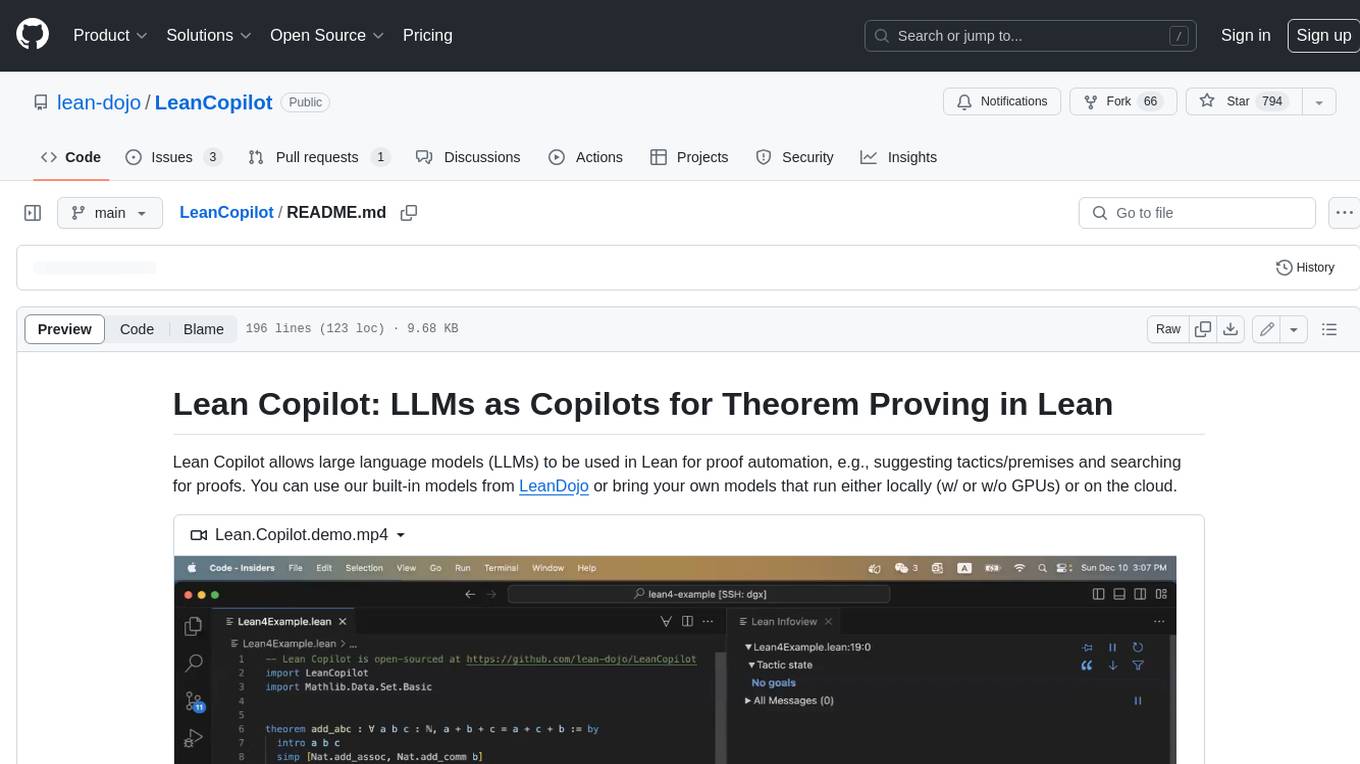
Lean Copilot is a tool that enables the use of large language models (LLMs) in Lean for proof automation. It provides features such as suggesting tactics/premises, searching for proofs, and running inference of LLMs. Users can utilize built-in models from LeanDojo or bring their own models to run locally or on the cloud. The tool supports platforms like Linux, macOS, and Windows WSL, with optional CUDA and cuDNN for GPU acceleration. Advanced users can customize behavior using Tactic APIs and Model APIs. Lean Copilot also allows users to bring their own models through ExternalGenerator or ExternalEncoder. The tool comes with caveats such as occasional crashes and issues with premise selection and proof search. Users can get in touch through GitHub Discussions for questions, bug reports, feature requests, and suggestions. The tool is designed to enhance theorem proving in Lean using LLMs.
paper-qa
PaperQA is a minimal package for question and answering from PDFs or text files, providing very good answers with in-text citations. It uses OpenAI Embeddings to embed and search documents, and follows a process of embedding docs and queries, searching for top passages, creating summaries, scoring and selecting relevant summaries, putting summaries into prompt, and generating answers. Users can customize prompts and use various models for embeddings and LLMs. The tool can be used asynchronously and supports adding documents from paths, files, or URLs.
airflow-ai-sdk
This repository contains an SDK for working with LLMs from Apache Airflow, based on Pydantic AI. It allows users to call LLMs and orchestrate agent calls directly within their Airflow pipelines using decorator-based tasks. The SDK leverages the familiar Airflow `@task` syntax with extensions like `@task.llm`, `@task.llm_branch`, and `@task.agent`. Users can define tasks that call language models, orchestrate multi-step AI reasoning, change the control flow of a DAG based on LLM output, and support various models in the Pydantic AI library. The SDK is designed to integrate LLM workflows into Airflow pipelines, from simple LLM calls to complex agentic workflows.
Bard-API
The Bard API is a Python package that returns responses from Google Bard through the value of a cookie. It is an unofficial API that operates through reverse-engineering, utilizing cookie values to interact with Google Bard for users struggling with frequent authentication problems or unable to authenticate via Google Authentication. The Bard API is not a free service, but rather a tool provided to assist developers with testing certain functionalities due to the delayed development and release of Google Bard's API. It has been designed with a lightweight structure that can easily adapt to the emergence of an official API. Therefore, using it for any other purposes is strongly discouraged. If you have access to a reliable official PaLM-2 API or Google Generative AI API, replace the provided response with the corresponding official code. Check out https://github.com/dsdanielpark/Bard-API/issues/262.
giskard-oss
Giskard-oss is an Evaluation & Testing framework for AI systems that aims to control risks of performance, bias, and security issues. It focuses on LLM systems, with plans for a new scan and a rewrite of RAGET for version 3. The repository is structured as a Python workspace with three packages: giskard-core, giskard-checks, and giskard-agents. Developers can use the Makefile for common tasks, and contributions from the AI community are welcome. The project encourages stars for visibility and offers sponsorship options for support.
bia-bob
BIA `bob` is a Jupyter-based assistant for interacting with data using large language models to generate Python code. It can utilize OpenAI's chatGPT, Google's Gemini, Helmholtz' blablador, and Ollama. Users need respective accounts to access these services. Bob can assist in code generation, bug fixing, code documentation, GPU-acceleration, and offers a no-code custom Jupyter Kernel. It provides example notebooks for various tasks like bio-image analysis, model selection, and bug fixing. Installation is recommended via conda/mamba environment. Custom endpoints like blablador and ollama can be used. Google Cloud AI API integration is also supported. The tool is extensible for Python libraries to enhance Bob's functionality.
py-vectara-agentic
The `vectara-agentic` Python library is designed for developing powerful AI assistants using Vectara and Agentic-RAG. It supports various agent types, includes pre-built tools for domains like finance and legal, and enables easy creation of custom AI assistants and agents. The library provides tools for summarizing text, rephrasing text, legal tasks like summarizing legal text and critiquing as a judge, financial tasks like analyzing balance sheets and income statements, and database tools for inspecting and querying databases. It also supports observability via LlamaIndex and Arize Phoenix integration.
giskard
Giskard is an open-source Python library that automatically detects performance, bias & security issues in AI applications. The library covers LLM-based applications such as RAG agents, all the way to traditional ML models for tabular data.
backtrack_sampler
Backtrack Sampler is a framework for experimenting with custom sampling algorithms that can backtrack the latest generated tokens. It provides a simple and easy-to-understand codebase for creating new sampling strategies. Users can implement their own strategies by creating new files in the `/strategy` directory. The repo includes examples for usage with llama.cpp and transformers, showcasing different strategies like Creative Writing, Anti-slop, Debug, Human Guidance, Adaptive Temperature, and Replace. The goal is to encourage experimentation and customization of backtracking algorithms for language models.
neo4j-graphrag-python
The Neo4j GraphRAG package for Python is an official repository that provides features for creating and managing vector indexes in Neo4j databases. It aims to offer developers a reliable package with long-term commitment, maintenance, and fast feature updates. The package supports various Python versions and includes functionalities for creating vector indexes, populating them, and performing similarity searches. It also provides guidelines for installation, examples, and development processes such as installing dependencies, making changes, and running tests.
web-llm
WebLLM is a modular and customizable javascript package that directly brings language model chats directly onto web browsers with hardware acceleration. Everything runs inside the browser with no server support and is accelerated with WebGPU. WebLLM is fully compatible with OpenAI API. That is, you can use the same OpenAI API on any open source models locally, with functionalities including json-mode, function-calling, streaming, etc. We can bring a lot of fun opportunities to build AI assistants for everyone and enable privacy while enjoying GPU acceleration.
MARS5-TTS
MARS5 is a novel English speech model (TTS) developed by CAMB.AI, featuring a two-stage AR-NAR pipeline with a unique NAR component. The model can generate speech for various scenarios like sports commentary and anime with just 5 seconds of audio and a text snippet. It allows steering prosody using punctuation and capitalization in the transcript. Speaker identity is specified using an audio reference file, enabling 'deep clone' for improved quality. The model can be used via torch.hub or HuggingFace, supporting both shallow and deep cloning for inference. Checkpoints are provided for AR and NAR models, with hardware requirements of 750M+450M params on GPU. Contributions to improve model stability, performance, and reference audio selection are welcome.
allms
allms is a versatile and powerful library designed to streamline the process of querying Large Language Models (LLMs). Developed by Allegro engineers, it simplifies working with LLM applications by providing a user-friendly interface, asynchronous querying, automatic retrying mechanism, error handling, and output parsing. It supports various LLM families hosted on different platforms like OpenAI, Google, Azure, and GCP. The library offers features for configuring endpoint credentials, batch querying with symbolic variables, and forcing structured output format. It also provides documentation, quickstart guides, and instructions for local development, testing, updating documentation, and making new releases.
For similar tasks
ChatFAQ
ChatFAQ is an open-source comprehensive platform for creating a wide variety of chatbots: generic ones, business-trained, or even capable of redirecting requests to human operators. It includes a specialized NLP/NLG engine based on a RAG architecture and customized chat widgets, ensuring a tailored experience for users and avoiding vendor lock-in.

teams-ai
The Teams AI Library is a software development kit (SDK) that helps developers create bots that can interact with Teams and Microsoft 365 applications. It is built on top of the Bot Framework SDK and simplifies the process of developing bots that interact with Teams' artificial intelligence capabilities. The SDK is available for JavaScript/TypeScript, .NET, and Python.

chatbot-ui
Chatbot UI is an open-source AI chat app that allows users to create and deploy their own AI chatbots. It is easy to use and can be customized to fit any need. Chatbot UI is perfect for businesses, developers, and anyone who wants to create a chatbot.
superagent-js
Superagent is an open source framework that enables any developer to integrate production ready AI Assistants into any application in a matter of minutes.
chainlit
Chainlit is an open-source async Python framework which allows developers to build scalable Conversational AI or agentic applications. It enables users to create ChatGPT-like applications, embedded chatbots, custom frontends, and API endpoints. The framework provides features such as multi-modal chats, chain of thought visualization, data persistence, human feedback, and an in-context prompt playground. Chainlit is compatible with various Python programs and libraries, including LangChain, Llama Index, Autogen, OpenAI Assistant, and Haystack. It offers a range of examples and a cookbook to showcase its capabilities and inspire users. Chainlit welcomes contributions and is licensed under the Apache 2.0 license.
neo4j-generative-ai-google-cloud
This repo contains sample applications that show how to use Neo4j with the generative AI capabilities in Google Cloud Vertex AI. We explore how to leverage Google generative AI to build and consume a knowledge graph in Neo4j.
MemGPT
MemGPT is a system that intelligently manages different memory tiers in LLMs in order to effectively provide extended context within the LLM's limited context window. For example, MemGPT knows when to push critical information to a vector database and when to retrieve it later in the chat, enabling perpetual conversations. MemGPT can be used to create perpetual chatbots with self-editing memory, chat with your data by talking to your local files or SQL database, and more.
py-gpt
Py-GPT is a Python library that provides an easy-to-use interface for OpenAI's GPT-3 API. It allows users to interact with the powerful GPT-3 model for various natural language processing tasks. With Py-GPT, developers can quickly integrate GPT-3 capabilities into their applications, enabling them to generate text, answer questions, and more with just a few lines of code.
For similar jobs

weave
Weave is a toolkit for developing Generative AI applications, built by Weights & Biases. With Weave, you can log and debug language model inputs, outputs, and traces; build rigorous, apples-to-apples evaluations for language model use cases; and organize all the information generated across the LLM workflow, from experimentation to evaluations to production. Weave aims to bring rigor, best-practices, and composability to the inherently experimental process of developing Generative AI software, without introducing cognitive overhead.

LLMStack
LLMStack is a no-code platform for building generative AI agents, workflows, and chatbots. It allows users to connect their own data, internal tools, and GPT-powered models without any coding experience. LLMStack can be deployed to the cloud or on-premise and can be accessed via HTTP API or triggered from Slack or Discord.

VisionCraft
The VisionCraft API is a free API for using over 100 different AI models. From images to sound.

kaito
Kaito is an operator that automates the AI/ML inference model deployment in a Kubernetes cluster. It manages large model files using container images, avoids tuning deployment parameters to fit GPU hardware by providing preset configurations, auto-provisions GPU nodes based on model requirements, and hosts large model images in the public Microsoft Container Registry (MCR) if the license allows. Using Kaito, the workflow of onboarding large AI inference models in Kubernetes is largely simplified.

PyRIT
PyRIT is an open access automation framework designed to empower security professionals and ML engineers to red team foundation models and their applications. It automates AI Red Teaming tasks to allow operators to focus on more complicated and time-consuming tasks and can also identify security harms such as misuse (e.g., malware generation, jailbreaking), and privacy harms (e.g., identity theft). The goal is to allow researchers to have a baseline of how well their model and entire inference pipeline is doing against different harm categories and to be able to compare that baseline to future iterations of their model. This allows them to have empirical data on how well their model is doing today, and detect any degradation of performance based on future improvements.

tabby
Tabby is a self-hosted AI coding assistant, offering an open-source and on-premises alternative to GitHub Copilot. It boasts several key features: * Self-contained, with no need for a DBMS or cloud service. * OpenAPI interface, easy to integrate with existing infrastructure (e.g Cloud IDE). * Supports consumer-grade GPUs.

spear
SPEAR (Simulator for Photorealistic Embodied AI Research) is a powerful tool for training embodied agents. It features 300 unique virtual indoor environments with 2,566 unique rooms and 17,234 unique objects that can be manipulated individually. Each environment is designed by a professional artist and features detailed geometry, photorealistic materials, and a unique floor plan and object layout. SPEAR is implemented as Unreal Engine assets and provides an OpenAI Gym interface for interacting with the environments via Python.

Magick
Magick is a groundbreaking visual AIDE (Artificial Intelligence Development Environment) for no-code data pipelines and multimodal agents. Magick can connect to other services and comes with nodes and templates well-suited for intelligent agents, chatbots, complex reasoning systems and realistic characters.