


AgriTech
AgriTech is an AI-powered web platform that offers crop recommendations, yield prediction, disease detection, and collaborative tools to empower farmers and promote smart, sustainable agriculture.
Stars: 94
AgriTech is an AI-powered smart agriculture platform designed to assist farmers with crop recommendations, yield prediction, plant disease detection, and community-driven collaboration—enabling sustainable and data-driven farming practices. It offers AI-driven decision support for modern agriculture, early-stage plant disease detection, crop yield forecasting using machine learning models, and a collaborative ecosystem for farmers and stakeholders. The platform includes features like crop recommendation, yield prediction, disease detection, an AI chatbot for platform guidance and agriculture support, a farmer community, and shopkeeper listings. AgriTech's AI chatbot provides comprehensive support for farmers with features like platform guidance, agriculture support, decision making, image analysis, and 24/7 support. The tech stack includes frontend technologies like HTML5, CSS3, JavaScript, backend technologies like Python (Flask) and optional Node.js, machine learning libraries like TensorFlow, Scikit-learn, OpenCV, and database & DevOps tools like MySQL, MongoDB, Firebase, Docker, and GitHub Actions.
README:




- Overview
- Quick Start
- Application Preview
- System Architecture
- Core Features
- Tech Stack
- Project Structure
- Backend vs Frontend
- Security & Reliability
- Environment Variables
- Roadmap
- Contribution Flow
- Team
- Contributing & Support
- Contributors
- Production Deployment
- API Keys Guide
- Reporting Issues
- License
- FAQ
⚠️ Note: For production deployment, use a WSGI server likegunicorninstead of Flask's built-in server.
⚠️ Never commit your.envfile or API keys to the repository. Always keep secrets private!
AgriTech is an AI-powered smart agriculture platform designed to assist farmers with crop recommendations, yield prediction, plant disease detection, and community-driven collaboration—enabling sustainable and data-driven farming practices.
- AI-driven decision support for modern agriculture
- Early-stage plant disease detection
- Crop yield forecasting using machine learning models
- Collaborative ecosystem for farmers and stakeholders
git clone https://github.com/omroy07/AgriTech.git
cd AgriTechpip install -r requirements.txt
python app.pyBackend URL:
http://localhost:5000🔍 Backend Health Check
GET http://localhost:5000/healthExpected response:
{ "status": "ok" }3️⃣ Run Frontend
cd src/frontend
python -m http.server 8000
Frontend URL:
http://localhost:8000Note: Backend and frontend must be running simultaneously for proper functionality.


- User Input: Soil data and plant images
- Backend Processing: Flask APIs and model routing
-
ML Inference:
- CNNs for disease detection
- Random Forest / XGBoost for crop recommendation
- Regression models for yield prediction
- Output: Predictions with insights and actions
- 🌾 Crop Recommendation
- 📉 Yield Prediction
- 🔬 Disease Detection
- � AI Chatbot - Platform guidance & agriculture support
- �🤝 Farmer Community
- 🛒 Shopkeeper Listings
AgriTech's AI-powered chatbot provides comprehensive support for farmers:
- Platform Guidance: Explains how to use all AgriTech features and tools
- Agriculture Support: Answers farming questions, crop recommendations, pest control
- Decision Making: Provides region-specific, season-based farming advice
- Image Analysis: Upload plant photos for disease detection and diagnosis
- 24/7 Support: Always available for instant farming assistance
- Dual Mode: AI-powered (Google Gemini) + Rule-based fallback
- Smart Matching: Fuzzy search with keyword analysis for accurate responses
- Offline Capability: Works without internet using JSON-based responses
- Image Processing: Analyzes plant photos for disease identification
# Start the chatbot server
npm install
node server.js

# Access at: http://localhost:3000/chat-
POST /api/chat- Send messages and images for AI analysis
- HTML5
- CSS3
- JavaScript (ES6)
- Python (Flask)
- Node.js (Optional)
- TensorFlow
- Scikit-learn
- OpenCV
- MySQL
- MongoDB
- Firebase
- Docker
- GitHub Actions
AGRITECH/
├── app.py                      # 🐍 Flask Backend (Main entry point)
├── server.js                   # 🟢 Node.js Chatbot Server
├── package.json                # Node.js dependencies
├── requirements.txt            # Python dependencies
├── firebase.js                 # Firebase config fetching
├── 📁 chatbot/
│   ├── chat.html               # 🤖 Chatbot interface
│   ├── chat.js                 # Chatbot client logic
│   ├── chat.css                # Chatbot styling
│   ├── json-chatbot.js         # Rule-based chatbot engine
│   └── chatbot-responses.json  # Predefined responses
├── 📁 src/
│   └── 📁 frontend/            # 🌐 Frontend UI (HTML, CSS, JS)
│       ├── 📁 pages/           # Individual page files
│       ├── 📁 css/             # Stylesheets
│       └── 📁 js/              # Client-side scripts
├── 📁 Crop Recommendation/   # 🌾 Crop recommendation module
├── 📁 Disease Prediction/     # 🔬 Disease detection module
├── 📁 Crop Yield Prediction/   # 📊 Yield forecasting module
├── 📁 Community/               # 💬 community/forum backend
├── 📁 images/                  # 📸 Screenshots and assets
├── 📄 README.md                # This file
└── 📄 CONTRIBUTING.md          # Contribution guidelines
-
Backend (
app.pyat root): Flask server handling APIs, Firebase config -
Frontend (
src/frontend/): Static HTML/CSS/JS served via Python HTTP server -
Optional Node Server (
server.js): Alternative chat backend (not required)
- Image sanitization using OpenCV
- Secrets stored in
.envfiles - ML models evaluated using standard performance metrics (accuracy varies by model and dataset)
GEMINI_API_KEY=your_api_key
FIREBASE_API_KEY=your_key
FIREBASE_AUTH_DOMAIN=your_project.firebaseapp.com
FIREBASE_PROJECT_ID=your_project_id
FIREBASE_STORAGE_BUCKET=your_bucket.appspot.com
FIREBASE_MESSAGING_SENDER_ID=your_sender_id
FIREBASE_APP_ID=your_app_id
FIREBASE_MEASUREMENT_ID=your_measurement_id- Cloud Deployment
- Mobile Application
- Real-Time Weather API
-
AI Chatbot✅ COMPLETED - Multilingual Support
Fork → Clone → Branch → Commit → Push → Pull Request → Review → MergeRead CONTRIBUTING.md for SWoC 2026 guidelines.
| Name | Role |
|---|---|
| Om Roy | Project Lead · Web · ML |
| Shubhangi Roy | ML · Backend |
We love contributions! Please read our CONTRIBUTING.md to get started with SWoC 2026 tasks. Whether it's fixing bugs, adding features, or improving documentation, your help is always welcome!
For production use, run the backend with a WSGI server like gunicorn:
pip install gunicorn
gunicorn app:app- Gemini API Key: Google AI Studio se generate karein.
- Firebase Keys: Firebase Console se apne project ke liye keys lein.
- API keys ko
.envfile me store karein (kabhi bhi repo me commit na karein).
Found a bug or want a new feature? Open an issue.
This project is licensed under the MIT License.
-
❌ ModuleNotFoundError 👉 Run
pip install -r requirements.txt -
❌ Firebase config error 👉 Ensure
.envvalues match Firebase Console -
❌ CORS issue 👉 Make sure backend runs before frontend
-
❌ Port already in use 👉 Change port in
app.pyor stop previous process
Q: The project is not running. What should I do? A: Make sure all Python dependencies are installed, the .env file is properly configured, and the correct API keys are being used.
Q: How do I get a Gemini/Firebase API key? A: Refer to the “API Keys Guide” section above for step-by-step instructions.
Q: I am seeing the warning “This is a development server…” on the Flask server. What does it mean? A: This server is intended only for development. For production, use a WSGI server such as Gunicorn.
Q: I accidentally pushed my .env file. What should I do? A: Immediately rotate/regenerate your API keys, remove the .env file from Git tracking, add it to .gitignore, and clean the repository history if required.
Q: The /health endpoint is not responding. What could be wrong? A: Ensure the backend server is running correctly and that the /health route is properly implemented.
Made with ❤️ by the AgriTech Community — SWoC 2026
For Tasks:
Click tags to check more tools for each tasksFor Jobs:
Alternative AI tools for AgriTech
Similar Open Source Tools
AgriTech
AgriTech is an AI-powered smart agriculture platform designed to assist farmers with crop recommendations, yield prediction, plant disease detection, and community-driven collaboration—enabling sustainable and data-driven farming practices. It offers AI-driven decision support for modern agriculture, early-stage plant disease detection, crop yield forecasting using machine learning models, and a collaborative ecosystem for farmers and stakeholders. The platform includes features like crop recommendation, yield prediction, disease detection, an AI chatbot for platform guidance and agriculture support, a farmer community, and shopkeeper listings. AgriTech's AI chatbot provides comprehensive support for farmers with features like platform guidance, agriculture support, decision making, image analysis, and 24/7 support. The tech stack includes frontend technologies like HTML5, CSS3, JavaScript, backend technologies like Python (Flask) and optional Node.js, machine learning libraries like TensorFlow, Scikit-learn, OpenCV, and database & DevOps tools like MySQL, MongoDB, Firebase, Docker, and GitHub Actions.
opcode
opcode is a powerful desktop application built with Tauri 2 that serves as a command center for interacting with Claude Code. It offers a visual GUI for managing Claude Code sessions, creating custom agents, tracking usage, and more. Users can navigate projects, create specialized AI agents, monitor usage analytics, manage MCP servers, create session checkpoints, edit CLAUDE.md files, and more. The tool bridges the gap between command-line tools and visual experiences, making AI-assisted development more intuitive and productive.
evi-run
evi-run is a powerful, production-ready multi-agent AI system built on Python using the OpenAI Agents SDK. It offers instant deployment, ultimate flexibility, built-in analytics, Telegram integration, and scalable architecture. The system features memory management, knowledge integration, task scheduling, multi-agent orchestration, custom agent creation, deep research, web intelligence, document processing, image generation, DEX analytics, and Solana token swap. It supports flexible usage modes like private, free, and pay mode, with upcoming features including NSFW mode, task scheduler, and automatic limit orders. The technology stack includes Python 3.11, OpenAI Agents SDK, Telegram Bot API, PostgreSQL, Redis, and Docker & Docker Compose for deployment.
astrsk
astrsk is a tool that pushes the boundaries of AI storytelling by offering advanced AI agents, customizable response formatting, and flexible prompt editing for immersive roleplaying experiences. It provides complete AI agent control, a visual flow editor for conversation flows, and ensures 100% local-first data storage. The tool is true cross-platform with support for various AI providers and modern technologies like React, TypeScript, and Tailwind CSS. Coming soon features include cross-device sync, enhanced session customization, and community features.
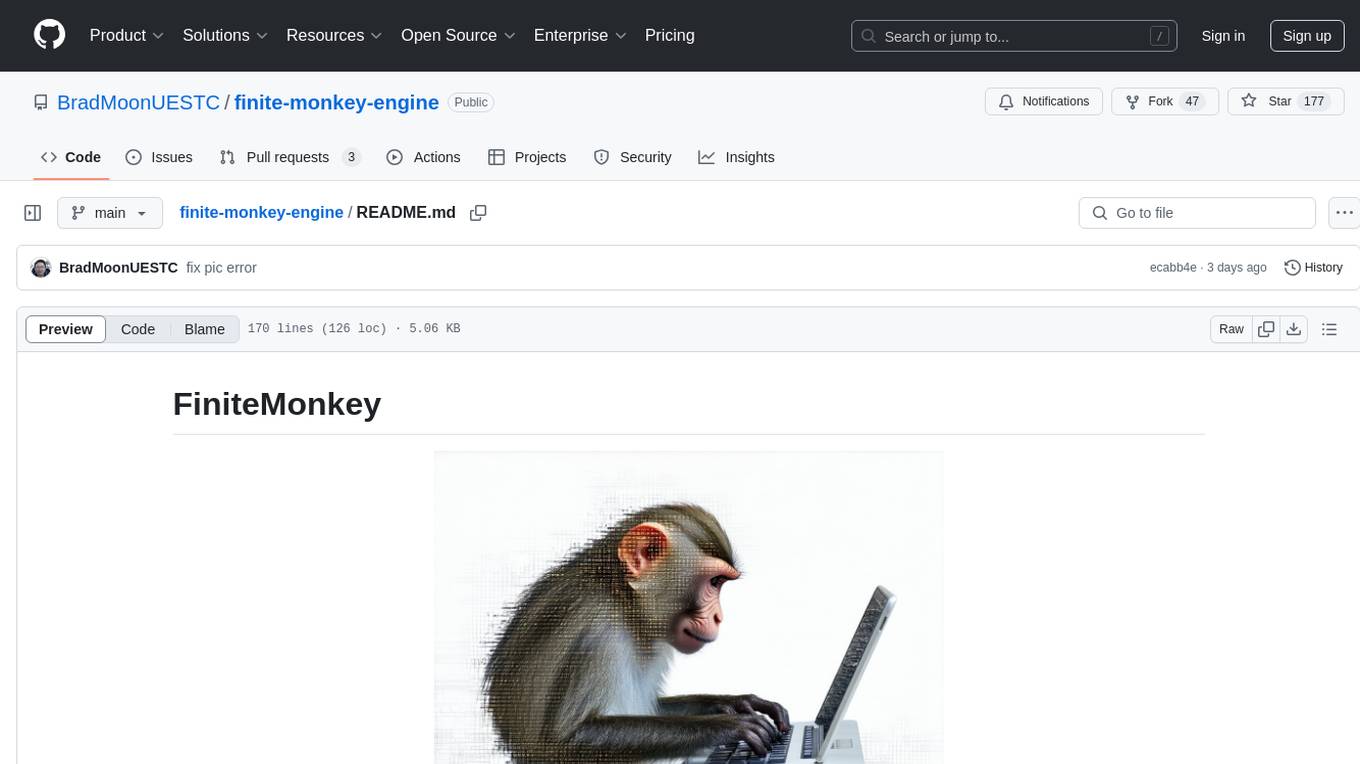
finite-monkey-engine
FiniteMonkey is an advanced vulnerability mining engine powered purely by GPT, requiring no prior knowledge base or fine-tuning. Its effectiveness significantly surpasses most current related research approaches. The tool is task-driven, prompt-driven, and focuses on prompt design, leveraging 'deception' and hallucination as key mechanics. It has helped identify vulnerabilities worth over $60,000 in bounties. The tool requires PostgreSQL database, OpenAI API access, and Python environment for setup. It supports various languages like Solidity, Rust, Python, Move, Cairo, Tact, Func, Java, and Fake Solidity for scanning. FiniteMonkey is best suited for logic vulnerability mining in real projects, not recommended for academic vulnerability testing. GPT-4-turbo is recommended for optimal results with an average scan time of 2-3 hours for medium projects. The tool provides detailed scanning results guide and implementation tips for users.

layra
LAYRA is the world's first visual-native AI automation engine that sees documents like a human, preserves layout and graphical elements, and executes arbitrarily complex workflows with full Python control. It empowers users to build next-generation intelligent systems with no limits or compromises. Built for Enterprise-Grade deployment, LAYRA features a modern frontend, high-performance backend, decoupled service architecture, visual-native multimodal document understanding, and a powerful workflow engine.
ito
Ito is an intelligent voice assistant that provides seamless voice dictation to any application on your computer. It works in any app, offers global keyboard shortcuts, real-time transcription, and instant text insertion. It is smart and adaptive with features like custom dictionary, context awareness, multi-language support, and intelligent punctuation. Users can customize trigger keys, audio preferences, and privacy controls. It also offers data management features like a notes system, interaction history, cloud sync, and export capabilities. Ito is built as a modern Electron application with a multi-process architecture and utilizes technologies like React, TypeScript, Rust, gRPC, and AWS CDK.

llamafarm
LlamaFarm is a comprehensive AI framework that empowers users to build powerful AI applications locally, with full control over costs and deployment options. It provides modular components for RAG systems, vector databases, model management, prompt engineering, and fine-tuning. Users can create differentiated AI products without needing extensive ML expertise, using simple CLI commands and YAML configs. The framework supports local-first development, production-ready components, strategy-based configuration, and deployment anywhere from laptops to the cloud.
bifrost
Bifrost is a high-performance AI gateway that unifies access to multiple providers through a single OpenAI-compatible API. It offers features like automatic failover, load balancing, semantic caching, and enterprise-grade functionalities. Users can deploy Bifrost in seconds with zero configuration, benefiting from its core infrastructure, advanced features, enterprise and security capabilities, and developer experience. The repository structure is modular, allowing for maximum flexibility. Bifrost is designed for quick setup, easy configuration, and seamless integration with various AI models and tools.
persistent-ai-memory
Persistent AI Memory System is a comprehensive tool that offers persistent, searchable storage for AI assistants. It includes features like conversation tracking, MCP tool call logging, and intelligent scheduling. The system supports multiple databases, provides enhanced memory management, and offers various tools for memory operations, schedule management, and system health checks. It also integrates with various platforms like LM Studio, VS Code, Koboldcpp, Ollama, and more. The system is designed to be modular, platform-agnostic, and scalable, allowing users to handle large conversation histories efficiently.
Call
Call is an open-source AI-native alternative to Google Meet and Zoom, offering video calling, team collaboration, contact management, meeting scheduling, AI-powered features, security, and privacy. It is cross-platform, web-based, mobile responsive, and supports offline capabilities. The tech stack includes Next.js, TypeScript, Tailwind CSS, Mediasoup-SFU, React Query, Zustand, Hono, PostgreSQL, Drizzle ORM, Better Auth, Turborepo, Docker, Vercel, and Rate Limiting.
leetcode-py
A Python package to generate professional LeetCode practice environments. Features automated problem generation from LeetCode URLs, beautiful data structure visualizations (TreeNode, ListNode, GraphNode), and comprehensive testing with 10+ test cases per problem. Built with professional development practices including CI/CD, type hints, and quality gates. The tool provides a modern Python development environment with production-grade features such as linting, test coverage, logging, and CI/CD pipeline. It also offers enhanced data structure visualization for debugging complex structures, flexible notebook support, and a powerful CLI for generating problems anywhere.
chat-ollama
ChatOllama is an open-source chatbot based on LLMs (Large Language Models). It supports a wide range of language models, including Ollama served models, OpenAI, Azure OpenAI, and Anthropic. ChatOllama supports multiple types of chat, including free chat with LLMs and chat with LLMs based on a knowledge base. Key features of ChatOllama include Ollama models management, knowledge bases management, chat, and commercial LLMs API keys management.
handit.ai
Handit.ai is an autonomous engineer tool designed to fix AI failures 24/7. It catches failures, writes fixes, tests them, and ships PRs automatically. It monitors AI applications, detects issues, generates fixes, tests them against real data, and ships them as pull requests—all automatically. Users can write JavaScript, TypeScript, Python, and more, and the tool automates what used to require manual debugging and firefighting.
cc-sdd
The cc-sdd repository provides a tool for AI-Driven Development Life Cycle with Spec-Driven Development workflows for Claude Code and Gemini CLI. It includes powerful slash commands, Project Memory for AI learning, structured AI-DLC workflow, Spec-Driven Development methodology, and Kiro IDE compatibility. Ideal for feature development, code reviews, technical planning, and maintaining development standards. The tool supports multiple coding agents, offers an AI-DLC workflow with quality gates, and allows for advanced options like language and OS selection, preview changes, safe updates, and custom specs directory. It integrates AI-Driven Development Life Cycle, Project Memory, Spec-Driven Development, supports cross-platform usage, multi-language support, and safe updates with backup options.
transformerlab-app
Transformer Lab is an app that allows users to experiment with Large Language Models by providing features such as one-click download of popular models, finetuning across different hardware, RLHF and Preference Optimization, working with LLMs across different operating systems, chatting with models, using different inference engines, evaluating models, building datasets for training, calculating embeddings, providing a full REST API, running in the cloud, converting models across platforms, supporting plugins, embedded Monaco code editor, prompt editing, inference logs, all through a simple cross-platform GUI.
For similar tasks
AgriTech
AgriTech is an AI-powered smart agriculture platform designed to assist farmers with crop recommendations, yield prediction, plant disease detection, and community-driven collaboration—enabling sustainable and data-driven farming practices. It offers AI-driven decision support for modern agriculture, early-stage plant disease detection, crop yield forecasting using machine learning models, and a collaborative ecosystem for farmers and stakeholders. The platform includes features like crop recommendation, yield prediction, disease detection, an AI chatbot for platform guidance and agriculture support, a farmer community, and shopkeeper listings. AgriTech's AI chatbot provides comprehensive support for farmers with features like platform guidance, agriculture support, decision making, image analysis, and 24/7 support. The tech stack includes frontend technologies like HTML5, CSS3, JavaScript, backend technologies like Python (Flask) and optional Node.js, machine learning libraries like TensorFlow, Scikit-learn, OpenCV, and database & DevOps tools like MySQL, MongoDB, Firebase, Docker, and GitHub Actions.
AgroTech-AI
AgroTech AI platform is a comprehensive web-based tool where users can access various machine learning models for making accurate predictions related to agriculture. It offers solutions for crop management, soil health assessment, pest control, and more. The platform implements machine learning algorithms to provide functionalities like fertilizer prediction, crop prediction, soil quality prediction, yield prediction, and mushroom edibility prediction.
For similar jobs
farmvibes-ai
FarmVibes.AI is a repository focused on developing multi-modal geospatial machine learning models for agriculture and sustainability. It enables users to fuse various geospatial and spatiotemporal datasets, such as satellite imagery, drone imagery, and weather data, to generate robust insights for agriculture-related problems. The repository provides fusion workflows, data preparation tools, model training notebooks, and an inference engine to facilitate the creation of geospatial models tailored for agriculture and farming. Users can interact with the tools via a local cluster, REST API, or a Python client, and the repository includes documentation and notebook examples to guide users in utilizing FarmVibes.AI for tasks like harvest date detection, climate impact estimation, micro climate prediction, and crop identification.
AgroTech-AI
AgroTech AI platform is a comprehensive web-based tool where users can access various machine learning models for making accurate predictions related to agriculture. It offers solutions for crop management, soil health assessment, pest control, and more. The platform implements machine learning algorithms to provide functionalities like fertilizer prediction, crop prediction, soil quality prediction, yield prediction, and mushroom edibility prediction.
AgriTech
AgriTech is an AI-powered smart agriculture platform designed to assist farmers with crop recommendations, yield prediction, plant disease detection, and community-driven collaboration—enabling sustainable and data-driven farming practices. It offers AI-driven decision support for modern agriculture, early-stage plant disease detection, crop yield forecasting using machine learning models, and a collaborative ecosystem for farmers and stakeholders. The platform includes features like crop recommendation, yield prediction, disease detection, an AI chatbot for platform guidance and agriculture support, a farmer community, and shopkeeper listings. AgriTech's AI chatbot provides comprehensive support for farmers with features like platform guidance, agriculture support, decision making, image analysis, and 24/7 support. The tech stack includes frontend technologies like HTML5, CSS3, JavaScript, backend technologies like Python (Flask) and optional Node.js, machine learning libraries like TensorFlow, Scikit-learn, OpenCV, and database & DevOps tools like MySQL, MongoDB, Firebase, Docker, and GitHub Actions.
plants_disease_detection
This repository contains code for the AI challenger competition on plant disease detection. The goal is to classify nearly 50,000 plant leaf photos into 61 categories based on 'species-disease-severity'. The framework used is Keras with TensorFlow backend, implementing DenseNet for image classification. Data is uploaded to a private dataset on Kaggle for model training. The code includes data preparation, model training, and prediction steps.

weave
Weave is a toolkit for developing Generative AI applications, built by Weights & Biases. With Weave, you can log and debug language model inputs, outputs, and traces; build rigorous, apples-to-apples evaluations for language model use cases; and organize all the information generated across the LLM workflow, from experimentation to evaluations to production. Weave aims to bring rigor, best-practices, and composability to the inherently experimental process of developing Generative AI software, without introducing cognitive overhead.

agentcloud
AgentCloud is an open-source platform that enables companies to build and deploy private LLM chat apps, empowering teams to securely interact with their data. It comprises three main components: Agent Backend, Webapp, and Vector Proxy. To run this project locally, clone the repository, install Docker, and start the services. The project is licensed under the GNU Affero General Public License, version 3 only. Contributions and feedback are welcome from the community.
oss-fuzz-gen
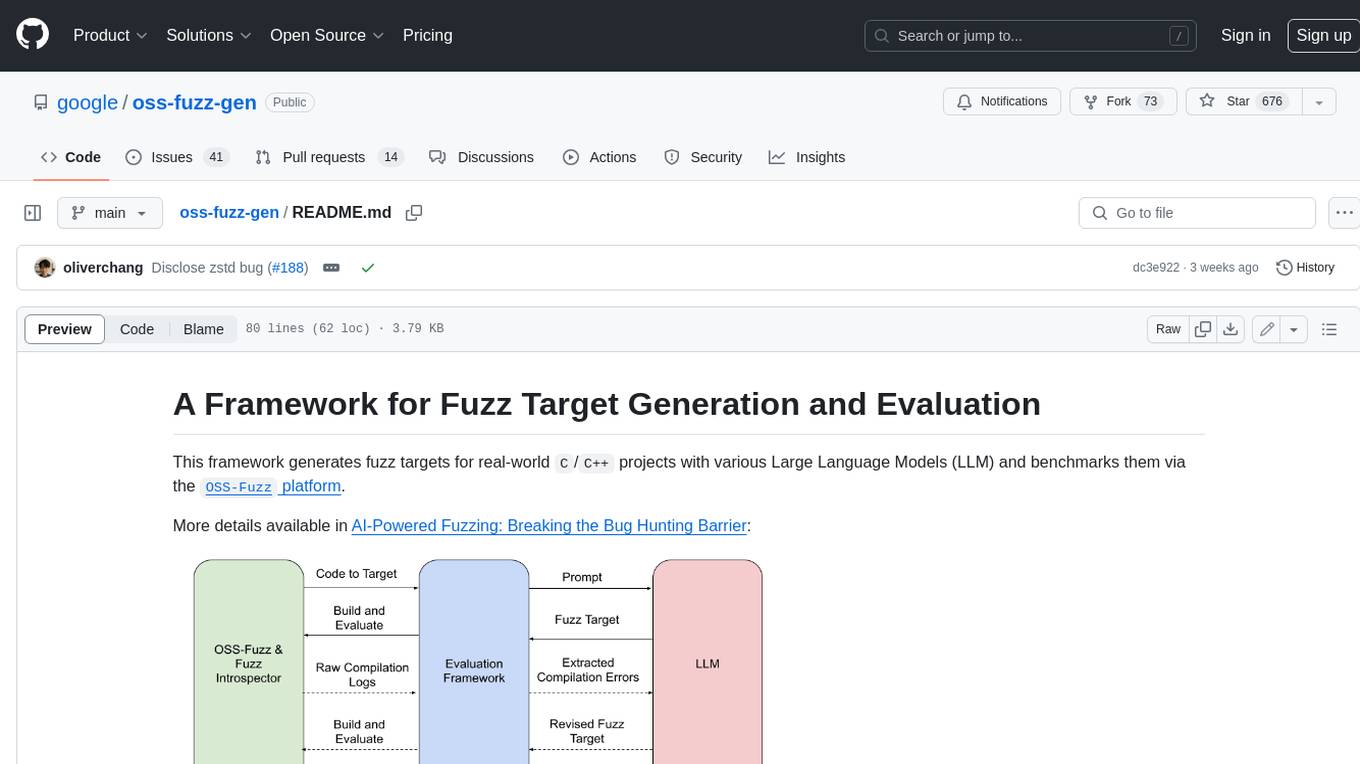
This framework generates fuzz targets for real-world `C`/`C++` projects with various Large Language Models (LLM) and benchmarks them via the `OSS-Fuzz` platform. It manages to successfully leverage LLMs to generate valid fuzz targets (which generate non-zero coverage increase) for 160 C/C++ projects. The maximum line coverage increase is 29% from the existing human-written targets.

LLMStack
LLMStack is a no-code platform for building generative AI agents, workflows, and chatbots. It allows users to connect their own data, internal tools, and GPT-powered models without any coding experience. LLMStack can be deployed to the cloud or on-premise and can be accessed via HTTP API or triggered from Slack or Discord.