


GMTalker
GMTalker是一个智能数字人系统 ,集成了语音识别、语音合成、自然语言理解、嘴型动画驱动与 3D 渲染能力,为科研、教育及虚拟人应用开发场景提供强大的技术支持。
Stars: 385
GMTalker is an interactive digital human rendered by Unreal Engine, developed by the Media Intelligence Team at Bright Laboratory. The system integrates speech recognition, speech synthesis, natural language understanding, and lip-sync animation driving. It supports rapid deployment on Windows with only 2GB of VRAM required. The project showcases two 3D cartoon digital human avatars suitable for presentations, expansions, and commercial integration.
README:
English | 中文




GMTalker, an interactive digital human rendered by Unreal Engine, is developed by the Media Intelligence Team at Bright Laboratory. The system integrates speech recognition, speech synthesis, natural language understanding, and lip-sync animation driving. It supports rapid deployment on Windows and requires only 2GB of VRAM to run the entire project.This project showcases demonstrations of two 3D cartoon digital human avatars , suitable for presentations, expansions, and commercial integration.
- Supports fully offline, real-time streaming conversation services with millisecond-level response
- Supports wake-up and interruption during dialogue, and training/cloning of various voice styles
- Compatible with integration of large models like Qwen and DeepSeek
- Supports connection to local knowledge bases and customization of Agents
- Allows customization of characters, lip-sync driving, and facial micro-expressions such as blinking
- Fully open-source; free of commercial restrictions except for the character, and supports secondary development
- Provides efficient backend configuration services, enabling effortless startup without downloading any additional dependencies

|

|
| Feature Introduction | Demonstration Video |
|---|---|
|
Interrupt Allows users to interrupt conversations in real time via voice, enhancing interaction flexibility |
- 🗓️ 2025.9.1: Upgrade the DunDun model with a lightweight lip-sync driver and package the complete Unreal Engine project into an executable (exe) for rapid deployment on a laptop with 2GB VRAM.
- 🗓️ 2025.8.25: Updated UE Import Tutorial, Character Overview and Animation Overview documents: import_tutorial.md | character_overview.md | animation_overview.md
- 🗓️ 2025.8.19: Released UE5 project files, including the GuangDUNDUN character (jointly developed by Guangming Lab and the Shenzhen Guangming District Government).
- 🗓️ 2025.8.12: Added WebUI usage guide for quick project deployment.
- 🗓️ 2025.8.11: Added a detailed deployment guide covering C++ environment, CUDA installation, Unreal Engine installation, and Audio2Face setup.
- 🗓️ 2025.8.5: Released the backend system of the digital human, supporting both command-line and WebUI startup.
- 🗓️ 2025.7.22: Added the configuration process for ASR and TTS.
- 🗓️ 2025.7.15: Announced the open-source release of the 3D interactive emotional digital human, supporting local deployment and UE5 rendering.

Scan QR code to join GMTalker technical exchange group
- (Requires: Backend deployment + GLM3.exe + Essential local AI services to run)
- Cloning project
git clone https://github.com/feima09/GMTalker.git- One click start
webui.bat- Accessing Services
- Main service:
http://127.0.0.1:5002 - Web configuration interface:
http://127.0.0.1:7860
👉 Click here to view the WebUI User Guide webui.md
- Download UE Executable
- Download and launch GLM3.exe from: Project Address
- Deploy Essential Local AI Services
- Download the FunASR speech recognition lazy package here, then run run_server_2pass.batto start it with one click.
- Download the MeloTTS speech recognition lazy package here, then run start.batto start it with one click.
- Frontend Presentation (UE5 Client)
- Backend Services (AI Digital Human Backend System)
- AI Core Service Capabilities (Models + APIs)
- Environment Management and Deployment Layer (Conda + Local Execution)
graph TB
    %% Client Layer
    UE5[UE5 Client]

    %% Main Service Layer
    subgraph "AI Digital Human Backend System"
        App[Main Application]

        %% Core Service Components
        subgraph "Core Services"
            GPT[GPT Service]
            TTS[TTS Service]
            ASR[ASR Service]
            Player[Player Service]
        end

        %% Utility Modules
        subgraph "Utility Modules"
            Config[Configuration Management]
            Logger[Log Management]
            Tokenizer[Text Tokenization]
        end

        %% Web UI Control Panel
        subgraph "Web UI Control Panel"
            WebUI[webui.py]
            Dashboard[Process Management]
            ConfigUI[Configuration Interface]
        end
    end

    %% External Services
    subgraph "External Services"
        OpenAI[OpenAI API<br/>or other LLM]
        FunASR[FunASR<br/>Speech Recognition]
        GPTSOVITS[GPT-SoVITS<br/>TTS Service]
        Audio2Face[Audio2Face<br/>Facial Animation]
    end

    %% Connections
    UE5 -.->|Socket.IO<br/>/ue namespace| App
    UE5 -.->|HTTP REST API<br/>/v1/chat/completions| App

    App --> GPT
    App --> TTS
    App --> ASR
    App --> Player

    GPT -.->|HTTP/HTTPS| OpenAI
    ASR -.->|WebSocket| FunASR
    TTS -.->|HTTP| GPTSOVITS
    Player -.->|gRPC| Audio2Face

    App --> Config
    App --> Logger
    App --> Tokenizer

    WebUI --> Dashboard
    WebUI --> ConfigUI
    Dashboard -.->|Process Management| App

    %% Styling
    classDef clientStyle fill:#e1f5fe
    classDef serviceStyle fill:#f3e5f5
    classDef utilStyle fill:#e8f5e8
    classDef externalStyle fill:#fff3e0
    classDef configStyle fill:#fce4ec

    class UE5 clientStyle
    class GPT,TTS,ASR,Player serviceStyle
    class Config,Logger,Tokenizer utilStyle
class OpenAI,FunASR,GPTSOVITS,Audio2Face externalStyle| Project Name | 3D Avatar | UE5 Rendering | Voice Input | Voice Interruption | Lip Sync | Body Movements | Local Deployment (Win) | Star ⭐ |
|---|---|---|---|---|---|---|---|---|
| LiveTalking | ❌ | ❌ | ❌ | ❌ | ✅ | ❌ | ❌ | 6.1k |
| OpenAvatarChat | ✅ | ❌ | ✅ | ❌ | ✅ | ❌ | ❌ | 1.6k |
| MNN | ✅ | ❌ | ✅ | ❌ | ✅ | ✅ | ❌ | 12.6k |
| Fay | ❌ | ✅ | ✅ | ✅ | ✅ | ✅ | ✅ | 11.6k |
| GMTalker | ✅ | ✅ | ✅ | ✅ | ✅ | ✅ | ✅ | 🚀 |
✅ indicates full support for the feature, while ❌ indicates it is missing or unsupported.
After configuring the backend, launch the application by downloading the installation package. With FunASR and MeloTTS, it can be started with one click—no additional environment setup or dependencies required.
- Operating System: Windows 10/11 (recommended)
- Memory: 8GB+ RAM
- GPU Support: Minimum 2GB VRAM (NVIDIA GPU with CUDA support recommended)
-
configs/config.yaml- Main configuration file -
configs/gpt/- GPT model configuration presets -
configs/tts/- TTS service configuration presets -
configs/hotword.txt- Hotword configuration for wake-up -
configs/prompt.txt- System prompt configuration
Create a new chat session, get AI responses, and play the generated speech.
Request Body:
{
  "messages": [
    {
      "content": "User input text"
    }
  ],
  "stream": true
}Response:
- Format:
text/event-stream - Content: AI reply streaming text
Response:
- Format:
text/event-stream - Content: AI's streaming text reply
Create a new chat session.
ws://127.0.0.1:5002/socket.io
namespace: /ue
-
question- Send user question -
aniplay- Animation playback control -
connect/disconnect- Connection status
- OpenAI Compatible: Supports OpenAI API format
- Multi-Model: Supports OpenAI, Qwen, etc.
- Streaming Response: Real-time text stream generation
- RAG Support: Configurable Retrieval-Augmented Generation
- MeloTTS: High-quality Chinese speech synthesis
- Asynchronous Processing: Handle multiple TTS requests in parallel
- Fine-tuning & Inference: Detailed fine-tuning + inference available at MeloTTS
- Weight: For project-specific voice weights, contact Contributor
- FunASR Integration: Speech recognition based on Alibaba's FunASR
- Wake Word Detection: Supports custom wake words
- Real-time Recognition: Continuous speech recognition mode
- Local Playback: Local audio playback based on pygame
- Lip Sync: Synchronizes speech with facial animation
- Audio2Face: Audio2Face requires downloading character models via VPN and has slow initial loading; version 2023.1.1 is recommended.
- ovrlipsync: ovrlipsync lightweight lip-sync algorithm with low latency but slightly less effective results.
flowchart TD
    Start([User Starts System]) --> Launch{Launch Method}

    %% Launch Method Branch
    Launch -->|Script Launch| Script[Run app.bat/app.ps1]
    Launch -->|Command Line Launch| CLI[python app.py]
    Launch -->|Web Control Panel| WebUI[Run webui.bat/webui.ps1]

    Script --> InitCheck[System Initialization Check]
    CLI --> InitCheck
    WebUI --> Dashboard[Web Control Panel]

    %% Web Control Panel Flow
    Dashboard --> ConfigPanel{Configuration Panel}
    ConfigPanel --> SetGPT[Configure GPT Service]
    ConfigPanel --> SetTTS[Configure TTS Service]
    ConfigPanel --> SetASR[Configure ASR Service]
    ConfigPanel --> SetPlayer[Configure Player]

    SetGPT --> StartServices[Start Services]
    SetTTS --> StartServices
    SetASR --> StartServices
    SetPlayer --> StartServices

    %% System Initialization
    InitCheck --> LoadConfig[Load Configuration File]
    LoadConfig --> InitServices[Initialize Service Components]
    InitServices --> StartServer[Start HTTP/Socket.IO Server]
    StartServices --> StartServer

    %% User Interaction Method
    StartServer --> UserInteraction{User Interaction Method}

    %% HTTP API Interaction
    UserInteraction -->|HTTP API| HTTPRequest[Send Chat Request<br/>/v1/chat/completions]
    HTTPRequest --> ProcessMessage[Process User Message]

    %% Socket.IO Interaction (UE5)
    UserInteraction -->|UE5 Socket.IO| UEConnect[UE5 Client Connects<br/>/ue namespace]
    UEConnect --> WaitQuestion[Wait for User Question]

    %% Voice Interaction
    UserInteraction -->|Voice Interaction| VoiceWake[Voice Wake-up Detection]
    VoiceWake --> WakeDetected{Wake Word Detected?}
    WakeDetected -->|Yes| VoiceInput[Voice Input to Text]
    WakeDetected -->|No| VoiceWake
    VoiceInput --> ProcessMessage

    %% Message Processing Flow
    ProcessMessage --> GPTProcess[GPT Generates Response]
    GPTProcess --> TextStream[Text Stream Output]
    TextStream --> SentenceSplit[Sentence Splitting]

    %% Parallel Processing
    SentenceSplit --> TTSConvert[TTS Text-to-Speech]
    SentenceSplit --> ResponseOutput[Real-time Text Response]

    TTSConvert --> AudioQueue[Audio Queue]
    AudioQueue --> PlayAudio[Audio Playback]

    %% Playback Method Branch
    PlayAudio --> PlayMode{Playback Mode}
    PlayMode -->|Local Playback| LocalPlay[Local Audio Playback]
    PlayMode -->|Audio2Face| A2FPlay[Send to Audio2Face<br/>Facial Animation Sync]

    %% Socket.IO Events
    VoiceInput -.->|question event| UEConnect
    LocalPlay -.->|aniplay event| UEConnect
    A2FPlay -.->|aniplay event| UEConnect

    %% End or Continue
    LocalPlay --> WaitNext[Wait for Next Interaction]
    A2FPlay --> WaitNext
    ResponseOutput --> WaitNext

    WaitNext --> UserInteraction

    %% System Monitoring and Management
    StartServer -.-> Monitor[System Monitoring]
    Monitor --> LogOutput[Log Output<br/>logs/YYYY-MM-DD.txt]
    Monitor --> StatusCheck[Status Check]

    %% Error Handling
    ProcessMessage --> ErrorHandle{Process Successful?}
    ErrorHandle -->|No| ErrorLog[Error Logging]
    ErrorLog --> WaitNext
    ErrorHandle -->|Yes| TextStream

    %% Style Definitions
    classDef startStyle fill:#c8e6c9
    classDef processStyle fill:#bbdefb
    classDef decisionStyle fill:#ffe0b2
    classDef endStyle fill:#ffcdd2
    classDef externalStyle fill:#f3e5f5

    class Start,Launch startStyle
    class ProcessMessage,GPTProcess,TTSConvert,PlayAudio processStyle
    class UserInteraction,PlayMode,WakeDetected,ErrorHandle decisionStyle
    class WaitNext endStyle
class UEConnect,A2FPlay,HTTPRequest externalStyleThe Guangdong Provincial Laboratory of Artificial Intelligence and Digital Economy (Shenzhen) (hereinafter referred to as Guangming Laboratory) is one of the third batch of Guangdong Provincial Laboratories approved for construction by the Guangdong Provincial Government. The laboratory focuses on cutting-edge theories and future technological trends in global artificial intelligence and the digital economy, dedicated to serving major national development strategies and significant needs.
Relying on Shenzhen's industrial, geographical, and policy advantages, Guangming Laboratory brings together global scientific research forces and fully unleashes the agglomeration effect of scientific and technological innovation resources. Centered around the core task of building a domestic AI computing power ecosystem, and driven by the development of multimodal AI technology and its application ecosystem, the laboratory strives to break through key technologies, produce original achievements, and continuously advance technological innovation and industrial empowerment.
The laboratory's goal is to accelerate the supply of diversified applications and full-scenario penetration of artificial intelligence technology, achieving mutual reinforcement of technological innovation and industrial driving forces, and continuously promoting the generation of new quality productivity powered by AI.
- Website: Guangming Laboratory Official Site
- Email: [email protected]/[email protected]
Acknowledgements
Thanks to all team members and partners who participated in the development and support of the GMTalker project. (Fei Ma, Hongbo Xu, Yiming Luo, Minghui Li, Haijun Zhu, Chao Song, Yiyao Zhuo)
This project is licensed under the Creative Commons Attribution-NonCommercial 4.0 International License (CC BY-NC 4.0).
You are free to use, modify, and share the code and assets for non-commercial purposes, provided that you give appropriate credit.
For Tasks:
Click tags to check more tools for each tasksFor Jobs:
Alternative AI tools for GMTalker
Similar Open Source Tools
GMTalker
GMTalker is an interactive digital human rendered by Unreal Engine, developed by the Media Intelligence Team at Bright Laboratory. The system integrates speech recognition, speech synthesis, natural language understanding, and lip-sync animation driving. It supports rapid deployment on Windows with only 2GB of VRAM required. The project showcases two 3D cartoon digital human avatars suitable for presentations, expansions, and commercial integration.
ai
Jetify's AI SDK for Go is a unified interface for interacting with multiple AI providers including OpenAI, Anthropic, and more. It addresses the challenges of fragmented ecosystems, vendor lock-in, poor Go developer experience, and complex multi-modal handling by providing a unified interface, Go-first design, production-ready features, multi-modal support, and extensible architecture. The SDK supports language models, embeddings, image generation, multi-provider support, multi-modal inputs, tool calling, and structured outputs.
indexify
Indexify is an open-source engine for building fast data pipelines for unstructured data (video, audio, images, and documents) using reusable extractors for embedding, transformation, and feature extraction. LLM Applications can query transformed content friendly to LLMs by semantic search and SQL queries. Indexify keeps vector databases and structured databases (PostgreSQL) updated by automatically invoking the pipelines as new data is ingested into the system from external data sources. **Why use Indexify** * Makes Unstructured Data **Queryable** with **SQL** and **Semantic Search** * **Real-Time** Extraction Engine to keep indexes **automatically** updated as new data is ingested. * Create **Extraction Graph** to describe **data transformation** and extraction of **embedding** and **structured extraction**. * **Incremental Extraction** and **Selective Deletion** when content is deleted or updated. * **Extractor SDK** allows adding new extraction capabilities, and many readily available extractors for **PDF**, **Image**, and **Video** indexing and extraction. * Works with **any LLM Framework** including **Langchain**, **DSPy**, etc. * Runs on your laptop during **prototyping** and also scales to **1000s of machines** on the cloud. * Works with many **Blob Stores**, **Vector Stores**, and **Structured Databases** * We have even **Open Sourced Automation** to deploy to Kubernetes in production.
MemMachine
MemMachine is an open-source long-term memory layer designed for AI agents and LLM-powered applications. It enables AI to learn, store, and recall information from past sessions, transforming stateless chatbots into personalized, context-aware assistants. With capabilities like episodic memory, profile memory, working memory, and agent memory persistence, MemMachine offers a developer-friendly API, flexible storage options, and seamless integration with various AI frameworks. It is suitable for developers, researchers, and teams needing persistent, cross-session memory for their LLM applications.
pollinations
pollinations.ai is an open-source generative AI platform based in Berlin, empowering community projects with accessible text, image, video, and audio generation APIs. It offers a unified API endpoint for various AI generation needs, including text, images, audio, and video. The platform provides features like image generation using models such as Flux, GPT Image, Seedream, and Kontext, video generation with Seedance and Veo, and audio generation with text-to-speech and speech-to-text capabilities. Users can access the platform through a web interface or API, and authentication is managed through API keys. The platform is community-driven, transparent, and ethical, aiming to make AI technology open, accessible, and interconnected while fostering innovation and responsible development.
AgentNeo
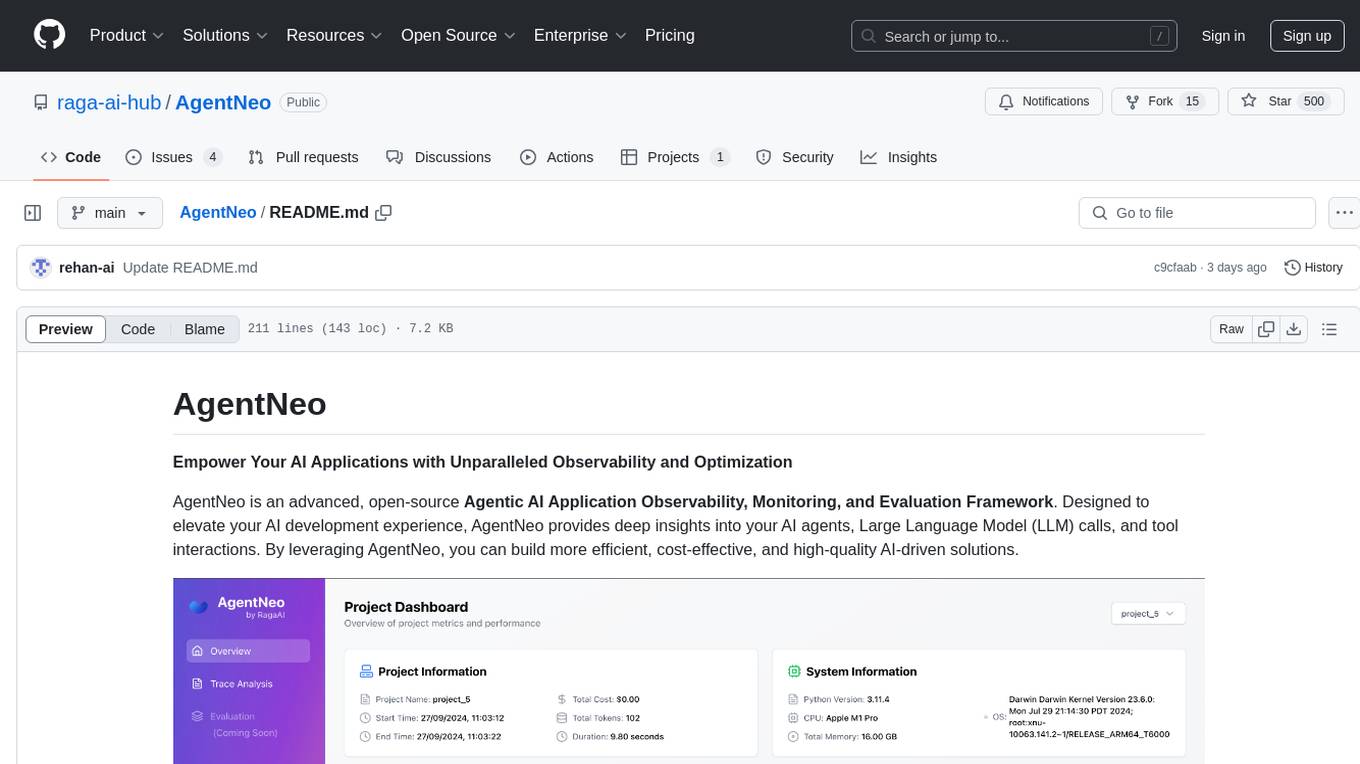
AgentNeo is an advanced, open-source Agentic AI Application Observability, Monitoring, and Evaluation Framework designed to provide deep insights into AI agents, Large Language Model (LLM) calls, and tool interactions. It offers robust logging, visualization, and evaluation capabilities to help debug and optimize AI applications with ease. With features like tracing LLM calls, monitoring agents and tools, tracking interactions, detailed metrics collection, flexible data storage, simple instrumentation, interactive dashboard, project management, execution graph visualization, and evaluation tools, AgentNeo empowers users to build efficient, cost-effective, and high-quality AI-driven solutions.
astron-rpa
AstronRPA is an enterprise-grade Robotic Process Automation (RPA) desktop application that supports low-code/no-code development. It enables users to rapidly build workflows and automate desktop software and web pages. The tool offers comprehensive automation support for various applications, highly component-based design, enterprise-grade security and collaboration features, developer-friendly experience, native agent empowerment, and multi-channel trigger integration. It follows a frontend-backend separation architecture with components for system operations, browser automation, GUI automation, AI integration, and more. The tool is deployed via Docker and designed for complex RPA scenarios.
superagentx
SuperAgentX is a lightweight open-source AI framework designed for multi-agent applications with Artificial General Intelligence (AGI) capabilities. It offers goal-oriented multi-agents with retry mechanisms, easy deployment through WebSocket, RESTful API, and IO console interfaces, streamlined architecture with no major dependencies, contextual memory using SQL + Vector databases, flexible LLM configuration supporting various Gen AI models, and extendable handlers for integration with diverse APIs and data sources. It aims to accelerate the development of AGI by providing a powerful platform for building autonomous AI agents capable of executing complex tasks with minimal human intervention.

llamafarm
LlamaFarm is a comprehensive AI framework that empowers users to build powerful AI applications locally, with full control over costs and deployment options. It provides modular components for RAG systems, vector databases, model management, prompt engineering, and fine-tuning. Users can create differentiated AI products without needing extensive ML expertise, using simple CLI commands and YAML configs. The framework supports local-first development, production-ready components, strategy-based configuration, and deployment anywhere from laptops to the cloud.
ComfyUI-Copilot
ComfyUI-Copilot is an intelligent assistant built on the Comfy-UI framework that simplifies and enhances the AI algorithm debugging and deployment process through natural language interactions. It offers intuitive node recommendations, workflow building aids, and model querying services to streamline development processes. With features like interactive Q&A bot, natural language node suggestions, smart workflow assistance, and model querying, ComfyUI-Copilot aims to lower the barriers to entry for beginners, boost development efficiency with AI-driven suggestions, and provide real-time assistance for developers.
figma-console-mcp
Figma Console MCP is a Model Context Protocol server that bridges design and development, giving AI assistants complete access to Figma for extraction, creation, and debugging. It connects AI assistants like Claude to Figma, enabling plugin debugging, visual debugging, design system extraction, design creation, variable management, real-time monitoring, and three installation methods. The server offers 53+ tools for NPX and Local Git setups, while Remote SSE provides read-only access with 16 tools. Users can create and modify designs with AI, contribute to projects, or explore design data. The server supports authentication via personal access tokens and OAuth, and offers tools for navigation, console debugging, visual debugging, design system extraction, design creation, design-code parity, variable management, and AI-assisted design creation.
explain-openclaw
Explain OpenClaw is a comprehensive documentation repository for the OpenClaw framework, a self-hosted AI assistant platform. It covers various aspects such as plain English explanations, technical architecture, deployment scenarios, privacy and safety measures, security audits, worst-case security scenarios, optimizations, and AI model comparisons. The repository serves as a living knowledge base with beginner-friendly explanations and detailed technical insights for contributors.
executorch
ExecuTorch is an end-to-end solution for enabling on-device inference capabilities across mobile and edge devices including wearables, embedded devices and microcontrollers. It is part of the PyTorch Edge ecosystem and enables efficient deployment of PyTorch models to edge devices. Key value propositions of ExecuTorch are: * **Portability:** Compatibility with a wide variety of computing platforms, from high-end mobile phones to highly constrained embedded systems and microcontrollers. * **Productivity:** Enabling developers to use the same toolchains and SDK from PyTorch model authoring and conversion, to debugging and deployment to a wide variety of platforms. * **Performance:** Providing end users with a seamless and high-performance experience due to a lightweight runtime and utilizing full hardware capabilities such as CPUs, NPUs, and DSPs.
handit.ai
Handit.ai is an autonomous engineer tool designed to fix AI failures 24/7. It catches failures, writes fixes, tests them, and ships PRs automatically. It monitors AI applications, detects issues, generates fixes, tests them against real data, and ships them as pull requests—all automatically. Users can write JavaScript, TypeScript, Python, and more, and the tool automates what used to require manual debugging and firefighting.
GPTSwarm
GPTSwarm is a graph-based framework for LLM-based agents that enables the creation of LLM-based agents from graphs and facilitates the customized and automatic self-organization of agent swarms with self-improvement capabilities. The library includes components for domain-specific operations, graph-related functions, LLM backend selection, memory management, and optimization algorithms to enhance agent performance and swarm efficiency. Users can quickly run predefined swarms or utilize tools like the file analyzer. GPTSwarm supports local LM inference via LM Studio, allowing users to run with a local LLM model. The framework has been accepted by ICML2024 and offers advanced features for experimentation and customization.
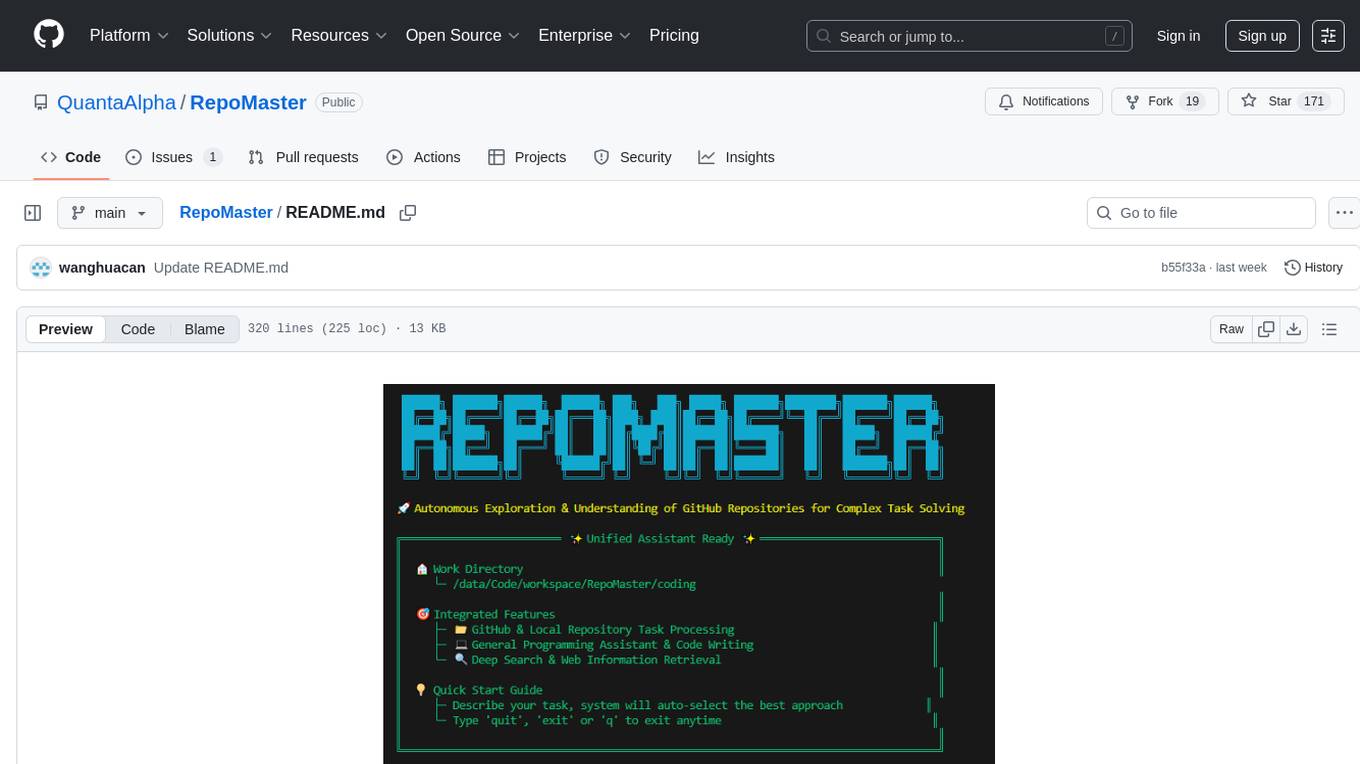
RepoMaster
RepoMaster is an AI agent that leverages GitHub repositories to solve complex real-world tasks. It transforms how coding tasks are solved by automatically finding the right GitHub tools and making them work together seamlessly. Users can describe their tasks, and RepoMaster's AI analysis leads to auto discovery and smart execution, resulting in perfect outcomes. The tool provides a web interface for beginners and a command-line interface for advanced users, along with specialized agents for deep search, general assistance, and repository tasks.
For similar tasks
ai-to-pptx
Ai-to-pptx is a tool that uses AI technology to automatically generate PPTX, and supports online editing and exporting of PPTX. Main functions: - 1 Use large language models such as ChatGPT to generate outlines - 2 The generated content allows users to modify again - 3 Different templates can be selected when generating PPTX - 4 Support online editing of PPTX text content, style, pictures, etc. - 5 Supports exporting PPTX, PDF, PNG and other formats - 6 Support users to set their own LOGO and related background pictures to create their own exclusive PPTX style - 7 Support users to design their own templates and upload them to the sharing platform for others to use
cannoli
Cannoli allows you to build and run no-code LLM scripts using the Obsidian Canvas editor. Cannolis are scripts that leverage the OpenAI API to read/write to your vault, and take actions using HTTP requests. They can be used to automate tasks, create custom llm-chatbots, and more.
awesome-chatgpt
Awesome ChatGPT is an artificial intelligence chatbot developed by OpenAI. It offers a wide range of applications, web apps, browser extensions, CLI tools, bots, integrations, and packages for various platforms. Users can interact with ChatGPT through different interfaces and use it for tasks like generating text, creating presentations, summarizing content, and more. The ecosystem around ChatGPT includes tools for developers, writers, researchers, and individuals looking to leverage AI technology for different purposes.
Powerpointer-For-Local-LLMs
PowerPointer For Local LLMs is a PowerPoint generator that uses python-pptx and local llm's via the Oobabooga Text Generation WebUI api to create beautiful and informative presentations. It runs locally on your computer, eliminating privacy concerns. The tool allows users to select from 7 designs, make placeholders for images, and easily customize presentations within PowerPoint. Users provide information for the PowerPoint, which is then used to generate text using optimized prompts and the text generation webui api. The generated text is converted into a PowerPoint presentation using the python-pptx library.
aippt
Aippt is a commercial-grade AI tool for generating, parsing, and rendering PowerPoint presentations. It offers functionalities such as AI-powered PPT generation, PPT to JSON conversion, and JSON to PPT rendering. Users can experience online editing, upload PPT files for rendering, and download edited PPT files. The tool also supports commercial partnerships for custom industry solutions, native chart and animation support, user-defined templates, and competitive pricing. Aippt is available for commercial use with options for agency support and private deployment. The official website offers open APIs and an open platform for API/UI integration.
aippt_PresentationGen
A SpringBoot web application that generates PPT files using a llm. The tool preprocesses single-page templates and dynamically combines them to generate PPTX files with text replacement functionality. It utilizes technologies such as SpringBoot, MyBatis, MySQL, Redis, WebFlux, Apache POI, Aspose Slides, OSS, and Vue2. Users can deploy the tool by configuring various parameters in the application.yml file and setting up necessary resources like MySQL, OSS, and API keys. The tool also supports integration with open-source image libraries like Unsplash for adding images to the presentations.
PPTAgent
PPTAgent is an innovative system that automatically generates presentations from documents. It employs a two-step process for quality assurance and introduces PPTEval for comprehensive evaluation. With dynamic content generation, smart reference learning, and quality assessment, PPTAgent aims to streamline presentation creation. The tool follows an analysis phase to learn from reference presentations and a generation phase to develop structured outlines and cohesive slides. PPTEval evaluates presentations based on content accuracy, visual appeal, and logical coherence.
Sentient
Sentient is a personal, private, and interactive AI companion developed by Existence. The project aims to build a completely private AI companion that is deeply personalized and context-aware of the user. It utilizes automation and privacy to create a true companion for humans. The tool is designed to remember information about the user and use it to respond to queries and perform various actions. Sentient features a local and private environment, MBTI personality test, integrations with LinkedIn, Reddit, and more, self-managed graph memory, web search capabilities, multi-chat functionality, and auto-updates for the app. The project is built using technologies like ElectronJS, Next.js, TailwindCSS, FastAPI, Neo4j, and various APIs.
For similar jobs

promptflow
**Prompt flow** is a suite of development tools designed to streamline the end-to-end development cycle of LLM-based AI applications, from ideation, prototyping, testing, evaluation to production deployment and monitoring. It makes prompt engineering much easier and enables you to build LLM apps with production quality.

deepeval
DeepEval is a simple-to-use, open-source LLM evaluation framework specialized for unit testing LLM outputs. It incorporates various metrics such as G-Eval, hallucination, answer relevancy, RAGAS, etc., and runs locally on your machine for evaluation. It provides a wide range of ready-to-use evaluation metrics, allows for creating custom metrics, integrates with any CI/CD environment, and enables benchmarking LLMs on popular benchmarks. DeepEval is designed for evaluating RAG and fine-tuning applications, helping users optimize hyperparameters, prevent prompt drifting, and transition from OpenAI to hosting their own Llama2 with confidence.

MegaDetector
MegaDetector is an AI model that identifies animals, people, and vehicles in camera trap images (which also makes it useful for eliminating blank images). This model is trained on several million images from a variety of ecosystems. MegaDetector is just one of many tools that aims to make conservation biologists more efficient with AI. If you want to learn about other ways to use AI to accelerate camera trap workflows, check out our of the field, affectionately titled "Everything I know about machine learning and camera traps".

leapfrogai
LeapfrogAI is a self-hosted AI platform designed to be deployed in air-gapped resource-constrained environments. It brings sophisticated AI solutions to these environments by hosting all the necessary components of an AI stack, including vector databases, model backends, API, and UI. LeapfrogAI's API closely matches that of OpenAI, allowing tools built for OpenAI/ChatGPT to function seamlessly with a LeapfrogAI backend. It provides several backends for various use cases, including llama-cpp-python, whisper, text-embeddings, and vllm. LeapfrogAI leverages Chainguard's apko to harden base python images, ensuring the latest supported Python versions are used by the other components of the stack. The LeapfrogAI SDK provides a standard set of protobuffs and python utilities for implementing backends and gRPC. LeapfrogAI offers UI options for common use-cases like chat, summarization, and transcription. It can be deployed and run locally via UDS and Kubernetes, built out using Zarf packages. LeapfrogAI is supported by a community of users and contributors, including Defense Unicorns, Beast Code, Chainguard, Exovera, Hypergiant, Pulze, SOSi, United States Navy, United States Air Force, and United States Space Force.

llava-docker
This Docker image for LLaVA (Large Language and Vision Assistant) provides a convenient way to run LLaVA locally or on RunPod. LLaVA is a powerful AI tool that combines natural language processing and computer vision capabilities. With this Docker image, you can easily access LLaVA's functionalities for various tasks, including image captioning, visual question answering, text summarization, and more. The image comes pre-installed with LLaVA v1.2.0, Torch 2.1.2, xformers 0.0.23.post1, and other necessary dependencies. You can customize the model used by setting the MODEL environment variable. The image also includes a Jupyter Lab environment for interactive development and exploration. Overall, this Docker image offers a comprehensive and user-friendly platform for leveraging LLaVA's capabilities.

carrot
The 'carrot' repository on GitHub provides a list of free and user-friendly ChatGPT mirror sites for easy access. The repository includes sponsored sites offering various GPT models and services. Users can find and share sites, report errors, and access stable and recommended sites for ChatGPT usage. The repository also includes a detailed list of ChatGPT sites, their features, and accessibility options, making it a valuable resource for ChatGPT users seeking free and unlimited GPT services.

TrustLLM
TrustLLM is a comprehensive study of trustworthiness in LLMs, including principles for different dimensions of trustworthiness, established benchmark, evaluation, and analysis of trustworthiness for mainstream LLMs, and discussion of open challenges and future directions. Specifically, we first propose a set of principles for trustworthy LLMs that span eight different dimensions. Based on these principles, we further establish a benchmark across six dimensions including truthfulness, safety, fairness, robustness, privacy, and machine ethics. We then present a study evaluating 16 mainstream LLMs in TrustLLM, consisting of over 30 datasets. The document explains how to use the trustllm python package to help you assess the performance of your LLM in trustworthiness more quickly. For more details about TrustLLM, please refer to project website.

AI-YinMei
AI-YinMei is an AI virtual anchor Vtuber development tool (N card version). It supports fastgpt knowledge base chat dialogue, a complete set of solutions for LLM large language models: [fastgpt] + [one-api] + [Xinference], supports docking bilibili live broadcast barrage reply and entering live broadcast welcome speech, supports Microsoft edge-tts speech synthesis, supports Bert-VITS2 speech synthesis, supports GPT-SoVITS speech synthesis, supports expression control Vtuber Studio, supports painting stable-diffusion-webui output OBS live broadcast room, supports painting picture pornography public-NSFW-y-distinguish, supports search and image search service duckduckgo (requires magic Internet access), supports image search service Baidu image search (no magic Internet access), supports AI reply chat box [html plug-in], supports AI singing Auto-Convert-Music, supports playlist [html plug-in], supports dancing function, supports expression video playback, supports head touching action, supports gift smashing action, supports singing automatic start dancing function, chat and singing automatic cycle swing action, supports multi scene switching, background music switching, day and night automatic switching scene, supports open singing and painting, let AI automatically judge the content.