


receipt-ocr
An efficient OCR engine for receipt image processing.
Stars: 193
An efficient OCR engine for receipt image processing, providing a comprehensive solution for Optical Character Recognition (OCR) on receipt images. The repository includes a dedicated Tesseract OCR module and a general receipt processing package using LLMs. Users can extract structured data from receipts, configure environment variables for multiple LLM providers, process receipts using CLI or programmatically in Python, and run the OCR engine as a Docker web service. The project also offers direct OCR capabilities using Tesseract and provides troubleshooting tips, contribution guidelines, and license information under the MIT license.
README:


An efficient OCR engine for receipt image processing.
This repository provides a comprehensive solution for Optical Character Recognition (OCR) on receipt images, featuring both a dedicated Tesseract OCR module and a general receipt processing package using LLMs.
Extract structured data from a receipt in 3 steps:
-
Install the package:
pip install receipt-ocr
-
Set up your API key:
export OPENAI_API_KEY="your_openai_api_key_here"
-
Process a receipt:
receipt-ocr images/receipt.jpg
For Docker or advanced usage, see How to Use Receipt OCR below.
The project is organized into two main modules:
-
src/receipt_ocr/: A new package for abstracting general receipt processing logic, including CLI, programmatic API, and a production FastAPI web service for LLM-powered structured data extraction from receipts. -
src/tesseract_ocr/: Contains the Tesseract OCR FastAPI application, CLI, utility functions, and Docker setup for performing raw OCR text extraction from images.
- Python 3.x
- Docker & Docker-compose(for running as a service)
- Tesseract OCR (for local Tesseract CLI usage) - Installation Guide
This module provides a higher-level abstraction for processing receipts, leveraging LLMs for parsing and extraction.
To use the receipt-ocr CLI, first install it:
pip install receipt-ocr-
Configure Environment Variables: Create a
.envfile in the project root or set environment variables directly. This module supports multiple LLM providers.Supported Providers:
-
OpenAI:
Get API key from: https://platform.openai.com/api-keys
OPENAI_API_KEY="your_openai_api_key_here" OPENAI_MODEL="gpt-4o" -
Gemini (Google):
Get API key from: https://aistudio.google.com/app/apikey
OPENAI_API_KEY="your_gemini_api_key_here" OPENAI_BASE_URL="https://generativelanguage.googleapis.com/v1beta/openai/" OPENAI_MODEL="gemini-2.5-pro" -
Groq:
Get API key from: https://console.groq.com/keys
OPENAI_API_KEY="your_groq_api_key_here"
OPENAI_BASE_URL="https://api.groq.com/openai/v1"
OPENAI_MODEL="llama3-8b-8192"
-
-
Process a receipt using the
receipt-ocrCLI:receipt-ocr images/receipt.jpg
This command will use the configured LLM provider to extract structured data from the receipt image.
sample output
{ "merchant_name": "Saathimart.com", "merchant_address": "Narephat, Kathmandu", "transaction_date": "2024-05-07", "transaction_time": "09:09:00", "total_amount": 185.0, "line_items": [ { "item_name": "COLGATE DENTAL", "item_quantity": 1, "item_price": 95.0, "item_total": 95.0 }, { "item_name": "PATANJALI ANTI", "item_quantity": 1, "item_price": 70.0, "item_total": 70.0 }, { "item_name": "GODREJ NO 1 SOAP", "item_quantity": 1, "item_price": 20.0, "item_total": 20.0 } ] } -
Using Receipt OCR Programmatically in Python:
You can also use the
receipt-ocrlibrary directly in your Python code:from receipt_ocr.processors import ReceiptProcessor from receipt_ocr.providers import OpenAIProvider # Initialize the provider provider = OpenAIProvider(api_key="your_api_key", base_url="your_base_url") # Initialize the processor processor = ReceiptProcessor(provider) # Define the JSON schema for extraction json_schema = { "merchant_name": "string", "merchant_address": "string", "transaction_date": "string", "transaction_time": "string", "total_amount": "number", "line_items": [ { "item_name": "string", "item_quantity": "number", "item_price": "number", } ], } # Process the receipt result = processor.process_receipt("path/to/receipt.jpg", json_schema, "gpt-4.1") print(result)
Advanced Usage with Response Format Types:
For compatibility with different LLM providers, you can specify the response format type:
result = processor.process_receipt(
    "path/to/receipt.jpg",
    json_schema,
    "gpt-4.1",
    response_format_type="json_object"  # or "json_schema", "text"
)
Supported
response_format_typevalues:-
"json_object"(default) - Standard JSON object format -
"json_schema"- Structured JSON schema format (for newer OpenAI APIs) -
"text"- Plain text responses
Using
json_schemaformatWhen using
response_format_type="json_schema", you must provide a proper JSON Schema object (not the simple dictionary format). The library handles the OpenAI API boilerplate, so you just need to pass the schema definition.Example proper JSON Schema:
json_schema = {
  "type": "object",
  "properties": {
    "merchant_name": {"type": "string"},
    "merchant_address": {"type": "string"},
    "transaction_date": {"type": "string"},
    "transaction_time": {"type": "string"},
    "total_amount": {"type": "number"},
    "line_items": {
      "type": "array",
      "items": {
        "type": "object",
        "properties": {
          "item_name": {"type": "string"},
          "item_quantity": {"type": "number"},
          "item_price": {"type": "number"}
        },
        "required": ["item_name", "item_quantity", "item_price"],
        "additionalProperties": false
      }
    }
  },
  "required": [
    "merchant_name",
    "merchant_address",
    "transaction_date",
    "transaction_time",
    "total_amount",
    "line_items"
  ],
  "additionalProperties": false
}
See the OpenAI structured outputs documentation for more information.
-
-
Run Receipt OCR as a Docker web service:
For a production-ready REST API, use the FastAPI web service:
docker compose -f app/docker-compose.yml up
The service provides REST endpoints for receipt processing:
-
GET /health- Health check -
POST /ocr/- Process receipt images with optional custom JSON schemas
Example API usage:
# Health check
curl http://localhost:8000/health

# Process receipt with default schema
curl -X POST "http://localhost:8000/ocr/" \
  -F "file=@images/receipt.jpg"

# Process with custom schema
curl -X POST "http://localhost:8000/ocr/" \
  -F "file=@images/receipt.jpg" \
  -F 'json_schema={"merchant": "string", "total": "number"}'
For detailed API documentation, visit
http://localhost:8000/docswhen the service is running. -
This module provides direct OCR capabilities using Tesseract. For more detailed local setup and usage, refer to src/tesseract_ocr/README.md.
-
Run Tesseract OCR locally via CLI:
python src/tesseract_ocr/main.py -i images/receipt.jpg
Replace
images/receipt.jpgwith the path to your receipt image.Please ensure that the image is well-lit and that the edges of the receipt are clearly visible and detectable within the image.
-
Run Tesseract OCR as a Docker service:
docker compose -f src/tesseract_ocr/docker-compose.yml up
Once the service is up and running, you can perform OCR on receipt images by sending a POST request to
http://localhost:8000/ocr/with the image file.API Endpoint:
-
POST
/ocr/: Upload a receipt image file to perform OCR. The response will contain the extracted text from the receipt.
Note: The Tesseract OCR API returns raw extracted text from the receipt image. For structured JSON output with parsed fields such as merchant name, line items, and totals, use the
receipt-ocrinstead.Example usage with cURL:
curl -X 'POST' \
  'http://localhost:8000/ocr/' \
  -H 'accept: application/json' \
  -H 'Content-Type: multipart/form-data' \
  -F 'file=@images/paper-cash-sell-receipt-vector-23876532.jpg;type=image/jpeg'
-
POST
Common Issues and Solutions:
-
API Key Errors: Ensure your
OPENAI_API_KEYis set correctly and has sufficient credits. Check the provider's dashboard for key status. -
Model Not Found: Verify the
OPENAI_MODELmatches available models for your provider. For OpenAI, check https://platform.openai.com/docs/models. -
Poor OCR Results: Use high-quality, well-lit images. Ensure receipt text is clear and not skewed.
-
Installation Issues: If
pip install receipt-ocrfails, trypip install --upgrade pipfirst. -
Docker Issues: Ensure Docker is running and ports 8000 are available.
For more help, start a GitHub Discussion to ask questions, or create a new issue if you found a bug.
We welcome contributions to the Receipt OCR Engine! To contribute, please follow these steps:
-
Fork the repository and clone it to your local machine.
-
Create a new branch for your feature or bug fix.
-
Set up your development environment:
# Navigate to the project root
cd receipt-ocr

# Install uv
curl -LsSf https://astral.sh/uv/install.sh | sh # OR pip install uv

# Create and activate a virtual environment
uv venv --python=3.12
source .venv/bin/activate  # For Windows, use .venv\Scripts\activate

# Install development and test dependencies
uv sync --all-extras --dev
uv pip install -e.

# Optional: Install requirements for the tesseract_ocr module
uv pip install -r src/tesseract_ocr/requirements.txt
-
Make your changes and ensure they adhere to the project's coding style.
-
Run tests to ensure your changes haven't introduced any regressions:
# Run tests for the receipt_ocr module
uv run pytest tests/receipt_ocr

# Run tests for the tesseract_ocr module
uv run pytest tests/tesseract_ocr
-
Run linting and formatting checks:
uvx ruff check .
uvx ruff format .
-
Commit your changes with a clear and concise commit message.
-
Push your branch to your forked repository.
-
Open a Pull Request to the
mainbranch of the upstream repository, describing your changes in detail.
- Gemini Docs: https://ai.google.dev/tutorials/python_quickstart
- LinkedIn Post: https://www.linkedin.com/feed/update/urn:li:activity:7145860319150505984/
This project is licensed under the terms of the MIT license.
For Tasks:
Click tags to check more tools for each tasksFor Jobs:
Alternative AI tools for receipt-ocr
Similar Open Source Tools
For similar tasks
XLearning
XLearning is a scheduling platform for big data and artificial intelligence, supporting various machine learning and deep learning frameworks. It runs on Hadoop Yarn and integrates frameworks like TensorFlow, MXNet, Caffe, Theano, PyTorch, Keras, XGBoost. XLearning offers scalability, compatibility, multiple deep learning framework support, unified data management based on HDFS, visualization display, and compatibility with code at native frameworks. It provides functions for data input/output strategies, container management, TensorBoard service, and resource usage metrics display. XLearning requires JDK >= 1.7 and Maven >= 3.3 for compilation, and deployment on CentOS 7.2 with Java >= 1.7 and Hadoop 2.6, 2.7, 2.8.
parllama
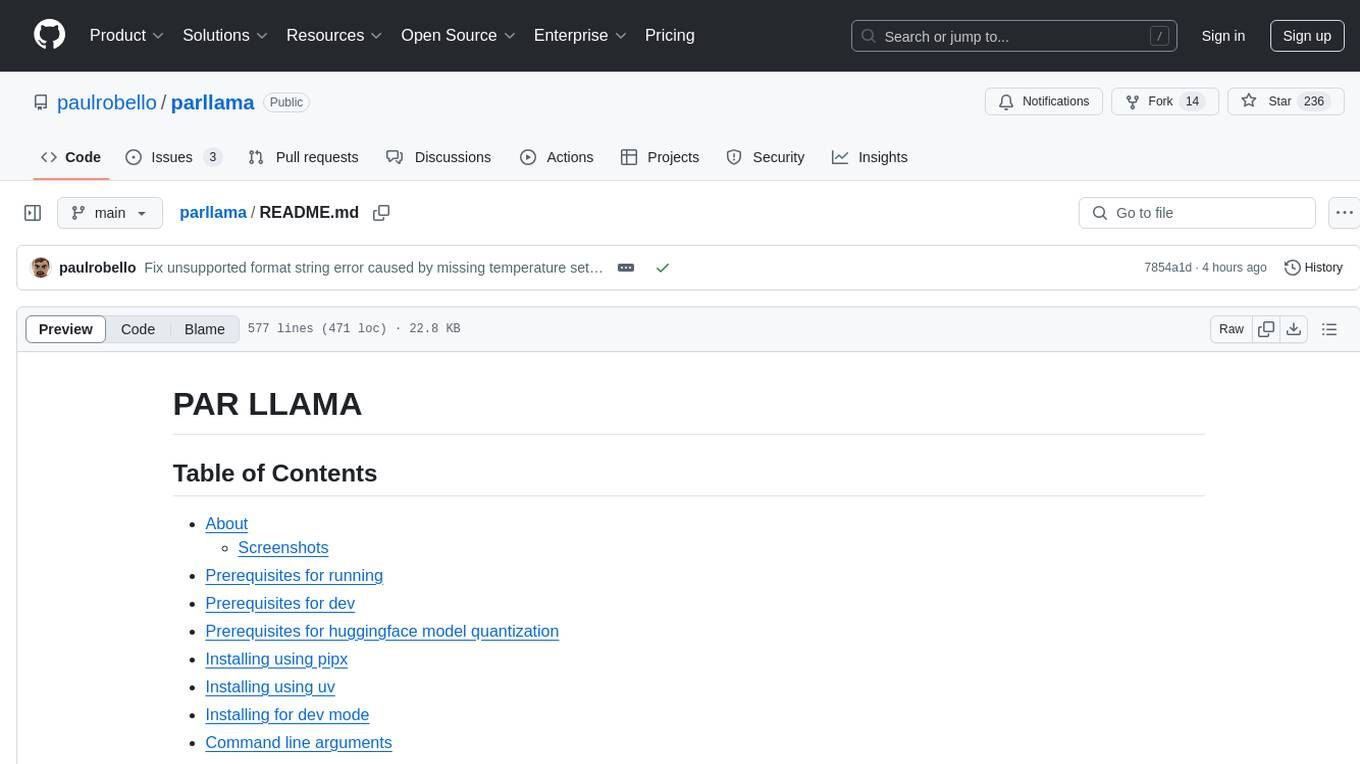
PAR LLAMA is a Text UI application for managing and using LLMs, designed with Textual and Rich and PAR AI Core. It runs on major OS's including Windows, Windows WSL, Mac, and Linux. Supports Dark and Light mode, custom themes, and various workflows like Ollama chat, image chat, and OpenAI provider chat. Offers features like custom prompts, themes, environment variables configuration, and remote instance connection. Suitable for managing and using LLMs efficiently.
mcp-ts-template
The MCP TypeScript Server Template is a production-grade framework for building powerful and scalable Model Context Protocol servers with TypeScript. It features built-in observability, declarative tooling, robust error handling, and a modular, DI-driven architecture. The template is designed to be AI-agent-friendly, providing detailed rules and guidance for developers to adhere to best practices. It enforces architectural principles like 'Logic Throws, Handler Catches' pattern, full-stack observability, declarative components, and dependency injection for decoupling. The project structure includes directories for configuration, container setup, server resources, services, storage, utilities, tests, and more. Configuration is done via environment variables, and key scripts are available for development, testing, and publishing to the MCP Registry.
receipt-ocr
An efficient OCR engine for receipt image processing, providing a comprehensive solution for Optical Character Recognition (OCR) on receipt images. The repository includes a dedicated Tesseract OCR module and a general receipt processing package using LLMs. Users can extract structured data from receipts, configure environment variables for multiple LLM providers, process receipts using CLI or programmatically in Python, and run the OCR engine as a Docker web service. The project also offers direct OCR capabilities using Tesseract and provides troubleshooting tips, contribution guidelines, and license information under the MIT license.
extractor
Extractor is an AI-powered data extraction library for Laravel that leverages OpenAI's capabilities to effortlessly extract structured data from various sources, including images, PDFs, and emails. It features a convenient wrapper around OpenAI Chat and Completion endpoints, supports multiple input formats, includes a flexible Field Extractor for arbitrary data extraction, and integrates with Textract for OCR functionality. Extractor utilizes JSON Mode from the latest GPT-3.5 and GPT-4 models, providing accurate and efficient data extraction.
NeMo-Guardrails
NeMo Guardrails is an open-source toolkit for easily adding _programmable guardrails_ to LLM-based conversational applications. Guardrails (or "rails" for short) are specific ways of controlling the output of a large language model, such as not talking about politics, responding in a particular way to specific user requests, following a predefined dialog path, using a particular language style, extracting structured data, and more.
kor
Kor is a prototype tool designed to help users extract structured data from text using Language Models (LLMs). It generates prompts, sends them to specified LLMs, and parses the output. The tool works with the parsing approach and is integrated with the LangChain framework. Kor is compatible with pydantic v2 and v1, and schema is typed checked using pydantic. It is primarily used for extracting information from text based on provided reference examples and schema documentation. Kor is designed to work with all good-enough LLMs regardless of their support for function/tool calling or JSON modes.
awesome-llm-json
This repository is an awesome list dedicated to resources for using Large Language Models (LLMs) to generate JSON or other structured outputs. It includes terminology explanations, hosted and local models, Python libraries, blog articles, videos, Jupyter notebooks, and leaderboards related to LLMs and JSON generation. The repository covers various aspects such as function calling, JSON mode, guided generation, and tool usage with different providers and models.
For similar jobs

promptflow
**Prompt flow** is a suite of development tools designed to streamline the end-to-end development cycle of LLM-based AI applications, from ideation, prototyping, testing, evaluation to production deployment and monitoring. It makes prompt engineering much easier and enables you to build LLM apps with production quality.

deepeval
DeepEval is a simple-to-use, open-source LLM evaluation framework specialized for unit testing LLM outputs. It incorporates various metrics such as G-Eval, hallucination, answer relevancy, RAGAS, etc., and runs locally on your machine for evaluation. It provides a wide range of ready-to-use evaluation metrics, allows for creating custom metrics, integrates with any CI/CD environment, and enables benchmarking LLMs on popular benchmarks. DeepEval is designed for evaluating RAG and fine-tuning applications, helping users optimize hyperparameters, prevent prompt drifting, and transition from OpenAI to hosting their own Llama2 with confidence.

MegaDetector
MegaDetector is an AI model that identifies animals, people, and vehicles in camera trap images (which also makes it useful for eliminating blank images). This model is trained on several million images from a variety of ecosystems. MegaDetector is just one of many tools that aims to make conservation biologists more efficient with AI. If you want to learn about other ways to use AI to accelerate camera trap workflows, check out our of the field, affectionately titled "Everything I know about machine learning and camera traps".

leapfrogai
LeapfrogAI is a self-hosted AI platform designed to be deployed in air-gapped resource-constrained environments. It brings sophisticated AI solutions to these environments by hosting all the necessary components of an AI stack, including vector databases, model backends, API, and UI. LeapfrogAI's API closely matches that of OpenAI, allowing tools built for OpenAI/ChatGPT to function seamlessly with a LeapfrogAI backend. It provides several backends for various use cases, including llama-cpp-python, whisper, text-embeddings, and vllm. LeapfrogAI leverages Chainguard's apko to harden base python images, ensuring the latest supported Python versions are used by the other components of the stack. The LeapfrogAI SDK provides a standard set of protobuffs and python utilities for implementing backends and gRPC. LeapfrogAI offers UI options for common use-cases like chat, summarization, and transcription. It can be deployed and run locally via UDS and Kubernetes, built out using Zarf packages. LeapfrogAI is supported by a community of users and contributors, including Defense Unicorns, Beast Code, Chainguard, Exovera, Hypergiant, Pulze, SOSi, United States Navy, United States Air Force, and United States Space Force.

llava-docker
This Docker image for LLaVA (Large Language and Vision Assistant) provides a convenient way to run LLaVA locally or on RunPod. LLaVA is a powerful AI tool that combines natural language processing and computer vision capabilities. With this Docker image, you can easily access LLaVA's functionalities for various tasks, including image captioning, visual question answering, text summarization, and more. The image comes pre-installed with LLaVA v1.2.0, Torch 2.1.2, xformers 0.0.23.post1, and other necessary dependencies. You can customize the model used by setting the MODEL environment variable. The image also includes a Jupyter Lab environment for interactive development and exploration. Overall, this Docker image offers a comprehensive and user-friendly platform for leveraging LLaVA's capabilities.

carrot
The 'carrot' repository on GitHub provides a list of free and user-friendly ChatGPT mirror sites for easy access. The repository includes sponsored sites offering various GPT models and services. Users can find and share sites, report errors, and access stable and recommended sites for ChatGPT usage. The repository also includes a detailed list of ChatGPT sites, their features, and accessibility options, making it a valuable resource for ChatGPT users seeking free and unlimited GPT services.

TrustLLM
TrustLLM is a comprehensive study of trustworthiness in LLMs, including principles for different dimensions of trustworthiness, established benchmark, evaluation, and analysis of trustworthiness for mainstream LLMs, and discussion of open challenges and future directions. Specifically, we first propose a set of principles for trustworthy LLMs that span eight different dimensions. Based on these principles, we further establish a benchmark across six dimensions including truthfulness, safety, fairness, robustness, privacy, and machine ethics. We then present a study evaluating 16 mainstream LLMs in TrustLLM, consisting of over 30 datasets. The document explains how to use the trustllm python package to help you assess the performance of your LLM in trustworthiness more quickly. For more details about TrustLLM, please refer to project website.

AI-YinMei
AI-YinMei is an AI virtual anchor Vtuber development tool (N card version). It supports fastgpt knowledge base chat dialogue, a complete set of solutions for LLM large language models: [fastgpt] + [one-api] + [Xinference], supports docking bilibili live broadcast barrage reply and entering live broadcast welcome speech, supports Microsoft edge-tts speech synthesis, supports Bert-VITS2 speech synthesis, supports GPT-SoVITS speech synthesis, supports expression control Vtuber Studio, supports painting stable-diffusion-webui output OBS live broadcast room, supports painting picture pornography public-NSFW-y-distinguish, supports search and image search service duckduckgo (requires magic Internet access), supports image search service Baidu image search (no magic Internet access), supports AI reply chat box [html plug-in], supports AI singing Auto-Convert-Music, supports playlist [html plug-in], supports dancing function, supports expression video playback, supports head touching action, supports gift smashing action, supports singing automatic start dancing function, chat and singing automatic cycle swing action, supports multi scene switching, background music switching, day and night automatic switching scene, supports open singing and painting, let AI automatically judge the content.