


aios-core
AIOS: AI-Orchestrated System for Full Stack Development - Core Framework v2.1
Stars: 174
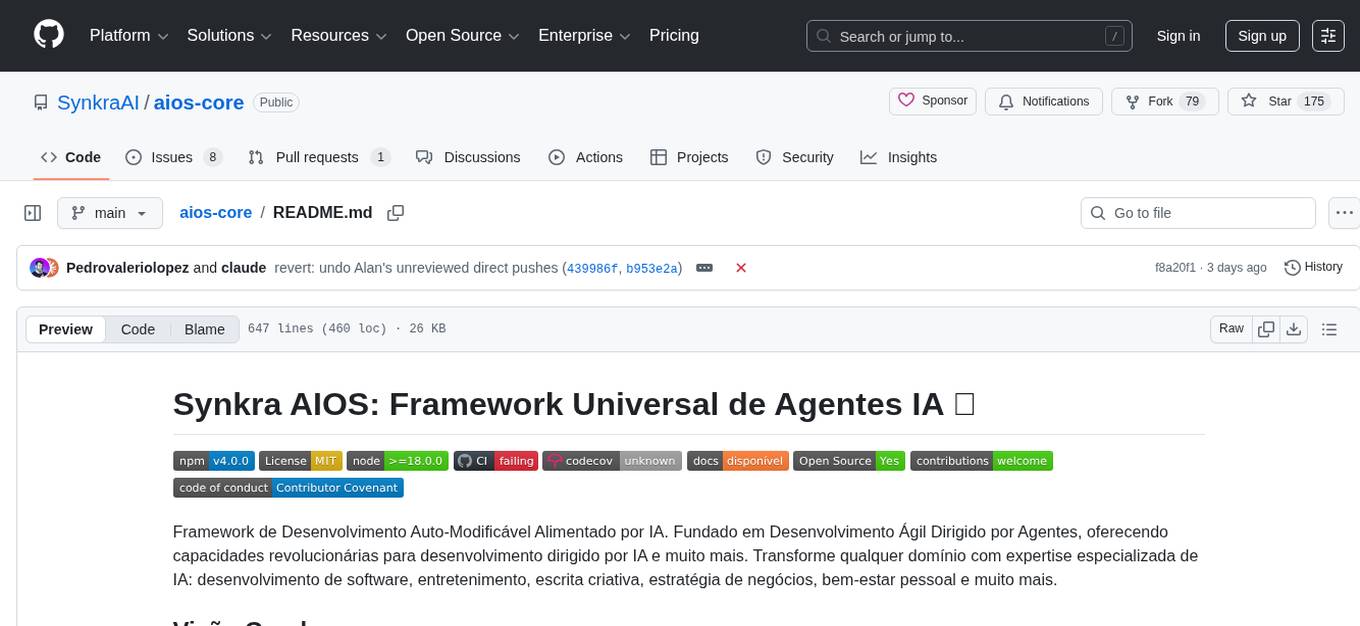
Synkra AIOS is a Framework for Universal AI Agents powered by AI. It is founded on Agent-Driven Agile Development, offering revolutionary capabilities for AI-driven development and more. Transform any domain with specialized AI expertise: software development, entertainment, creative writing, business strategy, personal well-being, and more. The framework follows a clear hierarchy of priorities: CLI First, Observability Second, UI Third. The CLI is where intelligence resides, all execution, decisions, and automation happen there. Observability is for observing and monitoring what happens in the CLI in real-time. The UI is for specific management and visualizations when necessary. The two key innovations of Synkra AIOS are Planejamento Agêntico and Desenvolvimento Contextualizado por Engenharia, which eliminate inconsistency in planning and loss of context in AI-assisted development.
README:









Framework de Desenvolvimento Auto-Modificável Alimentado por IA. Fundado em Desenvolvimento Ágil Dirigido por Agentes, oferecendo capacidades revolucionárias para desenvolvimento dirigido por IA e muito mais. Transforme qualquer domínio com expertise especializada de IA: desenvolvimento de software, entretenimento, escrita criativa, estratégia de negócios, bem-estar pessoal e muito mais.
O Synkra AIOS segue uma hierarquia clara de prioridades:
CLI First → Observability Second → UI Third
| Camada | Prioridade | Foco | Exemplos |
|---|---|---|---|
| CLI | Máxima | Onde a inteligência vive. Toda execução, decisões e automação acontecem aqui. | Agentes (@dev, @qa), workflows, comandos |
| Observability | Secundária | Observar e monitorar o que acontece no CLI em tempo real. | Dashboard SSE, logs, métricas, timeline |
| UI | Terciária | Gestão pontual e visualizações quando necessário. | Kanban, settings, story management |
Princípios derivados:
- A CLI é a fonte da verdade - dashboards apenas observam
- Funcionalidades novas devem funcionar 100% via CLI antes de ter UI
- A UI nunca deve ser requisito para operação do sistema
- Observabilidade serve para entender o que o CLI está fazendo, não para controlá-lo
As Duas Inovações Chave do Synkra AIOS:
1. Planejamento Agêntico: Agentes dedicados (analyst, pm, architect) colaboram com você para criar documentos de PRD e Arquitetura detalhados e consistentes. Através de engenharia avançada de prompts e refinamento com human-in-the-loop, estes agentes de planejamento produzem especificações abrangentes que vão muito além da geração genérica de tarefas de IA.
2. Desenvolvimento Contextualizado por Engenharia: O agente sm (Scrum Master) então transforma estes planos detalhados em histórias de desenvolvimento hiperdetalhadas que contêm tudo que o agente dev precisa - contexto completo, detalhes de implementação e orientação arquitetural incorporada diretamente nos arquivos de histórias.
Esta abordagem de duas fases elimina tanto a inconsistência de planejamento quanto a perda de contexto - os maiores problemas no desenvolvimento assistido por IA. Seu agente dev abre um arquivo de história com compreensão completa do que construir, como construir e por quê.
📖 Veja o fluxo de trabalho completo no Guia do Usuário - Fase de planejamento, ciclo de desenvolvimento e todos os papéis dos agentes
- Node.js >=18.0.0 (v20+ recomendado)
- npm >=9.0.0
- GitHub CLI (opcional, necessário para colaboração em equipe)
Problemas de instalação? Consulte o Guia de Troubleshooting
Guias específicos por plataforma:
Documentação multilíngue disponível: Português | Español
Antes de mergulhar, revise estes diagramas críticos de fluxo de trabalho que explicam como o AIOS funciona:
- Fluxo de Planejamento (Interface Web) - Como criar documentos de PRD e Arquitetura
- Ciclo Principal de Desenvolvimento (IDE) - Como os agentes sm, dev e qa colaboram através de arquivos de histórias
⚠️ Estes diagramas explicam 90% da confusão sobre o fluxo Synkra AIOS Agentic Agile - Entender a criação de PRD+Arquitetura e o fluxo de trabalho sm/dev/qa e como os agentes passam notas através de arquivos de histórias é essencial - e também explica por que isto NÃO é taskmaster ou apenas um simples executor de tarefas!
- Instalar e Construir software com Equipe Ágil Full Stack de IA → Instruções de Início Rápido
- Aprender como usar o AIOS → Guia completo do usuário e passo a passo
- Ver agentes IA disponíveis → Papéis especializados para sua equipe
- Explorar usos não técnicos → Escrita criativa, negócios, bem-estar, educação
- Criar meus próprios agentes IA → Construir agentes para seu domínio
- Navegar Squads prontos → Veja como criar e usar equipes de agentes IA
- Entender a arquitetura → Mergulho técnico profundo
- Juntar-se à comunidade → Obter ajuda e compartilhar ideias
Mantenha-se atualizado sem esforço! Para atualizar sua instalação AIOS existente:
npx github:SynkraAI/aios-core installIsto vai:
- ✅ Detectar automaticamente sua instalação existente
- ✅ Atualizar apenas os arquivos que mudaram
- ✅ Criar arquivos de backup
.bakpara quaisquer modificações customizadas - ✅ Preservar suas configurações específicas do projeto
Isto facilita beneficiar-se das últimas melhorias, correções de bugs e novos agentes sem perder suas customizações!
Instale o Synkra AIOS com um único comando:
# Criar um novo projeto com assistente interativo moderno
npx aios-core init meu-projeto

# Ou instalar em projeto existente
cd seu-projeto
npx aios-core install

# Ou usar uma versão específica
npx aios-core@latest init meu-projetoO Synkra AIOS agora inclui uma experiência de instalação interativa de última geração, inspirada em ferramentas modernas como Vite e Next.js:
Recursos do Instalador Interativo:
- 🎨 Interface Moderna: Prompts coloridos e visuais com @clack/prompts
- ✅ Validação em Tempo Real: Feedback instantâneo sobre entradas inválidas
- 🔄 Indicadores de Progresso: Spinners para operações longas (cópia de arquivos, instalação de deps)
- 📦 Seleção Multi-Componente: Escolha quais componentes instalar com interface intuitiva
- ⚙️ Escolha de Gerenciador de Pacotes: Selecione entre npm, yarn ou pnpm
- ⌨️ Suporte a Cancelamento: Ctrl+C ou ESC para sair graciosamente a qualquer momento
- 📊 Resumo de Instalação: Visualize todas as configurações antes de prosseguir
- ⏱️ Rastreamento de Duração: Veja quanto tempo levou a instalação
O instalador oferece:
- ✅ Download da versão mais recente do NPM
- ✅ Assistente de instalação interativo moderno
- ✅ Configuração automática do IDE (Windsurf, Cursor ou Claude Code)
- ✅ Configuração de todos os agentes e fluxos de trabalho AIOS
- ✅ Criação dos arquivos de configuração necessários
- ✅ Inicialização do sistema de meta-agentes
- ✅ Verificações de saúde do sistema
- ✅ Suporte Cross-Platform: Testado em Windows, macOS e Linux
É isso! Sem clonar, sem configuração manual - apenas um comando e você está pronto para começar com uma experiência de instalação moderna e profissional.
Pré-requisitos: Node.js v18+ necessário (v20+ recomendado) | Troubleshooting
Se você já tem o AIOS instalado:
npx github:SynkraAI/aios-core install
# O instalador detectará sua instalação existente e a atualizaráO Synkra AIOS inclui regras pré-configuradas para IDE para melhorar sua experiência de desenvolvimento:
- Abra as configurações do seu IDE
- Navegue até Global Rules (Windsurf) ou User Rules (Cursor)
- Copie o conteúdo de
.windsurf/global-rules.mdou.cursor/global-rules.md - Cole na seção de regras e salve
- ✅ Já configurado! O arquivo
.claude/CLAUDE.mdé carregado automaticamente
Estas regras fornecem:
- 🤖 Reconhecimento e integração de comandos de agentes
- 📋 Fluxo de trabalho de desenvolvimento dirigido por histórias
- ✅ Rastreamento automático de checkboxes
- 🧪 Padrões de teste e validação
- 📝 Padrões de código específicos do AIOS
-
Instale o AIOS: Execute
npx aios-core init meu-projeto - Configure seu IDE: Siga as instruções de configuração para Windsurf, Cursor ou Claude Code
-
Comece a Planejar: Ative um agente como
@analystpara começar a criar seu briefing -
Use comandos AIOS: Digite
*helppara ver comandos disponíveis - Siga o fluxo: Veja o Guia do usuário para mais detalhes
O Synkra AIOS oferece uma CLI moderna e cross-platform com comandos intuitivos:
# Gerenciamento de Projeto (com assistente interativo)
npx aios-core init <nome-projeto> [opções]
  --force              Forçar criação em diretório não vazio
  --skip-install       Pular instalação de dependências npm
  --template <nome>    Usar template específico (default, minimal, enterprise)

# Instalação e Configuração (com prompts modernos)
npx aios-core install [opções]
  --force              Sobrescrever configuração existente
  --quiet              Saída mínima durante instalação
  --dry-run            Simular instalação sem modificar arquivos

# Comandos do Sistema
npx aios-core --version   Exibir versão instalada
npx aios-core --help      Exibir ajuda detalhada
npx aios-core info        Exibir informações do sistema
npx aios-core doctor      Executar diagnósticos do sistema
npx aios-core doctor --fix Corrigir problemas detectados automaticamente

# Manutenção
npx aios-core update      Atualizar para versão mais recente
npx aios-core uninstall   Remover Synkra AIOS
Recursos da CLI:
- ✅ Help System Abrangente:
--helpem qualquer comando mostra documentação detalhada - ✅ Validação de Entrada: Feedback imediato sobre parâmetros inválidos
- ✅ Mensagens Coloridas: Erros em vermelho, sucessos em verde, avisos em amarelo
- ✅ Cross-Platform: Funciona perfeitamente em Windows, macOS e Linux
- ✅ Suporte a Dry-Run: Teste instalações sem modificar arquivos
$ npx aios-core install

🚀 Synkra AIOS Installation

◆ What is your project name?
│  my-awesome-project
│
◇ Which directory should we use?
│  ./my-awesome-project
│
◆ Choose components to install:
│  ● Core Framework (Required)
│  ● Agent System (Required)
│  ● Squads (optional)
│  ○ Example Projects (optional)
│
◇ Select package manager:
│  ● npm
│  ○ yarn
│  ○ pnpm
│
◆ Initialize Git repository?
│  Yes
│
◆ Install dependencies?
│  Yes
│
▸ Creating project directory...
▸ Copying framework files...
▸ Initializing Git repository...
▸ Installing dependencies (this may take a minute)...
▸ Configuring environment...
▸ Running post-installation setup...

✔ Installation completed successfully! (34.2s)

Next steps:
  cd my-awesome-project
  aios-core doctor     # Verify installation
aios-core --help # See available commands# Instalação automatizada sem prompts
$ npx aios-core install --quiet --force
✔ Synkra AIOS installed successfully# Testar instalação sem modificar arquivos
$ npx aios-core install --dry-run
[DRY RUN] Would create: ./my-project/
[DRY RUN] Would copy: .aios-core/ (45 files)
[DRY RUN] Would initialize: Git repository
[DRY RUN] Would install: npm dependencies
✔ Dry run completed - no files were modified$ npx aios-core doctor
🏥 AIOS System Diagnostics
✔ Node.js version: v20.10.0 (meets requirement: >=18.0.0)
✔ npm version: 10.2.3
✔ Git installed: version 2.43.0
✔ GitHub CLI: gh 2.40.1
✔ Synkra AIOS: v1.0.0
Configuration:
✔ .aios-core/ directory exists
✔ Agent files: 11 found
✔ Workflow files: 8 found
✔ Templates: 15 found
Dependencies:
✔ @clack/prompts: ^0.7.0
✔ commander: ^12.0.0
✔ execa: ^9.0.0
✔ fs-extra: ^11.0.0
✔ picocolors: ^1.0.0
✅ All checks passed! Your installation is healthy.$ npx aios-core --help
Usage: aios-core [options] [command]
Synkra AIOS: AI-Orchestrated System for Full Stack Development
Options:
-V, --version output the version number
-h, --help display help for command
Commands:
init <project-name> Create new AIOS project with interactive wizard
install [options] Install AIOS in current directory
info Display system information
doctor [options] Run system diagnostics and health checks
help [command] display help for command
Run 'aios-core <command> --help' for detailed information about each command.Para contribuidores ou usuários avançados que queiram modificar o código fonte:
# Clonar o repositório
git clone https://github.com/SynkraAI/aios-core.git
cd aios-core

# Instalar dependências
npm install

# Executar o instalador
npm run install:aiosPara membros da equipe ingressando no projeto:
# Instalar AIOS com configuração GitHub
npx github:SynkraAI/aios-core setup

# Isto vai:
# 1. Verificar/instalar GitHub CLI
# 2. Autenticar com GitHub
# 3. Executar o instalador AIOSO framework de linguagem natural do AIOS funciona em QUALQUER domínio. Os Squads fornecem agentes IA especializados para escrita criativa, estratégia de negócios, saúde e bem-estar, educação e muito mais. Além disso, os Squads podem expandir o núcleo do Synkra AIOS com funcionalidade específica que não é genérica para todos os casos. Veja o Guia de Squads e aprenda a criar os seus próprios!
O Synkra AIOS vem com 11 agentes especializados:
- aios-master - Agente mestre de orquestração (inclui capacidades de desenvolvimento de framework)
- aios-orchestrator - Orquestrador de fluxo de trabalho e coordenação de equipe
- analyst - Especialista em análise de negócios e criação de PRD
- pm (Product Manager) - Gerente de produto e priorização
- architect - Arquiteto de sistema e design técnico
- ux-expert - Design de experiência do usuário e usabilidade
- sm (Scrum Master) - Gerenciamento de sprint e criação de histórias
- dev - Desenvolvedor e implementação
- qa - Garantia de qualidade e testes
- po (Product Owner) - Gerenciamento de backlog e histórias
- 📖 Guia do Usuário - Passo a passo completo desde a concepção até a conclusão do projeto
- 🏗️ Arquitetura Principal - Mergulho técnico profundo e design do sistema
- 🚀 Guia de Squads - Estenda o AIOS para qualquer domínio além do desenvolvimento de software
- 🤖 Guia de Squads - Crie e publique equipes de agentes IA
- 📋 Primeiros Passos - Tutorial passo a passo para iniciantes
- 🔧 Solução de Problemas - Soluções para problemas comuns
- 🎯 Princípios Orientadores - Filosofia e melhores práticas do AIOS
- 🏛️ Visão Geral da Arquitetura - Visão detalhada da arquitetura do sistema
- ⚙️ Guia de Ajuste de Performance - Otimize seu fluxo de trabalho AIOS
- 🔒 Melhores Práticas de Segurança - Segurança e proteção de dados
- 🔄 Guia de Migração - Migração de versões anteriores
- 📦 Versionamento e Releases - Política de versões
O Synkra AIOS v1.0.0 introduz o Autonomous Development Engine (ADE) - um sistema completo para desenvolvimento autônomo que transforma requisitos em código funcional.
O ADE é um conjunto de 7 Epics que habilitam execução autônoma de desenvolvimento:
| Epic | Nome | Descrição |
|---|---|---|
| 1 | Worktree Manager | Isolamento de branches via Git worktrees |
| 2 | Migration V2→V3 | Migração para formato autoClaude V3 |
| 3 | Spec Pipeline | Transforma requisitos em specs executáveis |
| 4 | Execution Engine | Executa specs com 13 steps + self-critique |
| 5 | Recovery System | Recuperação automática de falhas |
| 6 | QA Evolution | Review estruturado em 10 fases |
| 7 | Memory Layer | Memória persistente de padrões e insights |
User Request → Spec Pipeline → Execution Engine → QA Review → Working Code
                                      ↓
                              Recovery System
                                      ↓
                               Memory Layer
# 1. Criar spec a partir de requisito
@pm *gather-requirements
@architect *assess-complexity
@analyst *research-deps
@pm *write-spec
@qa *critique-spec

# 2. Executar spec aprovada
@architect *create-plan
@architect *create-context
@dev *execute-subtask 1.1

# 3. QA Review
@qa *review-build STORY-42- Guia Completo do ADE - Tutorial passo a passo
- Alterações nos Agentes - Comandos e capabilities por agente
- Epic 1 - Worktree Manager
- Epic 2 - Migration V2→V3
- Epic 3 - Spec Pipeline
- Epic 4 - Execution Engine
- Epic 5 - Recovery System
- Epic 6 - QA Evolution
- Epic 7 - Memory Layer
@devops:
-
*create-worktree,*list-worktrees,*merge-worktree,*cleanup-worktrees -
*inventory-assets,*analyze-paths,*migrate-agent,*migrate-batch
@pm:
-
*gather-requirements,*write-spec
@architect:
-
*assess-complexity,*create-plan,*create-context,*map-codebase
@analyst:
-
*research-deps,*extract-patterns
@qa:
-
*critique-spec,*review-build,*request-fix,*verify-fix
@dev:
-
*execute-subtask,*track-attempt,*rollback,*capture-insights,*list-gotchas,*apply-qa-fix
Expansion packs permitem estender o AIOS para qualquer domínio. Estrutura básica:
squads/seu-pack/
├── config.yaml           # Configuração do pack
├── agents/              # Agentes especializados
├── tasks/               # Fluxos de trabalho de tarefas
├── templates/           # Templates de documentos
├── checklists/          # Checklists de validação
├── data/                # Base de conhecimento
├── README.md            # Documentação do pack
└── user-guide.md        # Guia do usuário
Veja o Guia de Squads para instruções detalhadas.
Squads são equipes modulares de agentes IA. Veja a Visão Geral de Squads para mais informações.
- hybrid-ops - Operações híbridas humano-agente (repositório separado)
- 📖 Guia da Comunidade - Como participar e contribuir
- 💬 Discussões GitHub - Hub central da comunidade
- 💡 Processo de Features - Como propor novas funcionalidades
- 🐛 Rastreador de Issues
- 📋 Como Contribuir
- 🗺️ Roadmap - Veja o que estamos construindo
- 🤖 Guia de Squads - Crie equipes de agentes IA
O Synkra AIOS implementa um sistema de validação de múltiplas camadas para garantir qualidade do código e consistência:
Camada 1: Pre-commit (Local - Rápida)
- ✅ ESLint - Qualidade de código
- ✅ TypeScript - Verificação de tipos
- ⚡ Performance: <5s
- 💾 Cache habilitado
Camada 2: Pre-push (Local - Validação de Stories)
- ✅ Validação de checkboxes de histórias
- ✅ Consistência de status
- ✅ Seções obrigatórias
Camada 3: CI/CD (Cloud - Obrigatório para merge)
- ✅ Todos os testes
- ✅ Cobertura de testes (80% mínimo)
- ✅ Validações completas
- ✅ GitHub Actions
- 📋 Guia Completo de Git Workflow - Guia detalhado do fluxo de trabalho
- 📋 CONTRIBUTING.md - Guia de contribuição
# Validações locais
npm run lint           # ESLint
npm run typecheck      # TypeScript
npm test              # Testes
npm run test:coverage # Testes com cobertura

# Validador AIOS
node .aios-core/utils/aios-validator.js pre-commit   # Validação pre-commit
node .aios-core/utils/aios-validator.js pre-push     # Validação pre-push
node .aios-core/utils/aios-validator.js stories # Validar todas storiesConfigure proteção da branch master com:
node scripts/setup-branch-protection.jsRequer:
- GitHub CLI (gh) instalado e autenticado
- Acesso de admin ao repositório
Estamos empolgados com contribuições e acolhemos suas ideias, melhorias e Squads! 🎉
Para contribuir:
- Fork o repositório
- Crie uma branch para sua feature (
git checkout -b feature/MinhaNovaFeature) - Commit suas mudanças (
git commit -m 'feat: Adicionar nova feature') - Push para a branch (
git push origin feature/MinhaNovaFeature) - Abra um Pull Request
Veja também:
| Documento | English | Português |
|---|---|---|
| Licença | MIT License | - |
| Privacidade | Privacy Policy | - |
| Termos de Uso | Terms of Use | - |
| Código de Conduta | Code of Conduct | PT-BR |
| Contribuição | Contributing | PT-BR |
| Segurança | Security | PT-BR |
| Comunidade | Community | PT-BR |
| Roadmap | Roadmap | PT-BR |
| Changelog | Version History | - |
Construído com ❤️ para a comunidade de desenvolvimento assistido por IA
For Tasks:
Click tags to check more tools for each tasksFor Jobs:
Alternative AI tools for aios-core
Similar Open Source Tools
aios-core
Synkra AIOS is a Framework for Universal AI Agents powered by AI. It is founded on Agent-Driven Agile Development, offering revolutionary capabilities for AI-driven development and more. Transform any domain with specialized AI expertise: software development, entertainment, creative writing, business strategy, personal well-being, and more. The framework follows a clear hierarchy of priorities: CLI First, Observability Second, UI Third. The CLI is where intelligence resides, all execution, decisions, and automation happen there. Observability is for observing and monitoring what happens in the CLI in real-time. The UI is for specific management and visualizations when necessary. The two key innovations of Synkra AIOS are Planejamento Agêntico and Desenvolvimento Contextualizado por Engenharia, which eliminate inconsistency in planning and loss of context in AI-assisted development.
mangaba_ai
Mangaba AI is a minimalist repository for creating intelligent and versatile AI agents with A2A (Agent-to-Agent) and MCP (Model Context Protocol) protocols. It supports any AI provider, facilitates communication between agents, manages context effectively, and offers integrated functionalities like chat, analysis, and translation. The setup is straightforward with only 2 steps to get started. The repository includes scripts for automated configuration, manual setup, and environment validation. Users can easily chat with context, analyze text, translate, and interact with multiple agents using A2A protocol. The MCP protocol handles advanced context management automatically, categorizing context types and priorities. The repository also provides examples, documentation, and a comprehensive wiki in Brazilian Portuguese for beginners and developers.

Ai-Hoshino
Ai Hoshino - MD is a WhatsApp bot tool with features like voice and text interaction, group configuration, anti-delete, anti-link, personalized welcome messages, chatbot functionality, sticker creation, sub-bot integration, RPG game, YouTube music and video downloads, and more. The tool is actively maintained by Starlights Team and offers a range of functionalities for WhatsApp users.
angular-node-java-ai
This repository contains a project that integrates Angular frontend, Node.js backend, Java services, and AI capabilities. The project aims to demonstrate a full-stack application with modern technologies and AI features. It showcases how to build a scalable and efficient system using Angular for the frontend, Node.js for the backend, Java for services, and AI for advanced functionalities.
Con-Nav-Item
Con-Nav-Item is a modern personal navigation system designed for digital workers. It is not just a link bookmark but also an all-in-one workspace integrated with AI smart generation, multi-device synchronization, card-based management, and deep browser integration.
RTXZY-MD
RTXZY-MD is a bot tool that supports file hosting, QR code, pairing code, and RestApi features. Users must fill in the Apikey for the bot to function properly. It is not recommended to install the bot on platforms lacking ffmpeg, imagemagick, webp, or express.js support. The tool allows for 95% implementation of website api and supports free and premium ApiKeys. Users can join group bots and get support from Sociabuzz. The tool can be run on Heroku with specific buildpacks and is suitable for Windows/VPS/RDP users who need Git, NodeJS, FFmpeg, and ImageMagick installations.
Nano
Nano is a Transformer-based autoregressive language model for personal enjoyment, research, modification, and alchemy. It aims to implement a specific and lightweight Transformer language model based on PyTorch, without relying on Hugging Face. Nano provides pre-training and supervised fine-tuning processes for models with 56M and 168M parameters, along with LoRA plugins. It supports inference on various computing devices and explores the potential of Transformer models in various non-NLP tasks. The repository also includes instructions for experiencing inference effects, installing dependencies, downloading and preprocessing data, pre-training, supervised fine-tuning, model conversion, and various other experiments.
chats
Sdcb Chats is a powerful and flexible frontend for large language models, supporting multiple functions and platforms. Whether you want to manage multiple model interfaces or need a simple deployment process, Sdcb Chats can meet your needs. It supports dynamic management of multiple large language model interfaces, integrates visual models to enhance user interaction experience, provides fine-grained user permission settings for security, real-time tracking and management of user account balances, easy addition, deletion, and configuration of models, transparently forwards user chat requests based on the OpenAI protocol, supports multiple databases including SQLite, SQL Server, and PostgreSQL, compatible with various file services such as local files, AWS S3, Minio, Aliyun OSS, Azure Blob Storage, and supports multiple login methods including Keycloak SSO and phone SMS verification.
TrainPPTAgent
TrainPPTAgent is an AI-based intelligent presentation generation tool. Users can input a topic and the system will automatically generate a well-structured and content-rich PPT outline and page-by-page content. The project adopts a front-end and back-end separation architecture: the front-end is responsible for interaction, outline editing, and template selection, while the back-end leverages large language models (LLM) and reinforcement learning (GRPO) to complete content generation and optimization, making the generated PPT more tailored to user goals.
Flux-AI-Pro
Flux AI Pro - NanoBanana Edition is a high-performance, single-file AI image generation solution built on Cloudflare Workers. It integrates top AI providers like Pollinations.ai, Infip/Ghostbot, Aqua Server, Kinai API, and Airforce API to offer a serverless, fast, and feature-rich creative experience. It provides seamless interface for generating high-quality AI art without complex server setups. The tool supports multiple languages, smart language detection, RTL support, AI prompt generator, high-definition image generation, and local history storage with export/import functionality.
OpenClawChineseTranslation
OpenClaw Chinese Translation is a localization project that provides a fully Chinese interface for the OpenClaw open-source personal AI assistant platform. It allows users to interact with their AI assistant through chat applications like WhatsApp, Telegram, and Discord to manage daily tasks such as emails, calendars, and files. The project includes both CLI command-line and dashboard web interface fully translated into Chinese.
vscode-antigravity-cockpit
VS Code extension for monitoring Google Antigravity AI model quotas. It provides a webview dashboard, QuickPick mode, quota grouping, automatic grouping, renaming, card view, drag-and-drop sorting, status bar monitoring, threshold notifications, and privacy mode. Users can monitor quota status, remaining percentage, countdown, reset time, progress bar, and model capabilities. The extension supports local and authorized quota monitoring, multiple account authorization, and model wake-up scheduling. It also offers settings customization, user profile display, notifications, and group functionalities. Users can install the extension from the Open VSX Marketplace or via VSIX file. The source code can be built using Node.js and npm. The project is open-source under the MIT license.
Lim-Code
LimCode is a powerful VS Code AI programming assistant that supports multiple AI models, intelligent tool invocation, and modular architecture. It features support for various AI channels, a smart tool system for code manipulation, MCP protocol support for external tool extension, intelligent context management, session management, and more. Users can install LimCode from the plugin store or via VSIX, or build it from the source code. The tool offers a rich set of features for AI programming and code manipulation within the VS Code environment.
claude-init
Claude Code Chinese development suite is a localized version based on the Claude Code Development Kit, offering a seamless Chinese AI programming experience. It features complete Chinese AI commands, documentation system, error messages, and installation experience. The suite includes intelligent context management with a three-tier document structure, automatic context injection, smart document routing, and cross-session state management. It integrates development tools like Hook system, MCP server support, security scans, and notification system. Additionally, it provides a comprehensive template library with project templates, document templates, and configuration examples.
AutoGLM-GUI
AutoGLM-GUI is an AI-driven Android automation productivity tool that supports scheduled tasks, remote deployment, and 24/7 AI assistance. It features core functionalities such as deploying to servers, scheduling tasks, and creating an AI automation assistant. The tool enhances productivity by automating repetitive tasks, managing multiple devices, and providing a layered agent mode for complex task planning and execution. It also supports real-time screen preview, direct device control, and zero-configuration deployment. Users can easily download the tool for Windows, macOS, and Linux systems, and can also install it via Python package. The tool is suitable for various use cases such as server automation, batch device management, development testing, and personal productivity enhancement.
langchain4j-aideepin
LangChain4j-AIDeepin is an open-source, offline deployable retrieval enhancement generation (RAG) project based on large language models such as ChatGPT and Langchain4j application framework. It offers features like registration & login, multi-session support, image generation, prompt words, quota control, knowledge base, model-based search, model switching, and search engine switching. The project integrates models like ChatGPT 3.5, Tongyi Qianwen, Wenxin Yiyuan, Ollama, and DALL-E 2. The backend uses technologies like JDK 17, Spring Boot 3.0.5, Langchain4j, and PostgreSQL with pgvector extension, while the frontend is built with Vue3, TypeScript, and PNPM.
For similar tasks
ai-gradio
ai-gradio is a Python package that simplifies the creation of machine learning apps using various models like OpenAI, Google's Gemini, Anthropic's Claude, LumaAI, CrewAI, XAI's Grok, and Hyperbolic. It provides easy installation with support for different providers and offers features like text chat, voice chat, video chat, code generation interfaces, and AI agent teams. Users can set API keys for different providers and customize interfaces for specific tasks.
neo
Neo.mjs is a revolutionary Application Engine for the web that offers true multithreading and context engineering, enabling desktop-class UI performance and AI-driven runtime mutation. It is not a framework but a complete runtime and toolchain for enterprise applications, excelling in single page apps and browser-based multi-window applications. With a pioneering Off-Main-Thread architecture, Neo.mjs ensures butter-smooth UI performance by keeping the main thread free for flawless user interactions. The latest version, v11, introduces AI-native capabilities, allowing developers to work with AI agents as first-class partners in the development process. The platform offers a suite of dedicated Model Context Protocol servers that give agents the context they need to understand, build, and reason about the code, enabling a new level of human-AI collaboration.
aios-core
Synkra AIOS is a Framework for Universal AI Agents powered by AI. It is founded on Agent-Driven Agile Development, offering revolutionary capabilities for AI-driven development and more. Transform any domain with specialized AI expertise: software development, entertainment, creative writing, business strategy, personal well-being, and more. The framework follows a clear hierarchy of priorities: CLI First, Observability Second, UI Third. The CLI is where intelligence resides, all execution, decisions, and automation happen there. Observability is for observing and monitoring what happens in the CLI in real-time. The UI is for specific management and visualizations when necessary. The two key innovations of Synkra AIOS are Planejamento Agêntico and Desenvolvimento Contextualizado por Engenharia, which eliminate inconsistency in planning and loss of context in AI-assisted development.

hide
Hide is a headless IDE that provides containerized development environments for codebases and exposes APIs for agents to interact with them. It spins up devcontainers, installs dependencies, and offers APIs for codebase interaction. Hide can be used to create custom toolkits or utilize pre-built toolkits for popular frameworks like Langchain. The Hide Runtime manages development containers and executes tasks, while the SDK provides APIs and toolkits for coding agents to interact with the codebase. Installation can be done via Homebrew or building from source, with Docker Engine as a prerequisite. The tool offers flexibility in managing development environments and simplifies codebase interaction for developers.
For similar jobs

sweep
Sweep is an AI junior developer that turns bugs and feature requests into code changes. It automatically handles developer experience improvements like adding type hints and improving test coverage.

teams-ai
The Teams AI Library is a software development kit (SDK) that helps developers create bots that can interact with Teams and Microsoft 365 applications. It is built on top of the Bot Framework SDK and simplifies the process of developing bots that interact with Teams' artificial intelligence capabilities. The SDK is available for JavaScript/TypeScript, .NET, and Python.

ai-guide
This guide is dedicated to Large Language Models (LLMs) that you can run on your home computer. It assumes your PC is a lower-end, non-gaming setup.

classifai
Supercharge WordPress Content Workflows and Engagement with Artificial Intelligence. Tap into leading cloud-based services like OpenAI, Microsoft Azure AI, Google Gemini and IBM Watson to augment your WordPress-powered websites. Publish content faster while improving SEO performance and increasing audience engagement. ClassifAI integrates Artificial Intelligence and Machine Learning technologies to lighten your workload and eliminate tedious tasks, giving you more time to create original content that matters.

chatbot-ui
Chatbot UI is an open-source AI chat app that allows users to create and deploy their own AI chatbots. It is easy to use and can be customized to fit any need. Chatbot UI is perfect for businesses, developers, and anyone who wants to create a chatbot.

BricksLLM
BricksLLM is a cloud native AI gateway written in Go. Currently, it provides native support for OpenAI, Anthropic, Azure OpenAI and vLLM. BricksLLM aims to provide enterprise level infrastructure that can power any LLM production use cases. Here are some use cases for BricksLLM: * Set LLM usage limits for users on different pricing tiers * Track LLM usage on a per user and per organization basis * Block or redact requests containing PIIs * Improve LLM reliability with failovers, retries and caching * Distribute API keys with rate limits and cost limits for internal development/production use cases * Distribute API keys with rate limits and cost limits for students

uAgents
uAgents is a Python library developed by Fetch.ai that allows for the creation of autonomous AI agents. These agents can perform various tasks on a schedule or take action on various events. uAgents are easy to create and manage, and they are connected to a fast-growing network of other uAgents. They are also secure, with cryptographically secured messages and wallets.

griptape
Griptape is a modular Python framework for building AI-powered applications that securely connect to your enterprise data and APIs. It offers developers the ability to maintain control and flexibility at every step. Griptape's core components include Structures (Agents, Pipelines, and Workflows), Tasks, Tools, Memory (Conversation Memory, Task Memory, and Meta Memory), Drivers (Prompt and Embedding Drivers, Vector Store Drivers, Image Generation Drivers, Image Query Drivers, SQL Drivers, Web Scraper Drivers, and Conversation Memory Drivers), Engines (Query Engines, Extraction Engines, Summary Engines, Image Generation Engines, and Image Query Engines), and additional components (Rulesets, Loaders, Artifacts, Chunkers, and Tokenizers). Griptape enables developers to create AI-powered applications with ease and efficiency.