


Lynkr
Streamline your workflow with Lynkr, a CLI tool that acts as an HTTP proxy for efficient code interactions using Claude Code CLI.
Stars: 299
Lynkr is a self-hosted proxy server that unlocks various AI coding tools like Claude Code CLI, Cursor IDE, and Codex Cli. It supports multiple LLM providers such as Databricks, AWS Bedrock, OpenRouter, Ollama, llama.cpp, Azure OpenAI, Azure Anthropic, OpenAI, and LM Studio. Lynkr offers cost reduction, local/private execution, remote or local connectivity, zero code changes, and enterprise-ready features. It is perfect for developers needing provider flexibility, cost control, self-hosted AI with observability, local model execution, and cost reduction strategies.
README:









        Cursor / Cline / Continue / Claude Code / Clawdbot / Codex/ KiloCode
                        ↓
                       Lynkr
                        ↓
        Local LLMs | OpenRouter | Azure | Databricks | AWS BedRock | Ollama | LMStudio | Gemini
Lynkr is a self-hosted proxy server that unlocks Claude Code CLI , Cursor IDE and Codex Cli by enabling:
- 🚀 Any LLM Provider - Databricks, AWS Bedrock (100+ models), OpenRouter (100+ models), Ollama (local), llama.cpp, Azure OpenAI, Azure Anthropic, OpenAI, LM Studio
- 💰 60-80% Cost Reduction - Built-in token optimization with smart tool selection, prompt caching, and memory deduplication
- 🔒 100% Local/Private - Run completely offline with Ollama or llama.cpp
- 🌐 Remote or Local - Connect to providers on any IP/hostname (not limited to localhost)
- 🎯 Zero Code Changes - Drop-in replacement for Anthropic's backend
- 🏢 Enterprise-Ready - Circuit breakers, load shedding, Prometheus metrics, health checks
Perfect for:
- Developers who want provider flexibility and cost control
- Enterprises needing self-hosted AI with observability
- Privacy-focused teams requiring local model execution
- Teams seeking 60-80% cost reduction through optimization
Option 1: NPM Package (Recommended)
# Install globally
npm install -g pino-pretty
npm install -g lynkr

lynk start
Option 2: Git Clone
# Clone repository
git clone https://github.com/vishalveerareddy123/Lynkr.git
cd Lynkr

# Install dependencies
npm install

# Create .env from example
cp .env.example .env

# Edit .env with your provider credentials
nano .env

# Start server
npm start
Node.js Compatibility:
- Node 20-24: Full support with all features
- Node 25+: Full support (native modules auto-rebuild, babel fallback for code parsing)
Option 3: Docker
docker-compose up -dLynkr supports 10+ LLM providers:
| Provider | Type | Models | Cost | Privacy |
|---|---|---|---|---|
| AWS Bedrock | Cloud | 100+ (Claude, Titan, Llama, Mistral, etc.) | $$-$$$ | Cloud |
| Databricks | Cloud | Claude Sonnet 4.5, Opus 4.5 | $$$ | Cloud |
| OpenRouter | Cloud | 100+ (GPT, Claude, Llama, Gemini, etc.) | $-$$ | Cloud |
| Ollama | Local | Unlimited (free, offline) | FREE | 🔒 100% Local |
| llama.cpp | Local | GGUF models | FREE | 🔒 100% Local |
| Azure OpenAI | Cloud | GPT-4o, GPT-5, o1, o3 | $$$ | Cloud |
| Azure Anthropic | Cloud | Claude models | $$$ | Cloud |
| OpenAI | Cloud | GPT-4o, o1, o3 | $$$ | Cloud |
| LM Studio | Local | Local models with GUI | FREE | 🔒 100% Local |
| MLX OpenAI Server | Local | Apple Silicon (M1/M2/M3/M4) | FREE | 🔒 100% Local |
📖 Full Provider Configuration Guide
Configure Claude Code CLI to use Lynkr:
# Set Lynkr as backend
export ANTHROPIC_BASE_URL=http://localhost:8081
export ANTHROPIC_API_KEY=dummy

# Run Claude Code
claude "Your prompt here"
That's it! Claude Code now uses your configured provider.
Configure Cursor IDE to use Lynkr:
-
Open Cursor Settings
- Mac:
Cmd+,| Windows/Linux:Ctrl+, - Navigate to: Features → Models
- Mac:
-
Configure OpenAI API Settings
-
API Key:
sk-lynkr(any non-empty value) -
Base URL:
http://localhost:8081/v1 -
Model:
claude-3.5-sonnet(or your provider's model)
-
API Key:
-
Test It
- Chat:
Cmd+L/Ctrl+L - Inline edits:
Cmd+K/Ctrl+K - @Codebase search: Requires embeddings setup
- Chat:
Configure Codex Cli to use Lynkr
Option 1: Environment Variable (simplest)
export OPENAI_BASE_URL=http://localhost:8081/v1
export  OPENAI_API_KEY=dummy
 codex
Option 2: Config File (~/.codex/config.toml)
model_provider = "lynkr"

[model_providers.lynkr]
name = "Lynkr Proxy"
base_url = "http://localhost:8081/v1"
env_key = "OPENAI_API_KEY"
Note: For multi-step tool workflows, ensure
POLICY_TOOL_LOOP_THRESHOLDis set high enough (default: 10).
Lynkr supports ClawdBot via its OpenAI-compatible API. ClawdBot users can route requests through Lynkr to access any supported provider.
Configuration in ClawdBot:
| Setting | Value |
|---|---|
| Model/auth provider | Copilot |
| Copilot auth method | Copilot Proxy (local) |
| Copilot Proxy base URL | http://localhost:8081/v1 |
| Model IDs | Any model your Lynkr provider supports |
Available models (depending on your Lynkr provider):
gpt-5.2, gpt-5.1-codex, claude-opus-4.5, claude-sonnet-4.5, claude-haiku-4.5, gemini-3-pro, gemini-3-flash, and more.
🌐 Remote Support: ClawdBot can connect to Lynkr on any machine - use any IP/hostname in the Proxy base URL (e.g.,
http://192.168.1.100:8081/v1orhttp://gpu-server:8081/v1).
- 📦 Installation Guide - Detailed installation for all methods
- ⚙️ Provider Configuration - Complete setup for all 9+ providers
- 🎯 Quick Start Examples - Copy-paste configs
- 🖥️ Claude Code CLI Setup - Connect Claude Code CLI
- 🎨 Cursor IDE Setup - Full Cursor integration with troubleshooting
- 🔍 Embeddings Guide - Enable @Codebase semantic search (4 options: Ollama, llama.cpp, OpenRouter, OpenAI)
- ✨ Core Features - Architecture, request flow, format conversion
- 🧠 Memory System - Titans-inspired long-term memory
- 🗃️ Semantic Cache - Cache responses for similar prompts
- 💰 Token Optimization - 60-80% cost reduction strategies
- 🔧 Tools & Execution - Tool calling, execution modes, custom tools
- 🐳 Docker Deployment - docker-compose setup with GPU support
- 🏭 Production Hardening - Circuit breakers, load shedding, metrics
- 📊 API Reference - All endpoints and formats
- 🔧 Troubleshooting - Common issues and solutions
- ❓ FAQ - Frequently asked questions
- 🧪 Testing Guide - Running tests and validation
- 📚 DeepWiki Documentation - AI-powered documentation search
- 💬 GitHub Discussions - Community Q&A
- 🐛 Report Issues - Bug reports and feature requests
- 📦 NPM Package - Official npm package
- ✅ Multi-Provider Support - 9+ providers including local (Ollama, llama.cpp) and cloud (Bedrock, Databricks, OpenRouter)
- ✅ 60-80% Cost Reduction - Token optimization with smart tool selection, prompt caching, memory deduplication
- ✅ 100% Local Option - Run completely offline with Ollama/llama.cpp (zero cloud dependencies)
- ✅ OpenAI Compatible - Works with Cursor IDE, Continue.dev, and any OpenAI-compatible client
- ✅ Embeddings Support - 4 options for @Codebase search: Ollama (local), llama.cpp (local), OpenRouter, OpenAI
- ✅ MCP Integration - Automatic Model Context Protocol server discovery and orchestration
- ✅ Enterprise Features - Circuit breakers, load shedding, Prometheus metrics, K8s health checks
- ✅ Streaming Support - Real-time token streaming for all providers
- ✅ Memory System - Titans-inspired long-term memory with surprise-based filtering
- ✅ Tool Calling - Full tool support with server and passthrough execution modes
- ✅ Production Ready - Battle-tested with 400+ tests, observability, and error resilience
- ✅ Node 20-25 Support - Works with latest Node.js versions including v25
- ✅ Semantic Caching - Cache responses for similar prompts (requires embeddings)
Lynkr includes an optional semantic response cache that returns cached responses for semantically similar prompts, reducing latency and costs.
Enable Semantic Cache:
# Requires an embeddings provider (Ollama recommended)
ollama pull nomic-embed-text

# Add to .env
SEMANTIC_CACHE_ENABLED=true
SEMANTIC_CACHE_THRESHOLD=0.95
OLLAMA_EMBEDDINGS_MODEL=nomic-embed-text
OLLAMA_EMBEDDINGS_ENDPOINT=http://localhost:11434/api/embeddings| Setting | Default | Description |
|---|---|---|
SEMANTIC_CACHE_ENABLED |
false |
Enable/disable semantic caching |
SEMANTIC_CACHE_THRESHOLD |
0.95 |
Similarity threshold (0.0-1.0) |
Note: Without a proper embeddings provider, the cache uses hash-based fallback which may cause false matches. Use Ollama with
nomic-embed-textfor best results.
┌─────────────────┐
│    AI Tools     │
└────────┬────────┘
         │ Anthropic/OpenAI Format
         ↓
┌─────────────────┐
│  Lynkr Proxy    │
│  Port: 8081     │
│                 │
│ • Format Conv.  │
│ • Token Optim.  │
│ • Provider Route│
│ • Tool Calling  │
│ • Caching       │
└────────┬────────┘
         │
         ├──→ Databricks (Claude 4.5)
         ├──→ AWS Bedrock (100+ models)
         ├──→ OpenRouter (100+ models)
         ├──→ Ollama (local, free)
         ├──→ llama.cpp (local, free)
         ├──→ Azure OpenAI (GPT-4o, o1)
         ├──→ OpenAI (GPT-4o, o3)
         └──→ Azure Anthropic (Claude)
100% Local (FREE)
export MODEL_PROVIDER=ollama
export OLLAMA_MODEL=qwen2.5-coder:latest
export OLLAMA_EMBEDDINGS_MODEL=nomic-embed-text
npm start
💡 Tip: Prevent slow cold starts by keeping Ollama models loaded:
launchctl setenv OLLAMA_KEEP_ALIVE "24h"(macOS) or setOLLAMA_KEEP_ALIVE=24henv var. See troubleshooting.
Remote Ollama (GPU Server)
export MODEL_PROVIDER=ollama
export OLLAMA_ENDPOINT=http://192.168.1.100:11434  # Any IP or hostname
export OLLAMA_MODEL=llama3.1:70b
npm start
🌐 Note: All provider endpoints support remote addresses - not limited to localhost. Use any IP, hostname, or domain.
MLX OpenAI Server (Apple Silicon)
# Terminal 1: Start MLX server
mlx-openai-server launch --model-path mlx-community/Qwen2.5-Coder-7B-Instruct-4bit --model-type lm

# Terminal 2: Start Lynkr
export MODEL_PROVIDER=openai
export OPENAI_ENDPOINT=http://localhost:8000/v1/chat/completions
export OPENAI_API_KEY=not-needed
npm start
🍎 Apple Silicon optimized - Native MLX performance on M1/M2/M3/M4 Macs. See MLX setup guide.
AWS Bedrock (100+ models)
export MODEL_PROVIDER=bedrock
export AWS_BEDROCK_API_KEY=your-key
export AWS_BEDROCK_MODEL_ID=anthropic.claude-3-5-sonnet-20241022-v2:0
npm start
OpenRouter (simplest cloud)
export MODEL_PROVIDER=openrouter
export OPENROUTER_API_KEY=sk-or-v1-your-key
npm start
** You can setup multiple models like local models 📖 More Examples
We welcome contributions! Please see:
- Contributing Guide - How to contribute
- Testing Guide - Running tests
Apache 2.0 - See LICENSE file for details.
- ⭐ Star this repo if Lynkr helps you!
- 💬 Join Discussions - Ask questions, share tips
- 🐛 Report Issues - Bug reports welcome
- 📖 Read the Docs - Comprehensive guides
Made with ❤️ by developers, for developers.
For Tasks:
Click tags to check more tools for each tasksFor Jobs:
Alternative AI tools for Lynkr
Similar Open Source Tools
Lynkr
Lynkr is a self-hosted proxy server that unlocks various AI coding tools like Claude Code CLI, Cursor IDE, and Codex Cli. It supports multiple LLM providers such as Databricks, AWS Bedrock, OpenRouter, Ollama, llama.cpp, Azure OpenAI, Azure Anthropic, OpenAI, and LM Studio. Lynkr offers cost reduction, local/private execution, remote or local connectivity, zero code changes, and enterprise-ready features. It is perfect for developers needing provider flexibility, cost control, self-hosted AI with observability, local model execution, and cost reduction strategies.
mcp-memory-service
The MCP Memory Service is a universal memory service designed for AI assistants, providing semantic memory search and persistent storage. It works with various AI applications and offers fast local search using SQLite-vec and global distribution through Cloudflare. The service supports intelligent memory management, universal compatibility with AI tools, flexible storage options, and is production-ready with cross-platform support and secure connections. Users can store and recall memories, search by tags, check system health, and configure the service for Claude Desktop integration and environment variables.
pluely
Pluely is a versatile and user-friendly tool for managing tasks and projects. It provides a simple interface for creating, organizing, and tracking tasks, making it easy to stay on top of your work. With features like task prioritization, due date reminders, and collaboration options, Pluely helps individuals and teams streamline their workflow and boost productivity. Whether you're a student juggling assignments, a professional managing multiple projects, or a team coordinating tasks, Pluely is the perfect solution to keep you organized and efficient.
botserver
General Bots is a self-hosted AI automation platform and LLM conversational platform focused on convention over configuration and code-less approaches. It serves as the core API server handling LLM orchestration, business logic, database operations, and multi-channel communication. The platform offers features like multi-vendor LLM API, MCP + LLM Tools Generation, Semantic Caching, Web Automation Engine, Enterprise Data Connectors, and Git-like Version Control. It enforces a ZERO TOLERANCE POLICY for code quality and security, with strict guidelines for error handling, performance optimization, and code patterns. The project structure includes modules for core functionalities like Rhai BASIC interpreter, security, shared types, tasks, auto task system, file operations, learning system, and LLM assistance.
aegra
Aegra is a self-hosted AI agent backend platform that provides LangGraph power without vendor lock-in. Built with FastAPI + PostgreSQL, it offers complete control over agent orchestration for teams looking to escape vendor lock-in, meet data sovereignty requirements, enable custom deployments, and optimize costs. Aegra is Agent Protocol compliant and perfect for teams seeking a free, self-hosted alternative to LangGraph Platform with zero lock-in, full control, and compatibility with existing LangGraph Client SDK.

ClaraVerse
ClaraVerse is a privacy-first AI assistant and agent builder that allows users to chat with AI, create intelligent agents, and turn them into fully functional apps. It operates entirely on open-source models running on the user's device, ensuring data privacy and security. With features like AI assistant, image generation, intelligent agent builder, and image gallery, ClaraVerse offers a versatile platform for AI interaction and app development. Users can install ClaraVerse through Docker, native desktop apps, or the web version, with detailed instructions provided for each option. The tool is designed to empower users with control over their AI stack and leverage community-driven innovations for AI development.
Automodel
Automodel is a Python library for automating the process of building and evaluating machine learning models. It provides a set of tools and utilities to streamline the model development workflow, from data preprocessing to model selection and evaluation. With Automodel, users can easily experiment with different algorithms, hyperparameters, and feature engineering techniques to find the best model for their dataset. The library is designed to be user-friendly and customizable, allowing users to define their own pipelines and workflows. Automodel is suitable for data scientists, machine learning engineers, and anyone looking to quickly build and test machine learning models without the need for manual intervention.
shimmy
Shimmy is a 5.1MB single-binary local inference server providing OpenAI-compatible endpoints for GGUF models. It offers fast, reliable AI inference with sub-second responses, zero configuration, and automatic port management. Perfect for developers seeking privacy, cost-effectiveness, speed, and easy integration with popular tools like VSCode and Cursor. Shimmy is designed to be invisible infrastructure that simplifies local AI development and deployment.
AutoAgents
AutoAgents is a cutting-edge multi-agent framework built in Rust that enables the creation of intelligent, autonomous agents powered by Large Language Models (LLMs) and Ractor. Designed for performance, safety, and scalability. AutoAgents provides a robust foundation for building complex AI systems that can reason, act, and collaborate. With AutoAgents you can create Cloud Native Agents, Edge Native Agents and Hybrid Models as well. It is so extensible that other ML Models can be used to create complex pipelines using Actor Framework.
oh-my-pi
oh-my-pi is an AI coding agent for the terminal, providing tools for interactive coding, AI-powered git commits, Python code execution, LSP integration, time-traveling streamed rules, interactive code review, task management, interactive questioning, custom TypeScript slash commands, universal config discovery, MCP & plugin system, web search & fetch, SSH tool, Cursor provider integration, multi-credential support, image generation, TUI overhaul, edit fuzzy matching, and more. It offers a modern terminal interface with smart session management, supports multiple AI providers, and includes various tools for coding, task management, code review, and interactive questioning.
Wegent
Wegent is an open-source AI-native operating system designed to define, organize, and run intelligent agent teams. It offers various core features such as a chat agent with multi-model support, conversation history, group chat, attachment parsing, follow-up mode, error correction mode, long-term memory, sandbox execution, and extensions. Additionally, Wegent includes a code agent for cloud-based code execution, AI feed for task triggers, AI knowledge for document management, and AI device for running tasks locally. The platform is highly extensible, allowing for custom agents, agent creation wizard, organization management, collaboration modes, skill support, MCP tools, execution engines, YAML config, and an API for easy integration with other systems.
timeline-studio
Timeline Studio is a next-generation professional video editor with AI integration that automates content creation for social media. It combines the power of desktop applications with the convenience of web interfaces. With 257 AI tools, GPU acceleration, plugin system, multi-language interface, and local processing, Timeline Studio offers complete video production automation. Users can create videos for various social media platforms like TikTok, YouTube, Vimeo, Telegram, and Instagram with optimized versions. The tool saves time, understands trends, provides professional quality, and allows for easy feature extension through plugins. Timeline Studio is open source, transparent, and offers significant time savings and quality improvements for video editing tasks.
J.A.R.V.I.S.2.0
J.A.R.V.I.S. 2.0 is an AI-powered assistant designed for voice commands, capable of tasks like providing weather reports, summarizing news, sending emails, and more. It features voice activation, speech recognition, AI responses, and handles multiple tasks including email sending, weather reports, news reading, image generation, database functions, phone call automation, AI-based task execution, website & application automation, and knowledge-based interactions. The assistant also includes timeout handling, automatic input processing, and the ability to call multiple functions simultaneously. It requires Python 3.9 or later and specific API keys for weather, news, email, and AI access. The tool integrates Gemini AI for function execution and Ollama as a fallback mechanism. It utilizes a RAG-based knowledge system and ADB integration for phone automation. Future enhancements include deeper mobile integration, advanced AI-driven automation, improved NLP-based command execution, and multi-modal interactions.
DeepMCPAgent
DeepMCPAgent is a model-agnostic tool that enables the creation of LangChain/LangGraph agents powered by MCP tools over HTTP/SSE. It allows for dynamic discovery of tools, connection to remote MCP servers, and integration with any LangChain chat model instance. The tool provides a deep agent loop for enhanced functionality and supports typed tool arguments for validated calls. DeepMCPAgent emphasizes the importance of MCP-first approach, where agents dynamically discover and call tools rather than hardcoding them.
flashinfer
FlashInfer is a library for Language Languages Models that provides high-performance implementation of LLM GPU kernels such as FlashAttention, PageAttention and LoRA. FlashInfer focus on LLM serving and inference, and delivers state-the-art performance across diverse scenarios.
bifrost
Bifrost is a high-performance AI gateway that unifies access to multiple providers through a single OpenAI-compatible API. It offers features like automatic failover, load balancing, semantic caching, and enterprise-grade functionalities. Users can deploy Bifrost in seconds with zero configuration, benefiting from its core infrastructure, advanced features, enterprise and security capabilities, and developer experience. The repository structure is modular, allowing for maximum flexibility. Bifrost is designed for quick setup, easy configuration, and seamless integration with various AI models and tools.
For similar tasks
Lynkr
Lynkr is a self-hosted proxy server that unlocks various AI coding tools like Claude Code CLI, Cursor IDE, and Codex Cli. It supports multiple LLM providers such as Databricks, AWS Bedrock, OpenRouter, Ollama, llama.cpp, Azure OpenAI, Azure Anthropic, OpenAI, and LM Studio. Lynkr offers cost reduction, local/private execution, remote or local connectivity, zero code changes, and enterprise-ready features. It is perfect for developers needing provider flexibility, cost control, self-hosted AI with observability, local model execution, and cost reduction strategies.

kaito
Kaito is an operator that automates the AI/ML inference model deployment in a Kubernetes cluster. It manages large model files using container images, avoids tuning deployment parameters to fit GPU hardware by providing preset configurations, auto-provisions GPU nodes based on model requirements, and hosts large model images in the public Microsoft Container Registry (MCR) if the license allows. Using Kaito, the workflow of onboarding large AI inference models in Kubernetes is largely simplified.

griptape
Griptape is a modular Python framework for building AI-powered applications that securely connect to your enterprise data and APIs. It offers developers the ability to maintain control and flexibility at every step. Griptape's core components include Structures (Agents, Pipelines, and Workflows), Tasks, Tools, Memory (Conversation Memory, Task Memory, and Meta Memory), Drivers (Prompt and Embedding Drivers, Vector Store Drivers, Image Generation Drivers, Image Query Drivers, SQL Drivers, Web Scraper Drivers, and Conversation Memory Drivers), Engines (Query Engines, Extraction Engines, Summary Engines, Image Generation Engines, and Image Query Engines), and additional components (Rulesets, Loaders, Artifacts, Chunkers, and Tokenizers). Griptape enables developers to create AI-powered applications with ease and efficiency.

zep-python
Zep is an open-source platform for building and deploying large language model (LLM) applications. It provides a suite of tools and services that make it easy to integrate LLMs into your applications, including chat history memory, embedding, vector search, and data enrichment. Zep is designed to be scalable, reliable, and easy to use, making it a great choice for developers who want to build LLM-powered applications quickly and easily.
AI-in-a-Box
AI-in-a-Box is a curated collection of solution accelerators that can help engineers establish their AI/ML environments and solutions rapidly and with minimal friction, while maintaining the highest standards of quality and efficiency. It provides essential guidance on the responsible use of AI and LLM technologies, specific security guidance for Generative AI (GenAI) applications, and best practices for scaling OpenAI applications within Azure. The available accelerators include: Azure ML Operationalization in-a-box, Edge AI in-a-box, Doc Intelligence in-a-box, Image and Video Analysis in-a-box, Cognitive Services Landing Zone in-a-box, Semantic Kernel Bot in-a-box, NLP to SQL in-a-box, Assistants API in-a-box, and Assistants API Bot in-a-box.
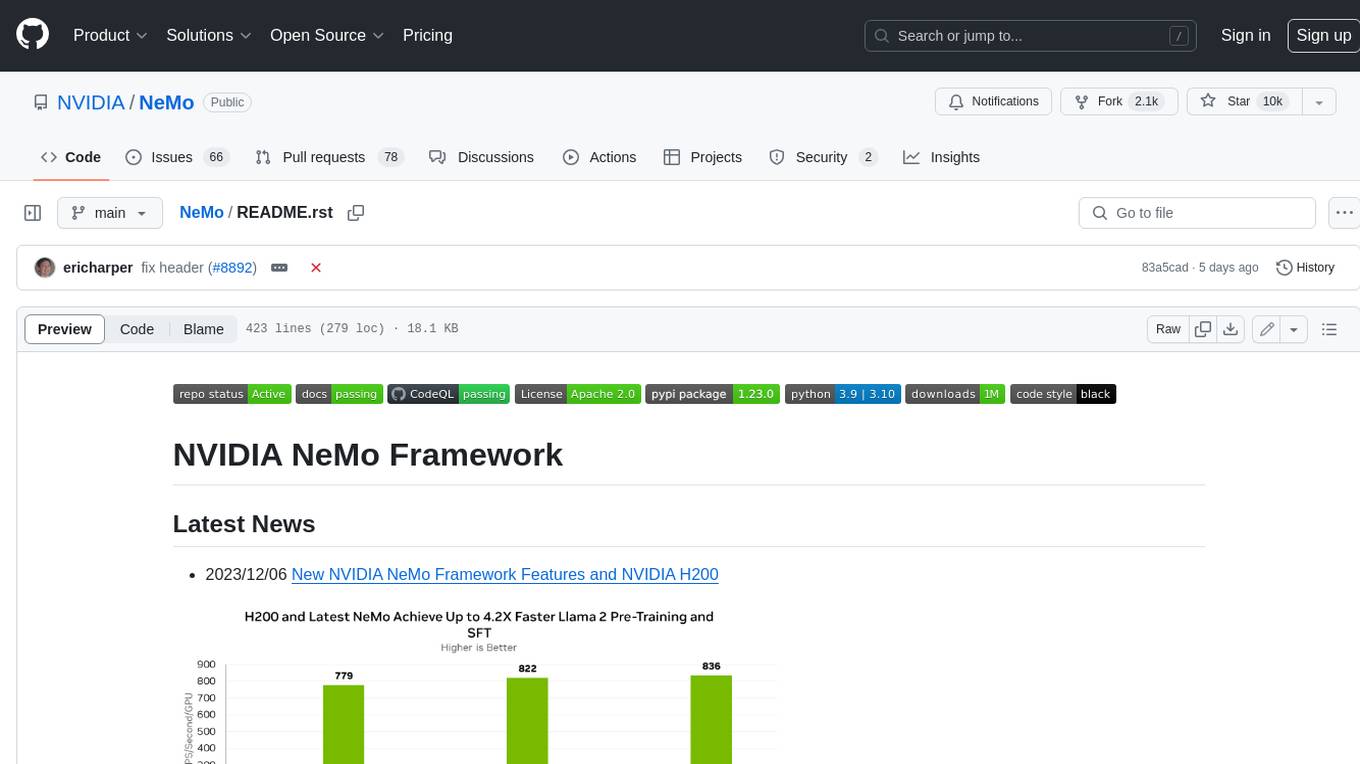
NeMo
NeMo Framework is a generative AI framework built for researchers and pytorch developers working on large language models (LLMs), multimodal models (MM), automatic speech recognition (ASR), and text-to-speech synthesis (TTS). The primary objective of NeMo is to provide a scalable framework for researchers and developers from industry and academia to more easily implement and design new generative AI models by being able to leverage existing code and pretrained models.
E2B
E2B Sandbox is a secure sandboxed cloud environment made for AI agents and AI apps. Sandboxes allow AI agents and apps to have long running cloud secure environments. In these environments, large language models can use the same tools as humans do. For example: * Cloud browsers * GitHub repositories and CLIs * Coding tools like linters, autocomplete, "go-to defintion" * Running LLM generated code * Audio & video editing The E2B sandbox can be connected to any LLM and any AI agent or app.

floneum
Floneum is a graph editor that makes it easy to develop your own AI workflows. It uses large language models (LLMs) to run AI models locally, without any external dependencies or even a GPU. This makes it easy to use LLMs with your own data, without worrying about privacy. Floneum also has a plugin system that allows you to improve the performance of LLMs and make them work better for your specific use case. Plugins can be used in any language that supports web assembly, and they can control the output of LLMs with a process similar to JSONformer or guidance.
For similar jobs

promptflow
**Prompt flow** is a suite of development tools designed to streamline the end-to-end development cycle of LLM-based AI applications, from ideation, prototyping, testing, evaluation to production deployment and monitoring. It makes prompt engineering much easier and enables you to build LLM apps with production quality.

deepeval
DeepEval is a simple-to-use, open-source LLM evaluation framework specialized for unit testing LLM outputs. It incorporates various metrics such as G-Eval, hallucination, answer relevancy, RAGAS, etc., and runs locally on your machine for evaluation. It provides a wide range of ready-to-use evaluation metrics, allows for creating custom metrics, integrates with any CI/CD environment, and enables benchmarking LLMs on popular benchmarks. DeepEval is designed for evaluating RAG and fine-tuning applications, helping users optimize hyperparameters, prevent prompt drifting, and transition from OpenAI to hosting their own Llama2 with confidence.

MegaDetector
MegaDetector is an AI model that identifies animals, people, and vehicles in camera trap images (which also makes it useful for eliminating blank images). This model is trained on several million images from a variety of ecosystems. MegaDetector is just one of many tools that aims to make conservation biologists more efficient with AI. If you want to learn about other ways to use AI to accelerate camera trap workflows, check out our of the field, affectionately titled "Everything I know about machine learning and camera traps".

leapfrogai
LeapfrogAI is a self-hosted AI platform designed to be deployed in air-gapped resource-constrained environments. It brings sophisticated AI solutions to these environments by hosting all the necessary components of an AI stack, including vector databases, model backends, API, and UI. LeapfrogAI's API closely matches that of OpenAI, allowing tools built for OpenAI/ChatGPT to function seamlessly with a LeapfrogAI backend. It provides several backends for various use cases, including llama-cpp-python, whisper, text-embeddings, and vllm. LeapfrogAI leverages Chainguard's apko to harden base python images, ensuring the latest supported Python versions are used by the other components of the stack. The LeapfrogAI SDK provides a standard set of protobuffs and python utilities for implementing backends and gRPC. LeapfrogAI offers UI options for common use-cases like chat, summarization, and transcription. It can be deployed and run locally via UDS and Kubernetes, built out using Zarf packages. LeapfrogAI is supported by a community of users and contributors, including Defense Unicorns, Beast Code, Chainguard, Exovera, Hypergiant, Pulze, SOSi, United States Navy, United States Air Force, and United States Space Force.

llava-docker
This Docker image for LLaVA (Large Language and Vision Assistant) provides a convenient way to run LLaVA locally or on RunPod. LLaVA is a powerful AI tool that combines natural language processing and computer vision capabilities. With this Docker image, you can easily access LLaVA's functionalities for various tasks, including image captioning, visual question answering, text summarization, and more. The image comes pre-installed with LLaVA v1.2.0, Torch 2.1.2, xformers 0.0.23.post1, and other necessary dependencies. You can customize the model used by setting the MODEL environment variable. The image also includes a Jupyter Lab environment for interactive development and exploration. Overall, this Docker image offers a comprehensive and user-friendly platform for leveraging LLaVA's capabilities.

carrot
The 'carrot' repository on GitHub provides a list of free and user-friendly ChatGPT mirror sites for easy access. The repository includes sponsored sites offering various GPT models and services. Users can find and share sites, report errors, and access stable and recommended sites for ChatGPT usage. The repository also includes a detailed list of ChatGPT sites, their features, and accessibility options, making it a valuable resource for ChatGPT users seeking free and unlimited GPT services.

TrustLLM
TrustLLM is a comprehensive study of trustworthiness in LLMs, including principles for different dimensions of trustworthiness, established benchmark, evaluation, and analysis of trustworthiness for mainstream LLMs, and discussion of open challenges and future directions. Specifically, we first propose a set of principles for trustworthy LLMs that span eight different dimensions. Based on these principles, we further establish a benchmark across six dimensions including truthfulness, safety, fairness, robustness, privacy, and machine ethics. We then present a study evaluating 16 mainstream LLMs in TrustLLM, consisting of over 30 datasets. The document explains how to use the trustllm python package to help you assess the performance of your LLM in trustworthiness more quickly. For more details about TrustLLM, please refer to project website.

AI-YinMei
AI-YinMei is an AI virtual anchor Vtuber development tool (N card version). It supports fastgpt knowledge base chat dialogue, a complete set of solutions for LLM large language models: [fastgpt] + [one-api] + [Xinference], supports docking bilibili live broadcast barrage reply and entering live broadcast welcome speech, supports Microsoft edge-tts speech synthesis, supports Bert-VITS2 speech synthesis, supports GPT-SoVITS speech synthesis, supports expression control Vtuber Studio, supports painting stable-diffusion-webui output OBS live broadcast room, supports painting picture pornography public-NSFW-y-distinguish, supports search and image search service duckduckgo (requires magic Internet access), supports image search service Baidu image search (no magic Internet access), supports AI reply chat box [html plug-in], supports AI singing Auto-Convert-Music, supports playlist [html plug-in], supports dancing function, supports expression video playback, supports head touching action, supports gift smashing action, supports singing automatic start dancing function, chat and singing automatic cycle swing action, supports multi scene switching, background music switching, day and night automatic switching scene, supports open singing and painting, let AI automatically judge the content.