


CodexBar
Show usage stats for OpenAI Codex and Claude Code, without having to login.
Stars: 5516
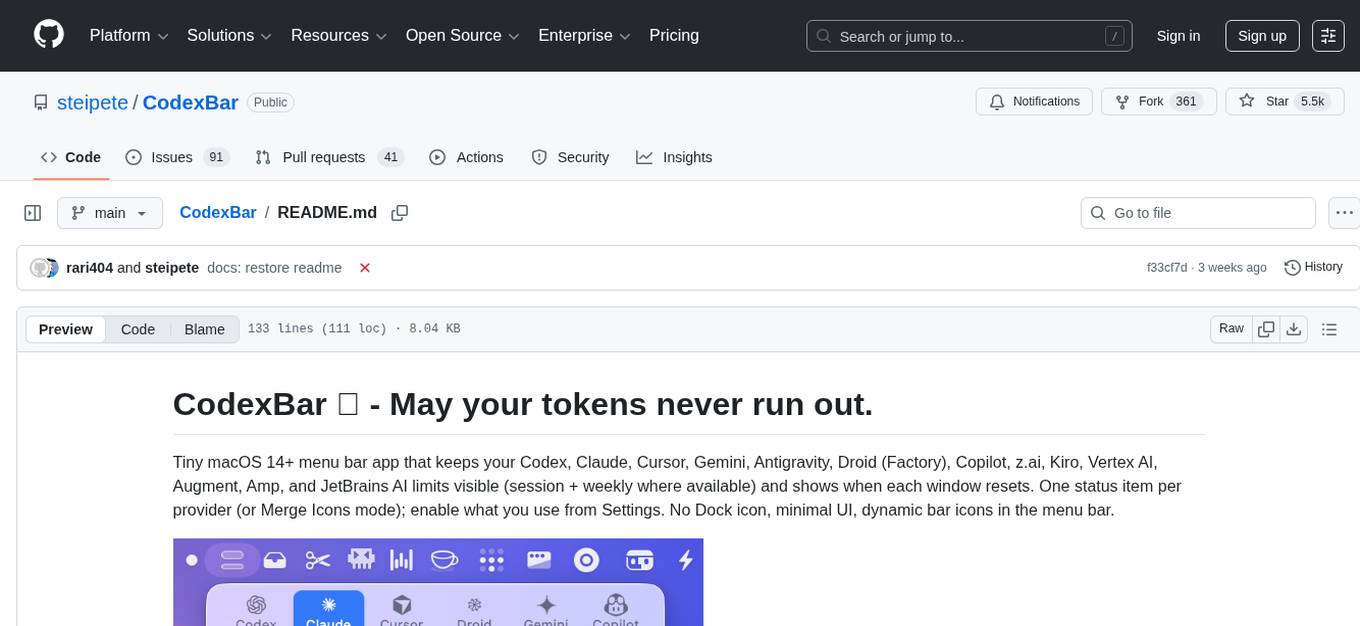
CodexBar is a tiny macOS menu bar app that displays and tracks usage limits for various AI providers such as Codex, Claude, Cursor, Gemini, Antigravity, Droid, Copilot, z.ai, Kiro, Vertex AI, Augment, Amp, and JetBrains AI. It provides a minimal UI with dynamic bar icons, session and weekly usage visibility, and reset countdowns. Users can enable specific providers, view status overlays, and merge icons for a consolidated view. The app offers privacy-first features, CLI support, and a WidgetKit widget for monitoring usage.
README:
Tiny macOS 14+ menu bar app that keeps your Codex, Claude, Cursor, Gemini, Antigravity, Droid (Factory), Copilot, z.ai, Kiro, Vertex AI, Augment, Amp, and JetBrains AI limits visible (session + weekly where available) and shows when each window resets. One status item per provider (or Merge Icons mode); enable what you use from Settings. No Dock icon, minimal UI, dynamic bar icons in the menu bar.

- macOS 14+ (Sonoma)
Download: https://github.com/steipete/CodexBar/releases
brew install --cask steipete/tap/codexbarbrew install steipete/tap/codexbarOr download CodexBarCLI-v<tag>-linux-<arch>.tar.gz from GitHub Releases.
Linux support via Omarchy: community Waybar module and TUI, driven by the codexbar executable.
- Open Settings → Providers and enable what you use.
- Install/sign in to the provider sources you rely on (e.g.
codex,claude,gemini, browser cookies, or OAuth; Antigravity requires the Antigravity app running). - Optional: Settings → Providers → Codex → OpenAI cookies (Automatic or Manual) to add dashboard extras.
- Codex — Local Codex CLI RPC (+ PTY fallback) and optional OpenAI web dashboard extras.
- Claude — OAuth API or browser cookies (+ CLI PTY fallback); session + weekly usage.
- Cursor — Browser session cookies for plan + usage + billing resets.
- Gemini — OAuth-backed quota API using Gemini CLI credentials (no browser cookies).
- Antigravity — Local language server probe (experimental); no external auth.
- Droid — Browser cookies + WorkOS token flows for Factory usage + billing.
- Copilot — GitHub device flow + Copilot internal usage API.
- z.ai — API token (Keychain) for quota + MCP windows.
-
Kimi — Auth token (JWT from
kimi-authcookie) for weekly quota + 5‑hour rate limit. - Kimi K2 — API key for credit-based usage totals.
-
Kiro — CLI-based usage via
kiro-cli /usagecommand; monthly credits + bonus credits. - Vertex AI — Google Cloud gcloud OAuth with token cost tracking from local Claude logs.
- Augment — Browser cookie-based authentication with automatic session keepalive; credits tracking and usage monitoring.
- Amp — Browser cookie-based authentication with Amp Free usage tracking.
- JetBrains AI — Local XML-based quota from JetBrains IDE configuration; monthly credits tracking.
- Open to new providers: provider authoring guide.
The menu bar icon is a tiny two-bar meter:
- Top bar: 5‑hour/session window. If weekly is missing/exhausted and credits are available, it becomes a thicker credits bar.
- Bottom bar: weekly window (hairline).
- Errors/stale data dim the icon; status overlays indicate incidents.
- Multi-provider menu bar with per-provider toggles (Settings → Providers).
- Session + weekly meters with reset countdowns.
- Optional Codex web dashboard enrichments (code review remaining, usage breakdown, credits history).
- Local cost-usage scan for Codex + Claude (last 30 days).
- Provider status polling with incident badges in the menu and icon overlay.
- Merge Icons mode to combine providers into one status item + switcher.
- Refresh cadence presets (manual, 1m, 2m, 5m, 15m).
- Bundled CLI (
codexbar) for scripts and CI (includingcodexbar cost --provider codex|claudefor local cost usage); Linux CLI builds available. - WidgetKit widget mirrors the menu card snapshot.
- Privacy-first: on-device parsing by default; browser cookies are opt-in and reused (no passwords stored).
Wondering if CodexBar scans your disk? It doesn’t crawl your filesystem; it reads a small set of known locations (browser cookies/local storage, local JSONL logs) when the related features are enabled. See the discussion and audit notes in issue #12.
- Full Disk Access (optional): only required to read Safari cookies/local storage for web-based providers (Codex web, Claude web, Cursor, Droid/Factory). If you don’t grant it, use Chrome/Firefox cookies or CLI-only sources instead.
-
Keychain access (prompted by macOS):
- Chrome cookie import needs the “Chrome Safe Storage” key to decrypt cookies.
- Claude OAuth credentials (written by the Claude CLI) are read from Keychain when present.
- z.ai API token is stored in Keychain from Preferences → Providers; Copilot stores its API token in Keychain during device flow.
-
How do I prevent those keychain alerts?
- Open Keychain Access.app → login keychain → search the item (e.g., “Claude Code-credentials”).
- Open the item → Access Control → add
CodexBar.appunder “Always allow access by these applications”. - Prefer adding just CodexBar (avoid “Allow all applications” unless you want it wide open).
- Relaunch CodexBar after saving.
- Reference screenshot:

-
How to do the same for the browser?
- Find the browser’s “Safe Storage” key (e.g., “Chrome Safe Storage”, “Brave Safe Storage”, “Firefox”, “Microsoft Edge Safe Storage”).
- Open the item → Access Control → add
CodexBar.appunder “Always allow access by these applications”. - This removes the prompt when CodexBar decrypts cookies for that browser.
- Files & Folders prompts (folder/volume access): CodexBar launches provider CLIs (codex/claude/gemini/antigravity). If those CLIs read a project directory or external drive, macOS may ask CodexBar for that folder/volume (e.g., Desktop or an external volume). This is driven by the CLI’s working directory, not background disk scanning.
- What we do not request: no Screen Recording, Accessibility, or Automation permissions; no passwords are stored (browser cookies are reused when you opt in).
- Providers overview: docs/providers.md
- Provider authoring: docs/provider.md
- UI & icon notes: docs/ui.md
- CLI reference: docs/cli.md
- Architecture: docs/architecture.md
- Refresh loop: docs/refresh-loop.md
- Status polling: docs/status.md
- Sparkle updates: docs/sparkle.md
- Release checklist: docs/RELEASING.md
- Clone the repo and open it in Xcode or run the scripts directly.
- Launch once, then toggle providers in Settings → Providers.
- Install/sign in to provider sources you rely on (CLIs, browser cookies, or OAuth).
- Optional: set OpenAI cookies (Automatic or Manual) for Codex dashboard extras.
swift build -c release          # or debug for development
./Scripts/package_app.sh        # builds CodexBar.app in-place
CODEXBAR_SIGNING=adhoc ./Scripts/package_app.sh  # ad-hoc signing (no Apple Developer account)
open CodexBar.app
Dev loop:
./Scripts/compile_and_run.sh- ✂️ Trimmy — “Paste once, run once.” Flatten multi-line shell snippets so they paste and run.
- 🧳 MCPorter — TypeScript toolkit + CLI for Model Context Protocol servers.
- 🧿 oracle — Ask the oracle when you're stuck. Invoke GPT-5 Pro with a custom context and files.
Inspired by ccusage (MIT), specifically the cost usage tracking.
MIT • Peter Steinberger (steipete)
For Tasks:
Click tags to check more tools for each tasksFor Jobs:
Alternative AI tools for CodexBar
Similar Open Source Tools
CodexBar
CodexBar is a tiny macOS menu bar app that displays and tracks usage limits for various AI providers such as Codex, Claude, Cursor, Gemini, Antigravity, Droid, Copilot, z.ai, Kiro, Vertex AI, Augment, Amp, and JetBrains AI. It provides a minimal UI with dynamic bar icons, session and weekly usage visibility, and reset countdowns. Users can enable specific providers, view status overlays, and merge icons for a consolidated view. The app offers privacy-first features, CLI support, and a WidgetKit widget for monitoring usage.
ChatGPT-desktop
ChatGPT Desktop Application is a multi-platform tool that provides a powerful AI wrapper for generating text. It offers features like text-to-speech, exporting chat history in various formats, automatic application upgrades, system tray hover window, support for slash commands, customization of global shortcuts, and pop-up search. The application is built using Tauri and aims to enhance user experience by simplifying text generation tasks. It is available for Mac, Windows, and Linux, and is designed for personal learning and research purposes.
Scriberr
Scriberr is a self-hostable AI audio transcription app that utilizes open-source Whisper models from OpenAI for transcribing audio files locally on user's hardware. It offers fast transcription with customizable compute settings, local transcription on device, API endpoints for automation, and integration with other tools. Users can optionally summarize transcripts using ChatGPT or Ollama, with support for custom prompts. The app is mobile-ready, simple, and easy to use, with planned features including speaker diarization, audio recording, file actions, full text fuzzy search, tag-based organization, follow-along text with playback, edit summaries, export options, and support for other languages. Despite being in beta, Scriberr is functional and usable, albeit with some rough edges and minor bugs.
minimal-chat
MinimalChat is a minimal and lightweight open-source chat application with full mobile PWA support that allows users to interact with various language models, including GPT-4 Omni, Claude Opus, and various Local/Custom Model Endpoints. It focuses on simplicity in setup and usage while being fully featured and highly responsive. The application supports features like fully voiced conversational interactions, multiple language models, markdown support, code syntax highlighting, DALL-E 3 integration, conversation importing/exporting, and responsive layout for mobile use.
better-chatbot
Better Chatbot is an open-source AI chatbot designed for individuals and teams, inspired by various AI models. It integrates major LLMs, offers powerful tools like MCP protocol and data visualization, supports automation with custom agents and visual workflows, enables collaboration by sharing configurations, provides a voice assistant feature, and ensures an intuitive user experience. The platform is built with Vercel AI SDK and Next.js, combining leading AI services into one platform for enhanced chatbot capabilities.
browser-use
Browser Use is a tool designed to make websites accessible for AI agents. It provides an easy way to connect AI agents with the browser, enabling users to perform tasks such as extracting vision and HTML elements, managing multiple tabs, and executing custom actions. The tool supports various language models and allows users to parallelize multiple agents for efficient processing. With features like self-correction and the ability to register custom actions, Browser Use offers a versatile solution for interacting with web content using AI technology.
livehelperchat
Live Helper Chat is an open-source application that simplifies live support on websites, handling over 10,000 chats per day with multiple operators. It offers features like chat transcripts, multiple chats simultaneously, chat search, file uploads, and more. The tool supports integrations with various platforms like Agora, Jitsi, Rest API, and AI services such as Rasa AI and ChatGPT. It provides advanced functionalities like XMPP support, Chrome extension, work hours, screenshot feature, and chat statistics generation. Live Helper Chat ensures user privacy with no third-party cookies dependency and offers top performance with enabled cache. The tool is highly customizable with template and module override systems, support for custom extensions, and changeable footer and header content.
agent-sessions
Unified session browser for Codex CLI, Claude Code, Gemini CLI, GitHub Copilot CLI, Droid (Factory CLI), and OpenCode. Search, browse, and resume your past AI-coding sessions in a local-first macOS app. Agent Sessions helps you search across large session histories, quickly find the right prompt/tool output, then reuse it by copying snippets or resuming supported sessions in your terminal. Core features include unified browsing across supported agents, unified search across all sessions, readable tool calls/outputs, and local-only indexing designed for large histories.
BodhiApp
Bodhi App runs Open Source Large Language Models locally, exposing LLM inference capabilities as OpenAI API compatible REST APIs. It leverages llama.cpp for GGUF format models and huggingface.co ecosystem for model downloads. Users can run fine-tuned models for chat completions, create custom aliases, and convert Huggingface models to GGUF format. The CLI offers commands for environment configuration, model management, pulling files, serving API, and more.
echo
Echo is a tool that simplifies the integration of AI SDKs into applications, providing instant OAuth, user accounts, and usage billing in just 5 lines of code. It eliminates the need to manage API keys, build authentication flows, or set up payment processing, allowing developers to go live in minutes. Users benefit from a universal balance that works across all Echo-powered apps, with revenue directly hitting the developer's GitHub account. Echo offers various SDKs for different frameworks like Next.js and React, along with templates to quickly start projects with Echo integration.

macai
Macai is a native macOS client for interacting with modern AI tools, such as ChatGPT and Ollama. It features organized chats with custom system messages, system-defined light/dark themes, backup and restore functionality, customizable context size, support for any model with a compatible API, formatted code blocks and tables, multiple chat tabs, CoreData data storage, streamed responses, and automatic chat name generation. Macai is in active development, with contributions welcome.
Ivy-Framework
Ivy-Framework is a powerful tool for building internal applications with AI assistance using C# codebase. It provides a CLI for project initialization, authentication integrations, database support, LLM code generation, secrets management, container deployment, hot reload, dependency injection, state management, routing, and external widget framework. Users can easily create data tables for sorting, filtering, and pagination. The framework offers a seamless integration of front-end and back-end development, making it ideal for developing robust internal tools and dashboards.

QodeAssist
QodeAssist is an AI-powered coding assistant plugin for Qt Creator, offering intelligent code completion and suggestions for C++ and QML. It leverages large language models like Ollama to enhance coding productivity with context-aware AI assistance directly in the Qt development environment. The plugin supports multiple LLM providers, extensive model-specific templates, and easy configuration for enhanced coding experience.
bagel
Bagel is a tool that allows users to chat with their robotics and drone data similar to using ChatGPT. It generates deterministic and auditable DuckDB SQL queries to analyze data, supporting various robotics and sensor log formats. Users can interact with Bagel through a Discord server, and it can be integrated with different language models. Bagel provides tutorials, Docker images for easy deployment, and a roadmap for upcoming features like Computer Vision Module, Anomaly Detection, and more.
VibeSurf
VibeSurf is an open-source AI agentic browser that combines workflow automation with intelligent AI agents, offering faster, cheaper, and smarter browser automation. It allows users to create revolutionary browser workflows, run multiple AI agents in parallel, perform intelligent AI automation tasks, maintain privacy with local LLM support, and seamlessly integrate as a Chrome extension. Users can save on token costs, achieve efficiency gains, and enjoy deterministic workflows for consistent and accurate results. VibeSurf also provides a Docker image for easy deployment and offers pre-built workflow templates for common tasks.
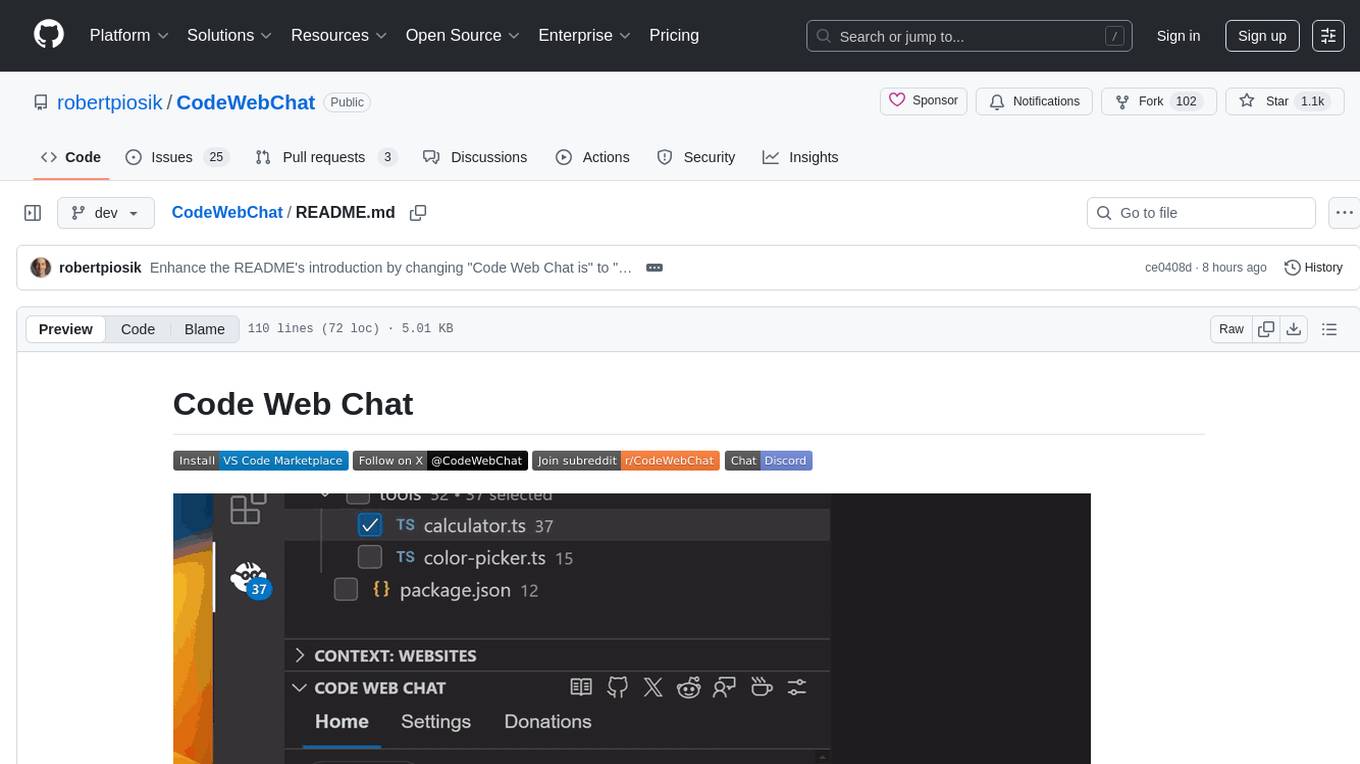
CodeWebChat
Code Web Chat is a versatile, free, and open-source AI pair programming tool with a unique web-based workflow. Users can select files, type instructions, and initialize various chatbots like ChatGPT, Gemini, Claude, and more hands-free. The tool helps users save money with free tiers and subscription-based billing and save time with multi-file edits from a single prompt. It supports chatbot initialization through the Connector browser extension and offers API tools for code completions, editing context, intelligent updates, and commit messages. Users can handle AI responses, code completions, and version control through various commands. The tool is privacy-focused, operates locally, and supports any OpenAI-API compatible provider for its utilities.
For similar tasks
CodexBar
CodexBar is a tiny macOS menu bar app that displays and tracks usage limits for various AI providers such as Codex, Claude, Cursor, Gemini, Antigravity, Droid, Copilot, z.ai, Kiro, Vertex AI, Augment, Amp, and JetBrains AI. It provides a minimal UI with dynamic bar icons, session and weekly usage visibility, and reset countdowns. Users can enable specific providers, view status overlays, and merge icons for a consolidated view. The app offers privacy-first features, CLI support, and a WidgetKit widget for monitoring usage.
For similar jobs

sweep
Sweep is an AI junior developer that turns bugs and feature requests into code changes. It automatically handles developer experience improvements like adding type hints and improving test coverage.

teams-ai
The Teams AI Library is a software development kit (SDK) that helps developers create bots that can interact with Teams and Microsoft 365 applications. It is built on top of the Bot Framework SDK and simplifies the process of developing bots that interact with Teams' artificial intelligence capabilities. The SDK is available for JavaScript/TypeScript, .NET, and Python.

ai-guide
This guide is dedicated to Large Language Models (LLMs) that you can run on your home computer. It assumes your PC is a lower-end, non-gaming setup.

classifai
Supercharge WordPress Content Workflows and Engagement with Artificial Intelligence. Tap into leading cloud-based services like OpenAI, Microsoft Azure AI, Google Gemini and IBM Watson to augment your WordPress-powered websites. Publish content faster while improving SEO performance and increasing audience engagement. ClassifAI integrates Artificial Intelligence and Machine Learning technologies to lighten your workload and eliminate tedious tasks, giving you more time to create original content that matters.

chatbot-ui
Chatbot UI is an open-source AI chat app that allows users to create and deploy their own AI chatbots. It is easy to use and can be customized to fit any need. Chatbot UI is perfect for businesses, developers, and anyone who wants to create a chatbot.

BricksLLM
BricksLLM is a cloud native AI gateway written in Go. Currently, it provides native support for OpenAI, Anthropic, Azure OpenAI and vLLM. BricksLLM aims to provide enterprise level infrastructure that can power any LLM production use cases. Here are some use cases for BricksLLM: * Set LLM usage limits for users on different pricing tiers * Track LLM usage on a per user and per organization basis * Block or redact requests containing PIIs * Improve LLM reliability with failovers, retries and caching * Distribute API keys with rate limits and cost limits for internal development/production use cases * Distribute API keys with rate limits and cost limits for students

uAgents
uAgents is a Python library developed by Fetch.ai that allows for the creation of autonomous AI agents. These agents can perform various tasks on a schedule or take action on various events. uAgents are easy to create and manage, and they are connected to a fast-growing network of other uAgents. They are also secure, with cryptographically secured messages and wallets.

griptape
Griptape is a modular Python framework for building AI-powered applications that securely connect to your enterprise data and APIs. It offers developers the ability to maintain control and flexibility at every step. Griptape's core components include Structures (Agents, Pipelines, and Workflows), Tasks, Tools, Memory (Conversation Memory, Task Memory, and Meta Memory), Drivers (Prompt and Embedding Drivers, Vector Store Drivers, Image Generation Drivers, Image Query Drivers, SQL Drivers, Web Scraper Drivers, and Conversation Memory Drivers), Engines (Query Engines, Extraction Engines, Summary Engines, Image Generation Engines, and Image Query Engines), and additional components (Rulesets, Loaders, Artifacts, Chunkers, and Tokenizers). Griptape enables developers to create AI-powered applications with ease and efficiency.