


coze-studio
An AI agent development platform with all-in-one visual tools, simplifying agent creation, debugging, and deployment like never before. Coze your way to AI Agent creation.
Stars: 16996
Coze Studio is an all-in-one AI agent development tool that offers the most convenient AI agent development environment, from development to deployment. It provides core technologies for AI agent development, complete app templates, and build frameworks. Coze Studio aims to simplify creating, debugging, and deploying AI agents through visual design and build tools, enabling powerful AI app development and customized business logic. The tool is developed using Golang for the backend, React + TypeScript for the frontend, and follows microservices architecture based on domain-driven design principles.
README:


Coze Studio is an all-in-one AI agent development tool. Providing the latest large models and tools, various development modes and frameworks, Coze Studio offers the most convenient AI agent development environment, from development to deployment.
- Provides all core technologies needed for AI agent development: prompt, RAG, plugin, workflow, enabling developers to focus on creating the core value of AI.
- Ready to use for professional AI agent development at the lowest cost: Coze Studio provides developers with complete app templates and build frameworks, allowing you to quickly construct various AI agents and turn creative ideas into reality.
Coze Studio, derived from the "Coze Development Platform" which has served tens of thousands of enterprises and millions of developers, we have made its core engine completely open. It is a one-stop visual development tool for AI Agents that makes creating, debugging, and deploying AI Agents unprecedentedly simple. Through Coze Studio's visual design and build tools, developers can quickly create and debug agents, apps, and workflows using no-code or low-code approaches, enabling powerful AI app development and more customized business logic. It's an ideal choice for building low-code AI products tailored . Coze Studio aims to lower the threshold for AI agent development and application, encouraging community co-construction and sharing for deeper exploration and practice in the AI field.
The backend of Coze Studio is developed using Golang, the frontend uses React + TypeScript, and the overall architecture is based on microservices and built following domain-driven design (DDD) principles. Provide developers with a high-performance, highly scalable, and easy-to-customize underlying framework to help them address complex business needs.
| Module | Feature |
|---|---|
| Model service | Manage the model list, integrate services such as OpenAI and Volcengine |
| Build agent | * Build, publish, and manage agent * Support configuring workflows, knowledge bases, and other resources |
| Build apps | * Create and publish apps * Build business logic through workflows |
| Build a workflow | Create, modify, publish, and delete workflows |
| Develop resources | Support creating and managing the following resources: * Plugins * Knowledge bases * Databases * Prompts |
| API and SDK | * Create conversations, initiate chats, and other OpenAPI * Integrate agents or apps into your own app through Chat SDK |
Learn how to obtain and deploy the open-source version of Coze Studio, quickly build projects, and experience Coze Studio's open-source version.
Environment requirements:
- Before installing Coze Studio, please ensure that your machine meets the following minimum system requirements: 2 Core、4 GB
- Pre-install Docker and Docker Compose, and start the Docker service.
Deployment steps:
-
Retrieve the source code.
# Clone code git clone https://github.com/coze-dev/coze-studio.git -
Configure the model.
-
Copy the template files of the doubao-seed-1.6 model from the template directory and paste them into the configuration file directory.
cd coze-studio
# Copy model configuration template
cp backend/conf/model/template/model_template_ark_doubao-seed-1.6.yaml backend/conf/model/ark_doubao-seed-1.6.yaml
-
Modify the template file in the configuration file directory.
- Enter the directory
backend/conf/model. Open the fileark_doubao-seed-1.6.yaml. - Set the fields
id,meta.conn_config.api_key,meta.conn_config.model, and save the file.- id: The model ID in Coze Studio, defined by the developer, must be a non-zero integer and globally unique. Agents or workflows call models based on model IDs. For models that have already been launched, do not modify their IDs; otherwise, it may result in model call failures.
- meta.conn_config.api_key: The API Key for the model service. In this example, it is the API Key for Ark API Key. For more information, see Get Volcengine Ark API Key or Get BytePlus ModelArk API Key.
- meta.conn_config.model: The Model name for the model service. In this example, it refers to the Model ID or Endpoint ID of Ark. For more information, see Get Volcengine Ark Model ID / Get Volcengine Ark Endpoint ID or Get BytePlus ModelArk Model ID / Get BytePlus ModelArk Endpoint ID.
For users in China, you may use Volcengine Ark; for users outside China, you may use BytePlus ModelArk instead.
- Enter the directory
-
-
Deploy and start the service. When deploying and starting Coze Studio for the first time, it may take a while to retrieve images and build local images. Please be patient. During deployment, you will see the following log information. If you see the message "Container coze-server Started," it means the Coze Studio service has started successfully.
# Start the service
cd docker
cp .env.example .env
docker compose up -d
For common startup failure issues, please refer to the FAQ.
-
After starting the service, you can open Coze Studio by accessing
http://localhost:8888/through your browser.
[!WARNING] If you want to deploy Coze Studio in a public network environment, it is recommended to assess security risks before you begin, and take corresponding protection measures. Possible security risks include account registration functions, Python execution environments in workflow code nodes, Coze Server listening address configurations, SSRF (Server - Side Request Forgery), and some horizontal privilege escalations in APIs. For more details, refer to Quickstart.
-
Project Configuration:
- Model Configuration: Before deploying the open-source version of Coze Studio, you must configure the model service. Otherwise, you cannot select models when building agents, workflows, and apps.
- Plugin Configuration: To use official plugins from the plugin store, you must first configure the plugins and add the authentication keys for third-party services.
- Basic Component Configuration: Learn how to configure components such as image uploaders to use functions like image uploading in Coze Studio .
- API Reference: The Coze Studio Community Edition API and Chat SDK are authenticated using Personal Access Token, providing APIs for conversations and workflows.
-
Development Guidelines:
- Project Architecture: Learn about the technical architecture and core components of the open-source version of Coze Studio.
- Code Development and Testing: Learn how to perform secondary development and testing based on the open-source version of Coze Studio.
- Troubleshooting: Learn how to view container states and system logs.
Regarding how to use Coze Studio, refer to the Coze Development Platform Official Documentation Center for more information. Please note that certain features, such as tone customization, are limited to the commercial version. Differences between the open-source and commercial versions can be found in the Feature List.
- Quick Start: Quickly build an AI assistant agent with Coze Studio.
- Developing Agents: Learn how to create, build, publish, and manage agents. You can use functions such as knowledge, plugins, etc., to resolve model hallucination and lack of expertise in professional fields. In addition, Coze Studio provides rich memory features that enable agents to generate more accurate responses based on a personal user's historical conversations during interactions.
- Develop workflows: A workflow is a set of executable instructions used to implement business logic or complete specific tasks. It structures data flow and task processing for apps or agents. Coze Studio provides a visual canvas where you can quickly build workflows by dragging and dropping nodes.
- Resources such as plugins: In Coze Studio, workflows, plugins, databases, knowledge bases, and variables are collectively referred to as resources.
- API & SDK: Coze Studio supports API related to chat and workflows, and you can also integrate agents or apps with local business systems through Chat SDK.
- Tutorials for practice: Learn how to use Coze Studio to implement various AI scenarios, such as building web-based online customer service using Chat SDK.
This project uses the Apache 2.0 license. For details, please refer to the LICENSE file.
We welcome community contributions. For contribution guidelines, please refer to CONTRIBUTING and Code of conduct. We look forward to your contributions!
If you discover potential security issues in the project, or believe you may have found a security issue, please notify the ByteDance security team through our security center or vulnerability reporting email. Please do not create public GitHub Issues.
We are committed to building an open and friendly developer community. All developers interested in AI Agent development are welcome to join us!
To efficiently track and resolve issues while ensuring transparency and collaboration, we recommend participating through:
- GitHub Issues: Submit bug reports or feature requests
- Pull Requests: Contribute code or documentation improvements
Join our technical discussion groups to share experiences with other developers and stay updated with the latest project developments:
Feishu Group Chat
Scan the QR code below with Feishu mobile app to join:
Discord Server
Click to join: Coze Community
Telegram Group
Click to join: Telegram Group Coze
Thank you to all the developers and community members who have contributed to the Coze Studio project. Special thanks:
- The Eino framework team - providing powerful support for Coze Studio's agent and workflow runtime engines, model abstractions and implementations, and knowledge base indexing and retrieval
- The FlowGram team - providing a high-quality workflow building engine for Coze Studio's frontend workflow canvas editor
- The Hertz team - Go HTTP framework with high-performance and strong-extensibility for building micro-services
- All users who participated in testing and feedback
For Tasks:
Click tags to check more tools for each tasksFor Jobs:
Alternative AI tools for coze-studio
Similar Open Source Tools
coze-studio
Coze Studio is an all-in-one AI agent development tool that offers the most convenient AI agent development environment, from development to deployment. It provides core technologies for AI agent development, complete app templates, and build frameworks. Coze Studio aims to simplify creating, debugging, and deploying AI agents through visual design and build tools, enabling powerful AI app development and customized business logic. The tool is developed using Golang for the backend, React + TypeScript for the frontend, and follows microservices architecture based on domain-driven design principles.
AgentUp
AgentUp is an active development tool that provides a developer-first agent framework for creating AI agents with enterprise-grade infrastructure. It allows developers to define agents with configuration, ensuring consistent behavior across environments. The tool offers secure design, configuration-driven architecture, extensible ecosystem for customizations, agent-to-agent discovery, asynchronous task architecture, deterministic routing, and MCP support. It supports multiple agent types like reactive agents and iterative agents, making it suitable for chatbots, interactive applications, research tasks, and more. AgentUp is built by experienced engineers from top tech companies and is designed to make AI agents production-ready, secure, and reliable.
supervisely
Supervisely is a computer vision platform that provides a range of tools and services for developing and deploying computer vision solutions. It includes a data labeling platform, a model training platform, and a marketplace for computer vision apps. Supervisely is used by a variety of organizations, including Fortune 500 companies, research institutions, and government agencies.
genkit
Firebase Genkit (beta) is a framework with powerful tooling to help app developers build, test, deploy, and monitor AI-powered features with confidence. Genkit is cloud optimized and code-centric, integrating with many services that have free tiers to get started. It provides unified API for generation, context-aware AI features, evaluation of AI workflow, extensibility with plugins, easy deployment to Firebase or Google Cloud, observability and monitoring with OpenTelemetry, and a developer UI for prototyping and testing AI features locally. Genkit works seamlessly with Firebase or Google Cloud projects through official plugins and templates.
csghub
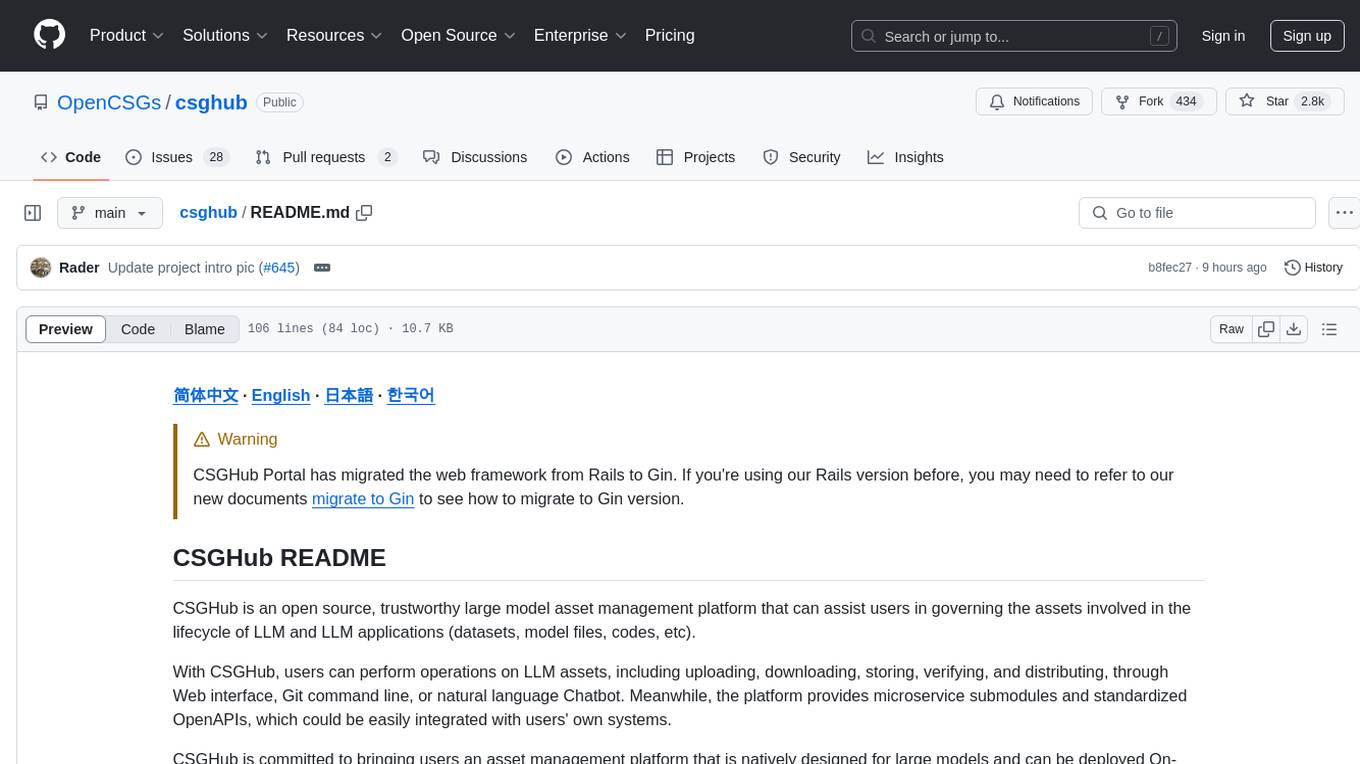
CSGHub is an open source platform for managing large model assets, including datasets, model files, and codes. It offers functionalities similar to a privatized Huggingface, managing assets in a manner akin to how OpenStack Glance manages virtual machine images. Users can perform operations such as uploading, downloading, storing, verifying, and distributing assets through various interfaces. The platform provides microservice submodules and standardized OpenAPIs for easy integration with users' systems. CSGHub is designed for large models and can be deployed On-Premise for offline operation.
synthora
Synthora is a lightweight and extensible framework for LLM-driven Agents and ALM research. It aims to simplify the process of building, testing, and evaluating agents by providing essential components. The framework allows for easy agent assembly with a single config, reducing the effort required for tuning and sharing agents. Although in early development stages with unstable APIs, Synthora welcomes feedback and contributions to enhance its stability and functionality.
nocobase
NocoBase is an extensible AI-powered no-code platform that offers total control, infinite extensibility, and AI collaboration. It enables teams to adapt quickly and reduce costs without the need for years of development or wasted resources. With NocoBase, users can deploy the platform in minutes and have complete control over their projects. The platform is data model-driven, allowing for unlimited possibilities by decoupling UI and data structure. It integrates AI capabilities seamlessly into business systems, enabling roles such as translator, analyst, researcher, or assistant. NocoBase provides a simple and intuitive user experience with a 'what you see is what you get' approach. It is designed for extension through its plugin-based architecture, allowing users to customize and extend functionalities easily.
design-studio
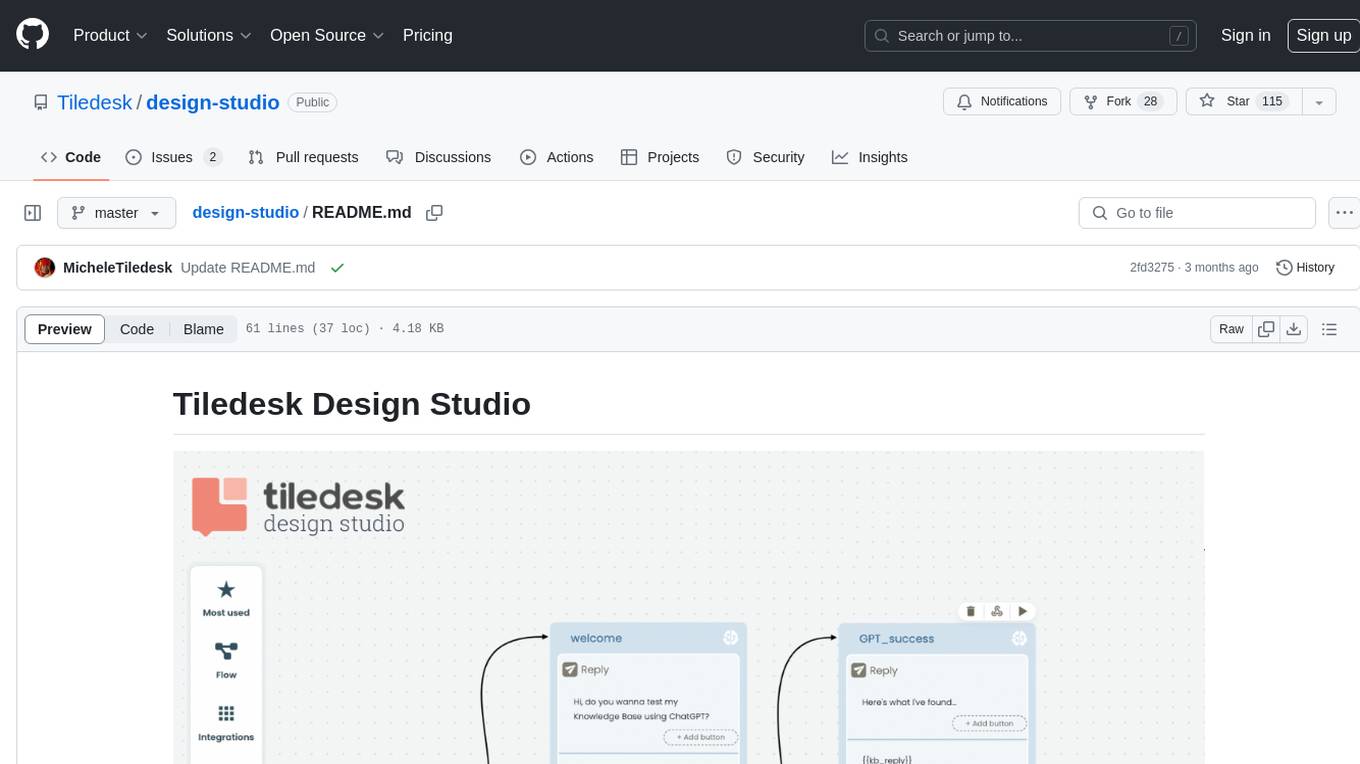
Tiledesk Design Studio is an open-source, no-code development platform for creating chatbots and conversational apps. It offers a user-friendly, drag-and-drop interface with pre-ready actions and integrations. The platform combines the power of LLM/GPT AI with a flexible 'graph' approach for creating conversations and automations with ease. Users can automate customer conversations, prototype conversations, integrate ChatGPT, enhance user experience with multimedia, provide personalized product recommendations, set conditions, use random replies, connect to other tools like HubSpot CRM, integrate with WhatsApp, send emails, and seamlessly enhance existing setups.
baserow
Baserow is a secure, open-source platform that allows users to build databases, applications, automations, and AI agents without writing any code. With enterprise-grade security compliance and both cloud and self-hosted deployment options, Baserow empowers teams to structure data, automate processes, create internal tools, and build custom dashboards. It features a spreadsheet database hybrid, AI Assistant for natural language database creation, GDPR, HIPAA, and SOC 2 Type II compliance, and seamless integration with existing tools. Baserow is API-first, extensible, and uses frameworks like Django, Vue.js, and PostgreSQL.
NeMo-Agent-Toolkit
NVIDIA NeMo Agent toolkit is a flexible, lightweight, and unifying library that allows you to easily connect existing enterprise agents to data sources and tools across any framework. It is framework agnostic, promotes reusability, enables rapid development, provides profiling capabilities, offers observability features, includes an evaluation system, features a user interface for interaction, and supports the Model Context Protocol (MCP). With NeMo Agent toolkit, users can move quickly, experiment freely, and ensure reliability across all agent-driven projects.
buildel
Buildel is an AI automation platform that empowers users to create versatile workflows without writing code. It supports multiple providers and interfaces, offers pre-built use cases, and allows users to bring their own API keys. Ideal for AI-powered document retrieval, conversational interfaces, and data integration. Users can get started at app.buildel.ai or run Buildel locally with Node.js, Elixir/Erlang, Docker, Git, and JQ installed. Join the community on Discord for support and discussions.
langchain4j
LangChain for Java simplifies integrating Large Language Models (LLMs) into Java applications by offering unified APIs for various LLM providers and embedding stores. It provides a comprehensive toolbox with tools for prompt templating, chat memory management, function calling, and high-level patterns like Agents and RAG. The library supports 15+ popular LLM providers and 15+ embedding stores, offering numerous examples to help users quickly start building LLM-powered applications. LangChain4j is a fusion of ideas from various projects and actively incorporates new techniques and integrations to keep users up-to-date. The project is under active development, with core functionality already in place for users to start building LLM-powered apps.
CodeFuse-muAgent
CodeFuse-muAgent is a Multi-Agent framework designed to streamline Standard Operating Procedure (SOP) orchestration for agents. It integrates toolkits, code libraries, knowledge bases, and sandbox environments for rapid construction of complex Multi-Agent interactive applications. The framework enables efficient execution and handling of multi-layered and multi-dimensional tasks.
adk-python
Agent Development Kit (ADK) is an open-source, code-first Python toolkit for building, evaluating, and deploying sophisticated AI agents with flexibility and control. It is a flexible and modular framework optimized for Gemini and the Google ecosystem, but also compatible with other frameworks. ADK aims to make agent development feel more like software development, enabling developers to create, deploy, and orchestrate agentic architectures ranging from simple tasks to complex workflows.
Genkit
Genkit is an open-source framework for building full-stack AI-powered applications, used in production by Google's Firebase. It provides SDKs for JavaScript/TypeScript (Stable), Go (Beta), and Python (Alpha) with unified interface for integrating AI models from providers like Google, OpenAI, Anthropic, Ollama. Rapidly build chatbots, automations, and recommendation systems using streamlined APIs for multimodal content, structured outputs, tool calling, and agentic workflows. Genkit simplifies AI integration with open-source SDK, unified APIs, and offers text and image generation, structured data generation, tool calling, prompt templating, persisted chat interfaces, AI workflows, and AI-powered data retrieval (RAG).
bytechef
ByteChef is an open-source, low-code, extendable API integration and workflow automation platform. It provides an intuitive UI Workflow Editor, event-driven & scheduled workflows, multiple flow controls, built-in code editor supporting Java, JavaScript, Python, and Ruby, rich component ecosystem, extendable with custom connectors, AI-ready with built-in AI components, developer-ready to expose workflows as APIs, version control friendly, self-hosted, scalable, and resilient. It allows users to build and visualize workflows, automate tasks across SaaS apps, internal APIs, and databases, and handle millions of workflows with high availability and fault tolerance.
For similar tasks

activepieces
Activepieces is an open source replacement for Zapier, designed to be extensible through a type-safe pieces framework written in Typescript. It features a user-friendly Workflow Builder with support for Branches, Loops, and Drag and Drop. Activepieces integrates with Google Sheets, OpenAI, Discord, and RSS, along with 80+ other integrations. The list of supported integrations continues to grow rapidly, thanks to valuable contributions from the community. Activepieces is an open ecosystem; all piece source code is available in the repository, and they are versioned and published directly to npmjs.com upon contributions. If you cannot find a specific piece on the pieces roadmap, please submit a request by visiting the following link: Request Piece Alternatively, if you are a developer, you can quickly build your own piece using our TypeScript framework. For guidance, please refer to the following guide: Contributor's Guide
bee-agent-framework
The Bee Agent Framework is an open-source tool for building, deploying, and serving powerful agentic workflows at scale. It provides AI agents, tools for creating workflows in Javascript/Python, a code interpreter, memory optimization strategies, serialization for pausing/resuming workflows, traceability features, production-level control, and upcoming features like model-agnostic support and a chat UI. The framework offers various modules for agents, llms, memory, tools, caching, errors, adapters, logging, serialization, and more, with a roadmap including MLFlow integration, JSON support, structured outputs, chat client, base agent improvements, guardrails, and evaluation.
mastra
Mastra is an opinionated Typescript framework designed to help users quickly build AI applications and features. It provides primitives such as workflows, agents, RAG, integrations, syncs, and evals. Users can run Mastra locally or deploy it to a serverless cloud. The framework supports various LLM providers, offers tools for building language models, workflows, and accessing knowledge bases. It includes features like durable graph-based state machines, retrieval-augmented generation, integrations, syncs, and automated tests for evaluating LLM outputs.
otto-m8
otto-m8 is a flowchart based automation platform designed to run deep learning workloads with minimal to no code. It provides a user-friendly interface to spin up a wide range of AI models, including traditional deep learning models and large language models. The tool deploys Docker containers of workflows as APIs for integration with existing workflows, building AI chatbots, or standalone applications. Otto-m8 operates on an Input, Process, Output paradigm, simplifying the process of running AI models into a flowchart-like UI.
flows-ai
Flows AI is a lightweight, type-safe AI workflow orchestrator inspired by Anthropic's agent patterns and built on top of Vercel AI SDK. It provides a simple and deterministic way to build AI workflows by connecting different input/outputs together, either explicitly defining workflows or dynamically breaking down complex tasks using an orchestrator agent. The library is designed without classes or state, focusing on flexible input/output contracts for nodes.
LangGraph-learn
LangGraph-learn is a community-driven project focused on mastering LangGraph and other AI-related topics. It provides hands-on examples and resources to help users learn how to create and manage language model workflows using LangGraph and related tools. The project aims to foster a collaborative learning environment for individuals interested in AI and machine learning by offering practical examples and tutorials on building efficient and reusable workflows involving language models.
xorq
Xorq (formerly LETSQL) is a data processing library built on top of Ibis and DataFusion to write multi-engine data workflows. It provides a flexible and powerful tool for processing and analyzing data from various sources, enabling users to create complex data pipelines and perform advanced data transformations.
beeai-framework
BeeAI Framework is a versatile tool for building production-ready multi-agent systems. It offers flexibility in orchestrating agents, seamless integration with various models and tools, and production-grade controls for scaling. The framework supports Python and TypeScript libraries, enabling users to implement simple to complex multi-agent patterns, connect with AI services, and optimize token usage and resource management.
For similar jobs

promptflow
**Prompt flow** is a suite of development tools designed to streamline the end-to-end development cycle of LLM-based AI applications, from ideation, prototyping, testing, evaluation to production deployment and monitoring. It makes prompt engineering much easier and enables you to build LLM apps with production quality.

deepeval
DeepEval is a simple-to-use, open-source LLM evaluation framework specialized for unit testing LLM outputs. It incorporates various metrics such as G-Eval, hallucination, answer relevancy, RAGAS, etc., and runs locally on your machine for evaluation. It provides a wide range of ready-to-use evaluation metrics, allows for creating custom metrics, integrates with any CI/CD environment, and enables benchmarking LLMs on popular benchmarks. DeepEval is designed for evaluating RAG and fine-tuning applications, helping users optimize hyperparameters, prevent prompt drifting, and transition from OpenAI to hosting their own Llama2 with confidence.

MegaDetector
MegaDetector is an AI model that identifies animals, people, and vehicles in camera trap images (which also makes it useful for eliminating blank images). This model is trained on several million images from a variety of ecosystems. MegaDetector is just one of many tools that aims to make conservation biologists more efficient with AI. If you want to learn about other ways to use AI to accelerate camera trap workflows, check out our of the field, affectionately titled "Everything I know about machine learning and camera traps".

leapfrogai
LeapfrogAI is a self-hosted AI platform designed to be deployed in air-gapped resource-constrained environments. It brings sophisticated AI solutions to these environments by hosting all the necessary components of an AI stack, including vector databases, model backends, API, and UI. LeapfrogAI's API closely matches that of OpenAI, allowing tools built for OpenAI/ChatGPT to function seamlessly with a LeapfrogAI backend. It provides several backends for various use cases, including llama-cpp-python, whisper, text-embeddings, and vllm. LeapfrogAI leverages Chainguard's apko to harden base python images, ensuring the latest supported Python versions are used by the other components of the stack. The LeapfrogAI SDK provides a standard set of protobuffs and python utilities for implementing backends and gRPC. LeapfrogAI offers UI options for common use-cases like chat, summarization, and transcription. It can be deployed and run locally via UDS and Kubernetes, built out using Zarf packages. LeapfrogAI is supported by a community of users and contributors, including Defense Unicorns, Beast Code, Chainguard, Exovera, Hypergiant, Pulze, SOSi, United States Navy, United States Air Force, and United States Space Force.

llava-docker
This Docker image for LLaVA (Large Language and Vision Assistant) provides a convenient way to run LLaVA locally or on RunPod. LLaVA is a powerful AI tool that combines natural language processing and computer vision capabilities. With this Docker image, you can easily access LLaVA's functionalities for various tasks, including image captioning, visual question answering, text summarization, and more. The image comes pre-installed with LLaVA v1.2.0, Torch 2.1.2, xformers 0.0.23.post1, and other necessary dependencies. You can customize the model used by setting the MODEL environment variable. The image also includes a Jupyter Lab environment for interactive development and exploration. Overall, this Docker image offers a comprehensive and user-friendly platform for leveraging LLaVA's capabilities.

carrot
The 'carrot' repository on GitHub provides a list of free and user-friendly ChatGPT mirror sites for easy access. The repository includes sponsored sites offering various GPT models and services. Users can find and share sites, report errors, and access stable and recommended sites for ChatGPT usage. The repository also includes a detailed list of ChatGPT sites, their features, and accessibility options, making it a valuable resource for ChatGPT users seeking free and unlimited GPT services.

TrustLLM
TrustLLM is a comprehensive study of trustworthiness in LLMs, including principles for different dimensions of trustworthiness, established benchmark, evaluation, and analysis of trustworthiness for mainstream LLMs, and discussion of open challenges and future directions. Specifically, we first propose a set of principles for trustworthy LLMs that span eight different dimensions. Based on these principles, we further establish a benchmark across six dimensions including truthfulness, safety, fairness, robustness, privacy, and machine ethics. We then present a study evaluating 16 mainstream LLMs in TrustLLM, consisting of over 30 datasets. The document explains how to use the trustllm python package to help you assess the performance of your LLM in trustworthiness more quickly. For more details about TrustLLM, please refer to project website.

AI-YinMei
AI-YinMei is an AI virtual anchor Vtuber development tool (N card version). It supports fastgpt knowledge base chat dialogue, a complete set of solutions for LLM large language models: [fastgpt] + [one-api] + [Xinference], supports docking bilibili live broadcast barrage reply and entering live broadcast welcome speech, supports Microsoft edge-tts speech synthesis, supports Bert-VITS2 speech synthesis, supports GPT-SoVITS speech synthesis, supports expression control Vtuber Studio, supports painting stable-diffusion-webui output OBS live broadcast room, supports painting picture pornography public-NSFW-y-distinguish, supports search and image search service duckduckgo (requires magic Internet access), supports image search service Baidu image search (no magic Internet access), supports AI reply chat box [html plug-in], supports AI singing Auto-Convert-Music, supports playlist [html plug-in], supports dancing function, supports expression video playback, supports head touching action, supports gift smashing action, supports singing automatic start dancing function, chat and singing automatic cycle swing action, supports multi scene switching, background music switching, day and night automatic switching scene, supports open singing and painting, let AI automatically judge the content.