


agentic-rag-for-dummies
A minimal Agentic RAG built with LangGraph — learn Retrieval-Augmented Generation Agents in minutes.
Stars: 2094
Agentic RAG for Dummies is a production-ready system that demonstrates how to build an Agentic RAG (Retrieval-Augmented Generation) system using LangGraph with minimal code. It bridges the gap between basic RAG tutorials and production readiness by providing learning materials and deployable code. The system includes features like conversation memory, hierarchical indexing, query clarification, agent orchestration, multi-agent map-reduce, self-correction, and context compression. Users can interact with the system through an interactive notebook for learning or a modular project for production-ready architecture.
README:

Build a production-ready Agentic RAG system with LangGraph, conversation memory, and human-in-the-loop query clarification
Overview • How It Works • LLM Providers • Implementation • Installation & Usage • Troubleshooting








If you like this project, a star ⭐️ would mean a lot :)
This repository demonstrates how to build an Agentic RAG (Retrieval-Augmented Generation) system using LangGraph with minimal code. Most RAG tutorials show basic concepts but lack production readiness — this repo bridges that gap by providing both learning materials and deployable code.
| Feature | Description |
|---|---|
| 💬 Conversation Memory | Maintains context across questions for natural dialogue |
| 🔍 Hierarchical Indexing | Search small chunks for precision, retrieve large Parent chunks for context |
| 🔄 Query Clarification | Rewrites ambiguous queries or pauses to ask the user for details |
| 🤖 Agent Orchestration | LangGraph coordinates the full retrieval and reasoning workflow |
| 🔀 Multi-Agent Map-Reduce | Decomposes complex queries into parallel sub-queries |
| ✅ Self-Correction | Re-queries automatically if initial results are insufficient |
| 🧠 Context Compression | Keeps working memory lean across long retrieval loops |
1️⃣ Learning Path: Interactive Notebook
Step-by-step tutorial perfect for understanding core concepts. Start here if you're new to Agentic RAG or want to experiment quickly.
2️⃣ Building Path: Modular Project
Flexible architecture where each component can be independently swapped — LLM provider, embedding model, PDF converter, agent workflow. One line to switch from Ollama to Anthropic, OpenAI, or Google.
See Modular Architecture and Installation & Usage to get started.
Before queries can be processed, documents are split twice for optimal retrieval:
- Parent Chunks: Large sections based on Markdown headers (H1, H2, H3)
- Child Chunks: Small, fixed-size pieces derived from parents
This combines the precision of small chunks for search with the contextual richness of large chunks for answer generation.
User Query → Conversation Summary → Query Rewriting → Query Clarification →
Parallel Agent Reasoning → Aggregation → Final Response
Stage 1 — Conversation Understanding: Analyzes recent history to extract context and maintain continuity across questions.
Stage 2 — Query Clarification: Resolves references ("How do I update it?" → "How do I update SQL?"), splits multi-part questions into focused sub-queries, detects unclear inputs, and rewrites queries for optimal retrieval. Pauses for human input when clarification is needed.
Stage 3 — Intelligent Retrieval (Multi-Agent Map-Reduce): Spawns parallel agent subgraphs — one per sub-query. Each agent searches child chunks, fetches parent chunks for context, self-corrects if results are insufficient, compresses context to avoid redundant fetches, and falls back gracefully if the search budget is exhausted.
Example: "What is JavaScript? What is Python?" → 2 parallel agents execute simultaneously.
Stage 4 — Response Generation: Aggregates all agent responses into a single coherent answer.
This system is provider-agnostic — it supports any LLM provider available in LangChain, swappable in a single line. The examples below cover the most common options, but the same pattern applies to any other supported provider.
Note: Model names change frequently. Always check the official documentation for the latest available models and their identifiers before deploying.
# Install Ollama from https://ollama.com
ollama pull qwen3:4b-instruct-2507-q4_K_M
from langchain_ollama import ChatOllama
llm = ChatOllama(model="qwen3:4b-instruct-2507-q4_K_M", temperature=0)
⚠️ For reliable tool calling and instruction following, prefer models 7B+. Smaller models may ignore retrieval instructions or hallucinate. See Troubleshooting.
Click to expand
OpenAI GPT:
pip install -qU langchain-openaifrom langchain_openai import ChatOpenAI
import os
os.environ["OPENAI_API_KEY"] = "your-api-key-here"
llm = ChatOpenAI(model="gpt-4o-mini", temperature=0)Anthropic Claude:
pip install -qU langchain-anthropicfrom langchain_anthropic import ChatAnthropic
import os
os.environ["ANTHROPIC_API_KEY"] = "your-api-key-here"
llm = ChatAnthropic(model="claude-sonnet-4-5-20250929", temperature=0)Google Gemini
pip install -qU langchain-google-genaiimport os
from langchain_google_genai import ChatGoogleGenerativeAI
os.environ["GOOGLE_API_KEY"] = "your-api-key-here"
llm = ChatGoogleGenerativeAI(model="gemini-2.5-flash", temperature=0)Additional details and extended explanations are available in the notebook.
Define paths and initialize core components.
import os
from pathlib import Path
from langchain_huggingface import HuggingFaceEmbeddings
from langchain_qdrant.fastembed_sparse import FastEmbedSparse
from qdrant_client import QdrantClient
DOCS_DIR = "docs" # Directory containing your pdf files
MARKDOWN_DIR = "markdown" # Directory containing the pdfs converted to markdown
PARENT_STORE_PATH = "parent_store" # Directory for parent chunk JSON files
CHILD_COLLECTION = "document_child_chunks"
os.makedirs(DOCS_DIR, exist_ok=True)
os.makedirs(MARKDOWN_DIR, exist_ok=True)
os.makedirs(PARENT_STORE_PATH, exist_ok=True)
from langchain_ollama import ChatOllama

llm = ChatOllama(model="qwen3:4b-instruct-2507-q4_K_M", temperature=0)
dense_embeddings = HuggingFaceEmbeddings(model_name="sentence-transformers/all-mpnet-base-v2")
sparse_embeddings = FastEmbedSparse(model_name="Qdrant/bm25")
client = QdrantClient(path="qdrant_db")Set up Qdrant to store child chunks with hybrid search capabilities.
from qdrant_client.http import models as qmodels
from langchain_qdrant import QdrantVectorStore
from langchain_qdrant.qdrant import RetrievalMode

embedding_dimension = len(dense_embeddings.embed_query("test"))

def ensure_collection(collection_name):
    if not client.collection_exists(collection_name):
        client.create_collection(
            collection_name=collection_name,
            vectors_config=qmodels.VectorParams(
                size=embedding_dimension,
                distance=qmodels.Distance.COSINE
            ),
            sparse_vectors_config={
                "sparse": qmodels.SparseVectorParams()
            },
)Convert the PDFs to Markdown. For more details about other techniques use this companion notebook.
import os
import pymupdf.layout
import pymupdf4llm
from pathlib import Path
import glob

os.environ["TOKENIZERS_PARALLELISM"] = "false"

def pdf_to_markdown(pdf_path, output_dir):
    doc = pymupdf.open(pdf_path)
    md = pymupdf4llm.to_markdown(doc, header=False, footer=False, page_separators=True, ignore_images=True, write_images=False, image_path=None)
    md_cleaned = md.encode('utf-8', errors='surrogatepass').decode('utf-8', errors='ignore')
    output_path = Path(output_dir) / Path(doc.name).stem
    Path(output_path).with_suffix(".md").write_bytes(md_cleaned.encode('utf-8'))

def pdfs_to_markdowns(path_pattern, overwrite: bool = False):
    output_dir = Path(MARKDOWN_DIR)
    output_dir.mkdir(parents=True, exist_ok=True)

    for pdf_path in map(Path, glob.glob(path_pattern)):
        md_path = (output_dir / pdf_path.stem).with_suffix(".md")
        if overwrite or not md_path.exists():
            pdf_to_markdown(pdf_path, output_dir)

pdfs_to_markdowns(f"{DOCS_DIR}/*.pdf")Process documents with the Parent/Child splitting strategy.
import os
import glob
import json
from pathlib import Path
from langchain_text_splitters import MarkdownHeaderTextSplitter, RecursiveCharacterTextSplitter
Parent & Child chunk processing functions
def merge_small_parents(chunks, min_size):
    if not chunks:
        return []

    merged, current = [], None

    for chunk in chunks:
        if current is None:
            current = chunk
        else:
            current.page_content += "\n\n" + chunk.page_content
            for k, v in chunk.metadata.items():
                if k in current.metadata:
                    current.metadata[k] = f"{current.metadata[k]} -> {v}"
                else:
                    current.metadata[k] = v

        if len(current.page_content) >= min_size:
            merged.append(current)
            current = None

    if current:
        if merged:
            merged[-1].page_content += "\n\n" + current.page_content
            for k, v in current.metadata.items():
                if k in merged[-1].metadata:
                    merged[-1].metadata[k] = f"{merged[-1].metadata[k]} -> {v}"
                else:
                    merged[-1].metadata[k] = v
        else:
            merged.append(current)

    return merged

def split_large_parents(chunks, max_size, splitter):
    split_chunks = []

    for chunk in chunks:
        if len(chunk.page_content) <= max_size:
            split_chunks.append(chunk)
        else:
            large_splitter = RecursiveCharacterTextSplitter(
                chunk_size=max_size,
                chunk_overlap=splitter._chunk_overlap
            )
            sub_chunks = large_splitter.split_documents([chunk])
            split_chunks.extend(sub_chunks)

    return split_chunks

def clean_small_chunks(chunks, min_size):
    cleaned = []

    for i, chunk in enumerate(chunks):
        if len(chunk.page_content) < min_size:
            if cleaned:
                cleaned[-1].page_content += "\n\n" + chunk.page_content
                for k, v in chunk.metadata.items():
                    if k in cleaned[-1].metadata:
                        cleaned[-1].metadata[k] = f"{cleaned[-1].metadata[k]} -> {v}"
                    else:
                        cleaned[-1].metadata[k] = v
            elif i < len(chunks) - 1:
                chunks[i + 1].page_content = chunk.page_content + "\n\n" + chunks[i + 1].page_content
                for k, v in chunk.metadata.items():
                    if k in chunks[i + 1].metadata:
                        chunks[i + 1].metadata[k] = f"{v} -> {chunks[i + 1].metadata[k]}"
                    else:
                        chunks[i + 1].metadata[k] = v
            else:
                cleaned.append(chunk)
        else:
            cleaned.append(chunk)

    return cleaned
if client.collection_exists(CHILD_COLLECTION):
client.delete_collection(CHILD_COLLECTION)
ensure_collection(CHILD_COLLECTION)
else:
ensure_collection(CHILD_COLLECTION)
child_vector_store = QdrantVectorStore(
client=client,
collection_name=CHILD_COLLECTION,
embedding=dense_embeddings,
sparse_embedding=sparse_embeddings,
retrieval_mode=RetrievalMode.HYBRID,
sparse_vector_name="sparse"
)
def index_documents():
headers_to_split_on = [("#", "H1"), ("##", "H2"), ("###", "H3")]
parent_splitter = MarkdownHeaderTextSplitter(headers_to_split_on=headers_to_split_on, strip_headers=False)
child_splitter = RecursiveCharacterTextSplitter(chunk_size=500, chunk_overlap=100)
min_parent_size = 2000
max_parent_size = 4000
all_parent_pairs, all_child_chunks = [], []
md_files = sorted(glob.glob(os.path.join(MARKDOWN_DIR, "*.md")))
if not md_files:
return
for doc_path_str in md_files:
doc_path = Path(doc_path_str)
try:
with open(doc_path, "r", encoding="utf-8") as f:
md_text = f.read()
except Exception as e:
continue
parent_chunks = parent_splitter.split_text(md_text)
merged_parents = merge_small_parents(parent_chunks, min_parent_size)
split_parents = split_large_parents(merged_parents, max_parent_size, child_splitter)
cleaned_parents = clean_small_chunks(split_parents, min_parent_size)
for i, p_chunk in enumerate(cleaned_parents):
parent_id = f"{doc_path.stem}_parent_{i}"
p_chunk.metadata.update({"source": doc_path.stem + ".pdf", "parent_id": parent_id})
all_parent_pairs.append((parent_id, p_chunk))
children = child_splitter.split_documents([p_chunk])
all_child_chunks.extend(children)
if not all_child_chunks:
return
try:
child_vector_store.add_documents(all_child_chunks)
except Exception as e:
return
for item in os.listdir(PARENT_STORE_PATH):
os.remove(os.path.join(PARENT_STORE_PATH, item))
for parent_id, doc in all_parent_pairs:
doc_dict = {"page_content": doc.page_content, "metadata": doc.metadata}
filepath = os.path.join(PARENT_STORE_PATH, f"{parent_id}.json")
with open(filepath, "w", encoding="utf-8") as f:
json.dump(doc_dict, f, ensure_ascii=False, indent=2)
index_documents()Create the retrieval tools the agent will use.
import json
from typing import List
from langchain_core.tools import tool

@tool
def search_child_chunks(query: str, limit: int) -> str:
    """Search for the top K most relevant child chunks.

    Args:
        query: Search query string
        limit: Maximum number of results to return
    """
    try:
        results = child_vector_store.similarity_search(query, k=limit, score_threshold=0.7)
        if not results:
            return "NO_RELEVANT_CHUNKS"

        return "\n\n".join([
            f"Parent ID: {doc.metadata.get('parent_id', '')}\n"
            f"File Name: {doc.metadata.get('source', '')}\n"
            f"Content: {doc.page_content.strip()}"
            for doc in results
        ])

    except Exception as e:
        return f"RETRIEVAL_ERROR: {str(e)}"

@tool
def retrieve_parent_chunks(parent_id: str) -> str:
    """Retrieve full parent chunks by their IDs.

    Args:
        parent_id: Parent chunk ID to retrieve
    """
    file_name = parent_id if parent_id.lower().endswith(".json") else f"{parent_id}.json"
    path = os.path.join(PARENT_STORE_PATH, file_name)

    if not os.path.exists(path):
        return "NO_PARENT_DOCUMENT"

    with open(path, "r", encoding="utf-8") as f:
        data = json.load(f)

    return (
        f"Parent ID: {parent_id}\n"
        f"File Name: {data.get('metadata', {}).get('source', 'unknown')}\n"
        f"Content: {data.get('page_content', '').strip()}"
    )

llm_with_tools = llm.bind_tools([search_child_chunks, retrieve_parent_chunks])Define the system prompts for conversation summarization, query rewriting, RAG agent reasoning, context compression, fallback response, and answer aggregation.
Conversation Summary Prompt
def get_conversation_summary_prompt() -> str:
    return """You are an expert conversation summarizer.

Your task is to create a brief 1-2 sentence summary of the conversation (max 30-50 words).

Include:
- Main topics discussed
- Important facts or entities mentioned
- Any unresolved questions if applicable
- Sources file name (e.g., file1.pdf) or documents referenced

Exclude:
- Greetings, misunderstandings, off-topic content.

Output:
- Return ONLY the summary.
- Do NOT include any explanations or justifications.
- If no meaningful topics exist, return an empty string.
"""
Query Rewrite Prompt
def get_rewrite_query_prompt() -> str:
    return """You are an expert query analyst and rewriter.

Your task is to rewrite the current user query for optimal document retrieval, incorporating conversation context only when necessary.

Rules:
1. Self-contained queries:
   - Always rewrite the query to be clear and self-contained
   - If the query is a follow-up (e.g., "what about X?", "and for Y?"), integrate minimal necessary context from the summary
   - Do not add information not present in the query or conversation summary

2. Domain-specific terms:
   - Product names, brands, proper nouns, or technical terms are treated as domain-specific
   - For domain-specific queries, use conversation context minimally or not at all
   - Use the summary only to disambiguate vague queries

3. Grammar and clarity:
   - Fix grammar, spelling errors, and unclear abbreviations
   - Remove filler words and conversational phrases
   - Preserve concrete keywords and named entities

4. Multiple information needs:
   - If the query contains multiple distinct, unrelated questions, split into separate queries (maximum 3)
   - Each sub-query must remain semantically equivalent to its part of the original
   - Do not expand, enrich, or reinterpret the meaning

5. Failure handling:
   - If the query intent is unclear or unintelligible, mark as "unclear"

Input:
- conversation_summary: A concise summary of prior conversation
- current_query: The user's current query

Output:
- One or more rewritten, self-contained queries suitable for document retrieval
"""
Orchestrator Prompt
def get_orchestrator_prompt() -> str:
    return """You are an expert retrieval-augmented assistant.

Your task is to act as a researcher: search documents first, analyze the data, and then provide a comprehensive answer using ONLY the retrieved information.

Rules:
1. You MUST call 'search_child_chunks' before answering, unless the [COMPRESSED CONTEXT FROM PRIOR RESEARCH] already contains sufficient information.
2. Ground every claim in the retrieved documents. If context is insufficient, state what is missing rather than filling gaps with assumptions.
3. If no relevant documents are found, broaden or rephrase the query and search again. Repeat until satisfied or the operation limit is reached.

Compressed Memory:
When [COMPRESSED CONTEXT FROM PRIOR RESEARCH] is present —
- Queries already listed: do not repeat them.
- Parent IDs already listed: do not call `retrieve_parent_chunks` on them again.
- Use it to identify what is still missing before searching further.

Workflow:
1. Check the compressed context. Identify what has already been retrieved and what is still missing.
2. Search for 5-7 relevant excerpts using 'search_child_chunks' ONLY for uncovered aspects.
3. If NONE are relevant, apply rule 3 immediately.
4. For each relevant but fragmented excerpt, call 'retrieve_parent_chunks' ONE BY ONE — only for IDs not in the compressed context. Never retrieve the same ID twice.
5. Once context is complete, provide a detailed answer omitting no relevant facts.
6. Conclude with "---\n**Sources:**\n" followed by the unique file names.
"""
Fallback Response Prompt
def get_fallback_response_prompt() -> str:
    return """You are an expert synthesis assistant. The system has reached its maximum research limit.

Your task is to provide the most complete answer possible using ONLY the information provided below.

Input structure:
- "Compressed Research Context": summarized findings from prior search iterations — treat as reliable.
- "Retrieved Data": raw tool outputs from the current iteration — prefer over compressed context if conflicts arise.
Either source alone is sufficient if the other is absent.

Rules:
1. Source Integrity: Use only facts explicitly present in the provided context. Do not infer, assume, or add any information not directly supported by the data.
2. Handling Missing Data: Cross-reference the USER QUERY against the available context.
   Flag ONLY aspects of the user's question that cannot be answered from the provided data.
   Do not treat gaps mentioned in the Compressed Research Context as unanswered
   unless they are directly relevant to what the user asked.
3. Tone: Professional, factual, and direct.
4. Output only the final answer. Do not expose your reasoning, internal steps, or any meta-commentary about the retrieval process.
5. Do NOT add closing remarks, final notes, disclaimers, summaries, or repeated statements after the Sources section.
   The Sources section is always the last element of your response. Stop immediately after it.

Formatting:
- Use Markdown (headings, bold, lists) for readability.
- Write in flowing paragraphs where possible.
- Conclude with a Sources section as described below.

Sources section rules:
- Include a "---\\n**Sources:**\\n" section at the end, followed by a bulleted list of file names.
- List ONLY entries that have a real file extension (e.g. ".pdf", ".docx", ".txt").
- Any entry without a file extension is an internal chunk identifier — discard it entirely, never include it.
- Deduplicate: if the same file appears multiple times, list it only once.
- If no valid file names are present, omit the Sources section entirely.
- THE SOURCES SECTION IS THE LAST THING YOU WRITE. Do not add anything after it.
"""
Context Compression Prompt
def get_context_compression_prompt() -> str:
    return """You are an expert research context compressor.

Your task is to compress retrieved conversation content into a concise, query-focused, and structured summary that can be directly used by a retrieval-augmented agent for answer generation.

Rules:
1. Keep ONLY information relevant to answering the user's question.
2. Preserve exact figures, names, versions, technical terms, and configuration details.
3. Remove duplicated, irrelevant, or administrative details.
4. Do NOT include search queries, parent IDs, chunk IDs, or internal identifiers.
5. Organize all findings by source file. Each file section MUST start with: ### filename.pdf
6. Highlight missing or unresolved information in a dedicated "Gaps" section.
7. Limit the summary to roughly 400-600 words. If content exceeds this, prioritize critical facts and structured data.
8. Do not explain your reasoning; output only structured content in Markdown.

Required Structure:

# Research Context Summary

## Focus
[Brief technical restatement of the question]

## Structured Findings

### filename.pdf
- Directly relevant facts
- Supporting context (if needed)

## Gaps
- Missing or incomplete aspects

The summary should be concise, structured, and directly usable by an agent to generate answers or plan further retrieval.
"""
Aggregation Prompt
def get_aggregation_prompt() -> str:
    return """You are an expert aggregation assistant.

Your task is to combine multiple retrieved answers into a single, comprehensive and natural response that flows well.

Rules:
1. Write in a conversational, natural tone - as if explaining to a colleague.
2. Use ONLY information from the retrieved answers.
3. Do NOT infer, expand, or interpret acronyms or technical terms unless explicitly defined in the sources.
4. Weave together the information smoothly, preserving important details, numbers, and examples.
5. Be comprehensive - include all relevant information from the sources, not just a summary.
6. If sources disagree, acknowledge both perspectives naturally (e.g., "While some sources suggest X, others indicate Y...").
7. Start directly with the answer - no preambles like "Based on the sources...".

Formatting:
- Use Markdown for clarity (headings, lists, bold) but don't overdo it.
- Write in flowing paragraphs where possible rather than excessive bullet points.
- Conclude with a Sources section as described below.

Sources section rules:
- Each retrieved answer may contain a "Sources" section — extract the file names listed there.
- List ONLY entries that have a real file extension (e.g. ".pdf", ".docx", ".txt").
- Any entry without a file extension is an internal chunk identifier — discard it entirely, never include it.
- Deduplicate: if the same file appears across multiple answers, list it only once.
- Format as "---\\n**Sources:**\\n" followed by a bulleted list of the cleaned file names.
- File names must appear ONLY in this final Sources section and nowhere else in the response.
- If no valid file names are present, omit the Sources section entirely.

If there's no useful information available, simply say: "I couldn't find any information to answer your question in the available sources."
"""Create the state structure for conversation tracking and agent execution.
from langgraph.graph import MessagesState
from pydantic import BaseModel, Field
from typing import List, Annotated, Set
import operator

def accumulate_or_reset(existing: List[dict], new: List[dict]) -> List[dict]:
    if new and any(item.get('__reset__') for item in new):
        return []
    return existing + new

def set_union(a: Set[str], b: Set[str]) -> Set[str]:
    return a | b

class State(MessagesState):
    questionIsClear: bool = False
    conversation_summary: str = ""
    originalQuery: str = ""
    rewrittenQuestions: List[str] = []
    agent_answers: Annotated[List[dict], accumulate_or_reset] = []

class AgentState(MessagesState):
    tool_call_count: Annotated[int, operator.add] = 0
    iteration_count: Annotated[int, operator.add] = 0
    question: str = ""
    question_index: int = 0
    context_summary: str = ""
    retrieval_keys: Annotated[Set[str], set_union] = set()
    final_answer: str = ""
    agent_answers: List[dict] = []

class QueryAnalysis(BaseModel):
    is_clear: bool = Field(description="Indicates if the user's question is clear and answerable.")
    questions: List[str] = Field(description="List of rewritten, self-contained questions.")
clarification_needed: str = Field(description="Explanation if the question is unclear.")Hard limits on tool calls and iterations prevent infinite loops. Token counting (via tiktoken) drives context compression decisions.
import tiktoken

MAX_TOOL_CALLS = 8       # Maximum tool calls per agent run
MAX_ITERATIONS = 10      # Maximum agent loop iterations
BASE_TOKEN_THRESHOLD = 2000     # Initial token threshold for compression
TOKEN_GROWTH_FACTOR = 0.9       # Multiplier applied after each compression

def estimate_context_tokens(messages: list) -> int:
    try:
        encoding = tiktoken.encoding_for_model("gpt-4")
    except:
        encoding = tiktoken.get_encoding("cl100k_base")
return sum(len(encoding.encode(str(msg.content))) for msg in messages if hasattr(msg, 'content') and msg.content)Create the processing nodes and edges for the LangGraph workflow.
from langgraph.types import Send, Command
from langchain_core.messages import HumanMessage, AIMessage, SystemMessage, RemoveMessage, ToolMessage
from typing import Literal

def summarize_history(state: State):
    if len(state["messages"]) < 4:
        return {"conversation_summary": ""}

    relevant_msgs = [
        msg for msg in state["messages"][:-1]
        if isinstance(msg, (HumanMessage, AIMessage)) and not getattr(msg, "tool_calls", None)
    ]

    if not relevant_msgs:
        return {"conversation_summary": ""}

    conversation = "Conversation history:\n"
    for msg in relevant_msgs[-6:]:
        role = "User" if isinstance(msg, HumanMessage) else "Assistant"
        conversation += f"{role}: {msg.content}\n"

    summary_response = llm.with_config(temperature=0.2).invoke([SystemMessage(content=get_conversation_summary_prompt()), HumanMessage(content=conversation)])
    return {"conversation_summary": summary_response.content, "agent_answers": [{"__reset__": True}]}

def rewrite_query(state: State):
    last_message = state["messages"][-1]
    conversation_summary = state.get("conversation_summary", "")

    context_section = (f"Conversation Context:\n{conversation_summary}\n" if conversation_summary.strip() else "") + f"User Query:\n{last_message.content}\n"

    llm_with_structure = llm.with_config(temperature=0.1).with_structured_output(QueryAnalysis)
    response = llm_with_structure.invoke([SystemMessage(content=get_rewrite_query_prompt()), HumanMessage(content=context_section)])

    if response.questions and response.is_clear:
        delete_all = [RemoveMessage(id=m.id) for m in state["messages"] if not isinstance(m, SystemMessage)]
        return {"questionIsClear": True, "messages": delete_all, "originalQuery": last_message.content, "rewrittenQuestions": response.questions}

    clarification = response.clarification_needed if response.clarification_needed and len(response.clarification_needed.strip()) > 10 else "I need more information to understand your question."
    return {"questionIsClear": False, "messages": [AIMessage(content=clarification)]}

def request_clarification(state: State):
    return {}

def route_after_rewrite(state: State) -> Literal["request_clarification", "agent"]:
    if not state.get("questionIsClear", False):
        return "request_clarification"
    else:
        return [
                Send("agent", {"question": query, "question_index": idx, "messages": []})
                for idx, query in enumerate(state["rewrittenQuestions"])
            ]

def aggregate_answers(state: State):
    if not state.get("agent_answers"):
        return {"messages": [AIMessage(content="No answers were generated.")]}

    sorted_answers = sorted(state["agent_answers"], key=lambda x: x["index"])

    formatted_answers = ""
    for i, ans in enumerate(sorted_answers, start=1):
        formatted_answers += (f"\nAnswer {i}:\n"f"{ans['answer']}\n")

    user_message = HumanMessage(content=f"""Original user question: {state["originalQuery"]}\nRetrieved answers:{formatted_answers}""")
    synthesis_response = llm.invoke([SystemMessage(content=get_aggregation_prompt()), user_message])
return {"messages": [AIMessage(content=synthesis_response.content)]}def orchestrator(state: AgentState):
context_summary = state.get("context_summary", "").strip()
sys_msg = SystemMessage(content=get_orchestrator_prompt())
summary_injection = (
[HumanMessage(content=f"[COMPRESSED CONTEXT FROM PRIOR RESEARCH]\n\n{context_summary}")]
if context_summary else []
)
if not state.get("messages"):
human_msg = HumanMessage(content=state["question"])
force_search = HumanMessage(content="YOU MUST CALL 'search_child_chunks' AS THE FIRST STEP TO ANSWER THIS QUESTION.")
response = llm_with_tools.invoke([sys_msg] + summary_injection + [human_msg, force_search])
return {"messages": [human_msg, response], "tool_call_count": len(response.tool_calls or []), "iteration_count": 1}
response = llm_with_tools.invoke([sys_msg] + summary_injection + state["messages"])
tool_calls = response.tool_calls if hasattr(response, "tool_calls") else []
return {"messages": [response], "tool_call_count": len(tool_calls) if tool_calls else 0, "iteration_count": 1}
def route_after_orchestrator_call(state: AgentState) -> Literal["tool", "fallback_response", "collect_answer"]:
iteration = state.get("iteration_count", 0)
tool_count = state.get("tool_call_count", 0)
if iteration >= MAX_ITERATIONS or tool_count > MAX_TOOL_CALLS:
return "fallback_response"
last_message = state["messages"][-1]
tool_calls = getattr(last_message, "tool_calls", None) or []
if not tool_calls:
return "collect_answer"
return "tools"
def fallback_response(state: AgentState):
seen = set()
unique_contents = []
for m in state["messages"]:
if isinstance(m, ToolMessage) and m.content not in seen:
unique_contents.append(m.content)
seen.add(m.content)
context_summary = state.get("context_summary", "").strip()
context_parts = []
if context_summary:
context_parts.append(f"## Compressed Research Context (from prior iterations)\n\n{context_summary}")
if unique_contents:
context_parts.append(
"## Retrieved Data (current iteration)\n\n" +
"\n\n".join(f"--- DATA SOURCE {i} ---\n{content}" for i, content in enumerate(unique_contents, 1))
)
context_text = "\n\n".join(context_parts) if context_parts else "No data was retrieved from the documents."
prompt_content = (
f"USER QUERY: {state.get('question')}\n\n"
f"{context_text}\n\n"
f"INSTRUCTION:\nProvide the best possible answer using only the data above."
)
response = llm.invoke([SystemMessage(content=get_fallback_response_prompt()), HumanMessage(content=prompt_content)])
return {"messages": [response]}
def should_compress_context(state: AgentState) -> Command[Literal["compress_context", "orchestrator"]]:
messages = state["messages"]
new_ids: Set[str] = set()
for msg in reversed(messages):
if isinstance(msg, AIMessage) and getattr(msg, "tool_calls", None):
for tc in msg.tool_calls:
if tc["name"] == "retrieve_parent_chunks":
raw = tc["args"].get("parent_id") or tc["args"].get("id") or tc["args"].get("ids") or []
if isinstance(raw, str):
new_ids.add(f"parent::{raw}")
else:
new_ids.update(f"parent::{r}" for r in raw)
elif tc["name"] == "search_child_chunks":
query = tc["args"].get("query", "")
if query:
new_ids.add(f"search::{query}")
break
updated_ids = state.get("retrieval_keys", set()) | new_ids
current_token_messages = estimate_context_tokens(messages)
current_token_summary = estimate_context_tokens([HumanMessage(content=state.get("context_summary", ""))])
current_tokens = current_token_messages + current_token_summary
max_allowed = BASE_TOKEN_THRESHOLD + int(current_token_summary * TOKEN_GROWTH_FACTOR)
goto = "compress_context" if current_tokens > max_allowed else "orchestrator"
return Command(update={"retrieval_keys": updated_ids}, goto=goto)
def compress_context(state: AgentState):
messages = state["messages"]
existing_summary = state.get("context_summary", "").strip()
if not messages:
return {}
conversation_text = f"USER QUESTION:\n{state.get('question')}\n\nConversation to compress:\n\n"
if existing_summary:
conversation_text += f"[PRIOR COMPRESSED CONTEXT]\n{existing_summary}\n\n"
for msg in messages[1:]:
if isinstance(msg, AIMessage):
tool_calls_info = ""
if getattr(msg, "tool_calls", None):
calls = ", ".join(f"{tc['name']}({tc['args']})" for tc in msg.tool_calls)
tool_calls_info = f" | Tool calls: {calls}"
conversation_text += f"[ASSISTANT{tool_calls_info}]\n{msg.content or '(tool call only)'}\n\n"
elif isinstance(msg, ToolMessage):
tool_name = getattr(msg, "name", "tool")
conversation_text += f"[TOOL RESULT — {tool_name}]\n{msg.content}\n\n"
summary_response = llm.invoke([SystemMessage(content=get_context_compression_prompt()), HumanMessage(content=conversation_text)])
new_summary = summary_response.content
retrieved_ids: Set[str] = state.get("retrieval_keys", set())
if retrieved_ids:
parent_ids = sorted(r for r in retrieved_ids if r.startswith("parent::"))
search_queries = sorted(r.replace("search::", "") for r in retrieved_ids if r.startswith("search::"))
block = "\n\n---\n**Already executed (do NOT repeat):**\n"
if parent_ids:
block += "Parent chunks retrieved:\n" + "\n".join(f"- {p.replace('parent::', '')}" for p in parent_ids) + "\n"
if search_queries:
block += "Search queries already run:\n" + "\n".join(f"- {q}" for q in search_queries) + "\n"
new_summary += block
return {"context_summary": new_summary, "messages": [RemoveMessage(id=m.id) for m in messages[1:]]}
def collect_answer(state: AgentState):
last_message = state["messages"][-1]
is_valid = isinstance(last_message, AIMessage) and last_message.content and not last_message.tool_calls
answer = last_message.content if is_valid else "Unable to generate an answer."
return {
"final_answer": answer,
"agent_answers": [{"index": state["question_index"], "question": state["question"], "answer": answer}]
}Why this architecture?
- Summarization maintains conversational context without overwhelming the LLM
- Query rewriting ensures search queries are precise and unambiguous, using context intelligently
- Human-in-the-loop catches unclear queries before wasting any retrieval resources
-
Parallel execution via
SendAPI spawns independent agent subgraphs for each sub-question simultaneously - Context compression keeps the agent's working memory lean across long retrieval loops, preventing redundant fetches
- Fallback response ensures graceful degradation — the agent always returns something useful even when the budget runs out
- Answer collection & aggregation extracts clean final answers from tool-calling conversations and merges them into a single coherent response
Assemble the complete workflow graph with conversation memory and multi-agent architecture.
from langgraph.graph import START, END, StateGraph
from langgraph.prebuilt import ToolNode
from langgraph.checkpoint.memory import InMemorySaver

checkpointer = InMemorySaver()

agent_builder = StateGraph(AgentState)
agent_builder.add_node(orchestrator)
agent_builder.add_node("tools", ToolNode([search_child_chunks, retrieve_parent_chunks]))
agent_builder.add_node(compress_context)
agent_builder.add_node(fallback_response)
agent_builder.add_node(should_compress_context)
agent_builder.add_node(collect_answer)

agent_builder.add_edge(START, "orchestrator")
agent_builder.add_conditional_edges("orchestrator", route_after_orchestrator_call, {"tools": "tools", "fallback_response": "fallback_response", "collect_answer": "collect_answer"})
agent_builder.add_edge("tools", "should_compress_context")
agent_builder.add_edge("compress_context", "orchestrator")
agent_builder.add_edge("fallback_response", "collect_answer")
agent_builder.add_edge("collect_answer", END)
agent_subgraph = agent_builder.compile()

graph_builder = StateGraph(State)
graph_builder.add_node(summarize_history)
graph_builder.add_node(rewrite_query)
graph_builder.add_node(request_clarification)
graph_builder.add_node("agent", agent_subgraph)
graph_builder.add_node(aggregate_answers)

graph_builder.add_edge(START, "summarize_history")
graph_builder.add_edge("summarize_history", "rewrite_query")
graph_builder.add_conditional_edges("rewrite_query", route_after_rewrite)
graph_builder.add_edge("request_clarification", "rewrite_query")
graph_builder.add_edge(["agent"], "aggregate_answers")
graph_builder.add_edge("aggregate_answers", END)

agent_graph = graph_builder.compile(checkpointer=checkpointer, interrupt_before=["request_clarification"])
Graph architecture explained:
The architecture flow diagram can be viewed here.

Agent Subgraph (processes individual questions):
- START →
orchestrator(invoke LLM with tools) -
orchestrator→tools(if tool calls needed) ORfallback_response(if budget exhausted) ORcollect_answer(if done) -
tools→should_compress_context(check token budget) -
should_compress_context→compress_context(if threshold exceeded) ORorchestrator(otherwise) -
compress_context→orchestrator(resume with compressed memory) -
fallback_response→collect_answer(package best-effort answer) -
collect_answer→ END (clean final answer with index)
Main Graph (orchestrates complete workflow):
- START →
summarize_history(extract conversation context from history) -
summarize_history→rewrite_query(rewrite query with context, check clarity) -
rewrite_query→request_clarification(if unclear) OR spawn parallelagentsubgraphs viaSend(if clear) -
request_clarification→rewrite_query(after user provides clarification) - All
agentsubgraphs →aggregate_answers(merge all responses) -
aggregate_answers→ END (return final synthesized answer)
Build a Gradio interface with conversation persistence and human-in-the-loop support. For a complete end-to-end pipeline Gradio interface, including document ingestion, please refer to project/README.md.
import gradio as gr
import uuid

def create_thread_id():
    """Generate a unique thread ID for each conversation"""
    return {"configurable": {"thread_id": str(uuid.uuid4())}, "recursion_limit": 50}

def clear_session():
    """Clear thread for new conversation"""
    global config
    agent_graph.checkpointer.delete_thread(config["configurable"]["thread_id"])
    config = create_thread_id()

def chat_with_agent(message, history):
    current_state = agent_graph.get_state(config)

    if current_state.next:
        agent_graph.update_state(config,{"messages": [HumanMessage(content=message.strip())]})
        result = agent_graph.invoke(None, config)
    else:
        result = agent_graph.invoke({"messages": [HumanMessage(content=message.strip())]}, config)

    return result['messages'][-1].content

config = create_thread_id()

with gr.Blocks() as demo:
    chatbot = gr.Chatbot()
    chatbot.clear(clear_session)
    gr.ChatInterface(fn=chat_with_agent, chatbot=chatbot)

demo.launch(theme=gr.themes.Citrus())
You're done! You now have a fully functional Agentic RAG system with conversation memory, hierarchical indexing, and human-in-the-loop query clarification.
The app (project/ folder) is organized into modular components — each independently swappable without breaking the system:
project/
├── app.py                    # Main Gradio application entry point
├── config.py                 # Configuration hub (models, chunk sizes, providers)
├── core/                     # RAG system orchestration
├── db/                       # Vector DB and parent chunk storage
├── rag_agent/                # LangGraph workflow (nodes, edges, prompts, tools)
└── ui/                       # Gradio interface
Key customization points: LLM provider, embedding model, chunking strategy, agent workflow, and system prompts — all configurable via config.py or their respective modules.
Full documentation in project/README.md.
Sample pdf files can be found here: javascript, blockchain, microservices, fortinet.
Google Colab: Click the Open in Colab badge at the top of this README, upload your PDFs to a docs/ folder in the file browser, install dependencies with pip install -r requirements.txt, then run all cells top to bottom.
Local (Jupyter/VSCode): Optionally create and activate a virtual environment, install dependencies with pip install -r requirements.txt, add your PDFs to docs/, then run all cells top to bottom.
The chat interface will appear at the end.
# Clone the repository
git clone https://github.com/GiovanniPasq/agentic-rag-for-dummies
cd agentic-rag-for-dummies

# Optional: create and activate a virtual environment
# On macOS/Linux:
python -m venv venv && source venv/bin/activate
# On Windows:
python -m venv venv && .\venv\Scripts\activate

# Install packages
pip install -r requirements.txtpython app.pyOpen the local URL (e.g., http://127.0.0.1:7860) to start chatting.
See project/README.md for full Docker instructions and system requirements.
With Conversation Memory:
User: "How do I install SQL?"
Agent: [Provides installation steps from documentation]

User: "How do I update it?"
Agent: [Understands "it" = SQL, provides update instructions]
With Query Clarification:
User: "Tell me about that thing"
Agent: "I need more information. What specific topic are you asking about?"

User: "The installation process for PostgreSQL"
Agent: [Retrieves and answers with specific information]
| Area | Common Problems | Suggested Solutions |
|---|---|---|
| Model Selection | - Responses ignore instructions - Tools (retrieval/search) used incorrectly - Poor context understanding - Hallucinations or incomplete aggregation |
- Use more capable LLMs - Prefer models 7B+ for better reasoning - Consider cloud-based models if local models are limited |
| System Prompt Behavior | - Model answers without retrieving documents - Query rewriting loses context - Aggregation introduces hallucinations |
- Make retrieval explicit in system prompts - Keep query rewriting close to user intent |
| Retrieval Configuration | - Relevant documents not retrieved - Too much irrelevant information |
- Increase retrieved chunks (k) or lower similarity thresholds to improve recall- Reduce k or increase thresholds to improve precision |
| Chunk Size / Document Splitting | - Answers lack context or feel fragmented - Retrieval is slow or embedding costs are high |
- Increase chunk & parent sizes for more context - Decrease chunk sizes to improve speed and reduce costs |
| Context Compression | - Agent loses important details after compression - Compressed summaries are too vague |
- Tune the compression system prompt - Increase BASE_TOKEN_THRESHOLD to delay compression- Increase TOKEN_GROWTH_FACTOR
|
| Agent Configuration | - Agent gives up too early - Agent loops too long |
- Increase MAX_TOOL_CALLS / MAX_ITERATIONS for complex queries- Decrease them to speed up simple queries |
| Temperature & Consistency | - Responses inconsistent or overly creative - Responses too rigid or repetitive |
- Set temperature to 0 for factual, consistent output- Slightly increase temperature for summarization or analysis tasks |
| Embedding Model Quality | - Poor semantic search - Weak performance on domain-specific or multilingual docs |
- Use higher-quality or domain-specific embeddings - Re-index all documents after changing embeddings |
💡 For additional troubleshooting tips see the README Troubleshooting.
For Tasks:
Click tags to check more tools for each tasksFor Jobs:
Alternative AI tools for agentic-rag-for-dummies
Similar Open Source Tools
agentic-rag-for-dummies
Agentic RAG for Dummies is a production-ready system that demonstrates how to build an Agentic RAG (Retrieval-Augmented Generation) system using LangGraph with minimal code. It bridges the gap between basic RAG tutorials and production readiness by providing learning materials and deployable code. The system includes features like conversation memory, hierarchical indexing, query clarification, agent orchestration, multi-agent map-reduce, self-correction, and context compression. Users can interact with the system through an interactive notebook for learning or a modular project for production-ready architecture.
LightRAG
LightRAG is a repository hosting the code for LightRAG, a system that supports seamless integration of custom knowledge graphs, Oracle Database 23ai, Neo4J for storage, and multiple file types. It includes features like entity deletion, batch insert, incremental insert, and graph visualization. LightRAG provides an API server implementation for RESTful API access to RAG operations, allowing users to interact with it through HTTP requests. The repository also includes evaluation scripts, code for reproducing results, and a comprehensive code structure.
FlashLearn
FlashLearn is a tool that provides a simple interface and orchestration for incorporating Agent LLMs into workflows and ETL pipelines. It allows data transformations, classifications, summarizations, rewriting, and custom multi-step tasks using LLMs. Each step and task has a compact JSON definition, making pipelines easy to understand and maintain. FlashLearn supports LiteLLM, Ollama, OpenAI, DeepSeek, and other OpenAI-compatible clients.
aiavatarkit
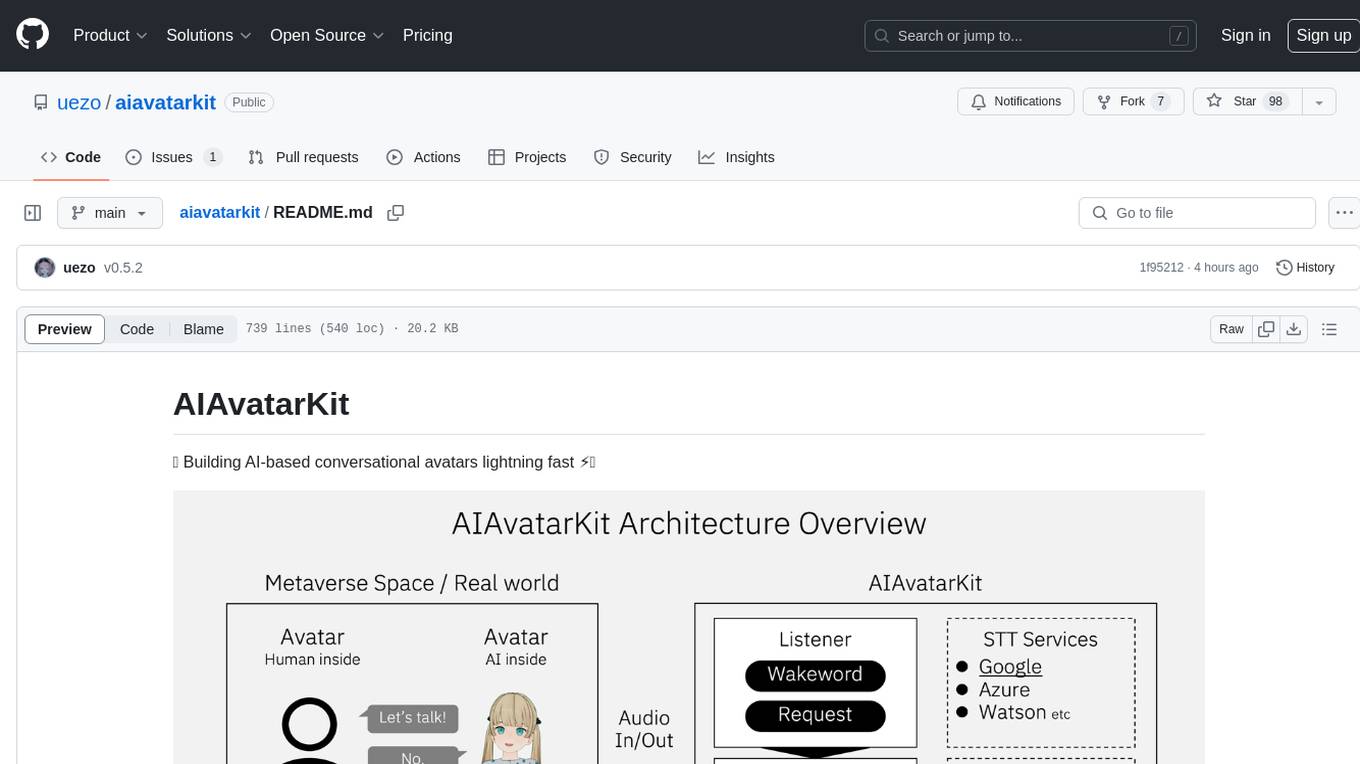
AIAvatarKit is a tool for building AI-based conversational avatars quickly. It supports various platforms like VRChat and cluster, along with real-world devices. The tool is extensible, allowing unlimited capabilities based on user needs. It requires VOICEVOX API, Google or Azure Speech Services API keys, and Python 3.10. Users can start conversations out of the box and enjoy seamless interactions with the avatars.
pocketgroq
PocketGroq is a tool that provides advanced functionalities for text generation, web scraping, web search, and AI response evaluation. It includes features like an Autonomous Agent for answering questions, web crawling and scraping capabilities, enhanced web search functionality, and flexible integration with Ollama server. Users can customize the agent's behavior, evaluate responses using AI, and utilize various methods for text generation, conversation management, and Chain of Thought reasoning. The tool offers comprehensive methods for different tasks, such as initializing RAG, error handling, and tool management. PocketGroq is designed to enhance development processes and enable the creation of AI-powered applications with ease.
promptic
Promptic is a tool designed for LLM app development, providing a productive and pythonic way to build LLM applications. It leverages LiteLLM, allowing flexibility to switch LLM providers easily. Promptic focuses on building features by providing type-safe structured outputs, easy-to-build agents, streaming support, automatic prompt caching, and built-in conversation memory.
uzu-swift
Swift package for uzu, a high-performance inference engine for AI models on Apple Silicon. Deploy AI directly in your app with zero latency, full data privacy, and no inference costs. Key features include a simple, high-level API, specialized configurations for performance boosts, broad model support, and an observable model manager. Easily set up projects, obtain an API key, choose a model, and run it with corresponding identifiers. Examples include chat, speedup with speculative decoding, chat with dynamic context, chat with static context, summarization, classification, cloud, and structured output. Troubleshooting available via Discord or email. Licensed under MIT.
dynamiq
Dynamiq is an orchestration framework designed to streamline the development of AI-powered applications, specializing in orchestrating retrieval-augmented generation (RAG) and large language model (LLM) agents. It provides an all-in-one Gen AI framework for agentic AI and LLM applications, offering tools for multi-agent orchestration, document indexing, and retrieval flows. With Dynamiq, users can easily build and deploy AI solutions for various tasks.
pipelex
Pipelex is an open-source devtool designed to transform how users build repeatable AI workflows. It acts as a Docker or SQL for AI operations, allowing users to create modular 'pipes' using different LLMs for structured outputs. These pipes can be connected sequentially, in parallel, or conditionally to build complex knowledge transformations from reusable components. With Pipelex, users can share and scale proven methods instantly, saving time and effort in AI workflow development.
langchainrb
Langchain.rb is a Ruby library that makes it easy to build LLM-powered applications. It provides a unified interface to a variety of LLMs, vector search databases, and other tools, making it easy to build and deploy RAG (Retrieval Augmented Generation) systems and assistants. Langchain.rb is open source and available under the MIT License.
letta
Letta is an open source framework for building stateful LLM applications. It allows users to build stateful agents with advanced reasoning capabilities and transparent long-term memory. The framework is white box and model-agnostic, enabling users to connect to various LLM API backends. Letta provides a graphical interface, the Letta ADE, for creating, deploying, interacting, and observing with agents. Users can access Letta via REST API, Python, Typescript SDKs, and the ADE. Letta supports persistence by storing agent data in a database, with PostgreSQL recommended for data migrations. Users can install Letta using Docker or pip, with Docker defaulting to PostgreSQL and pip defaulting to SQLite. Letta also offers a CLI tool for interacting with agents. The project is open source and welcomes contributions from the community.
instructor
Instructor is a tool that provides structured outputs from Large Language Models (LLMs) in a reliable manner. It simplifies the process of extracting structured data by utilizing Pydantic for validation, type safety, and IDE support. With Instructor, users can define models and easily obtain structured data without the need for complex JSON parsing, error handling, or retries. The tool supports automatic retries, streaming support, and extraction of nested objects, making it production-ready for various AI applications. Trusted by a large community of developers and companies, Instructor is used by teams at OpenAI, Google, Microsoft, AWS, and YC startups.
firecrawl-mcp-server
Firecrawl MCP Server is a Model Context Protocol (MCP) server implementation that integrates with Firecrawl for web scraping capabilities. It offers features such as web scraping, crawling, and discovery, search and content extraction, deep research and batch scraping, automatic retries and rate limiting, cloud and self-hosted support, and SSE support. The server can be configured to run with various tools like Cursor, Windsurf, SSE Local Mode, Smithery, and VS Code. It supports environment variables for cloud API and optional configurations for retry settings and credit usage monitoring. The server includes tools for scraping, batch scraping, mapping, searching, crawling, and extracting structured data from web pages. It provides detailed logging and error handling functionalities for robust performance.
DeRTa
DeRTa (Refuse Whenever You Feel Unsafe) is a tool designed to improve safety in Large Language Models (LLMs) by training them to refuse compliance at any response juncture. The tool incorporates methods such as MLE with Harmful Response Prefix and Reinforced Transition Optimization (RTO) to address refusal positional bias and strengthen the model's capability to transition from potential harm to safety refusal. DeRTa provides training data, model weights, and evaluation scripts for LLMs, enabling users to enhance safety in language generation tasks.
continuous-eval
Open-Source Evaluation for LLM Applications. `continuous-eval` is an open-source package created for granular and holistic evaluation of GenAI application pipelines. It offers modularized evaluation, a comprehensive metric library covering various LLM use cases, the ability to leverage user feedback in evaluation, and synthetic dataset generation for testing pipelines. Users can define their own metrics by extending the Metric class. The tool allows running evaluation on a pipeline defined with modules and corresponding metrics. Additionally, it provides synthetic data generation capabilities to create user interaction data for evaluation or training purposes.
bosquet
Bosquet is a tool designed for LLMOps in large language model-based applications. It simplifies building AI applications by managing LLM and tool services, integrating with Selmer templating library for prompt templating, enabling prompt chaining and composition with Pathom graph processing, defining agents and tools for external API interactions, handling LLM memory, and providing features like call response caching. The tool aims to streamline the development process for AI applications that require complex prompt templates, memory management, and interaction with external systems.
For similar tasks
agentic-rag-for-dummies
Agentic RAG for Dummies is a production-ready system that demonstrates how to build an Agentic RAG (Retrieval-Augmented Generation) system using LangGraph with minimal code. It bridges the gap between basic RAG tutorials and production readiness by providing learning materials and deployable code. The system includes features like conversation memory, hierarchical indexing, query clarification, agent orchestration, multi-agent map-reduce, self-correction, and context compression. Users can interact with the system through an interactive notebook for learning or a modular project for production-ready architecture.
For similar jobs

weave
Weave is a toolkit for developing Generative AI applications, built by Weights & Biases. With Weave, you can log and debug language model inputs, outputs, and traces; build rigorous, apples-to-apples evaluations for language model use cases; and organize all the information generated across the LLM workflow, from experimentation to evaluations to production. Weave aims to bring rigor, best-practices, and composability to the inherently experimental process of developing Generative AI software, without introducing cognitive overhead.

LLMStack
LLMStack is a no-code platform for building generative AI agents, workflows, and chatbots. It allows users to connect their own data, internal tools, and GPT-powered models without any coding experience. LLMStack can be deployed to the cloud or on-premise and can be accessed via HTTP API or triggered from Slack or Discord.

VisionCraft
The VisionCraft API is a free API for using over 100 different AI models. From images to sound.

kaito
Kaito is an operator that automates the AI/ML inference model deployment in a Kubernetes cluster. It manages large model files using container images, avoids tuning deployment parameters to fit GPU hardware by providing preset configurations, auto-provisions GPU nodes based on model requirements, and hosts large model images in the public Microsoft Container Registry (MCR) if the license allows. Using Kaito, the workflow of onboarding large AI inference models in Kubernetes is largely simplified.

PyRIT
PyRIT is an open access automation framework designed to empower security professionals and ML engineers to red team foundation models and their applications. It automates AI Red Teaming tasks to allow operators to focus on more complicated and time-consuming tasks and can also identify security harms such as misuse (e.g., malware generation, jailbreaking), and privacy harms (e.g., identity theft). The goal is to allow researchers to have a baseline of how well their model and entire inference pipeline is doing against different harm categories and to be able to compare that baseline to future iterations of their model. This allows them to have empirical data on how well their model is doing today, and detect any degradation of performance based on future improvements.

tabby
Tabby is a self-hosted AI coding assistant, offering an open-source and on-premises alternative to GitHub Copilot. It boasts several key features: * Self-contained, with no need for a DBMS or cloud service. * OpenAPI interface, easy to integrate with existing infrastructure (e.g Cloud IDE). * Supports consumer-grade GPUs.

spear
SPEAR (Simulator for Photorealistic Embodied AI Research) is a powerful tool for training embodied agents. It features 300 unique virtual indoor environments with 2,566 unique rooms and 17,234 unique objects that can be manipulated individually. Each environment is designed by a professional artist and features detailed geometry, photorealistic materials, and a unique floor plan and object layout. SPEAR is implemented as Unreal Engine assets and provides an OpenAI Gym interface for interacting with the environments via Python.

Magick
Magick is a groundbreaking visual AIDE (Artificial Intelligence Development Environment) for no-code data pipelines and multimodal agents. Magick can connect to other services and comes with nodes and templates well-suited for intelligent agents, chatbots, complex reasoning systems and realistic characters.