


llm-agents.nix
Nix packages for AI coding agents and development tools. Automatically updated daily.
Stars: 598
Nix packages for AI coding agents and development tools. Automatically updated daily. This repository provides a wide range of AI coding agents and tools that can be used in the terminal environment. The tools cover various functionalities such as code assistance, AI-powered development agents, CLI tools for AI coding, workflow and project management, code review, utilities like search tools and browser automation, and usage analytics for AI coding sessions. The repository also includes experimental features like sandboxed execution, provider abstraction, and tool composition to explore how Nix can enhance AI-powered development.
README:
Nix packages for AI coding agents and development tools. Automatically updated daily.
amp - CLI for Amp, an agentic coding tool in research preview from Sourcegraph
- Source: bytecode
- License: unfree
- Homepage: https://ampcode.com/
-
Usage:
nix run github:numtide/llm-agents.nix#amp -- --help - Nix: packages/amp/package.nix
claude-code - Agentic coding tool that lives in your terminal, understands your codebase, and helps you code faster
- Source: binary
- License: unfree
- Homepage: https://claude.ai/code
-
Usage:
nix run github:numtide/llm-agents.nix#claude-code -- --help - Nix: packages/claude-code/package.nix
code - Fork of codex. Orchestrate agents from OpenAI, Claude, Gemini or any provider.
- Source: source
- License: Apache-2.0
- Homepage: https://github.com/just-every/code/
-
Usage:
nix run github:numtide/llm-agents.nix#code -- --help - Nix: packages/code/package.nix
codex - OpenAI Codex CLI - a coding agent that runs locally on your computer
- Source: source
- License: Apache-2.0
- Homepage: https://github.com/openai/codex
-
Usage:
nix run github:numtide/llm-agents.nix#codex -- --help - Nix: packages/codex/package.nix
copilot-cli - GitHub Copilot CLI brings the power of Copilot coding agent directly to your terminal.
- Source: bytecode
- License: unfree
- Homepage: https://github.com/github/copilot-cli
-
Usage:
nix run github:numtide/llm-agents.nix#copilot-cli -- --help - Nix: packages/copilot-cli/package.nix
crush - The glamourous AI coding agent for your favourite terminal
- Source: source
- License: MIT
- Homepage: https://github.com/charmbracelet/crush
-
Usage:
nix run github:numtide/llm-agents.nix#crush -- --help - Nix: packages/crush/package.nix
cursor-agent - Cursor Agent - CLI tool for Cursor AI code editor
- Source: binary
- License: unfree
- Homepage: https://cursor.com/
-
Usage:
nix run github:numtide/llm-agents.nix#cursor-agent -- --help - Nix: packages/cursor-agent/package.nix
droid - Factory AI's Droid - AI-powered development agent for your terminal
- Source: binary
- License: unfree
- Homepage: https://factory.ai
-
Usage:
nix run github:numtide/llm-agents.nix#droid -- --help - Nix: packages/droid/package.nix
eca - Editor Code Assistant (ECA) - AI pair programming capabilities agnostic of editor
- Source: binary
- License: Apache-2.0
- Homepage: https://github.com/editor-code-assistant/eca
-
Usage:
nix run github:numtide/llm-agents.nix#eca -- --help - Nix: packages/eca/package.nix
forge - AI-Enhanced Terminal Development Environment - A comprehensive coding agent that integrates AI capabilities with your development environment
- Source: binary
- License: MIT
- Homepage: https://github.com/antinomyhq/forge
-
Usage:
nix run github:numtide/llm-agents.nix#forge -- --help - Nix: packages/forge/package.nix
- Documentation: See packages/forge/README.md for detailed usage
gemini-cli - AI agent that brings the power of Gemini directly into your terminal
- Source: source
- License: Apache-2.0
- Homepage: https://github.com/google-gemini/gemini-cli
-
Usage:
nix run github:numtide/llm-agents.nix#gemini-cli -- --help - Nix: packages/gemini-cli/package.nix
goose-cli - CLI for Goose - a local, extensible, open source AI agent that automates engineering tasks
- Source: source
- License: Apache-2.0
- Homepage: https://github.com/block/goose
-
Usage:
nix run github:numtide/llm-agents.nix#goose-cli -- --help - Nix: packages/goose-cli/package.nix
jules - Jules, the asynchronous coding agent from Google, in the terminal
- Source: binary
- License: unfree
- Homepage: https://jules.google
-
Usage:
nix run github:numtide/llm-agents.nix#jules -- --help - Nix: packages/jules/package.nix
kilocode-cli - The open-source AI coding agent. Now available in your terminal.
- Source: binary
- License: Apache-2.0
- Homepage: https://kilocode.ai/cli
-
Usage:
nix run github:numtide/llm-agents.nix#kilocode-cli -- --help - Nix: packages/kilocode-cli/package.nix
letta-code - Memory-first coding agent that learns and evolves across sessions
- Source: bytecode
- License: Apache-2.0
- Homepage: https://github.com/letta-ai/letta-code
-
Usage:
nix run github:numtide/llm-agents.nix#letta-code -- --help - Nix: packages/letta-code/package.nix
mistral-vibe - Minimal CLI coding agent by Mistral AI - open-source command-line coding assistant powered by Devstral
- Source: source
- License: Apache-2.0
- Homepage: https://github.com/mistralai/mistral-vibe
-
Usage:
nix run github:numtide/llm-agents.nix#mistral-vibe -- --help - Nix: packages/mistral-vibe/package.nix
nanocoder - A beautiful local-first coding agent running in your terminal - built by the community for the community ⚒
- Source: source
- License: MIT
- Homepage: https://github.com/Mote-Software/nanocoder
-
Usage:
nix run github:numtide/llm-agents.nix#nanocoder -- --help - Nix: packages/nanocoder/package.nix
opencode - AI coding agent built for the terminal
- Source: binary
- License: MIT
- Homepage: https://github.com/anomalyco/opencode
-
Usage:
nix run github:numtide/llm-agents.nix#opencode -- --help - Nix: packages/opencode/package.nix
pi - A terminal-based coding agent with multi-model support
- Source: bytecode
- License: MIT
- Homepage: https://github.com/badlogic/pi-mono
-
Usage:
nix run github:numtide/llm-agents.nix#pi -- --help - Nix: packages/pi/package.nix
qoder-cli - Qoder AI CLI tool - Terminal-based AI assistant for code development
- Source: binary
- License: unfree
- Homepage: https://qoder.com
-
Usage:
nix run github:numtide/llm-agents.nix#qoder-cli -- --help - Nix: packages/qoder-cli/package.nix
qwen-code - Command-line AI workflow tool for Qwen3-Coder models
- Source: source
- License: Apache-2.0
- Homepage: https://github.com/QwenLM/qwen-code
-
Usage:
nix run github:numtide/llm-agents.nix#qwen-code -- --help - Nix: packages/qwen-code/package.nix
catnip - Developer environment that's like catnip for agentic programming
- Source: binary
- License: Apache-2.0
- Homepage: https://github.com/wandb/catnip
-
Usage:
nix run github:numtide/llm-agents.nix#catnip -- --help - Nix: packages/catnip/package.nix
ccstatusline - A highly customizable status line formatter for Claude Code CLI
- Source: bytecode
- License: MIT
- Homepage: https://github.com/sirmalloc/ccstatusline
-
Usage:
nix run github:numtide/llm-agents.nix#ccstatusline -- --help - Nix: packages/ccstatusline/package.nix
claude-code-router - Use Claude Code without an Anthropics account and route it to another LLM provider
- Source: bytecode
- License: MIT
- Homepage: https://github.com/musistudio/claude-code-router
-
Usage:
nix run github:numtide/llm-agents.nix#claude-code-router -- --help - Nix: packages/claude-code-router/package.nix
claude-plugins - CLI tool for managing Claude Code plugins
- Source: bytecode
- License: MIT
- Homepage: https://github.com/Kamalnrf/claude-plugins
-
Usage:
nix run github:numtide/llm-agents.nix#claude-plugins -- --help - Nix: packages/claude-plugins/package.nix
claudebox - Sandboxed environment for Claude Code
- Source: source
- License: Check package
- Homepage: https://github.com/numtide/claudebox
-
Usage:
nix run github:numtide/llm-agents.nix#claudebox -- --help - Nix: packages/claudebox/package.nix
sandbox-runtime - Lightweight sandboxing tool for enforcing filesystem and network restrictions
- Source: source
- License: Apache-2.0
- Homepage: https://github.com/anthropic-experimental/sandbox-runtime
-
Usage:
nix run github:numtide/llm-agents.nix#sandbox-runtime -- --help - Nix: packages/sandbox-runtime/package.nix
skills-installer - Install agent skills across multiple AI coding clients
- Source: bytecode
- License: MIT
- Homepage: https://github.com/Kamalnrf/claude-plugins
-
Usage:
nix run github:numtide/llm-agents.nix#skills-installer -- --help - Nix: packages/skills-installer/package.nix
claude-code-acp - An ACP-compatible coding agent powered by the Claude Code SDK (TypeScript)
- Source: source
- License: Apache-2.0
- Homepage: https://github.com/zed-industries/claude-code-acp
-
Usage:
nix run github:numtide/llm-agents.nix#claude-code-acp -- --help - Nix: packages/claude-code-acp/package.nix
codex-acp - An ACP-compatible coding agent powered by Codex
- Source: source
- License: Apache-2.0
- Homepage: https://github.com/zed-industries/codex-acp
-
Usage:
nix run github:numtide/llm-agents.nix#codex-acp -- --help - Nix: packages/codex-acp/package.nix
- Documentation: See packages/codex-acp/README.md for detailed usage
ccusage - Usage analysis tool for Claude Code
- Source: bytecode
- License: MIT
- Homepage: https://github.com/ryoppippi/ccusage
-
Usage:
nix run github:numtide/llm-agents.nix#ccusage -- --help - Nix: packages/ccusage/package.nix
ccusage-amp - Usage analysis tool for Amp CLI sessions
- Source: bytecode
- License: MIT
- Homepage: https://github.com/ryoppippi/ccusage
-
Usage:
nix run github:numtide/llm-agents.nix#ccusage-amp -- --help - Nix: packages/ccusage-amp/package.nix
ccusage-codex - Usage analysis tool for OpenAI Codex sessions
- Source: bytecode
- License: MIT
- Homepage: https://github.com/ryoppippi/ccusage
-
Usage:
nix run github:numtide/llm-agents.nix#ccusage-codex -- --help - Nix: packages/ccusage-codex/package.nix
ccusage-opencode - Usage analysis tool for OpenCode sessions
- Source: bytecode
- License: MIT
- Homepage: https://github.com/ryoppippi/ccusage
-
Usage:
nix run github:numtide/llm-agents.nix#ccusage-opencode -- --help - Nix: packages/ccusage-opencode/package.nix
ccusage-pi - Pi-agent usage tracking for Claude Max
- Source: bytecode
- License: MIT
- Homepage: https://github.com/ryoppippi/ccusage
-
Usage:
nix run github:numtide/llm-agents.nix#ccusage-pi -- --help - Nix: packages/ccusage-pi/package.nix
agent-deck - Your AI agent command center
- Source: source
- License: MIT
- Homepage: https://github.com/asheshgoplani/agent-deck
-
Usage:
nix run github:numtide/llm-agents.nix#agent-deck -- --help - Nix: packages/agent-deck/package.nix
backlog-md - Backlog.md - A tool for managing project collaboration between humans and AI Agents in a git ecosystem
- Source: binary
- License: MIT
- Homepage: https://github.com/MrLesk/Backlog.md
-
Usage:
nix run github:numtide/llm-agents.nix#backlog-md -- --help - Nix: packages/backlog-md/package.nix
beads - A distributed issue tracker designed for AI-supervised coding workflows
- Source: source
- License: MIT
- Homepage: https://github.com/steveyegge/beads
-
Usage:
nix run github:numtide/llm-agents.nix#beads -- --help - Nix: packages/beads/package.nix
cc-sdd - Spec-driven development framework for AI coding agents
- Source: source
- License: MIT
- Homepage: https://github.com/gotalab/cc-sdd
-
Usage:
nix run github:numtide/llm-agents.nix#cc-sdd -- --help - Nix: packages/cc-sdd/package.nix
chainlink - Simple, lean issue tracker CLI designed for AI-assisted development
- Source: source
- License: MIT
- Homepage: https://github.com/dollspace-gay/chainlink
-
Usage:
nix run github:numtide/llm-agents.nix#chainlink -- --help - Nix: packages/chainlink/package.nix
openspec - Spec-driven development for AI coding assistants
- Source: bytecode
- License: MIT
- Homepage: https://github.com/Fission-AI/OpenSpec
-
Usage:
nix run github:numtide/llm-agents.nix#openspec -- --help - Nix: packages/openspec/package.nix
spec-kit - Specify CLI, part of GitHub Spec Kit. A tool to bootstrap your projects for Spec-Driven Development (SDD)
- Source: source
- License: MIT
- Homepage: https://github.com/github/spec-kit
-
Usage:
nix run github:numtide/llm-agents.nix#spec-kit -- --help - Nix: packages/spec-kit/package.nix
vibe-kanban - Kanban board to orchestrate AI coding agents like Claude Code, Codex, and Gemini CLI
- Source: source
- License: Apache-2.0
- Homepage: https://github.com/BloopAI/vibe-kanban
-
Usage:
nix run github:numtide/llm-agents.nix#vibe-kanban -- --help - Nix: packages/vibe-kanban/package.nix
workmux - Git worktrees + tmux windows for zero-friction parallel dev
- Source: source
- License: MIT
- Homepage: https://github.com/raine/workmux
-
Usage:
nix run github:numtide/llm-agents.nix#workmux -- --help - Nix: packages/workmux/package.nix
coderabbit-cli - AI-powered code review CLI tool
- Source: binary
- License: unfree
- Homepage: https://coderabbit.ai
-
Usage:
nix run github:numtide/llm-agents.nix#coderabbit-cli -- --help - Nix: packages/coderabbit-cli/package.nix
tuicr - Review AI-generated diffs like a GitHub pull request, right from your terminal
- Source: source
- License: MIT
- Homepage: https://github.com/agavra/tuicr
-
Usage:
nix run github:numtide/llm-agents.nix#tuicr -- --help - Nix: packages/tuicr/package.nix
agent-browser - Headless browser automation CLI for AI agents
- Source: source
- License: Apache-2.0
- Homepage: https://github.com/vercel-labs/agent-browser
-
Usage:
nix run github:numtide/llm-agents.nix#agent-browser -- --help - Nix: packages/agent-browser/package.nix
ck - Local first semantic and hybrid BM25 grep / search tool for use by AI and humans!
- Source: source
- License: MIT
- Homepage: https://github.com/BeaconBay/ck
-
Usage:
nix run github:numtide/llm-agents.nix#ck -- --help - Nix: packages/ck/package.nix
coding-agent-search - Unified, high-performance TUI to index and search your local coding agent history
- Source: source
- License: MIT
- Homepage: https://github.com/Dicklesworthstone/coding_agent_session_search
-
Usage:
nix run github:numtide/llm-agents.nix#coding-agent-search -- --help - Nix: packages/coding-agent-search/package.nix
copilot-language-server - GitHub Copilot Language Server - AI pair programmer LSP
- Source: bytecode
- License: MIT
- Homepage: https://github.com/github/copilot-language-server-release
-
Usage:
nix run github:numtide/llm-agents.nix#copilot-language-server -- --help - Nix: packages/copilot-language-server/package.nix
handy - Fast and accurate local transcription app using AI models
- Source: binary
- License: MIT
- Homepage: https://handy.computer/
-
Usage:
nix run github:numtide/llm-agents.nix#handy -- --help - Nix: packages/handy/package.nix
happy-coder - Happy Coder CLI to connect your local Claude Code to mobile device
- Source: source
- License: MIT
- Homepage: https://github.com/slopus/happy-cli
-
Usage:
nix run github:numtide/llm-agents.nix#happy-coder -- --help - Nix: packages/happy-coder/package.nix
localgpt - Local AI assistant with persistent markdown memory, autonomous tasks, and semantic search
- Source: source
- License: Apache-2.0
- Homepage: https://github.com/localgpt-app/localgpt
-
Usage:
nix run github:numtide/llm-agents.nix#localgpt -- --help - Nix: packages/localgpt/package.nix
openclaw - Your own personal AI assistant. Any OS. Any Platform. The lobster way
- Source: source
- License: MIT
- Homepage: https://openclaw.ai
-
Usage:
nix run github:numtide/llm-agents.nix#openclaw -- --help - Nix: packages/openclaw/package.nix
openskills - Universal skills loader for AI coding agents - install and load Anthropic SKILL.md format skills in any agent
- Source: source
- License: Apache-2.0
- Homepage: https://github.com/numman-ali/openskills
-
Usage:
nix run github:numtide/llm-agents.nix#openskills -- --help - Nix: packages/openskills/package.nix
qmd - mini cli search engine for your docs, knowledge bases, meeting notes, whatever. Tracking current sota approaches while being all local
- Source: source
- License: MIT
- Homepage: https://github.com/tobi/qmd
-
Usage:
nix run github:numtide/llm-agents.nix#qmd -- --help - Nix: packages/qmd/package.nix
Add to your system configuration:
{
  inputs = {
    llm-agents.url = "github:numtide/llm-agents.nix";
  };

  # In your system packages:
  environment.systemPackages = with inputs.llm-agents.packages.${pkgs.stdenv.hostPlatform.system}; [
    claude-code
    opencode
    gemini-cli
    qwen-code
    # ... other tools
  ];
}Alternatively, use the overlay to access packages under the llm-agents namespace:
{
  inputs = {
    nixpkgs.url = "github:NixOS/nixpkgs/nixpkgs-unstable";
    llm-agents.url = "github:numtide/llm-agents.nix";
  };

  outputs = { nixpkgs, llm-agents, ... }: {
    # NixOS / nix-darwin configuration
    nixosConfigurations.myhost = nixpkgs.lib.nixosSystem {
      system = "x86_64-linux";
      modules = [{
        nixpkgs.overlays = [ llm-agents.overlays.default ];
        environment.systemPackages = [
          pkgs.llm-agents.claude-code
          pkgs.llm-agents.codex
          pkgs.llm-agents.gemini-cli
        ];
      }];
    };
  };
}# Try Claude Code
nix run github:numtide/llm-agents.nix#claude-code
# Try OpenCode
nix run github:numtide/llm-agents.nix#opencode
# Try Gemini CLI
nix run github:numtide/llm-agents.nix#gemini-cli
# Try Qwen Code
nix run github:numtide/llm-agents.nix#qwen-code
# etc...Pre-built binaries are available from the Numtide binary cache. All packages are built daily via CI and pushed to the cache, so you can avoid compiling from source.
This cache is automatically configured when this flake is used directly (e.g nix run github:numtide/llm-agents.nix#claude-code)
To use the binary cache when using this flake as an input, add nixConfig to your flake:
{
  nixConfig = {
    extra-substituters = [ "https://cache.numtide.com" ];
    extra-trusted-public-keys = [ "niks3.numtide.com-1:DTx8wZduET09hRmMtKdQDxNNthLQETkc/yaX7M4qK0g=" ];
  };
}
Alternatively, you can configure this system-wide in your NixOS configuration:
nix.settings = {
  extra-substituters = [ "https://cache.numtide.com" ];
  extra-trusted-public-keys = [
    "niks3.numtide.com-1:DTx8wZduET09hRmMtKdQDxNNthLQETkc/yaX7M4qK0g="
  ];
};nix develop# Build a specific package
nix build .#claude-code
nix build .#opencode
nix build .#qwen-code
# etc...# Format all code
nix fmt
# Run checks
nix flake checkAll packages support:
x86_64-linuxaarch64-linuxx86_64-darwinaarch64-darwin
This repository serves as a laboratory for exploring how Nix can enhance AI-powered development:
- Sandboxed execution: claudebox demonstrates transparent, sandboxed AI agent execution
- Provider abstraction: claude-code-router explores decoupling AI interfaces from specific providers
- Tool composition: Investigating how multiple AI agents can work together in Nix environments
Contributions are welcome! Please:
- Fork the repository
- Create a feature branch
- Run
nix fmtbefore committing - Submit a pull request
- natsukium/mcp-servers-nix - Nix packages for MCP (Model Context Protocol) servers
- k3d3/claude-desktop-linux-flake - Claude Desktop for Linux
Individual tools are licensed under their respective licenses.
The Nix packaging code in this repository is licensed under MIT.
For Tasks:
Click tags to check more tools for each tasksFor Jobs:
Alternative AI tools for llm-agents.nix
Similar Open Source Tools
llm-agents.nix
Nix packages for AI coding agents and development tools. Automatically updated daily. This repository provides a wide range of AI coding agents and tools that can be used in the terminal environment. The tools cover various functionalities such as code assistance, AI-powered development agents, CLI tools for AI coding, workflow and project management, code review, utilities like search tools and browser automation, and usage analytics for AI coding sessions. The repository also includes experimental features like sandboxed execution, provider abstraction, and tool composition to explore how Nix can enhance AI-powered development.
nix-ai-tools
Exploring the integration between Nix and AI coding agents, this repository serves as a testbed for packaging, sandboxing, and enhancing AI-powered development tools within the Nix ecosystem. It provides a collection of AI tools with descriptions, versions, sources, licenses, homepages, and usage instructions. The repository also supports daily updates using GitHub Actions and offers a platform for experimental features like sandboxed execution, provider abstraction, and tool composition in Nix environments. Contributions are welcome, and the Nix packaging code in this repository is licensed under MIT.
BiBi-Keyboard
BiBi-Keyboard is an AI-based intelligent voice input method that aims to make voice input more natural and efficient. It provides features such as voice recognition with simple and intuitive operations, multiple ASR engine support, AI text post-processing, floating ball input for cross-input method usage, AI editing panel with rich editing tools, Material3 design for modern interface style, and support for multiple languages. Users can adjust keyboard height, test input directly in the settings page, view recognition word count statistics, receive vibration feedback, and check for updates automatically. The tool requires Android 10.0 or higher, microphone permission for voice recognition, optional overlay permission for the floating ball feature, and optional accessibility permission for automatic text insertion.
bk-lite
Blueking Lite is an AI First lightweight operation product with low deployment resource requirements, low usage costs, and progressive experience, providing essential tools for operation administrators.
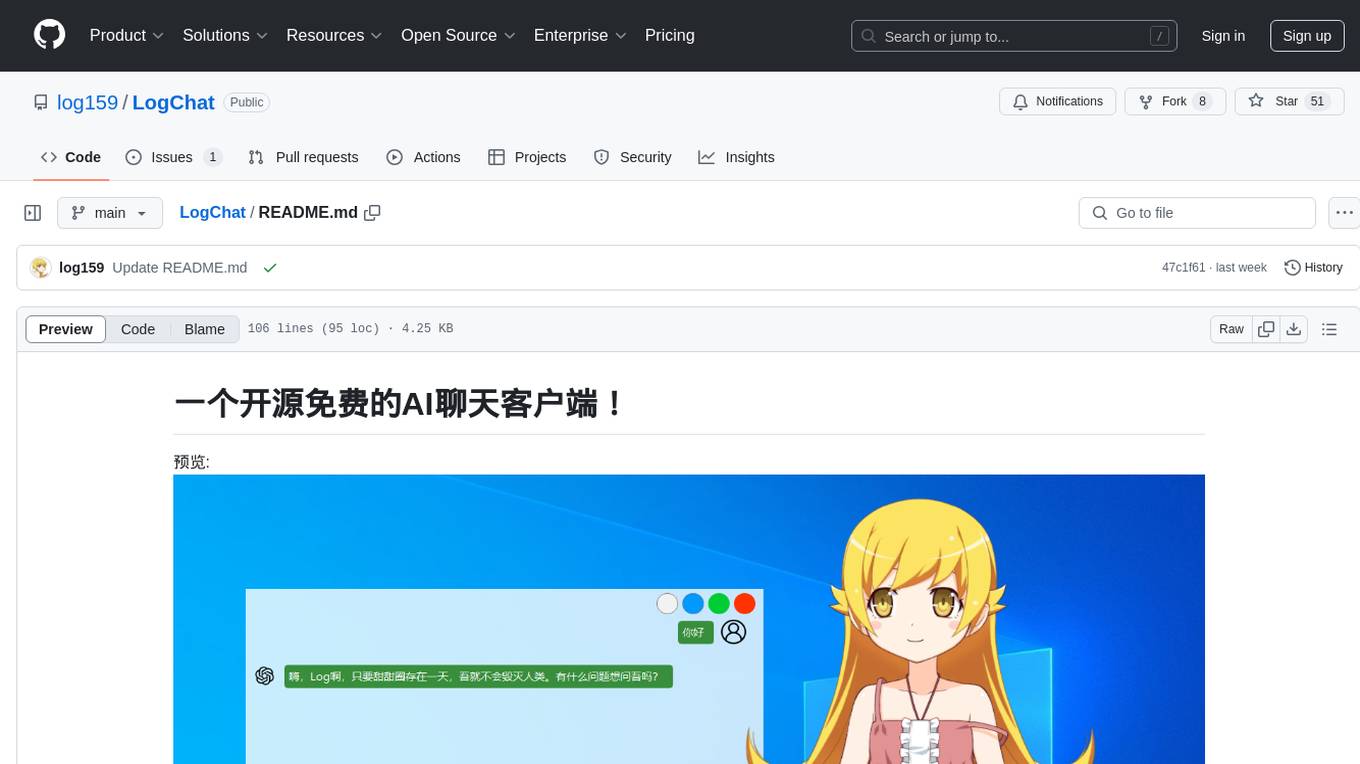
LogChat
LogChat is an open-source and free AI chat client that supports various chat models and technologies such as ChatGPT, 讯飞星火, DeepSeek, LLM, TTS, STT, and Live2D. The tool provides a user-friendly interface designed using Qt Creator and can be used on Windows systems without any additional environment requirements. Users can interact with different AI models, perform voice synthesis and recognition, and customize Live2D character models. LogChat also offers features like language translation, AI platform integration, and menu items like screenshot editing, clock, and application launcher.
claude-init
Claude Code Chinese development suite is a localized version based on the Claude Code Development Kit, offering a seamless Chinese AI programming experience. It features complete Chinese AI commands, documentation system, error messages, and installation experience. The suite includes intelligent context management with a three-tier document structure, automatic context injection, smart document routing, and cross-session state management. It integrates development tools like Hook system, MCP server support, security scans, and notification system. Additionally, it provides a comprehensive template library with project templates, document templates, and configuration examples.
Daily-DeepLearning
Daily-DeepLearning is a repository that covers various computer science topics such as data structures, operating systems, computer networks, Python programming, data science packages like numpy, pandas, matplotlib, machine learning theories, deep learning theories, NLP concepts, machine learning practical applications, deep learning practical applications, and big data technologies like Hadoop and Hive. It also includes coding exercises related to '剑指offer'. The repository provides detailed explanations and examples for each topic, making it a comprehensive resource for learning and practicing different aspects of computer science and data-related fields.
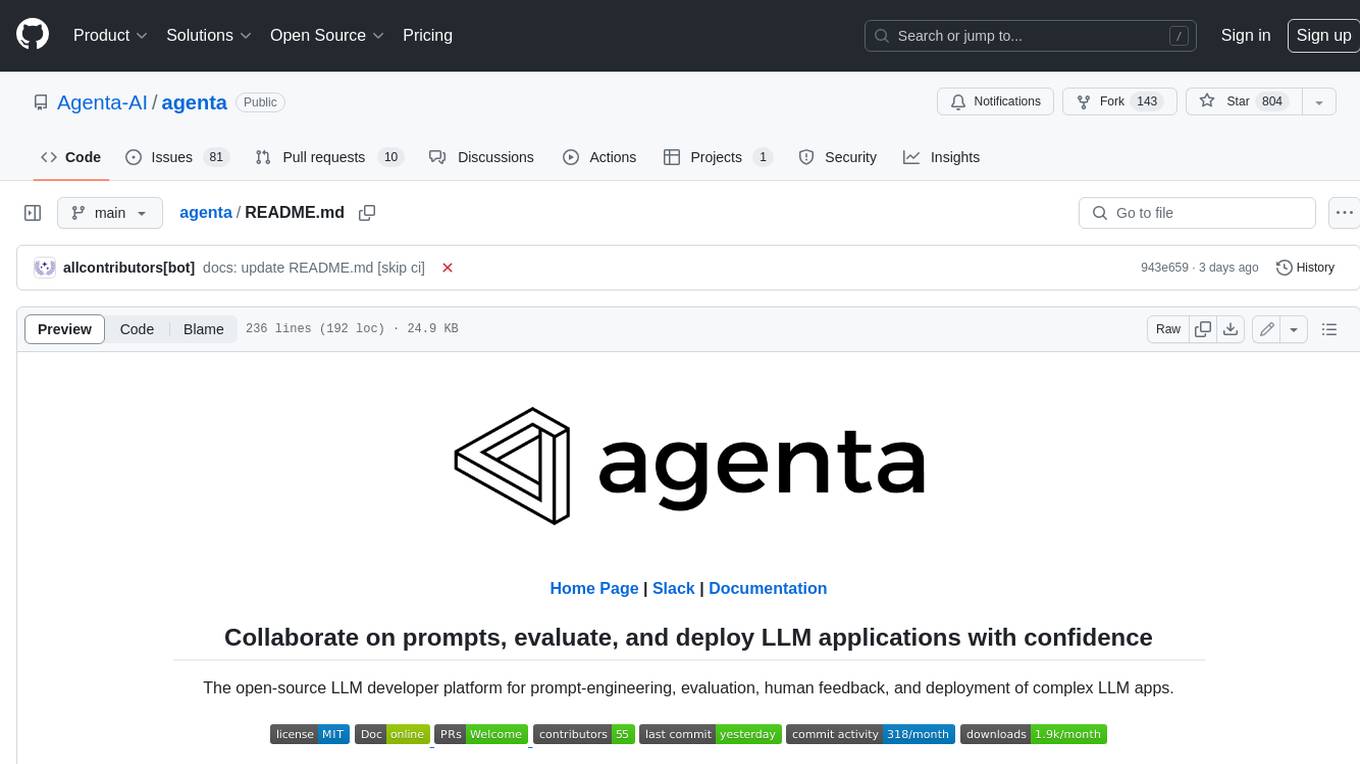
agenta
Agenta is an open-source LLM developer platform for prompt engineering, evaluation, human feedback, and deployment of complex LLM applications. It provides tools for prompt engineering and management, evaluation, human annotation, and deployment, all without imposing any restrictions on your choice of framework, library, or model. Agenta allows developers and product teams to collaborate in building production-grade LLM-powered applications in less time.
aio-hub
AIO Hub is a cross-platform AI hub built on Tauri + Vue 3 + TypeScript, aiming to provide developers and creators with precise LLM control experience and efficient toolchain. It features a chat function designed for complex tasks and deep exploration, a unified context pipeline for controlling every token sent to the model, interactive AI buttons, dual-view management for non-linear conversation mapping, open ecosystem compatibility with various AI models, and a rich text renderer for LLM output. The tool also includes features for media workstation, developer productivity, system and asset management, regex applier, collaboration enhancement between developers and AI, and more.
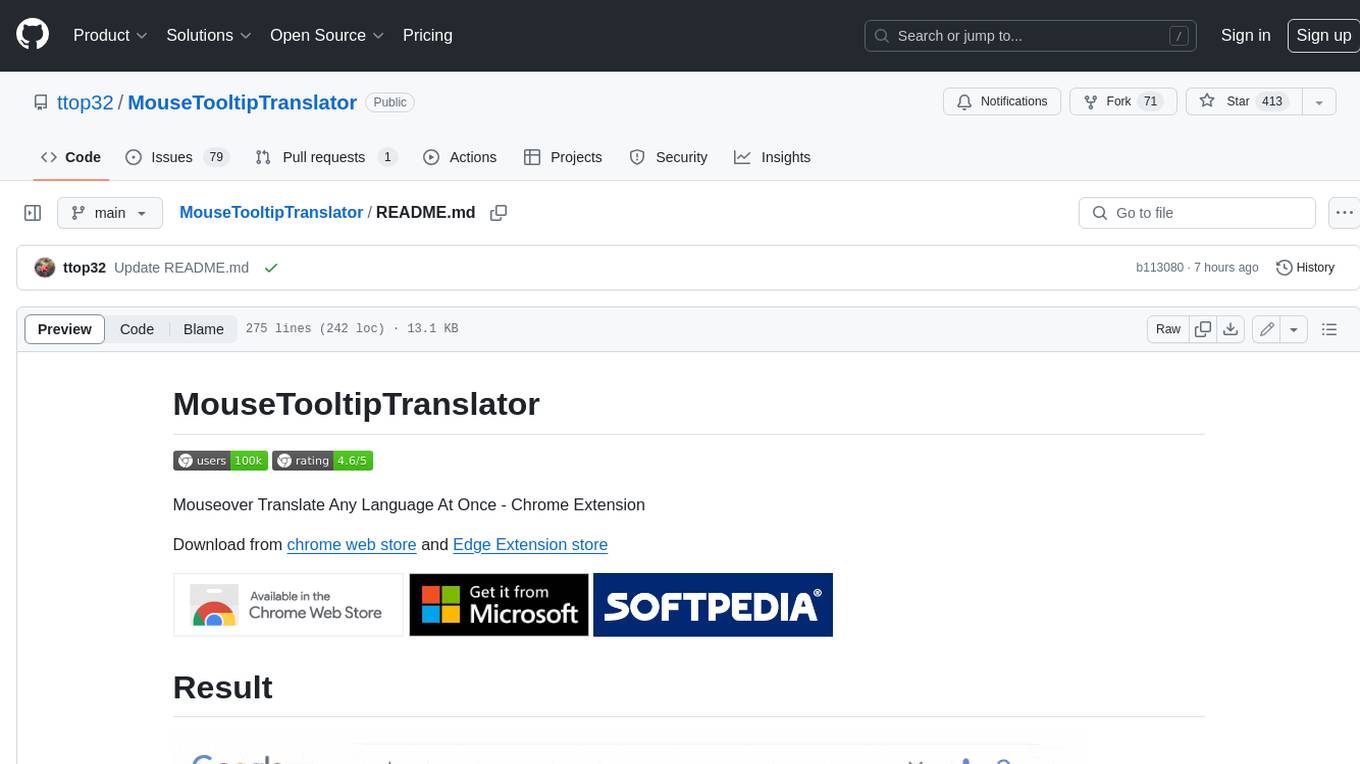
MouseTooltipTranslator
MouseTooltipTranslator is a Chrome extension that allows users to translate any text on a webpage by simply hovering over it. It supports both Google Translate and Bing Translate, and can also be used to listen to the pronunciation of words and phrases. Additionally, the extension can be used to translate text in input boxes and highlighted text, and to display translated tooltips for PDFs and YouTube videos. It also supports OCR, allowing users to translate text in images by holding down the left shift key and hovering over the image.
chatwiki
ChatWiki is an open-source knowledge base AI question-answering system. It is built on large language models (LLM) and retrieval-augmented generation (RAG) technologies, providing out-of-the-box data processing, model invocation capabilities, and helping enterprises quickly build their own knowledge base AI question-answering systems. It offers exclusive AI question-answering system, easy integration of models, data preprocessing, simple user interface design, and adaptability to different business scenarios.
FastDeploy
FastDeploy is an inference and deployment toolkit for large language models and visual language models based on PaddlePaddle. It provides production-ready deployment solutions with core acceleration technologies such as load-balanced PD disaggregation, unified KV cache transmission, OpenAI API server compatibility, comprehensive quantization format support, advanced acceleration techniques, and multi-hardware support. The toolkit supports various hardware platforms like NVIDIA GPUs, Kunlunxin XPUs, Iluvatar GPUs, Enflame GCUs, and Hygon DCUs, with plans for expanding support to Ascend NPU and MetaX GPU. FastDeploy aims to optimize resource utilization, throughput, and performance for inference and deployment tasks.
Lynkr
Lynkr is a self-hosted proxy server that unlocks various AI coding tools like Claude Code CLI, Cursor IDE, and Codex Cli. It supports multiple LLM providers such as Databricks, AWS Bedrock, OpenRouter, Ollama, llama.cpp, Azure OpenAI, Azure Anthropic, OpenAI, and LM Studio. Lynkr offers cost reduction, local/private execution, remote or local connectivity, zero code changes, and enterprise-ready features. It is perfect for developers needing provider flexibility, cost control, self-hosted AI with observability, local model execution, and cost reduction strategies.
hongbomiao.com
hongbomiao.com is a personal research and development (R&D) lab that facilitates the sharing of knowledge. The repository covers a wide range of topics including web development, mobile development, desktop applications, API servers, cloud native technologies, data processing, machine learning, computer vision, embedded systems, simulation, database management, data cleaning, data orchestration, testing, ops, authentication, authorization, security, system tools, reverse engineering, Ethereum, hardware, network, guidelines, design, bots, and more. It provides detailed information on various tools, frameworks, libraries, and platforms used in these domains.
LotteryMaster
LotteryMaster is a tool designed to fetch lottery data, save it to Excel files, and provide analysis reports including number prediction, number recommendation, and number trends. It supports multiple platforms for access such as Web and mobile App. The tool integrates AI models like Qwen API and DeepSeek for generating analysis reports and trend analysis charts. Users can configure API parameters for controlling randomness, diversity, presence penalty, and maximum tokens. The tool also includes a frontend project based on uniapp + Vue3 + TypeScript for multi-platform applications. It provides a backend service running on Fastify with Node.js, Cheerio.js for web scraping, Pino for logging, xlsx for Excel file handling, and Jest for testing. The project is still in development and some features may not be fully implemented. The analysis reports are for reference only and do not constitute investment advice. Users are advised to use the tool responsibly and avoid addiction to gambling.
chatless
Chatless is a modern AI chat desktop application built on Tauri and Next.js. It supports multiple AI providers, can connect to local Ollama models, supports document parsing and knowledge base functions. All data is stored locally to protect user privacy. The application is lightweight, simple, starts quickly, and consumes minimal resources.
For similar tasks

Magick
Magick is a groundbreaking visual AIDE (Artificial Intelligence Development Environment) for no-code data pipelines and multimodal agents. Magick can connect to other services and comes with nodes and templates well-suited for intelligent agents, chatbots, complex reasoning systems and realistic characters.

danswer
Danswer is an open-source Gen-AI Chat and Unified Search tool that connects to your company's docs, apps, and people. It provides a Chat interface and plugs into any LLM of your choice. Danswer can be deployed anywhere and for any scale - on a laptop, on-premise, or to cloud. Since you own the deployment, your user data and chats are fully in your own control. Danswer is MIT licensed and designed to be modular and easily extensible. The system also comes fully ready for production usage with user authentication, role management (admin/basic users), chat persistence, and a UI for configuring Personas (AI Assistants) and their Prompts. Danswer also serves as a Unified Search across all common workplace tools such as Slack, Google Drive, Confluence, etc. By combining LLMs and team specific knowledge, Danswer becomes a subject matter expert for the team. Imagine ChatGPT if it had access to your team's unique knowledge! It enables questions such as "A customer wants feature X, is this already supported?" or "Where's the pull request for feature Y?"

semantic-kernel
Semantic Kernel is an SDK that integrates Large Language Models (LLMs) like OpenAI, Azure OpenAI, and Hugging Face with conventional programming languages like C#, Python, and Java. Semantic Kernel achieves this by allowing you to define plugins that can be chained together in just a few lines of code. What makes Semantic Kernel _special_ , however, is its ability to _automatically_ orchestrate plugins with AI. With Semantic Kernel planners, you can ask an LLM to generate a plan that achieves a user's unique goal. Afterwards, Semantic Kernel will execute the plan for the user.

floneum
Floneum is a graph editor that makes it easy to develop your own AI workflows. It uses large language models (LLMs) to run AI models locally, without any external dependencies or even a GPU. This makes it easy to use LLMs with your own data, without worrying about privacy. Floneum also has a plugin system that allows you to improve the performance of LLMs and make them work better for your specific use case. Plugins can be used in any language that supports web assembly, and they can control the output of LLMs with a process similar to JSONformer or guidance.
mindsdb
MindsDB is a platform for customizing AI from enterprise data. You can create, serve, and fine-tune models in real-time from your database, vector store, and application data. MindsDB "enhances" SQL syntax with AI capabilities to make it accessible for developers worldwide. With MindsDB’s nearly 200 integrations, any developer can create AI customized for their purpose, faster and more securely. Their AI systems will constantly improve themselves — using companies’ own data, in real-time.

aiscript
AiScript is a lightweight scripting language that runs on JavaScript. It supports arrays, objects, and functions as first-class citizens, and is easy to write without the need for semicolons or commas. AiScript runs in a secure sandbox environment, preventing infinite loops from freezing the host. It also allows for easy provision of variables and functions from the host.

activepieces
Activepieces is an open source replacement for Zapier, designed to be extensible through a type-safe pieces framework written in Typescript. It features a user-friendly Workflow Builder with support for Branches, Loops, and Drag and Drop. Activepieces integrates with Google Sheets, OpenAI, Discord, and RSS, along with 80+ other integrations. The list of supported integrations continues to grow rapidly, thanks to valuable contributions from the community. Activepieces is an open ecosystem; all piece source code is available in the repository, and they are versioned and published directly to npmjs.com upon contributions. If you cannot find a specific piece on the pieces roadmap, please submit a request by visiting the following link: Request Piece Alternatively, if you are a developer, you can quickly build your own piece using our TypeScript framework. For guidance, please refer to the following guide: Contributor's Guide
superagent-js
Superagent is an open source framework that enables any developer to integrate production ready AI Assistants into any application in a matter of minutes.
For similar jobs

sweep
Sweep is an AI junior developer that turns bugs and feature requests into code changes. It automatically handles developer experience improvements like adding type hints and improving test coverage.

teams-ai
The Teams AI Library is a software development kit (SDK) that helps developers create bots that can interact with Teams and Microsoft 365 applications. It is built on top of the Bot Framework SDK and simplifies the process of developing bots that interact with Teams' artificial intelligence capabilities. The SDK is available for JavaScript/TypeScript, .NET, and Python.

ai-guide
This guide is dedicated to Large Language Models (LLMs) that you can run on your home computer. It assumes your PC is a lower-end, non-gaming setup.

classifai
Supercharge WordPress Content Workflows and Engagement with Artificial Intelligence. Tap into leading cloud-based services like OpenAI, Microsoft Azure AI, Google Gemini and IBM Watson to augment your WordPress-powered websites. Publish content faster while improving SEO performance and increasing audience engagement. ClassifAI integrates Artificial Intelligence and Machine Learning technologies to lighten your workload and eliminate tedious tasks, giving you more time to create original content that matters.

chatbot-ui
Chatbot UI is an open-source AI chat app that allows users to create and deploy their own AI chatbots. It is easy to use and can be customized to fit any need. Chatbot UI is perfect for businesses, developers, and anyone who wants to create a chatbot.

BricksLLM
BricksLLM is a cloud native AI gateway written in Go. Currently, it provides native support for OpenAI, Anthropic, Azure OpenAI and vLLM. BricksLLM aims to provide enterprise level infrastructure that can power any LLM production use cases. Here are some use cases for BricksLLM: * Set LLM usage limits for users on different pricing tiers * Track LLM usage on a per user and per organization basis * Block or redact requests containing PIIs * Improve LLM reliability with failovers, retries and caching * Distribute API keys with rate limits and cost limits for internal development/production use cases * Distribute API keys with rate limits and cost limits for students

uAgents
uAgents is a Python library developed by Fetch.ai that allows for the creation of autonomous AI agents. These agents can perform various tasks on a schedule or take action on various events. uAgents are easy to create and manage, and they are connected to a fast-growing network of other uAgents. They are also secure, with cryptographically secured messages and wallets.

griptape
Griptape is a modular Python framework for building AI-powered applications that securely connect to your enterprise data and APIs. It offers developers the ability to maintain control and flexibility at every step. Griptape's core components include Structures (Agents, Pipelines, and Workflows), Tasks, Tools, Memory (Conversation Memory, Task Memory, and Meta Memory), Drivers (Prompt and Embedding Drivers, Vector Store Drivers, Image Generation Drivers, Image Query Drivers, SQL Drivers, Web Scraper Drivers, and Conversation Memory Drivers), Engines (Query Engines, Extraction Engines, Summary Engines, Image Generation Engines, and Image Query Engines), and additional components (Rulesets, Loaders, Artifacts, Chunkers, and Tokenizers). Griptape enables developers to create AI-powered applications with ease and efficiency.