


scabench
A framework for evaluating AI audit agents using recent real-world data
Stars: 53
ScaBench is a comprehensive framework designed for evaluating security analysis tools and AI agents on real-world smart contract vulnerabilities. It provides curated datasets from recent audits and official tooling for consistent evaluation. The tool includes features such as curated datasets from Code4rena, Cantina, and Sherlock audits, a baseline runner for security analysis, a scoring tool for evaluating findings, a report generator for HTML reports with visualizations, and pipeline automation for complete workflow execution. Users can access curated datasets, generate new datasets, download project source code, run security analysis using LLMs, and evaluate tool findings against benchmarks using LLM matching. The tool enforces strict matching policies to ensure accurate evaluation results.
README:
A comprehensive framework for evaluating security analysis tools and AI agents on real-world smart contract vulnerabilities. ScaBench provides curated datasets from recent audits and official tooling for consistent evaluation.
- Dataset Format & Statistics - Complete dataset information
- 🎯 Curated Datasets: Real-world vulnerabilities from Code4rena, Cantina, and Sherlock audits
- 🤖 Baseline Runner: LLM-based security analyzer with configurable models
- 📊 Scoring Tool: Evaluates findings with LLM-based matching (confidence = 1.0 only)
- 📈 Report Generator: HTML reports with visualizations and performance metrics
- 🔄 Pipeline Automation: Complete workflow with single-command execution
Note: New datasets are added regularly to prevent models from being trained on known results and to maintain benchmark integrity.
Location: datasets/curated-2025-08-18/curated-2025-08-18.json
The most current dataset contains contest scope repositories with expected vulnerabilities from audit competitions:
- 31 projects from Code4rena, Cantina, and Sherlock platforms
- 555 total vulnerabilities (114 high/critical severity)
- Time range: 2024-08 to 2025-08
-
Data format: JSON with project metadata including:
-
project_id: Unique identifier for each project -
codebases: Repository URLs, commit hashes, and download links -
vulnerabilities: Array of findings with severity, title, and detailed descriptions
-
Location: datasets/curated-2025-08-18/baseline-results/
Pre-computed baseline results from analyzing each individual file with GPT-5:
- Approach: Single-file analysis using GPT-5 to identify vulnerabilities
-
Coverage: One baseline file per project (e.g.,
baseline_cantina_minimal-delegation_2025_04.json) -
Data format: JSON containing:
-
project: Project identifier -
files_analyzed: Number of files processed -
total_findings: Count of vulnerabilities found -
findings: Array of identified issues with:-
title: Brief vulnerability description -
description: Detailed explanation -
severity: Risk level (high/medium/low) -
confidence: Model's confidence score -
location: Specific code location -
file: Source file name
-
-
Pre-curated benchmark datasets with real vulnerabilities from audits.
-
Current:
curated-2025-08-18.json(31 projects, 555 vulnerabilities) - Format: JSON with project metadata, repo URLs, commits, and vulnerability details
Create NEW datasets by scraping and curating audit data.
Step 1: Scrape audit platforms
cd dataset-generator
python scraper.py --platforms code4rena cantina sherlock --months 3
Step 2: Curate the dataset
# Filter projects based on quality criteria
python curate_dataset.py \
  --input raw_dataset.json \
  --output curated_dataset.json \
  --min-vulnerabilities 5 \
  --min-high-critical 1

# This filters out projects that:
# - Have fewer than 5 vulnerabilities
# - Have no high/critical severity findings
# - Have inaccessible GitHub repositories
# - Have invalid or missing data
The curation step ensures high-quality benchmark data by removing low-value or inaccessible projects.
Download project source code at EXACT commits from dataset.
# Download all projects
python dataset-generator/checkout_sources.py

# Download specific project
python dataset-generator/checkout_sources.py --project vulnerable_vaultReference security analyzer using LLMs. Produces findings in standard JSON format.
python baseline-runner/baseline_runner.py \
  --project my_project \
--source sources/my_projectEvaluates ANY tool's findings against the benchmark using LLM matching with one-by-one comparison for better consistency.
Important: Model Requirements
- The scorer uses one-by-one matching - processes each expected finding sequentially
- More deterministic than batch matching with fixed seed and zero temperature
-
Recommended:
gpt-4o(default, best accuracy) -
Alternative:
gpt-4o-mini(faster, cheaper, good for testing)
IMPORTANT: When scoring a single project, you must specify the exact project ID from the benchmark dataset using the --project flag. Project IDs often contain hyphens (e.g., code4rena_iq-ai_2025_03) while baseline result filenames may have underscores.
# Example: Score results for a single project
python scoring/scorer_v2.py \
  --benchmark datasets/curated-2025-08-18/curated-2025-08-18.json \
  --results-dir datasets/curated-2025-08-18/baseline-results/ \
  --project code4rena_iq-ai_2025_03 \
  --model gpt-4o \
  --confidence-threshold 0.75

# With verbose output to see matching details
python scoring/scorer_v2.py \
  --benchmark datasets/curated-2025-08-18/curated-2025-08-18.json \
  --results-dir datasets/curated-2025-08-18/baseline-results/ \
  --project code4rena_iq-ai_2025_03 \
  --verbose
Note: The --project parameter must match the exact project_id field from the benchmark dataset JSON. Check the dataset file if unsure about the correct project ID.
To score all baseline results at once:
# Score all baseline results in a directory
python scoring/scorer_v2.py \
  --benchmark datasets/curated-2025-08-18/curated-2025-08-18.json \
  --results-dir datasets/curated-2025-08-18/baseline-results/ \
  --output scores/ \
  --model gpt-4o \
  --confidence-threshold 0.75

# This will:
# 1. Process all *.json files in the results directory
# 2. Automatically extract and match project IDs
# 3. Generate individual score files for each project
# 4. Save results to the scores/ directory

# With debug output
python scoring/scorer_v2.py \
  --benchmark datasets/curated-2025-08-18/curated-2025-08-18.json \
  --results-dir datasets/curated-2025-08-18/baseline-results/ \
  --output scores/ \
--debug-
--confidence-threshold: Set matching confidence threshold (default: 0.75) -
--verbose: Show detailed matching progress for each finding -
--debug: Enable debug output for troubleshooting
After scoring, generate a comprehensive report:
python scoring/report_generator.py \
  --scores scores/ \
  --output baseline_report.html \
  --tool-name "Baseline" \
--model gpt-5-miniCreates HTML reports with metrics and visualizations.
python scoring/report_generator.py \
  --scores scores/ \
--output report.html# Install dependencies
pip install -r requirements.txt
# Set OpenAI API key
export OPENAI_API_KEY="your-key-here"The run_all.sh script provides a complete end-to-end pipeline that:
- Downloads source code - Clones all project repositories at exact audit commits
- Runs baseline analysis - Analyzes each project with LLM-based security scanner
- Scores results - Evaluates findings against known vulnerabilities using strict matching
- Generates reports - Creates comprehensive HTML report with metrics and visualizations
# Run everything with defaults (all projects in dataset, gpt-5-mini model)
./run_all.sh

# Use different model (e.g., gpt-4o-mini for faster/cheaper runs)
./run_all.sh --model gpt-4o-mini

# Use a different dataset
./run_all.sh --dataset datasets/my_custom_dataset.json

# Combine options
./run_all.sh --model gpt-4o-mini --output-dir test_run./run_all.sh [OPTIONS]
Options:
--dataset FILE Dataset to use (default: datasets/curated-2025-08-18.json)
--model MODEL Model for analysis (default: gpt-5-mini)
Options: gpt-5-mini, gpt-4o-mini, gpt-4o
--output-dir DIR Output directory (default: all_results_TIMESTAMP)
--skip-checkout Skip source checkout (use existing sources)
--skip-baseline Skip baseline analysis (use existing results)
--skip-scoring Skip scoring and report generation
--help Show helpStep 1: Source Checkout
- Downloads all projects from the dataset (from their GitHub repositories)
- Checks out exact commits from audit time
- Preserves original project structure
- Creates:
OUTPUT_DIR/sources/PROJECT_ID/
Step 2: Baseline Analysis
- Runs LLM-based security analysis on each project
- Configurable file limits for testing
- Uses specified model (default: gpt-5-mini)
- Creates:
OUTPUT_DIR/baseline_results/baseline_PROJECT_ID.json
Step 3: Scoring
- Compares findings against known vulnerabilities in the dataset
- Uses STRICT matching (confidence = 1.0 only)
- Batch processes all projects
- Creates:
OUTPUT_DIR/scoring_results/score_PROJECT_ID.json
Step 4: Report Generation
- Aggregates all scoring results
- Generates HTML report with charts and metrics
- Calculates overall detection rates and F1 scores
- Creates:
OUTPUT_DIR/reports/full_report.html
Step 5: Summary Statistics
- Computes aggregate metrics across all projects
- Saves summary JSON with key statistics
- Creates:
OUTPUT_DIR/summary.json
- Full run (all files): 4-6 hours for default dataset (31 projects)
- Fast test (--model gpt-4o-mini): 30-45 minutes
-
Model selection:
-
gpt-5-mini: Best accuracy (default) -
gpt-4o-mini: Faster, cheaper, good for testing
-
Note: The default dataset (curated-2025-08-18.json) contains 31 projects with 555 total vulnerabilities. Custom datasets may have different counts.
# For a specific project
./run_pipeline.sh --project vulnerable_vault --source sources/vulnerable_vault# Step 1: Set up environment
export OPENAI_API_KEY="your-key-here"
# Step 2: Find your project ID in the dataset
PROJECT_ID="code4rena_iq-ai_2025_03" # Example - check dataset for exact ID
# Step 3: Download the source code
python dataset-generator/checkout_sources.py \
--dataset datasets/curated-2025-08-18.json \
--project $PROJECT_ID \
--output sources/
# Step 4: Run baseline analysis
python baseline-runner/baseline_runner.py \
--project $PROJECT_ID \
--source sources/${PROJECT_ID//-/_} \
--output datasets/curated-2025-08-18/baseline-results/ \
--model gpt-5-mini
# Step 5: Score the results (IMPORTANT: use exact project ID with hyphens)
python scoring/scorer_v2.py \
--benchmark datasets/curated-2025-08-18/curated-2025-08-18.json \
--results-dir datasets/curated-2025-08-18/baseline-results/ \
--project $PROJECT_ID \
--output scores/ \
--model gpt-4o
# Step 6: Generate HTML report
python scoring/report_generator.py \
--scores scores/ \
--output single_project_report.html \
--tool-name "Baseline" \
--model gpt-5-mini
# Step 7: View the report
open single_project_report.html # macOS
# xdg-open single_project_report.html # Linux# Step 1: Set up environment
export OPENAI_API_KEY="your-key-here"
# Step 2: Download ALL project sources (this may take a while)
python dataset-generator/checkout_sources.py \
--dataset datasets/curated-2025-08-18.json \
--output sources/
# Step 3: Run baseline on ALL projects (this will take hours)
for dir in sources/*/; do
project=$(basename "$dir")
echo "Analyzing $project..."
python baseline-runner/baseline_runner.py \
--project "$project" \
--source "$dir" \
--output datasets/curated-2025-08-18/baseline-results/ \
--model gpt-5-mini \
done
# Step 4: Score ALL baseline results
python scoring/scorer_v2.py \
--benchmark datasets/curated-2025-08-18/curated-2025-08-18.json \
--results-dir datasets/curated-2025-08-18/baseline-results/ \
--output scores/ \
--model gpt-4o
# Step 5: Generate comprehensive report
python scoring/report_generator.py \
--scores scores/ \
--output full_baseline_report.html \
--tool-name "Baseline Analysis" \
--model gpt-5-mini
# Step 6: View the report
open full_baseline_report.html # macOS
# xdg-open full_baseline_report.html # Linux# Test with just one small project for quick validation
export OPENAI_API_KEY="your-key-here"
# Pick a small project
PROJECT_ID="code4rena_coded-estate-invitational_2024_12"
# Run complete pipeline for single project
python dataset-generator/checkout_sources.py --project $PROJECT_ID --output sources/
python baseline-runner/baseline_runner.py \
--project $PROJECT_ID \
--source sources/${PROJECT_ID//-/_} \
--model gpt-5-mini
python scoring/scorer_v2.py \
--benchmark datasets/curated-2025-08-18/curated-2025-08-18.json \
--results-dir datasets/curated-2025-08-18/baseline-results/ \
--project $PROJECT_ID \
--model gpt-4o
python scoring/report_generator.py \
--scores scores/ \
--output test_report.html \
--model gpt-5-mini
open test_report.htmlEasiest - Process ALL projects with one command:
./run_all.shThis automatically:
- Downloads all source code at exact commits
- Runs baseline security analysis
- Scores against benchmark
- Generates comprehensive reports
Manual approach for specific projects:
# 1. Download source code
python dataset-generator/checkout_sources.py --project vulnerable_vault

# 2. Run baseline analysis
python baseline-runner/baseline_runner.py \
  --project vulnerable_vault \
  --source sources/vulnerable_vault

# 3. Score results
python scoring/scorer_v2.py \
  --benchmark datasets/curated-2025-08-18/curated-2025-08-18.json \
  --results-dir datasets/curated-2025-08-18/baseline-results/ \
  --project vulnerable_vault

# 4. Generate report
python scoring/report_generator.py \
  --scores scores/ \
--output report.htmlStep 1: Get the source code
python dataset-generator/checkout_sources.py \
  --dataset datasets/curated-2025-08-18.json \
  --output sources/
Step 2: Run YOUR tool on each project
# Example with your tool
your-tool analyze sources/project1/ > results/project1.json
Step 3: Format results to match required JSON structure
{
  "project": "project_name",
  "findings": [{
    "title": "Reentrancy in withdraw",
    "description": "Details...",
    "severity": "high",
    "location": "withdraw() function",
    "file": "Vault.sol"
  }]
}
See format specification below
Step 4: Score your results
python scoring/scorer_v2.py \
  --benchmark datasets/curated-2025-08-18/curated-2025-08-18.json \
  --results-dir results/
Step 5: View your performance
python scoring/report_generator.py \
  --scores scores/ \
--output my_tool_report.html- Python 3.8+
- OpenAI API key
- 4GB+ RAM for large codebases
# Clone the repository
git clone https://github.com/scabench/scabench.git
cd scabench

# Install all dependencies
pip install -r requirements.txt

# Run tests to verify installation
pytest tests/The scorer enforces EXTREMELY STRICT matching criteria:
- ✅ IDENTICAL LOCATION - Must be exact same file/contract/function
- ✅ EXACT IDENTIFIERS - Same contract names, function names, variables
- ✅ IDENTICAL ROOT CAUSE - Must be THE SAME vulnerability
- ✅ IDENTICAL ATTACK VECTOR - Exact same exploitation method
- ✅ IDENTICAL IMPACT - Exact same security consequence
- ❌ NO MATCH for similar patterns in different locations
- ❌ NO MATCH for same bug type but different functions
⚠️ WHEN IN DOUBT: DO NOT MATCH
Only findings with confidence = 1.0 count as true positives!
-
Model Selection:
-
For Scoring: Use
gpt-5-mini(recommended) - needs long context for batch matching -
For Baseline Analysis: Use
gpt-5-minifor best accuracy - Important: The scorer processes ALL findings in a single LLM call, so a model with sufficient context window is critical
- Use
gpt-4oif you encounter context length errors with very large projects - Use
--patternsto specify which files to analyze
-
For Scoring: Use
-
Batch Processing:
# Process multiple projects
for project in project1 project2 project3; do
  ./run_pipeline.sh --project $project --source sources/$project
done
-
Caching: Results are saved to disk for reprocessing
{
  "project": "vulnerable_vault",
  "files_analyzed": 10,
  "total_findings": 5,
  "findings": [{
    "title": "Reentrancy vulnerability",
    "severity": "high",
    "confidence": 0.95,
    "location": "withdraw() function"
  }]
}{
"total_expected": 10,
"true_positives": 6,
"detection_rate": 0.6,
"matched_findings": [{
"confidence": 1.0,
"justification": "Perfect match: identical vulnerability"
}]
}MIT License - see LICENSE file for details
For Tasks:
Click tags to check more tools for each tasksFor Jobs:
Alternative AI tools for scabench
Similar Open Source Tools
scabench
ScaBench is a comprehensive framework designed for evaluating security analysis tools and AI agents on real-world smart contract vulnerabilities. It provides curated datasets from recent audits and official tooling for consistent evaluation. The tool includes features such as curated datasets from Code4rena, Cantina, and Sherlock audits, a baseline runner for security analysis, a scoring tool for evaluating findings, a report generator for HTML reports with visualizations, and pipeline automation for complete workflow execution. Users can access curated datasets, generate new datasets, download project source code, run security analysis using LLMs, and evaluate tool findings against benchmarks using LLM matching. The tool enforces strict matching policies to ensure accurate evaluation results.
FDAbench
FDABench is a benchmark tool designed for evaluating data agents' reasoning ability over heterogeneous data in analytical scenarios. It offers 2,007 tasks across various data sources, domains, difficulty levels, and task types. The tool provides ready-to-use data agent implementations, a DAG-based evaluation system, and a framework for agent-expert collaboration in dataset generation. Key features include data agent implementations, comprehensive evaluation metrics, multi-database support, different task types, extensible framework for custom agent integration, and cost tracking. Users can set up the environment using Python 3.10+ on Linux, macOS, or Windows. FDABench can be installed with a one-command setup or manually. The tool supports API configuration for LLM access and offers quick start guides for database download, dataset loading, and running examples. It also includes features like dataset generation using the PUDDING framework, custom agent integration, evaluation metrics like accuracy and rubric score, and a directory structure for easy navigation.
llm-context.py
LLM Context is a tool designed to assist developers in quickly injecting relevant content from code/text projects into Large Language Model chat interfaces. It leverages `.gitignore` patterns for smart file selection and offers a streamlined clipboard workflow using the command line. The tool also provides direct integration with Large Language Models through the Model Context Protocol (MCP). LLM Context is optimized for code repositories and collections of text/markdown/html documents, making it suitable for developers working on projects that fit within an LLM's context window. The tool is under active development and aims to enhance AI-assisted development workflows by harnessing the power of Large Language Models.
mcp-documentation-server
The mcp-documentation-server is a lightweight server application designed to serve documentation files for projects. It provides a simple and efficient way to host and access project documentation, making it easy for team members and stakeholders to find and reference important information. The server supports various file formats, such as markdown and HTML, and allows for easy navigation through the documentation. With mcp-documentation-server, teams can streamline their documentation process and ensure that project information is easily accessible to all involved parties.
RepairAgent
RepairAgent is an autonomous LLM-based agent for automated program repair targeting the Defects4J benchmark. It uses an LLM-driven loop to localize, analyze, and fix Java bugs. The tool requires Docker, VS Code with Dev Containers extension, OpenAI API key, disk space of ~40 GB, and internet access. Users can get started with RepairAgent using either VS Code Dev Container or Docker Image. Running RepairAgent involves checking out the buggy project version, autonomous bug analysis, fix candidate generation, and testing against the project's test suite. Users can configure hyperparameters for budget control, repetition handling, commands limit, and external fix strategy. The tool provides output structure, experiment overview, individual analysis scripts, and data on fixed bugs from the Defects4J dataset.

tokscale
Tokscale is a high-performance CLI tool and visualization dashboard for tracking token usage and costs across multiple AI coding agents. It helps monitor and analyze token consumption from various AI coding tools, providing real-time pricing calculations using LiteLLM's pricing data. Inspired by the Kardashev scale, Tokscale measures token consumption as users scale the ranks of AI-augmented development. It offers interactive TUI mode, multi-platform support, real-time pricing, detailed breakdowns, web visualization, flexible filtering, and social platform features.
routilux
Routilux is a powerful event-driven workflow orchestration framework designed for building complex data pipelines and workflows effortlessly. It offers features like event queue architecture, flexible connections, built-in state management, robust error handling, concurrent execution, persistence & recovery, and simplified API. Perfect for tasks such as data pipelines, API orchestration, event processing, workflow automation, microservices coordination, and LLM agent workflows.
ai-counsel
AI Counsel is a true deliberative consensus MCP server where AI models engage in actual debate, refine positions across multiple rounds, and converge with voting and confidence levels. It features two modes (quick and conference), mixed adapters (CLI tools and HTTP services), auto-convergence, structured voting, semantic grouping, model-controlled stopping, evidence-based deliberation, local model support, data privacy, context injection, semantic search, fault tolerance, and full transcripts. Users can run local and cloud models to deliberate on various questions, ground decisions in reality by querying code and files, and query past decisions for analysis. The tool is designed for critical technical decisions requiring multi-model deliberation and consensus building.
ctinexus
CTINexus is a framework that leverages optimized in-context learning of large language models to automatically extract cyber threat intelligence from unstructured text and construct cybersecurity knowledge graphs. It processes threat intelligence reports to extract cybersecurity entities, identify relationships between security concepts, and construct knowledge graphs with interactive visualizations. The framework requires minimal configuration, with no extensive training data or parameter tuning needed.
sgr-deep-research
This repository contains a deep learning research project focused on natural language processing tasks. It includes implementations of various state-of-the-art models and algorithms for text classification, sentiment analysis, named entity recognition, and more. The project aims to provide a comprehensive resource for researchers and developers interested in exploring deep learning techniques for NLP applications.
connectonion
ConnectOnion is a simple, elegant open-source framework for production-ready AI agents. It provides a platform for creating and using AI agents with a focus on simplicity and efficiency. The framework allows users to easily add tools, debug agents, make them production-ready, and enable multi-agent capabilities. ConnectOnion offers a simple API, is production-ready with battle-tested models, and is open-source under the MIT license. It features a plugin system for adding reflection and reasoning capabilities, interactive debugging for easy troubleshooting, and no boilerplate code for seamless scaling from prototypes to production systems.
TrustEval-toolkit
TrustEval-toolkit is a dynamic and comprehensive framework for evaluating the trustworthiness of Generative Foundation Models (GenFMs) across dimensions such as safety, fairness, robustness, privacy, and more. It offers features like dynamic dataset generation, multi-model compatibility, customizable metrics, metadata-driven pipelines, comprehensive evaluation dimensions, optimized inference, and detailed reports.

ck
ck (seek) is a semantic grep tool that finds code by meaning, not just keywords. It replaces traditional grep by understanding the user's search intent. It allows users to search for code based on concepts like 'error handling' and retrieves relevant code even if the exact keywords are not present. ck offers semantic search, drop-in grep compatibility, hybrid search combining keyword precision with semantic understanding, agent-friendly output in JSONL format, smart file filtering, and various advanced features. It supports multiple search modes, relevance scoring, top-K results, and smart exclusions. Users can index projects for semantic search, choose embedding models, and search specific files or directories. The tool is designed to improve code search efficiency and accuracy for developers and AI agents.
evalplus
EvalPlus is a rigorous evaluation framework for LLM4Code, providing HumanEval+ and MBPP+ tests to evaluate large language models on code generation tasks. It offers precise evaluation and ranking, coding rigorousness analysis, and pre-generated code samples. Users can use EvalPlus to generate code solutions, post-process code, and evaluate code quality. The tool includes tools for code generation and test input generation using various backends.
VLM-R1
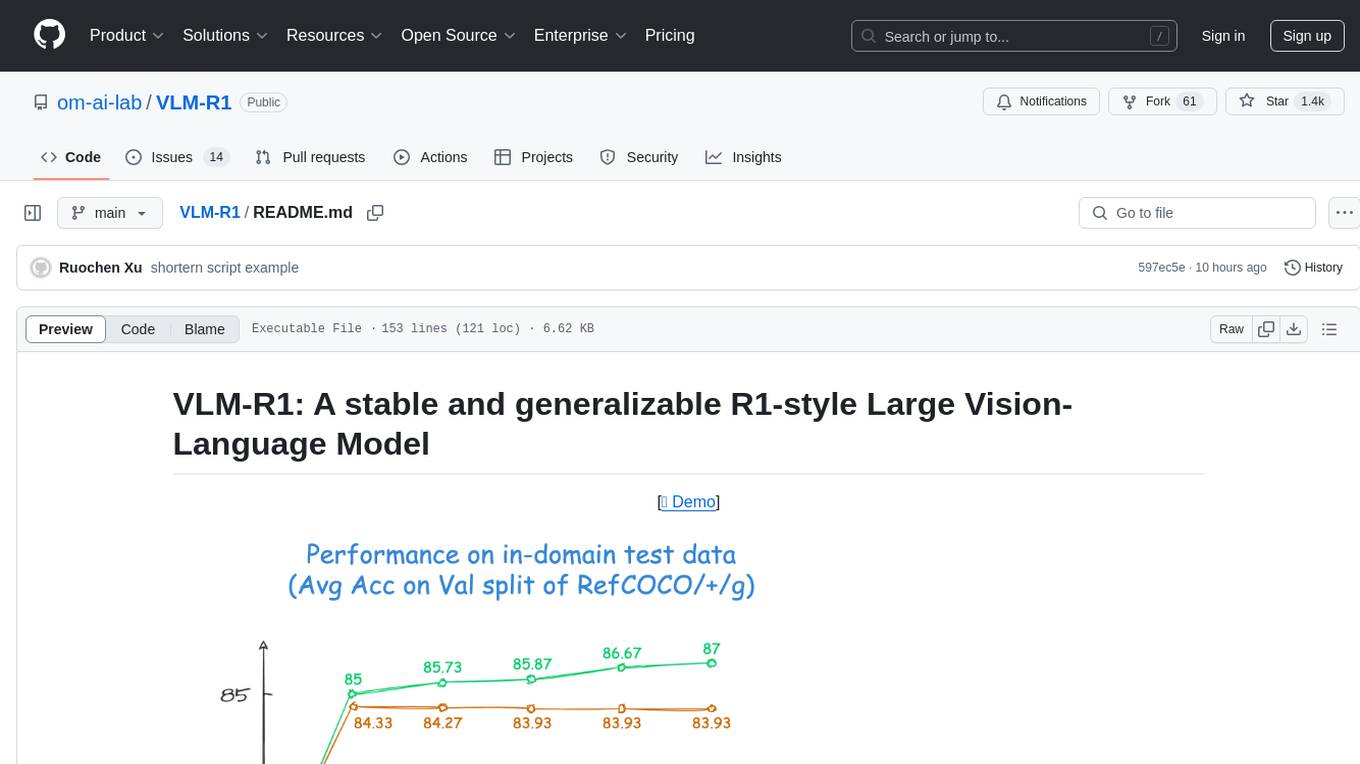
VLM-R1 is a stable and generalizable R1-style Large Vision-Language Model proposed for Referring Expression Comprehension (REC) task. It compares R1 and SFT approaches, showing R1 model's steady improvement on out-of-domain test data. The project includes setup instructions, training steps for GRPO and SFT models, support for user data loading, and evaluation process. Acknowledgements to various open-source projects and resources are mentioned. The project aims to provide a reliable and versatile solution for vision-language tasks.
flyte-sdk
Flyte 2 SDK is a pure Python tool for type-safe, distributed orchestration of agents, ML pipelines, and more. It allows users to write data pipelines, ML training jobs, and distributed compute in Python without any DSL constraints. With features like async-first parallelism and fine-grained observability, Flyte 2 offers a seamless workflow experience. Users can leverage core concepts like TaskEnvironments for container configuration, pure Python workflows for flexibility, and async parallelism for distributed execution. Advanced features include sub-task observability with tracing and remote task execution. The tool also provides native Jupyter integration for running and monitoring workflows directly from notebooks. Configuration and deployment are made easy with configuration files and commands for deploying and running workflows. Flyte 2 is licensed under the Apache 2.0 License.
For similar tasks
scabench
ScaBench is a comprehensive framework designed for evaluating security analysis tools and AI agents on real-world smart contract vulnerabilities. It provides curated datasets from recent audits and official tooling for consistent evaluation. The tool includes features such as curated datasets from Code4rena, Cantina, and Sherlock audits, a baseline runner for security analysis, a scoring tool for evaluating findings, a report generator for HTML reports with visualizations, and pipeline automation for complete workflow execution. Users can access curated datasets, generate new datasets, download project source code, run security analysis using LLMs, and evaluate tool findings against benchmarks using LLM matching. The tool enforces strict matching policies to ensure accurate evaluation results.
For similar jobs

sweep
Sweep is an AI junior developer that turns bugs and feature requests into code changes. It automatically handles developer experience improvements like adding type hints and improving test coverage.

teams-ai
The Teams AI Library is a software development kit (SDK) that helps developers create bots that can interact with Teams and Microsoft 365 applications. It is built on top of the Bot Framework SDK and simplifies the process of developing bots that interact with Teams' artificial intelligence capabilities. The SDK is available for JavaScript/TypeScript, .NET, and Python.

ai-guide
This guide is dedicated to Large Language Models (LLMs) that you can run on your home computer. It assumes your PC is a lower-end, non-gaming setup.

classifai
Supercharge WordPress Content Workflows and Engagement with Artificial Intelligence. Tap into leading cloud-based services like OpenAI, Microsoft Azure AI, Google Gemini and IBM Watson to augment your WordPress-powered websites. Publish content faster while improving SEO performance and increasing audience engagement. ClassifAI integrates Artificial Intelligence and Machine Learning technologies to lighten your workload and eliminate tedious tasks, giving you more time to create original content that matters.

chatbot-ui
Chatbot UI is an open-source AI chat app that allows users to create and deploy their own AI chatbots. It is easy to use and can be customized to fit any need. Chatbot UI is perfect for businesses, developers, and anyone who wants to create a chatbot.

BricksLLM
BricksLLM is a cloud native AI gateway written in Go. Currently, it provides native support for OpenAI, Anthropic, Azure OpenAI and vLLM. BricksLLM aims to provide enterprise level infrastructure that can power any LLM production use cases. Here are some use cases for BricksLLM: * Set LLM usage limits for users on different pricing tiers * Track LLM usage on a per user and per organization basis * Block or redact requests containing PIIs * Improve LLM reliability with failovers, retries and caching * Distribute API keys with rate limits and cost limits for internal development/production use cases * Distribute API keys with rate limits and cost limits for students

uAgents
uAgents is a Python library developed by Fetch.ai that allows for the creation of autonomous AI agents. These agents can perform various tasks on a schedule or take action on various events. uAgents are easy to create and manage, and they are connected to a fast-growing network of other uAgents. They are also secure, with cryptographically secured messages and wallets.

griptape
Griptape is a modular Python framework for building AI-powered applications that securely connect to your enterprise data and APIs. It offers developers the ability to maintain control and flexibility at every step. Griptape's core components include Structures (Agents, Pipelines, and Workflows), Tasks, Tools, Memory (Conversation Memory, Task Memory, and Meta Memory), Drivers (Prompt and Embedding Drivers, Vector Store Drivers, Image Generation Drivers, Image Query Drivers, SQL Drivers, Web Scraper Drivers, and Conversation Memory Drivers), Engines (Query Engines, Extraction Engines, Summary Engines, Image Generation Engines, and Image Query Engines), and additional components (Rulesets, Loaders, Artifacts, Chunkers, and Tokenizers). Griptape enables developers to create AI-powered applications with ease and efficiency.