


unmute
Make text LLMs listen and speak
Stars: 1177
Unmute is a simple tool that allows users to easily unmute themselves during video calls. It provides a quick and convenient way to toggle your microphone on and off without having to navigate through multiple menus or settings. With Unmute, you can ensure that you are heard when you need to speak up, and easily mute yourself when you need to listen. This tool is especially useful for remote workers, students attending online classes, and anyone participating in virtual meetings or conferences. Unmute is designed to streamline the process of managing your audio settings during video calls, making communication more efficient and hassle-free.
README:
Try it out at Unmute.sh!
Unmute is a system that allows text LLMs to listen and speak by wrapping them in Kyutai's Text-to-speech and Speech-to-text models. The speech-to-text transcribes what the user says, the LLM generates a response in text, and the text-to-speech reads it out loud. Both the STT and TTS are optimized for low latency and the system works with any text LLM you like.
If you want to use Kyutai STT or Kyutai TTS separately, check out kyutai-labs/delayed-streams-modeling. A pre-print about the models is available here.
On a high level, it works like this:
graph LR
    UB[User browser]
    UB --> B(Backend)
    UB --> F(Frontend)
    B --> STT(Speech-to-text)
    B --> LLM(LLM)
B --> TTS(Text-to-speech)- The user opens the Unmute website, served by the frontend.
- By clicking "connect", the user establishes a websocket connection to the backend, sending audio and other metadata back and forth in real time.
- The backend connects via websocket to the speech-to-text server, sending it the audio from the user and receiving back the transcription in real time.
- Once the speech-to-text detects that the user has stopped speaking and it's time to generate a response, the backend connects to an LLM server to retrieve the response. We host our own LLM using VLLM, but you could also use an external API like OpenAI or Mistral.
- As the response is being generated, the backend feeds it to the text-to-speech server to read it out loud, and forwards the generated speech to the user.
[!NOTE] If something isn't working for you, don't hesistate to open an issue. We'll do our best to help you figure out what's wrong.
Requirements:
- Hardware: a GPU with CUDA support and at least 16 GB VRAM. Architecture must be x86_64, no aarch64 support is planned.
- OS: Linux, or Windows with WSL (installation instructions). Running on Windows natively is not supported (see #84). Neither is running on Mac (see #74).
We provide multiple ways of deploying your own unmute.sh:
| Name | Number of gpus | Number of machines | Difficulty | Documented | Kyutai support |
|---|---|---|---|---|---|
| Docker Compose | 1+ | 1 | Very easy | ✅ | ✅ |
| Dockerless | 1 to 3 | 1 to 5 | Easy | ✅ | ✅ |
| Docker Swarm | 1 to ~100 | 1 to ~100 | Medium | ✅ | ❌ |
Since Unmute is a complex system with many services that need to be running at the same time, we recommend using Docker Compose to run Unmute. It allows you to start or stop all services using a single command. Since the services are Docker containers, you get a reproducible environment without having to worry about dependencies.
While we support deploying with Docker compose and without Docker, the Docker Swarm deployment is only given to show how we deploy and scale unmute.sh. It looks a lot like the compose files, but since debugging multi-nodes applications is hard, we cannot help you debug the swarm deployment.
You can use any LLM you want. By default, Unmute uses Mistral Small 3.2 24B as the LLM. (Gemma 3 12B is also a good choice.) This model is freely available but requires you to accept the conditions to accept it:
- Create a Hugging Face account.
- Accept the conditions on the Mistral Small 3.2 24B model page.
- Create an access token. You can use a fine-grained token, the only permission you need to grant is "Read access to contents of all public gated repos you can access". Do not use tokens with write access when deploying publicly. In case the server is compromised somehow, the attacker would get write access to any models/datasets/etc. you have on Hugging Face.
- Add the token into your
~/.bashrcor equivalent asexport HUGGING_FACE_HUB_TOKEN=hf_...your token here...
Make sure you have Docker Compose installed. You'll also need the NVIDIA Container Toolkit to allow Docker to access your GPU. To make sure the NVIDIA Container Toolkit is installed correctly, run:
sudo docker run --rm --runtime=nvidia --gpus all ubuntu nvidia-smiIf you use meta-llama/Llama-3.2-1B,
the default in docker-compose.yml, 16GB of GPU memory is sufficient.
If you're running into memory issues, open docker-compose.yml and look for NOTE: comments to see places that you might need to adjust.
On a machine with a GPU, run:
# Make sure you have the environment variable with the token:
echo $HUGGING_FACE_HUB_TOKEN  # This should print hf_...something...

docker compose up --buildOn Unmute.sh, we run the speech-to-text, text-to-speech, and the VLLM server on separate GPUs, which improves the latency compared to a single-GPU setup. The TTS latency decreases from ~750ms when running everything on a single L40S GPU to around ~450ms on Unmute.sh.
If you have at least three GPUs available, add this snippet to the stt, tts and llm services to ensure they are run on separate GPUs:
  stt: # Similarly for `tts` and `llm`
    # ...other configuration
    deploy:
      resources:
        reservations:
          devices:
            - driver: nvidia
              count: 1
capabilities: [gpu]Alternatively, you can choose to run Unmute by manually starting the services without going through Docker. This can be more difficult to set up because of the various dependencies needed.
The following instructions only work for Linux and WSL.
-
uv: Install withcurl -LsSf https://astral.sh/uv/install.sh | sh -
cargo: Install withcurl https://sh.rustup.rs -sSf | sh -
pnpm: Install withcurl -fsSL https://get.pnpm.io/install.sh | sh - -
cuda 12.1: Install it with conda or directly from the Nvidia website. Needed for the Rust processes (tts and stt).
Start each of the services one by one in a different tmux session or terminal:
./dockerless/start_frontend.sh
./dockerless/start_backend.sh
./dockerless/start_llm.sh        # Needs 6.1GB of vram
./dockerless/start_stt.sh        # Needs 2.5GB of vram
./dockerless/start_tts.sh        # Needs 5.3GB of vram
And the website should be accessible at http://localhost:3000.
If you're running Unmute on a machine that you're accessing over SSH – call it unmute-box – and you'd like to access it from your local computer,
you'll need to set up port forwarding.
[!NOTE] If you're running over HTTP and not HTTPS, you'll need to forward the ports even if
http://unmute-box:3000is accessible directly. This is because browsers usually won't let you use the microphone on HTTP connections except for localhost, for security reasons. See below for HTTPS instructions.
For Docker Compose: By default, our Docker Compose setup runs on port 80. To forward port 80 on the remote to port 3333 locally, use:
ssh -N -L 3333:localhost:80 unmute-boxIf everything works correctly, this command will simply not output anything and just keep running.
Then open localhost:3333 in your browser.
For Dockerless: You need to separately forward the backend (port 8000) and frontend (port 3000):
ssh -N -L 8000:localhost:8000 -L 3000:localhost:3000 unmute-boxflowchart LR
subgraph Local_Machine [Local Machine]
direction TB
browser[Browser]
browser -. "User opens localhost:3000 in browser" .-> local_frontend[localhost:3000]
browser -. "Frontend queries API at localhost:8000" .-> local_backend[localhost:8000]
end
subgraph Remote_Server [Remote Server]
direction TB
remote_backend[Backend:8000]
remote_frontend[Frontend:3000]
end
local_backend -- "SSH Tunnel: 8000" --> remote_backend
local_frontend -- "SSH Tunnel: 3000" --> remote_frontendFor simplicity, we omit HTTPS support from the Docker Compose and Dockerless setups. If you want to make the deployment work over the HTTPS, consider using Docker Swarm (see SWARM.md) or ask your favorite LLM how to make the Docker Compose or dockerless setup work over HTTPS.
If you're curious to know how we deploy and scale unmute.sh, take a look at our docs on the Docker Swarm deployment.
Here are some high-level pointers about how you'd go about making certain changes to Unmute.
Press "S" to turn on subtitles for both the user and the chatbot.
There is also a dev mode that can help debugging, but it's disabled by default.
Go to useKeyboardShortcuts.ts and change ALLOW_DEV_MODE to true.
Then press D to see a debug view.
You can add information to the dev mode by modifying self.debug_dict in unmute_handler.py.
The characters' voices and prompts are defined in voices.yaml.
The format of the config file should be intuitive.
Certain system prompts contain dynamically generated elements.
For example, "Quiz show" has its 5 questions randomly chosen in advance from a fixed list.
System prompts like this are defined in unmute/llm/system_prompt.py.
Note that the file is only loaded when the backend starts and is then cached, so if you change something in voices.yaml,
you'll need to restart the backend.
You can check out the available voices in our voice repository.
To use one of the voices, change the path_on_server field in voices.yaml to the relative
path of the voice you want, for example voice-donations/Haku.wav.
From June 2025 to February 2026, we also ran the Unmute Voice Donation Project, where volunteers provided their voices for use with Kyutai TTS 1.6B (used by Unmute) and other open-source TTS models. You can find these voices in the voice repository as well.
The Unmute backend can be used with any OpenAI compatible LLM server. By default, the docker-compose.yml configures VLLM to enable a fully self-contained, local setup.
You can modify this file to change to another external LLM, such as an OpenAI server, a local ollama setup, etc.
For ollama, as environment variables for the unmute-backend image, replace
  backend:
    image: unmute-backend:latest
    [..]
    environment:
      [..]
       - KYUTAI_LLM_URL=http://llm:8000
with
  backend:
    image: unmute-backend:latest
    [..]
    environment:
      [..]
      - KYUTAI_LLM_URL=http://host.docker.internal:11434
      - KYUTAI_LLM_MODEL=gemma3
      - KYUTAI_LLM_API_KEY=ollama
    extra_hosts:
      - "host.docker.internal:host-gateway"
This points to your localhost server. Alternatively, for OpenAI, you can use
  backend:
    image: unmute-backend:latest
    [..]
    environment:
      [..]
      - KYUTAI_LLM_URL=https://api.openai.com/v1
      - KYUTAI_LLM_MODEL=gpt-4.1
      - KYUTAI_LLM_API_KEY=sk-..
The section for vllm can then be removed, as it is no longer needed:
  llm:
    image: vllm/vllm-openai:v0.11.0
[..]The backend and frontend communicate over websocket using a protocol based on the
OpenAI Realtime API ("ORA").
Where possible, we try to match the ORA format, but there are some extra messages we needed to add,
and others have simplified parameters.
We try to make it clear where we deviate from the ORA format, see unmute/openai_realtime_api_events.py.
For detailed information about the WebSocket communication protocol, message types, and audio processing pipeline, see the browser-backend communication documentation.
Ideally, it should be simple to write a single frontend that can communicate with either the Unmute backend or the OpenAI Realtime API, but we are not fully compatible yet. Contributions welcome!
The frontend is a Next.js app defined in frontend/.
If you'd like to compare to a different frontend implementation,
there is a Python client defined in
unmute/loadtest/loadtest_client.py,
a script that we use to benchmark the latency and throughput of Unmute.
This is a common requirement so we would appreciate a contribution to support tool calling in Unmute!
The easiest way to integrate tool calling into Unmute would be to do so in a way that's fully invisible to Unmute itself - just make it part of the LLM server. See this comment on how this can be achieved. You'd need to write a simple server in FastAPI to wrap vLLM but plug in the tool call responses.
First install pre-commit itself – you likely want to install it globally using pip install pre-commit rather than in a virtual environment or uv,
because you need the pre-commit executable to always be available. Then run:
pre-commit install --hook-type pre-commitWe recommend using uv to manage Python dependencies. The commands below assume you are using uv.
uv run fastapi dev unmute/main_websocket.pyuv run fastapi run unmute/main_websocket.pyloadtest_client.py is a script that connects to Unmute and simulates conversations with it in order to measure latency and throughput.
uv run unmute/loadtest/loadtest_client.py --server-url ws://localhost:8000 --n-workers 16For Tasks:
Click tags to check more tools for each tasksFor Jobs:
Alternative AI tools for unmute
Similar Open Source Tools
unmute
Unmute is a simple tool that allows users to easily unmute themselves during video calls. It provides a quick and convenient way to toggle your microphone on and off without having to navigate through multiple menus or settings. With Unmute, you can ensure that you are heard when you need to speak up, and easily mute yourself when you need to listen. This tool is especially useful for remote workers, students attending online classes, and anyone participating in virtual meetings or conferences. Unmute is designed to streamline the process of managing your audio settings during video calls, making communication more efficient and hassle-free.
tiledesk
Tiledesk is an Open Source Live Chat platform with integrated Chatbots written in NodeJs and Express. It provides a multi-channel platform for Web, Android, and iOS, offering out-of-the-box chatbots that work alongside humans. Users can automate conversations using native chatbot technology powered by AI, connect applications via APIs or Webhooks, deploy visual applications within conversations, and enable applications to interact with chatbots or end-users. Tiledesk is multichannel, allowing chatbot scripts with images and buttons to run on various channels like Whatsapp, Facebook Messenger, and Telegram. The project includes Tiledesk Server, Dashboard, Design Studio, Chat21 ionic, Web Widget, Server, Http Server, MongoDB, and a proxy. It offers Helm charts for Kubernetes deployment, but customization is recommended for production environments, such as integrating with external MongoDB or monitoring/logging tools. Enterprise customers can request private Docker images by contacting [email protected].
StoryToolKit
StoryToolkitAI is a film editing tool that utilizes AI to transcribe, index scenes, search through footage, and create stories. It offers features such as automatic transcription, translation, story creation, speaker detection, project file management, and more. The tool works locally on your machine and integrates with DaVinci Resolve Studio 18. It aims to streamline the editing process by leveraging AI capabilities and enhancing user efficiency.
auth0-assistant0
Assistant0 is an AI personal assistant that consolidates digital life by accessing multiple tools to help users stay organized and efficient. It integrates with Gmail for email summaries, manages calendars, retrieves user information, enables online shopping with human-in-the-loop authorizations, uploads and retrieves documents, lists GitHub repositories and events, and soon provides Slack notifications and Google Drive access. With tool-calling capabilities, it acts as a digital personal secretary, enhancing efficiency and ushering in intelligent automation. Security challenges are addressed by using Auth0 for secure tool calling with scoped access tokens, ensuring user data protection.
tiledesk-server
Tiledesk-server is the server engine of Tiledesk. Tiledesk is an Open Source Live Chat platform with integrated Chatbots written in NodeJs and Express. Build your own customer support with a multi-channel platform for Web, Android and iOS. Designed to be open source since the beginning, we actively worked on it to create a totally new, first class customer service platform based on instant messaging. What is Tiledesk today? It became the open source “conversational app development” platform that everyone needs 😌 You can use Tiledesk to increase sales for your website or for post-sales customer service. Every conversation can be automated using our first class native chatbot technology. You can also connect your own applications using our APIs or Webhooks. Moreover you can deploy entire visual applications inside a conversation. And your applications can converse with your chatbots or your end-users! We know this is cool 😎 Tiledesk is multichannel in a totally new way. You can write your chatbot scripts with images, buttons and other cool elements that your channels support. But you will configureyour chatbot replies only once. They will run on every channel, auto-adapting the responses to the target channel whatever it is, Whatsapp, Facebook Messenger, Telegram etc. More info on Tiledesk website: https://www.tiledesk.com. You can find technical documentation here: https://developer.tiledesk.com
viseron
Viseron is a self-hosted, local-only NVR and AI computer vision software that provides features such as object detection, motion detection, and face recognition. It allows users to monitor their home, office, or any other place they want to keep an eye on. Getting started with Viseron is easy by spinning up a Docker container and editing the configuration file using the built-in web interface. The software's functionality is enabled by components, which can be explored using the Component Explorer. Contributors are welcome to help with implementing open feature requests, improving documentation, and answering questions in issues or discussions. Users can also sponsor Viseron or make a one-time donation.
photoprism
PhotoPrism is an AI-powered photos app for the decentralized web. It uses the latest technologies to tag and find pictures automatically without getting in your way. You can run it at home, on a private server, or in the cloud.
ClipboardConqueror
Clipboard Conqueror is a multi-platform omnipresent copilot alternative. Currently requiring a kobold united or openAI compatible back end, this software brings powerful LLM based tools to any text field, the universal copilot you deserve. It simply works anywhere. No need to sign in, no required key. Provided you are using local AI, CC is a data secure alternative integration provided you trust whatever backend you use. *Special thank you to the creators of KoboldAi, KoboldCPP, llamma, openAi, and the communities that made all this possible to figure out.
Elite-Dangerous-AI-Integration
Elite-Dangerous-AI-Integration aims to provide a seamless and efficient experience for commanders by integrating Elite:Dangerous with various services for Speech-to-Text, Text-to-Speech, and Large Language Models. The AI reacts to game events, given commands, and can perform actions like taking screenshots or fetching information from APIs. It is designed for all commanders, enhancing roleplaying, replacing third-party websites, and assisting with tutorials.
dwata
dwata is an open source desktop app designed to manage all your private data on your laptop, providing offline access, fast search capabilities, and organization features for emails, files, contacts, events, and tasks. It aims to reduce cognitive overhead in daily digital life by offering a centralized platform for personal data management. The tool prioritizes user privacy, with no data being sent outside the user's computer without explicit permission. dwata is still in early development stages and offers integration with AI providers for advanced functionalities.
obsidian-weaver
Obsidian Weaver is a plugin that integrates ChatGPT/GPT-3 into the note-taking workflow of Obsidian. It allows users to easily access AI-generated suggestions and insights within Obsidian, enhancing the writing and brainstorming process. The plugin respects Obsidian's philosophy of storing notes locally, ensuring data security and privacy. Weaver offers features like creating new chat sessions with the AI assistant and receiving instant responses, all within the Obsidian environment. It provides a seamless integration with Obsidian's interface, making the writing process efficient and helping users stay focused. The plugin is constantly being improved with new features and updates to enhance the note-taking experience.
TagUI
TagUI is an open-source RPA tool that allows users to automate repetitive tasks on their computer, including tasks on websites, desktop apps, and the command line. It supports multiple languages and offers features like interacting with identifiers, automating data collection, moving data between TagUI and Excel, and sending Telegram notifications. Users can create RPA robots using MS Office Plug-ins or text editors, run TagUI on the cloud, and integrate with other RPA tools. TagUI prioritizes enterprise security by running on users' computers and not storing data. It offers detailed logs, enterprise installation guides, and support for centralised reporting.
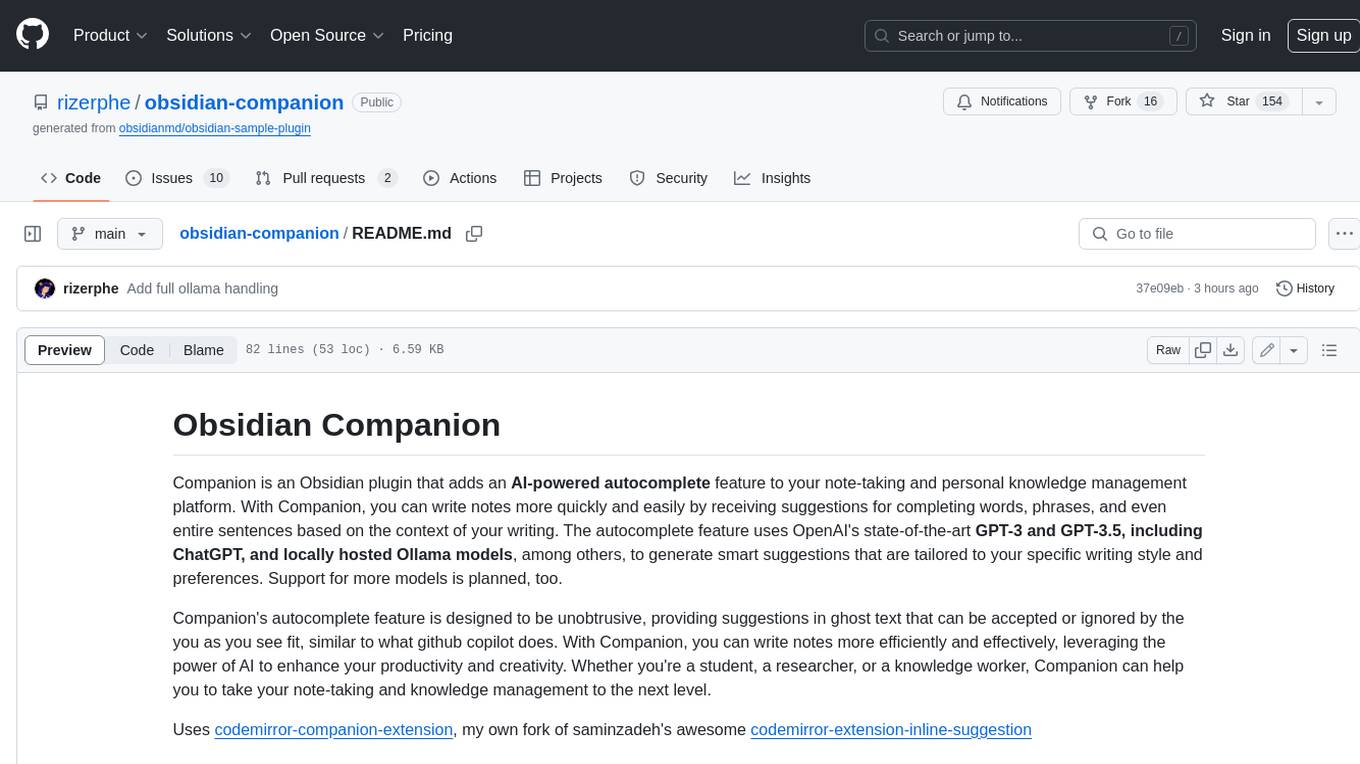
obsidian-companion
Companion is an Obsidian plugin that adds an AI-powered autocomplete feature to your note-taking and personal knowledge management platform. With Companion, you can write notes more quickly and easily by receiving suggestions for completing words, phrases, and even entire sentences based on the context of your writing. The autocomplete feature uses OpenAI's state-of-the-art GPT-3 and GPT-3.5, including ChatGPT, and locally hosted Ollama models, among others, to generate smart suggestions that are tailored to your specific writing style and preferences. Support for more models is planned, too.
autoMate
autoMate is an AI-powered local automation tool designed to help users automate repetitive tasks and reclaim their time. It leverages AI and RPA technology to operate computer interfaces, understand screen content, make autonomous decisions, and support local deployment for data security. With natural language task descriptions, users can easily automate complex workflows without the need for programming knowledge. The tool aims to transform work by freeing users from mundane activities and allowing them to focus on tasks that truly create value, enhancing efficiency and liberating creativity.
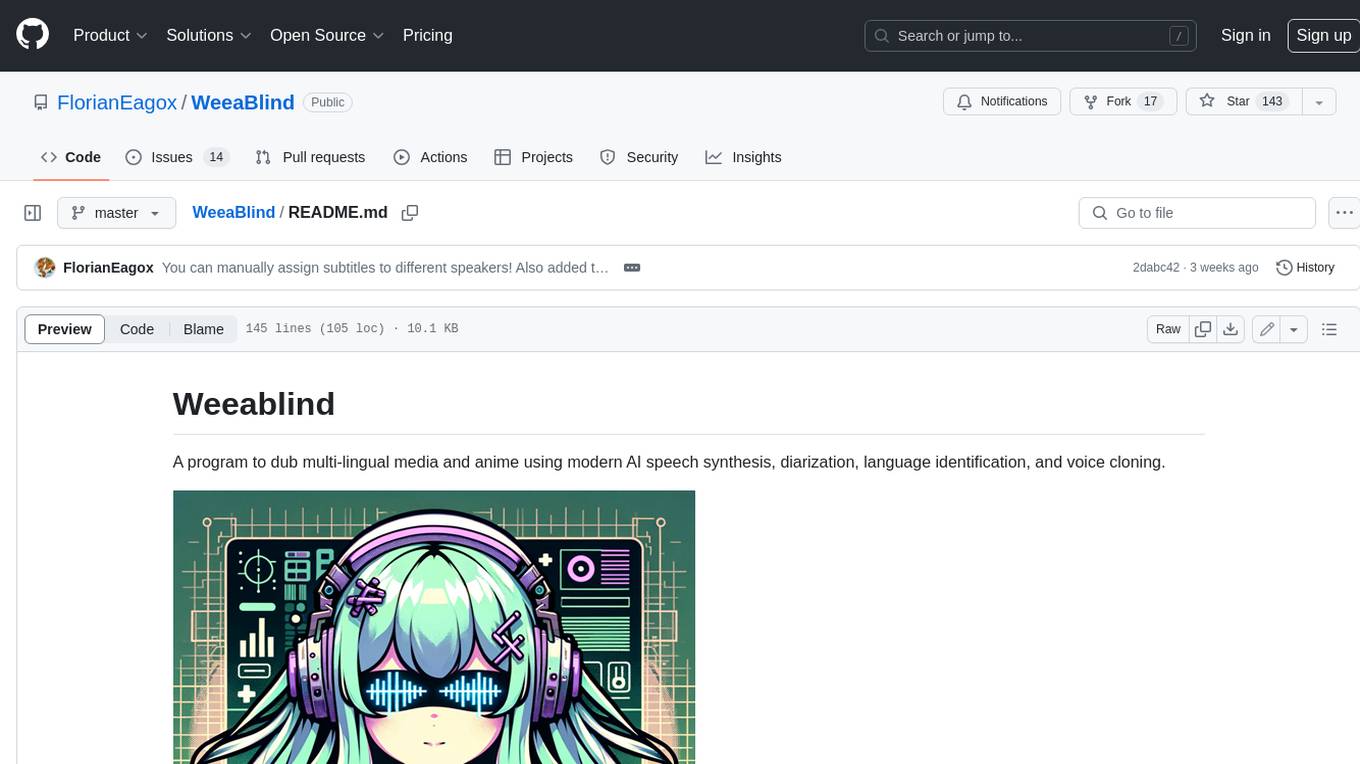
WeeaBlind
Weeablind is a program that uses modern AI speech synthesis, diarization, language identification, and voice cloning to dub multi-lingual media and anime. It aims to create a pleasant alternative for folks facing accessibility hurdles such as blindness, dyslexia, learning disabilities, or simply those that don't enjoy reading subtitles. The program relies on state-of-the-art technologies such as ffmpeg, pydub, Coqui TTS, speechbrain, and pyannote.audio to analyze and synthesize speech that stays in-line with the source video file. Users have the option of dubbing every subtitle in the video, setting the start and end times, dubbing only foreign-language content, or full-blown multi-speaker dubbing with speaking rate and volume matching.
cody-vs
Sourcegraph’s AI code assistant, Cody for Visual Studio, enhances developer productivity by providing a natural and intuitive way to work. It offers features like chat, auto-edit, prompts, and works with various IDEs. Cody focuses on team productivity, offering whole codebase context and shared prompts for consistency. Users can choose from different LLM models like Claude, Gemini Pro, and OpenAI's GPT. Engineered for enterprise use, Cody supports flexible deployment and enterprise security. Suitable for any programming language, Cody excels with Python, Go, JavaScript, and TypeScript code.
For similar tasks
agent-zero
Agent Zero is a personal and organic AI framework designed to be dynamic, organically growing, and learning as you use it. It is fully transparent, readable, comprehensible, customizable, and interactive. The framework uses the computer as a tool to accomplish tasks, with no single-purpose tools pre-programmed. It emphasizes multi-agent cooperation, complete customization, and extensibility. Communication is key in this framework, allowing users to give proper system prompts and instructions to achieve desired outcomes. Agent Zero is capable of dangerous actions and should be run in an isolated environment. The framework is prompt-based, highly customizable, and requires a specific environment to run effectively.
unmute
Unmute is a simple tool that allows users to easily unmute themselves during video calls. It provides a quick and convenient way to toggle your microphone on and off without having to navigate through multiple menus or settings. With Unmute, you can ensure that you are heard when you need to speak up, and easily mute yourself when you need to listen. This tool is especially useful for remote workers, students attending online classes, and anyone participating in virtual meetings or conferences. Unmute is designed to streamline the process of managing your audio settings during video calls, making communication more efficient and hassle-free.
For similar jobs

carrot
The 'carrot' repository on GitHub provides a list of free and user-friendly ChatGPT mirror sites for easy access. The repository includes sponsored sites offering various GPT models and services. Users can find and share sites, report errors, and access stable and recommended sites for ChatGPT usage. The repository also includes a detailed list of ChatGPT sites, their features, and accessibility options, making it a valuable resource for ChatGPT users seeking free and unlimited GPT services.
superflows
Superflows is an open-source alternative to OpenAI's Assistant API. It allows developers to easily add an AI assistant to their software products, enabling users to ask questions in natural language and receive answers or have tasks completed by making API calls. Superflows can analyze data, create plots, answer questions based on static knowledge, and even write code. It features a developer dashboard for configuration and testing, stateful streaming API, UI components, and support for multiple LLMs. Superflows can be set up in the cloud or self-hosted, and it provides comprehensive documentation and support.
py-gpt
Py-GPT is a Python library that provides an easy-to-use interface for OpenAI's GPT-3 API. It allows users to interact with the powerful GPT-3 model for various natural language processing tasks. With Py-GPT, developers can quickly integrate GPT-3 capabilities into their applications, enabling them to generate text, answer questions, and more with just a few lines of code.
openssa
OpenSSA is an open-source framework for creating efficient, domain-specific AI agents. It enables the development of Small Specialist Agents (SSAs) that solve complex problems in specific domains. SSAs tackle multi-step problems that require planning and reasoning beyond traditional language models. They apply OODA for deliberative reasoning (OODAR) and iterative, hierarchical task planning (HTP). This "System-2 Intelligence" breaks down complex tasks into manageable steps. SSAs make informed decisions based on domain-specific knowledge. With OpenSSA, users can create agents that process, generate, and reason about information, making them more effective and efficient in solving real-world challenges.
tiledesk
Tiledesk is an Open Source Live Chat platform with integrated Chatbots written in NodeJs and Express. It provides a multi-channel platform for Web, Android, and iOS, offering out-of-the-box chatbots that work alongside humans. Users can automate conversations using native chatbot technology powered by AI, connect applications via APIs or Webhooks, deploy visual applications within conversations, and enable applications to interact with chatbots or end-users. Tiledesk is multichannel, allowing chatbot scripts with images and buttons to run on various channels like Whatsapp, Facebook Messenger, and Telegram. The project includes Tiledesk Server, Dashboard, Design Studio, Chat21 ionic, Web Widget, Server, Http Server, MongoDB, and a proxy. It offers Helm charts for Kubernetes deployment, but customization is recommended for production environments, such as integrating with external MongoDB or monitoring/logging tools. Enterprise customers can request private Docker images by contacting [email protected].
concierge
Concierge is a versatile automation tool designed to streamline repetitive tasks and workflows. It provides a user-friendly interface for creating custom automation scripts without the need for extensive coding knowledge. With Concierge, users can automate various tasks across different platforms and applications, increasing efficiency and productivity. The tool offers a wide range of pre-built automation templates and allows users to customize and schedule their automation processes. Concierge is suitable for individuals and businesses looking to automate routine tasks and improve overall workflow efficiency.
blinkid-ios
BlinkID iOS is a mobile SDK that enables developers to easily integrate ID scanning and data extraction capabilities into their iOS applications. The SDK supports scanning and processing various types of identity documents, such as passports, driver's licenses, and ID cards. It provides accurate and fast data extraction, including personal information and document details. With BlinkID iOS, developers can enhance their apps with secure and reliable ID verification functionality, improving user experience and streamlining identity verification processes.
chatbox
Chatbox is a desktop client for ChatGPT, Claude, and other LLMs, providing a user-friendly interface for AI copilot assistance on Windows, Mac, and Linux. It offers features like local data storage, multiple LLM provider support, image generation with Dall-E-3, enhanced prompting, keyboard shortcuts, and more. Users can collaborate, access the tool on various platforms, and enjoy multilingual support. Chatbox is constantly evolving with new features to enhance the user experience.