


llxprt-code
An open-source multi-provider AI assisted CLI development tool. Use whatever LLM you want to code in your terminal.
Stars: 632
LLxprt Code is an AI-powered coding assistant that works with any LLM provider, offering a command-line interface for querying and editing codebases, generating applications, and automating development workflows. It supports various subscriptions, provider flexibility, top open models, local model support, and a privacy-first approach. Users can interact with LLxprt Code in both interactive and non-interactive modes, leveraging features like subscription OAuth, multi-account failover, load balancer profiles, and extensive provider support. The tool also allows for the creation of advanced subagents for specialized tasks and integrates with the Zed editor for in-editor chat and code selection.
README:




AI-powered coding assistant that works with any LLM provider. Command-line interface for querying and editing codebases, generating applications, and automating development workflows.
Get started immediately with powerful LLM options:
# Free Gemini models
/auth gemini enable
/provider gemini
/model gemini-3-flash-preview

# Free Qwen models
/auth qwen enable
/provider qwen
/model qwen-3-coder

# Your Claude Pro / Max subscription
/auth anthropic enable
/provider anthropic
/model claude-sonnet-4-5-20250929

# Your ChatGPT Plus / Pro subscription (Codex)
/auth codex enable
/provider codex
/model gpt-5.2

# Kimi subscription (K2 Thinking with reasoning)
/provider kimi
/key **************
/model kimi-k2-thinking- Use Your Existing Subscriptions: Use Claude Pro/Max, ChatGPT Plus/Pro (Codex) directly via OAuth. Use Kimi/Synthetic/Chutes subscriptions via keys.
- Multi-Account Failover: Configure multiple OAuth accounts that automatically failover on rate limits
- Load Balancer Profiles: Balance requests across providers or accounts with automatic failover
- Free Tier Support: Start coding immediately with Gemini or Qwen free tiers
- Provider Flexibility: Switch between any Anthropic, Gemini, OpenAI, Kimi, or OpenAI-compatible provider
- Top Open Models: Works seamlessly with GLM-4.7, Kimi K2 Thinking, MiniMax M2.1, and Qwen 3 Coder
- Local Models: Run models locally with LM Studio, llama.cpp for complete privacy
- Privacy First: No telemetry by default, local processing available
- Subagent Flexibility: Create agents with different models, providers, or settings
- Interactive REPL: Beautiful terminal UI with multiple themes
- Zed Integration: Native Zed editor integration for seamless workflow
# Install and get started
npm install -g @vybestack/llxprt-code
llxprt

# Try without installing
npx @vybestack/llxprt-code --provider synthetic --model hf:zai-org/GLM-4.7 --keyfile ~/.synthetic_key "simplify the README.md"LLxprt Code is a command-line AI assistant designed for developers who want powerful LLM capabilities without leaving their terminal. Unlike GitHub Copilot or ChatGPT, LLxprt Code works with any provider and can run locally for complete privacy.
Key differences:
- Open source & community driven: Not locked into proprietary ecosystems
- Provider agnostic: Not locked into one AI service
- Local-first: Run entirely offline if needed
- Developer-centric: Built specifically for coding workflows
- Terminal native: Designed for CLI workflows, not web interfaces
- Prerequisites: Node.js 20+ installed
-
Install:
npm install -g @vybestack/llxprt-code # Or try without installing: npx @vybestack/llxprt-code -
Run:
llxprt -
Choose provider: Use
/providerto select your preferred LLM service - Start coding: Ask questions, generate code, or analyze projects
First session example:
cd your-project/
llxprt
> Explain the architecture of this codebase and suggest improvements
> Create a test file for the user authentication module
> Help me debug this error: [paste error message]- Subscription OAuth - Use Claude Pro/Max, ChatGPT Plus/Pro (Codex), or Kimi subscriptions directly
- Free Tiers - Gemini, Qwen free tiers with generous limits
- Multi-Account Failover - Configure multiple OAuth buckets that failover automatically on rate limits
- Load Balancer Profiles - Balance across providers/accounts with roundrobin or failover policies
- Extensive Provider Support - Anthropic, Gemini, OpenAI, Kimi, and any OpenAI-compatible provider Provider Guide →
- Top Open Models - GLM-4.7, Kimi K2 Thinking, MiniMax M2.1, Qwen 3 Coder
- Local Model Support - LM Studio, llama.cpp, Ollama for complete privacy
- Profile System - Save provider configurations and model settings
- Advanced Subagents - Isolated AI assistants with different models/providers
- MCP Integration - Connect to external tools and services
- Beautiful Terminal UI - Multiple themes with syntax highlighting
Interactive Mode (REPL): Perfect for exploration, rapid prototyping, and iterative development:
# Start interactive session
llxprt

> Explore this codebase and suggest improvements
> Create a REST API endpoint with tests
> Debug this authentication issue
> Optimize this database query
Non-Interactive Mode: Ideal for automation, CI/CD, and scripted workflows:
# Single command with immediate response
llxprt --profile-load zai-glm46 "Refactor this function for better readability"
llxprt "Generate unit tests for payment module" > tests/payment.test.jsLLxprt Code works seamlessly with the best open-weight models:
- Context Window: 262,144 tokens
- Architecture: Trillion-parameter MoE (32B active)
- Strengths: Deep reasoning, multi-step tool orchestration, 200-300 sequential tool calls
- Special: Native thinking/reasoning mode with tool interleaving
/provider kimi
/model kimi-k2-thinking
# Or via Synthetic/Chutes:
/provider synthetic
/model hf:moonshotai/Kimi-K2-Thinking- Context Window: 200,000 tokens
- Max Output: 131,072 tokens
- Architecture: Mixture-of-Experts with 355B total parameters (32B active)
- Strengths: Coding, multi-step planning, tool integration
- Context Window: 196,608 tokens
- Architecture: MoE with 230B total parameters (10B active)
- Strengths: Coding workflows, multi-step agents, tool calling
- Cost: Only 8% of Claude Sonnet, ~2x faster
- Context Window: 262,144 tokens
- Max Output: 65,536 tokens
- Architecture: MoE with 480B total parameters (35B active)
- Strengths: Agentic coding, browser automation, tool usage
- Performance: State-of-the-art on SWE-bench Verified (69.6%)
Run models completely offline for maximum privacy:
# With LM Studio
/provider openai
/baseurl http://localhost:1234/v1/
/model your-local-model

# With Ollama
/provider ollama
/model codellama:13b
Supported local providers:
- LM Studio: Easy Windows/Mac/Linux setup
- llama.cpp: Maximum performance and control
- Ollama: Simple model management
- Any OpenAI-compatible API: Full flexibility
Create specialized AI assistants with isolated contexts and different configurations:
# Subagents run with custom profiles and tool access
# Access via the commands interface
/subagent list
/subagent create <name>
Each subagent can be configured with:
- Different providers (Gemini vs Anthropic vs Qwen vs Local)
- Different models (Flash vs Sonnet vs GLM-4.7 vs Custom)
- Different tool access (Restrict or allow specific tools)
- Different settings (Temperature, timeouts, max turns)
- Isolated runtime context (No memory or state crossover)
Subagents are designed for:
- Specialized tasks (Code review, debugging, documentation)
- Different expertise areas (Frontend vs Backend vs DevOps)
- Tool-limited environments (Read-only analysis vs Full development)
- Experimental configurations (Testing new models or settings)
LLxprt Code integrates with the Zed editor using the Agent Communication Protocol (ACP):
{
  "agent_servers": {
    "llxprt": {
      "command": "/opt/homebrew/bin/llxprt",
      "args": ["--experimental-acp", "--profile-load", "my-profile", "--yolo"]
    }
  }
}
Configure in Zed's settings.json under agent_servers. Use which llxprt to find your binary path.
Features:
- In-editor chat: Direct AI interaction without leaving Zed
- Code selection: Ask about specific code selections
- Project awareness: Full context of your open workspace
- Multiple providers: Configure different agents for Claude, OpenAI, Gemini, etc.
** Complete Provider Guide →**
- Settings & Profiles: Fine-tune model parameters and save configurations
- Subagents: Create specialized assistants for different tasks
- MCP Servers: Connect external tools and data sources
- Checkpointing: Save and resume complex conversations
- IDE Integration: Connect to VS Code and other editors
** Full Documentation →**
- From Gemini CLI: Migration Guide
- Local Models Setup: Local Models Guide
- Command Reference: CLI Commands
- Troubleshooting: Common Issues
LLxprt Code does not collect telemetry by default. Your data stays with you unless you choose to send it to external AI providers.
When using external services, their respective terms of service apply:
For Tasks:
Click tags to check more tools for each tasksFor Jobs:
Alternative AI tools for llxprt-code
Similar Open Source Tools
For similar tasks
autogen
AutoGen is a framework that enables the development of LLM applications using multiple agents that can converse with each other to solve tasks. AutoGen agents are customizable, conversable, and seamlessly allow human participation. They can operate in various modes that employ combinations of LLMs, human inputs, and tools.

tracecat
Tracecat is an open-source automation platform for security teams. It's designed to be simple but powerful, with a focus on AI features and a practitioner-obsessed UI/UX. Tracecat can be used to automate a variety of tasks, including phishing email investigation, evidence collection, and remediation plan generation.
ciso-assistant-community
CISO Assistant is a tool that helps organizations manage their cybersecurity posture and compliance. It provides a centralized platform for managing security controls, threats, and risks. CISO Assistant also includes a library of pre-built frameworks and tools to help organizations quickly and easily implement best practices.
ck
Collective Mind (CM) is a collection of portable, extensible, technology-agnostic and ready-to-use automation recipes with a human-friendly interface (aka CM scripts) to unify and automate all the manual steps required to compose, run, benchmark and optimize complex ML/AI applications on any platform with any software and hardware: see online catalog and source code. CM scripts require Python 3.7+ with minimal dependencies and are continuously extended by the community and MLCommons members to run natively on Ubuntu, MacOS, Windows, RHEL, Debian, Amazon Linux and any other operating system, in a cloud or inside automatically generated containers while keeping backward compatibility - please don't hesitate to report encountered issues here and contact us via public Discord Server to help this collaborative engineering effort! CM scripts were originally developed based on the following requirements from the MLCommons members to help them automatically compose and optimize complex MLPerf benchmarks, applications and systems across diverse and continuously changing models, data sets, software and hardware from Nvidia, Intel, AMD, Google, Qualcomm, Amazon and other vendors: * must work out of the box with the default options and without the need to edit some paths, environment variables and configuration files; * must be non-intrusive, easy to debug and must reuse existing user scripts and automation tools (such as cmake, make, ML workflows, python poetry and containers) rather than substituting them; * must have a very simple and human-friendly command line with a Python API and minimal dependencies; * must require minimal or zero learning curve by using plain Python, native scripts, environment variables and simple JSON/YAML descriptions instead of inventing new workflow languages; * must have the same interface to run all automations natively, in a cloud or inside containers. CM scripts were successfully validated by MLCommons to modularize MLPerf inference benchmarks and help the community automate more than 95% of all performance and power submissions in the v3.1 round across more than 120 system configurations (models, frameworks, hardware) while reducing development and maintenance costs.
zenml
ZenML is an extensible, open-source MLOps framework for creating portable, production-ready machine learning pipelines. By decoupling infrastructure from code, ZenML enables developers across your organization to collaborate more effectively as they develop to production.
clearml
ClearML is a suite of tools designed to streamline the machine learning workflow. It includes an experiment manager, MLOps/LLMOps, data management, and model serving capabilities. ClearML is open-source and offers a free tier hosting option. It supports various ML/DL frameworks and integrates with Jupyter Notebook and PyCharm. ClearML provides extensive logging capabilities, including source control info, execution environment, hyper-parameters, and experiment outputs. It also offers automation features, such as remote job execution and pipeline creation. ClearML is designed to be easy to integrate, requiring only two lines of code to add to existing scripts. It aims to improve collaboration, visibility, and data transparency within ML teams.
devchat
DevChat is an open-source workflow engine that enables developers to create intelligent, automated workflows for engaging with users through a chat panel within their IDEs. It combines script writing flexibility, latest AI models, and an intuitive chat GUI to enhance user experience and productivity. DevChat simplifies the integration of AI in software development, unlocking new possibilities for developers.
LLM-Finetuning-Toolkit
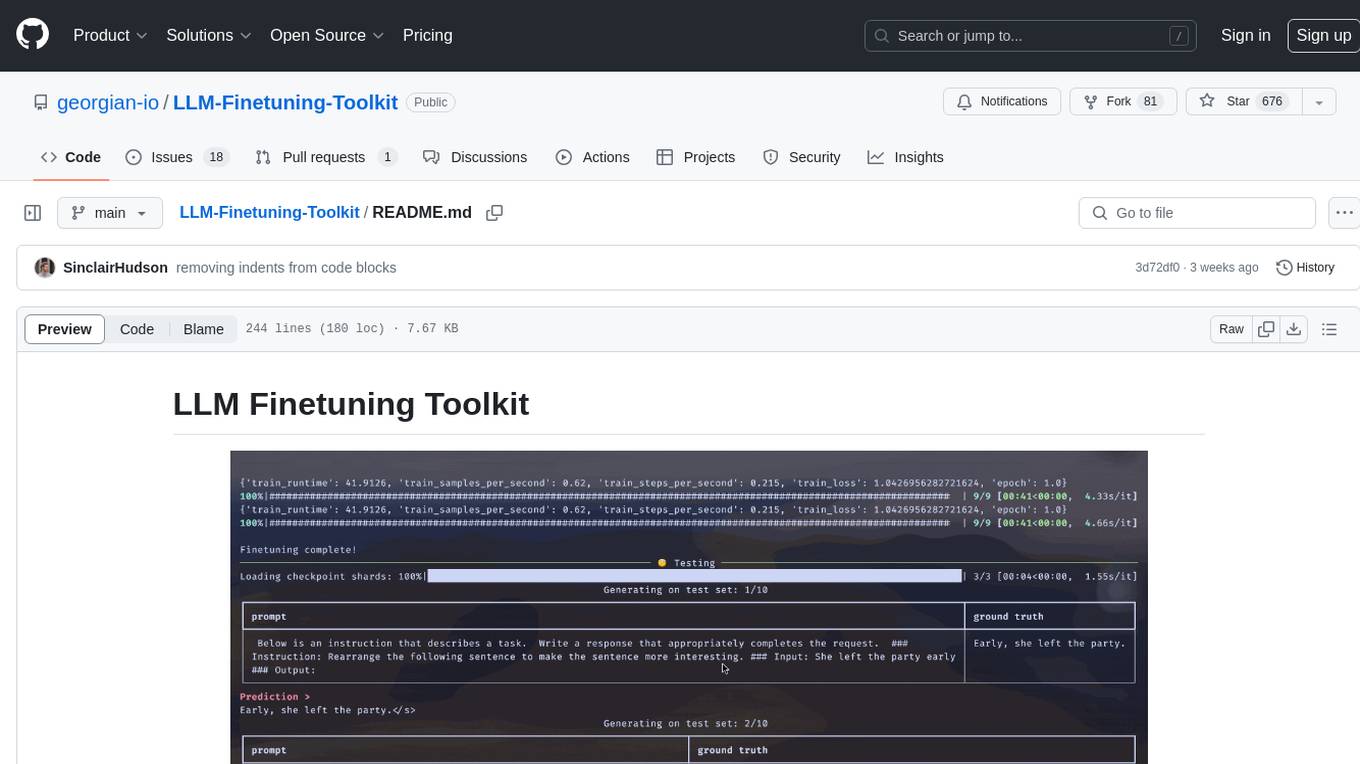
LLM Finetuning toolkit is a config-based CLI tool for launching a series of LLM fine-tuning experiments on your data and gathering their results. It allows users to control all elements of a typical experimentation pipeline - prompts, open-source LLMs, optimization strategy, and LLM testing - through a single YAML configuration file. The toolkit supports basic, intermediate, and advanced usage scenarios, enabling users to run custom experiments, conduct ablation studies, and automate fine-tuning workflows. It provides features for data ingestion, model definition, training, inference, quality assurance, and artifact outputs, making it a comprehensive tool for fine-tuning large language models.
For similar jobs

sweep
Sweep is an AI junior developer that turns bugs and feature requests into code changes. It automatically handles developer experience improvements like adding type hints and improving test coverage.

teams-ai
The Teams AI Library is a software development kit (SDK) that helps developers create bots that can interact with Teams and Microsoft 365 applications. It is built on top of the Bot Framework SDK and simplifies the process of developing bots that interact with Teams' artificial intelligence capabilities. The SDK is available for JavaScript/TypeScript, .NET, and Python.

ai-guide
This guide is dedicated to Large Language Models (LLMs) that you can run on your home computer. It assumes your PC is a lower-end, non-gaming setup.

classifai
Supercharge WordPress Content Workflows and Engagement with Artificial Intelligence. Tap into leading cloud-based services like OpenAI, Microsoft Azure AI, Google Gemini and IBM Watson to augment your WordPress-powered websites. Publish content faster while improving SEO performance and increasing audience engagement. ClassifAI integrates Artificial Intelligence and Machine Learning technologies to lighten your workload and eliminate tedious tasks, giving you more time to create original content that matters.

chatbot-ui
Chatbot UI is an open-source AI chat app that allows users to create and deploy their own AI chatbots. It is easy to use and can be customized to fit any need. Chatbot UI is perfect for businesses, developers, and anyone who wants to create a chatbot.

BricksLLM
BricksLLM is a cloud native AI gateway written in Go. Currently, it provides native support for OpenAI, Anthropic, Azure OpenAI and vLLM. BricksLLM aims to provide enterprise level infrastructure that can power any LLM production use cases. Here are some use cases for BricksLLM: * Set LLM usage limits for users on different pricing tiers * Track LLM usage on a per user and per organization basis * Block or redact requests containing PIIs * Improve LLM reliability with failovers, retries and caching * Distribute API keys with rate limits and cost limits for internal development/production use cases * Distribute API keys with rate limits and cost limits for students

uAgents
uAgents is a Python library developed by Fetch.ai that allows for the creation of autonomous AI agents. These agents can perform various tasks on a schedule or take action on various events. uAgents are easy to create and manage, and they are connected to a fast-growing network of other uAgents. They are also secure, with cryptographically secured messages and wallets.

griptape
Griptape is a modular Python framework for building AI-powered applications that securely connect to your enterprise data and APIs. It offers developers the ability to maintain control and flexibility at every step. Griptape's core components include Structures (Agents, Pipelines, and Workflows), Tasks, Tools, Memory (Conversation Memory, Task Memory, and Meta Memory), Drivers (Prompt and Embedding Drivers, Vector Store Drivers, Image Generation Drivers, Image Query Drivers, SQL Drivers, Web Scraper Drivers, and Conversation Memory Drivers), Engines (Query Engines, Extraction Engines, Summary Engines, Image Generation Engines, and Image Query Engines), and additional components (Rulesets, Loaders, Artifacts, Chunkers, and Tokenizers). Griptape enables developers to create AI-powered applications with ease and efficiency.