


lm-proxy
OpenAI-compatible HTTP LLM proxy / gateway for multi-provider inference (Google, Anthropic, OpenAI, PyTorch). Lightweight, extensible Python/FastAPI—use as library or standalone service.
Stars: 73
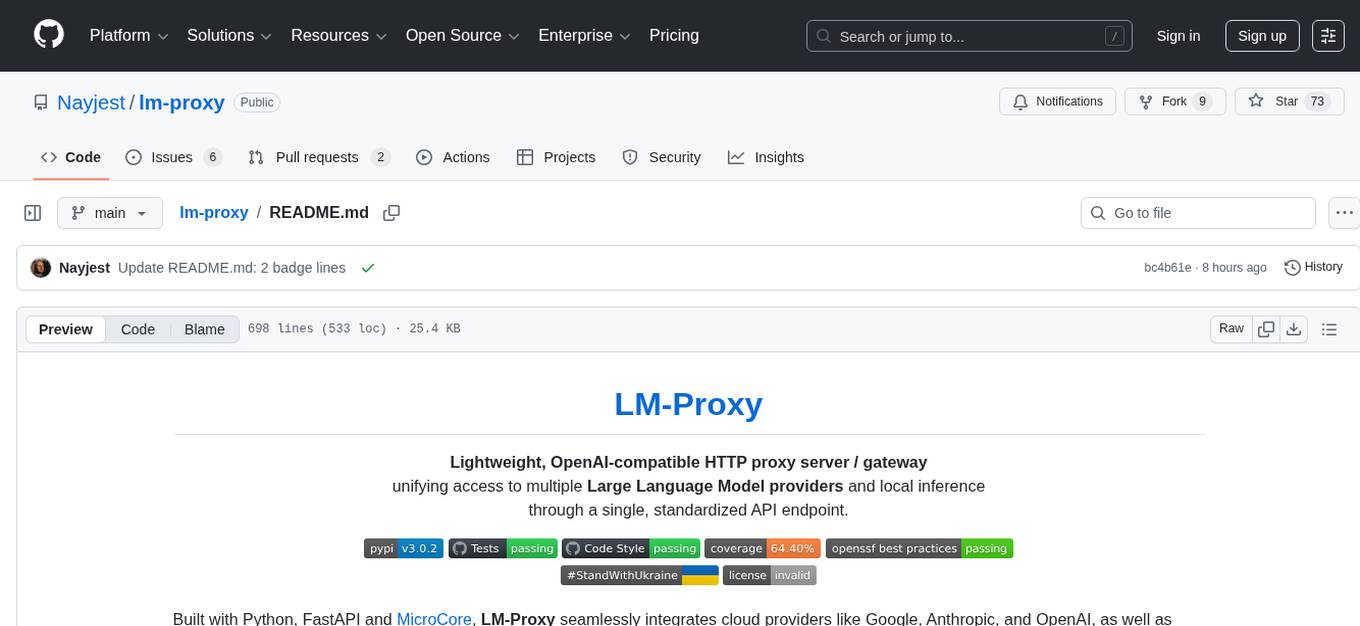
lm-proxy is a lightweight and efficient tool for managing HTTP/HTTPS proxies. It provides a simple interface to easily rotate, validate, and use proxies in web scraping, data mining, and automation tasks. With lm-proxy, users can seamlessly handle proxy management without the need for complex configurations or setups.
README:
Lightweight, OpenAI-compatible HTTP proxy server / gateway
unifying access to multiple Large Language Model providers and local inference
through a single, standardized API endpoint.





Built with Python, FastAPI and MicroCore, LM-Proxy seamlessly integrates cloud providers like Google, Anthropic, and OpenAI, as well as local PyTorch-based inference, while maintaining full compatibility with OpenAI's API format.
It works as a drop-in replacement for OpenAI's API, allowing you to switch between cloud providers and local models without modifying your existing client code.
LM-Proxy supports real-time token streaming, secure Virtual API key management, and can be used both as an importable Python library and as a standalone HTTP service. Whether you're building production applications or experimenting with different models, LM-Proxy eliminates integration complexity and keeps your codebase provider-agnostic.
- Overview
- Features
- Getting Started
- Configuration
- Proxy API Keys vs. Provider API Keys
- API Usage
- User Groups Configuration
- Advanced Usage
- Add-on Components
- Request Handlers (Middleware)
- Guides & Reference
- Known Limitations
- Debugging
- Contributing
- License

- Provider Agnostic: Connect to OpenAI, Anthropic, Google AI, local models, and more using a single API
- Unified Interface: Access all models through the standard OpenAI API format
- Dynamic Routing: Route requests to different LLM providers based on model name patterns
- Stream Support: Full streaming support for real-time responses
- API Key Management: Configurable API key validation and access control
- Easy Configuration: Simple TOML/YAML/JSON/Python configuration files for setup
- Extensible by Design: Minimal core with clearly defined extension points, enabling seamless customization and expansion without modifying the core system.
Python 3.11 | 3.12 | 3.13
pip install lm-proxyFor proxying to Anthropic API or Google Gemini via Vertex AI or Google AI Studio, install optional dependencies:
pip install lm-proxy[anthropic,google]
or
pip install lm-proxy[all]
host = "0.0.0.0"
port = 8000

[connections]
[connections.openai]
api_type = "open_ai"
api_base = "https://api.openai.com/v1/"
api_key = "env:OPENAI_API_KEY"

[connections.anthropic]
api_type = "anthropic"
api_key = "env:ANTHROPIC_API_KEY"

[routing]
"gpt*" = "openai.*"
"claude*" = "anthropic.*"
"*" = "openai.gpt-3.5-turbo"

[groups.default]
api_keys = ["YOUR_API_KEY_HERE"]
Note ℹ️ To enhance security, consider storing upstream API keys in operating system environment variables rather than embedding them directly in the configuration file. You can reference these variables in the configuration using the env:<VAR_NAME> syntax.
lm-proxyAlternatively, run it as a Python module:
python -m lm_proxyfrom openai import OpenAI
client = OpenAI(
api_key="YOUR_API_KEY_HERE",
base_url="http://localhost:8000/v1"
)
completion = client.chat.completions.create(
model="gpt-5", # This will be routed to OpenAI based on config
messages=[{"role": "user", "content": "Hello, world!"}]
)
print(completion.choices[0].message.content)Or use the same endpoint with Claude models:
completion = client.chat.completions.create(
    model="claude-opus-4-1-20250805",  # This will be routed to Anthropic based on config
    messages=[{"role": "user", "content": "Hello, world!"}]
)LM-Proxy is configured through a TOML/YAML/JSON/Python file that specifies connections, routing rules, and access control.
host = "0.0.0.0"  # Interface to bind to
port = 8000       # Port to listen on
dev_autoreload = false  # Enable for development

# API key validation function (optional)
api_key_check = "lm_proxy.api_key_check.check_api_key_in_config"

# LLM Provider Connections
[connections]

[connections.openai]
api_type = "open_ai"
api_base = "https://api.openai.com/v1/"
api_key = "env:OPENAI_API_KEY"

[connections.google]
api_type = "google"
api_key = "env:GOOGLE_API_KEY"

[connections.anthropic]
api_type = "anthropic"
api_key  = "env:ANTHROPIC_API_KEY"

# Routing rules (model_pattern = "connection.model")
[routing]
"gpt*" = "openai.*"     # Route all GPT models to OpenAI
"claude*" = "anthropic.*"  # Route all Claude models to Anthropic
"gemini*" = "google.*"  # Route all Gemini models to Google
"*" = "openai.gpt-3.5-turbo"  # Default fallback

# Access control groups
[groups.default]
api_keys = [
    "KEY1",
    "KEY2"
]

# optional
[[loggers]]
class = 'lm_proxy.loggers.BaseLogger'
[loggers.log_writer]
class = 'lm_proxy.loggers.log_writers.JsonLogWriter'
file_name = 'storage/json.log'
[loggers.entry_transformer]
class = 'lm_proxy.loggers.LogEntryTransformer'
completion_tokens = "response.usage.completion_tokens"
prompt_tokens = "response.usage.prompt_tokens"
prompt = "request.messages"
response = "response"
group = "group"
connection = "connection"
api_key_id = "api_key_id"
remote_addr = "remote_addr"
created_at = "created_at"
duration = "duration"You can reference environment variables in your configuration file by prefixing values with env:.
For example:
[connections.openai]
api_key = "env:OPENAI_API_KEY"
At runtime, LM-Proxy automatically retrieves the value of the target variable (OPENAI_API_KEY) from your operating system's environment or from a .env file, if present.
By default, LM-Proxy looks for a .env file in the current working directory
and loads environment variables from it.
You can refer to the .env.template file for an example:
OPENAI_API_KEY=sk-u........
GOOGLE_API_KEY=AI........
ANTHROPIC_API_KEY=sk-ant-api03--vE........

# "1", "TRUE", "YES", "ON", "ENABLED", "Y", "+" are true, case-insensitive.
# See https://github.com/Nayjest/ai-microcore/blob/v4.4.3/microcore/configuration.py#L36
LM_PROXY_DEBUG=no
You can also control .env file usage with the --env command-line option:
# Use a custom .env file path
lm-proxy --env="path/to/your/.env"
# Disable .env loading
lm-proxy --env=""LM-Proxy utilizes two distinct types of API keys to facilitate secure and efficient request handling.
-
Proxy API Key (Virtual API Key, Client API Key):
A unique key generated and managed within LM-Proxy.
Clients use these keys to authenticate their requests to the proxy's API endpoints.
Each Client API Key is associated with a specific group, which defines the scope of access and permissions for the client's requests.
These keys allow users to securely interact with the proxy without direct access to external service credentials. -
Provider API Key (Upstream API Key): A key provided by external LLM inference providers (e.g., OpenAI, Anthropic, Mistral, etc.) and configured within the LM-Proxy.
The proxy uses these keys to authenticate and forward validated client requests to the respective external services.
Provider API Keys remain hidden from end users, ensuring secure and transparent communication with provider APIs.
This distinction ensures a clear separation of concerns: Virtual API Keys manage user authentication and access within the proxy, while Upstream API Keys handle secure communication with external providers.
LM-Proxy implements the OpenAI chat completions API endpoint. You can use any OpenAI-compatible client to interact with it.
POST /v1/chat/completions{
"model": "gpt-3.5-turbo",
"messages": [
{"role": "system", "content": "You are a helpful assistant."},
{"role": "user", "content": "What is the capital of France?"}
],
"temperature": 0.7,
"stream": false
}{
"choices": [
{
"index": 0,
"message": {
"role": "assistant",
"content": "The capital of France is Paris."
},
"finish_reason": "stop"
}
]
}List and describe all models available through the API.
GET /v1/modelsThe LM-Proxy dynamically builds the models list based on routing rules defined in config.routing.
Routing keys can reference both exact model names and model name patterns (e.g., "gpt*", "claude*", etc.).
By default, wildcard patterns are displayed as-is in the models list (e.g., "gpt*", "claude*").
This behavior can be customized via the model_listing_mode configuration option:
model_listing_mode = "as_is" | "ignore_wildcards" | "expand_wildcards"
Available modes:
-
as_is(default) — Lists all entries exactly as defined in the routing configuration, including wildcard patterns. -
ignore_wildcards— Excludes wildcard patterns, showing only explicitly defined model names. -
expand_wildcards— Expands wildcard patterns by querying each connected backend for available models (feature not yet implemented).
To obtain a complete and accurate model list in the current implementation, all supported models must be explicitly defined in the routing configuration, for example:
[routing]
"gpt-4" = "my_openai_connection.*"
"gpt-5" = "my_openai_connection.*"
"gpt-8"= "my_openai_connection.gpt-3.5-turbo"
"claude-4.5-sonnet" = "my_anthropic_connection.claude-sonnet-4-5-20250929"
"claude-4.1-opus" = "my_anthropic_connection.claude-opus-4-1-20250805"
[connections]
[connections.my_openai_connection]
api_type = "open_ai"
api_base = "https://api.openai.com/v1/"
api_key  = "env:OPENAI_API_KEY"
[connections.my_anthropic_connection]
api_type = "anthropic"
api_key = "env:ANTHROPIC_API_KEY"{
"object": "list",
"data": [
{
"id": "gpt-6",
"object": "model",
"created": 1686935002,
"owned_by": "organization-owner"
},
{
"id": "claude-5-sonnet",
"object": "model",
"created": 1686935002,
"owned_by": "organization-owner"
}
]
}The [groups] section in the configuration defines access control rules for different user groups.
Each group can have its own set of virtual API keys and permitted connections.
[groups.default]
api_keys = ["KEY1", "KEY2"]
allowed_connections = "*" # Allow access to all connectionsYou can create multiple groups to segment your users and control their access:
# Admin group with full access
[groups.admin]
api_keys = ["ADMIN_KEY_1", "ADMIN_KEY_2"]
allowed_connections = "*"  # Access to all connections

# Regular users with limited access
[groups.users]
api_keys = ["USER_KEY_1", "USER_KEY_2"]
allowed_connections = "openai,anthropic"  # Only allowed to use specific connections

# Free tier with minimal access
[groups.free]
api_keys = ["FREE_KEY_1", "FREE_KEY_2"]
allowed_connections = "openai" # Only allowed to use OpenAI connectionThe allowed_connections parameter controls which upstream providers a group can access:
-
"*"- Group can use all configured connections -
"openai,anthropic"- Comma-separated list of specific connections the group can use
This allows fine-grained control over which users can access which AI providers, enabling features like:
- Restricting expensive models to premium users
- Creating specialized access tiers for different user groups
- Implementing usage quotas per group
- Billing and cost allocation by user group
LM-Proxy includes 2 built-in methods for validating Virtual API keys:
-
lm_proxy.api_key_check.check_api_key_in_config- verifies API keys against those defined in the config file; used by default -
lm_proxy.api_key_check.CheckAPIKeyWithRequest- validates API keys via an external HTTP service
The API key check method can be configured using the api_key_check configuration key.
Its value can be either a reference to a Python function in the format my_module.sub_module1.sub_module2.fn_name,
or an object containing parameters for a class-based validator.
In the .py config representation, the validator function can be passed directly as a callable.
Example configuration for external API key validation using HTTP request to Keycloak / OpenID Connect
This example shows how to validate API keys against an external service (e.g., Keycloak):
[api_key_check]
class = "lm_proxy.api_key_check.CheckAPIKeyWithRequest"
method = "POST"
url = "http://keycloak:8080/realms/master/protocol/openid-connect/userinfo"
response_as_user_info = true  # interpret response JSON as user info object for further processing / logging
use_cache = true  # requires installing cachetools if True: pip install cachetools
cache_ttl = 60  # Cache duration in seconds

[api_key_check.headers]
Authorization = "Bearer {api_key}"For more advanced authentication needs, you can implement a custom validator function:
# my_validators.py
def validate_api_key(api_key: str) -> str | None:
    """
    Validate an API key and return the group name if valid.

    Args:
        api_key: The API key to validate

    Returns:
        The name of the group if valid, None otherwise
    """
    if api_key == "secret-key":
        return "admin"
    elif api_key.startswith("user-"):
        return "users"
    return None
Then reference it in your config:
api_key_check = "my_validators.validate_api_key"NOTE In this case, the
api_keyslists in groups are ignored, and the custom function is responsible for all validation logic.
The routing section allows flexible pattern matching with wildcards:
[routing]
"gpt-4*" = "openai.gpt-4"           # Route gpt-4 requests to OpenAI GPT-4
"gpt-3.5*" = "openai.gpt-3.5-turbo" # Route gpt-3.5 requests to OpenAI
"claude*" = "anthropic.*"           # Pass model name as-is to Anthropic
"gemini*" = "google.*"              # Pass model name as-is to Google
"custom*" = "local.llama-7b"        # Map any "custom*" to a specific local model
"*" = "openai.gpt-3.5-turbo"        # Default fallback for unmatched models
Keys are model name patterns (with * wildcard support), and values are connection/model mappings.
Connection names reference those defined in the [connections] section.
-
Simple load-balancer configuration
This example demonstrates how to set up a load balancer that randomly distributes requests across multiple language model servers using the lm_proxy.
- vertex-ai.toml This example demonstrates how to connect LM-Proxy to Google Gemini model via Vertex AI API
You can configure LM-Proxy to validate tokens from OpenID Connect (OIDC) providers like Keycloak, Auth0, or Okta as API keys.
The following configuration validates Keycloak access tokens by calling the userinfo endpoint:
[api_key_check]
class = "lm_proxy.api_key_check.CheckAPIKeyWithRequest"
method = "POST"
url = "http://keycloak:8080/realms/master/protocol/openid-connect/userinfo"
response_as_user_info = true
use_cache = true
cache_ttl = 60

[api_key_check.headers]
Authorization = "Bearer {api_key}"
Configuration Parameters:
-
class- The API key validation handler class (lm_proxy.api_key_check.CheckAPIKeyWithRequest) -
method- HTTP method for the validation request (typicallyPOSTorGET) -
url- The OIDC provider's userinfo endpoint URL -
response_as_user_info- Parse the response as user information for further usage in LM-Proxy (extend logged info, determine user group, etc.) -
use_cache- Enable caching of validation results (requires installing thecachetoolspackage if enabled:pip install cachetools) -
cache_ttl- Cache time-to-live in seconds (reduces load on identity provider) -
headers- Dictionary of headers to send with the validation request
Note: The
{api_key}placeholder can be used in headers or in the URL. LM-Proxy substitutes it with the API key from the client to perform the check.
Usage:
Clients pass their OIDC access token as the API key when making requests to LM-Proxy.
Handlers intercept and modify requests before they reach the upstream LLM provider. They enable cross-cutting concerns such as rate limiting, logging, auditing, and header manipulation.
Handlers are defined in the before list within the configuration file and execute sequentially in the order specified.
LM-Proxy includes several built-in handlers for common operational needs.
The RateLimiter protects upstream credentials and manages traffic load using a sliding window algorithm.
Parameters:
| Parameter | Type | Description |
|---|---|---|
max_requests |
int | Maximum number of requests allowed per window |
window_seconds |
int | Duration of the sliding window in seconds |
per |
string | Scope of the limit: api_key, ip, connection, group, or global
|
Configuration:
[[before]]
class = "lm_proxy.handlers.RateLimiter"
max_requests = 10
window_seconds = 60
per = "api_key"

[[before]]
class = "lm_proxy.handlers.RateLimiter"
max_requests = 1000
window_seconds = 300
per = "global"The HTTPHeadersForwarder passes specific headers from incoming client requests to the upstream provider—useful for distributed tracing or tenant context propagation.
Sensitive headers (Authorization, Host, Content-Length) are stripped by default to prevent protocol corruption and credential leaks.
[[before]]
class = "lm_proxy.handlers.HTTPHeadersForwarder"
white_list_headers = ["x-trace-id", "x-correlation-id", "x-tenant-id"]
See also HTTP Header Management.
Extend functionality by implementing custom handlers in Python. A handler is any callable (function or class instance) that accepts a RequestContext.
from lm_proxy.base_types import RequestContext

async def my_custom_handler(ctx: RequestContext) -> None:
    # Implementation here
pass# my_extensions.py
import logging
from lm_proxy.base_types import RequestContext
class AuditLogger:
def __init__(self, prefix: str = "AUDIT"):
self.prefix = prefix
async def __call__(self, ctx: RequestContext) -> None:
user = ctx.user_info.get("name", "anonymous")
logging.info(f"[{self.prefix}] User '{user}' requested model '{ctx.model}'")Registration:
[[before]]
class = "my_extensions.AuditLogger"
prefix = "SECURITY_AUDIT"lm-proxy-db-connector is a lightweight SQLAlchemy-based connector that enables LM-Proxy to work with relational databases including PostgreSQL, MySQL/MariaDB, SQLite, Oracle, Microsoft SQL Server, and many others.
Key Features:
- Configure database connections directly through LM-Proxy configuration
- Share database connections across components, extensions, and custom functions
- Built-in database logger for structured logging of AI request data
For more detailed information, check out these articles:
-
Multiple generations (n > 1): When proxying requests to Google or Anthropic APIs, only the first generation is returned. Multi-generation support is tracked in #35.
-
Model listing with wildcards / forwarding actual model metadata: The
/v1/modelsendpoint does not query upstream providers to expand wildcard patterns (e.g.,gpt*) or fetch model metadata. Only explicitly defined model names are listed #36.
When debugging mode is enabled, LM-Proxy provides detailed logging information to help diagnose issues:
- Stack traces for exceptions are shown in the console
- Logging level is set to DEBUG instead of INFO
Warning
⚠️
Never enable debugging mode in production environments, as it may expose sensitive information to the application logs.
To enable debugging, set the LM_PROXY_DEBUG environment variable to a truthy value (e.g., "1", "true", "yes").
Tip 💡
Environment variables can also be defined in a.envfile.
Alternatively, you can enable or disable debugging via the command-line arguments:
-
--debugto enable debugging -
--no-debugto disable debugging
Note ℹ️
CLI arguments override environment variable settings.
Contributions are welcome! Please feel free to submit a Pull Request.
- Fork the repository
- Create your feature branch (
git checkout -b feature/amazing-feature) - Commit your changes (
git commit -m 'Add some amazing feature') - Push to the branch (
git push origin feature/amazing-feature) - Open a Pull Request
This project is licensed under the MIT License - see the LICENSE file for details. © 2025–2026 Vitalii Stepanenko
For Tasks:
Click tags to check more tools for each tasksFor Jobs:
Alternative AI tools for lm-proxy
Similar Open Source Tools
lm-proxy
lm-proxy is a lightweight and efficient tool for managing HTTP/HTTPS proxies. It provides a simple interface to easily rotate, validate, and use proxies in web scraping, data mining, and automation tasks. With lm-proxy, users can seamlessly handle proxy management without the need for complex configurations or setups.
hyper-mcp
hyper-mcp is a fast and secure MCP server that enables adding AI capabilities to applications through WebAssembly plugins. It supports writing plugins in various languages, distributing them via standard OCI registries, and running them in resource-constrained environments. The tool offers sandboxing with WASM for limiting access, cross-platform compatibility, and deployment flexibility. Security features include sandboxed plugins, memory-safe execution, secure plugin distribution, and fine-grained access control. Users can configure the tool for global or project-specific use, start the server with different transport options, and utilize available plugins for tasks like time calculations, QR code generation, hash generation, IP retrieval, and webpage fetching.
llms
llms.py is a lightweight CLI, API, and ChatGPT-like alternative to Open WebUI for accessing multiple LLMs. It operates entirely offline, ensuring all data is kept private in browser storage. The tool provides a convenient way to interact with various LLM models without the need for an internet connection, prioritizing user privacy and data security.
google_workspace_mcp
The Google Workspace MCP Server is a production-ready server that integrates major Google Workspace services with AI assistants. It supports single-user and multi-user authentication via OAuth 2.1, making it a powerful backend for custom applications. Built with FastMCP for optimal performance, it features advanced authentication handling, service caching, and streamlined development patterns. The server provides full natural language control over Google Calendar, Drive, Gmail, Docs, Sheets, Slides, Forms, Tasks, and Chat through all MCP clients, AI assistants, and developer tools. It supports free Google accounts and Google Workspace plans with expanded app options like Chat & Spaces. The server also offers private cloud instance options.
jadx-mcp-server
JADX-MCP-SERVER is a standalone Python server that interacts with JADX-AI-MCP Plugin to analyze Android APKs using LLMs like Claude. It enables live communication with decompiled Android app context, uncovering vulnerabilities, parsing manifests, and facilitating reverse engineering effortlessly. The tool combines JADX-AI-MCP and JADX MCP SERVER to provide real-time reverse engineering support with LLMs, offering features like quick analysis, vulnerability detection, AI code modification, static analysis, and reverse engineering helpers. It supports various MCP tools for fetching class information, text, methods, fields, smali code, AndroidManifest.xml content, strings.xml file, resource files, and more. Tested on Claude Desktop, it aims to support other LLMs in the future, enhancing Android reverse engineering and APK modification tools connectivity for easier reverse engineering purely from vibes.
databerry
Chaindesk is a no-code platform that allows users to easily set up a semantic search system for personal data without technical knowledge. It supports loading data from various sources such as raw text, web pages, files (Word, Excel, PowerPoint, PDF, Markdown, Plain Text), and upcoming support for web sites, Notion, and Airtable. The platform offers a user-friendly interface for managing datastores, querying data via a secure API endpoint, and auto-generating ChatGPT Plugins for each datastore. Chaindesk utilizes a Vector Database (Qdrant), Openai's text-embedding-ada-002 for embeddings, and has a chunk size of 1024 tokens. The technology stack includes Next.js, Joy UI, LangchainJS, PostgreSQL, Prisma, and Qdrant, inspired by the ChatGPT Retrieval Plugin.
lightspeed-service
OpenShift LightSpeed (OLS) is an AI powered assistant that runs on OpenShift and provides answers to product questions using backend LLM services. It supports various LLM providers such as OpenAI, Azure OpenAI, OpenShift AI, RHEL AI, and Watsonx. Users can configure the service, manage API keys securely, and deploy it locally or on OpenShift. The project structure includes REST API handlers, configuration loader, LLM providers registry, and more. Additional tools include generating OpenAPI schema, requirements.txt file, and uploading artifacts to an S3 bucket. The project is open source under the Apache 2.0 License.
spiceai
Spice is a portable runtime written in Rust that offers developers a unified SQL interface to materialize, accelerate, and query data from any database, data warehouse, or data lake. It connects, fuses, and delivers data to applications, machine-learning models, and AI-backends, functioning as an application-specific, tier-optimized Database CDN. Built with industry-leading technologies such as Apache DataFusion, Apache Arrow, Apache Arrow Flight, SQLite, and DuckDB. Spice makes it fast and easy to query data from one or more sources using SQL, co-locating a managed dataset with applications or machine learning models, and accelerating it with Arrow in-memory, SQLite/DuckDB, or attached PostgreSQL for fast, high-concurrency, low-latency queries.
Ivy-Framework
Ivy-Framework is a powerful tool for building internal applications with AI assistance using C# codebase. It provides a CLI for project initialization, authentication integrations, database support, LLM code generation, secrets management, container deployment, hot reload, dependency injection, state management, routing, and external widget framework. Users can easily create data tables for sorting, filtering, and pagination. The framework offers a seamless integration of front-end and back-end development, making it ideal for developing robust internal tools and dashboards.

airweave
Airweave is an open-core tool that simplifies the process of making data searchable by unifying apps, APIs, and databases into a vector database with minimal configuration. It offers over 120 integrations, simplicity in syncing data from diverse sources, extensibility through 'sources', 'destinations', and 'embedders', and an async-first approach for large-scale data synchronization. With features like no-code setup, white-labeled multi-tenant support, chunk generators, automated sync, versioning & hashing, multi-source support, and scalability, Airweave provides a comprehensive solution for building applications that require semantic search.
ollama4j
Ollama4j is a Java library that serves as a wrapper or binding for the Ollama server. It allows users to communicate with the Ollama server and manage models for various deployment scenarios. The library provides APIs for interacting with Ollama, generating fake data, testing UI interactions, translating messages, and building web UIs. Users can easily integrate Ollama4j into their Java projects to leverage the functionalities offered by the Ollama server.
fastapi_mcp
FastAPI-MCP is a zero-configuration tool that automatically exposes FastAPI endpoints as Model Context Protocol (MCP) tools. It allows for direct integration with FastAPI apps, automatic discovery and conversion of endpoints to MCP tools, preservation of request and response schemas, documentation preservation similar to Swagger, and the ability to extend with custom MCP tools. Users can easily add an MCP server to their FastAPI application and customize the server creation and configuration. The tool supports connecting to the MCP server using SSE or mcp-proxy stdio for different MCP clients. FastAPI-MCP is developed and maintained by Tadata Inc.
AIaW
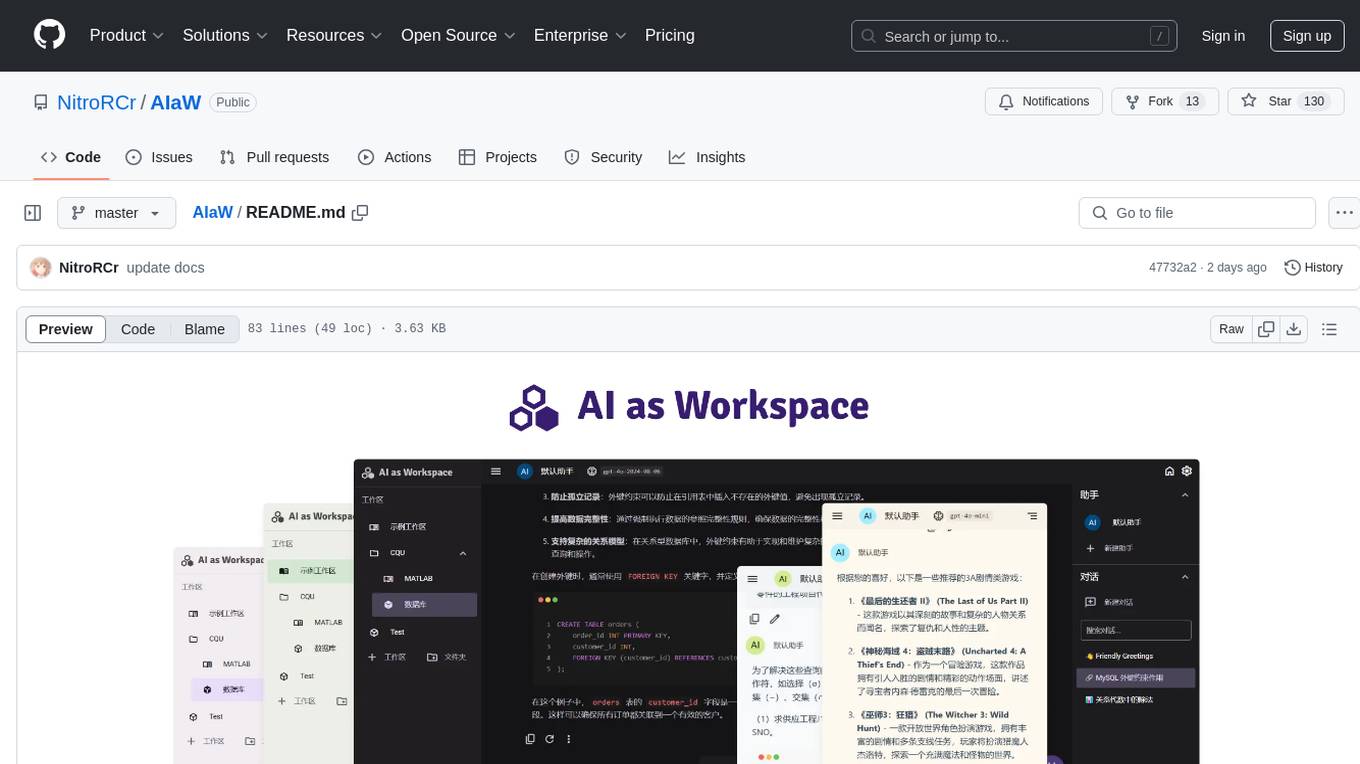
AIaW is a next-generation LLM client with full functionality, lightweight, and extensible. It supports various basic functions such as streaming transfer, image uploading, and latex formulas. The tool is cross-platform with a responsive interface design. It supports multiple service providers like OpenAI, Anthropic, and Google. Users can modify questions, regenerate in a forked manner, and visualize conversations in a tree structure. Additionally, it offers features like file parsing, video parsing, plugin system, assistant market, local storage with real-time cloud sync, and customizable interface themes. Users can create multiple workspaces, use dynamic prompt word variables, extend plugins, and benefit from detailed design elements like real-time content preview, optimized code pasting, and support for various file types.
GraphLLM
GraphLLM is a graph-based framework designed to process data using LLMs. It offers a set of tools including a web scraper, PDF parser, YouTube subtitles downloader, Python sandbox, and TTS engine. The framework provides a GUI for building and debugging graphs with advanced features like loops, conditionals, parallel execution, streaming of results, hierarchical graphs, external tool integration, and dynamic scheduling. GraphLLM is a low-level framework that gives users full control over the raw prompt and output of models, with a steeper learning curve. It is tested with llama70b and qwen 32b, under heavy development with breaking changes expected.
unstract
Unstract is a no-code platform that enables users to launch APIs and ETL pipelines to structure unstructured documents. With Unstract, users can go beyond co-pilots by enabling machine-to-machine automation. Unstract's Prompt Studio provides a simple, no-code approach to creating prompts for LLMs, vector databases, embedding models, and text extractors. Users can then configure Prompt Studio projects as API deployments or ETL pipelines to automate critical business processes that involve complex documents. Unstract supports a wide range of LLM providers, vector databases, embeddings, text extractors, ETL sources, and ETL destinations, providing users with the flexibility to choose the best tools for their needs.
aide
Aide is a code-first API documentation and utility library for Rust, along with other related utility crates for web-servers. It provides tools for creating API documentation and handling JSON request validation. The repository contains multiple crates that offer drop-in replacements for existing libraries, ensuring compatibility with Aide. Contributions are welcome, and the code is dual licensed under MIT and Apache-2.0. If Aide does not meet your requirements, you can explore similar libraries like paperclip, utoipa, and okapi.
For similar tasks

Magick
Magick is a groundbreaking visual AIDE (Artificial Intelligence Development Environment) for no-code data pipelines and multimodal agents. Magick can connect to other services and comes with nodes and templates well-suited for intelligent agents, chatbots, complex reasoning systems and realistic characters.

danswer
Danswer is an open-source Gen-AI Chat and Unified Search tool that connects to your company's docs, apps, and people. It provides a Chat interface and plugs into any LLM of your choice. Danswer can be deployed anywhere and for any scale - on a laptop, on-premise, or to cloud. Since you own the deployment, your user data and chats are fully in your own control. Danswer is MIT licensed and designed to be modular and easily extensible. The system also comes fully ready for production usage with user authentication, role management (admin/basic users), chat persistence, and a UI for configuring Personas (AI Assistants) and their Prompts. Danswer also serves as a Unified Search across all common workplace tools such as Slack, Google Drive, Confluence, etc. By combining LLMs and team specific knowledge, Danswer becomes a subject matter expert for the team. Imagine ChatGPT if it had access to your team's unique knowledge! It enables questions such as "A customer wants feature X, is this already supported?" or "Where's the pull request for feature Y?"

semantic-kernel
Semantic Kernel is an SDK that integrates Large Language Models (LLMs) like OpenAI, Azure OpenAI, and Hugging Face with conventional programming languages like C#, Python, and Java. Semantic Kernel achieves this by allowing you to define plugins that can be chained together in just a few lines of code. What makes Semantic Kernel _special_ , however, is its ability to _automatically_ orchestrate plugins with AI. With Semantic Kernel planners, you can ask an LLM to generate a plan that achieves a user's unique goal. Afterwards, Semantic Kernel will execute the plan for the user.

floneum
Floneum is a graph editor that makes it easy to develop your own AI workflows. It uses large language models (LLMs) to run AI models locally, without any external dependencies or even a GPU. This makes it easy to use LLMs with your own data, without worrying about privacy. Floneum also has a plugin system that allows you to improve the performance of LLMs and make them work better for your specific use case. Plugins can be used in any language that supports web assembly, and they can control the output of LLMs with a process similar to JSONformer or guidance.
mindsdb
MindsDB is a platform for customizing AI from enterprise data. You can create, serve, and fine-tune models in real-time from your database, vector store, and application data. MindsDB "enhances" SQL syntax with AI capabilities to make it accessible for developers worldwide. With MindsDB’s nearly 200 integrations, any developer can create AI customized for their purpose, faster and more securely. Their AI systems will constantly improve themselves — using companies’ own data, in real-time.

aiscript
AiScript is a lightweight scripting language that runs on JavaScript. It supports arrays, objects, and functions as first-class citizens, and is easy to write without the need for semicolons or commas. AiScript runs in a secure sandbox environment, preventing infinite loops from freezing the host. It also allows for easy provision of variables and functions from the host.

activepieces
Activepieces is an open source replacement for Zapier, designed to be extensible through a type-safe pieces framework written in Typescript. It features a user-friendly Workflow Builder with support for Branches, Loops, and Drag and Drop. Activepieces integrates with Google Sheets, OpenAI, Discord, and RSS, along with 80+ other integrations. The list of supported integrations continues to grow rapidly, thanks to valuable contributions from the community. Activepieces is an open ecosystem; all piece source code is available in the repository, and they are versioned and published directly to npmjs.com upon contributions. If you cannot find a specific piece on the pieces roadmap, please submit a request by visiting the following link: Request Piece Alternatively, if you are a developer, you can quickly build your own piece using our TypeScript framework. For guidance, please refer to the following guide: Contributor's Guide
superagent-js
Superagent is an open source framework that enables any developer to integrate production ready AI Assistants into any application in a matter of minutes.
For similar jobs
lm-proxy
lm-proxy is a lightweight and efficient tool for managing HTTP/HTTPS proxies. It provides a simple interface to easily rotate, validate, and use proxies in web scraping, data mining, and automation tasks. With lm-proxy, users can seamlessly handle proxy management without the need for complex configurations or setups.
crawlee
Crawlee is a web scraping and browser automation library that helps you build reliable scrapers quickly. Your crawlers will appear human-like and fly under the radar of modern bot protections even with the default configuration. Crawlee gives you the tools to crawl the web for links, scrape data, and store it to disk or cloud while staying configurable to suit your project's needs.