


lite.ai.toolkit
🛠 A lite C++ toolkit of 100+ Awesome AI models, support ORT, MNN, NCNN, TNN and TensorRT. 🎉🎉
Stars: 3706
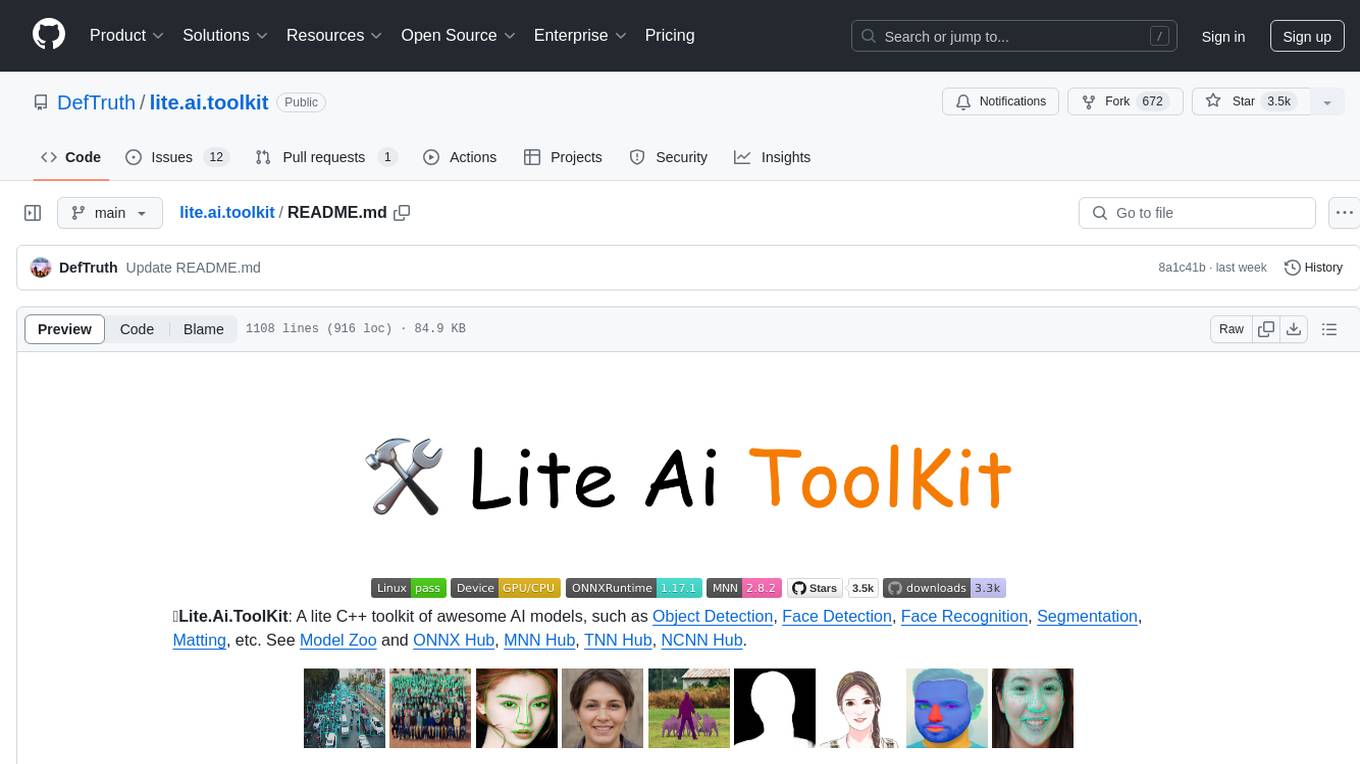
README:





🛠Lite.Ai.ToolKit: A lite C++ toolkit of 100+ Awesome AI models, such as Object Detection, Face Detection, Face Recognition, Segmentation, Matting, etc. See Model Zoo and ONNX Hub, MNN Hub, TNN Hub, NCNN Hub. Welcome to 🌟👆🏻star this repo to support me, many thanks ~ 🎉🎉
Most of my time now is focused on LLM/VLM Inference. Please check 📖Awesome-LLM-Inference 

@misc{lite.ai.toolkit@2021,
  title={lite.ai.toolkit: A lite C++ toolkit of 100+ Awesome AI models.},
  url={https://github.com/DefTruth/lite.ai.toolkit},
  note={Open-source software available at https://github.com/DefTruth/lite.ai.toolkit},
  author={DefTruth, wangzijian1010 etc},
  year={2021}
}- Simply and User friendly. Simply and Consistent syntax like lite::cv::Type::Class, see examples.
- Minimum Dependencies. Only OpenCV and ONNXRuntime are required by default, see build.
- Many Models Supported. 300+ C++ implementations and 500+ weights 👉 Supported-Matrix.
Download prebuilt lite.ai.toolkit library from tag/v0.2.0, or just build it from source:
git clone --depth=1 https://github.com/DefTruth/lite.ai.toolkit.git  # latest
cd lite.ai.toolkit && sh ./build.sh # >= 0.2.0, support Linux only, tested on Ubuntu 20.04.6 LTS#include "lite/lite.h"
int main(int argc, char *argv[]) {
std::string onnx_path = "yolov5s.onnx";
std::string test_img_path = "test_yolov5.jpg";
std::string save_img_path = "test_results.jpg";
auto *yolov5 = new lite::cv::detection::YoloV5(onnx_path);
std::vector<lite::types::Boxf> detected_boxes;
cv::Mat img_bgr = cv::imread(test_img_path);
yolov5->detect(img_bgr, detected_boxes);
lite::utils::draw_boxes_inplace(img_bgr, detected_boxes);
cv::imwrite(save_img_path, img_bgr);
delete yolov5;
return 0;
}You can download the prebuilt lite.ai.tooklit library and test resources from tag/v0.2.0.
export LITE_AI_TAG_URL=https://github.com/DefTruth/lite.ai.toolkit/releases/download/v0.2.0
wget ${LITE_AI_TAG_URL}/lite-ort1.17.1+ocv4.9.0+ffmpeg4.2.2-linux-x86_64.tgz
wget ${LITE_AI_TAG_URL}/yolov5s.onnx && wget ${LITE_AI_TAG_URL}/test_yolov5.jpg🎉🎉TensorRT: Boost inference performance with NVIDIA GPU via TensorRT.
Run bash ./build.sh tensorrt to build lite.ai.toolkit with TensorRT support, and then test yolov5 with the codes below. NOTE: lite.ai.toolkit need TensorRT 10.x (or later) and CUDA 12.x (or later). Please check build.sh, tensorrt-linux-x86_64-install.zh.md, test_lite_yolov5.cpp and NVIDIA/TensorRT for more details.
// trtexec --onnx=yolov5s.onnx --saveEngine=yolov5s.engine
auto *yolov5 = new lite::trt::cv::detection::YOLOV5(engine_path);To quickly setup lite.ai.toolkit, you can follow the CMakeLists.txt listed as belows. 👇👀
set(lite.ai.toolkit_DIR YOUR-PATH-TO-LITE-INSTALL)
find_package(lite.ai.toolkit REQUIRED PATHS ${lite.ai.toolkit_DIR})
add_executable(lite_yolov5 test_lite_yolov5.cpp)
target_link_libraries(lite_yolov5 ${lite.ai.toolkit_LIBS})The goal of lite.ai.toolkit is not to abstract on top of MNN and ONNXRuntime. So, you can use lite.ai.toolkit mixed with MNN(-DENABLE_MNN=ON, default OFF) or ONNXRuntime(-DENABLE_ONNXRUNTIME=ON, default ON). The lite.ai.toolkit installation package contains complete MNN and ONNXRuntime. The workflow may looks like:
#include "lite/lite.h"
// 0. use yolov5 from lite.ai.toolkit to detect objs.
auto *yolov5 = new lite::cv::detection::YoloV5(onnx_path);
// 1. use OnnxRuntime or MNN to implement your own classfier.
interpreter = std::shared_ptr<MNN::Interpreter>(MNN::Interpreter::createFromFile(mnn_path));
// or: session = new Ort::Session(ort_env, onnx_path, session_options);
classfier = interpreter->createSession(schedule_config);
// 2. then, classify the detected objs use your own classfier ...The included headers of MNN and ONNXRuntime can be found at mnn_config.h and ort_config.h.
🔑️ Check the detailed Quick Start!Click here!
You can download the prebuilt lite.ai.tooklit library and test resources from tag/v0.2.0.
export LITE_AI_TAG_URL=https://github.com/DefTruth/lite.ai.toolkit/releases/download/v0.2.0
wget ${LITE_AI_TAG_URL}/lite-ort1.17.1+ocv4.9.0+ffmpeg4.2.2-linux-x86_64.tgz
wget ${LITE_AI_TAG_URL}/yolov5s.onnx && wget ${LITE_AI_TAG_URL}/test_yolov5.jpg
tar -zxvf lite-ort1.17.1+ocv4.9.0+ffmpeg4.2.2-linux-x86_64.tgzwrite YOLOv5 example codes and name it test_lite_yolov5.cpp:
#include "lite/lite.h"

int main(int argc, char *argv[]) {
  std::string onnx_path = "yolov5s.onnx";
  std::string test_img_path = "test_yolov5.jpg";
  std::string save_img_path = "test_results.jpg";

  auto *yolov5 = new lite::cv::detection::YoloV5(onnx_path);
  std::vector<lite::types::Boxf> detected_boxes;
  cv::Mat img_bgr = cv::imread(test_img_path);
  yolov5->detect(img_bgr, detected_boxes);

  lite::utils::draw_boxes_inplace(img_bgr, detected_boxes);
  cv::imwrite(save_img_path, img_bgr);
  delete yolov5;
  return 0;
}cmake_minimum_required(VERSION 3.10)
project(lite_yolov5)
set(CMAKE_CXX_STANDARD 17)
set(lite.ai.toolkit_DIR YOUR-PATH-TO-LITE-INSTALL)
find_package(lite.ai.toolkit REQUIRED PATHS ${lite.ai.toolkit_DIR})
if (lite.ai.toolkit_Found)
message(STATUS "lite.ai.toolkit_INCLUDE_DIRS: ${lite.ai.toolkit_INCLUDE_DIRS}")
message(STATUS " lite.ai.toolkit_LIBS: ${lite.ai.toolkit_LIBS}")
message(STATUS " lite.ai.toolkit_LIBS_DIRS: ${lite.ai.toolkit_LIBS_DIRS}")
endif()
add_executable(lite_yolov5 test_lite_yolov5.cpp)
target_link_libraries(lite_yolov5 ${lite.ai.toolkit_LIBS})mkdir build && cd build && cmake .. && make -j1Then, export the lib paths to LD_LIBRARY_PATH which listed by lite.ai.toolkit_LIBS_DIRS.
export LD_LIBRARY_PATH=YOUR-PATH-TO-LITE-INSTALL/lib:$LD_LIBRARY_PATH
export LD_LIBRARY_PATH=YOUR-PATH-TO-LITE-INSTALL/third_party/opencv/lib:$LD_LIBRARY_PATH
export LD_LIBRARY_PATH=YOUR-PATH-TO-LITE-INSTALL/third_party/onnxruntime/lib:$LD_LIBRARY_PATH
export LD_LIBRARY_PATH=YOUR-PATH-TO-LITE-INSTALL/third_party/MNN/lib:$LD_LIBRARY_PATH # if -DENABLE_MNN=ONcp ../yolov5s.onnx ../test_yolov.jpg .
./lite_yolov5The output logs:
LITEORT_DEBUG LogId: ../examples/hub/onnx/cv/yolov5s.onnx
=============== Input-Dims ==============
Name: images
Dims: 1
Dims: 3
Dims: 640
Dims: 640
=============== Output-Dims ==============
Output: 0 Name: pred Dim: 0 :1
Output: 0 Name: pred Dim: 1 :25200
Output: 0 Name: pred Dim: 2 :85
Output: 1 Name: output2 Dim: 0 :1
......
Output: 3 Name: output4 Dim: 1 :3
Output: 3 Name: output4 Dim: 2 :20
Output: 3 Name: output4 Dim: 3 :20
Output: 3 Name: output4 Dim: 4 :85
========================================
detected num_anchors: 25200
generate_bboxes num: 48- / = not supported now.
- ✅ = known work and official supported now.
- ✔️ = known work, but unofficial supported now.
- ❔ = in my plan, but not coming soon, maybe a few months later.
| Class | Class | Class | Class | Class | System | Engine |
|---|---|---|---|---|---|---|
| ✅YOLOv5 | ✅YOLOv6 | ✅YOLOv8 | ✅YOLOv8Face | ✅YOLOv5Face | Linux | TensorRT |
| ✅YOLOX | ✅YOLOv5BlazeFace | ✅StableDiffusion | / | / | Linux | TensorRT |
| Class | Size | Type | Demo | ONNXRuntime | MNN | NCNN | TNN | Linux | MacOS | Windows | Android |
|---|---|---|---|---|---|---|---|---|---|---|---|
| YoloV5 | 28M | detection | demo | ✅ | ✅ | ✅ | ✅ | ✅ | ✔️ | ✔️ | ❔ |
| YoloV3 | 236M | detection | demo | ✅ | / | / | / | ✅ | ✔️ | ✔️ | / |
| TinyYoloV3 | 33M | detection | demo | ✅ | / | / | / | ✅ | ✔️ | ✔️ | / |
| YoloV4 | 176M | detection | demo | ✅ | / | / | / | ✅ | ✔️ | ✔️ | / |
| SSD | 76M | detection | demo | ✅ | / | / | / | ✅ | ✔️ | ✔️ | / |
| SSDMobileNetV1 | 27M | detection | demo | ✅ | / | / | / | ✅ | ✔️ | ✔️ | / |
| YoloX | 3.5M | detection | demo | ✅ | ✅ | ✅ | ✅ | ✅ | ✔️ | ✔️ | ❔ |
| TinyYoloV4VOC | 22M | detection | demo | ✅ | / | / | / | ✅ | ✔️ | ✔️ | / |
| TinyYoloV4COCO | 22M | detection | demo | ✅ | / | / | / | ✅ | ✔️ | ✔️ | / |
| YoloR | 39M | detection | demo | ✅ | ✅ | ✅ | ✅ | ✅ | ✔️ | ✔️ | ❔ |
| ScaledYoloV4 | 270M | detection | demo | ✅ | / | / | / | ✅ | ✔️ | ✔️ | / |
| EfficientDet | 15M | detection | demo | ✅ | / | / | / | ✅ | ✔️ | ✔️ | / |
| EfficientDetD7 | 220M | detection | demo | ✅ | / | / | / | ✅ | ✔️ | ✔️ | / |
| EfficientDetD8 | 322M | detection | demo | ✅ | / | / | / | ✅ | ✔️ | ✔️ | / |
| YOLOP | 30M | detection | demo | ✅ | ✅ | ✅ | ✅ | ✅ | ✔️ | ✔️ | ❔ |
| NanoDet | 1.1M | detection | demo | ✅ | ✅ | ✅ | ✅ | ✅ | ✔️ | ✔️ | ❔ |
| NanoDetPlus | 4.5M | detection | demo | ✅ | ✅ | ✅ | ✅ | ✅ | ✔️ | ✔️ | ❔ |
| NanoDetEffi... | 12M | detection | demo | ✅ | ✅ | ✅ | ✅ | ✅ | ✔️ | ✔️ | ❔ |
| YoloX_V_0_1_1 | 3.5M | detection | demo | ✅ | ✅ | ✅ | ✅ | ✅ | ✔️ | ✔️ | ❔ |
| YoloV5_V_6_0 | 7.5M | detection | demo | ✅ | ✅ | ✅ | ✅ | ✅ | ✔️ | ✔️ | ❔ |
| GlintArcFace | 92M | faceid | demo | ✅ | ✅ | ✅ | ✅ | ✅ | ✔️ | ✔️ | ❔ |
| GlintCosFace | 92M | faceid | demo | ✅ | ✅ | ✅ | ✅ | ✅ | ✔️ | ✔️ | / |
| GlintPartialFC | 170M | faceid | demo | ✅ | ✅ | ✅ | ✅ | ✅ | ✔️ | ✔️ | / |
| FaceNet | 89M | faceid | demo | ✅ | ✅ | ✅ | ✅ | ✅ | ✔️ | ✔️ | / |
| FocalArcFace | 166M | faceid | demo | ✅ | ✅ | ✅ | ✅ | ✅ | ✔️ | ✔️ | / |
| FocalAsiaArcFace | 166M | faceid | demo | ✅ | ✅ | ✅ | ✅ | ✅ | ✔️ | ✔️ | / |
| TencentCurricularFace | 249M | faceid | demo | ✅ | ✅ | ✅ | ✅ | ✅ | ✔️ | ✔️ | / |
| TencentCifpFace | 130M | faceid | demo | ✅ | ✅ | ✅ | ✅ | ✅ | ✔️ | ✔️ | / |
| CenterLossFace | 280M | faceid | demo | ✅ | ✅ | ✅ | ✅ | ✅ | ✔️ | ✔️ | / |
| SphereFace | 80M | faceid | demo | ✅ | ✅ | ✅ | ✅ | ✅ | ✔️ | ✔️ | / |
| PoseRobustFace | 92M | faceid | demo | ✅ | / | / | / | ✅ | ✔️ | ✔️ | / |
| NaivePoseRobustFace | 43M | faceid | demo | ✅ | / | / | / | ✅ | ✔️ | ✔️ | / |
| MobileFaceNet | 3.8M | faceid | demo | ✅ | ✅ | ✅ | ✅ | ✅ | ✔️ | ✔️ | ❔ |
| CavaGhostArcFace | 15M | faceid | demo | ✅ | ✅ | ✅ | ✅ | ✅ | ✔️ | ✔️ | ❔ |
| CavaCombinedFace | 250M | faceid | demo | ✅ | ✅ | ✅ | ✅ | ✅ | ✔️ | ✔️ | / |
| MobileSEFocalFace | 4.5M | faceid | demo | ✅ | ✅ | ✅ | ✅ | ✅ | ✔️ | ✔️ | ❔ |
| RobustVideoMatting | 14M | matting | demo | ✅ | ✅ | / | ✅ | ✅ | ✔️ | ✔️ | ❔ |
| MGMatting | 113M | matting | demo | ✅ | ✅ | / | ✅ | ✅ | ✔️ | ✔️ | / |
| MODNet | 24M | matting | demo | ✅ | ✅ | ✅ | ✅ | ✅ | ✔️ | ✔️ | / |
| MODNetDyn | 24M | matting | demo | ✅ | / | / | / | ✅ | ✔️ | ✔️ | / |
| BackgroundMattingV2 | 20M | matting | demo | ✅ | ✅ | / | ✅ | ✅ | ✔️ | ✔️ | / |
| BackgroundMattingV2Dyn | 20M | matting | demo | ✅ | / | / | / | ✅ | ✔️ | ✔️ | / |
| UltraFace | 1.1M | face::detect | demo | ✅ | ✅ | ✅ | ✅ | ✅ | ✔️ | ✔️ | ❔ |
| RetinaFace | 1.6M | face::detect | demo | ✅ | ✅ | ✅ | ✅ | ✅ | ✔️ | ✔️ | ❔ |
| FaceBoxes | 3.8M | face::detect | demo | ✅ | ✅ | ✅ | ✅ | ✅ | ✔️ | ✔️ | ❔ |
| FaceBoxesV2 | 3.8M | face::detect | demo | ✅ | ✅ | ✅ | ✅ | ✅ | ✔️ | ✔️ | ❔ |
| SCRFD | 2.5M | face::detect | demo | ✅ | ✅ | ✅ | ✅ | ✅ | ✔️ | ✔️ | ❔ |
| YOLO5Face | 4.8M | face::detect | demo | ✅ | ✅ | ✅ | ✅ | ✅ | ✔️ | ✔️ | ❔ |
| PFLD | 1.0M | face::align | demo | ✅ | ✅ | ✅ | ✅ | ✅ | ✔️ | ✔️ | ❔ |
| PFLD98 | 4.8M | face::align | demo | ✅ | ✅ | ✅ | ✅ | ✅ | ✔️ | ✔️ | ❔ |
| MobileNetV268 | 9.4M | face::align | demo | ✅ | ✅ | ✅ | ✅ | ✅ | ✔️ | ✔️ | ❔ |
| MobileNetV2SE68 | 11M | face::align | demo | ✅ | ✅ | ✅ | ✅ | ✅ | ✔️ | ✔️ | ❔ |
| PFLD68 | 2.8M | face::align | demo | ✅ | ✅ | ✅ | ✅ | ✅ | ✔️ | ✔️ | ❔ |
| FaceLandmark1000 | 2.0M | face::align | demo | ✅ | ✅ | ✅ | ✅ | ✅ | ✔️ | ✔️ | ❔ |
| PIPNet98 | 44.0M | face::align | demo | ✅ | ✅ | ✅ | ✅ | ✅ | ✔️ | ✔️ | ❔ |
| PIPNet68 | 44.0M | face::align | demo | ✅ | ✅ | ✅ | ✅ | ✅ | ✔️ | ✔️ | ❔ |
| PIPNet29 | 44.0M | face::align | demo | ✅ | ✅ | ✅ | ✅ | ✅ | ✔️ | ✔️ | ❔ |
| PIPNet19 | 44.0M | face::align | demo | ✅ | ✅ | ✅ | ✅ | ✅ | ✔️ | ✔️ | ❔ |
| FSANet | 1.2M | face::pose | demo | ✅ | ✅ | / | ✅ | ✅ | ✔️ | ✔️ | ❔ |
| AgeGoogleNet | 23M | face::attr | demo | ✅ | ✅ | ✅ | ✅ | ✅ | ✔️ | ✔️ | ❔ |
| GenderGoogleNet | 23M | face::attr | demo | ✅ | ✅ | ✅ | ✅ | ✅ | ✔️ | ✔️ | ❔ |
| EmotionFerPlus | 33M | face::attr | demo | ✅ | ✅ | ✅ | ✅ | ✅ | ✔️ | ✔️ | ❔ |
| VGG16Age | 514M | face::attr | demo | ✅ | ✅ | ✅ | ✅ | ✅ | ✔️ | ✔️ | / |
| VGG16Gender | 512M | face::attr | demo | ✅ | ✅ | ✅ | ✅ | ✅ | ✔️ | ✔️ | / |
| SSRNet | 190K | face::attr | demo | ✅ | ✅ | / | ✅ | ✅ | ✔️ | ✔️ | ❔ |
| EfficientEmotion7 | 15M | face::attr | demo | ✅ | ✅ | ✅ | ✅ | ✅ | ✔️ | ✔️ | ❔ |
| EfficientEmotion8 | 15M | face::attr | demo | ✅ | ✅ | ✅ | ✅ | ✅ | ✔️ | ✔️ | ❔ |
| MobileEmotion7 | 13M | face::attr | demo | ✅ | ✅ | ✅ | ✅ | ✅ | ✔️ | ✔️ | ❔ |
| ReXNetEmotion7 | 30M | face::attr | demo | ✅ | ✅ | / | ✅ | ✅ | ✔️ | ✔️ | / |
| EfficientNetLite4 | 49M | classification | demo | ✅ | ✅ | / | ✅ | ✅ | ✔️ | ✔️ | / |
| ShuffleNetV2 | 8.7M | classification | demo | ✅ | ✅ | ✅ | ✅ | ✅ | ✔️ | ✔️ | ❔ |
| DenseNet121 | 30.7M | classification | demo | ✅ | ✅ | ✅ | ✅ | ✅ | ✔️ | ✔️ | / |
| GhostNet | 20M | classification | demo | ✅ | ✅ | ✅ | ✅ | ✅ | ✔️ | ✔️ | ❔ |
| HdrDNet | 13M | classification | demo | ✅ | ✅ | ✅ | ✅ | ✅ | ✔️ | ✔️ | ❔ |
| IBNNet | 97M | classification | demo | ✅ | ✅ | ✅ | ✅ | ✅ | ✔️ | ✔️ | / |
| MobileNetV2 | 13M | classification | demo | ✅ | ✅ | ✅ | ✅ | ✅ | ✔️ | ✔️ | ❔ |
| ResNet | 44M | classification | demo | ✅ | ✅ | ✅ | ✅ | ✅ | ✔️ | ✔️ | / |
| ResNeXt | 95M | classification | demo | ✅ | ✅ | ✅ | ✅ | ✅ | ✔️ | ✔️ | / |
| DeepLabV3ResNet101 | 232M | segmentation | demo | ✅ | ✅ | ✅ | ✅ | ✅ | ✔️ | ✔️ | / |
| FCNResNet101 | 207M | segmentation | demo | ✅ | ✅ | ✅ | ✅ | ✅ | ✔️ | ✔️ | / |
| FastStyleTransfer | 6.4M | style | demo | ✅ | ✅ | ✅ | ✅ | ✅ | ✔️ | ✔️ | ❔ |
| Colorizer | 123M | colorization | demo | ✅ | ✅ | / | ✅ | ✅ | ✔️ | ✔️ | / |
| SubPixelCNN | 234K | resolution | demo | ✅ | ✅ | / | ✅ | ✅ | ✔️ | ✔️ | ❔ |
| SubPixelCNN | 234K | resolution | demo | ✅ | ✅ | / | ✅ | ✅ | ✔️ | ✔️ | ❔ |
| InsectDet | 27M | detection | demo | ✅ | ✅ | / | ✅ | ✅ | ✔️ | ✔️ | ❔ |
| InsectID | 22M | classification | demo | ✅ | ✅ | ✅ | ✅ | ✅ | ✔️ | ✔️ | ✔️ |
| PlantID | 30M | classification | demo | ✅ | ✅ | ✅ | ✅ | ✅ | ✔️ | ✔️ | ✔️ |
| YOLOv5BlazeFace | 3.4M | face::detect | demo | ✅ | ✅ | / | / | ✅ | ✔️ | ✔️ | ❔ |
| YoloV5_V_6_1 | 7.5M | detection | demo | ✅ | ✅ | / | / | ✅ | ✔️ | ✔️ | ❔ |
| HeadSeg | 31M | segmentation | demo | ✅ | ✅ | / | ✅ | ✅ | ✔️ | ✔️ | ❔ |
| FemalePhoto2Cartoon | 15M | style | demo | ✅ | ✅ | / | ✅ | ✅ | ✔️ | ✔️ | ❔ |
| FastPortraitSeg | 400k | segmentation | demo | ✅ | ✅ | / | / | ✅ | ✔️ | ✔️ | ❔ |
| PortraitSegSINet | 380k | segmentation | demo | ✅ | ✅ | / | / | ✅ | ✔️ | ✔️ | ❔ |
| PortraitSegExtremeC3Net | 180k | segmentation | demo | ✅ | ✅ | / | / | ✅ | ✔️ | ✔️ | ❔ |
| FaceHairSeg | 18M | segmentation | demo | ✅ | ✅ | / | / | ✅ | ✔️ | ✔️ | ❔ |
| HairSeg | 18M | segmentation | demo | ✅ | ✅ | / | / | ✅ | ✔️ | ✔️ | ❔ |
| MobileHumanMatting | 3M | matting | demo | ✅ | ✅ | / | / | ✅ | ✔️ | ✔️ | ❔ |
| MobileHairSeg | 14M | segmentation | demo | ✅ | ✅ | / | / | ✅ | ✔️ | ✔️ | ❔ |
| YOLOv6 | 17M | detection | demo | ✅ | ✅ | ✅ | ✅ | ✅ | ✔️ | ✔️ | ❔ |
| FaceParsingBiSeNet | 50M | segmentation | demo | ✅ | ✅ | ✅ | ✅ | ✅ | ✔️ | ✔️ | ❔ |
| FaceParsingBiSeNetDyn | 50M | segmentation | demo | ✅ | / | / | / | / | ✔️ | ✔️ | ❔ |
🔑️ Model Zoo!Click here!
Lite.Ai.ToolKit contains almost 100+ AI models with 500+ frozen pretrained files now. Most of the files are converted by myself. You can use it through lite::cv::Type::Class syntax, such as lite::cv::detection::YoloV5. More details can be found at Examples for Lite.Ai.ToolKit. Note, for Google Drive, I can not upload all the *.onnx files because of the storage limitation (15G).
| File | Baidu Drive | Google Drive | Docker Hub | Hub (Docs) |
|---|---|---|---|---|
| ONNX | Baidu Drive code: 8gin | Google Drive | ONNX Docker v0.1.22.01.08 (28G), v0.1.22.02.02 (400M) | ONNX Hub |
| MNN | Baidu Drive code: 9v63 | ❔ | MNN Docker v0.1.22.01.08 (11G), v0.1.22.02.02 (213M) | MNN Hub |
| NCNN | Baidu Drive code: sc7f | ❔ | NCNN Docker v0.1.22.01.08 (9G), v0.1.22.02.02 (197M) | NCNN Hub |
| TNN | Baidu Drive code: 6o6k | ❔ | TNN Docker v0.1.22.01.08 (11G), v0.1.22.02.02 (217M) | TNN Hub |
  docker pull qyjdefdocker/lite.ai.toolkit-onnx-hub:v0.1.22.01.08  # (28G)
  docker pull qyjdefdocker/lite.ai.toolkit-mnn-hub:v0.1.22.01.08   # (11G)
  docker pull qyjdefdocker/lite.ai.toolkit-ncnn-hub:v0.1.22.01.08  # (9G)
  docker pull qyjdefdocker/lite.ai.toolkit-tnn-hub:v0.1.22.01.08   # (11G)
  docker pull qyjdefdocker/lite.ai.toolkit-onnx-hub:v0.1.22.02.02  # (400M) + YOLO5Face
  docker pull qyjdefdocker/lite.ai.toolkit-mnn-hub:v0.1.22.02.02   # (213M) + YOLO5Face
  docker pull qyjdefdocker/lite.ai.toolkit-ncnn-hub:v0.1.22.02.02  # (197M) + YOLO5Face
docker pull qyjdefdocker/lite.ai.toolkit-tnn-hub:v0.1.22.02.02 # (217M) + YOLO5Face- Firstly, pull the image from docker hub.
docker pull qyjdefdocker/lite.ai.toolkit-mnn-hub:v0.1.22.01.08 # (11G)
docker pull qyjdefdocker/lite.ai.toolkit-ncnn-hub:v0.1.22.01.08 # (9G)
docker pull qyjdefdocker/lite.ai.toolkit-tnn-hub:v0.1.22.01.08 # (11G)
docker pull qyjdefdocker/lite.ai.toolkit-onnx-hub:v0.1.22.01.08 # (28G)
- Secondly, run the container with local
sharedir usingdocker run -idt xxx. A minimum example will show you as follows.- make a
sharedir in your local device.
mkdir share # any name is ok.- write
run_mnn_docker_hub.shscript like:
#!/bin/bash
PORT1=6072
PORT2=6084
SERVICE_DIR=/Users/xxx/Desktop/your-path-to/share
CONRAINER_DIR=/home/hub/share
CONRAINER_NAME=mnn_docker_hub_d

docker run -idt -p ${PORT2}:${PORT1} -v ${SERVICE_DIR}:${CONRAINER_DIR} --shm-size=16gb --name ${CONRAINER_NAME} qyjdefdocker/lite.ai.toolkit-mnn-hub:v0.1.22.01.08
- make a
- Finally, copy the model weights from
/home/hub/mnn/cvto your localsharedir.# activate mnn docker. sh ./run_mnn_docker_hub.sh docker exec -it mnn_docker_hub_d /bin/bash # copy the models to the share dir. cd /home/hub cp -rf mnn/cv share/
The pretrained and converted ONNX files provide by lite.ai.toolkit are listed as follows. Also, see Model Zoo and ONNX Hub, MNN Hub, TNN Hub, NCNN Hub for more details.
🔑️ More Examples!Click here!
More examples can be found at examples.
#include "lite/lite.h"

static void test_default()
{
  std::string onnx_path = "../../../examples/hub/onnx/cv/yolov5s.onnx";
  std::string test_img_path = "../../../examples/lite/resources/test_lite_yolov5_1.jpg";
  std::string save_img_path = "../../../examples/logs/test_lite_yolov5_1.jpg";

  auto *yolov5 = new lite::cv::detection::YoloV5(onnx_path);
  std::vector<lite::types::Boxf> detected_boxes;
  cv::Mat img_bgr = cv::imread(test_img_path);
  yolov5->detect(img_bgr, detected_boxes);

  lite::utils::draw_boxes_inplace(img_bgr, detected_boxes);
  cv::imwrite(save_img_path, img_bgr);

  delete yolov5;
}
The output is:
Or you can use Newest 🔥🔥 ! YOLO series's detector YOLOX or YoloR. They got the similar results.
More classes for general object detection (80 classes, COCO).
auto *detector = new lite::cv::detection::YoloX(onnx_path);  // Newest YOLO detector !!! 2021-07
auto *detector = new lite::cv::detection::YoloV4(onnx_path);
auto *detector = new lite::cv::detection::YoloV3(onnx_path);
auto *detector = new lite::cv::detection::TinyYoloV3(onnx_path);
auto *detector = new lite::cv::detection::SSD(onnx_path);
auto *detector = new lite::cv::detection::YoloV5(onnx_path);
auto *detector = new lite::cv::detection::YoloR(onnx_path);  // Newest YOLO detector !!! 2021-05
auto *detector = new lite::cv::detection::TinyYoloV4VOC(onnx_path);
auto *detector = new lite::cv::detection::TinyYoloV4COCO(onnx_path);
auto *detector = new lite::cv::detection::ScaledYoloV4(onnx_path);
auto *detector = new lite::cv::detection::EfficientDet(onnx_path);
auto *detector = new lite::cv::detection::EfficientDetD7(onnx_path);
auto *detector = new lite::cv::detection::EfficientDetD8(onnx_path);
auto *detector = new lite::cv::detection::YOLOP(onnx_path);
auto *detector = new lite::cv::detection::NanoDet(onnx_path); // Super fast and tiny!
auto *detector = new lite::cv::detection::NanoDetPlus(onnx_path); // Super fast and tiny! 2021/12/25
auto *detector = new lite::cv::detection::NanoDetEfficientNetLite(onnx_path); // Super fast and tiny!
auto *detector = new lite::cv::detection::YoloV5_V_6_0(onnx_path);
auto *detector = new lite::cv::detection::YoloV5_V_6_1(onnx_path);
auto *detector = new lite::cv::detection::YoloX_V_0_1_1(onnx_path);  // Newest YOLO detector !!! 2021-07
auto *detector = new lite::cv::detection::YOLOv6(onnx_path);  // Newest 2022 YOLO detector !!!
Example1: Video Matting using RobustVideoMatting2021🔥🔥🔥. Download model from Model-Zoo2.
#include "lite/lite.h"

static void test_default()
{
  std::string onnx_path = "../../../examples/hub/onnx/cv/rvm_mobilenetv3_fp32.onnx";
  std::string video_path = "../../../examples/lite/resources/test_lite_rvm_0.mp4";
  std::string output_path = "../../../examples/logs/test_lite_rvm_0.mp4";
  std::string background_path = "../../../examples/lite/resources/test_lite_matting_bgr.jpg";

  auto *rvm = new lite::cv::matting::RobustVideoMatting(onnx_path, 16); // 16 threads
  std::vector<lite::types::MattingContent> contents;

  // 1. video matting.
  cv::Mat background = cv::imread(background_path);
  rvm->detect_video(video_path, output_path, contents, false, 0.4f,
                    20, true, true, background);

  delete rvm;
}
The output is:
More classes for matting (image matting, video matting, trimap/mask-free, trimap/mask-based)
auto *matting = new lite::cv::matting::RobustVideoMatting:(onnx_path);  //  WACV 2022.
auto *matting = new lite::cv::matting::MGMatting(onnx_path); // CVPR 2021
auto *matting = new lite::cv::matting::MODNet(onnx_path); // AAAI 2022
auto *matting = new lite::cv::matting::MODNetDyn(onnx_path); // AAAI 2022 Dynamic Shape Inference.
auto *matting = new lite::cv::matting::BackgroundMattingV2(onnx_path); // CVPR 2020
auto *matting = new lite::cv::matting::BackgroundMattingV2Dyn(onnx_path); // CVPR 2020 Dynamic Shape Inference.
auto *matting = new lite::cv::matting::MobileHumanMatting(onnx_path); // 3Mb only !!!
Example2: 1000 Facial Landmarks Detection using FaceLandmarks1000. Download model from Model-Zoo2.
#include "lite/lite.h"

static void test_default()
{
  std::string onnx_path = "../../../examples/hub/onnx/cv/FaceLandmark1000.onnx";
  std::string test_img_path = "../../../examples/lite/resources/test_lite_face_landmarks_0.png";
  std::string save_img_path = "../../../examples/logs/test_lite_face_landmarks_1000.jpg";

  auto *face_landmarks_1000 = new lite::cv::face::align::FaceLandmark1000(onnx_path);

  lite::types::Landmarks landmarks;
  cv::Mat img_bgr = cv::imread(test_img_path);
  face_landmarks_1000->detect(img_bgr, landmarks);
  lite::utils::draw_landmarks_inplace(img_bgr, landmarks);
  cv::imwrite(save_img_path, img_bgr);

  delete face_landmarks_1000;
}
The output is:
More classes for face alignment (68 points, 98 points, 106 points, 1000 points)
auto *align = new lite::cv::face::align::PFLD(onnx_path);  // 106 landmarks, 1.0Mb only!
auto *align = new lite::cv::face::align::PFLD98(onnx_path);  // 98 landmarks, 4.8Mb only!
auto *align = new lite::cv::face::align::PFLD68(onnx_path);  // 68 landmarks, 2.8Mb only!
auto *align = new lite::cv::face::align::MobileNetV268(onnx_path);  // 68 landmarks, 9.4Mb only!
auto *align = new lite::cv::face::align::MobileNetV2SE68(onnx_path);  // 68 landmarks, 11Mb only!
auto *align = new lite::cv::face::align::FaceLandmark1000(onnx_path);  // 1000 landmarks, 2.0Mb only!
auto *align = new lite::cv::face::align::PIPNet98(onnx_path);  // 98 landmarks, CVPR2021!
auto *align = new lite::cv::face::align::PIPNet68(onnx_path);  // 68 landmarks, CVPR2021!
auto *align = new lite::cv::face::align::PIPNet29(onnx_path);  // 29 landmarks, CVPR2021!
auto *align = new lite::cv::face::align::PIPNet19(onnx_path);  // 19 landmarks, CVPR2021!
Example3: Colorization using colorization. Download model from Model-Zoo2.
#include "lite/lite.h"

static void test_default()
{
  std::string onnx_path = "../../../examples/hub/onnx/cv/eccv16-colorizer.onnx";
  std::string test_img_path = "../../../examples/lite/resources/test_lite_colorizer_1.jpg";
  std::string save_img_path = "../../../examples/logs/test_lite_eccv16_colorizer_1.jpg";

  auto *colorizer = new lite::cv::colorization::Colorizer(onnx_path);

  cv::Mat img_bgr = cv::imread(test_img_path);
  lite::types::ColorizeContent colorize_content;
  colorizer->detect(img_bgr, colorize_content);

  if (colorize_content.flag) cv::imwrite(save_img_path, colorize_content.mat);
  delete colorizer;
}
The output is:
More classes for colorization (gray to rgb)
auto *colorizer = new lite::cv::colorization::Colorizer(onnx_path);#include "lite/lite.h"
static void test_default()
{
std::string onnx_path = "../../../examples/hub/onnx/cv/ms1mv3_arcface_r100.onnx";
std::string test_img_path0 = "../../../examples/lite/resources/test_lite_faceid_0.png";
std::string test_img_path1 = "../../../examples/lite/resources/test_lite_faceid_1.png";
std::string test_img_path2 = "../../../examples/lite/resources/test_lite_faceid_2.png";
auto *glint_arcface = new lite::cv::faceid::GlintArcFace(onnx_path);
lite::types::FaceContent face_content0, face_content1, face_content2;
cv::Mat img_bgr0 = cv::imread(test_img_path0);
cv::Mat img_bgr1 = cv::imread(test_img_path1);
cv::Mat img_bgr2 = cv::imread(test_img_path2);
glint_arcface->detect(img_bgr0, face_content0);
glint_arcface->detect(img_bgr1, face_content1);
glint_arcface->detect(img_bgr2, face_content2);
if (face_content0.flag && face_content1.flag && face_content2.flag)
{
float sim01 = lite::utils::math::cosine_similarity<float>(
face_content0.embedding, face_content1.embedding);
float sim02 = lite::utils::math::cosine_similarity<float>(
face_content0.embedding, face_content2.embedding);
std::cout << "Detected Sim01: " << sim << " Sim02: " << sim02 << std::endl;
}
delete glint_arcface;
}The output is:
Detected Sim01: 0.721159 Sim02: -0.0626267
More classes for face recognition (face id vector extract)
auto *recognition = new lite::cv::faceid::GlintCosFace(onnx_path);  // DeepGlint(insightface)
auto *recognition = new lite::cv::faceid::GlintArcFace(onnx_path);  // DeepGlint(insightface)
auto *recognition = new lite::cv::faceid::GlintPartialFC(onnx_path); // DeepGlint(insightface)
auto *recognition = new lite::cv::faceid::FaceNet(onnx_path);
auto *recognition = new lite::cv::faceid::FocalArcFace(onnx_path);
auto *recognition = new lite::cv::faceid::FocalAsiaArcFace(onnx_path);
auto *recognition = new lite::cv::faceid::TencentCurricularFace(onnx_path); // Tencent(TFace)
auto *recognition = new lite::cv::faceid::TencentCifpFace(onnx_path); // Tencent(TFace)
auto *recognition = new lite::cv::faceid::CenterLossFace(onnx_path);
auto *recognition = new lite::cv::faceid::SphereFace(onnx_path);
auto *recognition = new lite::cv::faceid::PoseRobustFace(onnx_path);
auto *recognition = new lite::cv::faceid::NaivePoseRobustFace(onnx_path);
auto *recognition = new lite::cv::faceid::MobileFaceNet(onnx_path); // 3.8Mb only !
auto *recognition = new lite::cv::faceid::CavaGhostArcFace(onnx_path);
auto *recognition = new lite::cv::faceid::CavaCombinedFace(onnx_path);
auto *recognition = new lite::cv::faceid::MobileSEFocalFace(onnx_path); // 4.5Mb only !
Example5: Face Detection using SCRFD 2021. Download model from Model-Zoo2.
#include "lite/lite.h"

static void test_default()
{
  std::string onnx_path = "../../../examples/hub/onnx/cv/scrfd_2.5g_bnkps_shape640x640.onnx";
  std::string test_img_path = "../../../examples/lite/resources/test_lite_face_detector.jpg";
  std::string save_img_path = "../../../examples/logs/test_lite_scrfd.jpg";

  auto *scrfd = new lite::cv::face::detect::SCRFD(onnx_path);

  std::vector<lite::types::BoxfWithLandmarks> detected_boxes;
  cv::Mat img_bgr = cv::imread(test_img_path);
  scrfd->detect(img_bgr, detected_boxes);

  lite::utils::draw_boxes_with_landmarks_inplace(img_bgr, detected_boxes);
  cv::imwrite(save_img_path, img_bgr);

  delete scrfd;
}
The output is:
More classes for face detection (super fast face detection)
auto *detector = new lite::face::detect::UltraFace(onnx_path);  // 1.1Mb only !
auto *detector = new lite::face::detect::FaceBoxes(onnx_path);  // 3.8Mb only !
auto *detector = new lite::face::detect::FaceBoxesv2(onnx_path);  // 4.0Mb only !
auto *detector = new lite::face::detect::RetinaFace(onnx_path);  // 1.6Mb only ! CVPR2020
auto *detector = new lite::face::detect::SCRFD(onnx_path);  // 2.5Mb only ! CVPR2021, Super fast and accurate!!
auto *detector = new lite::face::detect::YOLO5Face(onnx_path);  // 2021, Super fast and accurate!!
auto *detector = new lite::face::detect::YOLOv5BlazeFace(onnx_path);  // 2021, Super fast and accurate!!
Example6: Object Segmentation using DeepLabV3ResNet101. Download model from Model-Zoo2.
#include "lite/lite.h"

static void test_default()
{
  std::string onnx_path = "../../../examples/hub/onnx/cv/deeplabv3_resnet101_coco.onnx";
  std::string test_img_path = "../../../examples/lite/resources/test_lite_deeplabv3_resnet101.png";
  std::string save_img_path = "../../../examples/logs/test_lite_deeplabv3_resnet101.jpg";

  auto *deeplabv3_resnet101 = new lite::cv::segmentation::DeepLabV3ResNet101(onnx_path, 16); // 16 threads

  lite::types::SegmentContent content;
  cv::Mat img_bgr = cv::imread(test_img_path);
  deeplabv3_resnet101->detect(img_bgr, content);

  if (content.flag)
  {
    cv::Mat out_img;
    cv::addWeighted(img_bgr, 0.2, content.color_mat, 0.8, 0., out_img);
    cv::imwrite(save_img_path, out_img);
    if (!content.names_map.empty())
    {
      for (auto it = content.names_map.begin(); it != content.names_map.end(); ++it)
      {
        std::cout << it->first << " Name: " << it->second << std::endl;
      }
    }
  }
  delete deeplabv3_resnet101;
}
The output is:
More classes for object segmentation (general objects segmentation)
auto *segment = new lite::cv::segmentation::FCNResNet101(onnx_path);
auto *segment = new lite::cv::segmentation::DeepLabV3ResNet101(onnx_path);#include "lite/lite.h"
static void test_default()
{
std::string onnx_path = "../../../examples/hub/onnx/cv/ssrnet.onnx";
std::string test_img_path = "../../../examples/lite/resources/test_lite_ssrnet.jpg";
std::string save_img_path = "../../../examples/logs/test_lite_ssrnet.jpg";
auto *ssrnet = new lite::cv::face::attr::SSRNet(onnx_path);
lite::types::Age age;
cv::Mat img_bgr = cv::imread(test_img_path);
ssrnet->detect(img_bgr, age);
lite::utils::draw_age_inplace(img_bgr, age);
cv::imwrite(save_img_path, img_bgr);
delete ssrnet;
}The output is:
More classes for face attributes analysis (age, gender, emotion)
auto *attribute = new lite::cv::face::attr::AgeGoogleNet(onnx_path);
auto *attribute = new lite::cv::face::attr::GenderGoogleNet(onnx_path);
auto *attribute = new lite::cv::face::attr::EmotionFerPlus(onnx_path);
auto *attribute = new lite::cv::face::attr::VGG16Age(onnx_path);
auto *attribute = new lite::cv::face::attr::VGG16Gender(onnx_path);
auto *attribute = new lite::cv::face::attr::EfficientEmotion7(onnx_path); // 7 emotions, 15Mb only!
auto *attribute = new lite::cv::face::attr::EfficientEmotion8(onnx_path); // 8 emotions, 15Mb only!
auto *attribute = new lite::cv::face::attr::MobileEmotion7(onnx_path); // 7 emotions, 13Mb only!
auto *attribute = new lite::cv::face::attr::ReXNetEmotion7(onnx_path); // 7 emotions
auto *attribute = new lite::cv::face::attr::SSRNet(onnx_path); // age estimation, 190kb only!!!#include "lite/lite.h"
static void test_default()
{
std::string onnx_path = "../../../examples/hub/onnx/cv/densenet121.onnx";
std::string test_img_path = "../../../examples/lite/resources/test_lite_densenet.jpg";
auto *densenet = new lite::cv::classification::DenseNet(onnx_path);
lite::types::ImageNetContent content;
cv::Mat img_bgr = cv::imread(test_img_path);
densenet->detect(img_bgr, content);
if (content.flag)
{
const unsigned int top_k = content.scores.size();
if (top_k > 0)
{
for (unsigned int i = 0; i < top_k; ++i)
std::cout << i + 1
<< ": " << content.labels.at(i)
<< ": " << content.texts.at(i)
<< ": " << content.scores.at(i)
<< std::endl;
}
}
delete densenet;
}The output is:
More classes for image classification (1000 classes)
auto *classifier = new lite::cv::classification::EfficientNetLite4(onnx_path);
auto *classifier = new lite::cv::classification::ShuffleNetV2(onnx_path); // 8.7Mb only!
auto *classifier = new lite::cv::classification::GhostNet(onnx_path);
auto *classifier = new lite::cv::classification::HdrDNet(onnx_path);
auto *classifier = new lite::cv::classification::IBNNet(onnx_path);
auto *classifier = new lite::cv::classification::MobileNetV2(onnx_path); // 13Mb only!
auto *classifier = new lite::cv::classification::ResNet(onnx_path);
auto *classifier = new lite::cv::classification::ResNeXt(onnx_path);#include "lite/lite.h"
static void test_default()
{
std::string onnx_path = "../../../examples/hub/onnx/cv/fsanet-var.onnx";
std::string test_img_path = "../../../examples/lite/resources/test_lite_fsanet.jpg";
std::string save_img_path = "../../../examples/logs/test_lite_fsanet.jpg";
auto *fsanet = new lite::cv::face::pose::FSANet(onnx_path);
cv::Mat img_bgr = cv::imread(test_img_path);
lite::types::EulerAngles euler_angles;
fsanet->detect(img_bgr, euler_angles);
if (euler_angles.flag)
{
lite::utils::draw_axis_inplace(img_bgr, euler_angles);
cv::imwrite(save_img_path, img_bgr);
std::cout << "yaw:" << euler_angles.yaw << " pitch:" << euler_angles.pitch << " row:" << euler_angles.roll << std::endl;
}
delete fsanet;
}The output is:
More classes for head pose estimation (euler angle, yaw, pitch, roll)
auto *pose = new lite::cv::face::pose::FSANet(onnx_path); // 1.2Mb only!Example10: Style Transfer using FastStyleTransfer. Download model from Model-Zoo2.
#include "lite/lite.h"

static void test_default()
{
  std::string onnx_path = "../../../examples/hub/onnx/cv/style-candy-8.onnx";
  std::string test_img_path = "../../../examples/lite/resources/test_lite_fast_style_transfer.jpg";
  std::string save_img_path = "../../../examples/logs/test_lite_fast_style_transfer_candy.jpg";

  auto *fast_style_transfer = new lite::cv::style::FastStyleTransfer(onnx_path);

  lite::types::StyleContent style_content;
  cv::Mat img_bgr = cv::imread(test_img_path);
  fast_style_transfer->detect(img_bgr, style_content);

  if (style_content.flag) cv::imwrite(save_img_path, style_content.mat);
  delete fast_style_transfer;
}
The output is:
More classes for style transfer (neural style transfer, others)
auto *transfer = new lite::cv::style::FastStyleTransfer(onnx_path); // 6.4Mb only#include "lite/lite.h"
static void test_default()
{
std::string onnx_path = "../../../examples/hub/onnx/cv/minivision_head_seg.onnx";
std::string test_img_path = "../../../examples/lite/resources/test_lite_head_seg.png";
std::string save_img_path = "../../../examples/logs/test_lite_head_seg.jpg";
auto *head_seg = new lite::cv::segmentation::HeadSeg(onnx_path, 4); // 4 threads
lite::types::HeadSegContent content;
cv::Mat img_bgr = cv::imread(test_img_path);
head_seg->detect(img_bgr, content);
if (content.flag) cv::imwrite(save_img_path, content.mask * 255.f);
delete head_seg;
}The output is:
More classes for human segmentation (head, portrait, hair, others)
auto *segment = new lite::cv::segmentation::HeadSeg(onnx_path); // 31Mb
auto *segment = new lite::cv::segmentation::FastPortraitSeg(onnx_path); // <= 400Kb !!!
auto *segment = new lite::cv::segmentation::PortraitSegSINet(onnx_path); // <= 380Kb !!!
auto *segment = new lite::cv::segmentation::PortraitSegExtremeC3Net(onnx_path); // <= 180Kb !!! Extreme Tiny !!!
auto *segment = new lite::cv::segmentation::FaceHairSeg(onnx_path); // 18M
auto *segment = new lite::cv::segmentation::HairSeg(onnx_path); // 18M
auto *segment = new lite::cv::segmentation::MobileHairSeg(onnx_path); // 14M
Example12: Photo transfer to Cartoon Photo2Cartoon. Download model from Model-Zoo2.
#include "lite/lite.h"

static void test_default()
{
  std::string head_seg_onnx_path = "../../../examples/hub/onnx/cv/minivision_head_seg.onnx";
  std::string cartoon_onnx_path = "../../../examples/hub/onnx/cv/minivision_female_photo2cartoon.onnx";
  std::string test_img_path = "../../../examples/lite/resources/test_lite_female_photo2cartoon.jpg";
  std::string save_mask_path = "../../../examples/logs/test_lite_female_photo2cartoon_seg.jpg";
  std::string save_cartoon_path = "../../../examples/logs/test_lite_female_photo2cartoon_cartoon.jpg";

  auto *head_seg = new lite::cv::segmentation::HeadSeg(head_seg_onnx_path, 4); // 4 threads
  auto *female_photo2cartoon = new lite::cv::style::FemalePhoto2Cartoon(cartoon_onnx_path, 4); // 4 threads

  lite::types::HeadSegContent head_seg_content;
  cv::Mat img_bgr = cv::imread(test_img_path);
  head_seg->detect(img_bgr, head_seg_content);

  if (head_seg_content.flag && !head_seg_content.mask.empty())
  {
    cv::imwrite(save_mask_path, head_seg_content.mask * 255.f);
    // Female Photo2Cartoon Style Transfer
    lite::types::FemalePhoto2CartoonContent female_cartoon_content;
    female_photo2cartoon->detect(img_bgr, head_seg_content.mask, female_cartoon_content);

    if (female_cartoon_content.flag && !female_cartoon_content.cartoon.empty())
      cv::imwrite(save_cartoon_path, female_cartoon_content.cartoon);
  }

  delete head_seg;
  delete female_photo2cartoon;
}
The output is:
More classes for photo style transfer.
auto *transfer = new lite::cv::style::FemalePhoto2Cartoon(onnx_path);Example13: Face Parsing using FaceParsing. Download model from Model-Zoo2.
#include "lite/lite.h"

static void test_default()
{
  std::string onnx_path = "../../../examples/hub/onnx/cv/face_parsing_512x512.onnx";
  std::string test_img_path = "../../../examples/lite/resources/test_lite_face_parsing.png";
  std::string save_img_path = "../../../examples/logs/test_lite_face_parsing_bisenet.jpg";

  auto *face_parsing_bisenet = new lite::cv::segmentation::FaceParsingBiSeNet(onnx_path, 8); // 8 threads

  lite::types::FaceParsingContent content;
  cv::Mat img_bgr = cv::imread(test_img_path);
  face_parsing_bisenet->detect(img_bgr, content);

  if (content.flag && !content.merge.empty())
    cv::imwrite(save_img_path, content.merge);

  delete face_parsing_bisenet;
}
The output is:
More classes for face parsing (hair, eyes, nose, mouth, others)
auto *segment = new lite::cv::segmentation::FaceParsingBiSeNet(onnx_path); // 50Mb
auto *segment = new lite::cv::segmentation::FaceParsingBiSeNetDyn(onnx_path); // Dynamic Shape Inference.GNU General Public License v3.0
Please consider ⭐ this repo if you like it, as it is the simplest way to support me.
For Tasks:
Click tags to check more tools for each tasksFor Jobs:
Alternative AI tools for lite.ai.toolkit
Similar Open Source Tools
JiwuChat
JiwuChat is a lightweight multi-platform chat application built on Tauri2 and Nuxt3, with various real-time messaging features, AI group chat bots (such as 'iFlytek Spark', 'KimiAI' etc.), WebRTC audio-video calling, screen sharing, and AI shopping functions. It supports seamless cross-device communication, covering text, images, files, and voice messages, also supporting group chats and customizable settings. It provides light/dark mode for efficient social networking.
build_MiniLLM_from_scratch
This repository aims to build a low-parameter LLM model through pretraining, fine-tuning, model rewarding, and reinforcement learning stages to create a chat model capable of simple conversation tasks. It features using the bert4torch training framework, seamless integration with transformers package for inference, optimized file reading during training to reduce memory usage, providing complete training logs for reproducibility, and the ability to customize robot attributes. The chat model supports multi-turn conversations. The trained model currently only supports basic chat functionality due to limitations in corpus size, model scale, SFT corpus size, and quality.
MEGREZ
MEGREZ is a modern and elegant open-source high-performance computing platform that efficiently manages GPU resources. It allows for easy container instance creation, supports multiple nodes/multiple GPUs, modern UI environment isolation, customizable performance configurations, and user data isolation. The platform also comes with pre-installed deep learning environments, supports multiple users, features a VSCode web version, resource performance monitoring dashboard, and Jupyter Notebook support.
wenda
Wenda is a platform for large-scale language model invocation designed to efficiently generate content for specific environments, considering the limitations of personal and small business computing resources, as well as knowledge security and privacy issues. The platform integrates capabilities such as knowledge base integration, multiple large language models for offline deployment, auto scripts for additional functionality, and other practical capabilities like conversation history management and multi-user simultaneous usage.
aio-dynamic-push
Aio-dynamic-push is a tool that integrates multiple platforms for dynamic/live streaming alerts detection and push notifications. It currently supports platforms such as Bilibili, Weibo, Xiaohongshu, and Douyin. Users can configure different tasks and push channels in the config file to receive notifications. The tool is designed to simplify the process of monitoring and receiving alerts from various social media platforms, making it convenient for users to stay updated on their favorite content creators or accounts.

DeepAudit
DeepAudit is an AI audit team accessible to everyone, making vulnerability discovery within reach. It is a next-generation code security audit platform based on Multi-Agent collaborative architecture. It simulates the thinking mode of security experts, achieving deep code understanding, vulnerability discovery, and automated sandbox PoC verification through multiple intelligent agents (Orchestrator, Recon, Analysis, Verification). DeepAudit aims to address the three major pain points of traditional SAST tools: high false positive rate, blind spots in business logic, and lack of verification means. Users only need to import the project, and DeepAudit automatically starts working: identifying the technology stack, analyzing potential risks, generating scripts, sandbox verification, and generating reports, ultimately outputting a professional audit report. The core concept is to let AI attack like a hacker and defend like an expert.
nndeploy
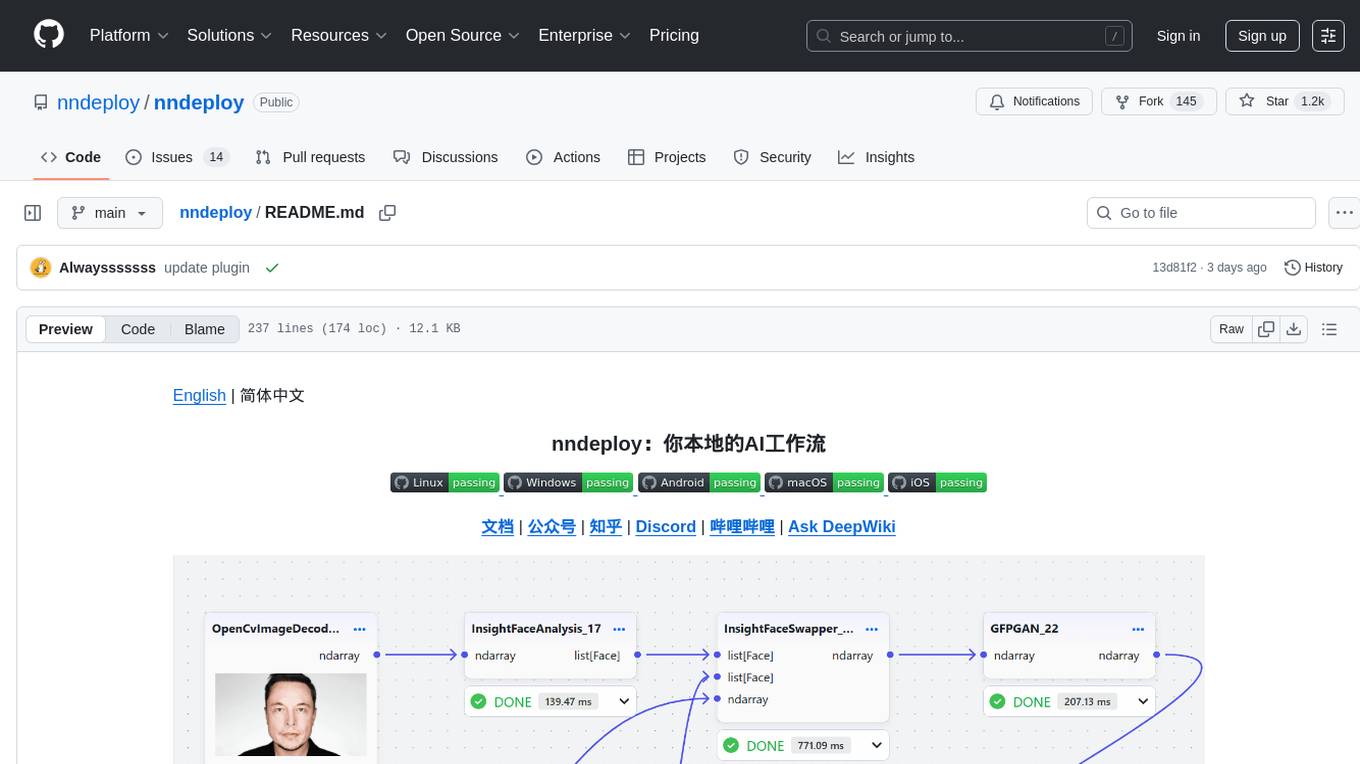
nndeploy is a tool that allows you to quickly build your visual AI workflow without the need for frontend technology. It provides ready-to-use algorithm nodes for non-AI programmers, including large language models, Stable Diffusion, object detection, image segmentation, etc. The workflow can be exported as a JSON configuration file, supporting Python/C++ API for direct loading and running, deployment on cloud servers, desktops, mobile devices, edge devices, and more. The framework includes mainstream high-performance inference engines and deep optimization strategies to help you transform your workflow into enterprise-level production applications.
petercat
Peter Cat is an intelligent Q&A chatbot solution designed for community maintainers and developers. It provides a conversational Q&A agent configuration system, self-hosting deployment solutions, and a convenient integrated application SDK. Users can easily create intelligent Q&A chatbots for their GitHub repositories and quickly integrate them into various official websites or projects to provide more efficient technical support for the community.

MedicalGPT
MedicalGPT is a training medical GPT model with ChatGPT training pipeline, implement of Pretraining, Supervised Finetuning, RLHF(Reward Modeling and Reinforcement Learning) and DPO(Direct Preference Optimization).
daily_stock_analysis
The daily_stock_analysis repository is an intelligent stock analysis system based on AI large models for A-share/Hong Kong stock/US stock selection. It automatically analyzes and pushes a 'decision dashboard' to WeChat Work/Feishu/Telegram/email daily. The system features multi-dimensional analysis, global market support, market review, AI backtesting validation, multi-channel notifications, and scheduled execution using GitHub Actions. It utilizes AI models like Gemini, OpenAI, DeepSeek, and data sources like AkShare, Tushare, Pytdx, Baostock, YFinance for analysis. The system includes built-in trading disciplines like risk warning, trend trading, precise entry/exit points, and checklist marking for conditions.
md
The WeChat Markdown editor automatically renders Markdown documents as WeChat articles, eliminating the need to worry about WeChat content layout! As long as you know basic Markdown syntax (now with AI, you don't even need to know Markdown), you can create a simple and elegant WeChat article. The editor supports all basic Markdown syntax, mathematical formulas, rendering of Mermaid charts, GFM warning blocks, PlantUML rendering support, ruby annotation extension support, rich code block highlighting themes, custom theme colors and CSS styles, multiple image upload functionality with customizable configuration of image hosting services, convenient file import/export functionality, built-in local content management with automatic draft saving, integration of mainstream AI models (such as DeepSeek, OpenAI, Tongyi Qianwen, Tencent Hanyuan, Volcano Ark, etc.) to assist content creation.
jiwu-mall-chat-tauri
Jiwu Chat Tauri APP is a desktop chat application based on Nuxt3 + Tauri + Element Plus framework. It provides a beautiful user interface with integrated chat and social functions. It also supports AI shopping chat and global dark mode. Users can engage in real-time chat, share updates, and interact with AI customer service through this application.
Qbot
Qbot is an AI-oriented automated quantitative investment platform that supports diverse machine learning modeling paradigms, including supervised learning, market dynamics modeling, and reinforcement learning. It provides a full closed-loop process from data acquisition, strategy development, backtesting, simulation trading to live trading. The platform emphasizes AI strategies such as machine learning, reinforcement learning, and deep learning, combined with multi-factor models to enhance returns. Users with some Python knowledge and trading experience can easily utilize the platform to address trading pain points and gaps in the market.
AstrBot
AstrBot is a powerful and versatile tool that leverages the capabilities of large language models (LLMs) like GPT-3, GPT-3.5, and GPT-4 to enhance communication and automate tasks. It seamlessly integrates with popular messaging platforms such as QQ, QQ Channel, and Telegram, enabling users to harness the power of AI within their daily conversations and workflows.
k8m
k8m is an AI-driven Mini Kubernetes AI Dashboard lightweight console tool designed to simplify cluster management. It is built on AMIS and uses 'kom' as the Kubernetes API client. k8m has built-in Qwen2.5-Coder-7B model interaction capabilities and supports integration with your own private large models. Its key features include miniaturized design for easy deployment, user-friendly interface for intuitive operation, efficient performance with backend in Golang and frontend based on Baidu AMIS, pod file management for browsing, editing, uploading, downloading, and deleting files, pod runtime management for real-time log viewing, log downloading, and executing shell commands within pods, CRD management for automatic discovery and management of CRD resources, and intelligent translation and diagnosis based on ChatGPT for YAML property translation, Describe information interpretation, AI log diagnosis, and command recommendations, providing intelligent support for managing k8s. It is cross-platform compatible with Linux, macOS, and Windows, supporting multiple architectures like x86 and ARM for seamless operation. k8m's design philosophy is 'AI-driven, lightweight and efficient, simplifying complexity,' helping developers and operators quickly get started and easily manage Kubernetes clusters.