


nono
Secure, kernel-enforced sandbox CLI and SDKs for AI agents, MCP and LLM workloads. Capability-based isolation with secure key management and blocking of destructive actions in a zero-trust environment.
Stars: 463
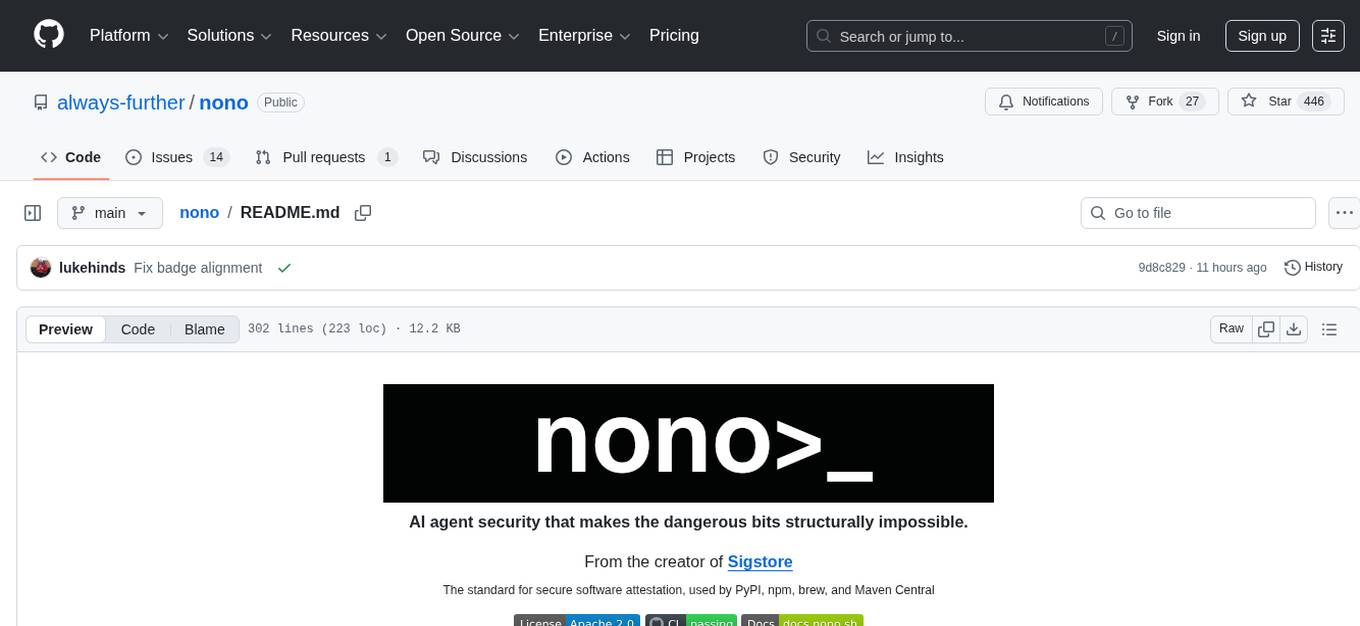
nono is an AI agent security tool that provides kernel-enforced sandboxing to block unauthorized access at the syscall level, deny destructive commands, securely inject secrets, and maintain tamper-resistant trails. It offers a CLI tool with built-in profiles and a Rust library for embedding into applications. The tool aims to make dangerous actions structurally impossible by applying irreversible security measures and supervisor approval for actions outside permissions.
README:

AI agent security that makes the dangerous bits structurally impossible.
From the creator of
Sigstore
The standard for secure software attestation, used by PyPI, npm, brew, and Maven Central




[!WARNING] This is an early alpha release that has not undergone comprehensive security audits. While we have taken care to implement robust security measures, there may still be undiscovered issues. We do not recommend using this in production until we release a stable version of 1.0.
[!NOTE] We are just wrapping up the separation of the CLI and core library. The last stable CLI release is still available on homebrew tap (version v0.5.0) and is fine to use. We will update this README with installation instructions when all library clients are ready. We plan to submit to homebrew-core, but the repo is not yet 30 days old.
AI agents get filesystem access, run shell commands, and are inherently open to prompt injection. The standard response is guardrails and policies. The problem is that policies can be bypassed and guardrails linguistically overcome.
Kernel-enforced sandboxing (Landlock on Linux, Seatbelt on macOS) blocks unauthorized access at the syscall level. Destructive commands are denied before they run. Secrets are injected securely without touching disk. Every filesystem change gets a rollback snapshot. Every command leaves a tamper resistant trail. When the agent needs to do something outside its permissions, a supervisor handles approval.
The CLI builds on the library to provide a ready-to-use sandboxing tool, popular with coding-agents, with built-in profiles, policy groups, and interactive UX.
# Claude Code with inbuilt profile
nono run --profile claude-code -- claude
# OpenCode with custom permissions
nono run --profile opencode --allow-cwd/src --allow-cwd/output -- opencode
# OpenClaw with custom permissions
nono run --profile openclaw --allow-cwd -- openclaw gateway
# Any command with custom permissions
nono run --read ./src --write ./output -- cargo buildThe core is a Rust library that can be embedded into any application via native bindings. The library is a policy-free sandbox primitive -- it applies only what clients explicitly request.
 Rust — crates.io

use nono::{CapabilitySet, Sandbox};

let mut caps = CapabilitySet::new();
caps.allow_read("/data/models")?;
caps.allow_write("/tmp/workspace")?;

Sandbox::apply(&caps)?;  // Irreversible — kernel-enforced from here on
 Python — nono-py

from nono_py import CapabilitySet, AccessMode, apply

caps = CapabilitySet()
caps.allow_path("/data/models", AccessMode.READ)
caps.allow_path("/tmp/workspace", AccessMode.READ_WRITE)

apply(caps)  # Apply CapabilitySet
 TypeScript — nono-ts

import { CapabilitySet, AccessMode, apply } from "nono-ts";

const caps = new CapabilitySet();
caps.allowPath("/data/models", AccessMode.Read);
caps.allowPath("/tmp/workspace", AccessMode.ReadWrite);

apply(caps); // Irreversible — kernel-enforced from here onnono applies OS-level restrictions that cannot be bypassed or escalated from within the sandboxed process. Permissions are defined as capabilities granted before execution -- once the sandbox is applied, it is irreversible. All child processes inherit the same restrictions.
| Platform | Mechanism | Minimum Kernel |
|---|---|---|
| macOS | Seatbelt | 10.5+ |
| Linux | Landlock | 5.13+ |
# Grant read to src, write to output — everything else is denied by the kernel
nono run --read ./src --write ./output -- cargo buildCredentials (API keys, tokens, passwords) are loaded from the system keystore and injected into the sandboxed process as environment variables at runtime. The keystore files themselves are never exposed to the sandboxed process, preventing exfiltration of raw secrets even if the agent is compromised.
# Store a secret in the system keystore, then inject it at runtime
security add-generic-password \
  -T /usr/local/bin/nono \
  -s "nono" \
  -a "openai_api_key" \
  -w "my_super_secret_api_key"

nono run --secrets openai_api_key --allow-cwd -- agent-commandSecurity policy is defined as named groups in a single JSON file. Each group specifies allow/deny rules for filesystem paths, command execution, and platform-specific behavior. Profiles reference groups by name, making it straightforward to compose fine-grained policies from reusable building blocks. Profile-level filesystem entries and CLI overrides are applied additively on top.
Groups define reusable rules:
{
  "deny_credentials": {
    "description": "Block access to cryptographic keys, tokens, and cloud credentials",
    "deny": {
      "access": ["~/.ssh", "~/.gnupg", "~/.aws", "~/.kube", "~/.docker"]
    }
  },
  "node_runtime": {
    "description": "Node.js runtime and package manager paths",
    "allow": {
      "read": ["~/.nvm", "~/.fnm", "~/.npm", "/usr/local/lib/node_modules"]
    }
  }
}
Profiles compose groups by name and add their own filesystem entries on top:
{
  "claude-code": {
    "security": {
      "groups": ["user_caches_macos", "node_runtime", "rust_runtime", "unlink_protection"]
    },
    "filesystem": {
      "allow": ["$HOME/.claude"],
      "read_file": ["$HOME/.gitconfig"]
    }
  }
}Dangerous commands (rm, dd, chmod, sudo, scp, and others) are blocked before execution. This is layered on top of the kernel sandbox as defense-in-depth -- even if a command were allowed, the sandbox would still enforce filesystem restrictions. Commands can be selectively allowed or additional commands blocked per invocation.
# rm is blocked by default
$ nono run --allow-cwd -- rm -rf /
nono: blocked command: rm

# Selectively allow a blocked command
nono run --allow-cwd --allow-command rm -- rm ./temp-file.txtnono takes content-addressable snapshots of your working directory before the sandboxed process runs. If the agent makes unwanted changes, you can interactively review and restore individual files or the entire directory to its previous state. Snapshots use SHA-256 deduplication and Merkle tree commitments for integrity verification.
# List snapshots taken during sandboxed sessions
nono rollback list

# Interactively review and restore changes
nono rollback restoreOn Linux, nono can run in supervised mode where the sandboxed process starts with minimal permissions. When the agent needs access to a file outside its sandbox, the request is intercepted via seccomp user notification and routed to the supervisor, which prompts the user for approval. Approved access is granted transparently by injecting file descriptors -- the agent never needs to know about nono. Sensitive paths (system config, SSH keys, etc.) are configured as never-grantable regardless of user approval.
# Run with rollback snapshots and capability expansion
nono run --rollback --supervised --allow-cwd -- claudeEvery sandboxed session records what command was run, when it started and ended, its exit code, tracked paths, and cryptographic snapshot commitments. Session logs can be inspected as structured JSON for compliance and forensics.
# Show audit record for a session
nono audit show 20260216-193311-20751 --json
❯ nono audit show 20260216-193311-20751 --json
{
  "command": [
    "sh",
    "-c",
    "echo done"
  ],
  "ended": "2026-02-16T19:33:11.519810+00:00",
  "exit_code": 0,
  "merkle_roots": [
    "2ee13961d5b9ec78cca0c2bd1bad29ea39c3b2256df00dec97978e131961b753",
    "2ee13961d5b9ec78cca0c2bd1bad29ea39c3b2256df00dec97978e131961b753"
  ],
  "session_id": "20260216-193311-20751",
  "snapshots": [
    {
      "changes": [],
      "file_count": 1,
      "merkle_root": "2ee13961d5b9ec78cca0c2bd1bad29ea39c3b2256df00dec97978e131961b753",
      "number": 0,
      "timestamp": "1771270391"
    },
    {
      "changes": [],
      "file_count": 1,
      "merkle_root": "2ee13961d5b9ec78cca0c2bd1bad29ea39c3b2256df00dec97978e131961b753",
      "number": 1,
      "timestamp": "1771270391"
    }
  ],
  "started": "2026-02-16T19:33:11.496516+00:00",
  "tracked_paths": [
    "/Users/jsmith/project"
  ]
}brew tap always-further/nono
brew install nono[!NOTE] The package is not in homebrew official yet, give us a star to help raise our profile for when we request approval.
See the Installation Guide for prebuilt binaries and package manager instructions.
See the Development Guide for building from source.
nono ships with built-in profiles for popular AI coding agents. Each profile defines audited, minimal permissions.
| Client | Profile | Docs |
|---|---|---|
| Claude Code | claude-code |
Guide |
| OpenCode | opencode |
Guide |
| OpenClaw | openclaw |
Guide |
nono is agent-agnostic and works with any CLI command. See the full documentation for usage details, configuration, and integration guides.
| Project | Repository |
|---|---|
| claw-wrap | GitHub |
nono is structured as a Cargo workspace:
-
nono (
crates/nono/) -- Core library. A policy-free sandbox primitive that applies only what clients explicitly request. -
nono-cli (
crates/nono-cli/) -- CLI binary. Owns all security policy, profiles, hooks, and UX. -
nono-ffi (
bindings/c/) -- C FFI bindings with auto-generated header.
Language-specific bindings are maintained separately:
| Language | Repository | Package |
|---|---|---|
| Python | nono-py | PyPI |
| TypeScript | nono-ts | npm |
We encourage using AI tools to contribute to nono. However, you must understand and carefully review any AI-generated code before submitting. The security of nono is paramount -- always review and test your code thoroughly, especially around core sandboxing functionality. If you don't understand how a change works, please ask for help in the Discord before submitting a PR.
If you discover a security vulnerability, please do not open a public issue. Instead, follow the responsible disclosure process outlined in our Security Policy.
Apache-2.0
For Tasks:
Click tags to check more tools for each tasksFor Jobs:
Alternative AI tools for nono
Similar Open Source Tools
nono
nono is an AI agent security tool that provides kernel-enforced sandboxing to block unauthorized access at the syscall level, deny destructive commands, securely inject secrets, and maintain tamper-resistant trails. It offers a CLI tool with built-in profiles and a Rust library for embedding into applications. The tool aims to make dangerous actions structurally impossible by applying irreversible security measures and supervisor approval for actions outside permissions.
prompt-injection-defenses
This repository provides a collection of tools and techniques for defending against injection attacks in software applications. It includes code samples, best practices, and guidelines for implementing secure coding practices to prevent common injection vulnerabilities such as SQL injection, XSS, and command injection. The tools and resources in this repository aim to help developers build more secure and resilient applications by addressing one of the most common and critical security threats in modern software development.
capsule
Capsule is a secure and durable runtime for AI agents, designed to coordinate tasks in isolated environments. It allows for long-running workflows, large-scale processing, autonomous decision-making, and multi-agent systems. Tasks run in WebAssembly sandboxes with isolated execution, resource limits, automatic retries, and lifecycle tracking. It enables safe execution of untrusted code within AI agent systems.
authed
Authed is an identity and authentication system designed for AI agents, providing unique identities, secure agent-to-agent authentication, and dynamic access policies. It eliminates the need for static credentials and human intervention in authentication workflows. The protocol is developer-first, open-source, and scalable, enabling AI agents to interact securely across different ecosystems and organizations.
holmesgpt
HolmesGPT is an AI agent designed for troubleshooting and investigating issues in cloud environments. It utilizes AI models to analyze data from various sources, identify root causes, and provide remediation suggestions. The tool offers integrations with popular cloud providers, observability tools, and on-call systems, enabling users to streamline the troubleshooting process. HolmesGPT can automate the investigation of alerts and tickets from external systems, providing insights back to the source or communication platforms like Slack. It supports end-to-end automation and offers a CLI for interacting with the AI agent. Users can customize HolmesGPT by adding custom data sources and runbooks to enhance investigation capabilities. The tool prioritizes data privacy, ensuring read-only access and respecting RBAC permissions. HolmesGPT is a CNCF Sandbox Project and is distributed under the Apache 2.0 License.
AI-penetration-testing
AI Penetration Testing is a tool designed to automate the process of identifying security vulnerabilities in computer systems using artificial intelligence algorithms. It helps security professionals to efficiently scan and analyze networks, applications, and devices for potential weaknesses and exploits. The tool combines machine learning techniques with traditional penetration testing methods to provide comprehensive security assessments and recommendations for remediation. With AI Penetration Testing, users can enhance the effectiveness and accuracy of their security testing efforts, enabling them to proactively protect their systems from cyber threats and attacks.
humanlayer
HumanLayer is a Python toolkit designed to enable AI agents to interact with humans in tool-based and asynchronous workflows. By incorporating humans-in-the-loop, agentic tools can access more powerful and meaningful tasks. The toolkit provides features like requiring human approval for function calls, human as a tool for contacting humans, omni-channel contact capabilities, granular routing, and support for various LLMs and orchestration frameworks. HumanLayer aims to ensure human oversight of high-stakes function calls, making AI agents more reliable and safe in executing impactful tasks.
PentestGPT
PentestGPT provides advanced AI and integrated tools to help security teams conduct comprehensive penetration tests effortlessly. Scan, exploit, and analyze web applications, networks, and cloud environments with ease and precision, without needing expert skills. The tool utilizes Supabase for data storage and management, and Vercel for hosting the frontend. It offers a local quickstart guide for running the tool locally and a hosted quickstart guide for deploying it in the cloud. PentestGPT aims to simplify the penetration testing process for security professionals and enthusiasts alike.
ai-manus
AI Manus is a general-purpose AI Agent system that supports running various tools and operations in a sandbox environment. It offers deployment with minimal dependencies, supports multiple tools like Terminal, Browser, File, Web Search, and messaging tools, allocates separate sandboxes for tasks, manages session history, supports stopping and interrupting conversations, file upload and download, and is multilingual. The system also provides user login and authentication. The project primarily relies on Docker for development and deployment, with model capability requirements and recommended Deepseek and GPT models.
mesh
MCP Mesh is an open-source control plane for MCP traffic that provides a unified layer for authentication, routing, and observability. It replaces multiple integrations with a single production endpoint, simplifying configuration management. Built for multi-tenant organizations, it offers workspace/project scoping for policies, credentials, and logs. With core capabilities like MeshContext, AccessControl, and OpenTelemetry, it ensures fine-grained RBAC, full tracing, and metrics for tools and workflows. Users can define tools with input/output validation, access control checks, audit logging, and OpenTelemetry traces. The project structure includes apps for full-stack MCP Mesh, encryption, observability, and more, with deployment options ranging from Docker to Kubernetes. The tech stack includes Bun/Node runtime, TypeScript, Hono API, React, Kysely ORM, and Better Auth for OAuth and API keys.
hyper-mcp
hyper-mcp is a fast and secure MCP server that enables adding AI capabilities to applications through WebAssembly plugins. It supports writing plugins in various languages, distributing them via standard OCI registries, and running them in resource-constrained environments. The tool offers sandboxing with WASM for limiting access, cross-platform compatibility, and deployment flexibility. Security features include sandboxed plugins, memory-safe execution, secure plugin distribution, and fine-grained access control. Users can configure the tool for global or project-specific use, start the server with different transport options, and utilize available plugins for tasks like time calculations, QR code generation, hash generation, IP retrieval, and webpage fetching.
pentest-agent
Pentest Agent is a lightweight and versatile tool designed for conducting penetration testing on network systems. It provides a user-friendly interface for scanning, identifying vulnerabilities, and generating detailed reports. The tool is highly customizable, allowing users to define specific targets and parameters for testing. Pentest Agent is suitable for security professionals and ethical hackers looking to assess the security posture of their systems and networks.
ultracontext
UltraContext is a context API for AI agents that simplifies controlling what agents see by allowing users to replace messages, compact or offload context, replay decisions, and roll back mistakes with a single API call. It provides versioned context out of the box with full history and zero complexity. The tool aims to address the issue of context rot in large language models by providing a simple API with automatic versioning, time-travel capabilities, schema-free data storage, framework-agnostic compatibility, and fast performance. UltraContext is designed to streamline the process of managing context for AI agents, enabling users to focus on solving interesting problems rather than spending time gluing context together.
CredSweeper
CredSweeper is a tool designed to detect credentials like tokens, passwords, and API keys in directories or files. It helps users identify potential exposure of sensitive information by scanning lines, filtering, and utilizing an AI model. The tool reports lines containing possible credentials, their location, and the expected type of credential.
hexstrike-ai
HexStrike AI is an advanced AI-powered penetration testing MCP framework with 150+ security tools and 12+ autonomous AI agents. It features a multi-agent architecture with intelligent decision-making, vulnerability intelligence, and modern visual engine. The platform allows for AI agent connection, intelligent analysis, autonomous execution, real-time adaptation, and advanced reporting. HexStrike AI offers a streamlined installation process, Docker container support, 250+ specialized AI agents/tools, native desktop client, advanced web automation, memory optimization, enhanced error handling, and bypassing limitations.
AISVS
The Artificial Intelligence Security Verification Standard (AISVS) provides a structured checklist for evaluating security and ethical considerations of AI-driven applications. It covers areas such as data governance, model lifecycle management, infrastructure security, access control, privacy protection, and more. The project is led by Jim Manico and Russ Memisyazici, and is licensed under Creative Commons Attribution-ShareAlike 4.0.
For similar tasks
nono
nono is an AI agent security tool that provides kernel-enforced sandboxing to block unauthorized access at the syscall level, deny destructive commands, securely inject secrets, and maintain tamper-resistant trails. It offers a CLI tool with built-in profiles and a Rust library for embedding into applications. The tool aims to make dangerous actions structurally impossible by applying irreversible security measures and supervisor approval for actions outside permissions.
For similar jobs

weave
Weave is a toolkit for developing Generative AI applications, built by Weights & Biases. With Weave, you can log and debug language model inputs, outputs, and traces; build rigorous, apples-to-apples evaluations for language model use cases; and organize all the information generated across the LLM workflow, from experimentation to evaluations to production. Weave aims to bring rigor, best-practices, and composability to the inherently experimental process of developing Generative AI software, without introducing cognitive overhead.

LLMStack
LLMStack is a no-code platform for building generative AI agents, workflows, and chatbots. It allows users to connect their own data, internal tools, and GPT-powered models without any coding experience. LLMStack can be deployed to the cloud or on-premise and can be accessed via HTTP API or triggered from Slack or Discord.

VisionCraft
The VisionCraft API is a free API for using over 100 different AI models. From images to sound.

kaito
Kaito is an operator that automates the AI/ML inference model deployment in a Kubernetes cluster. It manages large model files using container images, avoids tuning deployment parameters to fit GPU hardware by providing preset configurations, auto-provisions GPU nodes based on model requirements, and hosts large model images in the public Microsoft Container Registry (MCR) if the license allows. Using Kaito, the workflow of onboarding large AI inference models in Kubernetes is largely simplified.

PyRIT
PyRIT is an open access automation framework designed to empower security professionals and ML engineers to red team foundation models and their applications. It automates AI Red Teaming tasks to allow operators to focus on more complicated and time-consuming tasks and can also identify security harms such as misuse (e.g., malware generation, jailbreaking), and privacy harms (e.g., identity theft). The goal is to allow researchers to have a baseline of how well their model and entire inference pipeline is doing against different harm categories and to be able to compare that baseline to future iterations of their model. This allows them to have empirical data on how well their model is doing today, and detect any degradation of performance based on future improvements.

tabby
Tabby is a self-hosted AI coding assistant, offering an open-source and on-premises alternative to GitHub Copilot. It boasts several key features: * Self-contained, with no need for a DBMS or cloud service. * OpenAPI interface, easy to integrate with existing infrastructure (e.g Cloud IDE). * Supports consumer-grade GPUs.

spear
SPEAR (Simulator for Photorealistic Embodied AI Research) is a powerful tool for training embodied agents. It features 300 unique virtual indoor environments with 2,566 unique rooms and 17,234 unique objects that can be manipulated individually. Each environment is designed by a professional artist and features detailed geometry, photorealistic materials, and a unique floor plan and object layout. SPEAR is implemented as Unreal Engine assets and provides an OpenAI Gym interface for interacting with the environments via Python.

Magick
Magick is a groundbreaking visual AIDE (Artificial Intelligence Development Environment) for no-code data pipelines and multimodal agents. Magick can connect to other services and comes with nodes and templates well-suited for intelligent agents, chatbots, complex reasoning systems and realistic characters.